Excellent HW, software will mature - Fantastic hardware, and Google has already made forward progress. Highly recommend, as long as you have a little patience for the software.
 20% off
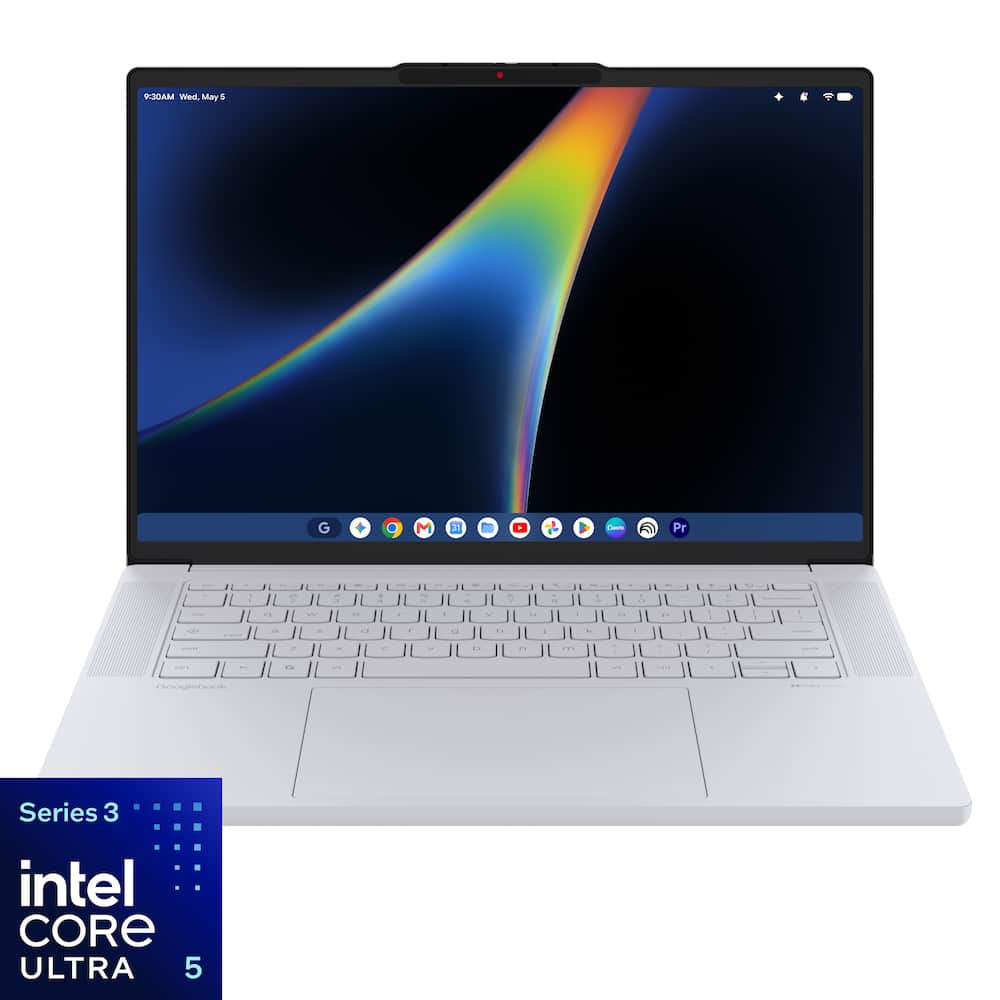
Lenovo – Googlebook 15.3″ 3K 120Hz OLED Touchscreen Laptop – Intel Core Ultra 5 Processor 325 2026 – 16GB Memory – 512GB Storage – Cloud Grey
SKU: 6687176
$87920
Was $1,099.00 Save $219.80
Other options in this range
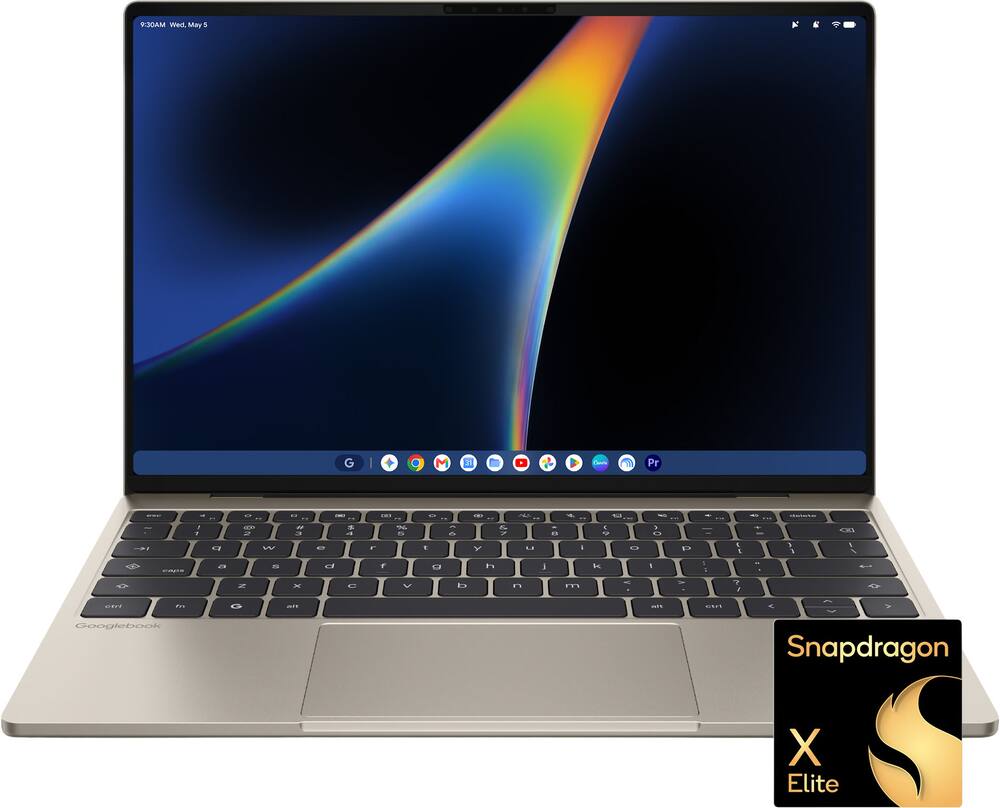 Dell - XPS Googlebook - 13.4" 2.5K Touchscreen Laptop - Snapdragon X Elite X1E-80-100 2024 - 16GB Memory - 512GB Storage - Shimmer Original price was: $999.00.$799.20Current price is: $799.20.
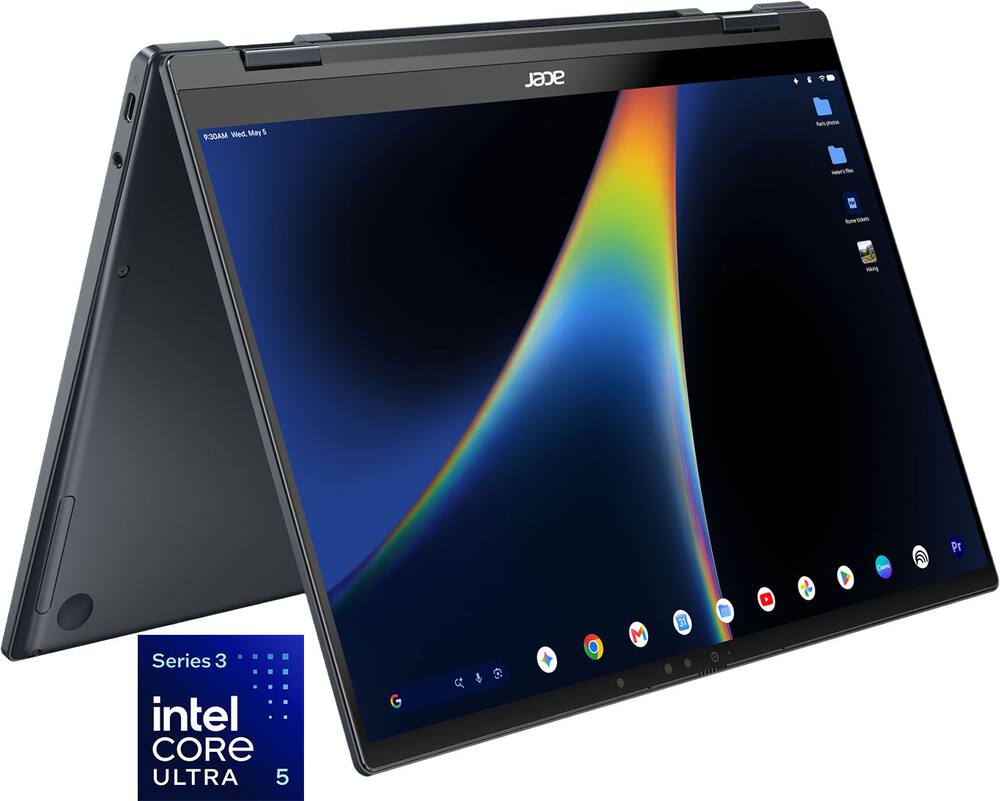 Acer - Googlebook 14 Laptop - 14" 3K OLED 120Hz Touchscreen - Intel Core Ultra 5 Series 3 2026 - 16GB Memory – 512GB Storage - Elemental Blue Original price was: $899.00.$719.20Current price is: $719.20.
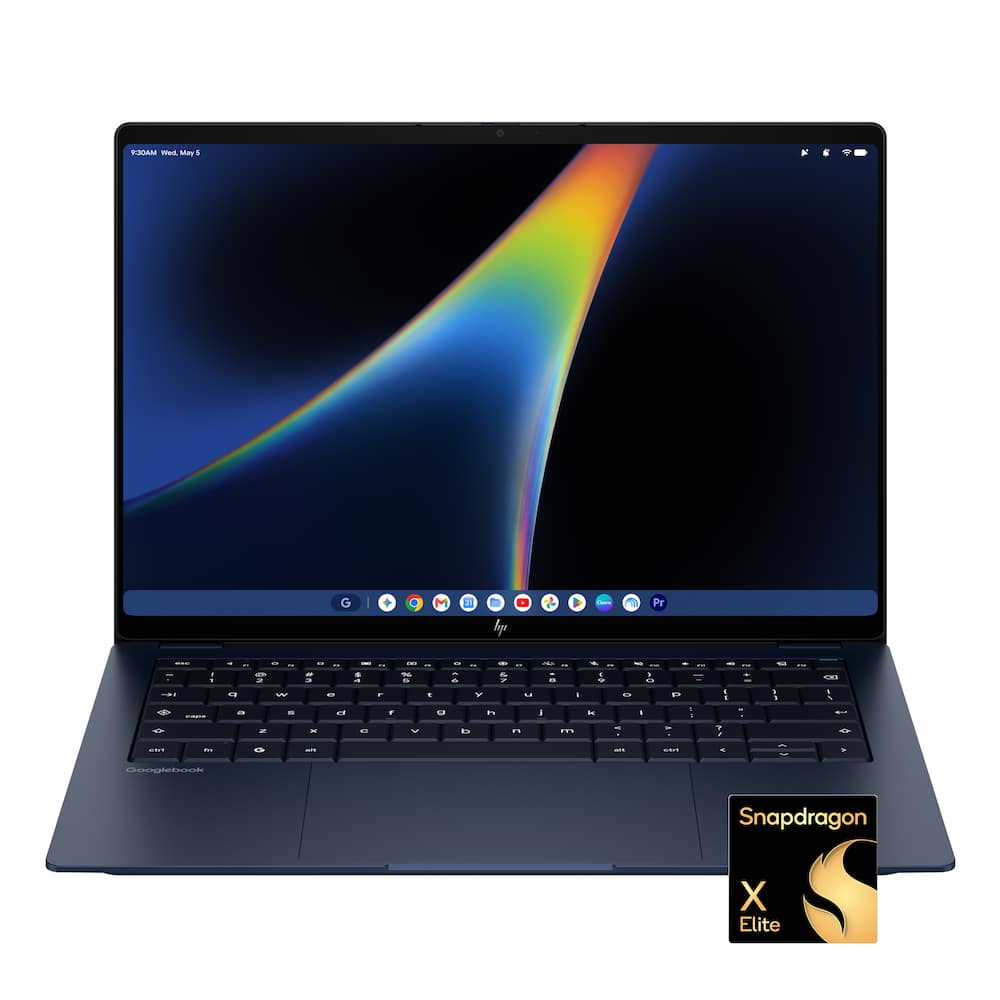 HP - Googlebook 14" - 3K OLED Touchscreen - Snapdragon X Elite - 16GB Memory - 512GB SSD - Atmospheric Blue Original price was: $1,299.00.$1,039.20Current price is: $1,039.20.
Overview
- Perfect partner to your Android phone
Lenovo Googlebook 15 and your Android phone are in total sync, keeping you in your flow¹. Switch between the two seamlessly and access phone apps and files without laptop installs or transfers. - Designed for Gemini Intelligence
The best of Gemini meets a whole new kind of laptop, supercharged to turn your ideas into action in seconds. From instantly adding dates to your calendar with Magic Pointer² to capturing filler-free thoughts with Rambler³. - See every detail. Feel every moment.
A stunning 15.3″ 3K OLED display and immersive Dolby Atmos speakers transform everyday viewing into a cinematic experience. Whether you’re binge-watching, video calling, or creating, everything looks richer, sharper, and more vibrant. - Battery that keeps up with your life.
Designed for modern multitasking, Lenovo Googlebook 15 combines smooth everyday performance powered by Intel® Core™ Ultra 5 with built-in Gemini Intelligence to simplify your routine. Jump between work, entertainment, and creativity with ease, with 12.5 hours of battery life⁴ that lets you stay focused on one charge. More flow, less friction. - A smoother way to interact.
Every interaction feels more intuitive with the iconic Glowbar and aluminium chassis. Designed for precision and comfort, the large haptic touchpad responds with subtle tactile feedback that makes navigation feel smoother and more refined. Whether you’re editing, multitasking, or casually browsing, Lenovo Googlebook 15 makes everyday computing feel effortlessly premium. - Light to carry. Ready for anything.
Built for life on the move, Lenovo Googlebook 15 combines an ultra-slim design with durable construction. Whether traveling or commuting, it slips effortlessly into your daily routine to give you the performance you need for everyday tasks, wherever you go. - Google AI Pro at no cost
Get one year of Google AI Pro with expanded access to Gemini, Nano Banana, 5TB of cloud storage and more, at no cost⁵. Worth $239.38. - A world of apps and games
Unlock millions of apps with Google Play, plus games ranging from mobile faves to PC heavyweights⁶. - Security built-in
Powered by the Titan C security chip, Lenovo Googlebook 15 is designed with multi-grade security that keeps viruses out and even the most advanced hackers away. - See every detail. Feel every moment.
A stunning 15.3″ 3K OLED display with HDR 1000 True Black and 100% DCI-P3 color delivers deeper blacks and vivid color, transforming everyday viewing into a cinematic experience. Whether you’re binge-watching, video calling, or creating, everything looks richer, sharper, and more vibrant.
Compare similar
Specifications
Capacity & configuration
- Display Type
- OLED
- Storage Type
- SSD
- Total Storage Capacity
- 512 gigabytes
- Solid State Drive Capacity
- 512 gigabytes
- Type of Memory (RAM)
- LPDDR5X
- Graphics Type
- Integrated
- Battery Capacity
- 4522 milliampere hours
- Touchpad Type
- Multi-touch
- Speaker Type
- 4 x 2W
- Optical Drive Type
- None
Dimensions & weight
- Product Name
- Googlebook 15.3" 3K 120Hz OLED Touchscreen Laptop - Intel Core Ultra 5 Processor 325 2026 - 16GB Memory - 512GB Storage
- Product Height
- 0.63 inches
- Product Width
- 9.29 inches
- Product Depth
- 13.35 inches
- Product Weight
- 2.68 pounds
Features
- Brand
- Lenovo
- Color
- Cloud Grey
- Screen Size
- 15.3 inches
- Screen Resolution
- 2880 x 1800
- Touch Screen
- Yes
- Refresh Rate
- 120Hz
- Brightness
- 500 nits
- Processor Brand
- Intel
- CPU Base Clock Frequency
- 2.1 gigahertz
- CPU Boost Clock Frequency
- 4.5 gigahertz
- Number of CPU Cores
- 8-core
- Number of CPU Threads
- 8
- Neural Processing Unit (NPU)
- Yes
- Maximum NPU Performance
- 47 trillions operations per second
- System Memory (RAM)
- 16 gigabytes
- System Memory RAM Speed
- 6800 megahertz
- Number Of Memory Slots
- 0
- GPU Brand
- Intel
- Graphics
- Intel Graphics
- Operating System
- Googlebook OS
- Display Connector(s)
- 1 x HDMI 2.0
- Number of HDMI Outputs (Total)
- 1
- Number of DisplayPort Outputs (Total)
- 0
- Number of Thunderbolt Ports (Total)
- 2
- USB Ports
- 1 x USB-A 3.2
- Number of USB Ports (Total)
- 1
- Headphone Jack
- Yes
- Microphone Input
- Yes
- Wireless Connectivity
- Wi-Fi
- Wireless Standard
- AX
- Wireless Networking Standard
- Wi-Fi 7
- Number Of Ethernet Ports
- 0
- Battery Life (up to)
- 12.5 hours
- Battery Cells
- 4-cell
- Battery Chemistry
- Lithium-polymer
- Front-Facing Camera
- Yes
- Front Facing Camera Megapixels
- 5 megapixels
- Built-In Microphone
- Yes
- 2-in-1 Design
- No
- Backlit Keyboard
- Yes
- Customizable Keyboard Lighting
- No
- Media Card Reader
- No
- Audio Technology
- Dolby Audio
- Chrome Features
- Android apps
- Security Features
- Privacy camera
- Stylus Dock
- None
- Casing Material
- Aluminium
- ENERGY STAR Certified
- Yes
- EPEAT Registered
- Yes
- EPEAT Level
- Gold
- Numeric Keypad
- No
- Stylus Included
- No
- Year of Release
- 2026
- UPC
- 828132443232
Power & warranty
- Model Number
- 83W6000EUS
- Processor Model
- Intel Core Ultra 5 Series 3
- Processor Model Number
- 325
- Processor Model Year of Release
- 2026
- Power Supply Maximum Wattage
- 65 watts
- Warranty - Parts
- 1 year
- Warranty - Labor
- 1 year
Warranty & protection
Included manufacturer warranty
See manufacturer documentation.
Register your product with the manufacturer within 30 days of delivery.
Warranty service
Manufacturer warranty claims are handled by the manufacturer. We are happy to help you find the right contact: (888) 419-6820.
Customer reviews
Write a reviewGreat and gorgeous product. OS Need work. - Looks and speed and excellent. I would recommend those heavy into android ecosystem and looking for a laptop companion. For productivity, would hold off on this one. There are better choices for the pricepoint.
Googlebook 15 - It has a lot of new features, like the touchscreen, the screen display. I'm loving it!! ❤️
Googlebook Shows Promise, but Not Quite Ready - It’s 2026, and Google has introduced Googlebooks, a new companion for your Android phone. There aren’t any budget Googlebooks available at the moment, and the Lenovo is no exception. The hardware is nice, featuring an attractive design headlined by a beautiful 3K OLED display running at 120Hz. It has an oversized haptic trackpad, 16GB of memory, and is one of the lightest 15” laptops I’ve ever held. Unfortunately, it’s also expensive, and doesn’t have a higher-end CPU to match its price. The software is entirely new. It’s Android for the desktop, now called Googlebook OS. The operating system itself is refreshing to use, especially if you enjoy the experience on Google’s latest Pixel devices. In fact, it nearly looks identical, right down to a lot of the same settings. There are even leftover phone artifacts such as options for a mobile hotspot, despite the laptop not having a cellular modem, and options to turn on “Data Saver”. One of the big selling points of a Googlebook is the deep integration with your Android phone. You can cast apps from your phone to the desktop, interact with your notifications, and manage files or photos on your phone. In practice, however, I found these features didn’t always work particularly well. A lot of times casting wouldn’t work, and I’d be prompted to scan a QR code to re-pair my Pixel phone to the laptop. Notifications were inconsistent, sometimes appearing and sometimes not. Even when they did appear, interacting with them did not always work. Reddit, for example, would send a notification from my phone, but clicking on it would simply cause my phone’s screen to light up as it attempted to cast the application. Then ultimately nothing happened, likely because I didn’t have Reddit installed on the Googlebook. Worse, the notification would then disappear from both devices. Performance has been just ok. The laptop feels snappy for the most part, but looking at the included CPU and running some benchmarks, it’s not substantially more powerful than my Google Pixel Pro 11. It also has the same amount of memory. Considering that it runs many of the same apps, likely at a similar speed, the primary advantages over my phone are the larger display, included keyboard, and trackpad. Battery life has been outstanding. This was a surprise to me because the laptop uses an Intel processor, rather than an ARM-based Snapdragon chip. Combined with the lightweight design, this is easily one of the biggest selling points for this laptop. Installing apps involves visiting the Play Store, just as you would on an Android phone. There are now labels in the Play Store that indicate whether an app is compatible, “Optimized for Desktop”, or “Made for Desktop”. The latter should provide the best experience, but unfortunately, there are very few of these available. Most first-party apps such as Chrome are “made for desktop”, along with a lot of image editors like Canva. However, many still feel like web apps originally designed with ChromeOS in mind. Even Chrome has issues. For example, video on some websites would play at a very poor framerate (although Youtube works fine, it’s a Google product after all) A lot of apps are “optimized” but that doesn’t mean they’re fully featured desktop applications. It typically means the interface is responsive and scales appropriately and that it supports the built-in keyboard and trackpad. Microsoft Word, an “optimized” app, is a perfect example. The experience is surprisingly poor, which is particularly disappointing considering writing documents for school or work would be one of the primary reasons to use a Googlebook. In fact, I wrote this review in Word on the Googlebook. The experience was a bit frustrating. I could not select text normally or copy/paste with the regular keyboard shortcuts. Typing would lag at times, while strange graphical artifacts would be visible from time to time. The application’s functionality itself is stripped down compared to the desktop version on Mac or Windows. Honestly, it’s so bad you just want to pull out a real laptop to get work done. I was particularly excited about the built-in Linux environment, thinking that I could install anything through the terminal that I couldn’t find in the Play Store. Apps such as VS Code and Gimp would provide me with some familiarity for development and photo editing. Unfortunately, at this time, Linux feels like a second-class citizen, at best used for CLI only commands. While I managed to get both installed, I could not get Code to run and Gimp had a lot UI interface issues. If you do want to code, Google's Antigravity app works if that’s what you’re comfortable using. The speakers are better than I expected. They could use a bit more bass response but for the most part they work well. Another area where the Googlebook excels is the Gemini experience. Google’s flagship AI is integrated directly into the operating system, with features like Magic Pointer, which lets you interact with anything on your screen and Rambler, which is smart AI dictation and my favorite feature from this year's Pixel phones. You can also create custom desktop widgets using natural language. If you’re heavily invested in Gemini and Google’s AI features, there’s definitely something to appreciate here. Pros: - Extremely lightweight premium design - Gorgeous 3K OLED 120Hz Display - App-casting from Android phone - Good multi-monitor support - Great sounding speakers - Built-in Gemini integration - Instant on functionality - Excellent battery life - Large haptic Trackpad - Linux Support - Biometric login - Thunderbolt 4 and Wifi 7 - Includes 1 year of Google AI Pro Cons: - Midrange CPU and integrated graphics - Limited desktop ecosystem for Android - Early Adopter Bugs – like keyboard lag and inconsistent phone integration - Linux is mostly limited to CLI terminal emulator - Expensive Overall – I find myself enjoying the Googlebook and while simultaneously wondering if I could ever actually use it as my primary device. The hardware is excellent, battery life is fantastic, and Googlebook OS is different and refreshing to use. But it all comes down to the apps. While casual users may find everything they need, the lack of true desktop apps at this early stage of the products lifecycle can make the experience frustrating for all but the most dedicated Android enthusiasts. With more time and especially developer support this could be a true competitor to Mac and Windows based systems.
Great Quality - It looks and feels like plastic but great quality, Google system is not like windows or mac definitely, it has a lot of limitations, you can install all apps from Play Store but with the same limitations are not windows desktop version, linux emulator is so bad, so this laptop is for someone in the school, that needs to use all google apps
Best Googlebook - I'm very happy with the Lenovo Googlebook. It feels premium all around. The software is still in it's early stages but it works well enough me. The Intel chip inside works well with the OS for the most part. The screen is amazing, the speakers are really good just lacks bass, it is not fanless but the single fan in the unit is quiet and does not get too loud. I'm happy it has an ambient light sensor, face unlock along with finger print unlock too.
Nice hardware but missed opportunity - Title: Nice hardware but missed opportunity Verdict: The Lenovo Googlebook is a beautiful computer with decent specs and great Google ecosystem integration. However, it lacks the ability to run real programs and the AI features were disappointing. I would recommend this to users heavily invested in the Google ecosystem and that do not have a requirement for heavy programs. First impressions. I like the white laptop. It’s a nice size, but it’s not heavy. Cool startup logo! Setup. You can setup from an iPad or Android device, so probably mobile first approach. During initial setup, you can opt out of signing into a Google account. The computer will provide options to setup fingerprint unlock and/or face unlock, both of which work quite well. - Setup without an account: If you select this option, a warning box will advise that you will not have access to seamless Google services until you sign in. From there you can add your name and essentially setup a permanent local account. I tried this to see how it worked, and essentially, this computer is mostly a browser if it doesn’t include you Google sign-in (access to sheets, doc, or other Google product requires sign-in). - Setup with an account: Definitely the way to go. Once you get to your desktop, you can get to all your Google data: email app to your Gmail, files in Google Drive, all your Chrome history, Youtube account, etc. Fundamentally, I think this is the best way to use this computer for one or several users. This way, any user that logs in will immediately have all of their Google account, tools, and data available. Usage. I love that there is a tutorial video as soon as the laptop loads. However… the video demos are too small! I can barely read what’s in the video, yet half the screen on my computer is white space!! That doesn’t make sense. Coming from an exclusive Windows computer experience, there is definitely a small learning curve… There seems to be no right click, and I keep trying because it’s faster and makes sense to me, for example removing Drop Box from the taskbar… Can’t right click to do that with the touchpad and nearly impossible to figure out how to remove it (had to Google it! And it’s clicking with two fingers at once…). However, when you add a physical mouse (or BT mouse), you can instantly right click and remove it… I don’t understand why not just keep right click on the touchpad to ease the transition from Windows. Power users. Since we are heavily invested in Google workspace, appsheet tools, scripts, etc., I have been wondering if we could switch to using these at work. It appears that you can still load something like Microsoft Office through the Google store (must have for us to execute advanced formatting). Adobe Acrobat just had the reader; I could not find the pro version. An Adobe Acrobat browser plugin does exist for Chrome but it’s not the same thing. I think we could switch some users because they use mostly web-based apps, but other users need installed programs. AI Tools. Access to Gemini pro and Nano Banana for a year is a very nice perk that sweetens the deal. Things I love: - Nice Lenovo hardware - Beautiful 3K OLED screen - Good-looking laptop, and it feels really nice - Super lightweight for its size - Performs better than its specs - Security and anti-virus built-in - Decent specs - Thank you for the privacy shutter! Things I don’t like: - The black bar at the top of the screen takes away from screen real-estate. I understand that they want to give the ecosystem a mobile vibe, but that is so impractical and counter-productive. Put the time, date, and WiFi, and notifications back in the task bar so I can get some real-estate back - I was interested to try Magic Pointer but it doesn’t work for me… I can’t turn it on. - I was disappointed with the Built-In Gemini. It’s not really on par with another AI you download and it can use tools such as the web browser to check things for you. Overall, this is a nice start for this Googlebook by Lenovo… Nice hardware and very nice integration with the Google ecosystem. However, I think it could be so much more by fully empowering Gemini and AI tool use on the laptop, and more real programs for power users. I would recommend this to users heavily invested in the Google ecosystem and that do not have a requirement for heavy programs.
Gorgeous, But Held Back Slightly by Early Quirks - I want to completely love this laptop, and most days I think I do. It solves my portability needs beautifully. The sleek Cloud Grey metal chassis has a surprisingly soft-to-the-touch feel, and its lightweight design makes it effortless to carry around, which is a massive win for someone with hand dexterity issues. The 3K OLED screen is gorgeous, and the Gemini AI integration is fantastic and lightning-fast. However, the occasional software and connection hiccups keep it from absolute perfection. One of the main reasons I purchased this was for seamless continuity with my phone. While it works wonderfully when it cooperates, the connection can be hit-or-miss and laggy at times, forcing me to manually reconnect. Additionally, powered by Intel, it handles day-to-day tasks fine, but it does feel a bit less snappy compared to Snapdragon-powered alternatives I’ve tested. As for all the not-so-positive reviews the Lenovo is getting, that's not a thing for me. My comments are based on my own empirical observations. I expect some wrinkles, and I believe they are going to be worked out. My suggestion is just to try it and see if it works for you. Overall, it's a "soft" 4 stars because the hardware fundamentals and portability are just that good. Because I purchased it with a Best Buy Total Membership Protection Plan, I have peace of mind and some time to see if future updates iron out these early wrinkles.
Great Hardware, software is not there yet. - Here we go again! I decided to be a beta tester for Google. I purchased a Googlebook. I actually purchased the Acer Googlebook first. I liked the Hardware mostly, but had issues with my phone not connecting. I did not go into deep troubleshooting because I was turned off by the amount of fingerprints on the blue finish in just a short amount of time. As I said, very nice hardware minus the fingerprint part, but I returned it. I got the Lenovo version. For $1099 I considered the price still fair based on the specs. I did get a Lenovo Chromebook Plus 14 prior and for a mere $541 open box. With the Chromebook the OLED screen is beautiful and very responsive. It is a great all arounder, and if you can find it for <$700, I highly recommend it. Back to the Lenovo Googlebook. I really loved the magnesium alloy material and how it had a soft touch. The white color was really nice. For a larger laptop it is amazingly light. For comparison it weighs almost the same amount as the 14 inch Chromebook Plus model. My only issue with the hardware is that the haptic touchpad on my model had a sort of hollow rattle on one corner, which is odd for a haptic touchpad. I was also pleasantly surprised by the display as I normally am more into glossy displays. This one is anti-glare.and with the high resolution gives the images a soft yet sharp look. Using the laptop with 120hz does not feel all that special as the Chromebook Plus 14 scrolls the page faster. The googlebooks are not the only ones that are guilty of this as the Surface Laptop 7 I had was the same when using the touchpad to scroll. The Surface Pro does not have this issue in either touch or trackpad use. Weirdly the Chromebook one scrolls significantly faster despite the 60hz. I tried so much with this laptop to make it work, but I had the same issue that my phone would not remain paired. This is the reason I wanted a googlebook. I like having a laptop that does not have the bloat of windows and I want to use it unlike MacOS. The question for me isn't who are Googlebooks for, but rather why does it not work consistently with pairing like my car does with AA when I get in. The brief time it worked right it was nice having my phone's apps visible and all the android apps installed. It felt like an extension of my phone. That is all I want. No complicated OS just browsing and using connected apps. Right now I would wait on Googlebooks to get more reliable software to work the way they are advertised to. The Lenovo Chromebook 14 Plus works more reliably than the Googlebook so there is work to be done here.
Pretty but not useful if no external displays - I really wanted this to be amazing. My ancient employer Chromebook connects to my 34" external displays via modern Anker hub. This Google Book sees nothing, on a brand new USB4 cable. No mouse, keyboard, or displays. It is a $1200 pretty doorstop.
Early adopter - Great device, lots of potential in the OS, but the initial release had issues. I am hoping it becomes the linux dev laptop of my dreams, with day-to-day usability features added. Not quite there yet, but surprisingly useful for a brand-new product.
On the right track! - When I heard about the Googlebooks coming out, I got excited. “This is what I’ve been waiting for - for a very long time” I exclaimed! I've tried Chromebooks before and I just don't like Chrome OS. A big blank home screen or desktop just doesn't seem very productive. I love Android. The ability to have the widgets that you want and have folders right on your desktop is what I've been looking for without being a Windows machine. So I definitely wanted to get the Lenovo Googlebook. So far trying this out, there are some good things and some not so good things. It definitely isn't fully baked yet, but if you like seeing how technology progresses, it's kind of neat to get it now and see how they'll improve it. Think of it like a prototype. The overall build quality is so-so for me right away. I love that it's nice and light, but the coating that they use on the outside that makes it so nice and smooth, I wish it had a little bit more texture so it's a little more grippy. Being so smooth and whatever the coating is, it actually makes the "premium" magnesium/aluminium blend feel like plastic. If you tap your fingers on the underside of it or on the cover, I swear it's plastic. I like the little tab running across the top. When it's closed, it makes it so easy to open this with one finger. I don't really understand the glow bar on the back of the screen facing away from you. Among other things I thought it was supposed to show the battery charge, but while it's charging up, the glow bar is off. It does not show any kind of level. Hopefully, that is definitely something they add more features to, to make it have a point. I like the Lenovo Googlebook due to its size. I love the big screen. It gets nice and bright and nice and dim in dark environments. The screen is beautiful. It has an amazing picture, very vibrant and a responsive touchscreen. Also, the face unlock works great as long as you're in a bright room, but in the morning when it's dark and I try to open it, it does not work at all. I always have to put my pin in. The bigger size gives you a well-spaced out keyboard. It's easier to type on. Key travel and clickiness is very nice. Love the fact that it's backlit and easily adjustable. The big trackpad is nice, but I think this could use some work. The haptics on it don't feel premium; it feels a little hollow and kind of cheapy. One and two fingers on it is great, but the three finger gestures I don't care for. It's awkward to try to use those. It should just have the same swipe gestures as the screen can have. It's nice to have a fingerprint reader right on the keyboard, but it is very slow. The battery life is pretty good. I use my laptop for my admin every morning for a couple hours and I get just about four days out of it before I have to recharge it. If I were to use it all in one time, I'd probably get about nine to ten hours out of it. When you close the lid and it goes into sleep mode, that's nice, it only loses about 6 to 7% of battery life. Recharging it is pretty quick; I plug it in and it charges up in about an hour and 20 minutes from 15%. When it comes to actually using the Google Book and the experience, I would say it's mostly positive with a few annoyances that hopefully Google will be fixing with updates. I would have liked to have seen more updates during the about a week I've had it, but I haven't seen anything come through yet. Setting up the Googlebook was just like setting up an Android phone, that went super easy. Most apps went over, there's only a few that I had to go and download. But here is the first annoyance, that this is running Android 17 but it doesn't run all Android apps. Some of the main ones like YouTube and Gmail are still progressive web apps or PWAs, and I don't like those. That's what they use on Chrome OS. I want the Android apps. Google absolutely needs to fix this. Continue on seems to work pretty well, although I had to go into my Pixel phone and turn on the feature because it wasn't on right away. But it is really nice to be able to be browsing the web on your phone and think, "Oh, I want to see this bigger," and just go right to the laptop. The cast apps feature is bad. It's a great thought but it needs a lot of work. When I try to use it, the apps will come up but there will be missing elements, big blank spaces, or they're just very jittery and unusable. The Googlebooks come with Rambler baked in and that is one of my favorite features ever. I use it all the time and it needs to be made available for any electronic device used for communication. It is just so great! The notifications on the Googlebook need a lot of work as well. I will get double notifications, or I will get notifications that pop up every time I start using it in the morning that I have dismissed hours ago. As long as you're using the Googlebook and your phone together, you can swipe the notifications away, but done separately, the Googlebook has to play catch up. There is only one volume, (which was I think a thing back in the early 2000s). Come on Google, what happened to the separate volumes for notifications and media and alarms? I hate having the volume up louder when I'm watching something or listening to music and then later a notification will come through blaring loud. I've had to shut them off until they get that fixed. Casting from the Googlebook to other devices like your TV isn't a great experience. It only finds specifically Google products. If I try to cast something from my Pixel phone, it will show all the Google things and my Fire Sticks and all my devices that I can cast to. For about a week, I have tried to exclusively use this Lenovo Googlebook and leave my tablet on the table and see if it can replace it, and so far it has been able to. I have some preferences for the tablet, but if Google pushes out updates and fixes these issues, it will absolutely be a wonderful machine.
Hardware top notch except for one thing - The only show stopper for me is that I could get it to work with my travel external display to work with my USB c connection. Set up was a breeze. The only hiccup was couldn't get Better Together to work with my Pixel 9 Pro XL but finally worked after rebooting the laptop. I am using this as my secondary laptop so this is great. Hardware is great but software I know I am one of the early adaptors. I owned a MacBook pro years ago having the same feeling that knowing not everything is going to be compatible.
Fresh Laptop Experience - I've used plenty of laptops over the years, and the Lenovo Googlebook 15 immediately felt different in a good way. This isn't replacing my main computer, but it has quickly become a device I genuinely enjoy picking up for everyday use. The first thing that stood out was how incredibly light it feels for a 15.3-inch laptop. It's easy to carry around the house, use on the couch, or throw into a bag for travel without feeling like i'm hauling around a large-screen notebook. The size-to-weight ratio is really impressive. The second thing I noticed was the haptic touchpad. Instead of a traditional physical click, Lenovo uses a haptic system that provides feedback electronically. It feels smooth, modern, and surprisingly premium. After using it for a while, going back to a traditional clickpad feels a bit dated. The touchpad alone gives the laptop a very polished feel. The 15.3-inch OLED display is another highlight. Colors are vibrant, blacks are deep, and the 120Hz refresh rate makes scrolling and navigation feel fluid. I was surprised while i was using the Youtube app it was giving me the option to watch content in 8K which by the way it was very impressive! Lenovo pairs that gorgeous display with a great set of speakers (dolby atmos) and that's a wining combination, in my opinion adds to the already Premium feeling of this laptop. Bottom Line: -The Lenovo Googlebook 15 feels Fresh, modern, and enjoyable to use. Its lightweight design, beautiful OLED display, and outstanding haptic touchpad make it an excellent choice for anyone wanting a premium everyday laptop experience😁
Excellent Build Quality - I think Lenovo built the best looking Googlebook and sitting it next to my Lenovo Chromebook Plus, its the exact same design, with a color shade difference. Lately it seems the design of laptops makes it hard to actually use on the lap, as the fans pull from the bottom and right where they would sit on the lap.. Lenovo’s fan placement is technically pulls from the bottom. I’ve seen a lot of reviewers saying that the Lenovo Googlebook 15 doesn’t have fans. Not too sure they paid close enough to detail. Especially since this is a reused design. Overall the build quality is excellent! Extremely light and sturdy. There is minimal chassis flex. There are three components of the chassis: lid, base, and input shell. The base is a poly-carbonate with wave design. The lid is magnesium-aluminum and the input shell is magnesium-carbon fiber. Each surface is painted with a fingerprint free eggshell finish. Weight is 2.84lbs (1.29kg) and it is extremely well balanced. Lenovo’s is the largest of the new Googlebook lineup and offers an awesome 15.3 inch OLED screen perfect for running multiple windows or binge watching some shows. Audio is excellent for a laptop and having the up-firing speakers helps not to muffle the sound. Thankfully it has a headphone port and a host of others that also make this version of the Googlebook standout. Either of the USB-C ports can be used for charging or 10GB/s data transfer. And that still leaves a USB-A 3.2 and an HDMI port. The keyboard is nice, the keys are a little louder than I would like, not quite a mechanical keyboard decibel, but has the press satisfaction of a solid keyboard. I don’t know if it is the trackpad size, but the palm rejection definitely needs some updating. Since that is the software side, I don’t know if that will come through GoogleOS or or driver support? Specs say it has haptic feedback, but I don’t feel that come through. As a laptop I love it. But this isn’t just another laptop. GoogleOS based on AndroidOS, which operates similarly to Android Desktop, with a little ChromeOS still shining through. GoogleOS feels like a gooey brownie you're trying to cook through but not over do it and you just stuck the toothpick in the for the first time…and its still got some batter on it. Even though there is a familiarity with the OS coming from Android phones it really helps if you are a Pixel user or at least an Android that doesn’t use its own skin/launcher, there is still a learning curve, as this is not just a straight port of Android or even Android Desktop experience. Comparing it to ChromeOS, I definitely like the direction Google is going, as this feels like a real OS meant for getting things done. As stated the brownies aren’t done yet, but they will be with some time. Thankfully, though, in this situation, you can have your cake (brownie) and eat it too as out-of-the-box the OS is very usable and useful. A lot of tech reviewers were riding these hard and understandably so, as the these are priced higher than a Chromebook Plus with the same specs and in some cases higher than a WindowsOS laptop, so the expectations are high and the results didn’t quite match. However, I think because there is a lot of familiarity with the OS because of ChromeOS and AndroidOS there were too many assumptions that it is the same or mild iteration with just a keyboard attached to a massive screen. But multiple, resizable windows are a massive jump from static windows on comparatively tiny screens. As a business user, creator, and multiple Chrome Profile aficionado, I don’t know if a Googlebook can be my main laptop yet, but it definitely feels closer than ever.
Not baked enough for release - I got it early and had to return it. Too many flaws after a week. The seamless integration with my Android phone did not exist. The Google AI promo (12 mos. included) did not work - could not access the perk. Contacted Google support on that, created a ticket, and still no answer after 2 weeks. Keystrokes were laggy with the x86 architecture - not sure how they get that to go away. The settings page was strange - the laptop seemed to think it was a Pixel phone. It was all just too much for $1100.
Glamorized Chromebook - The device itself is very well made. The device boots very quickly. I love the idea of the system but it is not ready for prime time yet. The device had problems connecting to my phone on a consistent basis and the touchscreen didn't always work. I was really looking forward to the having app open on my phone and then opening on the googebook but I couldn't get that to work every time. I ended up returning the item since I couldn't find enough features or cool things to justify spending $1100 when I can buy a chromebook for $500 which can do the exact same thing.
Good so far. - Hardware, I feel like it's a well-built laptop for the price. Love the 15-inch OLED screen and also the weight of the device makes it very portable. The software is pretty much what I expected from a new OS. A few bugs here and there, but overall a great experience.
Big screen and powerful - Runs games VERY fast. Was able to play Drudge from the Play Store with no problems. Also the screen is HUGE and the laptop is very light too.
not happy - The computer itself is nice, but the reason I bought it was for the phone handoff which still hadn't been fixed in the 10 days i kept it.
Questions & answers
Ask a question
Email [email protected] or call (888) 419-6820 during business hours.
Add your review