Gorgeous & fast, but I chose Lenovo instead - This is undeniably a gorgeous laptop. The color is beautiful, and the OLED screen is sharp, vibrant, and stunning. Performance-wise, the Snapdragon processor makes it blazingly fast and noticeably snappy in everyday use. Ultimately, I returned it and kept the Lenovo Googlebook instead. Even though many reviews have panned the Lenovo, it ended up being the far better fit for me: • Feel & weight: The HP's compact all metal chassis feels like a cold, dense slab of metal in the hands. The Lenovo is oddly "soft" to the touch and feels much more comfortable to handle despite being larger. • Screen size: While the HP's display is top tier, the Lenovo's bigger screen is simply much easier on my eyes for everyday use. • Missing ambient light sensor: The biggest surprise on the HP was having to manually adjust screen brightness. At this premium price point, lacking auto brightness felt like an odd omission. It's a personal deal breaker and I would't recommend it if that's important to you, as well. Otherwise, it's a solid choice. The HP is a fantastic machine and I understand the hype, but Lenovo deserves credit for getting the comfort, usability, and screen size right for my needs. The Lenovo also has a coordinating AI mouse with an ambient light ring; while it is not an essential feature, it is a thoughtful touch that adds to the overall experience.
 20% off
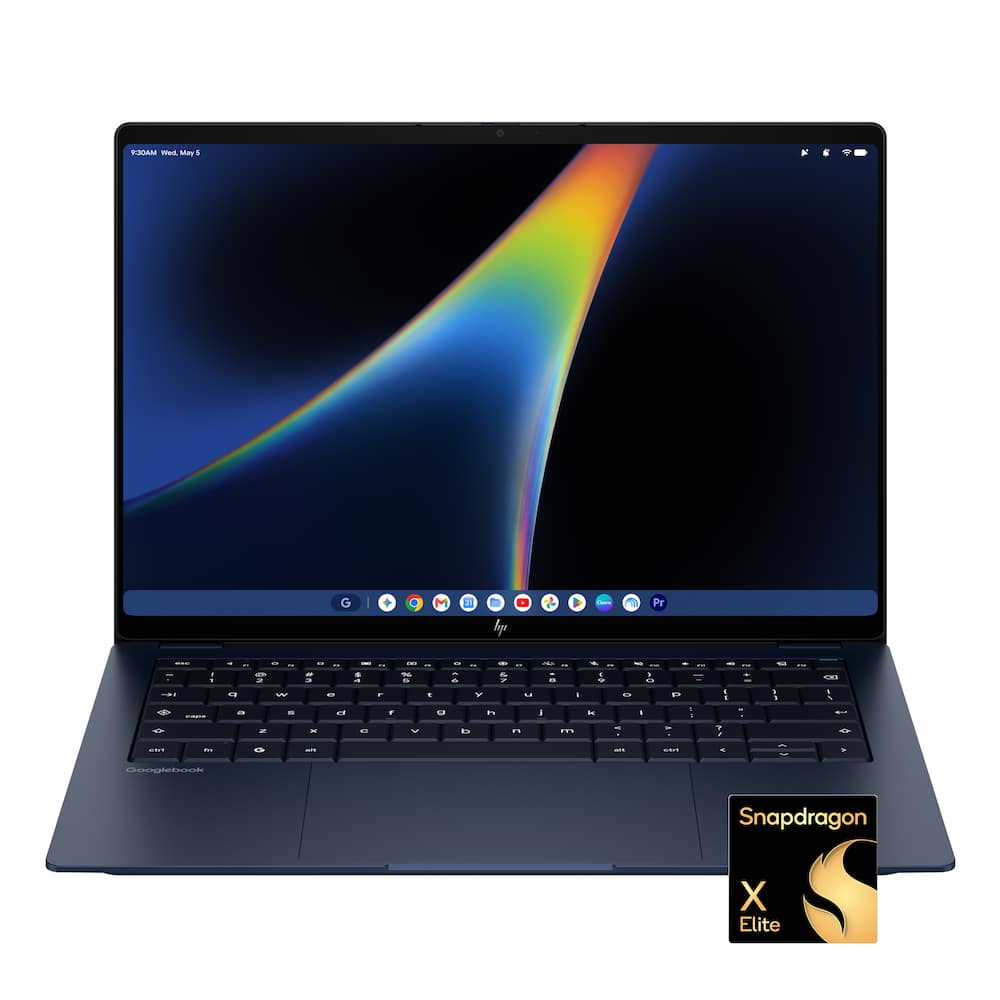
HP – Googlebook 14″ – 3K OLED Touchscreen – Snapdragon X Elite – 16GB Memory – 512GB SSD – Atmospheric Blue
SKU: 6687893
$1,03920
Was $1,299.00 Save $259.80
Other options in this range
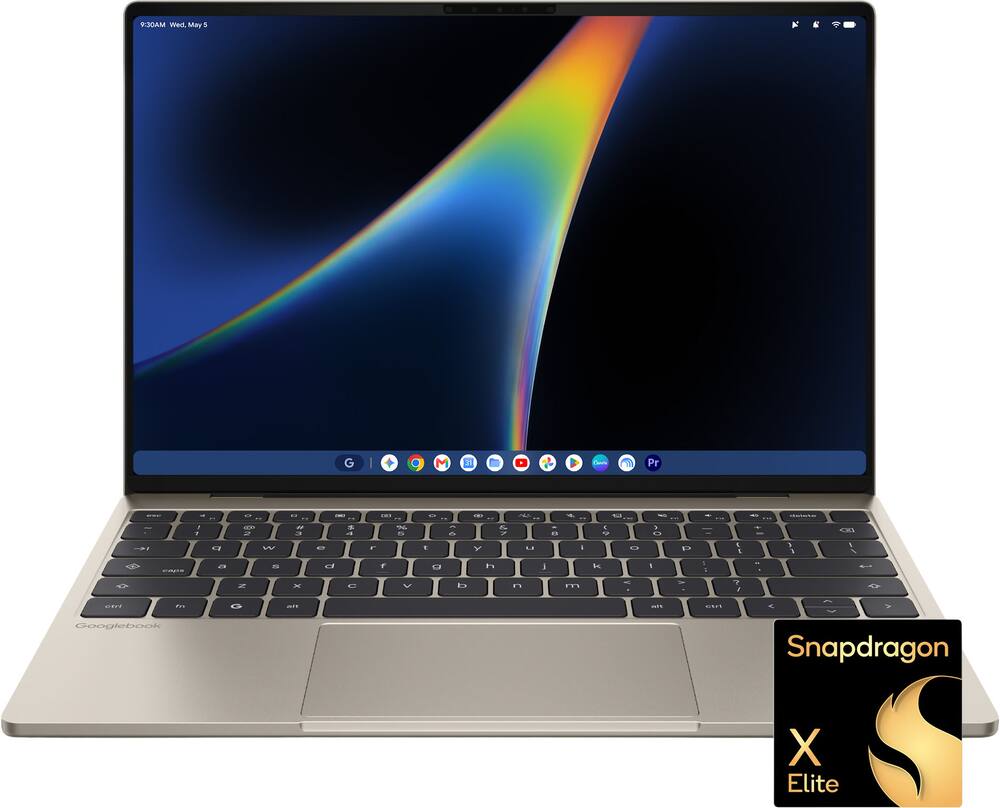 Dell - XPS Googlebook - 13.4" 2.5K Touchscreen Laptop - Snapdragon X Elite X1E-80-100 2024 - 16GB Memory - 512GB Storage - Shimmer Original price was: $999.00.$799.20Current price is: $799.20.
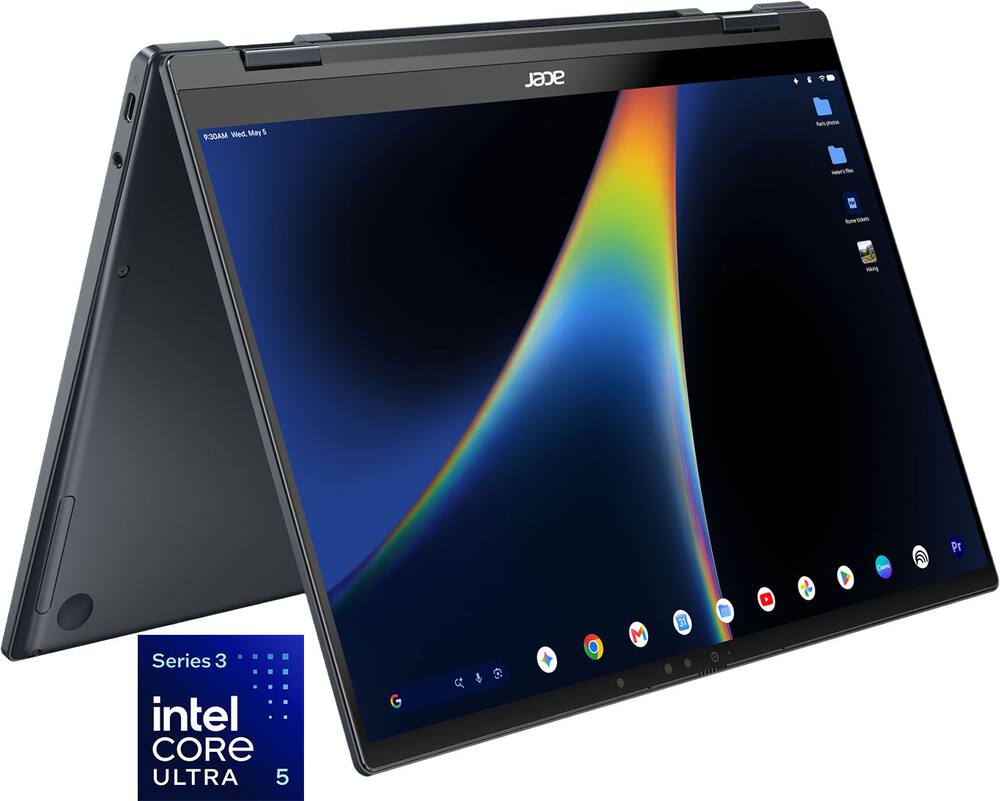 Acer - Googlebook 14 Laptop - 14" 3K OLED 120Hz Touchscreen - Intel Core Ultra 5 Series 3 2026 - 16GB Memory – 512GB Storage - Elemental Blue Original price was: $899.00.$719.20Current price is: $719.20.
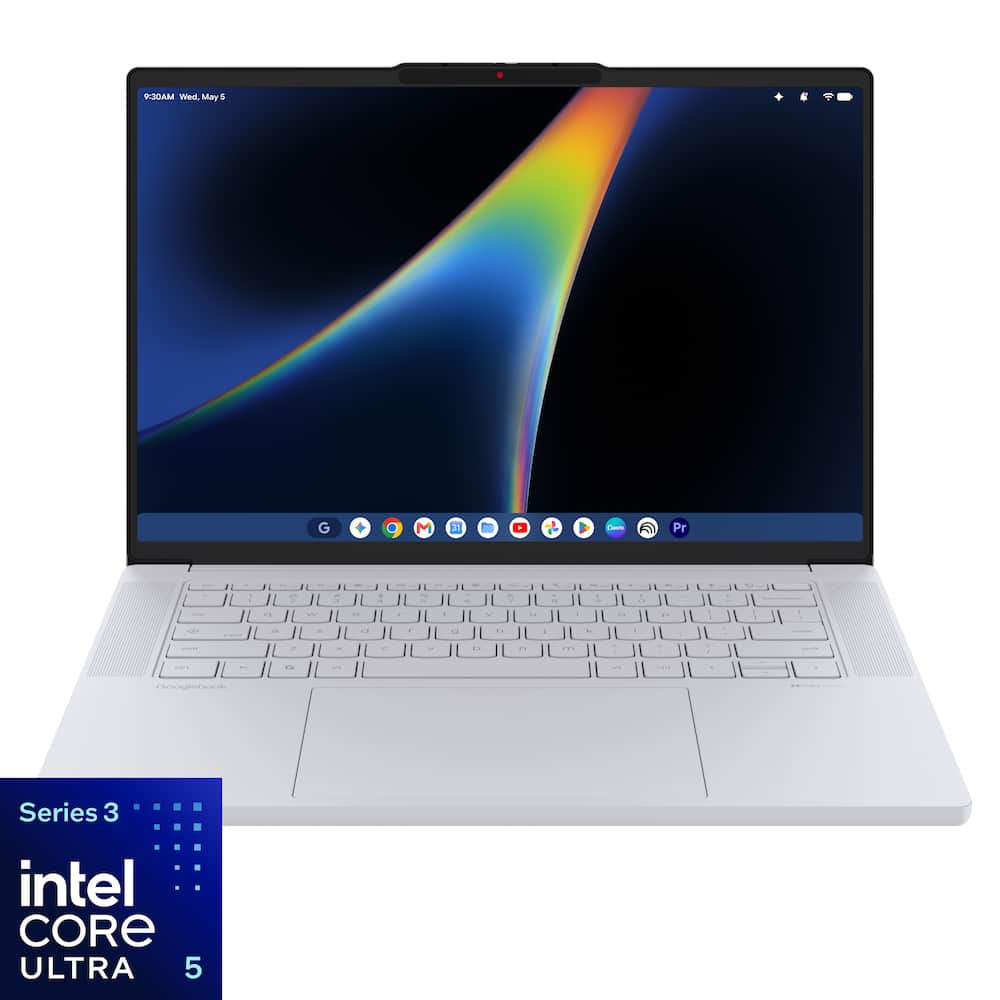 Lenovo - Googlebook 15.3" 3K 120Hz OLED Touchscreen Laptop - Intel Core Ultra 5 Processor 325 2026 - 16GB Memory - 512GB Storage - Cloud Grey Original price was: $1,099.00.$879.20Current price is: $879.20.
Overview
- Snapdragon X Elite X1E-80-100 processor
Power Gemini Intelligence, everyday productivity, creative projects, and multitasking with the Snapdragon X Elite X1E-80-100 processor. Designed to deliver responsive performance for work, school, streaming, and AI-powered experiences. - 14″ 3K OLED display
See deeper blacks, richer contrast, and vibrant color on the 14″ 3K OLED display, designed for streaming, creative projects, photo editing, and everyday productivity. - 16GB LPDDR5x memory
Keep AI tools, creative apps, browser tabs, and everyday productivity workflows running smoothly for responsive multitasking. - Qualcomm Adreno GPU
Deliver responsive visuals for streaming, creative apps, web browsing, and everyday multitasking with Qualcomm Adreno graphics, designed to balance visual performance and power efficiency. - 512GB storage
512GB storage gives you space for files, creative projects, apps, photos, videos, and everyday work while keeping important content close at hand. - Thin, light, and powerful
Powered by Snapdragon in an ultra-slim metal design, Googlebook is the ultimate tool for those who move fast. - Perfect partner to your Android phone
Googlebook and your Android phone are in total sync, keeping you in your flow¹. Switch between the two seamlessly and access phone apps and files without laptop installs or transfers. - Designed for Gemini intelligence
The best of Gemini meets a whole new kind of laptop, supercharged to turn your ideas into action in seconds. From instantly adding dates to your calendar with Magic Pointer² to capturing filler-free thoughts with Rambler³. - Google AI Pro at no cost
Get one year of Google AI Pro with expanded access to Gemini, Nano Banana, 5TB of cloud storage and more, at no cost⁴. - A world of apps and games
Unlock millions of apps with Google Play, plus games ranging from mobile faves to PC heavyweights⁵. - Security built-in
Powered by the Titan C security chip, Googlebook is designed with multi-grade security that keeps viruses out and even the most advanced hackers away. - Sound that draws you in
HP + Poly together will continuously accelerate innovation across our hybrid solutions, including AI-generated technology. With pitch perfect audio and quad speakers, you’ll get the best experience to collaborate anywhere with audio tuned by Poly Studio. - Wi-Fi 7 and Bluetooth 5.4 wireless connectivity
Experience next level speed and connectivity with Wi-Fi 7, Wi-Fi 6/6E and Dual Bluetooth. Unleash the power of next generation wireless technology. - HP 65W USB Type-C GaN mini wall charger
Travel lighter with our ultra-compact GaN wall mount power adapter. It’s 50% smaller and lighter than traditional laptop chargers and includes a removable 2 meter USB Type-C cable and foldable prongs for easy travel. - 100% DCI-P3
Experience a wider color range and cinema-grade visuals—richer reds, deeper greens, and vibrant color that elevates movies, photos, and creative work. - Fingerprint reader on the power button
With a fingerprint reader on the power button, easily turn on and access your device faster than ever. This can be used to unlock the device, authenticate the user, or replace the password. With biometric identifier technology, your fingerprint will be captured and recorded for quicker computer access. - HP Fast Charge
Go from 0 to 50% charge in approximately 45 minutes⁶. - 5MP camera with temporal noise reduction and integrated dual array digital microphones
The high-quality-camera lets you video chat in stunning detail, at up to 2592×1944 resolution. Temporal noise reduction is a technology that works by analyzing each pixel in each frame searching for artifacts that do not appear consistently frame to frame. Ensuring the truest picture to real life as possible. Includes a visible camera shutter that turns off your PC’s camera to ensure your privacy. - Backlit keyboard
Keep going comfortably even in darker environments with an illuminated keyboard. - Plug into productivity
Connect your devices with 2 USB Type-C ports with 10Gbps signaling rate and 1 headphone/microphone combo jack. - Thin and light 14-inch design
Weighing 2.74lbs. and measuring 0.43″ thin, the ultra-thin, lightweight silhouette is built to go where your day takes you. Includes an 4-cell, 70 Wh Li-ion polymer battery. - Designed with purpose
Built with 50% recycled metal and 40% post-consumer recycled keyboard components, HP Googlebook is EPEAT Gold with Climate+ certified and delivered in 100% recycled or certified sourced packaging.
Compare similar
Specifications
Capacity & configuration
- Display Type
- OLED
- Screen Type
- UWVA
- Storage Type
- SSD
- Total Storage Capacity
- 512 gigabytes
- Solid State Drive Capacity
- 512 gigabytes
- Type of Memory (RAM)
- LPDDR5X
- Graphics Type
- Integrated
- Touchpad Type
- Haptic
- Speaker Type
- Quad
- Optical Drive Type
- None
Dimensions & weight
- Product Name
- Googlebook 14" - 3K OLED Touchscreen - Snapdragon X Elite - 16GB Memory - 512GB SSD
- Product Height
- 0.43 inches
- Product Width
- 12.25 inches
- Product Depth
- 8.53 inches
- Product Weight
- 2.74 pounds
Features
- Brand
- HP
- Color
- Atmospheric Blue
- Screen Size
- 14 inches
- Screen Resolution
- 2880 x 1800
- Touch Screen
- Yes
- Refresh Rate
- 120Hz
- Brightness
- 500 nits
- Processor Brand
- Snapdragon
- CPU Boost Clock Frequency
- 4 gigahertz
- Number of CPU Cores
- 12-core
- Neural Processing Unit (NPU)
- Yes
- Maximum NPU Performance
- 45 trillions operations per second
- Solid State Drive Interface
- PCIe 4.0
- System Memory (RAM)
- 16 gigabytes
- System Memory RAM Speed
- 8448 megahertz
- GPU Brand
- Snapdragon
- Graphics
- Qualcomm Adreno
- Operating System
- Googlebook OS
- Display Connector(s)
- Display connection via USB port
- Number of HDMI Outputs (Total)
- 0
- DisplayPort Over USB-C
- DisplayPort 1.4
- USB Ports
- 2 x USB-C 3.1
- Number of USB Ports (Total)
- 2
- Headphone Jack
- Yes
- Microphone Input
- Yes
- Wireless Connectivity
- Bluetooth
- Battery Life (up to)
- 15 hours
- Battery Cells
- 4-cell
- Battery Chemistry
- Lithium-ion polymer
- Front-Facing Camera
- Yes
- Front Facing Camera Megapixels
- 5 megapixels
- Built-In Microphone
- Yes
- Backlit Keyboard
- Yes
- Media Card Reader
- No
- Audio Technology
- Poly Studio
- Security Features
- Fingerprint reader
- Casing Material
- Aluminum
- ENERGY STAR Certified
- Yes
- EPEAT Registered
- Yes
- EPEAT Level
- Gold
- Numeric Keypad
- No
- Year of Release
- 2026
- UPC
- 826581898504
Power & warranty
- Model Number
- DZ6R9UA#ABA
- Processor Model
- Snapdragon X Elite
- Processor Model Number
- X1E-80-100
- Processor Model Year of Release
- 2024
- Power Supply Maximum Wattage
- 65 watts
- Warranty - Parts
- 1 year
- Warranty - Labor
- 1 year
Warranty & protection
See manufacturer documentation.
Register your product with the manufacturer within 30 days of delivery.
Manufacturer warranty claims are handled by the manufacturer. We are happy to help you find the right contact: (888) 419-6820.
Customer reviews
Write a reviewLove the Google experience - I was a bit nervous when I purchased this one due to being an early adopter and not getting a chance to really test out the new OS. But after getting it, setting it up, and using it for the last couple of weeks, it's been my go-to laptop out of several that I own. I picked the HP due to the Snapdragon X and knowing its history with Android. However, I've grown to love the screen quality and the all-around build quality of the machine. It does take a bit to get used to coming from Windows or even Google OS, but once you start to play around with it and really see the fluidity between the phone and the device, it all feels great for a brand new OS. I'm looking forward to updates, but even as it is now, it is an excellent machine that I'm glad I purchased.
Tons of battery life! - Super lightweight, the screen has amazing color range, and the battery life is insanely good! The perfect travel laptop!
A thin and light Premium Android Laptop Experience - 5 Stars Chromebooks have been around for nearly 15 years. They’ve always been a reliable alternative to a Windows or Mac laptop for those with less strenuous computing needs or those who want easier maintenance and a much lower cost. They don’t run Windows or Mac apps, and for the most part, they only run a subset of Android apps in emulation which means lower stability and performance for those phone or tablet apps. For younger students, seniors or anyone else who just wants to browse the web, do social media and consume content (streaming music, movies, etc.), Chromebooks were a good fit for something bigger than a phone or tablet. However, there’s a group of people who value a more premium experience or want to do more with their laptop like video or photo editing or heavier use of AI like Google Gemini. These people also don’t want to join the Apple or Windows ecosystems but still need something powerful, reliable and premium. Those deep in the Apple ecosystem (aka “Walled Garden”) benefit from a deep integration of their phones, tablets and laptops/desktops. All of this is where the new Googlebooks shine by bringing most of those benefits to the Android ecosystem. A Googlebook is not just a rebranding of a Chromebook; it is a reimagining of a premium Android-based laptop. The underlying operating system is the new GoogleOS which is more than a reskinning of ChromeOS. On the surface, it kinda looks similar, but it really is a different beast. For starters, Chromebooks are aimed at being value-conscious with lower-end processors, more basic screens and a plastic build that yells “But I was a great price.” Googlebooks, on the other hand, are much more premium with light metal chassis, large OLED touchscreens, fast processors and much more memory and storage. Sure, this naturally changes the cost of entry, but they no longer feel like an odd hybrid of a phone and a laptop. It feels like a genuine laptop experience that happens too look more in-line with your phone experience. On its own, this Googlebook feels and looks amazing. It’s thin and light with a cool metal touch that feels solid and sturdy. Two USB-C ports are available for charging or connecting a variety of monitors, docks or other accessories. There’s even that headphone jack missing from most devices these days. While there’s a built-in cooling fan, I never taxed it hard enough to turn them on in all of my testing. The screen is a beautiful 14” OLED with 3K pixels and 500 nits of brightness. The built-in video camera, noise-cancelling microphones and clear speakers ensure your video calls are pristine and your media consumption sessions are fun and powerful. When it’s time to get down to business, the spacious backlit keyboard is comfortable to type on. There are shortcut keys for the usual laptop stuff plus special keys for Android apps and bringing up Gemini. Speaking of Gemini, this beast really handles Gemini without pause. Use it to help searching stuff, create stuff, keeping up with your day, or any number of tasks. The spacious trackpad can be used when the touchscreen isn’t convenient and vice versa. Wiggle the cursor (when enabled) to invoke Gemini to ask about stuff on your screen. Everything I tried was fast and fluid. Apps I downloaded from the Play Store ran without issue and felt familiar with a windowed environment yet fresh and Android-like. One of the areas where Googlebooks like this really shine is in the synergy with an Android phone. Things that Apple users take for granted are now possible in the Android ecosystem (where compatible). Open a web page on your Android phone that’s signed in with the same account and an special icon appears in the system tray on the Googlebook - click it and that web page opens in Chrome on your laptop. Even setting up the Googlebook was simple by using the phone as the source for setting things up. Start a video in YouTube on your phone and continue it on your laptop. This is just the tip of the proverbial iceberg as there’s tons more synergy and I’m sure more to come. There are still a few rough edges in the Googlebook OS software, but nothing that can’t be fixed in a forthcoming update. For example, there’s an option to control your Google Home from the lock screen of your Googlebook. First-time use brought up a screen saying “To control devices from this tablet….” ;-). Then I asked Gemini to show me videos from one of my favorite groups. I tapped one of the suggested videos to play it and while it did start the video in full-screen, Gemini continued talking in the background with more information on my original request. Security is baked in with a physical block for the video camera, facial recognition (if not blocked), fingerprint recognition, PIN codes and passwords. Everything you know from the Google ecosystem also still works, but is just more powerful and integrated here. Some of these cloud-based benefits even extend to iPhones and other devices that sign into your Google account. Battery life has been great and the included USB-C 65W power adapter is tiny and easy to carry if needed. On the back of the lid is a multi-color LED light strip that can indicate things like notifications, battery charging status, etc.. while the lid is closed. If you’re in the Android ecosystem and are considering a Chromebook, you should definitely check out a Googlebook instead. It might be at a higher price point than most Chromebooks, but you will definitely get a much more premium and powerful laptop - one that also integrates much better with your phone and Gemini. And if you’re concerned with what your tech says about you, no one will confuse this HP Googlebook with budget tech. It looks great and you’ll feel confident using it to get just about anything done from work to video calls to video editing to gaming.
Very premium - Upon first getting this product the premium feel and build stands out immediately. I love the full key travel, OLED screen, all aluminum build, and sleek edges. The software is very fast and fluid but does still have some growing to do. Being able to run native Android apps on this device is an absolute home run while still keeping the desktop level Chrome. Battery lasts all day and never leave me feeling stranded.
Could be greater - The hardware is an absolute home run—sleek, premium, and stunning from the moment you open the lid. The chassis feels high-end, the display is gorgeous, and the battery efficiency is top-tier. While the hardware sets a fantastic foundation, the software still feels like a work in progress. It is fast and responsive for daily tasks, but it needs a bit more polish, better ecosystem continuity, and smoother app integration to truly match the premium build. Overall, it's an impressive machine with immense potential that just needs a few solid OS updates to reach perfection.
Great hardware. Software could use some work still - I'll front load this review and say that I'm fairly well entrenched in the Apple and Microsoft ecosystems for the rest of my computing needs. I have Windows and Mac computers and I have an iPhone and iPad. I've used Google/Android devices so it's not completely foreign to me, but I've never been a daily Android device user or anything so the OS doesn't come very naturally to me. Setup was fairly simple but a little time consuming. There's a pleasant looking setup screen that allows you to use your existing Android device or an iPhone/iPad for setup. I chose my the Apple option but it didn't seem like it used my phone at all. I would assume an Android device would be able to transfer stuff much easier. The time consuming part was just updating the OS. The update was only about 1.5GB (with an extra 30MB update to follow) but it felt like it took forever to complete, even on my wifi 7 connected 2.5gbps internet. After it was complete, you're asked some basic questions and asked to log in with a Google account (you can surprisingly skip this, but I figured since this was a Googlebook, it wouldn't make much sense to try and get by without a Google account). You can specify some apps that you might want based on your use cases and it'll try and download those apps as the setup completes. Overall, it's a fairly standard setup process. If you're familiar with Google's operating systems, you'll probably feel a lot more at home than I did. Again, I've used things like Google TV and other devices that weren't phones but based on Android. But none of those devices became daily drivers that entrenched their UI/UX in my muscle memory. All that said, they did an OK job making it feel like a familiar OS. You have a "start" button and task bar if you're coming from Windows. But just something about using the system felt a bit half baked. I think a lot of it comes from the app ecosystem needing to catch up and update to be natively compatible for a desktop. In the Google Play store, there are markers for apps that were "built for desktop" or "compatible with desktop" or "enhanced for desktop" to denote what compatibility looks like before you download. If it doesn't have one of those tags, you basically get a phone/tablet app stretched to your screen. Usability could be fine but it could not be. From the Apple perspective, this has happened a few times when the original iPad started coming out and then when phones with notches started appearing and now with the Duo. The apps just take some time to catch up and hopefully that's a big chunk of what I feel is missing here. Speaking of the screen. If I had to pick a shining light (pretty literally too) on this machine, this screen is nice. It's super bright. It looks really good. It's OLED so you get real blacks. I can't talk enough about how nice the screen is. The biggest complaint I have about the screen isn't even screen related. I really wish I could flip the keyboard completely under the screen to turn this into a tablet. I can expand the niceness to most of the hardware too. The build quality of this model feels good. The Snapdragon X Elite is no slouch and does a great job running pretty much anything you throw at it from the Google Play store. 512GB of storage isn't a crazy large amount of storage but in this economy and on this device (I don't expect to be editing RAW photos and movies on here), it's perfectly functional. The keyboard and track pad both feel nice although the OS lost one gesture that I've become so used to on trackpads and it was one of the first things I tried and couldn't do. Double tap and drag to move things around seems to be missing for some reason. You have to actually "click" and drag. Then there's the touchscreen. Adding to an already impressive screen, it's also a touchscreen device. Normally, on a laptop, I find the touchscreen to be rather useless. But in this instance, on an OS that gets it's roots from a mobile phone/tablet OS, it makes a lot of sense here. After my discovery of the missing double tap and drag gesture on the trackpad, I remembered that I could just use the touch screen for that. It works pretty well. Sound is ok. I haven't really used laptop speakers in a very long time. If I'm going to be doing anything that will generate sound, I'll just put on headphones. But they're serviceable for laptop speakers. So that just brings me back to the overarching OS. It just feels a bit incomplete from my general usage. One of the biggest sour spots for me was being unable to complete the setup of 1Password because every time I tried to switch Chrome to use a password service that wasn't Google's, Chrome would just restart and the setting would still be Google. Did not figure out how to fix that yet but hopefully with an update at some point I'll be able to use 1Password with Chrome. If you can find the apps you're looking to use and they're updated to work well with desktops, you'll probably have a good experience as long as you don't run into one of the edge cases that just feel "off". For a media consumption, email responding, web browsing device, you'll probably have a good time. But then you're begged to ask why a much cheaper Chromebook wouldn't have been just as good for you. Bottom line, I feel like the Googlebook thing could be pretty nice in an year or two. After some big updates and some rough edges being smoothed over. As it stands, I can't recommend a Googlebook for someone coming from the Apple ecosystem at all. You can get used to the device quirks but you won't feel at home very quickly. If you're Android through and through, you might fit right in here. You'll have access to a lot of the apps you use already and some of them might already be updated for desktop. But I still feel like it's a smidge too expensive and the OS is just a little too clunky for day to day use. I strongly suggest you take yourself to a Best Buy store and see if they have any Googlebooks you can try out for a little while to see if it clicks with you. It just didn't really do that for me.
HP did amazing on this laptop! - TL:DR - The laptop is incredible, a really nice click anywhere trackpad, bright OLED, WiFi, battery life, speed/performance, etc. GoogleBookOS however… needs work, but it’s a very good start for Google and to be honest, I’d rather use this than Windows for most of my computing needs! —-- I’ll start off with the laptop itself, it is seriously so GOOD! I only have one very minor complaint on the laptop itself and that it’s a fingerprint magnet. Every other complaint is mainly with Google’s OS and its limitations. This was one of the first products I’ve opened in years that I was impressed with basically everything from unboxing. When I opened the package, it was packed well, the laptop itself felt premium, then when I turned it on, the bright OLED screen was seriously so pretty. Typing my username and password and all that felt very nice! No diving board trackpad, so very similar to Apple’s trackpad. I also noticed how sharp and detailed the screen looked. Speakers sound great when on a table, but not so much on your lap and that’s because the speakers are down facing. From battery life to charging, this laptop hits all the marks in my opinion. However where this laptop falls short is… well Google itself does. I like a lot of what it does, I think it’s a great next step to Chromebook’s evolution. However there are a lot of compromises, give and take basically. If you’re a vertical tab person for Chrome, well you’re going to be disappointed. It doesn't auto expand at this point in time. It also can’t do split screen tabs, so you can’t have one tab on one side of chrome, and another on another. Instead you have to create an entirely new window and use the snapping of two chrome windows side by side. Not only that, YouTube, all of Google productivity apps, etc. all open as a progressive web app even when you install the Google Play version. This means if you open the Google Drive “app” which is just a PWA, and open a Google Doc, it will just open up Chrome instead of the actual app like it does on Android. On an Android tablet or phone, you can open a document from a folder in Google Drive and it’ll open the app, on GooglebookOS nope, it’ll open the web app through Chrome. I’ve tried to uninstall it and install it from the play store… doesn’t work, still a web app. I could write a book about all the things GooglebookOS needs to improve on, but that’s not to say it’s trash, it’s definitely better than ChromeOS and worth the dev time. For gaming it does really well. I tried to use Steam, but it only had Chrome OS on there. Probably will take some time before an actual Steam app comes out. It uses controllers just like your Android phone or tablet would over Bluetooth. Lastly mobile integration is pretty good. Even on my work iPhone which surprised me. I can legit send iMessages from a GoogleBook. Long story short, it’s good, but there’s shortcomings on the OS side that I hope will be fixed as time goes on. The laptop itself is great, build, sound, battery, screen, etc. Still recommended!
Not a Chromebook anymore - I was apprehensive at first about the HP 14-inch 3K OLED Touchscreen Googlebook because I honestly thought I might just be getting another rebranded Chromebook. After unboxing it and powering it on, I was pleasantly surprised to find out how mistaken I was. This feels like a much more premium machine than the school Chromebooks I am familiar with, and the combination of the build, display, and responsiveness immediately made a different impression. First things first, this Googlebook is very thin and lightweight. It is easy to carry around, which matters because I purchased this for my family, particularly my daughter for school. I wanted something portable and familiar enough for her schoolwork, but with a better overall experience than the Chromebook she uses in class. This has delivered exactly that. The keyboard is another pleasant surprise. The keys have a very nice feel, with good travel and comfortable spacing that make typing satisfying rather than cramped. The trackpad is large and very responsive, so navigating around the system feels smooth and effortless. Those might seem like basic things, but they make a difference when you are using a computer for assignments, browsing, and typing for extended periods. The standout exterior feature, though, is that beautiful 14-inch 3K OLED touchscreen. The colors are vibrant, the blacks are deep, and the whole display looks stunning. It is one of those screens that makes you want to keep exploring just to see how everything looks. Having touch input adds another convenient way to interact with the device, and the screen alone makes this feel like a substantial upgrade from the basic school-laptop experience. What really separates this Googlebook from the Chromebooks of yesteryear, at least in my experience, is what is inside. It has a Qualcomm Snapdragon X Elite processor, 16GB of DDR5 memory, and a 512GB SSD, along with Gemini AI features built into the experience. More important to me than simply listing the specs is how it actually feels to use, and this little machine is fast. Opening apps, browsing, and moving between tasks feel snappy and responsive. There is none of that constant waiting around that can make a basic computer frustrating to use. For my daughter, the biggest benefit is how well it fits into the Google-based workflow she already uses at school. Signing into her Google account made it easy to pick up her schoolwork at home, and being able to access her work across the Googlebook, her school Chromebook, and her phone has been very convenient. She absolutely loves it. We wanted something that would mirror her school workflow, but this does that while providing a much more enjoyable and productive experience. The Gemini integration adds another layer to explore, but I would not say AI alone is the reason to buy this. For us, the real value is having a computer that feels quick, well built, and easy to use for the things my daughter actually needs. The AI features are part of that package rather than a replacement for the fundamentals, and thankfully, the fundamentals here are very strong. I know app compatibility is a concern for some buyers, and I think expectations matter. I would not buy this assuming it will replace every program or specialized workflow on another computer. For our needs, though, we came in wanting a better device for schoolwork and the Google ecosystem, and that is where it has worked wonderfully. Understanding what you need it to do before purchasing makes a big difference in how satisfied you will be. It does however have the added convenience of the Google Playstore apps that have so far worked flawlessly. We allowed the addition of some games like Roblox and streaming apps like Disney+ and YouTube and they all work incredibly smooth and fast and look great. Overall, I am extremely happy with the HP Googlebook. The build, keyboard, responsive trackpad, speakers, gorgeous OLED touchscreen, and fast internal hardware come together to make this feel much more complete than I initially expected. What started with a little skepticism about another Chromebook turned into a very positive experience for both me and my daughter. For a student whose work already revolves around Google tools, this feels like an excellent way to be productive without settling for a basic school-issued machine. It has been exactly the kind of upgrade we were hoping for.
I love this thing! - This HP 14" Googlebook has exceeded expectations across the board - and I'm a Mac user! Very impressed!
HP Googlebook - Android and ChromeOS combined - I've used this laptop every day for about a week, and it's quickly become my favorite device at home and on the go. The aluminum build feels premium and sturdy without adding weight, so it's easy to carry along with your notebook and files. The 120Hz OLED display is incredible: scrolling is smooth, colors pop, and text is crystal clear. At 500 nits it's bright, though you won't want to use it in direct sunlight. The speakers sound surprisingly rich for such a thin laptop. There's "polystudio" branding on the bottom, which suggests a custom speaker/mic setup from Poly. Voice and video calls have crisp audio and decent timbre, and music sounds good for the size of the laptop, even at high volume. HP/Poly did a good job on the acoustics. I'm a bit of a keyboard nerd, so I was happy to find the keyboard is as good as it is. It has zero flex, so typing feels crisp and precise, almost mechanical, instead of mushy like the dome keys on many budget laptops. The backlight is a ~5000K white. It looks sharp, but an adjustable color temperature would have been nice, since a warm amber glow would make nighttime use much more enjoyable. I'm glad they skipped multicolored lighting, since white is more professional for the intended audience. On software, ChromeOS and Android apps work together well for the most part. There is a separate app drawer for your Android [phone] apps, which is a nice touch. Clicking on a phone app opens that app on the Googlebook and works really well. It’s a really nice integration that I enjoy using. Most apps I tried worked as expected, and you can sideload APKs. The Insta360 app doesn't show up in the Play Store, for example, but sideloading it directly from Insta360 works, kind of. It opens, but it's not stable. Android games look to be supported nearly 1:1, but nearly all developers will need to make sure their apps work on this unified platform, and some will need a full overhaul. Having ChromeOS and Android together on one device is awesome. There are even apps built specifically for the Googlebook and the library is growing every day. I'd love to see iOS-level app support here, and this premium HP hardware deserves it. It's a great alternative for anyone who prefers the Android ecosystem. You also get a free year of Google's AI plan, worth about $250 on its own and is actually highly useful. I use Gemini many times a day on different devices, so having it be the backbone of the Googlebook itself is perfect for most people since you likely use multiple Google services already. I'm optimistic. The launch is big, and Google's advertising, both in-store and online, is well funded. The hard part is making the Googlebook look different from the cheap Chromebooks consumers have seen for the past 15 years. It's not that Chromebooks are bad, but most are bargain models with minimal specs that get dismissed as glorified web browsers. If consumers don't see this as a new product category, Google will struggle. But people already use Google every day, and one device that combines a Chromebook and an Android tablet, with very high specs, is an easy sell once the software works well together. Serious gamers and anyone who needs specific Windows or Mac desktop software should look elsewhere. For everyone else, this is easily one of the best new Googlebook laptops you can buy right now. The premium typing feel makes it enjoyable for hours, and the hardware is top-tier, which justifies the premium price. HP knows what it's doing and Google's AI ambitions are lofty, so I expect frequent OS updates for years to come (I've already had one). I highly recommend it to anyone who wants a very powerful companion to their Android (or even Apple) phone.
The perfect Android companion - The all-new HP Googlebook has taken me by surprise. Being a tech oriented user for decades and an Android user for over 10 years, I have always wanted the Android laptop experience that the new Googlebook is offering. I can see where the potential lies in this hybrid Android / Chrome OS laptop and I am excited to go along for the ride. Is there room for improvement? In the overall compatibility of software apps I would say yes, and this will come with time. For build quality and the feel of the OS, I think HP and Google have nailed it. Currently, the only negative with a device like this is that it is still so new. Many of the apps available on the play store are still only optimized for a mobile device and not a desktop display. That said, there are already a lot of great apps that can utilize the full space of this display. Most of the apps available on the app store will still work on this device, but some of them will display in a vertical window that mimics your phone. When browsing the play store, there is a purple banner that indicates if an app is made for desktop and green banner displaying if the app is optimized for desktop which is helpful. I have also found that the play store is smart enough to know that you are looking at it on a new Googlebook and it prioritizes made for and optimized for desktop apps first. From what I can tell, the main difference between made for desktop and optimized for desktop is that the made for desktop apps are developed specifically to utilize the full desktop screen and the optimized apps are scaled to fit a larger portion of the screen. If these computers take off, which they should, Google and developers are going to be very busy optimizing their apps on the app store to take advantage of the entire screen. My guess is that they are already well on their way to doing this. Most of the apps I use are already made for desktop, but there are some that I would like to see updated. These include various games, as well as music production apps, like synthesizers and drum machines. There are several games that are made for desktop already available on the play store, and I have played a few of them with great results. I have even successfully played cloud games on this computer while remotely connected to my Xbox using an Xbox controller via Bluetooth. If you configure your Xbox correctly and have a solid connection, you can play pretty demanding Xbox titles on the Googlebook, using its beautiful screen as a game display. The overall feel of the operating system is very familiar if you are an Android user. It feels like a cross between Chrome OS and Android, and I think that actually works well. Just keep in mind that this is a Google operating system, so you will be tethered to the Google ecosystem whether you like it or not. The Snapdragon X Elite processor has performed flawlessly so far using a variety of apps. It is fast and efficient and seems to run super cool and quiet. All applications open very quickly, and navigating around inside of each app is fast and glitch-free. The 3K OLED touchscreen display on the HP Google Book is extremely sharp. It basically looks and feels like a tablet screen. Text is razor sharp and the dynamic range between blacks and whites is front and center. The touchscreen is sensitive and very precise. Again, it really does look and feel like a premium tablet display on a laptop. The build quality of the HP Google Book seems to be as good or better than most laptops on the market today, which is really saying something. The exterior aluminum build gives the laptop a robust feel with a good weight to it, making the overall experience feel extremely premium. The keyboard is mostly made of plastic but feels great to type on and is backlit for dim environments. There is also a built-in fingerprint reader at the top right corner of the keyboard that works great and can accept multiple fingerprints upon setup. I was curious, so I looked it up and HP has sourced both post-consumer recycled plastic and metals to construct the Googlebook, which is great and very environmentally friendly. The speakers in the HP Google Book sound great but do not get very loud. When turning the volume all the way up while watching Netflix or streaming music, there is zero distortion during playback, which is great. While the speakers are definitely good enough to use while streaming music, browsing YouTube, or watching movies, you could always connect Bluetooth headphones or an external Bluetooth speaker to enhance your listening experience if you choose. The HP Googlebook includes two Type-C USB ports which support power delivery and also double as display ports for connecting external 4K displays. There is also one dual-purpose 3.5mm headphone and microphone combo jack. Keep this in mind in case you want to run printers or other USB-A products. With only two USB-C ports on board, you would need to use one of those ports for an external USB hub if you want to connect various hardware peripherals, SD cards, etc. Lastly, with Gemini built-in and the option to upgrade to a free 12 month trial of Google AI Pro, the HP Googlebook is ready for the modern age right out of the box. The AI features built into the Googlebook are there if you want them, but are also non-intrusive and can simply be ignored if you do not. In conclusion, the all new Googlebook is IMHO, a must for Android users. The seamless integration between an Android phone and the Googlebook is an experience that I am happy to finally have and it just works. *** PROS *** Seamless integration between Android and Googlebook Fast and efficient Snapdragon X Elite processor Gorgeous and sharp 3K OLED touchscreen Fingerprint reader Excellent Build quality Great battery life Backlit keyboard *** CONS *** Need more “made for desktop” apps
More than I ever Imagined! - I have the Pixel 11 Pro Fold and knew it would work with the HP Googlebook, but I had no idea just how good the integration would be with the phone. And the AI features, upgraded to Pro tier is amazing. Antigravity installed to build your own apps. Gemini Notebook to build any project you can think of, including reports, video and audio, integrated with AI. And hardware that is top of the line, with touchscreen, haptic mouse. Unbelievable. The reviews online that say half-baked, needs work, etc. What new OS doesn't need work, of course it does. But imagine the possibilities, endless. Congrats Google, good job!
First Googlebook and like it so far. - If you are in the Android ecosystem which I am this is an excellent addition to that family. Set ups a breeze with a QR code and you are on your way! I love the blue finish and the overall aesthetic of it. It is very well built, yet doesnt way too much and fits in all my bags. The best feature here to me is the 3K OLED screen. It pops with amazing color, has the best contrast you can get, and of course inky blacks. The Snapdragon X Elite processor makes everything snappy (pun intended). And with 16GB of LPDDR5Xx memory and a close to instant start 512GB SSD everything performs very quick with only minor issues. Battery life claims up to 15 hours. Im sure with very light use it could hit that, but realistically expect a good days worth, which is plenty for me. It did take a bit to get use to the Googlebook system. But if you are familiar with Chrome OS and Android in general youll be right as rain in no time. When it comes to ports and connectivity you are pretty much covered with the exception of no HDMI port. I really like connecting my laptops to my Sony OLED via HDMI. But this is no deal breaker by any means. Overall I would say Im pretty satisfied with my first Googlebook and can see where this can go. If you are an Android enthusiast this is a great addition to the family.
Great hardware, good software, astonishing future - I've had mine for about a week and a half so far and I absolutely love it. The hardware is everything I expected, especially when it comes to the fingerprint sensor, the front-facing camera, and the face unlock feature. The laptop boots up incredibly fast and allows me to get what I need done, and it's incredibly light, which I really like. The software, being a brand new operating system competing against 40-year-old operating systems, is a great start, but there are some things that need to be worked out that I'm confident that they will be fixed and upgraded, especially since this laptop gets 10 years of updates.
Super-powered fast laptop - Incredible battery life. Is very light and great for traveling with if you’re out and about most of your time. Highly recommend for the speed and if you use an Android phone.
Nice version compared to Chromeoobk somewhat - The HP 14" 3K OLED Touchscreen Googlebook is a step up from my older Chromebook. It features a Snapdragon X Elite processor with 16GB RAM Memory and a 512GB SSD hard drive. It’s a nice design that comes in an Atmospheric Blue color. The device does not come with a lot of ports. It only has two USB-C ports, one on each side, and a headphone jack. I was hoping for more ports, but having a USB-C port on each side will allow you to charge your device or plug in other devices regardless of which side you wish to use. It has an LED light on the back of the lid which shows charging status and other functions. The device is quite fast for running tasks. It’s fairly quiet, but the fans will kick on if it becomes hot or for running demanding tasks. It has a fingerprint reader and facial recognition for quick log-in. The keys on the keyboard have a good tactile feel while typing. The keyboard keys are also backlit. You can the keyboard brightness by pressing the G key and pressing the F6 or F7 to adjust. The Play Store allows you to download Android apps, but not all Android apps are compatible. I wish there was a way to download non-desktop apps and use them in some type of mobile view or smaller view. I was not able to watch streaming TV on my device by using Xfinity Stream. I logged into the Xfinity Stream using the Google Chrome browser. I was able to log in and view the dashboard, but it would not play a stream. It kept giving me errors. I’m able to play videos on my Chromebook using Google Chrome, but not on this device. I’m assuming the Google Chrome browser on this device is not a true desktop browser like that on ChromeBook, Windows and Mac computers. I also tried downloading the Xfinity Stream app from the Play Store but I was unable to because it said my device isn’t supported. I hope there’s a way to download any type of Android app in the near future.
Great product - It feels like a high quality machine and runs smoothly. They need to work out some of the kinks and apps that aren't working properly but I would buy it again
Interesting - So this new laptop from Google is actually really solid, and a lot of people will love it with one condition. But first. Hardware: This laptop feels great on the exterior, and the screen is beautiful. The keyboard is really nice to type on with extended use, no fatigue should occur for most users. Travel and feedback is just right, but I would like it a little softer at times. The button layout is good, based on some others I’ve used. Speaker volume is not the best, but totally use able for most I’d say. You can solve for that if you don’t like them by using wired or wireless instead. The screen: WOW factor for this one, as I was not expecting it to be this nice. It also is a touch screen. Which makes for a better experience for some users. Colors look very nice, and the display is plenty bright. I love it. The software is where it gets interesting, because while it’s the new GoogleBook it still just feels like my other chromebook most times. Which brings me to the final thoughts. Price: This is where it doesn’t make sense for people shopping. It’s higher than I feel it should be based on my other laptops. Cons: Not enough native apps when compared to others with better Performance, hardware, and more.
Stunning 3K OLED screen and blazing fast - This HP 14" Googlebook has exceeded expectations across the board. The standout feature right out of the box is the 3K OLED touchscreen—the contrast, deep blacks, and vibrant colors make media consumption, reading, and productivity an absolute joy. Touch responsiveness is fluid and precise. Under the hood, the Snapdragon X Elite chip combined with 16GB of RAM delivers snappy, instant response times. Apps load immediately, multitasking between heavy browser workflows and productivity tools is completely effortless, and the machine runs quiet and cool with exceptional battery life. The 512GB SSD provides plenty of fast local storage, and the Atmospheric Blue finish looks sleek, modern, and distinct in person. If you are looking for a premium, fast, and ultra-responsive laptop with a top-tier display, this device hits every mark. Highly recommended!
Questions & answers
Ask a question
Email [email protected] or call (888) 419-6820 during business hours.
Add your review