I'm confused - I'm a Apple guy. But here's the thing… I think what the Googlebook *could be* is an offering that you can't get a lot of other places…or really, at all. So, I'm Apple guy because of this thing that a lot of haters call the "walled garden," which less judgementally is really just a *unified, cohesive ecosystem*. And since Windows Mobile isn't a thing anymore, the promise of a strong cohesive ecosystem for mobile phone users hasn't been made mainstream until Googlebook. I'm discounting Linux offerings as mainstream, because they aren't…sorry Linux fans. The reason I jumped at this Googlebook, and am curious about where it goes, is because of that ecosystem thing. I'm an Apple guy because all my devices work together well, and unfortunately for everyone who doesn't use an iPhone, that just hasn't been in the cards. Enter the Googlebook, something that offers Apple-like ecosystem cohesiveness between laptop and Android mobile, and that's really really exciting. Because let's be honest… yes, you can use an Android phone with a Mac, or an iPhone with a Windows laptop. Significant progress has been made in the development of cross-platform things like Airdrop. Although Microsoft seems to have abandoned it, connecting your Android phone to Windows is out-of-the-box functionality (although the experience is mediocre at best). These things, though, are all just lesser replicas of the original. So…does Googlebook deliver a unified ecosystem experience? The answer is unfortunately complicated. As a laptop, or rather, a seemingly very expensive Chromebook, the Acer Googlebook 14 does a good job providing a more premium user experience. Googlebook OS is OK, I guess, but the device experience that the hardware offers is decent. The keyboard feels great (although the key travel is a bit long for my liking), the trackpad is smooth and responsive, the build feels premium *enough*, and the screen is excellent. I'm a bit confused about the decisions being made with the caps lock key, but having to Function-press caps lock to get the desired outcome is something I can adjust to. The speakers are acceptable, but far from awesome. It's quiet, it doesn't get warm on my lap, and it is totally functional as a laptop for most of my day to day activity. Googlebook OS itself is confusing. It's not Chromium…but it still feels like an undercooked version of what could be a much better, full-featured OS. The way it runs apps is also confusing; take Gmail for instance–this is a much better application run in Chrome directly than it is as a standalone, PWA-style app with it's own icon and window. The Gmail app doesn't have much by way of independent app controls, rather, the app controls are really just what you'd get out of running Gmail in a Chrome window. And now that Chrome has vertical tabs, many of the apps running 'standalone' are probably going to be better in Chrome anyway. And, the "app drawer" (if that's what you call it) is just a slightly modified version of Chromium's app drawer. But what about the ecosystem? Well, that's where this already confusing experience seems to get work. I was excited to dust off my Galaxy S25 Ultra and connect it up with the Acer Googlebook, but I never did so successfully. Despite pairing the two devices…despite my S25 Ultra running the latest Android 17…despite them being on the same network and connected via bluetooth…I don't have the settings options on my phone that I need to make the 'handoff' features work between the two devices. Help articles, forum posts, even engaging Gemini *directly* on both devices: no success. This is clearly a software issue, and that's something that can be addressed with an update. It just seems weird to release the functionality only half-baked…which is kind of how the entire software side of the Googlebook feels: not quite ready. So I'm confused, because what I think is the single greatest promise of the Acer Googlebook (and likely Googlebooks in general) feels like something that Google isn't really putting energy into. I love Apple products almost entirely because of the ecosystem, and I understand not everyone wants an iPhone--so the possibility of Android users having access to that experience is really exciting for me. Alas, it doesn't seem like it's time, yet. So then, who should be buying this? If I had a friend with the latest Google Pixel phone, would I recommend the Googlebook? *Probably not*. It just seems like an 'almost' laptop, not a true laptop. But that could change, soon even, with software updates. And we haven't even talked about price… you can pick up an M2 MacBook Air today for under $800…and that device is going to run **circles** around the Acer Googlebook, priced $100 more. That said, us Apple people have been paying a premium to be in our ecosystem for years… so $100 may not be a deal breaker--provided that ecosystem is real. Right now, though, it's just confusing.
 20% off
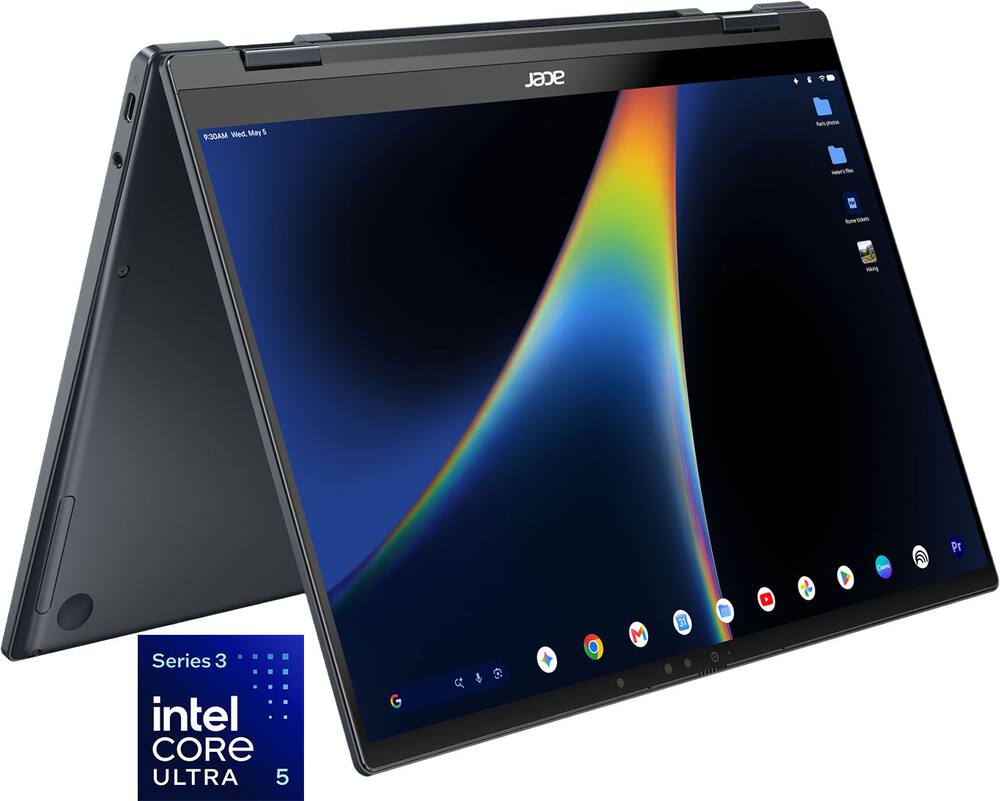
Acer – Googlebook 14 Laptop – 14″ 3K OLED 120Hz Touchscreen – Intel Core Ultra 5 Series 3 2026 – 16GB Memory – 512GB Storage – Elemental Blue
SKU: 6690085
$71920
Was $899.00 Save $179.80
Other options in this range
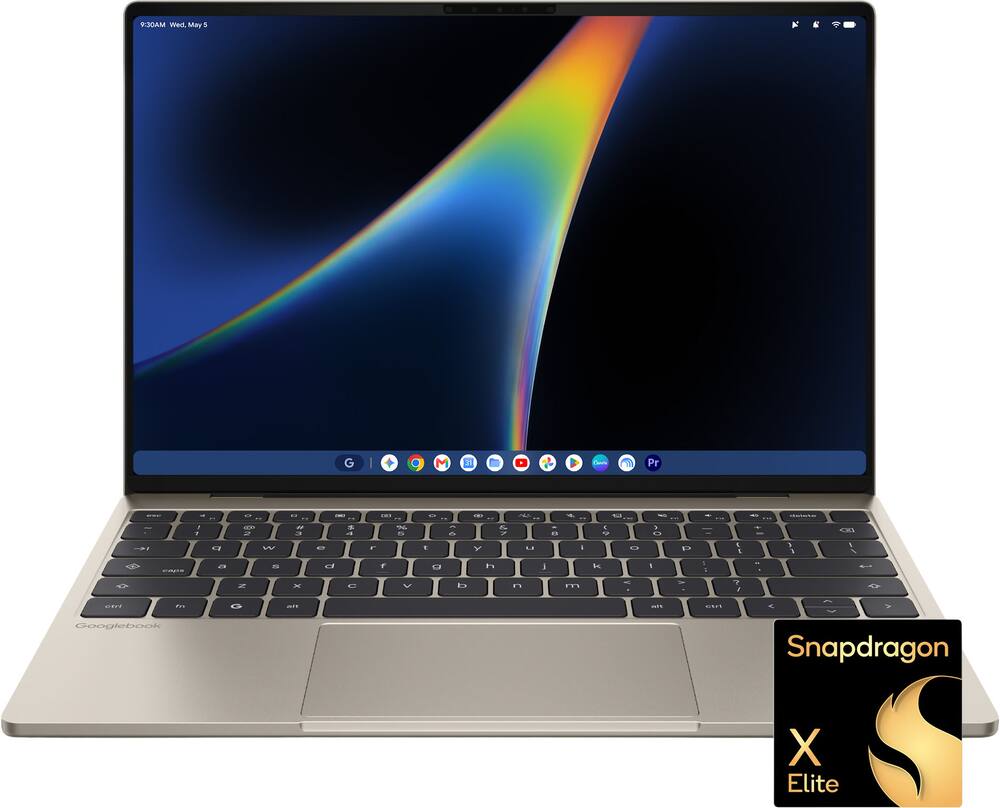 Dell - XPS Googlebook - 13.4" 2.5K Touchscreen Laptop - Snapdragon X Elite X1E-80-100 2024 - 16GB Memory - 512GB Storage - Shimmer Original price was: $999.00.$799.20Current price is: $799.20.
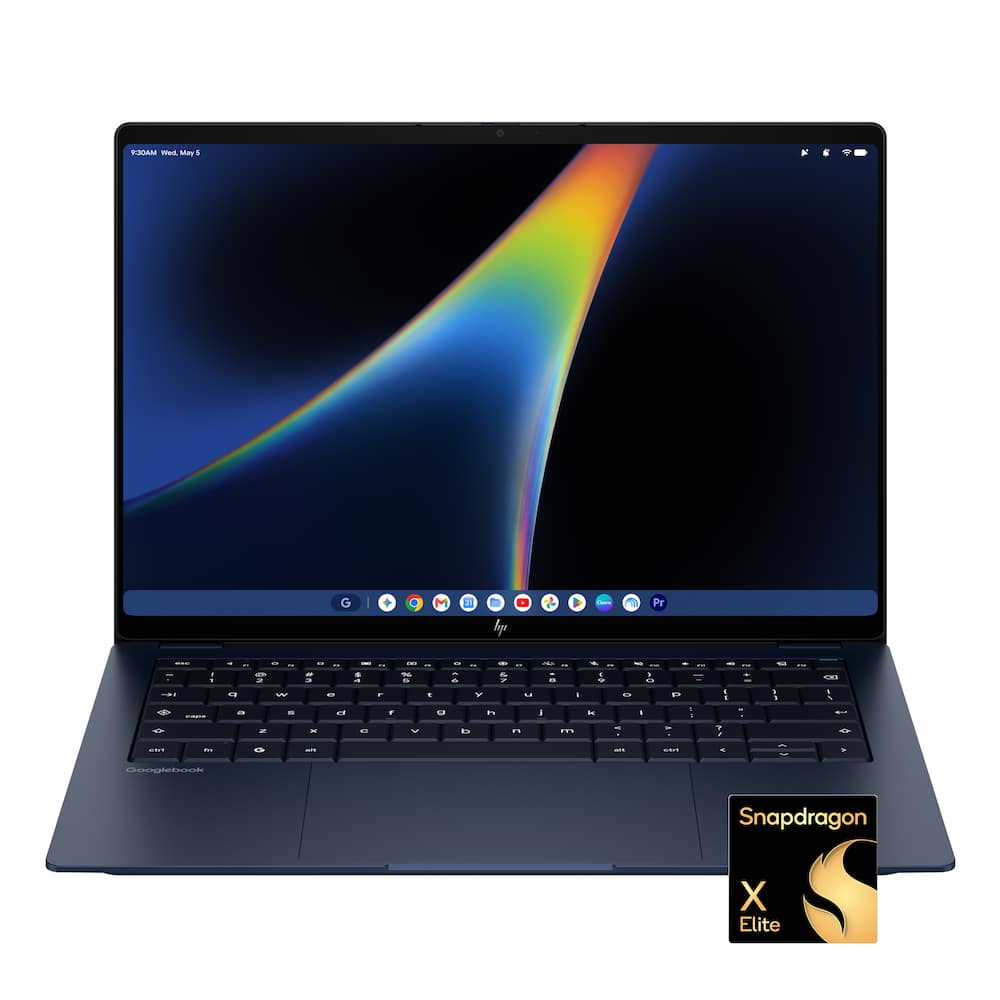 HP - Googlebook 14" - 3K OLED Touchscreen - Snapdragon X Elite - 16GB Memory - 512GB SSD - Atmospheric Blue Original price was: $1,299.00.$1,039.20Current price is: $1,039.20.
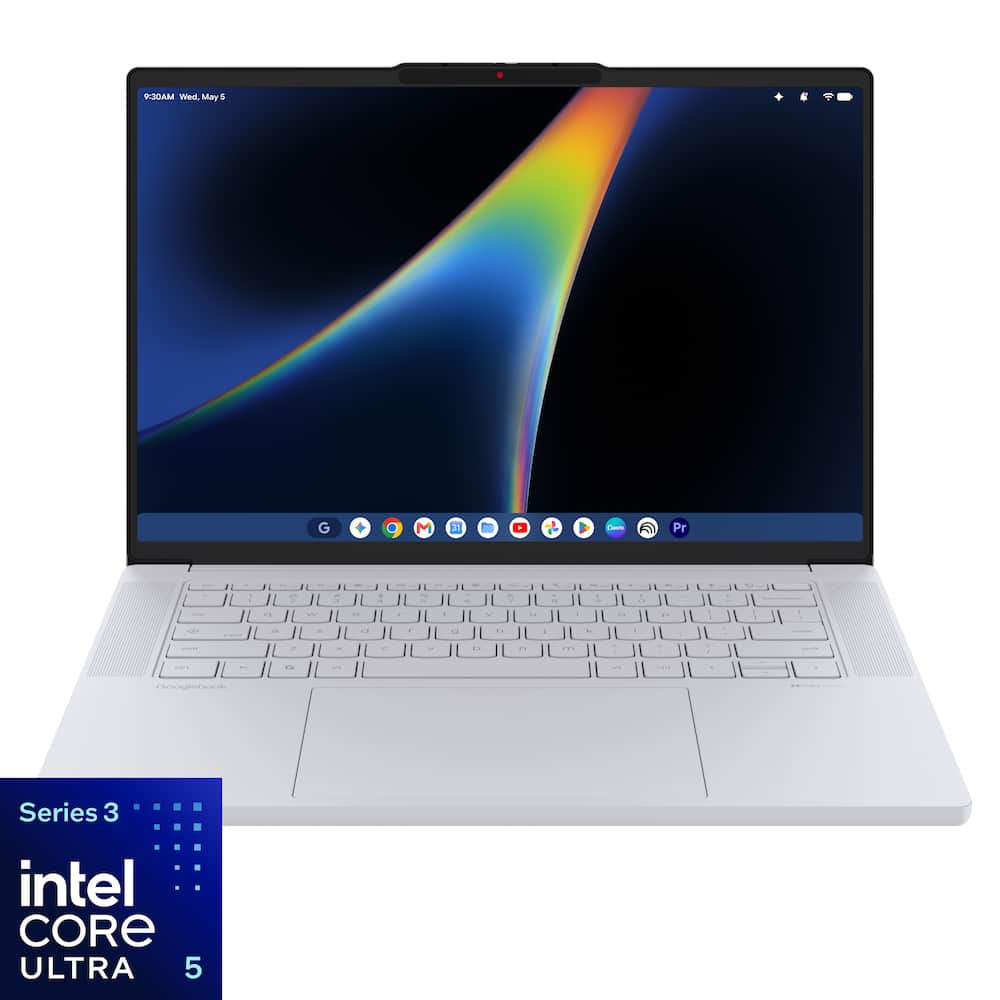 Lenovo - Googlebook 15.3" 3K 120Hz OLED Touchscreen Laptop - Intel Core Ultra 5 Processor 325 2026 - 16GB Memory - 512GB Storage - Cloud Grey Original price was: $1,099.00.$879.20Current price is: $879.20.
Overview
- Google AI Pro at No Cost
Get one year of Google AI Pro with expanded access to Gemini, Nano Banana, 5TB of cloud storage and more, at no cost*. Worth $239.38. (*Terms & conditions apply. See https://one.google.com/offer/terms-and-conditions/googlebook for full terms.) - Get up to $350 in apps you love at no cost with Googlebook(1)
Googlebook unlocks a curated collection of apps for video editing, photo editing and entertainment, right at your fingertips. You can edit photos with Adobe Photoshop, make epic videos with Capcut, wind down with YouTube Premium and play 1000s of games with NVIDIA GeForce NOW. - Designed For Gemini Intelligence
The best of Gemini meets a whole new kind of laptop, supercharged to turn your ideas into action in seconds. From instantly adding dates to your calendar with Magic Pointer* to capturing filler-free thoughts with Rambler**. (*Check responses. Internet connection required. **Available in select languages and to 18+ users. | Available to 18+ users. Compatibility and availability vary.) - Perfect Partner to Your Android Phone
Googlebook and your Android phone work together, keeping you in your flow*. Move between the two and access phone apps and files without laptop installs or transfers. (*Setup required. Phone with Android 17 or above required) - Thin, Light, and Powerful
Powered by an Intel Core Ultra 5 Processor 325 in an ultra-slim metal design, Acer Googlebook 14 is the ultimate tool for those who move fast. - A World of Apps and Games
Unlock millions of apps with Google Play, plus games ranging from mobile faves to PC heavyweights.* (*Availability varies, some titles require subscription. Age varies.) - Security Built-In
Powered by the Titan C security chip, Googlebook is designed with multi-grade security that keeps viruses out and even the most advanced hackers away. - Googlebook – A Smarter Way to Laptop
Introducing Googlebook. It’s crafted for heavyweight performance, built with Gemini at its core and perfectly synced with your Android phone. - Magic Pointer
Wiggle your cursor to activate it with Gemini. Simply point at and select objects on your screen and ask, compare, or create with Gemini effortlessly. - Turn Messy Thoughts to Tidy Text
Need to type a lot of text? Just press the dictation key and start talking instead. Once you’re done, it’s designed to remove your “ums” or tighten up the part where you said, “Oops, not Thursday. I meant Wednesday.” Even better, it’ll keep up with you as you switch languages mid-sentence, too. So go ahead, ramble on, review, and send. (Available in select countries and languages, to 18+ users. Check the responses for accuracy.) - Start Here. Finish There.
From pocket to desktop, effortlessly. Starting a task on your Android phone and need more room to work? Make the switch to your Googlebook without missing a beat. Start exactly where you left off, so you never lose the flow. (Setup required. Phone with Android 17 or above required) - Create My Widget
Generate custom widgets just by prompting. Gemini can search the internet and pull together details that matter to you, making your home screen feel more like home. - Iconic Glowbar
A unique visual signature that gently changes to show your Googlebook’s status—glowing at startup, staying on as a constant “running light,” fading at power-off, and pulsing during Gemini voice interactions. - Flip. Fold. Create. — 360° Convertible & Military-Grade Durability
Flip, fold, and flow—this 360° convertible adapts instantly: laptop focus, tent streaming, stand presenting, and tablet sketching with a natural touch-stylus experience (Stylus Sold Separately). Complete with an included protective sleeve, it meets MIL-STD 810H standards to withstand everyday bumps, drops, and wear. - Vivid 14” OLED 3K (2880 x 1800) Touch 120Hz Display
Experience billion-color OLED brilliance on a stunning 14-inch WQXGA+ 3K multi-touch display. Featuring an ultra-smooth 120Hz refresh rate, instantaneous 0.2ms response time, and 100% DCI-P3 color, every scene pops and every edit feels premium. Built with durable Corning Gorilla Glass, 500-nit brightness, TUV/Eyesafe 2.0 certification, and USI 2.0 stylus support (Sylus not included). - Intel® Core Ultra 5 processor 325 with up to 47 NPU TOPS
Unleash everyday AI-ready speed—Intel® Core Ultra processors power smoother multitasking, faster creation, and more responsive play, with Intel® AI Boost delivering up to 47 TOPS. - Smooth, High-Speed Multitasking with 16GB of LPDDR5X
Enjoy lightning fast responsiveness and seamless multitasking for gaming, editing, and everyday browsing, thanks to 16GB of ultra fast LPDDR5X memory. - 512GB of PCIe 4.0 SSD Storage
Open files in an instant and keep your photos, projects and apps close at hand, with fast PCIe 4.0 storage and room for daily backups. - Ultra-Light at 2.51 lbs. and 0.55” Thin
Designed for grab‑and‑go—slim, lightweight, and easy to carry from class to café to couch, with a soft‑touch Acer Comfort Touch* chassis for a premium feel every day. (*Acer Comfort Touch chassis applies to select chassis areas only. Soft-touch surface treatment is available on the palm rest and bottom cover; other areas may differ in material or finish.) - Premium Design, Responsibly
Crafted with 49% circular materials and 99% plastic-free packaging*, Acer Googlebook 14 combines premium durability with responsible design, backed by Acer’s broader sustainability commitments and circular economy initiatives. (*49% use of circular materials is calculated based on the following methodology. Consolidated Recycled Content % = (Recycled Plastic + Recycled Aluminum + Recycled Magnesium) / (Total Plastic + Total Aluminum + Total Magnesium) × 100) - Next-Gen Connectivity & Performance
Stay fully connected with faster, smoother wireless capabilities powered by Wi-Fi 7, ensuring high-speed streaming, browsing, downloading, and lag-free video calls even when multiple devices share the network. Plus, complete your setup using the versatile port selection—including a Thunderbolt™ 4 port, dual USB 3.2 Gen 2 Type-C ports, and a headphone jack—designed to easily link all your essential peripherals. - Precision Corning® Gorilla® Glass Touchpad
The Acer Googlebook 14 features a premium Gorilla Glass touchpad that elevates everyday control with a smooth, durable, and visually refined surface. Its scratch‑resistant glass construction delivers a responsive, seamless feel that enhances precision and comfort with every gesture. - 5MP Webcam with Privacy Shutter
Make every call look more professional—crisp 5MP video with noise reduction helps you appear clear and polished, plus a physical shutter keeps privacy in your hands. - All-Day Battery Life
Stay in the zone longer—high-capacity battery is built for long days, so you can stream, browse, and get things done without constantly hunting for an outlet. Up to 16 hours of battery life (based on web browsing test results) goes a long way. Fast charging support helps you power back up quickly between classes. - Operating System
Googlebook OS
Compare similar
Specifications
Capacity & configuration
- Display Type
- OLED
- Storage Type
- SSD
- Total Storage Capacity
- 512 gigabytes
- Solid State Drive Capacity
- 512 gigabytes
- Type of Memory (RAM)
- LPDDR5X
- Graphics Type
- Integrated
- Speaker Type
- Acer Ultra Boost Stereo Speakers
Dimensions & weight
- Product Name
- Googlebook 14 Laptop - 14" 3K OLED 120Hz Touchscreen - Intel Core Ultra 5 Series 3 2026 - 16GB Memory – 512GB Storage
- Product Height
- 0.55 inches
- Product Width
- 12.28 inches
- Product Depth
- 8.78 inches
- Product Weight
- 2.51 pounds
Features
- Brand
- Acer
- Color
- Elemental Blue
- Screen Size
- 14 inches
- Screen Resolution
- 2880 x 1800
- Touch Screen
- Yes
- Refresh Rate
- 120Hz
- Brightness
- 500 nits
- Processor Brand
- Intel
- CPU Base Clock Frequency
- 2.1 gigahertz
- CPU Boost Clock Frequency
- 4.5 gigahertz
- Number of CPU Cores
- 8-core
- Number of CPU Threads
- 8
- Neural Processing Unit (NPU)
- Yes
- Maximum NPU Performance
- 47 trillions operations per second
- Solid State Drive Interface
- PCIe 4.0
- System Memory (RAM)
- 16 gigabytes
- GPU Brand
- Intel
- Graphics
- Intel Graphics
- Operating System
- Googlebook OS
- Display Connector(s)
- 1 x Thunderbolt
- Number of Thunderbolt Ports (Total)
- 1
- USB Ports
- 2 x USB-C 3.2
- Number of USB Ports (Total)
- 2
- Number of USB-C Charging Ports
- 3
- Headphone Jack
- Yes
- Microphone Input
- Yes
- Wireless Connectivity
- Wi-Fi
- Wireless Standard
- BE
- Wireless Networking Standard
- Wi-Fi 7
- Battery Life (up to)
- 16 hours
- Battery Chemistry
- Lithium-ion
- Front-Facing Camera
- Yes
- Front Facing Camera Megapixels
- 5 megapixels
- Front Facing Camera Video Resolution
- 1800p (2.8K)
- Built-In Microphone
- Yes
- 2-in-1 Design
- Yes
- Backlit Keyboard
- Yes
- Audio Technology
- DTS® Audio
- Security Features
- Fingerprint reader
- ENERGY STAR Certified
- Yes
- EPEAT Registered
- Yes
- EPEAT Level
- Gold
- Stylus Included
- No
- Year of Release
- 2026
- UPC
- 195133340878
Power & warranty
- Model Number
- GP714-91N-50A0
- Processor Model
- Intel Core Ultra 5 Series 3
- Processor Model Number
- Ultra 5 325
- Processor Model Year of Release
- 2026
- Warranty - Parts
- 1 year
- Warranty - Labor
- 1 year
Warranty & protection
See manufacturer documentation.
Register your product with the manufacturer within 30 days of delivery.
Manufacturer warranty claims are handled by the manufacturer. We are happy to help you find the right contact: (888) 419-6820.
Customer reviews
Write a reviewGooglebook: A New Operating System by Google - The new Acer Googlebook 14” laptop is built on the Intel Core Ultra 5 Series 3 processor and runs the new Googlebook OS. More specifically, it runs a new, just-released Google OS that merges Android and ChromeOS into a unified platform. It is based on Android 17 and runs on either Intel Core Ultra or Snapdragon X Elite/XLE processors. It can have 16 GB to 32 GB of RAM, 256+ GB of storage, and has a long battery life averaging 13-16 hours. All Googlebooks have a functional LED ”glowbar” indicator on the lid and a dedicated G key. Pricing starts at $899, with manufacturing partners including Acer, Asus, Dell, HP, and Lenovo. Google built this operating system (OS) around Gemini Intelligence. It is centered on four major functions. The first is the Magic Pointer, which is a Gemini-powered cursor that offers shortcuts and suggestions; second is the Rambler, which is an advanced speech-to-text and voice-to-text cleanup tool; third is Create a Widget, which allows for prompting Gemini to build custom desktop widgets and dashboards for calendar, files, and internet searchers; and the Smart File Search, which allows for searching files using natural language descriptions instead of just exact file names. All of these seem to work well, and with Android integration, the apps work seamlessly across all your Android devices. The Acer Googlebook 14 has an OLED screen with a resolution of 2880 x 1800 and a 120 Hz refresh rate, plus a touchscreen, a backlit keyboard, and a biometric fingerprint reader that doubles as the on/off switch. This model offers 512 GB of SSD storage and 16 GB of RAM. It has three (3) USB Type-C ports, one of which is Thunderbolt. A convenience of the design is that any of the three can be used as the charging port. It has no card reader or older USB Type-A ports, but it includes a headphone jack, microphone input, and a 2.8K 5 MP camera. The laptop also has DTS audio and uses Acer Ultra Boost Stereo Speakers. Wi-Fi 7 is built in, and the laptop has no problems or lag connecting to the internet. Acer states that battery life in this model is up to 16 hours, but, of course, this depends on several factors, including the screen brightness setting used during that time. The design is a 2-in-1 that folds back into tablet mode or sits with the hinge reversed at 45 degrees for screen viewing. I particularly like the laptop's size. It is only 0.55 inches thick, 8.78 inches deep, 12.28 inches wide, and weighs only 2.51 pounds. The laptop has a durable aluminum-magnesium alloy chassis and a matte finish that resists fingerprints. The display uses Gorilla Glass, and the all-metal convertible hinge system enables the 2-in-1 design. This model comes in a blue color that Acer calls Element Blue. Acer offers a 1-year warranty on both parts and labor. Made to work seamlessly between Android phones and the laptop, it also connects to iOS. The connection is a little different: it works through Bluetooth and is paired using the Link to Googlebook app and the Link to iOS app on the Googlebook. After a few tries, the iPhone paired with the Googlebook and continued to synchronize my messages and contacts. What’s Good About the Googlebook? It is a well-designed physical product built from sturdy, attractive materials that will likely hold up well over time. The size and weight are exceptional, and the keyboard layout, even though it does not have a numeric pad that has mostly been abandoned on newer laptops, is well spaced. I really like the keyboard layout because it is well designed and lets you type fast with minimal mistakes. It feels ergonomic and makes rapid, comfortable typing easy. The backlit keyboard is always a plus. For Android users, the integration increases efficiency for working across devices. What’s Not So Good About the Googlebook? It has 3 USB connections, one of which is Thunderbolt; however, it lacks HDMI, an older USB Type-A port, and an SD card reader. This limits the type of media and devices that can be used with the Googlebook. If your work or personal life relies on apps and programs that are not Android-based, this would limit efficiency and functionality. At that point, the Googlebook becomes a niche product and could be perfect, depending on the intended use and the person using it, but it is not very versatile. The Intel Graphics appear to be limited, like the OS, for running a wide range of software that is not Google- or Android-based. The camera resolution is weak, and 5 MP does not produce a clear picture, but it is all you need for meetings, etc. The Googlebook is a little pricey given its limited peripheral connections and its operating system, which is strictly based on Google/Android. The Googlebook also comes with one year of Google AI Pro with expanded access to Gemini, Nano Banana, and 5TB of cloud storage, but after one year it becomes a paid subscription. AI can be very costly over the long run, whether it is built into a laptop or used standalone. I think the laptop should have a slightly greater advantage. Unless you only want to use Android-based products, I think you could get more versatility for the money with a solidly built PC running Windows 11. You would not be limited to Android and Google-only software, and you would have more software options. It is a nice computer that is not a Chromebook but a Googlebook. Over time, this design may become more versatile, but now it is an unproven new operating system. Innovation does have to start somewhere.
Good start, requires quality of life improvements - The Acer Googlebook 14 hardware, fit, finish, and the tactile experience fits nicely with similarly priced Windows 11 and Apple MacBook laptops. The OLED touch screen is beautiful but suffers horrible glare. See photos. The keyboard is comfortable to type on. The touchpad provides ample space to work. The laptop's outer shell is made of metal and weighs almost nothing. The Laptop is a classic 2 in 1 design. I only wish the Acer Googlebook shipped with a pen. The desktop and application experiences are a bit clunky and need a quality-of-life pass. The final thing I would like to mention is the Googlebook is Google’s move away from Android OS on a laptop to a more purpose build desktop operating system. Let’s get into it! Setup: The initial setup took about an hour. Setup time includes country, network, system updates, account creation, system use qualification pages, and cell phone sync. The setup process is a bit clunky overall. For example, I was asked to unlock my phone and keep it near the Googlebook so that the phone could be used to setup the system. And then it completely ignored my phone until I manually setup the Googlebook. Seasoning the desktop and application experience to my needs and taste came next. And this is where I found the settings interface, application layout, and extensions hunting to be a bit clunky. For example, the very first thing I typically set on my computer is Dark Mode. I like black screens with white text. It extends battery life and is less wear and tear on my eyes. And yet Dark mode is not universal for all applications including the Google productivity applications. Sigh. I then need to go find a Chrome browser extension to add Dark Mode to Google Docs. And then the two modes fought for control of my screen. Sigh… Second, the Settings page itself is well organized but lacks granulatiry. And Gemini is of little help because Gemini only pulls data from the web. Meaning, Android 17 for Googlebook is too new to find anything useful for me. Let me provide an example. I added the battery widget to my desktop. By accident! And now I cannot turn it off, find the setting in Settings, and cannot find any online help via Gemini to make it go away. Settings have a fancy search feature, but it has proven useless. Also, Settings, in general, feels a bit overly streamlined for my uses. I am used to a more robust user experience and control over my desktop and applications. Fingerprint Reader: I like fingerprint readers for the most part. Except, the Acer Googlebook 14 fingerprint reader does not work very well. It took more than a dozen touches and two to four minutes to capture a single fingerprint. And then the reader refuses to read my fingerprint to unlock the laptop. I tried setting this up several times. I eventually gave up and turned off the feature. Performance: Performance is really good when everything is working as expected. First, a single application or web page works magnificently. There are no slowdowns. No hesitation. And very little system heat. The only issues I ran into were normal issues with the webpage itself and nothing to do with the Googlebook. I was able to confirm webpage performance from one of my windows systems. I tried to overload the system with applications and was pleasantly surprised by how well the Googlebook managed a YouTube Video, Netflix, Chrome with 10 open tabs, Google Docs documents, Adobe Acrobat, Adobe Photoshop, Gemini, and pretty much any other application I could find on the system all running at once. The videos ran simultaneously without any issues. Memory never pushed past 14 GB of the 16 GB total system memory. And, according to task manager, the CPU never passed 50% utilization. Popping between applications was quick and without any issues. The system warmed up enough to kick the fans on. But the system never got hot. And the fans were quite enough to fit comfortably into a business environment without being noticed. I ran into a few issues. Pinch and Zoom with the touchpad on many pages, and applications would simply not work until I used the touch screen to force Pinch and Zoom. And then the touchpad would fall back in line. Sometimes scrolling pages would prove problematic and would require the same remedy. On a few occasions the Googlebook would refuse to recognize the keyboard after logon. Instead, it would give me invoke the tablet keyboard. I would have to complete convert the Googlebook to tablet mode and back to laptop mode in order to regain control of the keyboard. Other times, the keyboard backlight would not recover from sleep mode. There is no true sleep or hibernation modes. The system suspends but continues to burn battery in the background while in a low power state. I had a situation where the battery completely drained over the course of day in suspend mode. Most of these issues can easily be overcome. But together, this creates a clunky experience that makes the Googlebook feel like an unfinished product. Gemini and Magic Pointer: Gemini is installed as an app on the desktop. It can be brought up at any time. However, the app is not directly integrated into anything on the laptop. It even told me as much. The Gemini app is essentially the same Gemini that is accessible via any Google search prompt. Gemini is available in different applications such as Google Docs. Except Google Docs Gemini integration requires a monthly subscription. Documents, questions, and other tasks are still available via copy and paste into Gemini for desktop. Though inefficient and a bit clunky, it still works. Magic Pointer with Gemini, on the other hand, has the potential to be a real game changer. For example, I used Magic Pointer to grab images off the internet; a dog and a room. I instructed Gemini to merge the images by making the Dog an alien-fighting rock star. It legit took 2 seconds for Gemini to return a pretty great slop image of a humanoid dog, in a space suit, burning down a horde of aliens with fire coming out of its eyes! Gemini got a few details wrong. Like eyeball flames do not shoot out the back of someone’s head. Gemini took the feedback and regenerated the same image with my corrections. Normally, with most AI engines I have used, I get a whole new image that may or may not be close to what I was looking for. Gemini really impressed me. Don’t get me wrong. It is still AI slop, but it is collaborative slop. I think this feature will provide me with the kind of value that no other laptop is capable of providing me today without a major investment in creativity software. Battery: Battery life, like with most laptops, is dependent on use. YouTube and Netflix will drain the battery in about four to six hours depending on how bright the screen is. Productivity apps can comfortably see an eight-hour day assuming I don’t have a load of background apps running. Draining the battery to 20% automatically engages battery saver mode. And at 1%, the laptop preserved my application states and shut down. Charging the battery back to 100% takes about an hour. Overall, battery life is in line with what I would expect from a mid-tier laptop. Overall Impressions and Final Thoughts: I use the Googlebook for word processing, web searches, shopping sites, AI chats and research, and to watch YouTube videos while riding my exercise bike. Yes, flipping the Acer Googlebook to Tablet mode, resting it on my handlebars, and then tilting the screen forward provides me with a rich, competent touch control console I find the hardware capable for a mid-tier laptop. However, the screen is too reflective and must be used in a poorly lit room with indirect lighting. Otherwise, the reflections will overtake the screen. The software integration and interoperability is clunky and has a lot of room for improvement. Everything is here. Things just need a quality-of-life pass to make system usage more intuitive. The 2 in 1 design is well executed though I would have liked to see the inclusion of a Pen. I’m sure there is a first party or third-party pen available that will work with this screen. And like with all new systems, there is an onboarding period to get used to the quarks, unique workflows, and unique features. The more I use the new Acer Googlebook, the more uses I find for it. And did I mention that the Acer Googlebook ships with a dedicated soft case that looks and feels like a quality add-on? It does. And it is nice enough that I don’t mind being seen in public with it. Overall, my first experience with Acer’s new Googlebook was a bit of a mixed bag. It is functional but clunky. With 10 years of guaranteed updates, I am confident that the experience will improve as Google processes user experience feedback. But for now, I cannot recommend the system for anyone other than folks already deep in the Google Ecosystem with their Chromebooks.
So far so good - It works well and functional no issues yet. Its sturdy and keeps up with many open tabs
Acer Googlebook - Good, not great - I was excited about this laptop. It was a convertible, it was a Googlebook, and it was the least expensive of the options. The OLED display is amazing, and it was pretty snappy when running Android apps. Setup was really easy since it used my Pixel phone to sync apps and settings. I started having issues with the keyboard and trackpad not responding when waking the device. I had to flip it into tablet mode and back to laptop mode to get the keyboard to work. I had a few more instances of the keyboard not working, and chalked it up to the pains of being an early adopter. I wound up returning it and getting the Dell XPS Googlebook. For $100 more, I found it to be a much better experience.
A work in progress with lots of potential - Googlebooks have a lot of potential, but the operating system, Googlebook OS, is a work in progress. That’s not surprising since this is the first iteration of the OS. They got many things right, but there are still some quirks and rough edges. I have used Windows laptops for many years using apps from basic to advanced. I’ve also used Android phones and tablets for several years, so I was anxious to try the new Googlebook to see how it is integrated with these devices. Reviewing the Acer Googlebook 14 breaks into two distinct areas. The physical quality and hardware and the operating system, user interface, and integration. The Acer Googlebook 14 appearance, fit and finish, and hardware specs are all top quality. It has an aluminum-magnesium chassis with a great finish. It’s very slim, compact, lightweight, and has a long-lasting battery. The 3K OLED touchscreen is excellent. The trackpad is very responsive. It doesn’t have haptic feedback, but that wasn’t an issue for me. The keyboard has a good feel and reasonable key travel, particularly for a super slim laptop. There are 3 USB 3.2 PD ports, and being an Intel based system, one port is also Thunderbolt 4 enabled. A headphone jack is the only other external connection. The internals are at a medium to high level with an Intel Core Ultra 5 processor, 16 GB memory, 512 GB SSD, and WIFI 7. The speakers were a pleasant surprise for a compact design. The power button doubles as a fingerprint reader for logon. The 5-megapixel camera is quite nice, but it does not have face recognition. It’s a 360 convertible design that’s quite useable considering its 2.5 lb. weight. It’s a very well-made laptop with quality components. As mentioned, the software and user interface is a work in progress. Having used Windows laptops for years, it took me a little time to adjust to the fact that this operates like my phone and tablet and not a windows laptop since it is an android device. Android apps are built for touch screen interaction, not a physical keyboard. The general home screen layout has icons and a task bar like other systems, but there are differences. Some are better such as swiping on the trackpad or touchscreen for various functions and navigation such as the app list, multiple home screens, the quick task list, etc. It supports screen widgets and icon grouping just like Android phones and tabs. There are some default settings I suggest changing. Turn on touchpad tap and drag and screen auto rotate. You may want to adjust text and general sizing for some apps to be easily readable. It took a little while to get accustomed, but soon it felt quick and easy. The response and power well surpass phones and tablets. Apps are downloaded from the Google Play Store. Some work quite well such as browsers, email clients, Office apps, YouTube, and so on. However, many apps have not been adapted for use on a desktop screen and seem awkward in scale and appearance. Hopefully, more apps will be modified soon. As a 360 convertible, you can fold it over and use this device in tent mode or like a tablet. The home screen will rotate 180 degrees with turn auto rotate on, but it will not rotate to portrait mode. Apps in full screen mode will rotate to portrait, but not the home screen. I found this a major limitation for a folding device that’s the same size and my Galaxy Tab Ultra. Android does not use standard printer drivers, but the built-in print manager worked with both my new and old printers. However, it doesn’t include all the features that manufacturer specific drivers provide. If you would like to keep files organized your way, I would suggest investigating some of the third-party file managers. External drives and devices seem to work well, but drives must be formatted exFat. If you pair and connect your phone, all these apps can be used on your Googlebook without being installed. The “Better Together” feature allows some apps which you open on you phone to pass off to the big screen. It’s a very interesting and potentially useful feature, but it only worked on a few apps for me. Browsers and such. There are also some file transferring abilities that are a big plus. Lastly, I was able to get my Pixel 11 connected, but not a Pixel 10. It just seems somewhat quirky. If you’re a member of the Android family, you’ll like this computer. The quality is great. It’s fast, light, compact, and has an excellent screen. Once the apps and OS improve, it’s going to be a serious contender.
Solid hardware and build quality but high price - I’ve been using the Acer Googlebook 14 for a few weeks now. On the physical side, Acer did a great job: the build quality feels sturdy, the chassis is sleek in Elemental Blue, and the 120Hz 3K OLED touchscreen is gorgeous. However, at this price point, it’s tough to justify. The operating system still has substantial room to grow and mature to fully take advantage of premium laptop specs. Android OS feels limiting for heavier productivity workflows, and app optimization for a laptop form factor still isn't quite there. Overall, it's great hardware, but until the software catches up to the premium price tag, it lands at a flat 3 stars for me.
Unfinished OS with amazing hardware - I had high hopes for this thing. I know initially products have bugs but there are just far too many. In tablet mode, phone mirroring doesn’t work. Some apps I thought would work don’t. The hardware is amazing. The software is the issue. This thing needs 6 more months to be great. Great hardware. Bad software
Nice Machine - Bought this for my wife and she loves it. Beautiful screen, can use as tablet or tent, premium build but very light. She's still learning but it is perfect for her needs. This is NOT a windows machine but not everyone needs windows. I think this will get better as it begins to mature and morre software/apps are developed for it.
Better than expected - Build quality seems very good. The hardware had performed perfectly so far. Some quirks with the desktop from a chromebook but i have replaced my tablet with this completely.
Excellent performance - This computer is excellent, super quality material, really fast computers
Most exciting new computer - I've been daily driving this since I pre-ordered it the day before it came out. I do think that there are a few first gen problems, but in terms of it being a functional computer that's ultra lightweight and can handle any task I can throw at it. This is fantastic! For the price. It's like a MacBook Air at the price of an entry-level Windows computer. Not all the features work as advertised as of right now, and we are still waiting on Adobe premiere to be added. However, I very much have enjoyed my time with this device, it's blown me away with its power and the quality of its screen, and comparing it to anything other than a MacBook is a disservice. I'm pretty confident that this will be the computer that it needs to be within the next 4 months. But even right now it's still worth the buy. If all you want is a functional high quality computer. That is more than most people are offering right now.
Acer Googlebook 14 - So far delivers as a replacement for Chromebook. However, rotation into tablet mode works infrequently.
A step up from Chromebook - Google has conceptually completed the eco-system with the launch of Googlebook Laptops marking a major milestone in the lineup of google products. Apart from ACER, there are 4 other competitors providing the same Googlebook. Let’s delve into the features of the laptop, and the Googlebook OS itself and the comparisons between the different the brands. Googlebook OS ------------------------- Making its debut as a full-fledged laptop with an AI assistant supporting you every step of the way, the Googlebook OS is surely a step up from Chrome OS. It provides many useful features that were previously unavailable on Chromebooks, the best of which is seamless access to phone apps on the laptop. Once we have the laptop open, we can forget about the phone. It allows us to access phone features directly through the laptop – including taking calls. Gemini AI is another standout feature that the laptop provides. Magic Pointer is one such feature where Gemini is invoked by just wiggling the cursor on an image that we need to look up. Dictation works pretty well where it completely removes the “Umm” and fillers to provide the text we actually need. Photo editor on the laptop is super useful. The power of editing photos via “Google photos” is now available on a larger screen laptop. Notebook LLM is also available to work with AI assistant. What could be better in Googlebook OS ----------------------------------------------------------------- It supports multi profiles allowing multiple users to use the laptop with separate logins. However, one has to sign-out completely before the other can use. Switching between the users would be an incredibly useful feature. Every time we switch between the profiles, finger print doesn’t work and we have to key in the PIN, which makes it a bit annoying. The ability to customizing the three finger / four finger swipe-up/down action on the trackpad would be an useful feature (to control the volume or as per user needs). Handling of multiple external displays could be better. I was not able to identify the monitors and move turn off the laptop display without closing the lid. Acer Googlebook ---------------------------------- The Acer version of the Googlebook comes with a beautiful OLED display with 3k resolution providing stunning clarity. The 120 Hz refresh rate compliments the display. The Intel core Ultra 5 offers a balance between the performance and the battery life. The battery life is good lasting over 10 hours of mixed continuous use. It charges back really quick up to 80% in an hour. With 16GB RAM and 512 GB SSD, it is incredibly fast and has plenty of storage. There are no lags even when using multiple apps and switching between them. The overall build of the laptop is decent and does not look cheap or plastic. The sound is really good and the speakers are loud enough for calls, but the mic is not as good as in other laptops. It doesn’t catch conversations when we move away from the laptop. The webcam is good though, with 5MP offering 1800p video. There is an orange light blinking all the time when the laptop is on standby and I do not have a way to turn it off. Although it’s not a big deal, it is a bit annoying though at nights. The glow bar is a cute addition but I hardly notice it. This has 1 thunderbolt 4 port and 2 other USB-C 3.2 ports and can be charged via either side. This can be connected to 2 external displays at the same time. What differentiates ACER from the rest: ------------------------------------------------------------ Acer Googlebook is the only model that comes with the 360-degree hinges letting you flip and fold the laptop converting it to a Tab, Tent, stand or clamshell as per need. It is incredibly practical to use the laptop in tablet mode, considering it runs on Android and feels very close to a phone with a bigger screen. The protective sleeve which is included in the box is an useful addition. What could be better in ACER Googlebook ---------------------------------------------------------------- While having the fingerprint is helpful, the lack of face recognition is a bit of a setback. I wish it had both. I wish it had a powerful mic where I can talk even when moving around the room. Conclusion ---------------------- Overall, the concept of Googlebook OS laptop is a nice addition to the Google ecosystem. Depending on your need for AI integration for your activities, this laptop can come in handy. The seamless integration of phone apps on the laptop is an incredible addition. If you decide to go for a Googlebook, then my personal favorite would be the ACER just for its ability to convert it to a tablet. Moreover, this is the least expensive option available with all the premium features.
Best Google product - Premium quality laptop convertible that works perfectly with my Pixel 11 Pro XL. Highly recommended for the google ecosystem.
A good laptop for a niche group of users - Google is attempting to create a somewhat new category and OS for laptops called the “Googlebook”, and the Acer Googlebook 14 is among the first generation of them to come out. This is not a Chromebook. A Googlebook in many ways is basically like a Google Android phone in laptop form, able to do all of the functions of your Android, and even connect to your phone so as to seamlessly work between the two, with a few unique features. The Acer Googlebook 14 comes in at just over a couple of pounds, so it’s very lightweight and feels well built, being made from an aluminum-magnesium alloy. The 14 inch 3K OLED touchscreen and the trackpad are made from Gorilla Glass, so they are also durable, and the laptop body itself is at least splashproof (I never am brave enough to test this though), and the coating on it seems to keep fingerprints down. A pretty standard charging brick comes in the box. Out of the box you sign in to your Google account, and during the process you have the opportunity to connect your phone to the Acer. I tried to connect a Samsung S24 to it, but kept getting errors, so I connected a Pixel 11, and still had some hiccups getting it to sync, but eventually after three attempts it worked. An iPhone will allegedly connect, but you get much more limited interactions with iPhones, so I’d pretty much consider this to be best for Android, and more specifically at least so far, Pixel users. Also note, you do have to have Android 17 installed on your phone for any of this to work. There was a pretty hefty update waiting, so let it do it’s thing and install that, so the bugs and issues will be minimal on first use (there were still some, though). During the process, you will be able to register your fingerprint(s) for quicker log-ins later, on the upper-right key fingerprint reader which by the way also doubles as the power button. You cannot set up the web cam to log in, unfortunately. Once up and running, the first thing you notice is the really nice 14 inch 3K OLED touchscreen (2880 x 1800 pixels) and how nice it looks. At 120Hz it’s very fluid and smooth, but you can bump it down to 60Hz to save a little on battery life if you want. Very clear with good, deep colors and black shades on it. 500 nits of brightness is more than enough for indoors and outdoors in reasonably shaded areas. The Intel Ultra 5 processor and 16 gigs of RAM will give you a good amount of power for any everyday thing you’re doing and them some. 512 gigs of storage is fine for most people unless you are going to store a ton of video on the machine, and since there’s no micro or SD card slot, you will have to resort to external USB-C storage or the cloud if you need more storage space. Graphics are integrated and will get you through a decent amount but there’s no dedicated video RAM in terms of a separate chip. The keyboard is nice and solid and has good typing give on it – there’s no separate numeric keyboard at this size, but the spacing is good, and it’s backlit with adjustable levels of brightness. The Acer is the only current Googlebook so far that has a rotating hinge on the screen, so you can use it like a traditional laptop, or put it in “tent” mode to watch movies, or flip it around to use like a tablet. There is pen support, but no pen is included, so you’ll have to buy that separately. You have a total of three USB-C ports (two on the left, one on the right) along with a mic/headphone jack, but there are no older USB-A ports, and no HDMI port. Since this is a new Google OS, you have full and better access to Google Gemini and other AI Android features on the laptop, and you can even go into a virtual mode and control apps from your Android phone on the laptop screen. I’ve had a few bugs with this so far in terms of it stalling or taking a minute or so for something I do on my phone to show up on the Googlebook, so I’m hoping this is something that works itself out over time via updates, and since this is a first generation of a new system, it doesn’t surprise me. Some specialty programs and software that work on other OS systems may not work on a Googlebook, but you have access to the Playstore so if there is an Android app there for what you need, you can run it. Fine for most people’s day-to-day uses, but in a very specific work environment, this could be an issue. A magic pointer feature lets you squiggle (word?) the pointer back and forth rapidly over an area to activate Gemini and ask it to look up more info or do other tasks depending on what it is, or you can use a dedicated icon at the top of the screen to do the same. You can dictate and Gemini will clean up your ramblings into coherent sentences in some applications and that seems to work pretty well. You can create custom widgets, and let Gemini do as much (or as little) as you are comfortable with. One feature on the lid is a “glowbar” that lights up in a strip of colors. This is something that every Googlebook no matter who makes it has to have per Google, and it’s a bit odd. It’s facing outward with your lid up, so while it glows a certain way when you are using Gemini, you can’t even see this happening since you are using the screen (?). Although when the lid is closed, it does glow in different colors when you are charging the laptop from Red, to Amber, to Green, so it does help let you know how charged up your laptop is without having to open it. The webcam is 5 megapixels, but is one of the weakest hardware features of this laptop. Images even in decent lighting are blurry and muddled looking, and there are no focusing fine-tuning controls in the camera app. I must shine an extremely bright light directly above/front of me to clean images up, but so bright as to be uncomfortable and impractical in normal use; another bug they can hopefully fix in future updates. The microphones pick up a good amount of sound, though, and the speakers though a little low on volume are decent enough. Acer rates the Googlebook as having up to 16 hours of battery life, but this will depend on what you’re doing, the screen brightness, etc. I haven’t had any issues getting 2 days of normal “bed use” out of it while relaxing, and it charges pretty quickly in about 1.5 hours, or less to of course just top it off. The two USB-C ports on the left and one on the right side give you charging and connection options, but unfortunately, there isn’t an older USB-A port if you have older cables, and there’s again, no micro or standard SD card slot for expanding storage or reading camera cards. There is a headphone and mic jack on the right. I’ve had no issues with Bluetooth or Wi-Fi connections at all. After having used this for a little while so far, I can say that overall hardware wise, I do like the Acer Googlebook 14. It’s a good size, well built, and lightweight. The screen and keyboard are excellent, though the web cam is poor. I’m a little less enthused about the new Google laptop OS, though. On one hand, it’s nice because it’s kind of like having an oversized Android phone in laptop form, but it’s also limiting in that there will be some specialized software you will not be able to run on the machine outside of the Android store, so it’s more of a personal, rather than a work machine, in my opinion. There’s a few bugs, such as some stall-outs with the phone connection, and also in tablet mode, the screen hasn’t always auto rotated even once I turn these settings on. Maybe again, they’ll be ironed out in updates. You do get Google AI Pro, but only for one year. It also includes trials of Photoshop, CapCut Pro, and more, but they are only for a few months and then you have to pay. I guess I’m cheap, but I do feel if you are paying for the laptop, Google should at least give you the AI Pro for life for the device. You do though, get 10 years of OS and security updates, so that’s good. I think the Acer Googlebook overall is a good laptop, but it is specialized and limited in several ways due to the nature of the OS. Only time will tell how it evolves since this is so new to the market. I’m giving it three stars which isn’t meant to be bad; it does what it does pretty well, minus the newness glitches, but for the price you can probably stick with a more traditional OS laptop to get full functionality, as in my opinion, I see a Googlebook now as more of just an evolved Chromebook. I would only recommend the Googlebook for someone who needs a personal-use laptop who really wants it to integrate with their Android phone, very specifically a Pixel so far, to create their own little ecosystem, and who can make do with the Android ecosystem. For people who want a more whole-rounded daily use laptop, I would look elsewhere.
Android Power on Laptop, Bundled With Limitations - TLDL version: Googlebook laptops are just Android as a desktop environment. It is neat and has potential. But lacking proper app support for the new computing environment keeps it from bringing out the best in it. First party apps and services from Google are nothing more than their web apps run inside a Chrome session (and is no different than using your preferred web browser to do the same task). Third party apps can be installed and run but experience will differ. Can run games but limited to light and more simplistic games. Personally, Acer isn’t a brand that pops into my head when it comes to premium computing devices, be it desktops or laptops. However, Acer took it upon themselves to build a Googlebook laptop with a set of specs that Google themselves put forth. Whether future OEM companies will comply with that remains to be seen. For now, out of 5 early Googlebook models available including Acer, this one seems to fit the premium build that is part of that standard specs. Googlebook laptops will run on one of two primary processor platforms: Intel’s Core or Qualcomm’s Snapdragon. There is significance in this because this will dictate on how the Googlebook itself will perform when running apps on it. One may have better battery life/efficiency. The other may have better overall performance. What you want out of a Googlebook will direct you to the better platform. This Googlebook by Acer uses an Intel Core Ultra 5 processor platform, similar to other common laptops that run on Windows. After a quick GeekBench run on the CPU side, the result paints an unclear picture on how it compares to its Snapdragon counterpart. A quick search on Geekbench scores on the Snapdragon platform indicate that it has excellent multi-core performance but falls short on single-core performance. For the Intel platform, the opposite is true. Its single-core performance is better whereas it falls short on the multi-core. Eventually, the deciding factor will come down to the type of apps you run on the Googlebook and power consumption. There are several things I have noticed when it comes to using a Googlebook: app support is hit-or-miss. I have heard from other reviews of Googlebooks that some of the apps, including Google’s own, are nothing more than web pages running on Chrome. While this is okay in some sense, it’s a bit both jarring and baffling. For Google to completely drop the ball for their suite of office web apps that also have native apps on Android and iOS, it is a glaring oversight on their part. At the time of composing this review, Gmail, Google Drive, Docs, Sheets, Meet, and YouTube are all run inside a Chrome session. This means that using any of these services is no different than simply using your preferred web browser. It’s appalling that there is no native app to these services since Google is the one who makes them. It is made worse by the fact that they’re the one who designed the whole Googlebook concept. Whether Google will bother to update these first party apps remains to be seen. As for other apps outside of Google, technically you can install them but your experience will be different. Some apps may not look all that good because they are not optimized for desktop experiences. And that is something Google needs to do: assist and provide support to app developers. At least for some handful of apps, there are some benefits despite not having full native desktop support, such as keyboard input. As an experiment, I installed Genshin Impact to determine how games will perform and how controls will work with either. Genshin Impact on mobile devices is primarily a touch-first game with support for game controllers. After downloading the game contents, controls work as expected with a method and way to adapt keyboard controls to touch inputs. However, running it is unstable. Using a bluetooth game controller does work as an alternative but each game has varying degrees of support. So while it is technically possible to run games, your mileage will vary greatly from game to game. With a Pixel 11 Pro XL linked up, accessing whatever files I happen to have on it is handy. If I want to do a bit of photo touchups, I can use the file manager and navigate to my phone’s folder location for photos and copy it to the Googlebook. Potentially, it’s possible to do a little short video editing, especially since so many people are getting into creating short video clips to post on social media platforms. The hardware design and build quality is a bit of a surprise knowing what Acer normally puts out. The keys on the keyboard have a bit of travel distance and I happen to like it. A fingerprint reader sits at the top right corner of the keyboard and is the bare minimum when it comes to biometric authentication. I do want to point out that the fingerprint reader is a lot slower than other readers I’ve used. Granted, there would be some delay but none were as long as Acer’s. The trackpad is a hit-or-miss since the left and right edges do not have consistent responses. Initially, and by default, there is no “right mouse click” due to the nature of the OS. There is an option to enable it in the settings should you need that right click for your general usage. There are 3 USB-C ports, one of which is a Thunderbolt 4 port. And any of the 3 can be used to charge the laptop. It desires a 65W power delivery and was able to charge without any problem using a 65W charger from a third party. A lesser power charger can work but obviously it will take longer to charge. As for how long it lasts on a battery charge, I roughly guess it should last all day. But the bigger question is how long can it last while in standby. Seeing that GooglebookOS uses Android as a foundation, it certainly warrants a quick look into this. At one point, the device had 45% battery left and was left in standby mode by simply closing the lid and leaving it idle for about 12 hours. When I return to check back, it is roughly around 40-38%. This isn’t too bad since the device runs on an Intel platform rather than a Snapdragon. But it is not recommended to let the device stay in standby for an extended period of time. For light usage, one can potentially get several days of use before needing a charge. Normally, any laptop I get to review would go through the process of opening the back panel to see its internals and what can be serviced or upgraded. I had originally thought to skip this step but I am glad that I changed my mind. Six screws held the panel in place but you need a Torx T6 driver bit. I started carefully prying the panel off from the exhaust ventilation and worked my way around both sides. After that, I got a good view of the internals. Acer has posted part numbers for a number of their internal components including the battery. However, what caught my attention were two flat flexible cables that ran across the board. Underneath those two is a single M.2 SSD. Unfortunately, gaining access to the M.2 means carefully unlocking the left ribbon mounts and sliding the cables out. If you desire to change out the M.2 drive for upgrade or replacement, a very thin tweezer with silicone or rubber tips is a must. Still, I’m glad that I decided to look inside and find that the internal storage can be replaced and serviced. However, it needs to be pointed out that one should look up information on how to put a fresh GooglebookOS on an empty SSD prior to replacing it. It is, after all, a new OS and platform altogether and documentation may be a little scarce. Overall, I love the idea of desktop Android, which is what Googlebook OS really is. There is potential for this kind of thing since we already have something similar from a fruity competitor. But there are things that will keep it from becoming a success. For starters, the dual platform conundrum needs to be sorted out. Including Intel chips as a processor platform option will divide and fragment the hardware market. It is best to go with a single platform and run with it. The second is also just as crucial: app support. Google needs to push hard to persuade app developers into supporting the new platform environment. And lastly, Google needs to update their own suite of apps so it follows their own user interface design language. To be editing a document inside Google Docs that uses a Chrome session is unacceptable when I can do the same using my preferred web browser. It is also bad for my eyes because the web app also does not have a native dark mode. As a whole, the Googlebook platform and ecosystem, which includes this Acer Googlebook laptop, is not a solid recommendation. As it currently stands, and factoring pricing of current Googlebook products, you are better off purchasing an Android tablet and getting a first party keyboard accessory attachment or a Bluetooth one. There are just too many things that need to be done before Googlebook in general can be a decent product. A popular and well-known Tech-Tuber said it best: “Never buy a tech product based on the promise of future software updates.” Meaning, what we have now isn’t all that great. But don’t expect future updates will come to improve upon it and make it better. (Because there is no guarantee that these updates will come at all.) The Good: Android in a laptop form factor, smooth performance, easy text editing, 2-in-1 form factor The Bad: limited app support (aka usable but not ideal), Google apps are just web apps run in Chrome The Ugly: web apps in Chrome not supporting dark mode while in system wide dark mode Verdict: pass – 1st generation product and OS software
Googlebook - Excellent laptop. Very powerful! Long lasting battery life.
Great Hardware with Software in Early Days - I own Chromebooks and live partially in the Google ecosystem. This computer represents a brave and thoughtful redesign of a Chrome OS system into an Android one. The hardware is top-notch. But the software needs more fine-tuning and there are trade-offs. What do I like? Almost instant-on readiness, enough software included to run a small business or hobby shop, integration with the Pixel phone (I have a Pixel 10 Pro XL), and great portability. Not so good yet is true compatibility with some software and multiple profiles. That last one is a problem for me. I use one profile for my church communications and another for personal use. Chromebooks (which should be around until 1983) provide profiles. I don't think people should stay away from this, but should evaluate it for themselves. It might be just fine.
Decent hardware, software may need improvement - It’s a decent laptop for daily use if you have a pixel phone. But the system may need improvements due to the limitations of android towards x86 system.
Questions & answers
Ask a question
Email [email protected] or call (888) 419-6820 during business hours.
Add your review