Nice upgrade - I recently upgraded our home network from a Linksys MR9600 (Wi-Fi 6) to an Asus RT-BE90U (Wi-Fi 7), and the upgrade has been noticeable. With around 40 connected devices across our two-story, 2,200-square-foot home, strong coverage is important. However, my main challenge is because of the modem is placed on the far right end of the second floor. Meanwhile, my home office is located on the first floor on the opposite side of the house, creating a major dead zone where the wireless signal significantly degrades. While I couldn’t use the old Linksys router as a mesh node, I repurposed a T-Mobile router (an Asus OEM model). After a bit of online research, I flashed its firmware to convert it into an RT-AC68U, allowing me to integrate it as an AiMesh node and boost the signal straight to my office. Overall, the setup process was pretty straightforward. Having said that, the feature options are different between the mobile app and the web interface, which felt slightly clunky and overwhelming initially, though everything ran smoothly once configured.
 20% off
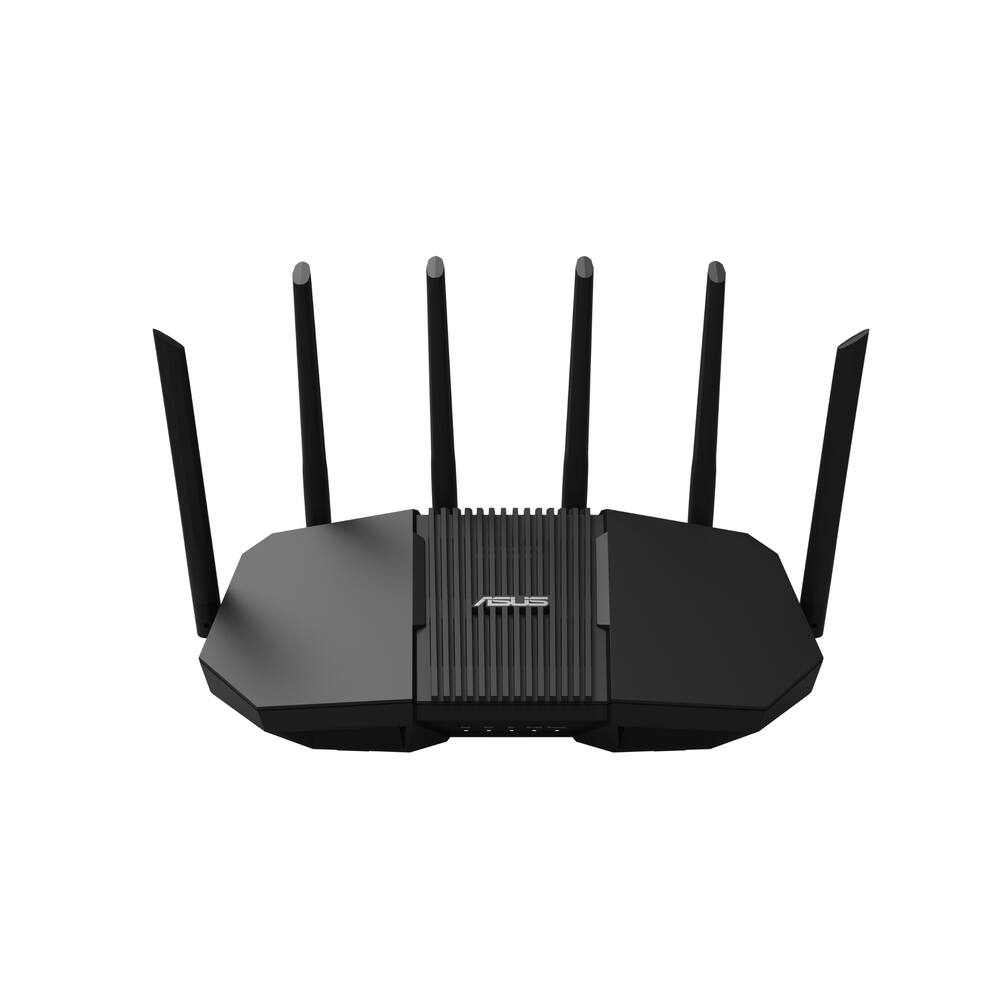
ASUS – RT-BE90U BE9400 Tri-Band Wi-Fi 7 Router – Black
SKU: 6683790
$19199
Was $239.99 Save $48.00
Other options in this range
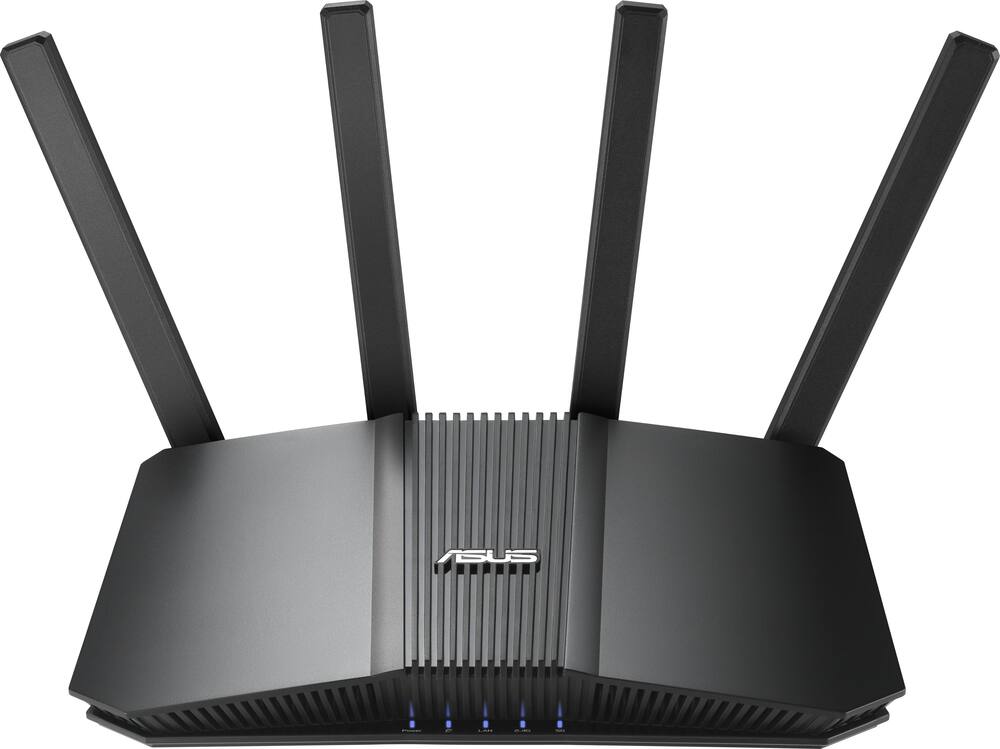 ASUS - RT-BE5000 Dual-Band Wi-Fi 7 Router - Black Original price was: $199.99.$159.99Current price is: $159.99.
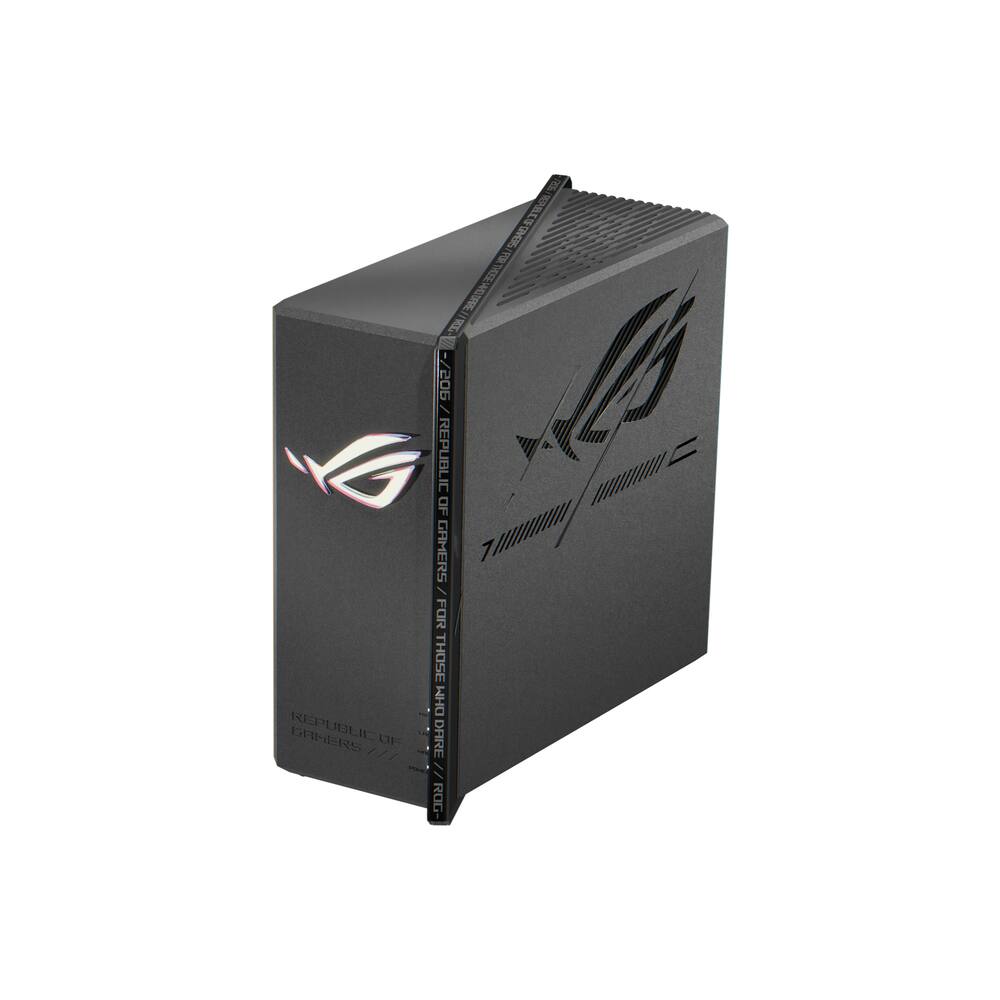 ASUS - ROG Strix GS-BE7200X Dual-Band Wi-Fi 7 Gaming Router - Black Original price was: $299.99.$239.99Current price is: $239.99.
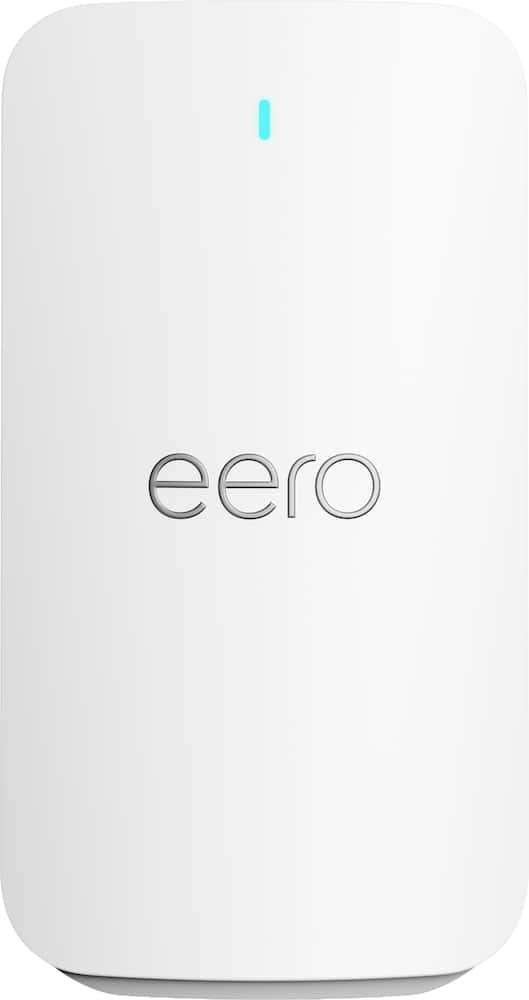 eero - Signal 4G LTE Cellular Backup, (1-pack) - White Original price was: $99.99.$79.99Current price is: $79.99.
Overview
- Ultra-Fast Wi-Fi 7 Performance
Wi-Fi 7 (802.11be) tri-band technology delivers speeds up to 9400 Mbps, with 320 MHz channels, 4096-QAM, and Multi-Link Operation (MLO) for next-generation streaming, gaming, AI networking, and cloud applications - AI-Powered Smart AiMesh
Wi-Fi 7-enhanced Smart AiMesh provides wider coverage, seamless roaming, and secure whole-home networking with easy expansion using compatible ASUS routers - Simple Setup, Powerful Management
Get connected in minutes with the ASUS Router app, offering intuitive setup and comprehensive network controls from your smartphone - Engineered for Wall-to-Wall Coverage
Six external antennas and six high-power front-end modules help eliminate Wi-Fi dead zones, delivering strong, reliable connectivity throughout your home - Quad 2.5G Multi-Gig Connectivity
Four 2.5G Ethernet ports with flexible WAN/LAN configuration provide up to 10G of wired capacity, prioritized traffic handling, and high-performance networking for demanding devices - Always-On Backup Connectivity
Stay connected with support for 4G LTE and 5G mobile tethering, providing internet access when your primary connection is unavailable - Smart Home Network Control
Create up to three dedicated SSIDs for IoT devices, parental controls, VPN connections, and customized network management with Smart Home Master - Commercial-Grade Security & VPN
Protect every connected device with AiProtection, one-tap Security Scan, Safe Browsing, automatic security updates, instant notifications, and advanced VPN support including WireGuard
Compare similar
| Feature |
VIEWING ASUS - RT-BE90U BE9400 Tri-Band Wi-Fi 7 Router - Black
|
ASUS - RT-BE5000 Dual-Band Wi-Fi 7 Router - Black
|
ASUS - ROG Strix GS-BE7200X Dual-Band Wi-Fi 7 Gaming Router - Black
|
LOWEST PRICE IN THIS TABLE eero - Signal 4G LTE Cellular Backup, (1-pack) - White
|
|---|---|---|---|---|
| Price | $191.99 | $159.99 | $239.99 | $79.99 |
| This product | View details | View details | View details |
Specifications
Capacity & configuration
- Encryption Type
- WPA-Personal
- Firewall Type
- NAT
- Port Type(s)
- RJ-45
Dimensions & weight
- Product Name
- RT-BE90U BE9400 Tri-Band Wi-Fi 7 Router
- Product Height
- 7.52 inches
- Product Length
- 12.6 inches
- Product Width
- 7.09 inches
- Product Weight
- 1.68 pounds
Features
- Brand
- ASUS
- Color
- Black
- Data Encryption
- Yes
- Security Features
- AiProtection network security, VPN, Instant Guard
- Parental Controls
- Yes
- Quality Of Service (QoS) Traffic Prioritization
- Yes
- Band Technology
- Tri
- Ethernet Standard
- 10/100/1000/2500
- Number of Antennas
- 6
- Frequency Band
- 2.4 GHz
- Wireless Networking Standard
- Wi-Fi 7
- Wireless Standard
- BE
- Input/Output Technology
- MU-MIMO (Multi-user Multiple-Input Multiple Output)
- Number of 2.4Ghz Streams
- 2
- Number of 5.0Ghz Streams
- 2
- Number of 6.0Ghz Streams
- 2
- Wi-Fi Mesh System
- No
- Ethernet Switch
- Yes
- ENERGY STAR Certified
- No
- App Compatible
- Yes
- App Name
- ASUS Router APP
- Beamforming
- Yes
- Integrated Modem
- No
- Wireless
- Yes
- Number Of WAN Ports
- 1
- Number Of LAN Ports
- 3
- Wired Speed
- 2500 megabits per second
- Wi-Fi Speed
- 9.4 gigabits per second
- Gigabit Ethernet Speed
- Yes
- Auto Speed Sensing
- Yes
- Bluetooth Enabled
- No
- UPC
- 199291276697
Power & warranty
- Model Number
- RT-BE90U
- Warranty - Parts
- 3 years
- Warranty - Labor
- 3 years
Warranty & protection
See manufacturer documentation.
Register your product with the manufacturer within 30 days of delivery.
Manufacturer warranty claims are handled by the manufacturer. We are happy to help you find the right contact: (888) 419-6820.
Customer reviews
Write a reviewSlower WiFi 7 than expected - I unboxed and set up the ASUS-RTBE90U BE9400 Tri-band WiFi 7 router itself was quick to get running, but signing in to my ASUS account during setup was a big mess with many password-reset emails due to having a MyASUS account from earlier products. I was finally able to sign-in with the new wifi account to start adjusting settings and then checking speeds. My first speeds with ASUS broadcasting from my AT&T 1 gb fiber service were all registering just under 100 mb up and down. I did not stop and take the time so speak with the phone number for ASUS technical support. My router with fiber speeds for internet has compatibility issues that I have found many threads on Reddit complaining about it along with just using google to check on what the factual issues people experience with the same older router. Speedtest app results I took on different days at 90–97 Mbps down / 91–100 Mbps up seemed to prove my theory on the problem being incompatibility. I continued working on the router connection when logged off from work and did not notice having any firmware updates or special settings that I had not experimented with yet. As far as the coverage, my home is 2500 sq feet, and I typically use extenders in rooms that have lower speeds than the rest of the home. I ran the speedtest in every area of the first and second floor of the home and did not have dead spots but did not see my ASUS wifi 7 speed change from the max speed of 100mb.
Well worth it! - This is an excellent wifi router with so many additional features. The app is an extremely nice added feature of this router. It operates fast and smoothly, and has a clean interface that is super easy to navigate through. Through the app you can see a list of all connected devices and view the real-time traffic of the devices connected. The app allows for device specific usage and security settings to be set, such as limiting usage or limiting access to adult content. You can even choose to group devices and attach them to a specific family member for member specific settings to be set to all devices in the named group. The app also offers a remote connection option to allow you to access and control the router settings remotely. The router was extremely easy to set up. The included instructions were very concise and everything worked as it should after following the instructions. The range of the router is excellent for my house of a little over 1650 sq ft, and carries a much stronger signal than what my internet provider’s combo modem-router did. I had grown tired of constant disconnections and weak signals with the internet provider’s modem-router, and I haven’t had that issue since switching to the ASUS wifi router (while using the modem-router as a modem only). The ASUS wifi router also provides a more secure connection than my modem-router does, as noted by various devices when switching connections. Overall I have been very pleased with this ASUS wifi router and consider its addition a much needed upgrade. The range of the router, the amount of devices it can support, and the additional features of this wifi router are more than enough of a reason to ditch your internet provider’s junk modem-router and upgrade to this ASUS router. I highly recommend it.
Great Security, Performance, Speeds - SETUP / INSTALLATION The setup was pretty simple. I had the router connected and running in under 25 minutes, and the ASUS Router app made the process even easier. It pretty much walks you through everything step by step without making the process overly complicated. My devices connected easily once configured, and I did not experience any issues that required troubleshooting. For a router with this many features, I appreciated how straightforward the setup was. BUILD / FEEL The router feels very solid and well built. The case is sturdy, the materials do not feel cheap, and there is no noticeable flex when handling it. The six antennas are probably the most delicate parts of the design because of their small hinges and screw-on connections, but that is pretty standard with routers that use external antennas. WI-FI SPEED / PERFORMANCE This is where the router really impressed me. I pay for gigabit internet service, and I have been getting speeds upwards of 800 Mbps on nearly all my devices. Even while streaming movies on my television, the other devices continue receiving excellent speeds without noticeable slowdowns. My PC has a newer motherboard with Wi-Fi 7, and I have reached speeds over 900 Mbps, pretty much getting the maximum performance I can expect from my internet service. I was not getting those speeds with my previous router, so the difference is noticeable. The router supports tri-band Wi-Fi 7, which gives compatible devices access to newer wireless technology. For me, the important part is actually getting the speeds I am paying for instead of being limited by my router. COVERAGE / SIGNAL STRENGTH Coverage has been excellent throughout my home. There really isn't an area where I have experienced slow speeds, lag, or dropped connections. I can walk around the house while streaming, and my devices maintain a stable connection. I also have security cameras in my garage, approximately 20 to 25 feet away, and they connect without any issues. The cameras stream their 4K video without interruptions, which is important because I rely on them for security. The six external antennas seem to do a nice job providing coverage throughout the house. GAMING / STREAMING I have my Xbox Series X and PS5 connected directly to the router through Ethernet cables. The connection has been fast and stable, even when multiple devices are streaming movies or using the internet simultaneously. I did not experience significant gaming connection problems with my previous router, and I certainly have not experienced any with this one. SECURITY / SMART HOME One feature I genuinely appreciate is ASUS AiProtection. I have over 25 devices connected to my network, including security cameras, doorbells, vacuums, coffee machines, Google speakers, Nest thermostats, laptops, cell phones, gaming systems, and televisions. You really do not realize how many internet-connected devices you own until you make an inventory. Each one represents another potential security weak point, and that makes built-in network protection increasingly important. AiProtection provides an additional layer of security and peace of mind without requiring a separate subscription. It is not going to eliminate every security risk, but having protection built directly into the router is definitely a nice feature. I have not noticed any loss of speed or connection stability while using it. OVERALL Overall, the ASUS RT-BE90U is an awesome router that provides fast, stable Wi-Fi along with useful security features. Great router that does not break the bank and delivers great performance.
Too much and not enough at the same time - GOOD - Has the usual Asus features, all without needing any extra payments or subscriptions - All LAN ports are 2.5 Gbps BAD - Pricey - Only 3 wired LAN ports - Lack of second 5 GHz band drastically limits mesh capabilities TLDR Asus is asking too much money for the RT-BE90U considering what it brings to the table. It can serve as a good single-point, centrally located router for medium-sized homes. But it has limited hard-wiring options and can't serve in a mesh system in a meaningful way. If you can find it on sale around $180 it makes a lot more sense. DETAILS I've had many Asus routers over the years ( I think this is the sixth ) and in general I'm very pleased with the features and capabilities. The RT-BE90U has all the things you expect from an upper mid-level / lower top-tier router. Almost. So let's go over the good things first. In terms of software, the BE90U has all the normal Asus functions. Very good QoS controls, device separation, MAC filtering, DDNS with auto sub-domain registration and SSL cert, cellular tethering, AIMesh capabilities, and the security options that don't require any sort of subscription or additional payment. That's what we expect on Asus routers, so no surprises or disappointments here. On the wireless side, it's a tri-band router with 2.4 GHz, 5 GHz, and 6 GHz bands. And here's my first major complaint: the lack of a secondary 5 GHz band.The BE90U doesn't have any band redundancy so it can't use a dedicated backhaul band as part of a mesh system. Say you already had a tri-band Wi-Fi 6 router with two 5 GHz bands. If you were hoping to replace it with the BE90U and then add the old router as a mesh node, it will just be a wireless repeater, not a proper mesh. My other big complaint about the BE90U is the Ethernet ports. On the upside, all ports are 2.5 Gbps. But it only has three available for LAN use ( one is the WAN port ). While I know most households have fewer hardwired devices now than they did five years ago, it still seems like a cop-out that Asus limited this router to only three LAN ports, especially on a router costing $240 ( as of this writing ). Even adding a few 1 Gbps ports would be fine. And that's the crux of this whole thing: this router doesn't make sense to me at the $240 asking point. This doesn't strike me as a router you pay extra for now and then build onto it later with other networking equipment. It simply doesn't have the extra connectivity and capabilities to do that. Any upgrades to your network would necessitate replacing the BE90U itself. The RT-BE90U can serve well as a single, central point router in a medium home, preferably single story, and will have good enough coverage for that. The router itself is strong enough to juggle fairly hefty traffic from over a dozen devices without bogging down. But there are plenty of other routers that can do the same thing for only $150. They just don't have 6 GHz. And really, the 6 GHz band shouldn't be a $100 upsell. Let's be honest, most people have very few 6GHz capable devices on their network anyway. And even if they do, the extra bandwidth doesn't make a meaningful difference in day-to-day use ( just because your phone is capable of downloading apps and updates at 1.5 Gbps doesn't mean internet servers will send them that fast ). Same goes for 2.5 Gbps LAN ports. If you're regularly sending dozens of GBs of data between two computers with nothing but flash storage ( or perhaps a NAS with multiple spindle-drive array ), then the extra bandwidth matters. If you can find this on sale around $180, it's a much better option.
Good Addition To ASUS's Line Of Routers - ASUS has another router in their lineup, the RT-BE90U WiFi 7 router. This is a good addition to ASUS’s series of routers. Connectivity The RT-BE90U has 6 antennas. They provide good coverage. It supports WiFi 7 and has 4 2.5Gb port one of which is the WAN port. The backplane support up to 10Gb throughput. It also has a USB-A 3.2 gun 1 port which allows me to tether my phone to the router for internet backup in case my primary internet connection is down. In The Box In the box I got the router, power adapter, and a LAN cable. AI Mesh The router supports Ai Mesh. This is ASUS’s mesh routing feature. ASUS says the setup is hassle free and it is true. I setup this so the BE90U was a node to my existing network which is running a GS-BE18000. In the mobile app, I went into the Ai Mesh option. It detected the BE90U was a potential Ai Mesh node. I selected it, and the app indicated that it was setting up the BE90U as an Ai Mesh node and it would take up to 5 minutes. In about 5 minutes, it was done and the router rebooted. When I booted back up, the app showed it as a node in the network. It also showed me that it was using two 6GHz channels for backhaul. I’m in an environment that is heavily saturated in the 2.4GHz band and a little less in the 5GHz band. Because of the 6GHz band use for backhaul, I get a really good wireless connection to the BE18000. I’m liking its performance as a mesh node. Other Features The has numerous features. One is the option to turn on multiple SSIDs for separating traffic and the wireless bands the traffic uses. I have the IoC network on and set to only use 2.4GHz. I set it to that for a few reasons. The majority of my IoC devices only use 2.4GHz. Given that band is saturated where I live and I don’t need super fast connectivity related to those devices, it works well with that SSID using 2.4GHz and not add more devices in the environment using 5GHz and 6GHz. I like that I can set the VLANs to use what frequencies that I want them to be able to use. The BE90U supports up to 3 different SSIDs, but with it as a node in the Ai Mesh setup, I manage this through the BE18000. Some additional features are AiProtection, Security Scan, and Safe Browsing, and IPv6. It also comes with a 3 year warranty. Final Thoughts This is a good router. By itself, it has great features and works well. It works just as well when it is a node in an Ai Mesh setup. The setup was hassle free. The mobile app is easy to navigate. I think this is a good addition to ASUS’s router line and, so far, I’m happy with the RT-BE90U. If you are looking for a new router, than add this to your list for consideration.
Great Product - Bought to replace a router from Spectrum that had spotty coverage for my 2000 sq ft home. It has exceeded my expectations. Very easy to set up and control. I can control my kid’s iPad access through the app.
Outstanding - easy to install with app, great reception, very wide wifi range
Outstanding router from ASUS - a home run! - Over the years I've always been partial to ASUS products - this one is no exception. The GUI interface is very easy to follow and intuitive for the most novice users, but gives options for the most advanced users. This is not just limited to the web interface, but the phone app to set up the router as well. I've got 5 desktops routing through it, 4 laptops, at least 25 smart devices in our home, as well as at minimum a dozen cameras. We've run into no issues with slowdowns. An option that is includes is a port to hook your cellular phone up to it to give internet access to all devices on your network should your regular ISP go down (just be sure to not exceed your cellular data limits, otherwise you might be subject to overage fees!). This is yet another fine product from ASUS definitely worth a look if you're in the market for a new router but don't need a MESH router! That having been said - it's not a MESH router - your best bet if you have a larger multi-story home or one that has rooms that span over a larger area you may want to explore the MESH router option if you find that you have dead spots.
My Old Brick Walls Finally Lost an Argument - The ASUS RT-BE90U was easy to set up, and it did the one thing I really needed a router to do: get a strong signal through my old house and out to the places I actually like to hang out. Setup Was the Easy Part Getting it up and running was easy. There wasn't much to fight with, which is exactly how I want a router install to go. ASUS steers you toward its Router app for setup and network controls, so you're not stuck digging through menus just to get online. Great vs. Super Great Honestly, Wi-Fi has gotten so easy to use that it's really hard to tell the difference between a great router and a super great one anymore. That's a good problem to have. For everyday use, this one just works, and I didn't have to think about it after setup. Brick Walls, Meet Wi-Fi 7 This is where it earned its keep for me. I have a pretty old house with thick brick walls, and those walls are not friendly to Wi-Fi. Even so, I still get a strong signal on my porch and my balcony. That's a good thing, because those are spots where older routers in houses like mine tend to give up. So that's a great thing because I use a Quest 3 and wireless connection with my PC works great compared to my old WiFi 6 router. That's a big deal to me and the router is not even in the same room that I play with my Quest. Overall The RT-BE90U was simple to set up and pushed a strong signal through thick brick walls all the way to my porch and balcony. If you have an older house that's tough on Wi-Fi, it's worth a look. RECOMMENDED!
Keeps the whole house going! - You never realize how many systems and devices you have been dragging along on your WiFi network until you have to finally make a change. My previous mesh system had started shutting off randomly when the opportunity to bring this new Asus router home came along. It’s one of those things where you don’t realize how much technology has advanced until you have to get something new, and ASUS makes the whole transition pretty painless. I had a network up and running within 5 minutes with their app guiding the whole process. I was able to make decisions along the way to keep some of my IoT devices from flaking out (like my washer and dryer) and for the latest ones that take advantage of Wifi7, the experience is super fast. Asus offers a lot of other options to configure within their system that I haven’t seen before, like a private VPN you can use to “magically transport” yourself to another place on the globe. Very helpful if you’re planning a vacation - IYKYK. All things considered, ASUS turned what could be a frustrating process into something pretty effortless, and provides a high quality product.
Fast, Flexible, and Secure Wi-Fi - The ASUS RT-BE90U is a powerful Wi-Fi 7 router designed for households with lots of connected devices, from laptops and gaming consoles to smart TVs, cameras, and other smart-home accessories. In everyday terms, it gives your home network plenty of room to handle multiple people streaming, working, gaming, and browsing at the same time. Its three wireless bands help distribute devices across different connections, while the newer Wi-Fi 7 technology can improve speed and responsiveness when paired with compatible devices. I also like that it includes four 2.5-gigabit Ethernet ports, giving you options to connect equipment directly for a faster, more reliable connection than wireless alone. Something I miss when considering my current wireless router only provided me with 2 ports. Where this router really stands out is its user interface and network customization options. ASUS provides both a mobile app and a web-based dashboard, allowing you to manage your network without needing to be a networking expert. The Smart Home Master feature lets you create separate Wi-Fi network names (SSIDs) for different purposes, such as guests, smart-home devices, or a dedicated network for children. Think of these as separate lanes on your internet connection: you can keep smart plugs and cameras organized, give visitors internet access without exposing your main home network, and apply specific parental controls where needed. This makes initial setup and ongoing security management much more organized than putting every device on one shared network. Security and long-term flexibility are additional strengths. Built-in ASUS security tools help monitor for potential threats, run security checks, and notify you when new devices connect. You can also manage parental controls, set internet schedules, and use VPN features for additional privacy. If your home grows or you discover a weak Wi-Fi area, the router can work with compatible ASUS AiMesh devices to expand coverage without requiring an entirely separate network setup. The main consideration is that some advanced customization options may take a little exploring, and you'll get the greatest benefit from Wi-Fi 7 if your devices support it. Overall, the RT-BE90U is an excellent option for someone who wants more than basic internet access: it offers fast connectivity, an approachable management interface, and the ability to organize and secure a growing collection of connected devices. In today’s data driven internet reliant world, this will be a pillar for the foreseeable feature in our home’s connectivity set up.
Great Choice for Our Home - I was pretty excited to upgrade my home network to Wi-Fi 7 as I recently switched to fiber Internet service with over 1.2 Gbs speeds for starters. As someone who appreciates smart home technology and reliable performance, the ASUS RT-BE90U BE9400 Tri-Band Wi‑Fi 7 Router was my choice due to its affordable pricing compared to other Wi-Fi 7 routers out there. The Asus router definitely impressed me with its blend of speed, coverage and future-ready features. According to the specifications it is designed around the latest Wi‑Fi 7 standard, it delivers speeds up to 9,400 Mbps, supports the new 6 GHz band, and includes advanced technologies such as Multi-Link Operation (MLO), 320 MHz channels and 4K-QAM for faster and more efficient wireless performance. The setup process was pretty straightforward: download the app and follow the prompts, it literally walks you through each step and you are online within minutes. I did not experience any hiccups at all. Some of my IoT devices did not connect right away though and needed a reboot of each smart device (I think about 4 or 5 had trouble at first). So what stood out most to me during everyday use was how effortlessly it handled multiple demanding tasks at once. Whether streaming 4K content, gaming online, backing up photos to cloud storage or running numerous smart home devices (I have about 60), the router maintained consistent performance without noticeable slowdowns. I know that the Wi‑Fi 7 enhancements help reduce congestion and improve responsiveness, however only newer devices can take full advantage of the technology, so for now it is only my Samsung S26 Ultra smart phone showing Wi-Fi 7. As far as home coverage, our home is about 2500 sq. ft, and there were a few areas that were weaker and I would definitely recommend to get another AiMesh unit to add to your network for proper coverage. If you live in an apartment or a smaller home, this router would be more than enough with its six external antennas. Huge plus of this router is the inclusion of four 2.5G Ethernet ports, which provide excellent flexibility for gamers, content creators, NAS users or anyone with multi-gig internet service. Even if you don't have super high internet speeds, you can always create a wired network within your house as long as your end point's LAN supports 2.5G speeds. We all know, we have to secure our home networks and I think this router's security is another area where ASUS delivers value. The router includes commercial-grade security features, parental controls, Safe Browsing and AiProtection without requiring additional subscription fees. You just have to dig into the settings and figure out what to enable and how to utilize all these extra features. As a photographer working with large RAW image files, I often transfer content between my desktop, laptop, NAS storage, and cloud services. Before upgrading my network, these transfers impacted the rest of the household, causing buffering on streaming devices and lag during online gaming sessions. After installing the ASUS RT-BE90U, everything felt smoother. While uploading hundreds of high-resolution photos to the cloud, my family continued streaming 4K content in another room and I was able to join an online gaming session without interruptions. The router intelligently handled multiple devices and bandwidth-heavy activities simultaneously, making the network feel responsive even during peak usage. In the app, you can assign prioritization to your individual devices to make sure they get the throughput and output you want. So make sure to take advantage of that feature. All in all, the biggest difference wasn't just the speed. It was the confidence that the network could handle everything happening at once without becoming a bottleneck. This Asus Router is a good choice for power users, gamers, content creators and smart-home enthusiasts who want a network that is ready for the future. Its combination of Wi‑Fi 7 speed, strong coverage, multi-gig connectivity, and built-in security made it a worthwhile for our home network.
Great router - I’ve always liked the Asus routers - I got this one to replace a model that had a Broadcom CPU (this one being Qualcomm solved issues I was having with Broadcom). It has fantastic coverage and is very easy to use.
very strong - This router is bigger than I thought it would be, but it works. Now, on the review. Hardware and build quality is solid, even though it's just made of plastic like more things like this. I like the design, and the way it looks with the antennas compared to my older model. They simple stable and will not break off easy, depending on where it is located. So make Sure keep it out of the reach of your little children or grandchildren. It enough pressure is applied, or it suffers a hard fall one might break or come off. The signal: Very strong, and very stable. I have lots of Wifi 7 devices, so I'm able to see the real speeds. I tested on different areas in my house, and multiple devices. All of which did very well. While 7 does not have the distance I'd like, it works very well when in range. So keep this in mind you position it in your house. Try to put it in a place where it's in the center of your house, and you should be good to go. Overall I recommend this router, because it has a strong signal.
Wifi 7 Tri-Band, Good Coverage, Speeds - The Asus BE9400 Tri-Band Wifi 7 Router is a solid mid-tier router with plenty of performance and coverage for the average household including AIMesh capability for expansion with compatible hardware to create a mesh system. With 2.5 Gig LAN and WAN ports, it should be sufficient for most households but it does not have the ultra fast 10 Gig speeds that some higher end options will have (If you have the means to utilize those speeds). IN THE BOX: - Router - Power Adapter - Short Ethernet Cable SETUP: Find your internet provider's modem, plug in the ethernet cable to both devices, power on the router, and download the ASUS app to start the setup process. This process should take no more than 45 minutes even with taking your time assuming the software updates and ISP configurations play nicely with your new hardware. The router “only” has 2.5 Gig ports which means if you have faster ISP speeds, your router will be the limiting factor. This isn’t a problem for most residential applications. It also only has three LAN ports which means if you have more than three hardwired devices you want to plug into this router, you will need a switch for further expansion. Given most devices are wireless these days, this shouldn’t be an issue. USAGE: The fact this router is Tri-Band (Supports 2.4Ghz, 5Ghz, and 6Ghz) is nice as it supports old, current, and new devices that may have differing requirements. The USB port on the rear of the device can be used for file sharing across the network which is nice for those who like to backup files or access them across multiple devices. Of course the antennas provide some adjustment for signals across the different bands but ideally the router should be placed centrally in a home for best performance. I have run a longer CAT6 cable from my modem to my office where I keep the router. This provided excellent coverage across my 1500sq ft house with outdoor coverage as well. If you have outdoor security cameras, this should provide sufficient signal for those devices mounted outside. One of the nice features is Smart AiMesh which allows you to create a Mesh network using compatible Asus routers. If you find that one device doesn’t provide enough coverage, this would allow multiple routers to cover the entire house. Speeds were what I was expecting given my current setup and my 2 Gig fiber internet service. I was easily seeing near 1 Gig wireless connectivity through many of my newer Wifi 6/7 devices at close range. As you get farther away, speeds will drop but not enough to impact performance meaningfully. OVERALL: I would recommend the Asus BE9400 for anyone looking for a solid router with excellent performance and future expansion capability. Providing enough speed and capability for the average IOT household, this router should last many years.
High performer Tri-band MLO Wi-Fi 7 router - I got the ASUS - RT-BE90U BE9400 Tri-Band Wi-Fi 7 Router since I recently upgraded my ISP to 2Gb fiber and also hoping to resolve a NAT-ing/DMZ problem for one of my media remote streaming devices. I paired it with my 2 Gigabit fiber Internet and set it up with the same SSID and passphrase so my 45+ Wi-Fi devices don’t have to be reconfigured. The setup went smoothly, with the Asus Router App which is very intuitive and feature-rich. Once the basic setup steps were done, such as connecting the WAN port to the ISP ONT and the rest of the LAN ports to my home network, upgrading the firmware was my priority. For future security and bug fixes, you can also enable automatic updates to stay current. The latest router software platform is very well developed, intuitive, feature rich and offers tons of information such as network map, CPU/RAM utilization, AIMesh and security reports, etc. There are also additional advanced security and parental control features that are included for free for the most part. Easy integration with popular products like NordVPN is built-in. I ran most of the speed tests from multiple wired Windows 11 PCs, one being an ASUS ROG gaming tower PC with Wi-Fi 7 and 2.5 Gb wired connectivity and a Samsung Galaxy S25 Ultra Android phone that also supports Wi-Fi 7. The range coverage and signal strength is great, thanks to the 6 high powered front-end modules/antennas. With my multi-gigabit fiber ISP, I max out at around 2150 Mbps. With this ASUS - RT-BE90U BE9400 Tri-Band Wi-Fi 7 Router I could not believe it when I got Wi-Fi downloads/uploads in the 1,900 Mbps just like being plugged into Ethernet. Ping times were below 5ms which is quite good for Wi-Fi as well. This ASUS - RT-BE90U BE9400 Tri-Band Wi-Fi 7 Router covers all 3 floors of the house quite well thanks to Asus next-gen powerhouse and RF technology and 6 antennas. The speed went down to a respectable 400 Mpbs in the sunroom which is sticking out of the house in the furthest corner away from the router. This router supports Asus AIMesh technology that allows you to easily create a mesh network with other compatible Asus routers or WiFi extenders. One feature I have not seen in other routers is a USB WAN port which allows you to connect it to a 4G LTE or 5G phone or hotspot that can act as a backup/secondary Internet connection, for those unfortunate cases when your ISP connection goes down. In conclusion, this ASUS - RT-BE90U BE9400 Tri-Band Wi-Fi 7 Router is a well performing mid to high end model with a very easy setup, smartphone App, and just the right features as well as range expansion via ASUS AIMesh technology and comes with 3-years warranty, a testament to ASUS quality and reliability.
mid to high tier Wi-Fi 7 router w/many features - ASUS - BE9400 Tri-Band Wi-Fi 7 Router is focused on great performance and a plethora of features you would want in a capable middle to high tier router. This model only has one WAN and three LAN & ports all 2.5Gbps. My service provider tops out a 1Gbps up/down so I couldn’t realize the true potential of the premium connectivity, however internal copies between devices on my network were able to use this additional capacity. This router is Wi-Fi 7 compatible AND Tri-band. There are lesser “Wi-Fi 7” routers out there that are only dual band. ASUS - BE9400 Tri-Band Wi-Fi 7 Router implements MLO (Multi-Link Operation) simultaneously to communicate with devices over all three Wi-Fi bands 2.4/5 & 6 ghz for those compatible devices, a trifecta of communications. In addition, a USB-A 3.0 port is on the back of the unit so you can setup a basic Network Attached Storage (NAS) for file sharing and streaming via the on-router USB 3.0 USB-A port. The unit also has six external antennas which can be swiveled. I prefer external antennas over the ASUS ROG BE18000 gaming router (more later on that router) which has internal antennas. Setup is fairly simple using the ASUS Router app, you can also access the admin console via the web interface. I am experienced in setting up home networks and the mobile app did just about everything I needed including setup of an IOT and guest networks (IOT for devices such as connected refrigerators and thermostats). I also like that a lot of the functionality in the mobile app did not require cloud management of the router, which is really appealing as I do not want adversaries to have data about devices living on my internal home network. Testing yielded good results in most portions of my home, only a few of my devices can use Wi-Fi 7 and specifically the 6ghz band (the “Tri” in “Tri-band). This router had no hiccups over the course of the week I used it and noticed no real difference between the more expensive ASUS ROG BE18000 router that I have been using for over a year. After a week I decided to utilize the AIMesh capabilities of this router, creating an Wi-Fi mesh system with my compatible ASUS ROG BE18000 router. Since that router was introduced last year (2025) and it still has more processing power and more ethernet ports I decided to just reset the new ASUS - BE9400 router back to factory settings as a first step in trying create a mesh network. Using the ASUS mobile app I was able to create a mesh network with ease, just adding the BE9400 router as node. The setup establishes a 6ghz backhaul (for traffic between each router using a dedicated channel). The concept of one network SSID meshed throughout the house great providing great signal coverage. It was certainly improved from my first gen, circa 2017 Linksys Velop mesh system. The mesh system even solved my problem with one of my Ring cameras being chronically offline, as the new ASUS - BE9400 router is now covering that portion of my home. Placing the BE9400 as a node in my secondary work area solved “my need for speed problem”, where I was lucky to get 100 megabits from my primary single ASUS router solution. Now I get almost gigabit via an ethernet port. Overall, there is not much to NOT LIKE about this router, it performs very well, the admin interface and mobile app are well done and there are many more features which I intend on enabling (such as per device network throttling). This router gets props for the simplicity of mating two ASUS routers to create a seamless mesh network and providing numerous ways to configure that mesh network. I was even able to assign devices specifically to each node in the mesh network as well as create a exclusive SSID on the BE9400 so I could connect that problematic Ring device and assign Wi-Fi band @ 5 ghz >>> Pros >> Wi-Fi 7 compatible, includes 2.4, 5 AND 6ghz bands >> all WAN and LAN ports are of the 2.5gbps variety >> good mobile app >> easy mesh network configuration leveraging ASUS AIMesh technology >> configuration options, VPN, IOT and guest network >> MLO – Multi-Link- Operation for additional throughput on capable devices. <<< CONS << needs at least two more ethernet ports.
Great Tri-band Router - This router works for up to 2500 square feet and can handle up to 100 connected devices. If you have more square feet or have a second floor, you may need an AiMesh extender which works easily with this router. I appreciate that it can handle up to 100 devices since I have 23 smart bulbs alone, along with 3 televisions, 2 computers and all of my other smart home devices, this is truly needed. This router has the look of a traditional one with six external antennas (four on the back and two on the sides) and a low sleek design. It comes in at twelve and a half inches long, seven inches in depth and about seven and a half inches high, if the antennas are straight up. You can either mount this to the wall or leave it on any flat surface near your modem. This tri-band router combines 2.4, 5 and 6 Ghz bands for all my WiFi needs. On the back there are three 2.5 Gbps Ethernet ports for any devices that need to be connected and a USB 3.2 Gen port. There is also a power input jack, a power switch button, WPS button and the Ethernet in port. This can handle all my smart hubs easily. Setup is straightforward. Plug the Ethernet cable to the modem and router. Download the Asus router app and follow the instructions, all of this takes about 30 minutes if you include how long it takes to download any updates. I have found this delivers fast speed and is very reliable up to 20 feet away with no problems. My laptop which has WiFi 6E shows speeds near my 1Gbps plan. The further you get from the router the more the speed drops, so it doesn’t work as well in the far corners of my yard, but may if I bought an extender if I really need it that far away. This router can easily handle 4K streaming and casual gaming. I recommend this router because it completely future proofs my home network for the next several years and will ensure I get the absolute maximum performance out of my current internet plan. This also handles all the dozens of smart devices I have with ease and will work with any newer phones or laptops that have WiFi 7 that I get in the future.
Strong Speeds but range falls off quickly - Setup: Onboarding the RT-BE90U was straightforward using the included QR code and the Asus mobile app. The setup wizard guided me through the initial configuration in minutes and proactively prompted me to create an isolated IoT network alongside the primary SSID, which is a great touch for keeping smart home gear segregated. Right after initial setup, the app prompted me to link the router login to a third-party account such as Google, Apple, Microsoft, or Facebook. I linked my Gmail account, saving me from remembering another set of router credentials while also enabling optional Google Assistant voice controls. Hands-On Experience and Daily Use: As a standalone unit, the router pushed impressive bandwidth close to the source, but coverage dropped noticeably across physical distance. On my 750 Mbps down and 39 Mbps up plan, I hit 100 percent of my provisioned speed in the primary room and adjacent areas. Further away on the same floor, speeds dropped to roughly 400 Mbps down and 30 Mbps up. Moving upstairs, bandwidth dropped to around 220 Mbps down and 20 Mbps up, with the furthest back bedrooms bottoming out near 130 Mbps down. While 130 Mbps easily handles casual streaming and gaming, latency climbed noticeably further out on the main floor and even more upstairs. I also noticed occasional speed fluctuations, suggesting the router can hesitate when balancing multiple wireless frequencies across active clients. Adding an AiMesh node would be necessary to keep latency stable across a two-story home. Device stability was generally solid across most hardware, but I ran into a persistent quirk with my iPhone. The phone frequently dropped connection to the router and attempted to roam onto other saved networks, even with the router running the latest firmware. Every other laptop, streaming box, and wireless client in the house maintained a stable link without dropping, so this may have been an isolated client-side handshake issue, but it was frustrating during regular phone use. The software offers some great management tools alongside a few notable flaws. The QoS section is well designed, giving you the flexibility to prioritize tasks like work from home, learn from home, gaming, or media streaming globally at the router level, or drill down into individual devices to assign specific bandwidth priority. In the Insights tab, the built-in Trend Micro engine provides transparent protection against malicious sites and two-way IPS intrusions without subscription fees. The mobile app functions strictly while connected to your local network, preventing remote management when away from home. While that limits on-the-go checks, it provides an extra layer of privacy and network security. The Family Protection feature, however, was a major disappointment. On paper, it looks comprehensive with options to set age ranges, scheduled internet hours, and category-level content blocking. In actual testing, the content filtering failed to categorize traffic properly. Devices were still able to stream video and visit sites that were explicitly marked as blocked. The only parental control function that worked consistently was the blanket toggle to shut off all internet access to a profile. Because the automated content filtering let restricted material through, I cannot trust the built-in family protections for child safety. Pros • Flexible router and per-device QoS • Convenient single sign-on account linking • Free built-in Trend Micro security • Full internet speeds up close • Helpful dedicated IoT network prompt Cons • Unreliable content category filtering rules • Speeds drop significantly with distance • Higher latency on upper floors • Occasional iPhone wireless connection drops • App restricted to local network Final thought: The Asus RT-BE90U BE9400 delivers strong close-range throughput, granular QoS management, and subscription-free security, but inconsistent family content filters, client drop quirks, and range fall-off make it tough to recommend for large multi-story homes without an AiMesh node.
Questions & answers
Ask a question
Email [email protected] or call (888) 419-6820 during business hours.
Add your review