Perfect AP - So this is a newer ASUS router, and unlike some other home routers/wireless access points ASUS at least updates them with firmware for a long time. My older AX88U which I've had for over 4 years now still gets firmware updates and security fixes, which is nice that it stays supported for many years as these devices tend to be setup and forget its there. While ASUS provides a lot of additional software and an application I tend not to use that and use these devices as a Wireless access points, and find they work super great, especially since these allow for up to 3 SSID's which allows me to segment the network on one device to prevent certain IoT and Guest network from seeing each other, without having to have 3 seperate devices. The fact it has two 2.5 Gbps LAN jacks is great for helping if you have a faster internal connection allowing for the local network to get saturated via wireless devices using it. The coverage is awesome with this is great and my devices can find the appropriate SSID without issues. So if you need a wireless device with long term support this is a great option to get good wireless coverage.
 20% off
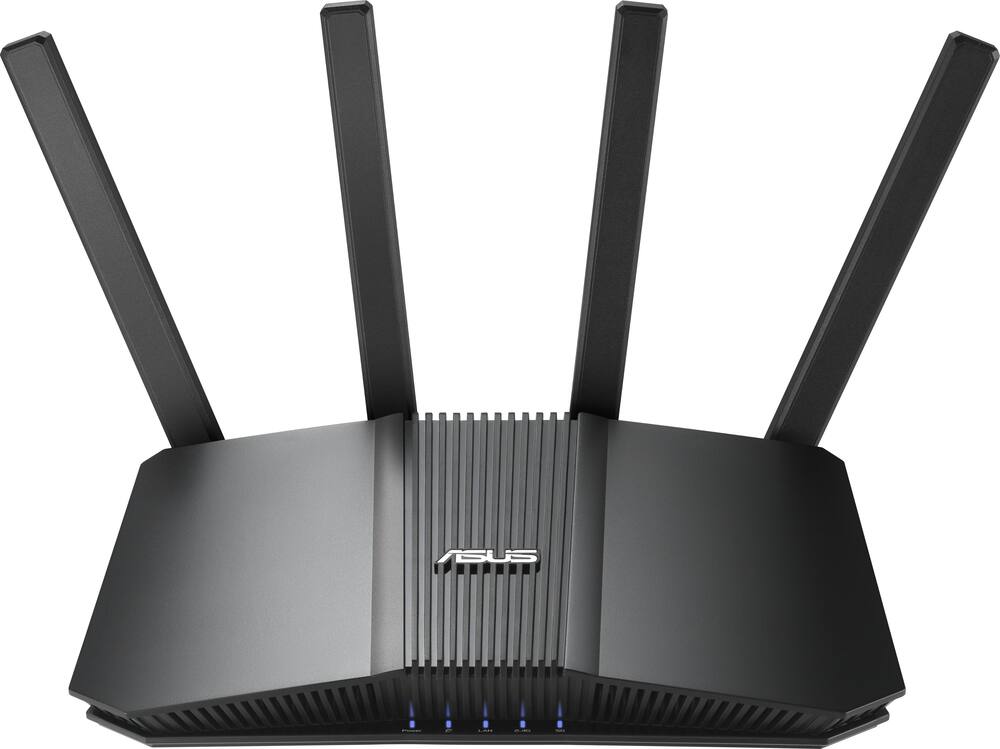
ASUS – RT-BE5000 Dual-Band Wi-Fi 7 Router – Black
SKU: 6683789
$15999
Was $199.99 Save $40.00
Other options in this range
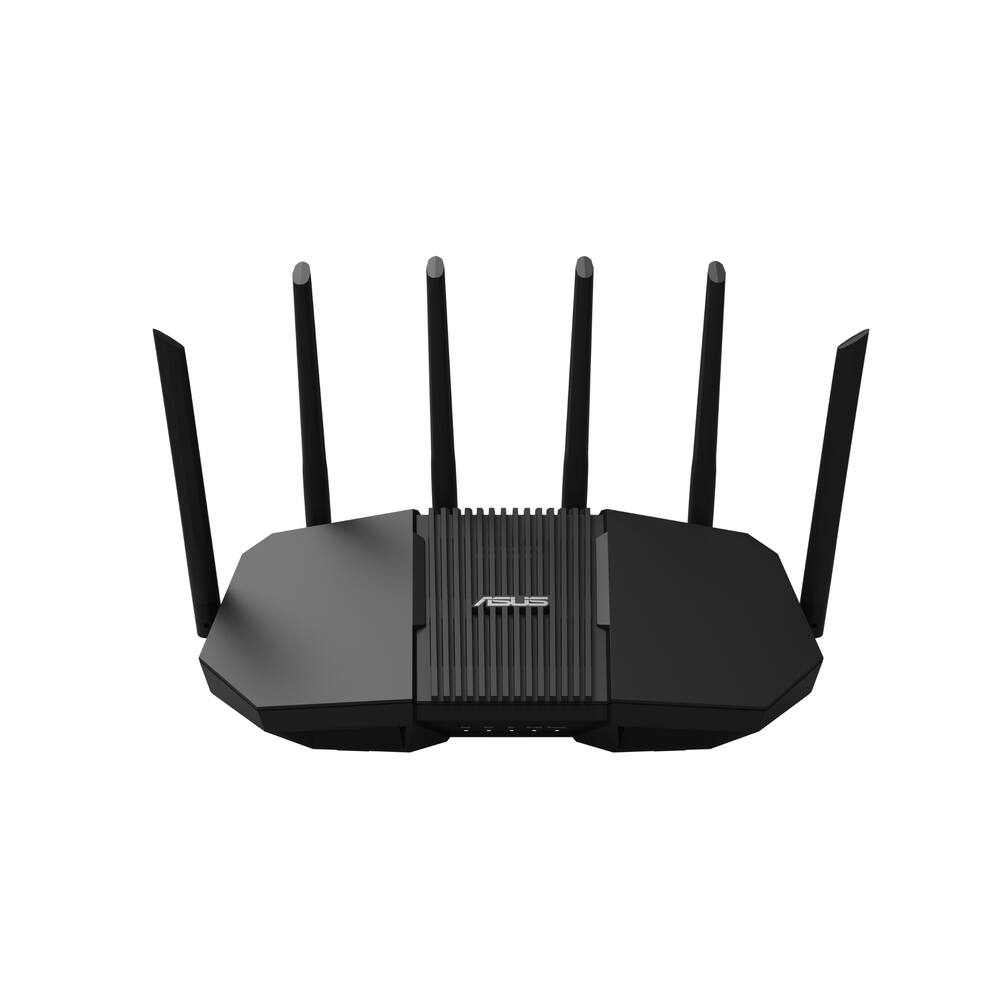 ASUS - RT-BE90U BE9400 Tri-Band Wi-Fi 7 Router - Black Original price was: $239.99.$191.99Current price is: $191.99.
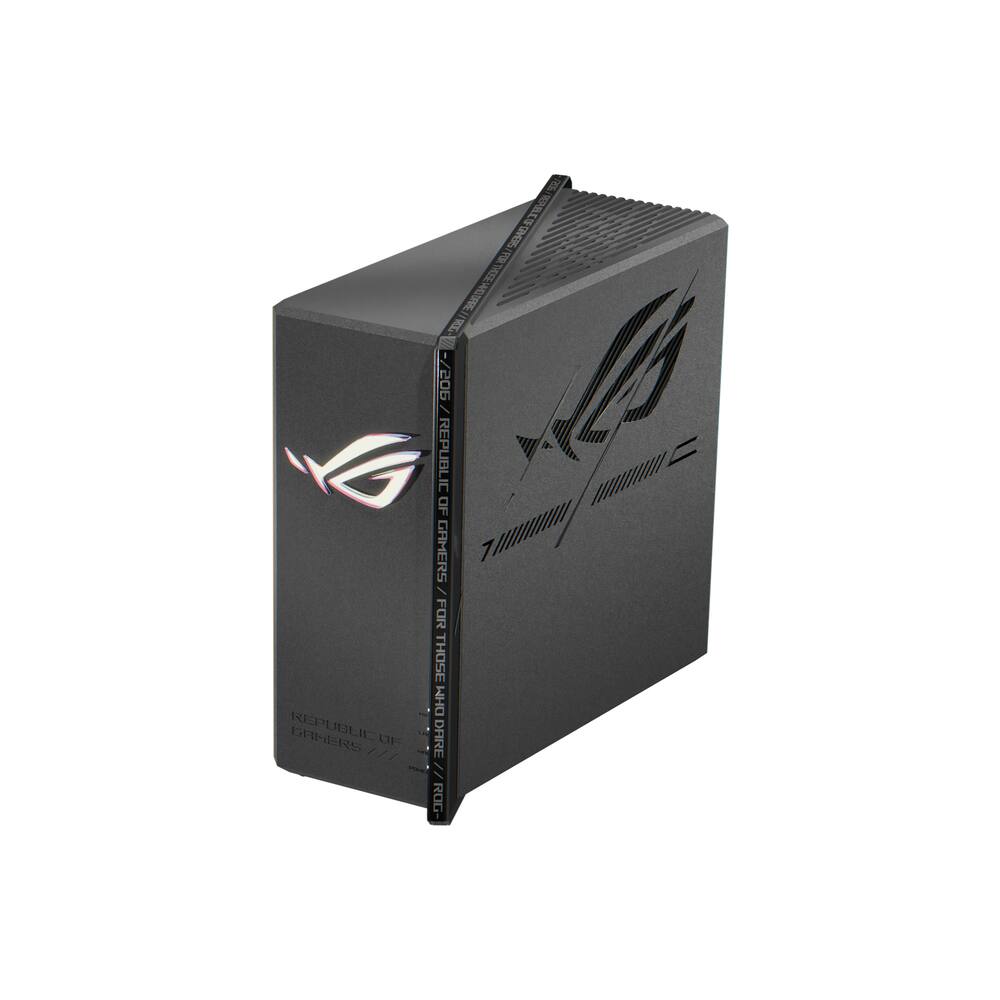 ASUS - ROG Strix GS-BE7200X Dual-Band Wi-Fi 7 Gaming Router - Black Original price was: $299.99.$239.99Current price is: $239.99.
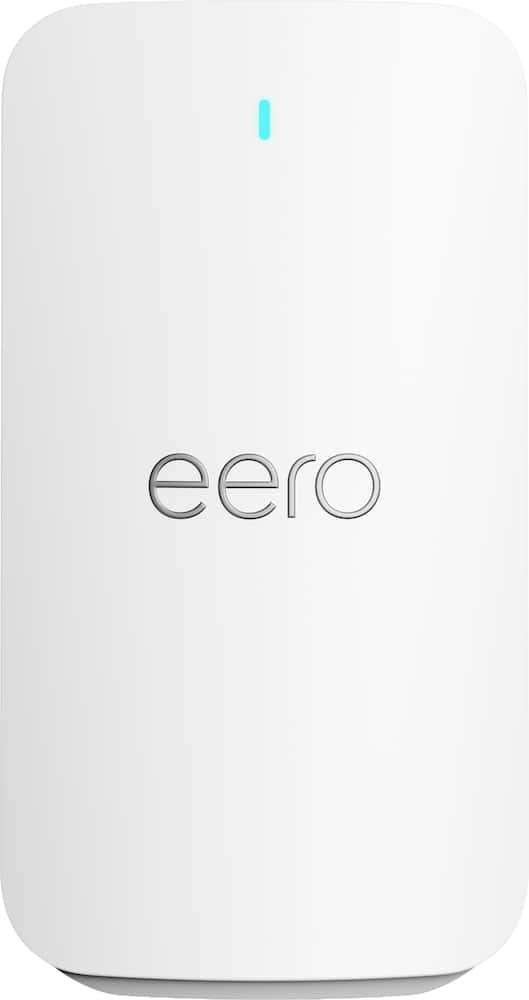 eero - Signal 4G LTE Cellular Backup, (1-pack) - White Original price was: $99.99.$79.99Current price is: $79.99.
Overview
- Ultra‑Fast Wi-Fi 7
Dual-band Wi-Fi 7 speeds up to 5000 Mbps with MLO and 4K-QAM - Intelligent Whole‑Home AiMesh
AI-powered Smart AiMesh boosts coverage up to 2300 sq ft and easy extendibility with compatible ASUS routers for seamless and secure whole home Wi-Fi - Enhanced Coverage Performance
Four external antennas and one internal antenna eliminate Wi-Fi dead zones - Smart Network Segmentation
Establish up to three SSIDs for parental controls and IoT devices with Smart Home Master Network - Seamless Whole‑Home Roaming
Hassle-free AiMesh Extendable Network for whole home seamless roaming
Compare similar
| Feature |
VIEWING ASUS - RT-BE5000 Dual-Band Wi-Fi 7 Router - Black
|
ASUS - RT-BE90U BE9400 Tri-Band Wi-Fi 7 Router - Black
|
ASUS - ROG Strix GS-BE7200X Dual-Band Wi-Fi 7 Gaming Router - Black
|
LOWEST PRICE IN THIS TABLE eero - Signal 4G LTE Cellular Backup, (1-pack) - White
|
|---|---|---|---|---|
| Price | $159.99 | $191.99 | $239.99 | $79.99 |
| This product | View details | View details | View details |
Specifications
Capacity & configuration
- Encryption Type
- WPA-Personal
- Firewall Type
- NAT
- Port Type(s)
- RJ-45
Dimensions & weight
- Product Name
- RT-BE5000 Dual-Band Wi-Fi 7 Router
- Product Height
- 4.09 inches
- Product Length
- 7.6 inches
- Product Width
- 11.22 inches
- Product Weight
- 2.31 pounds
Features
- Brand
- ASUS
- Color
- Black
- Data Encryption
- Yes
- Security Features
- AiProtection network security, Instant Guard VPN, Parental Controls
- Parental Controls
- Yes
- Quality Of Service (QoS) Traffic Prioritization
- Yes
- Band Technology
- Dual
- Ethernet Standard
- 10/100/1000/2500
- Number of Antennas
- 5
- Frequency Band
- 2.4 GHz
- Wireless Networking Standard
- Wi-Fi 7
- Wireless Standard
- BE
- Input/Output Technology
- MU-MIMO (Multi-user Multiple-Input Multiple Output)
- Number of 2.4Ghz Streams
- 2
- Number of 5.0Ghz Streams
- 3
- Wi-Fi Mesh System
- No
- Ethernet Switch
- Yes
- ENERGY STAR Certified
- No
- App Compatible
- Yes
- App Name
- ASUS Router APP
- Beamforming
- Yes
- Integrated Modem
- No
- Wireless
- Yes
- Number Of WAN Ports
- 1
- Number Of LAN Ports
- 4
- Gigabit Ethernet Speed
- Yes
- UPC
- 199291331143
Power & warranty
- Model Number
- RT-BE5000
- Warranty - Parts
- 3 years
- Warranty - Labor
- 3 years
Warranty & protection
See manufacturer documentation.
Register your product with the manufacturer within 30 days of delivery.
Manufacturer warranty claims are handled by the manufacturer. We are happy to help you find the right contact: (888) 419-6820.
Customer reviews
Write a reviewgreat speed, buggy set up - When you think Asus you think quality and reliability. And as always Asus delivers in this category. Admin set up on the other hand left alot to still be desired. Out of the box you get what you need to get you set up minus some less than perfect QR codes with detailed instructions. So off the bat i wanna start by saying i own alot of Asus products and for the most part they are very well known for quality and reliability and that is something i can personally attest to. That is very much the case with this router as well. I was skeptical about this router being able offer a strong signal in my basement while being stationed on my second floor. The basement signal strength was strong enough to stream off different platforms on my smart T.V. with no problems whatsoever. Never experienced any lag or buffering issues and streaming was able to be done in 4k. Both download and upload speeds were a vast improvement over my other brand name wi-fi router which i will upload photos for you to see. Streaming while gaming? Light work, this router was able to handle both me and my three kids gaming while my wife was live streaming her shows down stairs with no interruption to either one of us. My outside Ring Camera's also had no problem with connecting to wifi and live feeds were brought up quick with very little delay in the way of time gaps. So why the 3 stars? Simply put there was no smooth passthrough to get in to the admin features to customize my settings. Here's what im referring to. Other high end routers that i have owned made set up such a breeze. All you had to was download the free app, set up your own password and router name and then boom you had full control over features such as wifi usage, security features, etc. And while you can technically download an "app" for this router, getting in to the admin settings was a nightmare. After setting up my wifi name and password i thought, "ok just use the same name and password that you just set up to log in". Those credentials were not recognized, therefore i could not get in. Ok, no big deal, maybe i just need to login with the provided login and password as my credentials. Nope, this was not the answer as well. Long story short after doing a hard reset and calling IT support we were able to not figure out the issue as it randomly resolved itself. The whole set up felt very dated when compared to its predecessors. Other than that, if you have no plans on getting in to the settings then ya, this is a solid buy as speeds and reliability are awesome. If your looking for ease of control and a personalized set up, then look elsewhere as the settings are going to leave a whole lot to be desired and may leave you regretting your decision to buy.
Good Value Wi-Fi 7 Router with AiMesh - A good router for the price, especially if it's on sale. I've used an ASUS RT-AX82U gaming router with 350 Mbps fiber internet, over the past 5 years without any issues other than the occasional hiccup they all have that requires a reset. I compared the BE-5000 to the AX-82U in my house, and over my almost 2-acre property, to check the range and document the readings. The results were interesting. More on that below. I'm not going to be quoting specs since those are listed in detail in the product description. I will note that the BE-5000 is a dual band Wi-Fi 7 router and not a tri band which should perform better. Setup was straightforward after downloading the full manual from ASUS. The included quick-start guide is fairly minimal, and the QR codes only take you to the main ASUS website rather than the specific support page for this router. However, it's not difficult even without the manual. Just plug it in, turn it on, tell your PC or whatever device you're using to show all Wi-Fi in range, select the name of the router that's printed on the bottom label and then input the password, also on the bottom label and it logs you in. After logging in, I renamed the network and changed the default passwords, which I strongly recommend for security. Note: Administrator access has a separate login and password that provides access to advanced settings. From there you can create additional Wi‑Fi networks, set up a VPN, enable automatic updates, and make other changes. The firmware offers a large number of advanced options, but most buyers will likely use the default settings, which is how I performed my testing. One disappointment was that I could not import my existing network settings from the RT-AX82U into the BE-5000. As a result, I had to create a new network and reconnect all of my Wi-Fi devices manually. In my case, that meant re-pairing roughly 50 devices, including laptops, phones, printers, smart TVs, and smart home devices. If you're replacing an existing router, keep that in mind before making the switch. If you have another compatible Asus router that supports AiMesh you can connect them together for a mesh system and expand your network. This is what I did since my AX-82U and BE-5000 are AiMesh compatible. Test results farther down the review. For people that may not know, Wi-Fi, Bluetooth, cellular networks, and NFC are all radio systems that transmit and receive data. It's all known as "wireless" and I've met many people that don't realize that means radio. This is why the placement of the router can have a lot to do with how well it performs. You will want to keep it in an open area away from walls and especially anything metal that will impede or reflect the radio waves. Modern routers use multiple antennas for MIMO and beamforming, which can improve throughput, reliability, and signal directionality. A high central location with nothing close by is the best placement for a Wi-Fi router. Testing at my house: I live in a two-level rancher style house, 50'x 30', with a full semi-finished basement, on the side of a steep hill. Basement section is brick exterior, and the top floor is vinyl siding over OSB. One corner, top, of the basement is below grade about 8 feet and the opposite corner, bottom, at ground level. The part of my basement that's above ground has a total of four windows that let the Wi-Fi signal escape. The basement router is mounted on an L-shaped bracket I built and attached to a floor truss near the center of the basement. This keeps it elevated and away from most walls and other obstructions. All routers in all setups worked great in the house, upstairs and down. I used Wi-Fi on my Samsung Galaxy S25 to compare the BE-5000 to the AX-82U for signal strength, download and upload speeds, latency and jitter to document the readings. I did this in a few rooms in my house and in 9 locations over my almost 2-acre property. I did that four times which produced over 50 data sets. First with the AX-82U, the BE-5000, The BE-5000 meshed with the AX-82U upstairs on a 6 foot tall shelf, in a room with a vaulted ceiling, with Wi-Fi backhaul, and then with connected with CAT 6 cable. No way I can include all of that here, So, I'm summarizing the results using two locations for each router setup. One was the top corner of the property up the hill, where the router was below grade and 150 feet away. The other was the bottom corner of the property, about 30 feet lower in elevation than the router and roughly 220 feet away. LAT=Latency, JT=Jitter, SIG=Signal, DN=Download, UP=Upload in Mbps AX-82U Wi-Fi 6 only, router in basement: Top corner, router below grade, apx 150' away: LAT 148 ms, JT 66 ms, SIG –64 dBm, DN 11.6, UP 20.2 Bottom corner, router above grade, apx 220' away: LAT 21 ms, JT 2 ms, SIG –76 dBm, DN 77.2, UP 64.2 BE-5000 Wi-Fi 7, Router in basement: Top corner, router below grade, apx 150 away: Speed test failed. Bottom corner, router above grade, apx 220': LAT 46 ms, JT 38 ms, SIG –73 dBm, DN 8.2, UP 12.5 BE-5000 downstairs AiMesh to AX-82U upstairs with Wi-Fi backhaul: Top corner, apx 150' away: LAT 100 ms, JT 29 ms, SIG –60 dBm, DN 22.8, UP 17.7, NOTE: Wi-Fi 6 from AX-82U Bottom corner, apx 220' away: LAT 34 ms, JT 15 ms, SIG –68 dBm, DN 18.5, UP 8.9, NOTE: Wi-Fi 6 from AX-82U BE-5000 downstairs AiMesh to AX-82U upstairs with wired backhaul: Top corner, apx 150' away: LAT 21 ms, JT 1 ms, SIG –77 dBm, DN 185.3, UP 53.8, NOTE: Wi-Fi 6 from AX-82U Bottom corner, apx 220' away: LAT 22 ms, JT 0 ms, SIG –83 dBm, DN 37.9, UP 45.0, NOTE: Wi-Fi 6 from AX-82U Surprisingly, the older RT-AX82U consistently outperformed the BE-5000 at longer distances, despite lacking Wi-Fi 7 support. In my testing, signal quality and usable throughput mattered more than the newer wireless standard when coverage was stretched across my property. The single most important finding from my testing wasn't Wi-Fi 7 versus Wi-Fi 6. It was the difference between wireless and wired mesh backhaul. Connecting the routers with Ethernet produced dramatically lower latency and much faster speeds than relying on a wireless mesh connection. My conclusion is that the BE-5000 should work well for most people, especially when it's on sale. Performance inside my house was good, setup was straightforward, and it offers an affordable way to get Wi-Fi 7. However, in my testing the older ASUS RT-AX82U consistently provided better range and performance at longer distances. If you need coverage for a larger home or property, you should consider a higher-end router or an AiMesh setup. My best results came from using AiMesh with a wired backhaul.
Impressive Performance at a great price - The last time I bought a WiFi routers was when I moved into my new apartment during the pandemic. I had not really thought about it because it worked just fine- even after I had twice upgraded my home internet service speed. When offered the chance to get a new router, I really didn't expect to much difference. I'm happy to say I am pleasantly surprised. Before I decommissioned my old router (by a well-respected manufacturer), I ran a few tests so I could have a benchmark. We'll get back to that shortly. The ASUS RT-BE5000 is an an attractive angular device that could be left out, but resides under my couch. It comes with a power supply transformer and a CAT6 patch cable. I plugged it in and connected it to my modem, then downloaded the set-up and management apps to my phone. Set-up was fast and pretty easy. Using the name and password of my old router, I knew that my WiFi devices within the apartment would likely connect as if nothing had change. That was the case. However, I had no contact with the outside world (Internet) because I had ignored the instruction to restart my modem. Once I did so, things got much better. Most of my devices were up and running. I did have two devices that needed a little more work to resolve because one had Alexa and the other a fairly sophisticated interface, but runs solely on 2.4 Ghz. Once I moved them over to the very convenient IoT "alternate" network everything was running smoothly and noticeably faster. The interface for set-up is good, but I imagine some less technical users might get a little frustrated with what I went through. In order to test performance, I used a combination of my laptop and the web interface for the router, the phone router app, and a couple of free Windows-based apps. I use a 1 Gig copper-based home internet service. Without getting in the weeds with technical details, here are the performance notes: Max Download: 817.88 Mbps Typical range: 700-805 Mbps Max Upload: 41.3 Mbps (limited to 50 by my service provider) Typical range: 28-38 Mbps Typical ping: 13ms All of the above results are superior to my prior router. There are a variety of settings to optimize the router's performance for the predominant type of use: Streaming, Work from Home, Gaming, Office and "AI Balance". I trade stocks from home and use a trading dashboard, use AI extensively for work and often download and upload very large files for work. Quite often, I'm also either watching YouTube videos or listening to music while doing all of the above. The stats above were obtained when running at least two of the scenarios mentioned. Additionally, I have 17 IoT devices in my apartment. I'm pleasantly surprised by the ease of use and performance of the RT-BE5000. For less than $200 it's a steal.
Perfect - Great router, easy setup with the app. Also the WiFi coverage is better than advertised for me. Definitely would recommend this router.
Great router - Recently we started having some network issues in our home. So I began the grueling task of researching a new wireless router. Our last one lasted about 2 yrs so i figured id look for something that would support our current needs but also possibly be able to expand. I narrowed my search down to what has up to this point has been the best and easiest to setup wireless routers ive owned. With dual band wifi 7 the RT-BE5000 seems to check all the boxes. With the Capability to have a mesh network in the house, and 4 LAN ports for the things I have hardwired gives you some very good expansion capabilities if you own a larger home. The WiFi 7 is backwards compatible so if you have older devices you still use youre covered there. I am actually able to reach peak upload and download speeds were i was not before. Setup was a breeze with the downloadable app. A few easy steps and everything in the house was back up and running. All our home cameras linked back up with out a problem, which was a problem with the last router.
Easy Set-up, Many Features - This is the second router I've set up, different brands, as that came under the purview of others in the house. As an aside, be careful letting a 16 year old choose the name and password of your router. However, I've witnessed others being set-up and the ASUS - RT-BE5000 Dual-Band Wi-Fi 7 Router appeared to have the easiest set-up by far. I hadn't noticed the quick start-up guide and just plugged things in and it immediately showed up on my WIFI list and I was able to connect immediately. While searching for the password, I found the quick-start guide and started doing things correctly. My first observation is that the QR codes were too close together and had to fold one under so I wouldn't scan the code for an iphone instead of an android. It probably isn't an issue for most but it can be for someone who has unsteady hands or who shakes. After that, the set-up was easy-peasy, lemon squeezy. The wizard walked me through set-up like I was a baby taking my first steps. Instructions were easy to understand and follow. I was surprised to find a parental control feature on a router and plan to test it out when all are home for the holidays and I can get some payback for the name and password of the router whan they were 16. I did set-up an IoT (internet of Things) which was, again, easy. As we continue to have some external internet issues, I hesitate to gauge speed but I can say with confidence it picks up the wireless signal better than any of our previous routers. The range on a single device covers the entire house and at least 40 feet outside the house in all directions. Given the signal was still good, it's probably more but we measured in areas we will usually be needing it, such as the surrounding yard and back patio. It came with an ethernet cord which none of our other routers did. So far I'm quite happy with my new router.
A Top Rated Wi-Fi 7 Router - As my household router was getting rather old, I was pleased to receive for evaluation and review ASUS's RT BE-5000 Dual Band Wi-Fi 7 Extendable Router. It arrived as a complete package with an ethernet cord to connect it to my modem, a power adapter, a Quick Start Guide and a Warranty Card. The RT BE-5000 is windows 11 compatible, has IPV6 support, a 3 year parts and labor warranty, a 2.5gb wan port, built-in VPN, Smart Home Master, triple level threat protection and parental controls. A downloadable application is available for smartphones, laptops and tablets that provides protection for mobile devices while using public Wi-Fi networks. The application also aids in setting up the router for use. With 4 external antennas and 1 internal antenna, the ASUS RT BE-5000 router delivers strong triple- level network threat protection. The router also has AI Protection and one-tap security scanning that provides defense against online threats and safe internet browsing for all users. The extendable AI mesh provides strong coverage throughout most homes. Use of a VPN is an important element of network security and the ASUS router provides just that built in for secure connections. Combined with the mobile Instant Guard downloadable application, ASUS provides a complete internet security solution whether at home or traveling. ASUS has built a very durable router in it's RT BE-5000 Wi-Fi 7 Dual Band Extendable Router as shown by it's willingness to provide a full 3 year parts and labor warranty. You'll be hard pressed to find a better router than this one!
Great Performance & Network Personalization! - It was time for a router upgrade as I have over 40 devices connected to my home network, ranging from smart lighting, security cameras, TVs, streaming devices, gaming consoles, and work-from-home PCs. Having used different routers and mesh Wi-Fi systems over the years, I wanted to upgrade to Wi-Fi 7 for faster speeds. My priority was having better control over network traffic, especially giving my work PC and video conferencing applications the highest priority while everything else runs in the background. The ASUS RT-BE5000 Wi-Fi 7 router was a great fit with its advance features and ability to categorize different devices into different buckets. Adaptive QoS, AI Balance, and Smart Home Master features offered a level of personalization and network management I haven't had in my previous routers. Setup and Initial Experience Setting up the RT-BE5000 was a breeze. The guided setup was straightforward, and I was able to configure my internet connection and wireless networks without much effort. I particularly liked the ASUS Router app, which gives a detailed overview of connected devices, network status, traffic prioritization, and security settings. The web interface takes it a step further with more granular network configurations and advanced settings. Key Features That Stand Out 1. Adaptive QoS and AI Balance: This is one of my favorite features. Adaptive QoS (Quality of Service) allows prioritizing network traffic based on different usage profiles such as Work-From-Home, Gaming, Streaming, and Office. The AI Balance feature takes it a step further by intelligently managing traffic priorities based on network usage. For me, Work-From-Home takes the highest priority as I spend considerable time on Teams calls, accessing cloud applications, and multitasking across devices. I like having the flexibility to customize network priorities depending on my activities rather than treating all applications equally. 2. Smart Home Master and IoT Network: With over 40 connected devices, this is another feature I find very useful. Smart Home Master allows creating dedicated networks for IoT devices, guests, kids, and VPN connections. I particularly like having a separate 2.4GHz IoT network for smart lighting, cameras, and other connected devices while keeping my laptops, phones, and streaming devices on the primary network. This makes managing devices much easier, especially with a mix of older and newer Wi-Fi devices. 3. Wi-Fi 7 Performance and AiMesh Coverage: The RT-BE5000 supports Wi-Fi 7 with faster wireless connectivity, improved efficiency, and backward compatibility with older Wi-Fi devices. It also features 2.5Gbps WAN and LAN ports, which are great additions for high-speed internet and wired connectivity. One thing that impressed me is the Wi-Fi coverage. I have a single-story 2,500 sq. ft. home, and so far, the coverage has been good throughout the house with just one router. It also supports ASUS AiMesh, allowing additional compatible ASUS routers to extend coverage if needed. I haven't had the need for another mesh node yet, but it's nice to have that option for future expansion. 4. ASUS Router App and Network Management: The ASUS Router app is well designed and offers a good amount of customization without being overly complicated. I like the ability to monitor connected devices, view Ethernet port status, manage Wi-Fi settings, and switch between traffic prioritization profiles directly from my phone. The web interface offers additional controls for those who want to fine-tune their network settings. Having both options is a big plus compared to the simpler network management interfaces I've used before. 5. Security and Network Protection: The router supports WPA2/WPA3 security, ASUS AiProtection, parental controls, and guest networks. With so many smart home devices connected, I particularly like the flexibility to manage different device groups and their network access without having everything on the same wireless network. Overall Impression The ASUS RT-BE5000 is a great upgrade for households with multiple connected devices that need more than just basic Wi-Fi connectivity. What impressed me the most is the level of personalization it offers through Adaptive QoS, AI Balance, and Smart Home Master. The setup was incredibly easy, the Wi-Fi coverage has been good throughout my 2,500 sq. ft. home, and the ASUS Router app makes network management straightforward. For someone who works from home, streams, games, and has a growing collection of smart home devices, this router offers a great balance of performance, intelligent traffic management, and network customization. It's not just about upgrading to Wi-Fi 7, but having better control over how your home network operates. Definitely worth considering if you're looking to upgrade your home Wi-Fi network.
Another good router by ASUS! Who knew! - Verdict: The ASUS RT-BE5000 Dual-Band Wi-Fi 7 router is a reliable, modern, and powerful Wi-Fi router at a fairly affordable price. It also integrates with other ASUS mesh devices to you can easily expand your network. Some of my favorite features are: integrated security, speeds up to 5000 Mbps, and great coverage for a small to medium home. Initial impressions. The unit itself is not big, but it looks like any other typical black plastic router. I have come to prefer routers that look a little better and blend in with home décor, like white or beige. Setup. Pretty standard setup without any issues. With the app, I setup a guest network and an internet-of-things (IoT) network for my cameras and smart speakers. App. The app has a lot of option, but it also feels a bit crowded. Fortunately, I know my way around it now because I setup another ASUS mesh network over the Summer. I appreciate that this device provides added security against external threats, management of devices, and ability to turn the entire network on or off. Overall, the app is value added. Speed & range. I was impressed with the range and speed of this router. As expected, beyond several walls or outside of the house, signal and speed began to drop. It' still more than I expected for a single unit: speeds of 600 Mbps when close and ~300 Mbps in farther places inside of the house. I could also get reliable signal on the second floor and in the basement. Things I love: - Good range and speed for a single device - It’s WiFi 7! - Capable app, with powerful management features - Fairly easy setup - Mesh compatibility to add more device and grown Things I don’t like: - I am not sure I like the old school black color with the four antennas. I think I prefer the pucks of lighter colors. - Only two bands! I am a bit surprised since bands keep traffic moving. But then again, technology is evolving so fast that perhaps we still have room to grow Overall, this is a nice WiFi mesh router at a reasonable price. I do recommend this device, especially if it' on sale.
The little router that could.. - I have been a long-time ASUS router user; I bought my AC68U (TM-AC1900) originally in 2014. It's a great router I couldn't get rid of over the years, even as newer routers were released. In fact, it still works today in ‘AiMesh access point mode’ to extend the network. The New ASUS RT-BE5000 is a modern iteration of the old 802.11AC router that is now generations newer (802.11BE), providing dual-band Wi-Fi 7 access with more bandwidth in the 2.4 GHz and 5 GHz bands (5500 Mbps), along with newer-generation encryption security by introducing WPA3. While this model is dual-band, ASUS does make a tri-band with 6 GHz frequencies, but only a few devices use 6 GHz, and the distance it can penetrate walls is much less than the 5Ghz bands, The RT-BE5000 has 1 gb of RAM and a quad-core 2.0 GHz processor with 5 antennas (one internal and 4 external), and introduces newer features like MLO (multi-link operation - aka: faster bandwidth speeds), jumbo frames (for faster speeds), 160 mhz band for 5Ghz band (more speed), and much more. It is a great generational upgrade if you're like me and stuck on 802.11ac or Wi-Fi 5 or Wi-Fi 6. The biggest quirk is that the unit has only two 2.5 gigabit Ethernet ports, one on the WAN and one on the LAN; the rest are 1 gigabit. In terms of speed, I found the unit more than acceptable, but it would periodically slow down. I finally realized that the location was causing interference in my ASUS AiMesh connection. The router's Wi-Fi signal is much stronger than the previous Asus routers on the network. I made this router the master router as it's the newest device on the network, and my node placements were causing issues. The other issue I ran into was that the older network cards wouldn't see the network until I turned on WPA3/WPA2 compatibility mode. I’ll say older devices may have trouble connecting to the network if MLO is on, so turn it off until you set up your legacy devices, and then you can turn on MLO. Setup was really easy. You can use the ASUS router app to set it up, and I did initially, since I usually monitor and maintain these routers via the web browser. It was nifty to just scan a QR code, and the app finds the router, logs in, and sets it up. Within a few minutes, I was up and running. The app works; it has all the functions you want, but they're buried in menus and harder to find if you don't know what you are looking for. For instance, I had to change the default LAN IP address, and it took a few minutes to find where to do that in the app. However, once I configured things in the app, I used the old, familiar web browser to configure the rest of the router. Let's say, if anybody has any experience with ASUS routers, the web interface has not changed. It's all familiar, very simple to use, and extremely powerful. I was able to quickly set up my DDNS and transfer my VPN credentials to run the VPN router. I was also able to set up my ‘parental’ controls very easily. ASUS, with their AI Protect, is easy to use. I’ll say ASUS does it right in their ability to run router-level protection from MAC-based isolation to segregated SSID network names for IoT devices to a kids only network. They make it easy to make multiple wifi networks. It also helps that there is an antivirus on the network level. If you are looking for a new router, ASUS should be at the top of your list. If you are looking for mesh units, ASUS makes mesh points, and all older ASUS units are cross-compatible. In my experience, ASUS units are generally very stable and last a long time. I have no issues running these units, and over the last 12 years that my oldest unit has been I don't think they are going to stop working any time soon.
Great router - Easy to install, small and works perfect with my AT&T equipment
Asus Router - Great router. Easy setup. Wifi throughout house. No dead spots.
Good and Expandable Wi-Fi Coverage - I'm always looking to improve my Wi-Fi speeds/performance and this new router from ASUS did just that for me. I have a 2 story home that covers about 2300 square feet and with central placement on the first floor, I was able to obtain terrific coverage and speeds with this router. The size of my home is right at the limits of this router's coverage specs so I was pleased that it was able to perform as advertised. I noticed a significant boost in speeds with the Wi-Fi 7 protocols. If you are using an older router that struggles in this area, an upgrade to this model could be beneficial. The four external antennae (and one internal) seem to keep signal strength solid in every corner of my home. I'd prefer to have the router on the second floor of my home to provide better coverage, but it has performed just fine where I installed it on the first floor. With two kids in the home, I appreciated the feature to create up to 3 SSIDs. My plan is to have one serve as the connection for kid devices so that I can easily turn off their Wi-Fi when they need to be focused on homework or to just get out of the house and play. Overall, this is a terrific router that should be perfect for folks with small to medium-sized dwellings. And for larger homes you can expand its coverage with compatible devices.
Lighting Speed access to internet - Lightening speed is what you will get with this Asus router. I first want to mention that the website listed in the package that can be used to set up your Asus router, isn’t working. You’ll need to use the QR code included to get up and running. Once you have connected via the Asus QR code and have followed the quick guide in plugging in your route to the wall, your modem and pressing the power button, you are pretty much set to connect to your new router. There’s a sticker with the information you’ll need to connect to the WiFi including a password you can change. Once you’re connected via WiFi you will most certainly experience the lightening fast loading of any page you research and choose to view. It is in fact so fast it’s quite incredible! I can’t believe I didn’t have this product in my home already. It covers approx 2300 sqft within the home. The router also comes with VPN capabilities. What that means is that you may connect your paid version of VPN to it so that it can stream privately without your ISP always in your business. You may also set up VPN to grant you access to files in your home network while you’re away from home. Again, it’s not a VPN included but a router with VPN capabilities. This router does not disappoint. I highly recommend it.
A few warts mar an otherwise capable Wifi 7 router - I've installed and used a lot of wifi routers over the years and know the end result is often akin to the spin of a roulette wheel. Some are very good and some are downright awful. The Asus RT-BE5000 falls comfortably in the middle of this large pack, providing pretty decent speed, features and flexibility for not a lot of money. But it is not without a few warts. This is about what you would expect from a Wifi-7 router at this price point -- which is to say the lower end of that spectrum. The BE-5000 basically gets the job done but falls well short of the fastest routers in this category and even lacks what some would regard as one essential feature: I'm talking about the 6ghz band, that less-crowded spectrum coveted by many and commonly found on many higher priced Wifi 7 routers, and even the earlier generation Wifi 6e models. The BE-5000 proudly proclaims itself a "dual band" router. (That's 2.4Ghz and 5Ghz for the less the less technically oriented among you.) Some sacrifices have to be made at this price, I guess Still, if you can get over that shortcoming and are a fan of the old-school routers with lots big bulky antennas, blinking light and software that lets control more aspects of this device than you probably knew existed, the BE-5000 may be for you. This is a throwback for sure in era when many router makers have embraced a compact puck-type design, with no visible antennas or flashing lights. And provide almost no dashboard for changing anything. Just plug it in and hope that it works the way you want. Sure, that's easier, but it's not for the gearheads. This is not to say the BE-5000 is completely devoid of modern features. It supports internet service up to 2.5gbs (WAN) and the collection of four ethernet ports on the back (one of which also supports a 2.5gb connection) handles all your hard wired devices. The ASUS app required to set up the router allows you to create not only a normal wifi channel, but one for guests and an IoT channel too. ASUS contends dumping a lot of the 2.4Ghz "internet of things" devices like cams, lights, thermostats and the like frees up the 5Ghz channel for more important stuff, like streaming and and high-horsepower PC tasks. The downside to this is the IoT network has a different name. And if you already have a house full or devices running on one wifi network name and password (almost 40 in my case), it's a lot of work to switch them to something else. Still, avoid turning off the IoT channel in the app, even if there is nothing on it. My BE-5000 almost stopped functioning when I set it to "off." I had to turn IoT back on and reboot the router to get it working properly again. Speaking of the app, I am not a big fan. It offers a lot of control but I found the setup process somewhat cumbersome -- especially when it came to replacing the default wifi network name with the one I was already using. The App would not allow me to use my existing password because it was "not secure." So I had to go with the default password and then change it later to my old one (this was allowed at this point for some reason). That was a pain too since the menu needed to change the password was buried about five layers down. Hard to find. To further complicate things, ASUS requires yet another name and password to logon to the device. Which is to say, the Asus app and router design are not exactly user friendly. Once you get it up and running, however, the BE-5000 is very capable. I eventually got speeds on my devices that were much better than on my old wifi 6e router, which was several years old. As you might expect, the few devices that support wifi 7 saw the most improvement. But even older ones that on run only on 2.4 Ghz saw much faster speeds, even if they were on the opposite side of the house from the router. Be aware you may need to reboot these devices after installing the new router to see these kind of improvements. I had some Fire TV sticks that were showing about 40mb connection speeds (from 1GB fiber internet service) on my old router -- and the new router, initially. A reboot pumped the speed up to more than 200mb on one stick, and about 100mb on the other one. You can also experiment with the antenna arrangement to improve speeds, although I never had much luck with that. The BE5000 is not a mesh router so the reach is not what you would call great. But it does have an "extendable" feature that allows you to add another ASUS router and create what it calls an AiMesh system. That seems to mimic a mesh system, albeit at a high cost compared to an out-of-the-box system. A "triple level security suite" also is built in that blocks malicious sites, ads and tracking but use with caution. These are all turned off by default for a good reason. Some web sites will not load with them turned on.
Strong and reliable wireless router - I've been a longtime avid fan and user of ASUS routers throughout my life. This is my 3rd one I believe. My last one still worked to be honest, but this newer one is a welcome upgrade. It has Wifi 7 to allow of a faster and more reliable connection so I was excited to get my hands on this and upgrade my Home wifi. Unboxing was fairly simple, not too many bells and whistles, Just the router with its fancy antennas , an ethernet cable and power supply. I love they include the ethernet cable, they include the cable that needed to provide the best connection to the router from the modem. Setting up the router was also very easy and quick. I downloaded the Asus router app from the iOS store onto my iPad and was up and running in no time. The app makes it so easy to set up their wireless router. The router will have a QR code to scan so the app knows which router to set up, and the router even comes with a preset Wifi name and password if you choose to keep it, cool. If you want to customize it and choose your own name and password you can do so within the app during setup as well. The app is very easy to understand and use and has many useful features such as putting a timer on your children's (or parents) haha wifi time. So they can only use it during certain times of the day. It will show you what devices are actively connected to the router and using data. It will also display how much data is being used by each device and you can prioritize devices if you would like as well. I like to prioritize data for gaming :B so Im not lagging when I'm losing online. Wifi connection with this router has been very stable and strong for the last week using it. No drops, no lag, or packet losses. So it has been amazing for gaming and streaming movies and shows. I would recommend this router to anyone needing a reliable and stable wifi router that is easy to use. I trust Asus routers as a longtime user, and I think you would love it as well!
Very solid Wi-fi 7 router with mesh capabilities - I’ve been very happy with the ASUS RT-BE5000. Setup was pretty simple using the ASUS Router app, and once everything was connected the Wi-Fi coverage and speed were noticeably better than what I had before. One of the main reasons I wanted this router was to move up to Wi-Fi 7 without spending a fortune on one of the really expensive models. It supports speeds up to 5000 Mbps and has both a 2.5G WAN and 2.5G LAN port, which gives you some room to take advantage of faster internet and wired devices. I also like that ASUS includes AiMesh, so I can add another compatible ASUS router later if I need more coverage. The connection has been stable with multiple phones, TVs, computers and other smart devices connected at the same time. The ASUS app also gives you quite a few options without making everything overly complicated. The only thing to be aware of is that this is a dual-band router rather than a tri-band model, so it doesn’t have a separate 6 GHz band. For my use that hasn’t been an issue. Overall, I think the RT-BE5000 is a very good balance between price, performance and features. If you want to upgrade to Wi-Fi 7 without buying one of the highest-priced routers, I would definitely recommend it.
Helps Ensure To Have An Extra Protection - Received the ASUS-RT0BE5000 Dual-Band Wi-Fi 7 Router-Black and replaced it with my previous router. The router came with a warranty card, instructions with a password, and a number to call in case assistance was required for setup. I didn't have to contact anyone which was great. I was able to connect everything up, and after connecting the router it does require to move all your devices over to the router. Since I have numerous items, I have started moving various items over to the router to help keep those devices secure. The next items I plan to move over to the router is my security system, additional air purifiers, and my other smart technology devices. I like that the router extends further throughout the house. That is a bonus. As we use internet in our bedrooms, den, and soem outdoor areas. I'm happy that there is advanced technology that supports 160mhz channels when needed. Also, like that it block malicious sites, and ads. Overall, glad to have this new product. Pros: Was able to connect without having to call for tech support. Additional Comments: Have patience when setting everything up, especially if you have numerous devices/technology. Patience is key. Yes, I would recommend this product to others.
Good entry level into 2.5G networking - I've been a big fan of ASUS routers over the years due to their ability to work well out of the box and have a fairly comprehensive security feature set. The RT-BE5000 continues with trend with being a entry level router that also supports WAN and LAN 2.5G networking and WiFi 7. While I wish the router would have had more 2.5G LAN ports, having 1 WAN and 1 LAN port allows users to get their feet wet into the world of faster wired networking and it's much needed. Desktop and laptops are coming with 2.5G network ports standard now and almost anyone with a fiber internet connection has more than 1G of bandwidth out. Personally, I see this as a way for folks to setup their local Network Attached Storage (NAS) system on a 2.5G connection and everyone else on 1G LAN ports. It helps alleviate the bottleneck that many new NAS users have with multiple people trying to read or write to the device at the same time. Those who are more power users can also use the 2.5G LAN port to connect to a dedicated 2.5G network switch while not giving up outside network speed. As for the rest of the hardware, I'm a bit disappointed that the antenna are now no longer removable and replaceable. I'm guessing this is saving them some money to come in at a lower price point, but I also know I've snapped an antenna before and the thought of now replacing the entire unit does not sit well with me. The unit itself does not generate a lot of heat as many older units did and ASUS did away with the USB port on this model. The USB port was a feature that didn't see a lot of use in most situations. Those who used it for storage are now likely on a dedicated NAS and those who tried to use it for USB tethering through a phone are likely on a much higher end system than this now. The software continues to be rock solid and anyone who is familiar with the ASUS dashboard will feel right at home. I'm a little sad that there are no options to do VLANs that I could find for the LAN ports, but that fact that it suggests you setup a dedicated IOT wireless network is outstanding. The fact that you can customize your different WiFi connections for different purposes, including a dedicated VPN WiFi connection is well above what I expected from an entry level unit. ASUS now also includes the ability to auto update firmware. With security issues happening so quickly, this is a must for folks who need a set it and forget it router. And if you want to avoid this, you can turn off the auto update with two buttons in the software. All in all, a great solution. With all that being said, this is definitely a device to hop in on if you want a user friendly entry level device. You should be happy with the wired and wireless capabilities and a company that generally takes care of its products for as long as possible. Not to mention the aftermarket firmware solutions that generally happen thanks to many of ASUS's open source firmware releases.
Questions & answers
Ask a question
Email [email protected] or call (888) 419-6820 during business hours.
Add your review