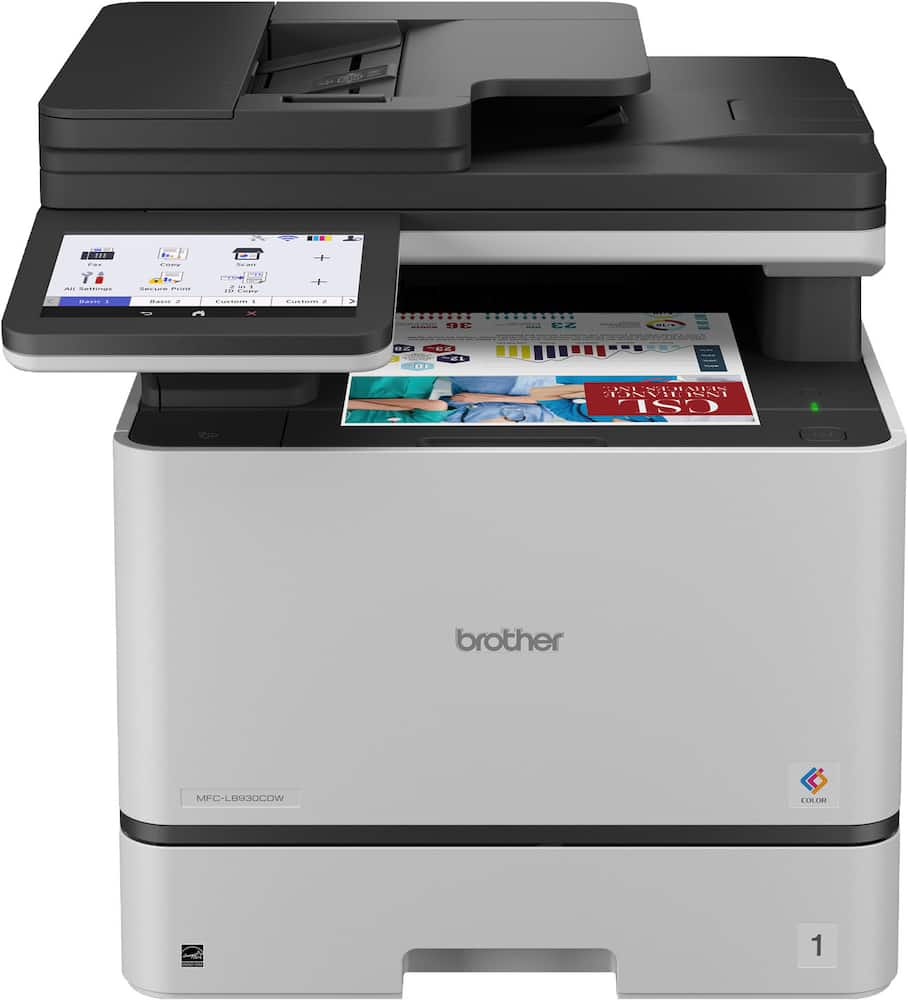
Brother MFC L8930CDW - I bought this to replace my Kyocera for small business. Great printer, easy to set up, and very satisfied so far. I will say that it doesn't print as crisp in color as the old Kyocera, but very solid overall.
 20% off
Brother – MFC-L8930CDW Color Laser All-in-One Printer with Duplex Print, Scan, Copy and Low-Cost Printing – White
SKU: 6646009
$55999
Was $699.99 Save $140.00
Other options in this range
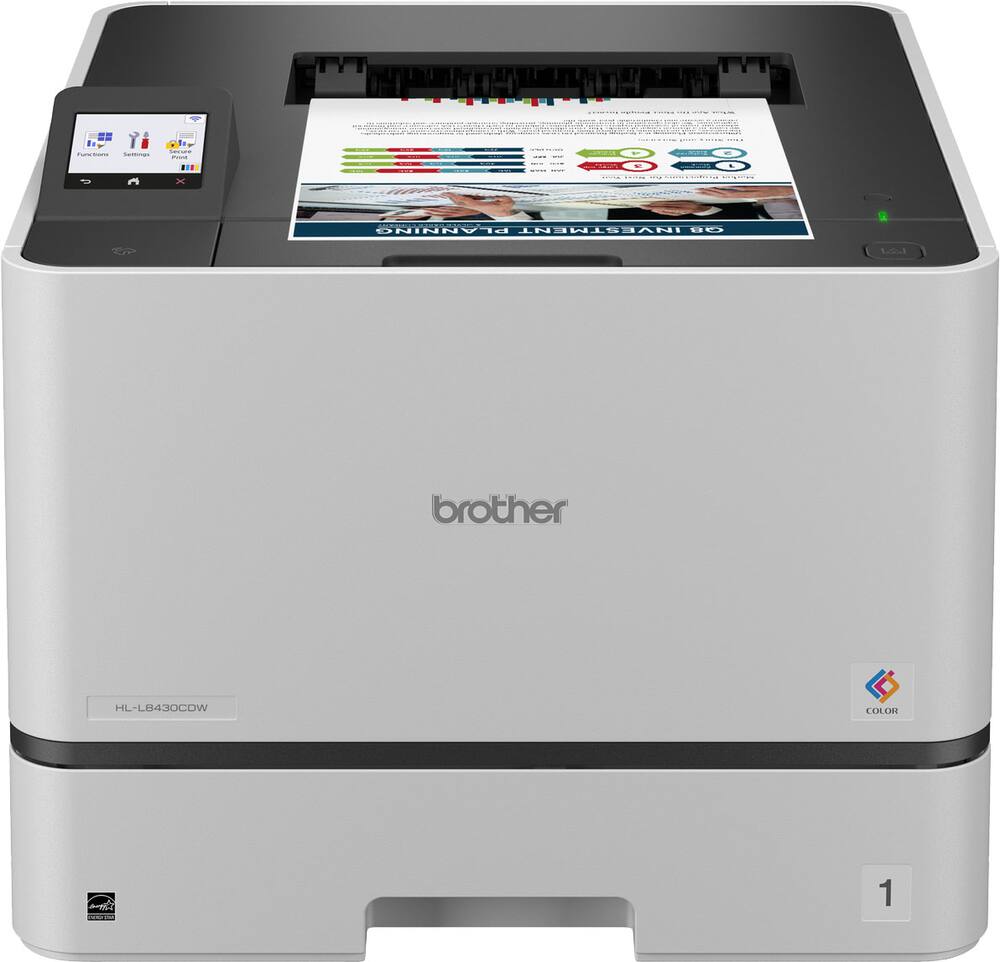 Brother - HL-L8430CDW Business Color Laser Printer with Low-Cost Printing and Wireless Networking - White Original price was: $489.99.$391.99Current price is: $391.99.
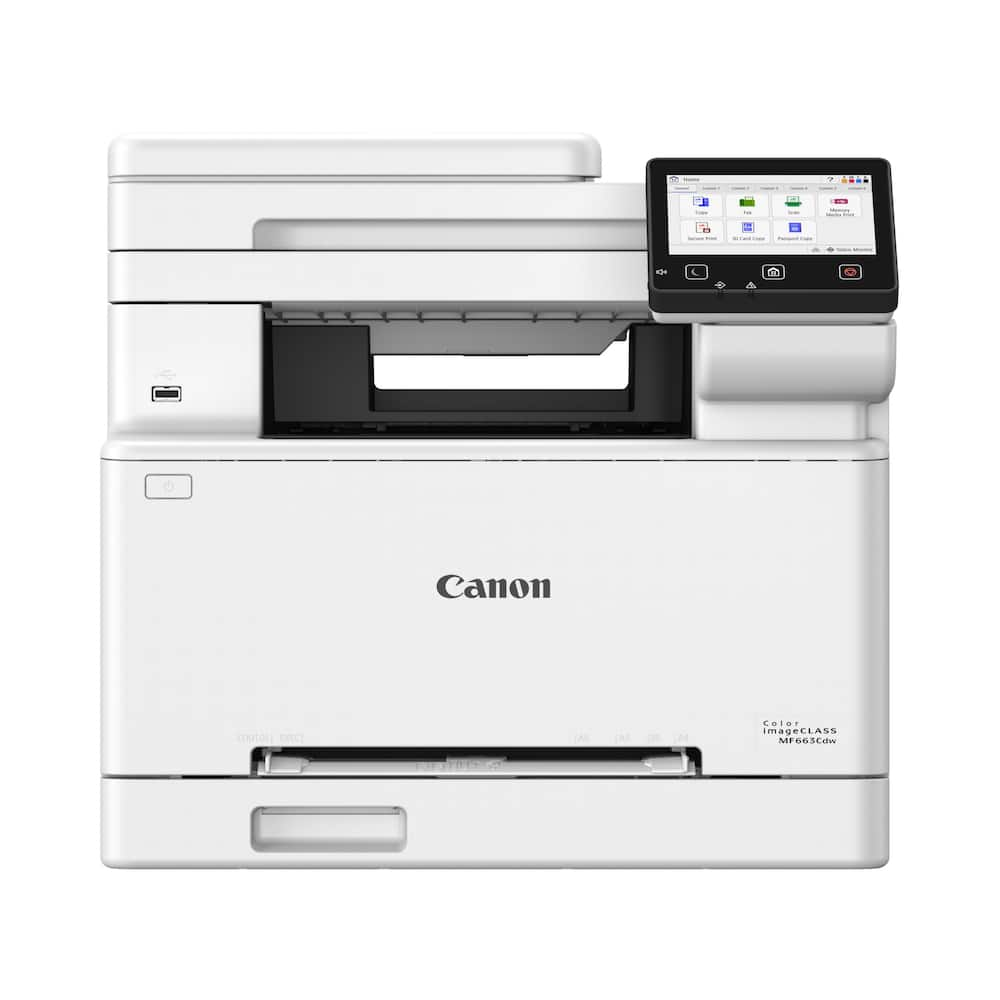 Canon - imageCLASS MF663Cdw Wireless Duplex Color Laser All-In-One Printer with 50-Sheet ADF - White Original price was: $479.99.$383.99Current price is: $383.99.
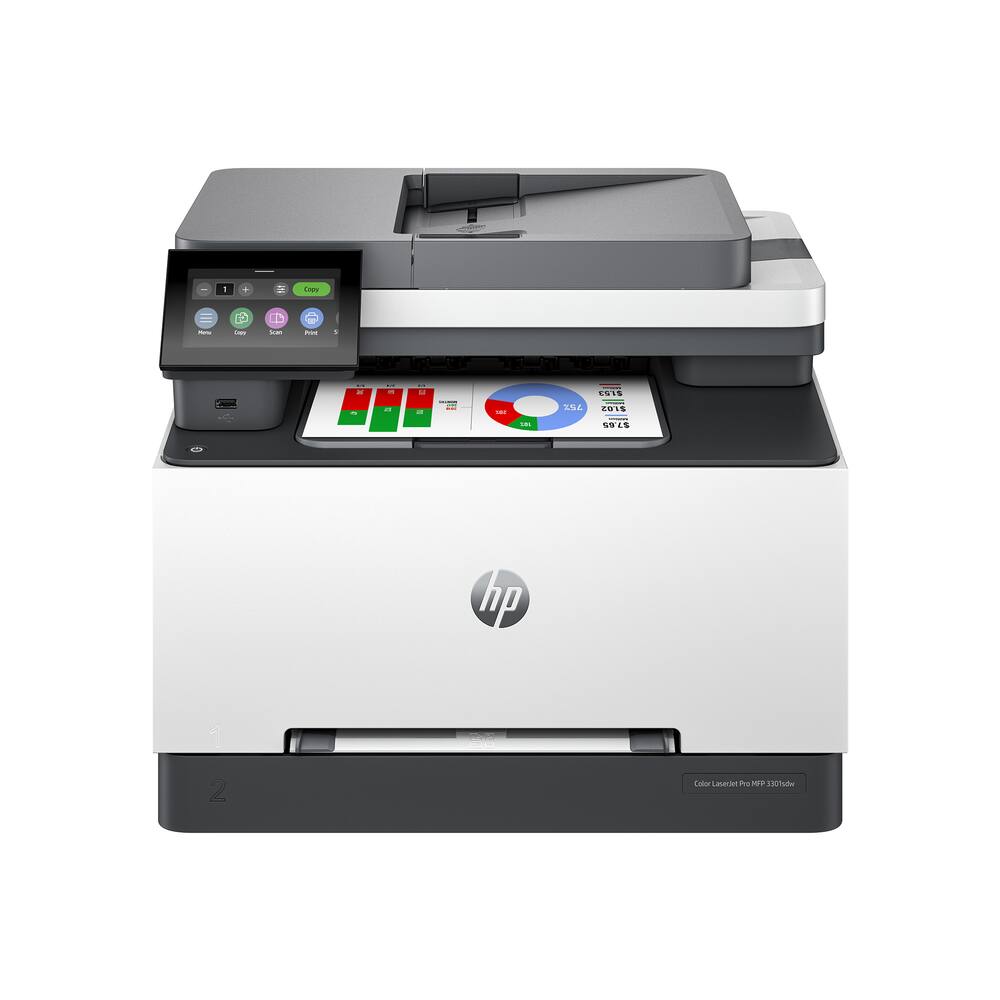 HP - LaserJet Pro MFP 3301sdw Wireless AI-Enabled Color All-in-One Laser Printer - White Original price was: $539.00.$431.20Current price is: $431.20.
Overview
- Professional results
Fast printing speeds up to 33ppm(2) help optimize productivity. Lifelike color and sharp black output for professional-quality business documents, presentations, and marketing collateral. - Maximize printing budgets
Offers built-in value with included Brother Genuine 3,000-page black and 1,800-page color toner cartridges. Print confidently and help lower printing costs by using the TN635XXL super high yield replacement toner cartridges, providing 7,500 pages black and 6,500 pages color(3). - Advanced, high-speed scanning
Fast, two-sided scanning up to 104ipm(4). 80-page capacity(5) auto document feeder for large jobs. Legal-sized document glass. Scan to popular destinations from the touchscreen display, including cloud services(6), email, SharePoint, and SSH Server (SFTP). Create searchable and editable Microsoft Office documents(7). - 7” color touchscreen display
Enables easy menu navigation, scan preview, and the creation of up to 64 customized shortcuts for your most frequently used tasks. - Expandable paper capacity
The standard paper capacity supports 250 sheets in the lower tray and 50 sheets in the multipurpose tray, allowing for printing on custom media and envelopes. Optional trays expand the total capacity up to 1,340 sheets(5). - Flexible connectivity
Features built-in dual-band (2.4GHz / 5GHz) wireless networking and Gigabit Ethernet networking for seamless setup and sharing, plus easy printing from and scanning to mobile devices(1). - Durable design, reduced size
Built for dependable performance and efficiency, this model is ideal for today’s business needs; additionally, it is over 25% smaller than its predecessor. - Triple Layer Security
Advanced security features to help keep devices secure, protect documents in transit to and from print devices, and safeguard networks. Includes an integrated NFC card reader for easy badge authentication. - Automatic two-sided printing
Help save paper usage and reduce costs with default duplex printing. - Eco-friendly features
EPS-free (expanded polystyrene) packaging, ENERGY STAR certified, and EPEAT Silver rated. - Maximum Print Resolution
Up to 2400 x 600 dpi class
Compare similar
Specifications
Capacity & configuration
- Printer Type
- Printer
- Automatic Document Feeder Capacity
- 80 sheets
- Scanner Type
- Flatbed
- Tray Capacity
- 250
- Output Tray Capacity
- 150 sheets
Dimensions & weight
- Product Name
- MFC-L8930CDW Color Laser All-in-One Printer with Duplex Print, Scan, Copy and Low-Cost Printing
- Product Height
- 18.1 inches
- Product Width
- 17.9 inches
- Product Depth
- 19.9 inches
- Product Weight
- 58.4 pounds
- Automatic Reduction/Enlargement
- Yes
- Maximum Document Width
- 8.5 inches
Features
- Brand
- Brother
- Color
- White
- Networking
- Wired
- ENERGY STAR Certified
- Yes
- Automatic Document Feeder
- Yes
- Photo Printing
- No
- Wired Connectivity
- USB-B
- Wireless Connectivity
- Wi-Fi
- EPEAT Registered
- Yes
- EPEAT Level
- Silver
- Touch Screen
- Yes
- Compatible Cartridges
- Brother TN635
- Copier Resolution (Black)
- Up to 1200 x 600
- Copier Resolution (Color)
- Up to 1200 x 600
- Automatic Two-Sided Printing
- Yes
- Duplex Scan Function
- Yes
- Wide Format Printing
- No
- Duty Cycle
- Up to 70,000
- Wide Format Scanning
- No
- Ink Subscription Service Available
- No
- Ink Cartridges Required
- 1 x Black
- Ink Cartridges Included
- 1 x Black
- Integrated Fax
- Yes
- ISO Color Print Speed
- 33 pages per minute
- Maximum Document Length
- 14 inches
- Maximum Number Of Copies
- 999
- Monochromatic/Color
- Color
- Paper Feeder
- Cassette tray
- Paper Handling
- 250-sheet standard tray, 50-sheet multi-purpose tray
- Approximate Page Yield (Black)
- 3000
- Approximate Page Yield (Color)
- 1800
- Printer Resolution (Black)
- Up to 2400 x 600
- Printer Resolution (Color)
- Up to 2400 x 600
- Scanner Resolution
- Up to 1200 x 1200
- Supported Paper Sizes
- Standard Tray: Letter, Legal, Executive, A4, A5, A6, Folio; Multipurpose Tray: 3" - 8.5" (W) / 5" - 14" (L); Duplex: Letter, Legal, Folio
- TWAIN Compliant
- Yes
- Recommended Monthly Volume
- Up to 6,500 pages
- First Page Out Time
- 9 seconds
- Display Screen
- Yes
- Display Screen Size
- 7 inches
- Minimum System Requirements
- Windows 10 Home/10 Pro/10 Education/10 Enterprise; Windows 11 Home/11 Pro/11 Education/11 Enterprise; Windows Server 2016/2019/2022; macOS v13/v14/v15; ChromeOS; Linux (Supported Package Management System: dpkg, rpm); KYLIN Linux Desktop/UOS Desktop
- UPC
- 012502677482
Power & warranty
- Model Number
- MFC-L8930CDW
- Warranty - Parts
- 1 year
- Warranty - Labor
- Not applicable
Warranty & protection
Included manufacturer warranty
See manufacturer documentation.
Register your product with the manufacturer within 30 days of delivery.
Warranty service
Manufacturer warranty claims are handled by the manufacturer. We are happy to help you find the right contact: (888) 419-6820.
Customer reviews
Write a reviewShould have gotten this long time ago.... - Love this purchase. Should have gotten this a long time ago; so efficient and long-term great cost benefits.
Good for everyday printing , photos ehhh - Works OK for everyday docs and emails , , toner cartridges are more expensive than HPs, paper tray is small , needs 2 trays , AirPrint works 75% of the time then you have to unplug and turn it back on to get AirPrint working again. Works on both windows and macOS well
Brother MFC-L8930CDW - Works as described. Easy to set up. Packed very well. Need two people to lift unit out of box
Brother Laser All In One MFC-L8930CDW - A complete upgrade from our Canon printer. The scanner is fast and the quality is great. No issues with the software connecting like we had with the Canon.
Excellent printer - Brother printer is reliable, good quality prints, perfect for business.
A Reliable Partner for Weekly Church Bulletins and - In the life of a church, consistency and faithfulness are not optional virtues—they are essential. This printer has proven to embody those same qualities in our weekly ministry operations. Our church currently uses this printer to produce weekly bulletins, event flyers, and educational materials. One of the most remarkable aspects is its reliability. Week after week, even when printing hundreds of copies at once, it maintains steady performance without frequent paper jams or slowdowns. This consistency allows us to focus more on ministry rather than troubleshooting equipment. The print quality is another area where this device excels. Bulletins that include images, announcements, and design elements come out with clear text and vibrant colors. The improved visual quality has noticeably enhanced how our congregation engages with the materials they receive. Efficiency is also evident in high-volume situations. Ministry work often involves time-sensitive preparation, especially before weekend services. This printer handles large print jobs smoothly, making it a dependable tool during critical moments. Additionally, the toner usage is efficient, helping manage operational costs over time. Wireless printing has added a new level of flexibility to our workflow. Whether working from the church office or another building, we can send documents to print without being physically connected. This has simplified coordination among staff and volunteers. In conclusion, this printer is more than just an office device—it is a dependable partner in ministry. It supports both the quality and efficiency of our work, making it an excellent choice for churches and organizations with ongoing, high-volume printing needs.
So much better than inkjet! - Our inkjet printer finally died after more than 10 years of home office use. The print quality left a lot to be desired compared to laser printers, even for photo prints. The hassle of buying replacement ink cartridges was getting old too. So we decided to invest in a color laser printer and based on many reviews and other factors such as print quality and price, we decided on this Brother printer. So far we’re quite happy with the speed and quality of printing, even though it’s only home office usage. We would definitely recommend this printer for home office use.
Great all-in-one office printer!!! I use this in my home office and it's definitely a game-changer. Really fast and great quality scans and printing. I would highly recommend.
Easy setup - quick printing- great color!! - This is perfect! Setup was a breeze, it prints incredibly fast, and the colors are stunning.
Brother printer - Excellent, all in one. Fit perfectly in my office .
So far so good - Had it for a week now and really like it so far was easy to set up
Fast, Reliable All-in-One Printer with Excellent Q - I’ve been using this printer for a few days now, and I’m really impressed with the overall performance. Setup was quick and straightforward, and it connected to Wi-Fi without any issues. The print quality is sharp and clear for both documents and color prints, and the speed is much faster than my previous printer. Scanning and copying work smoothly, and the duplex (double-sided) printing saves a lot of paper. I also like how quiet it is while printing, which is great for a home office environment. The build feels solid and professional, not cheap or flimsy. I haven’t explored every feature yet, but so far it has exceeded my expectations. For the price, this is an excellent all-in-one printer that offers great value, low operating costs, and dependable performance. I would definitely recommend it to anyone looking for a reliable home or small office printer.
Great Printer - Have never had a Brother printer before but it was time for a change. It was easy to setup, very quiet and great print quality.
Great Printer - Best purchase in a printer. It is user friendly, quick, and easy to set up. Brother makes the best printers on the market, in my experience. Great value overall. You may spend a bit on the front end, but will have a dependable, responsive tool that rarely fails.
printing is simple now - made in America, simple to install, No more HP printers from The Printer Depto crooks in texas. the softwhere is the best on Brothers printers. cb
Perfect perfection at his finest - Perfection at his finest works fall asleep so far there’s a learning curve but tech-support with brother is extraordinary
Good office printer - So far, this printer is working good for me. It was fairly easy to set up. Been using it for 3 days now, and it seems to be working correctly.
Questions & answers
Ask a question
Email [email protected] or call (888) 419-6820 during business hours.
Add your review