Best security for on-line accounts - YubiKey Series 5 security keys provide the most comprehensive online security against would-be online thieves who wish to steal your online accounts and spend your money, when used with Yubico's Authentication app. You should download this app onto ALL of your devices. The app is free and allows you to keep all your One-Time Pass Codes on your person at all times via the YubiKey security key. Since the app and YubiKeys run entirely locally, there is no need to be online to access the One-Time Pass Codes (OTPC), which are stored on the YubiKey. Since the OTPCs run on your devices, there is no reason to fear that online authentication services can be breached or decide to cancel their services. Also, many websites offer to use your YubiKey as a passkey in place of your password, so there is no need to memorize your passwords for those websites. So, for iPhone and Mac users, you may use your fingerprint, facial recognition, and/or your YubiKey to log into many websites in place of your passwords.
 20% off
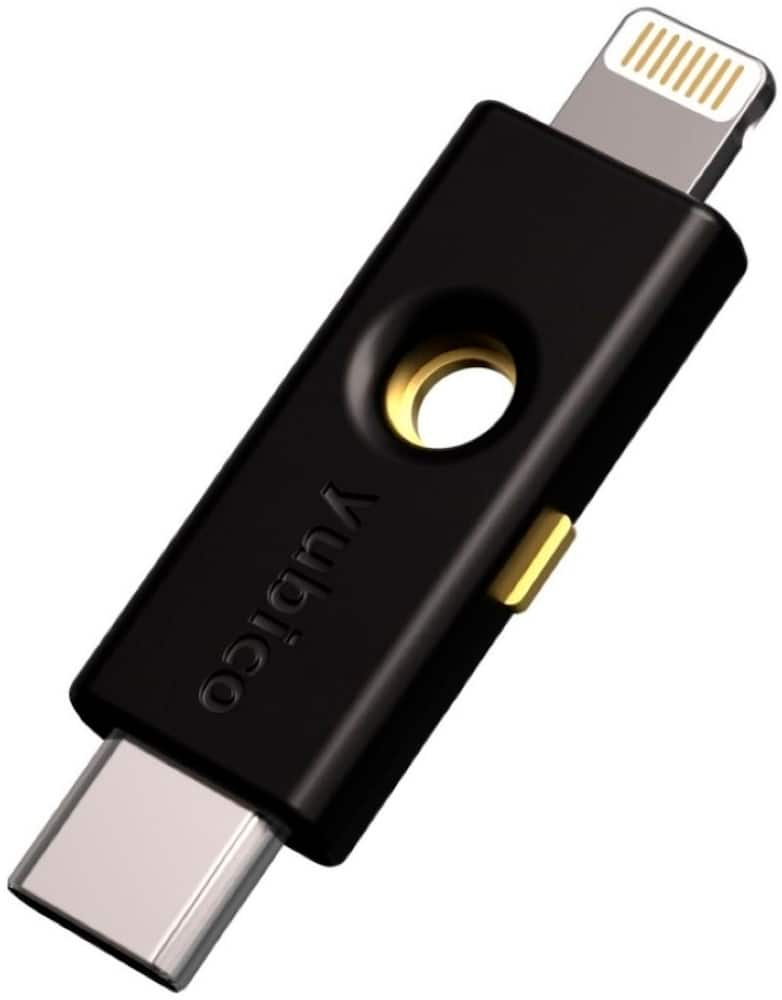
Yubico – YubiKey 5Ci – Two-Factor Authentication Security Key, Dual Connectors for Lightning/USB-C – FIDO Certified – Black
SKU: 6608213
$6800
Was $85.00 Save $17.00
Other options in this range
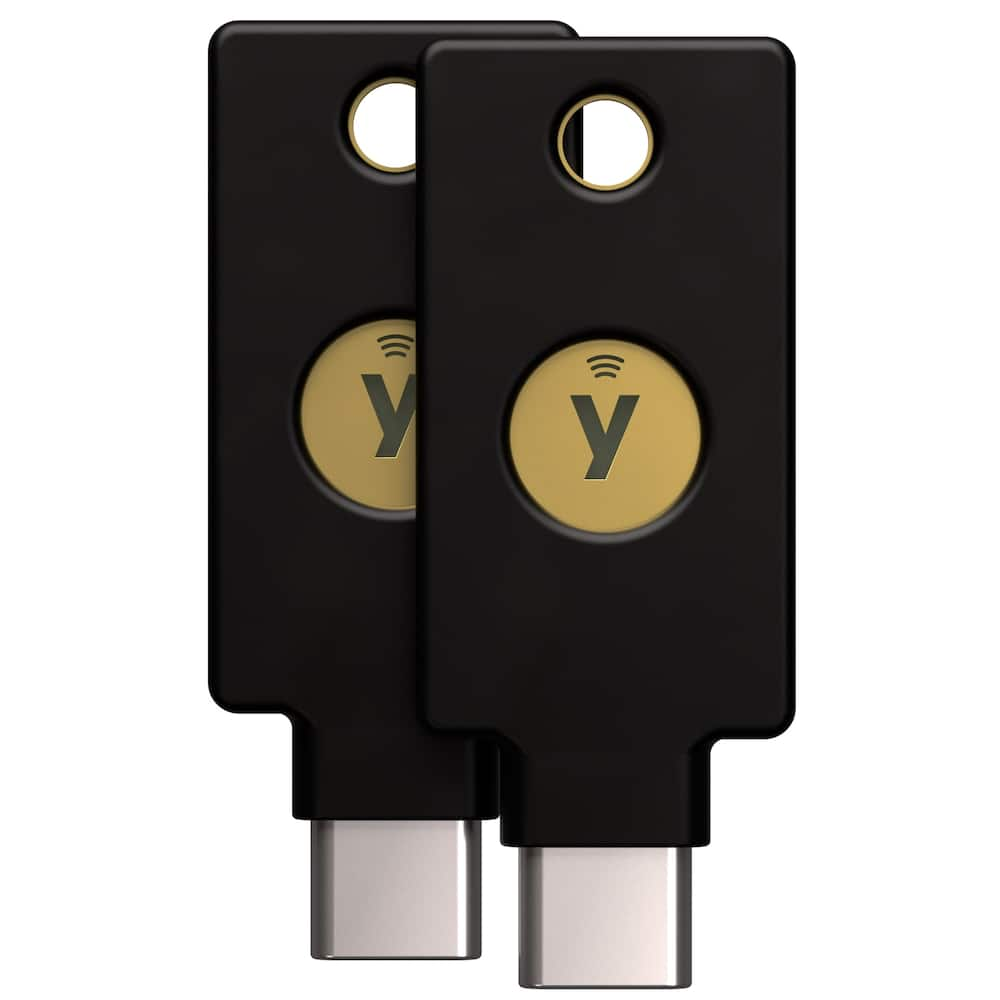 Yubico - YubiKey 5C NFC - Two-Factor authentication (2FA) Security Key, Connect via USB-C or NFC, FIDO Certified TwoPack - Black Original price was: $105.00.$84.00Current price is: $84.00.
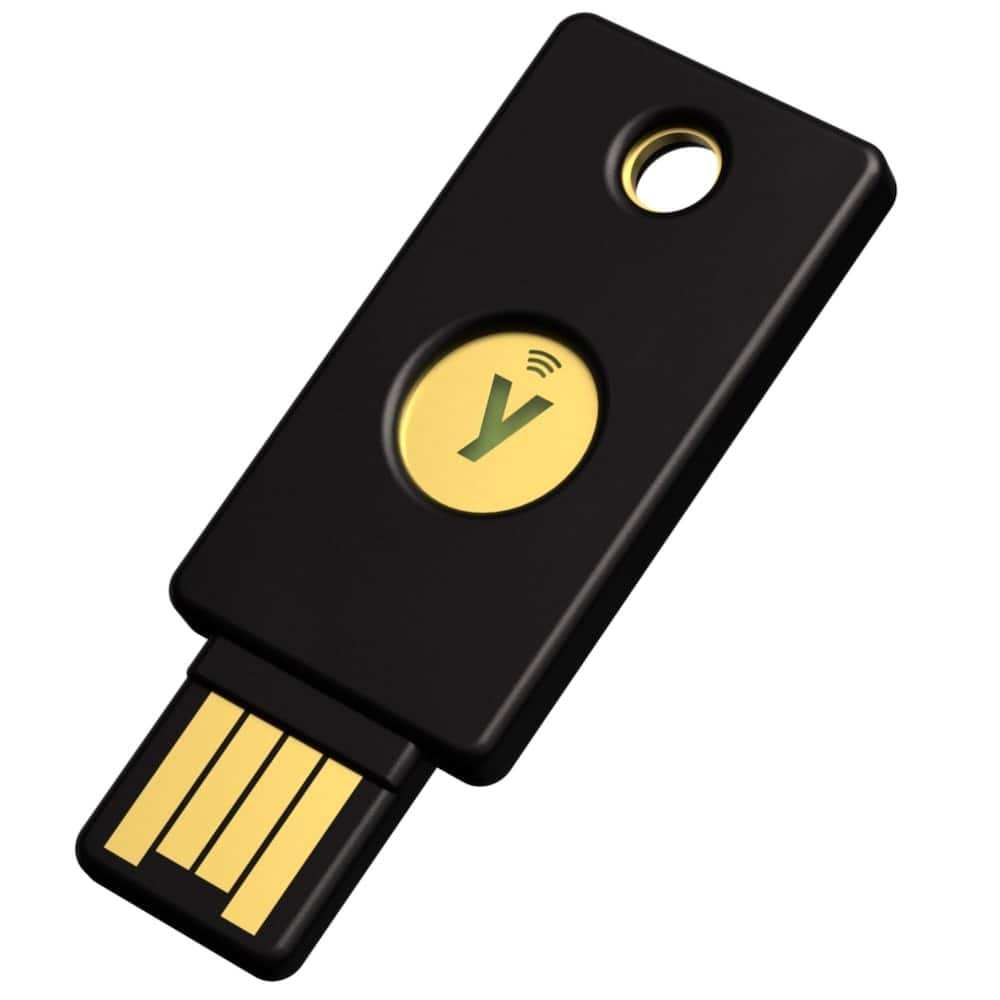 Yubico - YubiKey 5 NFC - Two-Factor authentication (2FA) Security Key, Connect via USB-A or NFC, FIDO Certified One Pack - Black Original price was: $58.00.$46.40Current price is: $46.40.
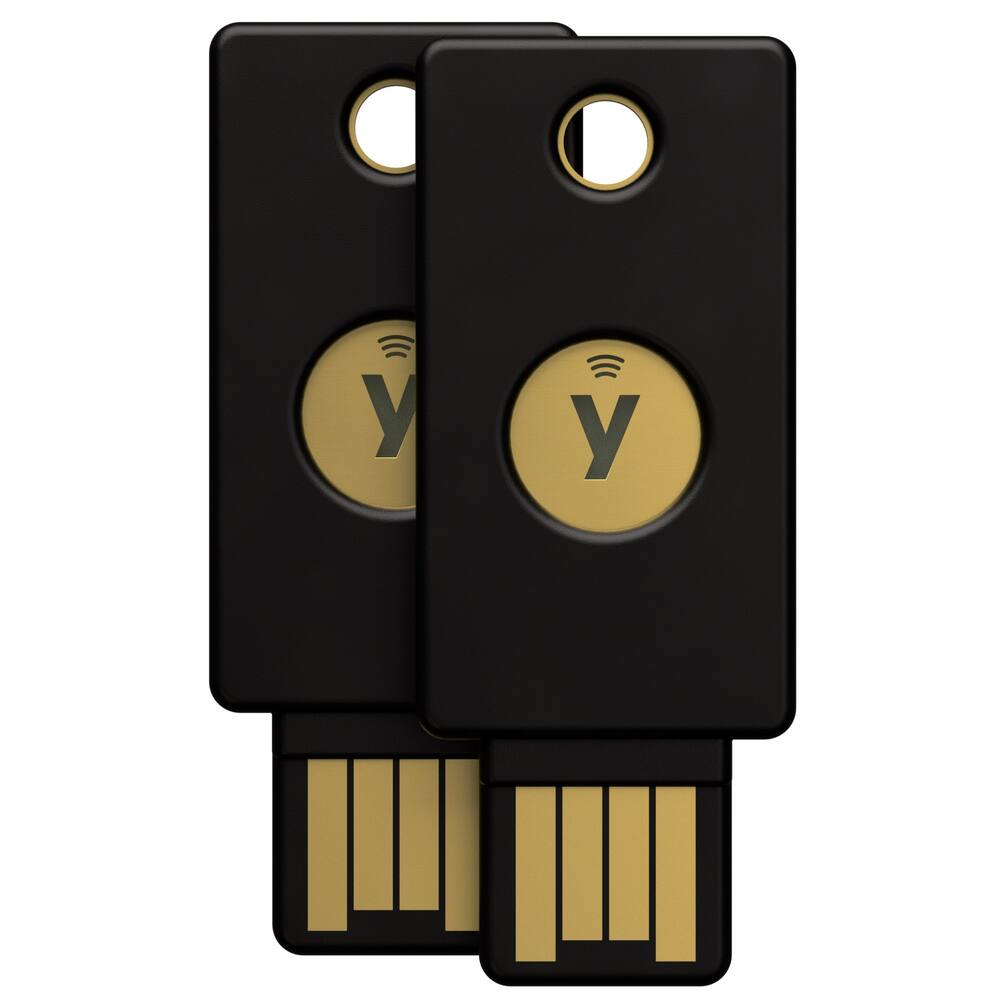 Yubico - YubiKey 5 NFC - Two-Factor authentication (2FA) Security Key, Connect via USB-A or NFC, FIDO Certified Two Pack - Black Original price was: $105.00.$84.00Current price is: $84.00.
Overview
- Works best with a spare YubiKey
A spare YubiKey ensures easy access to your accounts even if your primary YubiKey is lost, providing security and convenience when you need it most. Your spare key can be a different form factor than your primary key, and it will still function the same, as long as both keys are from the same YubiKey series. - Convenient and portable
The YubiKey 5Ci fits easily on your keychain, making it convenient to carry and use wherever you go, ensuring secure access to your accounts at all times. Simply plug in via USB-C or Lightning to authenticate. - Versatile compatibility
Supported by Google and Microsoft accounts, password managers and hundreds of other popular services. It works with Windows, macOS, ChromeOS and Linux. Search for “Works With YubiKey” for list of compatible services. - Multi-protocol
YubiKey 5 Series is the most versatile security key supporting multiple authentication protocols including FIDO2/WebAuthn (hardware bound passkey), FIDO U2F, Yubico OTP, OATH-TOTP, OATH-HOTP, Smart card (PIV) and OpenPGP. - Durable and reliable
High quality design and resistant to tampering, water, and crushing. No batteries or network connectivity required, offering dependable authentication without any downtime. Securely manufactured in USA & Sweden.
Compare similar
Specifications
Capacity & configuration
- Connector Type(s)
- USB-C
Dimensions & weight
- Product Name
- YubiKey 5Ci - Two-Factor Authentication Security Key, Dual Connectors for Lightning/USB-C - FIDO Certified
- Product Height
- 0.19 inches
- Product Length
- 0.47 inches
- Product Width
- 1.58 inches
- Product Weight
- 0.098 ounces
Features
- Brand
- Yubico
- Color
- Black
- Wireless Connectivity
- None
- Operating System Compatibility
- Windows
- System Requirements
- Windows 10 or later, macOS 11 or later, Ubuntu 22.04 or later, Android 11 or later, iOS 15.0 or later, iOS 15.0 or later
- Authentication and Cryptography Protocols
- FIDO2, FIDO U2F, PIV, OATH, OpenPGP, WebAuthn
- Ingress Protection (IP) Rating
- IP68
- UPC
- 5060408461969
Power & warranty
- Model Number
- 100930/992-00012/8880001067
- Warranty - Parts
- 1 year limited
- Warranty - Labor
- 1 year limited
Warranty & protection
See manufacturer documentation.
Register your product with the manufacturer within 30 days of delivery.
Manufacturer warranty claims are handled by the manufacturer. We are happy to help you find the right contact: (888) 419-6820.
Customer reviews
Write a reviewNeed 2 - I bought this then realized after reading directions u need 2 of them they are not cheap!
Security Key - This is my first time using a product like this, but I must say it’s a very interesting and useful security key and I do love the extra protection it provides
Security for safety - Good to safely store information with comfort of knowing it can’t be compromised
Yubicool - Lock you email up if gmail or anybody else will cooperate. Its a great idea and I love it but these email companies must get paid to disregard yubi security.
YubiKey 5Ci it’s great - I am was looking for a good way to start securing all my accounts and information. This device was super simple to setup, I just down loaded their authenticator app, plugged my device in and went to work setting up my configuration and adding accounts. Very user friendly and definitely will be adding this to a key chain, it is quite small, but that is great for security purposes. Also Yubico recommends purchasing a back yubikey just incase, I will definitely be doing that. Altogether very satisfied, product does what as is advertised and performs great!
Easy Security Key, Could Have Been Even Better - This security key works well, it was easy to set up, and even easier to use. I'll be able to use this every day to securely log in without complicated passwords and security requests. The small size is nice, however, it would be very easy to misplace the key—some sort of keychain or lanyard connecting piece would have been an improvement. One disappointment is that there is no NFC capability, unlike other YubiKey products, despite this being much more expensive. Finally, the Apple Lightning connector is becoming obsolete, so moving forward, I'd recommend sticking to a USB-C model that supports NFC.
Good product - Works perfectly and shipping was timely. I am pleased with my purchase
Great product - My product fianlly came today and i immediately plugged it into my iphone im very pleased how this product works
Great product, difficult setup (not its fault tho) - I've heard a lot about Yubikeys but this is my first one. I like that it's USB-C, Lightning, and NFC-compatible (although I'm nervous about using NFC in general). Ironically, I found this is a little hard to use because so many things support passkeys these days. For example, I tried to set it up in my Google account -- first Chrome popped up offering to store the Passkey, then my password manager, then Windows Hello... I had to try several times to get all the right options that would finally connect the Yubikey to my account. The strange part was when it asked me to "touch the key" even though there's no touchpad / fingerprint reader. Eventually, I figured out that's what the contacts on the side are for -- you have to grasp the key lightly, pressing your fingers on both contacts, to recognize your presence. This is a nice security feature (to guarantee presence of a person, not just the device) but I feel Yubico should have included some kind of instructions that explained the contacts were for the touch portion. I tried a couple more services (Microsoft accounts for personal and business) and the steps were almost as confusing to navigate. I also tried it on my phone -- couldn't get the NFC to work through my OtterBox, but it worked fine plugged into the USB-C port, albeit with some of the same missteps as I made on the desktop PC. Also, one minor usage issue -- my PC only has 1 USB-C port on the front, which is where I normally charge my phone. So I'll just have to use a USB-A to C cable for the phone to free up the port for the Yubikey. In summary, I really like the device, it's a great size and shape, it's compatible with everything I need it for... but it's just really annoying getting it connected because each service has its own method and terminology, and lots of apps and services want to "help" with the setup. This isn't necessarily Yubico's fault, but it does keep me from recommended Yubikeys to less-sophisticated users, which are the exact folks I'd like to recommend this sort of extra security to.
Great Security Key! Setup and configuration is easy. The security key is the size of a USB flash drive and makes it easy to use. It has both USB-C and Lightning ports, which provides versatility for many operating systems and devices. It works with all platform’s that require multi factor authentication. It is a very good security key to have.
Easy to use - Real talk there’s many different ways to guard your security to signing on yo your devices but Thi’s is my preferred method just in case I lose access to my phone. i mainly use this for business purposes and it gives me a peace of mind ther there is no cases of phishing and credentials stolen on all of my devices that I use together like the phone and laptop. Thank you for having Thi’s device for all across apps and security sign ins.
YubiKey 5Ci is handy with some setup required - The YubiKey 5Ci is a sturdily built and easily portable device. Once an account is setup to use it, the login process is a easy as entering a PIN and pressing the side of the YubiKey 5Ci. Setting up the use of it varies with apps and OS platform. Some learning is required. Howe er, it works quickly once set up. The YubiKey 5Ci has only Lightning and USB C connectors, so an adapter is necessary when using it with older, non-Mac devices that might not have a USB C port.
Great little tool - Great product, configuration is simple and straight forward. Works with all platform’s that require multi factor authentication. It works for apple devices and usb c devices, and the small form factor is very convenient.
Having reliable two-factor authentication is key - Laptops were originally designed to be "on the go" devices and if you're like me, that's exactly how you use it: I constantly have it in my vehicle as I go from field tech job to job. It's very convenient but also very risky which is why having reliable two-factor authentication is key for securing your data. This key is conveniently the size of a standard USB drive so it's quite handy: pun intended since it requires a physical touch and no one can steal that as they might a password. Of course, it's not only for laptops but any PC/desktop, mobile devices, tablets, you name it.
Tiny little key BIG SECURITY! - Awesome physical security which is portable and extremely user friendly. I have a nano 5c which stays stationary attached to my main desktop. This one is great as it can go where I go with ease and transition to multiple mobile devices (phone, tablet, laptop, etc). Only thing that could make this any better would be local storage additionally on the device.
Yubikey does it again. I love a product that supports my android and apple devices. This is also great for buying for employees, so many companies have option for Android and Apple phones.
Fablous - I've been using the YubiKey security key for a while now, and I'm thoroughly impressed. The level of security it provides is unparalleled. With the rise of phishing attacks and password breaches, I needed a solution that would give me peace of mind.
Best password replacement alternative so far… - I highly recommend the Yubico YubiKey 5Ci for anyone looking for a security alternative to password authentication! The user experience is highly intuitive, with a simple "plug-and-play" setup and quick "tap-to-authenticate" functionality. It is exceptionally engineered with what appears to be durable high quality materials. In addition to its convenience over using traditional passwords, another standout to me is its dual-connector design, incorporating both USB-C and Lightning ports, which provides exceptional versatility across various operating systems and devices.
YubiKey 5Ci with USB C and Lightning - I picked up the the YubiKey 5Ci to be able to use for a few of my MFA needs. Currently have it setup for AWS account and for some work applications as well. It was great that it has USB C and lightning, since im able to use it on my laptop and personal phone with USB C and have the lightning for my work phone. It's TINY. Make sure you stick it on a keychain asap. It fits on a regular quarter sized keychain so i can spin it around for USB C or lightning. Doubles as a fidgit spinner as added bonus. I ordered mine online and it arrived in a flat cardboard paper with a shipping label. At first i thought the box got torn and all i recieved was the box top! It's in between! The packing is so small, it's easy to miss! I'm looking for more ways to secure my tools, it's fairly easy to use. For AWS, after my credentials are entered I have the option to use auth app or key. Once I select key, i have to touch the 2 metal contacts on the key and it passes the token over to authorize. Works well, and makes my mfa needs convenient.
Questions & answers
Ask a question
Email [email protected] or call (888) 419-6820 during business hours.
Add your review