Mr. B - Good product, kinda expensive. Like the VPN. Etc etc
 20% off
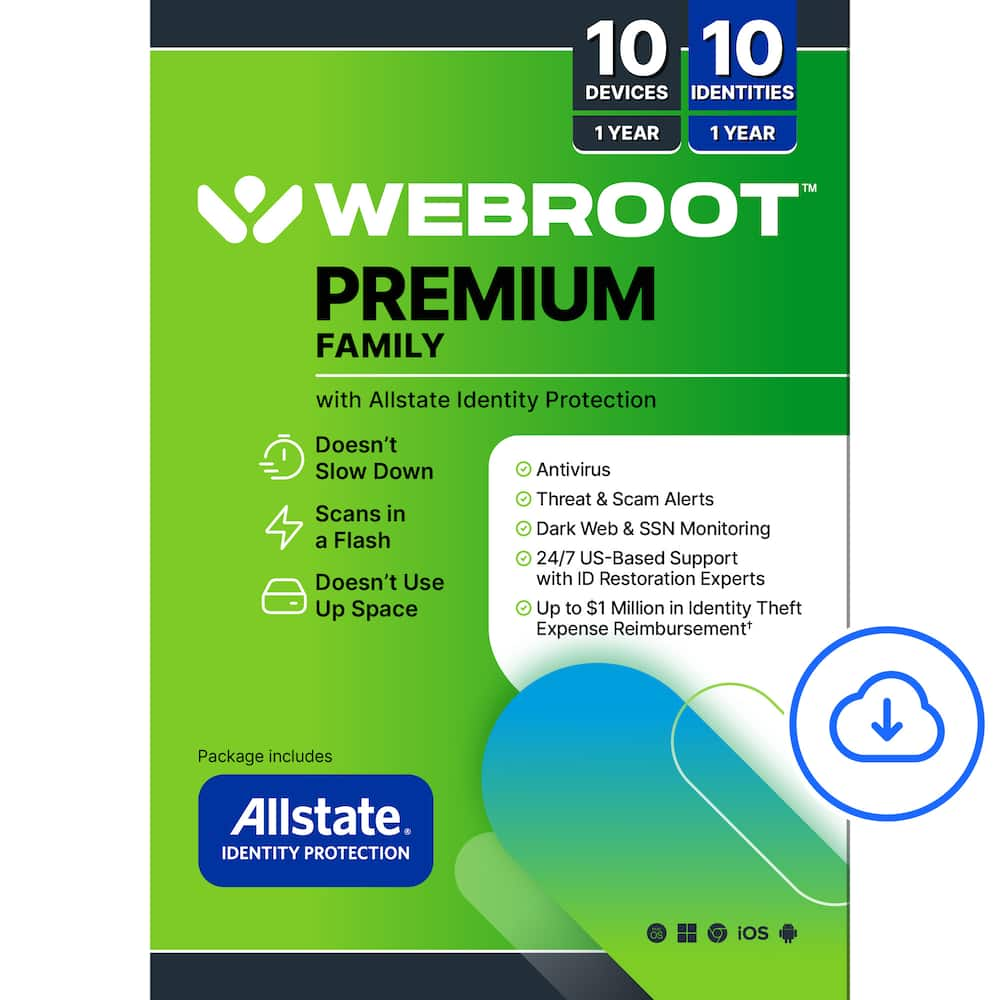
Webroot – Premium Family Antivirus Protection (10 Device) with Allstate Identity Protection (10 Identities) – Android, Apple iOS, Chrome, Mac OS, Windows [Digital]
SKU: 6567050
$19999
Was $249.99 Save $50.00
Other options in this range
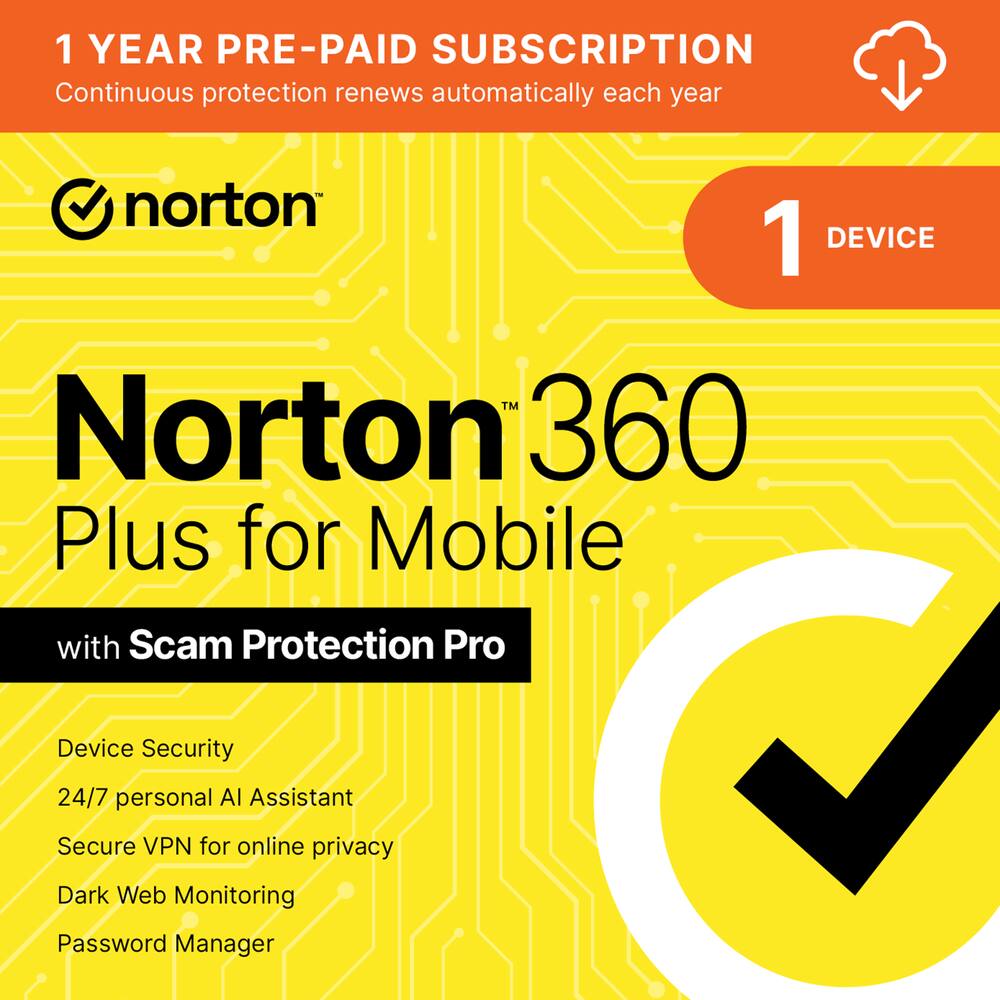 Norton - 360 Plus for Mobile (1 Device) Scam Protection + Secure VPN + Dark Web Monitoring (1 Year Subscription) - Android, Apple iOS [Digital] Original price was: $59.99.$47.99Current price is: $47.99.
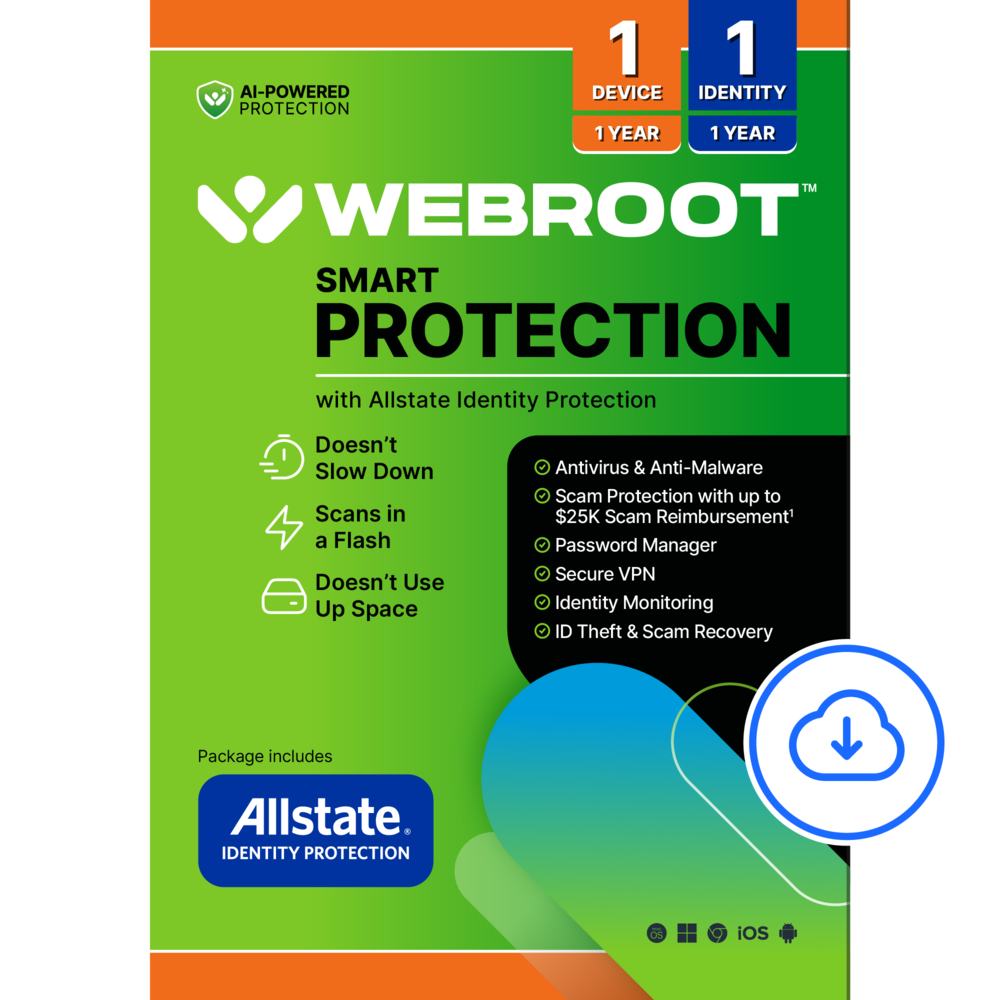 Webroot - Smart Protection (1 Device) with Allstate Identity Protection (1 Identity) (1-Year Subscription) [Digital] - Android, Apple iOS, Chrome, Mac OS, Windows [Digital] Price range: $55.99 through $63.99
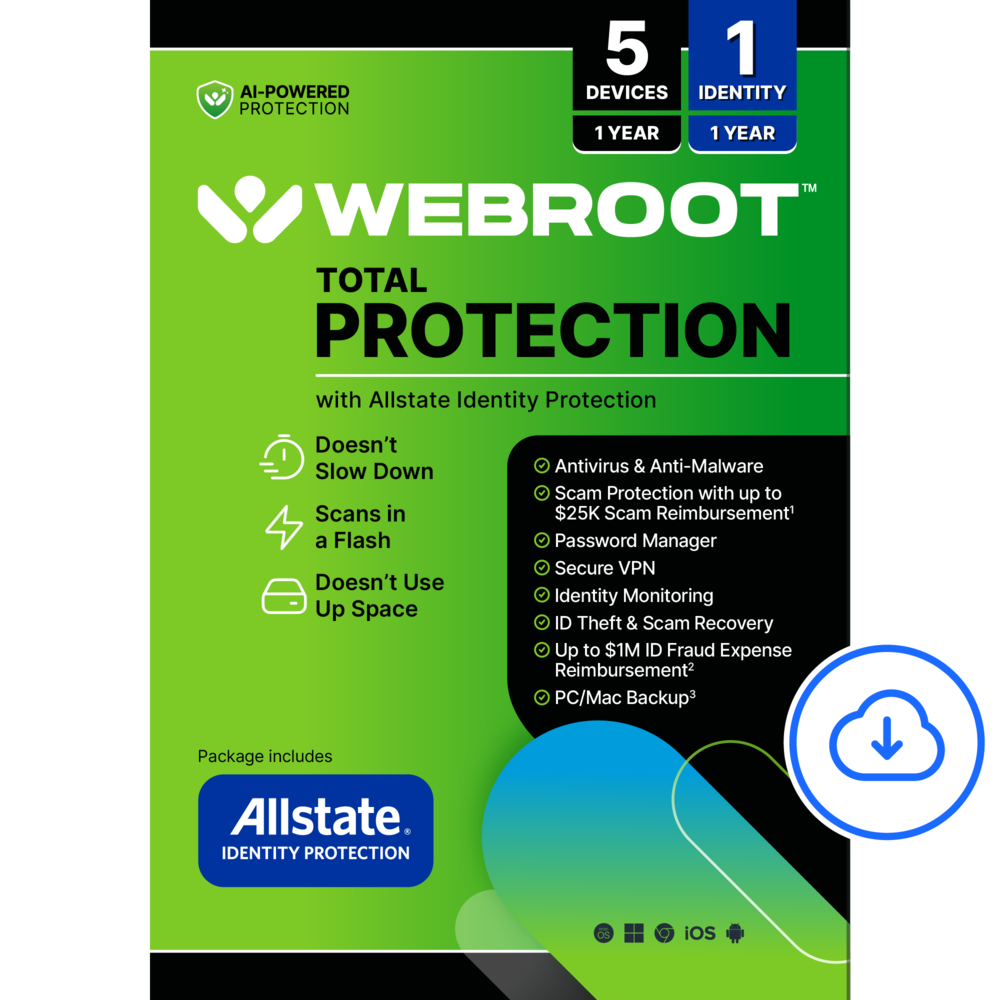 Webroot - Total Protection (5 Device) with Allstate Identity Protection (1 Identity) (1-Year Subscription) [Digital] - Android, Apple iOS, Chrome, Mac OS, Windows [Digital] Price range: $79.99 through $103.99
Overview
- Powerful, lightning-fast antivirus
Protects your computer from viruses and malware through the cloud; Webroot scans faster, uses fewer system resources and safeguards your devices in real-time by identifying and blocking new threats. - Identity theft protection for up to 10 family members
Webroot has partnered with Allstate Identity Protection. Webroot Premium Family protects your identity with dark web, identity, and financial monitoring and safeguards your personal information with rapid alerts on identity threats for you and up to 10 family members. - Full-service Identity Theft remediation
Should something go wrong; Allstate Identity Protection’s 24/7 U.S.-based support will help you with full-service remediation. - Identity theft expense reimbursement
Up to $1 million in expense reimbursement for stolen funds and out-of-pocket costs due to identity theft including up to $150k for 401(k)/HSA saving accounts†, it makes it easier to cover lawyer, expert and other fees related to remediation, or funds stolen from your bank account. - Stay up to date against threats
Webroot scours 95% of the internet three times per day including billions of web pages, files and apps to determine what is safe online and enhances the software automatically without timeconsuming updates. - Protect up to 10 devices
Compatible with PC, MAC, Chromebook, Mobile Smartphones and Tablets including Windows, macOS, Apple iOS and Android. - Manage your passwords
Secure password manager helps you create, store and manage strong and unique passwords and saves you time with autofill when you sign-in to your favorite apps and sites. - Protect Chromebooks
Chromebooks are susceptible to fake applications, bad browser extensions and malicious web content; close these security gaps with extra protection specifically designed to safeguard your Chromebook. - † Identity theft insurance covering expense and stolen funds reimbursement is underwritten by American Bankers Insurance Company of Florida, an Assurant company.
- The description herein is a summary and intended for informational purposes only and does not include all terms, conditions, and exclusions of the policies described. Please refer to the actual policies for terms, conditions, and exclusions of coverage.
- Coverage may not be available in all jurisdictions. Product may be updated or modified. Certain features require additional activation.
Compare similar
Specifications
Capacity & configuration
- Protection Type(s)
- Malware
- Firewall Type
- Other
- Digital Download Type
- Productivity software download
Dimensions & weight
- Product Name
- Premium Family Antivirus Protection (10 Device) with Allstate Identity Protection (10 Identities)
Features
- Brand
- Webroot
- Included Mobile App(s)
- Yes
- Real-Time Protection
- Yes
- Language(s)
- English
- Cloud Based Software
- Yes
- Number of Users
- 10
- Number of Devices
- 10
- Operating System Compatibility
- Android
- Software Format
- Digital
- Subscription
- Yes
- Subscription Period
- 1 Year
- Download Requirements
- Internet connection
- Publisher
- Webroot
- UPC
- 667208101634
Power & warranty
- Model Number
- WEB803800V176
Warranty & protection
Included manufacturer warranty
See manufacturer documentation.
Register your product with the manufacturer within 30 days of delivery.
Warranty service
Manufacturer warranty claims are handled by the manufacturer. We are happy to help you find the right contact: (888) 419-6820.
Customer reviews
Write a reviewGreat product - Very please with the way Webroot keeps all my computers, laptops and even cell phones safe. Easy to digitally install
Webroot Misses the Mark - Webroot Premium Antivirus Protection (10 Device) with Allstate Identity Protection is intended to be a comprehensive protection package. If your device uses Windows, macOS, Apple iOS or Android, Webroot Premium should be able to protect your data. That includes Macs, PCs, tablets, mobile phones and even Chromebook. My previous virus software would not work with my daughter's Chromebook - so this matters to me.You can protect up to 10 devices for you and your family with this. Protection includes antivirus/malware, password manager, and identity theft protection for up to 10 family members. So this is like buying 10 separate packages but it is all included in one. This does not, however, include WiFi security so there is no VPN available, which is a disappointment to me. Webroot Premium scans for virus/malware quite fast and does not slow down or heat up my PC. Apparently this is due to the virus/malware protection being done through the cloud and not my device. Some other virus software I've had definitely caused a drag on my system and caused a lot of problems like software conflicts. This has not done that. Now to the major problem I faced. I was not able to setup an account for the Identity Protection portion of this product, so I will not be able to review that aspect. Because I was unable to set it up, I don't have dark web, financial or credit monitoring which I would think is the main reason for the high cost of this item. Without the identity protection, I have virus/malware protection which is valuable, but not worth getting this particular product. I am proficient at tech stuff, but for the life of me, I couldn't figure this out. I received the same error message time after time that I tried - and I tried many, many times. I logged out, exited then tried again, I rebooted my PC, I even tried deleting/reinstalling Webroot Premium but nothing worked. I contacted Webroot through the support section and the email they sent me the next day said I should try to login again. I did - and I still received the error message. At that point I decided I had spent enough time with Webroot. For me, Webroot Premium Antivirus Protection (10 Device) with Allstate Identity Protection is a no-go. Unfortunately, without being able to access a major portion of the protection, I cannot recommend this product.
Great protection all the way around - This WebRoot Premium Family has been a life saver for me and my family after a recent data breach that leaked social security numbers, current and previous addresses, relatives, and so much more. Just the fact that we were informed that our information was out there on the dark web terrified us. Thankfully, I had this Webroot Premium Family. It protects us in more ways than one. First and foremost, Webroot Premium Family protects more than just one device. It protects 10 devices and up to 10 identities. The devices can be computers, smartphones, tablets, and notebooks, as long as they are running either Apple iOS, Android, Chrome, Mac OS, or Windows. That covers the majority of devices used. Setup on the different devices was very simple, with no issues. The most time consuming thing was entering all the information into Allstate Identity Protection, which is included. Included in Webroot Premium Family are: Webroot Antivirus Last Pass Password Manager Allstate Identity Protection Dark Web Monitoring 1 credit bureau monitoring Up to $1M in ID fraud expense reimbursement Continues to proactively monitor your web browsing if you choose to After setup things run smoothly, and your system resources are not compromised at all. You will never know that Webroot is running. I have ran other antivirus in the past, and had to stop what I was doing until it finished, but not with Webroot. That is an incredibly important feature. Last Pass Password Manager is pretty awesome too. It’s nice to not to have to remember a ton of passwords all the time. With Last Pass, you only have to remember one password. The Allstate Identify Protection is my favorite module of all of this, mainly because it saved me and my family as I mentioned earlier. You do have to enter all of your information for it to scan for it and catch it out there on the dark web, but it will tell you how to fix it and everything. I highly recommend this product.
Easy Install on both Laptop and Phone - First off let me say that I really appreciate that the license for Webroot is for ten devices. Once you start installing it, you will find you have more devices than you realize, like your phone. The product is easy to install. Follow the link provided in the email for your laptop. For your phone, download the app Webroot Mobile Security and enter your keycode, same keycode as entered for the laptop. What I really like about the product is that it is constantly running in the background so it will find threats immediately. When you login to the laptop a little pop-up on the bottom right-hand corner comes up and gives you a status of the security monitoring activities. The Webroot icon can be selected at any time and a scan run. It runs very quickly on both the laptop and the phone. On the phone it old me my operating system (OS) needed to be updated. Of course, I could find this in settings on the phone if I ever looked there. Thanks to Webroot I updated my phone’s OS with important bug fixes. One thing to note, as part of securing my devices I received an email telling me a login had occurred on a new device. Great. The email had a link to “Contact Support” Woo Hoo. After all, if someone had logged in who shouldn’t have, I wanted to talk to someone right away. Regrettably the link took me to a site that was basically a search of a knowledgebase. I tried a few searches and received other links for support but never found an actual support phone number to call. Disappointing. The “Contact Support” page appears to be for the backup product Carbonite, not Webroot. However, simply searching the Internet for the Webroot customer support phone number sent me to support via Best Buy Geek Squad. A few more clicking around and I ended up on another support page showing US support is through the Geek Squad. You can submit a ticket directly by calling or a different number will go to a representative you can talk to. Both are toll free numbers. Hey, a real person you can talk to, that’s support.
An apple for your PC - From a Windows standpoint, this is like the apple a day keeping the doctor away. Except, this keeps the virus etc. away. As far as virus prevention this a does a pretty bang up job. It is light weight and does not use much in the line of system resources. Included in the package Security area you have Realtime Shield, Web Shield and a Firewall. There is built in Privacy Protection to prevent against Phishing. Identity protection is thru Allstate. They offer LastPass for a password manager. Under Utilities there is a System Optimizer and Analyzer. The optimizer does a good job cleaning up crumbs left behind in the registry, temp files, logs, and the like. There are also plugins for Chromebooks, Extensions for the major browsers and Mobile Security for Android or iOS. The package is very complete. It will work on Intel, AMD and ARM processors. I point this out because ARM is not always supported, but getting better little at a time. System scans depend on the size of your file systems, on my main system it runs to completion in under 5 minutes. The app is laid out really well, it is very easy to find what you are looking for. I used Last Pass for years, but recently migrated away. You can read up on the why if you are interested. It works wonderfully but I don't feel the need to go back as I found a similar product that works about the same. Overall, this is a really solid package. Perfect to protect everyone in the family. I have not used the mobile security, I don't feel the need to have one more app on my phone as I don't use it for anything heavy. I do not have loaded in the Chromebook for similar reasons as I don't use the mobile security. My Chromebook is for light browsing and not much productivity. But the Windows functionality is great. Windows is too susceptible to virus and trojan attacks, so I feel the need to protect myself there.
Needed but have to go through hurdles - Review of Webroot Premium Antivirus Protection with Allstate Identity Protection. The antivirus software from Webroot at core of its functionality doesn’t differ much from other brands for same category. It scan the machine where installed and check for Threads, Infected files. And include utility to remove or clean non necessary files. On the other hand, as its name indicate, it is the premium version that includes Identity Protection service from Allstate. To summarize the product: - Can be installed up to 10 devices and 10 identities - Darkweb monitoring, credit, and financial accounts monitoring - Up to $1M in identity fraud expense reimbursements - 1 bureau credit monitoring - 24/7 US-based support with identity restoration specialist. Installation: The process is different between window based device (test in notebook) and mobile device (test in iPad Pro). Installing on window machine requires a downloading and going the process as any installation, and on iPad on its mode from App Store. The process itself is not very different to any other application. A) Account Creation and mode of usage: 1. For desktop version, it requires to create user and subsequently setting preferences. During the test it sufficed with the default setting to scan and perform monitoring. 2. For mobile version (iOS), the system requires to create a second account specific to the mobile. And this is applicable to any operating system as long as mobile and it is based on App. 3. Mode of usage, it is straight forward, in both type of device use the functionality “Scan” with that comprise all the activity that supposed for virus detection. 4. In Mobile version: 4.1. The app doesn’t rotate if the iPad is turn vertical to landscape mode, as result only can be used in portrait mode. 4.2. It analyze System, Wi-Fi Security, Passcode Security. B) Identity Protection 1. It requires another new account as new user and consist of providing personal information all over again as performed for setting account for Webroot. 2. And it has separate portal that provides separate Dashboard, Identity Health Status, Monitoring and Resources. 3. In regard to its term, the short disclaimer states “Identity theft insurance covering expense and stolen funds reimbursement is underwritten by American Bankers Insurance Company of Florida, an Assurant company. The description herein is a summary and intended for informational purposes only and does not include all terms, conditions, and exclusions of the policies described. Please refer to the actual policies for terms, conditions, and exclusions of coverage. Coverage may not be available in all jurisdictions. Product may be updated or modified. Certain features require additional activation.”. What it does well: - Scanning and detecting process is simple, intuitive - It doesn’t require deep learning process to understand how it work at least at the beginning. What I wish it would do better: - Single account management. The process takes to create three account if I include mobile devices. Then there is a separate login and dashboard for antivirus monitoring and identity monitoring. This not including a recommended password management application that is separate and needs to install/download additionally. - In mobile support landscape and portrait mode -In mobile application doesn’t provide the same functionality seen on desktop version. Can’t find log out, profile information, settings to understand what is being scanned. - In Desktop version doesn’t have Wi-Fi security monitoring option. At least I couldn’t find even as option to enable. - Password Management is a separate app and not integrated. - Identity Protection: the company name is All State but its underwriter is not the same company. Plus, doesn’t seem to give confident as there are conditions to meet and therefore all depend. It is recommendable to use but not the very best experience across platforms and usability.
Great value for families, works with ChromeOS too - I recently had the opportunity to protect my family's devices with Webroot Premium Antivirus Protection, which includes Allstate Identity Protection. We have a mix of devices, primarily Chromebooks, so we like something versatile that could handle multiple devices, operating systems, and identities from the same license. This package seems like a really good fit. Ease of Use One of the things I like about Webroot is how easy and transparent it is. The installation process was pretty fast for ChromeOS. It was in two steps because you need to use the Android side app to install on ChromeOS. That’s what is installed on my Chromebook, which means it’s automatically upgraded by the system once it’s installed. I did wonder why I had to create a mobile account associated with my regular Webroot account, however. shouldn’t it be the easier using the same account across all of the license’s devices? The instructions are clear and straightforward, and the site didn’t throw up any roadblocks or errors for me. It didn't take long at all, and once it was up and running, it worked quietly in the background. I appreciate that it doesn't bombard us with annoying pop-ups or slow down our devices, which has been an issue with other antivirus software I've used in the past. It does seem to have a light touch ChromeOS Specific For our Chromebooks, I thought it was an enhancement on the already pretty good security of ChromeOS. I downloaded it from the Google Play Store, and the setup was just like installing any other app. Once installed, it started scanning the device immediately once you give it all files access to your drive. The interface is user-friendly, making it simple to navigate through various features without any confusion. Webroot provides robust virus protection against threats like ransomware and malware, which gives me peace of mind. It also includes a secure browser and a Web Threat Shield extension for Chrome, which helps keep our browsing safe by alerting us to potentially dangerous sites. Performance The scans are lightning-fast, and can be done in the background without too much of a hit on your system. It also blocks sketchy websites, so I feel safer browsing the web. The package includes a password manager and a system optimizer. We use another product for passwords that we’ve had forever and it’s nice that the modules you don’t want to have don’t have to be enabled. I like that it’s not a behemoth app forcing features you don’t want.. Everything is easy to find and use and the most important part for me is that it doesn’t have a bunch of false positives popping up all the time. The protection doesn’t cry wolf! Identity Protection The Allstate Identity Protection is a truly valuable add. It keeps an eye on our identities and alerts us if anything seems off. Knowing we have up to $1 million in identity fraud expense coverage is great, especially with all the online transactions we do these days. It's comforting to know that our personal information is being monitored and protected. We have had Allstate for a while now and it’s great that an insurance plan is included. We haven’t had to use it yet, but knowing it’s there especially with all the incursions that have been happening even with government agencies databases with our information, it’s really kind of necessary to have something with a policy in place in today’s environment. Overall, I'm really happy with Webroot. Webroot Premium Antivirus Protection with Allstate Identity Protection is a solid choice for anyone looking to protect their digital and personal information without a lot of hassle. It's easy to use, doesn't interfere with device performance, and offers comprehensive protection. I definitely recommend it to families or anyone with multiple devices to protect because at 10 licenses it’s a really really good value per device and seat. Highly recommended!
Simple and lightweight. - Pro: -Lightweight -Quickscan -No bloat features Con: -UI looks outdated -Utilities are separated and needs different accounts Webroot is a lightweight protection suite and operates in the background without impacting performance. It offers a somewhat basic virus and web protection without installing additional bloat. There’s no constant pop ups for updates, promotions, or installing oher add ons. This version comes with additional Identity Protection and password manager, but they are separately handled by other accounts, making it more of a hassle to manage. Installation was easy and quick. By default, everything should be set and ready to go and you probably won’t need to mess with the settings too much other than maybe to make firewall exceptions. The UI, in trying to keep it simple, looks outdated with texts and tabs that require more steps to get to other tabs within a settings menu. The Security tab is where you manage the scans, shieldings, and firewall. Scans are quick and don't impact performance. Clicking on the cog will take you to quarantine and firewall allowed/block settings. Managing the allowed/block list is a little more complicated than it should be. You have to search through your directory for the exe file, rather than having a list of known applications. Privacy Protection handles the web security against malicious sites and phishing attempts. An optional browser extension can be installed to verify if a site is verified. Password Manager is through LastPass, a separate extension and another account to manage. I didn’t want to set up yet another account so I opted to not use this feature, but it can be used to manage passwords across multiple devices. Identity Protection is included, and is handled by Allstate. After registering, you can input your personal information and have it monitor your credits and financial transactions, dark web, and reduce solicitations. I’ve used this for the past year prior, but I ran into issues trying to extend the service when activating it with a new key. Under Utilities, you’ll find System Optimizer and Analyzer. The Optimizer scans the system and free up hard drive space and remove unnecessary internet tracking. The System Analyzer scans the PC for any potential problems, but it doesn’t really give any details for what it found. On this PC, it said that some devices are not functioning, but doesn’t tell me which one it is and no actions to be done. In the settings menu, there’s Antimalware Tools, which can be used to manually remove infected files or run scripts from a technician. Webroot is fine for what it is, a straightforward antivirus and web protection without being bloated with unwanted features. It’s lightweight and not intrusive. It’s also cheaper, but from what testing shows, others do a better job at detecting malware. All the other components are handled by companies, each with their own account sign-ins, which can be annoying to handle.
Great For Your Anti-Virus & Dark Web Protection! - This is my review of the Webroot Premium Antivirus Protection with Allstate Identity Protection app/software upon which I rate 4 out of 5 stars. This product was provided as a digital download directly from Webroot. Once creating your Webroot account, you are able to install the app/software from the download. This product will protect up to 10-devcies in your family's household. The devices include PCs, Macs, mobile devices, Chromebooks, and tablets. This is a multifaceted program that provides Real-Time Anti-Virus protection, Web Threat Shield that detects and blocks malicious website, a Password Manager, and a System Optimizer that removes your device's online activity. The Allstate Identity Protection will protect up to 10 identities in your family's household. It will provide up to $1 million in expense reimbursement for stolen funds and out of pocket costs due to identity theft, Advanced Dark Web monitoring, Financial monitoring, Identity monitoring, credit bureau monitoring (1-bureau only), and 24/7 U.S. based customer service with full-service remediation. Upon my installation on my laptop for a trial run, I was impressed with the clean interface, but at the same time, which it has a more unified suite appearance. In use of many major home antivirus and web security programs this software requires the user to download the individual aspects of its protection individually. I personally like a unified approach to see all my protections and alerts in one place to know my security protection and risks, if any. For this reason, I deducted 1-star in its review. As for the Allstate Identity Protection, it is also in its separate program download but does a good job of finding Dark Web Listings of your personal information. It also provides information on your own set thresholds of account balances, purchase limits, credit limits, and an overall list of tracking metrics. You cannot go wrong with this holistic approach to monitoring. I hope you enjoyed reading my review and it helped in your purchasing decision.
A Security/AV Suite that doesn't slow me down! - For the past several years I've typically run the Windows-included AV and firewall, mainly because 3rd party apps tended to slow my machine down too much, but I figured I'd give something else a whirl since I have a fairly high-performance machine that not much will slow down. I have a few disks of virus files I use for testing in my line of work, so I was able to test the antivirus - it immediately detected each and every one of them immediately. I was able to have a number of port scans done of my machine to test the firewall. With the PC put into the DMZ of my router, the included firewall did a great job - nothing got through ! I did not see any noticeable slow-downs in performance, not even during gaming. This package includes 10 devices/users - I can actually see me putting this app onto all my PCs (YAY- An AV that actually has a Windows for ARM version!) as well as sharing it with immediate family members. It doesn't require a rocket scientist to understand the operation of the application - it runs, does it's job, and doesn't get in the way. An added bonus is the identity theft protection. Nothing was detected during my testing period, but that doesn't mean that it might not happen in the future - great to have the protection!
Great Protection, Lightweight Software - I don't use an antivirus software very often. I generally find them to be bloated and resource hogs. After spending many years having to keep up with the security of my families computers, I have come to the conclusion that if you want a comprehensive security software, especially one that doesn't tax your systems performance, then Webroot is the one to get. We have 6 laptops that my family uses, and a few tablets, and 5 phones. Four of the laptops are gaming laptops being used by avid gamers. They hate running any software that hinders their gaming performance. Naturally, I just want to keep our systems safe from infections, and scammers. Webroot's antivirus has been the software we have used over the years that we can all agree on. I am very happy with their level of protection, and my family sees no drop in performance with Webroot installed. As a huge bonus, this also works on the Chromebooks my sons use for school. So if they are home, or at school they are being protected. I myself go between a MacBook and a Windows laptop. I don't worry about my Mac getting an infection, but I do worry about me accidentally passing some infection from my Mac to my Windows laptop since I am usually passing files back and forth. If great peace of mind, and a lightweight software aren't good enough. Having the Allstate Identify Protection added to it is just a huge cherry on top. It's great to know that we are being protected on our systems, and our information on the net is also being monitored. This is a great security software. You are getting robust on device protection, a lightweight software that won't rob you of your device resources, and the online identity protection from Allstate. All that, plus you get protection on not just computers, but mobile devices, and Chromebooks.
Immediate and understandable protection - I have always considered myself really protected when it comes to my devices, and felt that Webroot does a fantastic job in ensuring that all of my devices and identity are safe. Webroot sent me the link via email for download and set up, and I really like the fact that this can be installed to up-to 10 devices, of several operating systems. I initially installed this on my MacBook and then installed it on my Chromebook Plus device and then a Windows device. Set up for all three was very simple and without any complications. Upon download, I began a system check for my files. For all three different os’s, they took about the same amount of time in checking my files. Scans were very easy to read and thankfully no threats were detected. It does Dark Web monitoring, which is very scary thought that your information would be out there. Webroot provides real-time anti-virus protection, add-on for my Chrome browser to keep us safe from going on to in-safe websites, protects from all types of threats and without interrupting your daily tasks. It is very simple to understand and read the scans. And all three different OS’s have the same look so I know if I am on one device, it will operate and look the same on the other. Very efficient and reassuring.
Protect your family, keeping personal info safe - Avid user of Webroot Premium Family; comparing to some of the other common brands out there, it is not as heavy on your system. What does this mean? It uses less resources than its competitors, meaning there is less of a slow down on your system and not noticeable Webroot is running in the background. As a family, we are always in search of anti-virus software to support the number of devices we have for ourselves and children between various school groups. Webroot supports up to 10 devices and covers all of our devices from phones, tablets, to laptops. Support is through either software or app based determined by the device set up on. One of the key items of we enjoy the most of Webroot Premium Family in addition to the number of devices it supports is the support utility built in to perform a quick tune/clean-up of your machine to remove any areas within your operating system that would normally retain privacy information. An additional key item our family utilizes to its maximum is the Allstate Identity Protection plan. Using this, we are able to monitor all of our personal privacy (PA) information and financial creditors as well as email addresses and social security info. Using Allstate Protection, are able to setup identity alerts for entire family. The Allstate Identity Protection can cover up to 10 identities; covering most, if not all of your household. This does include “Dark Web” monitoring as a part of early identification of your information being found after data breaches and stolen during online use from fraudulent web sties, and other means of personal data collection by thieves.
Antivirus and identity protection! - If you are looking for that extra bit of security protection for your computers/family, the Webroot Antivirus software if just what you're looking for. With this family pack, you get up to 10 devices for protection, which is more than enough for any family. With so much going on in the tech world, and so many threats on the internet, I always worry about one of us clicking on the wrong link and falling for some kind of malware on our devices. Yes, many of your browsers and computers have software to help, but with the Webroot antivirus software, I have the ability to run scans, keep my passwords secure, and we even get Allstate identity protection. It's an incredible all-in-one package. The software download is just like any other, you go onto their website, create your account, download the software, and you are up and runnign in no-time. As for the Allstate protection, I wasn't able to get that started the same day. I had to wait one day after setting up my Webroot account before I was able to setup my Allstate identity protection. No biggie though. If you are looking for antivurus protection for your family, Webroot is the way to go. The added Allstate identity protection bonus makes it even greater.
Easy to use! - The Webroot Premium Family Anti-Virus Protection software was super-easy to download and install. Simply run the app, enter your key-code, and the first scan will run. Mine took only about 45 seconds and going forward, will run automatically (in the background) once per day. You can also run a manual scan at any time you feel it necessary. The Premium Family edition allows you to protect up to 10 devices - all for one price - and it's easy to install on multiple devices. Webroot performs anti-virus protection in real time in addition to the daily scans. It detects and blocks threatening websites before you visit them and is compatible with Chrome, Firefox, and Edge browsers. It's nice to know that something is running (in the background) while you're surfing the web. Also included with the Premium Family version (at no additional cost) is Allstate Identity Protection for up to 10 family members. It monitors your credit report and reacts quickly. I applied/received a new credit card and the software notified me within 24 hours that there had been a recent inquiry. The software package can also be set up to monitor your credit cards and bank transactions, and alerts you anytime a change occurs. This Identity Theft protection offers 24/7 US-based customer service and identity restoration and will reimburse up to $1 million for fraud expenses and up to $50k for stolen funds. Anti-virus protection and identity theft monitoring in one package is so much easier than installing two separate products - everything is in one place, on one dashboard. Great product so far!
Lightweight with tons of features - This is a great digital security and identity protection solution that allows you to protect up to 10 devices. The antivirus is lightweight and doesn’t slow down PC, so it is PC gaming friendly. The software focuses on protecting your digital identity while preventing malware and virus to harm your device. It also comes with tons of extra: password manager, ability to install the software into your mobile devices, system optimizer, file eraser and even data backup. The digital identity protection allows you to take appropriate action if your digital credentials have been leaking on the net. PC installation is very easy. However, if you want to install the app to one of your mobile devices and you have inactive subscription in the past, you need to create a new account in order to make use of the new subscription. Once installed, it’s nicely integrated to Windows. You can scan and securely erase files with ease from Windows File Explorer or you can use the app to scan the whole system. Scanning your computer system doesn’t take long, it would only take about one minute depending upon your PC’s spec. The app’s UI is simple and easy to navigate thus the app is very user friendly. I would be cherry picking if I say one thing that is missing is the Gaming Mode. That is a feature to quickly deactivate anti-virus and firewall protection when gaming. I don’t see it as a major omission of feature, however, when I use app such as virtual desktop streamer, the said app urges me to deactivate Webroot in order for the app to run smoothly without interruption. All in all, Webroot is a great app. Pros: Lightweight Fast system scanning Tons of features and extras User friendly app Con: No gaming mode.
Trusted Product with Great Features - There are many different antivrius programs out there including the free version with Windows. However, I have found Webroot to be the best protection and best feature set available. Webroot Premium offers not only the antivirus protection but services such as privacy protection, password manager and utilities to optimize the operation of your PC. I am running a Windows Co Pilot laptop running the Snapdragon X Plus processor. The program runs very well on ARM. I dont believe it's native running on the laptop yet but I am sure that is coming. The installation was very smooth and the program was up and running in less than 5 minutes. Configuring and using the program is not complex and the dashboard is very easy to follow. I really like that this version has protection for up to 10 different machines. It also provides protection for up to 10 different identities with the included Allstate Identity Protection. The cost of protection alone with other services, especially for families, can be more than $20 per month. I have not seen any slowdowns or issues with the running of the program. It actually found a trojan in the first few days of my using it. While Windows does come with security software I tend to subscribe to the idea you get what you pay for. If you are looking for more protection with features that justify the cost, this is the program.
Efficient Protection for Multiple Devices - In the ever-evolving world of cybersecurity, having a reliable antivirus solution is paramount. Webroot Antivirus Premium stands out as a robust contender, efficiently addressing the varied threats lurking in the digital landscape, including viruses, malware, and rootkits. After extensive use, I can confidently say that Webroot combines efficiency with modern technology to provide a seamless and comprehensive protection experience. One of the standout features of Webroot Antivirus Premium is its impressive ability to detect and remove a multitude of threats. Its malware detection capabilities are particularly noteworthy; the software quickly identifies and isolates threats before they can cause any harm. The presence of a rootkit remover adds an extra layer of reassurance, making it an excellent choice for users concerned about advanced threats. In addition to its removal capabilities, Webroot actively monitors your online and offline activities, providing real-time protection against emerging threats. This proactive approach gives users peace of mind, knowing that their devices are being safeguarded continuously. The software's efficiency does not come at the expense of performance either; it remains fast and reliable, ensuring that your system runs smoothly without slowing down crucial tasks. Webroot’s multi-device protection is another significant advantage, allowing users to secure up to 10 devices. This makes it an ideal choice for families or small businesses looking to streamline their security efforts without the need for multiple subscriptions. Moreover, the inclusion of Allstate Identity Protection is a noteworthy benefit that enhances users' privacy and security. With identity theft becoming increasingly prevalent, having this additional layer of protection is invaluable. Furthermore, Webroot pairs well with Carbonite for backing up sensitive data, ensuring that users can recover critical information in the event of a crisis. For those who frequently use the internet, Webroot offers extensions for most browsers, adding an extra level of security while browsing. These extensions seamlessly integrate into your browsing experience, offering safe website checks and alerts for potential phishing attacks. Overall, Webroot Antivirus Premium provides a comprehensive, user-friendly antivirus solution that is fast, reliable, and effective. Its ability to eliminate threats, monitor activities, and protect multiple devices, along with the bonus of identity protection and data backup, makes it an excellent investment for anyone looking to safeguard their digital life. Whether you're a casual browser or a more intensive user, Webroot offers the security and peace of mind that today’s internet demands. Highly recommended!
Antivirus ok, anything else not ok! - There are a lot of threats when surfing the Internet. Having an antivirus is one of the most viable options to protect our devices and in this case our identity on the web. This Webroot antivirus protects the devices that connect to the Internet and the user's identity, as well as having the option of storing all the passwords you want in one place. The delivery of the product is digital which means that you receive the information via email for the process of downloading and installing the software. This is where I find the first drawback. While the instructions are simple, the process is more tedious than I imagined. You have to create an account from the website either on a pc or a cell phone, then you have to download an app to access the antivirus, then wait 24hrs, I don't understand why, to activate the allstate identity protection and password storage. Once that time passes you can activate both functions but be prepared to give away your data to Allstate again, then again you have to click on another link to create another account for password storage (this account could be created without buying the antivirus by the way), by in my cell phone I got an error message and I could never do it. On the product cover 4 of the 5 features offered as benefits belong to the allstate part. The antivirus works, it is easy to install and has its own app, it scans fast without problems. However to go to the dashboard where you control the account you have to go to the browser and enter username and password and if you have 2FA active then worse because you have to receive a code to sign in, this has to be done every time you want to go to the dashboard. Then, as I mentioned before, there are links to different things and I personally find that annoying. Accounts here, passwords there, personal information, address, date of birth, links, error codes, an app for antivirus, no app for allstate identity protection, another app and account for password storage option, nothing is integrated, they are partners but that doesn't mean everything works well. It's nice that you can protect up to 10 devices, but I don't think the whole process to get all the "benefits" is worth the price, even with a discount. If you like technology, have time to create accounts and enter data to protect identity and need an antivirus for your whole family (maximum 10 users) this antivirus is for you, but if you just want to download an antivirus and protect your devices from a single app and account, there are other more viable alternatives on the market.
Questions & answers
Ask a question
Email [email protected] or call (888) 419-6820 during business hours.
Add your review