Works great - No complaints, works just like it should and no connection problems
 20% off
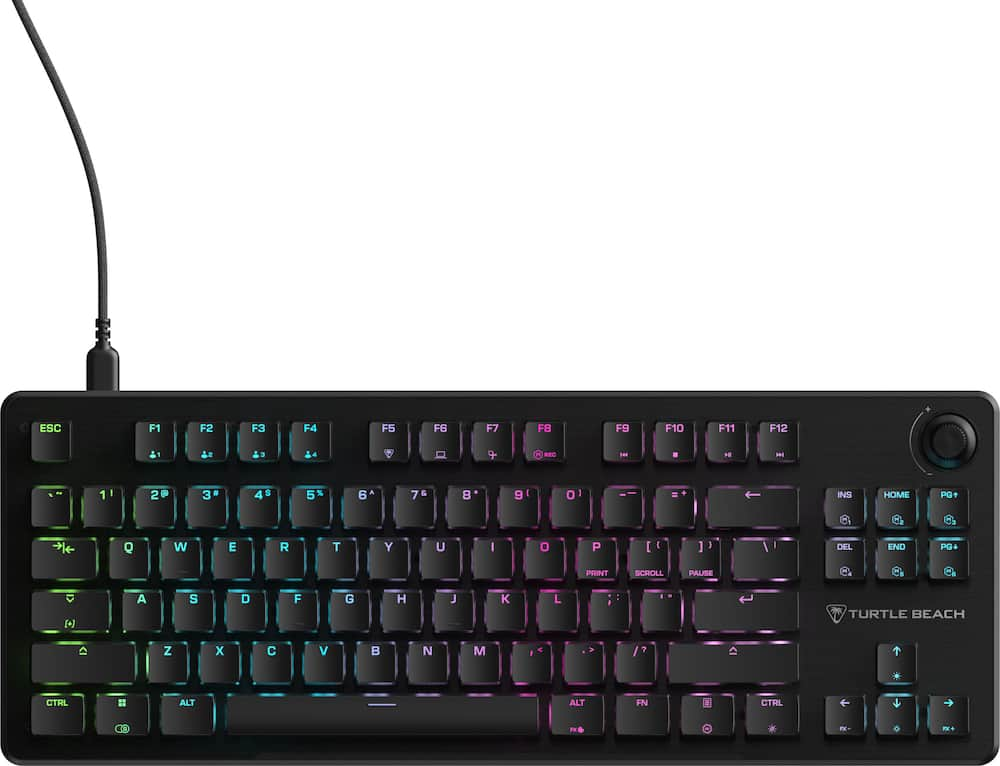
Turtle Beach – Vulcan II TKL Wired Compact RGB Mechanical Gaming Keyboard with Hot-Swappable Switches – Black
SKU: 6640838
$7999
Was $99.99 Save $20.00
Other options in this range
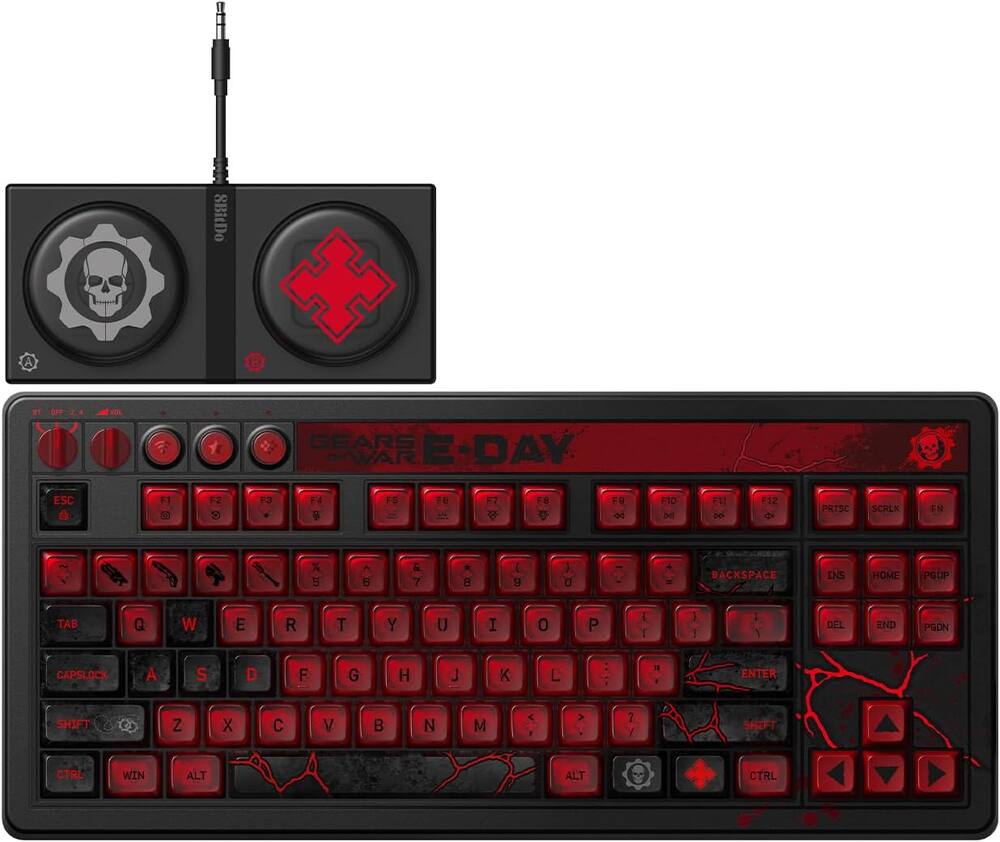 8BitDo - Retro 87 Mechanical Gaming Keyboard for Android and Windows - Gears of War E-Day Edition Original price was: $119.99.$95.99Current price is: $95.99.
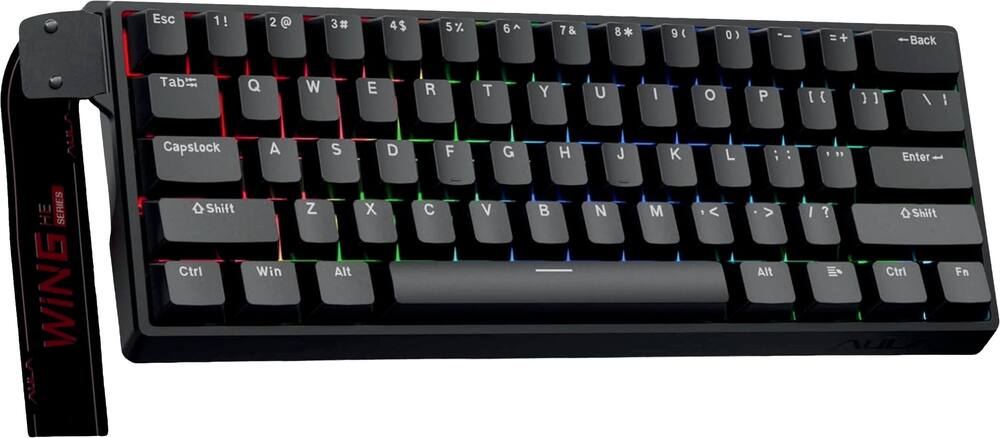 AULA - WIN60 HE 60% Gaming Wired Keyboard-Hall Effect 0.125ms-RGB-Hot Swap-Adj 8kHz Poll Rate-Blk Gray - Black Original price was: $49.99.$39.99Current price is: $39.99.
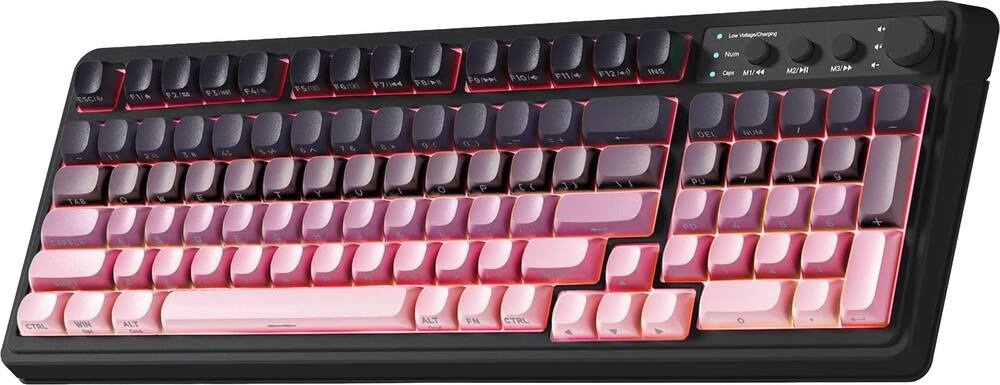 AULA - S99 Wirelesss Gaming Membrane Keyboard- Tri-Mode BT5.0/2.4GHz/USB-C Creamy-Num Pad-RGB- Media Knob-Black/Pink - Black Pink Gradient Original price was: $39.99.$31.99Current price is: $31.99.
Overview
- Compact Tenkeyless Form Factor
Free up desk space and increase mouse range for competitive FPS and MOBA gameplay with a sleek, portable design. - TITAN HS Mechanical Switches
Pre-lubed and rated for 50M keystrokes, the new TITAN HS (hot-swappable) switches offer smooth linear 1.8mm actuation ideal for rapid in-game responses and typing experience. - Durable Aluminum Top Plate with Iconic Vulcan Design
Features a brushed aluminum top plate set on a low-profile housing, T-shaped keycaps, and a stylish, ergonomic layout. - Premium Acoustic Design
Sound dampening foam and upgraded stabilizers provide a satisfying, clean keystroke sound with zero rattle or spring noise for smooth and crisp gaming and typing. - ReacTap SOCD Technology
Prioritizes the most recent directional input between two keys to ensure fluid continuous movement, and the quickest, most accurate directional, counter-strafing and picking ability. - Hot-Swappable Switches
With hot-swappable switches never again throw away a keyboard due to missed or double inputs due to mechanical switch oxidation or wear and tear. Compatible with both 3-pin and 5-pin switches, allowing easy maintenance, customization, and upgrades without soldering making the Vulcan II TKL ready for years on your desktop. - Third-Party Keycap Compatibility
Supports most 3rd party cross-mount keycap sets, allowing gamers to replace lost caps or personalize the look with custom artisan or themed sets. - Precision Keystrokes
Full Key (NKRO) with 100% Anti-Ghosting ensures every key press registers accurately, even when multiple keys are pressed at once for complete reliability during high-speed or competitive gameplay. - EASY-SHIFT[+] + Game Mode
Unlock secondary key functions, disable the Windows key, and remap essential macros or commands for gameplay optimization. - Integrated Volume Wheel with Push-to-Mute
Easily adjust master volume or mute audio instantly, without leaving your game. - Stunning Per-Key RGB Illumination
Customize each key with vibrant 16.8M color RGB lighting and sync effects across AIMO compatible Turtle Beach gear using Swarm II software. - Detachable USB-C Cable (Left Side Mounted)
Clean up your setup with left-side cable routing. The included detachable braided cable ensures easy transport and reliable performance, or you can replace if worn or to match your PC setup. - Onboard Profile Storage
Save up to five custom profiles directly to the keyboard for lighting, remapping, and macro preferences—no software required. - Advanced Customization with Swarm II Software
Enhance your keyboard performance and aesthetics with the Swarm II desktop software including AIMO & RGB lighting, assign the A.I. launch key to your favorite artificial intelligence app, save profiles and much more.
Compare similar
Specifications
Capacity & configuration
- Lighting Type
- RGB
- Keyboard Type
- Gaming
- Connection Type
- Wired
Dimensions & weight
- Product Name
- Vulcan II TKL Wired Compact RGB Mechanical Gaming Keyboard with Hot-Swappable Switches
- Product Height
- 1.27 inches
- Product Width
- 14.42 inches
- Product Depth
- 5.41 inches
- Product Weight
- 1.46 ounces
Features
- Brand
- Turtle Beach
- Color
- Black
- Customizable Lighting
- Yes
- Numeric Keypad
- No
- Touchpad
- No
- Palm Rest
- No
- Spill Resistant
- No
- Foldable
- No
- Keycap Material
- ABS
- Maximum Number of Memory Profiles
- 5
- Form Factor
- Tenkeyless (TKL)
- Keyboard Technology
- Mechanical
- Key Switch Behavior
- Linear
- Multimedia Keys
- Yes
- Actuation Distance
- 4.0mm
- Actuation Force
- 45g
- Wired Connectivity
- USB-A
- Cable Length
- 5.91 feet
- Detachable Cable
- Yes
- Operating System Compatibility
- Windows
- Plug and Play Operation
- Yes
- System Requirements
- Windows 10 and above
- League/Association
- Not Applicable
- UPC
- 840454401325
Power & warranty
- Model Number
- TBK-2003-01-US
- Warranty - Parts
- 1 year
- Warranty - Labor
- 1 year
Warranty & protection
Included manufacturer warranty
See manufacturer documentation.
Register your product with the manufacturer within 30 days of delivery.
Warranty service
Manufacturer warranty claims are handled by the manufacturer. We are happy to help you find the right contact: (888) 419-6820.
Customer reviews
Write a reviewGreat budget gaming keyboard - Great keyboard for the price it’s brand name and works great
So Cool! - I love the performance, uality and effects of this keyboard. However, as you can tell when I type words like uality, uiet ueen.. one of my letters has not worked out of the box, Also, the keyboard has a tendency to power off. Maybe mine is defective. However, it still has great uality and visual effects and makes typing fun.
Great for PC beginners - Great keyboard, I just moved over to PC and it was easy getting use to it with this keyboard
Lightweight Board - Nice Switches - Good Feel - The Turtle Beach Vulkan II TKL is a wired mechanical keyboard with full RGB backlighting. I have used quite a few TKL keyboards over the years, but this is my first from Turtle Beach. So far this keyboard has held up really well and its size/form factor has been to its benefit. Design Often times desktop space is a premium and I have to sacrifice my numberpad to fit a keyboard. For gaming I don’t really need a numberpad, so a TKL layout works for me. I have a couple of boards with linear switches, so I am pretty familiar with their feel. These are Turtle Beach’s Titan HS mechanical switches, which seem to be made pretty well. They have a 45g actuation force, 4mm of travel, and an actuation point at 1.8mm. All pretty similar to my other keyboards, so no big surprises. The key caps are a slim profile design, but they still use the standard cross mount. The keys feel nice to type on, and I don’t find them to be overly loud or clacky. The RGB on the keys is nice and bright. Using the Swarm II software you can create your lighting profiles pretty easily. I am basic in that I just like a rainbow wave, and leave it at that. The switches are hotswappable and are compatible with 3-pin and 5-pin switches. I really look for this as a board feature now because of failed/faulty switches in past boards. If one dies you just swap it out and keep moving along. The board uses a brushed aluminum top plate and a plastic back for the casing. Sandwiched in between is a sound deadening foam, which does seem to keep the noise down. The standard flip out feet to adjust the height/angle are present. There is no wrist pad, so very much keep that in mind if you need one. I borrowed one from another keyboard, which worked for me. The keyboard itself is light but sturdy feeling. The weight makes it easy to carry around from place to place. The cord is a detachable USB-C, which further adds to the portability. There are no dedicated macro keys, but you are able to create macros in the Swarm software. The board does have a volume knob to control your system volume, while clicking it will mute your audio. Adjustments, Lighting, and Software There really aren’t any adjustments or changes to make with this board. You can’t customize the actuation point or do anything like that. The only things you can really mess with are the lighting and if you want to create some macros. The lighting on the board is really nice. The low-profile keycaps expose more of the switch body so a brighter/crisper RGB glow is present. Usage I started out using the keyboard for general work/typing tasks just to get a feel for it. It took a minute to adjust to the slim keycaps, but I ended up liking them pretty quick. Typing on the board is pretty nice. The keys feel pretty good and their actuation/bottom point isn’t overly harsh nor is it mushy. It’s a solid typing experience. Switching to gaming I played around in Portal 2 for a bit. The keys felt great. I didn’t find myself losing my key position while moving around – the WASD group has an additional bump on the W key for easy locating. The keys themselves felt responsive – quick movements were registered without perceiving any input lag. The actuation force and key travel felt pretty good while frantically hammering at the keys. After I had my time on the board I let my stepkids at it. They are big PC gamers and would put it through a more thorough test. They played Minecraft, TF2, Geometry Dash, and Marvel Rivals on it. My stepson liked the feel for Minecraft and TF2. His experience was pretty positive in those games. Where he found an issue was in Geometry Dash – his regular keyboard has adjustable actuation for even faster keystrokes. This was the only area where he found a weakness. Otherwise he really liked the board. My stepdaughter has been using the board since coming home from college, and she really likes it as well. I believe she plans to take it off my hands when she heads back after break. She has really liked the portability of the keyboard and the feel of the keys. She said it was a pretty solid upgrade over her other keyboard. As a parent I will say that the quieter keyboard is appreciated. They hammered away on it and I didn’t have to listen to clacking all through the house. Overall The Vulkan II TKL is a well made and solid perfroming keyboard. The hotswappable keys are a big plus for me. The RGB is crisp and it looks really good. The keyboard is light enough to make portability a reality. The only real downside for me is the lack of a wrist pad. Other than that this is a great keyboard that is worth a look.
Quiet Contender - The Turtle Beach Vulcan II TKL RGB keyboard is a mid-tier TenKeyLess mechanical wired board that comes in black or white. I love the striking design language, volume wheel, and floating key design most. It uses Turtle Beach’s Titan HS linear pre-lubed switches, which feel lighter than traditional mechanical switches, are rated for 50 million keypresses. The TKL design reduces desk footprint so it's good for students, office setups, and gamers with limited space. The included braided USB-C cable is high quality, and the overall design and execution of the board are excellent. Setup and First Impressions The Vulcan II TKL is beautiful gives your mouse more room to move which is helpful in both work and gaming scenarios. You can hot-swap keys using both 3-pin and 5-pin switches which future-proofs the board and allows for deeper customization. Setup was simple: just plug it into any USB port, and it works automatically. For your RGB control, macros, and key remapping, you’ll need to download Turtle Beach’s Swarm II software. The overall board construction is mostly plastic, but the aluminum top plate adds strength. Keystrokes feel silky and premium on first use, though the ABS keycaps become shiny and attract fingerprints quickly. The keyboard feels premium right out of the box. User Experience For me, the weakest link was the Swarm II software for sure. It is functional yet bare, lacking depth compared the competition limiting the potential of good hardware. I noticed slight key wobble, but I would expect that from a pogo stick looking post mounted keycap. The most noticeable thing for me during everyday typing is the angular keycap shape. The sharp outer edges often catch my fingers when I type extremely fast and interferes with accuracy. The caps are fingerprint magnets and show fingerprints quickly. The legends are clean and crisp, though some icons (Shift, Tab, CapsLock) are different from standard text and arrow icons that look like military ranks. Despite these drawbacks, the dampening makes the Vulcan II TKL quieter than many mechanical keyboards in its class and a pleasant experience. This is polarizing you will either love or hate this board because of it. Does your partner complain they can hear your keyboard at night? This could be the answer to your prayers but you'll miss the click. In order to fully customize the board, Swarm II is required. While the software works, it feels dated and lacks the depth of options found in competitors' software. The hardware clearly has potential I am hoping in the future can be overhauled with more effects or even a community to share effects, macros, and presets. Typing and Gaming Typing on this keyboard was a mixed for me. The short 1.8 mm actuation helped with speed, but the sharp keycap edges led to more errors. My WPM decreased until I adjusted my finger placement to avoid catching the corners and I still find myself making a lot of corrections. For gaming, however, the board performs very well. The TKL layout provides more mouse space with switch actuation is fast and responsive. The key shape helps keep fingers in place during gameplay. The knob came in handy when adjusting the volume! Switch removal is tight on the first attempt but still safe—just requires more force than expected. Things I Love + Keyboard noise is reduced due to dampening. + Plenty of FN-layer on-board shortcuts for RGB, macros, media, and effects. + Three incline positions via adjustable feet. + On-board profiles and macro storage allow use w/o running software. Things to Know - No USB pass thru & no wrist rest included. - Switches are snug and can be difficult for beginners to remove. - Swarm II is extremely basic/limited. Needs RGB animations/effects or even downloadable library. - Macro Manager game list is outdated. (i.e. BO4 we are BO7 now) - RGB is top-lit only; minimal light spills down the sides. Still beautiful! Final Verdict The Turtle Beach Vulcan II TKL checks a lot of boxes for me like clean design, quiet linear switches, bright RGB lighting, all in a compact layout ideal for gaming and daily use. The aluminum plate adds both strength and a nice touch, and the dampened switches offer a smoother, quieter experience than many boards at this tier. For gamers, it's an option but for heavy typists, top-tier connoisseurs, and those valuing deeper software control, you may want to start elsewhere.
Best Gaming Keyboard I've Ever Owned - If you are thinking about getting a high-quality gaming keyboard for yourself, or for someone you love – you will want to check out the Turtle Beach Vulcan II TKL Wired Mechanical Gaming Keyboard. Since owning it, it has become my favorite keyboard to use with my gaming laptop. It is made of quality materials so it’s durable and will last me a long time. A common problem with keyboards in general is that they are cheaply made. Sure, you can get them for not much money but they don’t respond well, they stink to type on and they don’t last. This one will cost you more, but you’ll appreciate the tactile feel, the sounds the keyboard makes when you type, and the accurate responses. I have a business keyboard, and this keyboard for gaming. But I’m finding that I use this one for both purposes. It’s that good! But be aware that this keyboard does not have a tenkey number pad on the right. If you need that, then you’ll want to keep your business keyboard. For gaming purposes, this is a necessity as the shortened keyboard length allows for easier mousing without banging into the keyboard case. My wrist flicks and sweeps no longer result in bruises. The mechanical keys are designed with a short actuation distance for faster reaction times. The Vulkan II TKL sits nicely on the desk, either flat or angled. Unlike cheap keyboards, this one has some weight to it and stays planted. The keyboard materials are a mix of aluminum and plastics. Inside there are dampening materials to ensure a solid strike with no rebound. The keys strike straight down, with no wiggle or slop. There’s a reassuring near silent ‘click’ to each key strike, it remains quiet and sounds purposeful. Key presses are stable with no wiggle. Key friction is reduced with lubrication, and slick parts. The manufacturer claims the keys are tested to last an amazing 50 million rebounds. As an avid gamer, and PC-builder I appreciate the hot-swappable keyboard switches. I can customize the keyboard easily and safely with the included tools. I can also extend the life of the keyboard by swapping out individual keys as some wear out quicker than others. The design is compatible with keycaps from third-party manufacturers (3-pin and 5-pin switches). I also appreciate the addition of a rotary volume knob on the keyboard itself, tucked out of the way – but easy to get to if I need it. Also, the lighted keys have a beautiful glow to them. There are nearly limitless color variations, and lighted effects which you can program with the included software. I don’t like anything except subdued statically lighted keys, otherwise they become distracting. I get full control on this, and I set it up exactly how I like it. But if I get the urge I may add some color and vibes. I sometimes wish this keyboard were wireless but not having to worry about batteries or recharging it overcome any regret I might have. The cable is long and flexible and stays out of the way. There’s no lag in a wired connection either. I highly recommend the Turtle Beach Vulcan II TKL keyboard. It costs a bit more, but if you could build this keyboard with separate components, it would cost you twice as much. It’s a keyboard you invest in, and in the end, you will end up enjoying it more and it will ultimately save you money. Remember, for now we interact with computers through keyboards and mice. They are the biggest limiting factors in your gameplay. Don’t cheap out, throw that old membrane keyboard away and get this keyboard and level up your gaming. Now back to Valorant to drop some bombs…
Great keyboard - I've had this keyboard for a little over a week and it's extremely comfortable. I honestly didn't even know turtle beach made a keyboard, they also make remotes, mouse, other stuff. I'm planning on getting a head set through them as well. Coming from all razer set up.
Decent keyboard with soft keys but not clicky mech - The preface this, I have another clicky mechanical keyboard that I’ve been using, so replacing it with this one first thing I noticed is that it has soft keys and not that satisfying click. So if you’re looking for a nice click, this isn’t the keyboard for you. It works as any keyboard to game and type, but to me its better then a standard office keyboard but not as nice as a clicky mechanical keyboard. It is also very small, which is nice if you don’t have desk space, but I’m use to something bigger. The software also didn’t work great, and when I tried to change the colors, each time it crashed. On top of that, when I plugged it in I couldn’t use it. Might have been just my PC, but I had to go through and remove the keyboard and all keyboard drives and unplug a USB device before I could type. So is there anything good about the keyboard? I would say it actually would be a better office keyboard then a gaming one as its quite so you can use it without other people hearing you type. If you need something small and quite, this might be a good choice, but in my experience there are better gaming keyboards.
Love the compact keyboard - This review is for the Vulcan II TKL wired compact RGB mechanical keyboard. The TKL stands for Tenkeyless which is why this is a smaller compact keyboard it does not have the numeric keys on the side. Not really needed for gaming but if you are like me and use one set up for everything (connecting laptops to monitors and have desktop pc also connected to the same monitors then you may want the full size version of this keyboard but this wasn’t a deal breaker for me. Aesthetically, I love RGB keyboards and Turtle Beach has a great user interface for modifying the settings to your preference. This keyboard also comes with a tool to remove the keys and four extra key replacements. The keys are also universal connect so you can further personalize the keys to your preference if you want a softer key or one with more grip. The keys have a nice feel to them very tactile and responsive. Typing was smooth and responsive, the tapping noise was only loud during rapid fire (lol). Overall, I recommend this keyboard for its ease in customizing, universal keys to further customize and ergonomics.
Turtle Beach FTW! - I've used Turtle Beach products over the years dating back to their Santa Cruz sound cards - every product has been extremely well made, supported for the lifetime of the product and durable to the very end. I went with this Vulcan II TKL Compact keyboard as I needed a wired keyboard for our home theater PC but didn't see the need for wireless since we never go further than 5-10 feet from the computer - if we need longer we have extensions, plus we don't like to introduce the latency that wireless keyboard/mice typically bring to the table. It's basically a compact version of my favorite keyboard I have in the household right now, the Vulcan II TKL that I use on my gaming PC. With this being even more compact, I can easily throw it into my laptop's backpack and take it with me. RGB lighting is excellent, plus it's per-key-programmable. I tend to keep it set to the standard rainbow-wave effect, but of course you can set it to whatever your jam is. Key switches are virtually silent while still having a nice mechanical feel about them. We've found that regardless whether we're using it to game on the HTPC or using it to search for movie or TV show titles, it's definitely a satisfying keyboard to use - definitely a HUGE upgrade over the membrane keyboards that come with the vast majority of PCs.
A great gaming keyboard - This is an amazing keyboard! It is fully customizable, the RGB is really nice. The keyboard can be a little bit noisy if you're not used to mechanical keys on your keyboard. The install was simple, it uses a USB A like most keyboards, and the Swarm software to customize everything was easy to use. The software is not required but allows you to take full advantage of everything that you got this keyboard for. The only downside that I could find with this keyboard is that it doesn't have a keypad on the right side of it. I understand that this is a gaming keyboard, but I'm not gaming all of the time and use this keyboard for other daily things. The dial for volume and press to mute is a nice addition to have. I previously used the cheap keyboards that come with your pc or a cheap one that you buy at your big box store. This keyboard is fantastic, and I understand now why people spend the money for gaming keyboards. The build quality is amazing and looks great on the desk. Some reviews mentioned having difficulty typing with the keys, I didn't have any problems typing, but it is different than the cheap keyboards that I have been using over the years. Overall, this is a great gaming keyboard if you don't need the keypad on the side of the keyboard.
Decent Keyboard - This is a decent keyboard. I would recommend it to anyone who likes keyboards that sound nice, have little key travel, and do not have a numeric pad. Personally, I prefer keyboards with numeric pads, but not having one really is not a deal-breaker. Some nice features of the keyboard include a nice volume-control dial, a removable, braided USB-C cable, an included key-removing tool, and the amazing RGB lighting. It also comes with a few extra switches in the the box. One thing I did not like about this keyboard is how the USB-C port is very narrow. I cannot use most USB-C cables with this keyboard because most USB-C connectors would not fit into this port. The included cable has a very slim connector. This is not a that big of a deal, but I do personally find it annoying because I am unable to use any other cable with this keyboard. Overall, I would recommend this keyboard to anyone looking for a decent keyboard without a numeric pad. If you want a numeric pad, you should skip this keyboard and go for one that has a numeric pad.
Great contender for a new keyboard. Well built. - What you guys eating over there at Turtle Beach? I never paid that much attention to your hardware but now you have my undivided attention. I really like this Vulkan II TKL wired RGB keyboard. The size is just right. I can go back to not using a controller on some games which is a hoot. Forgot how much fun using mouse and keyboard were. Being able to change out the switches is a nice touch. It feels great and even though I am not a huge fan of RGB I do like that I can customize it and give it a look that I like. The wrist wrest is a nice touch. Getting older so that came in clutch. This keyboard is built very well and is sturdy enough to handle some late night gaming abuse AKA rage quitting. I hope all the other keyboard makers are getting ready to step their game up because this bad boy is great for someone on a budget. It doesn't feel like it's a budget unit. The macro setups using the Swarm software is easy to setup. Overall I would definitely recommend this keyboard to anyone. This is a good looking keyboard and has a lot of features that I will probably never get around to using. If you are in need of a new keyboard put this on your list to check out.
Half Keycap, Full Send - The Vulcan II TKL is a solid, compact, no-nonsense mechanical keyboard with a few cool design touches. What really stood out to me is the unique keycap design—they only cover the top of the switches, leaving the sides exposed. This means less dust and dirt get trapped underneath, making it super easy to wipe or blow the keyboard clean, which is a nice real-world plus. I do wish the keycaps were transparent to let the RGB lighting really pop through, because the current setup mutes the backlighting a bit, but it doesn’t ruin the look and practicality. The switches are a red Cherry-like linear , so you get smooth, light key presses with no tactile bump. This is perfect if you play competitive shooters where every millisecond counts, as it registers the slightest keypress quickly. On the flip side, if you prefer a tactile or clicky feel, you might miss that feedback. Build quality feels sturdy, especially the stainless steel key deck, which not only adds a premium weight and solidness but is also super easy to clean after long sessions. The keyboard has good RGB lighting customization and the hot-swappable switches mean you can easily swap them out if you want a different feel in the future. Overall, it’s a well-made, gamer-focused keyboard. Just keep in mind it prioritizes smooth, fast key activation over a tactile typing experience, so it’s best for folks who game competitively or like light, responsive keys. You can change the switches fairly easily, but you'd do better to get the pro with tactile switches instead if you're looking for that. Recommended!
Not For Me - I am going to be upfront; I want to like this keyboard, but I cannot stand it. If you are finicky with your keyboards .... you are probably like me and should skip this one. I hit every key but the key I need, every time. I spend more time correcting what I type than typing straight forward. Unboxing and setup were straight forward. Note this model is powered and connected only via a cable by a provided USB A to USB C braided cord. Setup was easy once I plugged it in and you don't have to download the software from Turtle Beach to use its functions or change the back lighting. Granted the software will probably help achieve some additional features but I decided they were not needed, especially with how I am struggling to type. Use: I have tried to like this keyboard and enjoy how bright the back light is and the size. I also like the volume knob to easily adjust without a thought. However, every time I type I hit the wrong key. I also noticed the keys are super sensitive, I swear I look at a key and long and behold the letter is up on my screen. I have been using this keyboard daily and it actually has put stress on my fingers. I have a feeling....I won't be using it tomorrow. I recommend if you second guessing this keyboard to look elsewhere. I never had much trouble with a keyboard...ever... and as we all know we use keyboards daily. I recommend only purchasing this model if your limited in space and this would suit your needs as a compromise.
Volume dial is one of the best features - I switched over from a Ducky keyboard, so it took a minute to get used to the quieter plasticky sound/feel of the Vulcan II keyboard, but I LOVE it. You can adjust the RGB lighting brightness so it's less distracting in your peripheral vision. All of the keys are customizable and hot swappable. The deck has a premium brushed aluminum layer, the underside is plastic. It's heavy enough to stay in place and weighs less than half as much as my Ducky. I was initially worried about hitting [and breaking] the edge keys since there's a sizable gap between the deck and the key caps, but it hasn't been a problem. The keyboard is USB-C and every every keystroke registers without miss. You can install their proprietary software for more customization, but most users will be happy with the out-of-the-box features. Unexpectedly, one of my favorite features is the volume dial. It was the feature I didn't know I wanted or needed. It's so convenient to quickly adjust the volume on my machine without using the UI. I use it several times a day thanks to the inconsistent volume levels between video sources. Don't let the plasticky feel of the keys dissuade you from buying this. You'll love it.
Fast and Fluid with Premium Aesthetics - The tenkeyless (TKL) form factor is becoming evermore popular in the gaming space where Turtle Beach hits a multitude of facets here for a premium keyboard. You can always expect Turtle Beach to put out premium peripherals that offer superior quality and are definitely worth the value. With the latest iteration here, they have done exactly that. First, right out of the box, the actual cosmetics of the keyboard reflect a modern design, giving it that familiar premium look and feel. The compact, tenkeyless design is sleek, minimalist, and easy to place, which allows maximum desk space for low-DPI mouse movement. I will note from an aesthetic standpoint I really like the high quality brushed aluminum top plate they have gone with here. The low profile housing and durable construction ensures you can game without any deck flex. A small, but highly convenient feature is the integrated volume wheel with the push to mute function. Cable management was also really well thought out as the detachable braided USB-C cable makes for simple transport and a clean setup. The keyboard is built with the durability you expect from a premium brand, with an overall minimalist and effective approach. Looking at the actual performance is where this keyboard truly stands out. The most important facet is obviously speed and feel, which is where this keyboard shines. The pre-lubed TITAN HS linear mechanical switches are extremely fluid, providing silky smooth motion that helps blur the line between keypress and in game action. Along with the quick 1.8mm actuation point, the included sound dampening foam means distracting chatter or spring noise is virtually eliminated. This speed is extremely crisp both in fast paced shooters and when typing. The full key with 100% anti-ghosting is a huge selling point to reduce the chance of missed or delayed inputs, allowing you to easily register the complex combinations necessary to take full advantage of quick scenarios. I will say they throw out a ton of buzz words in their marketing, but I can definitely say this thing performs amazing! Along with the upgraded performance of the keys is the more advanced customization and flexibility. Naturally, they throw around terms like per-key RGB and customizable layers here, but the hot-swappable switch compatibility is top notch. Whether you are running 3-pin or 5-pin switches, the ease of swapping out keys means the lifetime and customization potential is incredibly high. Instead of throwing away the board when a switch wears out, you get a perfectly future proofed base. Overall, if you're looking for a competitive keyboard that provides lightning fast speed and a highly durable, hot-swappable foundation that will provide actual relevant performance when gaming, then this is exactly what you are looking for. The integration of the compact, premium design is seamless along with the ease of the physical setup and the superior functional features like the volume wheel. Turtle Beach has definitely provided excellent quality and value with this keyboard. For that reason, I would highly recommend this product.
Quality Hot-Swappable gaming keyboard - The Turtle Beach Vulcan II TKL Wired Compact RGB Mechanical Gaming Keyboard with Hot-Swappable Switches comes in the box wrapped up in paper, just like a Christmas gift! First thing they recommend is to download the Swarm II software app. Next, plug in the supplied braided 5.9 ft USB-C to USB-A cord. It's as simple as that to get hooked up and going. I then opened the Swarm II app and it instantly recognized my new keyboard. There were necessary updates that were mandatory to install. With this app, you can bind 2 keys together for faster reactions which also helps to eliminate my issue of pressing 2 keys at once. Also here, you are able to program hot keys, build macros, and remap keys. There are a lot of adjustments that can be made, including the RGB lighting which can be customized to your liking, if you don't care for the pre-set choices. This is a compact keyboard which is quite similar to a full size keyboard in function, except that it doesn't have the number-pad. It is TKL (ten keyless). It still has the function keys and directional keys. It does have hot swappable Titan mechanical switches - linear switches (1.8mm actuation). No soldering with switch changes! I find the keypress to be very smooth and somewhat quiet. I have no issues with the keys at all, which are rated for 50 million keystrokes.Turtle Beach also provides a switch and keycap puller along with spare switches. This has a brushed aluminum top plate which has a great feel and adds weight to an otherwise plastic keyboard. It still feels sturdy and solid. With its weight and rubber feet, it simply doesn't move during my gaming. You can set up to 5 different playing profiles and there is a volume wheel. Overall, I love the look and feel of this Turtle Beach Vulcan II TKL Wired Compact RGB Mechanical Gaming Keyboard with Hot-Swappable Switches. Using it for gaming works well for me and its fun to use too. Doing my everyday typing on it is a pleasure as well. It has that good of a feel. Solid and well-built, I know this keyboard will last me a good long time. Yes, I would highly recommend this keyboard to anyone in the market for a gaming keyboard.
Double The Cost, Half The Features. - THIS… Is the Turtle Beach Vulcan II, Turtle Beaches new ten keyless form factor mechanical gaming keyboard with a few tricks up its sleeve. With a very unique key cap profile, hot swappable switches and a host of features, lets take a look and see how this keyboard stacks up to the competition. Out of the box, it is instantly recognizable that this keyboard has truly added a fun flair to the traditional brushed aluminum slim profile frame. This keyboard uses a unique keycap that is really… just the top of the keycap… leaving most of the Titan HS switch visible. I actually really like this design, it enables a very elegant dispersion of RGB while also making it super easy to clean the keyboard off. That is also about where my glowing remarks end, so let's get into my issue with the Turtle Beach Vulcan II. Starting with what we are here for, the typing experience leaves a lot to be desired. It has a mushy linear key switch with an office keyboard sound. If you put me in a dark room, I couldn't tell by sound or by feel if this is a stock desktop keyboard or a $120 msrp gaming keyboard… and to me that's a pretty big problem. Moving on, the build quality is really just a joke at this pricepoint. From top to bottom, the volume knob is not only small and odd but a cheap plastic… like most of this keyboard. Yes the top plate is brushed aluminum… the majority of this keyboard is plastic. While the keycaps are a design forward idea, the actual frame and build quality is stuck in 2015. This keyboard simply feels cheap. The silver lining is that I can swap the key switches with any 3 or 5 pin switch, so I can actually use a switch that has character. This keyboard will likely never sound good though, as this keyboard has minimal acoustic design and with a sealed construction… no hope of opening up and upgrading. This keyboard is plate mounted as well, meaning you won't get the soft feedback from other gasket mounted keyboards in this price category. This keyboard does come with downloadable software, and while I have been on the boo hoo train, the included Swarm II software is very well done. While we are starting to see a trend towards browser based software, Swarm II does allow you to incorporate and adjust all of your Turtle Beach Products. If you are going to force me to download software, then it should be GOOD software. This is truly GOOD software regardless of how poor this keyboard might be. Overall, this is a keyboard that is a mix of a few failures that have culminated in its negative review. If this was a sub $50 keyboard… then I would probably be singing a different song. But it's not, and at its $120 msrp… or even $80-$100.. this keyboard just doesn’t compete with the competition in build quality, feel or acoustics. The Vulcan II TKL’s cool design isn’t redeeming enough to compensate for its lack of character or any discernible characteristic that would draw me into loving it. Turtle Beach isn’t alone in this endeavor as several brands are still trying to push low quality high priced gaming keyboards that rely on their brand name and not features. For this reason, I wouldn’t recommend this keyboard to anyone unless it's on a steep clearance. Until next time :)
Questions & answers
Ask a question
Email [email protected] or call (888) 419-6820 during business hours.
Add your review