Perfect for gaming - Very lightweight and very easy to set up and use. Well worth the money spent and very reliable
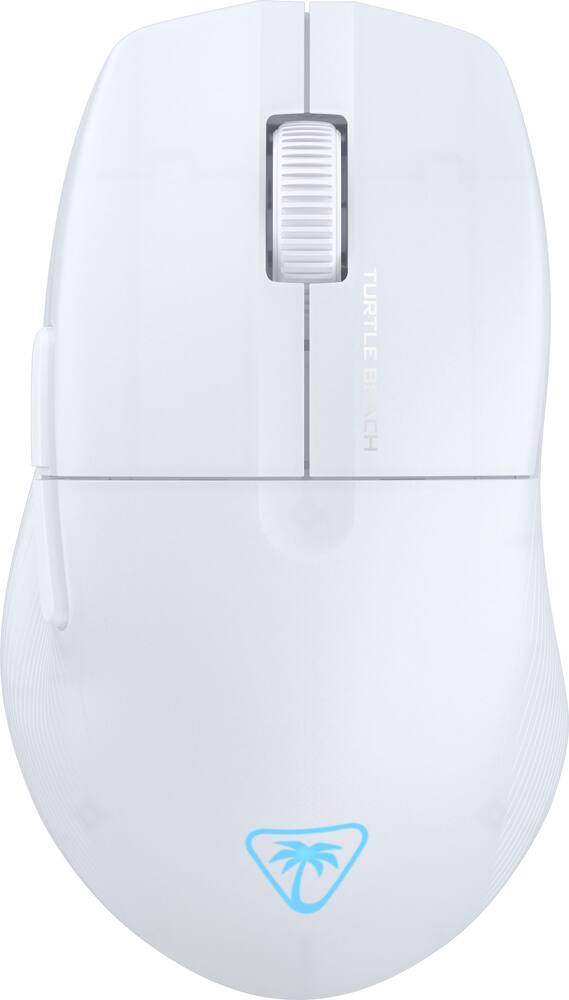
Turtle Beach – Pure Air Ultra-Light Wireless Ergonomic RGB Gaming Mouse with 26K DPI Optical Sensor & 125 hour Battery – Wireless – White
$7999
Other options in this range
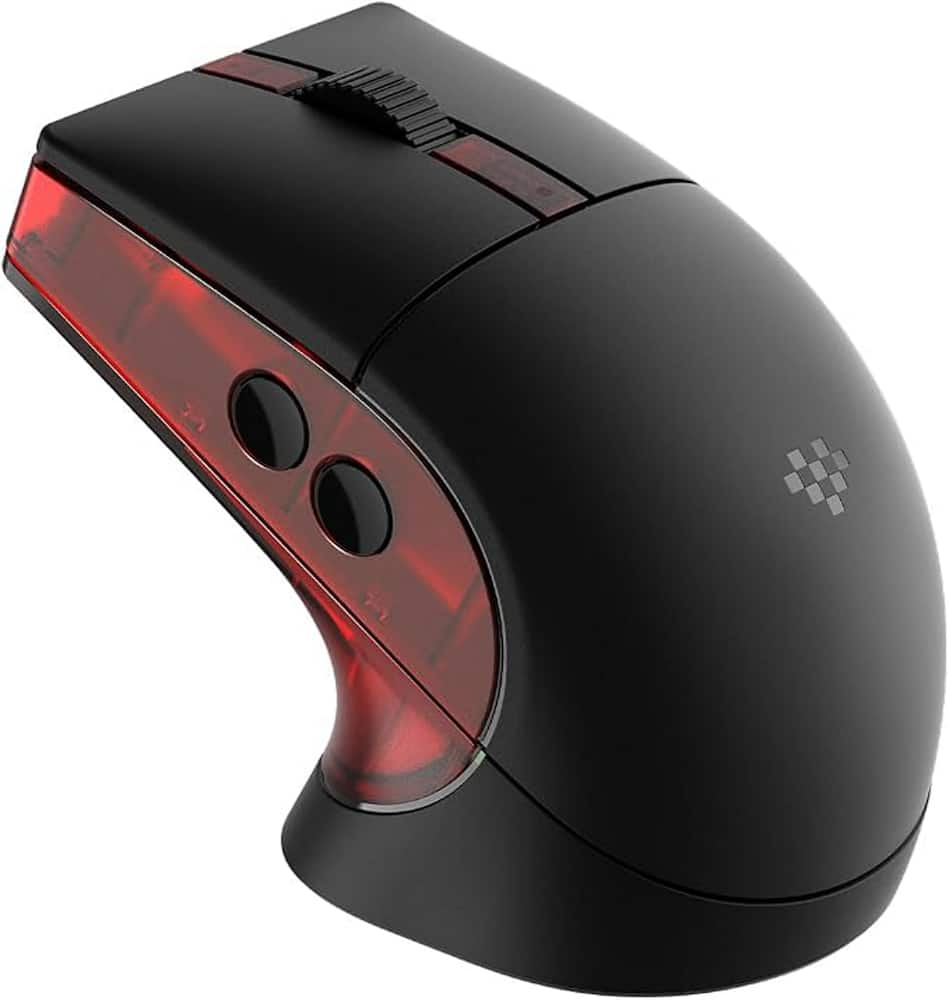 8BitDo - Retro R8 Optical Gaming Mouse for PC - Wireless - Gears of War E-Day Edition Original price was: $59.99.$47.99Current price is: $47.99.
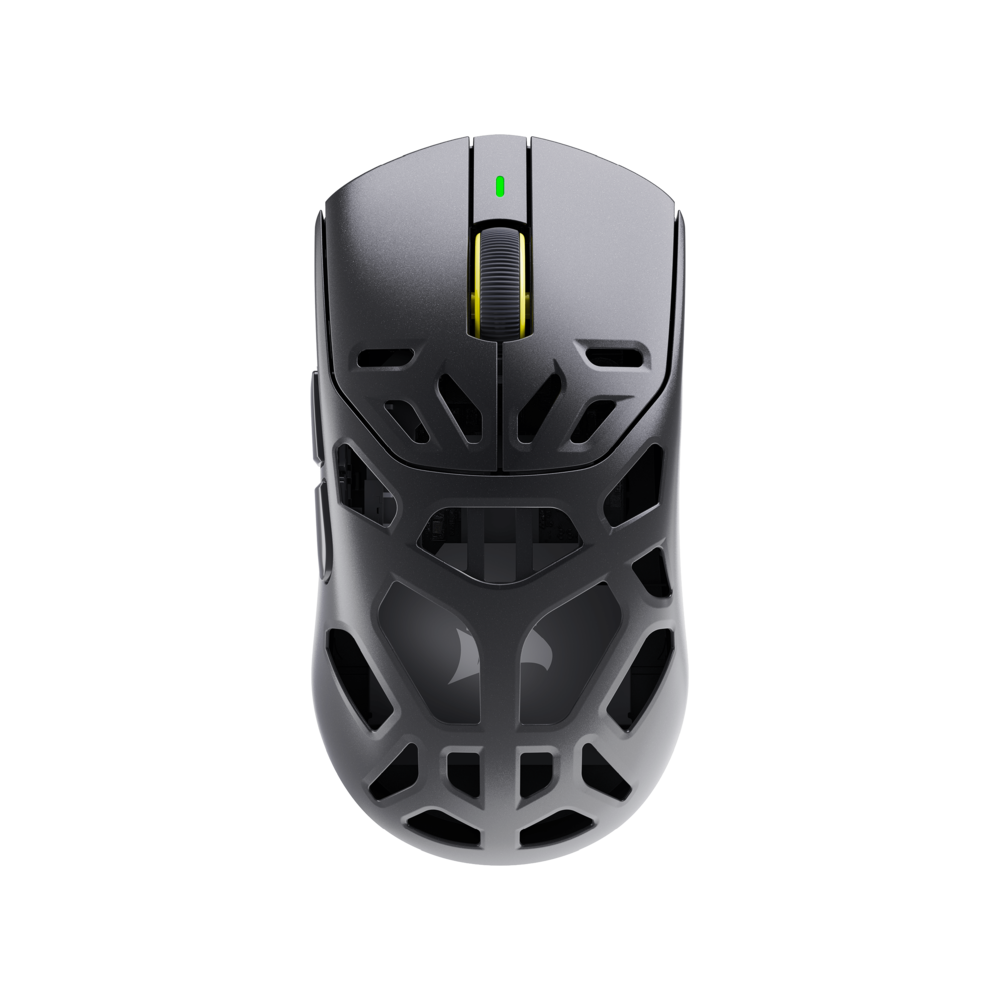 CORSAIR - SABRE v3 PRO PureVector MG Gaming Mouse with Personalized Directional Sensitivity - Wireless - Black Original price was: $199.99.$159.99Current price is: $159.99.
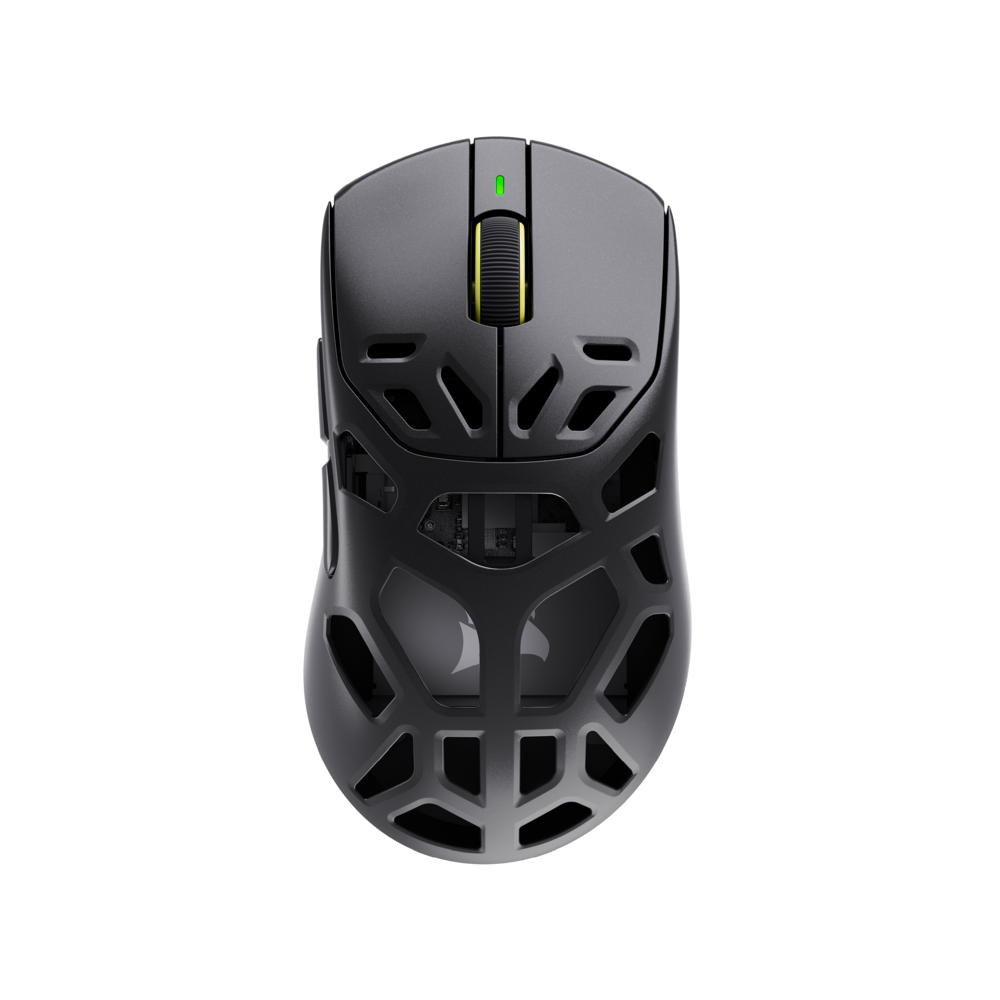 CORSAIR - SABRE v3 PRO PureVector MG ERGO Gaming Mouse with Personalized Directional Sensitivity - Wireless - Black Original price was: $199.99.$159.99Current price is: $159.99.
Overview
- Ultra Lightweight
Weighing in at only 54g the Pure Air features a well-balanced ultra-lightweight design built for performance allowing for quick flick shots and large mouse swipes. - Ergonomic Shape
The Pure Air follows in the footsteps of the iconic Kone Pure, leveraging over a decade of ergonomic engineering to make the world’s most comfortable mouse. - 2.4GHz Wireless + Bluetooth
The dual wireless system allows you to switch between gaming grade 2.4GHz wireless for gaming performance, and Bluetooth for versatility. - Long Battery Life + Rapid Charge
Enjoy endless nights of gaming with up to 125 hours of continuous battery life. With fast charging, 10 minutes of charge provides 5 hours of game time. - TITAN Optical Switches
The TITAN Optical switch with adjustable debounce provides a long-lasting 100 million click life cycle, and speed-of-light actuation for unprecedented speed and precision. - Click Tensioning
Left and right click buttons are built with a tensioning system that improves reliability and response time delivering the most accurate and satisfying click ever. - 26k Owl-Eye Optical Sensor
Experience smooth and precise tracking with an upgraded Owl-Eye optical sensor with 26K DPI and 650 IPS (16.5m/s) tracking speed. - Semi-Translucent Shell
Designed to shine with a stylish semi-translucent shell. - PhantomFlex Charging Cable
Flexible and light, the PhantomFlex USB-C charging cable virtually disappears during use to the point that you won’t even know it’s there. - Pure PTFE Glides
Pure PTFE feet deliver incredible glide and the smoothest mouse movements right out of the box. - AIMO Illumination
Pure Air features a projection of the Turtle Beach logo onto the back of the mouse with fully customizable RGB and programmable AIMO intelligent lighting compatibility.
Compare similar
Specifications
Capacity & configuration
- Mouse Type
- Gaming
- Lighting Type
- RGB
- Connection Type
- Wireless
Dimensions & weight
- Product Name
- Pure Air Ultra-Light Wireless Ergonomic RGB Gaming Mouse with 26K DPI Optical Sensor & 125 hour Battery
- Adjustable Weight
- No
- Product Height
- 1.51 inches
- Product Length
- 4.77 inches
- Product Width
- 2.73 inches
- Product Weight
- 54 grams
Features
- Color
- White, Black
- Brand
- Turtle Beach
- Customizable Lighting
- Yes
- Mouse Operation
- Scroll wheel
- Mouse Grip Style
- Claw grip
- Handedness
- Right-handed
- Tracking Method
- Optical
- Maximum Sensitivity
- 26000 dots per inch
- Minimum Sensitivity
- 50 dots per inch
- Number of Buttons (Total)
- 8
- Number of Thumb Buttons
- 3
- Number of Programmable Buttons
- 15
- Designed for Game Genre
- FPS
- Wireless Connectivity
- Radio Frequency (RF - 2.4 Ghz/Low Latency)
- Operating System Compatibility
- Windows
- Plug and Play Operation
- Yes
- On/Off Switch
- Yes
- Rechargeable Battery (Mouse)
- Yes
- Charging Interface(s)
- USB-A
- System Requirements
- Windows® 10 and above (software support), USB 2.0 (or higher), Internet connection (for driver software)
- UPC
- 731855711031
Power & warranty
- Model Number
- TBM-1102-15
- Mouse Power Source
- Battery-powered
- Warranty - Parts
- 1 year
- Warranty - Labor
- 1 year
Warranty & protection
Included manufacturer warranty
See manufacturer documentation.
Register your product with the manufacturer within 30 days of delivery.
Warranty service
Manufacturer warranty claims are handled by the manufacturer. We are happy to help you find the right contact: (888) 419-6820.
Customer reviews
Write a reviewGreat - Its nice light and easy to use so i recommend it the logo lights up which is cool
Lightweight and responsive - It’s so easy to maneuver and has precise control with zero connection issues. It’s always ready to go the moment I turn it on and battery lasts a long time. I’d for sure buy this again. Works great on my pleather desk mat.
Love this mouse. Very lite. - Still getting used to light mouse as I am switching from a heavier mouse, but it feels and moves great. The extra buttons and mouse settings are great.
Incredibly light mouse - Love this mouse! So far! The ability to customize all the buttons, how you want it and it is incredibly light! My girlfriend was amazed that it was as light as it was thinking it's still needed batteries. Had an issue updating the software and connecting it but once I was done it's been very easy to use.
Very nice light and useful gaming mouse for gamers - This is a very nice if not top mid tier in my opinion light mouse. I did have a few issues getting the bluetooth to seem stable but after unplugging the USB C 2.4 dongle and recharging the mouse I have not had any issues with the mouse. I think the included scroll wheel is one of my preferred wheels of all mice I have ever used. It was very responsive but never felt out of control. The battery life after my initial recharge has stood up and I have not had to recharge it yet. I like the feel of the mouse and if you prefer an ultra light mouse then this is a great choice. I was not fond of having the selection button the way it is. I understand the need for it to be on the bottom, the switch is not super easy the use. The lighting is very inconspicuous which is nice on looks and I'm sure on battery life. The mouse does glide and perform really well for long gaming sessions or even for productivity uses. The price point in my opinion is a tad over the value but absolutely not out of question. I would recommend this mouse especially for Turtle Beach loyalist.
Game on! - This gaming mouse was offered to my just as my other gaming mouse died. It was perfect timing, and, as it turns out, I am quite a bit happier with the new one. The choice of wireless and Bluetooth connections gives it a lot of flexibility and I have already paired it with my desktop, my work laptop, and my travel tablet, something that I haven't bothered to do with my previous game mouse. It is a very comfortable mouse. Buttons are smartly placed and the wheel works well. I've used the mouse in both its RF and Bluetooth modes and didn't notice much lag at all in the Bluetooth mode (and neither did my loser friends who I beat). If I have one issue with the mouse, it's that they took the name "Air" too literally. This thing is light. Super light. In fact, its lightness helps when I'm working on something (a game, most likely) that needs a fine touch, but I marginally prefer a bit more weight. That being said, I'm sure that the weight is something that I'll get used to. I downloaded Turtlebeach's Swarm II updating software and updated all of the drivers pretty quickly. The software was easy to use, though, I don't know how well it was thought out. Many options seem repeated no matter where I was in the menus. Not the mouse's fault, though. I just get bugged when companies put time, energy, and thought into a solid piece of hardware and then don't put the same time, energy, and thought into the support. Still, all in all, this is a great mouse. I enthusiastically recommend it.
Ridiculously Light, Cool, Comfortable, and Precise - Turtle Beach's "Ultra-Light Wireless Ergonomic" mouse is unbelievably light. I'm not entirely sure how they packed a large enough battery for 120+ hours of play into it at this weight. Whether connected in Bluetooth mode, 2.4ghz mode, or wired mode (it supports all 3!) the mouse was super responsive and had an on-mouse settings button that was difficult to accidentally press in order to increase the precision by upping the DPI setting of the sensor. You can also tweak additional sensitivity settings via the drivers for the mouse, meaning that you can completely and utterly tune the mouse to your style and specifications. Despite the lightweight feel of the mouse, it did feel sturdy and the clicks were (as advertised) very satisfying. The attention paid to the placement of the secondary buttons on the left made it easy for me to know exactly what I was doing as I was doing it - no accidental clicks or wonky behavior. The mouse itself is nicely balanced and ergonomic is apt in this case with the curvature setting up a nice hand position that lent itself to hours of comfortable play, even with the cord attached, there was minimal drag. I've noticed a trend of other mice including weights and such to augment the balance, I don't think those are needed here. The goal being the empowerment of flick and fire in your exact style. Between the massive amounts of settings and the hyper-responsive connectivity options, there's very little holding you back here from the top of the scoreboard. More casual gamers will absolutely appreciate the ergonomics, the lightweight form factor, and the additional buttons with minimal fuss (and the bluetooth connectivity mode) for easy and comfortable travel gaming.
A Top of the Line Gaming Mouse - I looked forward to receiving the Turtle Beach Pure Air Ultra-Light Wireless Gaming Mouse for testing and review and found it easy to set up right out of the box. Bluetooth and dongle connections went flawlessly and I was able to begin using the Pure Air mouse immediately, even before downloading the provided software from Turtlebeach.com/swarm2. The Turtle Beach software once installed allows for customization of its buttons and updating of firmware. Once downloaded, it installed quickly without errors. The Pure Air gaming mouse wighs 54 grams, has a precision Owl-eye 26k sensor, fast TITAN optical switches rated for 100 million clicks, battery life of up to 125 hours before recharging using a USB-C cord, and AIMO intelligent RGB lighting. I previously have been using a ROCCAT Kone RGB mouse and really liked it, but this Turtle Beach ultra-light Pure Air gamin mouse is half the weight and fits my hand like a glove and comes with just as much customization capability as my old ROCCAT. The Turtle Beach Pure Air Gaming Mouse is excellent - full size, glides like silk, highly customizable and a solid build. I highly recommend it and will be using it as my primary mouse for both computer work and gaming.
A lot to like. And one thing I don't. - The Turtle Beach Pure Air Ultra Light Wireless Ergonomic Gaming Mouse (in Black) has a LOT to like. There's the 26K dpi optical sensor, the 125 hours battery life, RGB lighting effects, and a svelte non-honeycomb body weighing in at an incredibly low 54 grams! I can confirm that this is a great all-rounder mouse. I've used it for gaming, I've used it for work, heck, I've even used it paired to my iPad. In every case I had a great experience. In the box you get the mouse itself, the 2.4ghz dongle, and a VERY VERY nice cloth-sheathed USB Type C charging / wired mode cable. I know this review is about the mouse, but I need to take a few seconds to mention how much I love the cable. I wish I could use these for all my devices. It's well-made, seems to be quite durable, and looks and feels very premium. Please sell stand-alone versions of these!! Back to the mouse. I love being able to tune my experience using the Swarm II application. From the sensitivity to the RGB, it's all right there. Firmware updates for the mouse and dongle are also a breeze using it. I did notice that some of the app appeared clipped at times, but I'm unsure if it's really the app's fault because I have my display scaling set higher than the average user might. Either way, it seems to be a non-issue functionality-wise. The one thing that I really don't like though, is the complete lack of any way to store the 2.4ghz dongle inside the mouse body. That is just inexcusable in this day and age and I feel strongly enough about it to deduct one star from my overall rating. As much as I like the included cable, I don't really want to HAVE TO be using it because I lost my dongle. Turtle Beach, if you're listening, PLEASE PLEASE PLEASE fix this in the next version. If you do I guarantee you I will buy it! All told, even wit the egregious lack of dongle storage, I would still undoubtedly recommend this mouse to gamers and non-gamers alike. It's bee a joy to use overall.
Very good and smooth mouse needs battery - This mouse functions very well and has multiple connection options. It would be more useful with a battery option The mouse comes with the mouse usb cord and wireless dongle. Out of the box it is easy to connect, just plug and play. The mouse connects to your computer or laptop via the wireless dongle (best connection in my opinion) Bluetooth, wired charging cord, and wifi(new for me). Some cool features are the pads on the underside which provides a smooth glide even on rough surfaces. It has additional side buttons for thumb controls if you like. I was not able to find a way to custom program these for other functions though. The mouse is very lightweight which makes it useful for a laptop on the go, but the drawback to the weight is there’s no battery and that leads to a shorter charge life. The charge seemed to drain while unattended and not in use so it doesn’t appear to have a sleep mode to save battery life. You can use the mouse while plugged in with the usb charging cable so just keep that with you as a backup. In all a very good mouse, it would be improved with a disposable or rechargeable battery.
Another great device from Turtle Beach - The Turtle beach Pure Air Ultra-Light wireless mouse is almost like moving air. It is smooth and light, yet attractive and responsive. I always appreciate the option of using a USB fob or using Bluetooth. I initially used the Bluetooth option, but I lost connectivity within a couple of days. It was more than likely an issue with my laptop. I reverted to using the fob and it has been flawless since I made the change. The color changes are very nice and it looks especially nice when the lighting is low. There are ways to adjust the color schemes through the Turtle Beach Swarm II application. It is very important to download the application and update all devices in order to achieve the ultimate performance. When I first started using the mouse, it was very slow and lagged with movement across my screens. Once I downloaded the application and configured the speed settings, it became very responsive and I am happy with the performance now. I haven’t had a chance to test the battery life yet, but it’s showing 71% after recharging it yesterday. This is with constant use on my work computer. The application gives options for DPI settings, Polling Rate, DCU calibration, Debounce time, Angle snapping, Standy mode setting and Motion sync settings along with a status dashboard.
very light and accurate mouse - When I first took the mouse out of the packaging, I honestly thought they forgot the battery or batteries! It was just way too light! First thing's first, I charged it. Didn't take long before the light turned green. My first use, I had taken it to the office to try, but I had forgotten the dongle so I hooked it up via Bluetooth. It worked just fine! The feet glide without issue or drag on a wooden surface and I can't live without the back/forward buttons. I've gotten so used to that functionality over the years. I then decided to try with my gaming laptop. I forgot the dongle again. I tried to connect via Bluetooth, but it was already connected to the other computer. I couldn't find a way to get it into pairing mode again. I did check the quick start guide as well as turtle beach support website but found nothing about pairing with a second device on Bluetooth. I think that needs to be covered in documentation or support on their site. Third attempt, I finally remembered the dongle. Instant connection and no issues. Any updates to the firmware happen with this configuration so be sure to use it first unlike what I did myself. This happens through an app called Swarm II. No issues with the app at all and it has many customization features, like, for example, the RGB lighting or macros. I can't get over how light it is! Most of the time I used this for designing some projects in lightburn. The high dpi is very important in design in that it allows to place items where I wanted them with extreme precision! I was struggling to do so with the touchpad on my laptop. I did a bit of gaming as well and without issue when wired or with the dongle. There was some lag with the Bluetooth option, but most gamers wouldn't use this option anyway. The precision and accuracy was fantastic with its dongle or wired. It's a great mouse that does everything I need it to do (except connect via bluetooth to a second device) and I've not had to charge it yet. My reason for 4 stars is due to the lack of instruction on how to connect via bluetooth to multiple devices.
Fantastic addition to my peripherals collection! - This Turtle Beach Pure Air Ultra-Light Wireless Ergonomic RGB Gaming Mouse is great. It has been a pleasant addition to my gaming peripherals collection. This mouse delivers in many ways from the ultra-light weight design to prevent fatigue, to the super precise 26k DPI optical sensor, on down to the tremendous 125 hour battery life, just to name a few. I’ve really enjoyed playing with this. Design and Build: Obviously one of the standout features of this Pure Air mouse is its ultra-lightweight design – as stated in the name. Weighing in at an amazingly fit 54 grams, this mouse is of course very light, allowing for quick and effortless movements during intense gaming sessions without any sort of fatigue as my sessions go on, even hours and hours at a time. The ergonomic design fits comfortably in my hand and feels like a natural position while using – unlike some other peripherals I’ve used before that feel awkward or clunky. Performance: This mouse is equipped with an awesome 26K DPI optical sensor. This in turn produces exceptional precision, responsiveness, and smoothness. The DPI setting is adjustable and can be customized using the Turtle Beach Swarm II software, in order to suit your specific needs and preferences for each gaming scenario. Swarm II allows for setting multiple DPI presets for different games and “modes” depending on what you’re looking for at any given time. Battery Life: Battery life is incredible. This mouse holds up to 125 hours of battery life on a single charge. I don’t think I charged it at all the first week I had it. Then if you just plugin overnight once a week you’re good. Really incredible how long this lasts for how good a performer it is. Connectivity: This mouse supports wired, wireless via a USB dongle, and wireless via Bluetooth. I’ve tried them all and everything works great. I really love the versatility of 3 connections types and here’s why. Wired is flawless and allows you to keep going if your battery runs low. Wireless via USB is really no different than wired when it comes to performance so stellar as well. The wireless via Bluetooth is overall awesome as well, I LOVE this feature because when I’m running around with my laptop I really appreciate no needing any additional USB dongle, small as it be, I prefer the Bluetooth. Having Bluetooth leaves a usb port open and no worries of losing it. Side note features also include customizable RGB lighting that can be managed in the Swarm app with a wide range of lighting modes and effects. I also love the super smooth Pure PTFE feet, which provide an effortless glide. Conclusion: Overall, this Turtle Beach Pure Air Ultra-Light Wireless Ergonomic RGB Gaming Mouse has been a great addition to my peripherals collection. Super lightweight, customizable, high-DPI, high performance mouse.
Great lightweight, gaming mouse - This Turtle Beach Pure Air wireless gaming mouse has more than met my expectation and I’m quite satisfied with its performance in the week or so I’ve been using it. It does the fundamental things that make it work so well for daily, extended use and gaming performance is quite good in thanks to Titan optical switches and an upgraded Owl-Eye optical sensor. The ergonomic design provides a very contoured, comfortable fit to one’s hand with a well-balanced, seamless glide during use. The lightweight design lends itself to ease of use and the optical sensor has been flawless in its performance. Battery life is quite impressive at 15 continuous hours and fast charging enables five hours of game time with a quick ten minute charge. Connectivity options offer flexibility with wired, wireless (USB-A dongle) or Bluetooth. I’d personally opt for wired or wireless over Bluetooth, especially for gaming. Customization is easy via the Swarm II software for a variety of settings such as angle snapping, polling rate, debounce time and mouse key mapping. Bottom line I really like this mouse and have appreciated the comfort, ultralight design and smooth, responsive performance. I wouldn’t hesitate to recommend it.
Great Gaming Mouse - The Turtle Beach Pure Air gaming mouse is a great option for anyone looking for a high performance, comfortable gaming mouse. The Pure Air features Wireless 2.4ghz or bluetooth connectivity, 26K dpi optical sensor, TITAN optical switches, up to 125 hour battery, and a light 54g weight. In the box you'll find the mouse, a wireless USB-A dongle, and a USB-A to USB-C charging cable. Setup is relatively simple. Once you plug in the mouse, you will automatically get a prompt asking if you want to install the Turtle Beach software. Once installed, you'll probably have to install an update for the mouse, which also requires the USB dongle to be plugged in as well. All in all, it took maybe 5 minutes to get everything installed and ready to go. In the software, you are given the opportunity to customize the mouse to your specific preferences. You'll find all the expected customization options as well as a couple that I'm not even familiar with. The mouse itself feels very nice in the hand. But keep in mind, this is not necessarily an ambidextrous mouse. While it can be used in the left hand, it is definitely designed for right-hand use, evidenced by the two extra function buttons where your right thumb would be. Which brings me to the buttons. They have a nice clicky feel and are very responsive. The mouse wheel has a nice subtle but smooth click for each scroll up or down, and the click is distinct from the left and right clicks, but has a nice feel all it's own. The two aforementioned thumb buttons also have their own distinct click feel, and are positioned very nicely to be easily accessible in game, but at the same time, not get in the way. And of course, these two buttons (and really all buttons) can be customized in the software. And last but not least, there is a DPI button at the very bottom front of the mouse, accessible enough but definitely far enough out of the way to not be pressed accidentally. And finally, the mouse does feature an RGB light, but it is very subdued for a gaming mouse. It is just the Turtle Beach Logo, and it is all but completely covered when you are actually using the mouse. A welcome departure from other more in-your-face gaming mouse designs out there. Performance wise, this mouse more than met my expectations. The comfort and response was spot on. Even when using it wirelessly, I didn't notice any kind of lag or missed inputs or anything. And if you decide to use it wired, the included usb cable is nice and flexible, perfect for gaming. The light weight combined with the smooth glides make for an absolutely buttery smooth experience. All in all, this is one of the best gaming mice I have used in a long time. It is very comfortable, light weight, and has amazing performance. I would easily recommend this to anyone looking for a good gaming mouse.
Light wight for sure - The Turtle Beach Pure Air ultra-light wireless Ergonomic RGB mouse is a really good simple to use mouse. What i mean by simple is you have your basic buttons, right, center left clicks, the web browser forward or back button and the DPI setting button. Set up can be accomplished by just a simple plug and play and using the DPI button to adjust the cursor speed, however you do have the options to change addition setting. Thew mouse itself is very light it almost feels cheap but don't let that fool you. The mouse is very well built and yet fits perfectly fine in your hand. The USB wireless dongle is very small and compact and will not get in the way. The mouse response time is very fast, and battery life is perfect. Pro: The Mouse is very light, simple to use and super simple to customize. The only con I have for this mouse is like I stated above it feels like a cheap plastic mouse although it is not, but Turtle Beach could have added just a little more weight on the base and more RDB lights such as around the scroll wheel. Otherwise, this is a great mouse, and it feels very comfortable to use.
A Very Lightweight Surprise from Turtle Beach - – BUILD – The mouse definitely feels its advertised weight of 54 grams. It is made entirely of durable plastic, and all buttons are very tactile. Underneath, the Pure PTFE glides are definitely smooth; Turtle Beach claims they are pre-tuned for smooth movements. I think it’s worth noting that Turtle Beach acquired Roccat in 2019 to become Turtle Beach’s answer to PC peripherals. This means that the Pure Air shares design elements with Roccat’s Kone Pure. – CONTROLS – In terms of gaming, this mouse is definitely an FPS mouse, and a general use mouse everywhere else. It is a right hand, asymmetrical mouse with ergonomics to fit your hand comfortably. Because Turtle Beach was looking to reduce weight as much as possible, it is a bit of a smaller mouse with respect to its competition, so those with bigger hands won’t be able to palm this thing; definitely finger/claw grip applies here. The ergos on the thumb feel very good and natural, and easy access to both side buttons as well as the DPI button. – CONNECTIVITY – You can either choose between 2.4GHz wireless via USBA dongle, or direct Bluetooth. Most gamers will choose the 2.4GHz mode for maximum performance. – PERFORMANCE – The Air Pure is a high performer with its 26K DPI Owl-Eye™ optical sensor, providing precise tracking up to 650 IPS speed. Its Titan Optical switches are rated for 100 million clicks. Honestly, I have no complaints when using this mouse. And it's got quite a few tweaks you can apply: Polling Rate DCU Calibration - Distance Control Unit; The DCU controls at which distance between sensor and mouse pad the mouse stops recognizing movement. This is to prevent the cursor from moving too much when the mouse is being repositioned on the mouse pad (Very Low, Low, Custom) Debounce Time - Adjust mouse double click sensitivity (0-10) Angle Snapping - used to cancel out human deviations from a straight line when moving the mouse in it. If the function is enabled, perfectly straight lines can be drawn. Without the function, this is almost impossible. This setting is rather useful for desktop work such as image manipulation than for gaming (On, Off) Motion Sync - used to provide a higher sensor responsiveness by syncing the mouse’s output signals at the exact intervals your PC polls for that data (On, Off) Mouse Key Customizations - Map your mouse keys as desired Playing Ready Or Not with this mouse felt very effortless due to its featherweight design. Mouse clicks were tactile and I never experienced a hiccup during play. One thing to mention is that I’ve a few software and firmware updates to both Swarm and the mouse itself. It’s great to know that Turtle Beach is actively making improvements to their products. – BATTERY – The Air Pure is rated for up to 125 hours of use; I assume this is pure Bluetooth and your time may vary if using 2.4GHz. And when you find the mouse is out of battery, you can simply charge it for 10 minutes with the supplied USBC cable and gain 5 hours of playtime. – CONS – As mentioned above, the 54g weight didn’t come without a cost; the mouse does feel a bit smaller than most ultra lightweight mice. I would’ve been okay with it a tad bit larger with the expense of weight. Obviously this is a preference thing, but using other ultra lightweight mice made me come to this conclusion. One thing that did irk me a bit was Swarm from Turtle Beach. If there is no mouse movement for more than 30 seconds or so, Swarm will kick you out of the mouse settings page and mark the mouse as disconnected.
Great Feel and oh So Smooth - I have been using my Turtle Beach Pure Air Gaming Mouse for several days now and I am kind of amused how much I like this thing. I’ve used a few high end gaming mouses (mice?) and they are all great in the technical sense. They all track great and allow all the typical modern customization. This one also has a cool RGB turtle beach logo to add some style as it adds some cool customizable color options. It offers 3 ways to connect to you device as it can be wired, wireless or connected via BT. For me this is a must as no matter how good the battery life is now (its excellent) it inevitably shortens over time. The BT connection seemed like it was a tiny bit slower to react. If it is, it’s very slight. I started to question myself that maybe I was thinking that just because it always seems to be the case. But even if it is, it’s really close and very fast. However, what really sets this one apart for me is how great it feels. I have larger than average hands so everyone’s experience may not be the same but it fits my hand like a glove, so to speak. It is both ultra light and still feels well built. It glides so effortlessly and the wheel feels so comfortable under my finger. The clicks feel...I think a good way to put it is as satisfying as any mouse I have ever used. If I have one minor issue is I wish the clicks were a bit quieter, but I wouldn’t call them loud. I can’t overstate just how smooth it slides across my desk or how much I just like the feel of it. The app is fine as it allows a lot of customization. Currently all my gaming is more slow paced and deliberate so I don’t really care too much about the customization options beyond the aesthetic stuff with the RBG light, which is varied and fun. If this mouse is in your budget I strongly recommend checking this thing out. I rate this a very strong 5 stars and I would absolutely recommend it to a friend.
Awesome Mouse! - Ultra Lightweight Weighing only 54g, the Turtle Beach Pure Air Wireless Gaming Mouse is an engineering marvel. Its ultra-lightweight design allows quick flick shots and large mouse swipes without sacrificing durability. This has significantly improved my gaming performance, helping me hit my targets faster. Ergonomic Shape Thanks to over a decade of ergonomic engineering, the Pure Air's ergonomic shape is incredibly comfortable. It follows in the footsteps of the iconic Kone Pure, making it one of the most comfortable mice I have ever used. Extended gaming sessions are no longer a strain on my hand. 2.4GHz Wireless + Bluetooth The dual wireless system is a standout feature. It allows me to seamlessly switch between gaming-grade 2.4GHz wireless for intense gaming sessions and Bluetooth for more versatile use. This flexibility is perfect for transitioning between gaming and general computer use. Long Battery Life and Rapid Charge The battery life on this mouse is exceptional. With up to 125 hours of continuous use, I can enjoy endless gaming nights without worrying about recharging. Plus, the rapid charge feature is a lifesaver –10 minutes of charging provides 5 hours of game time, which is incredibly convenient. TITAN Optical Switches The TITAN Optical switches are a game-changer. With adjustable debounce and a 100 million click life cycle, they offer speed-of-light actuation and unparalleled precision. Their reliability and speed have dramatically enhanced my gaming experience. Click Tensioning The left and right click buttons feature a precise tensioning system that improves response time and delivers the most accurate and satisfying clicks I have ever experienced. This level of responsiveness is crucial in fast-paced gaming. 26K Owl-Eye Optical Sensor The 26K DPI Owl-Eye optical sensor provides smooth and precise tracking. With a tracking speed of 650 IPS (16.5m/s), my movements are accurately captured, giving me a competitive edge in any game. Semi-Translucent Shell The semi-translucent shell looks stylish and adds a unique aesthetic to my gaming setup. It is designed to shine and make the mouse visually appealing. PhantomFlex Charging Cable The PhantomFlex USB-C charging cable is flexible and light, virtually disappearing during use. This design ensures I am not distracted by the cable during intense gaming sessions. Pure PTFE Glides The Pure PTFE feet deliver incredible glide, providing the smoothest mouse movements right out of the box. This feature enhances my control and precision, making my gameplay more fluid. AIMO Illumination The customizable AIMO intelligent RGB lighting is a fantastic touch. The projection of the Turtle Beach logo onto the back of the mouse, with fully programmable lighting, adds a personal flair to my gaming setup. It is both functional and visually stunning. Overall, the Turtle Beach Pure Air Ultra-Light Wireless Ergonomic RGB Gaming Mouse is an outstanding product that combines performance, comfort, and style. It has significantly enhanced my gaming experience, and I highly recommend it to any serious gamer.
Questions & answers
Ask a question
Email [email protected] or call (888) 419-6820 during business hours.
Add your review