Great experience with this mouse - Its wireless but no latency at all. I like that the usb dongle is attached to usb a to c extender and can be moved close to the mouse and used as charger when needed.
 20% off
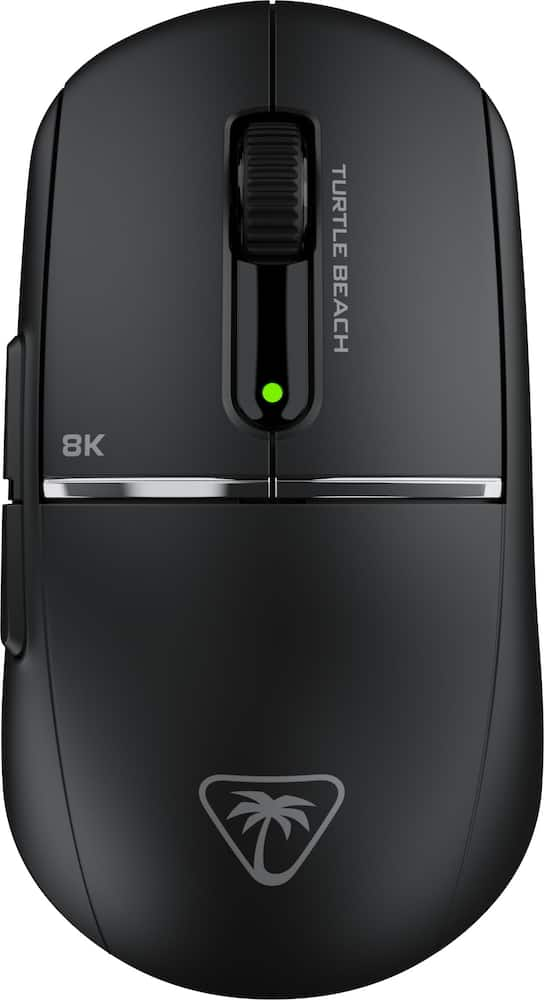
Turtle Beach – Burst II Pro High-Performance Ultra-Lightweight Wireless Optical Esports Gaming Mouse – Wireless – Black
SKU: 6640837
$11199
Was $139.99 Save $28.00
Other options in this range
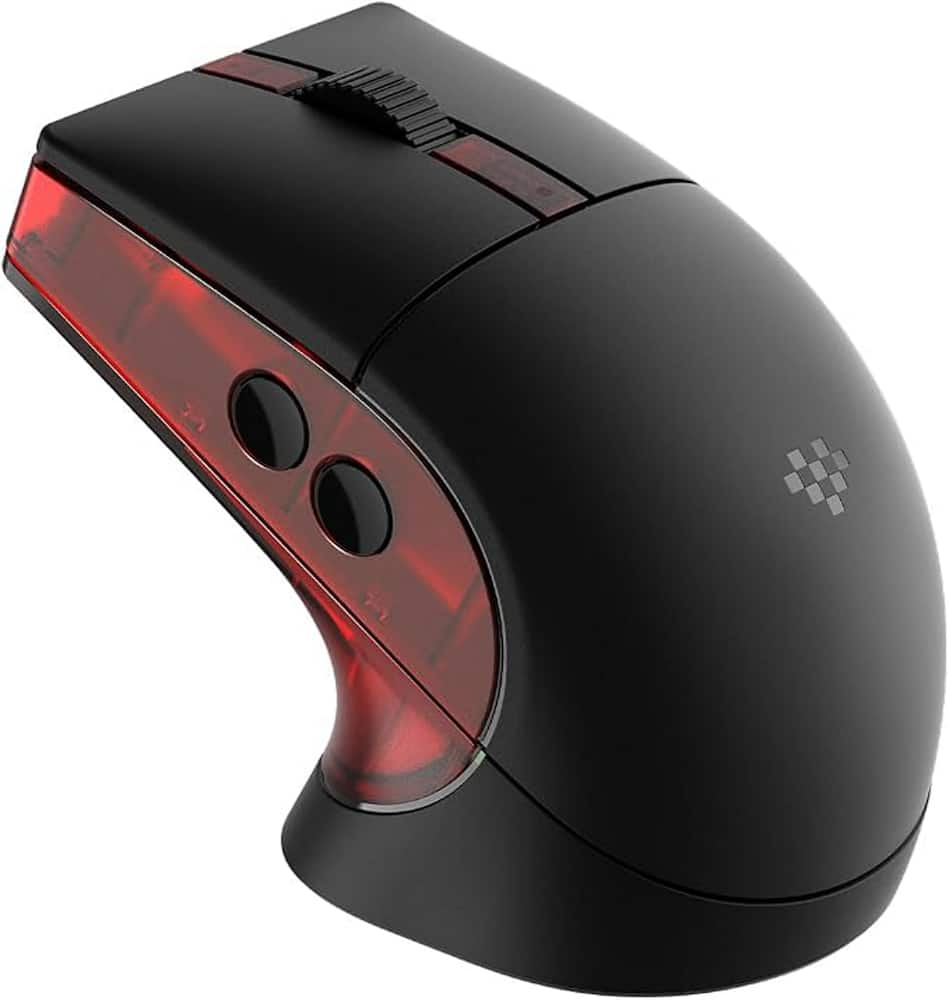 8BitDo - Retro R8 Optical Gaming Mouse for PC - Wireless - Gears of War E-Day Edition Original price was: $59.99.$47.99Current price is: $47.99.
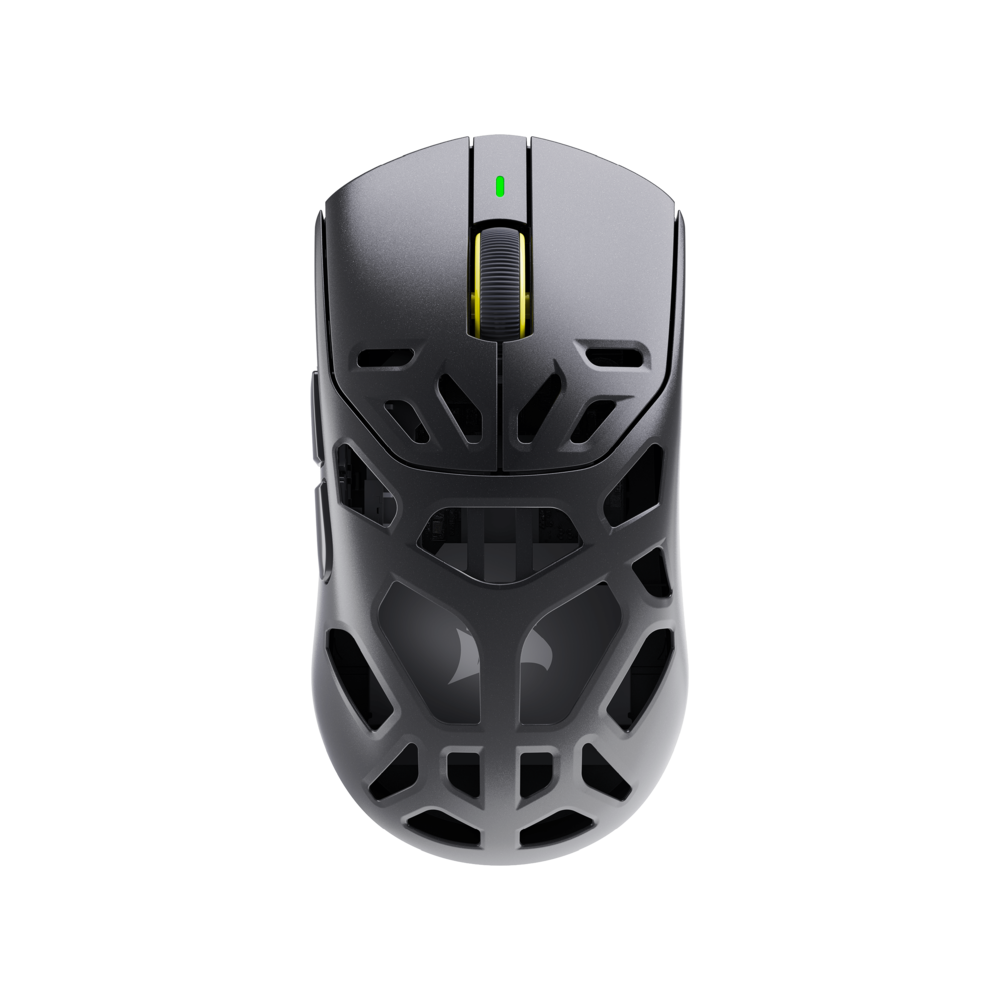 CORSAIR - SABRE v3 PRO PureVector MG Gaming Mouse with Personalized Directional Sensitivity - Wireless - Black Original price was: $199.99.$159.99Current price is: $159.99.
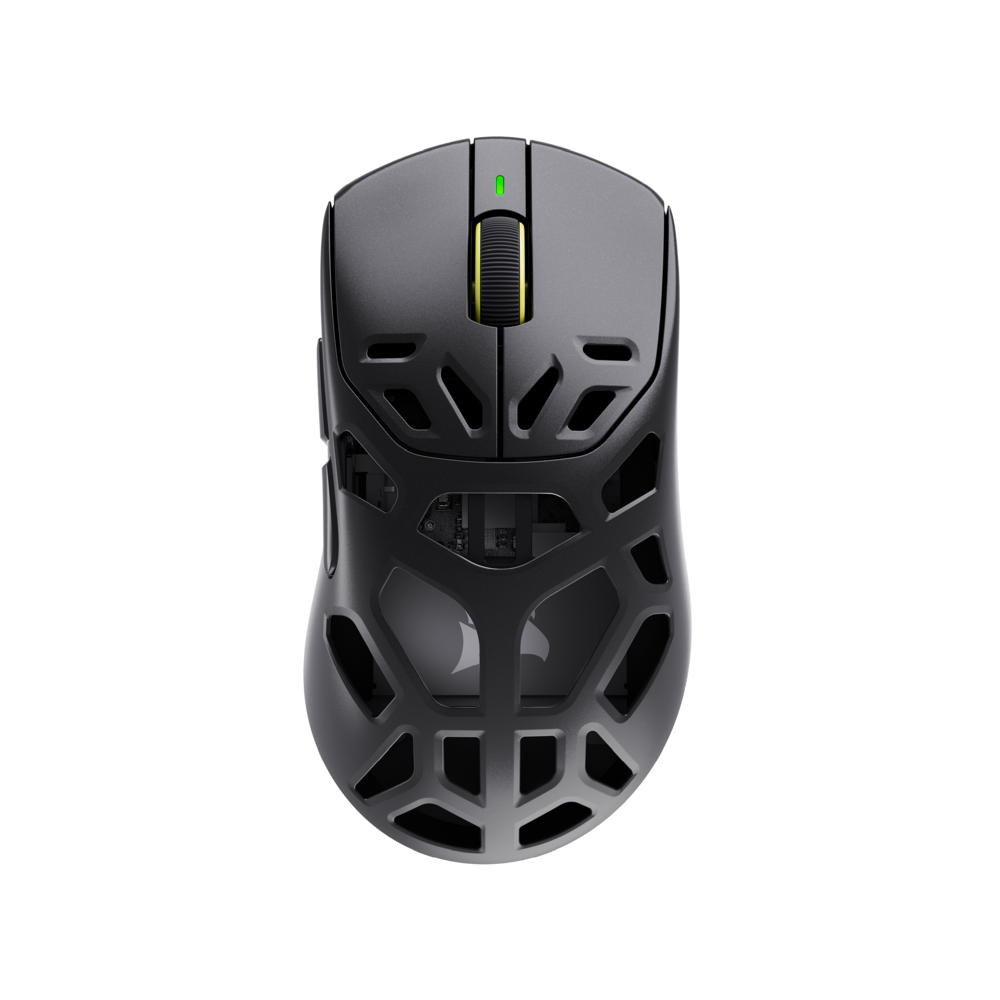 CORSAIR - SABRE v3 PRO PureVector MG ERGO Gaming Mouse with Personalized Directional Sensitivity - Wireless - Black Original price was: $199.99.$159.99Current price is: $159.99.
Overview
- TRUE 8K WIRELESS PERFORMANCE
Play with esports-level responsiveness, and ultra-fast tracking with a true 8 kHz wireless polling rate and 0.125ms latency. - OWL-EYE 30K SENSOR
Smooth and precise tracking with upgraded 30K DPI sensor, 750 IPS tracking speed, and 70g acceleration—optimized for precision on all surfaces including glass. - TITAN OPTICAL SWITCHES
Fast and durable switches with optical actuation, 100 million click life cycle, and pre-tensioning provide responsive, tactile feedback. - EXTENDED BATTERY LIFE
Get up to 40 hours of battery life at max 8K wireless polling, 150 hours at 1K, or 165 hours in Bluetooth mode. - SYMMETRICAL ULTRA LIGHTWEIGHT DESIGN
Solid top shell and ergonomic symmetrical shape at just 57g, perfect for medium-sized hands and claw grip styles. - CUSTOMIZABLE SKATES & GRIPS
Personalize your feel with low friction pure full-size PTFE, 8 dot dome PTFE and 8 dot UHMW-PE durable skates for glass mouse pads, plus grip tape for enhanced control. - ON-MOUSE DPI CONTROLS
Side-positioned DPI button allows quick sensitivity changes without needing to leave the game. - MOUSE ANGLE TUNING & INPUT CUSTOMIZATION
Eight programmable mouse inputs plus customizable mouse angle tuning for enhanced swiping precision. - PHANTOMFLEX 8K USB-C CABLE
A lightweight, shielded cable connects to the USB adapter, positioning the wireless transmitter near your mouse for peak 8 kHz and charge-while-you-play performance. - NVIDIA REFLEX COMPATIBLE
Unleash your Burst II Pro with NVIDIA Reflex. Powered by GeForce RTX GPUs and NVIDIA G-SYNC monitors, it delivers sub-25ms response times.
Compare similar
Specifications
Capacity & configuration
- Mouse Type
- Gaming
- Lighting Type
- None
- Connection Type
- Wireless
Dimensions & weight
- Product Name
- Burst II Pro High-Performance Ultra-Lightweight Wireless Optical Esports Gaming Mouse
- Adjustable Weight
- No
- Product Height
- 1.55 inches
- Product Length
- 4.81 inches
- Product Width
- 2.65 inches
- Product Weight
- 0.13 grams
Features
- Brand
- Turtle Beach
- Color
- Black
- Mouse Operation
- Scroll wheel
- Mouse Grip Style
- Claw grip
- Handedness
- Right-handed
- Tracking Method
- Optical
- Maximum Sensitivity
- 30000 dots per inch
- Minimum Sensitivity
- 50 dots per inch
- Number of Buttons (Total)
- 8
- Number of Thumb Buttons
- 3
- Number of Programmable Buttons
- 15
- Designed for Game Genre
- FPS
- Wireless Connectivity
- Radio Frequency (RF - 2.4 Ghz/Low Latency)
- Maximum Wireless Range
- 32.81 feet
- Operating System Compatibility
- Windows
- Plug and Play Operation
- Yes
- On/Off Switch
- Yes
- Rechargeable Battery (Mouse)
- Yes
- Wireless Charging
- No
- Charging Interface(s)
- USB-C
- Battery Chemistry
- Lithium-polymer
- System Requirements
- Windows® 10 and above
- League/Association
- Not Applicable
- UPC
- 840454401240
Power & warranty
- Model Number
- TBM-2102-05
- Mouse Power Source
- Battery-powered
- Warranty - Parts
- 1 year
- Warranty - Labor
- 1 year
Warranty & protection
Included manufacturer warranty
See manufacturer documentation.
Register your product with the manufacturer within 30 days of delivery.
Warranty service
Manufacturer warranty claims are handled by the manufacturer. We are happy to help you find the right contact: (888) 419-6820.
Customer reviews
Write a reviewGreat quality and price - I was hesitant to buy the product with open package because i really thought it would have something missing even though the description said everything would be in it but to my surprised it really included everything. The mouse fees great, it felt weird at first because i was use to more heavy mouses but now it feels normal and even better than my last one. It has a bunch of settings gerat if you want to tweak your gameplay experience. Would 100% recommend and even more if you can get it with open box because its the mouse with all the things its supposed to have at a lower price.
Perfect for customization. - Super lightweight, battery life is amazing, very user friendly, and love how you can customize the buttons!
Super Ultra-Lightweight Gaming Mouse - The Turtle Beach Burst II Pro mouse is extremely light weight and very comfortable. I am used to using a very weighted gaming mouse, so this was quite a huge change for me. The Burst II Pro was super easy to set up, and was pretty much plug and play right out of the box. The Burst II Pro is extremely responsive. You can use it wired, wireless or with Bluetooth, and the battery has a super long life too. I appreciated all of the additional skate pads so you can customize how smooth an experience you want. And I am a big fan of the grip tape for this mouse, because sometimes when you're sweating it out in game the mouse can get slippery but it's not a problem because I know I'll have a firm grip on the mouse now. The only thing that I would have liked to see on this mouse is option to switch the mouse wheel between its resistive scroll and a free scrolling wheel. Overall I am very happy with this Turtle Beach gaming mouse and would definitely recommend it to anyone that wants a super lightweight gaming mouse for whatever FPS or game you're playing.
Lightweight mouse with multiple options to connect - Been using the mouse now for a bit, and overall its decent but personally I like a little bigger and heavy mouse. This mouse is very lightweight, and if that’s what you like, it’s a great choice, so this part is more of a personal preference. From a function standpoint it works like any gaming mouse I’ve used, and the software lets you change the DPI easily to what settings you like (which if you’ve not had a gaming mouse, its nice, can change how fast the mouse moves on the screen for the game you’re playing). You can also use the mouse when its plugged in directly, connect it to Bluetooth, or using the dongle. I would say the one weird part is that there isn’t really a spot for the dongle, and it comes with a converter that doesn’t fit anywhere, I’d like to see a spot to hold the dongle. From my usage, I didn’t see a difference between any of the connection options. Overall it’s a decent gaming mouse, but kind of light for my preference, but it’s a good office mouse especially if you go from a dock using the dongle, and to Bluetooth when you move your computer. The software is also pretty straightforward and doesn’t add a bunch of unnecessary features.
Ultra-light gaming mouse with true precision. - This Turtle Beach Burst II Pro Wireless Gaming Mouse is an ultra-lightweight mouse weighing only 2.01 ounces or 57 grams. I am liking the lightweight nature of this mouse a lot. It is my first time using a mouse that is so lightweight. In the box is the Turtle Beach Burst II Pro Wireless Gaming Mouse, Wireless USB-A adapter, USB-A to USB-C transmitter adapter, charging cable, extra skits & grip tape, and the Quick Start Guide. Setup is a simple plug-and-play, but you can download the software, which is Swarm II, to enhance your gaming mouse by allowing you to program buttons, angle tuning, along with enhanced swiping precision. You can also customize your RGB, create macros, update the software, and check battery life, as well. Battery life is awesome. You can get almost 150 hours of battery life at 1k but can still get 40 hours at 8k! In Bluetooth mode, you can get 165 hours. I tested the battery life on all the above; the 40 hours at 8k made it to 40.3 hours. In 1k, I got up to 148.6 hours. In Bluetooth mode, I got 165.4 hours. So, they were spot-on. Design - I have small hands according to gloves; not sure what else to compare hand size to, but yes, I will use gloves as a size comparison. So, this mouse is ultra-lightweight, and it is also ergonomically designed. It feels good in my hand. It is not too big and bulky; it is not too hard to click the side buttons; it is not too weird to handle it to play a fast-moving game. You can customize the mouse with the included skates and grips. It feels like Turtle Beach made this Burst II Pro mouse just for me, and when I click any of the the mouse buttons, it feels like the mouse is an extension of myself. Compatibility – The TurtleBeachBurst Pro II Wireless Gaming Mouse is compatible with Windows 10 and above, with software support, USB 2.0 or higher, and NVIDIA Reflex. Special features of this mouse include the following: • Owl-eye 30k DPI sensor • DPI can be changed on the mouse without having to go into the Swarm II software or leaving your game • Titan Optical switches • True 8k wireless • Extended battery life • Customization with the grip tape, feet, and skits. Summary: I replaced the gaming mouse I previously used with this one and will continue to use this one. It is a great mouse, and I highly recommend it to gamers, especially esports gamers, which is what Turtle Beach was aiming for with this mouse.
SUPER lightweight,takes a clickin and keeps tickin - This is my 2nd Turtle Beach Burst II Pro mouse, I also own the Turtle Beach - Burst II Air Ultra Lightweight with Bluetooth & 120-hour battery. The Burst II model I’m reviewing today is the High Performance Lightweight Wireless Esports mouse 2.4 GHz, with Owl Eye 30K optical glass surface compatible. You really have to hold one of these in your hands to believe how lightweight and awesome they are. For as lightweight as they are, they feel solid. With the 100 million click titan optical switch, they can take a clickin…and keep on tickin. My Burst II came in at exactly 58.6 grams, or 2.07 oz. ( for reference, a normal chicken breast weights roughly 4 oz. Here’s what yah get with the mouse: 8K wireless USB-A Transmitter 8K USB-A to USB-C Transmitter Adapter Grip tape+extra 1 full size PTFE+8 PTFE + 8 cUHMW-PE Skates 1 very nice extremely flexible fabric exterior charging cable with rubber cord management This little beast has MIN/MAX DPI : 50/ 30,000, IPS tracking speed of 750, USB report rate of 8,000 Hz, and acceleration: 70g. The battery life is roughly 150 H of game time. For reference, I’ve had my Burst II ultra-lightweight with 120 H of game time, for about 1 ½ years now. I’ve charged it twice so far lol. Mind you, I don’t play my pc every day, nor do I use the mouse everyday. If you plan to use this daily, and or for work, I’m sure you’ll be charging it more than that. I’m definitely not a hardcore daily pc gamer. This mouse is responsive and feels like nothing in your hand during use. Hasn’t failed me yet in a game, or otherwise. Seamless set up and no connectivity issues with the wireless and Bluetooth .This latest Burst II will hold it’s own against any other similar mouse. The MAIN question ton ask yourself is, how lightweight can you tolerate. One of my son’s bought their own and ended up returning it because he didn’t like how light it is. Me myself and I, I love the weight, the less the merrier. If you’re not sure, google some items that weigh approximately 2 oz and practice moving them around in your hands. That’s really the only thing, if you are one of those consumers that mainly focuses on the performance, you can’t go wrong here. The only hang up for me is the location of the dpi button on the left side of the mouse. IMO it’s way too low and in an inconvenient spot. Should be moved up more Can’t go wrong unless you want a big ole heavy mouse. Highly recommend!
Goldilocks balance ultra-light + control/stability - This is the first sub-60 gram gaming mouse I’ve actually KEPT. I’ve used an ultra-lightweight that clocked in at just around 48 grams…but it was SO lightweight it felt like I was always “mousing out of control” with little to no stability under my hand. The Turtle Beach Burst II Pro comes in at roughly 57 grams and provides, at least, to my larger hands (I wear an XL/2XL glove), what feels like the perfect balance of reassuring solidity, accurate mouse control, while still providing that otherworldly sense of a barely-there, super-low-effort, super-fast-flick mouse. If you are serious about your gaming experience and want to shave every possible nano-second off your mousing reaction time, the Burst II Pro is a fantastic, if understated, esports-grade mouse that should be near the top of your “to-buy” list. Physically, the Burst II Pro trades in virtually all flash for the sake of weight reduction. There is no flashy RGB, and all branding is printed in barely contrasting grey over the shell’s matte black finish. The plastic surface texture is slightly grippy rather than glassy smooth; this contributes to the mouse’s superior feeling of control and stability despite its lightweight build. The click/scroll wheel is deeply knurled but is not surrounded by a silicone or rubberized bumper. Wheel action/scrolling is reassuringly solid…you can easily feel each individual detent and click of the scroll wheel. Note that the click-wheel is not free-spinning. There is a single LED indicator between the left and right mouse buttons, but it hardly ever indicates anything—don’t count on bright or flashy RGB to help you find it in the dark. The LED will pulse red, orange and green while charging, and it will show solid green when fully charged. The mouse’s corresponding battery level appears for only for 2 seconds during power-up or waking from sleep. A single silver strip runs across the bottom of the left and right mouse buttons and provides for a clean and very professional look—this mouse would be JUST at home in an office as it would at your battlestation. There are only two primary buttons outside of the left click, right click, and wheel-click, so if you’re looking for a mouse to carry a litany of shortcuts and macro buttons, you should look elsewhere. The mouse is ambidextrous, but the two side buttons are positioned solely for right-handed use…an option to switch the buttons to the other side would be helpful to the lefties in the room (though I imagine the extra circuitry and mounting points would also add to the overall weight). Helpfully, the DPI cycle switch is WAY up front and easily out of reach of all but the most spindly and extended of thumbs; I cannot imagine anyone accidentally tapping it and changing optical resolution mid-play. The front USB-C port is deeply recessed providing ample cable strain relief when used in wired mode, though you might have to be careful about picking replacement cables as the opening is rounded and may not accommodate just any USB-C cable lying around. The included cable is covered in a woven fabric for what Turtle Beach calls “PlugPhantom flex”…whatever. It’s a very flexible cable that exhibits just a HINT of memory, but it will certainly move your mouse if you are bending or pushing the cable around. The capable 8K receiver is a little modular number that includes a small USB-A dongle, and a larger USB-C female to USB-A female coupler (helpfully backed with adhesive if you want to secure it somewhere nearby without having loose cable flopping away). This gives you the option of using the same cable to operate the mouse in wired mode and then connect it to the coupler to keep the dongle in close range, even if your PC is tucked away behind a desk. The package is rounded out with three different sets of feet/glide replacements: 2 large PTFE (less friction) glides, 8 PTFE skate dots, and 8 UHMW-PE (more durable) dots, and some pre-cut grip tape. If you have something like OCD-level customization needs, I think Turtle Beach has you covered! This is a modestly/medium-sized mouse; under my larger meat hooks, and given that I use a palm grip, nearly half of my palm rests fully off the rear of the mouse. However, this actually allowed me to make faster impulse movements because there was simply less plastic shell in contact with my hand and fingers. The top hump is fairly shallow so it should work very well for claw-grip gamers as well. The bottom of the shell features two HUGE cutouts for weight reduction, PTFE glides, power/BT/wireless switch, another cutout for the wireless dongle when you need to take the mouse on the road, and the eye for the beefy 30K DPI Owl optical sensor. Overall, I found the Burst II Pro to be *exceptionally* comfortable, and its ultra-lightweight design definitely helped reduce strain and fatigue from repetitive use during my workdays. The battery capacity, especially at saner DPI and polling rate settings, was phenomenal—a 9-hour workday only drained about 9-10%; I have not had to recharge in more than a week of steady work and gaming. In use, this is not a quiet mouse. The switches are not intrusively loud, but they are clearly audible. The 30K optical sensor offers probably more precision than you’ll need unless you’re a professional or serious esports gamer, but the performance I experienced at 6K DPI was simply superb. There are 5 different DPI levels you can store in each of 5 separate profiles you can save on the mouse itself. Each DPI setting can be programmed with a different color that, like the battery indicator, only lights up the central LED for 2 seconds. You have to remember which color corresponds to which DPI setting, but it IS at least a visual indicator for cycling through the various DPI settings available in the current profile. The 8K polling rate receiver (8K is currently the highest polling rate available on the market) offers ultra-low 0.125ms latency, but the benefits of running a polling rate this high will be most noticeable if you also have a high refresh rate monitor. I am not a competitive gamer, so I’ve never needed to run a mouse much higher than 6K DPI at a 1-2K polling rate. Altogether, the “mousing experience,” even at my somewhat more modest settings, was just sublime—instant action, crazy-accurate movements; I don’t know that I’ll ever bother going much higher, but the overhead that is left on the table here is insane! Until 16K polling is a thing, the Burst II Pro is the fastest wireless mouse you can get right now. Is 30K DPI going to be enough? I believe the highest DPI sensor is currently about 45K--I can’t imagine what in the world you would be playing that would require THAT much mouse resolution, but I suppose as 8K and higher gaming on large format or ultra-super-maxi-high-definition monitors goes mainstream, this mouse will grow into the need it’s currently a little ahead of the curve to fulfill. Finally, using Turtle Beach’s Swarm II client opens even more options and settings for those of you who need micrometer-level customization. The client provides for firmware updates (both my mouse and dongle needed an update straight out of the box), driver checks, battery status settings, standby delay, and of course polling rate and DPI settings. Advanced settings included mouse button macro and function assignments, sliders and adjustments for debounce time (click detection speed vs. reducing false-positive clicks), angle snapping (artificial mouse path smoothing and straightening), and lift-off distance (to help correct tracking errors). But there were two settings I was not familiar with. One was “Motion Sync”—supposedly it enhances responsiveness by exactly syncing the sensor’s signal delivery to match the receiver’s polling rate. I personally didn’t notice any appreciable difference with this feature on or off, but I’m certain someone out there is sensitive enough to discern an effect one way or another. The other feature sounded intriguing: “Angle Tune”—a means of improving the precision of perfectly horizontal movements by compensating for a person’s natural tendency to make slightly angled mouse swipes (due to contrast between precise horizontal motion and the radial motion of the arm at the elbow). The calibration routine had me track horizontally between alternating targets on the outer edges of the screen; it was harder than I expected on my ultrawide monitor. Unfortunately, my recommended setting ended up being an offset of 0 degrees, so I can’t attest to the effectiveness of this particular feature. However, I imagine there’s a market for it out there somewhere. Despite the features and functionality in the Swarm II client, technical performance of the client itself was spotty. Swarm II was constantly reporting disconnects with the mouse when used in wireless mode (and no, it wasn’t due to the absurdly short default standby time because that was one of the first things I changed). These disconnects usually occurred right before I was about to adjust another option or setting. I tried the old uninstall/reinstall trick and used 3 different computers—all yielded the same frustrating results. On my main PC, I typically had to double-click the program’s shortcut two to three times before it finally remained open on my desktop. This breakdown in the user experience of the client was most unfortunate because it diminished what was otherwise an incredibly compelling and comfortable experience using the mouse itself. But once I had the settings dialed in to what I wanted and saved down to one of the profile slots on the mouse, I didn’t need to open the client anymore—so I figured a little short-lived inconvenience was a reasonable tradeoff for such a fantastic-feeling/performing ultra-lightweight mouse. Definitely recommended even with these few hiccups in the companion app.
Decent Mouse; Feels a Little Flimsy - It is not a bad mouse. It certainly gets the job done. Let's start with the basics. This mouse is light; its sensitivity is adjustable to 30,000 dots per inch (DPI); and it is wireless. It feels nice to hold when you first put your hand on it. The scroll wheel is quite satisfying compared to other mice I have used. Why did I take off two stars? I'm not sure if this is standard with mice, but the mouse just feels cheaply made for the price. It seems to be made out of plastic, and the bottom part flexes so much when I push on it that it's almost like I can break it with one finger. Other than that, I like how the mouse has both 2.4 GHz and Bluetooth options. This allows me to use it with my laptop and PC at the same time, meaning I don't need two separate mice. I can use the same mouse for both if I want. Overall, this is a decent mouse, but for the price, I believe it is a little cheaply made. For someone who just wants a mouse that gets the job done and feels "nice," this is a great mouse.
Keeping their eye on the prize - I've been using Turtle Beach keyboards and mice since they were Roccat. Lots of style, top performance and at a reasonable price. The new Burst II Pro keeps the tradition going strong. I actually replaced my Kone with the Burst so I'm sold on the brand. This mouse is super lightweight with crazy fast 8K polling and low latency creating a high performing interface not to mention the optical programmable switches for customizing your game play. I love that the DPI selector switch is on the side and not on the bottom like some mice. This makes it easy to adjust on the fly so you can have quick movements and toggle quickly for a easy bead on your opponent. Connectivity is by either the 2.4Ghz with the included dongle/cable/USB adapter, or play while charging when connected by the braided USB cable or via Bluetooth. The Swarm II software is there to let you build different profiles. I've got one for flight sims, another for FPS games, another for banging out spreadsheets and computer aided drafting drawings. All have different levels of procession, button assignments and switch sensitivity settings. Fine tuning is the Burst II Pro with Swarm II gets you even more flexibility, some that I haven't figured out yet but cool to have once I have it mastered. Stuff like angle snapping, debounce timing, lift-off distance and as I mentioned before polling rate and DPI. They boast a battery life of 40 hours, but who would use it for 40 hours straight... just kidding, but it's good to know you can use the mouse for a long time between charges, better than your average Tesla. In the box you get the Burst II Pro, 2.4GHz dongle, USB-C to USB-A adapter, the USB-C cable and skates to help the Burst glide and self-adhesive grips you can apply if you wish. Turtle Beach continues to invest into keeping the spirit of Roccat alive with the newest hardware. Their keyboards, mice and headsets all are great and very affordable.
Solid Light Weight Mouse! - The Burst II Pro is amazingly light, with easy-to-use software (which cannot be stressed enough). It comes with grip pads that can be added to the mouse itself for extra grip when playing, which I utilized. Weighing 37g, you immediately notice the weight (or lack thereof) when you pick it up. It has a nice matte finish and feels great ergonomically in the hand. It comes with extra pads for the bottom, an extension cable for the 2.4gz dongle, and the already mentioned grip pads, which are easy to put on. Battery life was great but also depends on your polling rate (which can go up to 8k). Swarm II, which is the software utilized by the mouse, was extremely easy to use. There was an update for the dongle and mouse when I first launched it, and overall, the process was smooth and easy. I found the buttons nice to use and the feedback felt was just right for me. I hate overly clicky mice and this was not one of them. Overall, I cannot complain about this mouse and can see why it has climbed up the ranks for e-sports mice. It’s extremely light, which all but removes fatigue in the arm that you see with heavier mice. The software is easy to use as well! A+ from Turtle Beach
Comfortable Advantage - The Turtle Beach Burst II Pro is one of the best rare gaming mice that I have had the privilege to test out. The unit delivers uncomplicated competitive performance and is feather lightweight, which allows for extended gameplay without wrist fatigue. Out of the box, there is a lot going on. The unit comes with a ton of extras that generally are not included by competitors at the same price point. My favorite inclusion was the grip tape, which provides a textured surface. I am a larger guy but my only complaint ever about lightweight mice, is that fact that my hands swallow them. This mouse is made for a medium sized hand, and the grip tape gives me something to hold onto while gaming or just scrolling. The mouse is exceptionally light but feels very well made from durable plastics. Turtle Beach also included plenty of extra skates for extended customization. The meat in the taco for this device comes from its seamless and stupid responsive connectivity. I also worry about a wireless mouse having a longer response time. However, that is not the game here. Turtle Beach’s latency at the true 8kHz wireless polling rate is among the most responsive I have ever used. I am a novice gamer, but the clicks, scrolls, and slight movements are as good, if not better than most wired mice. Combine that with an excellent battery life, and you are off to win those proverbial races all night long (or days) without interruptions. My final verdict is that this is a standout unit that rivals any mouse in any competitive tier. It is one of the lightest, most precise, and coolest looking mice I have or have played with. The mouse offers prolonged battery life, with state of the art responsiveness for seamless & fatigue-free gameplay. If you are looking to upgrade your advantage, this mouse is worth considering.
A True Pro Gaming Mouse - THIS… Is the Turtle Beach Burst II Pro, a lightweight medium form factor mouse packed with features and Turtle Beaches new Owl-Eye sensor. With 8k polling, 150 hour battery life while only weighing 57 grams… lets take a look at what Turtle Beach has cooked up! Out of the box, this mouse is sleek! Turtle Beach has a history of making things over the top and at times plain gamer gaudy… but they have really executed well on not only the form factor but the sleek black aesthetic. Speaking of form factor, this mouse is your typical medium size gaming mouse similar to what you would expect from a lightweight high end mouse. I use a claw grip and have had zero issues with comfort, wrist strain or performance. The layout follows your typical two button design that default to DPI shifts and a scroll wheel that is unadjustable. One of my favorite features is the physical switch on the bottom that slides between off, 2.4hgz mode and bluetooth - allowing me to easily turn this mouse on and off when I am done to preserve battery life. The mouse supports 8k Polling using their sleek dongle, which I actually… really like. It is small enough to hide and blend in while also having a pad on the bottom to prevent it from slipping away. It doesn’t seem to need to be too close to the mouse either to efficiently support 8k play, with my dongle being well over 12” away from my mouse when gaming with no noticeable issues. This mouse also supports Nvidia reflex which is software to reduce input lag, though I didn’t notice much of a difference… undoubtedly a skill issue on my end as I am slowing down on my ability with my age. The mouse comes with several options to custom tailor this mouse to your setup: PTFE skates, 8 dot domes for glass mouse pads and grip tape to enhance your feel while complimenting your aesthetic. I love the grip tape included as well, I truly feel like it enhances the feel without adding weight or causing your hand to sweat. Turtle Beach does require actual software to adjust the settings of this mouse, and while I really prefer a browser based system, the Swarm II software is really well done and can incorporate all of your Turtle Beach Products. Swarm 2 allows you to adjust what you would expect (dpi, polling rate and button mapping), while also including some nice touches such as being able to adjust your lift off distance, angle tune/snapping and a few other features. If you are going to force me to download software, then it should be GOOD software. This is truly GOOD software from someone who hates extra bloat. Overall, I think that on sale or even MSRP, this mouse is actually really well done. It has all the features that you would want from a high end gaming mouse without sacrificing on weight or size. I am always a bit skeptical when it comes to turtle beach products as they can be hit or miss, but I am really excited with just how well done the Burst II Pro has been executed. Yes it isn’t necessarily the lightest weight, but it makes up for that in a comfortable form factor and a redeeming feature profile. That being said, at 57 grams is still competitively light, and weight was never a factor or detractor when I was gaming, studying or any other endeavor. Until next time :)
Lightweight - Burst II - If you’re looking for a lightweight wireless mouse look no further. The turtle Beach burst II is quick, nimble and customizable. The burst was placed in premium packaging from the box to the mouse was stored. Everything was of quality and easy to open. The mouse includes a USB-C to USB-a cable that is braided, and it also comes with additional style pads for the bottom of your mouse for a different feel if needed. Installation was simple. I first charged the mouse with the included cable, but then I connected it to my laptop via Bluetooth. This mouse also comes with a USB stick in case you would want to use the mouse in that wireless format. The mouse feels so lightweight I actually second-guess that it was even wireless. It doesn’t even feel like there’s a battery inside. It actually feels like it’s Hollow inside and the bottom of the mouse has spacing so they remove extra plastic that’s not needed so it’s open spacing pretty cool the first time I’ve ever seen this. You wouldn’t think having a lightweight mouse would do anything, but I think it totally. Does. It feel feels like air in my hand. My favorite feature is being able to adjust the DPI right at the point of my fingertip, the button is also placed in a spot that you’re not gonna easily hit it. It is towards the top left side of the mouse. When I need to change it. All I do is use my pointer finger and I click the button. My preference for changing DPI is catered to me. I like to use a faster mouse maybe for certain games doing normal work. I’ll probably do a medium speed and depending on what I’m working on my laptop if I’m working with photo editor or some type of drawing program I will use a lower DPI for a slower speed, so I have total control of the pointer. My biggest question is how long will the battery last because it is so lightweight I’m not sure how the battery set up. What is nice though is that you can use this mouse while plugged into the USB cable that’s not for all mouses but you can certainly use it here. You can leave it plugged in at all times if you prefer, I prefer charging and keeping my mouse wireless because as I do things on my desk, I actually will move the mouse with me depending on what I’m clicking on when I’m working on and when you’re doing things for gaming, it’s it’s kind of nice to be free. I recommend this mouse to anybody who’s looking for a quality mouse who needs some features in customer ability, but needs and prefers ease of use and honestly not something. That’s totally crazy with lights or extra gaming features.
Excellent gaming mouse - The Turtle Beach Burst II Pro High-Performance Ultra-Lightweight Wireless Optical Esports Gaming Mouse is a fantastic addition for me. I am not an elite gamer - but I do enjoy doing it! This mouse is amazingly lightweight at 57 grams. Sometimes I feel like it's too light, but with use, I am learning to control it much better. It is also smaller than others I have used - and I love the size. I do have smaller hands, and this fits me quite well. This has a 30K sensor which is very accurate. I know I shouldn't, but sometimes I find myself using the arm of my leather sofa for my mouse pad and with this mouse, it works quite well! Turtle Beach claims 99.8% resolution accuracy on all surfaces - and I can vouch for the arm of a leather sofa.: ) Getting this setup was relatively quick and easy. You are able to choose whether you would like to connect via bluetooth, the dongle or via the transmitter. I have connected to all of them to decide which is best for me, but personally, I saw no difference, so I'm sticking to the transmitter - which also allows me to access the settings in the Turtle Beach Swarm 2 software app. For more detailed information on the mouse, be sure to access the QR code included in the Quick Start guide provided with the mouse. After connecting, you are good to game. To fine tune the mouse settings, be sure to download and install the Turtle Beach Swarm 2 software app to access a myriad of settings including DPI (up to 30K) LOD, polling rate (up to 8000Hz), change button assignments and many others. I have to admit when I first opened the app, I thought it was very limited and basically only gave me the option to update the transmitter and app drivers. Soon enough I realized I just needed to click on the area of the screen displaying my mouse and a slew of new options popped up. You are able to change settings either via the app or manually on the mouse by accessing the configuration mode. There is also a conveniently located DPI change button on the mouse itself to make changes on the fly. This mouse does not feel flimsy to me at all even with its lightweight body. I have not had my normal issue of accidentally double clicking and that is important. This feels like it will last a good amount of time. They have provided a great battery - fully charged, Turtle Beach claims you will get up to 150 hours at 1K polling or up to 40 hours at 8K or 165 hours if using bluetooth. That is impressive. They have also provided some useful things with this including 3 sets of skates - 1 full size and 2 sets of dot skates, and awesome grip tape. Overall, this Turtle Beach Burst II Pro High-Performance Ultra-Lightweight Wireless Optical Esports Gaming Mouse is an excellent performer. It has everything I need to play my adventure games and I really like that they left off the RGB coloring. I just find that to be a distraction. I am able to use this mouse for gaming as well as for my non-gaming life with equal ease. The spec's are outstanding, more than I will probably ever use, but for a true gamer - I feel like this would be an outstanding addition to their gaming arsenal. I would highly recommend this to anyone looking for a gaming mouse.
Pro mouse - This gaming mouse is very responsive and accurate 8k polling rate
All Around Excellent.. - The Turtle Beach - Burst II Pro High-Performance Ultra-Light is an all-around, excellent performer & big step-up from my previous Roccat Burst. Front end disclaimer: This Ultra-Light is super light, and my review is geared towards those wanting what it offers. There are no weights to be added and anyone looking for something more mid-line weight distributed or "light" of center - should absolutely look elsewhere. This thing is a feather... no question about it & no BS! Upon unboxing the Turtle Beach - Burst II Pro, I was struck by the amount of customization offered by TB. There are two different sets of "dot" skates and a 2nd set of more traditional & actually, larger surfaced area skates - in the box. Seems to me that TB did some serious market research in what people have asked for and TB is giving choices right in the box~! Even more exciting was the inclusion of textured grip appliques, which I find more than just satisfying to the touch. They completely transform this mouse. At first, I was like "What? Grip stickers?" And certainly, time will tell how well these hold up to peeling & looking worn. But at this early juncture - I'm sold! These grips elevate both the feel & performance of the mouse. Fingers crossed that they show serious gamer reliability & longevity. In terms of setting up/configuring the Burst II Pro, I'm happy to report that TB completely revamped the look, layout & "feel" of the Swarm control software. Compared to the Swarm I - this utility hits all the right notes, gives the user everything they would need and esthetically - it's really, really good. From total performance controls; to checking the battery status; to updating both the xmitter & mouse firmware - everything is here and scaled perfectly ... vs. what Swarm I does (on an eye chart). Really happy this attention to detail was engineered into this critical piece of software. Seriously! I've not tried all the various skate options because I find the default ones to be excellent; nor have I verified the TB claims of 150 hours of battery life while using 1kHz polling... But what I can say is that I've gotten a lot of use out of the mouse for regular day-to-day productivity & work, some gaming and the battery level only dropped around 40%. This is letting the mouse sleep alongside my laptop, without actually sliding the Off switch. I suspect a lot of or mostly gaming with this mouse will fall quite short of anything TB publishes in the specs and they do state that running polling @ 8k will cut the battery life down to 40 hours -- so do the math. That said, it charges fast and I'm not concerned about it as long as any wireless mouse gets me through a full day of gaming & life. In summary, this is truly a High-Performance Ultra-Light and rivals the feel & performance of my honeycombed, Steel Series jobber -- but performs much better and has leaps-and-bounds better software. Give it a try! Pros: Truly Ultra-Light Excellent build quality Equally excellent software Solid battery life Handles gaming & productivity very well Customizable skates & texture skins, to one's particular preference(s) What more could someone possibly want in a Performance Ultra-Light? Cons: Not truly a con but I found the default, smooth surfaces of the entire mouse to be just that - too smooth. The textured appliques are absolutely life changing!
Wow, super light/great mouse with lots to offer! - Unboxing this mouse I was so surprised with how light it feels and was even more amazed with trying out the features that it offers. First thing is the overall feel, it's light and the buttons work great, they have a click that you can feel and it moves very accurately. There are options like the 8k polling with really low latency which when compared with a high refresh rate monitor like I have at 240hz and Nvidia Reflex, wow, you can really notice a difference in terms of the movement and accuracy of that movement on not only the gaming mouse pad but most surfaces. I was actually quite impressed with that actually working so well. I like that you can use the same cable for the transmitter and to charge it when you're not using it wirelessly, it just works seamless. It also has bluetooth so if you're on the go with your gaming laptop and want to use it while leave the cable/transmitter behind you can. It does come with some extras, in addition to the high quality USB-C cable and transmitter, it comes with grip tape and PTFE pads for the bottom so you can change it out to a different style. This mouse is great, don't let it's simple look fool you. There's a lot of features it has to offer and I have really loved how well it works/feels so far!
Great for gaming and casual use! - I got the Turtle Beach Burst II Pro wireless gaming mouse for my son, who’s a pretty serious gamer, and he absolutely loves it. Right out of the box it feels super lightweight but still sturdy, and he commented immediately on how smooth and accurate the tracking is. He said the clicks feel fast and responsive without that hollow, cheap sound some mice have. The wireless connection has been solid so far—no lag or random disconnects—and he really likes how long the battery lasts. He’s been using it for long gaming sessions and hasn’t had to recharge nearly as often as with his old mouse. The shape is also really comfortable for him, even after hours of playing. I sometimes borrow his laptop to do some work and used the mouse for basic browsing and found it so smooth I think I’d like one for myself! Overall, for the price and performance, this mouse ended up being a great buy. My son’s thrilled with it, and I’m happy I found something he actually uses every day. Would definitely recommend it for any gamers in the house!
The little engine (ahem, mouse) that could! - The Turtle Beach Burst II Pro is a little gem that really stands out, despite its small, minimal design. If you're looking for a precise, customizable, and reliable device that lasts, read on. The mouse really is aesthetically pleasing with a modest design and straightforward, no-frills shape. It has a matte black color but comes with some optional grip tape to customize it to your preferred surface style, as well as some low-friction stick-on skates for the underside of the mouse to enhance precision. It can be connected via Bluetooth, a wireless USB dongle, or wired with the included USB-C cord. The 8K PhantomFlex Cable can also be used with the dongle within closer proximity to the mouse for even more precision. The buttons themselves are ultra-responsive and feel second nature under your hand. Its DPI switch is located on the left side of the mouse at the frontmost point to provide easy access to changing its sensitivity on the fly - super convenient. When you hold this device, maybe the first thing you'll notice when you pick it up is that it is exceptionally light. If you're the type that prefers a weighty mouse that you simply glide over a surface for direction, this may not be your cup of tea. But even while weighing in at a microscopic 57g, the Burst II Pro definitely punches way above its weight class. Its extremely quick, astonishingly accurate sensor moves exactly where you want it to go, with every twitch and turn tracked, captured, and projected with an incredible low-latency that showcases the precision you need during any gaming session. If those sessions are expected to go long, you can either keep it wired during use (my preference) or rely on a purported 40 to 150 hours of wireless battery life, depending on your settings and usage. Overall, this lightweight alternative to those massive gaming mice is a breath of fresh air. The Turtle Beach Burst II Pro feels good, functions with precision, and lasts a long time. A great find.
Questions & answers
Ask a question
Email [email protected] or call (888) 419-6820 during business hours.
Add your review