Great great I like it it’s so smooth and fast and I love using it to watch movies
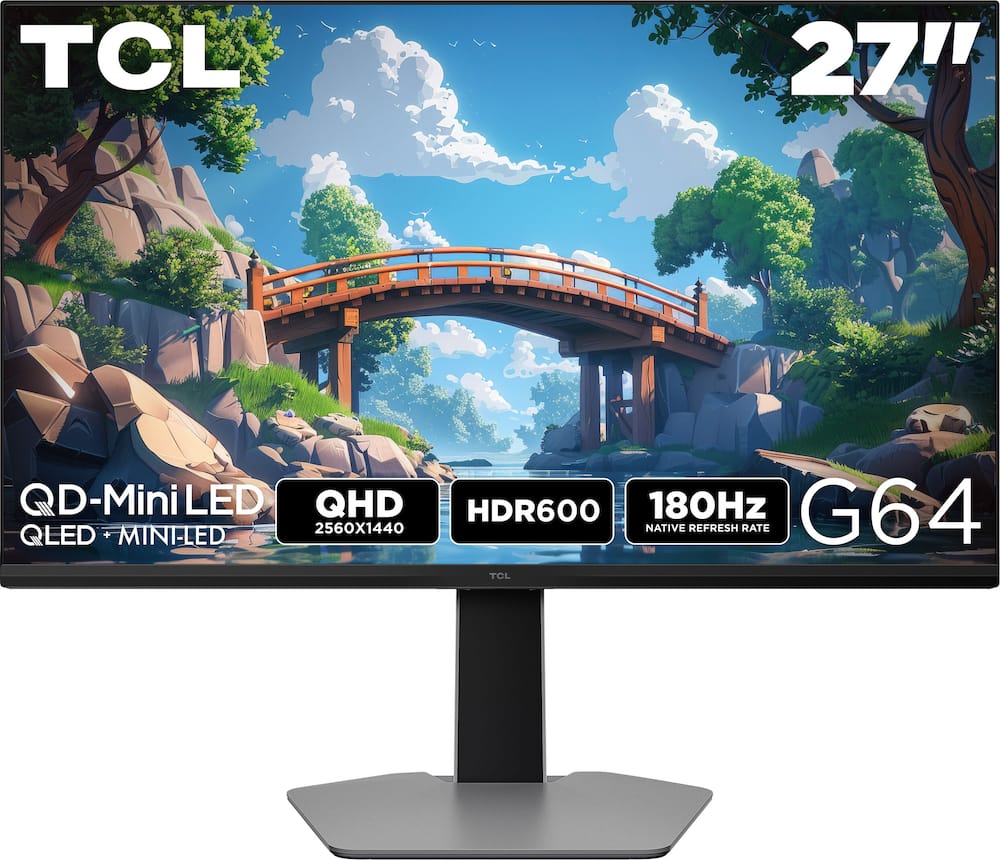
TCL – G64 27″ QD Mini LED QHD 180Hz 1ms AMD FreeSync Premium Gaming Monitor with HDR600 (DisplayPort, HDMI) – Black and Gray
$31999
Other options in this range
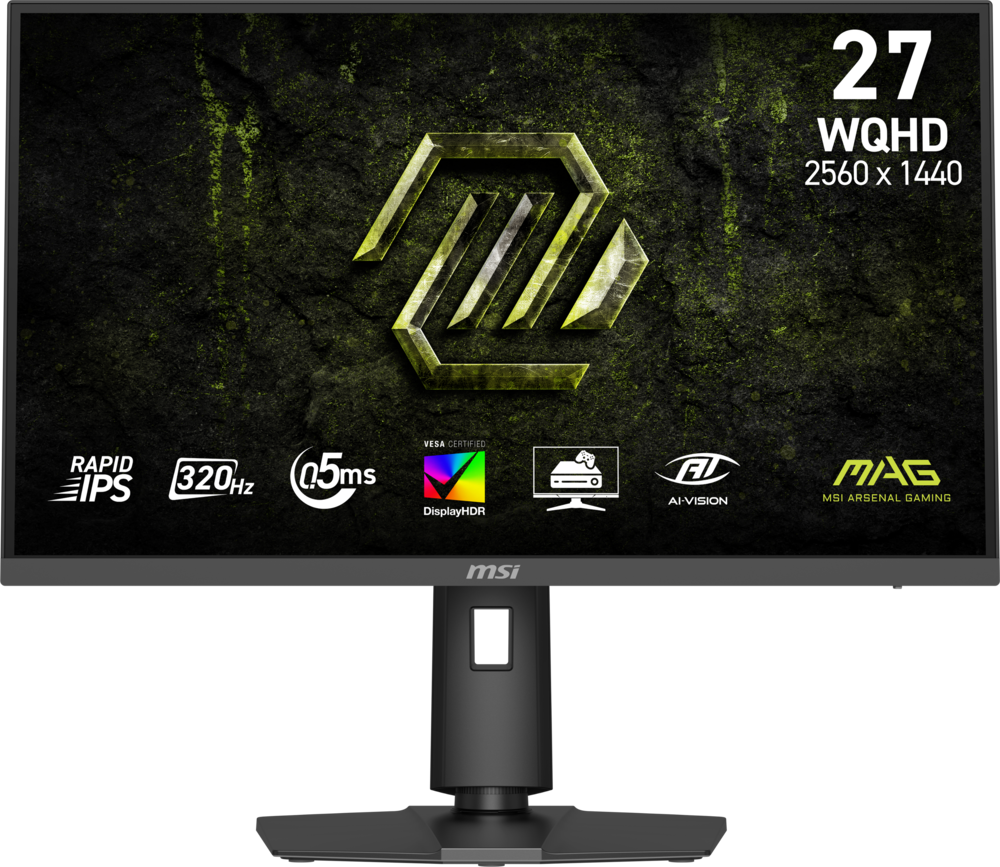 MSI - MAG 274QPF X32 27" QHD 320Hz 0.5ms G-SYNC Compatible FreeSync Premium Gaming Monitor HDR 400 (Display Port, HDMI) - Metallic Black Original price was: $279.99.$223.99Current price is: $223.99.
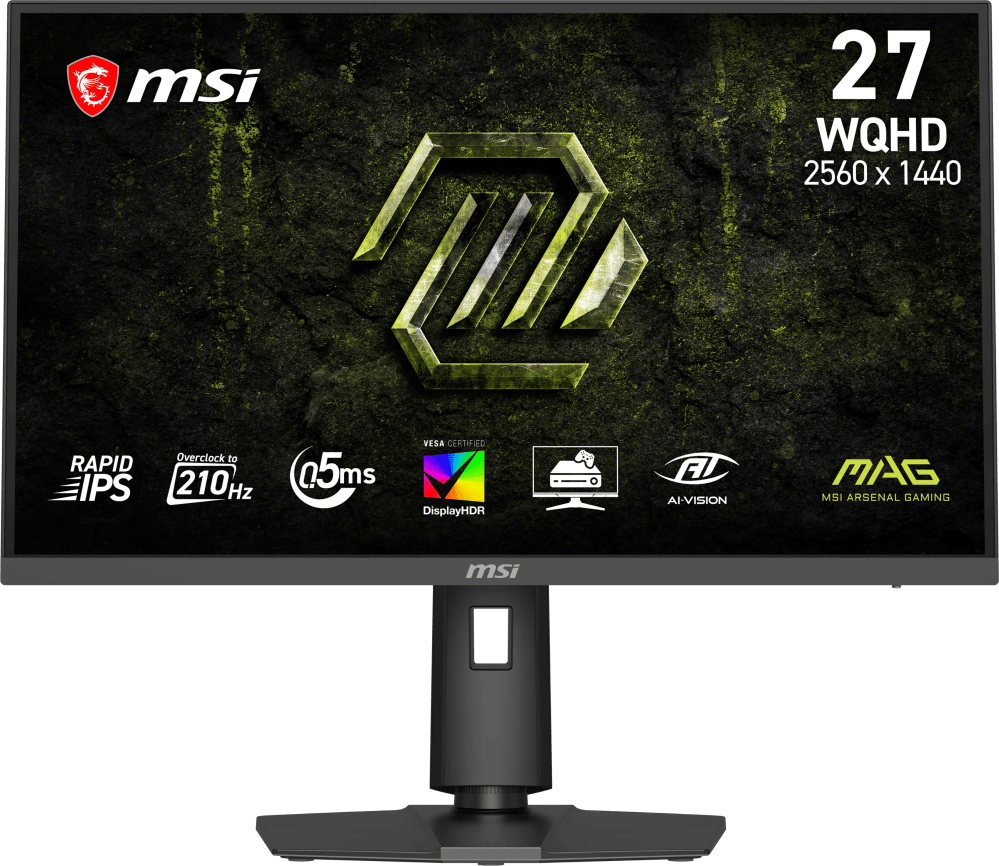 MSI - MAG 275QPF E21 27" QHD 210Hz 0.5ms G-SYNC Compatible FreeSync Premium Gaming Monitor HDR 400 (Display Port, HDMI) - Metallic Black Original price was: $189.99.$151.99Current price is: $151.99.
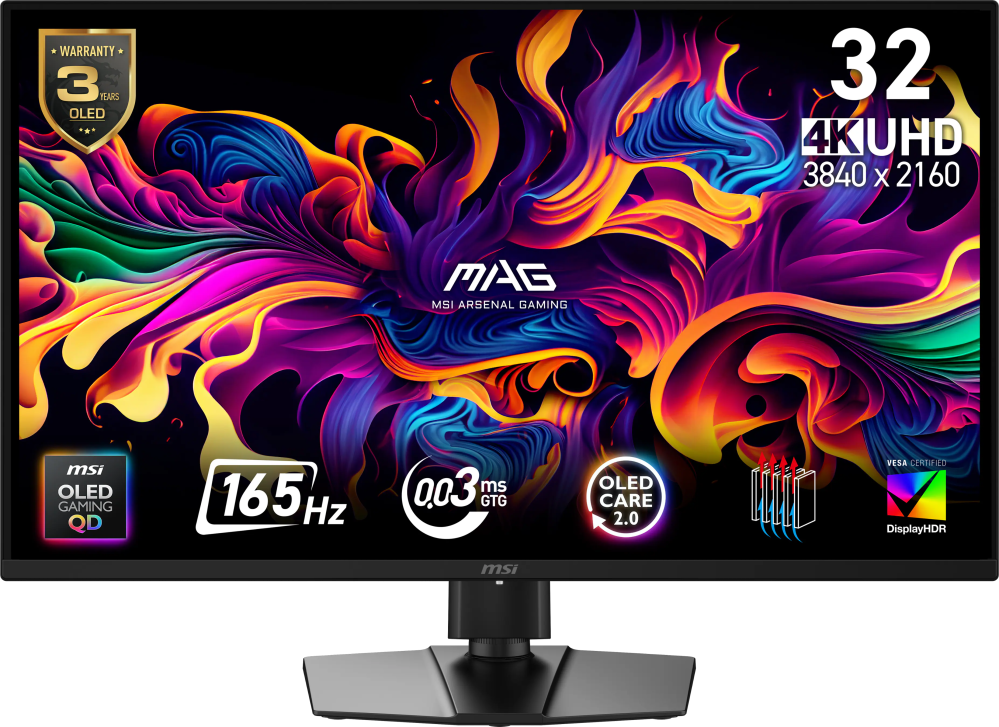 MSI - MAG 322UP QD-OLED E16 32" UHD 165Hz 0.03ms G-SYNC FreeSync Premium Pro Gaming Monitor True Black 400 (DP, HDMI, USB-C) - Metallic Black Original price was: $729.99.$583.99Current price is: $583.99.
Overview
- 27” Gaming Monitor with QHD (2560×1440) Resolution
Crisp and clear visuals with lifelike detail on a spacious 27″ screen—perfect for gaming, streaming, or everyday use. - QD-Mini LED
TCL’s QD-Mini LED delivers stunning brightness and precision—just what serious gamers need for a truly immersive session. - TCL Halo Control System
An advanced Technology Suite that includes the Powerful Light-emitting Microchip, Super Condensed Micro Lens, Micro-OD Reduced Optical Distance, and High Contrast HVA Panel for Stunning “Halo-Free” Images. - 180Hz Native Refresh Rate
High refresh rate for fluid motion and razor-sharp clarity in fast-paced action. - LD180 Precise Dimming Series
Smart local dimming that adjusts scene by scene, for deeper blacks and sharper contrast with every frame. - HDR600 Brightness
HDR600 Brightness delivers brilliant highlights and rich depth in nearly any light. - 1ms (GTG)
Lightning-fast responsiveness for ultra-smooth gameplay and competitive edge. - AMD FreeSync
Enjoy fluid, tear-free gameplay even during fast, high-intensity action—built for smooth competitive performance. - QLED
Rich, vibrant colors across nearly the full DCI-P3 spectrum—bringing images to life with stunning realism. - Crosshair Aim Guide
Four on-screen reticles to help you aim faster and more precisely—your competitive edge, built-in. - TÜV Low Blue Light Certification
Engineered for eye comfort—reduced strain during long sessions, without sacrificing image quality. - High Contrast HVA Panel
TCL’s leading HVA panel technology delivers exceptional contrast and rich detail, elevating every scene. - 2 HDMI Inputs and 1 DisplayPort
Fast, flexible connections for your PC, console, and more—everything you need, ready to plug in. - Built-In Stereo Speakers
Enjoy easy audio with built-in speakers that deliver clear, powerful sound. - Fully Adjustable Stand
Find your perfect viewing angle with a fully adjustable stand for customized comfort and ergonomics.
Compare similar
Specifications
Capacity & configuration
- Display Type
- LED
- Panel Type
- QLED
- Stand Type
- Adjustable height stand
Dimensions & weight
- Product Name
- G64 27" QD Mini LED QHD 180Hz 1ms AMD FreeSync Premium Gaming Monitor with HDR600 (DisplayPort, HDMI)
- Product Height Without Stand
- 14.37 inches
- Product Width
- 20.28 inches
- Product Depth Without Stand
- 3.27 inches
- Product Weight
- 13.73 pounds
- Maximum Adjustable Height
- 20.63 inches
- Product Depth (With Stand)
- 8.98 inches
Features
- Screen Size
- 27", 32"
- Brand
- TCL
- Color
- Black and Gray
- Refresh Rate
- 180Hz
- Maximum Resolution
- 2560 x 1440
- Native Resolution
- 2560 x 1440
- Contrast Ratio
- 5000:1
- Response Time
- 1 milliseconds
- Synchronization Technology
- FreeSync (AMD Adaptive Sync)
- Aspect Ratio
- 16:9
- Display Contour
- Flat
- Brightness
- 600 candela per square meter
- High Dynamic Range (HDR)
- Yes
- High Dynamic Range Format
- HDR 10
- Horizontal Viewing Angle
- 178 degrees
- Vertical Viewing Angle
- 178 degrees
- Touch Screen
- No
- On-Screen Display Languages
- Multilingual On–Screen–Display
- Display Surface
- Anti-glare
- Color Gamut (NTSC)
- 96 percent
- Color Gamut (Standard RGB)
- 99 percent
- Number of DisplayPort Inputs (Total)
- 1
- Number of HDMI Inputs (Total)
- 2
- Display Connector(s)
- 1 x DisplayPort 1.4
- Headphone Jack
- Yes
- Wall Mountable
- Yes
- VESA Wall Mount Standard
- 100mm x 100mm
- Stand Ergonomics
- Tilt
- Built-In Webcam
- No
- Integrated Speaker(s)
- No
- ENERGY STAR Certified
- No
- EPEAT Registered
- No
- Operating System Compatibility
- Not Applicable
- UPC
- 846042043243, 846042043236
Power & warranty
- Model Number
- 27G64
- Warranty - Parts
- 1 year limited
- Warranty - Labor
- 1 year limited
Warranty & protection
Included manufacturer warranty
See manufacturer documentation.
Register your product with the manufacturer within 30 days of delivery.
Warranty service
Manufacturer warranty claims are handled by the manufacturer. We are happy to help you find the right contact: (888) 419-6820.
Customer reviews
Write a reviewGreat Monitor - Great product, makes games look amazing! Easy to assemble, strong stand.
Good monitor - The monitor is good but I regret not buying an OLED.
Mini LED is the way to go! - Need to upgrade your monitor? This TCL QD Mini LED will not disappoint! Way brighter than my old monitor with zero burn-in risk. What's not to love?
Good brand - It’s a good monitor, the response time was not the fastest but still great picture quality
TCL = Value - Price is attractive, monitor works great. Would recommend.
Don't hesitate, just buy it - This is the best monitor I have ever owned. The colors are vibrant, the controls are easy to use, and it's just overall a superior monitor. I couldn't be happier with this purchase.
Promising tech but needs refinement - My purposes are general web surfing, movie streaming from Netflix etc and Youtube, and school work. The QD-miniLED colors were colorful & saturated but still looks accurate. However, compared to OLED, this monitor has viewing angle issues, halo'ing and dimming zones stand out in dark scenes which is typical of LED/LCD tech. Some software/firmware maturity required still; it would occasionally look like it's lost some settings and pictures would look fuzzy or not sharp. Required rebooting of my pc or unplugging HDMI cable to get it to re-detect.
Great option for a budget gaming option - The TCL 27" G64 is a good budget option gaming monitor with just a few caveats to keep in mind. The build quality is very sturdy and the monitor attaches to the included stand easily. The stand supports height and tilt adjustment as well as rotation in both directions. I also appreciate the cable management included on the stand. The overall aesthetics are pretty unoffensive, a nice clean look that is not overly 'gamer' or boringly 'office'. The performance of this monitor is very respectable. Quick response times and nice bright colors are at the top of the feature list. One important thing to keep in mind is that in order to take advantage of the full 180hz you must use the DisplayPort connection. Even though it's an HDMI 2.1 device, it seems they don't support the full 2.1 protocol. This isn't a huge deal for me as I normally run DisplayPort anyway but something to keep in mind if you're only using HDMI. Setting the overclock to 'Fast' seems to be the best setting for lowering input latency without suffering from overshoot. I was a little worried about it being only HDR600 but I feel like it gets brighter than 600 nits when displaying HDR content, so that is a worry that quickly passed. Overall if you're looking for a reasonably priced gaming monitor with great HDR performance and a sleek look, the TCL is a good option
Great value for the money - Would recommend. This monitor has a whopping 180Hz built in for massive frame generation, allowing for competitive gaming, well above the bracket of 144Hz. It also includes 3 ports: two HDMI and one display port, so you can choose what cord you want to use for dual monitor gameplay. The resolution Is fantastic, standing at 2560 x 1440, which sits just under 4K graphics but above HDR, which makes it the perfect middle ground. Topped with a 1 millisecond response time to really tie it together and reduce motion blur.
Very Affordable & Good Alternative - The TCL - 27" G64 Series QHD HDR QD-Mini LED Gaming Monitor came well packed and in good condition. This monitor in black and gray is a good alternative to what most of us have been using. The monitor is aesthetically pleasing in gray with black trim on the back side of the monitor and a black bezel around the front screen. Overall, the setup is very easy which is always the first thing that I appreciate. I was intrigued when I saw that this was a TCL monitor. At the beginning of 2025, I was in my local Best Buy to purchase a new large screen smart tv. I wound up buying an 83" LG because it was so dynamic and had other traits that I liked, but the salesman also showed us a TCL television of a similar size that was side by side with the LG. So, why do I bring this up? I do so because the salesman himself had recently bought a TCL large screen smart television because he had a smaller budget that he could spend and he thought that TCL produced a very good product for the price, the best bang for his buck. I did not realize that TCL brought their dynamic TV viewing to this gaming monitor technology, also at a good price point, another bang for the buck. So, what are the key reasons that make that so. The refresh rate of 180HZ and the QD-mini-led screen allows such dynamic views because of the great contrast afforded. This higher refresh rate with the other features of FreeSync gives very good contrast and makes the colors pop, the blacks truer, and the activity on your gaming screen more fluid, making you more responsive to what is before you. The TCL 180HZ screen is a solid gaming monitor, especially if you are on a budget and enhancing your rig or putting together your very first rig. However, even though the TCL is a very competent gaming monitor alternative, games may feel a little choppy, especially RPG games may require an even higher HZ such as 240HZ, but with that comes the cost.
Great monitor for gaming or general use - I've been using this monitor for a couple weeks and it's been great. The unboxing and setup is easy. It's just screwing the base in and then the monitor just snaps onto the base, one of the quickest setups I've had in recent past. The monitor also does have the VESA mount on the back if you wanted to use a multi monitor stand. The provided stand slides up and down which is nice for lining up with other monitors. It can also rotate 90 degrees to portrait orientation if you prefer that for work. The monitor screen is great. It's colors are very vibrant and the motion is smooth and quick. I tested on a 3050 and 3060 setup and they worked great. I'm guessing the Freesync will work very nicely, but even without I didn't have any problems. There are plenty of adjustments available if you want to play with it. The connections will work fine but I do wish it had a USB-c connection. I sometimes hook up my laptop to the monitors and that makes it so much easier to run. The only other gripe I had was that it has an external power block to run it. The monitor is no smaller or thinner than my other monitors that have an internal power supply so the benefit isn't in size. I just prefer to have one less thing sitting on the floor when plugged in, but not a deal breaker. Overall I would recommend this monitor. It compares well to my other gaming monitors and I think it'll work well in my setup.
Eye popping mini-LED! - TCL’s been in the TV game for a minute, I even have one for in the bedroom, but I’m overall less familiar with their computer & gaming monitors. However, I do have a mini-LED TV from another manufacturer in my living room that provides excellent bright picture and inky blacks, nearly up to snuff with OLEDs but without the fear of burn-in you get with OLED. In terms of picture quality and brightness, the TCL G64 series is a stunner, with all the benefits I’ve experienced with my living room TV: super deep blacks and excellent contrast, with eye popping color (though some tweaking of the picture settings may be required to suite your tastes). And the fact that it has a refresh rate of up to 180Hz is even more impressive, and I never noticed much (if any) change in quality the higher I increased it. To that note though, the HDMI ports are limited to 2K at 144Hz, so use the display port for full 180Hz should you want/need it. In terms of ports, I think the monitor is lacking with 2 HDMI ports, a single display port, and an auxiliary/3.5mm headphone jack output. The biggest knock though is that there’s no USB ports and therefore no way for USB-passthrough for accessories, or easy laptop docking-station type connectivity. The lack of overall ports and connectivity is a bummer if you plan on using this both for work and for gaming in your free time. Overall, this is an great looking monitor that’s excellent for gaming setups and maybe less-so for some work setups due to its lack of ports. But because it’s more media/gaming focused monitor, the pro’s are that you get amazing picture quality and excellent refresh rates all in a nice looking package (I like the gray backing, I think it looks sleek and unique).
Outstanding Color Vibrancy and Contrast - I will preface my review by reminding everyone that when EVERY monitor is marketed as a gaming monitor, then it can be difficult to identify something that gives a good gaming experience in a sea of monitors with good specs and disappointing performance. There are a lot of capital letters in the name of this monitor and I was confused by a couple descriptors that I didn’t recognize. While I don’t understand the full technical details of these descriptors, I think I should share their meanings: (1) The mini LED backlighting refers to how the LEDs are grouped into brightness/dimming zones which amplifies the contrast above that of standard LED monitors … combined with (2) The QD (quantum light) “layer” that boosts color saturation and color fidelity. What TCL seems to be producing here is a non-OLED monitor that approaches OLED image quality. And while the image quality on this monitor surely is not OLED quality, it absolutely approaches OLED quality with a significantly cheaper price tag. Colors are impressively vibrant, images are displayed with a satisfying contrast, and blacks are rich and dark and velvety – and the colors and contrast are available to the user in both bright and dim surroundings. The physical monitor feels rock-solid and the stand design makes it actually satisfying to manipulate the height/angle of the monitor. Overall, though, while OLED monitors will always (with a few brand exceptions) give noticeably superior shadow details, color uniformity, and image smoothness, their pricing exceeds their elevation of the experience you will have with this monitor.
Great Gaming Monitor - The TCL 27" G64 Series QHD HDR QD-Mini LED Gaming Monitor delivers an impressive balance of performance, visual clarity, and modern design that elevates both gaming and everyday use. Right out of the box, the monitor commands attention with its sleek Black and Gray finish—an aesthetic that integrates seamlessly into a professional desk setup or dedicated gaming station. One of the most compelling attributes of this display is the stunning picture quality. The QHD resolution (2560 x 1440) provides crisp, detailed imagery that enhances every game environment and multimedia experience. Combined with Quantum Dot Mini-LED technology, colors are vivid and accurate, offering deeper contrast and richer saturation than many competitors in this class. HDR support further boosts visual depth, bringing out highlights and shadows with clarity that makes landscapes and action sequences feel truly immersive. Gamers will appreciate the responsive performance. Smooth motion handling reduces blur during fast-paced gameplay, while adaptive sync technology minimizes screen tearing and stuttering, creating a consistently fluid experience whether competing in esports titles or exploring expansive single-player worlds. Input latency is low, and the ergonomic stand allows for easy adjustments to height, tilt, and angle—ensuring comfort during long sessions. Connectivity is flexible and user-friendly, with multiple ports accommodating PCs, consoles, and peripherals with ease. The build quality feels robust and durable, reflecting TCL’s thoughtful engineering and attention to detail. Overall, the TCL 27" G64 Series QHD HDR QD-Mini LED Gaming Monitor is a standout choice for gamers and content creators alike. Its combination of sharp visuals, responsive performance, and stylish design makes it a smart investment for anyone seeking a premium viewing experience without compromise.
A Solid 1440p QD-Mini LED Monitor - TCL is mostly known for their TV’s and this is one of their first gaming monitors that they have released into the states. So, I was very intrigued by this monitor because instead of using a TN, VA, IPS, or OLED panel they went with QD-Mini LED. Which are normally found in TV’s and a couple of gaming monitors, but not many as of now. So right out of the box you will notice that it will be brighter than most other monitors out there in this price range and supports HDR 600. One of the first things that stood out is the 180Hz refresh rate. Everything feels incredibly smooth, especially in fast paced games like Arc Raiders, Battle Field 6 and Fortnite. Movement in game feels fluid, tracking enemies feels smoother, and I can tell there is a noticeable improvement over the 144Hz and 165Hz panels I've used in the past. Screen tearing is essentially eliminated, even when frame rates fluctuate with demanding games. Sadly, it only comes equipped with AMD FreeSync and not G-Sync which is kind of a bummer and would have liked to see both, since I have a Nvidia GPU. My worry was that with a lot of gaming monitors with TN IPS, and VA panels you can get a lot of black light bleed and blooming especially on black backgrounds. With the G64 it's not as noticeable since there are more dimming zones with it being QD-Mini LED, but there is some bleed in the corners of the monitor but not as noticeable as those other displays. The QHD resolution (2560×1440) at 27 inches is the sweet spot of competitive videogames where it has the perfect balance of sharpness and performance, while not being too demanding on your hardware. Text looks crisp, games have excellent clarity, and it’s much easier to push those higher frame rates compared to 4K. This makes it a good option for both mid-range and high-end gaming PCs. The 1 millisecond response time does a great job keeping motion blur and ghosting under control. Fast movement remains sharp, and input responsiveness feels immediate. Competitive games benefit the most here, but even general desktop use feels snappier and more refined. In terms of design it's a pretty standard look for a gaming monitor, with sharp angles on the back of the monitor, along with a stand that doesn't take too much space on your desk. That being said, the hinge they use to connect the monitor to the stand has a considerable amount of wobble when you try to adjust it and will shake for a good second or two after adjusting it. So, if that's something that might bother you, I’d look into a monitor arm for this. This monitor is light on I/O in that it has 1x DisplayPort 2.1, 2x HDMI 2.1 and a 3.5mm headphone jack for a headset and does not have built in speakers. With HDMI 2.1 support this will also work well with your consoles. While it’s not flawless, it definitely elevates the overall picture quality and makes the display feel more premium than expected. For daily work, browsing, and content consumption, the monitor performs just as well as it does for gaming. Pros Smooth and responsive 180Hz refresh rate Fast 1ms response time with minimal motion blur Vibrant QLED QD-Mini LED panel with strong color reproduction 600 nits brightness delivers solid HDR performance Cons Some blooming may appear in very dark scenes No support for Nvidia G-Sync Stand was a lot of Wobble Overall, the TCL G64 is a good first entry for TCL into gaming monitors and if you're looking for a reliable 1440p monitor at an affordable price, I feel like this is a well rounded display that does what it's supposed to in terms of speed, picture quality, and reliability.
Excellent HDR Monitor with high refresh rate! - If you're looking for a monitor that's not an OLED but has a decent picture that's bright and has crisp, clear vibrant colors like an OLED, this one doesn't disappoint at all. Getting it unboxed was interesting but once out it was super easy to assemble. Just attach the stand to the monitor and you're all set. It uses a 3.94" square VESA mount so is easy to setup with dual monitors, which with QHD is probably the sweet spot as I feel sometimes 4K and dual monitors is almost overkill and QHD strikes a happy medium. Either way, the resolution, contrast and brightness of this monitor doesn't disappoint. It has 2 HDMI ports (2.1 which supports 2K at 144hz) and Displayport 1.4 at 180hz. This is probably the only thing that I would call out is if you want to run this at the 180hz you'll need to plan ahead to use display port and you'll need to ensure you have a cable for it. It does have an audio jack but doesn't have audio built in. It also doesn't have USB ports of any kind, so no hub or KVM capabilities. Which, for most people is probably fine but it's something to be aware of. Outside of those few things, I think this is a great monitor, where it has a superb picture and is just simple to setup and use. It works great for gaming with the 180hz refresh rate and it even supports crosshairs for FPS games, displays frame rates and on my system with an RTX 5070, it had no screen tearing and was smooth during game play. TCL generally makes good displays and I think this monitor definitely fits what you'd expect from TCL, just know that there are a few limitations on features (lacking USB and built-in audio and only one port that technically supports the higher refresh rate).
TCL taking on big brands - TCL is stepping up their game in the right direction. 27" of QD Mini LED goodness, it is a great overall size and quality display. If you are thinking you are trying to take advantage of 1440p gaming with great visuals, this monitor may be for you. It is a gaming monitor, you get a fast 180hz refresh rate and the local area dimming is adjustable to help improve your quality of visuals. AMD Freesync is built into the monitor as well which eliminates screen tearing, stuttering, and input lag for much more smoother gaming experience. It isn't the brightest monitor, at 600 peak nits but it is plenty to take advantage of most games now a days with HDR600. To test, I booted up a few hours of Battlefield 6 and was able to adjust in monitor settings plus in game settings to get a very good cinematic gameplay experience. Keeping in mind that I have a GPU that allows me to bump my video settings to max at 1440p, I quite enjoyed the 150+ fps. There was on occasion a few hiccups but I believe that freesync settings need to be further looked into in game. I can recommend this knowing that for a display of this quality to come from TCL, I am impressed it can keep up with some of the top brands.
Beautiful monitor and beautiful quality. - TCL is no stranger to making quality screens but their presence in the monitor market is much less known but this monitor is just as good as any other in the market and seeing TCL’s history in creating screens, this monitor is no surprise in its quality. The general build quality of the monitor is good and premium. It feels like you’re getting what you’re paying for. The QD-Mini LED is beautiful on this monitor. It’s just as good or comparable to OLEDs but more affordable. You can change the settings as well so it can fit your needs much better. Response time is good and you change to fastest if you want to but I find that the picture quality ghosts a little so if you’re not needing the fastest screen for your needs, I’d go just a drop below that. It does has auto dimming to help with screen and I find myself enjoying using that feature because I feel like I’m preserving the monitor more. The darks are very black and it’s beautiful. I did realize that if I wanted to use the 180Hz, I have to plug into the DisplayPort because the HDMI does not support it. Overall, this monitor is very solid and will not disappoint.
TCL G64 Series: Specs vs Reality, It's a Win - The TCL 27" G64 Series 180Hz Mini LED Gaming monitor finally gives the mid-range gaming market the opportunity to game with deep blacks, fast response time, high contrast, vibrant colors, and motion clarity. I've had time to determine whether it hits the mark on value and still delivers what we require as gamers. Overall, TCL cut a few corners to give us what I would call an Essential gaming monitor with the core features intact. - Design/Build/Unboxing - TCL provides the typical cabling and packing along with an HDMI cable, DisplayPort cable, power brick and cable, and a rectangular base. Stand: The base is flat and doesn't take up much space on your desk. It's flat enough that you can place a few items on there to reclaim space if necessary. It's a light gray color so it clashes a little with the color of my desk. Ergonomics: The stand can be adjusted up and down in the Y-axis, angle left to right, pivot to portrait mode, and tilt up and down too. Bezels: There are 3 sides that are borderless with a thicker bezel on the bottom. Underneath the bottom center is your OSD control. Connectivity: - (2) HDMI 2.1 for Console Gaming - (1) DisplayPort 1.4 for PC - (1) 3.5mm Audio Out for Headphone or Speakers There is no USB Port(s) for peripherals and no USB-B or USB-C upstream port for data (No ability for firmware updates.) This is a significant corner cut. However, there is a Monitor Color Calibration Factory Report in the box. My Report looked great with accurate colors, correct white balance, proper gamma, and good consistency across tones. These are great results for gaming, content work, and general productivity. - Specs/Features - Resolution: 2560 x 1440 QHD, 27 inches, pixel density of 109 ppi Refresh Rate: 180Hz Backlight: 180-zone Mini LED array. This is modest compared to higher end models but the 5000:1 contrast ratio does it's job to mitigate any potential blooming. - OSD Settings - Color: Color Temperature, Saturation, ColorTone, Color SpaceStandard, Office, FPS, RPG, RCG, Movie, Eye Saver, and E-Book Game Mode: FreeSync, Dark Part Brightening, Response Time, Crosshair, Timer, Refresh Rate On/Off Local Dimming, Brightness, Contrast, DCR On/Off, Sharpness, Gamma Settings: Rotation, OSD Display Time (I changed this to 40 to give me more time to adjust settings), Reset Settings, Factory Reset Personally, I adjusted the Picture Mode to "Movie" for General web browsing. For gaming, I use FPS. At night I switch to Eye-Saver. Note: E-Book setting is Black & White. I set local dimming to Medium to preserve shadow details. I use Gamma 1 when there's more ambient light in the room and Gamma 2 under normal indoor light. I set the Overdrive to Fast. - Performance - PC: In fast paced games like COD or Apex the 180Hz refresh rate and motion clarity perform well. Note: When setting overdrive to Fastest I noticed ghosting and halos trailing behind enemies. When set to normal or fast, ghosting disappears and black smearing is minimal. Console: I hooked up my Xbox Series X and the TCL 27G64 is a diamond in the rough. It downscales the 4K signal from the console to 1440p resulting in a super sampled image that looks sharper than native 1440p. It supports 120Hz output with Variable refresh rate making FPS feel really responsive. Overall, this is a great find and produces deep blacks, vibrant colors, and low input lag all at an affordable price. TCL Pairs a high contrast HVA panel with a modest but effective Mini LED array. Essentially, you're sacrificing USB ports, viewing angles, and firmware updates for raw picture quality and performance that was previously unavailable in this mid-range category. I recommend it for serious gamers. - Pros & Cons - *Pros* - 5000:1 Contrast/Local Dimming creates Inky Blacks - 97% DCI-P3 coverage - Brightness peaks over 800 nits - 180Hz refresh is smooth and responsive - Extremely low input lag - Practical stand - Clean aesthetics - Unbeatable value *Suggestions/Needs Improvement* - No USB means no firmware updates - 180 zones is entry level - Potential for VRR FLicker in menus/loading screens - Viewing angles could be better
Questions & answers
Ask a question
Email [email protected] or call (888) 419-6820 during business hours.
Add your review