High quality - Good controller. Great features from scuf! I hope they Make 8k ps5 style too,
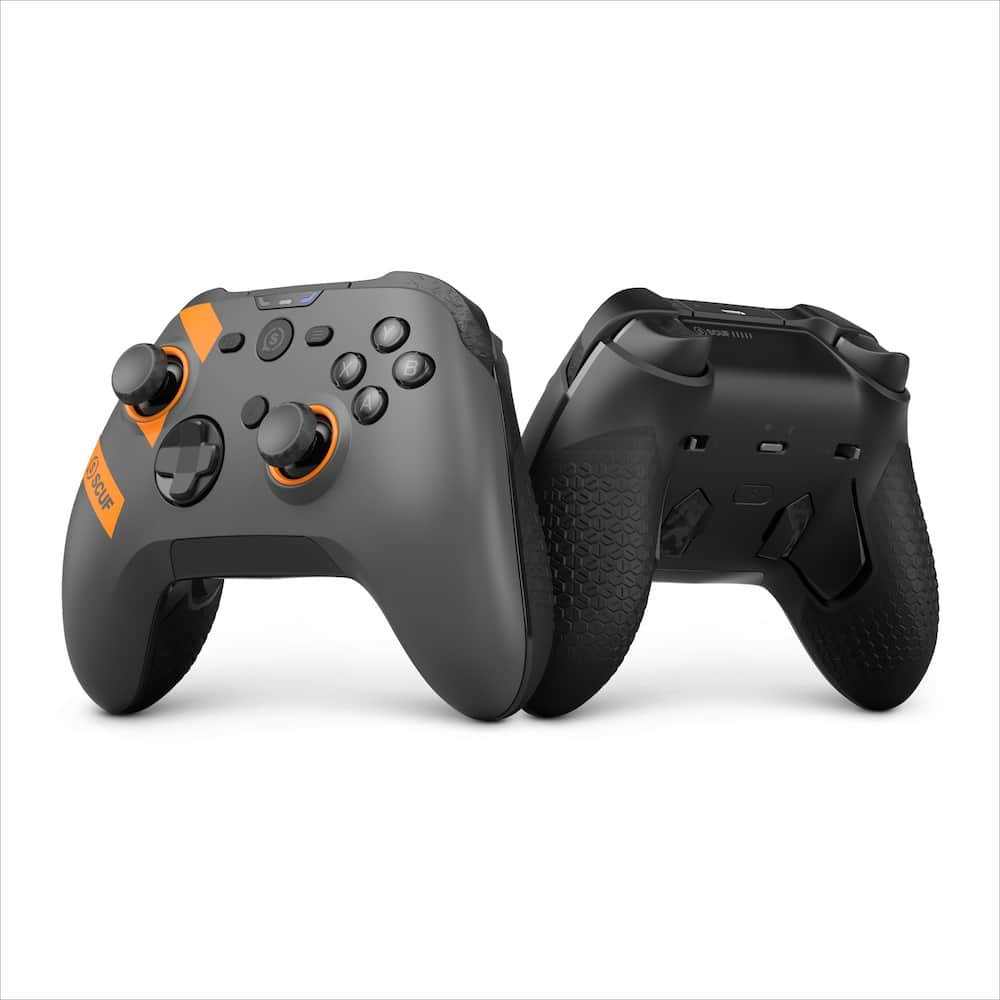
SCUF – Nemesis Pro 8K Wireless Controller for PC, 8000Hz Polling Rate, TMR Thumbsticks, Mechanical ABXY – Steel Gray
$15999
Other options in this range
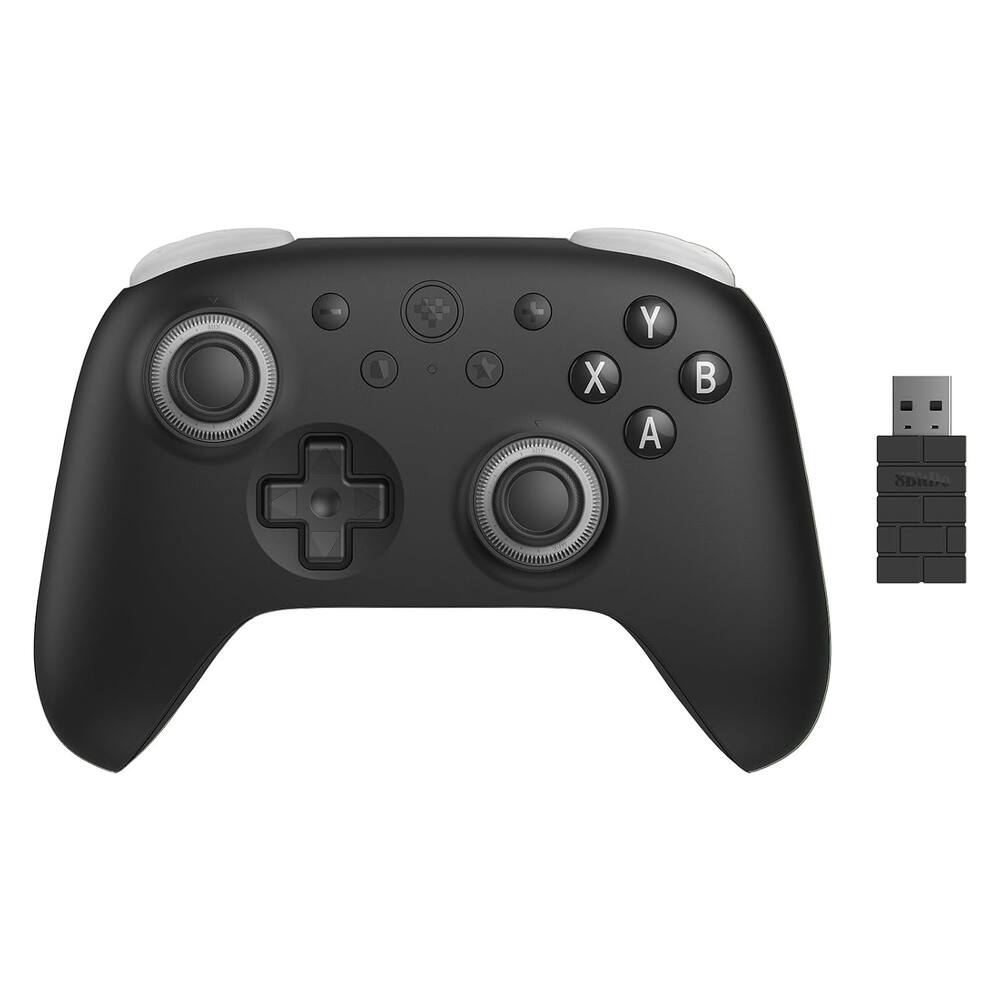 8BitDo - Ultimate 3C+ Wireless Gaming Controller for Android, PC - Stealth Black Original price was: $39.99.$31.99Current price is: $31.99.
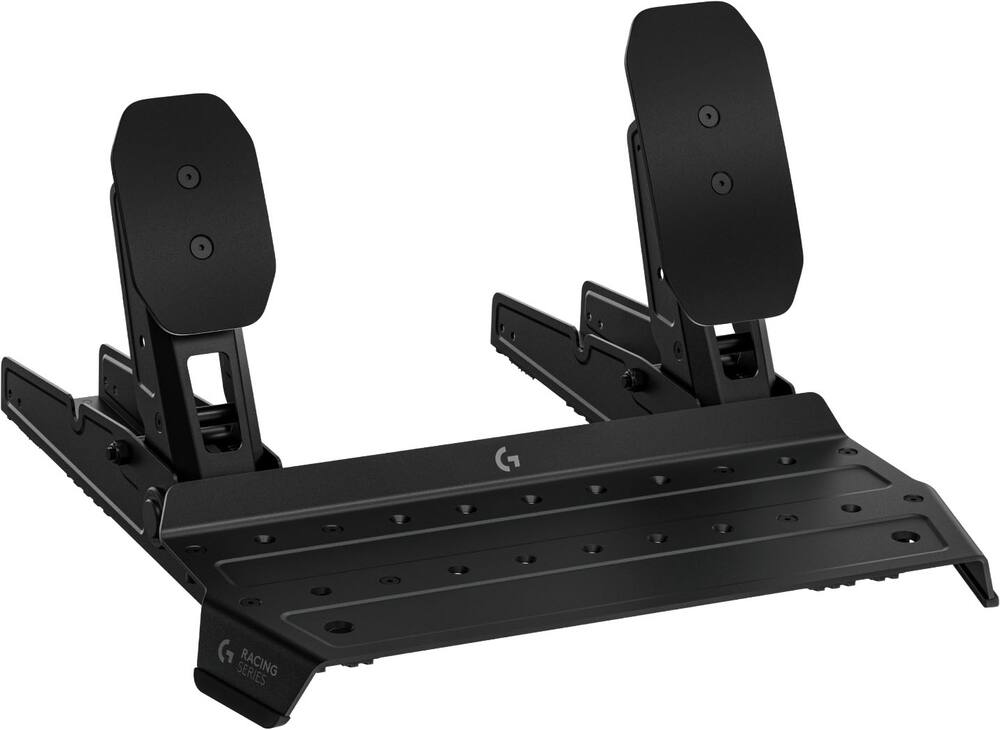 Logitech - G RS Pedals SE Simulation Racing Pedals with USB Connectivity for PC - Black Original price was: $129.99.$103.99Current price is: $103.99.
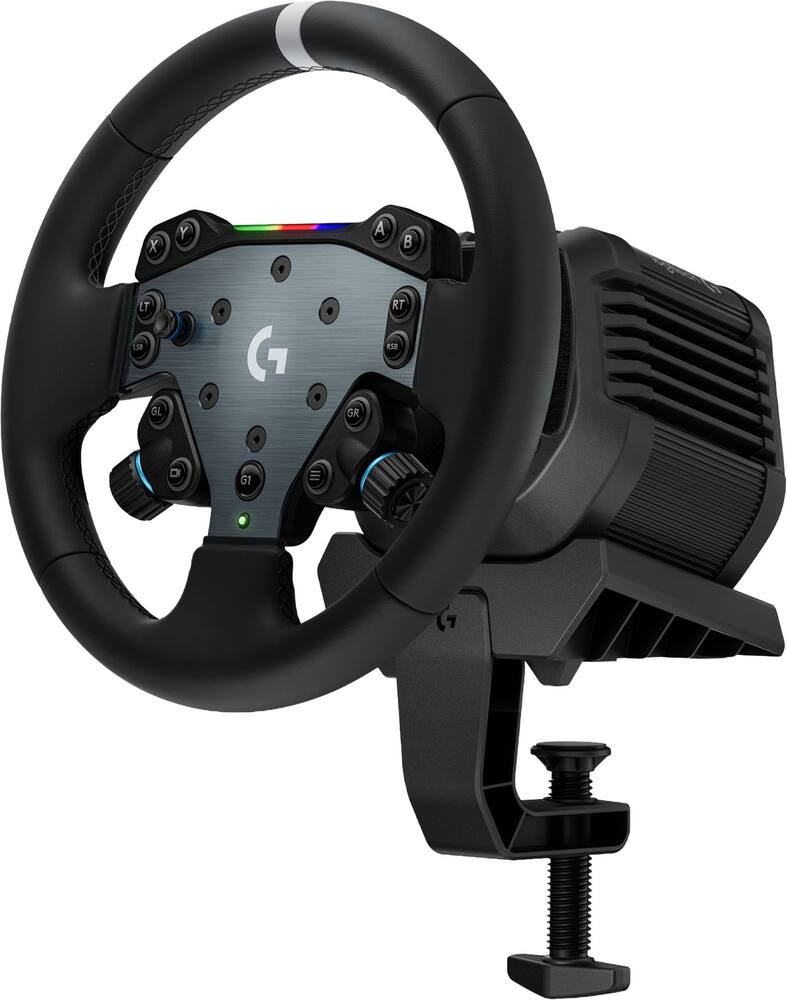 Logitech - G RS50 System, 3-Piece Sim Racing Steering Wheel Setup for PC - Black Original price was: $599.99.$479.99Current price is: $479.99.
Overview
- 8K Wireless + Wired Polling
Up to 8,000Hz polling in both 2.4GHz wireless and wired modes targets sub-1ms response for ultra-responsive PC gaming. - TMR Thumbsticks
Non-contact magnetic thumbsticks are designed to resist the wear that can lead to stick drift while delivering smooth, precise, and familiar control. - Mechanical ABXY
Crisp mechanical switches across action buttons deliver fast actuation, tactile feedback, and deliberate mouse-click responsiveness. - 4 Integrated Rear Paddles
Four customizable rear paddles keep key actions under your fingers, so you can jump, slide, reload, and swap without taking your thumbs off the sticks. - Dual-Mode Triggers
Switch between short mouse-click instant activation for fast-paced shooters and full-travel analog control for racing, driving, and other precision gameplay. - High-Performance Rubberized Grip
Strategically placed rubberized grip helps reduce slips and readjustments for confident control through long gaming sessions. - On-Board Profiles + Remapping
Save three hardware profiles and remap rear paddles on the fly for different games, genres, playstyles, or roles. - SCUF Customization Ecosystem
Choose from preconfigured colorways and designs or build your own from millions of possible combinations through the SCUF customization.
Compare similar
Specifications
Capacity & configuration
- Lighting Type
- None
Dimensions & weight
- Product Name
- SCUF - Nemesis Pro 8K Wireless Controller for PC, 8000Hz Polling Rate, TMR Thumbsticks, Mechanical ABXY
- Product Type
- Controller
- Product Height
- 2.52 inches
- Product Width
- 4.21 inches
- Product Length
- 6.02 inches
- Product Weight
- 0.57 pounds
Features
- Color
- Steel Gray, Black
- Brand
- SCUF
- Headset Jack
- Yes
- Rumble Vibration
- Yes
- Analog Joysticks
- Yes
- Button Mapping
- Yes
- Wireless
- Yes
- Rechargeable Battery
- Yes
- Charging Interface(s)
- USB-C
- Battery Chemistry
- Lithium-ion
- Battery Size
- Battery pack
- Number of Batteries Required
- 1
- Batteries Included
- Yes
- Cord Length
- 72 inches
- Compatible Platform(s)
- Windows
- UPC
- 840370210117, 840370270074
Power & warranty
- Model Number
- 605-178-02-102-WW
- Warranty - Parts
- 1 year
- Warranty - Labor
- 1 year
Warranty & protection
Included manufacturer warranty
See manufacturer documentation.
Register your product with the manufacturer within 30 days of delivery.
Warranty service
Manufacturer warranty claims are handled by the manufacturer. We are happy to help you find the right contact: (888) 419-6820.
Customer reviews
Write a reviewAnother Standout Entry In The SCUF Lineup - For the last week, I've been testing the new SCUF Nemesis Pro Wireless 8K Controller. Overall, it is another standout entry in the SCUF lineup, easily outperforming any standard stock controller on the market. Inside the box, you’ll find the Xbox-style controller, an 8K wireless dongle, a 6.5 ft braided USB-A to USB-C cable, a pair of convex replacement thumbsticks, and blanking plates to cover the rear button slots if you prefer a streamlined grip. Having reviewed nearly every controller SCUF has produced, I’m consistently impressed by how they push performance forward. They manage to make each generation faster and more responsive without losing that familiar, ergonomic feel in the hands. The mouse-click mechanical face buttons are a standout feature—offering crisp, tactile feedback that leaves zero doubt about whether an input registered. The triggers deliver excellent travel distance and progressive resistance for racing or precision titles, but with the quick flip of a switch, they convert into ultra-fast, zero-travel mouse-click instant triggers for competitive shooters. Underneath it all, the TMR (Tunnel Magnetoresistance) thumbsticks completely eliminate stick drift while delivering pinpoint accuracy that you can fine-tune directly in the companion app. Speaking of the software, it’s remarkably polished. Available directly through the Microsoft Store, the app allows you to create and store up to three custom profiles with tailored polling rates and full button remapping. What I appreciate most is the real-time input testing suite, which lets you visually verify trigger deadzones, button actuation, and stick responsiveness right on your screen. With all that said, the Nemesis Pro is a top-tier PC controller that delivers pro-grade performance across the board. I highly recommend it.
If You Like Ultra-Light Controllers - This is an excellent controller with an excellent companion app for the right person. Some will like it, but some won’t, so do your research. Build Quality: The build quality is very good, mostly made of plastic with rubber grips. It, however, doesn’t feel quite like a controller should in its price range. I have other Scuf controllers that feel higher priced. Feel: This controller feels comfortable in the hands and the rubber grips on the back have a nice textured feel and grip to them. This controller is extremely lightweight and that is important in deciding if this is for you. I prefer a much heavier controller so the weight of this is not exactly to my liking. But again, this is personal preference. Vibration: There is none. Which is probably how they can make the controller so light. I personally wish it had it. You must decide if this is something you need. While on the topic of what is missing, there are no lights, something which I honestly don’t care about anyway, but just want to mention it. Controls: The face buttons have a really nice feel and click to them with virtually no play. The thumb sticks feel nice but typical for this type and level of controller. It has 4 back buttons that are perfectly located to keep your fingers on and require enough pressure so that you don’t accidentally press them, something I have had problems with using other controllers, so this is a huge plus. The bumpers feel nice, again with a nice click. The triggers allow for either analog use or rapid fire, using a switch next to each to select. They have a very nice texture on them. There is a power button that you hold for a couple of seconds to turn it on and hold it for much longer to turn it off. Connection: You have the option of using the included USB-A dongle for wireless mode. It was just plug and play and I had no connection issues. You can also connect it wired using a USB-C cable. Accessories: It comes with a USB-C cable and two additional tall thumb sticks that can be easily swapped with the shorter ones already mounted on the controller. The App: There is an app that you can download and install from their website. Now, it would be great if there was a generic Scuf app that would cover all their controllers, but in this case, the app is specific to this one. It is rather basic but does everything you can want. The app works well and I ran into no problems with it. It has up to 3 profiles you can set up. It has the following settings. • Firmware update. Which worked flawlessly. • Battery level • USB polling rate (125Hz – 8000KHz) • Auto shutoff after selectable time. And you can completely disable it. • Remapping every button on the controller except for the power button. • Thumb sticks o Settable dead zones o Invert axis o Sample rate o Resolution o Output shape (circle, square, squircle) o Anti dead zone and anti-drift o Sensitivity preset (linear, exponential, dynamic, aggressive, and custom) • Triggers (much of it matches the thumb sticks) o Dead zones o Sample rate o Resolution o Sensitively preset o Anti dead zone o Actuation point • There is a test page that allows you to test all the buttons, thumb sticks, and triggers. I think that covers everything on the app. Conclusion: First off, the controls are absolutely perfect. So, the question is, is this the right controller for you? If you want a very lightweight good feeling controller that has a nice grip and an excellent customization app that allows you to customize everything, and you don’t need vibration, then this is a definite worthy contender I would recommend. If you like a heavy solid controller with vibration like I do, then this is a pass. So, decide what is important for you and go for it being this controller or something else.
Wireless with 8K speed and full customization! - This controller is extremely customizable and works flawlessly. It has wired or wireless mode – worked identically either way. The 8000k makes it incredibly responsive and feels real-time. Love all the customization and multiple profiles (3) that you can create for various game button layouts. Setup is super easy and works out of the box just plugging in the wire or wireless with the USB dongle. No app was needed. Speaking of the companion app (download separately) – It is very intuitive and easy to customize your buttons, and has full on calibration and optimization of the controls and responsiveness. Deadzone controls, remaps etc. I like the weight and feel of the controller and the mechanical switch option for mouse style clicking vs. full trigger pulls is a nice feature. Also comes with concave (preinstalled) or rounded optional thumb sticks if you have a preference. These, the faceplate, D pad and inner paddles can all be replaced or swapped out if ever needed. Note that the wired cable is only 6’ (my couch is about 13’ away from my PC gaming TV screen) so it’s wireless for me, but battery life has been great. Also you do have to connect via wired cable to do firmware updates, but it only took just over 1 min to update to latest firmware so this is a minor thing. For this price point it would be nice to include a case, but that said overall this is an impressive controller.
Case for a quality controller? - The Scuf Pro 8K is a very interesting controller. There are a lot of features I really like about this controller. They're some head scratching components of this controller that makes me wonder as well. I'll start with the things that I like the most about the Nemesis Pro 8k wireless version. Having an adjustable polling rate up to 8000Hz makes a difference while gaming. It's can be compared to the first time using a high refresh rate monitor. The controller’s response seems more of an instant response time at the higher the polling rate levels. I find this helps with competitive shooter type games. Wireless and wired capabilities is also a plus. Sometimes having the ability of not being tethered to your desk gives a bit of freedom while gaming. I’ve been gaming for about a week after fully charging the battery and haven't had the need to charge after gaming for about an hour daily. I do prefer to plug in the USB-C cable when gaming competitively though. The Scuf companion app for PC allows complete control of the controller. Being able to update the firmware, calibrate the controller’s thumbsticks, and map buttons are what makes this controller feel special. The Nemesis Pro 8K has an Xbox-like styleand feel that’s better constructed than Xbox's top of the line offering. The buttons feels more of a mechanical feel than mushy button presses. The weight of the controller feels lightweight and comfortable to hold. The sticks are very responsive with movement of the slightest of touch, and the paddle placement is perfect in my opinion. One of the puzzling things about this controller is the lack of a case being provided at this price point. Having included accessories such as a heavy gauge USB-C cable, extra thumbsticks, and paddles, you would expect to be provided a carrying case. There isn’t one included in the box. Second thing that stood out was the z button’s purpose. This button has the ability to be mapped to any existing buttons, but cannot be used as a shortcut for any PC related mappings. Hoping to see this being updated in the future. After using the Scuf Nemesis Pro 8k wireless version for about a week or so, I like the features and the feel of this controller. Since I mostly play games wired and there no case that comes with the wireless version, I would recommend getting the wired version of the Nemesis Pro. This would allow a cost savings for practically the same overall experience.
Great Control, Clever Paddles, and NOISY Clicks - I really like the SCUF Nemesis Pro 8K controller. I have the wired one. The weight, shape, sticks, and paddle layout make it pretty nice to use. My reservation is not how it controls, but how much noise it makes. If you love a loud mechanical click, that may be a selling point. If you play around other people, it is something you should know before buying. -Comfortable weight and unusually good paddles The controller feels light in my hands without being so light that it feels like nothing. It is a good balance for me, and the color accents looks great alongside my OneXPlayer handheld. That is a small detail, but I appreciate accessories that look like they belong together! The back of the controller is well designed. I usually avoid add-on controller paddles because they tend to get into the places where I rest my fingers. These are easy to press intentionally without feeling like they are in the way. For someone who generally does not get along with rear paddles, that is a big big compliment. SCUF includes customizable rear paddles and supports saving up to three profiles, so there's room to program the layout to different games. I appreciate having those options, but the physical placement is what impressed me most. Extra controls only help if the controller is comfy to hold. - Good sticks and plenty of customization The sticks feel well designed, and I genuinely like how they control. The controller responds well in use, and the overall feel is a strong point. The Nemesis uses TMR magnetic thumbsticks, which they designed to reduce the wear with traditional sticks. That is encouraging for long-term ownership, although I cannot make a durability judgment from my time with it. I did NOT open up the controller, but I might do it after the warranty is out to see how repairable it is. It also supports up to 8,000Hz polling. I have not independently measured input latency, so I am not going to pretend I can verify that by feel alone. What I can say is that I am happy with how it controls. The companion app also does button remapping, calibration, and adjustments to deadzones and response curves. I was able to use it just fine out of the box, but if you're one to throw your controller across the room, that's one function you might find useful after you calm down. The triggers can switch between full analog travel and a short mechanical-click mode. That is a useful bit of flexibility rather than forcing one trigger feel on every type of game. So this controller is ready for both FPS and racing games. --The clicks are not subtle Here is my main complaint: this controller is very clicky. I understand why people enjoy a crisp click. I like clear feedback, too. However, I think the standard Xbox Series controller does a better job of giving me satisfying feedback without making the clicking so LOUD. I wish SCUF had found a similar balance. This matters because I do not want to just use the controller only at a desk by myself. I also want to take it on a plane, relax with a game in the library after studying, or play in bed without disturbing my significant other. For those situations, the noise will not work. I can even hear the clicks through my headphones. I recently took it on a plane, and the person sitting next to me gave me some dirty looks while I was playing. That made the experience less relaxing than it could have been. I also would not choose it for a side-scroller or brawler in bed next to someone trying to sleep—the repeated clicking would be hard to ignore and will get me sleeping on the couch. -Recommended, with a noise warning Overall, I like the Nemesis Pro 8K a lot. The weight feels right, the sticks are enjoyable, and the rear paddles are among the biggest reasons it works for me. They add control without making the grip feel crowded. I am not deducting stars for the sound because that is a subjective preference, and some buyers will love exactly what bothers me. But it deserves more than a passing mention: this is not the controller I would pick for quiet, shared spaces. For my own gaming, the feel and control make it an easy recommendation. Just make sure you—and anyone sitting nearby—are comfortable with the clicks. RECOMMENDED!
Highly Customizable Competitive PC Controller - I’ve heard good things about SCUF gaming accessories, so I was really happy to get my hands on their new Nemesis Pro 8K PC controller. It connects wirelessly through a 2.4g USB-A dongle or you can play wired with the USB-C port. However, with polling speeds up to 8k the latency is minimal enough to only go wired when you need to recharge it. And with up to 64 hours of battery life, there’s very few moments you have to play tethered. The Nemesis Pro 8k also features some high end hardware which reflects its pro gaming roots. The TMR joysticks prevent stick drift and are similar to hall effect joysticks, but with more accuracy and better “tension”. The Omron buttons offer quick rebound and feel a lot like clicking a mouse button. Both triggers are range adjustable and offer the same kind of mouse click feel when in “instant” mode. And for the first time, the rear paddle buttons are stiff enough that I don’t accidentally press them all the time (usually always an issue for me). The controller itself is also lightweight, which becomes much more noticeable during long gaming sessions. And the grips even have a rubberish texture in the rear to help the controller feel secure in your hands. In terms of customizability, there’s a nice range of optional covers, joysticks, and buttons to vary up the look and texture how you like it. It comes with another set of rear paddles and convex joysticks, but there’s plenty more available in the market. Programming wise, the SCUF Nemesis Companion app is thankfully easy to use and makes it a cinch to remap every button and calibrate the joysticks. It also allows you to save 3 custom profiles so you won’t have to waste time remapping buttons between games. Playing through Gears of War: E-Day, Hades II, and Forza Motorsport, I can’t find much to complain about. It’s a pretty stellar controller all around and I really like the “instant” trigger setting for FPS. The buttons offer a fast response and really feels like clicking a mouse. However, there’s no haptic feedback and while I didn’t notice it much playing Gears, I missed the rumbling vibrations of the road surface playing Forza. Also, for this price point I was hoping it would come with a case, but that’s not a big deal. If you’re a competitive PC gamer and like the shape of the Xbox Series X controllers but want something more customizable with 8k polling, you should definitely give the SCUF Nemesis 8K Pro a look. It’s well built, programmable, physically customizable, and instantly responsive. PROS - TMR joysticks - Adjustable trigger range - Up to 8k polling - Every button is remappable - Joysticks can be recalibrated - 64 hours battery life - Interchangeable parts - Mechanical buttons - 3 saveable profiles - Compact - Light - Grippy - Wireless and wired CONS - No haptic feedback - Does not include a case
Almost There! - The controller as of writing this review on 10/20/26 cannot accept keyboard inputs as keybinds or Macros. For $200 the SCUF Omega is a better choice unless you like the Xbox layout and need the 8K polling rate. Otherwise fantastic controller that feels super snappy. The Z key really grinds my gears because its one of those pointless keys that you don't need to have on the controller because it's not the share button nor is it able to be mapped to the keys so it serves no purpose essentially, you'd still need to reach over to touch anything and now your thumb is off the joysticks.
still amazing - SCUF is back for another controller and this time its the Xbox layout SCUF Nemesis Pro 8k and wow first right out the box the feel of these controller is light weight. Beautifully crafted and supports 8k pooling, these feel perfectly in the hand specially if you prefer XBOX controller layout instead. Also comes with mechanical buttons that you definitely enjoy that more clickly type of of feeling similar to a mouse click. DEVICE & FEATURES The unboxing experience of SCUF Nemesis is fairly straight forward with no fancy design, and not much extra inside the box, you get some additional analog stick to replace from short to tall. I prefer tall hallow analog but the one that came in the box is more of a hump style analog. You also get 2 covers for back paddles in case you don't want to use them or prefer them being flat. You can fully remove the faceplate, the Dpad and the anti friction rings which are all interchangeable parts, so if you want to change the faceplate you can order a different color at SCUF website. This controller also supports the ability to save up to 3 profiles for 3 different games if you want, which is located on the back of the controller. We also get a TMR thumbstick which keeps that familiar feel of a standard analog but actually last that avoid having stick drift. The triggers are adjustable as well that can be switch to instant that gives you the mouse click feel as well with shorter distance of travel. SOFTWARE You will need a SCUF companion app for the Nemesis Pro 8k if you want to fully take advantage of all its features and to make sure it has the latest firmware when its available. The app is fairly robust with the ability to remap the paddles, tune your preferred deadzone or response curve that can be easily adjusted, you also have the ability to calibrate the controller or recalibrate the thumbsticks and triggers. The software can also be use either wired or wireless which I'm happy to know I wouldn't need to plug just for a software access. EXPERIENCE Holding the SCUF Nemesis Pro 8k feels natural to me. I mainly prefer the xbox layout so the one that fully interests me is the Nemesis Pro. The moment you touch the controller the first thing you will notice is how grippy the controller is. The rubberized textured back of the controller is such an amazing feature that i love about it, i have mine fully calibrated to my liking. I have remapped the paddles on the back to the button that I prefer that reduces me moving my thumb away from the right stick. I have everything on 8k pooling. And currently playing and tested on games such as COD, The Finals, Halo Infinite and now Gears of War E-Day. I have my right trigger set on instant, its shorter click that sounds like a mouse. But you keep it standard the trigger feels weight less and feels cheap and loud. All 4 mechanical XYAB buttons feel great just how I like them. Having these TMR thumbsticks should be interesting, TMR would last longer than a typical analog stick that also provide a much better accuracy. My main thing i wish SCUF redesign are the two middle back paddles, these are hard to press atleast for someone like me who have a medium sized hand, i just dont enjoy pressing the back paddles even the to paddles that more to the sized they need to have a much better feel and click, also i hope SCUF update the tall analog stick to be hallowed top as well, considering we are following the XBOX layout of the controller. CONCLUSION Overall this SCUF Nemesis Pro 8K performs great during gaming. The battery last a great amount as well, all the buttons are very clicky i love how it sounds but i dont like certain thing i mentioned including the sound of the trigger and the paddles. These controller are not cheap i also wish some part of the packaging represent a quality product you just purchased but it does not feel that way. I know the controller is the main selling point but if youre going to purchase this i wish SCUF make the unboxing experience feel a bit more premium since its a premium product, but i still do highly recommend Nemesis Pro 8K this one great controller if you mainly use controller on PC and want some top of the line spec and performance then i think this controller is for you and might not disappoint on your end.
Great high-end controller - This isn't my first Scuf controller, but it has a number of improvements that make this one of the best controllers yet, Scuf or otherwise. One of the key features of the controller I enjoy the most are the mouse-click like feel of (most) the buttons. The d-pad, start/select, Scuf (aka xbox), and the Z button all have a more traditional button feel and movement. The d-pad doesn't have the same mouse-click like feel, but it's still a nice clicky responsiveness. The grips are really nice too, almost aggressive even, without being uncomfortable. If you get sweaty palms, this will really be helpful. The faceplace is removable, and so are the thumbsticks, which can be interchanged with alternative ones. The thumbsticks installed are concave standard height, and they also include one convex standard height, and one convex tall. The two rear paddles that sit more on the inside of the controller can be replaced with blanks (also included) to render them inert, even though the buttons still have a little play when the blanks are in. The side rear paddles cannot be removed. The paddles and Z button on the controller can be remapped to any other controller button and doesn't require the PC software to do the remapping. The controller has a profile button on the back, which can be used to switch between the 3 on board controller profiles (with color LED on the front indicating which profile you are on). You hold the profile button to enter the button remapping mode. The thumbsticks are not the famed hall-effect type, but the newer TMR, which on paper is similar to, but better than Hall-effect. The sticks feel and respond great, and if it truely is better than hall-effect, I expect them to last a long time.
Many PROS and a few CONS for this PRO controller - PROS: * 8K precision (even with a wireless connection) * Feels great in hand * Customizable down to the inputs and button layout * TMR stick drift resistant (we’ll see how this fares after a few years of use) CONS: * I wish the controller had a bit more metal and was a bit heftier in hand * No case included (for the asking price, I’d say a case should always be included) If you play games on both console and PC you'll know how vital it is to have a controller that works equally well on both. Some will say a mouse is more accurate but I've always preferred the comfort of a good controller (especially when playing single player on PC). Scuf have a great reputation for controllers and the Nemesis Pro is no different. The latest Pro controller from Scuf is excellent and is very much at the top end of the market. If you're after a controller that can keep up with high-refresh-rate monitors and feel just about as fast as a mouse and keyboard, this could well be the one. The Nemesis Pro 8K PC controller supports polling rates up to 8000Hz. That's a huge benefit for those with limited space or who just can't see themselves with a cable. Most other 'high performance' controllers are limited to a maximum of 1000Hz. With this controller input lag is effectively eliminated. Stick drift has been the bane of console and PC controller ownership for ages. Scuf's answer is “Tunnel Magnetoresistance (TMR)” thumbsticks. The TMR thumbsticks use magnetic sensors to detect thumbstick movement and as such will wear out less. At this price point, I don't think stick drift should be something you have to worry about as a consumer. On the cost side, it seems to be where the bulk of the PRO controllers are at these days. Although, you don't get the weight with the Nemesis that you do with others. That might be on purpose as they are both very light and feel fantastic in the hand. The physical design is more in line with an Xbox controller and that's the one that gamers seem to prefer in terms of in hand feel. The face buttons have also been upgraded to use mouse-click mechanical switches which should give you a lot better actuation and a lot more consistent feedback. The triggers get the same treatment. You can flip them into short "instant" mode (mouse click) if you're playing a fast twitch shooter and you want the trigger to register the instant you touch it, or you can flip them over to full travel analog mode for racing and any other genre of game where you'd want a more gradual, more balanced input. That's probably the best feature in my opinion really. A controller that can adapt to different game genres is a massive plus. The hardware is rounded out by four integrated rear paddles, letting you map any actions to your middle and ring fingers, so you never have to take your thumbs off the sticks for a key input. You can do this remapping in the Scuf Companion App, which makes customization fairly easy. I do wish there was a case included at this price point. I tend to travel with my gaming laptop and will bring a controller along with me. Having a case would make things a lot more convenient. Sure, I can purchase one myself, but given the price and "Pro" marketing of this controller, Scuf should have included one.
Excellent gaming pad for the discerning PC gamer - This controller is truly an awesome offering from Scuf. If you love the classic Xbox One/Series X controller feel, you are going to love the placement of the joysticks. The Xbox layout is familiar and leads to a very fluent gaming experience for those who have used and preferred this setup. The whole thing escalates to another level though wen you experience the instant triggers to get to a more mouse-like click for better response in first person shooters and other such games. In Witcher 3, I prefer the normal standard trigger feel for full range of motion as it just feels better to me. The flexibility here is incredible. There are also mechanical buttons under the ABXY buttons which just feels fast and fluent. I also own the Scuf Envison Pro controller which is still for sale and comparing the two leads to some interesting findings. First, the older Scuf Envision Pro controller has more mechanical buttons overall. The arrowpad has mechanical switches under each arrow and there are also the programmagle G-Keys which are controlled in the arachaic Corsair iCUE software. This Nemisis Pro controller has less mechanical keys and its controls are accessed through the Nemisis Pro 8K companion App. Finally, the Envision Pro has symmetrical thumbsticks, similar to a PS5, which some might prefer over the asymmetric Xbox style thumbsticks found here. Where I am finding that his Scuf Nemisis really shines compared to some of the older Scuf controller offers is the simplicity and reliability of the wireless connection. In spite of messing with the Envision Pro tons, connecting it reliabily was always a challenge. With the Nemisis Pro, I was able to literally “plug and play” with the wireless receiver and immediately get going with some Halo Campaign Evolved and other games without hesitation or hiccups. Overall, this is an amazing PC gaming controller which encapsulates many of the best points of a gaming PC experience: customizability, precision, flexibility, and aesthetics. I am happy to have this controller in my collection and I recommend you really consider it!
Clickable Perfection - The SCUF Nemesis Pro 8K is my new favorite controller, and I don't want to put it down! If you're looking for high end gaming comfort, this is the one. Build quality is the first thing that stands out. It feels genuinely well built in the hands, with a weight and solidity that cheaper pads never quite manage. The asymmetric stick layout is familiar, the shape rests naturally in my grip. The buttons… maybe I’ve just never had the pleasure of mechanical buttons, but wow. The mechanical ABXY face buttons have a crisp, satisfying click, and SCUF clearly tuned them to feel good. The dual mode triggers are great and can transform from a short instant pull to full analog travel. Four rear paddles sit where your fingers already rest, and SCUF includes blanking plates if you'd rather run two. SCUF rates polling at up to 8,000Hz over 2.4GHz wireless and USB C wired, which is as fast as anything in this category. The TMR thumbsticks use magnetic sensing. Hopefully they’ll hold up against the drift that eventually ruins most pads. The companion app covers remapping, saved profiles, response curves and deadzone tuning. The caveats are mostly about money. It’s definitely premium territory. There are other SCUF branded controllers for less, but this one truly is incredible. I think it’s also worth noting that I couldn’t get a clear sense of battery life and I was unable to find published times. Some available documentation mentions that the controller can also use Valor faceplates along with swapable thumbsticks, inner paddles, and more. This is the most comfortable controller I've used and the buttons are a genuine pleasure. If high end comfort is what you're after, the Nemesis Pro 8K is an easy recommendation.
Great controller! - I have tried many, many game controllers over the years. I have never found one that could beat my all time favorite, which is the X-Box Elite controller. This controller seemed to check all the boxes, so I decided to give it a try. Out of the box it has a very premium feel. The build quality is great and it has a very solid feel to it without being heavy or anything look that. It feels great in my hands and I love the rubberized grip that is on the back of both of the handles. I much prefer that over the smooth controllers like the one that comes with the PS5. The buttons are the clicky type, and I also prefer that over the silent ones that are a little more muddy when you press them. These ones allow you to do a very quick rapid fire. I have to say at first they were a little slippery and my fingers would slip off the buttons. But after using the controller for a couple days they are now perfect. I guess they just needed to get worn in a little bit. The sticks feel great and move effortlessly. The rear triggers also have a switch to switch from a softer touch to the clicky feel like the buttons on top. There is also rear paddles that can be attached as well if you use them. I don’t really have any games that I play that use them, so I just leave them off. Getting it connected is really easy. You can either use it wired, or you can plug in the included dongle and use it wirelessly. I have to admit at first I was having a lot of problems with the controller dropping connection with my PC. But then I installed the software and did a firmware update and now my connection has been rock solid. This controller also has lots of parts that can be swapped out as well. The faceplate easily pops off and is replaceable. You can also replace the thumbtacks, anti friction rings, the D-pad, and the inner paddles. So, this thing is very customizable to get it to work exactly as you want it to. Unlike the X-Box controller, this one doesn’t come with any kind of case or charging dock. I think it would have been a great add on to include a charging dock. It doesn't even look like this controller has any kind of connectors on the bottom to even use one in the future, so it looks like the only way you can charge is by plugging in a USB-C cable. As far as the functionality goes. I didn’t notice any lag at all. I used it completely wirelessly all the time. It’s very easy to go into the software and remap the buttons if you wanted get it to work exactly the way you want. No matter what kind of game I played, everything worked perfectly and I could not find one single complaint about the way the controller functions. I can honestly say that looking at just the controller, I think it is on par with the X-Box controller and I would have no problem using this as my daily controller. The only reason I might not use it all the time is just the convenience of having the charging dock so I don’t have to fumble around with cables. Other than that, the 2 controllers are basically the same to me in feel and functionality. So, if you’re in the market for a new controller with lots of customization options, definitely give this one a try!
Premium PC gaming controller that's second to none - The new Corsair SCUF Nemesis Pro is the second SCUF controller in my gaming arsenal. After using numerous other high-end controllers over the years, I firmly believe they design and produce the most impressive, tech-packed controller in the industry. One of the biggest upgrades in the Nemesis Pro is its polling rate of up to 8,000Hz over both 2.4GHz wireless and USB-C, making button presses feel instantaneous and precise. That advantage may be subtle for casual gaming, but in fast shooters, racing games, and other reaction-heavy titles, the controller feels exceptionally responsive. The hardware and software are equally focused on performance and allowing users plenty of customization options. The asymmetrical TMR thumbsticks move smoothly and are designed to resist the wear that can lead to stick drift. Mechanical Omron ABXY switches provide a crisp, tactile click, while the dual-mode triggers can change from full analog travel to a short, mouse-click-style action. Four rear paddles make it easier to jump, reload, or swap weapons without taking your thumbs off the sticks, and the companion app supports deeper tuning and custom profiles. Comfort is another strong point. The contoured shape, similar to that of a Microsoft Xbox controller, and performance grip feel comfortable and secure during long sessions, and the 237-gram weight gives the controller a solid, substantial feel without becoming unwieldy. Wireless range is rated at around 32 feet, and the included USB-C dongle and cable make switching between wireless and wired play straightforward. The price may be the biggest drawback for some buyers. Comparable to other elite or pro-grade controllers, the Nemesis Pro is aimed at dedicated gamers seeking a competitive edge. It is also designed specifically for PCs running Windows 10 or later, so anyone who needs broad console compatibility should consider other options. The SCUF Nemesis Pro 8K PC Wireless is an excellent high-end controller for serious PC gamers. Its ultra-fast connectivity, durable TMR sticks, tactile buttons, versatile triggers, and four rear paddles combine into a responsive and highly customizable package. The premium price would be overkill for casual play, but competitive players who will use its advanced features should find it a polished and capable upgrade.
Terrific wireless controller! - The Corsair SCUF Nemesis Pro is an excellent wireless controller for PC. Although many PC gamers prefer keyboard and mouse for most games, I am in the minority that does not. For me, PC gaming has been like an ultra-powerful version of console gaming, with my gaming PCs connected to large TVs. (My primary gaming desktop is connected to an 85” TV.) In that regard, I’ve always appreciated games that have full support for gaming controllers. This SCUF controller follows the basic patterns of the Xbox-style controller, albeit with significant additions and configurability. This is good because that controller standard has the widest support. The controller has a really nice feel to it–lightweight, with textured grips. All of the inputs have a great feel to them–the buttons have a quick, instant clickiness to them. The thumbsticks, which can be swapped out, use TMR (tunnel magnetoresistance) technology for long-term avoidance of drift. (A major tech publication recently did an in-depth article on these sorts of new input technologies, if you’re interested in more about these.) I especially liked the buttons’ responsiveness. On the back you have additional configurable rear paddles along with a profile change (shooter/sports/racing) as well as the trigger sensitivity controls. The wired/wireless mode selector is also on the back. The Windows software is very nice as well, as it gives a lot of information plus the ability to customize just about everything. I especially liked the test function for every button, found through the profile configuration. Overall, it’s been really satisfying to use. I’ve tried it with a variety of games, though the Witcher 3 remaster has taken up a lot of my time (and it’s a game very much designed with controller use in mind). This is my new main controller, and it allows me to let my kids have one of my Xbox PC controllers for their use. If you are a PC gamer like me who enjoys or prefers the use of a controller, then this should be definitely on your list. It’s really worth your time to try it out.
Perfect Wireless PC Controller - I’ve been wanting a new wireless gaming controller; I cycle through them often for one reason or another. I’ve been focused on Hall-Effect joysticks and mechanical buttons, as they tend to last longer and feel better. I saw that SCUF was coming out with the new Nemesis Pro 8K PC Wireless controller with their own take on both. I decided to give it a try. Pros: - Plug & Play. - Tool-Free Design. - TMR Joysticks and Mechanical Buttons. - Lag-Free. Cons: - None Out of the Box: SCUF is well known for gaming controllers, so I expected quite a bit from the Nemesis Pro 8K PC Wireless controller. I was not disappointed when opening the box. Included in the box is the Nemesis Pro 8K controller, USB-A wireless Dongle and 6ft Braided USB-C cable. SCUF includes additional parts to customize your experience; a Short & Long domed thumb stick and Left & Right blank paddle plate. These extra parts might seem useless but add an additional level of customization for those who want or need it to play their best. The controller has 4 remappable paddles on the bottom of the controller that can be remapped as any of the other standard button inputs, which ideally allows the player to always keep their fingers on the joysticks instead of having to press the other buttons. Additionally, the controller features trigger locks that reduce the travel distance of the triggers, which in turn speeds up how fast you can “pull-the-trigger”. Software: As with most PC controllers, there is an app to control all the customizable settings of the controller. The SCUF Companion App is both straightforward and very powerful. SCUF does allow you to do basic remapping of the 4 buttons on the bottom without the app, but to customize beyond those settings you will need to download the app. The controller can store up to 3 profiles, indicated by the color of the indicator light on the right side of the center light. These profiles can be easily swapped on the fly by pressing the profile button found on the back of the controller. In the Compainion App, you first select a profile which then brings you to the Remaps tab. This is convinent, as remapping the controller buttons is the most common customization a player does on a game pad with it as a feature. As the name suggests, Remap allows you to remap almost any of the buttons on the controller to another controller button on the front or back. The only button that cannot be remapped is the power button, which makes sense. I really liked how the remapping was visually displayed in the app; each remap was clearly labeled to the physical button on the controller for both front and back. There was no guessing which button was mapped to which. The additional tabs for customization are Thumbsticks, Triggers, and Test. The Thumbsticks tab allows you to set the Deadzones, Sampling & Response rates, and enable the Anti-Deadzone & Anti-Drift settings. There are sub tabs for Left & Right Thumbsticks, which allows for customized settings for each. Deadzones are usually more helpful for analog thumbsticks, that tend to get loose or have drift after a while, but it is also helpful to prevent unintended inputs on the thumbsticks. Sampling rate impacts how quickly your computer can register the input from the thumbstick, while Resolution impacts how detailed motion is detected from the thumbstick. Higher Sampling Rate increases responsiveness (reduced latency) while increased Resolution increases the amount of input motion registered for the same physical motion. The Anit-Deadzone and Anti-Drift do kind of the same thing, except Anti-Deadzone works to reduce game limitations while Anti-Drift does it for physical input. With the Hall-Effect joysticks, there shouldn’t be any stick drift but in case it does happen or maybe you just have heavy fingers, there’s a setting for it. The Triggers tab works the same as the Thumbsticks tab; Sub Tabs for Left & Right, Deadzones, Sampling & Response, and Anti-Deadzone. The only difference is the Actuation setting, which controls when the physical trigger press registers as a pull. This is helpful to reduce time to activation, allowing for a full pull of the trigger to register at half a pull. The Test tab is for testing out your settings, with visual indicators on each button & thumbsticks to indicate the physical position verse the logical (digital) output that the physical input represents. This is helpful if you use a lot of deadzones or limiting inputs, to ensure your expected limits are applying correctly and not causing conflicts. Honestly, I don’t know too many average players who use this tab, except for those that play in highly competitive games or are just super sweaty. Hardware Remapping: SCUF has included Hardware Remapping, which allows remapping of the 4 paddles or Z-Button (button above-between the right thumbsticks and D-pad) without the need of the SCUF Companion App. This can be done by press and holding the Profile Button on the bottom of the controller for 3 Seconds. Once the Profile Status LED on the front-top begins blinking, the controller is in Hardware Remapping mode. To remap a button, just press the desired button and remapped paddle (or Z-Button) at the same time. A successful remap is indicated by the Profile Status LED changing to white for 2 seconds. Once you’re done remapping, you can exit the Hardware Remapping by pressing the Profile Button or waiting 10 seconds for the mode to timeout. Clearing a paddle mapping is just as easy, in case you just want to remove that input, press the selected paddle and power button at the same time. Build & Feel: I must give it to SCUF, the Nemesis Pro 8K is a solid controller, with no part of it feeling cheap or unpolished. The controller is about the same size as a standard Xbox controller yet has a large enough battery in it to provide multiple days of continuous play time. This is even more surprising considering the weight of the controller is only 8.25 Oz, which is more than an ounce less than a standard Xbox one controller with batteries. The Nemesis Pro 8K feels good in hand, even after a long gaming session thanks to the build in rubberized handle grips. A similar texture is on the Thumbsticks tops, which provides much needed grip for accurate motion. The TMR Thumbsticks are one of the best features. They feel like an analog joystick, with physical resistance, yet have the features of a Hall-Effect one. I’m not sure how SCUF pulled it off, but it’s always been one of my biggest turn offs to hall-effect joysticks, the feeling is just too smooth with little to no resistance. I prefer the joystick to having some resistance, as it helps me balance my movements while playing, creating a smoother motion instead of just snapping to maximum every motion. Smooth and steady aim/motion is just better. The TMR Thumbsticks feel perfect. The other amazing feature is the Tool-less design for swapping parts. The front faceplate of the controller can be popped off without any tools, allowing for swapping the Thumbsticks, D-pad (Sold separately) or even just cleaning up around the buttons. Similarly, the inner paddle buttons can be pulled out and swapped to a flat cover if you prefer not to have those. Playing: Honestly, I’ve tried many different wireless controllers, yet I never really found the “One” I wanted to stick with. The Nemesis Pro 8K might be that “One”, I’ve yet to want to go back to my last controller since playing on it. In hand, it feels extremely comfortable thanks to being the same size and shape as a normal xbox controller (my preferred controller), yet it is much lighter and more grippy where needed such as the handles and thumbsticks. Initially, I was a bit concerned on how well the flatter paddles would work, as most controllers, I’ve liked in the past had either long paddles or actual click buttons. I did need to remap the default button placement to better match what I previously had, which was very straight forward and made a world of difference with how comfortable the controller felt to play on. But, after remapping and a few games, I was no longer concerned about the paddle design. As previously mentioned above, I was very impressed with the TMR Thumbsticks performance and feel, they perform like Hall-Effect joysticks yet feel like analog sticks. Paired with all the customization within the app, you can find your perfect joystick feel with some tinkering. Battery Life: Again, I’m impressed as I’ve only had to charge up the controller once so far after multiple days of gaming and the controller is still over 50% charged. I estimated I’ve played 6 hours each day over the last 4 days, which gives about 60 hours of total playtime on the single charge. Honestly, this is way better than I expected as SCUF claims up to 64 hours of play time, though I would have assumed that was based on playing with a lower pulling rate, as the higher pulling rates increase power usage exponentially. Yet, I’ve had it at 8K for all inputs possible to have the setting and still getting about 60 hours per charge! It’s enough to say, I’m not concerned about battery life. Conclusion: Honestly, if you’re looking for a high-end wireless Xbox style PC gaming controller, consider looking at the new SCUF Nemesis Pro 8K PC Wireless Controller. It’s a SCUF controller with TMR Thumbsticks and Mechanical Buttons, which improve longevity and performance. It’s lighter weight than a standard Xbox controller while providing you with the customization you’d expect from a high-end game pad. I know I won’t be swapping out the Nemesis Pro 8K PC Controller anytime soon.
Excellent Feel, Features, and Battery Life! - The Corsair SCUF Nemisis Pro 8K PC Controller has all the latest technology, great tactical response, and incredible battery life! Design The SCUF Nemesis Pro 8K feels very solid and feels very comfortable in my hand. While the top surface and the palm rests feel smooth and slick, the part underneath where my fingers wrap around to hold the controller under my palms, has great grip. Besides the usual buttons you would expect on top, it has a "Z" button added that can have a controller button function mapped to it. The top/back has the standard L1, L2, R1, and R2 buttons as well as the USB-C port. The bottom of the controller has two switches to change the triggers from full travel to instant mouse-like clicking. There is a third switch to change between using the wireless (USB Dongle) and wired connection. Lastly, on the bottom, there are four extra buttons that you can map functions to, they are P1, P2, P3, and P4. Two covers are included to replace the P2 and P3 buttons if you don't need them and want to make sure you don't push them by accident. There is also one more button on the bottom that's used to change profiles. You can toggle between the three customizable profiles. SCUF Nemesis Pro Companion App You will want to install the Nemesis Pro app from the Microsoft Store. Besides allowing you to update firmware (which may be required to enable 8K reporting), it also allows you to configure settings like the report rate (125 Hz to 8,000 Hz), dead zones and anti-dead zones for the sticks, actuation and anti-dead zones for the triggers, re-map buttons, calibrate triggers and sticks, and test everything on the controller. You can even adjust the resolution, or accuracy, of the thumbsticks. One cool thing is it shows the physical readings from the triggers and sticks as well as the logical readings. So you can see how the calibration helps because I have to pull the triggers a little extra hard to get them to register as a full pull. They logically register as full slightly before that, with the end of a natural, normal, pull, at least for me. It's cool to see how calibration helps things. It's a minor difference but the interface in the app makes it visible. I found the app to be well laid out and easier to work with than some others I've used. I was disappointed that it doesn't offer mapping of keyboard keys. It also does not allow you to map an analog stick to the d-pad. It would be great to see them add those features in an update. I do love the fact that there's one extra face button, the "Z" button, that can be mapped with the function of any other button on the controller. So that gives a total of 5 extra button to map functions to and one is front and center - which I kind of like and would be easy to trigger with the left thumb for instance. I should also note that you can re-map buttons just with the controller, no app needed! You can't do all the configurations and adjustments, but it's great to have the basics. Feel and use I love the feel of the Nemesis Pro 8K PC controller in hand. I find it very comfortable to use and the buttons, with the Omron mechanical switches have a great feel and very short travel. I don't know if they have less travel than others but the travel feels very short, which means you can click again more quickly. The grip on the bottom where my fingers wrap under my palms gives my hands a secure hold on the controller. I also really like the wrap around design of the L1 and R1 buttons, the shoulder buttons, because I can press them with the inside of my fingers as I have them in position for L2 and R2, rather than moving them up higher. They're easy to press in that I can press inward from the side to click them, I don't need to pull them in from the back. They also don't activate too easily. I haven't had issues clicking them when I don't want to. The P2 and P3 buttons on the bottom of the controllers also impress me. When I first saw them I thought they would require pressing in one direction, which I thought could be hard based on their placement and triangular design. As it turns out, they're not hard to press at all. Somehow, they require the same effort to press no matter which way I try to press them. This is good since it's a blind shot and the location is hidden and a bit unusual to me. Because of the design and the way you can press them anyway you want, I fell like they work well and do add to the controller overall. While they come with covers in case you don't want to use them, I haven't found that I press them by accident. It also comes with a convex stick and a convex tall stick. I used the convex tall stick in StarWars Battlefront II for sniping and I do like the extra precision you get, it's very noticeable to me. The switches that are used to change between instant click and full travel for the triggers are excellent! I like their placement, activating them is perfectly smooth, and they have a good feel to them. I have used ones in the past I don't like very much and even found hard to change. These may be my favorite trigger switches that I've ever used. They work great and feel well made. Battery Life While it's probably with the pulling set relatively low and the lights (just a few at the top) set to a low setting, they claim 64 hours of actual use on a charge! To me that's very impressive!!! I've used it at polling rates from 500 Hz to 8 KHz and it sure does seem to do very well on battery. I've had it plugged in some of the time while testing but I've mostly used the wireless connection and I haven't even gotten down to 85%. Anyway, you can adjust the brightness of the lights and the polling rate to adjust your battery usage, but the battery life is so good you may never need to worry about it. I should have used it a ton at 8 K to see how long that would last, but I didn't get to do that. Still, with 64 hours of use max, half that should be very easy to get and 32 hours is still a long time to me. A Few Notes As I mentioned I hope they add the ability to map keyboard keys to buttons on the controller. I noticed two things about this controller related to compatibly, but not related to Windows 10 or Window 11 compatibility with current games, as it is designed for. I was not able to get it to work on a Chromebook. Most controllers I've used with a PC I've found also work on other devices, like a Chromebook. Also, when trying a few old DOS games using DOSBox emulation, I found that it would not work in the general DOSBox setup that I use. When I tried a newer variant of DOSBox, it did work, but for some reason the Y axis was flipped on the left analog stick (right wasn't used). It was using the left stick instead of the d-pad. I went into the app and flipped the Y axis in there, then tried again and it was normal. So be warned if you're expecting to use this on anything other than a Windows 10 or Windows 11 PC with current games. Keep in mind, it was designed with the latest features and technology for current Windows gaming, not DOS gaming, Chromebooks, or anything else, and I wouldn't recommend the Nemesis Pro 8K for anything other than Windows 10 or Windows 11 PC gaming, but I think it does that very well! I should also note that it doesn't include a case. Summary The SCUF Nemesis Pro 8K Wireless PC controller is loaded with the latest technology and features. Of course, if it has all the latest features and doesn't work well or feel right in your hand, it's no good. This nails that with excellent grip underneath and a great feel to the sticks, triggers, and all the mechanical buttons. If you're looking for a high end game controller, the Nemesis Pro 8K is one you should consider.
Great PC gaming controller - A few years ago I made the transition from console gaming to PC gaming. However, I never bothered to learn mouse and keyboard so I still use a controller. When I saw SCUF's new Nemesis PC controller I was interested to try it out. The layout and size is nearly identical to an XBOX controller, except that the options and start button are up at the top vs in the middle on an XBOX controller. It has a nice rubbered texture where you place your hands and feels super comfortable. The Nemesis was incredibly easy to set up. I plugged in the bluetooth dongle to the PC and it worked perfectly. There was no lag between button presses and actions on the screen. The controller is ultra responsive which is a must for gaming. Any gamer knows how frustrating input lag is. Thankfully that doesn't exist with the Nemesis. The thumbsticks feel really smooth. SCUF advertises that they are designed to resist wear that causes stick drift. The biggest selling point of SCUF controllers is the paddles on the bottom of the controller and the ability to remap your button layouts. You can remap up to 21 different button configurations. If you're a big first person shooter player like me that split second quicker button press can be the difference between winning your 1v1 battles. If you've never used bottom of the controller paddles you'll definitely have a learning curve but it will be hard to go back to regular controllers after using. You can also shorten the press distance of your RT and LT buttons. Again this split second difference can be the difference between a win or loss. If you're looking to purchase a new controller to increase your PC gaming experience, I'd highly recommend checking out SCUF Nemesis.
So good! I love it! - I’m primarily a “controller on PC” type of guy. The only time I really use KB/M is for first person shooters or RTS/City Builders, everything else is basically controller; survival craft, adventure, action games, third person shooters, racing, metroidvania’s, etc. I do play games on consoles a lot though, so I’m fairly comfortable with playing FPS games on a controller, so when I got this, I was hoping to feel at home, but something else happened. Something more magical…. I feel madly in love with this controller! I seriously love this controller, it was life changing no lie! If this was a pro controller on console, it’d sweep the entire industry as the best console controller ever! What I love about this controller: The clicky face buttons, the ability to get rid of the extra bottom buttons, and the stick feel, and the controller in hand feel! It’s so perfect! I love the fact almost everything is interchangeable, the faceplate, thumbsticks, the anti-friction rings, the D-Pad, and the inner paddles. It makes me feel good about its longevity! The thing I didn’t quite like was the app. Not because the app is bad or anything, but why use an app when everyone else is starting to use Webhubs. The app does seem like it’s a web wrapper though for desktop. I used the controller for Call of Duty, Marathon, Overwatch, Gears of War E Day, and Enshrouded, and it worked well… except Overwatch. That game seems to hate controllers on PC. Anyway at the end of the day, I’m more than pleased with this controller. I love it and I wouldn’t recommend anything else!
Questions & answers
Ask a question
Email [email protected] or call (888) 419-6820 during business hours.
Add your review