Great to play on - The keys are smooth and fast with no issues, great color selection when setting it up through the razor app so far the battery life everything I've Loved about this keyboard
 20% off
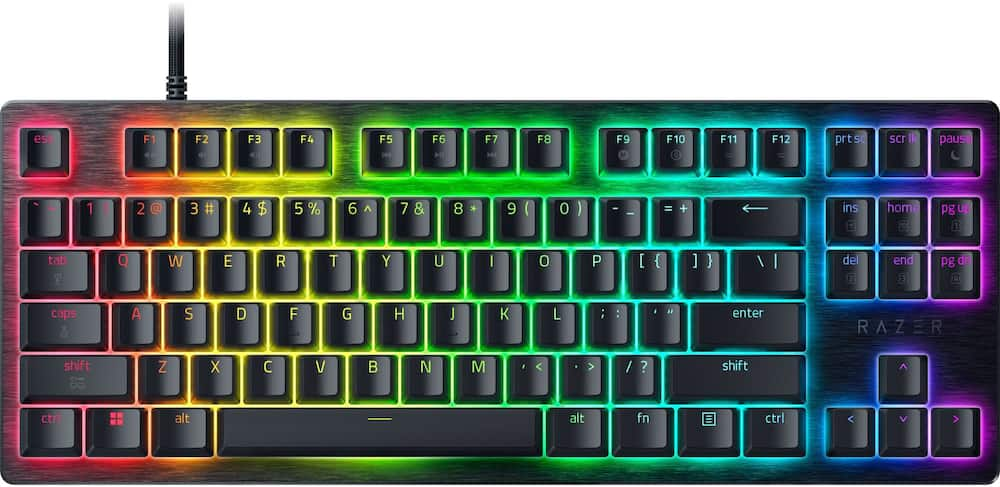
Razer – Huntsman V3 8KHz TKL Wired Hall Effect Magnetic Linear Switch Gaming Keyboard with Rapid Trigger – Black
SKU: 6677747
$11199
Was $139.99 Save $28.00
Other options in this range
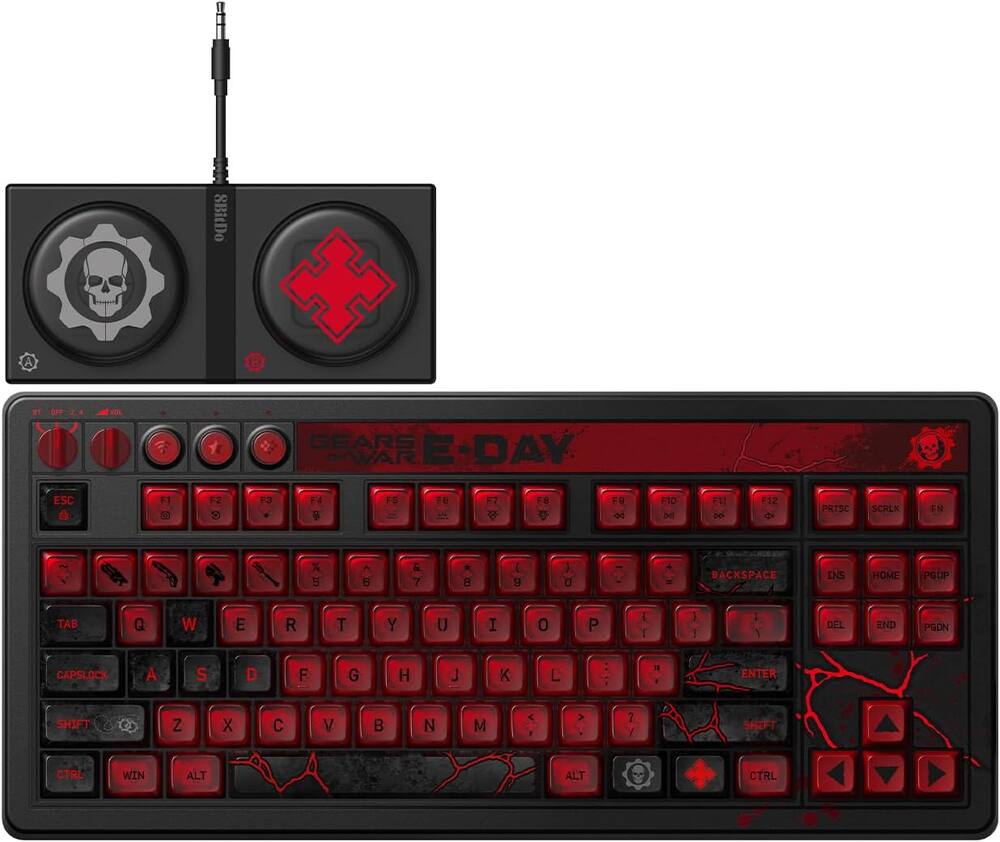 8BitDo - Retro 87 Mechanical Gaming Keyboard for Android and Windows - Gears of War E-Day Edition Original price was: $119.99.$95.99Current price is: $95.99.
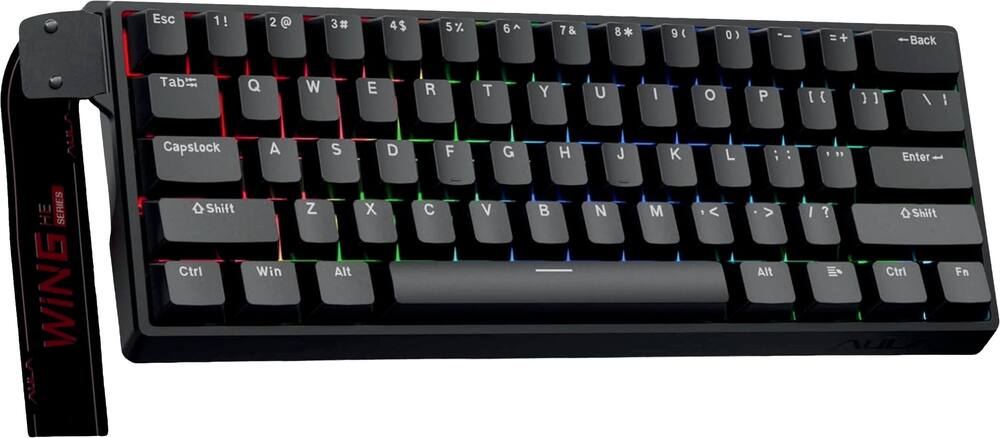 AULA - WIN60 HE 60% Gaming Wired Keyboard-Hall Effect 0.125ms-RGB-Hot Swap-Adj 8kHz Poll Rate-Blk Gray - Black Original price was: $49.99.$39.99Current price is: $39.99.
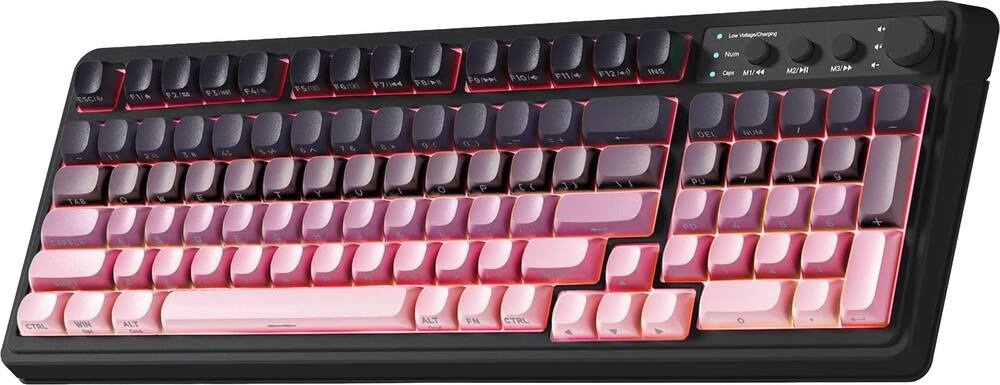 AULA - S99 Wirelesss Gaming Membrane Keyboard- Tri-Mode BT5.0/2.4GHz/USB-C Creamy-Num Pad-RGB- Media Knob-Black/Pink - Black Pink Gradient Original price was: $39.99.$31.99Current price is: $31.99.
Overview
- Precision for Competitive Gaming
Dominate FPS games and esports tournaments with Razer Hall Effect Magnetic Switches featuring Rapid Trigger and adjustable 0.1-4.0 mm actuation for faster reactions, cleaner movement inputs, and personalized control. - Ultra-Fast 8000Hz Performance
Gain a split-second advantage with true 8000Hz HyperPolling, an advanced gaming keyboard technology that delivers near-zero latency response for competitive gaming, ranked matches, and esports play. - Faster Movement in FPS Titles
Razer Snap Tap prioritizes the latest directional input between two selected keys, enabling quicker counter-strafes, cleaner directional changes, and more responsive movement for shooter games. - Advanced Magnetic Keystroke Customization
Trigger up to four actions on a single key with Dynamic Keystroke and use Razer Snap Flex key-release activation for enhanced control in competitive games and complex keybind setups. - Tenkeyless Tournament-Ready Layout
Enjoy more space for low-sensitivity mouse movement with a streamlined TKL gaming keyboard design that retains essential keys for esports, FPS gaming, LAN events, and competitive setups. - Durable PBT Keycaps for Daily Play
Textured doubleshot PBT keycaps resist shine, fading, and heavy wear from long gaming sessions, delivering lasting comfort and reliability for competitive gamers. - Premium Wired Gaming Keyboard Design
Built with a durable 5052 aluminum alloy top case, detachable USB-C cable, hybrid onboard storage for up to 6 profiles, anti-ghosting, and customizable Razer Chroma RGB lighting. - Designed for Competitive FPS Gaming
Hall Effect Magnetic Switches with Rapid Trigger, Snap Tap, and 8000Hz HyperPolling deliver the speed and precision serious players need for Valorant, Counter-Strike 2, Apex Legends, Fortnite, and esports tournaments.
Compare similar
Specifications
Capacity & configuration
- Lighting Type
- RGB
- Keyboard Type
- Gaming
- Connection Type
- Wired
Dimensions & weight
- Product Name
- Huntsman V3 8KHz TKL Wired Hall Effect Magnetic Linear Switch Gaming Keyboard with Rapid Trigger
- Product Height
- 1.09 inches
- Product Width
- 5.48 inches
- Product Depth
- 14.22 inches
- Product Weight
- 28 ounces
Features
- Brand
- Razer
- Color
- Black
- Customizable Lighting
- Yes
- Numeric Keypad
- No
- Touchpad
- No
- Palm Rest
- No
- Spill Resistant
- No
- Keyboard Features
- Hall Effect Magnetic Switches, 8000 Hz Polling, Razer Snap Tap, Rapid Trigger, Adjustable Actuation, Snap Flex, Dynamic Keystroke
- Foldable
- No
- Keycap Material
- PBT
- Maximum Number of Memory Profiles
- 6
- Form Factor
- Tenkeyless (TKL)
- Number Of Keys
- 87
- Keyboard Technology
- Magnetic hall effect
- Dedicated Macro Keys
- No
- Adjustable Tilt Function
- No
- Key Switch Behavior
- Linear
- Multimedia Keys
- Yes
- Internet Keys
- No
- Actuation Distance
- 0.1mm-4.0mm
- Actuation Force
- 40g
- Polling Rate
- 8000 hertz
- Wired Connectivity
- USB-C
- Detachable Cable
- Yes
- Number Of USB Port(s)
- 1
- Number of Devices Connectable Simultaneously
- 1
- Operating System Compatibility
- Windows
- Plug and Play Operation
- Yes
- Mouse Included
- No
- UPC
- 840272927410
Power & warranty
- Model Number
- RZ03-05920200-R3U1
- Warranty - Parts
- 2 years
- Warranty - Labor
- 2 years
Warranty & protection
Included manufacturer warranty
See manufacturer documentation.
Register your product with the manufacturer within 30 days of delivery.
Warranty service
Manufacturer warranty claims are handled by the manufacturer. We are happy to help you find the right contact: (888) 419-6820.
Customer reviews
Write a reviewAwesome gaming Keyboard - This is my 1st gaming keyboard for my gaming PC, Love the RGB Colors. keyboard is very fast and responsive and there's a lot of things in the program to learn like macros to enhance my gaming experience. Been playing games using a controller and now I'm going to try learning how to game with this Keyboard and Razer mouse to compliment the keyboard.
Great Gaming Keyboard - I love the colors. Razer always delivers great products.
Great keyboard - Super solid keyboard, i like the programmable lights in the razor chroma software. Super solid pick
Great keyboard for gaming - Very responsive and feels great to use. Rapid Trigger works really well for gaming, especially CS2. The keyboard feels solid and the TKL size is perfect for my setup. Very happy with it.
Good price hall effect keyboard - Good quality, good customization, and fast response time.
Razer in the right direction - The Huntsman HE feels amazing and extremely responsive. It’s super sensitive, and I usually play at 0.04 mm actuation, which is just enough for me. With the right stable settings, it feels absolutely perfect.
Great Board - Solid Performance, Huntsman Quality - The Razer Huntsman V3 HE TKL is another entry into the Hunstman lineup, and the first Hall Effect magnetic switches. There are 2 HE entries so far, this TKL and a 65% board. I have a Huntsman V3 Pro TKL which has optical switches, and a few more bells and whistles. That has been a great keyboard, and my experience with the HE has been just as positive. Like other Razer products, the HE is supported by Razer’s Synapse software, which lets you customize as much or as little as you want. This is my 3rd Razer keyboard, and 12th Razer PC peripheral/accessory that I have acquired over the years. I have had a really good run with Razer reliability, and I have only ever had one failure which support replaced immediately. The only area I have ever had an issue is with some weird interactions in Synapse to coordinate system lighting. Other than that the hardware and software have always worked great. I expect a similar experience with the V3 HE. The V3 HE and the V3 Pro utilize very different approaches to the switch design, but they both roughly produce the same result. The V3 Pro uses an analog optical switch that provides a lot of key customization that normal mechanical switches don’t have. The HE switches have the same customizations available, but just a slightly different feel. The analog optical Huntsman keyboards carry a decently higher price compared to the HE, so the HE version provides a lower entry point to gain some of those features. You really only miss out on the dedication media controls that the Pro line has. The keys HE switches get the same actuation travel customization from 0.1-4.0mm (the full travel length), and a similar actuation force (40g). The HE includes Razer’s Snapflex dual keystroke assignment, Snap Tap (prioritizes latest input allowing for better movement control), Dynamic Keystroke (add up to 4 actions that are triggered at different moments in a keystroke), and Rapid Trigger mode (resets the key as soon as the key starts to depress). Design The layout is a tenkeyless design with full sized keys. The top layer of the board is made of ~1mm thick black anodized 5052 aluminum that wraps down the sides in one piece. The keycaps are PBT doubleshot material with a light texture and dark color key designations that allow the RGB lights to shine through easily. With the lighting off this keyboard has a dark, sleek look to it. Keyboard comes with the standard flip out feet for angling the typing surface. The keys have a comfortable spacing without feeling crowded even in this tenkeyless form factor. I have the keyboard on a pullout keyboard shelf at my desk, and the overall size of the keyboard leaves plenty of room next to it for my mouse to be used without issue. The keyboard comes with a removeable braided USB-C cord that connects on the top left corner. The keyboard also contains onboard memory to store profiles. Combine that with the detachable cord and you have a keyboard you can easily swap between systems. The ergonomics of the design are pretty good. The HE board didn’t include a palm rest like my Pro, but the overall height of the keyboard makes a comfortable typing experience even without it. If you need a palm rest, Razer sells it as a separate option for 20 bucks – I used the palm rest from my Pro, which lines up perfectly with the HE. Compared to the Pro with the Analog Digital switches, the HE keys feel pretty close. The sound from the board and the feel from the key “bottoming out” are where I notice the biggest difference. Both switches are linear, so there’s no tactile difference to interfere with the comparison. The sound deadening on the Pro is a little better and makes for a quieter board and a softer feel to the keystroke landing. When the key bottoms out it feels slightly bouncier on the return stroke. It took me a little bit to get used to difference in feel. Adjustments, Lighting, and Synapse In order to take full advantage of lighting (and other options) you need to download Razer Synapse software. Synapse has a basic lighting control scheme, and any advanced controls have to be done with another Razer program – Chroma RGB. This is my biggest issue with the software – Chroma should just be rolled into Synapse instead of being a separate utility. Regardless, in Chroma you can setup per-key lighting assignments and create a more personalized lighting scheme. Using the software is fairly straightforward, and the lighting looks great. If you have other Chroma compatible peripherals you can tie your lighting scheme together in Chroma. Inside Synapse is where all the key configurations are handled. Its in here that you can modify the actuation depth point – you can do it on a per-key basis or make a blanket change to every key. You can create macros, set up your Snap Tap key combinations (up to 4), enable rapid trigger, and Snap Flex. All of these settings get saved to the onboard profiles, which the board can store up to 6. There are 4 premade profiles already there that provide a mix of features that are worth checking out to see if they fit your play style. Usage My initial usage is always typing something just to get a feel for the keys and spacing of the board. I adjusted the actuation depth to 1.5mm – the default is 1.2. This is the same depth I liked on the Pro, and it produced more accurate typing results than the 1.2mm depth. I actually moved to a slightly deeper 2.0mm on the HE, and found that to be my ideal depth for typing – this was a bit of a surprise since 2.0mm on the Pro was a bit too deep for typing. After dialing that in it was really nice to type on the board – the usefulness of this feature can’t be understated because it allows you to fit the keyboard to your preferences. For games I played some Halo Infinite, which I have put a lot of hours in with all of my keyboards. I matched my settings profile from my Pro board and launched into the game. I used 1.5mm for the actuation depth and found a decent amount of success. Key accuracy was great and the dual-keypress priority makes for quicker movements, and faster reactions. I tried out the rapid trigger again – didn’t care for it in the past because I was a little newer to playing FPS games on a keyboard, and I didn’t fully grasp the sensitivity aspect of the setting. This time around I found it worked really well for me. I set the sensitivity to 0.6mm after some testing, and found that led to a good outcome with the array of weapons that show up in Halo. I have used it at 0.1, and I just don’t see a need for that quick of an actuation in the games I play, but the fact it exists means someone or some game can take advantage of it. My partner’s son is our resident heavy PC gamer, and on uses keyboard+mouse. I had him take a crack at the HE and got his feedback. He has also used the Pro board and had something compare it to. He mainly played Marvel Rivals and Minecraft, but also played a little Geometry dash. For Rivals he ended up trying out the Snap Tap and Snap Flex features along with the dual-keypress priority. It took him a bit to get used to the movement controls, but after a few rounds he appeared to have adapted. He kept the settings enabled for the next few days, and really seemed to like it. His main complaint was more to do with the design as he has been using a low-profile keyboard for a few months and found the feel of that to be more to his liking. Unfortunately Razer does not make a low-profile HE keyboard, but they did come out with one for the analog optical Huntsman line-up. Overall The Huntsman V3 HE TKL lives up to the Huntsman line-up’s reputation. It feels just as well-made as the Pro board, and packs the same feature set at a lower price point. The HE keys take a little bit to get used to, but they feel great. The TKL size definitely appeals to those that don’t want or need the numberpad. The RGB lighting looks great on the board – it certainly looks very cool. Software is still a bit of a hurdle, but Synapse and Chroma have gotten a lot better in the last few years and really should not be a dealbreaker for anyone looking at this board. It’s a good piece of hardware that’s worth a look.
The best - Keys the switches everything feels great and even better than the previous huntsman mini tournament edition I was using. 10/10
Built like a tank! Great for School and Gaming. - This keyboard is the perfect hybrid if you're trying to game but also need to get real work done without swapping keyboards all the time. The keys are super smooth for typing papers and replying to emails, even during those late night last minute projects, and the tenkeyless design saves a ton of space on a cramped dorm desk. It's not for an accounting major, it's for an engineering student. He probably won't miss the number pad. Build quality is solid too, aluminum top, PBT keycaps that will hold up and magnetic switches that feel like durable. It's wired with a detachable USB-C cable, so no batteries or Bluetooth dropouts to deal with, and the adjustable actuation is actually useful. You can set it normal for typing, then crank it super sensitive for games, save profiles, and never mess with settings again. For gaming this is great! Rapid Trigger, Snap Tap, and 8000 Hz polling. Perfect in shooters like Valorant or Apex, the keyboard definitely won't hold you back. RGB looks great, just tone it down for class. Instead of buying a cheap board for class and another for gaming, this does both really well. It's compact, built to last, and feels like it'll easily survive four years and then some. For a student who games, this one's absolutely worth checking out.
Great keyboard for gaming and everyday typing - I have used this keyboard sitting for several weeks, using it for everything from long gaming sessions to projects for school, and it’s a great keyboard. Right out of the box, the immediate impression is just how sturdy it is. It has some real weight to it and stays completely planted on the desk. I don’t know the exact weight, but it has some absolutel heft to it. You get none of that cheap, hollow outer edge feeling at all. It has rubber nubs so it doesn’t move as well as feet to help elevate it for people like me that like a slight angle on my keyboard. It looks clean, and sharp and I can use it at night due to the backlights. I have a smaller desk, so removing the number pad makes a huge difference, leaving me with the room to use my mouse without any obstruction. I can unplug the cable so that removes the kink in cords that I’ve run into in the past when travelling with other keyboards. Full disclosure, typing on it is took a few days to fully appreciate. The keys go down incredibly smooth and light, responding to the gentlest tap. I previously had a keyboard with heavier keys (I don’t know how else to put it), so you might trigger a few accidental strokes at first simply because it is so sensitive. Once my hands got used to that trigger finger touch, it was much more effortless. The surface of the keys has a slightly textured finish that feels great on your fingertips and keeps grease and smudges away. All around, it is an enjoyable, responsive keyboard that makes gaming and everyday computer time feel remarkably smooth.
Sounds better, Feels better, Plays better - Ive had almost all the variants of the huntsman TKL keyboards over the years from the TE lineup with gen 1 and 2 switches to dampened reds, the 8k analog optical and now this HE 8k magnetic switch version. Out of all the versions of this style keyboard I truly enjoy typing on the HE switch version the most. The switches are quieter, less hollow sounding, feels more premium and are just a tiny bit slower from the optical version. That said this also has no dedicated media keys on it but I usually bind other keys for that stuff anyway and or use the Fn key to do it as im used to doing so with the smaller 65% version as well. One of the things I did was actually add the Razer PBT white keycaps to mine to give it a custom flair and thats what you see in the photos attached. One of the MAJOR wins in my book here is that this thing is compatible with the new synapse web based software! There is not many products on it yet and its still in “beta” but its worked amazingly for this keyboard and is fully fleshed out so you do not have to install the software any longer if you dont want to. Mind you this works then also on things like Mac computers without issue as well. Super plus! As with all HE keyboards this is fully adjustable actuation points all around and Razers snap flex and dynamic keystroke setup to allow you to set custom actions based on how far down the key is pressed or let off to make any game your playing EXTREMELY responsive. Even though they are late to the game with these new HE keyboards since they already have faster “better” more expensive versions of these I would still say from a value for money standpoint you really cannot beat this keyboard! It does everything you expect from it and more and I would not hesitate to recommend it.
Solid TKL with great keys, feel, and features. - Razer’s Huntsman line of keyboards has been popular in not only retail but also professional e-sports. The V3 HE is powered by the latest Hall Effect magnetic switches. These use magnetic fields instead of contacts to detect a keypress. This makes them very precise, and very customizable. If you’re measuring a magnetic field, you can adjust at what point in that field you want to detect actuation, reset point, priority, etc. Well let’s just say this opens up a whole world of possibilities - some that are even banned in some e-sports. Let’s dig in. The Huntsman V3 TKL comes well packaged, but essentially no frills. In the box you’ll find the keyboard, a nice braided cable, and some paperwork. Nothing crazy here. That said, this keyboard is an excellent value, as you get a fully hall effect keyboard. This precludes swapping switches - so the feel of this board is the feel you get outside of swapping keycaps. Speaking of the keycaps, they’re excellent double shot PBT keys - meaning you really won’t want to replace them. They’re wonderfully tactile and work well with the backlights. The HE nature of this keyboard comes at the cost of limited customization in hardware, but tons of flexibility in the software, which we’ll get to. The feel of the keyboard is pretty unique. Razer is quite proud of their foam padding, 40g actuation force and lubricated switches - and for good reason; they’re excellent. I’ve had dozens of keyboards, and getting the right feel has always been a priority. My personal preference in a typing keyboard is something tactile with a thock sound. This keyboard isn’t tactile (for good reason, with its focus on rapid keypress gaming), but they nailed the sound and feel in my book. As far as linear switches, I found them easy to type and easy to repeat press out of the box. The weight of them feels effortless and the padding and lubrication make them feel great. Coupled with the PBT textured keycaps, they aren’t the best keys I’ve used, but they’re probably my favorite linear keys. Speaking of the keycaps, I’m a big fan of the feel, but their textured nature makes them a bit scratchy - so you may want to experience them in store to determine if they’ll work for you. The big thing they have going for them is they won’t turn into a shiny mess like ABS keycaps that are so common. Despite the metal backplate, the keyboard itself is lighter than you’d expect. This isn’t really a problem, as the rubber feet keep it in place. The quality of the build is top notch, and I’ll hand it to Razer - this keyboard feels and looks professional in a way you don’t get from many gaming keyboards. The layout is a very traditional TKL, just the way I like it. I’m a programmer, so I really like my f-keys, arrow keys, and insert/page island. Personal preference aside, the TKL is a good blend of ergonomics and functionality. There is also a compact layout that eschews the arrow keys and f-row to put everything behind Fn modifiers. Whatever your preference is they’re both similar in their feature set. Software wise, Razer is known for their overcomplicated, multi-application, cloud required software. The good news is - they listened and Synapse 4 offers a fairly unobtrusive experience. The device even has a default priority to its on-board features instead of software heavy implementations - which to me is the most important. The last synapse settings will stick to the on-board profile which is convenient. I really don’t care to leave the software running, so the on-board profile is my go to anyway. This means some of the more advanced lighting features are not something I use, but who needs their keyboard to be a mirror of their screen (ok it is pretty cool). So let’s talk about some of the more advanced selling features here. I’ll say this: many if not all are controversial in the e-sports world. If you play competitively these could get you banned if you use them. The good thing to note is that you have to go into the software to configure them, so it’s not like this keyboard is an instant ban in Counter Strike or anything. The least controversial is the 8k polling rate - which is arguably imperceptible over something like a 1k polling rate. That said, there’s no denying that this keyboard is responsive. Not quite as fast as the Razor’s analogue - but we’re splitting hairs on tenths of milliseconds. Another less controversial feature (and one I enjoyed) was DKP, or dual key press - which is a boon to strafing in FPS’s. Essentially you have prioritized keystrokes, so for instance left strafe can take precedence over right, and that key’s press can be ignored until the left strafe is lifted, allowing a zig zag pattern without needing to do anything else. Dynamic keystroke, snap flex, and snap flex all have some degree of built in macro capability which is probably great for MMO players, but definitely most of these are banned in competitive play. However these are not banned in certain games (just all the ones I play apparently), so your mileage may vary. Overall, the fact that Razer has produced this excellent piece of equipment at a price that’s reasonable is great to see. Hall effect keyboards are the end game of capability for gamers, so if you’re looking to up your game, the Huntsman V3 is a great board. If you’re a prolific typer, it’s not bad either, with great foam padding and a great overall feel. You’ll be hard pressed to find a nicer TKL at this price point.
Full Customization... Awesome - Wow… what an incredible keyboard. Nearly infinite customizations, this is awesome. I am probably most impressed with the ease of using the software to customize the key options. The feel of the keys is fantastic. They provide a great sensation during gaming, and I am really enjoying the customizing I can do and try different modes with my keys. Even my kids are comfortable with programming the functions. You get what you need in the box including a 6ft usb-c to usb-A cable, and some quick start instructions. I wish the instructions were larger they are pretty small but I appreciate they get you started. YOu can get overwhelmed with all the customizations available in the software but that was the point of this keyboard that you can really set it up the way you want. Response times are fantastic I have not noticed any lag when gaming. Love the Lighting effects as well, depending on the game or mood I can really dial in the lights for full effect. I am a big fan early and can’t wait to use this for a long time.
Razer HE is here - its finally here razer with their latest Hall effect magnetic keyboard, a bit more options coming from Razer which mean everybody wins DEVICE & FEATURES: Unboxing the Huntsman HE is pretty much the same typical Razer unboxing youre used to nothing has changed there, the back of the packaging highlights some of its features just like the other keyboard Razer has made, this year Huntsman HE upgrade is something ive been waiting for, inside the box its the same texture like the previous version its a textured aluminum on the and plastic on the back, a double shot PBT keycaps, some features we get on this Huntsman are the ability to adjust the actuation point from 0.1 to 4.0 mm. we have rapid trigger and razer snap tap and the back you have two options for adjustable feet with USBC for the keyboard plug in. RAZER SOFTWARE: its my first type seeing Razer to have their own web based application so you dont need to download their Razer synapse app anymore. this is another great feature thats razer is showing that their listening. From the web software you have full access to rebind keys, change your pooling rate from 125 all the way to that sweet 8k pooling, you also have the ability to switch dead zone from Responsive, Medium or Stable. Again from the web you have the ability to change actuation point of all keys, Razer Snap tap and there’s a latest one that’s called Snap Flex, it lets you program two actions in one key you can have an action for 1 key during the press and another after it lets go, if you play a game that can take advantage of this I think its a great feature, for rapid trigger I recommend setting it on the lowest value for competitive games. EXPERIENCE: first experience for me is the sound of this keyboard, I would say this latest HE switches from razer gives a bit more creame sound and experience. I think this year Razer finally won me these changes is what we really need specially for a competitive keyboard, all the features I would need its here. typing has been fun with the Huntsman v3 HE I tested playing The final sentence, when it comes to competitive this keyboard has been great on The Finals and current playing Halo Campaign evolved. CONCLUSION Im so happy that razer updated their product HE 8k keyboard is the way to go. theres only few things I didnt like for example you still need synapse to calibrate the keyboard which I highly recommend to make sure each keys works properly. if you enjoy RGB then you still need synapse for its full features. without a doubt Razer huntsman is a winner for gamers, hopefully they continue to improve on that. if you’re a razer fan then they sure have something that you would enjoy and worth all the time and all the competitive gear you need
Great gaming keyboard with all the features I need - This Razer Huntsman V3 HE Magnetic 8KHz Tenkeyless Gaming Keyboard is a gaming keyboard built for gamers. The look, the feel, the speed, and most importantly the control this keyboard gives the user is astounding. In the box: The Razer Huntsman V3 HE Magnetic 8KHz TKL Keyboard, USB-C Cable, manual, hotkeys and quick use card, Razer stickers. Build Quality and Design are typical Razer, which is outstanding. This keyboard has an aluminum top plate, doubleshot PBT keycaps, Tenkeyless (TKL) layout advantages, RGB and overall aesthetics. It is solid and it is premium. Typing also feels easy and smooth on it as well. I can use it for long sessions, and my fingers are not feeling like they want to fall off. The annoying clickity click of a gaming keyboard is not an issue with this keyboard, therefore using it all the time is not an annoyance. Who exactly is this keyboard for? Gamers who want pro-level performance, gamers who like to tweak their settings, low sensitivity players who need more mouse space, FPS players who need faster movement and tighter control, and competitive gamers who need consistent actuation and low latency. Who is this keyboard not for? Gamers who prefer the clickity click sound on their keyboard, gamers who prefer a wireless keyboard, people who prefer a numpad on their keyboard, and casual gamers who do not need or will not use the Rapid Trigger or the adjustable actuation. What makes this keyboard THE ONE? The cool features and things this keyboard will do make it stand out from all others. Just check out these features and what they mean or do: Razer Hall Effect Magnetic Switches - Rapid Trigger and Adjustable Actuation – Razer makes sure each switch calibrated individually, so you get consistent performance. Rapid Tripper allows you to press and release the keys repeatedly much faster than with standard gaming keyboards, giving you an advantage in speed for games where speed is vital. Razer has made the adjustable actuation range from 0.1 to 4.0 mm, which can be set to your specific preference in Razer Synapse software or Razer Synapse on the web. Whether you are new to gaming or a pro gamer, Razer has you covered at a higher standard. This brings me to the next feature, the Razer Synapse software. The Razer Synapse software is where you can use Calibration on Demand to fine tune switches. The Synapse software is where you can customize your settings, update your firmware, and the other Razer software that you can use with your keyboard. True 8KHz (8000 Hz) hyper polling and near zero latency gives you the upper hand over your opponents. This makes this keyboard 8% faster than the industry standard. You will not have to worry about shooting or racing with a key and the key falling behind causing you to miss your target or your goal. Razer Snap Flex with Dual Actions per keystroke lets you assign two commands to one key: one when pressed and another when released. If you press a key to jump or shoot continuously, when you release that button you can set it to stop. Razer Snap Tap Advanced Input Priority lets you prioritize the latest input between two selected keys without having to release the previous one. There will be no battle of the keys here. Dynamic Keystroke with Instant Cancel Control lets you activate up to four actions at different keypress depths and cancel them instantly, giving you faster, more adaptive control during gameplay. If you press a key a quarter the way down it can do one action, and do another a half way down, then another three quarters the way down and then a fourth for all the way down. That’s 4 actions or commands with one key. Dual Keypress Priority enhances WASD by allowing instant inputs from simultaneous keypresses upon release of other keys, delivering precise control during competitive play. This is super important as you are playing with the WASD keys and need directional control. Faster WASD movement at 1.0 mm actuation point, 0.2 mm trigger sensitivity and Snap Tap ON A + D with optimized modifier keys. Whether you are new to gaming or a pro, this keyboard can elevate your experience and change the way you play. It offers extensive customization options, though the number of settings can feel overwhelming if you are unfamiliar with the terminology or how each feature works. That is why I explained the major features, so you can understand them and apply the settings to your gaming style or favorite games. Gaming and esports are huge now, and a keyboard like this feels like a dream, particularly because it is so quiet. I dislike the clicking sound of typical magnetic gaming keyboards, and this one avoids that issue. I do not have to change keyboards when I am not gaming and can use this keyboard all the time. It just feels good typing on it all the time.
Razer Joins the Hall Effect Keyboard Train - This latest Razer Huntsman TKL now comes with new Hall Effect magnetic switches. The keys actually behave more like analog inputs, almost like a controller trigger but with keyboard precision. Because the switches use magnets instead of mechanical contacts, the keyboard can read exact key travel instead of just on/off. That means you can set the actuation anywhere from 0.1 mm to 4.0 mm, but the real magic is how the keyboard reacts throughout the press. You can tune keys to activate at different depths, release at different depths, or even trigger multiple actions depending on how far you press. It’s wild how much control you get. For example, you can set movement keys to activate at a super‑shallow point for faster strafing, while keeping ability keys deeper so you don’t fat‑finger them. You can also use analog depth for things like Dynamic Keystroke, where one key can perform up to four different actions depending on how far you press it. It genuinely feels like you’re shaping the keyboard to your playstyle instead of adapting to it. The analog nature also makes Rapid Trigger feel more natural. Since the keyboard knows exactly how far the key has moved, it resets instantly the moment you start lifting your finger. It’s fast and predictable, which is huge for competitive FPS movement. Build quality is excellent. The aluminum top plate feels premium, the PBT keycaps have a great texture, and the sound is nicely muted compared to older Huntsman boards. The TKL layout gives you more mouse space without losing the function row. Configuration is also way better now. Razer added a new Synapse Web interface, so you can adjust actuation, Rapid Trigger, RGB, and profiles right from your browser without installing the full desktop app. Even better, the keyboard supports onboard configuration, letting you adjust actuation levels, Rapid Trigger behavior, lighting, and profiles directly on the keyboard itself — no software required. For a keyboard with this much analog control, having both onboard tuning and a lightweight web interface is a huge plus. Performance-wise, the 8,000 Hz polling rate keeps latency extremely low. Everything feels snappy and consistent. Typing is comfortable too, even though this keyboard is clearly built for gaming first. For the price, I think it’s a fantastic value. You get most of the analog features from the higher-end Huntsman V3 Pro but at a much more reasonable cost. If you’re into competitive shooters or just want a keyboard that gives you true analog control, this one is worth a look.
Gaming First Keyboard - Awesome Build Quality ! - Initial Impressions and Everyday use - I unpacked this keyboard and plugged it into my primary work PC for the day. It arrived well packed and included a setup reference card and a robust USB cord. While this keybaord is primarily intended for gaming, I task switch with a KVM controller between a work PC and Gaming PC most of the time. The top plate is aluminum and the keyboard is internally dampened for sound. Whether you mash the keys or gently touch type - this provides a very different feel over mechanical switches that may take a few hours of typing to get used to. I was able to adjust and use this for daytime work and games easily. The overall feel of the keyboard might not be for everyone but the accuracy and response more than make up for the slightly hollow "feel" typing versus true mechanical switches. Touch Typists - If you set the actuation to very low, you can up your speed on this keyboard as soon as you adjust to not having to deeply depress the keys ! Gaming Use - The hall effect switches are amazingly fast compared to mechanical switches. Being able to adjust the actuation to as low as .01 is wild. There is no delay on lifting off whatsoever. I'm actually pretty bad in some FPS games and probably "just ok" in others - but even my playing was noticably better ( Especially strafeing ). I used counterstike as a baseline and moved on to Doom Ultra and others. Rapid trigger helped a lot to correct my small control errors. Configuration - Can be done in browser for tournament use or with Razer's software. I was also pleased to realized that configuration can be done via key shortcuts without any softawre. The keyboard supports multiple profiles that can be switched through via the keyboard as well. What I love - I'm not a good player in many FPS games but this noticably improved my accuracy ! High quality build and finish. Included quick start/quick shortcut card for config without software.
Fantastic! - I was looking for a new keyboard to use both in my daily work and in gaming. My requirements were to have good backlighting, precise key feel, solid tactile feedback, and be able to withstand my heavy-handed typing. I actually prefer a wired keyboard so I don’t have to worry about charging or replacing batteries. I came across this Razer Huntsman V3 keyboard and decided to give it a try. Out of the box, it has a great, quality feel. It has enough weight to stay planted without feeling too heavy. The included USB cable is very nice. This keyboard truly is plug-and-play. All I had to do was connect it and not only did it work immediately, it prompted me to automatically download the Razer Chroma and Synapse software. The default settings are nice, but there’s much more to this keyboard. The software can be used to customize the backlighting as well as macro and gaming keys. This functionality is fairly typical of most modern gaming keyboards and even some business-class keyboards. Where it really shines is being able to adjust the key sensitivity. The travel can be adjusted in 0.1mm increments from 0.1mm to 4.0mm. This is the first keyboard that I’ve ever used with this feature and all I can say is that it’s amazing! Not only can I make the keys extra-sensitive for fast response when gaming, I can create a “typing” profile that requires a bit more travel. This alone is well worth the price of this keyboard. In terms of feel and audible feedback, the keys have a pleasant shape and are virtually silent until fully depressed. The “clunk” sound is satisfying with good audible feedback without being distractingly noisy. I like that the Caps an Scroll lock indicators are built into the keys’ backlighting. There is one minor complaint I have about this keyboard, which is the minimal amount of incline adjustment. Each side of the keyboard has a dual-level folding “foot” that can increase the angle, but it’s very slight. At the highest setting, it barely raised the top edge of the keyboard by ¼ of an inch. I prefer steeper angle, so I use an adjustable keyboard support. Overall, this Razer Huntsman V3 is a great keyboard. Its adjustable key response is a fantastic features. It has fast response and excellent key feel. It’s well-made and seems very durable. This keyboard is a very good value and I highly recommend it for gaming or even everyday use.
Outstanding Gamers Keyboard with Unique Features - The Razer Huntsman V3 HE Magnetic Tenkeyless 8KHz is a high-end gaming keyboard designed for players who want speed, comfort, and extensive customization. It offers a premium typing experience with magnetic switches that feel smooth and responsive. In addition to its excellent build quality, the keyboard includes a wide range of customization options, making it a great choice for gamers who want to personalize their setup. One of the keyboard's strongest features is its premium design and feel. The included USB-C cable is braided, giving it a durable, high-quality appearance. The textured key-caps provide a comfortable grip and help prevent fingers from slipping during intense gaming sessions. The keyboard also features a sturdy metal frame that feels much more durable than many plastic keyboards on the market. On the underside, two adjustable kickstands allow users to choose between different typing angles for added comfort. The Huntsman V3 HE also stands out because of its customization features. Like many gaming keyboards, it offers customizable RGB lighting with a variety of colors and effects. However, its most unique feature is the adjustable trigger depth. Users can customize how far each key must be pressed before it registers, either for the entire keyboard or for individual keys. The actuation point can be set anywhere from a full key press to the slightest touch, allowing players to optimize the keyboard for different games or play-styles. These settings can also be saved into multiple profiles, making it easy to switch between configurations for different games. Overall, the Razer Huntsman V3 HE Magnetic Tenkeyless 8KHz is an excellent gaming keyboard that combines premium build quality with advanced customization features. Its comfortable design, adjustable actuation, and customizable profiles make it a strong option for gamers looking for both performance and personalization.
Questions & answers
Ask a question
Email [email protected] or call (888) 419-6820 during business hours.
Add your review