Disconnecting - I have tried every remedy given by razer support with no luck. The keyboard disconnects about every 15 minutes where I have to unplug it and replug it in.
 20% off
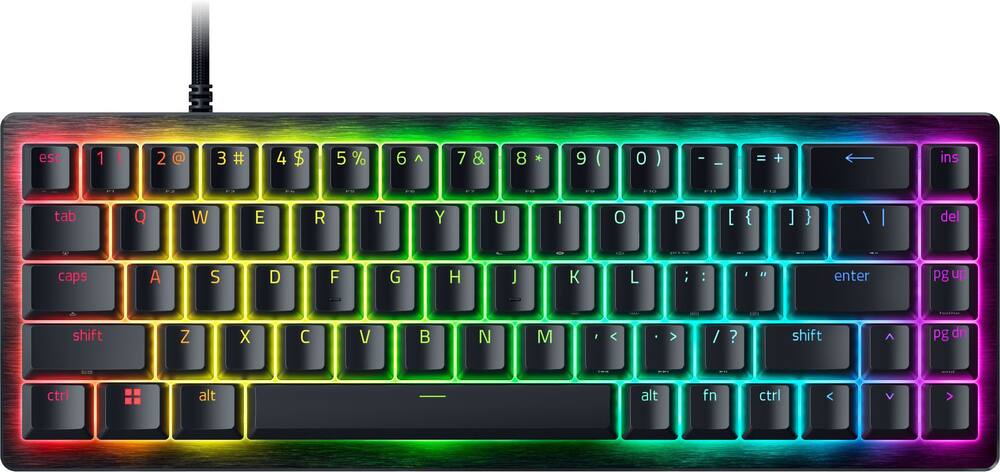
Razer – Huntsman V3 8KHz Mini 65% Wired Hall Effect Magnetic Linear Switch Gaming Keyboard with Rapid Trigger – Black
SKU: 6677744
$9599
Was $119.99 Save $24.00
Other options in this range
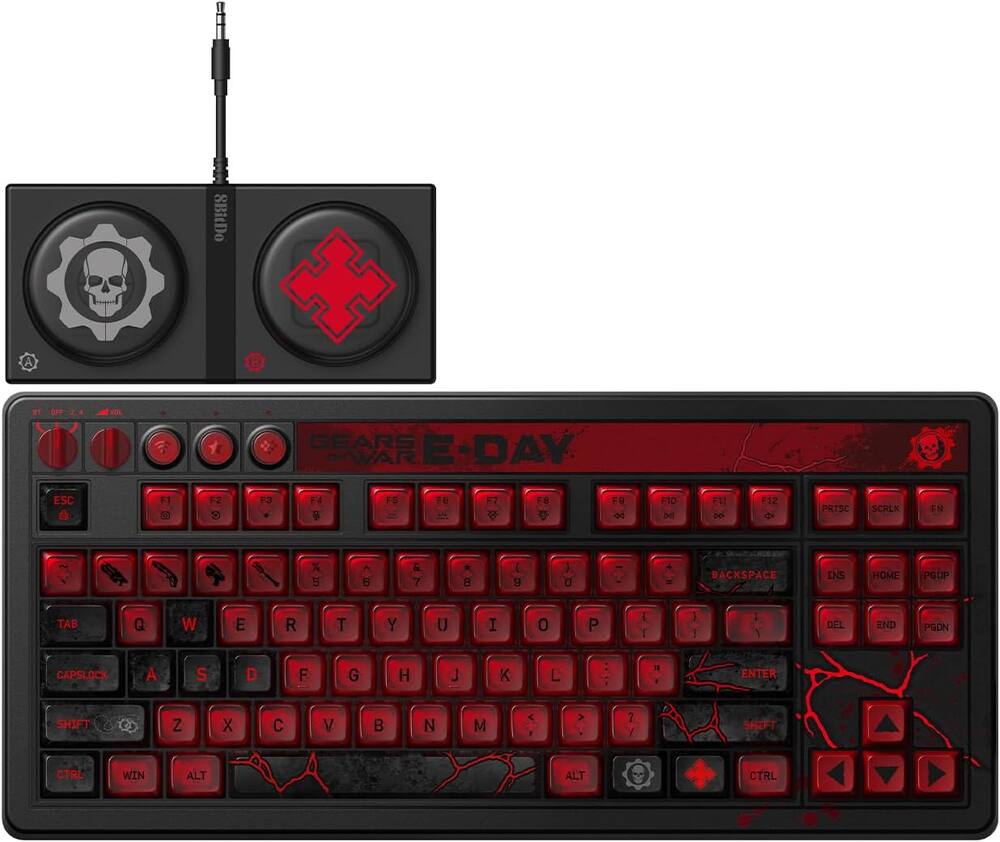 8BitDo - Retro 87 Mechanical Gaming Keyboard for Android and Windows - Gears of War E-Day Edition Original price was: $119.99.$95.99Current price is: $95.99.
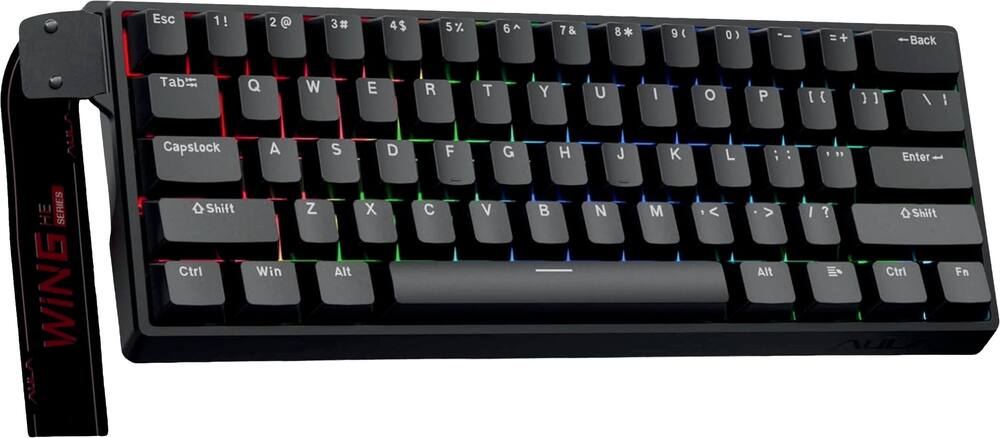 AULA - WIN60 HE 60% Gaming Wired Keyboard-Hall Effect 0.125ms-RGB-Hot Swap-Adj 8kHz Poll Rate-Blk Gray - Black Original price was: $49.99.$39.99Current price is: $39.99.
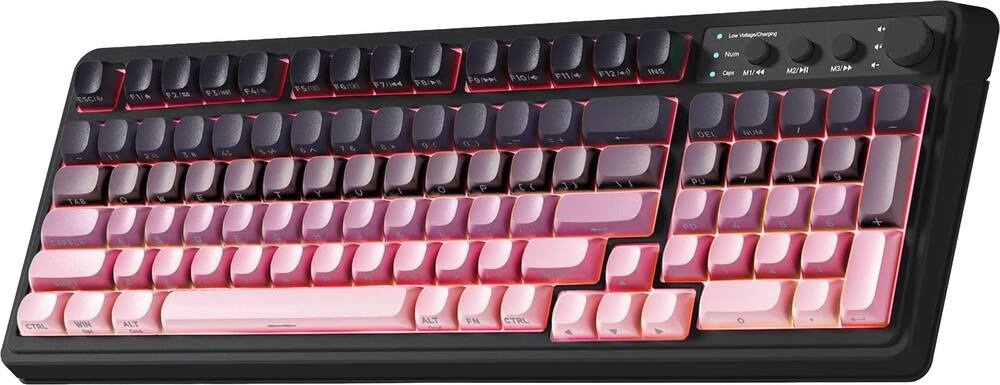 AULA - S99 Wirelesss Gaming Membrane Keyboard- Tri-Mode BT5.0/2.4GHz/USB-C Creamy-Num Pad-RGB- Media Knob-Black/Pink - Black Pink Gradient Original price was: $39.99.$31.99Current price is: $31.99.
Overview
- Precision for Competitive Gaming
Dominate FPS games and esports tournaments with Razer Hall Effect Magnetic Switches featuring Rapid Trigger and adjustable 0.1-4.0 mm actuation for faster reactions, cleaner movement inputs, and personalized control. - Ultra-Fast 8000Hz Performance
Gain a split-second advantage with true 8000Hz HyperPolling, an advanced gaming keyboard technology that delivers near-zero latency response for competitive gaming, ranked matches, and esports play. - Faster Movement in FPS Titles
Razer Snap Tap prioritizes the latest directional input between two selected keys, enabling quicker counter-strafes, cleaner directional changes, and more responsive movement for shooter games. - Advanced Magnetic Keystroke Customization
Trigger up to four actions on a single key with Dynamic Keystroke and use Razer Snap Flex key-release activation for enhanced control in competitive games and complex keybind setups. - Compact 65% Esports Keyboard
Maximize mouse movement with a streamlined 65% gaming keyboard layout designed for FPS players, tournament setups, and portable gaming stations without sacrificing essential controls. - Durable PBT Keycaps for Daily Play
Textured doubleshot PBT keycaps resist shine, fading, and heavy wear from long gaming sessions, delivering lasting comfort and reliability for competitive gamers. - Premium Wired Gaming Keyboard Design
Built with a durable 5052 aluminum alloy top case, detachable USB-C cable, hybrid onboard storage for up to 6 profiles, anti-ghosting, and customizable Razer Chroma RGB lighting. - Designed for Competitive FPS Gaming
Hall Effect Magnetic Switches with Rapid Trigger, Snap Tap, and 8000Hz HyperPolling deliver the speed and precision serious players need for Valorant, Counter-Strike 2, Apex Legends, Fortnite, and esports tournaments.
Compare similar
Specifications
Capacity & configuration
- Lighting Type
- RGB
- Keyboard Type
- Gaming
- Connection Type
- Wired
Dimensions & weight
- Product Name
- Huntsman V3 8KHz Mini 65% Wired Hall Effect Magnetic Linear Switch Gaming Keyboard with Rapid Trigger
- Product Height
- 1.51 inches
- Product Width
- 4.48 inches
- Product Depth
- 12.48 inches
- Product Weight
- 23.2 ounces
Features
- Brand
- Razer
- Color
- Black
- Customizable Lighting
- Yes
- Numeric Keypad
- No
- Touchpad
- No
- Palm Rest
- No
- Spill Resistant
- No
- Keyboard Features
- Hall Effect Magnetic Switches, 8000 Hz Polling, Razer Snap Tap, Rapid Trigger, Adjustable Actuation, Snap Flex, Dynamic Keystroke
- Foldable
- No
- Keycap Material
- PBT
- Maximum Number of Memory Profiles
- 6
- Form Factor
- 65%
- Number Of Keys
- 68
- Keyboard Technology
- Magnetic hall effect
- Dedicated Macro Keys
- No
- Adjustable Tilt Function
- No
- Key Switch Behavior
- Linear
- Multimedia Keys
- Yes
- Internet Keys
- No
- Actuation Distance
- 0.1mm-4.0mm
- Actuation Force
- 40g
- Polling Rate
- 8000 hertz
- Wired Connectivity
- USB-C
- Detachable Cable
- Yes
- Number Of USB Port(s)
- 1
- Number of Devices Connectable Simultaneously
- 1
- Operating System Compatibility
- Windows
- Plug and Play Operation
- Yes
- Mouse Included
- No
- UPC
- 840272927434
Power & warranty
- Model Number
- RZ03-05930200-R3U1
- Warranty - Parts
- 2 years
- Warranty - Labor
- 2 years
Warranty & protection
Included manufacturer warranty
See manufacturer documentation.
Register your product with the manufacturer within 30 days of delivery.
Warranty service
Manufacturer warranty claims are handled by the manufacturer. We are happy to help you find the right contact: (888) 419-6820.
Customer reviews
Write a reviewMy Sons new keyboard - My son is a gamer and he absolutely loves this new keyboard. He likes the fact it does not have the number keys. He said he loves the sound and feel of the keys. LOL
Great magnetic keyboard that is wired. - I’ve been using the Razer Huntsman V3 8KHz Mini for a little while now and I like it quite a bit. It’s a lot smaller than the keyboard I was using before, which freed up some space on my desk. At first I wasn’t sure if I’d like the smaller layout, but it didn’t take very long to get used to. The keys feel really smooth and very quick when gaming. You can adjust how sensitive they are, which I thought sounded kind of unnecessary at first, but I ended up liking it more than I expected. It’s nice being able to change how far you have to press a key before it responds. The lighting also looks really good and gives it a nice clean look. One small thing I noticed is that if you’re used to a regular full-size keyboard, you may miss having the number pad and a few of the extra keys right away. That was probably the biggest adjustment for me. Other than that, it feels solid, works great for gaming, and I’ve also had no problem using it for regular typing and everyday computer use. I would purchase more products from Razer and keyboards. I am looking for a cordless so I am checking them out for that.
Best upgrade! - I had the older version of this keyboard for a few years never had an issue, decided to upgrade to this one, and it's just keeps getting better.
The software is bugging out - Good keyboard but the software needs to be improved
Fastest keyboard I’ve had - The adjustable polling rate makes a big difference.
Really nice keyboard. And secretly hotswappable. - A really nice keyboard. Decent sound dampening though the space bar could have used a touch more. No issues with the stabilizers. Their switches feel nice but I'm not a fan of the amount of travel. That's just a personal preference since I'm used to shorter travel switches. Only issue might be that you must keep Synapse running in order to keep all your customizations. If you close Synapse, your RGB and keymapping, macros, etc will all revert to default. I've seen online reviews saying the board doesn't play well with other magnetic switches but I've had no issues using Durock Rock HE switches. The key is to install them with the board unplugged. Then once you install the switches, plug it in and calibrate. Also the type of switches does matter. The ones that worked for me were magnetic switches that had the completely closed bottom. There are some switches that have a hole in the bottom where the magnet can be seen bottoming out. Those won't work. For example Gateron Dual Rail didn't work for me when I tried them. Overall though, I'm enjoying using the keyboard. The RGB is bright and the typing experience is just as nice as the gaming experience.
Love this keyboard - I've really enjoyed using the Razer Huntsman V3 HE Magnetic TKL, especially for gaming. The biggest difference for me is how much control you have over the way the keys respond. Being able to adjust actuation and Rapid Trigger settings lets me tune the keyboard to feel noticeably faster and more responsive in games. The TKL layout also works well for me. It keeps the keyboard compact enough to leave more room for mouse movement without feeling overly stripped down. I also like the keycaps and overall feel of the board. It feels solid, and the PBT keycaps are a nice step up from the smoother, cheaper-feeling keycaps you get on some gaming keyboards.The 8KHz polling rate is harder for me to distinguish by itself, but combined with the magnetic switches and Rapid Trigger, the keyboard as a whole feels extremely responsive.There's definitely a lot of customization available, and it takes a little experimentation to figure out what settings you actually prefer. Once I dialed it in, though, it became a very enjoyable keyboard to game on. Overall, this is very much a gaming-focused keyboard, and that's where I think it shines. If you're willing to spend some time adjusting the settings to your preference, it gives you a level of responsiveness and customization that you don't get from a traditional keyboard.
A Great Little Keyboard - My daughter is a huge mouse and keyboard gamer. Is she also really loves her desk space to be maximized, but loves customizing and decorating everything. This keyboard is perfect for all of that. It has a very minimal footprint, but is still very usable for most games, especially with key mapping. The RGB lighting gives tons of aesthetic options, to suit and decor or setup. The sound is very satisfying, something that I find very pleasant. That said, it was loud enough that I don't feel I could use it for work, as I work on the phone and use a headset. Testing it with a friend, they could hear the keystrokes through the phone, and said they would probably be pretty distracting. This is a great keyboard for any gamer in your life, or a great entry level keyboard for yourself. Price is not a huge premium here but quality is. The bang for the buck here is huge, and the quality should allow this keyboard to be used for years to come. Makes and excellent gift for the gamer in your life, or even yourself.
Nice keyboard. - Razer has a pretty good handle on making keyboards. This is another example of a solid keyboard you can travel with that sounds as good as it looks. I have been hooked on the sound of the keys now. Keyboard has a solid feel to it and it didn't break while it was in my backpack and I happened to drop it down a flight of steps. Nice job Razer on the build quality. Not sure how many other keyboard would have survived that fall inside of a full backpack. Typical RGB so nothing new there. I liked that when I was gaming I preferred using my mouse and keyboard instead of my controller. I kinda had no choice with certain games which I was pleasantly surprised how easy it was to get back to it. Layout took a little bit to get used to but I amused to a full sized keyboard. Traveling light these days so the size of this keyboard was very convenient for me. The labels on the keys are a bit light but then the backlit keys balanced that out. Not a ding on the value of this keyboard. Would I recommend grabbing one of these? Yes. Especially if you need more desk space.
Razer Nailed it with Their First HE Keyboard - Razer has finally gotten into the hall effects switches with the new Huntsman V3 HE Magnetic Mini 65%. Right out of the box, the build quality immediately stands out. The aluminum top plate gives the keyboard a solid feel with no flex, with the compact chassis keeps everything feeling sturdy and well balanced on the desk. The 65% layout is one of my favorite compact layouts because it saves a significant amount of desk space for competitive gaming while still having the dedicated arrow keys, making it much better than a 60% layout (in my opinion). Razer also includes double shot PBT keycaps that have a nice textured finish and feel significantly better than standard ABS keycaps. Every key feels stable, and the keyboard has a clean, minimalist appearance that looks just as good in an office as it does in a gaming setup. The biggest highlight of the Huntsman V3 HE Mini has to be the Hall Effect magnetic switches. Unlike traditional mechanical switches that rely on physical contact, these switches use magnetic sensors to detect exactly how far each key is pressed, allowing for a ton of customization that simply isn't possible with standard mechanical keyboards. One of the first things I noticed was just how smooth the switches feel. Razer factory lubed the switches, and it really shows. Every keypress feels buttery smooth with very little friction, creating a much more refined typing experience than many earlier Hall Effect keyboards. The lubrication helps eliminate unwanted spring noise while giving each keystroke a deeper, cleaner sound. Larger keys like the Enter, Shift, and Backspace are well stabilized with very little rattle, making the overall typing experience surprisingly satisfying. The space bar does have some noticeable rattle if you mash repetitively. For a keyboard that is clearly designed for competitive gaming, it also happens to be an excellent keyboard for writing and everyday productivity, but I do recommend making a profile just for typing because you will get some miss clicks with low actuation points from gaming settings. Performance is exactly what you would expect from a flagship gaming keyboard. The Huntsman V3 HE Mini supports an impressive 8,000Hz polling rate. While the difference may not be noticeable for casual users, competitive gamers who play fast paced titles like Valorant, CS 2, Apex Legends, or CoD will appreciate every bit of reduced input latency. Combined with the precision of the Hall Effect switches, every keypress feels incredibly responsive. One of my favorite features is Rapid Trigger. Instead of waiting for a key to fully reset before it can activate again, Rapid Trigger dynamically adjusts based on the movement of your finger. This allows for significantly faster counter strafing, quicker movement corrections, and more responsive gameplay. Once you've spent some time using Rapid Trigger it's very hard to go back to a traditional keyboard that feels noticeably slower. Razer also includes adjustable actuation, allowing every individual key to be customized to activate at different travel distances. For example, I can set my movement keys to activate almost instantly while configuring my typing keys to require a deeper press to help reduce accidental inputs. That level of flexibility makes the keyboard incredibly versatile for both gaming and productivity. I set this up for my WASD keys and my spacebar. Another feature that gamers will appreciate is Snap Tap, which prioritizes your most recent directional input when opposite movement keys are pressed simultaneously. In competitive shooters, this creates cleaner movement transitions and more responsive directional changes without requiring perfect timing from the player. Since the Hall Effect switches can detect continuous travel distance instead of simple on and off presses, the keyboard also supports analog input for compatible games, allowing movement similar to using a controller trigger. The software experience through Razer Synapse is good but would love to have seen them go the web based route that other companies have adapted recently. That being said, there are a lot of customization options available, making it easy to customize the keyboard exactly how you want it. Every key's actuation point can be adjusted individually, Rapid Trigger sensitivity can be fine tuned.. Synapse also allows you to create macros, remap every key, configure Hypershift secondary functions, customize Gaming Mode, adjust the polling rate, create per-key RGB Chroma lighting effects, manage multiple onboard profiles, synchronize settings through the cloud, install firmware updates, and even create game-specific profiles that automatically activate whenever you launch supported games. Despite offering so many advanced features, the software remains surprisingly easy to navigate, allowing beginners to leave most settings at their defaults while giving enthusiasts nearly endless opportunities to fine tune the keyboard. Pros Smooth, factory lubed Hall Effect magnetic switches and stabilizers Great sounding switches with minimal spring noise and stabilizer rattle 8,000Hz polling rate Rapid Trigger provides excellent responsiveness for competitive gaming Snap Tap improves directional movement in supported games Multiple onboard profiles and cloud synchronization Excellent typing experience in addition to gaming performance Cons Most advanced features require Razer Synapse for setup and customization Wired-only design The compact layout omits a function row and, which may not suit every productivity workflow No web based software After spending time with the Huntsman V3 HE Mini, it's clear that this is one of the most refined keyboards Razer has made. The combination of premium build quality, incredibly smooth factory lubed magnetic switches, excellent acoustics, low latency, makes it a complete package. The performance and customization easily justify the investment for anyone looking for a high end compact gaming keyboard. This is an easy recommendation for any competitive gamer.
Compact and Responsive - Razer is essentially a household brand at this point, with its iconic triple snake logo. There brand has been built on gaming hardware, especially for competition. The new buzz word amongst gaming - most notably in controllers - is the use of hall effect switches. Hall effect switches are magnetic vs. magnetic switches. In keyboards, hall effect magnetic switches can track the exact height of the key and how much it’s traveled compared to the traditional key that just activates after it gets to a fixed point. This Razer Huntsman keyboard brings magnetic hall effect switches, paired with an extremely fast polling rate. And all in a compact design. While some might miss the full keyboard layout with the dedicated number pad, this keyboard opted for the 65% layout approach meaning it has the QWERTY keyboard along with full arrows and a vertical row of navigation buttons (INS, DEL PG UP and PG DN). So it remains compact for gaming - and for those who prefer a minimalist layout or have cramped space - while still serving as a good keyboard for traditional computer work. DESIGN As stated, and as you can see in the picture, the keyboard is very compact. It’s built with brushed aluminum and there is absolutely no flex in the keyboard. It just doesn’t move. It has dual stage feet to give you a total of three angles. The keys are resistant to oils, and fingerprint shine and are intended not to wear over time. Frankly, I think the keyboard looks really classy, even with the backlighting. GAMING PERFORMANCE This keyboard, using the hall effect switches, allows you to adjust the point at which the key registers within a fraction. This means that when using the keys to move your character on screen (while gaming) you stop moving the instant your finger starts to relax off the button. Same for triggering a response like moving, your character begins moving the instant the key starts to register. This results in quick reflexes that can give you the edge in multiplayer games. Now, you don’t always want this type of actuation. If you’re typing an email or the like, you don’t necessarily want that much sensitivity as you might be prone to accidentally hitting a key by mistake (resting your hand on the keyboard). But you can swap profiles quickly using keyboard shortcuts or through the Razer Synapse app. The default setting sets the actuation at 2 MM while the FPS profile is much lower - allowing for those quick, lightning fast movements. The 8000K hyperpolling is a terrific feature, but admittedly, not one the average gamer (like myself) will truly appreciate. It’s intended to be paired with a high refresh rate gaming display with no delays at all between a key press and the on-screen frame update. I can’t say that this is something I can notice in my gaming - which does consist of multiplayer FPS - but I’d like to think it makes a difference. It’s truly a feature intended for high stakes competitive gaming. DAILY DRIVING I’m on a computer all day and the typing experience matters to me. I admittedly prefer keyboards with a number keypad, this keyboard ended up on my desk due to wanting more room. And while it was a little bit of an adjustment, I almost prefer it now. In terms of the sound, I really enjoy the “clack” of keyboards, but some can be annoying to people around you. This keyboard has sound dampening foam that absorbs some sound but it delivers a satisfying “clack” that I enjoy. SOFTWARE AND LIGHTING I have a general disdain for downloading apps, both on my phone and computer that take up precious resources. Razer’s software - to me - is just that. I have it on my computer to control the few Razer peripherals I own, which doesn’t irk me so much since it does control more than one device. For me, though, I find the Razer Synapse software a bit overwhelming. On the one hand, I appreciate the ability to tweak things, but it’s a lot. For those that really enjoy or want to tweak every setting they certainly can. But this is where you’d go to tune the actuation settings (how far the key travels before it registers), calibrate your keyboard, save profiles, and even adjust the lighting. However, most functions can be done on the fly on the keyboard itself because the profiles are stored on the keyboard. You can cycle through the profiles (the one for default is where I keep it when not gaming) and there’s one for FPS for example. There are of course others and you can create your own in Synapse. To adjust the lighting, you’ll have to also download the Razer Chroma software. There you can adjust the lighting. Again, I didn’t download it as I use the keyboard shortcuts to cycle through the colors, which is enough for me. But know that there are infinite possibilities. Chroma will also allow you to integrate colors into other games and gear. The lighting is crisp insomuch as the lights really shine through the keys and highlight the characters. CONCLUSION This keyboard strikes a decent balance on size - being compact while full size characters. It truly excels in offering ultra fast polling and hall effect switches, although that might be a bit much for casual gamers as it’s intended for those seeking a real competitive edge. It’s also extremely well built and is extremely durable. Its primary downside is not being wireless (although the USB cable is plenty long) and it does demand a high price. And its loud noise might be too much for some who prefer a more quiet keyboard. All in all, if you’re remotely serious about PC gaming, and can afford the premium price, it should be high on your list.
You can use some keys as actual joystick inputs - I'm going to start by mentioning a couple of annoying quirks this keyboard has. First, the tilde key is locked behind both Fn and Shift. However, due to the left shift key having a secondary function, you cannot type "~" by pressing Fn + Left Shift + Esc. You can only type it by pressing Right Shift. It took me far longer than it should have to figure this out, but I will admit I never really use right shift for anything. So, if anyone else has the problem of not being able to type tilde, that's why. Second, I don't think there's a way to customize the color scheme for the factory default profile. Which, I get it - it's a profile for typing and general usage and there as a fallback in case you horribly mangle your other profiles, but I do think it would just be kind of nice to have. That out of the way, I do really like this keyboard. Holding down the Fn key changes the lighting to only illuminate keys with an alternate function. When you're not in the Factory Default profile, you can remap pretty much whatever you want to aside from critical keys like Fn. I have never seen a keyboard before where the keys can emulate joystick inputs that vary on intensity depending on how far you're pressing them, and this is not only fascinating but useful. For instance, there's an onboard racing profile that changes the WASD keys to emulate the steering and acceleration as joystick inputs and allow you to, say, go slowly by just lightly holding down W as opposed to fluttering the key. I personally have found that I like to make use of this by mapping movement controls as a joystick for first-person games, without having to deal with the other compromises of using a controller such as all the layered keybinds (such as "interact" also being "reload", which has actually caused me problems in some games before). The Razer Synapse software also makes it easy to see what exactly you've configured, and make adjustments. (You should be aware that the software will start automatically installing when you connect it to a computer, so do be careful about what computers you connect this keyboard to.) Profile edits are also saved to memory, and this thing has a decent amount on onboard memory for storing profiles. You could fit a decent amount of them, depending on how complex each profile you make is. Speaking of the profiles, there's an absolutely insane amount of configuration you can do with Synapse. I've already mentioned the joystick mapping, but you can also set keys to do mouse clicks, macros, media controls, edit settings on other Razer peripherals, start programs, do keyboard shortcuts with only one key, type text with only one key (I found this most useful for Minecraft), turn the key off... And you can set Synapse to change the profile automatically depending on what programs you have open (intended for games, but you can also select non-game programs and map a bunch of common inputs to Hypershift under the Fn key, for example. You could, say, automatically stub out a new function when programming; or have a few commands easy to access when in the Terminal). Honestly, it's almost overwhelming just how much you can configure this thing. The major drawback, though, is that this keyboard does require Synapse for all of this - if you plug it into a Linux machine, you're stuck using the Factory Default profile. Profiles using gamepad inputs also won't work if you don't have Synapse running. As for the quality of the keyboard itself, it feels great. The keycaps feel solid, the body looks and feels nice, and while I usually prefer my keypresses to have a more distinct feel on actuation I'm going to ignore that in this case just because of how impressed I am by the variable actuation and the fact you can map keys as functional joystick inputs rather than on/off button presses. This keyboard isn't wireless, but honestly I don't particularly mind as I tend to use my wireless keyboards in wired mode anyway. I feel like that also helps keep it simpler and smaller, which is nice - it's pretty easy to stuff this keyboard in a bag and take it somewhere with me. No wireless dongle means no interference in busy places, so it's nice for stuff like LAN parties if you were to attend one. Overall, I'm seriously impressed by this keyboard. If you're serious about gaming, use Windows, want a keyboard that you can customize, and don't mind not having the keypad; I would absolutely recommend this. I would maybe also stay away from it if you're a novice to gaming with a keyboard, since the sheer amount of options you have laid out for you on loading up Synapse can actually be a little overwhelming? But otherwise I think this is one the coolest keyboards I've ever used, and I think anyone who's a serious gamer could get a lot of mileage out of it.
The Huntsman - The Razer Huntsman V3 HE is a 65% size wired keyboard with illuminated magnetic switches. This pro keyboard is an excellent peripheral as it’s well built, the switches are properly placed, and it’s fully customizable with Razer’s software. The boxing and set up was easy as I mentioned this is a wired keyboard, so I connected a USB-C to USB A with the included cable. As soon as I turned on my desktop, it recognize the keyboard and immediately began to prompt me to download the needed software from Razer. Once I was able to download the software’s, I started to customize my keyboard. I slowly like to make changes so I didn’t make any things sudden as I continue to learn this keyboard, but there’s so much you can do. You can even change the lighting for every single key, which I thought was pretty cool. Note: I do wish this keyboard came with wireless capabilities and Bluetooth would be perfect. I personally like my things versatile and although mainly this will be connected to a desktop and that format I still like the size and I think it would be great if I could remove it and use this Bluetooth with other devices. I know this is a typical setup for this size keyboard for desktops and I’m not sure why that is maybe just because pro gamers wants a reliable connection that is immediate with no delay. Bluetooth or a wireless signal could alter that although I never really had any problems. The fit and finish of this keyboard is excellent. This is the best 65% keyboard I’ve ever used. I have used a variety of different brands and models as a person who likes the game. I typically don’t prefer the 65% keyboard and this has changed my mind. I have been gaming using this World of Warcraft in particular and it has been excellent. The magnetic switches really do feel great although the keyboard is 65% I usually have problems with the arrow keys and WASD and finding proper replacement for my fingers but in this case, I’ve had no struggles whatsoever. I’m not accidentally hitting keys. It seems like it’s pretty well spaced. I am a full keyboard, size guy I love my number, pad and extra buttons everywhere however, I found my new keyboard. I’ve been playing World of Warcraft with friends and paired with a good gaming mouse the keyboard has been fun to use quick and reliable. I do have to flip up the two little foot stands on the backside towards the top of the keyboard. If I put the keyboard flat without the stands I noticed I struggle to type, and my wrist actually start to hurt because I have to type awkwardly like I have to type higher than my fingers allow is the best way to describe it. As soon as I pop the stand down, I am typing like normal. The actuation is adjustable from 0.1mm to 4.0mm however I did not have a need to change it at this time. You can also adjust how dual key presses prioritize itself. I attempted to adjust but struggled and not sure if it set. Overall, the key presses are snappy and precise. If you are a gamer or somebody who needs a 65% reliable keyboard, I would recommend using the Huntsman. This is not a wireless keyboard, so if that’s something that you need, I would not pick this up even if you’re only going to need it sometimes. I’m one of those people so I need to make sure I keep another keyboard on hand with wireless features as I have a variety of devices that I switch around using.
BEAUTIFUL RGB GAMING KEYBOARD - This is a decent looking beautiful RGB lit mini gaming keyboard from Razer. The magnetic switches, customizable actuation points are super fast and will keep you moving in game. The keyboard looks very nice to a full RGB gaming station, with color programming for literally each key if you wanted. Pros small form factor programmable keys - rgb (literally every key can be programmed to do something its rather fun) - fast actuation - features -snap tap (Simultaneous directions (SOCD), good for counter strike / valorant) -keep aware though some games have bans on this from Valve -snap flex (think macros into single key presses based on direction of travel, down does one thing then up on key release does something) - usb port is perfectly placed in my opinion, hidden, tucked away, not likely to get knocked out during intense use. Cons -for me personally the construction of this keyboard has a weird cheaper feel it, might be the plastic or it might be the lack of weight to it... it is defintely not as heavy as my other gaming keyboards (by almost half) [for me i like the heavier keyboards, keeps things in place. But for others maybe a lighter keyboard will be appreicated, so my only con for this is personal choice. other than that pretty nice keyboard. Overall this is a good gaming keyboard to use, if your budget likes it get it, you can't really go wrong here. It features Magnetic programmable Actuation Hall effect switches, that are super fast to your presses, which can also be tuned to however you like them to react. Honestly if your setup features alot of RGB and your ecosystem is already Razer, you will be super happy. One of my gaming systems is all Razer and this keyboard fits in nicely, looks good and is fun to program all the keys to do their own lighting, not to mention fine tuning the keys that i want to do certain things, including mapping. If you're out looking for a decent keyboard give this one a shot.
Great keyboard in small size - Razer is synonymous with quality products, so it's no surprise the Razer Huntsman V3 is a solid keyboard. Is this size too small? That's a personal preference question. For such a compact size, the build quality on the Razer Huntsman V3 is super solid without the extra hefty weight. I've had mini keyboards before with bloated weight due to internal parts with no ulimate benefit other than it feeling "solid." The Razer V3 advertises 8000hz performance that gives you an advangte due to it's near no latency. As an average gamer, can I tell? No. Does it feel snappy, absolutely. While I'm still working on my M&K gaming, the Razer Huntsman V3 felt as fast as any. I was afraid the spacing on teh keys might be off due to the small size, but it felt as comfotable as any other keyboard I've used. The RGB is bright enough to light up my desk in the dark. While it's not mandatory for use, Razer's software keeps the keyboard synced with my Razer mouse and Razer mousepad for consistent colorways. Does it make a difference in your gameplay? No...but if you have a brand that's known to make quality products, why not? The Razer Huntsman V3 is a great keyboard, with small size that allows for more overall desk space, with a solid build, that doesn't break the bank. While I can't necessarily say whether or not I can tell it's speed gives me an advantage, I can for sure say I didn't feel at a disadvantage when using it. Strongly recommend this keyboard for somoene in the market who prefers smaller sized keyboards.
On the Hunt - I have gone through my fair share of keyboards over the years, and the Razer Huntsman has quickly become one of my favorites. The keyboard is stupidly responsive. The switches feel amazing and are smooth as all get out. The build is very industrial-sleek, and the keyboard is genuinely satisfying to use. I am not personally a 65% guy, but for a reason. I am a gamer, but I am also older and use my keyboards for work as well. I need to have some function keys, but most importantly, I need a ten key. That said, I have played enough that occasionally, I get roped into a good minimalist keyboard and will run two decks. My setup is more absent minded professor and not so much that I make TikToks about how clean and cool my space is. The 65% layout does free up a lot of desk space without feeling cramped, and the aluminum top plate gives it a premium feel for sure. The textured PBT keycaps feel great while also looking like they’ll hold up well. And yes…I’m still someone who loves RGB. Razer’s Chroma lighting looks so good on this keyboard. The colors are bright and the effects are liquid smooth. All setups are quick and easy and take on simple downloads or updates to get the board up and running. Overall, this is an excellent keyboard that provides an even more excellent gaming experience. The premium build, the lightning fast responsiveness, and some of the best RGB lighting out there makes this keyboard really stand out. If you are looking for a compact keyboard that performs as well as it looks, the Huntsman is definitely worth checking out.
Amazing 65% keyboard with excellent features - Overall, this is an incredibly well built 65% keyboard. You do get a usbc cable in the box as well along with some literature but other than that it's just the keyboard. Geared towards gamers the 65% keyboard takes up very little space as does most 65% keyboards where this one stands out is the software and features (snaptap, rapid trigger, etc) which razer has always done a very good job with via Synapse. You can adjust every key’s actuation point (between .1mm to 4.0mm) to your liking, further increase the value this keyboard adds. Also, the switches themselves are nice sounding magnetic switches. Not too harsh at all. They do have a nice textured feel that allows for a bit of a grip so should your hands get sweaty; you won’t have any slippage. The 8000 Hertz polling rate, while some say maybe overkill for competitive players, is an edge over the competition that you could feel. I feel like the keyboard responds very well to each key stroke almost instantly, which is extremely helpful and rewarding during my gaming sessions.
Fast, Quiet, and Built to Last - The Razer Huntsman V3 8KHz Mini 65% punches well above its price point, delivering a quiet, responsive, and visually stunning gaming keyboard that works for both casual players and serious competitors. Performance & Feel Right out of the box, the keyboard impresses with a satisfying, creamy typing sound and an 8KHz polling rate that makes inputs feel nearly instantaneous. The build quality is equally strong — it feels genuinely heavy-duty and durable, with keycaps engineered to resist wear through even the most marathon gaming sessions. Software & Profiles The Razer Synapse software includes five preset profiles: Factory Default, FPS Rapid Trigger, Analog WASD, Racing, and High Sensitivity. While the Factory Default profile is fixed, the remaining four offer deep customization across Actuation, Calibration, and Lighting settings. The FPS Rapid Trigger profile has been a standout for Fortnite — offering granular control over actuation point, rapid trigger sensitivity, continuous trigger behavior, and dual-keypress priority, all of which can give competitive players a meaningful edge. Lighting The lighting customization alone could sell this keyboard. Effects include Tidal, Ambient Awareness, Audio Meter, Breathing, Fire, Radiate, Reactive, Ripple, Spectrum Cycling, Starlight, Static, Wave, and Wheel — each with full color control or a random mode while in FPS Rapid Trigger. Some of the other profiles have a little less color controls. The options feel genuinely endless, and the quick effects make it easy to set something up without diving into advanced settings. A Parent's Perspective For households where gaming happens late at night or alongside other activities, the quiet switches are a genuine quality-of-life upgrade. Whether someone is sleeping in the next room or watching TV nearby, this keyboard won't be a source of friction. Bottom Line The Huntsman V3 Mini 65% is an excellent value for novice and advanced gamers alike — responsive, durable, feature-rich, and refreshingly quiet.
Small Size, Big Performance - If you’re looking for a compact gaming keyboard that doesn’t cut corners, the Razer Huntsman V3 HE Magnetic Mini 65% is one of those products that immediately feels dialed-in the moment you take it out of the box. Unboxing: Clean, Simple, No Nonsense Inside the box, you get exactly what you expect: the keyboard a long, high-quality USB-C cable the usual quick-start guides No extra filler, no gimmicks - just the essentials. It’s a refreshingly simple unboxing experience that fits the whole vibe of the keyboard: straightforward, purposeful, and ready to go. Design & Build: Minimalist but Mighty This board leans hard into a clean, compact 65% layout. It saves desk space without making you feel like you’re missing keys. Razer packed in plenty of shortcuts and function combos, so everything you need is still right at your fingertips. The build quality is surprisingly solid for its size. It has enough weight to stay planted during intense gaming sessions, which is a huge plus if you’re tired of lightweight boards sliding around mid-match. Magnetic Switches: Fast, Smooth, and Seriously Addictive The star of the show is the magnetic switch technology. Every keypress feels smooth, consistent, and incredibly fast. Comfort is a big win here - long gaming sessions or typing marathons feel easier on your hands compared to traditional mechanical switches. The feedback is crisp without being harsh, and the consistency helps build muscle memory quickly. If you play fast-paced games, this switch tech gives you a noticeable edge. 8,000 Hz Polling Rate: Yes, It’s Actually That Fast Razer’s 8KHz polling rate isn’t just a marketing number - it genuinely makes the keyboard feel snappier. The board communicates with your PC 8,000 times per second, which means your inputs show up instantly. No lag, no weird delays, no missed presses. For competitive players, this is a huge deal. Paired with the magnetic switches, it feels like the keyboard is reading your mind. RGB & Software: Clean Lighting, Easy Customization The RGB lighting is bright but not obnoxious. You can go subtle or go full gamer-glow - it’s completely up to you. Razer’s software makes customization simple, and the interface is easy to navigate even if you’re not a “tweak every setting” kind of person. Lighting effects look smooth, and the keyboard never feels like it’s trying too hard to be flashy. Final Thoughts The Razer Huntsman V3 HE Magnetic Mini 65% is a compact powerhouse. It’s fast, comfortable, well-built, and thoughtfully designed. If you want a small keyboard that still delivers top-tier gaming performance, this one absolutely earns its spot on your desk.
Questions & answers
Ask a question
Email [email protected] or call (888) 419-6820 during business hours.
Add your review