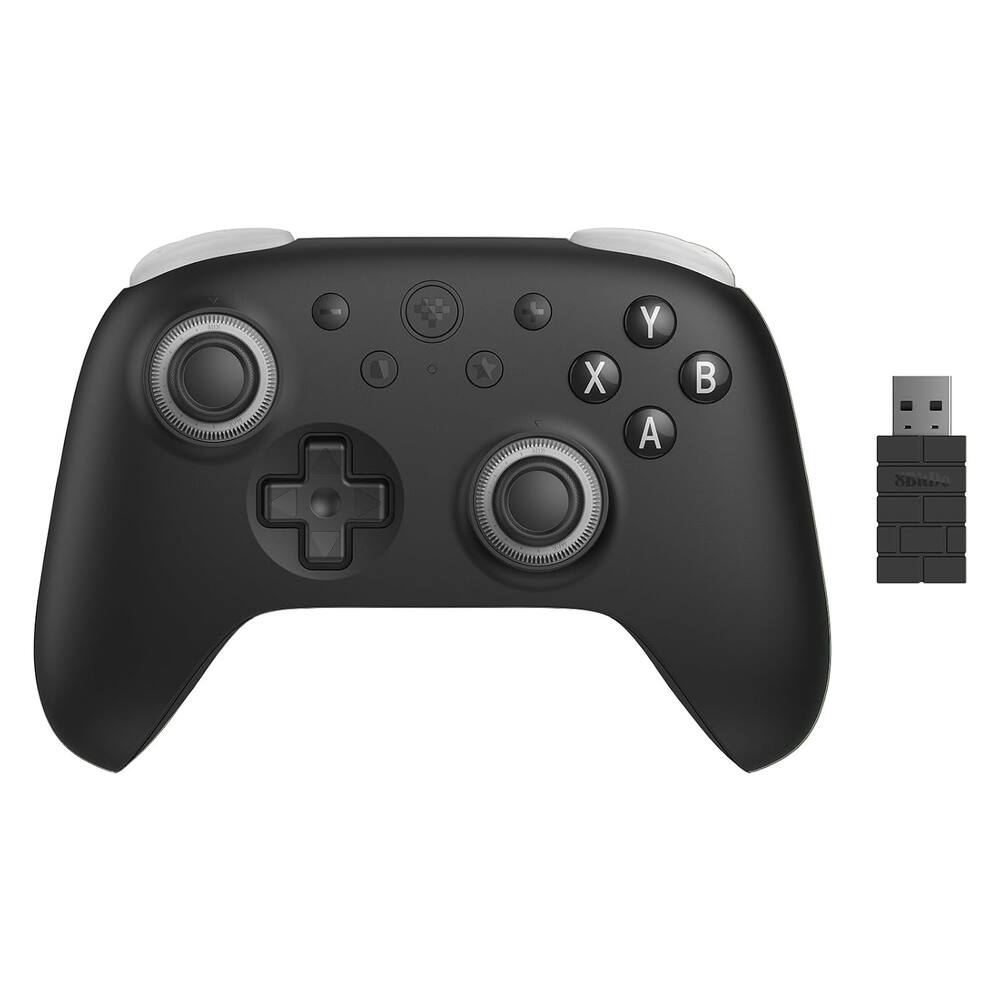
8BitDo - Ultimate 3C+ Wireless Gaming Controller for Android, PC - Stealth Black
From $31.99
Free shipping
 20% off
SKU: 6670128
$31920
Was $399.00 Save $79.80
Other options in this range
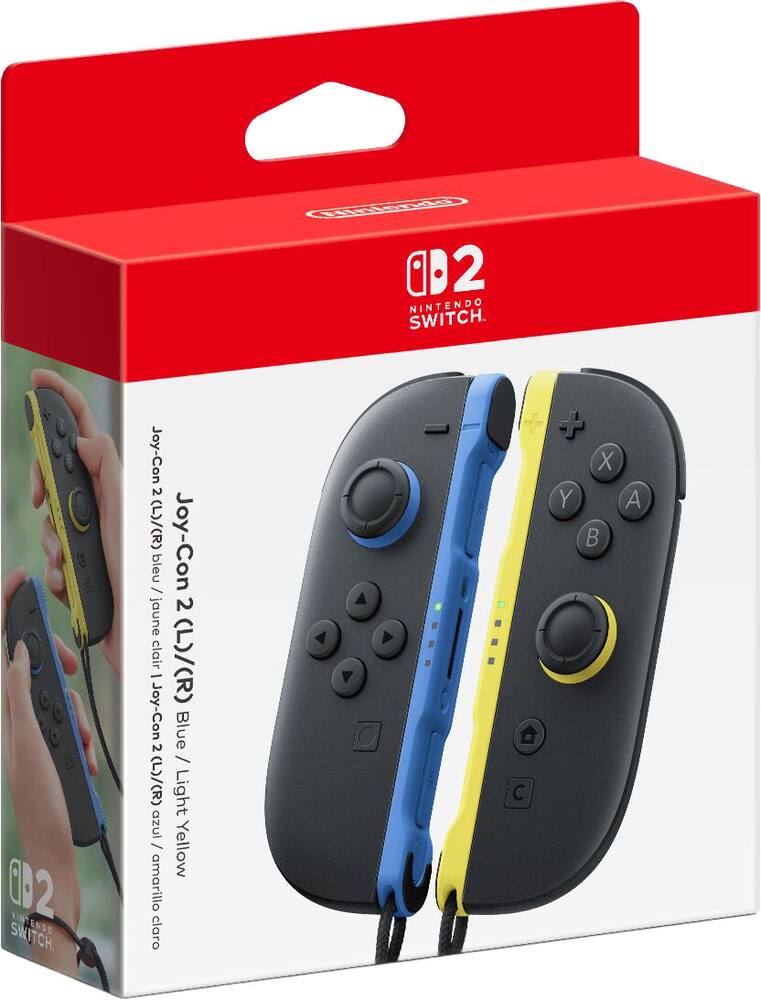 Nintendo - Joy-Con 2 (L)/(R) Blue / Light Yellow - Black Original price was: $99.99.$79.99Current price is: $79.99.
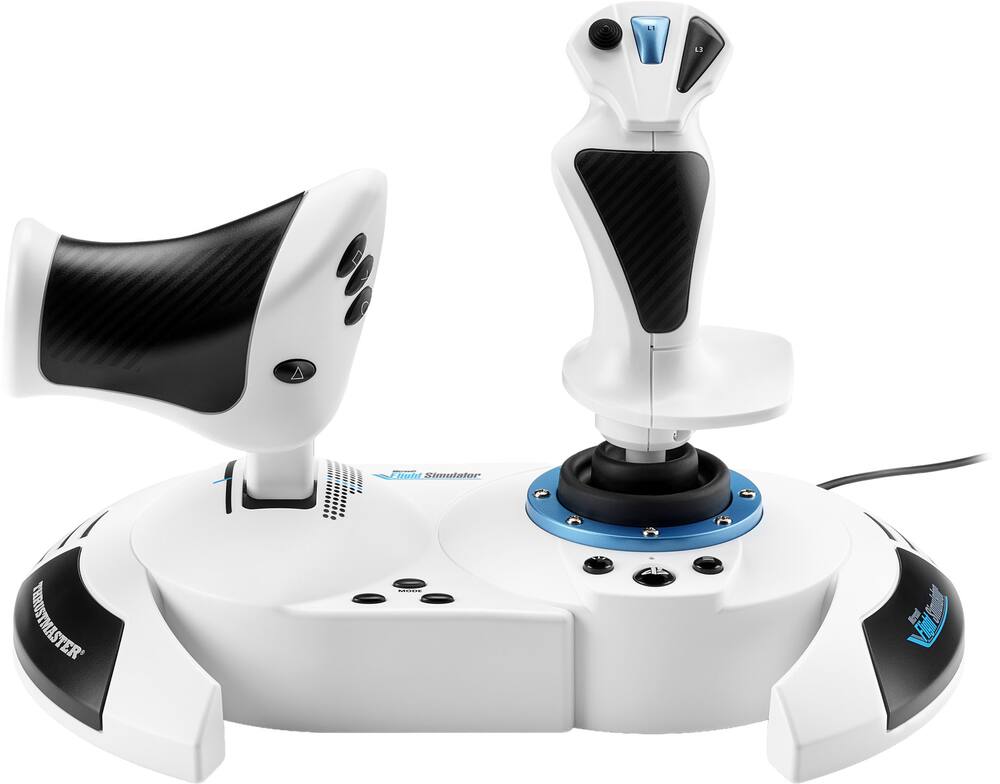 Thrustmaster - T.Flight Hotas 5 Microsoft Flight Simulator Controller Joystick & Throttle PS5 PS4 Windows Official MS Flight Sim - White Original price was: $109.99.$87.99Current price is: $87.99.
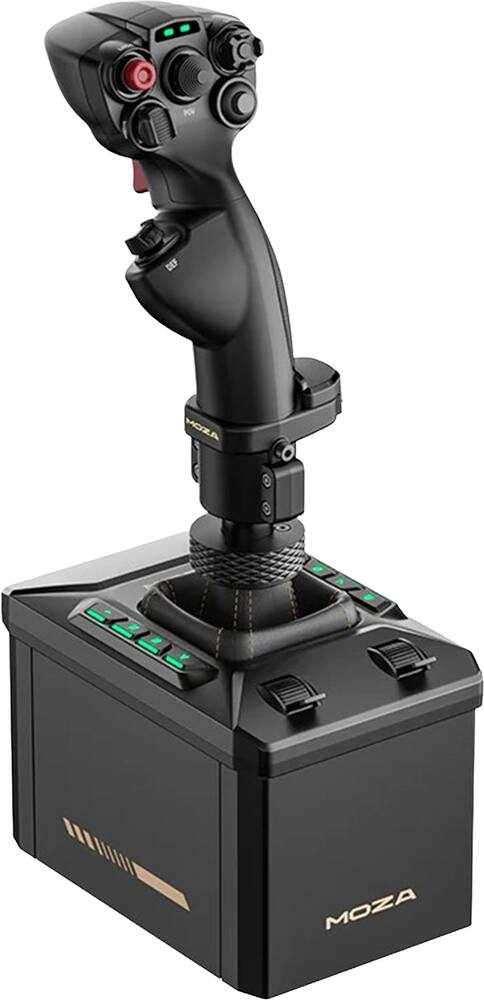
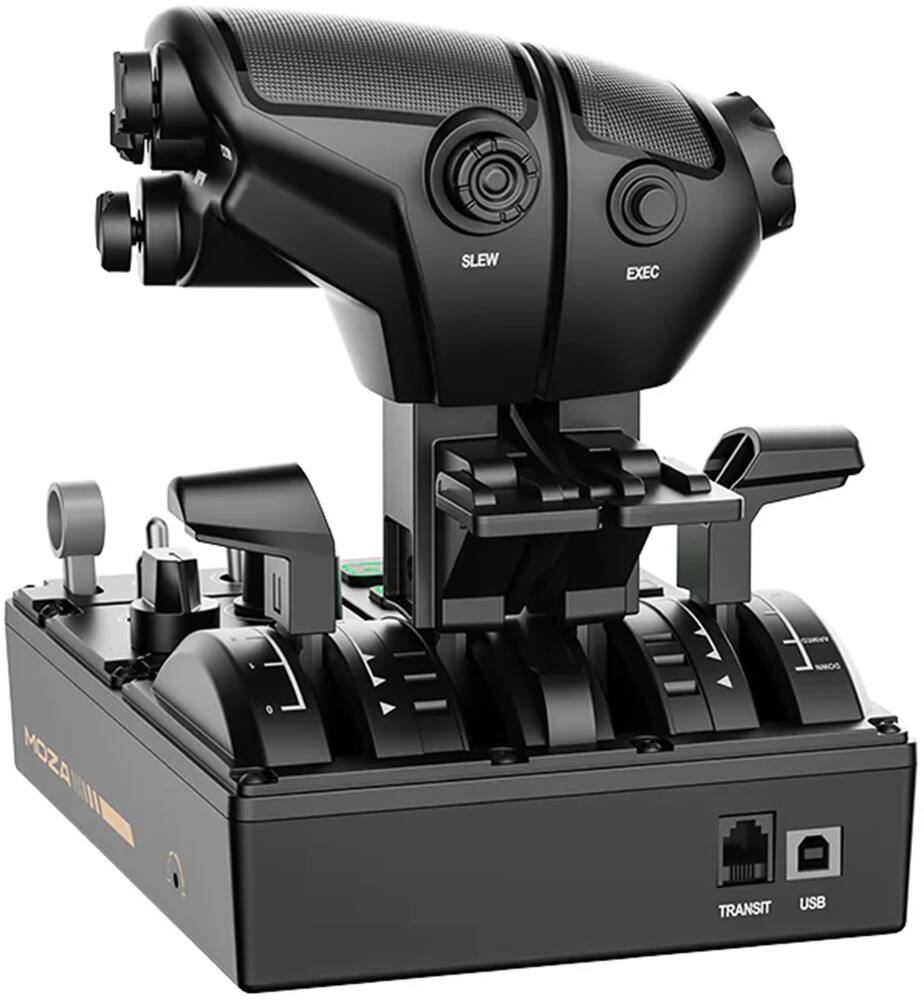 Moza Racing - MTQ Flight Sim Throttle Panel for Windows Original price was: $199.99.$159.99Current price is: $159.99.
See manufacturer documentation.
Register your product with the manufacturer within 30 days of delivery.
Manufacturer warranty claims are handled by the manufacturer. We are happy to help you find the right contact: (888) 419-6820.
Free shipping
Free shipping
Free shipping
You won’t be disappointed - It’s definitely a game changer for flight sims in general and it’s hard to go back to a joystick that doesn’t do anything.
Great Flightstick! - Love the build quality and overall feel. The connection of the stick to the base is a bit wonky and you have to be very careful not to damage the pins, but that aside I love this product.
very cool and fun - product is grate very fun and crazy good haptics and is fun to ues long term for now
Not what you expect! - Setting up was tedious, the control feedback I would rather get from a seat kicker. For what the cost is, to me only your ego can justify what you pay for it for the bang you get.
Smooth, and good value - The AB6 not only provides awesome feedback while flying, but it also feels very smooth. Ive tried a few different sticks in the past, but nothing ever stuck for me. As an actual pilot, the force feedback feels much more “natural” while flying sims and actually feels like I’m flying. Awesome product overall
Moza Racing AB6 Flight Sim Bundle on MSF24 - My son and I have been using the Moza Racing AB6 Flight Sim Bundle with Force Feedback on my Windows PC with Microsoft Flight Simulator 2024, and it has added a whole new level of realism to my flight simulation experience. The force feedback makes the controls feel much more realistic, giving me a better sense of what the aircraft is doing during takeoffs, landings, turns, and different flight conditions. The controls feel smooth, responsive, and precise, which is especially helpful as I continue learning and improving my flying skills. The overall build quality feels solid and well-designed, and the setup was straightforward on my Windows PC. Once configured with MSFS 2024, the system provides a much more engaging experience than using a traditional non-force-feedback setup. For anyone looking to take their home flight simulator to the next level, especially beginners who want a more realistic flying experience, I think the Moza Racing AB6 Flight Sim Bundle is a great upgrade. Overall Rating: 5/5 Stars Pros: • Excellent force-feedback immersion • Smooth and responsive controls • Solid build quality • Works great with MSFS 2024 • Makes takeoffs and landings more engaging • Great addition to a home flight simulator setup Cons: • Takes a little time to get the settings dialed in exactly how you like them Final Verdict: The Moza Racing AB6 Flight Sim Bundle has made Microsoft Flight Simulator 2024 much more immersive and enjoyable for me. It’s a great choice for anyone wanting to bring a more realistic aircraft-control experience into their home cockpit.
Excellent flightstick - The Moza AB6 Flight Sim Bundle is a fantastic starting point for beginning simmmers aswell as for more of the pro crowd. I was very suprised by the sturdy metal construction of the base. The stick has all the inputs, buttons, and hat switches you will need. Very tactile response too. Overall I do recommend getting one.
Moza AB6 - Very good FFB stick. For the price, you can’t beat it. It is compact and works super well with the Moza Airbus stick as well.
Awesome stick and base with great feedback. - Ive used this product for the past month and all i can say is that im stuck being at my Sim Rig then have a normal life. Its bring life to the planes that I fly and the feeling when you fire up the guns or shoot missle and rockets is on a whole another level. The product is made with high quality materials and software is a learning curve but takes an hour to figure it out. I really enjoy it and Moza did a great job egtting into the Flight Sim world.
Moza - I wasn’t sure what to expect outta this to be honest, but I think this flight stick just got me hooked. Let me tell you about the Moza AB6 First off let’s get straight to it, the price. This actually comes in as the most inexpensive force feedback flight stick on the market. At around $400 you get the base, flight stick, desk mounting clamp, power supply & power cable, data cable, your manual of course, aaaaaand stickers! Oh, and there’s an app to download as well. As for the design, the base is pretty compact actually. It’s made of metal around the sides, it the top is plastic along worn the buttons. Not a big deal unless you’re a stickler. There are 8 programmable buttons, plus accessory controls or throttle sliders at the bottom/back of the base. The included clamp is decent. I had a bit of movement with the base l no matter how tight I tightened the screws. Being honest, it still couldn’t have been user error…wouldn’t be the first time. OH! One thing to ping out, the connection to the base for the stick is a universal connection, so you can change or swap the original stick for an aftermarket stick if you l’d like. The buttons feel pretty solid, responsive, and sturdy. It’s weird, it almost felt familiar as if I’ve used this before. The response is pretty impeccable and precise. There was no lag that I noticed, but I’m also not a pilot. Another thing to note is the fact that the AB6 is gear driven and not belt driven, so the vibration from the engine can be felt in flight, changing your flaps, and when you hit the runway the sudden impact of making contact with the ground, all can be felt through the stick. If you’re a very detail-oriented person, you’ll feel the subtle response of the gears adjusting during the very small adjustments when you’re lining up your approach. The force that the stick puts out is perfect, at least in my opinion. Not overly controlling, just right. And the app makes the whole user experience a dream. You’re able to adjust and change literally everything! This flight stick gives you an amazing response and will transport you into your flight wonderland. It’s quick, responsive, and absolutely easy to use. And not to mention the price point is great! With the AB6 you don’t have to dump almost a grand into a flight stick alone. This is more than enough to satisfy your flight needs and leave you feeling completely satisfied.
Fun...after setup - To be clear, I'm a newcomer to flight simulators, the games, and the sticks/bases. I was interested to see what the experience was like while also ditching the controller. After figuring out the setup for the AB6 in my flight sim game of choice, I had a great time... but again, that was after setup. Putting together the flight sim combo was rather easy. Pull the cord out of the bottom of the stick, connect it to the base, then screw the base on. Easy. Connect the USB cord to the base as well as the power, and you're ready to go, or so you think. After powering on, the stick calibrated itself, and then... nothing. So, installing the Moza Cockpit app...easy. Getting the flight stick to work with a game? Not so much. I tried loading up my "popular flight sim 2024" several times and using the stick to no avail. I checked the cockpit app for "presets," but there seemed to be none already available for the "Popular Flight Sim 2024" game. I "configured" the game per the app; however, I had no presets to select to utilize the stick in-game. After multiple days of trying to figure out how to set this up automatically, I gave in and began button-mapping myself. Once I got most things mapped, I had a solid experience, but this should be far easier. Perhaps I'm not the audience for this experience. The manual explained nothing about setting up the buttons actually to play a game. You'd assume it's plug-and-play, but while "popular flight sim game 2024" recognized the Moza Ab6, it had all buttons unassigned by default. Once I manually mapped out the controls I deemed important, I had a great time...but this really shouldn't be this hard. Most of my experience was in configuration. While I'm sure this is a great stick for those familiar with the flight-sim space, for newcomers like myself, I'd suggest sticking to a controller or getting someone you know to configure it for you.
Impressive and fun! - Included- Base, Moza Racing - MHG Flightstick, table clamp power cord, USB cord, toolkit, manual, Moza stickers The Moza Racing - AB6 Flight Simulator Bundle is amazing and impressive for anyone that wants to a very immersive flight experience. It has so many great features to provide endless hours of entertainment. The base is very substantial, weighing at 15 pounds and is built well so it's very durable. It feels very high qualtiy. There is a table clamp included if you feel like you need to secure it on your table top, which I highly recommend. You could even hard mount it to a surface. The joystick is very comfortable with its fighter inspired grip. You will notice it's similar to those of a jet.. The button panel is comprehensive with 8 programmable buttons, each with full customizable RGB lighting offering over 16 million colors. The Moza racing AB6 flight simulator bundle is compatible with all the leading flight simulators so it'll work with a variety of platforms. Playing War Thunder, using the Moza Racing AB6 flight simulator, it's easy to manuever and control while you're playing. You truly feel like you're really flying the jets with it's force feedback vibrations. It's a very immersive experience. From beginners to advanced players, the Moza Racing MHG fightstick is such a fun game accessory to have. It's really enjoyable to feel like you're really flying the aircrafts. I highly recommend it.
Proper Flight Setup with Force Feedback - When I get into something new I tend to go all in. The Moza AB 6 Flight Simulator bundle delivered on quality, experience, and features. Every part of this setup felt premium with the joystick being the only minor exception in my mind. Everything you need is right in the box. The AB6 motorized base, the MHG flight stick, table clamps, power cable, all of it. No hunting for a separate stick or rigging up a way to keep it from sliding around your desk mid flight. It is a complete package out of the gate which is more than you can say for some setups. I do wish the rubber pads on the bottom of the base were a bit thicker only because the weight is fairly substantial and by the time you tighten it to the desk, the plastic base seems to make contact with the tabletop. There are plenty of addressable buttons and inputs - the MOZA Cockpit software lets you remap everything and dial in the RGB lighting exactly how you want it. My honest take on the stick itself though is that it feels a bit plasticky for this price range IMO. What helps put it in perspective is that the stick is really only a small fraction of the experience. The AB6 motorized base is where the real meat and potatoes are and that is exactly where it should be. Once its powered up everything tightens up and feels wildly precise. The force feedback is honestly where my mind was blown - having true force feedback setup for the first time was not a small moment. In Microsoft Flight Simulator you feel the engine torque pulling at the stick, turbulence pushing back, and the satisfying thud of a rough landing coming right through your hand. In X-Plane the aircraft respond to every input with real physical resistance. Switching between different aircraft types genuinely feels different each time which is something I did not expect at all. It is like having multiple sticks in one. Table clamps come right in the box which is a great touch and makes the whole setup feel planted and stable during use. I tried using the AB6 without the clamps but I quickly learned that I'm the type of player that needs to mount it to a stable surface. If you are getting into flight simulation like me or are looking to upgrade your setup and want real force feedback - this bundle is the way to go. The FFB completely changes the experience and makes everything feel more immersive.
A must for hardcore flight sim fans - I’m reviewing the MOZA AB6 stick as a more casual fan of flight games. “Casual” is probably strange for someone who owns a dedicated seat (the SimFab) for playing flight sims or racing games with. Believe me though, there are definitely tiers to the flight sim community. That said, I have grown up playing games like X-Wing, TIE Fighter, Ace Combat, and Project Wingman so I may edge on the side of the less technical flight sims like Microsoft Flight Simulator and DCS World. So, I’m writing this review from the perspective of a more casual fan of flight games, but still experienced flight stick user especially having previously owned a Microsoft Sidewinder Precision Pro (still works believe it or not) and then a VKB Gladiator NXT Evo. In terms of comfort, the AB6 is the base and it comes with the MHG flight stick. The MHG flight stick’s top portion is really wide compared to the previous two flight sticks I use. Your thumb has to travel farther to reach the buttons on the left and the right. This isn’t a deal breaker, but I thought the layouts for the previous sticks were more comfortable for me. Otherwise, the stick feels comfortable to use overall and you have sufficient buttons. The buttons can be customized with the MOZA Cockpit software as well as have the lighting adjusted. Some could argue that for the MSRP you pay for the stick it should have more a premium feel and be less plasticly, but the stick itself is actually only $100 with most of the money going to the AB6 motorized base. Something to be aware of is that the stick does need to be powered with the AC adapter even if you’re not going to use the force feedback. The stick cannot be used with a USB connection alone as you cannot even turn it on. Moreover, the x and y axis movements feel really loose until the motorized base is powered on. I don’t have any problems with the stick’s movements from the time I spent on it; it feels precise enough for me and you can always tweak the settings through the Cockpit software. Where the AB6 really shines though is when you play it with games that support force feedback like DCS and Microsoft Flight Simulator. There is a lot of added realism with the vibrations and resistance when flying in those games. You can make adjustments using the software with the force feedback. Something worth mentioning is that the AB6 comes with table clamps so you can hang it off of your table for increased comfort. This is notable because I feel like most sticks (at least the ones I used) don’t come with any kind of table mounting equipment. If you’re a flight sim hardcore gamer, I would strongly recommend this stick as it’s the cheapest one with force feedback currently; the force feedback adds a lot to the realism. Not to mention, it’s a quality stick overall. However, if you’re not playing flight sims and often play more arcade ones or flight games that lack force feedback, I would recommend a cheaper stick especially the VKB Gladiator NXT Evo.
Taking your PC Flying Experience to new HEIGHTS! - Growing up in the era of Top Gun, I’ve always had a curiosity for flight! Being 5 years old and watching those jets launch off the ships with such intensity is a core memory for me. I’ve wondered what it would feel like to find myself in the middle of a dogfight or understand the intensity of a barrel roll. I grew up with games like Top Gun on Nintendo and fast forward 35 years later and we have luckily evolved to the technology we have today. Games like Flight Simulator and DCS push the boundaries of flight simulation to an almost maniacal amount of detail. But the keyboard and mouse experience is lacking any type of realism. Enter the Moza AB6 Flight Simulator, a realistic force feedback style joystick that will upgrade your flight experience instantly! The Moza AB6 is an impressive piece of equipment. The packaging of the Moza was very well done with an appropriate amount of foam to make sure the unit doesn’t slip during shipping. The base of the AB6 is hefty with a solid weight to it. The joystick can screw on and off to allow for different ones to be attached and it also comes with an optional base plate or direct hard mount option to any cockpit or desk. The initial installation and setup take less than a minute or two. Once connected the AB6 is a beauty. The MHG flightstick is just super cool and my 5-year-old self was giddy the first time I turned on the AB6 and has the joystick sprung to life. What’s especially cool is having my 4-year-old son hovering asking millions of questions and just as fascinated as I was as a kid. Once everything was hooked up and drivers were recognized I installed the cockpit software that comes with the MOZA. Initial software setup was interesting to say the least, for some reason the program defaults to a foreign language other than English. I was able to navigate around and find the language adjustment, but it took me a second! The cockpit software once in the right language though is stupid impressive. The amount of adjustment options is overwhelming; you can get as detailed as you want with the AB6. For someone like me who is a casual flight sim player the options were a bit extreme. I was able to get settings linked to Flight Simulator and DCS for my initial testing. What was slightly disappointing was even though I was able to link my folder for flight simulator for the Telemetry engine, there are no AB6 profiles in FS2024. I had to go in and map everything by hand. DCS was a little bit better out of the box initially and there are some preset profiles on the cockpit software that are helpful. But this setup will take some time to get things right. Youtube videos and reddit and different forums have helped. But if you think this is going to be as straightforward as hooking up a racing wheel to play Forza it’s not that simple of an experience. The AB6 once setup and running with the correct settings is such a fun experience. I’ve never flown a real plane before, but I can imagine what it would feel like with the AB6. The force feedback in the base is strong, and you can really feel the wind shifts and g forces when you bank and turn or the vibrations when firing off missiles and guns. It’s a very immersive experience with a big monitor and the right setup. My 4-year-old was having so much fun pretending to “shoot bad guys” in my lap. Now whenever I get home from work the first thing he wants to do is play games. It’s not a cheap investment at $400 dollars, but I believe anyone really considering this setup knows what they’re looking for! In conclusion, I feel like I’m just scratching the surface with the MOZA AB6 Flight Simulator. It takes your PC flight sim experience to another level and is a very solid and well-built product that has a multitude of options and configurations. If you’re on the fence about whether you should purchase it you already know that answer, it is yes.
The most fun accessory I've added to my sim - The last week of experimenting with the Moza AB6 has been some of the most fun I've had computer gaming in a really long time. I was heavy into flight sims when I was younger, and just recently got back into the hobby after getting heavy into sim racing a few years ago. When given the chance to review the Moza AB6 flight sim bundle, I jumped at the chance thinking that it was a great way to upgrade my flight stick from an Xbox+PC compatible HOTAS + pedals kit I bought from another brand last year. After opting into a review for the AB6, I found out it also has an active shifter mode for sim racing along with a shifter stick kit you can order separately. So of course, I ordered that on my own to go along with the flight sim kit! #Unboxing and setup# The Moza AB6 kit arrived in a nice looking retail box. Unfortunately the packing materials inside are all foam, but given the weight and density of the AB6 base, it's not unexpected. Assembly of the base itself was super fast. I was suprised to find that it came with a nice double clamping bracket for mounting to my desk. I chose to use the desk clamp I already own at first, and then switched to the Moza specific bracket, and found the Moza bracket does at least as good a job as the bracket I've been happy with for my old stick. The only quirk/complaint to be had for the AB6 is that it has such a tall base. Clearly that's for a good reason, but in order to get it situated right for using from my desk chair the base itself is low enough that it blocks me from sliding my legs around that side of my chair/desk. Fortunately, it's more comfortable for me to get in my chair from the left anyway. #Using the AB6# I first downloaded the Moza Cockpit software, and found that it works very well for firmware updates and button/axis/effect configuration. The Cockpit app supports several games natively - notably MSFS and DCS. I was pleased that I didn't have to do any configuration in game to get great force feedback in MSFS 24 - the Cockpit app detects the game is running and automatically translates the telemetry into realistic effects to add tremendously to the immersion of flight. I particularly like how sluggish the stick feels on the edge of a stall, and the stick shaker effect is fantastic. I've only had a week with the stick so far and haven't had a lot of time to fully dive into the Cockpit software, but from the looks of things you can build full custom effect suites to completely change the feel of flying. After a few days playing with the AB6 exclusively in flight, I decided it was time to move it over to my sim racing setup and try out the shifter mode. And let me just say... WOW. I was really expecting the active shifter mode to be an afterthought given how well the AB6 works for flight controls. And maybe it is, but in my opinion, this is a killer feature that brought the AB6 into the realm of greatest accessories I've ever used. I have a GT Lite Pro foldable rig, a direct drive wheel base, load cell brake, haptic pedal reactors on all 3 pedals, and a Razer Freya haptic pad. All of this is set up in Simhub to get maximum use of all the haptics. Adding the Moza AB6 as a shifter to my rig was a piece of cake - the Moza Pit House software took care of everything, including letting me select the shifter pattern (6 speed + reverse, in two layouts, but it also has 5sp and 7sp layouts). I tried a few different mounting options and ended up just leaving the AB6 mounted directly to the GT Lite Pro's included shifter plate. It does end up being a little high but it still sits lower than my wheel and the reach is perfect for my right hand. Normally in simracing, I like to drive GT3 and GT4 cars with SMG/DCT paddle shifters - I have owned a semi premium 8 speed shifter for awhile that I just haven't liked using because it's got no feel to it. The AB6 completely blew me away. I was instantly able to hop into a stick shift car in AC Evo and get right to driving. There's just enough notchiness and torque to the shifter that it is much easier to find the right gear than it was with my old non-FFB shifter. It also has an amazing "engine rumble" feature that vibrates heavily at idle and smooths out as you rev the engine. It's incredible. Even if you aren't using a true manual vehicle, just having this thing plugged in and connected to your rig is adding a really nice haptic effect bolted to your frame. It's really just incredible. #Final thoughts# If you're a flight sim or sim racing enthusiast, you owe it to yourself to give the Moza AB6 a shot. I really cannot think of any downside other than the cost, and IMO it's worth the money and then some. Thank you Moza for giving me something that truly brings joy to just cruising around in a 6 speed manual sports car again.
Moza's superior SIM hardware DNA aims to impress! - I’m a sim gamer, but I mostly stick to racing sims. Moza is already well-known for their high-end racing gear, and that DNA definitely carries over to the AB6 joystick. This base and stick combo feels like a professional-grade tool rather than a toy. The construction is almost entirely metal, making it incredibly heavy and durable, with none of the plastic creaking you find on cheaper setups. It’s a serious piece of gear that’ll satisfy even the pickiest flight sim players. The standout feature is the active force feedback. Unlike traditional flight sticks that use mechanical springs for centering, the AB6 uses motors to provide dynamic resistance. In games like MSFT Flight Simulator and X-Plane 11, the immersion is immediate. You can feel the vibration of the landing gear, the weight of the air on the control surfaces at high speeds, and the subtle turbulence while cruising. It’s a significant step up from standard spring-based joysticks and adds a level of realism only Moza’s engineering can deliver. I also tried DCS and the immersion during a dogfight was incredible when targeting and shooting. It’s honestly amazing in every way. The stick itself is pretty large, which might be a challenge if you have smaller hands, but the design and feel is very authentic. It’s also packed with buttons—which is great for complex sims—but requires a lot of initial configuration. I couldn't get the default profiles for X-Plane and MSFS to load, so expect to spend an hour or two manually mapping controls. However, the Moza software is intuitive and makes it easy to adjust response curves and force feedback strength, along with its 50+ RGB buttons. You’ll need to change the language from Chinese to English, but it’s quick and easy. Desk mounting is straightforward thanks to the included hardware. Interestingly, the AB6 base can also function as a racing shifter, providing some extra value for sim racers, though finding a permanent spot on a dedicated rig might require a specific mounting plate. If you’re building a dedicated flight sim rig, you’re going to be very happy, especially if you decide to branch out to Moza’s racing sim hardware (which is incredible). Moza has delivered a complete, high-quality package that is largely ready to use out of the box, aside from programming the massive amount of buttons. As the community grows, pre-made button maps should become easier to find. Moza's commitment is clear, with two firmware updates already released that have improved the experience. While the $399 price point is a solid investment for a newcomer, the AB6 prevents the need for costly mid-range upgrades down the line. It offers a level of realism previously hard to find in the consumer market. Overall, the hardware is superb, the software is comprehensive, and the unit’s application extends beyond just flight simulation. The AB6 is a highly capable, well-built peripheral that makes a massive difference in immersion. Its quality and configurability make it an excellent choice for anyone looking to get serious about flight sims and skip the upgrade cycle entirely. Highly recommended.
Force feedback for more realistic and fun flying - I used to play a very early flight simulator game on UNIX workstations in the computer science lab at school. It was called FlightGear - a free, open-source game that was pretty accurate/realistic and playable with just a keyboard. Fast forwarding to modern times, we have come a long way, with both hardware and software. I’ve played earlier versions of Microsoft Flight Simulator with typical joysticks that I used for other games as well, but nothing compares to a true flight simulator stick designed for flying. I recently got the Moza Racing - AB6 Flight Simulator Bundle for Windows and put it through its paces with Microsoft’s Flight Simulator 2024 edition. First of all, when I received the box, I was surprised how heavy it was. I thought they had accidentally shipped me two of them in one box :-) Once I opened the box, I realized it was just one, well packed, but with a very sturdy metal base that houses the force feedback motor and gears that make this setup a lot of fun. The installation is pretty straight forward, the precision MHG flightstick itself is plastic with all the buttons, sliders and other controls that are within natural reach of your fingers once you get used to it. The flightstick has a wiring harness connector that plugs into the base, after which you insert into the base. The base offers 6 Nm of force feedback and customizable buttons, as well as fully customizable RGB lighting front panel. The MHG flighstick takes design cues from real fighter jets and offers realistic grip that when combined with the force feedback it provides an immersive handling experience. A table clamp is also included to secure the heavy base to your table, unless you have a fancier cockpit setup. In order to get the full experience and all 29 programmable signals and RGB lighting you need to install the MOZA cockpit software. That will also facilitate firmware updates and creating/mapping custom profiles for your games. The Moza Racing AB6 is officially compatible with at least half a dozen major flight simulator games and can also be used with many other games. I usually spend more time playing driving/racing games, but thanks to this quality MOZA mid-range flightstick setup, I am definitely getting back into flight simulators and flying combat games.
Moza AB6 Flight Simulator - First impression out of the box- the base is much heavier than I expected. It feels very sturdy with its metal case. Assembled with the MHG stick it’s quite tall, about 15” overall. It comes with a very sturdy desk clamp that mounts it lower than the desk top, I have mine set to drop about 8 1/2”, there is adjustment to go higher or lower than that. My desk doesn’t have a keyboard tray, I’m not sure the clamp bracket would fit if there was a tray since the clamping screws are long. The clamp feels secure on my desk and doesn’t have much flex to it, it feels stable. The connection plugs come out facing the clamp bracket so you need to allow room for the cables to plug in but the way the base is designed it leaves room if you attach it as show in the instructions. It takes one USB cable and a 120v transformer cable. The transformer is remote so you don’t need a widely separated receptacle on your power strip, a regular one will do. There are also ports for rudder pedals and a dash if you have either of those. I don’t have rudder pedals so I removed two screws from the base of the stick to allow it to twist which allows it to control the rudder. After connecting everything up I downloaded the Moza Cockpit app (not the Pit House app) and it recognized the AB6 base and MHG stick right away. There was a firmware update available so I did that first. The app will show compatible games off to the right that it has ready made profiles but each game needs to be configured first. I followed the instructions I found on Moza’s site for one click configuration and when that was done I opened Xplane through the app. I flew several planes and everything worked fine. Then I went back to the app to open DCS World. When I tried to fly the Su25 only the most basic controls were working- everything else needed keyboard clicks. I was able to add controls through DCS’s control options but for some reason the profile for the plane that I can see in Moza Cockpit does not load into the game. I believe I have a file pathway configured incorrectly but I ran out of time over the holiday to get it sorted. I just manually configured the stick in DCS by copying what I saw in Cockpit. The stick and base work great and are a joy to fly, this is the first FFB stick I’ve flown and while I did notice that I can feel cogging caused by the gear driven FFB went sitting on the runway I really don’t notice it during flight and I would not complain about it. The FFB adds to my enjoyment of the game immensely. Note that during programing some of the hat switches can be configured as potentiometers or buttons so if you’re not seeing the expected output then click the center and it will swap modes for you. I really enjoy flying with this stick and I would recommend it to anyone.
Immerse into Flight with the Moza Flightstick - Growing up I had many racing games/simulators with associated wheel/pedals - this is my first immersive experience using a simulator flightstick and I will not be able to go back from this. I more recently got into use of flight simulators due to my toddler, who is highly interested in flying/airplanes and this flightstick has expanded our play together! The Moza simulator bundle appears well built. There is a mounting bracket included if that preferred but sits well on its on at a desk or in-between legs within a chair. There is a base and the flightstick - with a nice little sticker on the base denoting there may be slight scratch marks from quality testing - which is a nice plus as any noticeable scratch out of box makes me feel uneasy. I did not notice any obvious marks, but appreciated the heads up. The connection type is USB which honestly made me relieved as so many peripherals use USB-C at this point. Setup is relatively easy/straight forward, there is MOZA Cockpit software to facilitate settings/customization. The flightstick is advertised as calibrated out of box and I do agree with this for my own beginner level use. There is RBG lighting, which just adds a nice touch to the flightstick/base. There are customizable buttons on the base of the device along with a small sticker pack in the box to label if preferred/desired based on customization while learning own device. There is in-game force feedback, which helps build the immersion experience (a favorite of my kiddo) and this can be adjusted as well. I have the Microsoft Flight Simulator 2020 version - listed as a supported game. It was a simple process within settings to switch over to the device and subsequent use was without hiccup, providing a seamless process from unboxing to in game immersion. There is feedback throughout between vibration and movement. This makes the simulator experience so much more realistic/enjoyable. This is absolutely a quality of life/enjoyment item but it brings a new joy to the simulator experience, even allowing my toddler to giggle through gameplay as previously she would just watch but now she can move a flightstick. Overall, the build of this device appears to be very well made with quality materials, being sturdy without unnecessary weight noticeable. The customization is a nice plus - similar to when a controller has extra buttons. The RBG brings an added element of flare, especially if playing at night with ambient lighting off. The device provides an immersive experience through in-game feedback and movement. Satisfied with this gaming upgrade.
Email [email protected] or call (888) 419-6820 during business hours.
Add your review