Microsoft Surface Pro 13 - I’m really happy with my Microsoft Surface Pro 13. It’s lightweight, feels well made, and the display is sharp and vibrant. It handles everyday work smoothly, and the flexible design makes it easy to switch between a tablet and a laptop. The battery life has been convenient for working on the go, too. A great choice if you want a portable, versatile Windows device.
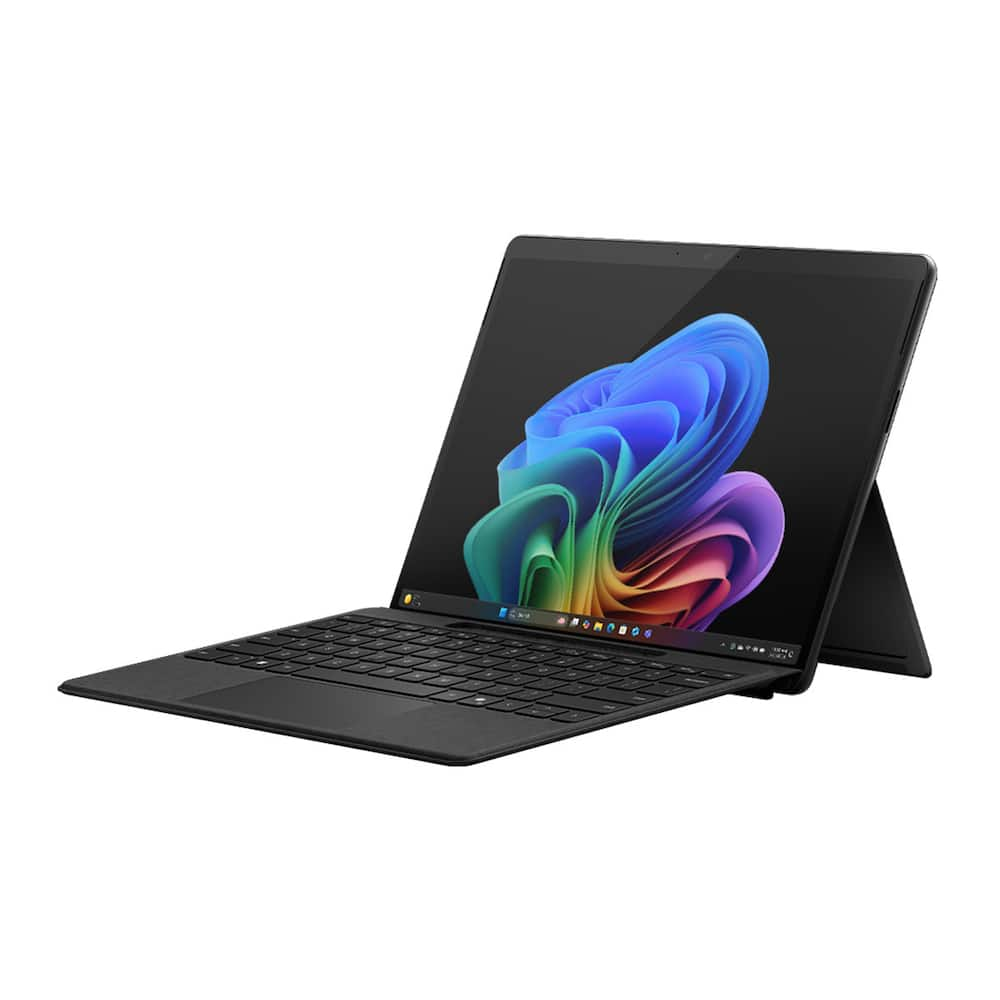
Microsoft – Surface Pro – 13″ OLED Touchscreen – Snapdragon X2 Elite (12 Core) 2026 – 16GB Memory – 512GB SSD – Device Only – Black
$1,43999
Other options in this range
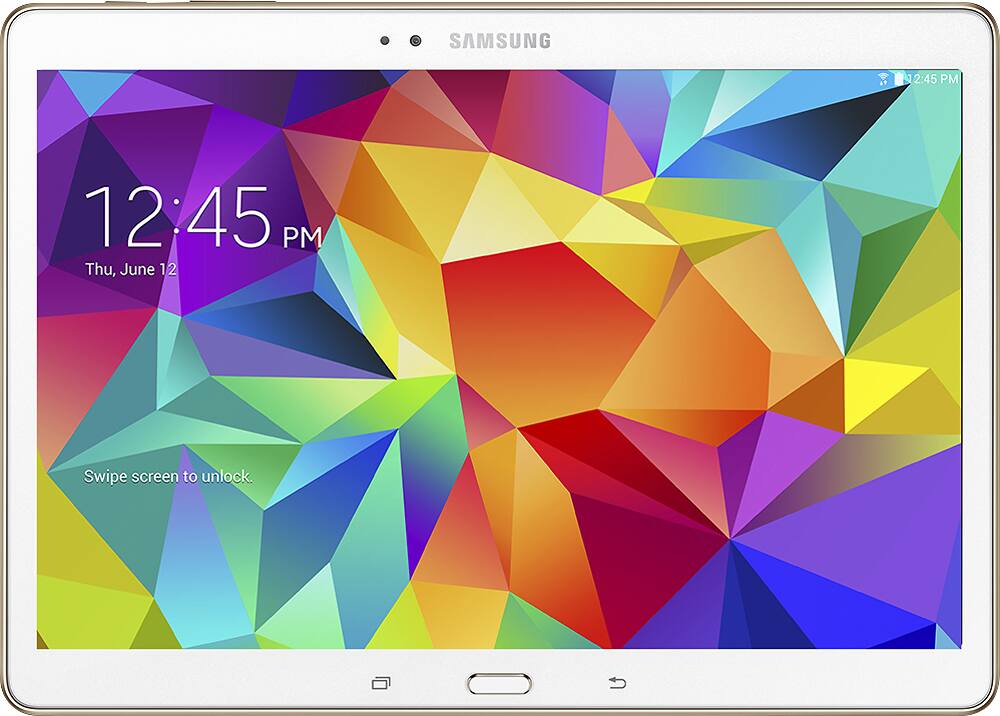 Samsung - Geek Squad Refurbished Good - Galaxy Tab S 10.5 - 16GB - Dazzling White Original price was: $499.99.$399.99Current price is: $399.99.
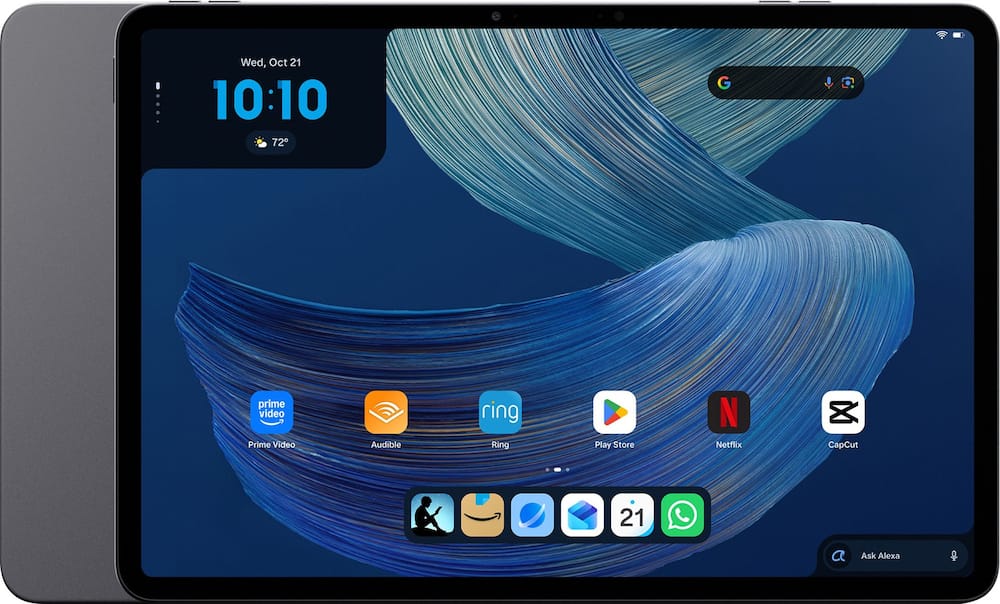 Amazon - Alexa Tablet 12 Pro (2026 release), 8GB RAM, 128GB, 12″ Stunning 2.8K Display, All-day Battery, Designed for Alexa+ - Graphite Original price was: $499.99.$399.99Current price is: $399.99.
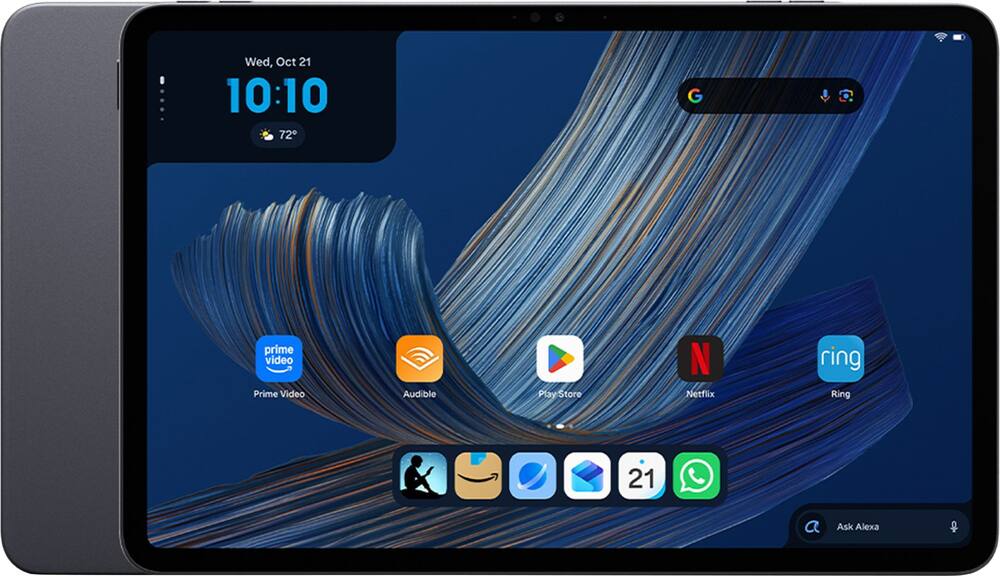 Amazon - Alexa Tablet 11 (2026 release), 8GB RAM, 64GB, 11″ Stunning 2.5K Display, All-day Battery, Designed for Alexa+ - Graphite Price range: $183.99 through $303.99
Overview
- Brilliant OLED Display
Incredible image quality – The 13″ PixelSense touchscreen [1], with OLED and enriched HDR [2] tech unveils crisper whites, luminous blacks, and colors so richly saturated bringing vivid life into every frame – perfect for work, school, streaming and creative tasks. - Up to 15.5 hours of battery life [3]
The new Surface Pro is designed for long travel days, late night studying, and everything in between. - Work at the speed of your ideas
Built with the latest Qualcomm Snapdragon X2 Elite (12 Core) processors, Surface Pro delivers fast, AI‑accelerated performance—making it the most powerful Surface laptop for everything from multitasking to demanding workloads. - Premium Performance
Premium Performance PCs are built for all-day performance, so you can move from work to play with the speed, battery life, and flexibility to keep up without slowing down. - The ports you need
Charge on-the-go, transfer data fast, or create the ultimate desktop set up with two USB-C/ USB4 [4] ports. - Built-in AI Companion
Work smarter, create freely, and communicate with confidence—Copilot [5] on Windows 11 is always there to help. - Perfect Match
Designed in premium Alcantara fabric with two color options [6], the Surface Pro 13-inch Flex Keyboard [7] is the perfect match for your Surface Pro. - Designed to be a laptop or a tablet
Transform Surface Pro into a full thin and light Windows laptop with the Surface Pro 13-inch Flex Keyboard [7], offering a comfortable typing and touchpad experience. The iconic built-in 165-degree fluid kickstand offers flexibility at any angle.
Compare similar
Specifications
Capacity & configuration
- Total Storage Capacity
- 512GB, 1000GB
- Display Type
- OLED
- Screen Type
- PixelSense
- Type of Memory (RAM)
- LPDDR5X
Dimensions & weight
- Product Name
- Surface Pro - 13" OLED Touchscreen - Snapdragon X2 Elite (12 Core) 2026 - 16GB Memory - 512GB SSD - Device Only
- Product Height
- 0.37 inches
- Product Width
- 8.2 inches
- Product Depth
- 11.3 inches
- Product Weight
- 31.52 ounces
Features
- Color
- Black, Platinum, Dune
- Brand
- Microsoft
- Screen Size
- 13 inches
- Screen Resolution
- 2880 x 1920
- Stylus Input
- Built for Windows Ink (Active)
- High Dynamic Range (HDR)
- Yes
- Processor Brand
- Snapdragon
- Neural Processing Unit (NPU)
- Yes
- Maximum NPU Performance
- 80 trillions operations per second
- System Memory (RAM)
- 16 gigabytes
- Expandable Memory Compatibility
- None
- Operating System
- Windows 11 Home
- Operating System Compatibility
- Windows
- Voice Assistant Built-in
- Other
- Works With
- Amazon Alexa
- Wireless Connectivity
- Wi-Fi
- Network Connectivity
- None
- DisplayPort Over USB-C
- DisplayPort 1.4
- Headphone Jack
- No
- Bluetooth Version
- 5.4
- USB Ports
- 2 x USB-C
- GPS Enabled
- No
- Interface(s)
- USB-C
- Number of USB Ports (Total)
- 2
- Number of USB-C Charging Ports
- 2
- Charging Interface(s)
- USB-C
- Battery Life (up to)
- 15.5 hours
- Battery Chemistry
- Lithium-ion
- Front-Facing Camera
- Yes
- Front Facing Camera Video Resolution
- 1440p (2K)
- Rear-Facing Camera
- Yes
- Rear Facing Camera Megapixels
- 10 megapixels
- Built-In Microphone
- Yes
- 2-in-1 Design
- Yes
- Keyboard Included
- No
- Security Features
- Facial recognition
- Windows AI
- Copilot+ PC
- ENERGY STAR Certified
- Yes
- EPEAT Level
- Gold
- Included Software
- Windows 11 Home, Preloaded Microsoft 365 Apps, Microsoft 365 Family 30-day trial, Microsoft Defender App, Preloaded Xbox app, Xbox Game Pass Ultimate 30-day trial (accessible through Xbox Cloud Gaming)
- Stylus Included
- No
- Year of Release
- 2026
- UPC
- 196388770243, 196388769155
Power & warranty
- Model Number
- EP2-65141
- Processor Model
- Qualcomm Snapdragon X2 Elite
- Power Supply Input
- USB-C
- Warranty - Parts
- 1 year
- Warranty - Labor
- 1 year
- Model Family
- Microsoft Surface Pro
Warranty & protection
Included manufacturer warranty
See manufacturer documentation.
Register your product with the manufacturer within 30 days of delivery.
Warranty service
Manufacturer warranty claims are handled by the manufacturer. We are happy to help you find the right contact: (888) 419-6820.
Customer reviews
Write a reviewPretty good - Screen quality is amazing, the OLED display really pops. Battery life is good for the most part, turning the device on high performance mode drains the battery considerably faster. Only downside I had would be that if you're interested in playing games or using specific applications you may experience issues. Arm processors aren't compatible with everything so double check before buying.
The Best Tablet PC on the Market - I’ve been a Surface user since the Surface Pro 7, and while I was initially hesitant about Microsoft’s move to ARM processors, I have to say they’ve done an outstanding job. The performance, efficiency, and overall experience have really impressed me. In my opinion, this is the best tablet PC on the market. It offers an excellent balance of performance, portability, versatility, and premium design. It’s a fantastic device that works beautifully as both a tablet and a full-fledged PC. Microsoft has continued to refine the Surface experience, and this is a great example of how far the platform has come. Overall, an excellent PC that I would highly recommend!
Not easy to use - terrible - not user friendly no ports that are capability
Excellent - Top of the line tablet / laptop. Best by far, I have had apple laptops and tablets, this tops both of them...great product
Snapdragon is a huge disappointment - Could not download and run basic 64-bit programs like Adobe Acrobat Reader, Microsoft Word, Brother Printer software, etc. Huge disappointment. This is the first time in seven years that I am returning a Microsoft Surface laptop/tablet and buying a non-Microsoft laptop. Totally unsuitable for business.
Microsoft Surface Pro 13'' OLED Touchscreen - I love that is is faster and things are more clear - I love the organization
Thumbs up! - Great machine. Does all that I need it to. Really like that it's like a tablet or a laptop.
AMAZING! - I love my Surface Pro! It’s fast, awesome, and works really well. Everything feels smooth and responsive, and it’s great for both work and everyday use. Definitely a great device!
batter life, screen quality - it has a great battery life will last you a day or two depending on use. screen is great unfortunately can't get the mobile game store for some reason
Works great - Easy to bring with me everywhere and gives me the ability to travel and have everything I need.
Not ready for prime time yet. - I purchased this unit as a potential for replacing my office setup wher I drive two external 4k samsung curved monitors. I will be self-developing an AI-based CRM system for my insurance business. Pro: - Lighting fast compared to my Pro 9. - Same form factor as earlier surface pro. - Can use same keyboard, pen, docking, etc. - Much better battery life than prior versions. - Bright, vibrant color hi-res screen. - Solid Wi Fi and bluetooth conectivity. - Quiet (no fan). Runs cool. Cons: - limited drivers for legacy hardware. - limited software compatibility - picked up a browser virus in first week of operation. - Ordeal to factory reset and reload Windows 11 - USB ports are not as capable as Thunderbolt. (no PCIe tunneling) - Experiencing display driving issues on my setup. Extreme flickering. For my application, so far, the cons outweigh the pros.
New Surface for College - Great Screen!! - Big fan of the OLED touchscreen. Great for taking notes, working on assignments, Battery life is great.
Amazing machine!!! - I bought my first Surface pro in 2019 mainly for the portability. I’m a real estate agent and an admissions coordinator at a nursing home. I need the capability of a tablet and the functionally of a laptop without bulky weight. Great design, quality and portability! I just bought its replacement and it is every bit as functional as my first one. I can’t see buying anything else for the work I do.
Microsoft Surface Pro - Seems to freeze or glitch at times. Was not expecting this on a brand new product.
my 4th Surface Pro - I am using Surface Pro in every single aspect, business and fun. I can not think any other computers.
Such an amazing and versatile device - Transitioning from the iPad Pro M4 to the Surface Pro has been a fantastic experience for my daily workflow. Performance is lightning-fast, and the OLED display is incredibly crisp and vibrant. While I don’t game heavily, the device handles titles surprisingly well, which is a great bonus. Watching movies is a visual treat on this screen, and the ability to upgrade the SSD myself adds a level of versatility the iPad simply lacks. While I still use my iPhone, iPad mini, and Mac, the Phone Link integration keeps everything synced up seamlessly. It offers a more flexible computing experience than the iPad, and I’m very happy with the switch. I love that I’m not missing any functionality from my previous iPad setup. If I had one suggestion for improvement, it would be regarding the build design: I wish the bottom edge that makes contact with surfaces was better protected. Mine has already picked up a scratch, so I recommend investing in a good skin or case right away. Overall, this is a top-tier device for productivity and media consumption.
My 3rd Surface and still a fan - I keep buying these cause they are versatile and powerful. Previous ones were all i7 processors but this snap dragon is very comparable. Other than installing printer software and a few others, the upgrade was a smooth and easy transfer.
The Good, The Bad, The Ugly, depending on your POV - I have been using this Microsoft Surface Pro 13 for almost two months now. During that time, this device traveled up and down the coast of California by plane, train, and automobile, and it also stayed with me during a short hospital stay. I swear it is built for the road warrior, but it also works well as a companion when you're immobile for a while. When I first got the computer, it took a few days to get used to the new format. I took it on a week-long trip and found the convertible tablet/laptop actually worth it despite its flaws. Having spent a week traveling and a week in the hospital, I can definitely say this is an all-around winner in the laptop category. Initially, I did not think I’d like the Surface Pro format, partly because I have spent my entire life on desktops and laptops, and when I use a tablet, it's purely for entertainment, not for productivity. This time around, I forced myself to take an all-in-one device for a trip up the Coast Starlight to San Francisco, and a comfortable top-down cruise up the north coast of California for some of the beautiful redwoods, and finally a flight back to my hometown of Los Angeles. The goal of the trip was to see if I could travel ‘light’ and still be productive in completing all my work. I think it was a success despite a few good, bad, and ugly moments. I will say it was more of a getting-used-to thing for me than an actual flaw in the device. Two weeks after my trip, I found myself in the hospital. This little laptop was a lifesaver. For one, I was able to not only use it to watch my TV programs for entertainment by undocking it from the keyboard, but its light form factor also allowed me to work comfortably while lying down. The camera helped me join some zoom meetings and I got a whole lot of work done despite being bedridden. Having spent more than a few days with this Surface Pro, here are my thoughts on the good, the bad, and the ugly… Good - Rapid pairing on the magnetic keyboard and for the Bluetooth slim pen. Love the integrated magnetic storage within the keyboard and the integrated charging. - Plenty of power and battery life to get work done. Copilot with Local AI does work. You can run local AI models if needed, though 16 GB of RAM is a limiting factor. - Great thermal protection; the laptop is very solidly built and does not get hot at all. - Amazing speakers; let's just say they're loud enough to give you a movie-like experience in your hotel or hospital room. - Color display is beautiful. My Surface Pro 13 has a 3:2 2880x1920 OLED screen, and it's bright, beautiful, and color accurate. No con-trails when using the maps. The touch screen is very responsive. - The cameras are really good for what they are. The front-facing camera is an ultra-wide 1440p camera, and the rear is a 10-megapixel camera. I was able to use it to take pictures like I would with an iPad or phone. The video quality is not bad at all. - Found myself relieving stress by using some wonderful Mandala coloring apps with a touchscreen and pen. It's totally stress-relieving. - When in tablet mode, the familiar Windows apps work rather well for the most part, but depending on the apps, you may need to use the pen to click on small icons, as apps are not designed for touch screen tablet users, unlike those of dedicated tablets. - The envy from your seatmate, covet thy neighbor for sure. I had a million questions from people who saw me working. - Affinity comes bundled with it, so you get a very capable image editing program when you download it. Bad - For most of us, when we shut down the laptop, we close the screen. More than once, I pushed the screen onto the keyboard with a loud thud. It's a matter of getting used to the fact that there is NO hinge here, and the cover keyboard is magnetically mounted. - USB-C can be a bit finicky; sometimes certain devices won't connect properly on the first try. I haven't figured out why, but it has happened more than once. - The rubbery keyboard has a weird bounce I am not used to yet. It's workable, but I wish it had a little less flex. I tend to make a lot more typing errors than usual. Please note that the keyboard is optional and must be purchased separately. Microsoft offers 2 different keyboards for this device, and the one I have is the standard keyboard that was offered and included at launch. - It's a tight fit with a keyboard for a plane’s food tray; it was fine on the train. It's fine if you use it without a keyboard. Ugly - The stock magnetic charger sometimes pops off and mounts at a weird angle. I ended up getting a USB Type-C charger to help charge the device. I have not used the factory charger since. - It's got a bit of weight, but I realize it's because of the touch screen. I compared it to my other portable laptops, and it's about 1 lb heavier, likely due to the touch screen panel. Then again, it's portable as it comes. - Trying to be productive with just the on-screen keyboard is a test of patience. However, it's workable if you can work on an iPad or an Android tablet. It's slow, but workable in a pinch. - The apps are usually not tablet-specific, so some frustration in this goes to the ugly column because of the misclicks in tablet mode. You really have to use the pen. So, should you get it? Well, it depends on your end use. This is a specialized device that would work well for a road warrior or someone who needs a specific type of machine that requires a pen for drawing / creative work. I have found myself gravitating to the Surface Pro more and more in my daily use. I just grab it and go. I charge it maybe once a day for a top-up, the battery life is so good, and it's light to carry around. Honestly, once you get used to working with it, it's hard to go back to the old desktop or laptop.
Best laptop in the market - My previous surface lasted 5 years. This one may last longer. This laptop is superfast and convenient. I use it for work and study. The battery lasts 8 hours on a row without recharging. Looks sleek, and the screen is so crystal clear. It was love at first sight. I'm so happy with my purchase.
Questions & answers
Ask a question
Email [email protected] or call (888) 419-6820 during business hours.
Add your review