Worth it. - I saw mixed reviews on this one but decided to take a chance. No, it's not a glossy screen like my old iMac, but I wanted 5K for the new Mac. I do feel like the colors pop and the display is crystal clear. I'm using it with a new Mac Mini M6 and a MinisForum PC. Both look great on it, super clean at several resolutions. I'm happy with it.
 20% off
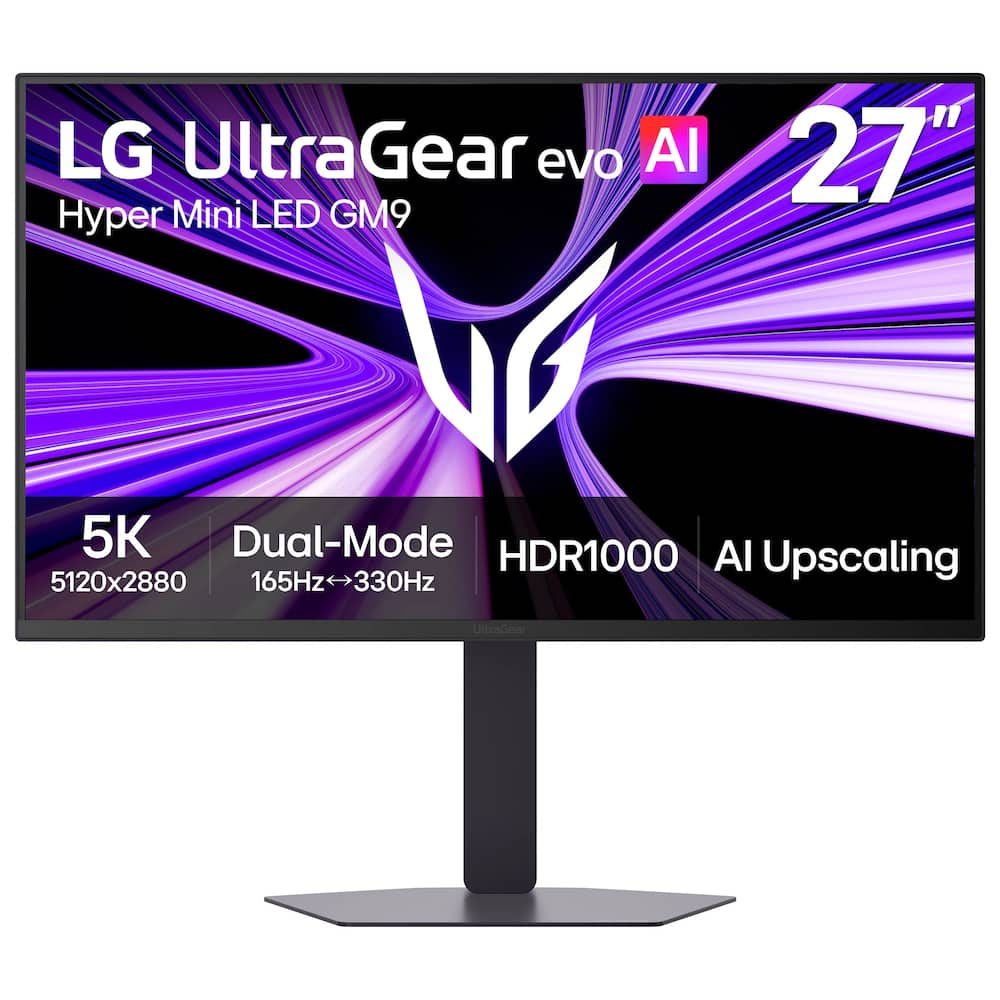
LG – UltraGear evo AI GM9 27″ 5K Hyper Mini LED 165Hz 1ms G-SYNC FreeSync Premium Gaming Monitor with DisplayHDR1000 – Black
SKU: 6670047
$95999
Was $1,199.99 Save $240.00
Other options in this range
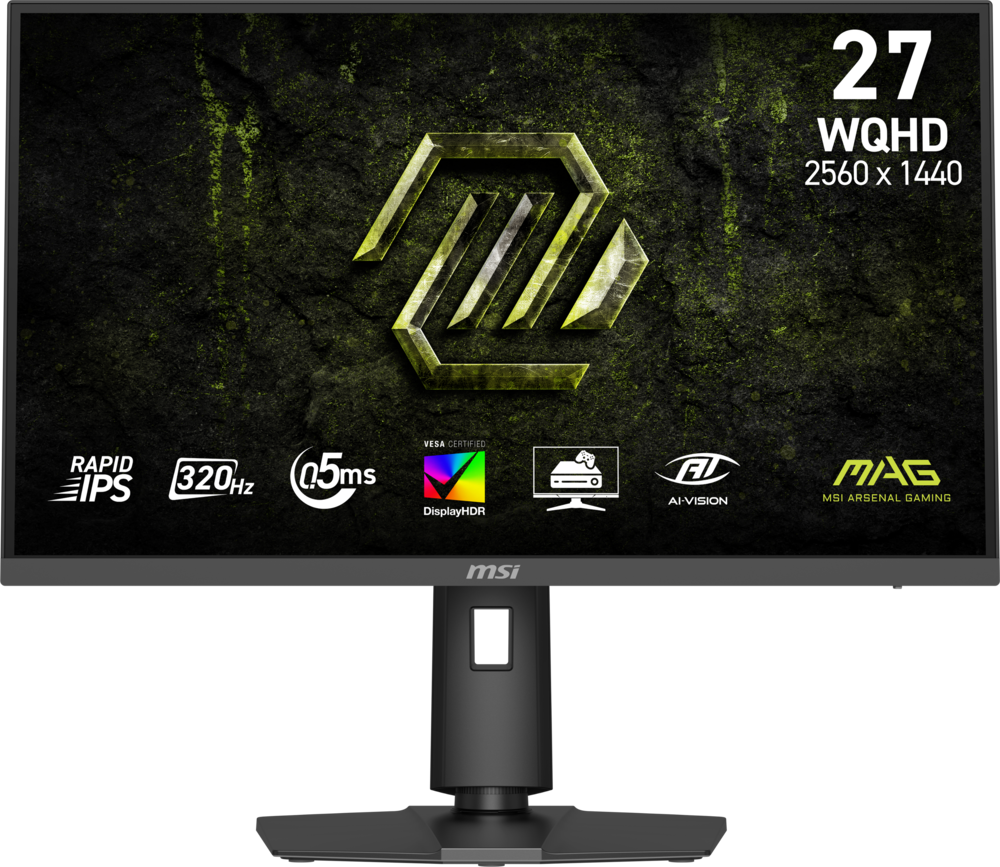 MSI - MAG 274QPF X32 27" QHD 320Hz 0.5ms G-SYNC Compatible FreeSync Premium Gaming Monitor HDR 400 (Display Port, HDMI) - Metallic Black Original price was: $279.99.$223.99Current price is: $223.99.
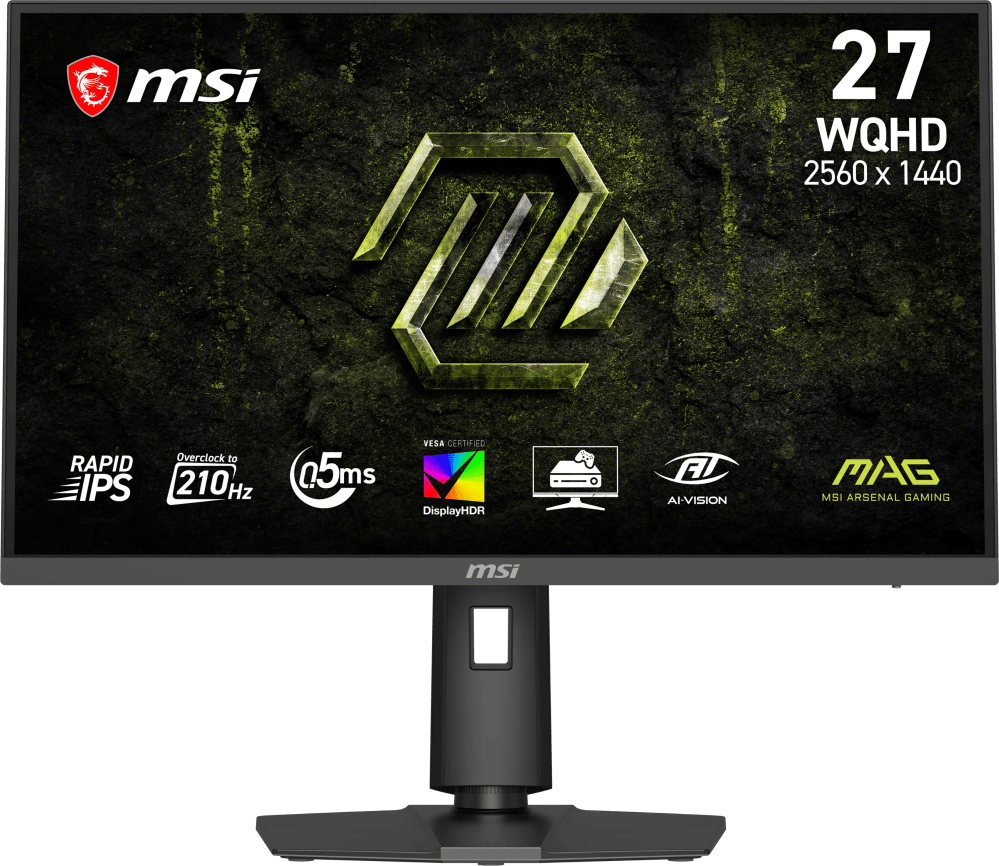 MSI - MAG 275QPF E21 27" QHD 210Hz 0.5ms G-SYNC Compatible FreeSync Premium Gaming Monitor HDR 400 (Display Port, HDMI) - Metallic Black Original price was: $189.99.$151.99Current price is: $151.99.
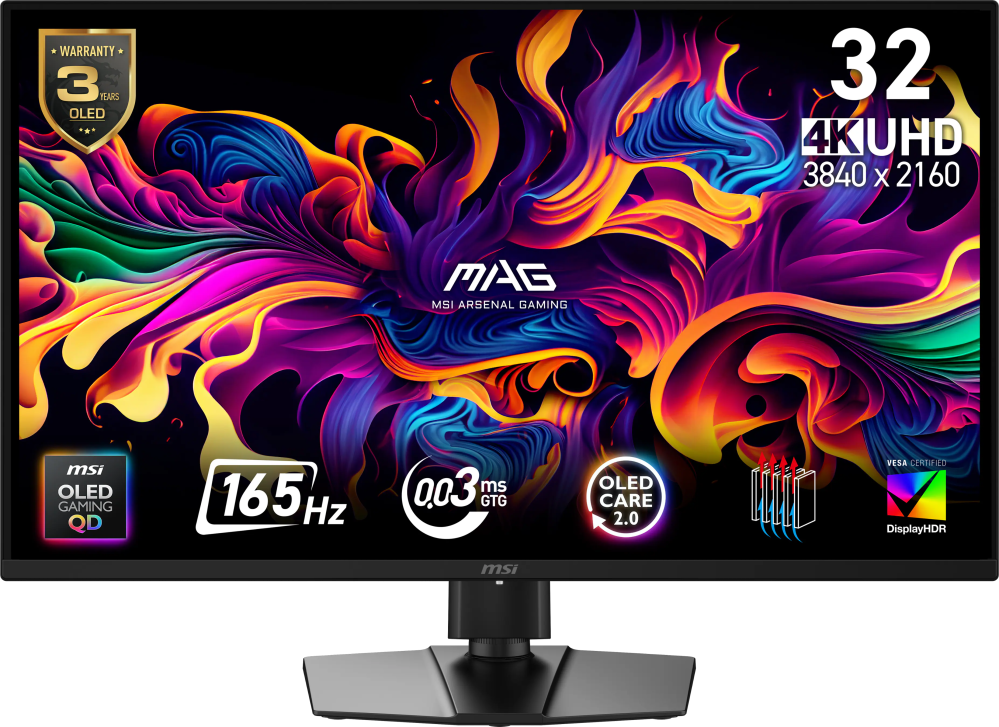 MSI - MAG 322UP QD-OLED E16 32" UHD 165Hz 0.03ms G-SYNC FreeSync Premium Pro Gaming Monitor True Black 400 (DP, HDMI, USB-C) - Metallic Black Original price was: $729.99.$583.99Current price is: $583.99.
Overview
- Next-Generation 5K Gaming with Hyper Mini LED
LG UltraGear evo AI GM9 introduces Hyper Mini LED, a breakthrough display technology built to power ultra-bright visuals and stunning 5K gaming detail. - 1250 Nits Peak Brightness for Bold HDR Gaming
Powered by UltraGear evo’s next-generation Hyper Mini LED technology, the display reaches up to 1250 nits peak brightness and meets VESA DisplayHDR 1000 standards. Bright highlights and strong contrast keep gaming visuals clear and impactful—even in bright indoor environments. - HDR1000 Delivers Explosive Highlights and Precise Shadow Detail
VESA Certified DisplayHDR 1000 brings games to life with brilliant highlights and deeper shadow detail. Explosions, energy effects, and bright environments appear vivid and sharply defined, while darker scenes maintain texture and clarity. With up to 99% DCI-P3 color, every scene displays rich, impeccable color. - Hyper Mini LED Powers Ultra-Bright 5K Gaming
UltraGear evo’s Hyper Mini LED powers ultra-bright 5K gaming. With 9,216 LEDs and 1.5× more local dimming zones, GM9 delivers brighter highlights, deeper contrast, and sharper detail. Zero optical distance engineering brings the backlight closer to the panel to reduce light bleed and help minimize blooming. - 5K Gaming with Uncompromising Detail
Experience incredible detail on a 27-inch 5K (5120×2880) display packed with over 14 million pixels. The ultra-high resolution reveals sharper textures, clearer UI elements, and richer environments—bringing every world, character, and visual effect into stunning focus. - AI Upscaling to 5K—No GPU Upgrade Required
UltraGear evo’s built-in processor powers AI Upscaling that enhances content toward 5K resolution. Without requiring a GPU upgrade, AI Upscaling analyzes the source signal to improve detail and clarity—helping games and video look sharper from virtually any connected device. - High 218 PPI for Sharp, Detailed Visuals
With a high 218 PPI pixel density, in-game text, HUD elements, and fine visual details appear sharper and easier to read. This UltraGear evo also improves clarity for text-heavy tasks like document editing, web browsing, and coding. - Dual Mode: 5K 165Hz for Detail or QHD 330Hz for Speed
Switch between 5K resolution at 165Hz for cinematic AAA titles and QHD at 330Hz⁵ for ultra-responsive competitive gaming. VESA Certified Dual-Mode lets you optimize resolution and refresh rate to match the way you play. - 1ms (GtG): Astounding Gaming Speed
Play with a lightning quick 1ms (GtG) response time, which minimizes ghosting for gaming visuals that are sharp, clear and buttery smooth. - NVIDIA G-SYNC Compatible & AMD FreeSync Premium Pro
Minimize screen tearing and stuttering with NVIDIA G-SYNC compatibility and AMD FreeSync Premium Pro. These adaptive sync technologies help keep gameplay smooth and responsive by matching the monitor’s refresh rate to your GPU—so fast action stays clear with reduced blur and ghosting. - Future-Ready Connectivity for High-Performance Gaming
DisplayPort 2.1⁵ (UHBR20), USB Type-C with 90W power delivery, and HDMI 2.1 provide the connectivity modern gaming setups demand. DP 2.1 delivers the ultra-high bandwidth needed for high-resolution, high-refresh-rate gameplay, while USB-C supports display, data, and charging through a single cable. HDMI 2.1 ensures stable connections with consoles and other devices. - AI Sound Enhances Voices and Key Audio Cues
The AI Sound setting analyzes on-screen action and separates voices, sound effects, and background audio. AI Sound helps keep team comms clear while highlighting important gameplay cues—like approaching footsteps or nearby action—through speakers or connected headphones. - AI Scene Optimization Adapts to Your Content
The AI Scene Optimization setting detects what’s on screen and automatically adjusts picture settings like color temperature and sharpness. It helps optimize the display across preset modes such as Office, Animation, Movie, Game, and Sports. - Built-in Speakers and Headset Support for Comms
Integrated stereo speakers deliver clear, balanced audio for gaming, streaming, and everyday use. When it’s time to focus, plug in a headset through the 4-pole headphone jack to carry both game audio and comms through a single connection.
Compare similar
Specifications
Capacity & configuration
- Display Type
- LED
- Panel Type
- IPS
- Stand Type
- Adjustable height stand
Dimensions & weight
- Product Name
- UltraGear evo AI GM9 27" 5K Hyper Mini LED 165Hz 1ms G-SYNC FreeSync Premium Gaming Monitor with DisplayHDR1000
- Product Height Without Stand
- 14.2 inches
- Product Width
- 24.2 inches
- Product Depth Without Stand
- 2.8 inches
- Product Weight
- 18.7 pounds
- Maximum Adjustable Height
- 21.1 inches
- Product Depth (With Stand)
- 9.8 inches
Features
- Brand
- LG
- Color
- Black
- Refresh Rate
- 165Hz
- Maximum Resolution
- 5120 x 2880
- Native Resolution
- 5120 x 2880 (5K)
- Contrast Ratio
- 1000:1
- Response Time
- 1 milliseconds
- Synchronization Technology
- G-SYNC Compatible (NVIDIA Adaptive Sync)
- Aspect Ratio
- 16:9
- Display Contour
- Flat
- Pixel Density
- 218 pixels per inch
- Brightness
- 750 candela per square meter
- Screen Size
- 27 inches
- High Dynamic Range (HDR)
- Yes
- High Dynamic Range Format
- VESA Certified DisplayHDR 1000
- Horizontal Viewing Angle
- 178 degrees
- Vertical Viewing Angle
- 178 degrees
- Touch Screen
- No
- Color Gamut (Standard RGB)
- 99 percent
- Number of DisplayPort Inputs (Total)
- 1
- Number of HDMI Inputs (Total)
- 2
- Display Connector(s)
- 1 x DisplayPort 2.1
- Number of USB Ports (Total)
- 1
- USB Ports
- 1 x USB-C
- Headphone Jack
- Yes
- Wall Mountable
- Yes
- VESA Wall Mount Standard
- 100mm x 100mm
- Stand Ergonomics
- Tilt
- Built-In Webcam
- No
- Integrated Speaker(s)
- Yes
- ENERGY STAR Certified
- No
- EPEAT Registered
- No
- Operating System Compatibility
- Not Applicable
- UPC
- 195174147726
Power & warranty
- Model Number
- 27GM950B-B
- Warranty - Parts
- 1-Year Parts and Labor
- Warranty - Labor
- 1-Year Parts and Labor
Warranty & protection
Included manufacturer warranty
See manufacturer documentation.
Register your product with the manufacturer within 30 days of delivery.
Warranty service
Manufacturer warranty claims are handled by the manufacturer. We are happy to help you find the right contact: (888) 419-6820.
Customer reviews
Write a reviewGreat for macbook pro - Great display super crisp and clear however at peak brightness its too bright if you are sitting close. If connected to a macbook pro on a thunderbolt 5 cable not a (Display Port) run it at 120hz even if caps out at 144hz because it will lower resolution in order to achive the refresh rate, for best result keep 5k at 120hz(just my opinion). It does have some blooming but the display is really one of the best i've owned.
Great Monitor for a mix of Productivity/Gaming - I needed a new monitor for work as my 1440p ones were starting to show their age. Since these are mainly used for productivity during the day and have static images on them like text for hours I was a bit concerned about going OLED. These are a great compromise without breaking the bank. Highly recommend! I'm just a bit sad that LGs software to update the monitors firmware seems very finicky. I do wish they just had a way to plug in a USB drive and let it's do its thing but suppose that would increase the cost on their end.
Bright & Sharp 5K — Minor Bloom, Good Overall - Really happy with this monitor overall. The 5K resolution is crisp, and the brightness is genuinely excellent — SDR content looks vivid and punchy without needing to fuss with HDR settings. Paired with an RTX 5090, gaming has looked fantastic, especially in bright, colorful titles. The one knock: with local dimming on, you'll see some blooming around bright objects on pure black backgrounds — a known mini-LED trait, not a defect. Turning dimming off reduces it but costs some contrast. It's rarely noticeable in normal day-to-day use. Solid 4/5 — excellent brightness and sharpness, just know the blooming trade-off going in.
Skip this monitor, won’t do 5k. - Plugged this monitor into my M5 MacBook Pro and it would only show as a 4k not a 5k monitor. I tried multiple cables, connected to my TB5 dock and direct to my MacBook with the same results. I also tried using with a second computer and got the same results. This is especially frustrating as I bought this to replace a 5k monitor that died. Contacting LG was no help and I was told to return it as I likely got a bad unit. Searching online said to update the firmware so I downloaded and installed the LG Switch software, but stopped when the software demanded system wide permission far wider than it should need. When I searched specifically about LG Switch I found a whole bunch of confirmed reports of adware and devices spying and recording so I uninstalled the software and will be returning this monitor. My advice is to steer far away from this and any other LG product until LG stops spying.
Amazing monitor as long as your using a PC - Overall the monitor is amazing picture quality is amazing, it gets very bright so you dont have to worry about using it in bright rooms. My only complaint is that when I use it with macOS the color temperature fluctuations from warm to cool which kept messing with me. This problem only happens with macOS for me, but didn’t happen when I was on windows. I verified that true tone was off and still kept happening looked online and seems like some few people are having the same problem when using this monitor with macOS.
It works great with Macbook Pro and Windows PC - its time to update my 10 years old monitor to a new one, so I picked this 5k monitor because it would work with my PC and Macbook pro. No need to buy expensive KVM switch because it would auto-detect the input ( HDMI/USB-C/DP), they reason why I don't use KVM because I use a USB switch, so it would change between Macbook and Windows PC with a push of button.
Beautiful, solid monitor - This is a beautiful gaming and productivity monitor. It's bright, colorful, and fairly well built. The software could be better (-1 star). I still do truly recommend this monitor. The PD 90w port charges my MacBook Pro M5 Pro and displays 5K 144hz. I believe the M4 versions can also do this, not sure if previous versions are able to.
Super bright monitor - Has very good display quality and colors, but has noticeable haze and bloom on blacks even with local dimming on. Also can’t sustain peak brightness for too long without having to turn down the display.
Overall solid monitor - Good 5k resolution and good matte coating. One of the best matte coatings I’ve used as it’s not overly aggressive. The mini led dimming zones are disappointing as they don’t work that well during standard SDR use.
Great Apple Studio Replacement - Color accurate, 5k resolution. High brightness. It is a great Studio Display alternative.
An Easy Upgrade for Work and Gaming - I picked up the LG UltraGear evo AI GM9 27" 5K primarily for gaming and productivity, and it's one of those monitors that's hard to appreciate until it's sitting on your desk. The first thing that stands out is the Mini LED panel. HDR content looks fantastic, blacks are much deeper than a traditional IPS display, and bright highlights really pop without washing out the rest of the image. The 5K resolution is incredibly sharp too. Text is razor sharp, games look incredible, and the extra desktop space makes multitasking much more comfortable than a standard 4K display. One feature I wasn't sure I'd actually use was Dual Mode, but it's surprisingly useful. Being able to switch between full 5K for work and up to 330Hz at a lower resolution for competitive games gives you the best of both worlds without needing two different monitors. Connectivity is another area where LG did a great job. Between DisplayPort 2.1, two HDMI 2.1 ports, and USB-C with 90W Power Delivery, I have my desktop, MacBook, and console connected at the same time. The USB-C connection has been especially convenient since it handles video, charging, and data over a single cable. One quick tip for anyone who buys this monitor: don't freak out like I did if the RGB lighting on the back doesn't come on. I spent a few minutes thinking mine was defective before realizing LG ships it with the lighting turned off by default. You just have to enable it in the monitor's settings, and it works exactly as expected. The stand feels solid, the bezels are thin, and the overall build quality is excellent. Everything about it feels like a premium monitor. The biggest downside for me has been the built-in speakers. They're okay for YouTube videos or the occasional Teams meeting, but they're definitely not something I'd use for gaming or watching movies. They sound a little thin and don't have much bass. It's not a deal breaker since I already use external speakers, but I expected a little better at this price point. Overall, this is easily one of the best monitors I've owned. Whether I'm working during the day or gaming at night, it handles both exceptionally well. If you're already shopping in this price range, I don't think you'll be disappointed with the LG UltraGear GM9. Pros 1)Stunning 5K image quality with incredibly sharp text 2)Mini LED HDR delivers excellent contrast and brightness 3)Dual Mode makes it easy to switch between productivity and high-refresh gaming 4)Excellent connectivity with DisplayPort 2.1, HDMI 2.1, and 90W USB-C 5)Premium build quality with a sturdy stand and thin bezels Cons 1)Built-in speakers are just average 2)You'll still want dedicated speakers or a headset for the best audio experience 3)Premium price tag
Amazing upgrade from old monitor - Decided to upgrade to this monitor. I really love the picture quality for every day use. Gaming on it is great too!
5k mini led - The monitor has a great selection of inputs and the USB-C with alt display port was key reason to try out this monitor with my M5 base MB Pro. Overall, clarity and screen image sharpness and clarity was great. However, it doesn't handle HDR very well, it's okay but compared to my MB Pro screen it's not even a close comparison. It just doesn't have the dynamic range between the HDR highlights and rest of the image.
If you fear the OLED burn-in, this one is great! - PROS: * Onboard speakers * 5K resolution looks amazing (text clarity is improved after the firmware update) * no blooming * Dual mode (1440p at 330Hz) * AI upscaling (I could only notice the big improvement on a few older games, but I was impressed) SO-SO: * Firmware updates have improved the product so far, especially the text clarity (I wish it had been launched with no issues) * Although I didn’t hook it up to a Mac, I’ve seen reports of issues with that (yet, I’m sure a firmware update will help with that if it hasn’t already) * Matte screen (I do not like matte screens, but this one in particular looks better than most I’ve had in the past) CONS: * Some inverse blooming on low dimming setting * Price ($1200 is a tad high considering it's not an OLED screen) Over the years, I’ve had a lot of great experiences with LG monitors and TVs. It seems as if they have it figured out with regard to quality screens, whether OLED, LCD, or LED. In this case, the GM9 comes with a Hyper Mini-LED screen that can output up to 5K. The picture quality is glorious. It’s very bright, vibrant, and smooth as can be. Coming from an OLED screen, I always hesitate to try to use an LED monitor because I’m a sucker for true blacks. LEDs are closing in on OLEDs, and the difference in blacks is narrowing each year. It’s not quite true blacks, but it’s getting there. I do believe the introductory price of $1200 is steep compared to many OLED gaming monitors. In fact, my upstairs monitor was close to the same price, and it’s a QD-OLED that has one of the best picture qualities I’ve ever seen on a screen. On the other hand, this is one of the newest LED tech, so I understand it will be more expensive than a typical LED monitor. The question is, is the price difference worth it? I don’t think so. I am still an OLED believer. LEDs have traditionally been better for text than OLEDs, but unfortunately, when I unboxed it and began using it on day one, the text clarity left a lot to be desired. I changed around the settings to the best of my ability, but it was still not great. LG issued a firmware update that resolved the issue, and I’m glad they were quick with it, as that would have been a huge negative for reviewers. It’s always wise to update any firmware when getting new tech, especially in 2026. Another aspect that I wasn’t happy to see is the use of a matte screen. LEDs are so bright that they often need a matte finish to cut down on glare from lights behind you. I’ve always just turned my lights off when dealing with glare, because I’d rather do that than see the matte finish on the screen. If you sit close to your monitor, as I do, you’ll notice it. But, like I’ve always done before, I got used to it fairly quickly, and the clarity and brightness of the screen help with that too. You wouldn’t think that the difference between 4K and 5K was big, but for me, it is. I love the 5K clarity. The hyper mini-LED technology is spectacular. It is a weight off my back regarding the fear of burn-in. I’ve never experienced burn-in with my OLED screens; however, the thought is always there, and it can be annoying to have the screen pixel cleaner run for 5-8 minutes when all I want to do is check something quickly. Fortunately, I found no blooming when setting things up to my liking. I did, however, encounter inverse blooming on the low dimming setting. I was looking for it, so compared to a blooming issue, I’d say it wasn’t a big deal. Both the high and medium local dimming settings eliminate blooming entirely. The real star of the show, besides the picture quality, is the dual mode. 1440p @ 330Hz is outstanding for gaming. I’m not a competitive gamer by any means, but even I was impressed with the smoothness and response time while playing Escape from Tarkov. To me, it doesn’t diminish the clarity of the graphics in 330Hz mode.
Can you see a difference with 5K? Yes. - The LG UltraGear evo AI GM9 (I'll just call it the 27GM950B) is a fantastic monitor and probably one of the best IPS monitors you can buy short of OLED. Out of the box, the 27GM950B is sleek and minimalistic. I like LG's design language and this one is no different. Setup is easy plug and play. The native true 5K resolution is sharp and crisp. It can support up to a 165 Hz refresh rate at 5K or 330 Hz at 1440p. To be honest, I have nowhere near powerful a graphic card to max and test this but it's there if you can. Motion looks good with just some mild blurring at times. The AI upscaling was actually fairly impressive especially for console gaming. I was able to plug in my Nintendo Switch and there were some notable improvements in sharpness. Response time was good. With the mini-LED panel, there is still some blooming but still fairly good compared to a standard LED panel. There is the local dimming option which significantly improves the contrast ratio. Unfortunately, the entire screen gets pretty dim when you crank up the local dimming, so if you want to take advantage of its full brightness, you have to turn off local dimming. If you do, it does get fairly bright which is an advantage over OLED. I do think it's a bit annoying to mess with the local dimming based on what you do. Color accuracy was good. For non-gaming tasks, office tasks are obviously no issues with crisp text. Streaming content was very enjoyable. If you edit videos as well, this monitor also should be able to handle that. All in all, I think the 27GM950B is an excellent monitor. I was skeptical about the utility of a 5K monitor and whether you could even notice the difference, but it is definitely noticeable and very enjoyable to use. Images are sharp and vivid. I think if you are looking to splurge on a non-OLED monitor, then this should be on your list.
Great option if you're on the fence with OLED's. - Got this monitor to test out how it compares to my main monitor as one of my recently failed. Visually it's decent looking monitor. It's mounted on an arm since I lack the desk space. I don't use the Lighting on the rear cause I find it distracting. I do prefer the more subdued less gamer aesthetics of monitors though. It's quite heavy as well. Compared to my other two displays, this feels like it weighs twice as much. There's definitely some heft to it. Games and such do look terrific on it, however, it being an IPS panel, there is plenty of blooming. My primary panel from another manufacturer is also a MINI-LED backlit panel and with the Local Dimming at it's highest setting, the display is pitch black and it's VA panel. It's contrast is 4000:1 compared to the 1000:1 on the LG. It's also got a peak of 1450-1500 Nits, so it's a pretty close comparison to brightness which is only 1200-1250 on the LG. Even with Local Dimming on it's highest on the LG, it does not feel as bright. Turning the setting down to Low, I was then getting a brighter view. Color is pretty good out of the box. I did download the Calibration tool but since I don't have the expensive equipment to do so, I can only deal with what I have. I really do wish that there were more displays that were glossy. The Matte Anti-Reflective coating on monitors these days rob you of so much quality. Despite being half the brightness of my primary, the Glossy monitor I also use pop's so much more than either of the MINI-LED panels and it is also an IPS, but only peaks around 700 Nits in HDR. The AI features seem to be a forget about it feature. My current PC build limits me running the display at 4k. Despite having a GPU (AMD 7900 XTX) that offers HDMI 2.1, DisplayPort 2.1 ports and DP over Type-C (TB4), if I try to run the display at 5k165, I have to reduce the refresh rates or resolution of my other 2 4k Panels. Obviously this is not something to blame on LG, but a limitation of my computer sadly (next year's cards will likely fix this). Trying to see what the difference is with the AI features on and off when upscaling from 4k is pretty minimal and more or less invisible. I imagine it would work better for the Dual Mode of 1440p@330hz where it's actually having to work to render such a lower resolution image. I did try testing it with lower resolutions on the monitor, but to be honest, if you're running it at non-native resolution, try as you might, it will never be sharp and always be blurred. With the AI on, I couldn't even discern a difference in Text Clarity as it looks identical on all 3 of my displays. The OSD is fairly intuitive and easy enough to control. I very much appreciate there is a Desktop app you can download from LG that allows you to control almost, if not all the monitor settings without have to touch the OSD. It is a most welcome feature and one I really wish every other manufacturer would adopt. Either that or give us a remote. Overall, it's nice looking monitor, it does get plenty bright for gaming, especially in HDR. Colors do pop, though if you've got the equipment to manually calibrate it, it's worth the time. Out of the box though, it should suffice for everyone. They do include your standard suite of cables, Type-C, HDMI and DP. The power brick is quite large as well, nearly twice the size of my main display. I can only hope that when the next generation of GPU's come out next year, there will be better support for multiple higher resolution displays. I feel like I'm really missing out being able to use the display at 5k like it's intended purpose.
Viva La Resolution! - As a professional photographer and videographer by trade and a gamer at heart, resolution is the key feature that interests me in display technology. Whether I am gaming for fun, or editing a project for a client, I want to see the best possible image my monitor can display, so choosing a high resolution monitor is one of the most important decisions I can make. The LG UltraGear evo AI is a new breed of Mini LED display technology that uses AI to effectively upscale lower resolution devices to a much higher resolution. While some may scoff at the letters AI, utilizing an AI chip inside a monitor to upscale older devices is a technology that I can appreciate and that I have seen with my own eyes on this LG display. **** FEATURES **** The LG UltraGear GM9 has several specifications that make this a wonderful addition to any gaming or editing setup. For starters, a 27” 5K display, with a 218 PPI (pixel density), has a great amount of screen real estate and is extremely effective at producing sharp text. This is a huge deal for me, especially when editing, because all of the text in my applications control panels looks incredibly detailed and sharp, making longer sessions less fatiguing on the eyes. This is also important because using higher resolutions makes the text smaller, yet still very readable. That said, operating systems and programs are also getting smarter and allowing users to enlarge screen text only, while keeping the higher resolution intact if you choose. I recently set up a TV panel that also utilizes the new Mini LED technology and I was simply blown away by that, so it’s only fitting, and welcome, that we will start to see the same tech on computer monitors. These newer screens are capable of not only being much brighter, but also showcasing extreme blacks, whites, and extremely vibrant colors that are truly a sight to behold. With the GM9 boasting 9,216 LEDs and 14M pixels, the eye candy is certainly front and center. The AI upscaling feature is another feature that has me pretty excited. While I do prefer playing AAA game titles with my PS5 and Xbox, I was really excited to load Zelda on my Nintendo Switch OLED to see how the AI handles the upscaling and the results are pretty astonishing. The Switch has a native resolution of only 1280x720, which is about as low res as it gets these days. The fact that the GM9 takes that small image and upscales it (with AI) to full 5K resolution is really remarkable and it looks pretty amazing. This feature is something I have never seen on a gaming monitor before and the fact that it is hardware driven via an internal chip makes it extremely efficient and removes all of the burden from the device that is plugged in. This also translates to, whatever you plug into the monitor, the monitor will do the heavy lifting and perform any upscaling needed to display the best image possible. Really cool. Since this is hard to capture for sharing without having a complex capture card setup, I have included a photo taken with my full frame mirrorless camera, on a tripod, in low light, showing the fully upscaled version. Online photo upload compression may make this hard to see, but the upscaling is very apparent. Is upscaling from 1280x720 to 5K via AI perfect? Nothing is truly perfect, but the upscaled image, from the HUD text, to the environment, enemies, and yes, Link, all look WAY better to my eyes. The internal AI processor also monitors your input at all times providing real-time scene analysis to minimize blooming while also giving you the option to customize local dimming, effectively maximizing the performance for both daytime work and nighttime gaming use. With the current firmware, as of this review, I have experienced excellent performance for both video editing and intense gaming sessions. This monitor also boasts a dual refresh rate which effectively makes it two monitors in one? Taking advantage of ultra high definition 5K with a refresh rate of 165Hz for editing tasks, but having the option to flip to QHD at 330Hz quickly for fast paced gaming all in the same monitor makes the GM9 even more impressive than it already is. LG claims 1,250 nits (HDR1000 rated) for brightness. There are some strict guidelines to achieve this benchmark including peak brightness surpassing 1,000 nits, 10-bit color (perfect for photo-video editing), and the ability to display true blacks at the same moment the display is showing the brightest level of whites. This ultimately translates into more realism and contrast resulting in a far superior picture that truly looks glorious. Thankfully LG has included built-in speakers. While I can’t find much information regarding wattage, they do sound nice and can get the job done for normal everyday use. The speakers and 3.5mm headphone jack also use the internal AI processing power to deliver the best sound quality possible at all times. The monitor is extremely easy to adjust with the on-screen menu. Adjusting all aspects of the monitor settings, including the refresh rate, is quick and easy. There are several custom game modes built right into the OSD and all are a few button presses away. The monitor design looks very modern and feels very well built. The base is solid metal that has no problem supporting the screen in both portrait and landscape mode. With the standard 100x100mm VESA mount, users can easily snap into the included stand, or mount it on a dedicated monitor arm if preferred. The GM9 includes 2x HDMI ports, a display port, 2x USB-A 3.2 ports, and a USB-C port. The USB-C port allows users to connect their laptop and use the GM9 as a second display while also charging your computer at the same time minimizing desk cable clutter. Excellent! Just keep in mind that the USB-C cable supplied in the box is only a standard type C cable. You will need to have a dedicated Thunderbolt 4 or 5 USB-C cable to run high bandwidth devices, such as laptops and gaming systems. What?! LG should have included this cable in the box as well. Lastly, the power brick. It is massive, but needed to achieve the high level of brightness, run the AI and perform the internal processing. This doesn’t bother me in the slightest, but should be noted. I measured 8” L x 3.75” W x 1 ⅜” thick. **** UPDATES & FIRMWARE **** Upon receiving any new piece of tech, the first thing I check is to see that the firmware is up to date. Firmware is imperative to keep any device running at peak performance and to fix any bugs or issues that have been reported. Thankfully, my GM9 came loaded with the current firmware. There is a direct link to the firmware and instructions for installation on the LG website. The process is simple and only takes a couple of minutes to be sure you are running the current version. **** IN CONCLUSION **** The LG UltraGear GM9 is, for lack of a better term, raising the bar yet again for what can be expected from manufacturers in the near future. It is just as at home displaying any type of game with the dual refresh rate, as it is editing ultra high definition video. It has all of the features I currently need and none that I don't. The AI upscaling, HDR 1000 rating, pixel density, peak brightness, and vivid colors, offer a truly compelling visual experience.
Questions & answers
Ask a question
Email [email protected] or call (888) 419-6820 during business hours.
Add your review