A more open ereader - Was getting tired of the locked down nature of the kindle ecosystem and Kobo is the perfect solution, love this reader
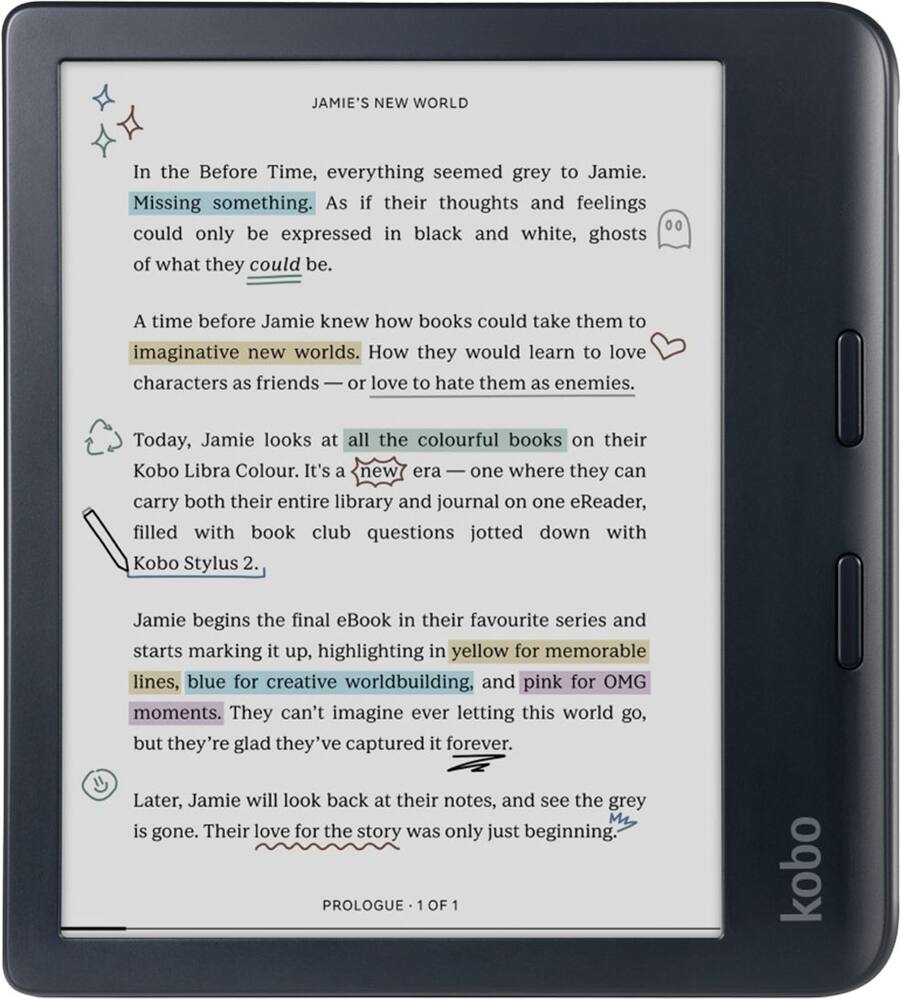
Kobo – Libra Colour-eReader-7″ Glare-Free Color E Ink Kaleido 3 Display-Dark Mode Option-Waterproof-32GB – 2024 – Black
$20799
Other options in this range
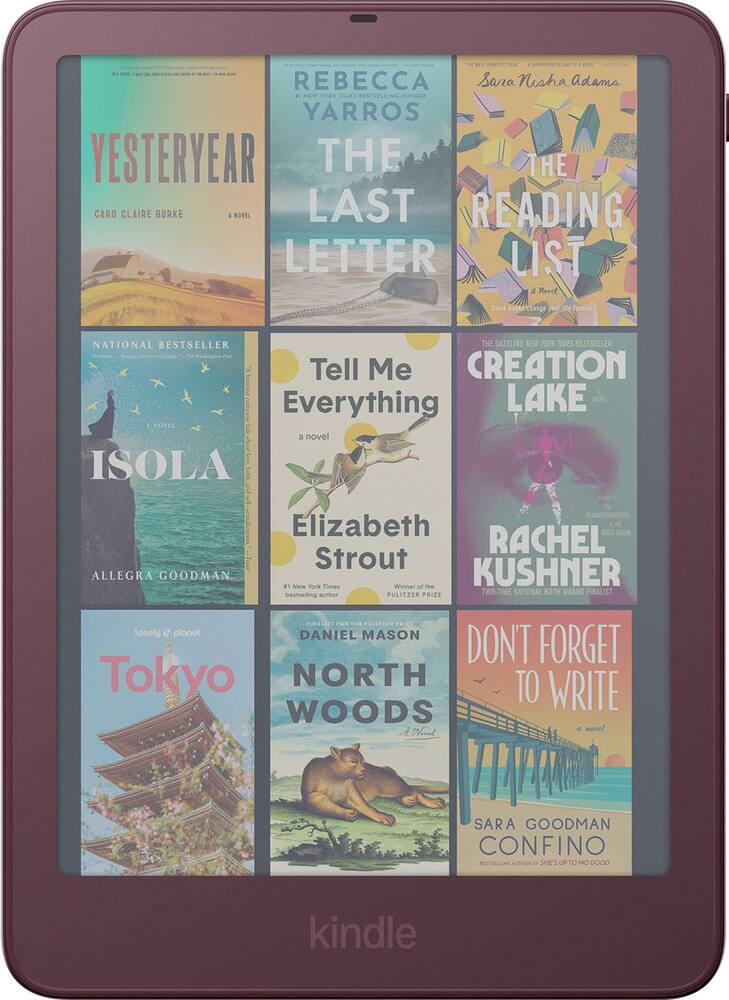 Amazon - Kindle Colorsoft Signature Edition 32GB (2026 release), Aluminum Design, 7" Color Display, Front Light - 2026 - Fig Original price was: $319.99.$255.99Current price is: $255.99.
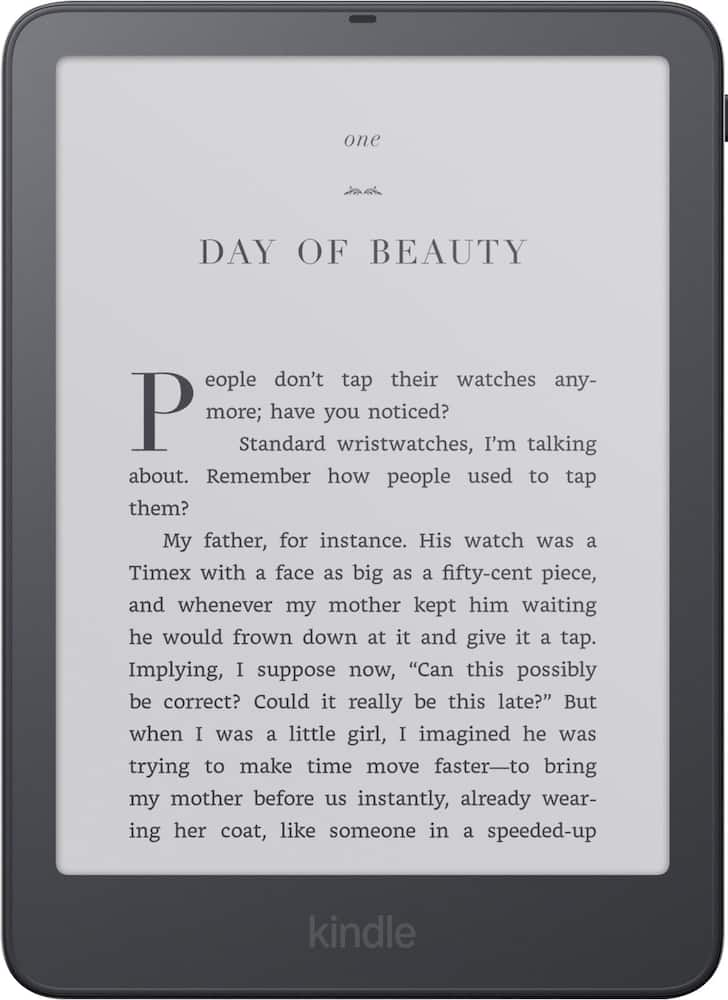 Amazon - Kindle Paperwhite Signature Edition 32GB (2026 release) 7″ Aluminum Design, Auto-Adjusting Front Light - 2026 - Graphite Original price was: $249.99.$199.99Current price is: $199.99.
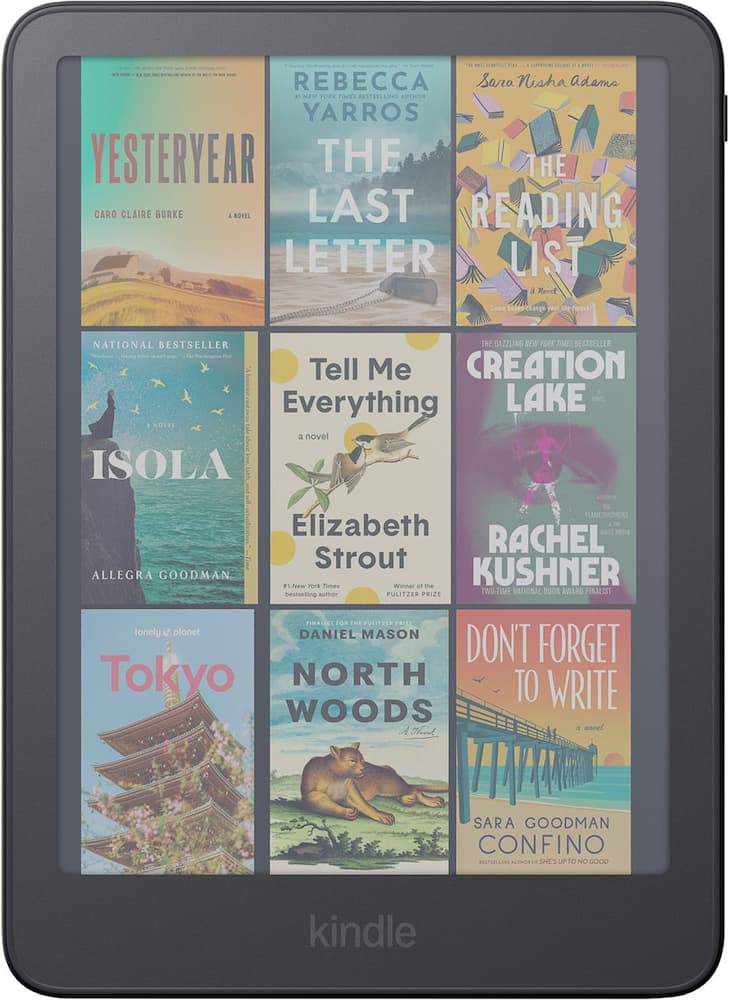 Amazon - Kindle Colorsoft 16GB (2026 release), Now Thinner and Lighter, 7" Color Display, Warm Light - 2026 - Graphite Original price was: $289.99.$231.99Current price is: $231.99.
Overview
- Browse & read books in full color
Book covers, comics, graphic novels, illustrations, note-taking and more come to life. No glare in sunlight, no notifications – just you and your eBooks in full-color - Your journal, daily planner and more
Dive into your stories with colorful markups. With Kobo Stylus 2* compatibility (*sold separately), annotate, highlight, and note take your eBooks in color - Read comfortably, always
Ergonomically designed with page-turn buttons, left/right screen rotation, full font size and margin customization, and landscape mode - IPX8 waterproof ereader
Full waterproof protection and meets requirements of IPX8 rating – waterproof for up to 60 minutes in up to 2 meters of water - Better by design
Thoughtfully made with recycled and ocean-bound plastic and repairability to waterproof protection
Compare similar
Specifications
Capacity & configuration
- Screen Type
- E Ink
- Total Storage Capacity
- 32 gigabytes
Dimensions & weight
- Product Name
- Kobo Libra Colour-eReader-7" Glare-Free Color E Ink Kaleido 3 Display-Dark Mode Option-Waterproof-32GB
- Product Height
- 1.1 inches
- Product Width
- 7.09 inches
- Product Depth
- 7.72 inches
- Product Weight
- 13 ounces
Features
- Color
- Black, White
- Brand
- Kobo
- Screen Size
- 7 inches
- Screen Display
- Color
- Glare-Free Screen
- Yes
- Adjustable Brightness
- Yes
- Adjustable Font Size
- Yes
- Charging Interface(s)
- USB-C
- Battery Chemistry
- Lithium-ion
- Waterproof
- Yes
- Year of Release
- 2024
- UPC
- 681495009671, 681495009688
Power & warranty
- Model Number
- N428-TP-BK-S-CK
- Warranty - Parts
- 1 year limited
- Warranty - Labor
- None
Warranty & protection
Included manufacturer warranty
See manufacturer documentation.
Register your product with the manufacturer within 30 days of delivery.
Warranty service
Manufacturer warranty claims are handled by the manufacturer. We are happy to help you find the right contact: (888) 419-6820.
Customer reviews
Write a reviewLove it! - I love it! I love the buttons and the screen quality!
Best e-reader I have bought. Overdrive/Libby integration is amazing. Responds well and physical buttons for turning pages are great
Great devidce - Liked the screen on the libra 2 more, but overall the colour is better
The best ecosystem for buy books and reading. - Using this to reread red rising and it's amazing. It has the best battery out of all the e-readers I've used.
Loving my Kobo Libra Colour - The Kobo Libra Colour is amazing. It’s exactly what I needed. It’s user friendly and the colors look beautiful for an e-ink reader. I enjoy reading manga on it as well. The battery has lasted me over two weeks. You have the option to use buttons or touch screen to turn the page. You have an area to place your thumb while holding it without obstructing the screen. You can also connect your library card to borrow books through it. I highly recommend it if you’re looking for an e-reader.
Love this ereader! - I got tired of feeding Amazon my money. When they bricked my kindle I went looking for other options, This ereader is superior to my kindle in may ways: Physical page turn buttons - no more accidentally taping on a footnote when swiping to turn pages; order books on the Kobo without using a computer; the system is quick and responsive; when searching on the Kobo store, it tells me if the book is available at my library and will allow me to place a hold if it is currently checked out; color screen is nice but not that important to me.
Good product - As advertised. Worth the money. Get the remote as well.
Excellent device - An excellent device to read graphic novels and Manga. The color aspect of it i find very interesting, it gives a certain style to graphic novels, sure not as vibrant as an actual graphic novel, but has its own charm to it. The battery life is actually good even with the added color to the device.
LOVE this device - I absolutely LOVE this little thing. I am new to the world of reading and have had a hard time finishing books. I researched and an ereader was recommended. I was skeptical due to price but am sooo glad I took the leap. I haven't used all of its functionality but going from reading a chapter of each book over the past year or two to sitting and finishing one in a couple weeks is great! I started with the pocketbook and was a bit discouraged but so glad I swapped out for the kobo. I liked it so much I bought my niece the clara colour lol. The ONLY thing I have found that I don't like is the fact you cannot make sub accounts for kids. Id love to use my account and subscription to get her books but I don't want her to have access to mine. Creating an account is free and easy but I have to log out of mine to grab a book for her. Also wish parental controls offered a bit more. Id love for her to have access to books and I just set the age range of books she can view. Really hope these are in the works but overall a 9.8/10 for me!
Love it - Since I didn't want to have anything to do with Amazon anymore(Amazon only let you lease the books not own them), I was looking for an alternative e-reader that doesn't suck. Here comes the Kobo Libra Colour. Snappy page turn, with easy screen brightness adjustability(by swiping up or down on the left side of the screen). Very comfortable to hold due to an extra wide side frame with physical page turning buttons. Although I use it to read standard black and white text, having the color display is a plus. I'm very happy with the product.
Perfect for manga - I use this everyday to read manga. Highly recommend.
Kobo libra color - My kids love it they use it when it’s their time to read it’s really amazing my son loves it because he can see his comic books in pictures and my daughter loves it because she can use her Libby account
Kobo Libra color - Reader is easy to use and very comfortable when handling. The quality for reading is great.
Great purchase! - Easy to handle, awesome features, long lasting batterylife , and very easy to use ! Great for all ages and for taking anywhere. Would recomend buying for yourself or a gift for a bookworm.
Good Looking Hardware w/ Lot Of Usability Tradeoff - The Kobo Libra Color is an interesting though awkward device. A 7” e-ink tablet that is bigger than a phone though smaller than a tablet. It is incredibly light and the white looks pleasant. The surface is plastic with a slightly grippy feel which helps. It is nicely packaged and if it weren’t so plastic, would likely be considered a premium device. Set up was simple, albeit requiring several steps to connect the device to wifi, then create a Kobo account, then associate that account with device, similar to signing in to a new device with an existing streaming account. During this process, it is clear that you have an e-Ink screen which does not really refresh very quickly. The brightness was also a bit weird being turned to the brightness when first turned on which gives the screen a yellow cast. I need up reducing it to almost the lowest which gave me a more natural look and color temperature to the screen. After signing up for a trial subscription, I attempted to browse the library on the device. Searching for a book to read, I stumbled upon an issue with the UI. You can search for a title or text in a title but there isn’t really much of a category interface on the device itself. The website does a better job of letting you narrow down specific genres. There’s also a split between the books available for “free” and those that require a subscription. But when you’re going through results, you need to be specific with how you leave checking out a potential book. You can either hit the back button or tap an X. In other parts of the UI, hitting an X takes you back to the previous page or menu. However, in the search results, it completely exits the search. Hitting X was often my muscle memory so the first 30 minutes of looking through available titles for something I wanted to read was pretty frustrating. I also found that the kobo collection was very limited. Ultimately, I grabbed an X-men comic and a novel to read. I felt the comic would be a good exercise of the color screen and the result was mixed. E-Ink screens are not known for their resolution and the color e-Ink was no different. One gets a feel akin to reading comics in my youth. But one can tell things are not as crisp as they could be. Flipping through pages felt painfully slow. Not necessarily because of the speed, but because of the mix of the speed and the screen tearing that occurs when it is redrawing the screen. I was expecting much smoother transitions and did not get it. Reading text, it was better, enough to not be distracting, but still noticeable. It felt like the big thing to be gained with the e-Ink screen was battery life and ability to read comics or graphic novels in color. I did like that it seems books can set a screen saver - what stays on screen when sleeping or the reader is turned off - versus just staying on the currently being read screen. Physically, while the reader felt nice and lightweight, that did not lend itself to a long period of single handed reading. There are physical page turn buttons, but they’re not really usable one handed and swiping felt like it needed a second to do reliably. The dimensions are such that it feels awkward to hold and use one handed for an extended period of time. While my hand did not tire as quickly as holding my heavier three screen phone when reading, I found that for comfort, I still preferred to cradle the reader with one using the other to support the screen and either hit the buttons or swipe across the screen. In all, I think the hardware is mostly good but the reader software definitely needs some work to improve the UI and help make the reading experience smoother. More work needs to be done on the catalog side to make discovering titles on the device more accessible, especially given the relative sparseness of what’s available on the device. It really would benefit from being open to third party sources to expand what one could read on the Libra. While a lot of the issues can be addressed by changes in the software and catalog, I think the awkward size of the reader may make things more difficult for people to adopt, especially if they’re facing usability issues. The form factor wants you to hold it and thumb through books with one hand but you can’t do it. And this is coming from someone with larger than average hands.
Neat device that needs better content library - The Kobo Libra Color is an attractive device with significant potential, but in its current form, I would hesitate to recommend it given the competing products available on the market. Both my wife and I are university professors, and reading is a central part of our lives. Our home library contains well over 1,000 books, alongside hundreds of audiobooks and several dedicated reading devices. As frequent readers, we have certain expectations of an e-reader, particularly when it is intended for family use. This device was primarily purchased for our two daughters, and that is where some of its most notable shortcomings become apparent. From a hardware perspective, the Kobo Libra Color has much to offer. It is lightweight, portable, and exceptionally comfortable to hold for extended reading sessions. Battery life is excellent, and USB-C charging is a welcome modern convenience. The display performs well under different lighting conditions, with adjustable brightness and a useful night mode for reading at night. The ability to sync with Dropbox is another thoughtful feature that expands storage and makes transferring documents straightforward. That said, the color display is underwhelming. Colors appear muted rather than vibrant, and the typing experience is noticeably sluggish due to input lag. While the search function is functional, it is not particularly refined. Kobo Plus is available at approximately $7.99 per month for reading or $9.99 per month for both reading and audiobook access, but the value of the subscription is questionable given the current catalog. My two biggest concerns are as follows: 1. Lack of meaningful parental controls For a device that could easily appeal to families, the absence of robust parental controls is a major oversight. The only meaningful restriction available is disabling in-app purchases, which also limits search functionality to books already in the user's library. Under normal circumstances, however, children searching the Kobo Store are presented with unfiltered search results. For example, if my 8- or 12-year-old searched for an adventure novel, the results could include titles with mature themes that are clearly unsuitable for their age. The only practical workaround is for a parent to conduct every search, select the desired title, and then disable store access again. This is inconvenient and undermines the device's usability for younger readers. Effective parental controls, including age-based content filtering, should be considered essential rather than optional. 2. A limited content library This is, in my view, the device's greatest weakness. While the subscription pricing is competitive, the available content is relatively sparse. The selection of included eBooks is modest, and the audiobook catalog, particularly exclusive or original content, lacks the depth offered by competing ecosystems. This significantly reduces the value of the monthly subscription. The Kobo Libra Color would become a much stronger proposition if Kobo expanded its library substantially or introduced additional membership benefits, such as a weekly premium book or audiobook rentals included with the subscription. Overall, the Kobo Libra Color is a well-designed device with considerable promise. Its compact size, excellent battery life, comfortable reading experience, and portability make it ideal for school, commuting, or travel. Features such as adjustable font sizes and reading modes further enhance accessibility. However, the limited content ecosystem and the lack of comprehensive parental controls prevent me from recommending it over other e-readers currently available. These shortcomings are largely software and service issues rather than hardware limitations, which gives me reason for optimism. With a stronger content catalog and a more robust parental control system, the Kobo Libra Color could quickly become one of the best e-readers in its class.
Light weight e-reader - As an avid reader and traveler I am always looking for easy ways to take my books with me when I travel.While I like physical books, it isn't practical to bring hard cover or even paperbacks when flying. This e reader is a great alternative. The 7" screen is comfortable and not too big or too small. It is very light weight so easy to hold without tiring. I like the physical buttons for page turning although you can swipe if you prefer. The buttons are located conveniently for holding and pressing to turn the page. I have accidentally hit things I did not want to on the touch screen. At one point, I had zoomed way out and could not figure out how to fix it. A quick internet search helped me get back on track. I have tested but not needed to use the highlighting feature. It is handy. If you want to write notes, you need to purchase a separate stylus (another $70). While the pages are black and white with a soft light (easy on the eyes), I like that the book covers are in color. It was super easy to connect my library (Libby/OverDrive) and download free books. I apparently had a Kobo reader years ago and my account popped up with some books I already owned. Purchasing is similar to buying a physical book- Around $25 so I have stuck to the library for now. I have not tested the waterproof functionality but I will take their word for it! When it goes to sleep, the cover of the book I am reading is always visible. This helps remind me to ready in my busy day. The battery life has been great. I have been reading for a few weeks and have not had to recharge. Overall, a great eReader!
Great little color reader - My wife is going to end up using this a lot more than I am but I got a chance to give it a good try and am genuinely impressed with it. One positive right off the bat for me is it's just not a Kindle. No need to be tied down by Amazon and having device capabilities removed willy-nilly. Setup was pretty painless. Open it up and the device walks you through making an account or signing in and then you're pretty much ready to go after a quick update. Ready to go, as in you now have an eReader but you'll still need to get something to read on it. You have a lot of options there and it's one of my favorite things about the Kobo. Your first obvious choice is just browsing the Kobo store which lets your buy ebooks and sync them with your device straight from Kobo. I didn't do any extensive browsing but I did see a lot of books I recognized as being fairly popular so you probably won't have much of a problem finding most of the things you want to read this way. You can also opt for the Kobo Plus plan which is akin to Amazon Unlimited in that you just have access to a large portion of their book library for a small monthly charge (It's $8/mo at the time of writing this review). Those are probably going to be the two easiest ways to get books on your device. Buy, Sync, Read. But you're not limited to their store! In fact, you'll probably find that you can get books from basically anywhere and load them on your Kobo, unless they're Kindle books (or have similar DRM). The number of formats that are just natively supported are crazy to me. You have your basics like epub, mobi and pdf for books. But you also have most image formats, text/html formats and even straight cbr and cbz support for comics. Oddly, this reader supports audiobooks but you need to jump through a couple hoops to effectively load them onto the device if they aren't from the Kobo store. But even then, it's not that difficult. Getting books onto your device is crazy simple with native (!) support for Google Drive and DropBox. Google Drive is free with any gmail account so you probably already have one. Just link your Kobo account to it and transferring books is as easy as putting them in the Kobo folder and downloading them to your device. After watching my wife jump through some hoops trying to get books onto her Kindle, it's a breath of fresh air for it to be so quick and simple. I'm not done with getting books on your device yet! Another big one is OverDrive. This is essentially Kobo's link to Libby where you can link your library cards and borrow books straight from your library. Straight from your device! You don't need to juggle your phone to check in and out books, you can just borrow and return straight from the Kobo OverDrive app. I'm just relieved to have a device that doesn't feel completely locked down (because it isn't!). I haven't even scratched the surface of side-loading actual apps and other tweaks onto it because things are working fine for now. I'm sure I'll tinker with that stuff later on since I know it's not really a hassle to try out. Screen quality is quite good. Colors do feel a bit muted but I would expect that from an e-ink display and it's really not that bad. You aren't getting vivid, bright graphics of an actual tablet but for en e-reader display, it's pretty good. Text is crisp and easy and read. There's a night mode for those of you who don't like to go blind at night. You don't even really need the backlight brightness on if your room is decently lit. But you have a lot you to do to tweak the brightness and color temperature of the display all within a single menu. Refresh rate suffers the same as any e-ink display I've seen. It takes a second to refresh the screen after switching pages or zooming in on a panel of a comic. It's fairly quick and doesn't take away from too much but it's worth mentioning that you're getting a regular color e-ink display without a 60hz refresh rate or anything. The notebooks feature is pretty nice if you get yourself a pen. You can go all out for an official Kobo branded pen but you can also get other pens that are compatible, from what I hear. I don't currently have a pen but it's something we want to get fairly soon. Without the pen, you can still highlight text in your books and write notes if you're into that kind of thing. All in all, I really liked the Kobo Libra Colour and I'm sure my wife will enjoy it even more (since she reads a lot more than I do). A device that feels open and capable and extensible. If you're looking for something to load your massive Kindle library on, this isn't the one. But for literally anything else, you might want to give this a good look.
A Great E-Reader with Smart Features - This is my first e-reader and also my first experience with a color E Ink display, so I wasn’t completely sure what to expect from the Kobo Libra Colour, but after using it for a while, I really like it. It’s super lightweight, comfortable to hold, easy to navigate, and has some neat features. The best part though, is that it makes sitting down and reading a regular book feel easy and relaxing w/o a notification popping up every few minutes. The Kobo arrived quickly and was very well packaged in a sturdy cardboard box that is shaped and opens almost like a book, which is a nice touch. Inside you get the e-reader, a USB-C charging cable, and some paperwork to help you get started. Setup was simple. I connected it to Wi-Fi, scanned the QR code with my phone and setup an account with Kobo. I really like the design. It has a good size edge around the whole screen and one side has a wider bezel with a slight flare that gives you a proper place to hold it without touching the screen. The two physical page-turn buttons are large, perfectly placed, and easy to press. The lightweight simple design is one of my favorite things about this. The back has a textured pattern that looks nice and adds a little grip. The Kobo is extremely lightweight, but the plastic body does have some flex. I would be careful about leaving it somewhere a child could bend it, or where someone might accidentally sit or step on it. I definitely recommend getting a protective case or sleep cover if you plan on carrying it in a bag. The interface is simple and easy to understand, with Home, My Books, Discover, and More available along the bottom. The touchscreen is responsive and works really well. Because this is an E Ink display, there is a brief flash or negative-looking ghost image almost every time you open another screen or menu. It looks strange at first, but you get used to it. During normal reading, it moves fast enough and does not really bother me. The brightness and color temperature can both be adjusted. I do wish the display got a little brighter, but I am also used to staring at bright phones, tablets, and computer screens all day. The softer display is probably much better for my eyes. You can change the light from a cool blue tone to a very warm yellow, and you can schedule it to automatically become warmer at bedtime. One of the first things I recommend doing, especially if you have vision problems, is turning on Large Print Mode. From the Home screen, select More, choose Beta Features, and turn on Large Print Mode. It made the menus much easier for me to read. From the reading menu you can also choose different fonts, font sizes, line spacing, margins, justification, weight, and sharpness. You can make the text so large that only a few sentences appear on each page, which could make this a great option for older readers or anyone with poor vision. Tapping the middle of a book opens the Reading Menu, where you can view the table of contents, move through pages, search the book, and see all your annotations. It also shows your progress through the book and the current chapter, along with estimated reading times. Searching for a word or phrase could be especially helpful for book clubs, students, or anyone trying to find a specific passage. One of my favorite features is the dictionary. Press and hold on any word and you can immediately see its definition, pronunciation, part of speech, and examples. You can also highlight text in yellow, pink, blue, or green, add a typed note, or save the word to My Words for later review. I think this is fantastic for younger readers. When I was a kid, I often had to guess what unfamiliar words meant from the context. With this, a child can instantly look up the meaning without leaving the book. The Kobo Libra Colour can also connect with Google Drive, Dropbox, and Instapaper, which could be useful for writers or anyone reviewing documents. The optional Kobo Stylus allows handwritten notes, drawing, and freehand markup. I do not currently have the stylus, so I cannot review how well it works, but I do feel like you are missing out on some of the best annotation features without it. Kobo should also make it clearer on the box that the handwritten markups shown in the artwork require a separately sold stylus. Cross-device syncing works really well. If I read part of a book in the Kobo app on my phone or tablet and then open it on the Libra Colour, it recognizes my progress and asks if I want to jump to the last page I read. I really like being able to switch between devices that easily. My biggest disappointment is reading graphic novels. In portrait mode, I can read a full page, and the physical buttons turn pages quickly enough. However, the text and artwork can be small, especially for someone like me who does not have the best vision. You can zoom in and pan around, but every small movement causes the E Ink screen to refresh. The colors flash, ghost images appear, and there is a delay as you move around the page. It works, but it quickly becomes arduous. The colors are also much flatter and more muted than they are on a phone or tablet. It is what it is. Still, the same graphic novel looks much better in the Kobo app on my phone or tablet, where the colors are richer and zooming is smooth. For regular books, the Kobo is the better reading experience. For graphic novels, I would probably use another device. Browsing and searching for books is also faster in the phone app because you do not have to wait for the E Ink screen to refresh. Really, the best thing to do on this e-reader is read a book. It says it supports audiobooks, but it does not have built-in speakers or a headphone jack. You have to connect Bluetooth headphones or a speaker. Bluetooth works fine, but I wish it had a small built-in speaker. I would also love to see an optional solar sleep cover. Since the device uses so little power, a cover with solar cells could slowly charge it while sitting near a window or outside. It probably would not completely replace USB-C charging, but it could extend the battery life and would be a really cool accessory. Overall, I really like the Kobo Libra Colour. It is lightweight, comfortable, easy to use, and very well designed for reading. The E Ink flashing and muted colors take some getting used to, and I would not recommend it mainly for graphic novels if you need to zoom frequently. But for regular books, writers, students, younger readers, and anyone who wants something easier on the eyes than a phone or tablet, I think it is a great choice. I would recommend getting the stylus with it so you can take advantage of more of its writing and annotation features.
Questions & answers
Ask a question
Email [email protected] or call (888) 419-6820 during business hours.
Add your review