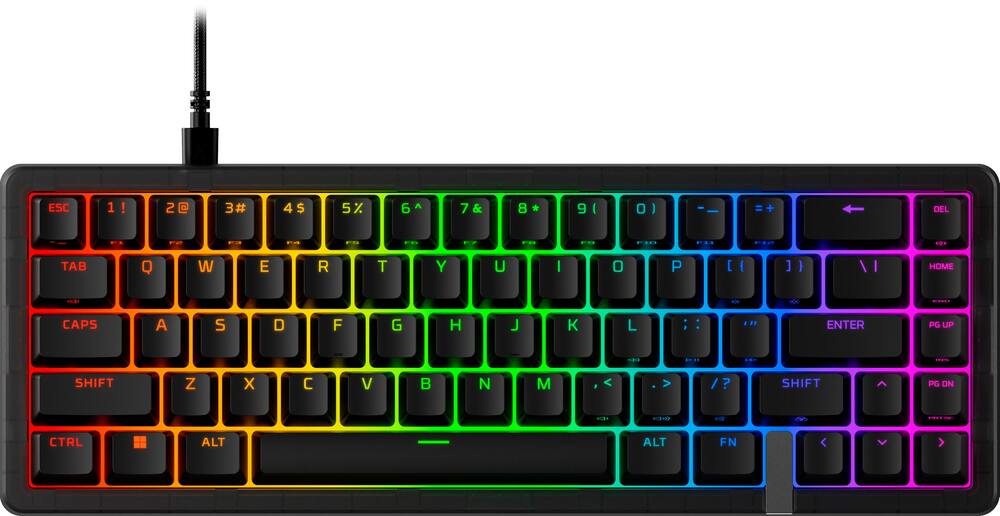
Great keyboard, comfortable, customizable - This keyboard is called HyperX Origins 2 Pro 65%. Got all that? Took me a little while, and I wondered briefly what the “65%” meant until I realized that that’s the size of the keyboard compared to a “full-size” keyboard. I did notice right away that the keyboard is small, somewhat like a laptop keyboard, and that can make for some issues if you’re particularly fat-fingered. But for gaming, you want to the tighter packing of the keys for quicker access as you play. One thing I do like very much is the sound and feel of the magnetic keys on this keyboard. Setup is easy. Just plug in the included USB-C to USB-2 cable to the keyboard and computer, and you’re ready to go. I wondered why the cable connects to USB-2 as it would seem to defeat the purpose of having the higher-speed USB-C port on the keyboard if you’re just going to plug it into a slower USB-2 port, anyway. I wondered if the keyboard would work if I used a USB-C to USB-C cable and plugged it in to a USB-C port on my computer. Such ports are common nowadays, especially on laptop computers, a situation where you might want to use this keyboard. I do have such a cable, and, you know what? It didn’t work. The keyboard was not recognized. Plugging it back in with the USB-C to USB-2 cable worked just fine, and I was back in business. Curious, though. Why include a USB-C port if you’re not going to make use of the advantages it has over the older USB-2? The NGENUITY software, available for free from the HyperX website, is a must have for customization of the keyboard, allowing control of RGB lighting, sounds, macros, and performance, the last of which includes changing mouse DPI, polling rates, and sensor track settings. Keyboard settings can also be activated and adjusted by various combinations of key presses as shown in the included instruction sheet. One could experiment for hours with all of the possible combinations of settings to make the keyboard exactly as you want it. The Settings menu allows access to firmware upgrades, something my keyboard needed immediately. Overall, this is just what you want in a gaming keyboard. Highly customizable, great look, great feel, perfect size, and overall very comfortable to use.
 20% off
HyperX – Origins 2 Pro 65% Wired Magnetic Linear Switch Gaming Keyboard with RGB Back Lighting – Black
SKU: 6672073
$11999
Was $149.99 Save $30.00
Other options in this range
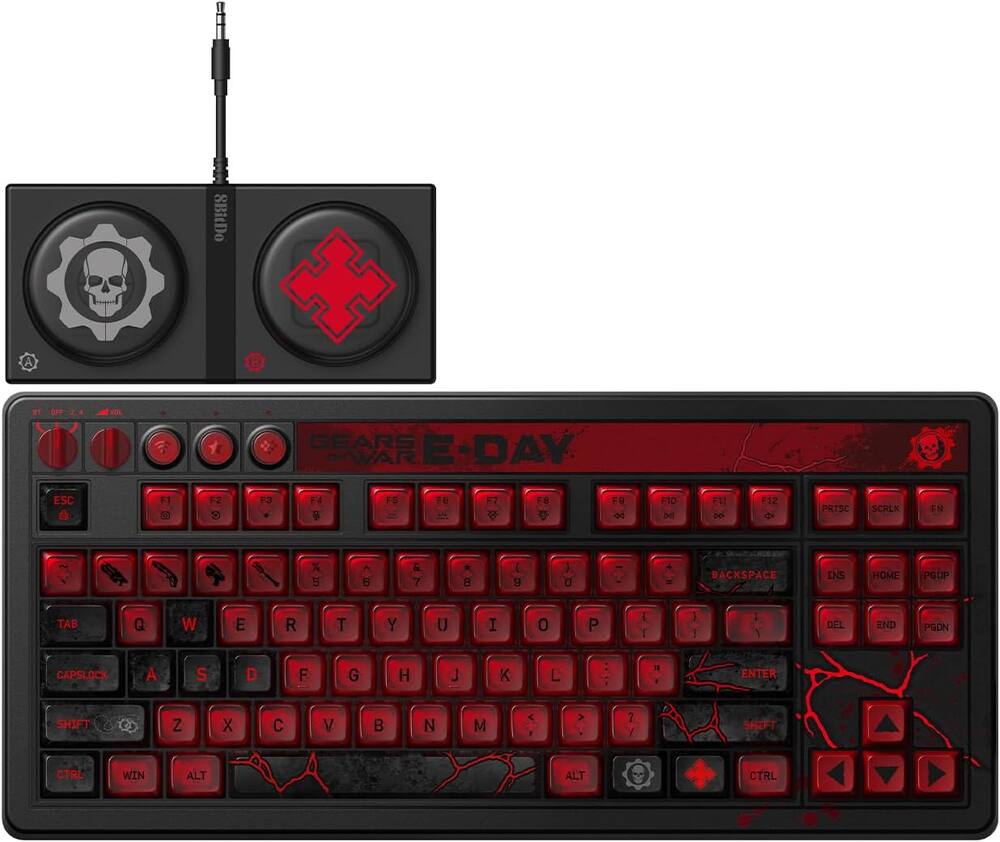 8BitDo - Retro 87 Mechanical Gaming Keyboard for Android and Windows - Gears of War E-Day Edition Original price was: $119.99.$95.99Current price is: $95.99.
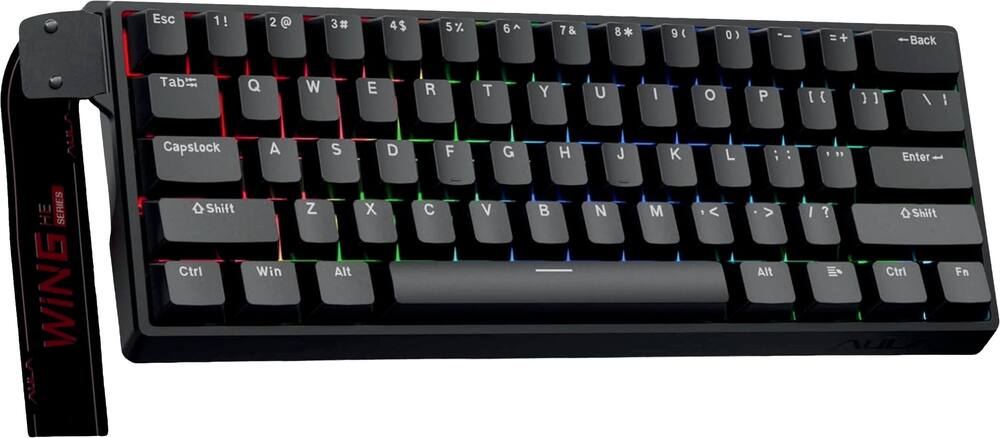 AULA - WIN60 HE 60% Gaming Wired Keyboard-Hall Effect 0.125ms-RGB-Hot Swap-Adj 8kHz Poll Rate-Blk Gray - Black Original price was: $49.99.$39.99Current price is: $39.99.
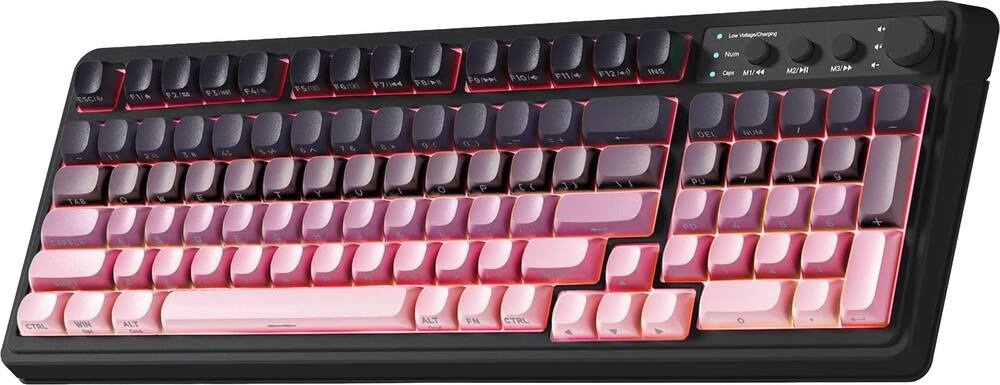 AULA - S99 Wirelesss Gaming Membrane Keyboard- Tri-Mode BT5.0/2.4GHz/USB-C Creamy-Num Pad-RGB- Media Knob-Black/Pink - Black Pink Gradient Original price was: $39.99.$31.99Current price is: $31.99.
Overview
- Magnetic Motion
Magnetic linear switches reduce friction for smoother inputs and faster reactions. Each keystroke delivers a premium feel and cleaner sound profile, enhanced by O-ring mounting style for a more refined typing and gaming experience. It’s speed you can feel and sound you can enjoy. - Swap it. Style it. Own it.
Easily swappable housing¹Additional housings and accessories sold separately lets you change the outer shell to match your setup or your mood. Go from clean and minimal to bold and expressive, without losing performance or responsiveness. - No Delay. No Doubt.
Rapid Trigger technology resets the keys the moment you lift, so you can fire off actions without hesitation. Whether you’re strafing, peeking, or stringing together combos, every input is sharp, clean, and ready the instant you are. - Cushioned Control
O-ring mounting adds subtle cushioning to each press, softening impact while reducing noise. The result is a keystroke that feels smoother under your fingers and sounds more balanced — perfect for long sessions or enthusiasts who demand a premium touch. - 8K On Tap
With an adjustable polling rate up to 8,000Hz, your inputs are reported faster and more frequently than standard boards. That means smoother motion, lower latency, and a competitive edge when split-second reactions decide the match. - Small Frame. Big Game.
The 65% layout trims away unnecessary keys while keeping the essentials close at hand. Save valuable desk space for sweeping mouse movements without sacrificing functionality. - Find the Perfect Angle
A high-profile design with adjustable feet lets you dial in the typing and gaming position that feels best. Play longer, stay sharper, and help reduce strain without compromise. - Personalize with NGENUITY
HyperX NGENUITY software unlocks deep personalization. Adjust actuation points, set per-key lighting, or fine-tune performance profiles until your setup matches your exact style of play. - Print. Swap. Repeat.
With 3D-printable housing support⁴, you’re not limited to off-the-shelf designs. Create your own look, swap it in seconds, and make your keyboard as unique as your playstyle.
Compare similar
Specifications
Capacity & configuration
- Lighting Type
- RGB
- Keyboard Type
- Gaming
- Connection Type
- Wired
Dimensions & weight
- Product Name
- Origins 2 Pro 65% Wired Magnetic Linear Switch Gaming Keyboard with RGB Back Lighting
- Product Height
- 1.7 inches
- Product Width
- 12.7 inches
- Product Depth
- 4.5 inches
- Product Weight
- 24 ounces
Features
- Brand
- HyperX
- Color
- Black
- Customizable Lighting
- Yes
- Numeric Keypad
- No
- Palm Rest
- No
- Keyboard Features
- Linear Magnetic Switches, Rapid Trigger Technology, Easily Swappable Housing, O-Ring Mount, Adjustable Polling Rate up to 8k , High Profile Adjustable Angle, Customizable With NGENUITY Software, 3D Printable Housing
- Foldable
- No
- Keycap Material
- Polycarbonate
- Maximum Number of Memory Profiles
- 3
- Form Factor
- 65%
- Keyboard Technology
- Magnetic hall effect
- Adjustable Tilt Function
- Yes
- Key Switch Behavior
- Linear
- Rollover
- Full-key
- Multimedia Keys
- Yes
- Actuation Distance
- Adjustable
- Wired Connectivity
- USB-C
- Cable Length
- 5.9 feet
- Detachable Cable
- Yes
- Operating System Compatibility
- Windows
- Plug and Play Operation
- Yes
- UPC
- 199251353246
Power & warranty
- Model Number
- BN7S3AA#ABA
- Warranty - Parts
- 2 years
- Warranty - Labor
- 2 years
Warranty & protection
See manufacturer documentation.
Register your product with the manufacturer within 30 days of delivery.
Manufacturer warranty claims are handled by the manufacturer. We are happy to help you find the right contact: (888) 419-6820.
Customer reviews
Write a reviewGreat sounding magnetic keyboard - The Origins 2 Pro 65" Magnetic Switch keyboard contirues a long hot streak for HyperX accessories in my house. I really like the Origins 2 Pro - and that's without even getting to try out different shells for the keyboard yet. This keyboard is the 5th I've had with Magnetic/HE switches, so I've gotten pretty familiar with how these feel across 5 different brands. What HyperX has gotten right with this keyboard is the sound of the keys, as well as the simplicity of the keyboard. I'm not sure whether it's a byproduct more of the "o-ring mounting" of the keys themselves or the fact that the entire keyboard plate is essentially o-ring mounted into the shell (more on that later) but the sound isolation of this keyboard is fantastic. For a responsive, gaming-oriented keyboard, this keyboard sounds fantastic. I'm sure with a few other mods it can sound even better. Key feel is pretty light, and unlike some other o ring keyboards I've modded the keys don't feel very mushy at full depth. Since the Origins 2 Pro has swappable shells, the actual keyboard electronics can be pulled out of the shell very easily. I don't have an additional shell to swap them into but apparently HyperX has at least a translucent shell planned, and I can't wait to pick it up as I think it will look great with one of my builds. Really the only downside to this keyboard vs a few others I've used it that it's missing out on the current trend of using web apps to allow configuration of the keyboard without installing the Ngenuity app on your PC. As a result, you have to configure one of the 3 onboard profiles from Ngenuity on a personally owned PC before being able to select a more subdued config when using it on a company-owned PC for work. It's not the end of the world (especially since it has 3 onboard memory slots) but it's still less convenient so I thought I'd call it out. In my opinion, the fantastic sound profile of the keyboard makes up for that limitation, so I stuck with a 5 star review.
Massive Upgrade for Everyday Typing & Coding - Let’s get this out of the way: I am not what you would consider a “gamer.” I probably wouldn’t even qualify as a “casual.” But I do a lot of reviewing, writing, coding, and maintaining my home computer lab, and I can confidently say that I use my keyboard daily as much as—if not more than—a lot of gamers do. You certainly don’t have to be a gamer to appreciate the comfort and efficiency of a mechanical keyboard like the HyperX Origins 2 Pro 65. I didn’t realize HyperX was acquired by HP back in 2021, which makes it all the more ironic that I’m using it to replace the mushy membrane keyboard that came with my HP desktop—a keyboard I absolutely hated. It had zero action or tactile feedback, and I was constantly backspacing to fix typos. I will admit that moving to a compact layout like the Origins 2 Pro 65 took a little adjustment, but I adapted quickly, even if I do miss having a dedicated number pad at times. My typing speed and accuracy have improved dramatically since ditching the membrane board. The only key I still occasionally fumble is backspace, but that’s not HyperX’s fault—that’s just my own muscle memory playing catch-up. Otherwise, using this as a daily driver has been an absolute joy. I love being able to tweak key sensitivity and repeat rates in the HyperX NGENUITY software, and customizing the backlighting is straightforward. If you’ve never used a backlit keyboard, let me tell you: it’s like having a car with a panoramic sunroof. Once you have it, you never want to go back. It isn’t just for dim rooms, either—it genuinely helps visibility throughout the day. (Plus, the RGB animations look fantastic!) If you are a serious gamer, you’ll love the crisp response, compact footprint, and deep key customization available through NGENUITY. I do have a couple of minor gripes worth noting, however: Software wording: When I first installed NGENUITY, it prompted for a firmware update and instructed me to check the “device manager.” Naturally, I spent a few minutes poking around in Windows Device Manager before realizing it meant the internal settings menu inside NGENUITY itself. Better labeling would save some confusion there! The manual: The sparse user guide mentions an “Accent Tool” without explaining what it actually does. It turns out to be the small metal lever nestled between the FN and Left Arrow keys. A quick search revealed that beyond filling the half-key gap inherent to a 65% layout, it doubles as a keycap puller if you want to customize your board. A single descriptive sentence in the box would have gone a long way. Aside from those small quirks, the Origins 2 Pro 65 has been fantastic—so much so that it has me eyeing a full-size version down the road to get my numpad back. It’s an easy recommendation for anyone upgrading a gaming battle station, but don’t overlook it if you’re strictly using it for productivity. If you spend hours typing every day, your fingers will thank you.
Nice with a few glitches... - My review of the HyperX - Origins 2 Pro 65% Wired Magnetic Linear Switch Gaming Keyboard with RGB Back Lighting - Black: 1st: I'm a custom keyboard collector/aka keyboard nut! I love a good tactile and responsive keyboard! That being said, some are a bit too responsive, and make it hard to type on without looking like I don't know how to type correctly. Most aftermarket key boards have software that allows them to be configured so the sensitivity can be dialed down for typing. This keyboard is incredibly satisfying as far as gaming and lighting is concerned. The included software made it easy to set up a few different gaming profiles, and I was able too change the lighti8ng to suit my tasated no problem... but as you can see from my typing, if I don't keep correcting over andf over again, trhere are many key press mistakes where the wrong key gets brushjed by my fat fingers.. but the sopftware is locked up and will not alolow me to change the key press settings. I have tried multipl;e times, and my PC is up to date and so are all of my updates. I rewstarted my PC and even un installed the keyboard software and reinstalled it but still no luick...no matter what I try the typing calibration is stuck on the default mode. I also had an issue downloading the software. The keyboard just works right out of the box, but in order to make adjustments the software needs to be downloiaded. As you can see they keyboard is super sensitive, so downloading the software is mandantory... but besides changing the backlighting the software doesn't seem to help with typing. Also the software would not download because Chrome flagged it as a harmful dowload and wouldn't allow it. I had to download in incognito mode for some reason. I don't even know why that would evem work or matter for some reason but thats what it took to download. Ovewr all the keyboard is beautiful, I love the size. The software and support are half baked at this poin IMO but I'm sure they will get better, I would recommend this to anyt other keyboard nerds, its fun, and pretty, and iut works great for gaming. Maybe invest in a good auto correct spell checking program in the mean time though...
Slick keyboard for gaming or every day use! - If you don't mind a keyboard that's a bit smaller in terms of number of keys than usual (I see it as a bonus, really), this is a GREAT keyboard whether you're gaming or just using it for every day typing. At its heart, this keyboard is really about a solid typing / keying experience which it delivers in spades. The magnetic linear motion is super smooth with very fast actuation and a relatively quiet typing experience (no clicking and clacking here - but you DO still get a satisfying muted thunk which is nice and manages to not be annoying to coworkers (if you take this one to work) or those otherwise around you. So both typing and playing games (or, anything else you might use a keyboard for) becomes a joy. The keyboard is also solidly built with a good weight and heft to it, despite it's relatively smaller size (vs a full sized keyboard that is) and should prove to be highly durable and last for a long time. Since I've brought up the smaller size a number of times now, it might be good to take a moment to address that. When I say "smaller size", I don't mean that the keys themselves are smaller - those are standard sized. What I mean is that the overall KEYBOARD itself is much smaller than normal since it leaves off basically all extraneous keys. So there's no NumPad. No media keys. Not even a dedicated function key row! You can still access all of these functions, of course, with a key combination but they keys themselves are sacrificed to make this keyboard as small as you could reasonably have without starting to impact the core typing experience. That has the benefit of taking up less desk space AND being easier to travel with (though it's still weighty) if you want, both of which I enjoy. Of course there are gaming features here as well - the RGB is per key and nicely done (as is the software that you have to use to configure it) and the keyboard seems nearly infinitely configurable. If you don't want to install the software, you get a limited set of built-in function / lighting profiles you can use which is nice if you can't / don't want to install anything. I do like that the (nice, braided, long) USB-C cable can easily be replaced as this tends to be a weak point. The keyboard does work with PlayStation and Xbox if you're into using keyboards with consoles (I'm not, but it's a nice touch) and there are plenty of options to customize if you want. All in all, this is a superb keyboard if you're good with the 65% form factor - it offers a wonderful core typing experience in a durable package that's equally at home gaming or in your day to day use. If that sounds good to you, give it a try today!
For gamers, productivity, and more - The HyperX Origins 2 Pro 65 is a cool and compact magnetic switch keyboard that performs with impressive speed, it is customizable, and it is just very impressive. Its magnetic switches feel greatly smooth while they offer frictionless actuation. The keyboard will compliment competitive players with its Rapid Trigger, out gives me control of the game with out any hesitation. The 65% keyboard makes it compact yet it is useful with its customization. And speaking further on the customization, the RGB light keyboard is very bright yet it is dimmable and can be turned off as well. The switches can be swapped and there are plenty of RGB light themes that can be chosen and that's where the application Hyper X comes in very helpful to make it your own. This is a great keyboard for every day use as well as for productivity and finally gamers who want to customize their space. Having RGB lights it's just another plus for any space, having the right control when needed is a must and this keyboard gives that, full control.
A must buy great job HyperX - I see HyperX has been making some great improvements when it comes to their peripheral line up, now we have their latest Origins 2 Pro 65% gaming keyboard. That offers Rapid trigger, an 8k pooling rate. First impression: this keyboard looks clean, HyperX kept it simple that still looks good in your desk setup. Which i think gamer would appreciate and enjoy. DEVICE & FEATURES HyperX Origins 2 Pro is a 65% size gaming keyboard, which honestly is the best small factor sized you need if you only focus on gaming. The casing is semi translucent housing that can HyperX says you can replace or 3D print a replacement for it. Its fully plastic so not much metals weight inside. Theres adjustable feet at back for a much better angle if you prefer that. Looking at the case i think this keyboard looks beautiful, its equip with their linear magnetic switches, not sure if its inhouse but the feel and sound is great!. We get 8k Hz pooling rate that can also be use for console gaming including PS4/PS5, XBOX Series and XBOX ONE and ofcourse PC which where i spend most of my time with this keyboard. You also get Rapid Trigger and SOCD support with Origins 2 Pro. the packaging was nice the keyboard was covered with a fabric rather than paper or plastic, you also get the cable inside the packaging as well. Not sure why on the side of the box the word “rapid trigger” is written twice maybe its a typo but i did notice it. SOFTWARE You will need to download HyperX NGENUITY application to fully control your keyboard. This keyboard was also updated to the latest driver. So far first impression of their software i think they did a great job keeping the system minimalist and only focus on what you truly need so much respect for HyperX on that part. Butm having the software you also have the ability to see their other lineup for all their gaming equipment. NGENUITY did not have any issue recognizing the Origins 2 Pro right away. From the software we have the ability to toggle on off for RGB lights, assign macro for keys calibration section for the keyboard which what i recommend first after installing this software and last the setting section to see what current update you have and the pooling rate you want to use. EXPERIENCE After updating and calibrating the device this keyboard function with zero issue so far. We have the ability to set rgb light presets that they offer or create your own color and the ability to have it on off or adjust the brightness. I have adjusted the actuation point looks like the shortest press you can achieve is 0.30mm longest press is 4.00mm. Rapid Trigger you can have a short press of 0.10mm or longer press of 2.40mm. The release key also offer from 0.10mm to 2.40mm. Dont forget HyperX also offer SOCD mode that prioritize certain keypresses that you can bind 2 actions on 1 key. I didnt use this i just never into it. I been gaming with this keyboard when playing Wardogs, The FInals, Halo infinite, and Overwatch. I love how the click sounds that this keyboard makes. Its not too clicky kinda sound a bit more creamy very smooth experience on key pressing. Origins 2 Pro is also performed great with zero delay, all the keys felt good, my hand felt comfortable on all angle without any wrist pain issue on long gaming sessions. CONCLUSION Overall i think HyperX knocked it out the park with this keyboard. I hope they create a more imperium version of this keyboard that has a bit more weight with lower actuation point, honestly so far i think this probably their best keyboard at the moment i think HyperX could totaly ride with this design but offer a bit more premium options to customize your own Origins 2 Pro, their NGENUITY software was top notch clean and doesn't have much bloat that we gamer dont really need, its simple which what i like when it comes to software, maybe also start having a web driver version since most keyboard brands are starting to offer with without needing a download. I highly recommend Origins 2Pro this is such a great feeling and sounding board from HyperX and i hope they continue more that offers better customization when purchasing one in the future or a limited edition version that offer collab with other brand, gamers love 65% so id say focus on this board.
Great keyboard, software needs a little work. - Super nice 65% keyboard. Its super well built and although the body is made of plastic (and a very nice at it, its like a frosted semi transparent smoky one, I have seen they have other colors like blue and pink and I hope they come with more, as they are easy to open up and switch), there were no rattles nor flexing on it. They include the keyboard inside a little cloth pouch (which you can use as a dust cover), a nice type C USB cable and a keycap/switch puller. No wrist rest was included (good thing I have one), that's a little CON. The keyboard was easy to install and use. If you want you can just plug it and start using and you don't anything else. You can change several functions on the go by just pressing on a combination of keys (like fn+shift, fn+tab, etc) to switch quick profiles (they got FPS, typing mode and rapid trigger, but you can create your own too). Their software is good and its called Ngenuity. You can switch between the hardware presets easy. However here is another CON, once you have Ngenuity running, none of the quick switch functions on the keyboard work... that's a bummer, that's the whole point of them, switch profiles on the fly, now I have to click several pages on the software to change them.... I hope they address that in future software updates. Also in Ngenuity you can change the RGB lighting, the switches actuation point, set rapid trigger, SOCD et and all the other usuals when it comes with magnetic keyboards. This one has a fast 8000 polling rate too. Response in games was fast and SOCD did work. Typing feels nice and the sound is well muted and thocky, there is good dampening on this keyboard. Only thing is the keycaps are a little bit slippery, they don't have any texture to them, that makes me think they may be ABS only and not double shot PBT. What I did like is some of the keycaps have double legends for their secondary functions, and these are also backlit!! Most keyboards only lit the top and the side legends are always dark, not here, they light up too! If you are looking for a space saving, fast, nice sounding and looking magnetic gaming keyboard, this is the one for you!
Top-Notch Gamer, High Quality, Fully Customizable - This keyboard is a steal for its current $99.99 sale price. The HyperX Origins 2 Pro 65 magnetic switch keyboard is fully customizable with the Ngenuity app. Per key lighting, macros, key actuation can all be individually customized. Multiple profiles can be created. Adjustable polling from 1000 to 8000Hz. Without the app there's three on board preset profiles- Rapid Trigger, FPS, and Hero shooter all with different actuation and RGB lighting settings. The default polling is 8k. When the app is open or active in the system tray, the current profile on the app is active. When the app is closed and closed out in the system tray, the onboard profiles are active. There's an export/import profile function on the app. I tried exporting it, but it doesn't save onboard the keyboard, just to the app current folder. If profiles can be saved on board to the keyboard, there's no instruction on how to do it. Otherwise, the app is very user friendly, and profile changes are saved automatically. The keyboard is solid and feels high quality. Keystrokes on the keyboard are very smooth and solid. It's actually fun to type on. The keyboard has flip out feet to adjust the height. The housing and switches are swappable; there's a tool built-in to remove the switch plate from the housing. A braided USB cable is included. This is a top-notch gaming keyboard. Although it doesn't have all the bells & whistles of some of the more expensive gaming keyboards, it has all the essential features needed for competitive gaming.
keyboard review after return - Was one out of three keyboards I bought and unfortunately did not pass due to the other keyboards just being better
Nice small keyboard - Very good keyboard, easy to use and setup is simple as well
Hyper X keyboard - It’s very nice, keys feel great albeit a bit sensitive. Overall very happy with it and it’s not too big that I cant quickly hit different keys.
Great Keyboard - Its a good wired keyboard. I hooked it up to my ps5 and most games that support mouse and keyboard played well on it. Its also not as loud as other keyboards, its has a nice spongy feel to it when you type on it. The chastity comes off easily as well which is both a good and bad thing since bending the keyboard will make a lot of movement but it also makes customizing it much more seamless. Great buy if you need a solid wired keyboard for heavy use.
The feel of this keyboard is just what I wanted - Feel of the key is the touch and feel that i like. It is very positive and firm
YOUR BEST OPTION - Outstanding keyboard with fast and responsive switches. The compact design saves desk space, while the RGB lighting looks amazing. Perfect for both gaming and typing.
Questions & answers
Ask a question
Email [email protected] or call (888) 419-6820 during business hours.
Add your review