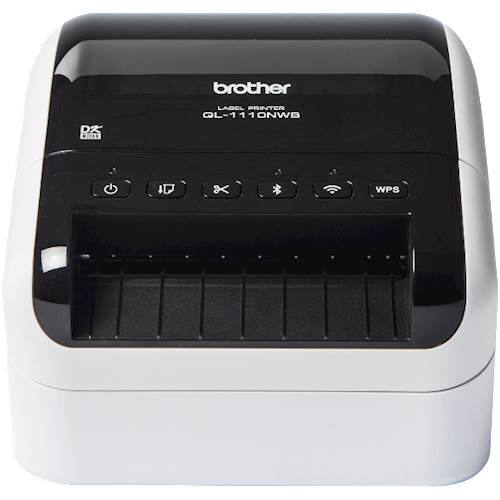
Brother - QL-1110NWB Wide Format, Professional Thermal Label Printer with Multiple Connectivity options - White/Black
$267.99
Was $334.99
Save $67.00 Free shipping
 20% off
SKU: 6673909
$35199
Was $439.99 Save $88.00
Other options in this range
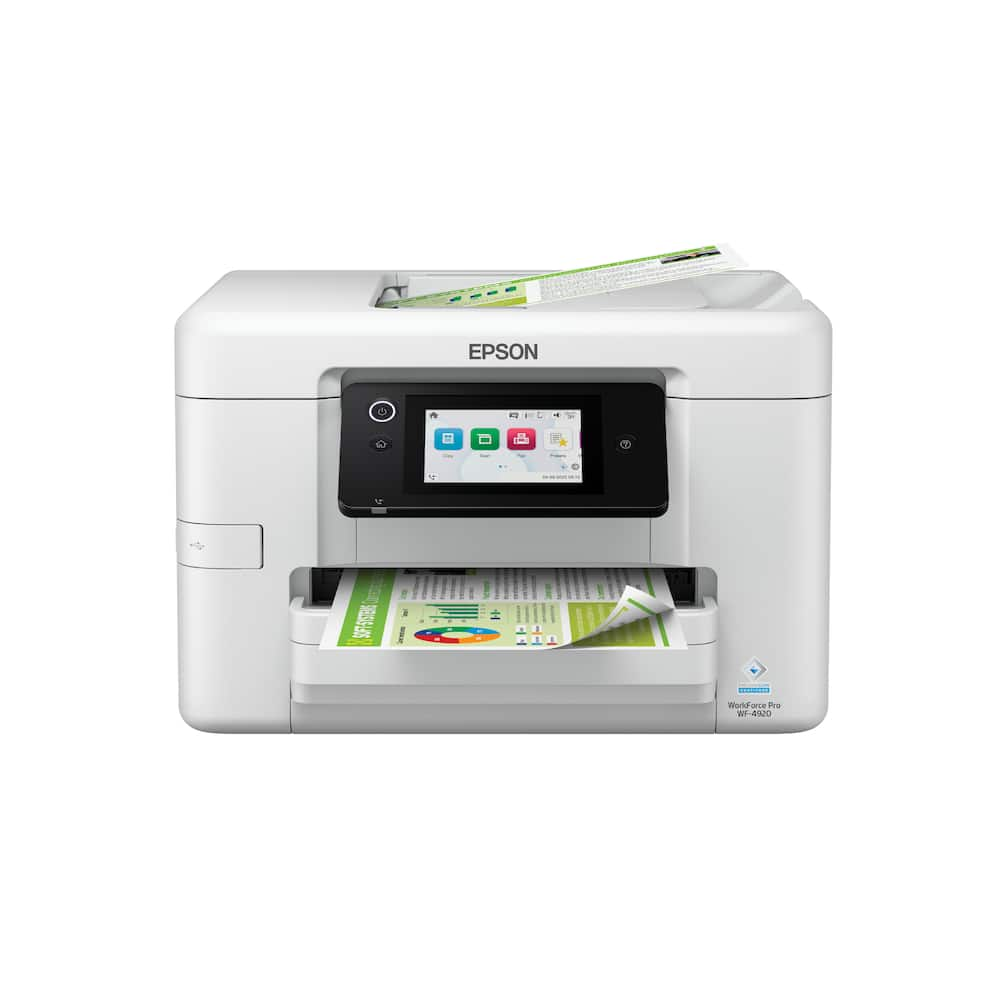 Epson - WorkForce Pro WF-4920 Wireless Color All-in-One Inkjet Printer (C11CM02201) - White Original price was: $249.99.$199.99Current price is: $199.99.
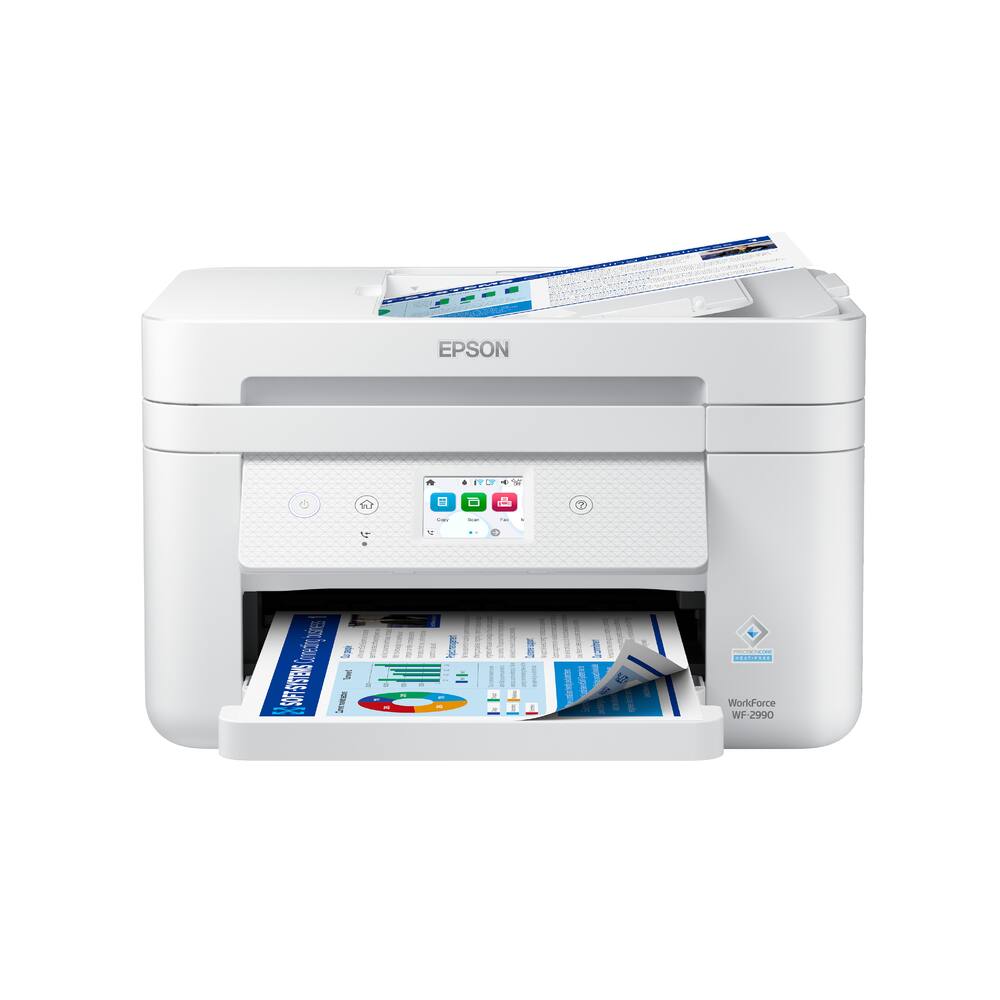 Epson - WorkForce WF-2990 Wireless Color All-in-One Inkjet Printer (C11CK60203) - White Original price was: $179.99.$143.99Current price is: $143.99.
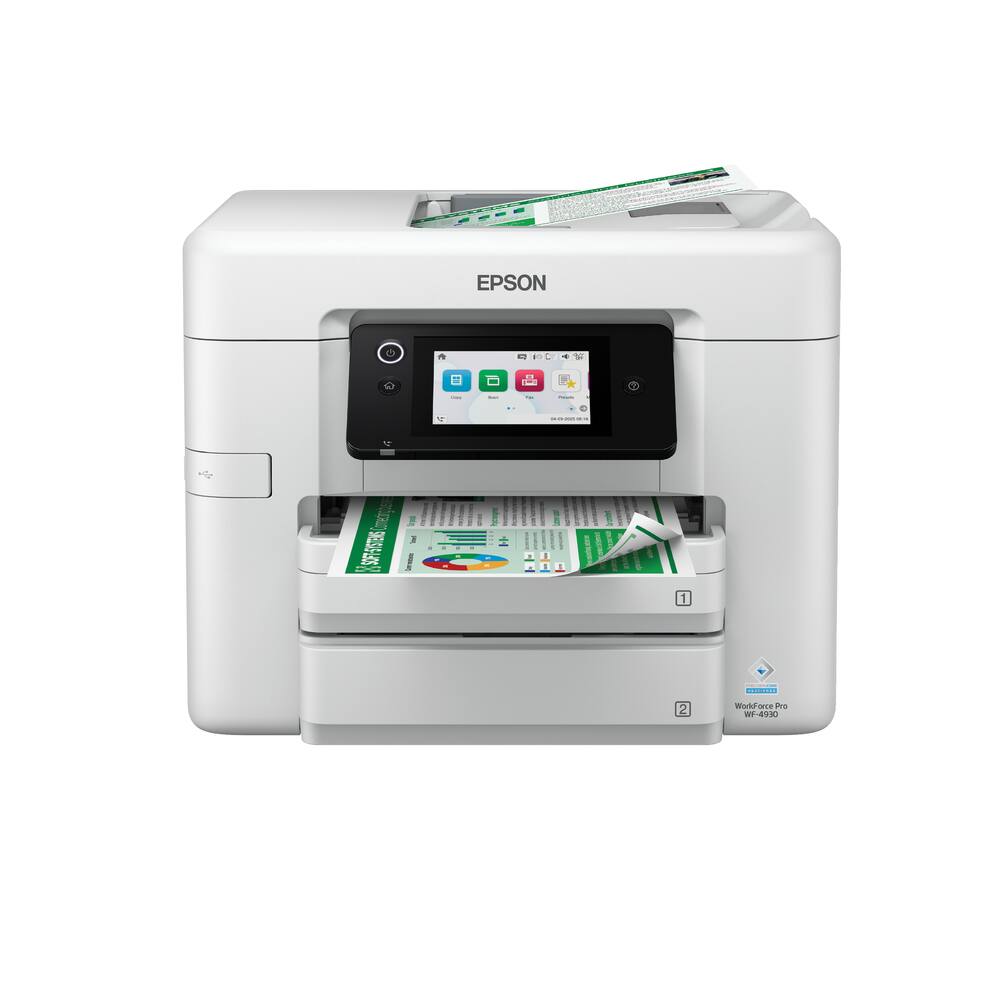 Epson - WorkForce Pro WF-4930 Wireless Color All-in-One Inkjet Printer (C11CM03201) - White Original price was: $279.99.$223.99Current price is: $223.99.
See manufacturer documentation.
Register your product with the manufacturer within 30 days of delivery.
Manufacturer warranty claims are handled by the manufacturer. We are happy to help you find the right contact: (888) 419-6820.
Free shipping
Great printer! - I LOVE this printer! I have purchased 2 - one for house, and one for business. It prints my large menus, color printing is great and sharp. You won't go wrong with this one!
Needed 11x17 - So far so good. No issues with wireless and 11x17 capacity is great
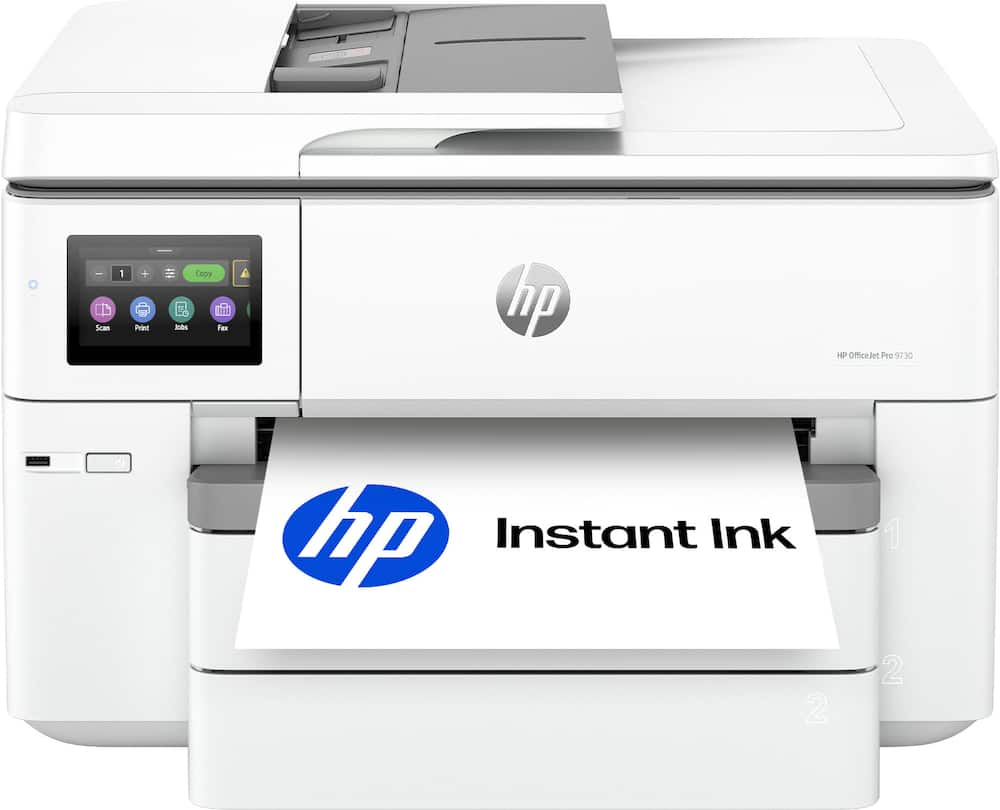
Great printer that has wide print functionality - This printer is right at home in the office, home office, or even just in a household or small business setting. I do believe that it's time that HP got with the times and went to a refillable tank system like many other printers have - the days of cartridges that are only partially filled with ink should be ancient history, as other brands have proven and have successfully selling off of store shelves as I type this. I do have a need for one function of this printer that really stands out though - the ability to print in wide format, which becomes extremely helpful for large, wide format spreadsheets that I've found myself having to piece together in the past from multi-sheet documents and taping them together. That's a big selling point for this guy. I do think though that for a "casual" user who doesn't print on a regular/routine basis though that it's a bit overkill - for that class of user I'd go with something more basic, unless of course you want to have the extra capabilities of this printer for future expansion. Don't worry - this printer will last until then, HP printers always have held up a long time, especially the OfficeJet series like this one is.
By far the best HP AIO I've used to date - This is probably the best All-in-One printer I've used to this point and its packed with features. My actual day job uses the HP M577 Enterprise All-in-One printer and I would still say that the OfficeJet Pro 9730 is still better in my opinion. My wife and I have a small rental property business on the side and between printing leases, contract documents for repairs, taxes and more, this thing is a powerhouse. I really appreciate the two paper trays that hold up to 250 sheets in each tray, the network connection and the touchscreen display. This thing is really a workhorse. It is very heavy though, about 40 pounds. I thought that was worth mentioning because you will need a sturdy, durable stand or cart to store it on. It also takes up a good amount of real estate. HP lists the dimensions as 22.9" W x 33.2" D x 15.2" H which is roughly two feet wide by almost three feet deep. It prints in both color and black and white, is compatible with both 2.4ghz and 5ghz wifi, which provides a strong wireless connection. It works with AirPrint and you can print and monitor remotely using the HP Eprint app. You can also sign up for HP's Instant Ink, which automatically monitors ink levels and ships you ink as needed. The price is less than buying it in store and saves you the trouble of having to go out to a brick and mortar shop to find it. This is perfect for small businesses, home offices and students alike. I highly recommend this device. I couldnt recommend it more.
11x17 is what I wanted. 11x17 is what I got - HP has been in the printing industry for a long long time. The office jet pro 9730 is another step to their stake in the printing industry. Setup was pretty easy with the exception scan to HP cloud and Scan to Google. We will get to that in a bi.. Pulled out of the box slid it out (be careful super heavy you probably need to team lift this beast of a printer). Plugged in. Walked through Wi-Fi connection via on screen prompt and I was in. My Android phone found it no problems, my various household PC same. Found it with no issues. Print quality and speed is good for ink jet. HP very nice crisp and fast. I tried using the app. It found the printer no problems. Copy function is great! 11x17 scan/Copy is ONLY through flat bed. Automatic document feeder does not take 11x17. So make sure you are aware of this. Also note. Paper tray for 11x17 will cause for the try you put the 11x17 in to stick out. If you are OCD this might bother you. So going back to the scan to cloud and Scan to HP Cloud. I had some issues with setting this up. I ended up resetting the printer to the original Firmware and not updating it and I was finally able to keep the scan to cloud function to stay. I think HP might be working on a solution for this but in the meantime this isy suggested work around for this issue. Also this requires an ink subscription to work. Other than that. Great printer. I love my 11x17 option.
Everyone needs one of these.. should be standard - HP Printer This thing is amazing. It makes me feel like we’ve be missing out as a society for decades, printing everything on little sheets of 8-1/2”x11” sheets. As a contractor, I constantly have to print plans and blueprints for estimating work. Using my 13” iPad to zoom in and out, marking up PDFs has been useful, but it doesn’t give me that macro view that I knew I was missing. I used to print on normal paper as zoomed in as possible and work that way. It was never optimal. For bigger jobs, I’d pay an arm and a leg at my local print shop for bigger prints so I can mark them up and write estimates. Enter the wide format printer. It’s like two sheets of paper at the same time. That extra space has changed the way I do my work. I’m not squinting to count the number of lights that need to be replaced or the specs on various pieces of equipment. Setup was super easy. It shows up along with my other 2 printers when I pull up my iPhone prints. Replacement ink is reasonable: under $200 for official refill and about half that for 3rd party. I haven’t tried the 3rd party ink but I have heard HP is tough with the chip security. Still a great value considering how much wide format printers have cost historically. I printed a little mini poster and laminated it. It ended up looking really good. This printer is not a life-changing addition to my routine but being my first printer where I can print something besides a single page, I’m really happy. I’ve already used it for a simple signs at my business that look a lot more professional because they are large. I think most people don’t see a print bigger than a sheet of paper and think that it can be done at home. Love it all the way around.
Great Office Printer! - The HP OfficeJet Pro 9730 is built for anyone who has ever needed more than a standard letter-size page. It prints and scans up to 11 by 17 inches, which is a genuine help for large spreadsheets, floor plans, brochures, and photos that simply will not fit on ordinary paper. Setup was straightforward, and the wireless connection stayed reliable. The 4.3-inch color touchscreen is clear and easy to navigate. The HP app lets you print or scan from a phone without extra steps. Two 250-sheet trays mean you are not constantly loading paper, and automatic two-sided printing saves both time and paper. The automatic document feeder handles stacks of pages well. The AI feature is more useful than it first sounds. When you print a web page or email, it tidies the layout and strips out extra clutter so you get a clean page instead of wasted sheets. Color output looks rich and close to what you see on screen. A three-month Instant Ink trial is included, which takes the worry out of running low. This printer is larger than a typical home model, so measure your desk space first. For a home office or small team that needs professional-looking wide documents without extra fuss, the 9730 is a practical, capable choice.
Great large format printer. - I really like this printer. Easy to read display. It is larger than what is on the little brother of this printer. The scan bed is large as well. 11 x 17 tabloid size media can be scanned and printed and the two media bins come in handy for switching between paper sizes. Duplex printing is a joy. Auto document feeder is a nice touch. The two trays that hold 250 pages each pretty much makes sure you are covered when it comes to whatever you usually print depending on home office use or side hustle. I like the three months of free ink if you subscribe to the service HP offers. Gives a good length of time to be able to get the hang of the bugs that you know are bound to show up when you're dealing with technology. I have been able to print some great prints from some random photos I forgot I had on my phone. Wireless printing is always a bonus when you don't have space for the printer near a outlet for your network. Now for the not so fun part. If you register this printer with HP and do a firmware upgrade you can forget using ink that isn't made by HP. Other than that it is a very good printer.
HP OfficeJet Pro 9730 - Home Office Workhorse - I just added the HP OfficeJet Pro 9730 Wide Format All-in-One to my home office and whats great about it to me is its made for someone actually working from home. Setup was seamless and once connected to my network, I was printing wirelessly from my computers and mobile devices without much fuss. The 9730 handles printing, scanning and copying, with automatic two-sided printing and a 35-sheet automatic document feeder with single-pass two-sided scanning. It also has two 250-sheet input trays for a total 500-sheet capacity. I don’t want to constantly refill paper in a printer that’s going to get regular business use. Performance is also very respectable for an inkjet with speeds up to 22 pages per minute in black and 18 pages per minute in color. For my purposes, that’s plenty fast enough for reports, presentations, spreadsheets and all the other documents that regularly come through my home office. The feature that really separates the 9730 from an everyday all-in-one is its 11 x 17 wide format. I have to print out architectural plans, floor plans and site layouts on a regular basis and trying to do that on standard 8.5 x 11 paper is not the best way. Being able to print these architectural plans right in my home office to review details, take notes and talk about projects is really a game changer for me and my workflow. I’m also going to take advantage of the wide-format capability for photography. The 9730 supports borderless printing up to 11 x 17 and its color output can reach up to 4800 x 1200 optimized dpi on compatible HP photo paper. Photography is one of my hobbys and I look forward to loading it with large-format photo paper and printing some of my better photographs at 11 x 17. That’s large enough to frame and display, and it makes the printer an entirely different use case beyond business documents. Another interesting feature is the AI functionality. AI is not something that needs to be slapped on the box just because everything needs AI in 2026 but there’s a real-world application here. HP AI is able to edit and format things like web pages and emails before printing so that there’s no unnecessary text and pages look good and avoid awkward layouts and unwanted pages. The 9730 also supports dual-band Wi-Fi, Ethernet and USB, and HP Wolf Pro Security adds another layer of protection for a printer that’s going to live on my home office network. The touchscreen interface makes it easy to operate from the printer when I don’t want to use an app or computer. One thing that needs to be understood is that this isn’t a little desktop printer that disappears into the corner. It is a big machine, and based on the 11 x 17 size, two paper trays and document feeder, you need to have the room for it. I wanted something built around productivity rather than a lightweight home printer that I’d eventually outgrow and the 9730 fits the bill. For me, the combination of everyday office printing, scanning and copying, 500-sheet paper capacity, automatic duplex features, wireless connectivity, architectural-plan printing and the ability to produce large 11 x 17 photographs makes the HP OfficeJet Pro 9730 an extremely versatile business tool. This is the workhorse of my home office now. It can handle the mundane stuff like everyday documents and spreadsheets, but when I need an architectural plan printed large enough to actually work with—or want to put a favorite photograph onto a big sheet of photo paper—it can do that. That’s exactly the flexibility I was looking for.
The ability to print and scan 11x17 - Game changer - This printer is really great. This is the first printer that I have had for personal use that can accommodate paper larger than letter sized sheets. It will let you print on legal (8.5x14) and tabloid (11x17) sizes. I don't have a need for these often, but have had need for it in the past and now don't have to go to a print shop to get them. This OfficeJet Pro also has two paper trays to support this functionality, so I have letter size sheets in tray 1 and tabloid size in tray 2. This is also the largest printer I've owned. Fortunately that isn't an issue for me, but beware if you are considering this printer to have ample room for it. Another feature I have had on the last few machines I've owned is a paper feeder on top. This feeder is fast and quiet to be honest and makes copies as well as scans very quickly. Additionally there is a huge flat bed scanner that accommodates large documents or many smaller documents. You can put your passport, license, legal documents and other things in at one time and scan them all once. Very helpful. The interface on the screen is pretty straightforward and typical of past printers I've owned. I will say that the HP app on my phone has evolved well and is actually very useful to do wireless printing. This also works well on my Mac and PC. I really like this printer. It has the HP instant ink service and I really find this helpful too. The printer actually orders and ships without me having to do anything. It's also cheaper than going to the store to buy replacements. I have used HP printers for a long time and with this OfficeJet Pro I will continue happily. Highly recommended.
A BEAST of a printer... but - HP has always been a leader in printing... And this is still a very good printer... but some things you need to understand. There are plenty of reviews and details about HP Instant Ink program, its pros and cons, who it makes sense for, and how it works. I HIGHLY recommend you take the time to understand that program, and how it factors in. One key note: Any ink you obtain via that program, will ONLY work, while you are still subscribed to the program. Now for the printer itself... it's a beast and rightly so. I LOVE having a printer that can do 11x17. For presentations and signage it is great.. that bigger sheet of paper and surface, opens the door to a LOT more options. And what I like is that it fits in the tray. A lot of other wide format printers, the 11x17 paper has to sit outside of it on a manual feed tray.. and that stinks as you can't leave the paper ready for use. And this printer has 2 trays... so you can easily load both 11x17 and standard 8.5x11, or what ever you need... HOWEVER... the dual tray seems to sacrifice the manual feed tray.. Which for the most part is okay, unless you are trying to print on a heavier card stock, or envelopes. Print speed is adequate... it isn't going to break any speed records, but you also are not going to be waiting hours for your print job to finish... Quality of the print is spot on.. .I don't go crazy and crack out magnifying glasses to check the print, I just look at it... and it is good, and for business prints (not photo replication or selling), works perfectly fine. This is still ink jet, and not laser.. So moisture is not your friend on the prints. If the print has a chance to get wet, laminate, or protect the print. Now it does have dual band WiFi... what does that mean? Well let's just say, that you should have no problem connecting this printer wireless to your network. It support new and old frequencies that just about every WiFi today, should have at least 1 of them. But, this printer DOES have USB and Hard-Line ethernet... a LOT of printers are abandoning these options. While my setup doesn't really need a USB connection, a hardline ethernet is great, as I try to hard-line any equipment, that doesn't move... and thus in my printing space, this works great, and will be my longer term solution. Simply connect, it gets its IP address from the router.. and good to go. You can set a static IP if you want, but I typically prefer to do that in the router. Now the scanner... It is GREAT that it can do BOTH sides in one pass, that saves a lot of time, if you have documents that are already double sided... Worked flawlessly for the test I did, but not something I see myself regularly using. The scan quality was good, no complaints. So if you still need a document scanner, this is an option to save another device. Now the SIZE... this is where you need to know wha you are getting.. This is a BEAST, it's big, and it is not light. you will need a sturdy cabinet or supported table/desk for this. It will cause plastic table to bow in the center (ask me how I know)... and when it is printing, you want a firm base so that it doesn't rattle away. But as noted above, with no manual feed tray in back, you don't need to have a lot of room in the back side of the printer, so this does give you some better options. So overall this is a very good printer at the price. Jury is still out on how accurate the print counts are on the ink cartridges... It is about $150 to replace all 4 (at least they are 4 separate tanks, so you are not using a multi-color cartridge). for standard output. You have the option for the Instant Ink subscription, if you print a lot, and you can make the finances work, it makes sense. a VERY good option, if you are going to take advantage of the 11x17 on a semi-frequent basis. So Pros: - Great printing on 11x17 - Great Tray options - Great connectivity - Fast Printing - Good scanning - Not bigger then it has to bee Cons: - It is an Ink Jet printer - It is BIG, so you need some space, and sturdy support - No manual tray - Ink can get costly, but there are options based on your usage needs
Solid printer with many great features - The HP OfficeJet Pro 9730 is a quality wide-format color inkjet printer ideal for small office use. • Unboxing and Setup – The printer arrived well packaged in a large box. Unboxing was quick but make sure it is near where you plan to set it up as the printer is a decent size making it awkward to carry. It measures approximately 15 x 23 x 18 inches and weighs almost 43 pounds. Setup is fairly straightforward. Power it on and select a language on the 4.3-inch color touchscreen. Scan the digital QR code located on top of the printer. Alternatively, there is a website listed below the QR code if you prefer to use a browser. Follow the instructions to complete the setup. The only issue I had was the final step in the app of entering the printer PIN. It would get stuck on the loading page and nothing would happen. Ultimately, I would have to force close the app and try again. After multiple attempts it finally worked. • Printing – It produces professional quality prints at speeds up to 22 ppm for black and 18 ppm for color. It has two 250-sheet input trays and a 75-sheet output tray. It can print up to 11x17 inches. The printer connects via a dual-band Wi-Fi, Ethernet or USB. So far, I have printed numerous family pictures for my daughter’s school project which turned out great. Swapping to photo paper and updating the printer settings is easy to do on the color touchscreen. Additionally, I have printed many documents for work that were clear and free of streaking, missing lines, or smudging. • HP App – User friendly app that allows quick access to print, scan, copy, or fax directly from your personal device. I find this to be super convenient as I do a lot of my work directly from my phone. • Optimize print formatting with HP AI – An innovative feature that helps optimize the printing of webpages and emails to reduce wasted space/ink by removing unnecessary content (ie: Ads) and improving the layout. • Cons – Really the only major issue I have with this printer is the requirement to use HP genuine cartridges. Per the HP documentation, if you try to use any 3rd party cartridge the printer will block it. HP also pushes periodic firmware updates to maintain this block. This is super anti-consumer. There should be an option where you can agree to the risks of using a 3rd party cartridge. The printer loses a star for this.
Fast Printing And Supports Large Format Paper - HP has released a new printer in their OfficeJet lineup, the OfficeJet Pro 9730. This is a large inkjet printer that supports larger format paper such as 11x17. It also has features one would need and expect in an office setting (Print, Copy, Scan, Fax). Printing The print quality is top notch. Even when printing on standard quality/brightness paper, the text is sharp and clear. Photos are good quality as well. Most won’t be printing photos in an office setting, but it’s good to know that it is there if/when it is needed. It comes with two 250 sheet paper treys. Most printers in this price range require one to buy a second trey to add to a printer, but HP includes a second one with this printer. It takes up to 5 seconds for it to begin printing a job, but once it starts, it prints fast. I have no complaints regarding printing speed. The output trey will hold 75 sheets, which is a lot for me, but for some business uses, this could be frustrating with having to periodically remove 75 sheets so it can continue printing the rest of a large document. It’s a large capacity output trey for an inject printer and it would hold the entirety of a typical sized document that I print, so I don’t have any issue with it and I’m glad it is larger than most inject printers. Ink It comes with starter cartridges. I have the option to sign up for HP’s instant ink which is a subscription, but it does offer, at this time, 3 months free. Most people don’t like subscriptions since almost every company is trying to force people onto a subscription service, but fortunately with this printer, it is an option and not a requirement. The ink cartridges are slotted on the bottom which makes it easy to align them when inserting them into the printer. It’s simple and straightforward. Copy/Scan The printer allows me to scan and copy 8.5x14 pages. This is the largest flatbed of any inkjet printer I’ve ever owned. It accommodates the 8.5x11 sized pages that I sometimes need to scan and/or copy. Other features The 4.3” tilting LCD screen is sharp and easy to read. It’s also a touch screen. I found it to be very responsive to options I select. Finally, a printer with a touch screen that responds fast. This is a refreshing change from the typical slow touchscreens most inkjet printers use. It supports WiFi, LAN, and USB connectivity. I didn’t have any problems getting this connected to my wireless network. It also gives me the option to auto install firmware updates or just get notified when one is available. I do like that it keeps track of network related statistics and print jobs (name of job, date, time, etc.) and I can print out reports of each when I want to. Final Thoughts HP has done well with the OfficeJet Pro 9730. I like to see things being stepped up in the world of inkjet printers as HP has done with the 9730. If you need an inkjet printer for office use, then definitely consider the OfficeJet Pro 9730 offering from HP. It’s certainly worth considering.
Nice to have printer if the need is Wide Format - Review of HP OfficeJet Pro 9730 Wireless AI-Enabled Wide Format AiO Inkjet At first, the OfficeJet Pro 9730 is remarkable in its own category for supporting wide format printing and ease of use via HP application through the variety of type of connection and devices and multiple users. Its specifications are quite common to regular printers, but differs on: 1. Print Speed: Up to 22ppm (black) and Up to 18ppm (color) 2. Supported features: Duplex Print, Borderless Printing, 3. Maximum Scan Size 297x432 flatbed 4. Supported Wide Formats: - Tabloid (Ledger) (11 x 17 inches) & A3 (11.7 x 16.5 inches) 5. Input Trays: it has two standard input trays. It can store up to 500 sheets in total. Then its screen for control from the printer is nice feeling as move around the options as it is touch screen. The display size is 4.3 inch color LCD, and smooth on fingertip. And the corresponding cartridges are 4, Cyan/Magenta/Yellow/Black, and included with the printer. Now, to setup it require upon powering on, it prompt on the LCD the message to connect via HP App with mobile as very first step, then the following are same to most of standard setup to connect to the WiFi to the point of having installed the cartrdriges. In between it include link to see how to, then the rest is following the steps from the LCD. Then the HP Smart App can control different customizations and specific to printing job. In overall, it is good if the need is to have support of wide format printing without having a huge larger scaler printer. Although, it is quite big as it has two trays and has to be wide enough to support it. And it doesn’t have many USB ports, only one at front and another in the rear and one for the ethernet port. And for last, a remark on the LCD, it is comfortable to interact with it, it feels larger than actual size during the use, and able to tilt up to ease the experience. What I wish it were better: 1. The AC Power cord was longer. It comes with 6 feet long. Hence it is forced to place near an outlet even though if it is not optimal place within the office or house. (Naturally there is workaround which takes additional cable).
Capacity from Home! - Better than expected! The first thing I noticed when printing was the high print quality. The text is super crisp, colors are accurate and detailed, and the level of quality looks more like an office print out vs a home print out. I must say the printer was a little bigger than I expected, but having the dual paper tray is a definite flex! The scanner effortlessly handles a high volume. I haven't had any mis-scans, so that has been much appreciated. The set-up is basically plug and play with the normal updates and driver install and it went smoothly without any issues. this printer is definitely a beast and looking forward to reliable use as the build quality, fit, and finish is well above average. I really enjoy the color touchscreen and the HP app which has made printing random school projects from the kids devices super easy and flexible. If you have the space and are looking for a work horse printer for the family, this is an excellent choice to meet the needs of a family and work from home use. Great printer, can't find anything lacking.
Versatile, fast and quiet. - Very nice SOHO printer. Its very large and heavy, came in a large box. Two people is recommended to get it out of the box and setup. Once put in its place, I plugged it on power and plugged an ethernet cable to it (also supports Wi-Fi) and turned it on. The setup process is very easy and starts in its very nice large color touch screen, I inserted the included set of inks (easy to insert too, you just plop open the front door and you insert them and they click into place), then it makes you firmware updates and then print an alignment test. From there, you finish the setup on their HP app. We have Windows PCs environment, so downloaded the HP app from the Windows app store and finished there. From there you can tell it what do you want to do (scan a document, print, copy etc.), you can also do those things locally on the printer's touch screen. The app can be finicky at times, sometimes it will say "printer is offline", where it is actually online. I have to click the app a couple of times, to kind of "detect" my printer. But, its not really a real issue, windows always shows it online and ready, so its more of a HP app issue. The printer is great and versatile for a SOHO or office. You have 2 paper trays and you can have different size papers on each. We have one for regular letter papers and the second one for larger format, which this printer supports, up to A3. It also has a large bed for scanning documents, but it also has an auto feeder on top, and it will scan several pages if you want and feed itself (copies too). The print quality is great, with dark blacks and great color too. Its very fast and not that noisy, however if you want it to be quieter, there is also a quiet mode, where it will be even more quiet, at the sacrifice of speed. A nice thing is you can set automatic quiet hours. Fast during the day and quiet at night. Since I use it on a SOHO environment, this is a great and welcome feature. Ink sets can be pricey, however they do include 3 months free of their printer subscription, and they have several pricing tiers, so the could help saving on printer ink. If your SOHO prints a lot, this would be beneficial. If you are looking for a nice large format printer for your SOHO, this is a very nice option!
HP OfficeJet Pro 9730 Wide Format - CON: You are required to have an HP account and download HP Smart to use the device.
A solid printer with a few frustrating moments. - The new HP Officejet Pro 9730 all-in-one inkjet printer is an impressive solution for the user that has the need for high-volume and/or multiple media options. It would also be ideal for a small office environment. Print quality and speed are both very good (nominally 22 ppm black or 18 ppm color). The printer supports media from card stock (see exception below) and specialty papers (photo paper) up to 11 x 17(!) standard paper. Advanced capabilities include auto 2-sided (duplex) printing and a document feeder with single-pass 2-sided scanning. This allows total flexibility when copying and allows scanning and printing a document with content on the front and back in a single operation. The unit is a bit of a beast weighing over 40 pounds and having a footprint of 23 by 19 inches. It is also over 15 inches tall! I had to find a different stand to accommodate all that. Having said that I really appreciate that everything feels so much more substantial. Recent inkjet printers seem very flimsy by comparison and don't feel like they would last too long. With a duty cycle of up to 30,000 pages per month I anticipate rock solid performance for years to come. I also really appreciate that the printer comes with two 250-sheet input trays that accommodate a wide array of media sizes and types. The scanner tray and output tray are more modest at 35 pages and 75 pages respectively. Be aware that there is no bypass option that would allow you to manually feed a single sheet of specialty paper. That means that you must open one of the main trays and place the specialty stock there. Unfortunately I have yet to successfully get this printer to feed card stock successfully in spite of following the troubleshooting advice from HPs website! Connectivity is comprehensive. You have WiFi, Ethernet and USB options. Mine is setup for WiFi and the connection was quick and seems solid. The unit has a color, 4.3 inch, pivoting touchscreen display that provides a clean interface with access to most functions. The mobile and Windows app, once installed, are comprehensive and simple to use. I really like this printer but it was a PAIN to install! Hardware setup was a breeze. Software setup is a hot mess! I was unable to update firmware from either the mobile version or the Windows version of the HP app. I was only able to update the firmware via direct download from the HP website and then a manual install was required. The firmware did update successfully according to the install utility, however, trying to install drivers via the "HP Easy Start" app failed with an indication that the content is "still under development"!!! The printer worked, I could print pages, however the printer display, the mobile app and the Windows app kept saying "Setup incomplete. Finish printer setup". Finally, after hours of fighting this, the process completed on my laptop and all of the error messages went away. I am NO novice with tech and as frustrating as this was for me I can't imagine the typical Office Manager or local IT guy figuring this out on their own. I hope that HP can get this process improved. Not withstanding the installation issues, this printer is definitely worth you consideration. The print quality and speed, advanced design elements, and robust construction make this one a winner!
Great printer with a unacceptable setup experience - This is a fantastic printer. Very sharp, very fast, and more compact than expected, considering how big a print this is capable of producing. I haven't had it long enough to know how long the supplied cartridges last, but typically, they don't last long on the initial cartridges. I did not opt for auto-replenishment of the ink, since I have no idea how much I will use this printer, as it is a secondary printer to my everyday laser printer. Auto refill may be a good deal for you depending on your print volume, but I didn't calculate any savings for myself. The experience with this printer is excellent, after a VERY poor setup experience. I will try to make this concise. Whoever designed the setup process using a cell phone should be shot. It got stuck three times during the initial setup when I tried to scan the QR code on the display, and it wouldn't let me advance or go back. I had to call support, and that is where I really got ticked off. I spent the first 34 minutes with a bot that had me doing everything under the sun to reset the process, all to no avail. After 34 minutes of frustration on my end, it finally gave up and handed me off to a human. I spent the next 47 minutes with a first-line person who barely spoke English and was obviously reading from a script, and she couldn't solve the issue. I then spoke to a level 2 tech who obviously knew more but had to put me on hold several times. The second person took another 28 minutes, but he finally solved the issue, and I was set up and running. I then had to go to the website and go through an astounding number of software options to update this brand-new machine to the latest software! A total of 109 minutes - that is one hour and 49 minutes in total on the phone with support, and another 30 minutes or so on my own to download and install the latest software updates. Well over 2 hours of my time spent simply setting up a printer that should have taken 15 minutes maximum. HP - you need to fix this and fast. You have a great product, but the customer experience is important to me. The ONLY reason I am giving it 4 stars is because of the printer's quality and operation. The setup experience was a flat-out ZERO stars and will make me think twice the next time I consider buying an HP printer!
Larger Footprint, Greater Performance - There is no doubt that HP is a leader in the printing industry. For years, their products have proven their efficiency and performance. No exception, this HP Officejet 9730 is no exception. I was surprised by how big it is; it is massive compared to other Officejet in the same segment, because it prints and scans 11 × 17-inch documents and has two paper trays. It feels more like a professional office printer, and I think the extra size is worth it, knowing that this printer is going to be all-in-one with extra capabilities that I may need. From the first moment, I liked how the design is clean and solid and felt premium. As usual, setup was easy using the HP Smart app and following the steps, and in a few minutes the printer was up and running. The 4.3-inch color touchscreen is really helpful and responsive, making it very easy to navigate the printer's settings. Printing is fast, quality is excellent, and text looks sharp. Since this printer is all-in-one, the 35-sheet automatic document feeder supports single-pass duplex scanning, meaning it scans both sides of a document in one pass instead of feeding the paper through twice. It also supports automatic two-sided printing, so everything is handled without manually flipping pages. Except for ID card scanning, both sides required flipping the ID. The printer supports dual-band Wi-Fi, Ethernet, USB, Apple AirPrint, Wi-Fi Direct, and the HP Smart app, so I can print from everywhere whether I’m home or away since it supports cloud printing. The Wi-Fi connection has remained stable, and I haven't experienced any unexpected disconnects. One thing that's kind of disappointing here is that this printer uses regular ink cartridges rather than an HP Smart Tank that relies on a refillable ink tank, which makes the printing cost way less. However, this is not a deal-breaker for me; the printer offers a combination of printing quality, performance, automatic functions, a big touchscreen, and two massive paper trays.
Email [email protected] or call (888) 419-6820 during business hours.
Add your review