Great Product! - My reliable 20 y/o HP printer finally quit working. I couldn't be happier with the purchase of this HP-Laser Jet Wireless replacement. I chose black and white only this time as my needs have changed. I mainly print music and lyrics, recipes, letters and calendars. It was so easy to set up with the step-by-step instructions. Things were up and running quite quickly! I ordered online and picked up in store. Within minutes I had help getting it out to my car and the same kind associate removed my old printer from my car for recycling. Happiness! Other business would be wise to offer this same level of customer service!
 20% off
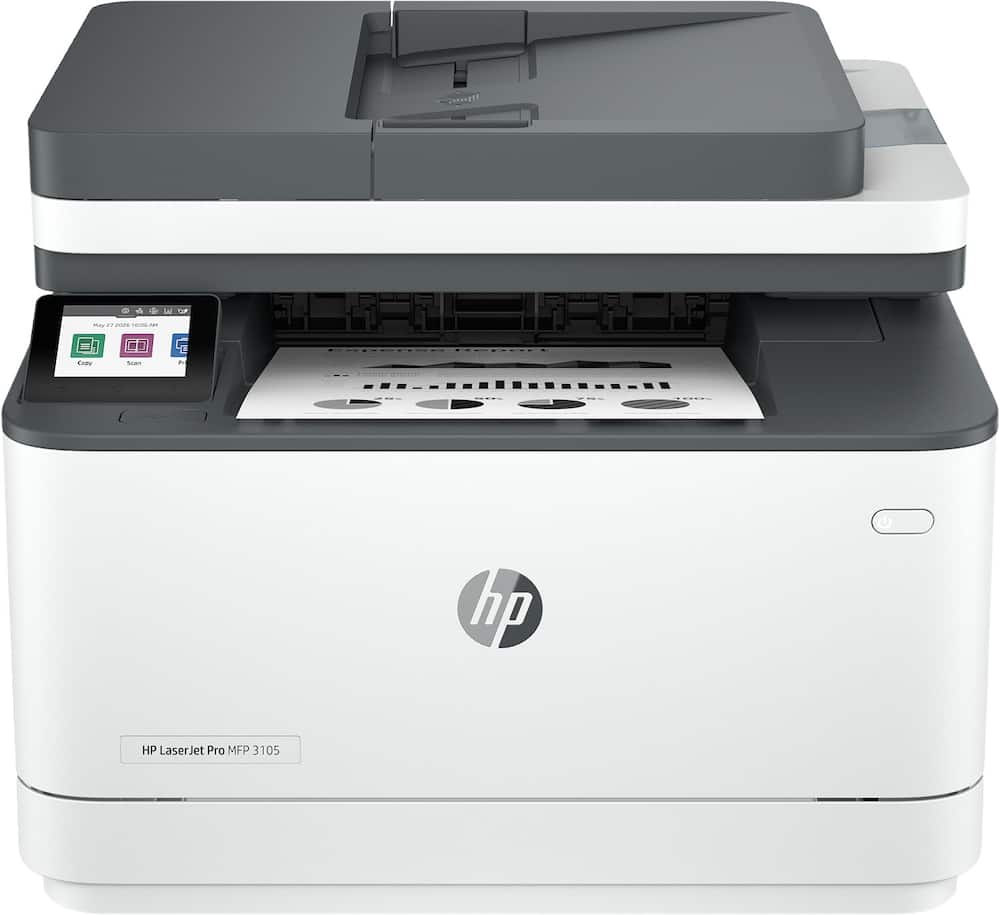
HP – LaserJet Pro MFP 3105sdw Wireless AI-Enabled Black-and-White All-in-One Laser Printer – White
SKU: 6678655
$22320
Was $279.00 Save $55.80
Other options in this range
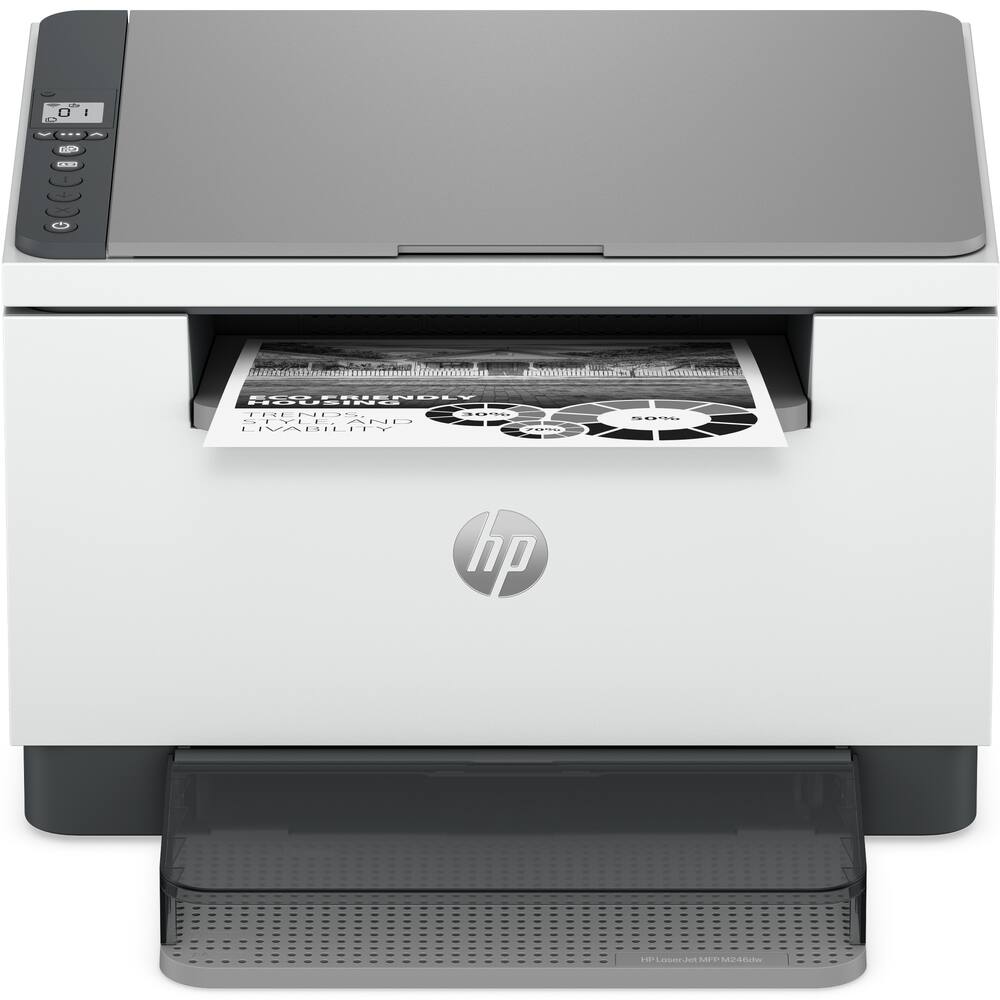 HP - LaserJet MFP M246dw Wireless Black-and-White All-in-One Laser Printer, Scanner, Copier, AI-Enabled - White Original price was: $239.99.$191.99Current price is: $191.99.
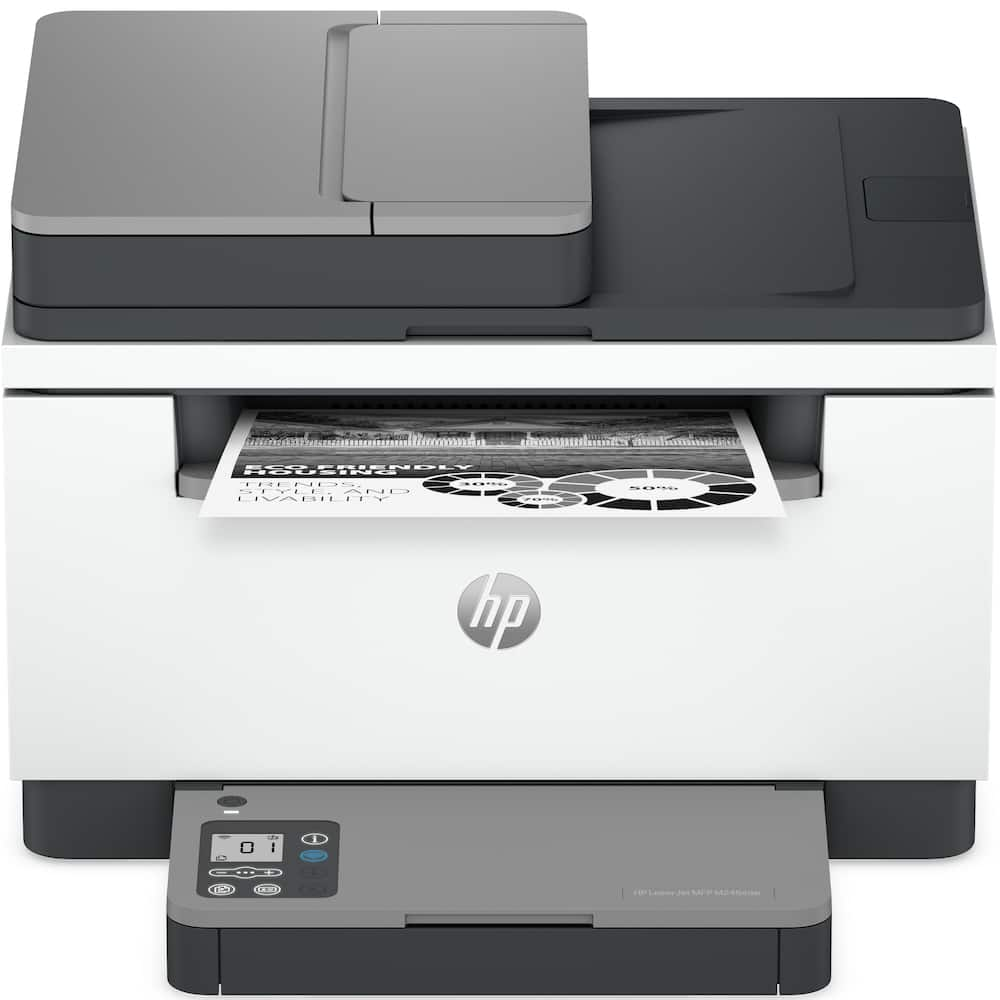 HP - LaserJet MFP M246sdw Wireless Black-and-White All-in-One Laser Printer, Scanner, Copier, AI-Enabled - White Original price was: $279.99.$223.99Current price is: $223.99.
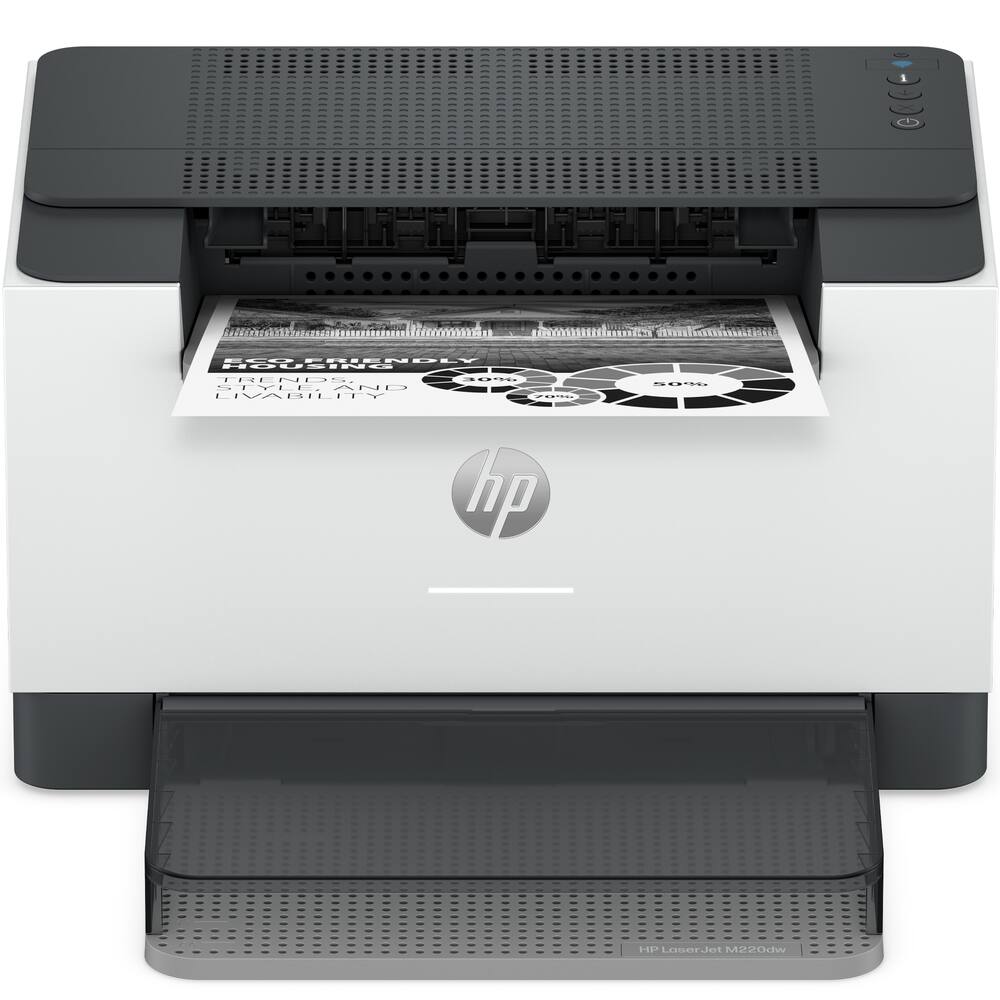 HP - LaserJet M220dw Wireless Black-and-White Compact Laser Printer, AI-Enabled - White Original price was: $199.99.$159.99Current price is: $159.99.
Overview
- The B&W printing performance small offices need
Print, scan and copy professional-quality documents and reports. Auto 2-sided printing, plus auto 1-sided scanning through the document feeder. Perfect for up to 7 users. - Simplify scan to email
Save time when scanning documents to email. HP AI automatically generates smart subject lines, file names, and actionable summaries to streamline your workflow and find files effortlessly. - Reduce wasted pages and odd layouts
Turn web pages and emails into neatly formatted prints. HP AI Precise Print easily removes unwanted content, so your prints are just the way you want. - Stays connected
Intelligent Wi-Fi looks for the best connection to stay online and ready to print - Fastest-in-class two-sided printing
Up to 33 black-and-white pages per minute², with sharp, professional-quality text and graphics - Protects your data
Includes HP Wolf Pro Security with customizable settings so your printer and information are always secure - Easy to set up
Get started fast with easy setup that guides you, step by step. Simply download the HP app, connect to a network, and share your printer across all your devices.
Compare similar
Specifications
Capacity & configuration
- Printer Type
- All In One
- Automatic Document Feeder Capacity
- 50 sheets
- Scanner Type
- Flatbed
- Tray Capacity
- 250
- Output Tray Capacity
- 150
Dimensions & weight
- Product Name
- LaserJet Pro MFP 3105sdw Wireless AI-Enabled Black-and-White All-in-One Laser Printer
- Product Height
- 12.3 inches
- Product Width
- 16.5 inches
- Product Depth
- 15.7 inches
- Product Weight
- 23.1 pounds
- Maximum Document Width
- 8.5 inches
Features
- Brand
- HP
- Color
- White
- Networking
- Wired
- ENERGY STAR Certified
- Yes
- Automatic Document Feeder
- Yes
- Photo Printing
- No
- Wired Connectivity
- Ethernet
- Wireless Connectivity
- Wi-Fi
- EPEAT Registered
- Yes
- EPEAT Level
- Silver
- Touch Screen
- Yes
- Compatible Cartridges
- HP 138
- Copier Resolution (Black)
- Up to 300
- Automatic Two-Sided Printing
- Yes
- Duplex Scan Function
- No
- Duty Cycle
- Up to 50,000
- Ink Cartridges Required
- 1 x Black
- Ink Cartridges Included
- 1 x Black
- Integrated Fax
- No
- ISO Mono Print Speed
- 33 pages per minute
- Maximum Document Length
- 14 inches
- Maximum Number Of Copies
- 999
- Monochromatic/Color
- Monochromatic
- Paper Feeder
- Bottom loader
- Paper Handling
- Input: up to 250 sheets; Output: up to 150 sheets; ADF: 50 sheets
- Approximate Page Yield (Black)
- 1500
- Printer Resolution (Black)
- Up to 1200 x 1200
- Scanner Resolution
- Up to 300 x 300
- Supported Paper Sizes
- Letter; Legal; Executive; Oficio 8.5x13; 3x5; 4x6; 5x7; 5x8; Envelope #10; Envelope Monarch
- First Page Out Time
- 5 seconds
- Display Screen
- Yes
- Display Screen Size
- 2.7 inches
- Minimum System Requirements
- PC: Windows 11, 10; 2GB available hard disk space; Internet; Mac: macOS Tahoe 26; macOS Sequoia 15; macOS Sonoma 14; 2GB SSD; Internet
- UPC
- 199896759427
Power & warranty
- Model Number
- 3G646A#BGJ
- Warranty - Parts
- 1 year
- Warranty - Labor
- 1 year
Warranty & protection
Included manufacturer warranty
See manufacturer documentation.
Register your product with the manufacturer within 30 days of delivery.
Warranty service
Manufacturer warranty claims are handled by the manufacturer. We are happy to help you find the right contact: (888) 419-6820.
Customer reviews
Write a reviewExcellent Printer - So far I have no complaints about this printer. It is very fast and efficient and meets my needs. I would highly recommend it.
Nice printer for the money - Super easy set up. Connected easily to WIFI and have had no issues with losing connection which is a first since we live in a rural area with pathetic internet, Printing quality is good for every day use. Very quick printing. We shall see how long the printer cartridge will last. That is my one fear. And the cost of cartridge ink.
Ultra-Fast Printing, but only in Black & White - I have always been aware that LaserJet printers function more quickly than Inkjet printers, but experiencing the speed firsthand is impressive every time. (Perhaps my ignorance is due to how infrequently I print at work...and due to the distance from my desk to our corporate printer - my print jobs always complete during my walk.) Seeing an entire page eject in its complete form one second after I press print is surprisingly awesome. Set up is a breeze and was completed by my 11-year-old son in the time it took me to bring printer paper out of my office. The printer is a fair amount larger than my Inkjet printer/scanner/copier, but its size is still manageable for a classroom, or home office. The biggest (and most obvious) downfall of this specific printer is that it can only print in Black. It is certainly capable of printing images (see the attached photos), but the device is not designed to print onto photo paper as most Inkjet printers are. For those who print a lot of text only documents - this printer / copier is perfect. The other frustration is price - which is actually fairly misleading. The toner cartridge used by this LaserJet printer is 4 to 5 times more expensive than an Inkjet printer cartridge. But, a toner cartridge can print 1,500 to 3,000 pages while an ink cartridge typically prints 200 to 300 pages. Ink can be messy to refill and can dry out. For me, because I don't print particularly often, I find that my inkjet printer needs to be cleaned nearly every time I use it...or, it will print with lines or smudges. So, while the LaserJet may appear more expensive, the toner lasts much longer and is a bit easier to manage. So far, we keep the LaserJet printer in the closet under the stairs...like a real estate agent. It is readily available for Shipping Labels, Copying random documents, and schoolwork. The near instant printing speed is phenomenal. The old Inkjet lives in the office and is now used only for color prints, or photos. For those who need an all-in-one device that rapidly prints/copies black only - this is a spectacular choice. But those with limited space and who need the ability to print color - this HP may be a letdown.
SOHO printer thats is a workhorse - Over the years, I have used several brands of laser printers, both at work and at home. The printer I consistently use is a black-and-white laser printer that has finally given up on me and stopped producing reliable prints. While the other laser printer at home is also an MFC, its color toner cartridges are expensive, so they are only used when needed. Over a decade ago, I picked up an HP LaserJet 4L, a workhorse of a machine. The printer worked great, always worked, never jammed, but was slow. I longed for something faster and newer. This HP LaserJet Pro MFP3105sdw is a world apart from either of my old black-and-white laser printers. In terms of performance, it prints faster than anything I have. Its specs say 33 pages a minute; double-sided is still a breezy 20 pages a minute. The print quality is quite good, and I have never had a complaint about HP’s print quality. After you unbox, you have a couple of setup options. The overall setup of the printer was very easy, especially since I used Ethernet for the installation. However, the printer also supports USB and Wi-Fi connections. Upon turning it on, it picked up an IP address from the internal network and configured itself. I did have to download the HP printer software from HP’s website to enable the scanner in Windows, but the printer installed without any problems. If you use other operating systems like macOS or Linux, drivers are readily available from HP. The mobile printing functionality works well, and my mobile devices connected to the printer without problems. In terms of ease of use, the HP printer’s iconography is good. It's bright, colorful, and easy to understand. I love the ‘quick forms’ feature with its printable blank calendar and to-do lists among other items available to print. The copy and print speeds are more than adequate, and it allows for 2-in-1 duplex copies. While the automatic document feeder does not support double-sided scanning, its quick scanning is more than sufficient. I measured about 10 pages per minute to scan documents at the highest resolution, and that is plenty fast. I did like the scan-to-email feature, but I wish it had a scan-to-network-file-server option that was easier to set up. The scan-to-email feature works rather well, though I was not ‘impressed’ by the AI features. I felt it was a quirky gimmick, but not something I would use consistently. I wish it had a larger paper tray; it holds roughly 250 sheets, which really isn't enough from where I am coming from. The scanning ADF holds maybe 50 sheets, and for the limited amount of scanning I do, the ADF capacity is plenty. I will state that I struggled to find the letter/card stock manual input. Most printers I own have a separate paper tray for envelopes and card stock. The HP 3105sdw integrates that in the main paper tray once you adjust the guides. Not super convenient when you need to print a letter and envelopes, but it's workable if you batch print. This printer is best used as a small office/home office printer. Good for a college or school teacher/student who needs to print many reports. It is very capable for print and scan jobs that a small business may need. It's well-built and should last a long time, based on my experience with HP’s standards for laser printers. The original HP toner cartridge isn't too expensive when it comes time to replace the factory starter toner cartridge, which I believe has a lower page count than the standard 1500-page HP 138A toner, but the toner is widely available. It beats buying ink cartridges, especially if you are printing mostly black and white. So if you are looking for a reliable MFC printer, I don't see why you shouldn't consider the HP MFP 3105sdw laser printer-copier-scanner to meet your needs.
Great laser printing - With school at the end of this month for both my high schoolers and myself entering into a Masters Program, we really needed a device that can output several pages in quick fashion. Out of the box, this all-in-one monochrome laser printer is noticeably larger and heavier than my inkjet printers, but its build is quickly offset by a remarkably simple and straightforward setup process. This has an exceptionally responsive and easy to navigate LCD touchscreen, the printer guides me with a step-by-step process through network and Wi-Fi connection, allowing it to be easily shared across all of my office devices. The MFP 3105sdw is designed to be your ideal solution for home offices and school workloads, this printer excels in performance with a blazing-fast print speed of up to 35 black-and-white pages per minute. Although it is strictly monochrome and does not support color printing, its output delivers really crisp, clear, and professional text and graphics. This is a quality that is enhanced when paired with heavier 24lb paper, my preferred weight of paper. The scan to email feature was something I haven’t used before, and it uses HP AI for summary and smart subject lines. Overall, really happy at this new addition to our home office. The smart features just enhances the functionality for our uses.
The printer I've been looking for!! - This is the printer that I've been looking for! I've been on the hunt for a reliable, laser jet printer that can support copy and scan functionality, wireless printing, and most importantly work with my daughters Chromebooks from school! Let me run down each of those reasons why I appreciate the functionality and simplicity of this printer. First, it's a laser jet printer. We made the investment in a laser jet printer after dealing with the fun of buying expensive ink only for the canisters to dry and then requiring new cartridges and the fun of realigning to get a good print job. The thing that I love about laser jets is that because they're toner based, there's no ink to dry or gum up the machine. Sure, toner's expensive also, but I find that over time, the laser jet and toner approach is more cost effective. This is a basic, black and white laser jet printer, so it prints black-and-white and greyscale images quickly and beautifully, with no ink to dry. Next, it has the scan and copy functionality that I've come to believe is required in a modern printing device. If you've never experienced the sheer panic of not being able to manage a scan or copy situation, just trust me, they're worth it. Scanning PDFs to our financial advisor, to my kids's schools, to my work, all of it is a simple process. Third up is wireless printing. Long gone are the days where a ribbon cable or USB cable was required for a printer to be right next to your workspace. With a wireless printer, I can set this thing up in our basement, out of the way, so when the kids need to print something off for school, they can run down from their bedrooms to the basement, pick it up, and get back to whatever shenanigans they were into. Finally, the reason why I'm so happy I found this is because it supports Chromebook devices! We've gone through several other brands of printers. One had a hardware security flaw, the other was too big, and neither of them would allow printing from a Chromebook. I tried all the hacks ways around it, but once I ran into the wall of the managed settings on their school-issued devices, I bit the bullet and looked for one that worked with Chromebooks out of the gate. So now we have a multi-user, laser jet, wireless printer that works with Macs, Windows PCs, and Chromebooks. What more could you want?
Great Small/Home office multi-function printer! - Trying to find the best multi-function printer, laser or ink jet, that has all the right features without being too big or costing too much can be fun. While I do have a larger color laser MFP, we were needing to get another printer for my son for college. We are not fond of inkjet, so were only looking for a laser, and he wasn't needing to print color, and didn't want something too big. So when looking at the HP LaserJet 3105cdw with its size and capabilities, and at a nice price-point, it looked like it would work the best for his needs. After getting it unboxed, setting it up was easy. After initially connecting to the wireless network, I went into setting to set a static IP address. Connecting to it from Windows and Mobile (only Android for us) was very easy. For our Windows computers, I downloaded and installed the "HP LaserJet Pro MFP 3101-3108 Driver Installation Software – Includes Print and Scan drivers" from the support page. It prints single pages fairly fast (up to 33 pages a minute), but I was actually impressed with the speed of double-sided printing, especially compared to my bigger printer. I may be due to a shorter paper path, but retrieving the paper back to print the second size was really quick. Not only does it print over the network, it also does support scanning over network. When scanning, it has the typical flatbed, but also has an Automatic Document Feeder, with 2-sided scanning. I was able to scan using the built-in Windows Scan app, as well as the HP Scan utility app. After working with it for a while, I almost like the HP Scan utility app even better than my other MFP scan app for many reasons. The biggest was page management, where additional pages can be scanned separately (using different scan settings as well), and pages can be removed (such as when doing 2-sided and want to remove blank pages manually but then found that I could modify the Scan shortcuts to automatically delete blank pages in More > Document > Adjust Documents). Also, each individual page scan can be modified to crop down to only include the desired area. Another plus is that the scanned document can be modified and saved multiple times, in case changes need to be made to get it just right. Just be sure to updates the Resolution to 300 ppi as it defaults to 200 and doesn't have the best quality. Even with being set to 300 ppi, one thing I'm not fond of is the overall quality of the scan, especially when using Black/white. It looks like an old fax with a lot of pitting. Even when doing 600 ppi using the flatbed scanner, it wasn't clean. Using Color or Gray does work much better. Also, when scanning with the default settings, it look like there is a decent amount of compression, so it doesn't look as sharp zoomed in. I tried the Cleanup background > Remove Background, but it was taking a long time to save (just 2 pages with that setting on). After a few minutes, I cancelled it, but it the got stuck on the cancelled window. Eventually had to End Task in Task Manager. I then tried setting the Cleanup Background in the Scan Shortcut, and it was able to complete the processing while scanning. It did seem better, but still noticeable when zooming in. I did find Scan to Email (more on that later) had a slightly cleaner look. There is also access to Readiris PDF and OCR software (special versions for HP users), but I'm not sure how the licensing works as I could not find instructions or a key. But I was only trying when connected wirelessly, so it may work better when connected via USB. When using the copy function, it works great. There is also an ID copy function, where it will take separate scans of the front and back of the ID and print to the same page. Even though installing the printer family software include basically everything needed, such as the print driver and scan driver, and printer-specific version of HP scan, I recommend installing the "HP Universal Scan - Full Feature Software and Driver" a little further down on the software and driver download page as this version contains OCR scanning (as well as a larger UI for some reason). While it did do the OCR process fairly well, there were still some mistakes, such having a D instead of a 0 (zero) or inserting extra spaces in a few places (that had no spacing to begin with, such as in the middle of a word). Saving in RTF format also automatically tries to set up columns/text sections to match the layout on the original page, as well as formatting, including text size. Using the web interface (going into the printer via the IP address), there are many different settings that can be updated, with some that can only be done through the web interface. Quick scan to specified locations would be set up here, and if sending to email, default send credentials must be set in the web interface before being ablet to any manual Scan to Email directly on the printer. I was able to set up Scan to Email successfully to work with our Exchange 365 using an App password. It took about 5 seconds from the end of scan to the email hitting my inbox. I tried to set up Scan to SharePoint (on Microsoft 365), but was never able to get it to connect or work. I'm not sure if it is the SharePoint path or credentials (set up a separate App password for that). I was however able to set up a Quick Set for Scan to Network pointing to our NAS device and it worked great. When setting up the Quick Set (which are located under Quick Sets on the control panel on the printer), PINs can be specified so no one else would be able to use it (ideal for small office setting and everyone having their own private location/email to scan to). One thing that wasn't done yet was pairing with the HP Cloud Connection, which allows remote monitoring, automatic updating, and secure cloud storage. The paper tray, located at the bottom, can hold up to 250 sheets. There is no separate quick use multi-purpose tray, so if needing to use a different paper type or envelopes, the main suppl of paper will need to be removed. Only issue I have come across so far is the design of the paper tray. It seems the bottom feet on the printer do not seem to be high enough, so the tray will tend to drag across the surface when opening if not being held up the entire time, which could possibly cause scratches. This is a great multi-function laser printer at a nice price point for the Small office, home office, or a college student!
Nicely compact, high speed LaserJet Pro - The LaserJet Pro MFP 3105sdw is a solid offering from HP. It is a compact, space saving design with a document handler/scanner up top. Setting up the 3105sdw was easy & quick. For those that wish to skip using any kind of mobile app, it's all doable via the touch screen. From what I can tell, most every setting within the 'brains' of this printer are configurable via the same screen. As powerful as that screen interface is, my only beef with this printer is the sheer smallness of the screen and it's semi washed-out presentation. For what printers are costing these days along with price of consumables - HP should include a larger screen, an updated color palette and one that articulates a bit more - from the retracted or down/default position. The competition is beating HP in this area! Moving past the tiny screen complaints, the printer itself is easy to operate and about as quiet or loud as most desktop sized laser printers go. This printer is fast, in its default configuration and print outputs over a home WiFi network are sure to please most everyone. One thing I did notice is that Windows 11 Pro will throw printer not ready errors if you don't have the 3105sdw set up as your default printer. Not sure why that is and it my very well be a Microsoft issue. But one I figured out to set it as my default printer, those errors went away. Print quality is ALL HP and top shelf. Scanning capability is good too and pretty much on-par with the state-of-tech for home/SMB lasers of this class. The toner cartridge is very compact and easy to install. All in all, I think this is a solid printer and apart from my dislike of the super tiny touch screen, it does everything one could ask... and does everything well. Highlights: Fast Stylish Ethernet, WiFi and USB connectivity Quality printing & scanning capability Works well out-of-the-box without requiring any HP software installations whatsoever (for those wanting a truly plug & play experience without all the software hassles...)
Practical & Handy to have printer for B&W printing - The HP Laser Jet Pro MFP 3105sdw is an easy to setup and use for quick printing at lower cost in the context of printing black and white. It includes ollowing capabilities: 1. to print automatically double side printing 2. Support up to 35 pages per minute 3. The tray support up to 250 sheets 4. Display is touchscreen 5. Auto document feeder (ADF) 6. Included Ports: Ethernet port and USB 7. Dual band WiFi 8. HP Wolf Pro Security Now, setting up and connecting to the WiFi is not very different to the rest of printers, but its control via app HP that allows setting of security to privacy or Print form anywhere options among to name some. What I see as remarkable: 1. HP App: The one feature I like most is its option to scan a document from mobile phone and directly sending to the printer for the hard copy. Within the process, as it allow to edit and select only the needed text to print is a nice feature as allow to control to decrease number of printing. 2. The flatbed for scanning is frameless giving a clean and easy to place document. 3. Unnoticeable printing speed based on few pages printing. 4. Removing the toner for replacement. Upon lifting the upper body, it has a handle from which to grab and pull out. It doesn’t require lock or unlock any type in the process, It is simple, lift then grab it and pull out. Handy and practical when it has to be done suddenly in the middle of printing need. What I wish t were better: 1. Controlling Panel LED were bigger and be able to adjust further vertically. To end, the printer is made for Small business use case, but it is for everyday printing at even bigger organizations due to its capabilities to control printing mode used at large company. And for small or individual office, I find it compelling that it doesn’t depends on the subscription to replace the toner as HP does for inkjet printers.
Good speed and print quality - I work from home and needed a new printer for high-volume daily use. I have an HP inkjet printer that I have been happy with, so I decided to look for an economical laser printer. I had two requirements. One was that the printer could be connected to a hardwired Ethernet cable, and the other is that is has a document feeder for scans and copies. I found this HP LaserJet Pro MFP 3105sdw and it had the features I needed, so I ordered it. My first impression upon unboxing the printer was that it’s a very compact size given its features. At just over 20lbs, it’s light enough to easily handle, but it still has a substantial, quality feel to it. Setup was very simple. I did not bother with wireless setup using the HP app. In fact, not having to download an app on my phone is one reason I wanted a printer with a hardwired Ethernet port. The other is that I don’t need yet another Wi-Fi device competing for bandwidth. I simply plugged the printer into my network and then had my Windows 11 PC search for a new printer. It found the HP 3015sdw and automatically installed the print driver. I did visit the HP website to download drivers for the scanner. The printer is very easy to use. The touch control LCD panel is intuitive and responsive. Installing the toner cartridge and loading paper is simple. My only complaint is that the paper tray has to be emptied in order to print envelopes as it lacks a manual feed tray. I’d say that’s not a critical shortcoming based on the printer’s price. I’d have to spend 50% more money to get one with a manual feed tray, so I can take a few extra seconds to swap paper for that savings. This printer is fast! It easily matches its claimed 33 page-per-minute speed. The enhanced 1200dpi print resolution results in clear print with great contrast. I experienced no print issues at all, and no paper jams, even using budget 20lb paper. Envelope printing is fast, too, and the feeder mechanism does a good job of keeping the envelope from bending or wrinkling. I like that the printer also support automatic two-sided printing. That does, of course, slow the speed as it reverses the paper, but it’s a great feature that can be used for printing booklets or just saving paper. This HP LaserJet Pro MFP 3105sdw has an average noise level, so it’s not too loud or distracting for the average home office environment. The scanner works well. It has a native 300dpi resolution when using the document feeder, or 1200dpi when using the flatbed. Quality and color recognition are good, and more than adequate for my business needs. It does lack some of the advanced options like hardware color correction and dust removal, so it may not be the best choice for professional photographers, but it’s fine for casual use. The speed at full flatbed resolution is reasonable, but again not up to professional levels. Regardless, at this price point, the scanner is more than adequate. Overall, I am very happy with this printer. It’s well-made, fast and the print and scan quality are perfect for my needs. I highly recommend this HP LaserJet Pro MFP 3105sdw.
High quality printing and easy to use - The HP LaserJet Pro MFP 3105sdw printer is a fantastic option for my home office needs. The printer offers a professional quality print at the convenience of using it at home. The printer can handle up to 33 pages per minute which is helpful for my school, office, writing, and home needs. Single sided and two-sided printing works very smoothly and produces high-quality printouts. The printer is very easy to setup, connect to home network, and install. It works with Windows, Apple, Android. The Wi-Fi setup was fast, and I had it unboxed and printing within 10 minutes. If you choose to not go with Wi-Fi printing you can use the available Ethernet or USB connection, but you’ll need to have your own cables to connect. This printer has the ideal items I need for my home office such as print, copy, and scan functions. This is a black and white printer with HP laser toner preinstalled. The mobile printing option is a nice feature to have that allows me to print and scan using the HP app. I like the 2.7” touchscreen because it’s easy to read and accurate when I touch it for the settings and features. In our current digital age and sensitive documents, I’m thankful for the security HP offers. The print jobs and data are not stored on the printer, and they are erased after each print job. My one negative about the printer is that you can only purchase a replacement HP original equipment toner cartridge. This is a security and tamper resistant feature that HP forces on to the consumer. I would like to be able to purchase and use generic cartridges to save money if possible. Overall, it’s a great printer that is efficient, high quality, and multi-functional. The printer looks modern and fits great on a desk in an office, home office, or school setting. Reliability and maximum efficiency with HP’s energy saving technology and Energy Star rating.
Five-Star Printer And I Can't Recommend It - I am writing this review for the HP Laserjet Pro MFP 3105sdw All-In-One Laser Printer I have to admit I am confused about how to approach this review. By the time I finish, you will understand why. I was initiated into the world of HP Laserjet series printers sometime around 2000 when I owned my first Laserjet 1100 printer. It was amazing. Simple design, straightforward functionality, and actually quite fast for its time. I’ve been a believer in the HP Laserjet series ever since. The MFP 3105sdw is absolutely as good a laserjet printer as that 1100 was so many years ago. And of course, being an all-in-one, it is much more than just a printer. It scans, copies, features double-sided copying and printing, it’s wireless, and fairly easy to use. It even boasts scan to email capabilities, but I will touch on that in a minute. And it has several built-in printable forms installed, accessible from the touchscreen control panel… notebook paper, graphing paper, checklists or music paper. Additionally, each option has its own unique features available. For example, notebook paper has college rule, wide rule, and child rule. One feature I was really looking forward to using was the Scan to Email function. You simply scan in whatever you want to send via email, and the 3105 does the rest. At least in theory. As it turned out, I was never able to get it to work. Period. After going through the feature setup several times, I finally gave up. Each time I tried to use it, I eventually encountered the message, “Remote server cannot be found…” Nothing useful was found online to solve this for me. The good news is that all I have to do is scan the documents I want to send, and simply attach them to an email. As for the quality of the 3105, it is top-tier, just like you would expect from HP. The print is sharp, clean, clear and crisp…from the lightest grays to the darkest blacks, this printer can handle it. It’s also very fast…depending on which setting you use, you can see up to almost 35 pages per minute. I don’t care what anybody says, that’s fast. And now for the confusion I spoke of at the beginning of this review. Several years ago HP introduced a program called “Instant Ink.” If you sign up, HP will send you replacement toner cartridges once your current cartridge gets low. Depending on which pricing tier you choose, you are allowed to print so many pages each month. All you do is pay a set rate each and every month, and when the toner is low, HP will send you a “free” replacement. And if you go over your monthly allowance, you will have to pay a surcharge. They know how many pages you print because they ‘dynamically monitor’ your printing via an installed computer chip on the cartridge itself. But if you don’t sign up for the instant ink, then no worries. However, their ‘dynamic monitoring’ also tracks what kind of replacement toner cartridges you use. They say plainly, if you use anything other than an OEM HP toner cartridge, the printer will not work. That means you cannot choose to use the much-less expensive third-party cartridges available online. Keep in mind that at current prices, you will have to pay around $80 for a standard cartridge, and around $150 for the higher yield cartridge. I think that is important to know. The printer itself merits a very solid 5-Star rating. It is hands-down one of the best laser printers on the market at this price point. The Smart App is trash. The mandatory use of OEM toner cartridges? Although I despise the practice, the printer itself is great. I find that even though I rated the printer at 5-stars for its superior quality, print speed, and features, I still cannot recommend any HP printer to any of my friend, family, or co-workers.
Reliable black and white workhorse - The HP LaserJet Pro MFP 3105sdw is exactly what a small office black and white printer is supposed to be. It's designed to print documents quickly, reliably, and economically without adding a bunch of unnecessary complexity - think invoices, receipts, shipping labels, instructions, contracts, or other everyday office documents. In recent years, HP has become one of my favorite manufacturers when it comes to printer setup, and this model was no exception. I plugged it in, turned it on, connected it to my Wi-Fi when prompted, and that was pretty much it. Since I already have the HP app installed on my phone, I just opened it up and selected "Find Printer on Network.” That was the extent of the setup process. The HP Smart app keeps he setup process simple without making you jump through a bunch of unnecessary steps. I also had no trouble finding the printer or printing through Apple AirPrint Over the past few days, I’ve had this thing running side-by-side with my primary office printer, which is a much larger and significantly more expensive color laser printer. They're really in different classes, so I wasn't expecting identical performance. However, print quality genuinely impressed me. I printed several comparison pages using text, graphics, and black-and-white images, and the results were surprisingly sharp. On a few very dark test images, I noticed an occasional faint line in areas that were supposed to be completely solid black, but this only showed up during some of my comparison testing. During normal day-to-day printing, I honestly don't think most people would ever notice it. One thing I did notice is that when printing through AirPrint, the HP takes a good bit longer to receive and process the print job before it actually starts printing. My larger office printer is almost instantaneous. Once this printer starts printing, though, it's fast. I’ve included a few black-and-white images that I actually preferred from this printer over my main office printer. My larger printer has a little more overall contrast, but I prefer the crisp text and clean detail of this HP, which is really what should be prioritized in a small business black and white printer. Scanning has also been excellent. One of my favorite features with any HP printer is being able to initiate scans directly from the HP Smart app. I can place a document on the scanner, press Scan on my phone, and have the image saved directly on my phone. This way you don’t have to scan and then email it from the printer with some bizarre generated scanner name in the email subject The printer is larger than most, but for an office printer, it has really small footprint. It’s about half the size of my other printer, and fits neatly on my desk beside me. Overall, I think HP did a really nice job with this printer. It's easy to set up, easy to use, produces sharp black-and-white prints and scans well. It feels like it was built to be a dependable workhorse. If you're looking for a reliable B&W printer for a home office or small business, I don't think anyone would be disappointed with this one.
HP Laser Jet Pro MFP 3105 sdw - The HP LaserJet Pro MPF 3105 sdw is a Printer, Copier, and Scanner. It does not have the Fax capability built in. So, what does it do. The sdw suffix tells us it has all the standard basic printing features, it automatically prints on both sides of the page (Duplex), and it connects to the wi-fi. This printer also can be connected to the network via an ethernet cable or via a USB cable. The 3105 prints 33 pages per minute for standard 8 ½ by 11-inch paper and 31 pages per minute for A4 sized paper. The automatic document feeder (ADF) holds 50 pages for both scanning and copying. It does not provide duplexing for scanning. You must manually turn over the sheet and rescan. The input tray holds a maximum of 250 sheets. The LaserJet Pro 3105 has a large footprint and needs to be considered before placement. The dimensions are 16 ½ inches wide by 15.7 inches deep and with the lid closed 12.3 inches tall. This increases as you access the flatbed scanner. The Printer comes with a HP138A Toner cartridge, you can also utilize a HP138X cartridge with increased capacity. The printer is faster than an ink cartridge. The printouts are crisp and clear. This printer is the perfect addition to the small office environment.
A Workhorse That Actually Makes Office Life Easier - Fast, Clean, and Seriously Reliable If your office depends on a printer that can keep up with real-world workloads, the HP LaserJet Pro MFP 3105sdw is one of those machines that immediately earns respect. It’s fast, it’s consistent, and it doesn’t choke when you throw big print jobs at it. Pages come out crisp and professional every time, whether you’re printing marketing materials or stacks of everyday documents. What really stands out is how steady the quality stays, even during long print runs. No fading, no weird streaks - just clean output from start to finish. And the speed isn’t just a spec sheet brag. It genuinely keeps your team moving, cutting down on wait times and helping the whole office stay productive. Setup That Doesn’t Make You Want to Scream Office equipment setup is usually a headache, but this printer breaks the cycle. You can get it running from your phone or your computer, depending on what’s easier for you. Most people will have it fully operational in minutes, not hours. The mobile setup is great if you’re using it as a standalone device. But if you’re connecting it to your office network, the computer setup is the better route - more control, more reliability. Either way, HP made the onboarding process refreshingly simple, even for folks who aren’t tech-savvy. Smart Size, Straightforward Design This isn’t a flashy printer, and honestly, that’s part of its charm. It looks like a classic laser printer because it is one - built for performance, not decoration. The footprint is surprisingly compact for everything it can do, making it a great fit for smaller offices or shared workspaces. It’s one of those machines that quietly sits in the corner and just does its job without hogging space or attention. Scanning and Copying That Don’t Feel Like Afterthoughts The “MFP” in the name actually means something here. The built-in scanner and automatic document feeder make copying and scanning incredibly easy. Scans look sharp at 600 DPI, and for everyday document archiving, 300 DPI hits the perfect balance of clarity and file size. Copying is as simple as pressing a button, and the whole multifunction setup feels like it was designed to replace multiple pieces of equipment - not just add features for the sake of it. Less clutter, fewer devices to maintain, and smoother workflows across the board. Bottom Line: A Printer That Delivers on Every Front If your office needs a dependable, fast, and easy-to-use multifunction printer, the HP LaserJet Pro MFP 3105sdw is absolutely worth considering. It’s efficient, it’s reliable, and it packs a ton of capability into a compact footprint. The toner lasts a long time, the print quality is consistently excellent, and the overall experience feels like HP built this machine with real office life in mind. A true “buy it once and stop worrying about it” kind of printer.
Easy setup ever. Less than 10 min to 1st print. - This HP Printer was the easiest setup ever. It took longer to remove the box and all the shipping tape strips then it did to add my wi-fi and get my first print. Software is a download, but PC will add drivers upon setup. The whole process from sealed box to first print was about 10 minutes or a bit less. Extremely easy printer setup, especially for a wi-fi model. The small screen on the printer handles most of the settings and use cases I commonly use like double sided and scan/copy prints. Unboxing: Not much to say. The box has the printer, power cord, paperwork and Styrofoam and quite a few tape strips to keep parts in place till you put the printer in service. The pre-installed toner is 800 page starter. No paper is included. Be sure to add some to you order. First Use: Once plugged in and placed where you will use the printer. Install some paper in the paper tray. Power it on, say yes to you preferred language and a couple license screens. Then input your wi-fi credentials and the printer checks for updates (none available when I checked). The printer is now ready. Just tell your PC to add a new printer, it sniffs the wi-fi and adds it super quick. Now you can send prints from PC. It is a bit more involved with HP apps and settings for Android to send prints to the printer. As I rarely print from phone, I only did it to see if it was possible. It is. The prints and scans/copies are super sharp and I have no complaints. Software: I found the default drivers from PC were all that is needed to use the printer. The small screen on the printer is also very easy to navigate and I prefer it to adding more software on my PC. If you want the HP suite for printing. You have to download the software from HP. It's a quick download. It does install 4 apps/links. They have their use to see what settings you might want to tweak directly on PC screen or for scanning into PC programs. After trying them, I will probably delete them. The shopping link for toner and supplies didn't work. Great printer. Installs easier than anything I have had in the past. The screen on the printer is just a few taps to double sided printing and document scans. That is all I will likely ask of it. The only negative. HP only includes a roughly 800 page starter toner. Since HP chips their toner. Would have been nice to see a full or at least fuller toner.
A Perfect LaserJet Printer For Home or Office - HP's LaserJet Pro MFP 3105 sdw All-In-One Printer from Best Buy arrived in very strong and secure packaging insuring no damage to the product during shipping. After unboxing the printer and setting it up on my desk, The printer has lots of tape holding down various lift-up covers, slide out paper trays, etc. I plugged it in using the cord provided by HP. The LaserJet arrived with a new HP toner cartridge already installed. The next step was connecting the printer wirelessly to my Wi-Fi Network. The process was incredibly easy compared to prior Wi-Fi connecting experiences and I had it done in just a few minutes. The HP LaserJet Pro 3107 sdw printer can be accessed using an ethernet cable, Wi-Fi or USB cable. I chose to connect to my Wi-Fi network (wirelessly) and found it quite easy to add this printer to my existing network. Overall, this HP LaserJet Pro 3107 printer is a keeper and will be replacing my old printer immediately. Quiet, well built, easy to set up and use - there's a lot to like about this printer. A test page print was up next and here is where I discovered how quiet this laser printer is! I had been using another brand laser printer that was considerably louder than this HP. The HP LaserJet Pro 3105 only prints in black and white which for me is acceptable most of the time. Only genuine HP toner cartridges that have a new or reused HP chip are intended to work with this HP LaserJet printer. Refilled or new cartridges may be used if they have the HP chip.
HP LaserJet Pro MFP 3105sdw Printer - Ok so I just received my new HP LaserJet Pro MFP 3105sdw and have been putting it through the paces. First off, I have grown to love many HP products over the years which is why I decided to snag this printer when it came along. HP printers as well as other products usually have great build quality for both home and enterprise offices. And the fact that this is a laserjet printer made me want to grab it even more. Unboxing: * HP LaserJet Pro MFP 3105sdw Printer * Pre-Installed Toner * Power Cord * User Documentation So after unboxing this printer, the setup is really simple. Possibly the easiest setup that I’ve ever had with a printer before. Step 1: Remove all packaging tape from the printer once removed from the box. Step 2: Load the paper tray with paper. Step 3: Connect the power cord and press the power button. Step 4: Connect the printer to your Wi-Fi. And that’s basically it. Your printer is connected and fully set up. I have enjoyed using this printer over the last week. It’s only black and white, which I’m completely fine with. The print quality is fantastic and pages are printed very fast. Great LaserJet printer for home or office, one of my favorites so far. For other features you can also download the HP app from the App Store for iOS or the Google Play Store for Android.
Great - Good to have them in both my office and my study. Good purchase.
Questions & answers
Ask a question
Email [email protected] or call (888) 419-6820 during business hours.
Add your review