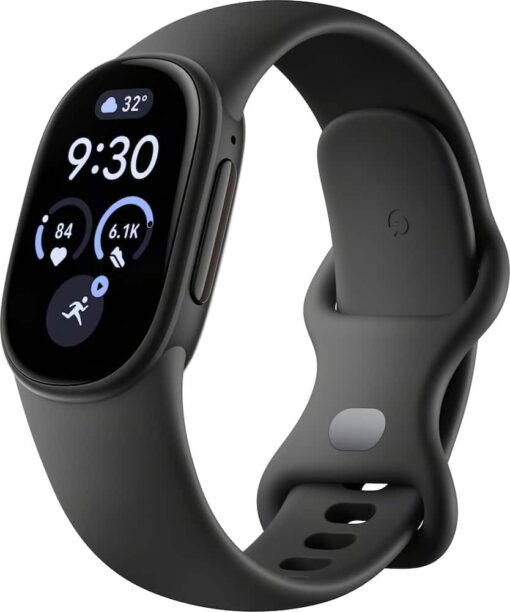
Enjoying it - Fan of this watch it does everything the apple version does might as well get it if you like these things.
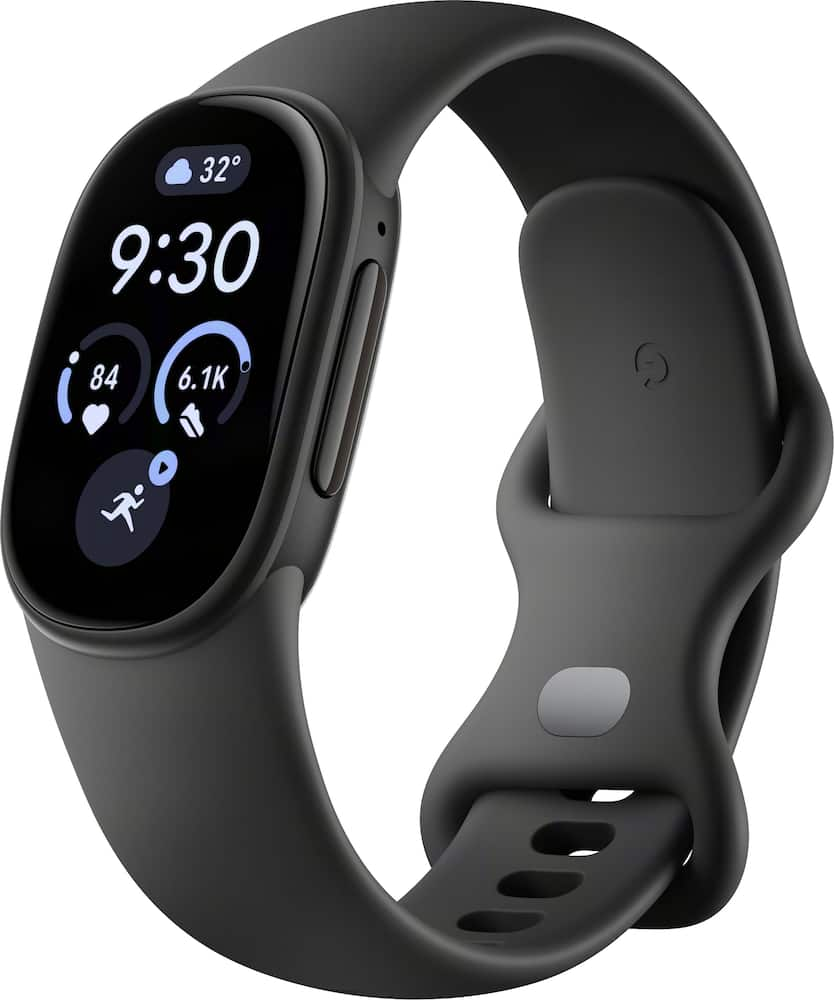
Google – Fitbit Edge – Advanced Fitness & Health Tracker with Colored Display – Works with Android and iOS – Obsidian – (2026)
$14399
Other options in this range
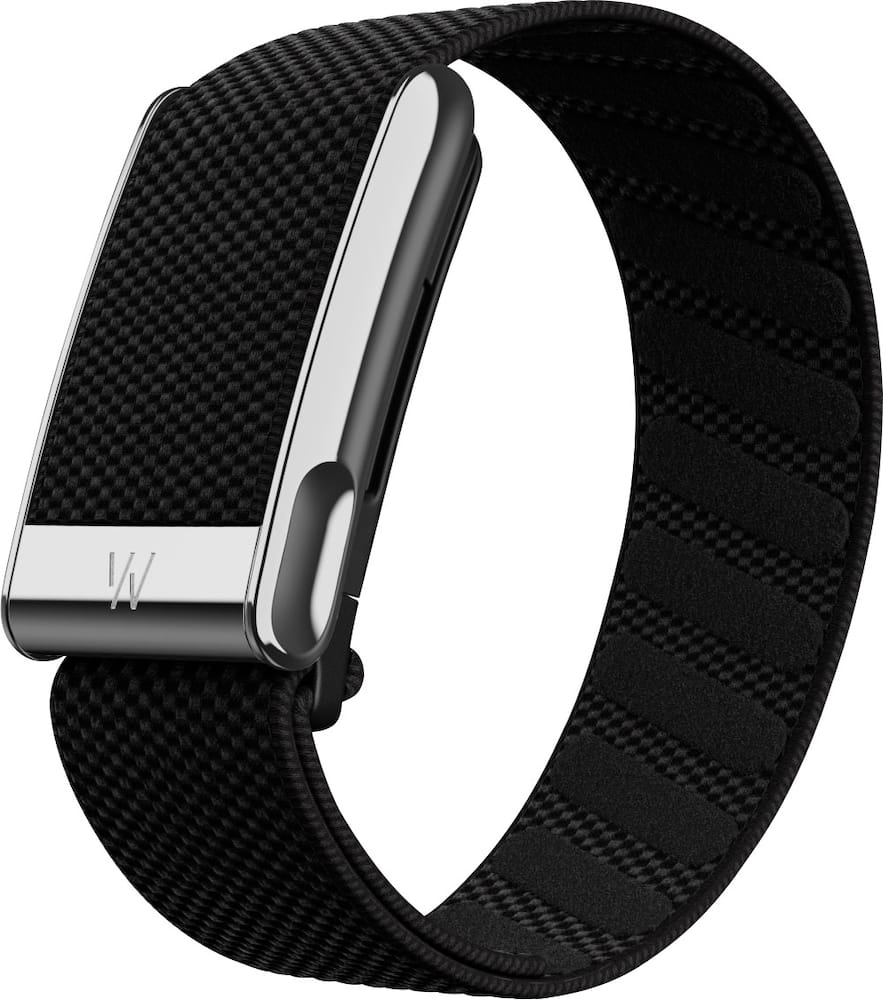 WHOOP - MG Life - Health and Fitness Tracker - 12-Month Membership - Obsidian/Titanium - (2025) Original price was: $359.00.$287.20Current price is: $287.20.
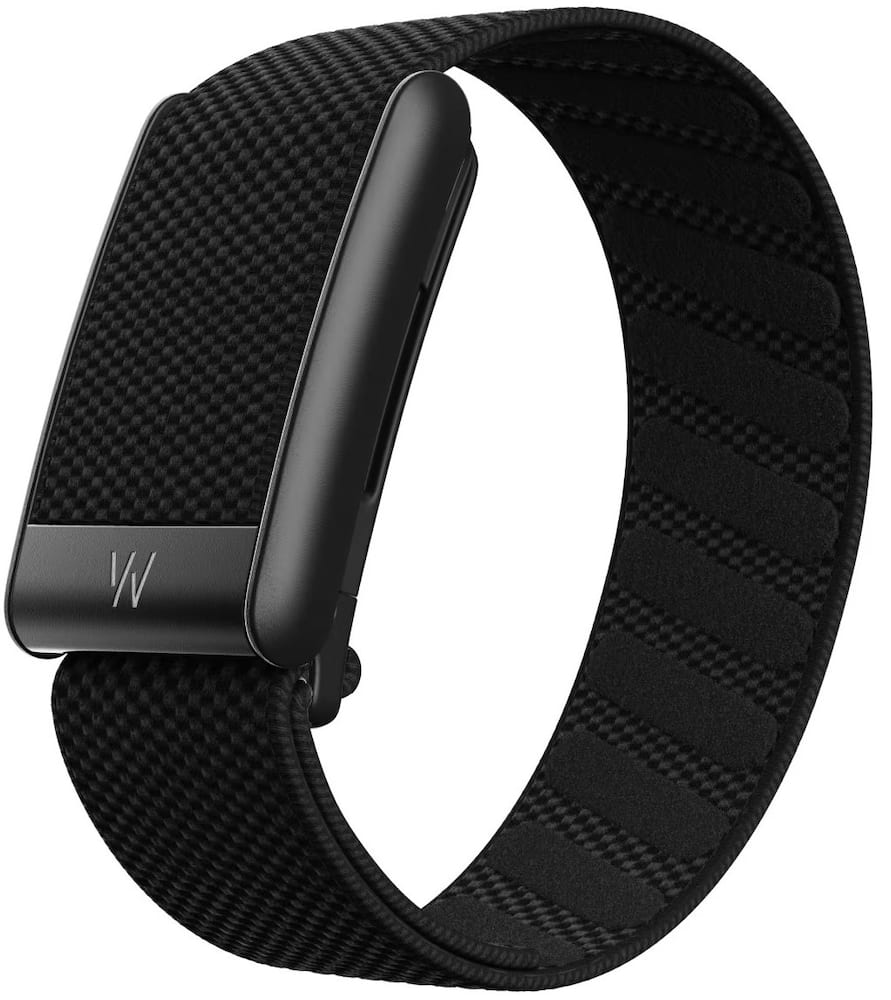 WHOOP - 5.0 Peak - Health and Fitness Tracker - 12-Month Membership - Obsidian - (2025) Original price was: $239.00.$191.20Current price is: $191.20.
 WHOOP - 5.0 One - Health and Fitness Tracker - 12-Month Membership - Jet Black - (2025) Original price was: $199.00.$159.20Current price is: $159.20.
Overview
- Sleek, glanceable design
Catch every metric and coaching cue with stunning clarity. See your stats at a glance and stay motivated.¹ - Built to move with you
A slim, comfortable profile is designed for all-day wear, and a variety of easy-to-swap accessories take you from workday to workout – so nothing ever gets between you and your goals.⁵ - A new relationship with your health
Fitbit Edge works with the Google Health app to help you stay motivated, and a Google Health Premium subscription unlocks even more. Try it for 3 months at no cost to you.⁶˒⁷ - Long-lasting battery that’s quick to charge
This battery life keeps up with your busy life. Fitbit Edge’s battery lasts up to a week, and fast charging gets you a full day of power in just five minutes when battery is low.¹˒³˒⁴ - See your progress as it happens
Get a full picture of your workout metrics on Fitbit Edge. Check heart rate, pace, or distance at any point to see how you’re performing and stay motivated to reach your goals.¹˒⁸˒⁹ - Your coach. One glance away
Get real-time coaching cues based on your heart rate, speed, or distance goals. Fitbit Edge can tell you when to push harder, ease up, or maintain your pace, helping you perform at your best.¹ - A health coach that truly listens
It all starts with a simple chat. You tell your AI-powered coach about your preferences and routines, and it follows your lead, creating a personalized longterm fitness plan. Choose the type of coach that works for you, and customize it to meet your needs. It’ll send day-by-day workout recommendations to your device so you can follow along from your wrist.⁶ - More precise tracking and detailed insights
Better capture your elevation during climbs during outdoor workouts with an altimeter and track your outdoor workouts using Google Fitbit Edge’s built-in GPS.¹⁰ - A better tomorrow starts tonight with advanced sleep tracking
Capture time spent in sleep stages, and see it summarized in your Sleep Score. And with advanced new sleep quality metrics, you get an even deeper understanding of what contributed to your score.¹¹ - Proactive insights to help you progress
Stay informed about your daily health and wellness with on-screen notifications that spotlight trends and celebrate your achievements, all based on your personal baselines. Ask your coach follow-up questions to get a deeper understanding of what each insight means for you – and get suggestions for what you can focus on next.⁶˒¹² - Get answers anytime
Ask personalized health questions 24/7 and receive science-backed information and evidence-based insights.⁶ - Stay in tune with your body’s rhythm
Track your menstrual cycle on Fitbit Edge, then get guidance from Google Health Coach to better understand how your cycle affects your health, fitness, and daily routines. You’ll also get helpful reminders and period predictions so you’re always prepared.¹˒⁹ - Your data, on your terms.
All of your data is protected by built-in security. With easy-to-find and easy-to-use privacy settings, you’re in control of your health data. - Google Fitbit Edge compatibility
Google Fitbit Edge is compatible with iOS and Android – and you.¹
Compare similar
Specifications
Capacity & configuration
- Clasp Type
- Pin buckle
- Display Type
- AMOLED
- Alert Type
- Vibration
Dimensions & weight
- Product Name
- Fitbit Edge - Advanced Fitness & Health Tracker with Colored Display - Works with Android and iOS
- Maximum Depth of Water Resistance
- 164 feet
- Product Height
- 0.456 inches
- Product Width
- 1.01 inches
- Product Weight
- 1.13 ounces
- Product Length
- 10.6 inches
- Product Type
- Activity tracker
Features
- Maximum Wrist Size Length
- 210mm, 170mm
- Color
- Obsidian - Obsidian, Fog - Fog, Olive - Olive, Canyon - Canyon, Rye - Rye
- Brand
- Band Color
- Obsidian
- Display Screen
- Yes
- Screen Size
- 34 millimeters
- Color Display
- Yes
- Clock Display
- Yes
- Backlit Display
- Yes
- Adjustable Brightness
- Yes
- Customizable Watch Faces
- Yes
- Operating System Compatibility
- Android
- Voice Assistant Built-in
- Gemini
- Bluetooth Version
- 5.4
- Wireless Connectivity
- Bluetooth
- Built-in Storage
- 0.064 gigabytes
- GPS Enabled
- Yes
- Global Positioning
- GPS
- Mobile Notifications
- Yes
- Music Player
- Yes
- Silent Alarm
- Yes
- Built-In Microphone
- Yes
- Voice Activated
- No
- Metrics Measured
- Activity vs. inactivity
- Sensors
- Altimeter
- Protective Qualities
- Water resistant
- Ingress Protection (IP) Rating
- 68
- Minimum Wrist Size
- 130 millimeters
- Maximum Wrist Size
- 210 millimeters
- Band Size
- Small
- Rechargeable
- Yes
- Charging Interface(s)
- USB-C
- Band Material
- Silicone
- Form Factor
- Wristwatch
- Year of Release
- 2026
- Series
- Fitbit Edge
- UPC
- 840353961760, 840353961722, 840353961685, 840353961647, 840353961630, 840353974593
Power & warranty
- Model Number
- GA11583-US
- Model Family
- Google Fitbit Edge
- Warranty - Parts
- 1 year
- Warranty - Labor
- 1 year
Warranty & protection
Included manufacturer warranty
See manufacturer documentation.
Register your product with the manufacturer within 30 days of delivery.
Warranty service
Manufacturer warranty claims are handled by the manufacturer. We are happy to help you find the right contact: (888) 419-6820.
Customer reviews
Write a reviewImpressive Fitness Tracking in a Sleek Design - The new Fitbit Edge is everything I've been looking for in a fitness watch! It's sleek, stylish, not overly bulky, and comfortable enough to wear all day. I wasn't looking for a watch with a million complicated features. I primarily wanted reliable basic fitness tracking, especially accurate step counting, and this watch has delivered exactly that. Navigation is simple and user-friendly, with different tiles that make accessing information easy. I also love that there are tons of different watch faces to choose from, allowing me to switch things up depending on my mood or outfit. One of the biggest improvements I've noticed is the accuracy of the step tracking. My phone was consistently undercounting my daily steps, sometimes missing almost half of what the Fitbit was detecting. Having a more accurate picture of my daily activity has been a huge plus. Getting notifications directly on my wrist, including texts and emails, is another convenient feature. I no longer have to stop what I'm doing and constantly pull my phone out to check for messages. I was already subscribed to Google's AI Pro plan, which includes Google Health Premium, so I was excited to see how well everything worked together. During setup, I was able to share my personal goals with the Google Health Coach, which then created a customized plan to help me start making progress. I could even ask the coach questions about navigating my new Fitbit Edge, making the learning curve practically nonexistent. I also tested out the sleep tracking and was impressed with how accurately it recognized my sleep patterns. My sleep schedule isn't exactly conventional. I'll typically sleep for a few hours, get my kids up and ready for school and onto their buses, then go back to bed for another stretch of sleep. The Fitbit detected both separate sleep sessions and provided a sleep score along with my average heart rate. My only disappointment is that snore detection isn't available on the Fitbit Edge, especially since it was a feature on some previous Fitbit models. Another interesting feature I came across was automatic activity recognition using GPS. While taking my kids trick-or-treating, we were walking right beside a golf course, and the watch actually attempted to categorize my cardio activity as golfing based on my GPS location. Obviously, I wasn't golfing, but I thought it was pretty cool that the watch could use location information and activity data to make an educated guess about what I was doing without me having to manually enter it. Google Health Premium also has some really useful features beyond the watch itself. One of my favorites is the ability to upload a photo of your meal to the Health Coach, which automatically estimates calories, protein, carbohydrates, and fat. This makes tracking daily food intake so much easier, especially for anyone trying to manage their diet or reach specific nutrition goals. Overall, the Fitbit Edge and the Google Health app work seamlessly together. The battery life has also been impressive, lasting approximately six days with my usage, and when it does need charging, it charges very quickly. Aside from missing snore detection, I honestly don't have many complaints. If you're looking for a sleek, comfortable, easy-to-use fitness watch that focuses on the essentials while offering some really helpful extras, the Fitbit Edge is definitely worth considering. It's been a great addition to my daily routine!
The Goldilocks Wearable. - The Google Fitbit Edge hits the exact sweet spot between a basic fitness band and a bulky smartwatch like the Pixel Watch. It gives you the health-tracking ecosystem without the daily charging routine or nighttime bulk. As a mechanical watch wearer, this is great middle ground for when I want to track my workouts and some of my vital stats but never commit to a full smartwatch. Battery life is incredible—I haven't had to charge it once since unboxing, and it’s still sitting at 20%. It’s also featherlight and comfortable enough to wear to bed at night without noticing it. Gesture-wake is responsive, haptics are crisp, and the Fitbit app delivers quick, clean post-workout breakdowns. That said, it has its limits. Because it’s minimalistic, notifications are brief and hard to reply to, outdoor brightness is tough to see in direct sunlight, and thicker sleeves can occasionally block the motion sensor from waking the screen. Overall, it’s a solid 8.5/10. If you want seamless health and sleep tracking with zero battery anxiety, it’s a fantastic, set-it-and-forget-it companion that works with Android and iOS devices.
Great Update. Looks Good. Easy. Accurate.Effective - After holding on to an older Charge 6 for some time, and giving the Air some really strong consideration, I could not be happier with this Edge. I like the build, shape, and weight. It is lightweight, but still seems solid, and I think will hold up for some time. The band is comfortable on my wrist, is secure, and is easy to clean. Similarly, I like the look. Plain. Clean. Minimal. A bright, clear, and easy to read screen. Just the right size for what I was looking for. There are many customization options. I like the black-on-black look, but I do like that there are quite a few alternate bands that I will probably explore. Options are good. All I really was looking for was something to track some health and workout data, easily, with just a bit more than the Air was offering. While there are more dedicated and advanced devices out there, this is perfect for me. I wanted to be able to see basic live data on device, as well as then track it in more depth later. It is simple to use, with a lot of the software offered (like auto workouts), and easy to understand. It is quick and easy to navigate. While the Google Health presentation of data is a bit different from the older Fitbit software, I like how it is all presented, and I have already seen some updates and improvements. I hope that keeps up. Battery life is quite good. Of course, this will really depend on use and setup, but I am easily getting 3 days with my display always on (although I am still playing around with this). That aside, charging is very quick and getting into a basic routine was easy. As a whole, I haven’t had any battery anxiety, and I think it shouldn’t be an issue for most people. At all. I do wish there was some universal charging standard for these types of wearables, but I get why there is not. Ultimately, I like this device. It is well built, comfortable, looks good, has solid battery life, and just “works.” Very well. It tracks all my data (sleep, fitness, health) accurately and reliably. Further, it effectively organizes and delivers that data. It is not perfect, and I do think no Wallet support is a miss, but I don’t have any real issues with it. I think it is a notable upgrade from the Charge 6, a better option for me than the Air, and nicely positioned between it and the Pixel Watch. It is a bit of both. It really depends on what you want/need, but for me, and what it gives me, there is real value here.
Fitbit tracker - The tracker came in a minimalistic, well protected package. For those who have never used this tracker or it's been awhile since you have, the app is no longer just Fitbit, it's now Google. Also if you choose as I did, you can download the Fitbit Health trial for free (you can cancel if you don't want to be charged later). I downloaded the app and set my tracker up on my android phone, this was a smooth process. The only issue I had that is a concern is not being able to get notifications, like texts and emails. This just might be user error, however I spent a bit of time trying. The tracker is very lightweight on my wrist, so much so I find it easy to sleep with it on, unlike my big clunky smartwatch. The info I get about my sleep is very insightful and has made me make a few helpful changes to my nighttime routine. I wore both my tracker and smartwatch on an aprx. 1 mile walk, the difference in steps was negligible at 25, and I'm pretty sure of that number my watch needs a minimum amount before it start counting. The Fitbit will give the heart rate and time, with the app giving additional details. Battery life on this tracker is a beast, after 7 days it's still going strong. The only time I've charged it, so far, was when I first got it. The charger is proprietary, it'll clip to the back of the tracker magnetically. Strangely enough the other end is USB-C instead of just USB, so you'll charge using either your phone or a computer. There are a ton of other non tracker perks to the Fitbit, GPS, there's a flashlight, time and temp to name a few. Overall, I really like the tracker, however again I need to resolve the notification issue.
Great fitness tracker but needs subscription - Setup: Setup was remarkably simple and handled entirely within the Google Health app on my iPhone running iOS 27.2, allowing me to complete pairing in the background while multitasking without any interruptions. The companion app guided the initial account connection and quick software update smoothly from start to finish. Use: The sleek, low-profile design practically disappears on the wrist until I raise my arm to check biometrics, staying comfortably in place without shifting around. It is refreshing to have another capable fitness tracker that pairs seamlessly with the iPhone besides first-party wearable options. Battery life has been outstanding, as I have not needed to plug it into the charger once since pulling it out of the box a full week ago. However, the stock strap material holds in heat and tends to leave noticeable sweat marks against the skin during extended wear. Navigating the companion app is straightforward and well laid out, but testing the AI health coach delivered mixed results. On the gym floor, manually logging exercises, weights, and sets worked smoothly, and being able to request my next routine upon returning was genuinely convenient. During outdoor cardio, distance and pacing on a 3-mile run tracked accurately, but the AI commentary felt overly dramatic and exaggerated my effort when all I wanted was clean, raw performance stats. The photo-based food logging frequently misidentified meals and produced noticeable hallucinations over the week. The coaching features feel primarily geared toward individuals who do not already have an established workout routine and are seeking structured guidance, while experienced users may find the commentary redundant. Pros: • Comfortable and secure wrist fit • Discreet low profile form factor • Outstanding weeklong battery endurance • Convenient gym set tracking • Great iPhone companion integration Cons: • Stock strap traps wrist heat • AI coaching overhypes workout stats • Inaccurate photo-based meal logging • Ongoing subscription adds recurring cost Summary: The Google Fitbit Edge delivers dependable core biometrics, exceptional battery life, and great iPhone compatibility in a sleek hardware package that easily earns a spot in daily wear. The companion coaching service is best suited for newcomers looking for workout guidance, while seasoned users can comfortably stick to the core tracking features.
it’s refreshing to get back on fitbit - Its been a long time since i owned a fitbit and now the latest from google the new fitbit edge is very striking and clean esthetic is what attracted me to this latest version and design. This watch is surprisingly light i love how simple the looks of the watch as well as the app and information being provided on the screen itself. DEVICE & FEATURES Unboxing is fairly simple looks like google went and use recycled paper which is a good thing. First thing i notice is how small the packaging, you also get to wrist band sizes i had to switch mine due to the band being too long, luckily a shorted band was included. screen size you get 1.34 inch AMOLED display which its vibrant and offers great brightness and blacks looks amazing with these, the fitbit edge comes with built in GPS , optical heart rate, ECG, skin temperature sensor and altimeter for tracking elevation. I also like the sleep tracking feature you can turn on and setup when using the app. Other thing to keep in mind that this does not have speaker, microphone but have functionality to mirroring notification and phone media control. APPLICATION Google also offer their AI coach its not something im into i prefer the raw data that you can see on the screen or thing you can adjust while using the app. From what i mentioned above it uses google health app which they also offer a Gemini AI health coach that can act as your personalized assistant based on your daily activity. But if you want all the features then you will be force to get the premium subscription if that something you want to fully take advantage of all it has to offer. You can view all your data in the app including your steps. EXPERIENCE I love how light and comfortable this watch, the quality of the screen and size is perfect for my small wrist, the text was big enough for me to understand and see the information im looking for, i sometimes forget that im wearing it since how small and light it is. I feel like most of the information its telling are accurate, when it comes to hear rate on when i go for a run. I just wish i can view my previous information right on the watch screen itself rather me opening up the google health app. The watch GPS has not given me any issue since i only go for a run or walk around the neighborhood, i did not experience any laggy moment when using this fitbit edge everything has been running smoothly. CONCLUSION I think google fitbit edge is such a beautiful clean watch when it comes to the looks i think they nailed the perfect blend with such a comfortable band as well thats also easy to replace. I like the bright AMOLED screen its readable at outdoors which what you want for a sport watch. Did mentioned it from earlier but the battery has been great with this maybe since i barely interact with beyond where my current information for my heart rate or steps i have. Charging was also quick. I didnt like how you have to use the google health app to view your previous stats, it definitely requires you to use the app most of the time. If you want a distraction free health tracker with a great display i think fitbit edge is one to consider, it has great battery but if youre looking for smartwatch where you can call sadly this wont be the one for you.
Good watch - Needs software tweaks - Fitbit's are generally considered one of the better fitness watch makers and the Fitbit Edge continues the trend. The watch comes with two size wrist bands that securely fasten to the watch (large came pre-installed) and the bands have enough give that most of the time you won't even remember you're wearing it. The action button works well enough and I did not notice any time where I accidentally hit it and activated something. The screens themselves are fairly well laid out, and once I connected to the app, I could choose which stats I wanted to see up front. Connecting the watch to my phone only took a couple tries before it completed, but I suspect this may have been due to user error on my part more than an issue with the watch. I've used the Google Health app before, so I knew what to expect going in, but for those new to it, you'll see your standard health stats along with reminders to sign up for their premium AI experience. I personally do not care for AI powered health add-ons, but your choices may differ. The out of the box experience without the premium add-on will be enough for most folks getting into the fitness life style. With all that said, the software does need a few tweaks. First, the watch faces need more color choices. I was limited to a few options even though the screen appears to be a full color LCD. Second, even on the dimmest setting, the screen can be very bright. There only appear to be 3 levels and the watch could use a few more to better adjust. Lastly, I would love for the auto turn on feature to be locked out when my phone knows it's bed time and maybe a grey scale option like my phone has. For something so tied together, this seems like a huge miss. All in all though, even with those software gripes, I still think you are going to like this watch and it should serve you well during your fitness adventure.
Smarter Than a Tracker Dumber Than a Smartwatch - I mostly like the Google Fitbit Edge. It straddles the line of health tracker and smartwatch. It's smarter than a health tracker yet dumber than a smartwatch. It's light and non irritating. I hardly notice it's there all day and haven't had an issue with sweat getting caught under the band. The screen is clear and responsive yet I haven't had any accidental touches. From what I can tell the sensors are really good for tracking my body. The Google Health app, that is used with this tracker, is your typical tracker app. It's fairly easy to get the hang of. I did notice that it takes a bit for the data to sync with the tracker. It takes 7 days to calibrate to your body. The trackers are what you'd expect; heart rate, sleep, exercises, etc. One feature I did like was that there is a smart alarm. It tracks your sleep cycles and finds the best time to wake you in a 30 minute window to cut down on grogginess. For sleep tracking it's missing tracking snoring. I was disappointed that there wasn't a body composition measurement. I like using that on my prior watches. You can subscribe to Google Health Premium which pretty much just energizes the app with AI. It seems to have some pretty good features for more thoroughly analyzing your metrics and providing you health and exercise coaching. However, personally I think you can just manually input any of this data into whatever AI agent you prefer at no extra cost. I liked that it's pretty handy, that like a smartwatch, you can read your notifications and send canned responses to messages. It has a fantastic battery life, about a week without needing charged. I'd recommend this for someone that doesn't want the price of a fancy smartwatch but wants a better health tracker.
Visual feedback I need in the Google Health world - I have been waiting for a current generation Google Health device to come to market that includes a small screen for feedback. I’m really impressed with the new Google Health app, and before I got the Fitbit Edge, I was feeding it data from other apps using other wearable tech because I think the algorithm in the app seems really great. I also signed up for the premium subscription because I wanted to see how the coaching was. All in all the app is solid, both free and with premium. The Fitbit Edge now completes the circle for me. I have now set it up to get date from the Edge and my other devices and the data is fun and interesting to track. The Edge as hardware is great too. I have been wearing it for a little over a week, and have needed to charge it once. The battery life is by all measures great, with the initial push for syncing and understanding what data I’m feeding it does, but now it’s settle out and it sips battery for sure. The display is small but very much effective. You have a ton of display face options, and the complications are interactive. I have customized for my interests, but there are also tiles similar to Wear OS on google based watches, so you can have all of your most used things there, like a timer, weather, health data, etc. There is an ecg feature as well pulse ox, and a single button that gets you through the navigation along with the pretty responsive touch screen. I’m still figuring out things, and most tweaks you do in the Google Health app, the settings app on the Edge is very basic. I don’t use this for an alarm, but the sleep function is very intuitive. It detects when I’m in sleep and it tracks very well. I have also noticed it automatically detects a workout. I open forget to start a walk for example, but it automatically starts when I am walking for a little bit. It also detects weight training and this was a surprise for me. I was doing a lift workout and it detected it and began tracking for that. The screen on my wrist is crucial for me. I considered a device that was just a bracelet, but I wanted something that didn’t require my phone to get live feedback. This is perfect. Overall, i recommend the Google Health ecosystem, and the Fitbit Edge is the ideal device companion for it.
Great Fitness Tracker - I'm not stranger to fitness devices. I am very active with running, hiking, biking, etc. I like to understand the outcomes of my workouts and how much effort along with the results of the workout. I currently have a smartwatch as well as a fitness band that I have been using for several years. I was very interested to try out the new Fitbit Edge to see how it compared to these devices. I wear my watch on the left wrist and the fitness band on the right. I put the Fitbit Edge on my left wrist with my smartband (yes, at the same time. Good thing its long sleeve season). I wanted to compare the three devices at the same time on the same workouts. I am also running it on iOS with the Google Health app. Design: The first thing I noticed is how slim and light the Edge is. The design is perfect and the screen is large enough without being bulky). The default band works great as well. The screen is bright and the complications fit my needs very well. Battery: I took the Edge out of the box and put it on. It was about 1/2 charged and I did not charge it up. I have been wearing it for about a week and it still has 25% charge. Fantastic battery life. Performance: This is where I wanted to see how it performed against my watch and smartband. Some key indicator: Steps: The Edge is very similar to the watch. Steps are tracked within 10 to 20 between the two. The smartband on the other hand is much higher. (almost by twice). It's early morning after a stationary bike workout so I believe the Edge and watch more. Calories: The watch and Edge were very close. The smartband was way high again. Heart Rate: Both the watch and Edge do continuous heart rate and are the same. The smartband does not track in real time. Sleep: This is an interesting one for me. I give the edge to the smartband but rate the Edge higher than the watch. All three tracked falling asleep and wake times very accurately. All three tracked different times on the levels of sleep (REM, Awake, Light, etc.). The smartband app as the most detail while the edge is not far behing. The smartwatch tracking on the app lags behind the other two by a large margin. Overall, I am very impressed with the Fitbit edge. If you are in the Android ecosystem, I think it is the defacto option. Even on iOS it works very well.
A Slim, Sleek and Stylish fitness watch ! - Finally after 3 years, google has brought an upgrade to its Fitbit series and this upgrade is absolutely worth the wait. Although Google has dropped the NFC feature, the upgrades on the product are worthy of a fitness device. The best thing about the Fitbit device is its shape, the rectangular display aligns with the strap looking beautiful on the wrist. This is the sole reason why I prefer this watch over other smart watches. The Fitbit air, although it looks great on the wrist, feels so incomplete without a display. The Fitbit edge comes with a 1.34 inch always-on AMOLED display with Gorilla Glass 3 protection, which is significantly larger than the Fitbit charge 6. The Fitbit edge feels really light, weighing just over an ounce including the strap. The Fitbit edge pairs with Google health app and the set up was pretty easy and straight forward. This can auto detect and track more than 100 activities without manual input (Tracks both start and end). Another important addition is the altimeter that tracks floors or elevation changes. This monitors heart rate, Blood Oxygen and ECG (same as Charge 6) but additionally it can determine health metrics like blood pressure and insulin resistance trends. Google Health Coach is pretty neat where we can customize the health coach to fit our specific goals. It also tracks the quality of sleep, with REM, Light , Deep Sleep and restlessness during the sleep. It also suggests activity load based on the quality of rest over the night. It has a free trial subscription for 3 months. Google claims a 7 day battery life (without the always-on display). However, I like the always-on display and with it, it lasts for 2 full days. The recharge speed is pretty fast charging from 20 to 100% in just an hour. The only drawback compared to Fitbit charge 6 is the lack of NFC, but i hardly use it on watch, which makes it a happy trade-off to keep the price at the same ball-park. This watch mirrors all the notifications from the phone which helps me avoid reaching out to my pocket for every single notification. It also lets you set up quick replies for messages. Overall, I am extremely happy with my Google Fitbit Edge and it is a worthy upgrade from its predecessor.
Great upgrade from an older Fitbit - Nice Features - For years, I've used a Fitbit Inspire as a watch and as a convenient way to track my daily steps, calorie usage and sleep. Boy, I didn't know what all I was missing until I upgraded to a Fitbit Edge. Now, a quick look at my wrist tells me the time, the number of steps I've taken and my heart rate. There's no need to push buttons or to tap the face unless you want additional information. Quick little taps get the user additional details about the metrics behind the basic information. The Fitbit Edge watch face also signals and relays incoming text messages from my phone and other alerts. At night, the Fitbit Edge tracks my sleep and sends me a message, via the watch face, alerting me to the quality of my sleep and what that sleep quality, or lack thereof, portends for my day. Go onto the Google Health app, and there is even more information waiting. The app gives minute details about my sleep, including how long it took me to get to sleep, how many long, long minutes I spent awake, the minutes I was restless, in REM sleep, light sleep and deep sleep. It provides an evaluation of my sleep efficiency. I'm finding out just how poorly I sleep. There are scads of health details on this app. It tracks my vitals, including my breathing rate, blood oxygen levels, resting heart rate, heart variability and skin temperature variations. Of course, it tracks exercise patterns and calorie burns and keeps a running tally of my weekly cardio. I already had the Google Health app installed on my phone because I used it with my Fitbit Inspire. Changing the app to reflect my new Fitbit Edge was a piece of cake. I unpacked the Fitbit Edge from its packaging. I chose the black wristband. The wristband is a soft rubber that is comfortable on the skin. The package included a larger wristband already attached to the Fitbit Edge, and there was a smaller wristband included, as well. Since some of the functions work better with a snugger wristband, I changed out the bands. Easy and quick to do. A charging cable specific to this Fitbit model also was included. I plugged it into the wall electrical outlet and connected my Fitbit Edge to the cable. Immediately, it began updating and prompting me through the steps to connect to my Google Health App. Setup included giving me options for the appearance of my watch face. The Fitbit Edge offers about a dozen different watch face styles. The setup process also included quick tutorials for the various functions on the device. The real truth is in the pudding, as they say. Once I finished the setup and put the Fitbit Edge on my wrist to actually begin using it, it got busy. It spent the first seven days learning about me and my exercise trends and compiling data to reflect how my exercise and sleep efforts change from day to day. I really appreciate the detailed information the Fitbit Edge provides. That information is helping me to become more aware and attuned to my exercise and fitness goals. I absolutely appreciate the exercise details that are so readily available to me as I walk through my days with my Fitbit Edge on my wrist.
Easy to use smartwatch - The Google Fitbit Edge strikes a sensible balance between a basic fitness band and a full smartwatch. Its bright 1.34-inch AMOLED screen makes workout stats easy to check, while the lightweight design suits all-day wear and overnight sleep tracking. Battery life of up to seven days is a welcome advantage over watches that demand frequent charging. Heart rate monitoring, ECG, blood oxygen trends and detailed sleep insights give it plenty of health appeal, and compatibility with both Android and iPhone adds flexibility. The Google Health app helps turn those numbers into useful context rather than an overwhelming wall of data. My Google One plan includes a subscription to the Premium Health plan which unlocks the coaching features of the app. As an owner of the Fitbit Air, there is very little to learn. The charger is the same and the app is the same. The main difference being the Air has no watch face and is a simple band. Still, the Edge is not without compromises. The lack of contactless payments feels like a step backward from the Charge 6, and I felt sometimes during workouts at the gym the workout auto-pause feature was overly sensitive. The main drawback for me, and this was a big one, is that the watch strap is too loose for someone with a small wrist. I have a very small wrist and the watch band could not strap tight enough. I felt that the watch felt like a bracelet and was not sure if the sensor readings could be accurate this way. More holes need to be added to the watch strap to allow a tighter fit and I hope Google does this in future versions. The Fitbit Air did not have this problem with its velcro strap band that allows a snug fit. Overall, a capable upgrade, but not an automatic buy for every current Fitbit owner.
Fitbit Edge - Only had it a few days but I like it bc the screen is a little larger so easier for old eyes ro read. Seems very accurate counting steps and distance. And I like the display options.
Everything I need at an attractive price - I’m coming to the Fitbit Edge as a longtime Apple Watch user. I’ve worn numerous smartwatches and wearables over the years from different brands, including earlier model Fitbits. The Edge shows how much technology has improved at the more affordable end of the price scale. Features I previously could only get on the Apple Watch or Galaxy Watch are now included on less expensive devices like the Edge. The Edge has a simplistic but stylish design. It is not as utilitarian in appearance as my Apple Watch or the Galaxy Watch. The oval shaped case is a welcome change from the usual round or square smart watch faces and sits symmetrically aligned with the thin band. A shorter band is included in case the preinstalled band is too large and bands are easily swappable. The Edge fastens securely on my wrist and does not feel loose or like it will easily fall off with vigorous activity. The watch display is bright and vivid enough to be easily viewed in numerous lighting conditions. The sides of the case contain a multipurpose button on the right and a sensor strip for ECG use on the left. I’m an iPhone user, so I was a little concerned about compatibility due to not-so-great past experiences using previous Android ecosystem wearables with the iPhone. The Edge has been a much more positive experience, although some features still feel a bit disjointed in iOS. For example, I wanted to see the weather but the Fitbit said I have to first enable permissions on the phone. I had to do the same with Google Maps and even after enabling both apps, they still didn’t work immediately. Both worked fine after a few minutes and have worked consistently since. The ECG app also required approval before use but my other devices required the same. Call and text notifications are hit or miss and I occasionally miss notifications. Ring (alarm) alerts only display an alert and don’t include a screenshot thumbnail like my Apple Watch does. The integration with iOS still isn’t perfect, but it is much smoother and better than my past experiences. Also, some features, like the Ring thumbnails are more of a nice-to-have rather than a necessity. The Edge has plenty of useful features like Google Maps integration for on-wrist directions, fitness and activity tracking, step counter, body temperature monitoring, and media playback control, along with basic features such as timer, stopwatch, weather, and alarms. It’s not quite as full featured as more expensive smartwatches but it’s close. I seldom use most of the fluff features on my Apple watch anyhow. The Edge has all the core features I consistently use on a daily basis. It even has built-in GPS. One key factor that has kept me committed to my Apple watch is the number of health features it offers. My biggest needs in a wearable are sleep tracking, heart health, and blood oxygen levels. The Edge has those capabilities, although some minor limitations exist. For example, it measures blood oxygen passively, but does not have on-demand measuring. That’s not a dealbreaker since I seldom use the on-demand feature unless I’m feeling ill. I’m satisfied as long as it monitors blood oxygen levels throughout the day and during sleep to catch any potential sleep apnea or other breathing concerns. The ECG feature is easy to use and readings are consistent with those taken with my Apple watch and Kardia ECG device. It measures by grasping both sides of the case with two fingers for thirty seconds. Like my other ECG devices, the Edge indicates whether I have normal sinus rhythm or alerts me if an abnormal rhythm like AFib is detected. None of my devices have the full diagnostic range of a dedicated EKG device and home ECG devices definitely shouldn’t be used in lieu of seeing a doctor, but they’re good for monitoring general heart health and possibly help catch any potential arrhythmia issues early. The Edge seems more sensitive to slight movements during readings than the other devices, even if the movement is imperceptible to the wearer. This results in inconclusive readings unless I’m perfectly still. Results are saved to my phone and the history is readily available. Sleep tracking on the Edge is on par with my Apple Watch. Both devices provide sleep data that includes: sleep score, bedtime, sleep stages, resting heart rate, sleep quality, heart rate variability, breathing quality, and tips for improving sleep. The Fitbit sleep results seem consistent with both my Oura Ring and Apple watch. There are of course some minor inconsistencies among the three but the main sleep metrics are typically within close range. Fitness tracking is easy to access while active. The Edge allows me to quick launch activity tracking and has several preset activities readily available, even pickleball. The step counter seems reliable even though I don’t personally count steps. I tested it by manually counting my steps and comparing it to the Edge count. It was never identical but was close enough to take arm movement into account for any few extra steps logged. There were no missing steps, just a few extra each time I tested. Other fitness/wellness features include daily cardio, activity, energy burned, and heart rate variability among other features. The Google Health app has numerous health and wellness features that can be activated and utilized. Not all require the Edge to be used. Battery Life on the Edge is phenomenal. After nearly a week of continuous wear battery life is only down to sixty-six percent. Charging time isn’t lengthy and a one-meter USB-C magnetic charging cable is included. Durability is also another strong area. I accidentally struck the watch against a door jamb and it doesn’t have a scratch. The Edge is managed through the Google Health app which allows me to change features, watch faces, and settings. The Edge has basic functionality with the free tier version of Google Health. Subscribing to Google Health premium unlocks the Google Health coach and additional wellness features and insights. The Google Health coach is an AI powered advisor that can be used to gain additional insight into your metrics or assist with personally tailored wellness needs like diets or workout plans. The Edge comes with a three-month trial to Google Health premium, which I’m trying now. I’ve been happy so far with the Fitbit Edge. I no longer feel obligated to spend $400+ on a smartwatch to get the main features I need. It doesn’t have some of the features my Apple Watch offers, like the ability to take calls on the device or speech recognition, but it has most of the health and fitness tools found on more expensive watches, and that’s really all I need or even use.
Worthy upgrade or alternative to screenless bands - I have had multiple fitness bands and trackers over the years. Different brands, different sizes, different shapes, different specs, and different apps. I recently fell in love with the Fitbit Air, and have been wearing it since its release. I am right-handed, and have been wearing my Air on my right wrist, as I always wear a watch on my left wrist when I go out. However, I have been thinking it would be nice if my Air had a screen sometimes so I could have basic watch functionality while at home. The new Fitbit Edge has been great for my needs. I now wear it on my left (watch) wrist all day while at home, and I can either leave it on when I go out, or switch to a traditional watch and my Air if I choose to. I know that most people will probably not have both devices, but it has been a great option for me to switch between both devices seamlessly. The app allows both devices to be worn at any time, and the app will track whatever metrics are gathered by either one. I appreciate the Fitbit app over many others because it offers a ton of helpful health info like heart rate, workout tracking, sleep tracking, etc. without the need for an additional subscription or expense. Sure, there is the premium subscription that provides AI assisted health recommendations and guidance, and it works great, but it's not required to get a lot of value out of this fitness band. The feature I appreciate the most is the accurate and helpful sleep tracking. It's a big help for me to be mindful of how i'm feeling after work out days, or realize why I might feel off at work if I did not sleep great the night before. Overall, it's a lot of features in a small and convenient package, with a week's worth of battery life, multiple strap options, and an optional premium subscription if you choose to use it.
Edge Fitness tracking great, ECG app disappears - I love this for the bright, easy to read display. Fitness tracking is great, with many options. So far I have used "walk" and "yoga", but there are many possibilities. Gives instant heart rate, which is good. Not sure yet how to use GPS. My major problem is with the ECG app. I used it twice, but the app on the tracker kept disappearing, and I don't know how get it back on the tracker, even though (on the phone) it says it is installed. I tried rebooting both phone and tracker, turning the bluetooth off then on again, and finally disconnecting the Edge from the Bluetooth, then re-pairing it again. No luck. I am afraid to uninstall the Google Health app from my phone and then re-installing it in case it loses my data. Would love suggestions. Defect in tracker?? Will probably take it to Geek Squad for help. So my recommendation is good if you don't need the ECG app, but if you do, hold off.
So Lightweight You Forget You’re Wearing It! - What impressed me most about the Google Fitbit Edge is how incredibly lightweight and comfortable it is. I honestly forget it's even on my wrist! I also love being able to pause, replay, or skip songs without constantly reaching for my phone. It's such a small convenience, but it makes a huge difference when I'm on the move. Simple, comfortable, and actually useful. Google really got the little things right with this one!
watch - i just purchased this watch so i dont know much about it as yet. i bought it for the features in regards to fitness. it has everything and then some.
Questions & answers
Ask a question
Email [email protected] or call (888) 419-6820 during business hours.
Add your review