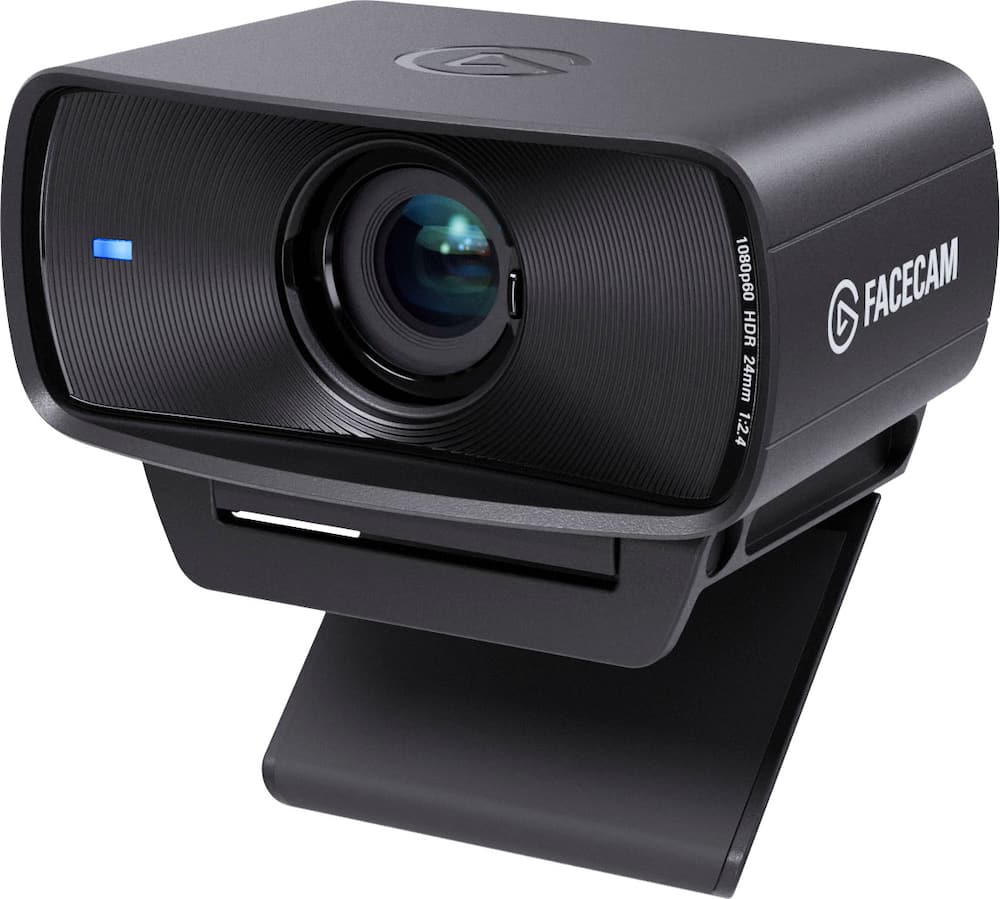
Best Webcam I've Ever Used! - This is hands down the best webcam I’ve ever used! I’m absolutely impressed with the image quality, sharpness, and overall performance. The video looks incredibly clear, the colors are beautiful, and everything feels professional. It’s perfect for recording videos, streaming, video calls, and content creation. The Elgato Facecam MK.2 exceeded all my expectations. It’s easy to set up, works flawlessly, and delivers amazing results. I couldn’t be happier with my purchase. If you’re looking for a high-quality webcam, I highly recommend this one. Absolutely worth every penny!
 20% off
Elgato – Facecam MK.2 1080p60 Full HD Webcam, Ultra Low-Latency, DSLR-Style Control – For Zoom/Teams, PC/Mac/Switch 2 – Black
SKU: 6578877
$9599
Was $119.99 Save $24.00
Other options in this range
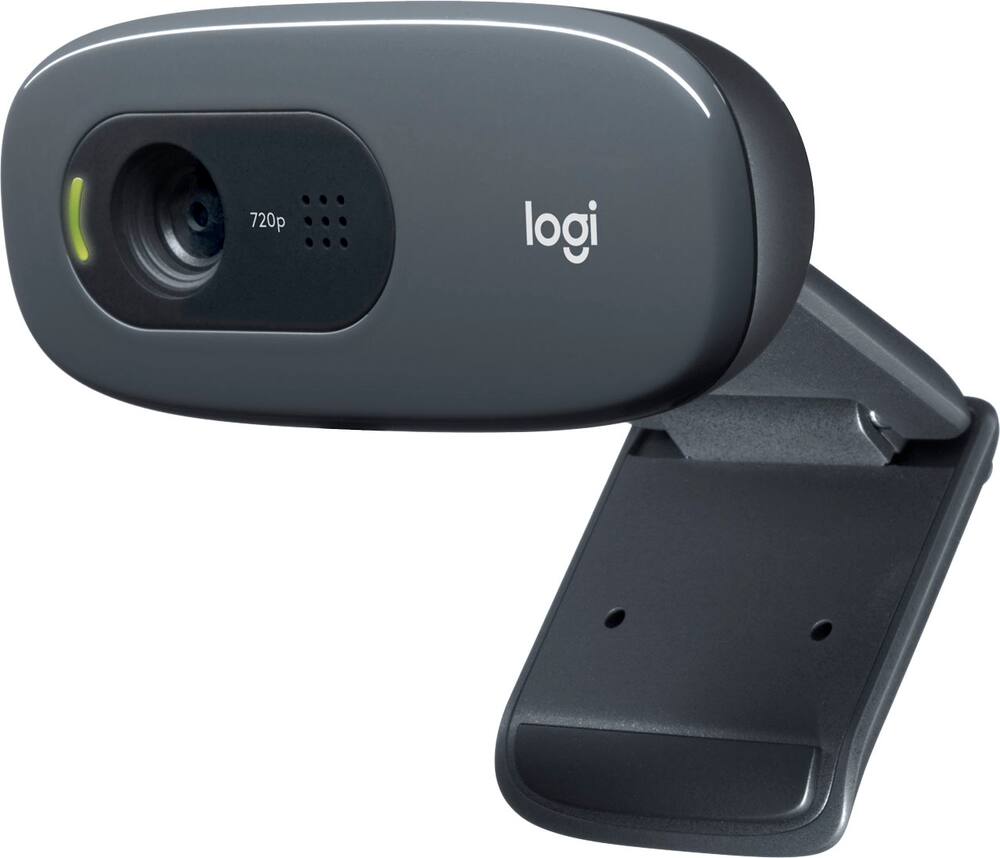 Logitech - C270 720 Webcam with Noise-Reducing Mics - Black Original price was: $29.99.$23.99Current price is: $23.99.
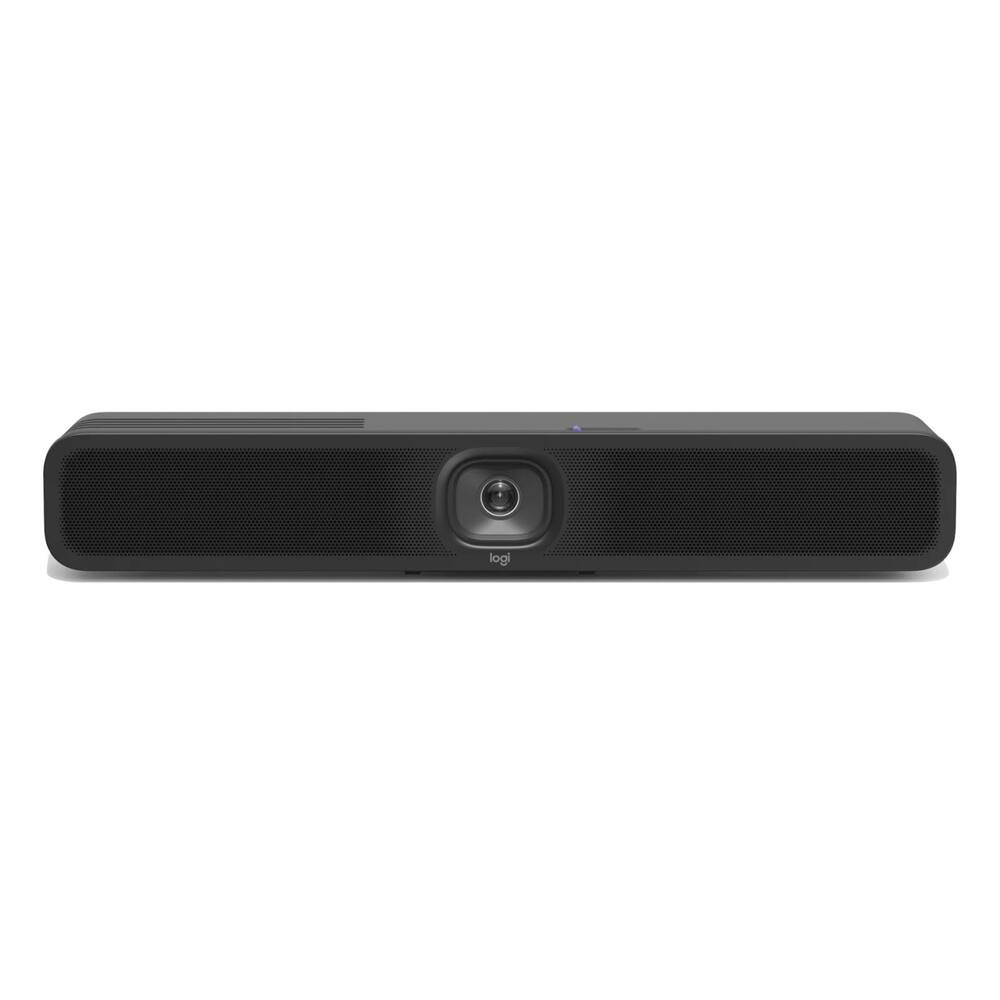 Logitech - MeetUp 2 4K All-in-One Conference Webcam with Built-In AI, TAA Compliant Original price was: $1,099.00.$879.20Current price is: $879.20.
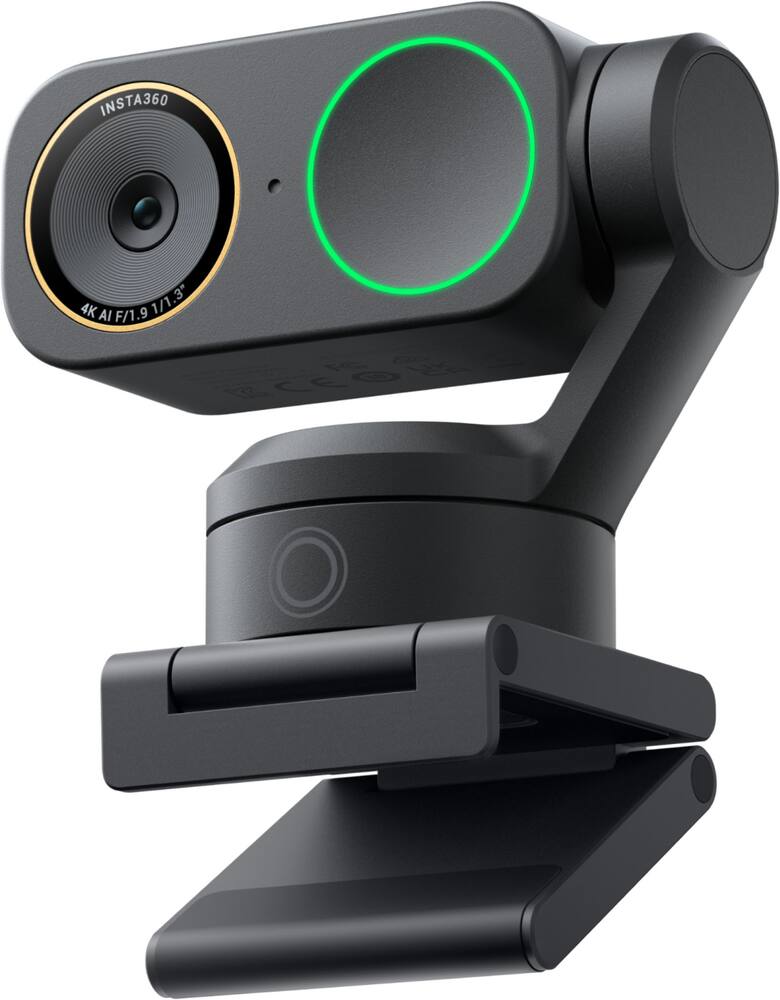 Insta360 - Link2 Pro - Black Original price was: $249.99.$199.99Current price is: $199.99.
Overview
- Vertical video
Shoot landscape or vertical up to 1080p60 for scroll-stopping content - AR glass lens
Real glass with anti-reflective coating for sharper, clearer footage - Image engine
Advanced processor and noise reduction deliver a cleaner, more detailed picture - Full HD 60fps
Look true-to-life on camera, even in motion - Pro image
Capture more natural colors, even in low-light spaces - Set the shot
Includes Camera Hub app for DSLR-style control - HDR- enabled
Overcome high-contrast lighting in 1080p60 - Uncompressed
Shoot low-latency video with higher detail - Flash memory
Save your settings to Facecam for safekeeping - Built-in privacy
Secure peace of mind with an easy-slide shutter
Compare similar
| Feature |
VIEWING Elgato - Facecam MK.2 1080p60 Full HD Webcam, Ultra Low-Latency, DSLR-Style Control – For Zoom/Teams, PC/Mac/Switch 2 - Black
|
LOWEST PRICE IN THIS TABLE Logitech - C270 720 Webcam with Noise-Reducing Mics - Black
|
Logitech - MeetUp 2 4K All-in-One Conference Webcam with Built-In AI, TAA Compliant
|
Insta360 - Link2 Pro - Black
|
|---|---|---|---|---|
| Price | $95.99 | $23.99 | $879.20 | $199.99 |
| This product | View details | View details | View details |
Specifications
Capacity & configuration
- Mount Type
- Clip-on
Dimensions & weight
- Product Name
- Facecam MK.2 1080p60 Full HD Webcam, Ultra Low-Latency, DSLR-Style Control – For Zoom/Teams, PC/Mac/Switch 2
- Product Height
- 2.4 inches
- Product Width
- 1.5 inches
- Product Depth
- 3.3 inches
- Product Weight
- 0.2 pounds
Features
- Brand
- Elgato
- Color
- Black
- Video Resolution
- Full HD (1080p)
- Maximum Video Frame Rate
- 1080p (Full HD) @ 60 FPS
- Megapixels
- 2.1 megapixels
- Image Resolution (Display)
- 1080
- Autofocus
- No
- Field of View (Diagonal)
- 84 degrees
- Integrated Microphone
- No
- Privacy Shutter
- Yes
- Plug And Play Operation
- No
- 360 Degrees Rotation
- No
- System Requirements
- Windows 10 (64-bit) or newer, Intel or AMD CP, macOS 12 or newer, Intel or Apple CPU, USB 3.0 Type A, USB 3.0 Type C (with adapter, not included), USB 2.0* Type A, USB 2.0* Type C (with adapter, not included)
- Connectivity
- USB-C
- Cable Length
- 6.5 feet
- UPC
- 840006669227
Power & warranty
- Model Number
- 10WAC9901
- Warranty - Parts
- 2 years
- Warranty - Labor
- 2 years
Warranty & protection
Included manufacturer warranty
See manufacturer documentation.
Register your product with the manufacturer within 30 days of delivery.
Warranty service
Manufacturer warranty claims are handled by the manufacturer. We are happy to help you find the right contact: (888) 419-6820.
Customer reviews
Write a reviewGreat Camera - Im new to doing lives/streaming and was looking for a great camera. the quality is so much better that what I had.
Perfect Camera - This camera is actually pretty solid as a mid tier camera, it has a privacy screen as well.
Worth the Price Tag - Most people shy away from Full HD quality, but the technology in the webcam proves otherwise. While 1080p isnt the golden standard for content creation such as streaming anymore, the 60fps, software acessability, and versitility with tripods makes it an amazing choice for those not willing to spend thousands on a professional camera. One gripe-- only Nvidia Graphics cards has access to those AI background blur features, not a huge concern for me, but if you wanted a feature like that, just keep that in mind.
Really clean and reliable webcam Love it - I love this webcam really easy to connect to and when I turned it on I was shocked from how clean the camera was and how it looked. Very good for the price I’ll definitely recommend this to someone if they are looking to buy a webcam to stream or for something else 10/10 for sure.
Great camera - Absolutely stellar camera, easy to set up and use. Super powerful and customizable.
W camera - So far ine of the best webcams i ever purchased. It was easy to set up.
Excellent Camera for Streaming - Great camera for streaming and gaming. The picture quality is sharp and clear, and the 1080p 60 FPS makes my stream look smooth. Setup was easy, and it works great with my streaming setup. The Facecam MK.2 feels like a noticeable upgrade over a basic webcam. Definitely happy with the purchase and would recommend it to anyone looking for a quality streaming camera.
Really good cam - Really good for streaming cam looks really good best quality ever
Great quality - This webcam really has awesome quality and is able to capture everything adequately. I use it when I record and livestream my games.
Good webcam for the price Make sure you have good lighting for the webcam to look the best it can
Amazing I would definitely recommend this to everyone who streams
Made My Streaming Setup Much More Flexible - I purchased this Insignia 6-foot USB 3.0 extension cable because my gaming and streaming setup has continued to grow, and I was starting to run into a very common problem: some of my USB devices simply could not reach my computer comfortably without stretching cables across the desk or putting equipment in locations that were not ideal. For something as simple as an extension cable, this has actually been a very useful addition to my setup. The six-foot length gives me enough extra distance to position equipment where I actually want it instead of being limited by the original USB cable. That has helped me keep my desk cleaner and has given me more flexibility when arranging my camera, microphone, capture equipment, and other streaming accessories. One of my biggest concerns with any USB extension cable is whether adding extra length will cause connection problems or make a device less reliable. So far, I have not noticed any issues with the connection. Devices recognize properly, and I have not experienced random disconnects simply because I am using the extension cable. That is especially important for streaming because even a small USB connection issue can create a much larger problem in the middle of a live stream. The cable itself also feels more substantial than some very inexpensive USB extensions I have used in the past. The connectors fit securely without feeling overly loose, and the cable does not feel like something that is going to wear out after being moved around a few times. I also appreciate that it is USB 3.0 because I would rather have the additional bandwidth available instead of buying an older USB 2.0 extension and potentially limiting the performance of whatever I connect to it. The black color also blends in well with the rest of my gaming equipment. That may seem minor, but when you have a desk with a capture card, webcam, microphone, headset base, lights, controllers, and several other cables, having something that does not stand out unnecessarily helps keep the setup looking cleaner. I would especially recommend this cable to gamers, streamers, content creators, or anyone who uses a desktop or laptop with USB accessories that need to be positioned farther away from the computer. It is also useful if your computer's USB ports are in an inconvenient location or you simply want easier access to one of your connections. There are products that completely transform a setup, and then there are products like this that quietly solve an annoying problem. This cable falls into the second category. It does exactly what I bought it to do, gives me additional flexibility, and has been reliable in my setup. Overall, I am very satisfied with the purchase. If you need several additional feet of USB reach without making your setup unnecessarily complicated, this is an easy product to recommend.
Good camera - Good webcam thats decent and that you can use for an extra web cam
Good but defective - Worked for about 2 weeks before it wouldn’t turn on or be recognized byPC. Luckily, Elgato has great customer service and replaced the unit upon return. Good webcam overall
Elgato - Facecam - This is a great camera for Whatnot streaming, work meetings, and showcasing products. The video quality is clean and clear, and the Elgato Camera Hub app makes setup simple, even for beginners. I was impressed enough to purchase a second camera so I can run multiple camera angles during my eBay and Whatnot shows. Next on my list is the Elgato Prompter, which I think will help streamline my workflow and further improve the quality of my content.
Elgato Facecam MK.2 Full HD 1080p60 - If you're looking for a webcam for streaming, gaming, or video calls, the Elgato Facecam MK.2 is an excellent choice. It records in 1080p at 60 FPS, producing smooth, sharp video with natural colors. Its Sony STARVIS sensor performs well in low light, and HDR helps balance bright and dark areas for a more professional-looking image. The included Camera Hub software offers DSLR-style controls, allowing you to fine-tune settings and save them directly to the camera.
Excellent Tier WebCam - For the price it is a wonderful camera to use for recording footage.
Excellent - Great camera that has an amazing picture right out of the box. However, the true power comes when you combine it with adjusting the settings to your preference and setup through the Elgato Camera Hub. Lots of settings to adjust to the finest detail. And the best thing is you can save your adjustments right on the camera so that they cross over to whatever device you plug the camera into. Wonderful!
Very good - I really do like the facecam but the refresh rate can slow down after some time. Other than that it’s a great camera.
Questions & answers
Ask a question
Email [email protected] or call (888) 419-6820 during business hours.
Add your review