Great keyboard - Smaller size is very nice-keys feel great too. No problem setting it up with icue software. Would recommend.
 20% off
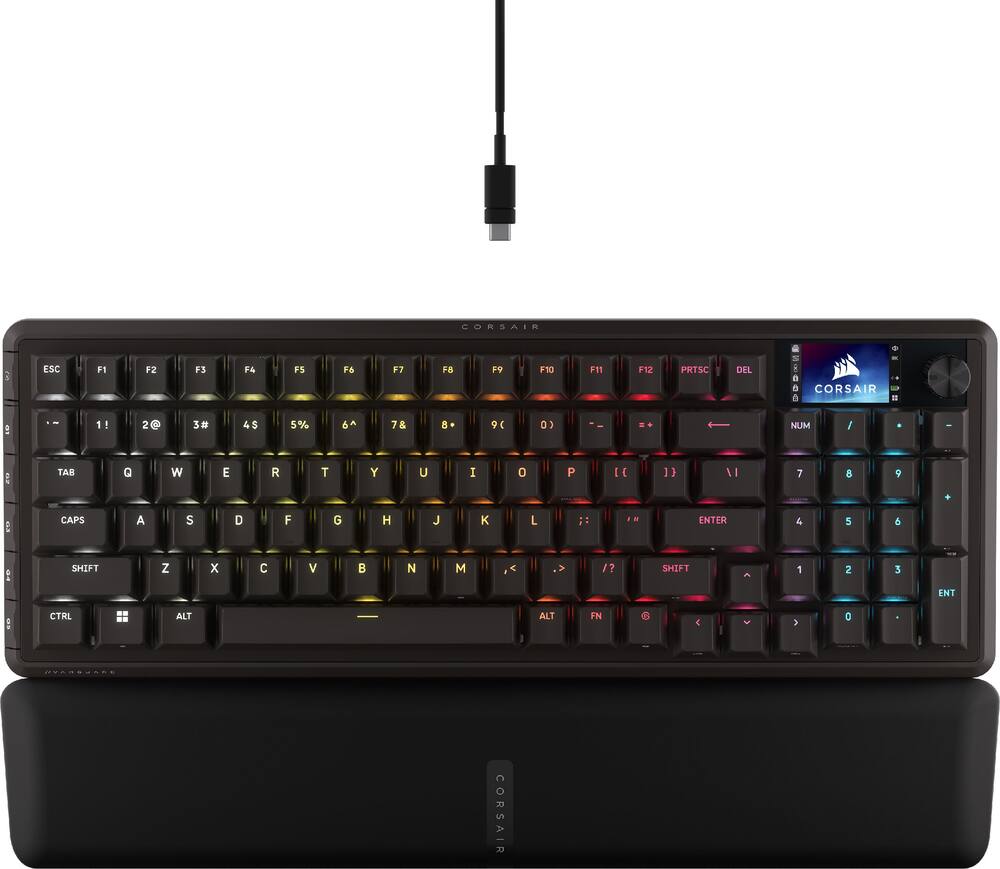
CORSAIR – VANGUARD 96 WIRELESS Mechanical Gaming Keyboard for PC – Black
SKU: 6672509
$15999
Was $199.99 Save $40.00
Other options in this range
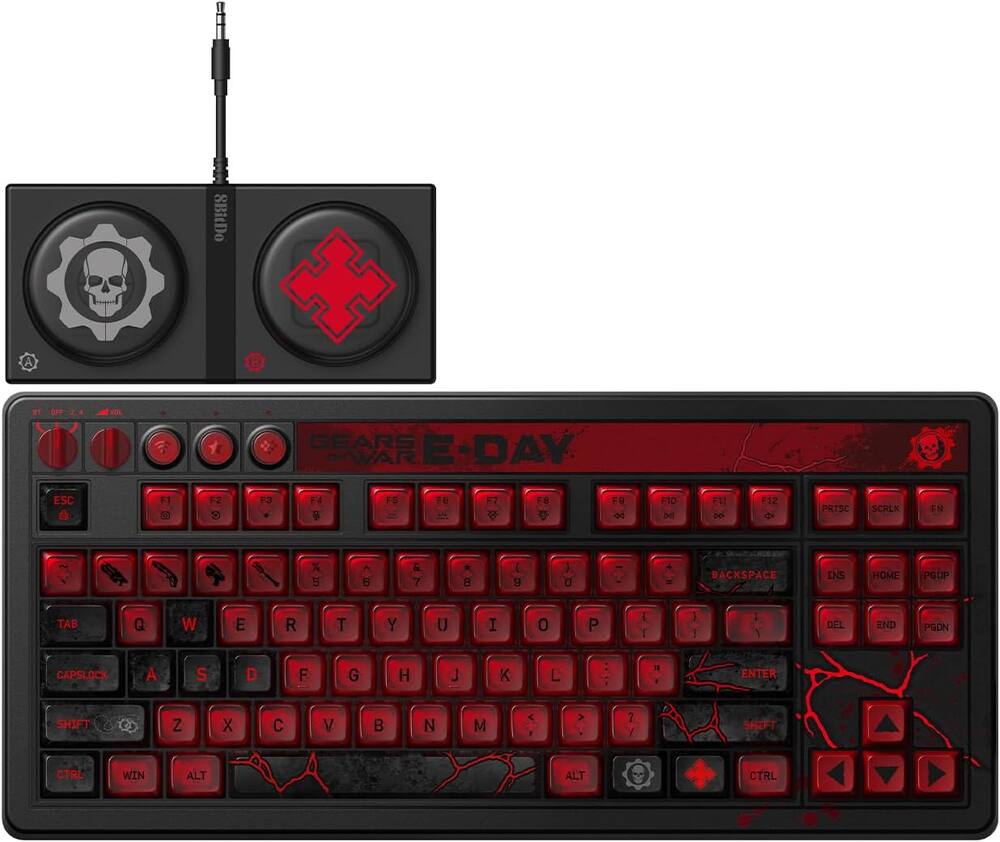 8BitDo - Retro 87 Mechanical Gaming Keyboard for Android and Windows - Gears of War E-Day Edition Original price was: $119.99.$95.99Current price is: $95.99.
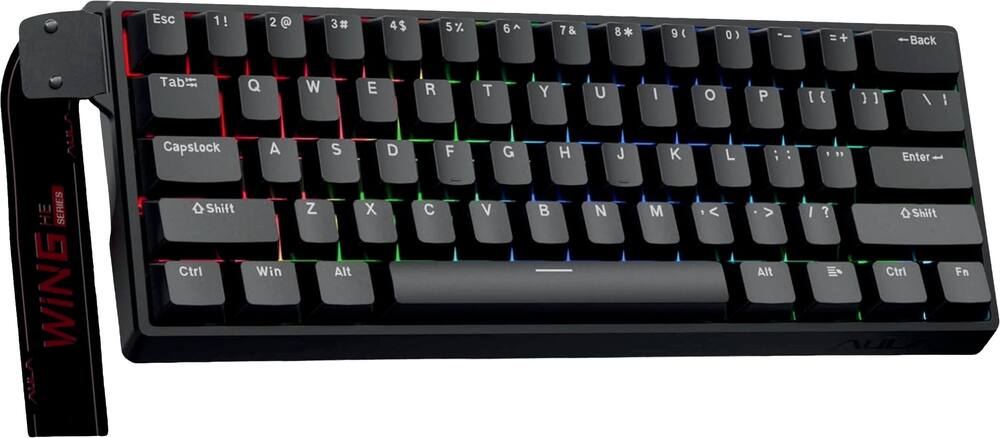 AULA - WIN60 HE 60% Gaming Wired Keyboard-Hall Effect 0.125ms-RGB-Hot Swap-Adj 8kHz Poll Rate-Blk Gray - Black Original price was: $49.99.$39.99Current price is: $39.99.
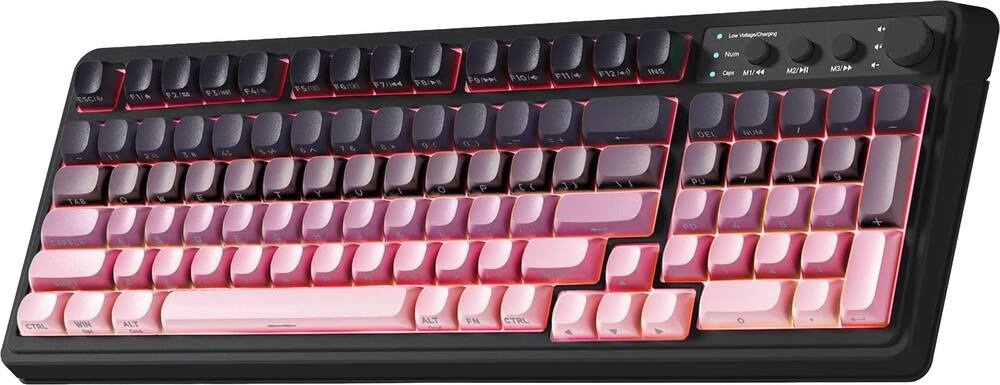 AULA - S99 Wirelesss Gaming Membrane Keyboard- Tri-Mode BT5.0/2.4GHz/USB-C Creamy-Num Pad-RGB- Media Knob-Black/Pink - Black Pink Gradient Original price was: $39.99.$31.99Current price is: $31.99.
Overview
- 96% keyboard that makes it 100
The optimized 96% layout means you’ll have full keyboard with arrow keys, a tenkey pad, an LCD screen, rotary dial, and 6 programmable G-keys, but in a super-compact frame that’s roughly the size of a TKL keyboard. - Vibrant full-color LCD screen
The keyboard of the future is here! Personalize your keyboard on a whole new level with a luminous integrated 1.9” LCD screen you can use to display custom animations, images, system specs, and more. - 8,000Hz hyper-polling, wired and wireless
Enjoy 8,000Hz hyper-polling in both wireless and wired modes to eradicate input lag. Get the fastest response times for your in-game actions and stream commands, even without a wire, thanks to SLIPSTREAM WIRELESS. - Elgato Virtual Stream Deck integration
Map Stream Deck functions directly to the programmable G-keys and utilize Virtual Stream Deck to create clickable shortcuts. Unlock a world of newfound productivity and enhanced ingame performance. - FlashTap SOCD
With CORSAIR FlashTap SOCD handling, choose how the keyboard should resolve accidental SOCD inputs so you can Move Like You Mean It. - Wobble-free CORSAIR MLX switches
Wobble-free CORSAIR MLX keyswitches feature pre-lubricated stems and Fresnel lensing for stunning RGB lighting. Refined for top-tier responsiveness and rated for 80 million keypresses. - Hotswap support for 3-pin and 5-pin switches
The versatile VANGUARD 96 WIRELESS allows you to hotswap in your choice of compatible 3-pin and 5-pin mechanical keyswitches. - Quad-layer sound dampening
4 layers of sound dampening foam help keep unwanted keyboard noise to a minimum, so you’re better able to enjoy your satisfying keypress acoustics. - 6 Dedicated, low-profile G-keys
Set up in-game actions, productivity macros, or common key combinations for quick access on the 6 G-keys. Their low-profile design helps ensure they don’t get triggered accidentally. - Versatile tri-mode connectivity
Connect via robust 2.4GHz wireless connection, convenient Bluetooth® , or USBC cable. Enjoy up to 125 hours* of wireless gaming freedom. - Customizable via CORSAIR Web Hub
Enjoy lightweight, powerful customization with no additional software installation via CORSAIR Web Hub. Set up macros, map buttons, and more.
Compare similar
Specifications
Capacity & configuration
- Lighting Type
- RGB
- Keyboard Type
- Gaming
- Connection Type
- Wireless
Dimensions & weight
- Product Name
- VANGUARD 96 WIRELESS Mechanical Gaming Keyboard for PC
- Product Height
- 1.69 inches
- Product Width
- 5.55 inches
- Product Depth
- 15.27 inches
- Product Weight
- 2.57 ounces
Features
- Brand
- CORSAIR
- Color
- Black
- Customizable Lighting
- Yes
- Numeric Keypad
- Yes
- Touchpad
- No
- Palm Rest
- No
- Spill Resistant
- No
- Keycap Material
- PBT
- Maximum Number of Memory Profiles
- 5
- Form Factor
- 96%
- Keyboard Technology
- Mechanical
- Adjustable Tilt Function
- No
- Key Switch Behavior
- Linear
- Actuation Distance
- 2.0mm
- Actuation Force
- 45g
- Wireless Connectivity
- Radio Frequency (RF - 2.4 Ghz/Low Latency)
- Wired Connectivity
- USB-C
- Cable Length
- 6 feet
- Detachable Cable
- Yes
- Number Of USB Port(s)
- 1
- Number of Devices Connectable Simultaneously
- 2
- Operating System Compatibility
- Windows
- Plug and Play Operation
- Yes
- Rechargeable Battery
- Yes
- UPC
- 840440403319
Power & warranty
- Model Number
- CH-91F901E-NA
- Warranty - Parts
- 2 years
- Warranty - Labor
- 2 years
Warranty & protection
Included manufacturer warranty
See manufacturer documentation.
Register your product with the manufacturer within 30 days of delivery.
Warranty service
Manufacturer warranty claims are handled by the manufacturer. We are happy to help you find the right contact: (888) 419-6820.
Customer reviews
Write a reviewAwesome wireless hotswap keyboard - I was in need of a wireless keyboard with hotswap capabilities. This hit all the marks. Not too mention this wrist rest is heaven! So comfortable after long gaming sessions.
Returned i haven't got my replacement back - Stop working after a couple of days. Returned it in store but i havent got the replacement yet.
Great Keyboard - Great build quality and very clean design. Amazing functionality and customization.
Works well - Liked the feel of the keys but had to return due to hiw close the keys are
Absolute Beast! - It's fair to say that the Corsair Vanguard 96 Wireless might be among the best keyboards I've used, with its robust construction, top-shelf PBT keycaps, silky-smooth pre-lubed hot-swappable MLX mechanical switches, impressive sound dampening, and all the other little things that make each keystroke just a pure joy. With its 96% layout, it still manages to fit in the number pad while being more desk-friendly than most full-size designs, but that's just the tip of the iceberg when you consider its LCD display, rotary dial, six G-keys, Stream Deck support, 8,000Hz polling rate, and all sorts of custom lighting and macro features. It might even be funny how many advanced options it has that will likely never be utilized by me, but I can always rely on them being available if I ever need them.
still waiting for ICUE - First and foremost, I love this thing. It’s got 3 Bluetooth channels, a USB dongle, and wired USB connection. It’s simple to fit on my desk and even move between my desktop and laptop if I want to work somewhere else. Overall this product is almost exactly what I wanted Almost Because the ICUE support only exists for the wired version not this one, which annoys me because I waited to buy this keyboard until I heard about the ICUE support being added to the Vanguard models, only to find out as i was setting it up that I still need to use the web hub and there was no timeline for support I could find. It’s still usable but it’s irritating
Nice - The Corsair Vanguard 96 Mechanical Gaming Keyboard benefits from the solid build quality, comfortable wrist rest, strong feature set, flexible connectivity options, fantastic lighting, accessible documentation, and strong software ecosystem that I have come to expect from Corsair. Setup: The Corsair Vanguard 96 will go from retail box to computer as quickly as it takes to unpack and plug it into a computer. This is true using either the included USB cable or the included wireless dongle. Bluetooth takes a little bit longer simply because you need to tell Windows to add the keyboard as a Bluetooth Sync partner. iCUE: I rely on iCUE to integrate my systems lighting and gaming profiles. I have Corsair fans, AOI Cooler, RGB Tower, RGB memory, gaming mouse, RGB gaming mat, and other Corsair accessories that all work together via iCUE. The Vanguard will need to be added to my current profiles as a new device. This includes recreating macros, RBG color profiles, and other custom settings. I can also directly upload hardware profiles to the keyboard. Web Hub: The Web Hub shines for those who are either on the road traveling to tournaments or LAN parties. It is a lightweight solution that removes the overhead typically associated. This should, in theory, allow more system resources for gaming performance. Keyboard Lighting: Corsair has lighting figured out. iCUE complex RGB lighting maps and animations. Web Hub, hardware only profiles, are limited to five layers of lighting and lighting effects, macros, and special keyboard customizations. Using iCUE, I was able to create elaborate RGB color designs such as Christmas, Flames, and specific per game lighting profiles. With Web Hub, I am limited to five layers of lighting. Which limits me to only the most essential RGB effects. Keyboard fit and feel: My Vanguard 96 uses the Corsair MLX Plasma pre-lubricated linear switches. These have a 2mm actuation point with a 4mm total travel. This, in my opinion, is the sweet spot for an all-around gaming/daily workhorse keyboard. The linear travel is smooth and effortless. The 45-gram resistance allows my fingers to rest comfortably on the keys without accidently activating the switch. This helps prevent accidental key presses. Typing is comfortable. There is key crowding to the right of the Enter Key. Touch typists will require an adjustment period. Specifically, I ran into issues with the position of the NUM and DEL keys. I keep pressing the NUM key whenever I reach for the DEL key. I also ran into issues with the arrow keys offset from the rest of the keyboard. My fingers are trained to a standard full-sized keyboard. Gaming: Gaming performance is top notch. The mechanical Plasma linear switches are perfect for my simulation, RTS, and strategy games. I do not feel that a faster or more sensitive switch will impact the games I mostly play. If, for some reason, I need increased responsiveness then I have options to increase the polling from anywhere between 1000hz to 8000hz. Special Features: The inclusion of the LCD screen expands the Vanguard’s functionality by including visual cues, sensors, graphics, and the ability to add fun animations. The combination of FN+F12 and the rotary dial allows me to scroll through the different functions and then through the features of each function. For example, I set up a CPU% and GPU% sensor to display while gaming. I use the rotary dial to flip between the different sensors. Flash Tap provides customization for the A and D, or left and right, movement keys. The four settings are: Off, Last Priority, First Priority, and Neutral. In my opinion, this will mostly benefit FPS players. Last Priority prioritizes the last key pressed. Press and hold A will move your character to the left. Press D while holding A and the character will move right. First Priority is the exact opposite of Last Priority. Press and hold A to move left, press D while holding A, and your character will continue to move left. Neutral will simply cease all input if both A and D are depressed at the same time. Finally, key assignments. I can remap any key to any other key. I can map any combination of keys to any key. And I can make Macros. I can create and map them to any key including the five special G-Keys along the side of the keyboard. I can also remap special function keys such as assigning the Right Ctrl function to the Elgato/Copilot special function key. I have at least one game that requires the Right Ctrl key. Thank you.
Incredibly Versatile Yet Compact - The Corsair Vanguard 96 keyboard is one of the more versatile keyboards I've used, combining a 96% layout (which actually feels more compact than the number would suggest) with a great number of extra features that would usually expand the footprint of the keyboard. With premium switches, an onboard screen, and solid software running the show, this is a strong option for gamers and productivity focused users alike. Upon hooking up the keyboard, I immediately noticed the switches. On board are the Corsair MLX mechanical switches, which have a solid tactile feel while being very quiet thanks to the sound dampening in the frame. As a developer daily driving this keyboard for work, this is an incredibly comfortable keyboard to type on (also owing to the included, very high quality soft-touch magnetically attached wrist rest) and doesn't come with the concern of noise on calls that others I've had do. This setup also affords a large amount of flexibility as well, given the switches are hot-swappable with other 3 and 5 pin switches. This feature is a differentiator; it means you have the flexibility of having Corsair's great software support in concert with whatever switch you deem your favorite down the line. On the topic of software, it seems Corsair is making a shift away from the bloated app installation and has transitioned to a web based version of iCUE. I'm not entirely sure how I feel about this yet; I love the fact that it's one less app running on your gaming PC stealing your frames, but being web based has its own set of trade offs. Time will tell if this is the path forward for Corsair's line of products but I like that they're making an attempt at a better user experience. Beyond the switches, other controls on this board include the volume/control dial next to the LCD screen, which allows for some decent on the fly customizations. Nestled in on the left side of the keyboard are the six programmable G-Keys. These keys unlock the true versatility of this board and amazingly, they've been added in a way that doesn't add to the footprint of the keyboard. These can be configured in a number of ways and function very similar to other accessories like a Stream Deck. I've bound a couple of these to specific gaming functions in Call of Duty (for instance, I relocated my map hot key to one of these). The possibilities are nearly endless here, and again, the fact that they've integrated these into the frame is an amazing use of space and design techniques. Connectivity is another strong suit of the Vanguard 96 Wireless. For this, you have three options that cover all the bases: direct wire via a detachable USB-C connection, wireless via the included dongle, or Bluetooth. Like the rest of the keyboard, this wealth of connection options unlocks a lot of versatility, allowing you to quickly swap between a gaming PC, your work laptop, and your phone. Of note here, the advertised 8kHz polling rate (which likely means something to competitive gamers) is available in both wired and wireless dongle connections. Predictably, it's not available via Bluetooth connection. If you decide to use the keyboard in wireless mode, you'll get over 100 hours of battery life (according to Corsair, and confirmed in my personal usage). In a practical sense, this has meant I go weeks between charges, which is a very substantial amount of time in my book. My experience with the keyboard has been very positive, but there are a couple of downsides to mention here. First, while the build quality feels top notch in most of the package, the main board/chassis is made of plastic. This is a bit baffling, as every other board I've used in this range employs some version of metal (mostly aluminum) to provide an incredibly solid base. Given the wealth of features here, I can overlook that design decision, but it's worth noting nonetheless. Next, as mentioned earlier, the 8kHz polling rate is not available in Bluetooth connection mode. This again shouldn't be a surprise, but it's also worth noting. Finally, the layout here may not be for everyone. For me, this is a great layout that sacrifices zero buttons for a smaller footprint. However, I'll acknowledge that some of the non-primary keys (arrow keys, right shift, Home/Pg Up/Pg Down/End, etc) have been either relocated, crowded, or shrunk to accommodate the smaller footprint. Again, for me, the trade off is worth it, but there are times when using the arrow keys requires just an extra moment to look down to ensure I'm hitting the right keys. Overall, this is a great keyboard. It packs quality switches with a versatile layout and flexible connectivity options. If you can deal with the smaller form factor, this is a strong keyboard that deserves your consideration.
Solid Build, Mixed Layout and Key Performance - This keyboard feels great right out of the box. It’s solid, heavier than I expected, and the magnetic wrist rest is comfortable enough to use all day. The compact 96‑key layout keeps everything tight, which is normal for this style, but it does take some getting used to. I use Home and End constantly when coding, so having them on a Fn layer slows me down more than I’d like. The Delete key is also tucked right at the end of the function row with no spacing, so I hit the wrong key pretty often. Same thing with the right arrow sitting directly under the “1” on the numpad — I’ve hit “1” by accident more times than I can count. Typing on it feels great overall. The switches sound good, the travel feels smooth, and it’s comfortable to type on for long stretches. The only downside is that a few keys don’t always behave the way they should. Sometimes a key registers as if I held it down longer than I did, and the spacebar occasionally doesn’t register at all. Not sure if that’s hardware or software, but it’s noticeable. Bluetooth performance has been solid. I don’t see any real difference from wired use, and battery life and wake‑up behavior have been fine. The web‑based configuration tool works better than I expected. Setting up macros, remapping keys, and customizing the LCD screen is simple, and it’s nice not having to install another background app. The LCD is mostly just for fun. It’s cool to put custom images on it, but it doesn’t add much beyond basic status info. Overall, it’s a well‑built keyboard with good wireless options and great switch feel, but the layout quirks and occasional key‑registration issues hold it back. If you want a compact mechanical keyboard with multiple wireless modes and quieter switches, it’s a strong option. Just be aware that the price is high and the layout may take some adjustment depending on how you work.
Good all-rounder gaming keyboard - The first thing I really liked about this keyboard was that I didn't need to install iCUE to get it to work right. All the software configuration appears to be done through Corsair Web Hub, and the only thing I actually need to install on my machine is the Elegato software if I want to use the virtual stream deck. I also appreciate that there's on-device storage for settings profiles so I don't have to wait for software to come up and reconfigure the keyboard every time I boot the computer, and that it doesn't seem to need special drivers. Having to deal with special drivers has always been the worst part of setting up gaming rigs for me, so I'm glad we seem to be trending in the general direction of not doing that very much. (The only issue for me with that is that it makes it a little more annoying to set up the RGB to be what I want, rather than just let Windows Dynamic Lighting take care of it.) They keyboard itself is pretty nice! The way the keycaps look and feel kind of reminds me of those ancient enterprise keyboards from fifteen or twenty years ago, when black keyboards started to become common but the PS/2 connector was still in use. It's kind of pleasantly nostalgic. The switches sound much better though... and they're also hot-swappable, so you can change that as you please. I personally might swap the switches out later for clickier ones. In terms of performance, no notes - I have not had any issues with this thing. Both wired and wireless seem to have pretty much the same performance, which is really nice. I haven't noticed any input lag or issues with keypresses not registering or registering too many times, nor have I noticed issues with key combos. The battery life is pretty good - haven't had to deliberately set aside charging time for it yet over the time I've been using it - which is nice because I have not been using it in battery saver mode and both the RGB and the screen have been running as normal. There's also a lot of nice extras packed into this thing - for instance, a special mode for connectivity with PlayStation 4 and 5 consoles, the ability to program the RGB per-key, three different Bluetooth connections able to be stored at once, the included key and switch puller... like, there's a lot more than just the basics here, which I like. I think so far my only real issue with this keyboard would be the programmable keys on the left side. I get what Corsair was going for, but it has been a bit easy to accidentally bump them when moving the keyboard. Also, I kind of would have liked there to be a right control key - the secondary function of the Elegato button is Copilot. Overall, I really like this keyboard! I think it's a great pick if you want a customizable keyboard but aren't ready to go all the way into building your own and also want to keep that 10-key number pad.
Truly a Great Gaming Keyboard! - The Corsair vanguard 96 wireless keyboard is quite a keyboard. Indeed. Over the past 4 or 5 years, I have become a bit of a keyboard aficionado, and this keyboard is a great mixture of value, performance, and features. At first boasts an 8K Hertz responsiveness, which is the same wired or wireless. That alone is very impressive, and I certainly couldn't tell the difference between the performance wired or wireless. I have always been a big fan of keyboard, shortcuts and hotkeys, this keyboard features 6 keys on the keyboard that can be assigned to any type of macro. They are located on the side of the keyboard, which is nice. I have used other keyboards where the macro keys were in common places, which resulted in me often hitting the wrong button. It's very hard to do with this setup. The most interesting feature of this keyboard is the integrated screen, which you can customize with different animations, features, function controls using the dial, etc. I love that this keyboard has a way to set it up. Where if you accidentally hit the wrong button on the keyboard in the middle of a fast-paced game, it will determine the key that you intended to press, and do that instead. This is a real game changer. The bottom line is, if you are a hardcore gamer, and especially streamers. If either of those apply to you, this is a fantastic keyboard at a great price. If you are just looking for Microsoft office integrations, this will still work fantastic for you, but is possibly a bit pricey.
Lightweight, easy to set up, portable - I had been looking for a wireless keyboard to use for a variety of devices, and this really fit the bill for me. Packaging was excellent and it even came with tools for swapping out the keys and for changing out the batteries so that was a huge plus as it always seems hard to find what you need to work on these. The switches and key stroke mechanics are super fluid, it feels great to use and is much quieter than I had expected. The magnetic hand/wrist rest was a great plus as well. I found no noticeable lag time and the built-in screen was a great way to get into the menu and feature set without having to rely on the interface of the device it was connected to. I hooked this up to a smart TV, PC, Tablet, and a phone without any problems whatsoever. The location of the on/off switch and other feature switches were easy to access without being in the way or in places that would lead to accidental clicks. I really enjoy having this as an option for my television as well as for my gaming PC. When Gaming, I get wired response time with wireless convenience.
Premium 96% - First look: I love that it has a screen and it makes me think of the keyboards my brother and I had in the late 2000s / early 2010s when we each had something similar. The keyboard is premium feeling and nearly a full keyboard at 96% (cuts out some waste compared to a full size). I love that it also includes a palm rest. The 96% keyboard is truly a good size keyboard. Like I said it cuts down on waste but you still get a full number pad and your arrow keys are there. The only thing with this keyboard is that the arrows are put right into the keyboard without spacing so sometimes I have to look down to see what/where I’m clicking. Will take time for me with these arrows but I’ll get there. Typing is solid on this premium board. The MLX switches support hotswap support for3 5 and 3 pin systems. The keys are well lit and feel and sound great when clicked. The keyboard’s onboard screen will make it easy to change lighting patterns and settings. The screen also offers a variety of other functions including computer stats and graphics……it’s more of an impression piece than anything. Gaming with the Corsair was good….like I said the arrow keys will take some getting use to since they sit right along the other keys with no breaks or spacing, The premium feel will help in the long run.
nice high quality keyboard but feels crowded - First impression: I love the color presets. It seems like such a small thing, but the default RGB color scheme is a muted pastel pattern that to me looks incredibly professional next to most gaming keyboards that are all about super-saturated bright rainbow colors. So my first impression was wow, this is something I could have on my desk while at work—not just as part of a dedicated gaming setup. Second impression was with how it feels. It’s a solid construction with the aluminum frame. I like the position of the G buttons on the left side: easy to access and straightforward. The fact that they can natively integrate with streamdeck is really cool too. However, I do tend to bump them whenever I go to move the keyboard. Everyone has their own preference when it comes to the weight and touch of the keys, and at first these seemed way too light to me. However, the more I use them the more I like them. They claim to be linear, but it almost feels like there’s a little bit of feedback in the way of a little more friction at the top of the motion with an easier slide further down. It might just be my imagination, but either way I am liking the way they feel: once the motion starts, it feels like a key press is sure, not hesitant. Even so, the keys are louder than I’d prefer. There’s not as much matting or absorption material in the frame as some other keyboards. Other little design choices are a nice surprise. I know that not everyone likes a wrist rest and may not use this one, but the fact that there’s little magnets to help hold it to the keyboard is really cool. There are cable routing tracks in several directions across the bottom so that the USB cable can be neatly routed in the best direction for a particular setup. And Game Mode might be my favorite feature: a single button to change the settings. I like to go from a casual lighting scheme to a focused color for optimum gaming concentration and operation. Not every design choice seems fully thought out, though. The switches have a white frame, for example, which when I’m seated in front of the keyboard is visible under the key caps. It’s an ugly contrast against the otherwise black keyboard. Also, the keyboard has a small screen. This seems like a wasted opportunity. Yes, you can upload a gif or jpeg to customize the look. But come on. Other than a few icons along the edge that show battery level and mode, it is almost completely nonfunctional. Couldn’t we do some interactive animations, useful information, or even simply synchronize it with the RGB animations? While the presence of a screen is a really intriguing idea, the implementation here is more tacky than useful. Finally, the compact design. This is a selling point: a virtually full-sized keyboard layout without using up so much desk space. But I think I’d rather have fewer keys that are more spread out, honestly. The arrow keys and number keypad feel crowded, and because of that it’s hard intuitively navigate my fingers around the keyboard. While I frequently miss the extra keys that most gaming keyboards lack, smashing additional full-size keys into a small package is not an obvious improvement. Maybe I’ll get used to it if I keep using it, but I’m not sure if this product provides a compromise that is appealing enough to bridge the divide between a true full-size keyboard and a more minimal gaming keyboard. Love: - The solid frame and grippy feet. - Cable routing. - RGB presets include muted options that look professional. - G buttons. - Game mode. Don’t love: - Loud keys. - White switch bases are visible when I’m sitting in front of the keyboard. - Screen. - Compact design.
Nice 96% keyboard - I am starting to really like the 96% layout keyboard. So Corsair makes keyboards. I have been under a rock for awhile I guess. The number pad being included because of the size is a beautiful thing. So I am not a keyboard guru, I just know what I like. I like this keyboard. Feels pretty good and the sound of the keyboard isn't annoying. Switches have a nice touch and the three ways of connectivity (wired, Bluetooth and 2.4Ghz with a dongle) are a nice touch. Build quality is very good. Passes the twist test. Has a decent weight to it so it doesn't feel like a "cheap or inexpensive" keyboard. Macro keys are a nice addition. The 1.9-inch LCD screen is handy. Battery life is pretty good on this keyboard. I didn't charge it out the box. I just used it with the charge from the factory. Been at least two weeks and I haven't had to charge it with daily use. Good job Corsair on the battery. The WebHub web-based software is easy to use and replaces the iCUE software for this keyboard. My only con is the price but that is just me being petty. Tired of prices being high on everything at this point. I would grab this one if you are in need of a new keyboard.
Great entry level gaming keyboard - The Corsair Vanguard is a awesome gaming keyboard for the average gamer out there looking to step up their gaming experience. While it may not be a first choice for more experienced gamers its definitely one you don't want to sleep on. So real quick lets talk about first impressions out of the box. This keyboard is very well designed and the first thing i noticed was the hand rest being made of a nice plush design and it uses a magnet for quick attachment and detachment. Hours of work time and gaming no longer stress the wrist out as much as a flat keyboard. The unit comes with a key tool allowing you to both remove keys and base switches giving you the ability to swap them out for different styles with different functionality. Couple things to take note here if this is your first time using a Vanguard. Customization is not done through iCue app but rather through Corsair's web hub. Through the web hub you can change macros, key bindings, lighting and can even change the function of the LCD screen as well as the image. As dumb as it sounds i actually like having the ability to put a different image in the screen including up to small file gifs. You can also change different functions of the scroll wheel such as volume control, media controls, etc. Wireless connectivity is lighting fast, so much so that it almost felt like i was gaming on a wired keyboard. One thing to note if you do plan on using this as a gaming keyboard is there are two different functions for gaming. Off to the left side there is a button that will put you in to game mode and then switch you back to normal mode. Swithing to game mode will then switch all your settings over but more importantly it will select the current pole position you have saved. Default position is only 1,000hz however you can move up to 8,000. You also have the ability to set your key debounce time which in a nutshell basically sets how sensitive your keys are. If you keep accidently pressing the wrong key just by simply breathing on it, then all you have to do is raise the time which will limit how sensitive your keys are. The built in FN buttons allow for quick swapping of settings such as key lighting brightness, media play back, volume controls, etc. FN quick functions be adjusted as well. One thing i forgot to mention is with this being a mechanical keyboard it is probably one the quieter key strokes i have heard which is a big plus if your trying to keep your game times quiet. Over all this a great gaming keyboard with so many awesome functions. This keyboard can double up both for your day to day task as well as your after hours gaming sessions. The amount of customization your allowed all the way down to custom LCD displays is nothing short of awesome. The keys feel very well placed and positioned and never once did i struggle with my keystrokes and accidently hit the wrong key. Input lag? what input lag? Wireless mode is lighting quick that you will honestly forget that you are in wireless mode during your high impact online gaming sessions. At the end of the day this is a very easy buy that wont disappoint.
HE and Elgato? A keyboard that does a lot. - Corsair has jumped into the hall effect hot swap switch keyboard arena for gaming with a really solid product. Hall effect switches use magnets for actuation rather than a contact style switch. This results in the ability to adjust the actuation sensitivity of all or each key using the web based application, excellent for gaming. I did find that I had to dial back sensitivity if I used the Vanguard as a daily productivity keyboard but its easy switching back and forth with the web hub. You can also set up flash tap and rapid trigger effects but before you use those features make sure any game you play doesn't get you banned. Everything is pretty much customizable on the Vanguard. - RGB bling is fully customizable as well so feel free to get creative or use the built in color styles. - The small screen can install widgets and even have your own images loaded but resolution is a bit small so chose wisely. - The rotary dial is defaulted to media control (play/pause, volume, track jogging) but can be used for RGB brightness among other functions. A pretty slick feature that no other manufacturer has is that Elgato stream deck functionality is built in. Download and install the Elgato app and when you open it the Vanguard Pro 96 shows up as an Elgato device and then you can assign any of the G1 thru G5 side switches to Elgato streaming commands, not to mention that they also work as custom assigned function switches. The Elgato key also doubles as a CoPilot key. The keyboard layout is a bit quirky for me since I'm used to 110 switch keyboards so some of the key placements are counter intuitive to me. It's easy to get use to but I wouldn't switch back and forth between different keyboards and really there is no need to, even for daily productivity use, since sensitivity is easily changed. It's nice that Corsair included a wrist pad but I wish that there was a two stage rear support leg as the single position is a bit shallow for my taste. I also like that NUM LOCK and CAPS LOCK status shows up in the screen instead of having dedicated little lights. Nice touch. I'm still getting used to the Vanguard as I do have a number of other keyboards I use with multiple computers in the house not to mention my work laptop and personal laptop.
Full keyboard in a TKL form factor - It's no secret that I'm a fan of Corsair. My entire desk is covered in Corsair gear, I use Corsair power supplies and fans in my builds, so seeing a keyboard that has a smaller form factor while not feeling cramped was appealing to me. To start: The keyboard is packed well in the classic Corsair yellow and black box. Comes with a magnetic wrist rest, braided cable and limited literature. Use: It has mechanical switches that are responsive and has RGB backlighting that is easy to configure and matches with other Corsair equipment or can be paired with other lighting systems in your machine. The integration with Elgato virtual deck is pretty cool. I'm still learning these features but they are wildly useful for streaming. The keyboard is responsive and great for limited space desks when you don't want to give up your keypad, excellent for gaming which is my primary use but responsive for business applications as well. The screen in the corner is a fun feature though of variable usefulness, if you need to monitor your machine or just have something fun animated in the corner it can be useful for those types of things. Overall: If you're in the market for a narrow keyboard that is barely larger than a TKL but still has all the features, this is an easy win.
Premium Typing and Acoustics. - Overall, this is a great keyboard. Its strongest point is that it sounds great and feels wonderful to type on. It also has all the features you’d want on a gaming or premium keyboard while offering tri-mode connectivity at a good price compared to the competition. However, if it is primarily for gaming I think going with analog is superior as it gives faster and more accurate movement. But if you’re not interested in analog or the shortcomings of that technology mechanical is the next best option. My biggest gripe is I would like dedicated media keys and/or an easier way to switch screens/features on the LCD display (currently FN + F12). Along with a dedicated Mac switch or shortcut to make it work natively on that OS. Especially, for this price point. Otherwise, Corsair continues to impress with top-tier keyboard offering. PROS: • Polling Rate: I like that it comes with 8,000 Hz hyper-polling in both wired and wireless mode. What I’ve always enjoyed about Corsair is that they were one of the first to the scene with this. They also have both 8,000 Hz polling plus 8,000 Hz key scanning. Which means no bottle neck. Personally, I do find this to be more receptive in gaming (where you do a lot of inputs back to back and require fine movement) and typing (120 – 150 wpm). The wireless dongle can be placed inside the keyboard for safe keeping. But with this being mechanical it isn’t as precise and fast as analog keys are. • Actuation/Sound: I love typing on this keyboard. This is the main reason why I got it. As the linear keys are very smooth and have a very nice feel and more importantly sound. I think they did a good job with the pre-lubing. The dampening that they use here I think is the best I’ve tried on a prebuilt. I don’t hear any pinging. And even the spacebar didn’t require any additional work which was wild. Additionally, with this being mechanical it feels better than analog. As you have a bit more parts in the switch itself giving more tactile feedback. • Tri-Connectivity: I really enjoy having choices. With this having slipstream wireless, Bluetooth, and wired connections it makes it great. As if I want to take it somewhere, use it on another computer, or just across the room I can. But if I want to ensure best performance I can plug it in. And if I’m have a peripheral device (phone, tablet, etc.) I can switch to Bluetooth quickly and flip through different devices. I have not noticed any problems with connection with the slipstream wireless (didn’t test Bluetooth out too much). • Bluetooth: To connect to the BT is it s numpad -, +, and enter. Which seems odd. But at the same time is smart as all lined up on the right. You can connect 3 devices and swap between them easily. • Toggle Switch: The toggle switch is satisfying by being just right. Hard enough to get it to intentionally move but also soft enough to stick exactly where you want it so turning on/off is easy and you don’t skip past the middle. • Size: The 96% size is nice. You still have all the keys you want but it takes up noticeably less room. The layout they use here is also intuitive and I’m a fan. • Hot Swappable: Supports compatible 3-pin or 5-pin mechanical switches (not optical/analog). Meaning if one goes bad or you want a different feel/switch you have the ability with the same chassis and features. Also, if you’re wanting to lube your own switches popping them out and taking apart the switches can yield better results. • Shortcuts: This keyboard is very heavy on productivity/shortcuts. You have Elgato Virtual Stream Deck integration (that I didn’t use as isn’t my jam), 6 dedicated shortcut keys on the left side (which I think is more helpful than the Elgato Virtual Stream Deck as saves to the device and then allows you to use it anywhere), along with full macro support. The dedicated shortcut keys I do find myself accidentally pressing as when I move the keyboard I tend to grab the left side. • Premium Keyboard Features: Comes with what you would expect with a premium keyboard of per-key RGB programmable lighting (not able to save to device), Full key rollover (NKRO) with 100% anti ghosting, 5 on-board profiles. • Software: Uses Corsair Web Hub instead of ICUE. I think it could be a bit more intuitive. We’ll see if that improves over time. • Other: FN secondary keys have a little label on the bottom of the keycap to help you remember. The secondary keys (&*) are backlit. Font, is professional and attractive. • Build Quality/Ergonomics: Everything feels solid without concerning wobble or it feeling cheap. It is lightweight. It has an aluminum top plate. On the bottom you have tracts for the cord (USB-C connection) to put out cord on the top/left/right. Along with step ups to give an angle if you want. It has a natural slight angle to it making it comfortable to type on for long periods. Also, not too high up where wrist is at a weird angle. It comes with one of the best magnetic wrist rests. Faux leather like material that has some give/padding (air) and looks professional. There is mild wobble of the keycaps from the stems. MEH: • LCD Screen: Feels a bit more gimmicky with the animations and game integrations support (which I didn’t test). Stats is helpful such as the polling rate, battery, etc. However, my biggest complaint is it needs another dial so that I can more easily switch the rotary dial, currently it is FN + F12. But on other keyboards I’ve tried they have a dedicated key or switch for that. Which I find to be superior. I also, would have preferred dedicated Play/Pause, Forward, Backward. As I use those a lot. There is a FN key combo for that along with the rotary dial setting. • Battery Life: I didn’t have enough time to test this properly. But they report 2.4 GHz w/ RGB off is 125 hours. Likely much less with 8,000 Hz polling. Bluetooth of 132 hours (RGB off). • RGB Brightness: Overall brightness of the keyboard isn’t dramatic. But that is typical for wireless keyboards that I’ve tried to help conserve battery life. Colors don’t pop dramatically. But do seem accurate. CONS: • Limited RGB: Corsair, continues to not allow you to save custom lighting effects to their “premium keyboards”. You have to have the web based mode up in order for that to work. Which arguably is more inconvenient than having ICUE up. However, you can create key assignments. And there are different profiles. Up to 5 with a memory bandwidth of 8 mb. • No Native Mac Support: While it “works” on Mac it doesn’t have a dedicated switch or shortcut to make the command = alt and option = windows. So, you have to either go into the web panel to swap or use MacOS do to it. I don’t think they should be able to claim Mac compatibility without this feature.
Questions & answers
Ask a question
Email [email protected] or call (888) 419-6820 during business hours.
Add your review