
Microsoft - Surface Keyboard (2nd Edition) - Full-size Wireless Optical - Silver
$119.99
Was $149.99
Save $30.00 Free shipping
 20% off
SKU: 6673459
$19999
Was $249.99 Save $50.00
Other options in this range
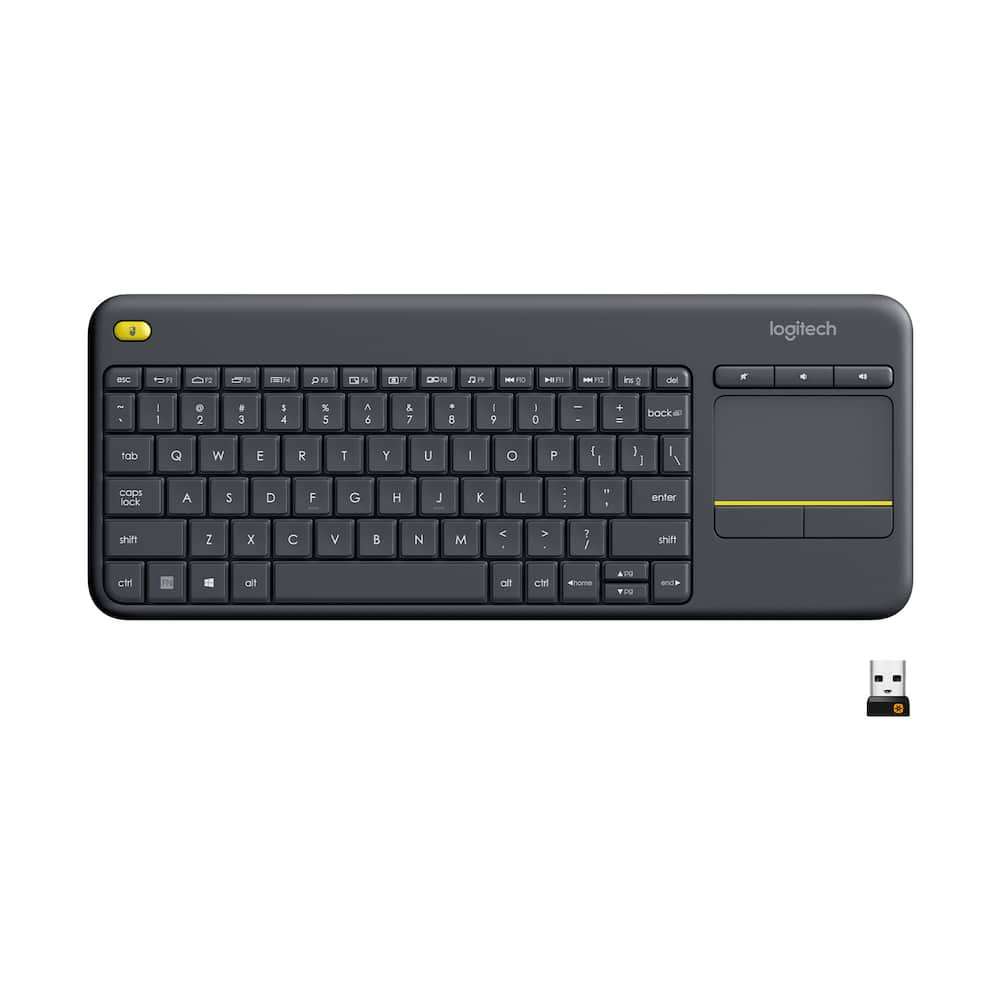 Logitech - K400 Plus TKL Wireless Membrane Keyboard for PC/TV/Laptop/Tablet with Built-in Touchpad - Black Original price was: $34.99.$27.99Current price is: $27.99.
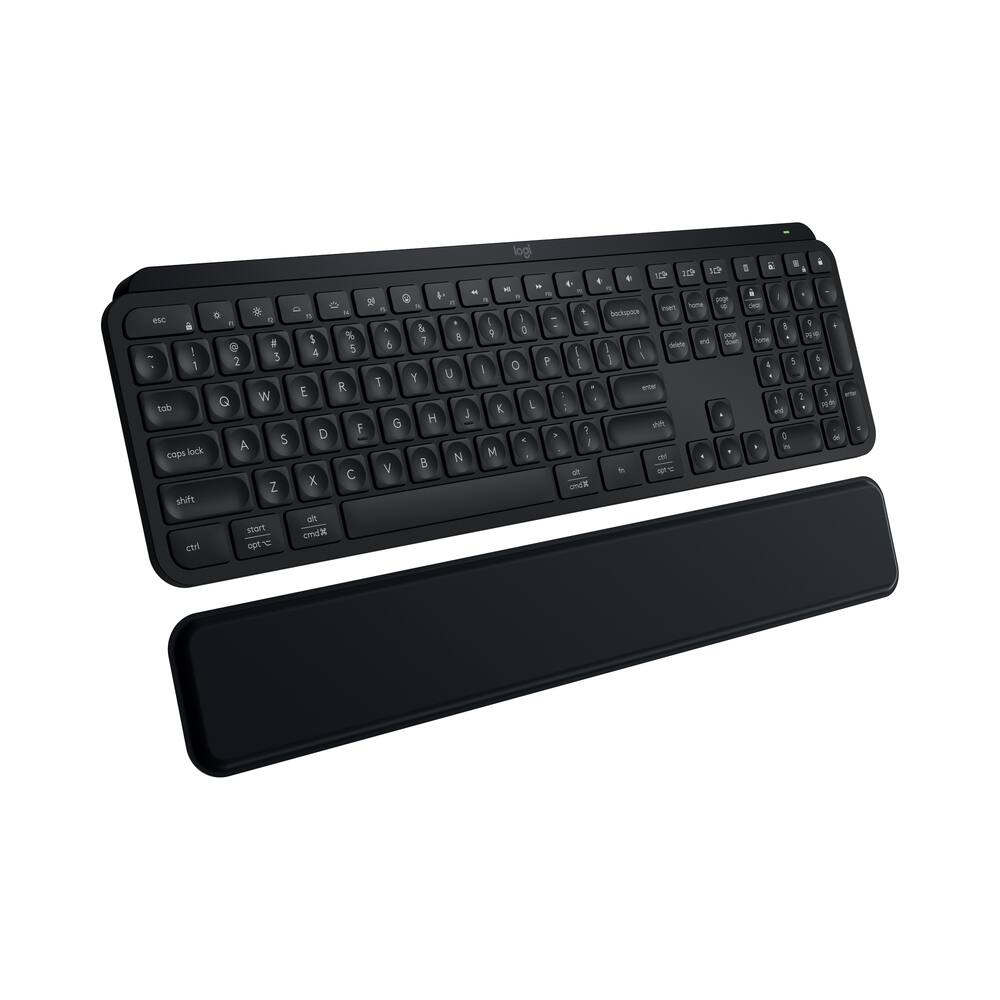 Logitech - MX Keys S Wireless Keyboard with Palm Rest, Fluid Precise Quiet Typing, Programmable Keys and Bluetooth - Black Original price was: $129.99.$103.99Current price is: $103.99.
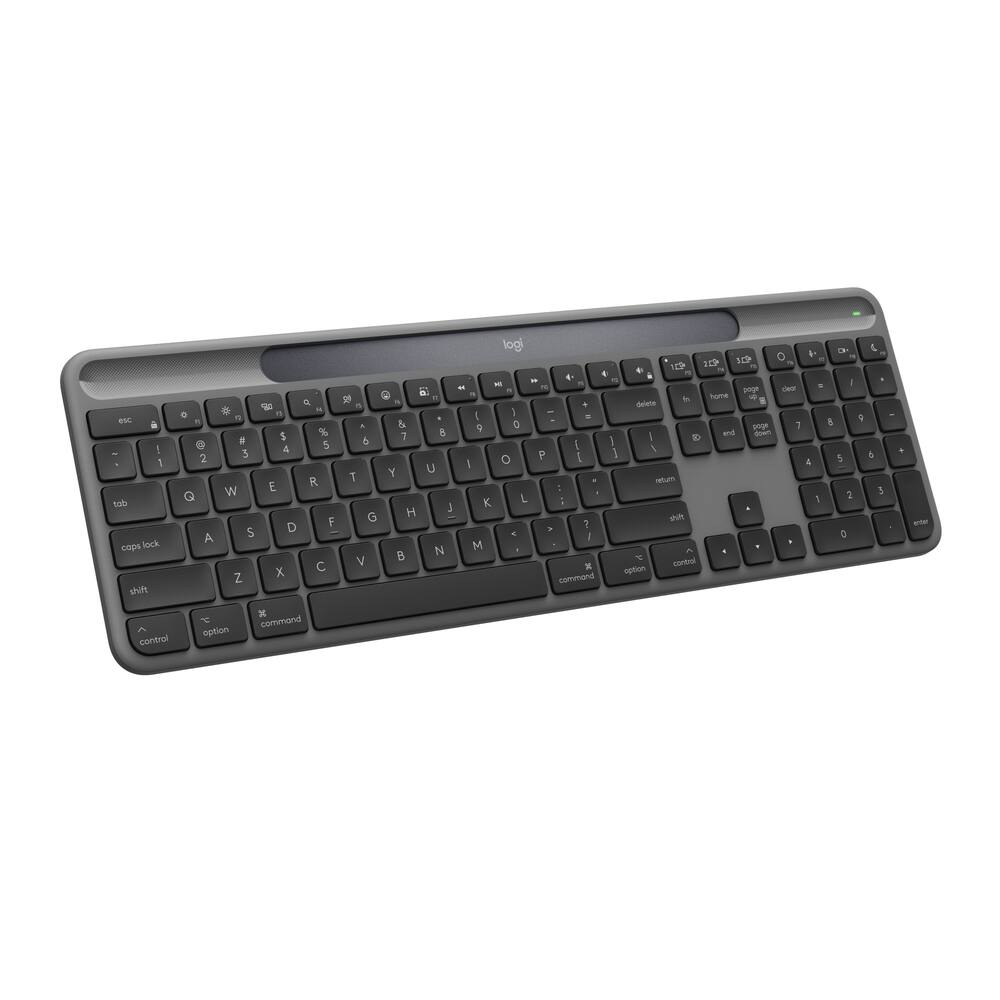 Logitech - Signature Slim Solar+ K980 for Mac Wireless Bluetooth Solar and Artificial Light Powered Keyboard with Customizable Keys - Graphite Price range: $79.99 through $87.99
See manufacturer documentation.
Register your product with the manufacturer within 30 days of delivery.
Manufacturer warranty claims are handled by the manufacturer. We are happy to help you find the right contact: (888) 419-6820.
Free shipping
Excellent hall effect keys - makes it way easier to play because my input is instant. The keys sound amazing
This Keyboard is awesome!!!! - The materials are so good. I bought it for my brother and my brother love it. I really recommend this keyboard.
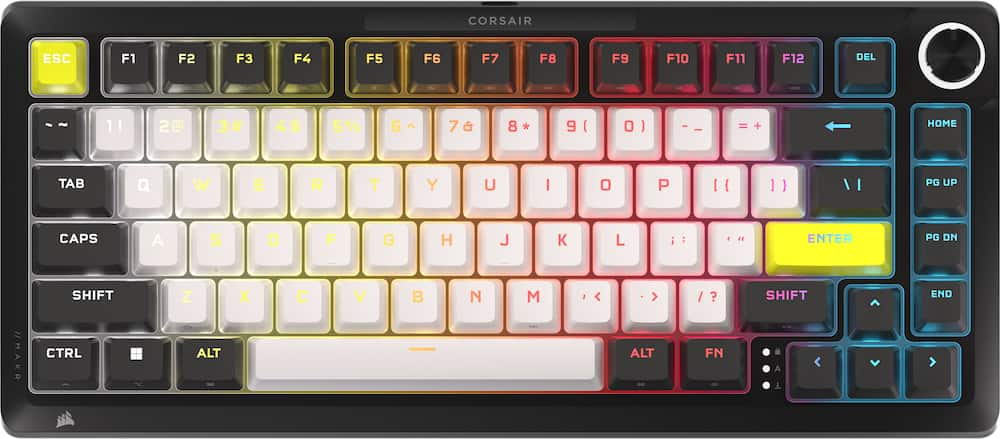
The King of Kings - THIS…. IS the Corsair MAKR Pro 75, Corsair's new flagship 75% keyboard with every premium option paired with a very premium price. Lets take a look at how the Corsair MAKR Pro stacks up in the increasingly competitive keyboard market. Taking the MAKR out of the box for the first time, you are greeted with a bit of heft and a very well done dark aluminum chassis. Corsair has officially thrown their hat into the fire and committed to a premium design and at first glance… the smooth aluminum chassis, the textured keys, and the ability to easily open your keyboard…coarisair is killing it. Starting from the top, the rotary dial feels premium for plastic and has a well done RGB ring around it that can be customized in iCUE software. The keys are well done with colors that pop and a nice textured feel to them. The CNC aluminum top and bottom plate are very well done with smooth edges and a sparkly gun metal gray finish. Moving around to the rear of the keyboard, you have magnetic feet that easily pop off to adjust the height of the keyboard, which is such a fun and well done option by corsair. What I love the most about this keyboard is that it actually has character to it and LOOKS different from just another 75% keyboard. Corsair has done a great job at making this keyboard upgradable, with an optional dongle to make this keyboard wireless as well as swapping out the dial for a screen. While other flagship brands are still soldering their switches to the board, corsair is leaning into reparability and enthusiast upgrades. This keyboard does have a very well done RGB layout with north facing LED’s that do a good job illuminating the keys without overloading the keyboard with light. The colors are also relatively accurate, with your whites looking white and your blues and reds looking … well… blue and red without any washout or distortion. The keyboard sounds great baseline, with a slight thocky sound but nothing egregious or erroneous in sounds. Even your larger keys such as your space bar, shift and enter keys sound premium and uniform regardless of where you press on them. This keyboard is gasket mounted on a FR4 plate, so while it does have some squish, this is more of a firm typing experience. That being said, this keyboard does have corsairs MGX linear hall effect switches which are both very smooth and light to press on which I have found near flawless in game. Overall, a very well done experience. Features wise, the answer is mostly yes. 8k polling, rapid trigger, hall effect, flashtap, you name it and it likely has it somewhere in iCue to be turned on or adjusted. While this keyboard does have a premium price… it is honestly not that hard to justify. After really digging hard to find any corners being cut when it comes to features, build quality or software… it doesn’t seem like corsair really ever did. The overall vibe of the Corsair MAKR Pro 75 is elite execution of a premium product. Corsair bought out DROP keyboards and really took a hard look at what makes a great keyboard and then did it. The thing that I think I like the most about the MAKR pro is just how good of a base keyboard it is. I am not a big fan of the stock keycaps…. but the chassis is so well done that it will not only go with, but elevate whatever keycaps you decide to put on it. This is truly a keyboard made by people that will also USE this keyboard, and it shows in every aspect. Corsair has really hit it out of the park with the MAKR 75 pro and I am excited to see what they can do next to elevate the market. Till next time :)
I love this keyboard - I have used so many different mechanical keyboards, I've lost count at this point. I have had a favorite for several years that I won't mention by name, but no keyboard has come close to matching until now. The Corsair Makr Pro is the keyboard that may finally replace my previous favorite. The first, most noticeable problem I usually have with other mechanical keyboards is how sturdy they feel, especially when typing. The Corsair is a very well-built and sturdy keyboard. It has a nice weight to it and stays put where you put it. When typing, it just feels rock solid. Again, I attribute this to the build quality. It doesn't have that "hollow" feel that some keyboards have, evidenced by they "echo-y" noise I sometimes hear when typing on those keyboards. The Corsair just has a nice muted, audible click. No tings, dings, or other metal sounding echo noises. The feel of the keys is very nice. The spacing and size of the keys is perfect. I am able to touch type with no issues. Some of the other 75% or otherwise "compact" keyboards I've used can mess up the size or spacing of the keys, making typing difficult. But the Corsair got these just right. Performance is great, whether you're typing or gaming. The keys are nice and responsive and do exactly what you need them to do. Being a gaming keyboard, it of course features RGB lighting, which can be customized using Corsair's software. I tend to just leave this alone, but it's nice to have the option to customize the lights how you want. Overall, I am very happy with this keyboard, and it just may very well be my new favorite mechanical keyboard. 100% would recommend.
An HE keyboard that makes sense! - Big 75% layout keyboard fan here and went Hall effect a couple years ago so this really fits the bill for me. Magnetic MGX hyperdrive switches (very high quality gateron), extremely customizable, rapid trigger for gaming, flashtap, 8000hz while wired but can get a wireless module for WiFi and Bluetooth does it get better? First things first here this is really great keyboard in both build quality with a metal top plate, gasket mounted PCB, multi layer case dampening, pre lubed switches with fully adjustable actuation distance and screw in stabilizers. This is as if you build a keyboard yourself except this is a big box brand and its to good! The sound is very pleasing and the lube of the switches and stabilizers are light enough not to be too much, just right. The backlight is great and fully adjustable using the new web based software which I highly value as half the day im on a Mac that usually isnt supported as much by big companies for stuff like this but since its web based it still works! With the standard bottom row I can use any keycaps I already have but the included double shot pbt are very nice and premium feeling out of the box. This to me is the perfect layout for a keyboard as it saves space but still has all the functionality you need while providing the space for mouse flicks since there is no num pad. Since this is a DIY keyboard of sorts it does come with tools to get inside and it’s very easy with no hidden screws or anything. You can see all the work that was put in to packing this thing full of layers of material to mute any chances of a hollow sound. Love the stock knob though they also make a LCD screen if your into that more for your use case. It comes as wired though they also make the wireless module which is the first thing I’ll personally be doing to mine soon. Really can’t ask for a better setup from features to the web app and the ability to change as time goes on to try some more ways to use this to your liking.
Lightning fast keyboard with slick design - I would be doing a disadvantage to reviews if i didnt speak completely open and honestly about the items i review. I want to start this review off by saying, everything about this item when i opened the box, appeared to be spectacular. The packaging, the extra parts, everything . . . But, ...but then i unpacked the keyboard and went to hook it up, this is when i noticed there was a few keys that were not level in appearance and after further inspection, they were unable to be pressed down or engage back up. I immediately took the included keycap puller and removed the keys that were behaving oddly, and discovered screws were lodged into them, one key had 1 screw the second one i removed contained 2 screws in the cap, and after further inspection (removing all of the keys) it became apparent that the screws were apparently never screwed down into the keyboard properly. Only 1 of the screws was actually screwed down, the rest were under the keycaps, and 1 screw was mia. i could only imagine that at the time of assembly, the screws were placed into the screw holes and if done manually the person must of gotten busy elsewhere and came back thinking the screws were tightened and then proceeded to to add the keycaps, or if this was machine work, the machine had missed the predesignated mark of the screws to tighten. Then during shipping the screws must of come up out of the holes and lodged into the keys, its the only scenerio that makes sense for how they ended up the way they did, i still have no idea where the last missing screw could of gone, i've even removed all the keycaps one final time just to make sure i didnt miss it under one. With all of this said, there is no harm no foul minus the missing screw. in all reality, they're screws, not that big of a deal... I was able to remove the caps, the screws that were lodged in them and then just screw them into the holes as they were meant to be, nothing was damaged, nothing ceased to function due to this, small insignificant mishap. It's just i am asked to provide honest and legitmate reviews and this happened to me so i am going to include it in this review. Now, after all of that there was never another issue that cropped up, everything functioned perfectly and the keyboard itself is immaculant. The boxing of the keyboard is perfect, and the contents were great, the extra items and tools that are included really make you feel like this is the elite of elite keyboards. The keyboard itself is very heavy and is going to take alot to budge on your desk, which i love, the key presses are precise and accurate to the lightest of touches, and perform perfectly. The keys themselves are not excluding of clicking (noise), but they are no where near as loud as some of my other keyboards i have in my arsenal. pros MGX Hyperdrive switches Keys are prelubed, .1mm-.4mm actuation, w/ hall effect sensors dual actuation ability (two actions in a single keypress) ultra-responsive 8,000Hz hyper-polling CORSAIR FlashTap SOCD Handling upgradeable special key (controller for audio can be replaced with an led monitor) upgradeable wireless module 2 year warranty cons as aforementioned the only thing i was not excited about was the screw situation that i encountered. but honestly other than that, there was not anything i disliked about this keyboard. Overall this is an exceptionally well built keyboard, with really good components, the key switches are phenomenal and leave me wanting to keep playing. If you are looking for a powerhouse of a keyboard with lightning fast keys, with upgradeable options; I would say this might just be what you are after. I would definitly recommend this keyboard to my friends without hesitation.
Corsair almost hit a home run - Corsair already has a respectable stable of computer peripherals aimed at gamers. Their keyboards, mice and headphones are solid performers not to mention components for the home PC builder with cases, power supplies, fans, all in one CPU coolers and memory makes Corsair hard to pass up. While I've had several Corsair keyboards, of late I've branched into assembly your own keyboard environment resulting in several high end assembled units exceeding $350. The DIY market is exploding with more and more components available from switches, cases, key caps, rotary wheels, wired/wireless, the list goes on. So Corsair jumping into this market seems logical, especially with their purchase of DROP (formerly MASSDROP) a few years ago where key caps and switches were plentiful, wasn't a hard stretch. Now onto the MAKR 75... I love almost everything about this keyboard, including the price comparable to the other high end keyboards I have. The basic assembled keyboard comes with a solid 100% aluminum frame, hall effect magnetic switches, a multifunction rotary dial programmable via the Corsair Web Hub application, lots of foam for sound deadening, and swappable switch plates. The lights can be controlled using the Web Hub app for no memory headroom loss since settings are downloaded into the keyboard memory and you don't have to install any software just for the keyboard. There are optional modules you can install that are not included with this version of the keyboard, such as LCD module replacing the dial, wireless module to go cordless via Bluetooth or 2.4GHz with dongle. You can also get different switches and keycaps. Swapping to a different HE switch will get you the feel and sound you like, such as more quiet or more clicky. The pre-assembled keyboard is great but what I would love to see is to make this truly DIY and have it completely unassembled and you put it together yourself. Get to know what's inside and makes it "click". You can "build your own" if you order directly from the Corsair website which will allow you to select all of the components you want or need, very much like the build your own on car manufacturer's websites. I'd rather see the loose components and assemble it myself. Maybe a barebones with frame and foam padding and gaskets and then grab the switches and keycaps I prefer to match my preferences or battlestation aesthetics. I've been using the MAKR 75 for a bit over a week and actually I like the feel. Using the web hub I've configured the dial for volume and play/pause, switch response timing, and RGB lights. I've created an internet shortcut on my desktop that takes me directly to the Corsair Web Hub app for quick adjustments using saved profiles. The box comes with the assembled keyboard, USB cable, key cap puller and a mini screwdriver. What it doesn't come with is a wrist pad. I guess that's the new normal of letting buyers get their own rests as almost all of the DIY manufacturers don't include a wrist pad. I have one other gripe and maybe minor is the rear elevation is either flat or one a step up using magnetically attached rear feet. I would have preferred something more traditional or at least include a second set with a bit more rise. Magnetically attached has me concerned that one might get knocked off and lost. Not so much while using it but rather as I swap out keyboards as I need a keyboard with numpad when working, so I'm swapping keyboards in and out. Maybe a case like some other supply would be nice, or a magnetically attachable num-pad so I don't have to swap. All in all for the price point you could do much worse. The MAKR 75 DIY is hard to beat considering I've spent more for fractionally more and getting that true DIY experience.
Gaming Keyboard Revolution - The Corsair MAKR PRO 75 is one of those rare keyboards that immediately feels like an upgrade the second you put your hands on it. The full aluminum frame gives it a solid, planted feel that cheaper boards just can’t fake. It’s heavy in a good way - the kind of weight that keeps it locked in place during frantic gameplay without ever feeling bulky or clunky. Pair that with a wired USB-C connection and you get a setup that’s fast, stable, and absolutely built for performance. Where this keyboard really flexes is in its switches. Corsair’s MGX Hyperdrive magnetic switches are ridiculously responsive. Because they use Hall Effect sensing instead of physical contact points, every keypress feels smooth, consistent, and lightning-fast. Add rapid trigger tech and you get a keyboard that resets instantly, making it perfect for competitive shooters or any game where quick inputs matter. And since it’s hot-swappable, you can tweak or replace switches whenever you want - no soldering, no drama. The 75% layout hits a sweet spot: compact enough to free up desk space, but still packed with everything you need. The central control knob is a surprisingly useful touch, giving you quick access to volume or custom functions without breaking your flow. And the RGB lighting is refreshingly tasteful - bright enough to look good, subtle enough not to scream “gamer rainbow explosion.” In actual gameplay, the MAKR PRO 75 just performs. There’s no lag, no wobble, no mush. Every keypress feels intentional and precise. It’s the difference between using a kitchen knife and a scalpel - both get the job done, but one gives you a level of control you didn’t realize you were missing until you try it. This keyboard isn’t cheap, but it doesn’t pretend to be. It earns its price through build quality, switch tech, and a design that feels premium without being flashy. If you want a keyboard that looks great, feels incredible, and genuinely improves your gaming experience, the MAKR PRO 75 is absolutely worth it.
Solid high end DIY board - Corsair really launched a high end keyboard in this MAKR PRO 75 that can be DIY or used as is! With very few caveats, silky smooth keys, great volume to the bottom out "clack" (sounds good without being too noisy, probably still wouldn't use in a bunch of cubicles for work probably) EPIC build quality, like I've never felt or even seen a keyboard that looks and feels this solid! It has an online app instead of having to download something and run in the background! Corsair is really making a name for themselves with gaming accessories and peripherals that encompass the ENTIRE stack of users, from pretty low end to the top, and not just mainstream stuff. This keyboard is proof that out of the box, you have an ultra high end unit that feels as premium as the value seems to be! I’m not a keyboard snob, (but I am in my late 30s and have used hundreds of different keyboards by this point) but this has to be the most consistent and smooth keyboard I’ve ever used. I only have a few issues with it, and they’re nitpicks and not a big deal for most. The key texture is a bit odd/grainy almost. I don’t really notice it when I’m gaming but typing I really notice and it's a bit offputting. Also, the USB-C connector in the back of the unit feels extremely flimsy and the port isn’t well supported. I’m guessing it will make it easier to take apart/customize, but I just feel like the port should be a touch stronger for this value class. (The LEDs are actually quite dim to me, and I'm in a pretty dark basement with it!) All in all, I highly recommend this keyboard if you’re in the market for a DIY keyboard but need a starting point, or just want something to possibly customize down the road!
Condense & Responsive - This keyboard has been a fine add to my gaming set up for a variety or reasons. Firstly the exterior build is sound, as noted it is a premium aluminum build with MGX Hyperdrive switches. The keys are semi clicky but do give that satisfying snap everytime one is touched. Designed with swappable switches, this layout gives me the ability to customize my layout in a variety of ways too. All needed tools for customization are provided inside the box. Another thing I really enjoy about this keyboard is how condense it is, this keyboard is tenkey-less too which contributes to the compact layout. A neat thing that was included inside the box is a list of all shortcuts (ie FN + FS = Scroll Lock) that can be utilized to assure this condensed keyboard can accommodate your daily needs. From a responsiveness standpoint it is noted that this keyboard has Rapid Trigger technology for responsive actuation and 8,000Hz hyper-polling with AXON while wired. This can assure you that you are receiving top tier connectivity while gaming. Even thought this keyboard is smaller than others performance does not take a hit. In short, if you need a customizable, responsive desktop gaming keyboard then this should be a top contender. Pairing its performance with its sleek, yet sturdy design will guarantee eyes are drawn to this accessory for not only its visuals but its responsiveness too!
My current favorite KB - I wasn't sure I would like the white keycaps. Especially when they are backlit. I was 100% wrong. The white of the keys actually makes the backlighting a little less noticeable for the bleeding around the caps. It gives the keyboard a different and clean look as opposed to the normal black key caps. I might invest in some yellow caps for the control keys outside of enter and esc. I thing yellow arrow keys will give a nice and functional look to the keyboard as well. The placement of the del key feels a little odd. The travel for keystroke is very minimal by default. Grazing a key will activate the switch. You either need to be a very precise typist or good with a backspace. The switches are hyper sensitive. The weight was very heavy compared to the size of the keyboard. There is definitely a lot of quality behind the materials and build design. This is the first time I have used a solod color for all keys for the backlight. But it feels fresh since the most typed keys are all white or yellow. I hope there is a version of this keyboard with a number pad. That will be a wish list item for my work machine. There is nothing I do not like about the look, feel, and response of this keyboard. It is my daily driver and I can't see another keyboard taking it's place any time soon. Highly recommended.
Great gaming keyboard! - If you are looking for a compact, customizable, gaming keyboard, this just might be for you! Out of the box this feels like a very well built keyboard. It is what they call a 75% size, so there is no number pad. The keyboard case itself is completely aluminum, and features full lighting down to the key level so it is completely customizable for any light show you want. The keyboard comes with Corsair MGX Hyperdrive switches , but with this being a DIY keyboard, you are free to swap them out with any supported magnetic key switches to customize the keyboard even more! The keyboard also features a dial in the upper right hand corner to be used for things like volume control. But like everything else, it is customizable as well. They keyboard has what they call “AXON hyper-processing technology with 8,000Hz hyperpolling” Which basically means, this thing is fast, not a single bit of noticeable latency. When you press a button, it is instantly registered. This makes it an ideal keyboard for gaming when speed is of the essence! While this is a “clicky” keyboard, it is definitely not loud at all. There is tons of dampening built into it to make it clicky but quiet. I have found while using it I was able to effortlessly glide around the keyboard foir doing everyday tasks like typing emails or word documents. But when it was time to relax and load up a FPS game, it easily transformed into one of the best and most reactive keyboards I think I have ever used for gaming. ….and trust me….I have used a LOT! There is companion software that you can install to control the lighting, set up macros, and customize every aspect of the keyboard to your liking. If you are in the market for a new gaming keyboard, that is also great for everyday computing, this might just be what you are looking for. It is a premium built keyboard, with more customization options than you will probably ever need! Corsair knocked it out of the park with this one!
Looks and performs great! - The MAKR PRO 75 from Corsair is a pretty good gaming keyboard - you get great switches right out the box which are hall-effect (MGX Hyperdrive) and the whole thing is very sturdy and not as loud as other mechanical keyboards which I can appreciate. I did however have some annoying issues which I wanted to cover first as once I figured everything out the experience was much better. - Out of the box there were some screws rattling inside which were loose and some were even stuck in the keycaps. I just took it apart and put them in their appropriate spots on the board, but it was certainly not a great first impression. - The F5 / F6 keycaps are labeled wrong on the physical keyboard itself - they control the brightness of the keyboard but are not actually labeled as such. - The font in the Corsair WEB HUB which you use to customize the actions/actuation/RGB etc. of the keyboard is tiny. Its small white text on a greyish background - I could barely see it and my eyesight is fine, so it could be an issue for others. - If any of your keys are repeating themselves (mine was the CAPS lock key) a simple key calibration which is in the HUB should fix any issues. I’ve had no problems since and the process was pretty straightforward. Now onto the positives: What really stood out to me is the design of this board and the tasteful keycap color combo. Corsair has actually been doing this for a while but I think this looks the best by far. I really like having the main keycaps be white and the rest black with the yellow accent pieces. The MGX hyperdrive switches themselves feel great and they aren’t overly loud or muted. The consistency is also on point - on some keyboards the bigger keys like the spacebar would feel maybe a bit off but on this board everything is honestly perfect for me. It’s also great for just general typing. I’ve pretty much transitioned to only using hall-effect boards because I play eSport titles like CS2. I dialed in my settings (0.6 actuation/0.1 rapid trigger) on the main keys I use in-game. The movement in-game felt on point and I didn’t have any times where I felt off which would be totally normal on a brand new keyboard, but hey I’ll take it! In terms of the RGB it’s not the strongest and some colors aren’t that accurate. I personally found that setting it to white looked great - the board is mostly closed off so there is minimal light leakage around the keycaps. Now the last selling point I wanted to mention are the optional wireless modules - an LCD screen instead of the volume knob OR an entire wireless add on module. I haven’t gotten a chance to test these but in theory it’s nice to be able to go wireless and not have to buy another keyboard. Overall besides the few small issues I mentioned this keyboard is awesome! Will it entice true custom keyboard enthusiasts? Probably not. Still I’m glad major brands are at least catering more towards them and I found the MAKR PRO 75 to be more than good enough for me out-the box.
Custom feel, premium kb without the effort - The Corsair MAKR PRO 75 is a really cool keyboard that redefines the Corsair brand for me. While I've been using mechanical keyboards since before they became "mainstream," I have stuck to off the shelf keyboards from major brands. My wife, on the other hand, turns her nose up at the "basic" gamer oriented keyboards I prefer and has always built her own. Well, with the MAKR Pro keyboard, Corsair has produced something that feels much more like a custom, DIY keyboad without going having to do the time consuming parts-picking and building myself. And it fixes some of the other problems I've had with Corsair accessories in the past. # Unboxing and first impressions # I just reviewed a keyboard with ostensibly similar specs (75% layout, hall effect switches, RGB lighting) from a different gaming brand a few weeks ago, so let me just say that out of the box, the Corsair MAKR Pro 75 strikes an incredibly premium impression. While the keyboard didn't come with a carrying case like the other brand, it has a very solid and weighty feel that feels truly high quality. This 75% layout keyboard is heavier than a full size + macro keys model I've used previously. The only disappointment you could possibly wring out of this first impression is that it just comes with a standard Corsair USB-A to USB-C cable with a right angle plug or coils. Not that you couldn't DIY that yourself, of course :) # Using the MAKR Pro # As I've been using a hall effect keyboard for a few weeks now, I appreciated the differences in default settings for this Corsair kb vs the other. The default actuation was at 2.0 mm, which I felt was too low. I used the Corsair web-hub app to modify that down - first to .7mm and moving up over a few tries until I was at 1.1 mm. At this oint, the actuation felt "just right" - not so light that I was getting accidental keystrokes from resting on the keys, but light enough that I could choose to type more quietly when needed. The fact that the switches are pre-lubed is a huge plus as well - this keyboard just feels great to type on. On the subject of sound - I find the MAKR Pro to be very pleasing audibly. It's got a foam layer that deadens the sound slightly, which both lowers the volume of typing and also keeps it from sounding hollow as some other gaming keyboads can suffer from. I really appreciated this design touch. This is my second product to use Corsair's web-hub app to configure settings, and I love it. Not only can it save you from a massive 800+ MB download for iCue (if you don't already have it...) but it works on my corporate owned PC as well. That allows me to easy customize the settings without having to search for macro functions or hook it up to a personal computer before swapping back to my work PC. This is a trend I hope only grows in popularity for other brands. # Final thoughts # I've been a longtime fan of Cherry Blue/tactile and clicky switches and this Corsair keyboard is now my daily driver. I love that hall effect switches give you the ability to customize your actuation point for your personal typing style. Alongside that, the MAKR Pro 75 feels excetionally well-made and easily lives up to its price point for me. I've already recommended this to some folks at work and in discord and absolutely recommend it to anyone reading this review.
Solid DIY Keyboard Needs Better Software - This is a 75% keyboard that may be smaller than a full size keyboard, however, it's definitely heavier than the big ones and that's due to the construction quality. This keyboard is built with an aluminum body and it feels robust. It has 8,000Hz polling rate, hall effect magnetic switches, RGB LEDs, and a rotary volume knob that can be swapped out for a wireless module (not included). I really like the white, yellow black keys combination and the magnetic feet stand. The keyboard can be fully disassembled, and it even includes the necessary tools, making customization easy for those who like to tweak their setup. Setting it up was pretty simple as plug and play, but customization you need to use the web base software (Corsair Web Hub). Through it, you can adjust lighting, remap keys, fine-tune actuation points, set macros, and more. I personally preferred the actual software as of the web base. I found it to be a little laggy specially when selecting a different type of setting, also it takes multiple steps before actually connecting to the keyboard. My other keyboard before this was the Corsair MK K70 pro and it was simple to customize with the iCUE software that doesn’t work with the MAKR Pro. This my first hall effect keyboard and I could notice the difference right away, as the keys felt more softer and quieter. But the real difference came after a few tweaks with the software specially adjusting the actuators point for shorter and more instant presses and adding dual actions to a key. This definitely improved my fast paced gaming. It feels like cheating but they way I see it as button mapping like the controllers. This keyboard has to be plugged in but can be turned into a wireless keyboard with a wireless module that is NOT included. This is a DIY key and everything is pretty much can de disassembled, from key caps to switches to internals components. While this keyboard performs great for gaming and feels good when typing, I did noticed I was making more typing mistakes when using it. I’m not sure if it was the transition from a full size to smaller or the keys itself, but it did become a bit frustrating, especially since I do a lot of typing. But overall, it is a great keyboard that is very well made, fully customizable from the inside and out. It has responsive and quiet keys with great feedback. However, it is a bit expensive for what it offers. In the box you get the keyboard, USB-A to USB-C cable, key puller, spare tools, hex key and manuals.
A Great Entry Modular Prebuilt Keyboard - The Corsair MAKR PRO 75 Keyboard is one of Corsair’s most ambitious attempts yet to merge enthusiast level keyboard customization along with cutting edge gaming technology, and it largely succeeds though not without a few tradeoffs. Right out of the box, the prebuilt version feels solid and premium, thanks to its full aluminum chassis and gasket mounted construction. The 75% layout strikes a practical balance between compactness and functionality, while keeping a full function row and dedicated arrow keys while saving desk space. There’s also a programmable rotary dial that adds a layer of convenience for volume control, media playback, or custom macros. In the box it comes with A USB-C to USB-A braided cable, keycap and switch puller, screw driver, Allen wrench, rubber spacers, and extra screws. The standout feature in this keyboard is the new MGX Hyperdrive magnetic switches. Unlike traditional mechanical switches that rely on physical contact, these switches use Hall Effect sensors to detect actuation, which opens the door to a level of customization that standard keyboards simply can’t match. You can fine tune actuation anywhere from an ultra sensitive hair trigger to a deeper, more deliberate press, and even assign dual actuation points to a single key. For my settings I set the actuation point to 0.1 for my WASD and my space bar. I saw a noticeable difference in gaming, especially in FPS titles when I also had Flashtap turned on and I had it set to “Last Priority” for better strafing that allows keys to reset instantly without needing to fully release them. Movement feels sharper and way more responsive, and the keyboard essentially adapts to how you want to play rather than forcing you into a fixed switch behavior. Corsair didn’t stop at just the switches. The board runs up to 8,000Hz polling rate through Corsair’s AXON platform, which translates to extremely low input latency. While the difference may not be obvious to casual users, it’s very much aimed at competitive players who care about every millisecond. Features like Flashtap cleaning and per key actuation tuning further reinforce that this keyboard is built with high level performance in mind. Customization is another area where the MAKR PRO 75 stands out. Even though this is a prebuilt keyboard, it still leans heavily into customization and modularity. The switches are hot-swappable (within the magnetic Hall Effect ecosystem), Pre-lubricated and can last up to 150 Million keystrokes. Corsair has designed this keyboard to support optional upgrades like the ability to add wireless connectivity with MAKR 75 Wireless Module or you can remove the Volume knob for the MAKR 75 LCD Module (sold separately). That being said, at this price point I would have liked to see the wireless module included. On the software side, Corsair now gives you the option of using its iCUE software app or their new web browser based software “Web Hub”. Which is a welcome addition and I ended up using the “Web Hub” so that it's one less program running in the background on my PC. Within Web Hub you are able to customize the RGB lighting, Macros, Actuation Points, Mulit-Action keys, Rotary Dial, and the onboard memory allows you to save multiple profiles directly to the keyboard. Which I found really helpful because I also ended up using this keyboard for work and I found having the actuation point at 0.1 was not great for typing emails, so I made another profile where the actuation point was the highest at 0.4. The ability of being able to switch profiles for work and gaming was huge, because I use a Mac for work and I can switch between Mac and Windows layout with a simple switch flick on the the back of the keyboard. When it comes to the typing experience, though, this is where things get a bit more nuanced. The gasket mount and internal dampening do help reduce harshness and unwanted noise, and the overall feel leans more toward “precise and controlled” than “soft and bouncy.” The switches are smooth and consistent, but the board doesn’t quite deliver the deep, thocky acoustics that some enthusiasts often look for in custom builds at this price point. It’s not bad by any means, it's just clear that Corsair prioritized performance and consistency over sound tuning and flex in this keyboard. Pros: MGX Hyperdrive magnetic switches with fully adjustable actuation point Rapid trigger and dual actuation for competitive gaming Premium aluminum build Deep customization, including per key tuning Web Based software in Web Hub 8,000Hz polling rate for ultra-low latency Modular platform with upgrade potential Cons: Expensive compared to other keyboards Typing feel is more stiff and controlled than soft or flexible Sound profile isn’t the greatest Some features like wireless connectivity cost extra Overall, the Corsair MAKR PRO 75 prebuilt keyboard is a solid gaming keyboard that pushes the limits of what modern gaming keyboards can do. It’s best suited for those who value performance in gaming, adjustability in their switches, customization and those who want to slowly dip their toes into the world of customizable keyboard with a prebuilt that can be upgraded at their own pace. If you’re coming from a traditional mechanical keyboard, the level of control offered by the magnetic switches alone is a significant upgrade. And I'm very pleased with its overall performance when it comes to gaming.
Great Build. Like the Feel / Features. Easy, but… - TLDR; I like this keyboard. A lot. Fantastic build, I like the feel in use, it is feature-rich, the software is easy and robust, and there are some customization options to play and have fun with. BUT, depending on what you want, need, or are looking for, there could be other options that might provide better value and/or experience. First, I absolutely love the build. The aluminum chassis is solid, with some definite weight (which I like), and really feels good in hand. Definitely a nice attention to detail and solid materials choices. The 75% size is also a nice balance of size and utility. Great for games, as well as most things in my day to day. I do love a num pad though. Lighting is handled well and is fairly consistent. About what you would expect. I really like the look. Clean. Subtle (mostly). Matte Black. The default key caps are a nice combination. I even like the font on the keys, again, plain, and less “gamery.” All of this may be boring for most, but it is perfect for me. In game, the Hall Effect switches feel fantastic. All the fun gaming things (Rapid Trigger, dual actuation, Rapid Trigger) are there and immediately noticeable. Response is quick, intuitive, and accurate. Still getting a feel for it, but I like it in game. Typing, generally, is a nice experience out of the box. Perhaps a little stiff, but still a nice feel. It does lack a “bit” of the satisfying click sound that I expected going in. Good or bad, just something to note. The software is simple and easy to use. I really like the web-based approach (iCUE as well). Quick, minimal, light, and less software. The amount of available customization is staggering. Lighting, key assignments, key calibration, key actuations, multi-action, macros, mapping, polling rate…etc it is all here. I like the level of control and how it is implemented. ALL of that said, on some level a selling point of this board is that it is customizable. Now, it definitely is, and I like that aspect as well, BUT, it feels slightly limited beyond keys, as the offered modularity is somewhat minimal. As is, I like the included rotary knob, which I failed to mention, and think it works well for what it is. Beyond that, the other (sold separately) modules (LCD screen to swap out the knob, and a wireless add on) are somewhat pricey and are of questionable utility to me. I plan on getting creative with this board, but I don’t see myself adding the currently offered modules. It is nice they are options, but not sure I see the value for me. That is the thing overall with this keyboard. No doubt it is well-built and has the feel and look of a premium and custom board. It also comes pre-built. It also comes able to be customized. Typing feels good, it has the features you are probably looking for, and it delivers in game. Full stop. That said, it all comes at a cost. Depending on what you are looking for, I am just not sure the value is there for everyone. For some, no doubt it is. It is a great keyboard, is beautifully designed, and I do really like it, just know your use case going in.
Corsair MAKR Pro75 Hall Effect DIY Gaming Keyboard - So I received my Corsair MAKR Pro 75 Hall Effect DIY Gaming Keyboard about a week ago and have been putting it through its paces. Now I’ve gone through my fair share of keyboards over the years from basic standard setup type keyboards to those more gamer-focused, but this keyboard stands out a little different to me. But in a good way. It doesn’t seem flashy but instead refined and solid. And I felt that it would be amazingly fun to use with my ASUS ROG Strix gaming desktop. Unboxing you'll find: * Corsair MAKR Pro 75 Gaming Keyboard * USB-A to USB-C Cable * Keycap & Switch Puller * Screwdriver Kit * User Documentation Something that immediately drew my attention to this keyboard and made me fall in love with it is the build quality. This is one solid and heavy keyboard; which I absolutely love. No more trying to perform those quick combos or rapid trigger keys and having your keyboard sliding all over the place at the most inopportune time during your game. The Corsair MAKR Pro 75 is going to stay put. In my opinion, the strong and solid build quality shows the R&D team meant business while constructing this keyboard. Just overall premium built-to-last type of vibe going on. Although this comes as a fully assembled 104 full sized keyboard, being it’s a DIY, you can customize it to your liking by swapping out keys and switches. You can also customize it by visiting Corsair’s online Web Hub. The RGB lighting effects are also customizable as well, even down to specific keys. At the top on the keyboard on the spine is the USB-C port. In the top right corner is a media control knob. This controls volume up and down as well as pressing it to mute the sound. Now typing and gaming on this keyboard was fun. The keys are buttery smooth and responsive; yet they’re not too loud or overly clicky. Very soft and clean sound that won’t disturb others, especially if someone’s on a call or sleeping nearby. Overall I have enjoyed using this keyboard over the week. It’s super fast and amazingly fun. Add the solid build quality and you’ve got yourself one heck of a gaming keyboard. Thought meant for gaming everyday tasks can be competed just fine.
Great keyboard from Corsair - Finding myself really digging this keyboard from Corsair. Slowly getting used to the size/layout. Normally I use a full size keyboard for gaming however I have started trying out 75% and even a couple 60% ones to get a better feel and such. The overall build of this keyboard is super nice. With it being machined out of aluminum, there is both a nice look/feel to it in addition to the weight which I'm starting to like. It feels like a sturdy, expensive piece of equipment (which it is). Also the performance is quite nice too. It's quiet. I know lots of people love their clicky/clacky keyboard but I prefer something a bit more muted for my gaming keyboard. Keystrokes feel very crisp while being quiet and seemingly quite responsive to the touch. I know the keys on here are top notch and they feel/work like they do. RGB on the keyboard seems ok. It's not too muted nor is it super duper seizure inducing light show. Very nice and professional looking. Overall a great keyboard both in operation and build quality
Like typing in the clouds - If you are searching for a high-quality mechanical keyboard, the Corsair MAKR PRO 75 should be at the top of your list. This keyboard not only boasts exceptional build quality but also offers an impressive range of customization options to suit your preferences. Typing experience with this keyboard is absolutely a pleasure. Not only for its quick reaction and communication speed but also for the physical pleasure of interacting with the device. One of the standout features of the Corsair MAKR PRO 75 is its remarkable sound profile. The keyboard is engineered with eight layers of film and foam, which work together to distribute sound for an incredible acoustic experience. However, the exceptional sound is just one component of its outstanding typing feel. Typing on this keyboard is genuinely satisfying, making you want to keep typing even when you have nothing specific to write about. The comfort and feel of each keystroke are enhanced by gaskets surrounding the keyboard, which Corsair provides replacements for. The construction of the individual switches also contributes to the overall experience. The MAKR PRO 75 uses Corsair’s linear MGX Hyperdrive switches, which come pre-lubed for extra smoothness during use. In addition, the keycaps are ergonomically molded to fit your fingers, further improving the typing experience. Customizability is perhaps the most significant advantage of the Corsair MAKR PRO 75. In the box, you will find the keyboard itself, its cable, a screwdriver, an Allen key, extra screws, and replacement gaskets. The inclusion of both a screwdriver and an Allen key make it straightforward to disassemble the keyboard, giving you easy access to swap out or modify components as you see fit. Even for beginners, the process of taking the keyboard apart and putting it back together is simple and user-friendly. Another thoughtful feature is the inclusion of a keycap remover, which demonstrates Corsair’s attention to enhancing the user experience. This tool makes it easy to change keycaps and further tailor the keyboard to your preferences. While the main instructions for the keyboard are accessed via a QR code, a practice that may not appeal to everyone, most essential operational information is conveniently printed on the box itself. This approach strikes a balance, ensuring that users have access to the basics without needing to constantly reference another device, while still providing a digital option for more detailed guidance. Despite its many strengths, the Corsair MAKR PRO 75 does have a few drawbacks. Probably could be a question of software and drivers but occasionally, some keys may stop functioning, requiring you to unplug and replug the keyboard to resolve the issue. At times, this process may need to be repeated several times before the key works again. Similarly, some of the LEDs within the switches may turn off unexpectedly, and the same unplug-replug method is needed to restore functionality. Conversely, there are instances where keys activate without any physical input, and once again, the only apparent solution is to disconnect and reconnect the keyboard. Despite these minor technical issues, the Corsair MAKR PRO 75 stands out as an excellent keyboard overall. Its superior build, exceptional typing experience, and abundant customization options make it a compelling choice for anyone in need of a new keyboard. Based on hands-on experience, it is easy to recommend this model to others seeking quality and flexibility in their typing tools.
Email [email protected] or call (888) 419-6820 during business hours.
Add your review