The worst mesh router I’ve owned. - Main router gets an update. Nodes fail to reconnect. Nodes get an update, they fail to connect afterwards. Power goes out system fails to connect to each other. Look at a node, disconnects and fails to reconnect to main router. Everytime, then have to factory reset the node and after 3-5 times they’ll reconnect. The nodes are approximately 20-30ft away with minimal walls, and also are hardlined to each other via Cat6 Ethernet cables. I upgraded to get wifi6 from older nest mesh WiFi, and before that google mesh WiFi which I never had issues with. This system is horribly unreliable. If you have WiFi mesh right now and it works but maybe not have the latest tech, I’d keep it. I’d rather have reliable WiFi over this “fast” but never connected network. Horrible product.
 20% off
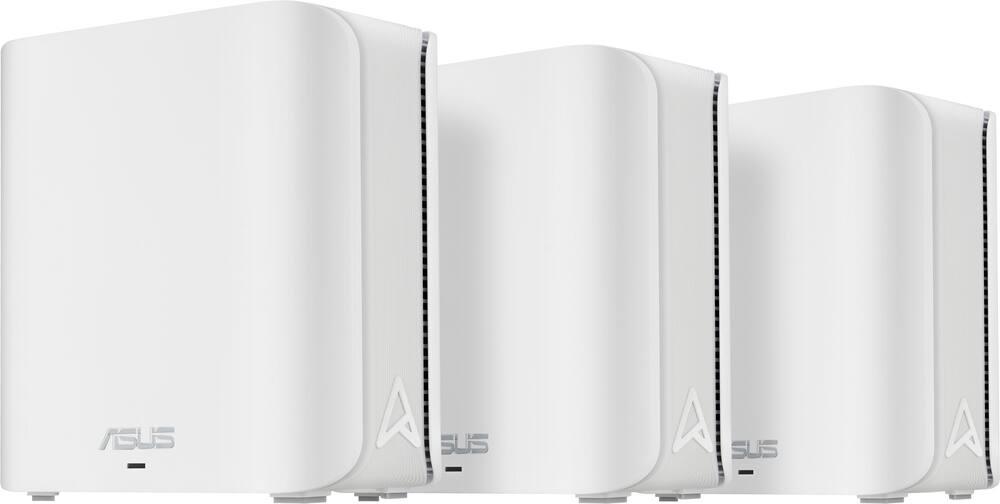
ASUS – ZenWiFi BE5000 Dual-Band Mesh Wi-Fi 7 System (3-Pack) – White
SKU: 6594274
$27999
Was $349.99 Save $70.00
Other options in this range
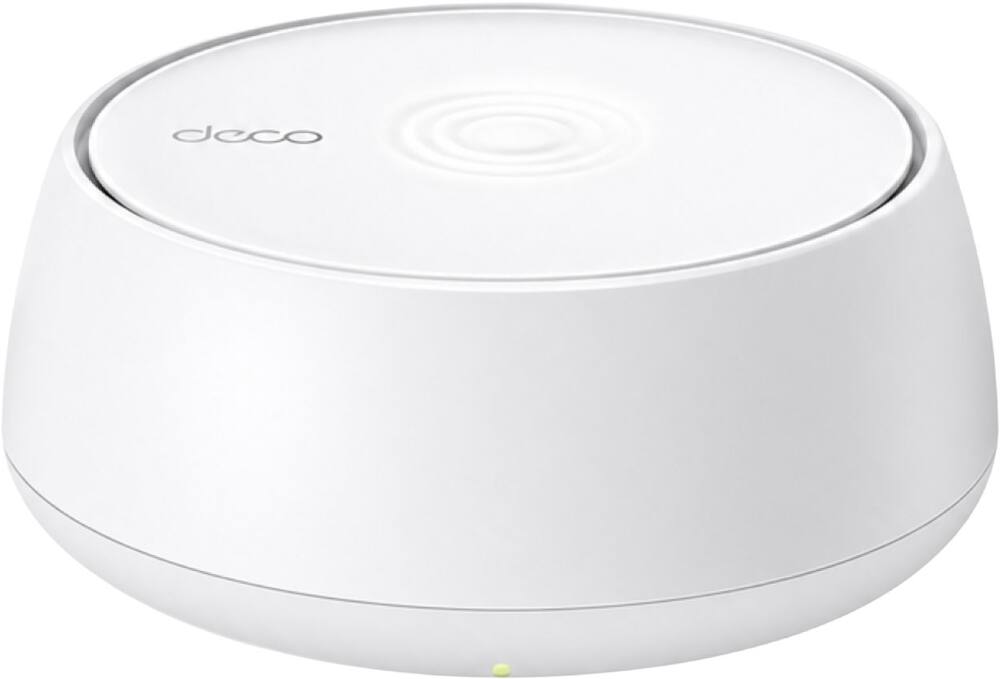 TP-Link - Deco 7 BE5000 Dual-Band Wi-Fi 7 Whole Home Mesh Router System – Deco BE5000 (1-Pack) - White Original price was: $149.99.$119.99Current price is: $119.99.
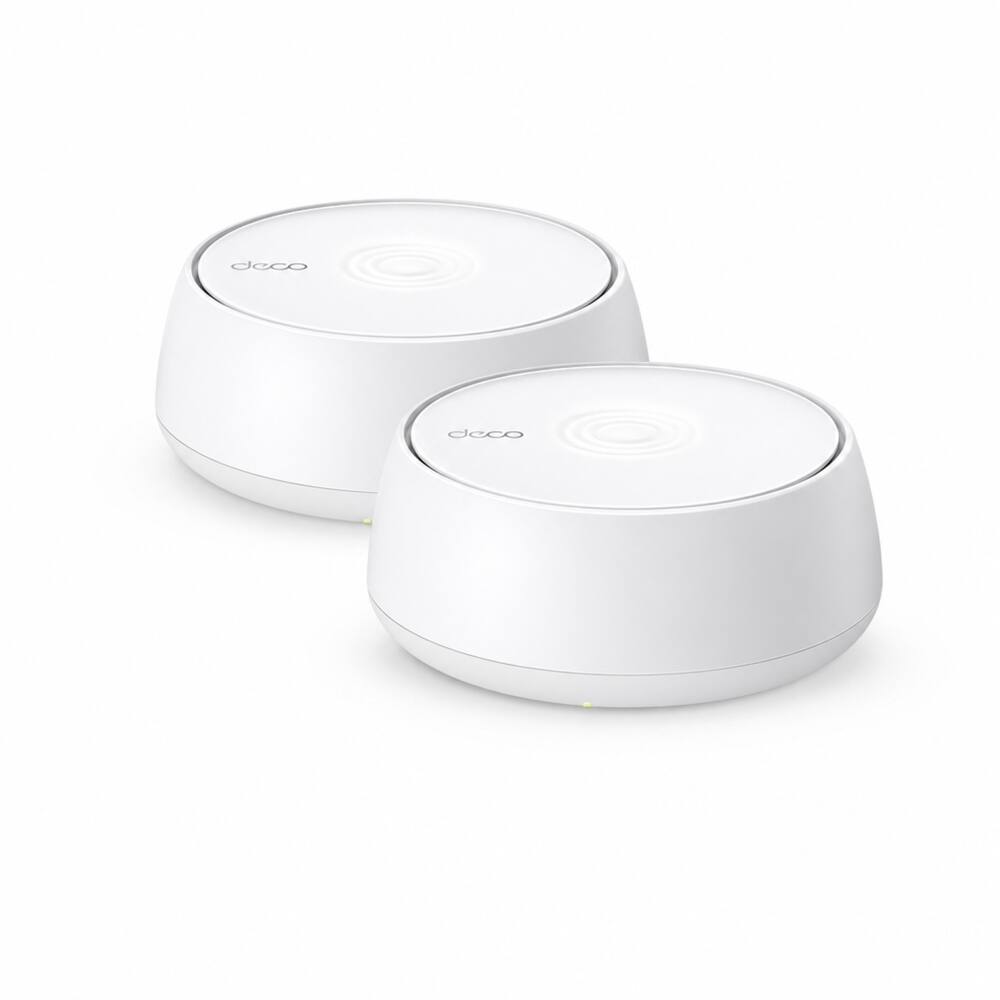 TP-Link - Deco 7 BE5000 Dual-Band Wi-Fi 7 Whole Home Mesh Router System – Deco BE5000 (2-Pack) - White Original price was: $279.99.$223.99Current price is: $223.99.
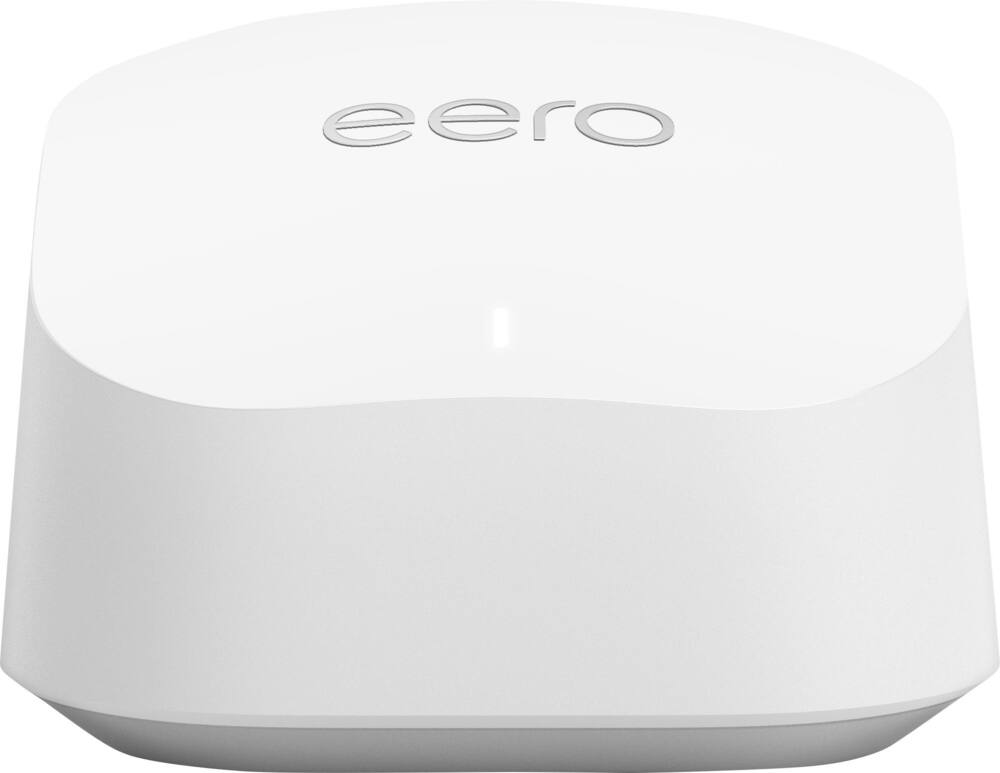 eero - 6+ Mesh Wi-Fi Router - White Original price was: $139.99.$111.99Current price is: $111.99.
Overview
- Smart Home Master
Easily establish up to three SSIDs with Smart Home Master for simple IoT device setup and management, instant VPN connections, and convenient parental controls. - Multi-link Operation (MLO)
With MLO technology, the devices can simultaneously transmit and/or receive across different bands and channels. The parallel links increase the throughput to the device, lower the latency and improve reliability. - Commercial-grade Network Security
ZenWiFi BE5000 comes with lifetime free ASUS AiProtection Pro, Parental Controls, and Safe Browsing features to secure your Wi-Fi environment at home. - ASUS AiProtection
Utilizing the powerful network security solutions and cloud data centers from Trend Micro, it protects your smart home and all connected devices from online threats. - Parental Controls
Protect your kids online with our robust parental controls offered through a free subscription. You can effortlessly monitor your kids’ online activity and customize settings for each connected device.
Compare similar
| Feature |
VIEWING ASUS - ZenWiFi BE5000 Dual-Band Mesh Wi-Fi 7 System (3-Pack) - White
|
TP-Link - Deco 7 BE5000 Dual-Band Wi-Fi 7 Whole Home Mesh Router System – Deco BE5000 (1-Pack) - White
|
TP-Link - Deco 7 BE5000 Dual-Band Wi-Fi 7 Whole Home Mesh Router System – Deco BE5000 (2-Pack) - White
|
LOWEST PRICE IN THIS TABLE eero - 6+ Mesh Wi-Fi Router - White
|
|---|---|---|---|---|
| Price | $279.99 | $119.99 | $223.99 | $111.99 |
| This product | View details | View details | View details |
Specifications
Capacity & configuration
- Encryption Type
- WPA-Personal
- Firewall Type
- SPI
- Port Type(s)
- RJ-45
Dimensions & weight
- Product Name
- ZenWiFi BE5000 Dual-Band Mesh Wi-Fi 7 System (3-Pack)
- Product Height
- 5.51 inches
- Product Length
- 2.76 inches
- Product Width
- 5.51 inches
- Product Weight
- 1.12 pounds
Features
- Brand
- ASUS
- Color
- White
- Data Encryption
- Yes
- Security Features
- AiProtection Pro network security / Instant Guard
- Parental Controls
- Yes
- Quality Of Service (QoS) Traffic Prioritization
- Yes
- Band Technology
- Dual
- Ethernet Standard
- 10/100/1000/2500
- Number of Antennas
- 4
- Frequency Band
- 2.4 GHz
- Wireless Networking Standard
- Wi-Fi 7
- Wireless Standard
- BE
- Input/Output Technology
- MU-MIMO (Multi-user Multiple-Input Multiple Output)
- Number of 2.4Ghz Streams
- 2
- Number of 5.0Ghz Streams
- 2
- Wi-Fi Mesh System
- Yes
- Number of Wi-Fi Satellites Included
- 3
- Number of Wi-Fi Satellites Supported
- 50
- Wired Backhaul
- Yes
- Ethernet Switch
- Yes
- ENERGY STAR Certified
- No
- App Compatible
- Yes
- App Name
- ASUS Router APP
- Beamforming
- Yes
- Integrated Modem
- No
- Wireless
- Yes
- Number Of WAN Ports
- 2
- Number Of LAN Ports
- 2
- Wired Speed
- 2500 megabits per second
- Wi-Fi Speed
- 5 gigabits per second
- Gigabit Ethernet Speed
- Yes
- Bluetooth Enabled
- No
- UPC
- 197105627819
Power & warranty
- Model Number
- ZenWIfi BE5000 3-PK
- Warranty - Parts
- 3 years
- Warranty - Labor
- 3 years
Warranty & protection
See manufacturer documentation.
Register your product with the manufacturer within 30 days of delivery.
Manufacturer warranty claims are handled by the manufacturer. We are happy to help you find the right contact: (888) 419-6820.
Customer reviews
Write a reviewGreat Range, Iffy sustainability - Love the range, and they are fast; however, they do randomly go out, and then I have to power cycle the main mesh router in order to restore service.
Awesome router - Cheap and awesome router. Fast speed with lots of tweaks on asus page
No issues - Sloved the wifi dead spots in the house I am renting. User friendly setup and quick restart. All the devices in my home connect with no issues.
This thing sucks - It's supposed to connect seamlessly after you set it up, but I haven't been able to connect the nodes for months, so they're just sitting there with a blue light. Even after factory resetting the nodes and the whole system and trying to reconfigure it they won't work. Absolute waste of money
Blazing fast Wifi - With some minor adjustments, fast WiFi backhaul between nodes and excellent wired backhaul. Supporting over 30 devices flawlessly with only some nearly decade-old, smart home things not supported.
Versatile Mesh System - This has been performing reasonably well, with some struggles to overcome. The difficulty has been covering two small buildings that are close together. Signal is hampered by older plaster and wire construction in both buildings. But the versatility of this mesh system allowed me to position the three units to reach far enough. The system does it's best to reconfigure itself to maximize it's reach and strength. I'm impressed. It took a bit of struggling but the app really did well to help set it up.
Should have done it years ago - I idiotically assumed Xfinity provided me the best mesh network. It was “OK” but only OK. I still experienced dropouts despite the remote extenders. Then the remotes overheated and stopped working causing even more dropouts. I purchased the Asus mesh after quick research and now have a much faster and certainly wider coverage wireless network than I could imagine. The units all run cool so I have little fear over the overheat issues I experienced with the Xfinity units.
For Power Users, Not for the Plug-and-Play crowd - If you’re seeing negative reviews about speed and stability, ignore them—they are almost exclusively from users treating this like a "set it and forget it" appliance. This system is a high-performance networking tool that demands a bit of technical competence. The key to success here is understanding the backhaul. Because this is a dual-band system, a wireless-only mesh will inevitably cause latency and bandwidth loss as the nodes compete for airtime to talk to each other. To get the performance this hardware is capable of, you have two options: use it as a single, ultra-powerful standalone router, or wire your mesh nodes together using Ethernet. The AsusWRT web interface is the real star of the show. Instead of the restrictive, "dummy-proof" apps found in consumer gear, ASUS gives you granular control over VPNs, IP binding, and channel selection. If you want a locked-down, automatic experience, buy an Eero. But if you’re a power user who wants to optimize your environment and run a wired backhaul, this system is an absolute beast.
Unfortunately not as expected - Product is easy to install. Has decent app. But dropped WiFi enormous number of times. Never experiences that with any other mesh. This is my 3rd mesh. If you have anything that is constantly connected like monitoring cameras or similar devices, connection is not reliable and drops more than dozen times per day. When connected, the speed is ok though. Will NOT recommend.
OK but not great - getting much better connection speeds than my old wifi 5 system. I expected better signal range. I replaced a 2 node orbi with this 3 node zenwifi and the speed is better but the area covered is the same.
Non functional mesh system - When the system is functioning it has fair range and speed is good. I bought this system to replace my starlink routers which were very reliable but had terrible range. After 6 months not only is this the worst set of routers I have ever owned but I would say they just flat out don't function. Every week I have to reset, check/update firmware or adjust settings. It is exhausting. And usually even after troubleshooting they just dont work. I wish so much they could be returned but these are going to go into the garbage along with my money. Save ypurself the trouble and do not invest in this system.
Great product, easy to set up - Easy to set up, enjoyed the customization on the web-based interface
Works great - Product works great it took care of my dead zone in the house
When it works, it’s great - When it stays connected, even the mesh nodes are able to produce pretty high speeds. Unfortunately, any type of interference with service whether that be an Internet outage or a power outage, you have to completely reset to factory settings and rebuild the network all over again. Asus help line and my ISP have no answers for why this happens.
Great product, helped me provide wifi throughout my house
ASUS ZenWiFi 7 (BE5000) – A Lifesaver for Gamers - If you are looking to future-proof your home network, the ASUS ZenWiFi 7 BE5000 is an absolute beast. I upgraded to this mesh system to handle a busy household and, more importantly, to lock down my gaming setup. The Pros: Next-Gen WiFi 7 Speed: It utilizes the 6GHz band and Multi-Link Operation (MLO), which basically means it juggles multiple bands at once to give you the fastest, most stable connection possible. Zero-Lag Gaming: I set this up specifically for high-intensity gaming (mostly fighting off endless waves of zombies), and the latency is practically nonexistent. No packet loss, no random spikes—just pure, smooth performance. Massive Coverage: The mesh nodes blanket the entire house. Dead zones are completely gone, and it handles dozens of smart devices without breaking a sweat. Easy Management: ASUS’s software makes it incredibly easy to prioritize gaming traffic so your downloads or streams don't choke your bandwidth mid-match. The Cons: Premium Investment: It’s an investment, but given the WiFi 7 specs and the build quality, you absolutely get what you pay for. The Verdict: Whether you’re working from home, streaming 4K content, or trying to survive a zombie apocalypse online without lagging out, the BE5000 delivers. It’s reliable, blazingly fast, and worth every penny. Highly recommended!
Asus BE5000 - Easy to set up. Easy to ise app. Works flawlessly. Replaced an older Orbi and so far I like the ease of use and connectivity is mich better. I would highly recommend.
Useless Mesh System - I wish I had never purchased this mesh system. The 2 nodes do not stay connected. It is very difficult to reconnect. Best Buy has a ridiculous 14 day return policy. I will not be shopping there again. I was much happy with my old google mesh system.
Good features for a good price. - Coverage is good, interface is good, great features that don’t require a subscription unlike other similar models. Plenty of options if you’re looking for VPN features and VPN management is very easy.
Questions & answers
Ask a question
Email [email protected] or call (888) 419-6820 during business hours.
Add your review