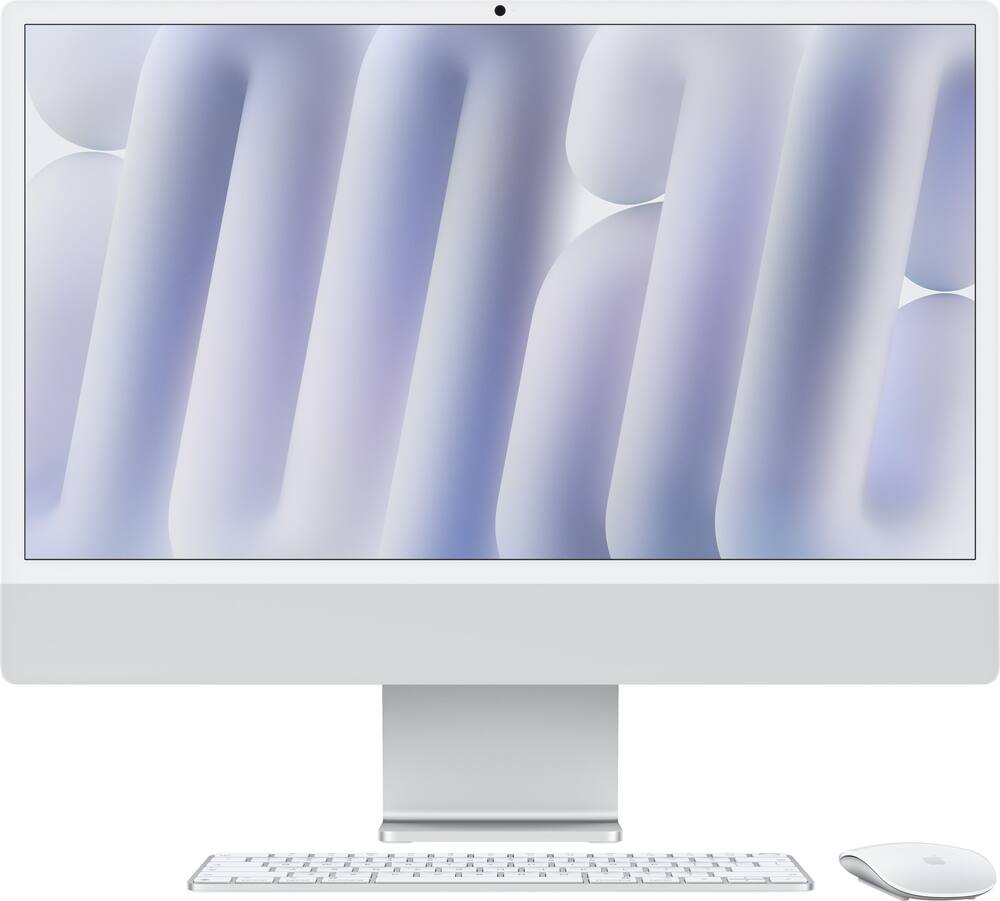
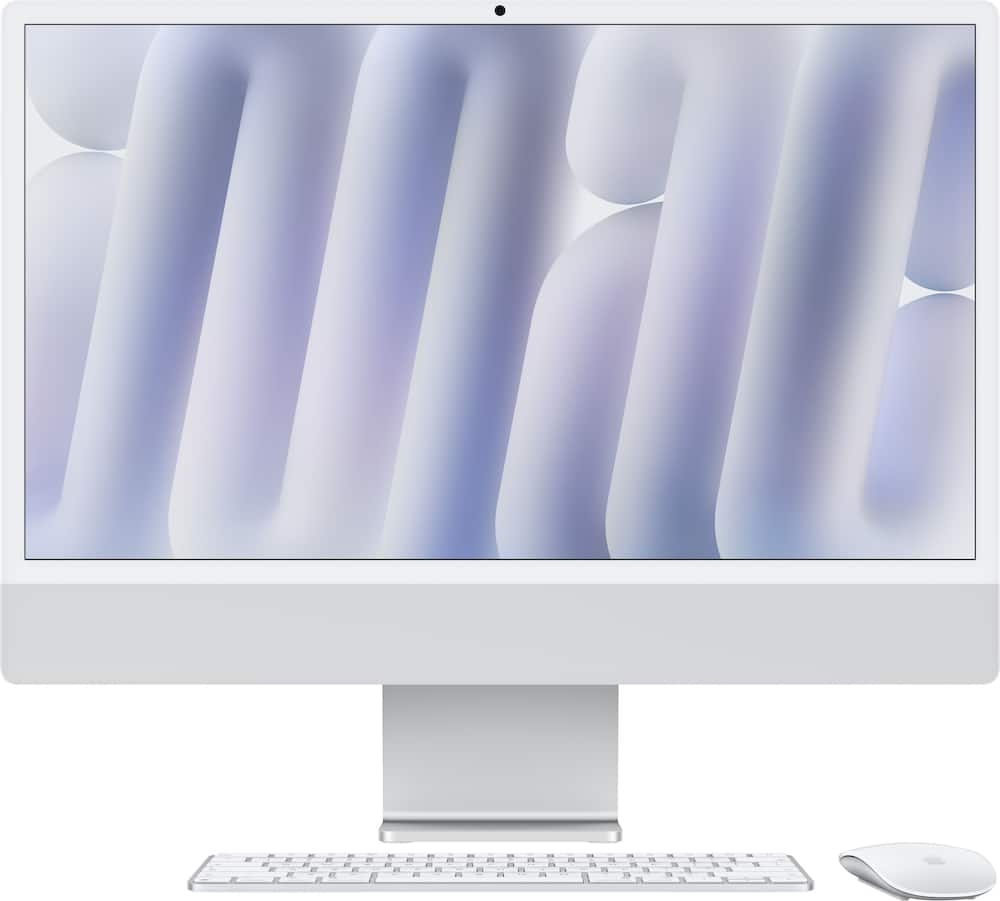
Apple - iMac 24-inch All-in-One - M6 chip - 12 Core CPU - 12 Core GPU - Nano-texture glass - 16GB Memory - 256GB SSD - Silver
$1,519.20
Was $1,899.00
Save $379.80 Free shipping
 20% off
SKU: 6671600
$95999
Was $1,199.99 Save $240.00
Other options in this range
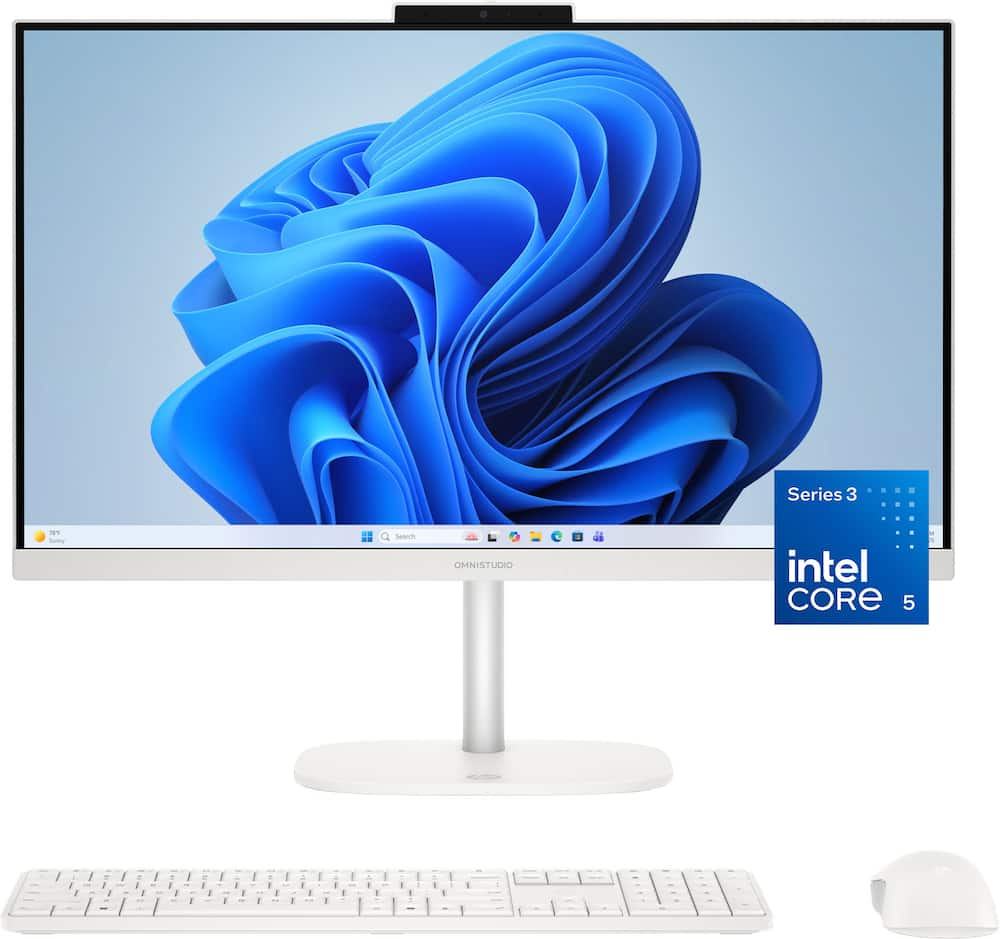 HP - OmniStudio 23.8" WLED Touchscreen All-in-One with Adjustable Height - Intel Core 5 315 (2026) - 8GB Memory - 512GB SSD - Cotton White Price range: $775.99 through $855.99
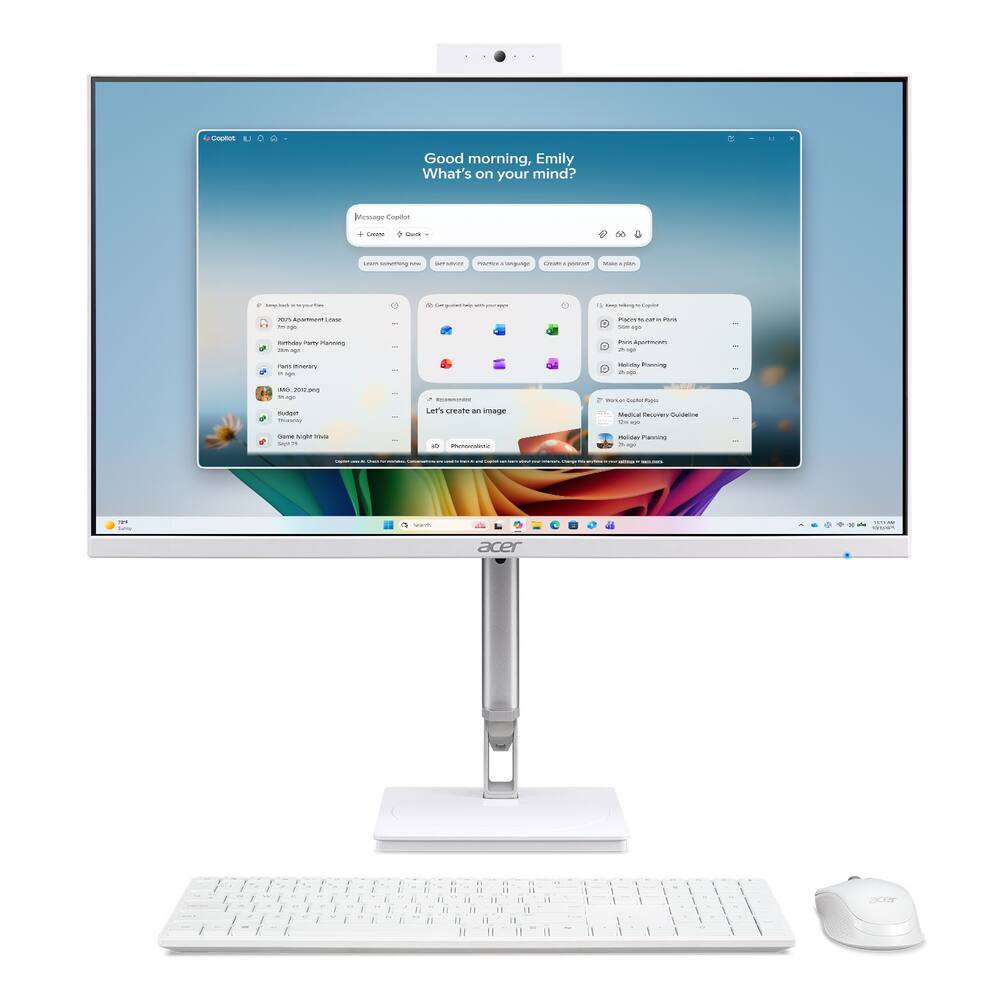 Acer - Aspire C24 AIO Copilot+PC Desktop 2K– 23.8” Full HD Touch - AMD Ryzen AI 400 Series 2026 - 16GB Memory - 512GB Storage - White Original price was: $979.99.$783.99Current price is: $783.99.
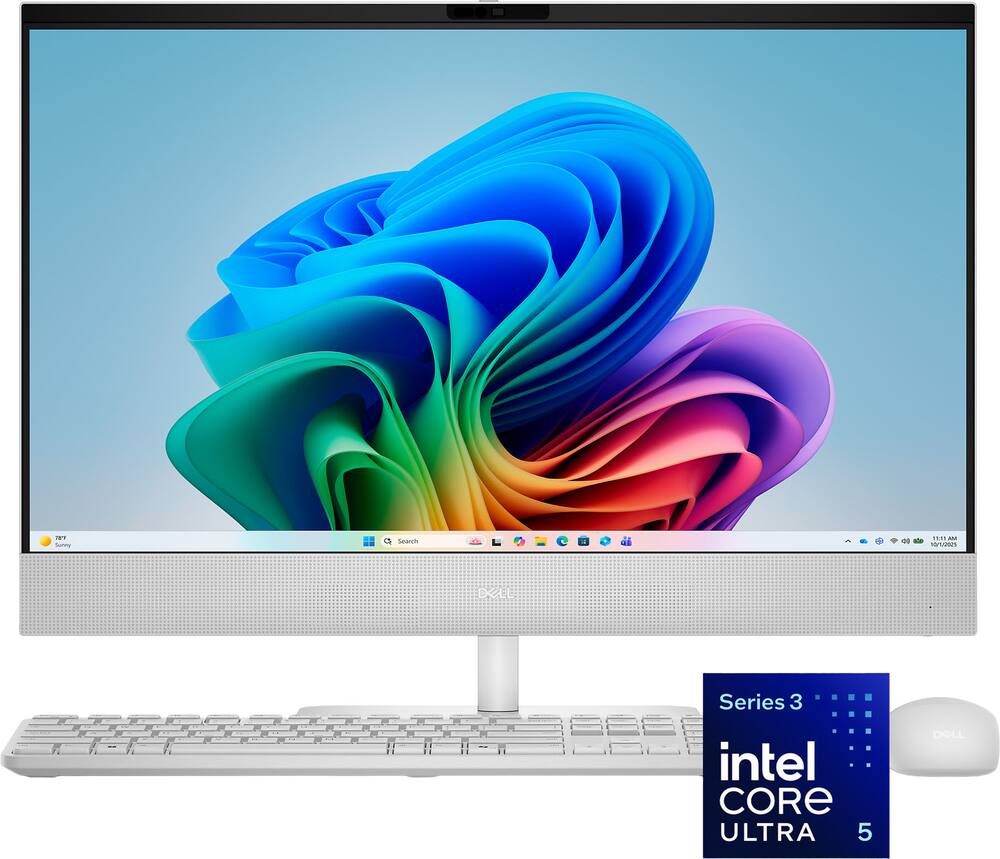 Dell - 24" Full HD IPS Touchscreen All-in-One - Intel Core Ultra 5 Series 3 2026 - 16GB Memory - 512GB Storage - Copilot+ PC - Light Ash Original price was: $1,519.99.$1,215.99Current price is: $1,215.99.
See manufacturer documentation.
Register your product with the manufacturer within 30 days of delivery.
Manufacturer warranty claims are handled by the manufacturer. We are happy to help you find the right contact: (888) 419-6820.
Free shipping
Free shipping
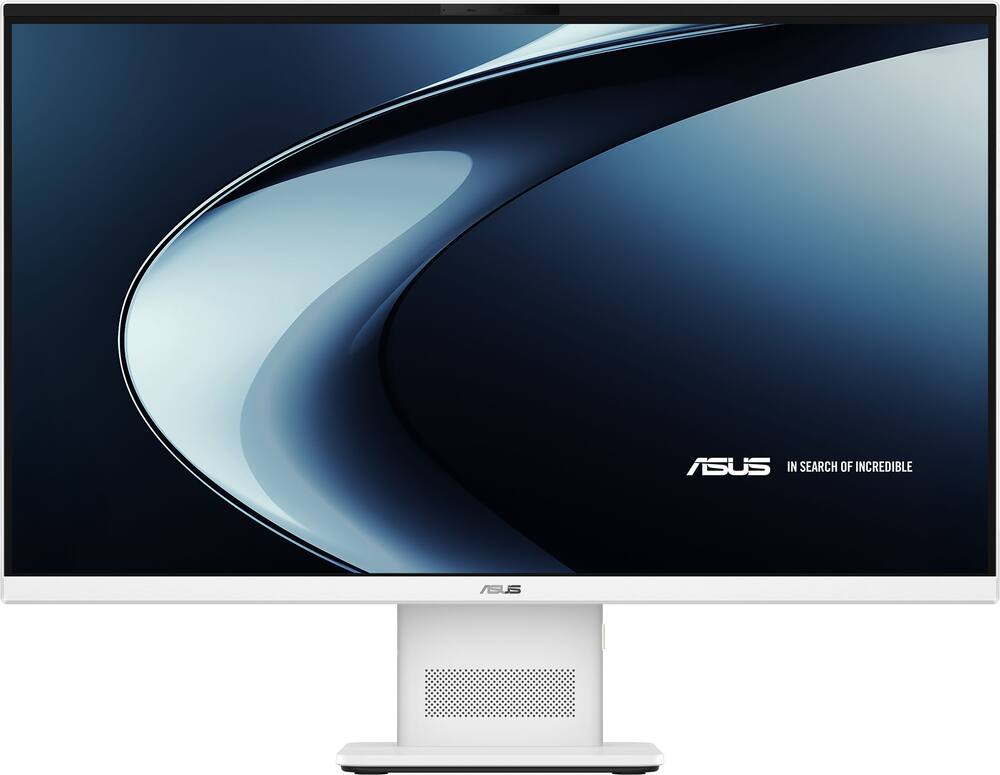
A clean, quiet all-in-one for daily-compromises - OVERALL The ASUS VM471 is a sleek, space-saving desktop that pairs a 27-inch touchscreen with Snapdragon X performance in a clean off-white package. It is best suited for families, students, remote workers, and anyone who wants a simple machine for browsing, streaming, Office work, video calls, and everyday organization. KEY TAKEAWAYS + Fast, quiet everyday performance with 16 GB RAM and a 1 TB SSD + Bright, responsive touchscreen with an anti-glare finish + Excellent all-in-one design that keeps desk clutter to a minimum + Plenty of everyday connectivity: USB-A, USB-C, HDMI, Ethernet, Wi-Fi 6E, and Bluetooth + Full HD resolution feels dated on a 27-inch display + Lightweight keyboard, mouse, and built-in speakers are functional but very basic + Windows-on-Arm compatibility should be checked for specialty programs, peripherals, and games DESIGN The VM471 has a modern look that immediately stands out from the typical dark desktop. The off-white finish, slim display, and central pedestal create a clean setup without a separate tower or a mess of cables. Despite arriving in an oversized, heavily protected shipping carton, the unit itself fits comfortably on a normal desk. The stand is stable and allows for screen tilt, but it does not adjust for height. The illuminated power button is easy to find along the right side of the base, and the front speaker placement makes sense for calls and everyday streaming. PERFORMANCE This is where the VM471 makes the most sense. The Snapdragon X processor, 16 GB of memory, and 1 TB SSD provide quick response times for web browsing, Office applications, streaming, video calls, photo organization, and everyday multitasking. Startup, rebooting, and waking from sleep are all fast, while the machine stays cool and quiet. The touchscreen is responsive and easy to use, and the anti-glare finish holds up well in bright rooms. Copilot+ features are a nice addition for writing help, summaries, troubleshooting, and general guidance, but the real value here is the quiet, efficient performance for everyday computing. The biggest drawback is the 27-inch 1080p display. Video looks good, but text and fine detail do not have the sharpness of a 1440p or 4K panel. If you are used to a high-resolution monitor, this will be noticeable. CONNECTIVITY The I/O is well thought out for a simple home or office setup. You get USB-A, USB-C, HDMI, Ethernet, Wi-Fi 6E, Bluetooth, and a headphone/microphone combo jack. That should be enough for printers, external storage, headsets, phones, and even a second monitor. The included Full HD infrared webcam is also a welcome addition for video calls and Windows Hello facial sign-in. For a family computer or remote-work desktop, it covers the essentials without requiring extra accessories. ISSUES/QUIRKS The bundled keyboard and mouse are usable, but they feel lightweight and thin compared with the polished design of the computer. The keyboard has no backlighting and the typing experience is not particularly satisfying. Replacing them is easy, though it adds to the final cost. The internal speakers are fine for calls and casual videos, but they lack depth for music or more immersive entertainment. External speakers or headphones would be a worthwhile upgrade for anyone who streams regularly. Compatibility is the other consideration. Most common Windows applications run well, but some older programs, specialized drivers, business software, peripherals, and games may not behave the same on Windows-on-Arm. This is not a gaming rig or a heavy editing workstation, so verify support for any must-have software before buying. CONCLUSION Overall, the ASUS VM471 is a strong everyday all-in-one with a clean design, quick performance, a useful touchscreen, and enough storage for a busy household. It is not perfect—the resolution, speakers, accessories, and limited stand adjustment hold it back—but it is a practical, attractive desktop for the right user. This is worth 4 stars.
Good Looking and Responsive! - The ASUS-VM471 27” Full HD Touch-Screen All-in-One PC with Copilot+ and the Snapdragon X with 16GB of RAM is a beautiful-looking machine and it’s big. As a person who has been using 27” monitors for years at my main PC, somehow the 27” screen on this ASUS-VM471 looks bigger. It is also unbelievably thin for an All-in-One yet still has all of the necessary ports and features built in that you need. I have heard rumblings about non-compatibility issues with ARM-based chips and Windows, but have not seen any issues during setup or use with this one, so maybe that has been worked out by now. One thing I noted is it looked like Chrome did two installs and on the second I saw x86, but when I went and looked, it was an ARM64 version. Whatever it was doing, it works great and I am very surprised by how snappy this ARM-based PC is. It seems faster than my 12th gen i7-12700F somehow, with 32GB of RAM. It’s also amazing to have a touchscreen so big. This makes some games very fun to play on it and allows you to put it anywhere you want. You could put it on a retractable shelf on the wall in your kitchen with velcro on the bottom of the stand if you wanted to, or on an island, and just use the touchscreen for navigation. While the screen does look good, I did notice some things that did not look as good as they do on my 2K screens. I really think ASUS should have upped the resolution to 2560x1440 and put a different ARM processor if they needed to. For most things, it is not noticeable, but I think a 27” screen could use a higher resolution for detailed images. That is really my only criticism of the ASUS VM-471 and it is relatively minor. This PC does come with plenty of ports, surprisingly, with an HDMI out and a DisplayPort out for adding screens. There are also 3 USB Type-A ports and a USB Type-C port, three of which will charge your phone. With one terabyte of storage on board, that should be plenty for most users and it is good that they used that size SSD. The included wireless Keyboard and mouse are surprisingly nice to use and operate off of one small dongle plugged into one of the USB Type-A ports in the back. Overall, I am really impressed with the ASUS-VM471 All-In-One and think it makes a great PC for everyday use cases that cover the needs of the large majority of users. People will be happy to have this simple-to-hook-up, good-looking machine in their homes that only requires one wire the power cable to get it going. ASUS did a great job with the VM-471. I just want to see options with upgraded screen resolutions, with 2K and 4K options in future models.
Sleek all in one for everyday tasks - The ASUS VM471 27” FHD with touchscreen is an interesting machine, mainly because ASUS decided to drop a Snapdragon ARM chip inside an all-in-one desktop instead of the usual Intel or AMD processor. For anyone who keeps up with tech, that alone makes it worth a closer look. Visually, it looks great on a desk. Because ARM chips are more power efficient, they run cooler than standard chips. This means the back of the machine doesn’t need any thick heat sinks or loud fans. The chassis is nice and thin, and it stays practically dead silent even when multitasking. The only shortcoming with the design I found is the stand: it tilts up and down but no height adjustment, so you have to physically elevate the entire unit with a riser if you need it higher. The screen itself is a bit of a mixed bag. On one hand, 27 inches is plenty of room to work with, the colors look solid, and the touchscreen is snappy and responsive. On the other hand, sticking with a 1080p resolution on a panel this large means the pixel density is pretty low. Anyone sitting fairly close will notice that small text and window borders look a little soft around the edges. A 1440p panel would have looked noticeably sharper here. As for the touchscreen, it works well enough but I personally just feel weird putting my hands on a screen this big. Where it genuinely impresses is everyday speed. Day-to-day work—browsing with a bunch of tabs open, streaming video, running Office, and hopping between apps—feels fast and responsive. The 16GB of RAM and 1TB SSD give it plenty of breathing room, and the onboard NPU handles local AI features and background blur without breaking a sweat. The software side, however, depends entirely on what the machine is used for. Native ARM apps run great, and the built-in emulator handles basic older programs fine. But this is not the right box for specialized work like legacy engineering software, weird hardware drivers, or PC gaming. The integrated graphics can’t handle much beyond lightweight casual titles, and anti-cheat software often refuses to run on ARM Windows. The rest of the hardware covers the basics nicely. The webcam is sharp enough for video calls and supports Windows Hello face unlock, which makes sitting down and getting right to work effortless. The built-in speakers get loud and clear enough for podcasts and video chats, though music sounds a little flat. There’s also a decent mix of USB ports, HDMI, and Wi-Fi 6E, though the bundled white wireless keyboard and mouse feel like cheap pack-ins that most people will want to swap out. Overall, the VM471 makes a lot of sense as a sleek, quiet family hub or an everyday home office desktop. It looks modern and handles routine tasks while staying nice and quiet.
Snappy and Efficient All in One - I have been using the ASUS VM471 for a little while, and overall I think it is a solid all-in-one computer for everyday home or office use. The 27" Full HD touchscreen is easy to use, and the system feels quick for the kinds of things I do most often, like browsing, streaming, working in Office, and keeping photos and files organized. The 16GB of memory and 1TB solid state drive also make it feel roomy and responsive. The Snapdragon X processor is probably the part I was most curious about. In regular daily use, it has been fast, quiet, and cool. I can have several apps open without the computer getting noisy or feeling sluggish. Apps that are built for this type of processor open quickly and run well. The only thing to keep in mind is that some older Windows programs, certain business software, or demanding PC games may not work as smoothly because they were originally made for Intel or AMD systems. For normal home and office use, I have not had an issue, but I would not buy this expecting it to be a gaming machine or a replacement for a workstation. For me, the processor makes the most sense for someone who wants a quiet, efficient Windows desktop for school, remote work, web use, video calls, and general productivity. If you depend on older specialty software or play heavier PC games, you may want to check compatibility first or stick with a traditional Intel or AMD computer. The included keyboard and mouse were not my favorite at first. They are very light and feel a little cheap when you pick them up. After using them for a while, though, they worked fine for basic day-to-day tasks. I would not call them premium, but they get the job done. The screen is bright, and the touch response has been good. My main complaints are the stand and the resolution. The stand tilts, but it does not adjust up and down, which would have been nice. The 1080p resolution is usable, but on a 27-inch screen I personally prefer 4K because text looks sharper. If you are already used to a higher-resolution monitor, you may notice the difference. I like the clean white design. It looks modern on a desk, and the all-in-one setup keeps things simple with fewer cables and less clutter. The speakers are loud and clear enough for videos and calls, and the webcam is fine for everyday meetings. Inputs and Connectivity The port selection is about what I would expect on an all-in-one desktop. There are enough USB ports for normal accessories, HDMI for another display or device, and a headphone/microphone combo jack. Wi-Fi 6E and Bluetooth have been stable for me. It is not packed with ports, but it has enough for a simple home or office setup. Copilot Plus The Copilot Plus features are a nice extra. I have found the quick summaries and writing help useful when I am working through messages, notes, or general information. They are not the main reason I would buy the computer, but they do make it feel more current. Overall, I think the ASUS VM471 is a good choice for someone who wants a clean, quiet, and easy desktop setup for everyday use. It is best for web browsing, streaming, schoolwork, office tasks, video calls, and general productivity. I would not recommend it for serious gaming or professional editing, and I do wish the screen were sharper and the stand were more adjustable. Still, for the right user, it is a practical all-in-one that feels fast, looks nice, and keeps the desk simple.
Great for families, students, and kids - The ASUS All-in-One VM471 is a no-frills desktop computer that takes up minimal space and is great for families, students, and even children. I will admit that I was skeptical about a computer utilizing a Snapdragon processor, but I can safely say that it performs perfectly for its target audience. While you won’t be gaming top titles, or doing intense photo-video editing, the speed and performance of this computer is certainly enough for everyday tasks. Re-booting the computer, or waking the computer from sleep is very fast. Basic office applications, web browsing, and YouTube streaming with a stable internet connection are all quick and responsive. This computer also comes with 16GB of RAM and a whopping 1TB SSD, which only adds to the overall quickness of the entire system. This comes in even more handy when several user profiles are set up, leaving users with plenty of internal drive space to run the entire family's preferred applications with plenty of room for everyone's saved profiles and documents. ASUS have also included a basic 2 Megapixel Webcam so users and families can chat with friends and even join online meetings. The available ports are also very impressive on this computer and should be more than enough to satisfy casual users. This model includes one USB-C port on the side which can also fast charge your phone or tablet. Just below the USB-C port, is a multi-jack headphone / microphone combo jack. The back of the machine includes three standard USB-A ports for peripherals, as well as a single HDMI and Display Port for connecting to your TV or an external monitor. The power button is on the right side of the base and is lit up with a soft white LED making it very easy to see and locate. The speaker is located on the front of the base. While the ASUS VM471 is a fantastic computer for its target audience, I do think it falls short in a few key areas. The good thing is, some of these issues can be fixed if you choose to go that route. First, the screen resolution is only “Full HD” 1920x1080. In 2026 most of us are used to looking at devices and computers with razor sharp text and a very dense pixel ratio. Looking at text on an HD screen these days is a bit disappointing and takes me back to the older CRT monitor days. That said, watching YouTube looks great and the fact that the panel is a touch screen, makes up for it a little bit. The internal front speaker is also very weak sounding. Basic webchats and videos are okay, just don’t expect HiFi audio for streaming music. Lastly, the included wireless mouse and keyboard feel extremely cheap, lightweight, and thin. The keyboard does not have any backlighting and the action feels weak. As stated before, some of these minor issues can be remedied, but that only adds to the overall cost. I replaced the stock keyboard and mouse with the set I was using previously. I also had a different external computer speaker that plugs in via USB and the headphone jack. Computer upgrades have always been available, but it is ultimately your choice to do that if you prefer. **** PROS **** Fast and efficient for everyday tasks Plenty of ports Touch screen **** CONS **** Display resolution Keyboard & Mouse Speaker
such a clean looking Computer - The ASUS VM471 all in one is a clean, modern desktop designed for people who want a capable everyday Windows PC without dealing with a separate computer tower, monitor, speakers, keyboard, and mouse. With Snapdragon X this Copilot+ PC combines with large 27” inch touchscreen with 16GB of memory and 1TB of PCle 4.0 SSD. What stands out about the VM471 is has to be the design, the white chassis, slim bezels, clean stand, and minimal cable setup make it look much more like a large premium monitor than your traditional desktop computer. DEVICE & FEATURES The 27” inc is the sweet spot when it comes to monitor size in my opinion, it uses 1920x1080 HD touchscreen with 100% sRGB and up to 300 nits brightness, I wish it was 1440p but 1080p is good enough for 27” inc size. As long as you don’t sit too far from the screen the resolution is still fine through this day. The Snapdragon X processor is an interesting choice for an all in one computer. Is listed as 8 core CPU with base clock of 2.97GHz, instead of maximum performance the Snapdragon platform is designed around responsive everyday performance and efficiency. You do get 16GB of DDR Memory and 1 TB PCle 4.0 SSD, so that’s plenty of room for documents, photos or some applications. Connectivity we have USB-A, USB-C connectivity, HDMI 2.1, Ethernet, WiFi 6E and support for Bluetooth 5.3 you also get a built in 1080p camera. Audio we have dual 3W speakers with Dolby Atmos enhancement, along with AI noise-canceling microphones. Inside the box we we also get a full sized keyboard and mouse that both wireless and runs on batteries. EXPERIENCE This one of the cleanest looking All in One computer Ive had, the way Asus did all the input and the power button its extremely clean to see on your desk. From browsing, email, streaming and managing files Snapdragon X is pretty good. Having touch screen is great to have some might not use it much but its nice to be able to scroll and have a majority of work controlling the browser or looking at photos using the touch screen. Again its 1080p so some area might seems a bit blurry, the colors produce colorful image. The build in speaker which I think was pretty decent, its hard to complain much considering if youre aiming for a All in One type of computer, but this is one of the few computer that has the center speaker and im Asus did great for speaker placement. The only thing about Snapdragon platform it might not work on certain application specially if you need this computer for work. If youre dealing with some 3D work or any kind of software that’s pretty demanding Snapdragon might not be the one. CONCLUSION: Overall the ASUS VM471 is a very sleek all in one computer, if youre looking for minimalist type this fit that look. I been enjoying my time with this computer the only cons I could say is not having the ability to adjust the screen height or to switch vertically. Some people might think 1080p is blurry but so far it has been fine with me browsing around. It does have a premium price I just wish it has the ability to be adjusted. But I did not encounter any slow down it was responsive even the touch screen functionality was responsive as well.
Home run! - When I got the opportunity to review this Asus AIO 27”, I jumped on it. My current “name brand” 27” AIO has served me well, but it is starting to show its age. In the last few years, Asus has earned its place in my top three brands of AIO desktop, laptop, and tablet products. Their motto is “In Search of Incredible,” and they keep raising the bar on themselves. This 2026 AIO is their latest incredible achievement. Setup was a breeze, after a false start. When I first powered up, an error message appeared on screen. It told me to restart for resolution. Having not experienced this before, I’m thinking what’s up with Asus? So, I rebooted. This time it promptly fired up, led me through a seamless setup, downloaded my data from my Cloud, and pronounced it good to go. Perfect setup in quick time! Nary even a hiccup after the false start. I love it! Some of the VM471’s features are: *The compact rear stand contains all the computer’s electronics. This design does away with the usual right and left legs, creating more useable space on the desk. The on/off button is positioned on the right side (as viewed from front) of the stand where it can easily be seen. *The 27” Full HD touch screen is remarkable. Colors are sharp and bright. * The Operating System is the latest version of Windows 11 Copilot+ PC. Processing is done by Snapdragon X, especially designed to enhance OS speed and efficiency of Copilot+ PC. *Music and other sounds through two 3-Watt speakers are clear and crisp, even on video calls. It’s very hard to beat Dolby Atmos! *Storage is plentiful! SSD storage is 1T, and RAM is 16Gb. *Connectivity ports are also plentiful! HDMI:1; USB: 3 A and 1 C, and Ethernet. *Wireless connectivity is available via Wi-Fi and Bluetooth. *A standard wireless keyboard and mouse are included. They both work well. However, if you are like me, you use your own ergonomic devices. No worries, it’s still plug and play. All in all, the new Asus AIO VM471QA provides a marvelous experience! It looks great on the desk, opens more usable space, and performs tasks quickly and accurately. While the pricing level leans toward the top shelf, it is very competitive in its market. All Asus products that I have had the opportunity to experience have been very good to excellent. This one hits it out of the park! Incredible? Yep!
Asus 27" All in One ~ AWESOME! - My Asus VM 471 arrived in a very robust shipping carton and was packaged exceptionally securely inside. The system has a sleek, modern appearance, featuring a central pedestal support rather than four separate feet, and comes in a lovely off-white finish. Included in the box were a full-size wireless keyboard in light gray and a matching wireless mouse, both of which are battery-powered and came with batteries, along with the power cable and pamphlets for quick setup and general information. The display is a touchscreen with an anti-glare coating that performs beautifully even in my very bright room that has skylights. On the top center of the screen there is a built-in camera, while the speakers are positioned at the front of the stand. The power button is on the right side of the stand and is illuminated so it's easy to locate, and the stand also allows you to tilt the screen. After placing it on my desk and connecting the keyboard and the mouse, which operates via a USB-A dongle, I turned it on, was prompted to give the computer a name, and then it began installing updates. Once the initial setup was complete, I started exploring the settings. This model includes Dolby Atmos with several sound profiles to choose from, including Dynamic, Game, Movie, Music, Voice, and three Custom settings. Streaming shows on Netflix was a fantastic experience, with an exceptionally sharp picture and impressive audio that projects right from the center of the stand. Browsing the web with Edge was effortless and everything loaded incredibly quickly. I was also able to link my iPhone to the PC using Phone Link by pairing via Bluetooth after locating the computer's name and granting the necessary permissions. Once connected, I could access a dial pad to place calls and view my text messages directly on the computer, which is very convenient. I really appreciate the AI-powered CoPilot feature as well; when I ran into trouble moving files over from my old computer, it walked me through the entire process step by step and made it very easy. In terms of both its appearance and its processing speed, this is a truly outstanding machine. I am completely satisfied with my purchase and have no regrets whatsoever. I would give it a perfect ten out of ten in every category.
Very nice desktop - I bought this to replace my 7 year old desktop (from another brand) that is in my home office The primary purpose is email, Netflix movies, some simple spreadsheets, and storing family photos I know the ASUS brand as having quality products at a very competitive price This desktop did not disappoint The packaging (ship to home) is large with an internal box protecting the desktop. While my outer box had some damage and tape repairs by FedEx, the PC and contents were pristine and packaged well The set-up could not be any easier. Literally put it on the desk and a single power cord. Initial start-up took some time since after entering the wifi credentials, it went through a lengthy Windows update Once that was done, connecting it to my cloud files services and I was in business. Overall maybe 20 minutes of work with 2 hours overall (updates) The unit itself is fairly lightweight and the same with the included keyboard and mouse, but in a good way (not cheap) The monitor has a very clear display and I value the touchscreen as another input method if I so choose The speaker has decent sound, but I will be mostly using bluetooth headphones The speed and memory is adequate for my needs and works seamlessly Overall this is a great PC with good aesthetics and performance that does not break the bank
Easy set up and looks sleek. - The ASUS - VM471 27" Full HD Touch-Screen All-in-One - Copilot-PC Snapdragon X is very sleek looking. Straight out of the box it was eye catching. First of all, the box it was sent in was gigantic. I was a bit worried at first thinking I am not going to have room on my desk for this. I opened the box and another box was inside. It was packaged so well. I must say that they are very cautious with shipping. Everything was packed perfectly and very protected. I was impressed. The worry was gone, it was a normal size and will fit at my desk. I got all of the parts out of the box, put the batteries in for the keyboard, the mouse and plugged the computer in. The loading took quite some time. I could leave the room while it got set up. Once it was done, I had a few things to type in. I tried to use the keyboard, and it wouldn't allow me to, you can only use the touchscreen. I guess that is okay, but I was ready to type using the keyboard, not the keyboard on the touchscreen. I eventually got everything typed in that needed to be and it was great. Once the set up was complete, I took a stroll through things to see what they looked like. The images are super sharp. I love the white color of this. Normally the computers are dark, this really brightens things up a bit, and I don't mind that at all. I am giving a full five stars, it would be a four, if it wasn't for the fact that I had to use the touchscreen to type everything in that I needed to. I found that part to be a bit difficult and would rather have been able to type on the keyboard as I am so much better than on the screen. All in all, this is a beautiful piece. I am impressed with the looks of it and happy with the ASUS - VM471 27" Full HD Touch-Screen All-in-One - Copilot-PC Snapdragon X. I would highly recommend this to anyone.
ASUS Computer - Replacing a 11 year old Dell, so far it's great. Easy set up and works for everything I need it to.
Email [email protected] or call (888) 419-6820 during business hours.
Add your review