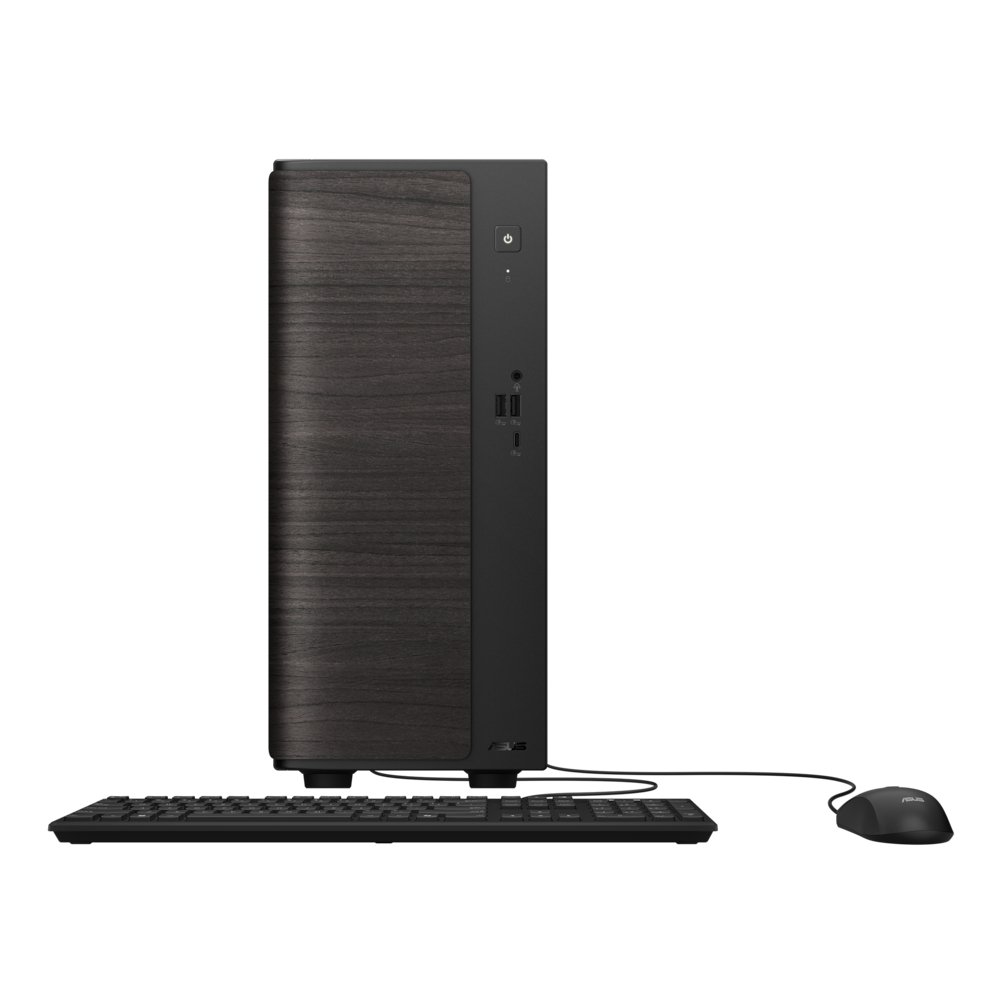
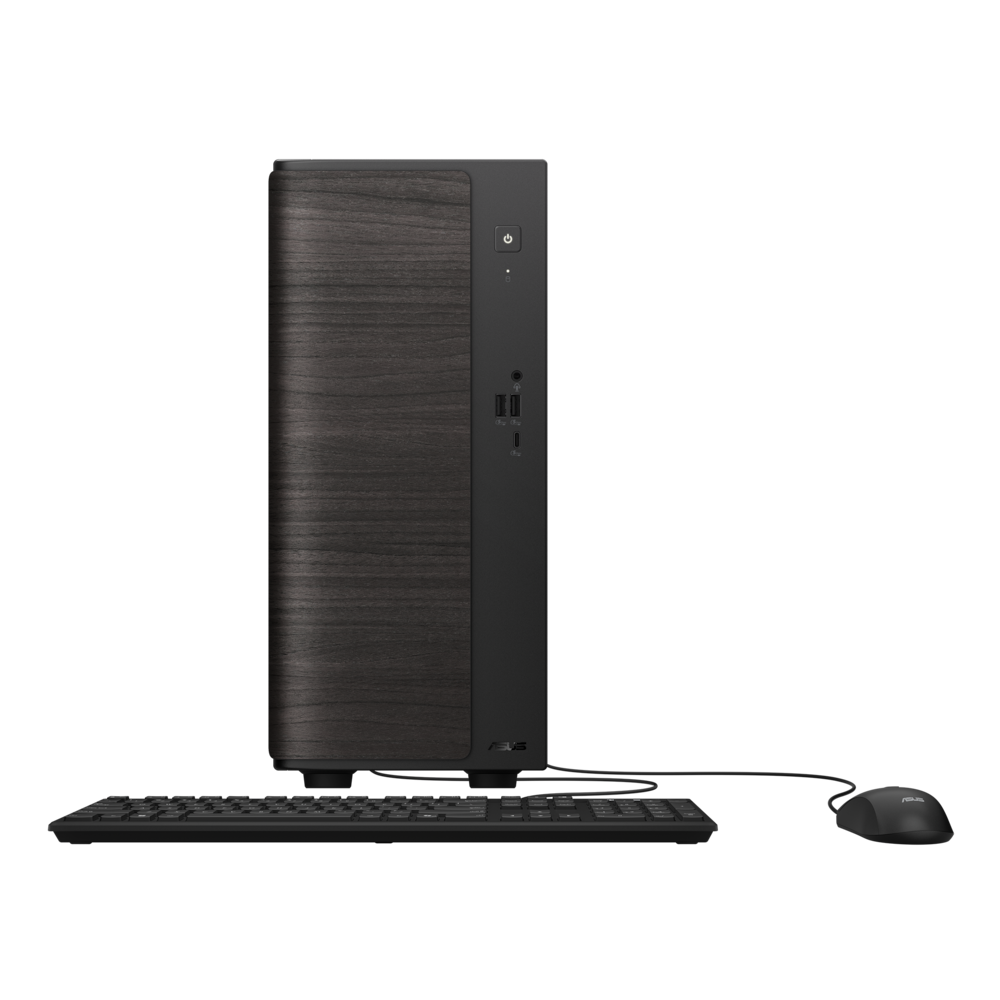
ASUS - VM501 Desktop - AMD Ryzen 7 260 (2025) - 16GB Memory - 512GB Storage - Black
$759.99
Was $949.99
Save $190.00 Free shipping
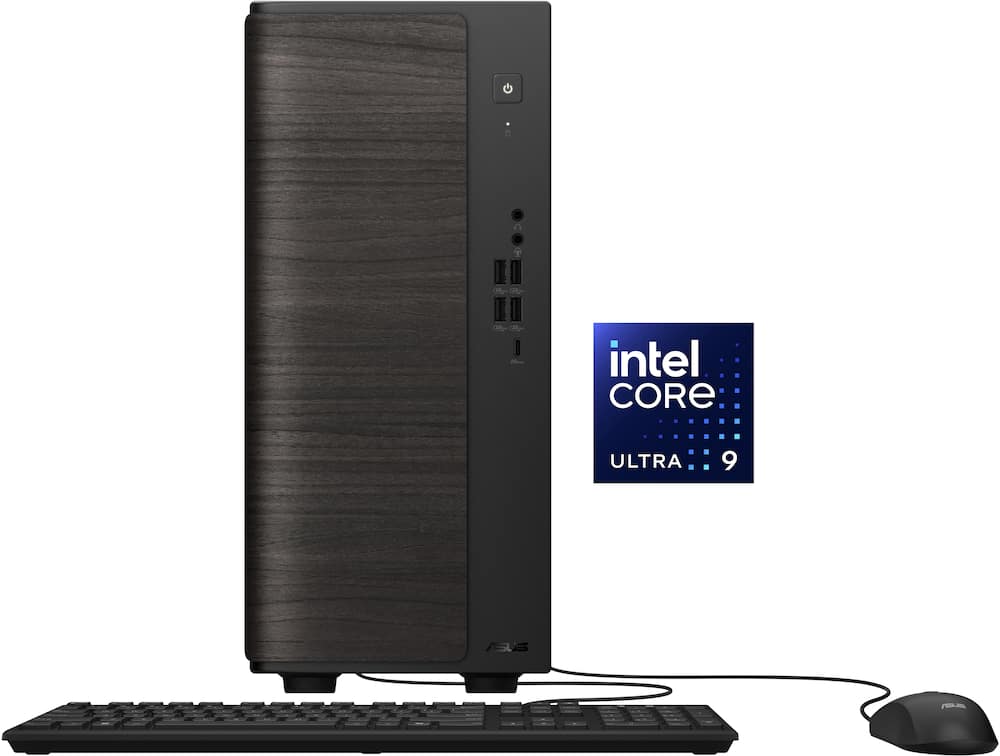 20% off
SKU: 6679691
$1,11999
Was $1,399.99 Save $280.00
Other options in this range
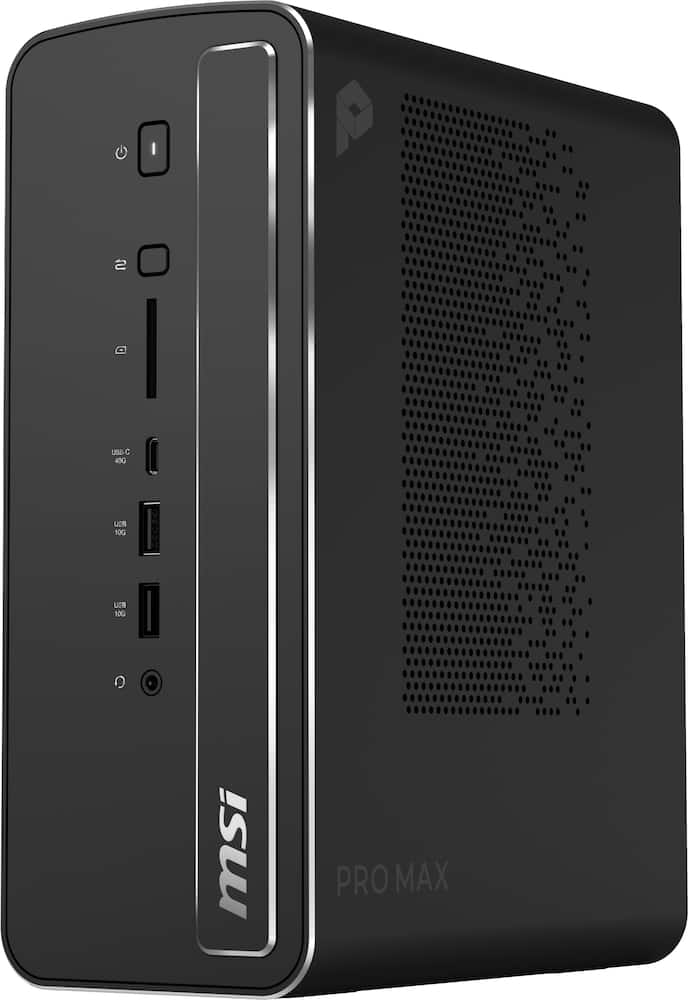 MSI - Pro MAX Edge AI+ Desktop - AMD Ryzen AI Max+ 395 - Radeon Graphics - WiFi7 Type C - 128GB Memory - 1TB Storage - Black Original price was: $5,199.99.$4,159.99Current price is: $4,159.99.
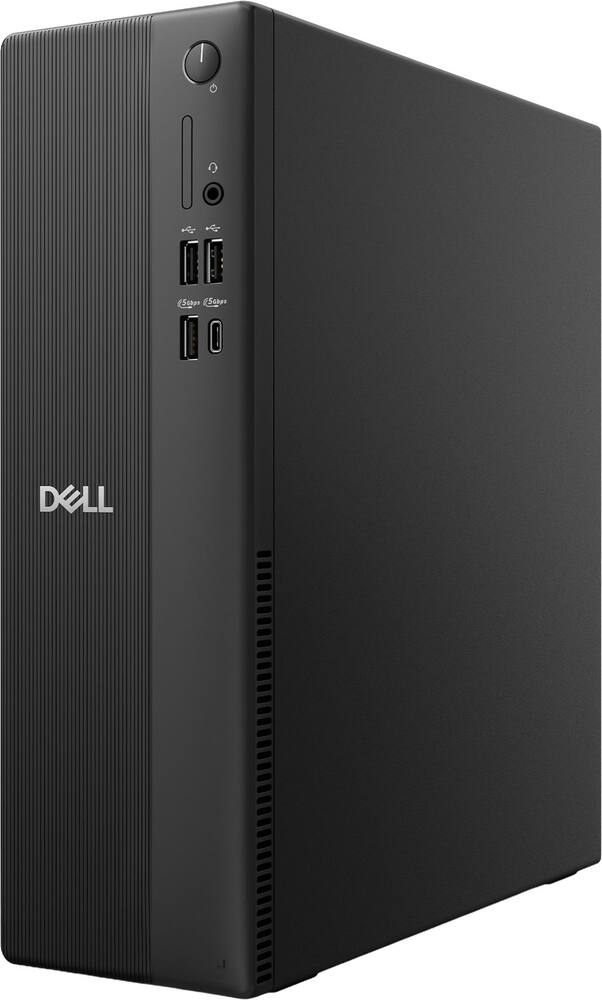 Dell - Slim DS1265 Desktop - AMD Ryzen 7 170 2025 - 8GB Memory - 512GB Storage - Black Original price was: $1,199.99.$959.99Current price is: $959.99.
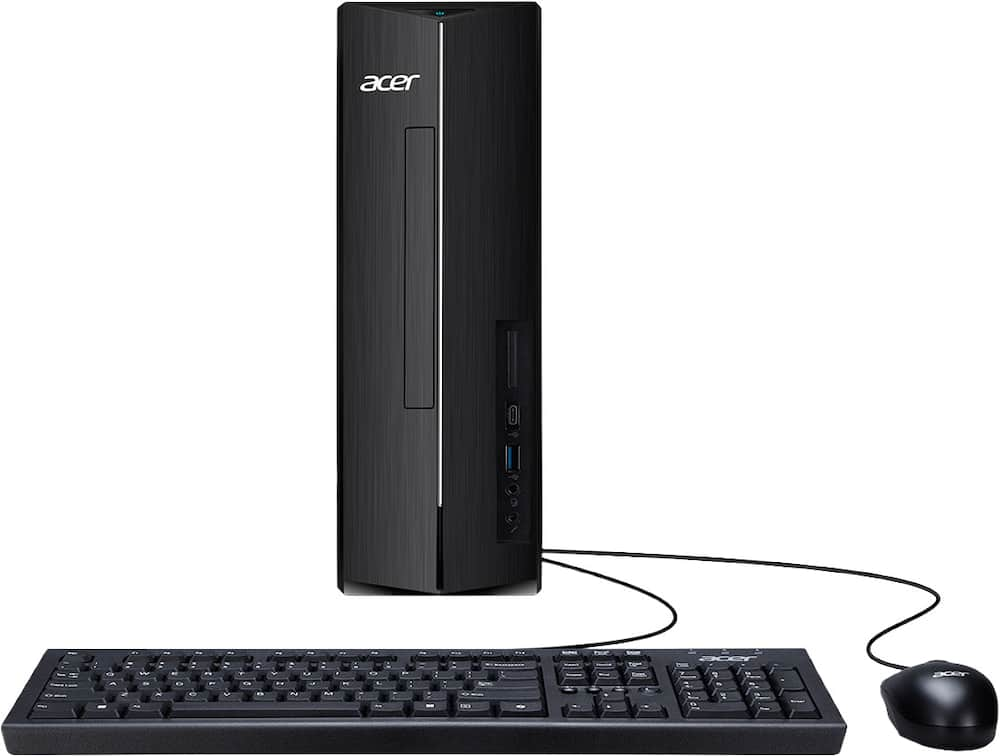 Acer - Aspire XC-1715_CZN-UB13 Desktop - AMD Ryzen 3 5000 Series 2021 - 8GB LPDDR5 - 512GB - USB Keyboard and Mouse - Black Original price was: $449.99.$359.99Current price is: $359.99.
See manufacturer documentation.
Register your product with the manufacturer within 30 days of delivery.
Manufacturer warranty claims are handled by the manufacturer. We are happy to help you find the right contact: (888) 419-6820.
Free shipping
Free shipping
Free shipping
New desktop - Great desktop. Fast fun. Should be good for 10 more years.
Compact desktop thats efficient - This Asus Desktop has been working great for me. I was able to easily hook it up to my monitor and have been using it daily to run my small buisness efficiently. This system is compact which I love because my desk is small therefore it doesnt take up much room and fits perfect with my monitor and other small items on my desk. I have mainly used it for things such as updating my website, uploading photos to my website, invoicing, orders, inventory and other similar things. In doing so, I found that the speed process for everything I used it for was quick, efficient, and ran smoothly. I do like that it is alot quieter than my other desktop. Aside using it for my small buisness, I have also used it for creating lesson plans. I think its a good desktop for what I need for my buisness right now and for the occasional use of other browsing. As for gaming, this isnt the desktop I would reccomend for that. I did find it lag a bit wheny son wanted to use it to play one of his games on. Overall I am happy with it for my daily buisness use, lesson plan use, and browsing the internet on.
A great home theater server in the making - I’ve been looking for a new desktop computer to set up as a media server in my home entertainment system for a while now and finally decided on this Asus as a good candidate. The specs alone make it a big step up over my precious system. You get tons of processing power with the Ultra Core 9; more than enough for the task at hand and very adept when running more complicated tasks like complex AI prompting. 16 gigs of RAM and a terabyte of hard drive is also plenty enough for what I’m doing, but easily upgradable if you need more. The thing I like most is that even under load it stats remarkably quiet. I have other computers that sound like an airplane taking off, and this one you don’t even notice. It’s all wrapped up in a very living room friendly package; it looks less like a computer and more like something you’d find in your home theater. Asus setup is always a breeze, and I’ve had really good luck with their service and support on previous models. All in all i would call it a great buy for the price.
Great Machine! - Wicked-decent desktop! This ASUS - V701 Desktop - Intel Core Ultra 9 275HX - 16GB Memory -.1 TB machine is an (almost) future-proof powerhouse of a desktop. Or at least as far as home use desktops go. Why do I say "...(almost) future-proof"? Well, first off, because NOTHING is future proof in PC's, but this desktop is a bout as close as you can get. The CPU is a powerhouse that should be good for the next few years. And the chassis itself, super wide-open, lots of room to add internal upgrades and, lots of expansion. For us "home techie dorks", this a good platfor. I'm not going to get into any of the tech specs, since they are freely available from multiple resources, incudig the BB website, but I will address the set-up and the aesthetics. OK, from a set up perspective, included in the box, are a power chord, the unit itself, a basic wired mouse and keyboard. Lets be honest, the mouse and keyboard are good for setting it up, but most of us probably have old wireless mice and keyboards laying around that will be immediate upgrades. Beyond that, set up was exactly as expected for windows machne. The vast majority of time spent will be in the always time-consuming windows installations and upate. But once up and running, great Windows 11 machine. Aesthetics? NIce rounded corners, a unique wood-grain'esque pattern on the front. Certainly not the "ever-so typical" square black box that could have been in any high school computer lab since 1996. Pretty unique and refreshing. In all, a nice approach to an otherwise bland, (albeit many are capable), subset of "basic black boxes". End of the great machine for a good price from a reliable builder. I would reccomend to a friend.
Almost the perfect PC! Love Intel's CU 9 chip! - It’s almost the perfect mini tower and here is why. I’ve been really impressed with this ASUS Mini Tower V701MLC1 for the 2 weeks I’ve had the opportunity to use it. I previously owned a gaming laptop with the same chip, the Intel Core Ultra 9 275HX, and I went in knowing how powerful and ridiculously fast this chip is. Same story here, the Ultra 9 is extremely powerful, and everything feels fast and responsive. It’s performing just as I expected it to! I appreciate the 16GB of RAM and a 1TB SSD,. It packs enough performance and storage for everyday use, multitasking, work, and some photo and video production I do on the side. The looks of this is truly phenomenal. It’s just a beautifully packed pc tower and it blends in with my minimalist desk. It’s so light that I actually went to put in on a scale just because I was curious to weight it and the scale didn’t even pick it up. Not that you should, but if you had to transport this, it’s super easy. The built quality also feels top notch. No complaints from me. My only real complaint is that this beautiful machine does not come with a designated GPU. This particular Best Buy configuration only comes with Intel integrated graphics. I’m not a hardcore gamer, so I don’t need a high-end gaming computer, but I do enjoy playing some games on the side or on weekends, and having a dedicated GPU included with this model would have been awesome. I honestly would have consider selling my gaming laptop because this would meet my needs. It doesn’t need to be high performing GPU, but just one included for casual gaming. Overall, this is a very powerful and fast computer. I love how responsive everything feels from the internet to opening apps. Everything! For someone who primarily wants a great every day or work PC, it has more than enough performance. For someone like me who also likes to do a little casual gaming, the lack of a dedicated GPU is really the only thing keeping it from being the complete package.
Nice Home Desktop, Gets the Job Done - I think, today, most computers/laptops are built to run and it really comes down to your reason for wanting one. The ASUS-V701 is nice looking desktop with it’s black faux-wood color. It is small and very light. I actually appreciate all of that! I was not looking for anything serious or anything that is super-power hungry – gaming, video editing, not that you couldn’t do either of those things on a lightweight scale. It has good power nonetheless! – Intel Core Ultra 9 processor and 16GB DDR5 But, I think this desktop can meet a specific need or desire. A well put together, regular-use desktop that you can put essentially anywhere, and it will not stick out like it’s out of place or random. When I say “regular use,” I mean office productivity, internet use, streaming. With 1 TB of storage, you can store/save a lot. I think a big plus, though, is that you can connect this desktop to your big tv (whether in your living/family room or bedroom) and use it to stream on a big screen. It will look really good with that type of setup. This desktop has the regular easy setup. It powers up and down easily. It runs! (not with legs.. ha ha ha). It comes with a wired keyboard and mouse. Of course, they work just fine. I don’t use those at home. I will connect with wireless. It has tons of USB ports – in the front you have 4 USB-As and 1 USB-C. In the back you have 6 USB-As. I have to say, I am disappointed and a bit shocked that with all those ports, there is only 1 USB-C. You have all the other typical ports. I should mention that for connecting a monitor, you have 1 HDMI and 1 Display Port. It’s a good, small, quiet desktop that looks aesthetically pleasing and can blend in well with furniture if you want it too. It has enough power for multitasking and at-home use. And, yes, I would recommend it. Peace.
Speed machine for everything but AAA games - SUMMARY: The ASUS V701 Desktop is a powerhouse for those that just want to sit down and work with their computer right out of the box but do not regard the computer as a hobby. It is NOT for the person that wants to add a graphics card or a lot of SATA drives. Yes, it is a tower, but a small one designed to be out of the way, not a do-it-yourself upgrade project. You can upgrade what matters for most, memory and storage. It is built for speed and power lifting. PROs: - Built for speed, and it delivers. Fast CPU Intel Core Ultra 9 275HX with 24/24 cores/threads, fast DDR5 Ram. - Small, surprisingly attractive form factor, fits in the living room or the tightest of spaces. - User upgradable RAM and SSD. - Quiet, cool performance. - Easy to set up - Boots fast - HDMI and display port connect to my two 4k monitors fine. CONs: - Limited power supply, coupled with Proprietary Motherboard Connections so you can’t easily upgrade also limits adding a graphics card or anything else that requires much power. A MATTER OF TASTE: - You can have a lot of USB ports, as long as you like USB A. 10 of those. But, only one USB-C port. - Integrated graphics, okay for everyday visuals and streaming and casual gaming. But not great for anything advanced. - Basic USB-A wired keyboard and mouse. Personally, I am fine with this, it’s not my first PC so why pay more for something better? But ultimately, you will want more (wireless) if you don’t already own it. MORE WORDS: There are four good reasons to take a serious look at this tower. You don’t like to watch spinning beach balls (it is powerful), you don’t want it to take much space, you are looking for quiet, and when it comes to upgrading, RAM and internal storage is it. Then this very well could be the compact tower for you. I have no complaints when operating it as intended, doing serious work and occasional gaming. It has all the ports and connections of a modern day-computer. For me, I wish it had more than one high speed USB-C port because I tend to connect two multiple SSDs for my photography work, but that’s a rare use. It does have an ethernet port to connect to a NAS. Also, I don’t plan to upgrade the video card or putting in internal spinning rust Sata drives, so I don’t worry about upgrading the power supply. Yes, there are towers that can do that, and they also cost more. That’s what makes this a good value for the speed. WHO IS THIS FOR? Anyone that places a premium on ease of set up and speed. It does fine for graphics, video and almost any program you throw at including most games. Students, home office, living room.. all great. If this is you it’s a solid 5. If it’s not you, then why are you looking at it? WHO ISN’T THIS FOR? It’s not a AAA gaming powerhouse. Anyone that wants to connect to more than one external drive. Anyone that wants to put in a beefier power supply so they can put in a modern graphics card.
Powerful, Quiet and Compact With Some Odd Choices - The ASUS V701 is a pretty interesting desktop because it sits somewhere between a traditional tower and a mini PC. It’s noticeably smaller than a normal desktop, but still feels like a proper PC rather than something designed strictly around being as tiny as possible. I like the overall look quite a bit. It’s clean, understated, and easy to fit into a home office without looking like a gaming PC. That said, the case itself does feel relatively cheap once you actually handle it. There’s a fair amount of plastic, and it doesn’t have the same substantial feel you might expect from a desktop around the $1,400 price point. ASUS does at least include a basic keyboard and mouse in the box, so everything you need to get started is there. Port selection is quite good, especially on the front. You get USB-C, several faster USB-A ports and separate headphone and microphone connections, while the rear adds HDMI, DisplayPort, Ethernet, additional USB ports and audio connections. There’s plenty here for a normal home or office setup, and I like having so much connectivity easily accessible from the front. The more interesting part of the V701 is what ASUS used internally. Instead of a traditional desktop CPU, this uses Intel’s Core Ultra 9 275HX, which is one of Intel’s higher-end mobile processors with 24 cores and 24 threads. It’s an unusual choice for a desktop, but it works surprisingly well here. Performance is excellent for everyday use, and there’s far more CPU power than most people buying a general home or office desktop will ever need. The system comes with 16GB of DDR5 memory using a single SO-DIMM stick, with a second slot left open for expansion. I’d probably upgrade the memory if I planned on doing heavier photo or video editing, development work, or other professional workloads, but I actually prefer ASUS using one 16GB stick instead of filling both slots with 8GB modules. The single-stick configuration does give up some memory performance out of the box, but upgrading later is much easier. The included 1TB NVMe SSD is also plenty fast for normal use, and there’s another M.2 slot available if you want additional storage. Between that, the open memory slot and the internal PCIe and SATA connections, the V701 initially looks like it should have a pretty solid upgrade path. Unfortunately, that’s also my biggest issue with the system. The motherboard has a full PCIe x16 slot, additional PCIe slots and SATA connections, and the case itself has room for more hardware. The problem is that this particular configuration only comes with a 180W power supply. More importantly, there aren’t normal additional power connections available for a graphics card or SATA drives. That creates a strange situation where the computer physically has much more expansion capability than you can realistically use out of the box. Adding another NVMe SSD is easy, and upgrading the RAM is easy, but much of the rest of the internal expansion is effectively restricted by the power supply and proprietary layout. It’s especially disappointing because the Core Ultra 9 275HX is more than powerful enough to remain useful for a long time. One of the biggest advantages of buying a desktop is usually longevity through upgrades. Being able to add more storage, RAM or a graphics card several years down the road can dramatically extend the useful life of a PC. The V701 gets part of the way there, but the power supply limits what otherwise could’ve been one of its strongest selling points. For productivity, though, performance is excellent. Web browsing, Office work, large spreadsheets, photo editing, coding, and general multitasking all feel extremely fast. ASUS has also done a very good job with cooling. Even under heavier use, the system stays impressively quiet and doesn’t sound like a small computer struggling to keep itself cool. Gaming is obviously a different story. The integrated graphics are fine for casual games, older titles, or lighter games at reduced settings, but this isn’t a gaming desktop in its stock configuration. The other issue that’s difficult to ignore is the roughly $1,400 asking price. You’re paying a lot for the Core Ultra 9 processor and compact form factor while still only getting 16GB of RAM, a 1TB SSD, integrated graphics, a fairly inexpensive-feeling case, and a restrictive 180W power supply. The performance is absolutely there, but the overall hardware package doesn’t always feel like a $1,400 desktop. Overall, I like the V701, but it’s a somewhat strange combination of really impressive CPU performance and compromises elsewhere. It’s compact, quiet, extremely fast for productivity work, and offers straightforward RAM and SSD upgrades that should improve longevity. At the same time, the cheaper-feeling case, integrated graphics, limited power supply and $1,400 price keep it from being an easy five-star recommendation. If you specifically want a compact and quiet productivity desktop with a very powerful CPU, the V701 makes a lot of sense. I just wish ASUS had paired the rest of the system with hardware that better matched the processor and the price.
Desktop mini tower w/good upgrade potential - I just got the ASUS V701 mini tower desktop PC. Today, most people use laptops, so desktop computers aren’t as common. But desktops still have some big advantages. They usually stay cooler, can run faster for longer, and are much easier to upgrade. You can add more RAM, more storage, or even a better graphics card without much trouble. This ASUS desktop uses an Intel Core Ultra 9 275HX processor. It has 24 cores, runs at 2.7 GHz, and can boost up to 5.4 GHz when it needs extra power. This is a strong CPU and works great for everyday things like browsing the internet or using Microsoft 365. Where this PC struggles a bit is with content creation, like photo editing, video editing, or gaming. The good news is that because it’s a tower, you can upgrade it easily to make it better at those tasks. The computer comes with 16 GB of RAM. Memory prices have been high lately because big AI data centers are buying so much of it. There is one empty RAM slot, so you can add another 16 GB or 32 GB stick or replace the current one with two 32 GB sticks maxing it out to 64 GB. Bringing this system up to 32, 48 or 64 BG (max) would be one of the first things I would do. Storage is good: it has a 1 TB SSD, and there’s space to add another one if you need more. The main thing holding this PC back from being a top tier desktop is the integrated graphics. Integrated graphics are fine for basic tasks, and I had no issue running a 5K monitor I also use for my Macbook as well as my 4K monitor simultaneously. But integrated GPUs aren’t great for heavy graphics work or gaming. Adding a dedicated graphics card would make this PC much more powerful and better matched to its strong CPU. For an expandable desktop computer, you can’t beat the build quality or number of ports, there are 8 x USB-A 3.2, 2 x USB-A 2.0 (on the rear panel, mainly to be used for a mouse and keyboard) 1 x USB-C 3.2, an HDMI and DisplayPort are provided for connecting to your monitor(s). Only thing I could ask for is perhaps another USB-C port or one that supports USB4 or Thunderbolt specs and something a bit better than the gigabit Ethernet port, since 2.5ghz is becoming more common. Wi-Fi 6 and Bluetooth are also built into this PC. Overall, this Desktop tower will do well for most use cases, the bonus is you have options to upgrade and build upon a solid foundation. This goes back to the origin of Desktop PCs and especially Tower form factors, you can easily and gradually upgrade as needed without having to scrap the whole PC or reload the included Windows 11 Home operating system. >>> Pros >> Strong Intel CPU >> a plethora of ports >> expandability for a basic tower >> number of built in ports <<< Cons << 16GB RAM << Integrated graphics << USB-C port (singular and basic spec).
Strong out of the box performance, limited future? - This ASUS V701 desktop (specifically the V701ML model) is an interesting desktop. I would call the shape and form factor a "compact" desktop as it IS a lot smaller than a full desktop PC would be and the exterior is designed to fit nicely in a home decor / without standing out too much which I appreciate. It's not as small as a true "mini" PC but is compact nonetheless. Out of the box connectivity options are faily strong with lots of front ports (1 USB-C 20Gbps, 4 USB-A 10Gbps and seperate headphone and microphone ports) though relatively fewer on the back (1 HDMI, 1 DisplayPort, 4 USB-A 5 Gbps, 2 USB-A 480Mbps, Gigabit ethernet and 3 audio ports). The REALLY interesting bits are on the inside though. What ASUS has done here - smartly, given the current run on computer parts - is they've taken a high-end laptop platform released last year and turned it into a desktop. This means it uses Intel's flagship Core Ultra 9 Series 2 chip, the 275HX with it's full 24 cores / 24 threads of power. It also uses laptop-style SODIMM sticks of RAM - here you get one 16GB stick out of the box with an open slot to easily upgrade (though RAM upgrades are costly these days). The single stick does cost you some speed out of the box, but offers a better upgrade path than dual 8GB sticks would. The 1 TB SSD is NVMe and relatively speedy though the sustained performance drops due to the lack of DRAM on the drive. The motherboard appears to be relatively custom with a fairly custom TFX power supply - the one in this unit is a 180W 80 Plus Bronze rated unit that connects over a custom hardness to the motherboard and crucially has NO other power outputs. And this is where we get to the reason for a 4 vs 5 star review. The motherboard and the case allow for SIGNIFICANT room for expansion - there are 3 PCIe slots on the motherboard (one full PCIe x16 slot and two x1 slots), 1 open NVMe slot for a 2280 PCIe SSD and 3 SATA 6GBps ports for older SATA SSDs and hard drives. The case itself has space for up to 4 PCIe cards and 1-2 SSDs/HDDs (depending on if you're using 2.5" or 3.5"). And, with the powerhouse CPU, you could do a lot with this machine if you could use that expansion. Alas, the power supply is what lets you down here. A 180W supply wouldn't have much headroom for a modern graphics card at any rate but there are no additional power connectors for one anyhow. And while it WOULD have plenty of headroom for SSDs/HDDs, there aren't any SATA power connectors either. So out of the box, your upgrade options are limited to a single additional NVMe drive along with the previously mentioned open RAM slot. I reached out to ASUS support on this and was told that different configurations do have a 330W power supply (which oddly still has no additional connections) and even a 500W supply (which does) that I could order and replace "on my own" if I wanted to down the road. I was also told that there are headers on the motherboard that, when paired with specific ASUS cables, would add SATA power leads and even a GPU power lead to the system. This is both interesting and headscratching since these cables aren't included or advertised and you have to hunt them down. With the right cables, you can add up to 2x SATA power leads so you can use that SSD/HDD space and connectors. You can also add an 8 pin GPU power lead though I wouldn't with the 180W supply. BUT these cables are hard to track down - I have a 330W power supply and a couple of the SATA connectors on order so we'll see what happens. The 500W supply and GPU cable appear to be backordered or unavailable. This limited future path solely because of one part - the power supply - and lack of the needed cables to expand is the reason for a 4 star vs 5 star review. All that said, performance out of the box is VERY strong for day to day use including email, office, web browsing and similar. The top of the line mobile CPU also has lots of power for media / content creation and editing, coding or running professional programs, though for some of those you might want to add more RAM. Even when pushed, the heat pipe design keeps the system cool and relatively quiet for such a compact system. Graphics performance, as expected on a CPU with limited onboard graphics, is somewhat lacking - you can play older games on lowered settings or more casual games but anything newer or higher settings is going to be out of the question. So if you're looking for a desktop for daily use at home or work, this could be a great candidate. All told, the V701 is a strong entrant in the compact desktop market, offering good looks and an interesting set of internals combined with strong out of the box home / work performance. Limited gaming capabiltiies and in particular odd / limited upgrade paths hold it back from being even better. But, if you're looking for a PC that runs quiet, cool and has a strong CPU? Then check this one out today.
Overpriced. - I feel this is overpriced for what you are getting. I would rather pay the same price and get something that would play games. This says it can support up to an RTX 5060 but be warned, in order to do so took a lot of digging to get a part number so that I could upgrade the power supply unit as the one provided will not do. It comes stock with a 180watt power supply that only has 2 cords that both need to be used to plug into the motherboard. I was given a circle when I did contact Asus to get more info on what PSU to buy and thought they would know as this is their PC and they state it can support up to a 500watt PSU and an RTX 5060. I have an RTX 3060 that I was wanting to install. I finally got a part number but no link from ASUS to buy as they gave me a link but there was no option to purchase. Later they would tell me that they gave me the wrong part number and gave me a link, but that link was for the power cord. Eventually all of that and I finally got a part number and had to order it from another source as ASUS said they do not sell it directly. I will post the part number at the bottom for those who might want to upgrade. Default, this comes with an intel graphics card that only has 128MB of Vram and shared I think 12G of ram. Playing games, even older games were not fun at all. Granted, this is not set up for that by default. But just wanted to compare. I did get the PSU and installed along with my RTX and that makes a huge difference. I would have at least liked to have seen this come with the 500watt power supply as the default to make adding an RTX 5060 easier and so you don't have to worry about trying to find the right PSU. Why 1 star. It has an intel core ultra 9 which is a pretty good CPU. But it lacked after that. I was not familiar with mini desktops. I thought they were a regular desktop in a smaller case. This is partly true. I feel it is like a desktop/laptop hybrid lol. You can put in a desktop GPU but only a single or dual fan one. But this is also ASUS special formed so PSU you have to get from them as others will not fit. I believe the provided dimensions are something like 6"x3.3"x2.75". you have maybe a little playroom for the length up to about 8" and maybe width up to close to 4" but height nothing. The ram is what you would install in a laptop. I have a couple nice desktop ram sticks that would not fit. This does work great for production tasks such as youtube, using windows tools, and even doing video editing and just about anything you want in those regards as long as the task at hand does not require a decent graphics card. Once you run into needing a graphics card though you are toast. My problem is that most of those tasks, you can get a much cheaper PC and still do those things and run into a much easier time to upgrade as needed. I do like how small and light this is. I also love how it looks. But I just cannot recommend. It also only has the 1 USB-C port on front. Now a days, I would expect at least 2 if not more. One at least on front and one on the back at a minimal. I will say, once I did upgrade the PSU and added my RTX in, I was able to play games, and I felt the games played a bit better in this then with my old setup that had an older i7. I am giving these 2 stars as I do like how it looks and I like the size of this and once, I did upgrade, this became a solid gaming PC. The part number for the PSU=0A100-00143700
Small, Quiet, Performs Well - I was hesitant to order the Asus mini tower PC because I didn’t have much experience with this brand. However, searches for general information about Asus indicated that it was on par with the other name brand PCs. Since it was described as “mini”, I expected the PC to be something 8 to 10” tall that would sit on a desk alongside a monitor and printer. I would consider it to be average desktop PC size. It is slightly larger than an HP Pavilion\Omni Desk and about the same weight. The exact measurements are 6.23 x 11.88 x 14.05” and 13 pounds. It has feet to keep it in place. A wireless mouse and keyboard are optional equipment. The one I received has a wired mouse and keyboard. I prefer wireless. Before doing the initial setup I inserted my wireless mouse and keyboard dongles into the Asus PC USB slots, and when it powered up, the mouse and keyboard worked immediately. I expected to have to use the wired mouse until I got to the router connection step. The power button is on the front - not the top where something could be set on it by accident. The button lights up nicely so it’s easy to tell the status. The front panel is a fake “dark woodgrain finish” that has a dual purpose. It serves as a hidden air inlet that pulls the heated air quickly out the back and eliminates the need for noisy fans. The sound is said to be 33 dB and to resemble “rustling leaves”. That’s true when it’s coasting, but when I made it work harder, the sound was more like light rain. The PC has 1 TB SSD storage, 16GB Memory, an Intel Core Ultra 9 processor, an Asus motherboard with premium components and noise cancelling audio technology that filters out background noise. There are more ports and connections than I’ll ever need. I like that there are USB ports and a headphone jack on the front. In total, there are: 1 USB 3.2 Type C 8 USB 3.2 Type A 2 USB 2.0 Type A 1 3.5 mm Headphone Jack 1 3.5 mm Combo Audio Jack 1 HDMI 1 DisplayPort 1 Ethernet port 1 Microphone In 1 Line in 1 Headphone Out 4 Expansion Slots with a total potential storage capacity of 6 TB HDD and SSD storage It took about 30 minutes for the initial set up and an additional 15 minutes to get through the Microsoft sales pitches and privacy settings. To sign in to my Microsoft account I had to get a code through email or text. I think that’s something new and required having another device available to retrieve the code. Set up offered to bring in folders, apps, settings and credentials as well as Google with Gmail and Google Password Manager. Set up got stuck when setting up a Google Passkey and I had to go back and say “Not Now” to move forward. I think something got hung up at that step because later when I tried to log into sites that had a saved password, I would get an error that the ID or password was incorrect. Or I was required to enter a Passkey PIN - that I hadn’t been able to set up. I prefer Google as the search engine and Chrome as the web browser, but I left the defaults of Bing and Edge for a while to see how they would do. The Asus PC connected to the printers quickly and easily. It also connected to the Bose Bluetooth soundbar and maintained the connection. Then I opened 20 active tabs simultaneously, to simulate the way I usually work. I was able to switch between tabs without any delays in loading and everything seemed to be working well. Movies loaded and played without any issues. Games like Solitaire and Mahjong played smoothly. However, YouTube videos were seriously out of sync with the soundbar. So much so that I had to disconnect it and use the monitor speakers. YouTube videos were also slow to load (12 seconds) and there was considerable buffering. I compared specifications between the HP Omni Desk that I normally use and this Asus PC. Everything was identical, except that the Asus has a 2.7 GHz processor and the HP’s is 2.4 GHz - so that wasn’t it. Then I downloaded Chrome and loaded up the same 20 open tabs and watched the same YouTube videos. The difference was amazing. The soundbar sound was no longer out of sync. YouTube videos opened instantly and played smoothly. To make sure it wasn’t a fluke, I repeated the test and got identical results. I can't say for sure whether Edge and YouTube just don't get along well or if the memory used by the open tabs caused the problem. I would highly recommend this desktop PC. It performs well, is quiet and has room for expansion. I would also recommend changing out Edge for a different web browser.
Great Desktop For Daily and Entertainment - This is a great looking desktop. It looks great on or by a desk on in the living room or entertainment room. It is quiet and runs very cool. It is built with specific hardware in mind and takes great advantage of that hardware. Gaming, it can handle with lower graphics setting. We are not talking high end gaming, but casual gaming and lower graphics setting are attainable. This is not designed as a gaming desktop. It can handle driving your TV or multiple monitors. This is a great family PC that looks great wherever you put it. As part of an entertainment center, in the living room or in an office. Doing daily routines, web surfing, AI investigations or web searching. Working on homework, studying or just killing time. Video editing, photo management and general entertainment. This can handle nearly anything you want to throw at it. One warning, as mentioned, this is built to specific specifications. It has a 180W power supply, so you will not be upgrading by adding a discrete video card without some major upgrades. Adding memory is easily done. The inside of the case is very well laid out so making disk or memory modifications is easily done. Asus has built a great family PC that can do so much surprisingly well. The Intel Core Ultra 9 Series 2 CPU is an outstanding performer.
A Good Office Desktop Computer - After spending some time with the ASUS V701 Desktop, I came away with a pretty clear impression of what ASUS was trying to build here. The V701 is a compact, modern office and productivity machine that puts the powerful Intel Core Ultra 9 processor into a relatively small chassis. This particular configuration I tested comes with an Intel Core Ultra 9 275HX, 16GB of DDR5 memory, a 1TB PCIe 4.0 M.2 NVMe SSD, Windows 11 Home, and integrated Intel UHD graphics. ASUS also gave it a clean, compact design that makes it easy to fit underneath or beside a desk. At roughly 6.23 inches wide, 11.88 inches deep and 14.05 inches tall, this is considerably smaller than a traditional ATX tower. The biggest selling point of this computer is definitely the Intel Core Ultra 9 275HX. This is a 24-core, 24-thread processor with a maximum boost clock of 5.4GHz, and it is an interesting choice for a desktop because the 275HX is a mobile-class processor rather than one of Intel's traditional desktop Core Ultra chips. Despite that, it has plenty of CPU horsepower for the kind of work this computer is intended to handle. For an office environment, the processor is honestly overkill in a good way. Running Microsoft Office, dozens of browser tabs, Teams or Zoom, accounting software, web-based business applications, spreadsheets, PDF files and other productivity applications isn't going to be a problem. The system is very capable when it comes to heavier CPU-based workloads such as compiling code, CPU rendering, compression and other applications that benefit from a high core count. In a 3DMark-CPU bench test it scored a 16,087 for multi thread performance and in Single thread it scored a 1,300 both of these scores are an excellent indication of how good this CPU is. The V701 has no dedicated graphics card installed in this configuration. Instead, the computer uses the Intel UHD integrated graphics built into the processor. That is perfectly fine for displaying Windows, running 2x monitors, watching 4K video, using Microsoft Office, browsing the web and handling normal business applications. You aren't buying this computer to play the latest videogames, nor would I recommend it for serious GPU-accelerated video production, 3D rendering or other workloads that depend heavily on a dedicated GPU. ASUS does provide a PCIe expansion slot, so technically there is an upgrade path, but the small chassis and power supply make the GPU upgrade situation considerably more complicated than it would be on a conventional desktop. Now a nitpick that I personally have for this product, is the upgradability of it. ASUS does provide a PCIe x16 expansion slot on the V700 platform, so there is technically a path to adding a dedicated GPU. However, this isn't a traditional tower where you can simply drop in any GPU. The chassis is compact, and you're going to have to pay very close attention to the physical dimensions of whatever GPU you were to choose, like a short, low-profile one. That being said, the power supply is where it truly limits you. This specific V701 configuration has 180W power supply. A 180W power supply leaves very little overall power for a meaningful dedicated GPU once you account for the CPU and the rest of the system. I also wouldn't assume that the PSU can simply be swapped out for a standard modular ATX power supply. It looks like ASUS uses a compact, proprietary style system design in this machine, and I would want to physically verify the PSU connectors, mounting dimensions and available power leads before buying a replacement. So, if you go with the model I wouldn't plan on adding a GPU to this configuration. ASUS is using DDR5 SO-DIMM memory, which is the type of memory you normally find in laptops and compact Nuc PCs. This computer does come with 16GB installed and has 2x SO-DIMM slots, with ASUS listing support for up to 64GB. This configuration uses a single 16GB stick of RAM, meaning there is an open slot for an upgrade. Storage is pretty standard, in that it includes 1x 1TB M.2 2280 PCIe 4.0 NVMe SSD. It also provides additional storage expansion options with an additional M.2 and SATA port expansions on the motherboard for SSDs or HDDs capability depending on the configuration. That being said, it might be hard trying to fit a HHD into this tower. The connectivity on this computer is actually one of its strongest features. On the front of the V701, ASUS gives you 1x USB-C 3.2 capable of up to 20Gbps, 4x USB-A ports capable of up to 10Gbps, a 2x 3.5mm headphone jack and microphone jack. That's a decent amount of front facing ports for a machine this small. Having 4x fast USB-A ports on the front means you can easily connect a keyboard, mouse, external SSD, flash drive, webcam or other accessories without having to reach around to the back of the computer. The rear I/O on the motherboard has plenty to offer too. You get 4x USB 3.2 Gen 1 Type-A ports rated at 5Gbps along with 2x USB 2.0 Type-A ports. There is also a DisplayPort 1.4 connection, HDMI 2.1, Gigabit Ethernet, a microphone input, line-in and headphone/line-out. I was pleased to see that the HDMI port was HDMI 2.1, so you can run a high refresh rate 4K monitor at 120Hz. It does come with a keyboard and mouse, that are fine for out of the box and they work, but I would probably invest into a wireless keyboard and a wireless mouse. Pros Powerful Intel Core Ultra 9 275HX processor Extremely compact desktop chassis Quite Plenty of front USB connectivity 1TB M.2 SSD Cons No dedicated GPU Uses laptop-style DDR5 SO-DIMM memory instead of desktop DIMMs 180W PSU in this configuration severely limits potential GPU upgrades The ASUS V701 is a very good office and small-business computer that has a powerful CPU in the Core Ultra 9 275HX and is easily the star of the show, along with a 1TB NVMe M.2 SSD and a compact chassis makes this a very capable productivity machine. My real nitpick is that ASUS built what looks like a desktop on the outside but is much more like a laptop inside. The SO-DIMM memory is an unusual choice, and while the PCIe slot technically gives you the ability to install a dedicated graphics card, the compact case with a 180W power supply means I wouldn't plan on adding a GPU with this computer. But this is honestly for those who want a powerful PC for their small businesses, home offices, or just a dedicated everyday productivity computer, and that is who I would recommend it for.
More Power Than Potential - Mainstream desktop PCs exist in a weird space in 2026. While most casual users have switched to laptops and gamers build their own bespoke desktops from the ground up, the market for mainstream machines has shrunk but the OEMs still have traditionalists covered. The ASUS V700 Mini Tower Desktop with a Core Ultra 9 275HX at its heart gives that mainstream user more power than they’ll know what to do with…but not much else to write home about. - Unboxing and Setup The V700 Mini Tower unboxes with as few frills as you might expect for a desktop. Inside the box with the desktop you get the typical basic keyboard and mouse, a power cable, and just the bare minimum for documentation consisting of a quickstart guide and warranty / safety information. All items are packaged and protected well, and most are recyclable. Setup is as quick and straightforward as it is for any desktop - connect the power cord, a monitor, any keyboard and mouse at minimum, then any other peripherals you want to use. For those coming from older monitors, an important note is that there are no VGA or DVI connections on the V700. You will need an adapter to go from HDMI or DisplayPort to DVI, and in the case of very old screens you might need an “active” adapter to generate the analog signal used by VGA monitors. As to be expected with little documentation, most of the setup and tutorial experiences are on-device, and are kept to a reasonable minimum for what ASUS correctly assumes will be prosumer-level users. Besides warranty registration information, there are few OEM intrusions into the familiar Windows 11 setup process, and I’m pleased to report workarounds for setting up without a Microsoft account are still possible. - Performance While I was initially skeptical from seeing a laptop CPU being used in a desktop form factor, I do recall that this was a more common practice in the Pentium 3 through Core era (roughly 1998-2005) for enthusiasts to get maximum performance out of more efficient silicon, by pumping more power through them. In the case of this machine’s Core Ultra 9 275HX, a 24-core monster packing 8 performance cores and 16 efficient cores (no hyperthreading on this chip), the full size heatsink and fan gives so much more thermal headroom that it can run at a higher power envelope than even some gaming laptops will allow. The end result of this combination is performance that punches higher than even my desktop powered by a Core Ultra 7 265 (20 cores: 8 performance, 12 efficient) in both single threaded and multi-threaded applications. There is an incredible amount of computing power on tap here, with no task I can throw at it in Windows doing anything to really stress test the chip besides gaming and simulations. The 16GB of DDR5 memory is sure to be the limiting factor performance-wise, before long. A single DDR5 memory module is not as limiting of a factor as it was in the DDR4 era as individual modules are already dual-channel, but in any case capacity is a bit of a shortfall. Windows uses nearly half the memory just sitting idle (albeit caching more data than it needs, sitting ready to free it up if current tasks call for more physical memory), and it won’t take more than a few applications or browser tabs for the system to start leaning on the swap space of the internal disk. The WD SN5100S is a quad-level cell (QLC) SSD with HMB in lieu of DRAM, which puts it quite low in terms of features and real-world performance versus higher-end SSDs that feature a RAM cache and faster NAND flash cells. It responds fast enough to simple caching, with parked browser tabs taking just under a second to reload in a perfect scenario, but it starts to chug with multitasking through multiple Office applications and moreso once videoconferencing is added to the mix. Casual users may not notice but power users are going to feel the limits of 16GB RAM and a mediocre SSD quickly. The CPU is more than capable of keeping up; my work machine has a weaker processor and handles the same suite of applications with snappiness…but that machine has 32GB of RAM. Though not a gaming machine, I did have give the integrated Iris Xe graphics with 64 Execution Units (half that of flagship thin-and-light laptop configurations) a whirl with older AAA titles and modern eSports games. 1080p is probably the limit here; GTAV Enhanced was a 40FPS affair on a blend of normal and high details, and Rocket League with all the effects on could hold 60. Anything more intense made graphics performance fall off quickly, but with enough concessions I could get an almost-playable experience in Cyberpunk 2077. Unless you can finagle an add-in graphics card with the limited options the system gives you for upgrades (more on that later), best to stick with casual games and indies. At the very least, even pushed to its limits the system was whisper quiet the entire time and didn’t throttle. - Connectivity & Build Quality The V700 has decent connectivity for a desktop, though its selection of ports and features could be more robust and modern. Four of the rear six USB-A ports are USB 3.0 and rated for 5 Gbps (the other two are USB 2.0, bafflingly), while the four front USB-A ports are USB 3.1 Gen 2 maxing out at 10 Gbps. The lone USB-C port on this machine is in the front and is a USB 3.2 Gen 2x2 for 20 Gbps throughput. 3.5mm line out and microphone connections are available both front and rear, with an additional line in at the rear. A gigabit ethernet port plus DisplayPort and HDMI output for connection to integrated graphics round out the backside. WiFi 6 and Bluetooth connections also feature, with integrated antennas inside the case. While I’m not surprised by the older connectivity given the target audience for this machine (though I must say no Thunderbolt or even USB4 on a modern Intel desktop feels like a big miss), what I am surprised by is just how cheap, light, and at times flimsy this machine feels. The thin metal and plastic front panel just feel cheap, and the whole system lacks any sort of weight or feeling of quality. This feels like a machine that would dent, warp, or bend easily, and certainly does not feel like the premium machine that the fake woodgrain pattern makes it look like it wishes it was. - Upgradeability This is where the V700 loses a lot of points. While the Core Ultra 9 processor in this machine shouldn’t fall behind any time in the next few years, adding anything beyond extra memory to the system will quickly present challenges. The strange twist of using DDR5-SODIMM in a desktop form factor means laptop memory must be used, which limits speed somewhat but in exchange the cost of laptop DDR5 is significantly less than desktop DDR5 at the same capacity as of the time of this review (September 2026). The most limiting factor is the power supply. With a non-standard pinout to the mainboard, a maximum power output of 180 watts, and no additional connectors for other devices, you’re immediately limited to slot-powered graphics cards and can’t take advantage of the open SATA ports on the mainboard for additional storage (not that there’s any drive cages or mounting points for them in the chassis of this machine). A 4-pin, EPS style power connector on the mainboard seems to imply a separate cable could be used to provide extra power to graphics cards or SATA devices, but this would be another proprietary cable that ASUS does not clearly make available. Upgrading the power supply to a stronger unit with more connectors is possible, but the TFX form factor and nonstandard pinout severely limits options to a handful of OEM parts that are difficult to find and order through ASUS Parts Shop or other sources. Additionally, the case of this desktop is tightly enclosed with only one 92mm exhaust fan at the rear that pulls double-duty to both vent heat from the case and cool the processor with a custom heatsink design. The chassis has apparent locations for adding an extra fan or two, but these are up against obstructed panels and I didn’t see additional fan headers on the mainboard. Adding any additional components that generate heat (like a graphics card) will quickly overwhelm the system’s cooling capabilities without some deliberate modification. Since the processor is soldered to the mainboard, there’s no possibility of changing it out (though again, the Core Ultra 9 in this guise is pretty top-end in terms of performance) but the more egregious issue is the proprietary motherboard that doesn’t meet any PC ATX standard form factors. Replacing the mainboard with anything besides a like-model will be nearly impossible. All told, the system is not consumer-friendly for upgradeability or longevity, and will be destined for the e-waste pile when its useful life runs out. - Bottom Line This was a tough one to review. On paper, the V700 sets out to do what it needs to do, which is provide a high-end processor and enough else to get you started. Performance is indeed good, connectivity is dated but abundant, and it’s pleasantly quiet. There’s little to enjoy beyond that, however. Upgrades will be difficult to sort out thanks to proprietary components, no additional device power cables, nonstandard motherboard and power supply sizes, and a case that just doesn’t vent heat well at all. Add in the cheap build quality and the end result is pretty underwhelming. All of the V700 desktop’s limitations could be forgiven if the system was a relative bargain, but I can’t even give credit here with an eye-watering price for what you get. Regardless of the computer component shortage at the time of this review, there’s simply no reason to price this desktop as high as it is for how cheaply this system was thrown together. If it had double the RAM and twice the SSD space I could make the argument for its $1400 MSRP, but even with a solid discount I would strongly advise shopping around for a better-built, less proprietary system. Not recommended.
Speedy/fancy little cool running desktop - This Asus V701ML is a solid business class desktop that would be at home in a home office or even a home theater. Asus went for a fancy look, oddly with laptop hardware inside, but near-top tier even though it's a mobile chip. In the past I would have taken away some points from this system for only having 16GB of ram, but for this value class with the current memory climate, this is sufficient. Overall this is a very solid, quick and compact system that remains cool and quiet. CPU - The 275hx is a ridiculously fast mobile chip, that gets a much larger cooler than it would normally have in a laptop, and it flies even with a seeming thermal limit at only 80C (Intel has a specified 105C max temp) It scored a 30108 in Cinebench R23, and a 2791/19209 single and multi core scores in Geekbench 7. Using HWINFO I noticed a max CPU draw of over 130w, a PL1 of 95w, PL2 of 165w, but these don’t really come into play as much due to Asus setting an 80c max temp. Asus DID however put a large solid heatsink system for the CPU, but did restrict the full system cooling by having it be the only fan. Ram/SSD - SODIMM ram modules are used in this system, one 16gb 5600 unit is included, which makes it a bit cheaper, though it limits the speeds that can be used. It comes with a fairly basic 5600 clocked 16GB stick with one slot open. The SSD is quite solid, an OEM Sandisk 1TB QLC unit, pulled 7+GB/s peak reads, and 6.7GB/s writes in crystaldiskmark. Build quality - Quite good, mini tower size, wood front panel, feels solid. Needs/uses a proprietary power supply. Upgradability - One open DDR5 SODIMM slot, 1 open M.2 slot, 2 open PCIE 1x slots, 1 open PCIE 16x slot, 3 SATA ports. Unfortunately the included power supply seems to be a 180w model, which does not allow for any GPU to be added, even a low power one. Overall it's a super solid home office computer/using it for an HTPC (as long as you do not need good graphics) or using for basic business work (even some photo and video editing would run fine)!
Great looking small form factor PC - There has definitely been a shift in the home PC market lately. Manufacturers are finally trying to trim down the size of desktop computers as well as giving them some style instead of just being a big, bulky black box with a ton of LED lights flashing on them. I was very excited to get this one out of the box and see what it looked like in person. When I pulled it out, I loved the wood grain look on the front and side. I loved the fact that there are no bright, annoying lights flashing. I liked that you can’t even see the internals of the computer at all unless you remove the side panel. These PC’s are definitely not targeted at gamers, but more at your average home user who does productivity tasks, watched videos and things like that. These are also great for a living room computer as well hooked up to your TV as something like a media server. IT comes with an Intel Core Ultra 9 processor, 16GB of DDR5 memory, and a 1TB SSD drive. These are pretty baseline specs for most PC’s these days. You get an array of USB and headphone and microphone ports on the front for easy connectivity. There are also plenty on the back as well. Inside there are ports for expanding hard drive space, you can add more memory if you want to as well. So, its small form factor doesn’t hinder its usability. Getting it set up is a fairly simple process. You have to go through all of the windows setup screens and enter your Microsoft account and get it hooked up to wi-fi and all that. I always wished that process could be removed or streamlined, but that’s not the fault of Asus. As far as how this machine performs, I think for the targeted user, it performs very well. Day to day tasks like web surfing, emails, video chats, watching streaming videos and movies are a breeze. I found it to be very snappy and work very well even when multitasking. I also do a lot of photo and video editing as well. Using Photoshop on this machine also worked very well for me. I was easily able to manipulate large photos and didn’t notice any sluggishness at all. Video editing worked OK, this is not really designed for that, so it can be done, but it will just take a little longer than on a machine that is more built for that. The processor in this is a mobile processor, so its one that you would commonly find in a laptop so it creates less heat and uses less power which allows them to be able to fit it in such a small form factor. Overall, I am very happy with this machine. I think it will be put in our living room and be used as a media PC. It looks sleek, is very quiet, and I think it will be a great addition. You should definitely check these out if you are in the market for a new home PC and don’t need outrageous specs for gaming. I think you’ll love the look and love how well it operates!
Good for living room - The reason I get this computer is because of its beautiful design, its small and compact size, makes it easily blend in with other stuff in the living room. I have it connected to my 65 inch 4K UHD mini LED television in my living room. I use it for web browsing, casual gaming and mainly watching videos and movies. I am surprise it can handle need for speed hot pursuit remaster in medium graphic setting with ease. I also play simple games like Zuma. With a very efficient cpu and very good air flow design, this computer does not need any extra fan. There are only two fans in this computer, one in the power supply and one mounted on the heat sink of the cpu. The fan in the power supply draw air from the bottom so it is not recommended to place this computer on the carpet. The cpu heat sink is mounted at the back of the case, the fan just vent the hot air directly out the back of the computer. With this design, the computer is quiet all the time, perfect for watching movies. The computer also has plenty of ports, 10 usb-a ports and 1 usb-c port ! I can connect my external bluray/DVD drive to watch movies and connect multiple game controllers to play multi player games. Upgradability is ok. The case employed toolless side panel for easy access. Inside the case, I see one empty memory slot and one empty ssd slot. Also one pcie 16x slot for graphic card and two pcie x1 slot for other stuff. Unfortunately the included power supply can only provide a maximum of 180 Watt. Cannot install any modern graphic card unless you also upgrade the power supply. I am not that lucky as the ssd I get is a Sandisk SN5100S, QLC and DRAMless. Setting up is easy. As usual, upgrading bios will boot and stuck in the bios screen. This is scary for non tech person. Just need to do Load Optimized Defaults, save and exit.
Quick, Quiet and Attractive - This is a beautiful desktop rig with a specially designed case and efficient ventilation system designed for easy placement in the home and quiet operation. It felt shockingly light out of the box at about 13 pounds and its dimensions (6.23" wide, 11.88" deep, and 14.05" tall) will allow placement in virtually any décor. It has an attractive dark grey wood grain finish in the front and a truly massive number of ports for easy connection to your peripherals: 1 HDMI 2.1 and 1 DisplayPort 1.4 to your displays and ELEVEN (11) USB ports: ten USB-A and one USB-C – NINE (9) of which support charging. Five are in front and six are in back. Headphone and microphone jacks are repeated in front and back. There is a rear line in input and a gigabit ethernet port. Three features stand out for superior speed and productivity. First and foremost is the Intel Core Ultra 9 275HX CPU. It is a high-end mobile processor based on Intel's Arrow Lake architecture. It is a laptop CPU designed for power and efficiency with 24 cores (8 performance cores up to 5.4 GHz and 16 efficiency cores up to 4.6 GHz) with 24 threads. It has 36 MB of L3 cache and 40 MB of L2 cache. It is designed to draw an efficient 55 watts of power. Second is the 16GB of the latest ultra-fast DDR 5 RAM. Third is the 1 TB M.2 Gen 4 SSD. If you need even more space, a second M.2 slot can accommodate a second SSD. It is easy to get inside this case with its convenient tool-less design. One caveat is in order. This rig has an 180-watt power supply. This design choice keeps the rig cool and efficient using Intel’s onboard graphics. The advanced CPU and DDR 5 RAM will speed users through everyday tasks, but this is not a heavy gaming computer by design. If you research this model through the ASUS website, you may note that other configurations offer the NVIDIA GeForce RTX 5060 card for gaming and 3D rendering. Don’t expect to drop an RTX 5060 into this rig. The power supply will simply not support it, and I could not confirm that you can even purchase one of the custom-designed power supplies that ASUS uses for the other configurations. This model is configured only for the onboard Intel GPU and the benefits in efficiency if offers. I have no complaints about the performance of this computer. It absolutely flies through the tasks that I used it for such as office work, web browsing, multimedia consumption and any everyday work you can throw at it. I added it to my home theater set up. It is attached to a 65-inch 4K flat panel. There is no noise and there is no heat. A wired mouse and keyboard are supplied so you can boot it up and get to work or play immediately.
Powerful compact workstation that sips electricity - The ASUS V701ML Desktop is a compact Mini Tower PC based on a high-end mobile CPU (Intel Core Ultra 9 Processor 275HX) that offers performance rivaling high-end desktop CPUs from just a few generations earlier. I have often been extremely impressed by high-end mobile CPUs as they seem to offer performance close to high-end desktop CPUs while consuming much less electricity. With the high cost of electricity today, I always thought it might be a good idea for someone to come out with a desktop that used a laptop CPU. There would be so many advantages to such a system. With the larger desktop case, the laptop CPU could have access to better thermal cooling so we don’t have to worry about CPU throttling as we would if the CPU was inside a tight laptop chassis. You could design a much more compact case that takes very little desk space. Overall, you would have a smaller, compact computer that is very quiet and offers almost the same performance as a bigger desktop computer while consuming much less electricity. The ASUS V701ML achieves these goals. It is a good-looking computer that takes up less space than a normal desktop computer. Build quality seems good and it offers easy access to the inside for upgrades just by loosening 2 screws. The box contains the following items: The ASUS V701ML computer itself ASUS AW311 USB Keyboard ASUS AW311MS USB Optical Mouse AC Power Cord Setup Guide and Warranty Pamphlet Specifications Intel Core Ultra 9 275HX with 24/24 cores/threads (Max TDP 55.0W) Intel Integrated Graphics with 4 Xe Cores ASUSTek V701ML motherboard 16 GB of DDR5-5600 (SO-DIMM) using Samsung memory 1 TB Sandisk SN5100S MVMe SSD Realtek 8852BE-VT Wireless LAN WiFi 6 LiteOn 180W proprietary power supply 1x DisplayPort 1.4 connector 1x HDMI 2.1 connector 8x USB-A 3.2 (10 Gb/s), 2 x USB-A 2.0, 1x USB-C 3.2 (20 Gb/s) ports 1x Ethernet port 1x Microphone Jack, 1x Headphone jack 2x SO-DIMM slots (one filled and one available) 2x M.2 Slots (one filled and one available) 1x PCIe x16 connector 2x PCIe x1 connector 2x SATA connectors Performance The ASUS V701ML performs extremely well for productivity tasks. I have been using it mainly for software development in Visual Studio. It performs as well as my other computers using desktop CPUs but consumes much less power. It is also extremely quiet during operation. Editing and compiling code was very zippy. It’s also great for media consumption, web browsing and office work. I tested transcoding video using Handbrake and I was getting over 900 fps when encoding to H.265 and AV1 using Intel Quick Sync. With built-in Intel Quick Sync, this might make a decent workstation for media creation and video editing. For gaming, I tested it with Xenonauts 2 at 1920x1080 using High-Quality settings and I got about 30fps. Cyber Knights: Flashpoint also gave me around 30 fps at 1920x1080 using Best Quality settings. Both were quite playable. I think the ASUS V701ML is suitable for light gaming (such as for turn based games) but higher-end gaming might be a bit out of reach for the integrated graphics. Expandability The inside of the case is very clean with lots of space to work with. It almost looks like a laptop motherboard with laptop inspired cooling inside a PC case. Expandability is mainly limited by the proprietary LiteOn 180W PSU. This is the biggest weak point for this computer. Because it is proprietary, it would be hard to find a compatible more powerful PSU to swap with. There are no extra cables coming out of the power supply that you can use for powering SATA drives or graphics cards. So, I don’t see an easy way of making use of the two available SATA connectors on the motherboard. For graphics cards, you are limited to cards that take their power entirely from the PCIe slot (about 75W). Those are harder to find in today’s market. Overall expandability is good based on the available ports and slots, but it’s all negated by the low powered proprietary PSU. Summary Overall, the ASUS V701ML is an excellent choice for someone who wants a powerful productivity workstation that sips electricity and is not a high-end gamer. It is a good choice for someone who has limited desk space or who wants a clean uncluttered minimalist workspace. Even though it is advertised for ease of upgradability, the proprietary 180W PSU makes upgrading much harder than it should be. If you need a computer that can easily grow as your needs grow, this might not be the best choice.
Email [email protected] or call (888) 419-6820 during business hours.
Add your review