Asus does it again - Finding a monitor that can handle both work and play can be a challenge, but I believe that I have found the solution to the problem I had. The Asus VG34WQML5A solved that problem, I spend a lot of time on my computer being that I work from home and wanted a setup with a single monitor. While there is merit to a dual screen setup overtime, I just wanted a single screen and owning a widescreen is awesome the screen real estate is a game changer it takes up as much space as dual screens but less wires, cables & etc. and best of all no bars in the middle of the screen setup. I chose not to use the included stand and used a desk mounted VESA mount. Make sure that you buy a 100 x 100 mm mount if you choose to do the same. Screw size should be M4 but most if not, all mounts come with various screw sizes. It is also worth noting your mount should be able to support the weight of the monitor which is twelve pounds without the monitor stand attached obviously. Now who is this monitor for? It is advertised to gamers but I am a mixed used user. I find myself using it more for work because the majority of my time is work and the text is clear and legible without having to squint. Contrast while not infinite is good enough for productivity and gaming. While there is something for everyone and every use I feel like ultrawide monitors don’t get enough appreciation. The curvature is a blessing, and it makes work and play sessions feel more immersive. Colors are great and accurate no color saturation to worry about this is a VA panel. For work I use multiple apps all at once and being able to split two applications at once comfortable enough to see without magnification is a game changer for me. I do find that this monitor is bright so it can be bothersome after a while and end up turning down the brightness. Using office, and various other apps at once you can develop eye fatigue but that is no fault of the monitor. I use this for both work and play like I mentioned earlier, so I have a dedicated work laptop and my gaming pc connected. My Asus Dual RTX 4070 is able to keep my games at high settings, and the two do work together well but I did encounter some flickering but that is more of an Nvidia problem than Asus. I experienced this in Call of Duty MW4 but not in Gears of War E-Day. I need to experiment more with the in-game settings to fix this. This monitor does have HDR 400 and while subtle it is much appreciated coming from a monitor that didn’t have one it makes a world of a difference to me. In fact, I think I am going to revisit Resident Evil Requiem and experience it on a Widescreen. There are built in speakers, but I don’t use them I have a dedicated pair of headphones for work and a pair for gaming. The speakers are loud enough and clear too I did test them out on a few team’s conference calls. While most gamers will have external speakers or a headset the speakers aren’t bad by any means, but I doubt many will use it. I will mention that you’ll only get sound out of an HDMI connected device not Display Port. I think the intended audience would know this, but the laymen might not be aware of this. :::Pros & Cons::: Pros: - 21:9 aspect ratio - HDR Support (HDR 400) - Color Accurate - Plenty of inputs - High Refresh Rate (up to 250Hz) - High contrast - 1500R Curved - Built-in speakers Cons: - None Overall, the price to performance ratio is excellent no matter what you are using this for it’ll exceed your expectations and make you feel like a winner. If you don’t want to spend a small fortune, then consider picking one up.
 20% off
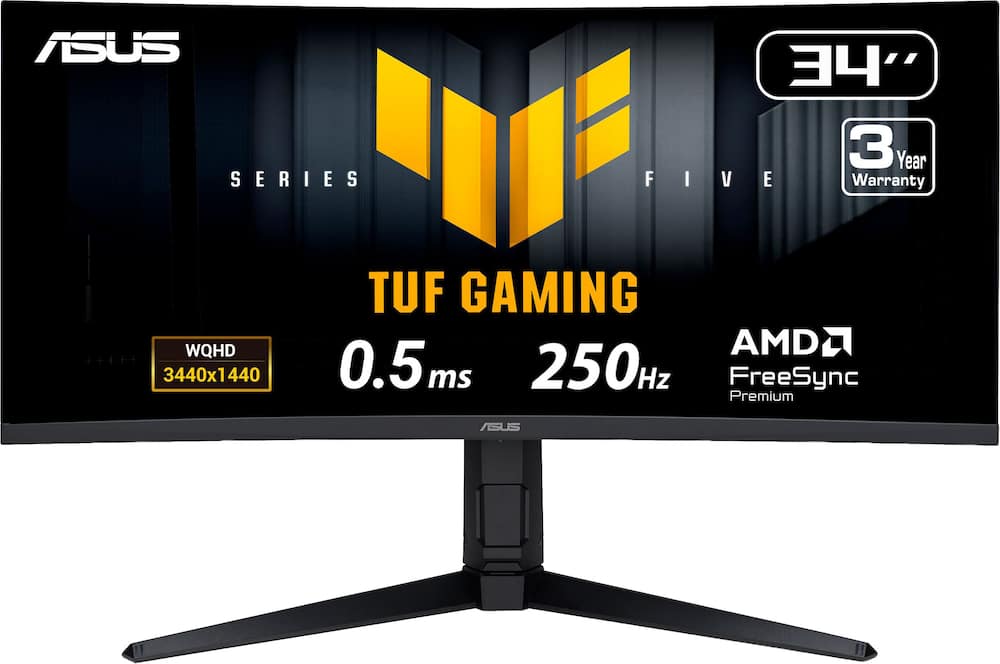
ASUS – TUF Gaming 34″ 2K VA 250Hz 1ms Curved Ultrawide Gaming Monitor with FreeSync Premium and HDR (DisplayPort, HDMI) – Black
SKU: 6685334
$26399
Was $329.99 Save $66.00
Other options in this range
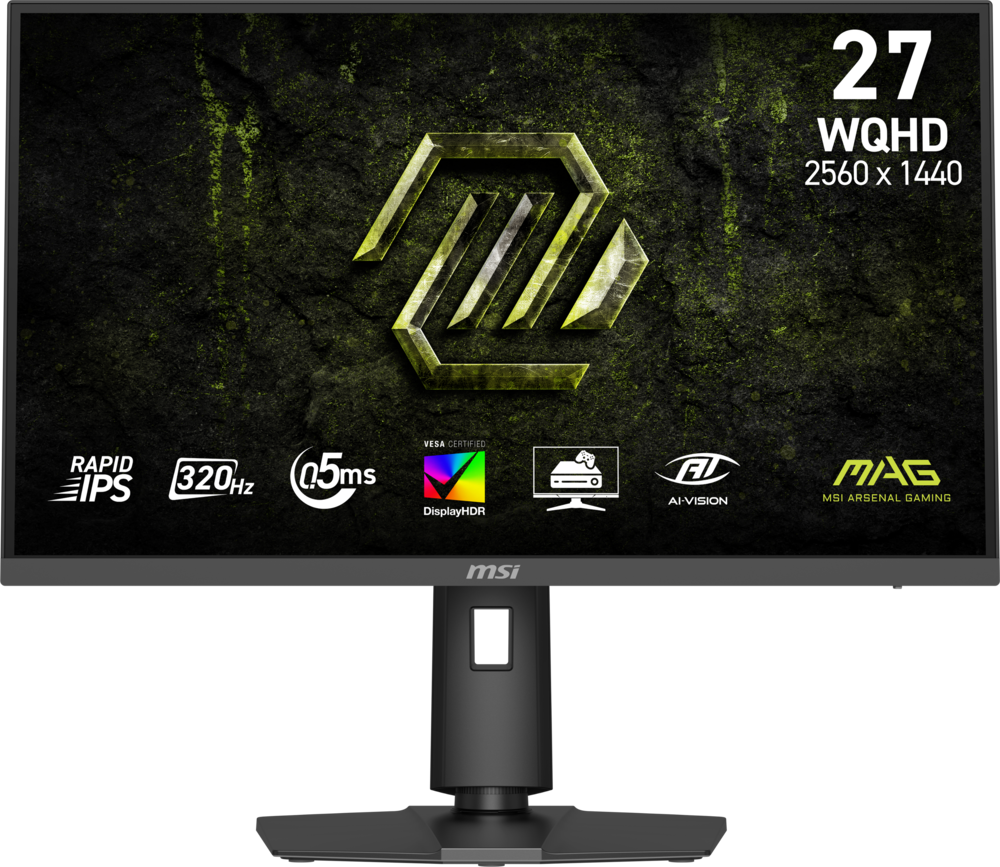 MSI - MAG 274QPF X32 27" QHD 320Hz 0.5ms G-SYNC Compatible FreeSync Premium Gaming Monitor HDR 400 (Display Port, HDMI) - Metallic Black Original price was: $279.99.$223.99Current price is: $223.99.
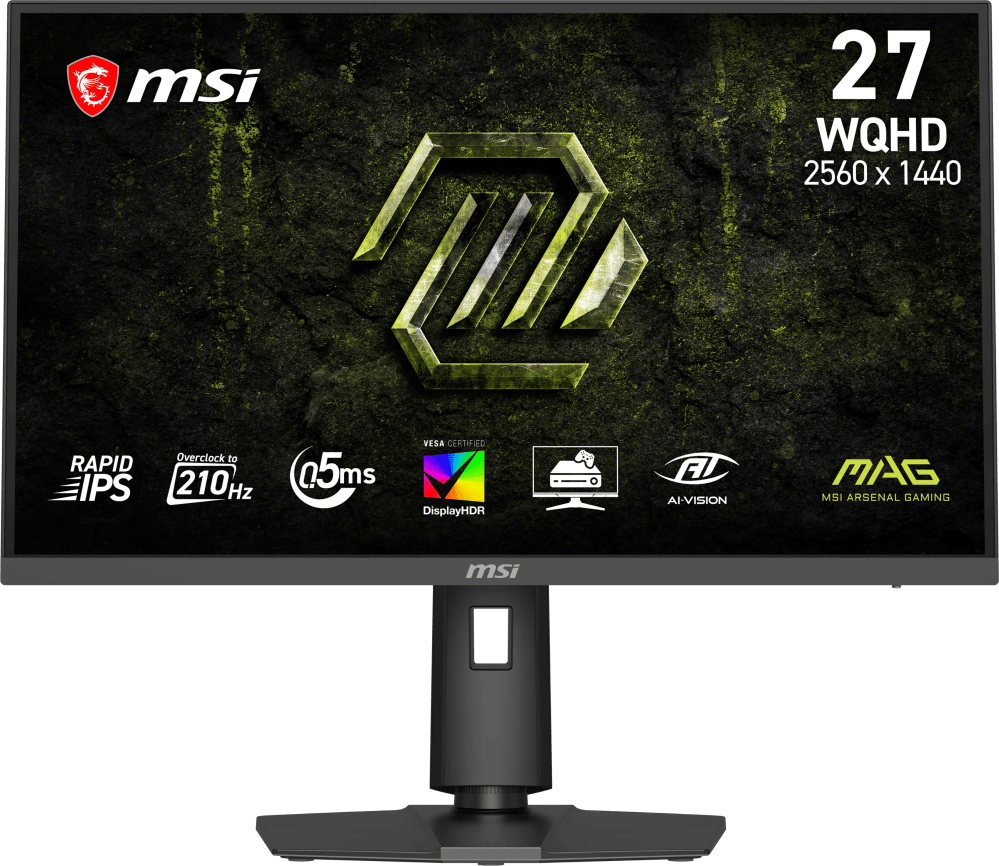 MSI - MAG 275QPF E21 27" QHD 210Hz 0.5ms G-SYNC Compatible FreeSync Premium Gaming Monitor HDR 400 (Display Port, HDMI) - Metallic Black Original price was: $189.99.$151.99Current price is: $151.99.
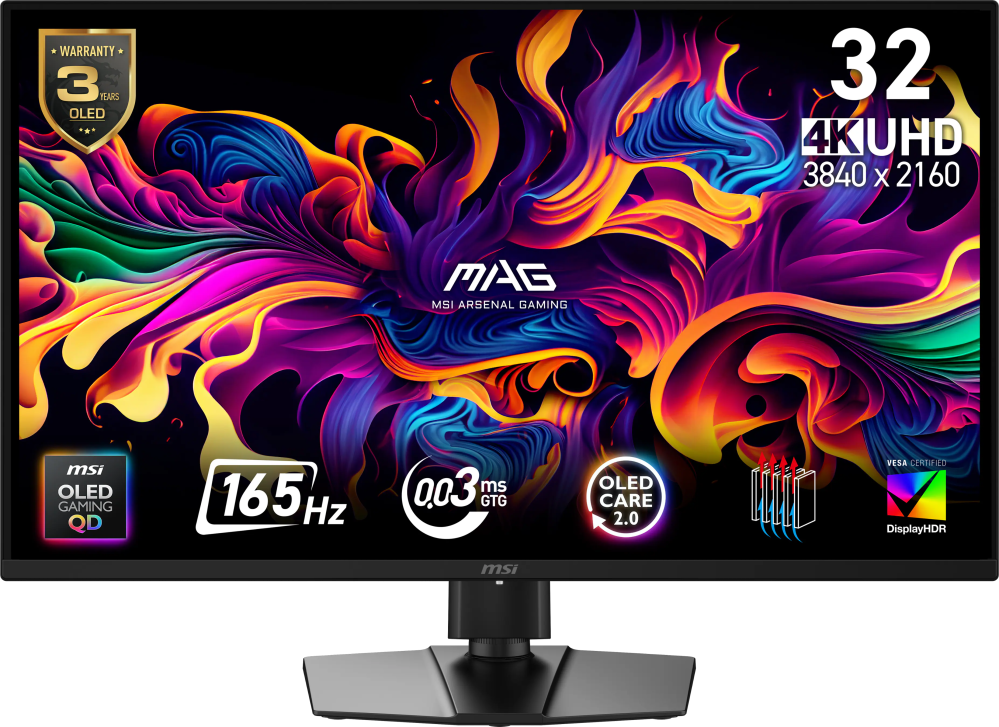 MSI - MAG 322UP QD-OLED E16 32" UHD 165Hz 0.03ms G-SYNC FreeSync Premium Pro Gaming Monitor True Black 400 (DP, HDMI, USB-C) - Metallic Black Original price was: $729.99.$583.99Current price is: $583.99.
Overview
- Immersive 34″ Curved Ultrawide Monitor
34-inch WQHD (3440 × 1440) 1500R curved gaming monitor with up to 250Hz overclocked refresh rate, designed for professional gamers and immersive gameplay - Ultra-Responsive Gameplay
0.5ms (min.) response time helps reduce ghosting for smoother, more fluid gaming experiences - Tear-Free Adaptive Sync
FreeSync Premium delivers seamless, tear-free gameplay with variable refresh rate (VRR) enabled by default - ELMB SYNC Motion Clarity
ASUS Extreme Low Motion Blur Sync (ELMB SYNC) technology combines motion blur reduction with VRR for sharper visuals and smoother gameplay - HDR 400 Visual Enhancement
DisplayHDR 400-certified HDR support enhances contrast and detail in both bright and dark scenes - Intuitive Display Controls
DisplayWidget Center provides easy access to monitor settings and OSD controls using a mouse - AI-Powered Gaming Enhancements
TUF Gaming AI technology intelligently optimizes gaming with AI-powered features designed to enhance the overall experience - What’s in the Box
Includes DisplayPort cable, HDMI cable, USB Type-B to Type-A cable, power cord, quick start guide, and warranty card - 3-Year Rapid Replacement Warranty
ASUS Rapid Replacement (ARR) warranty includes three years of coverage with cross-shipping service for added peace of mind
Compare similar
Specifications
Capacity & configuration
- Display Type
- LED
- Panel Type
- VA
- Stand Type
- Adjustable height stand
Dimensions & weight
- Product Name
- TUF Gaming 34" 2K VA 250Hz 1ms Curved Ultrawide Gaming Monitor with FreeSync Premium and HDR (DisplayPort, HDMI)
- Product Height Without Stand
- 14.33 inches
- Product Width
- 31.8 inches
- Product Depth Without Stand
- 4.37 inches
- Product Weight
- 17.86 pounds
- Maximum Adjustable Height
- 21.28 inches
- Product Depth (With Stand)
- 9.84 inches
Features
- Brand
- ASUS
- Color
- Black
- Refresh Rate
- 250Hz
- Maximum Resolution
- 3440 x 1440
- Native Resolution
- 3440 x 1440
- Contrast Ratio
- 4000:1
- Response Time
- 1 milliseconds
- Synchronization Technology
- FreeSync Premium (AMD Adaptive Sync)
- Aspect Ratio
- 16:9
- Display Contour
- Curved
- Brightness
- 400 candela per square meter
- Screen Size
- 34 inches
- High Dynamic Range (HDR)
- Yes
- High Dynamic Range Format
- VESA Certified DisplayHDR 400
- Horizontal Viewing Angle
- 178 degrees
- Vertical Viewing Angle
- 178 degrees
- Touch Screen
- No
- On-Screen Display Languages
- English
- Display Surface
- Anti-glare
- Number of DisplayPort Inputs (Total)
- 2
- Number of HDMI Inputs (Total)
- 2
- Display Connector(s)
- 2 x DisplayPort 1.4
- Number of USB Ports (Total)
- 3
- USB Ports
- 3 x USB-A 3.2
- Number of USB-A Charging Ports
- 3
- Headphone Jack
- Yes
- Wall Mountable
- Yes
- VESA Wall Mount Standard
- 100mm x 100mm
- Stand Ergonomics
- Tilt
- Anti-Glare
- Yes
- Eye Relief Features
- Anti-glare
- Built-In Webcam
- No
- Integrated Speaker(s)
- Yes
- ENERGY STAR Certified
- No
- Operating System Compatibility
- Windows
- UPC
- 197105924376
Power & warranty
- Model Number
- VG34WQML5A
- Power Consumption
- 31 watts
- Power Saving/Off Mode
- 0.5 watts
- Warranty - Parts
- 3 years
- Warranty - Labor
- 3 years
Warranty & protection
See manufacturer documentation.
Register your product with the manufacturer within 30 days of delivery.
Manufacturer warranty claims are handled by the manufacturer. We are happy to help you find the right contact: (888) 419-6820.
Customer reviews
Write a reviewThe VG34WQLM5A with ELMB Sync is a winner - Asus’s VG34WQLM5A is a 34” curved ultrawide monitor that’s a value focused gaming monitor. What it offers a 400 nit HDR capable VA panel that can overclock to a 250hz refresh rate. It does this while also supporting VRR/GSync, app control and a technology called ELMB Sync. That last point is the real special sauce, and might just be worth the compromises this monitor has - especially at this price point. So before we get into the special sauce, let’s cover the basics. Asus has produced a pretty standard sized 34” panel. If you’ve ever used a 34” ultrawide, this will feel familiar. The curve of the panel itself is a gentle 1500R, so this feel quite tame compared to more aggressive curves. One big highlight of the packaging is the monitor stand. It offers tilt, swivel and height adjustments with 5-20 degrees, 10 degrees, and ~5” respectively. Not only that, but the stand rotates (although you can’t rotate without the display hitting the desk, it does help with finding inputs) , which is a wonderful feature set for any monitor. While the stand itself is made of plastic, it doesn’t look cheap. This is a great feature set for a stand for a budget monitor. Another feature I’d like to call out before talking about the display itself: speakers. Yes this monitor has teeny tiny speakers that barely make noise. Why do I like calling this out? Well, if I’m diagnosing a computer, or just want basic PC noises/indicators this is a great feature. I don’t need amazing speakers - just having some output without having to hook anything else up is a great utility. Like a built-in iGPU on a CPU, it’s nice when you need it. Digging in a bit to the panel; this is a Fast VA, offering a clear RGB subpixel arrangement. Text is crisp, and visual quality with the 3440x1440 resolution is quite nice. I can run 100% DPI and use it quite comfortably in Windows. The default refresh rate is 120Hz, but if you enable the overclock setting (first setting in the OSD), this sucker can legitimately do 250Hz (verified using test UFO frame skip test). The panel has inputs for DisplayPort, and 2xHDMI 2.1 ports. The monitor also boasts 3 port USB Hub, which is a nice touch. Unfortunately it doesn't have multiple outputs to chain to each input, but a KVM at this price point isn’t something I’d expect. Hooking this monitor up, the first thing I’d suggest is downloading the Asus Display Widget Center. This software lets you configure practically any setting of your monitor right from a nice app in windows. You can quickly select different settings, enable/disable VRR, just like from the OSD. This is a helpful tool, and I love to see the tightly integrated software offering. Seems like this should have been something standard years ago, but still is a rarity in the monitor world. Now let’s discuss the simply magical feature ELMB Sync. This technology is absolute magic. If you’ve been in the monitor scene, ULMB or Ultra Low Motion Blur, technology is nothing new. What this is, is basically a backlight strobing technique that creates a more pronounced transition between frames instead of the perceived blurring that occurs when LCD pixels transition state. This has the side effect of reducing total brightness of the monitor, but if you game in a light controlled room (or at night) this is no big deal. This technology generally can’t be used with VRR because the variable nature of the framerate, so it’s always been a technology you’d swap on when you have a game that your computer can easily run and you want to reduce blur. This is unfortunate because it’s usually buried in the monitor’s OSD. While ELMB has existed before (basically the ULMB but Asus brand), ELMB Sync brings integration of VRR to the table. Ok, why do I say it’s the black magic of this monitor? With this technology turned on (with VRR), you get the best of both worlds. While you do end up with a dimmer monitor, the overall experience is smooth with much less blur. I found whipping around in Counter Strike 2, I had more accurate shots than without. I will say, when enabling VRR, there’s a weird flicker if ELMB isn’t turned on (which is counter intuitive). I’d recommend always having ELMB on when using VRR with this monitor due to this perceived bug. Overall, this is a solid monitor. The fundamentals, resolution, features, and especially the excellent ELMB Sync technology mean that this is an excellent gaming monitor that shines above a lot of others. This is certainly no OLED or Mini-LED, but it does offer a great feature set for the price. With great inputs, internal speakers in a niche, and a great stand - the VG34WQLM5A hits a lot of high points. Highly recommended.
Amazing Display Great Refresh Rate - OMG I love this monitor. Been gaming for awhile now and I could not wait to try this monitor out. What a difference this has made. Unboxing it was a pleasure. It was super easy to put together. The stand comes in two pieces. First you will want to attach the bracket to the back of the monitor. It uses 4 screws to connect. Then you will connect the l bracket to the bottom base , just line up the base to the bracket and once connected tighten the screws. Now you are ready to enjoy. It swivels and adjusts up and down to meet your sightline needs. I was a little worried it would be too big for my space but it is perfect. I love the curve, it really immerses me into the games. But I can also use it for my work and have multiple screens open on it at one time for side by side viewing. It comes with multiple input options including 2 HDMI, DP and USB ports. With 180 Hz and 1 ms refresh rates I have yet to notice any issues while gaming. If you are really techie you can use the DisplayWidget to fully customize your experience via mouse and downloaded software so you do not need to use the OSD menu.
Great ultrawide gaming monitor! - The ASUS TUF Gaming 34" 2K VA 250Hz 1ms Curved Ultrawide Gaming Monitor is a gaming-focused curved ultrawide with AMD FreeSync Premium and HDR. With a 1440p VA panel and a 250Hz refresh rate, this is a great widescreen monitor for anyone focused on gaming. The connectivity is great and more than adequate, with HDMI 2.1, DisplayPort 1.4, and a built-in USB hub. The panel's 1500R curvature makes you feel immersed in the content, and combined with 95% DCI-P3 color and DisplayHDR 400, it makes the ASUS TUF Gaming an all-around great gaming monitor. Like most companies, ASUS has decided to add some "AI" features, including Dynamic Crosshair, Dynamic Shadow Boost, and AI Visual. These features existed in most gaming monitors years before the AI buzzword was slapped onto everything. They're all useful if you have a use case for them, but the marketing hype is just unnecessary here. Luckily, ASUS hasn't tried to jam a bunch of unneeded features into this monitor just for marketing, and the ones it has added are genuinely useful. I would highly recommend this to anyone looking for a wide-format gaming monitor.
2K Ultrawide with 250Hz that TUF to beat - I was looking to get an ultrawide to game on, but also use it for work a bit. My other ASUS gear has been great so I figured a monitor would be a wonderful option. This TUF 34" is an LED panel monitor that has a lot going for it; 3440x1440 Resolution, 250Hz Refresh Rate, 1ms Response Time, HDR and Freesync Premium? Those are some great features at this price. In the box you get an HDMI Cable, Display Port Cable, a USB Cable for the USB Hub, Power Cable and some paperwork along side the monitor and Stand. The stand screws onto the monitor and has some rubber covers for the screws on the back. The monitor supports 2 HDMI and 2 Display Port Inputs. I have been grinding out a bit of the hidden season content in Diablo IV, I had been using a larger screen, but sadly 60Hz, moving up to this 240Hz (Overclock to 250Hz) and Motion Blur reduction helped keep me from getting lost in the Chaos of Helltide and other masses of enemies! I played a bit of Grounded 2 and liked having the wider aspect, not as chaotic typically in this game, however the view looked great with HDR looking over the park! The monitor is pretty clean, you get the performance without the flashiness most gaming monitors bring, which works great for me with the dual use for this display! Going to run through some more games with this over the weekend, need to try this out with some shooter action, which should be a wonderful experience with everything I have used on it has been nothing less of stellar!
Feature-packed ultrawide monitor - Asus’s 34” TUF Gaming ultra-wide WQHD monitor is a fantastic display. I’ve steadily come to love the ultra-wide format, and the 3440x1440 resolution is ideal for balancing image sharpness while allowing the panel’s high refresh rate to be usable. Out of the box, the monitor was (relatively) easy to set up–at least for the base. I found the attachment of the monitor stand to the rear of the monitor to be surprisingly difficult, with very stiff screws. It took a lot of effort–the included screwdriver wasn’t much use, either–to get it attached. I’ve definitely had easier times with the physical setup. I was very pleased with the generous allotment of included cabling–HDMI, DisplayPort, and a USB A to B cable for the USB hub on the back (itself another thoughtful inclusion). Connectivity on the back is really quite generous, with two HDMI 2.1 ports, two DisplayPort 1.4 ports, a headphone jack, and the aforementioned USB hub. The 34” display uses a VA panel, which is my usual preference for TVs but I’ve also come to like quite a bit in monitors. VA panels have the advantage of excellent contrast, though usually at the expense of viewing angles. But I didn’t notice any problematic degradation. The brightness is relatively modest at 400 nits, but the high contrast still helps provide a solid HDR experience. The panel supports FreeSync Premium variable refresh rate, but I found VRR worked just fine with an Nvidia card. Crucially, Windows defaulted to just a 60Hz refresh rate–a common occurrence for users of high refresh rate monitors. People will buy them, never check the refresh rate settings, and just assume that high refresh rates are meaningless because they don’t see a difference. So make sure to adjust this immediately. Windows detected VRR automatically (range 49-250Hz), but I had to manually enable the maximum, 250Hz refresh rate. Make sure to enjoy the features you’re paying for! Asus touts the use of their display widget, a Windows app that allows you an enormous amount of customization and options settings. You can access it via the settings toggle underneath the bottom bezel, but it’s a daunting task to navigate it that way. I’ve rarely seen an OSD with so many options, so the Windows app is certainly very convenient as it’s much easier to interact with. As I said before, curved monitors were something I didn’t think I’d like but have come to love. They’re also great for productivity as well–sometimes, moving back to a 16:9 display can feel confining. But the heart of a widescreen like this lies in immersion for FPS games and for huge views in strategy games. Racing games, too, really benefit from this form factor. Really, once you get used to it, you may find it hard to use anything else. Overall, this is a great monitor. Quirks of installation aside–dump the included screwdriver for sure–once you use it, it’s wonderful. I like the high contrast display, the stand feels sturdy and well-built, and the high refresh rate is a great feature. I like it that Asus didn’t skimp on connectivity, and that they in turn included both DP and HDMI cables--it's a little thing, but thoughtful. Highly recommended.
One of the best monitors available - The ASUS - TUF Gaming 34" 2K VA 250Hz 1ms Curved Ultrawide Gaming Monitor with FreeSync Premium and HDR (DisplayPort, HDMI) – Black maintains the gaming excellence that Asus is known for. Right out of the box, the TUF Gaming Monitor proved to be on a higher level of excellence. The body is made almost entirely of plastic and has a V-shaped tripod-style base. It has several possible adjustments, for viewing comfort. It tilts, swivels, and can change its height. Buttons are in the middle of the bottom bezel of the monitor making them easier to access. This curving of the monitor, as compared to square monitors produce a more larger aspect ratio. Images are crisp and bright, and movement is always sharp. The monitor’s preset specifications can be changed. Display Center Widget software can be downloaded by me to customize the monitor to a plethera of different settings. Each game can have its own customization settings, for producing the best visual outcomes. The RGB color and the dense pixellation produce magnificient colors. There are AI-powered features that can enhance my gaming experience, such as Dynamic Crosshair, Dynamic Shadow Boost and AI Visual. There is also Extreme Low Motion Blur (ELMB), which reduces motion blur, by providing a sharper image by reducing screen ghosting and tearing. The monitor is extremely wide and some games don’t support this resolution when the aspect ratio is changed. Games are centred on the screen, while other applications can be shown in a split screen. Using the monitor for everday use is brillant with an in depth viewing capacity. The ASUS - TUF Gaming Monitor comes with a DisplayPort 1.4 connection and a HDMI 2.1 connection, along with three USB 3.2 Gen ports. The ASUS - TUF Gaming 34" 2K VA 250Hz 1ms Curved Ultrawide Gaming Monitor with FreeSync Premium and HDR (DisplayPort, HDMI) – Black is a professional gamers monitor that gives a gamer the best possible viewers experience.
It arrived in a giant box. Then the monitor is in another box. Very well protected for shipping. No damage at all. Unboxing and installation was very easy. Only 4 screws are required to attach the bracket to the monitor. Screws and a tool are provided although the screws are a but tight to fully lock down. I left the monitor in the box during this phase. The foot is connected using captured thumb type screws and no tool is necessary. The monitor can be moved up and down as well as tilted as needed. The package cones with an HDMI, DP and a Super Speed USB cable. A power cord is supplied and the monitor is fed 110v directly, no power brick is necessary. I am running this monitor via a Nvidia GeForce RTX 5060 Ti 16GB via the display port. Resolution is set to 3440x1440 120Hz refresh rate. This is the setup for my gaming PC running MS Flight Simulator 2024. After install I ran a few monitor tests looking for dead pixels across several different color backgrounds, a test pattern for linearity and overall image quality, GAMMA, sharpness, uniformity against a gray background at 50 percent, response time and finally viewing angle. All tests passed perfectly. There is a APP for this monitor named Display Widget Center that allows for quick setting changes to be made based on what type of work I am doing, whether gaming or maybe some office work or watching a movie. I am able to set preferences based on what game or application I am using. Each mode has several controls that are fully adjustable based on personal preference. I have never seen an APP like this and I find it very useful in my day to day use of this monitor. This APP makes this monitor fully configurable in ways I have never seen before. I find that this monitor provides enough real estate to run the flight simulator in a fully immersive manner. There is room for everything I need to display.
Excellent monitor in all respects - This is a very nice monitor, but it takes a little getting used to (but just a little). After working with it for about a week, I have grown to love it. It is a curved monitor, and I’ve read that some people don’t like curved monitors. But I do. I have two of them on my desk---this one and one that has a more conventional aspect ratio. I used them both for everything while this new Asus monitor is for gaming. What took a little getting used to is this monitor’s a very lopsided aspect ratio, measuring 31 inches wide by 13 inches high for a diagonal measure of 34 inches. This gives it an aspect ratio of about 2.4 to 1, which, in whole numbers, is about 12 to 5. More conventional monitors are more square, often having an aspect ratio of 1.75 to 1, more typically expressed as 16 to 9. So, yes, it is a very wide monitor. As far as for everyday use, this monitor is just fine. Documents can fill the entire width of the screen, as can other types of programs, or they just take up as much screen space as they need. There is downloadable software for this monitor called DisplayCenter Widget, and it is a must have. It downloads and installs quickly, and it provides an enormous degree of customization. There’s too much to describe here, so I’ve included a couple of screenshots showing the top-level menu screen and then an example of one of the submenus. Once could spend half a lifetime experimenting with all of the possible settings. In the week I’ve had the monitor, I’ve barely scratched the surface. Suffice it to say that, as a gaming monitor, this can’t be beat. Images are crisp and bright, and movement is always sharp. Out of the box, setup was simple. The base connects to the post with a couple of thumbscrews, and the post attaches to the back of the monitor with four provided Phillips screws. A small, fairly useless L-shaped Phillips screwdriver is provided in case you find yourself trying to set up this monitor on a desert island and you’ve forgotten your toolbox, but I found it much easier to get a regular Phillips screwdriver to tighten the screws. Also, and I would say unnecessarily, four plastic caps are provided to snap over the screw heads once tightened to give the back of the monitor a cleaner look. But who looks at the back of a monitor, ever? But I installed them. A cleaner back-of-monitor I’ve never seen! Included in the box along with the monitor and power cable are one HDMI cable, one DisplayPort cable, and a USB-3 extension cable, the last of which, if connected to a USB-3 port on your computer (the rectangular port with the blue tab inside) and to the provided port on the back of the monitor, provides two USB-3 ports on the back of the monitor. They’re not the easiest to get at, so I likely won’t use them when I need to quickly attach a flash drive or something like that, but they’re there if needed. They'd be a great place, for example, to connect a mouse, keyboard, or USB speakers. Total connectivity on the back of the monitor includes the two USB-3 ports (assuming you connect the provided cable), two HDMI ports, two DisplayPort ports, and a headphone jack. Most monitors I’ve purchased have come with a single video cable, usually HDMI, no matter how many different kinds of video ports are provided. It’s kind of nice that cables for both possible types of video connection are provided here. Gamer or not, you won’t go wrong with this monitor, and you’ll have endless fun with it. At least, I have been!
Totally TUF ENUFF - The ASUS TUF gaming 34” curved monitor brings top notch gaming to your desktop in a way that makes you feel like your part of the action. With height and angle adjustment you have a great range for visibility. It also comes with a number of options in the built in settings to help control the native look of the picture to give you the best possible look for whatever type of game you’re playing. It eve has some quick reference modules like an onboard FPS meter, crosshair, sniper magnifier and even a timer. You can set the monitor to overclock for a faster response time. Over all this monitor is really awesome I have had no problems with it at all. Setting it up took like 5 minutes and out of the box it looked great. It came with a bunch of different connector cables for whatever you needed to use. Over all this monitor seems to be built to last and is a gamers dream when it comes to clarity and responsiveness. I would highly recommend that anyone who is serious about getting the best possible picture for their gaming rig pick up this monitor!
Great monitor that expands the user experience! - The ASUS TUF Gaming 34" Curved Ultrawide is the first curved monitor I've ever owned, and it certainly does not disappoint! Setup was incredibly easy and only took a few minutes. I mounted it to an existing adjustable monitor arm, which allows me to move, tilt, and position the display exactly how I want it. It's a fantastic setup! The colors are vibrant, the response time is excellent, and the overall build quality feels impressive. The controls, located along the underside of the monitor's bottom bezel, are fairly intuitive and easy to navigate. However, I do think including a remote control would have been a great addition. Being able to adjust settings without reaching underneath the display would make the overall experience even more convenient. What's really interesting about switching from a traditional flat monitor to a curved ultrawide is how much it changes the viewing experience. It reminds me of the transition from fullscreen to widescreen formats. Suddenly, content you've enjoyed for years feels fresh and more immersive. It's almost like experiencing some of your favorite games all over again. Beyond gaming, the 34-inch ultrawide format is an excellent size for productivity. I regularly work with Adobe and Autodesk applications, and the additional screen space makes a noticeable difference. Having more room for toolbars, drawings, multiple windows, and other workspace elements really improves the overall experience. Gaming, however, is where this monitor really shines. The wider field of view and immersive curved display make games feel much more engaging. Combined with the smooth performance and excellent picture quality, it's been a lot of fun revisiting games on this screen. Overall, I'm extremely happy with the ASUS TUF Gaming 34" Curved Ultrawide. It offers a great combination of gaming performance, productivity, image quality, and build quality. Whether you're gaming, designing, or just looking to upgrade your everyday desktop experience, this monitor is absolutely worth considering. Now I just need to find an even bigger one!
Smooth 250Hz Gaming on a Big, Sharp Ultrawide - I needed a large monitor for gaming and content creation with a fast refresh rate and accurate colors. I also do a fair amount of remote work from home. The ASUS TUF Gaming monitor is a 34" VA 250Hz curved monitor with a 0.5ms response time (great for FPS games). It has an ultrawide 3440 x 1440 screen. It runs at 240Hz out of the box with an overclock option that boosts it to 250Hz. There are impressive specs here. Let's see what it is, how it looks, and how it performs. - Design, Build, Unboxing - In the box is the 34" VA widescreen monitor. There's a DisplayPort cable, High Speed HDMI cable, power cord, USB Type-B to A cable for the USB hub and updates. , quick start guide, and the warranty information. Packing is good but not too eco-friendly (some of this is necessary to protect the screen I believe). The stand uses V-shaped legs that are skinny but long. They measure 23 7/8" corner to corner. They have a wide base but you can still use the space around the legs for a few items. The curve is 1500R which is enough to wrap the edges toward you. With the bezel, the monitor measures 31 7/8" wide 14.5 inches tall, and 34 7/8" diagonally including the bezel. The stand also has a good range of height adjustment. At its lowest point the bottom of the screen sits about 2 inches off my desk, and at its highest it's about 7.25 inches. That's a little over 5 inches of vertical travel. Tilt goes forward and back without any trouble. Swivel works but the range is small, about 10 degrees each way. If you want to turn it any more you will end up moving the whole stand. There's an ASUS logo on the bottom bezel with a small power light under it, and the menus are controlled with a joystick. It also has a VESA 100 x 100 mount if you would rather put it on an arm. The overall design looks good, it has a nice curve, tilt and swivel. and the legs don't take up too much space. I would like to see a little bit more swivel. There's also an area for cable control in the stand. - Specs & Features - On paper, this is an impressive monitor. It's a 34" Fast VA panel at 3440 x 1440 QHD, with a 21:9 aspect ration and a 1500R curve. It runs 250Hz overclocked. It's 400 nits (plenty bright), 4000:1 contrast, 10-bit color, and 130% sRGB coverage. It's DisplayHDR 400 certified with HDR10support. To keep gameplay smooth it supports AMD FreeSync Premium and Adaptive-Sync, plus ASUS ELMB sync motion blur reduction. The screen has an anti-glare coating and it's TUV certified for flicker-free and low blue light (which helps with long gaming sessions). For the connections you get two DisplayPort 1.4 inputs and two HDMI 2.1 inputs. It's nice to have four inputs so you don't have to constantly swap cables. For Example, I can plug into my desktop PC, but also have a plug-in for my work laptop available when I want to work from home and use the monitor. There's a 3 port USB hub and two 2-watt speakers. There's a VESA 100 x 100 mount, a 1/4 inch tripod socket and a Kensington lock slot. There's a 3 year warranty as well. - UI/Software - The menu has a lot of options and it's laid out for easy navigation. At the top of every page is a status bar showing your resolution, refresh rate, picture mode, input, and whether HDR is on. The gaming tab is where the action is: -250Hz overclock toggle -Variable overdrive with five levels & off (I used 3) -ELMB and ELMB Sync with clarity level and position settings (ELMB stands for Extreme Low Motion Blur and it reduces eye tracking motion blur in fast moving scenes. It basically turns of the backlight at intervals and syncs with the refresh rate which makes movement appear sharper. ELMB works at fixed refresh rates but ELMB sync works with Adaptive/Free/G-Sync. I keep it on while gaming to help keep the game as sharp as possible.) -GamePlus which has an FPS counter, crosshair, sniper zoom, timer, stopwatch, and a display alignment grid -GameVisual picture modes, including Scenery, Racing, Cinema, RTS/RPG, FPS, sRGB, MOBA, and Night Vision -Image and Color tabs have brightness, contrast, ASCR dynamic contrast, aspect ratio (16:9, square, or 21:9 takes advantage of the entire screen. There's a four level blue light filter and VividPixel sharpening. You can choose a color space (sRGB, DCI-P3, or Wide Gamut, there are four color temperatures, and you can adjust saturation. HDR settings are grayed out until you turn HDR on in your Windows settings. -The MyFavorite tab lets you assign shortcuts to the joystick directions and save 2 custom setting profiles. It's great if you want to have a gaming setting and a content creator setting or work/productivity setting. - Performance - I started with the UFO tests. With overclock on, the refresh rate test measured 250.013 Hz so it's definitely hitting the mark. I also ran the frame skipping test and took 3 photos of it, and all three showed a clean run with no skipped frames. The scaling test confirmed it was running at native 3440 x 1440 at 100%. On the main UFO motion test, all five overdrive levels looked good to me. I didn't see a big difference between them so the Level 3 default is where I left it. The UFO test does show how much smoother high frame rates look compared to the slower rows and my takeaway is to push your frame rate as high as your PC can handle at this resolution. For gaming performance I played Hades II, and it looked great. The frame filled the whole 3440 x 1440 screen with no black bars on the sides. Running at 250 fps looked exceptional, with no blur or ghosting that I noticed. Colors were vivid and the detail at this resolution is sharp. I also tried HDR. It's DisplayHDR 400 certified, but personally SDR looked better to me so it depends on what you're looking for and what you are actually doing with this monitor, whether it be Gaming, Content creation, photo editing, etc. The sound is a great feature. I typically used headphones when I'm on the computer but there are times I'm simply browsing the web and just need sound. There's no definitive bass, but the speakers do the job and I appreciate not having to pull out the headphones every time I want to hear sound. One more tip, if you want it at the brightest most vibrant pre-setting, turn on scenery or cinema mode. - Pros/Cons - * Clean motion with no blur or ghosting * Sharp 3440 x 1440 resolution, and it uses the full ultrawide screen * Deep Menu with useful gaming tools and 2 custom profile slots * Height adjustment and swivel * Four video inputs, headphone jack, and a USB hub * Built-in speakers are great for basic use - Suggestions/Needs Improvement - * I'd like swivel range and tilt to be a little larger * Speakers could use a little more bass The ASUS TUF Gaming 34" Monitor does what a gaming Ultrawide should do. The 250Hz is accurate and clean, motion looks smooth with no ghosting in my testing. The 3440 x 1440 resolution is sharp and immersive in games that support 21:9. There's swivel, tilt, height adjustment and sound which are all appreciated. The menu gives you a lot of control and in my case I was able to make a few adjustments to get the monitor looking exactly how I wanted. If you want a fast, curved, affordable ultrawide with plenty of options for tuning, this is the one. I recommend it.
Best 34" monitor you will love! - ASUS - TUF Gaming 34" 2K VA 250Hz 1ms Curved Ultrawide Gaming Monitor with FreeSync Premium and HDR (DisplayPort, HDMI) - Black Number one....... look no further! WOW what a monitor... The Asus 34" curved monitor has 2 HDMI ports and 2 Display ports AND a USB built in Hub! Very easy to assemble, and comes with a philipp metal screwdriver, one HDMI cable, one Display port cable, and one USB cable. You download the Asus Display widget center to adjust all kinds of adjustments, even an AI auto mode that adjusts to what you are watching or doing. Color, RGB, anything you can think of just about is their. Picture quality is stunning ! No motion blur, no ghosting, no clouding, just a perfect picture.... Picture is perfect from everything.....web surfing, watching movies, playing games, everything is just stunning. COD is butter smooth gaming with no lag what so ever... up to 250htz is stunning butter smooth. This monitor is great, huge and contours to you due to the curve. The monitor on the stand goes up and down to adjust to your height. Very very nice monitor with nothing bad about it.
The best budget monitor - Foe what this monitor coast i dont think you can have somrthing better is a beast and affordable
Gaming Monitor - My son says it is awesome! Says it keeps up with his games no glitching
Questions & answers
Ask a question
Email [email protected] or call (888) 419-6820 during business hours.
Add your review