Great Keyboard - I love the way it types, the colors are greats. Perfect for gaming. I highly recommend.
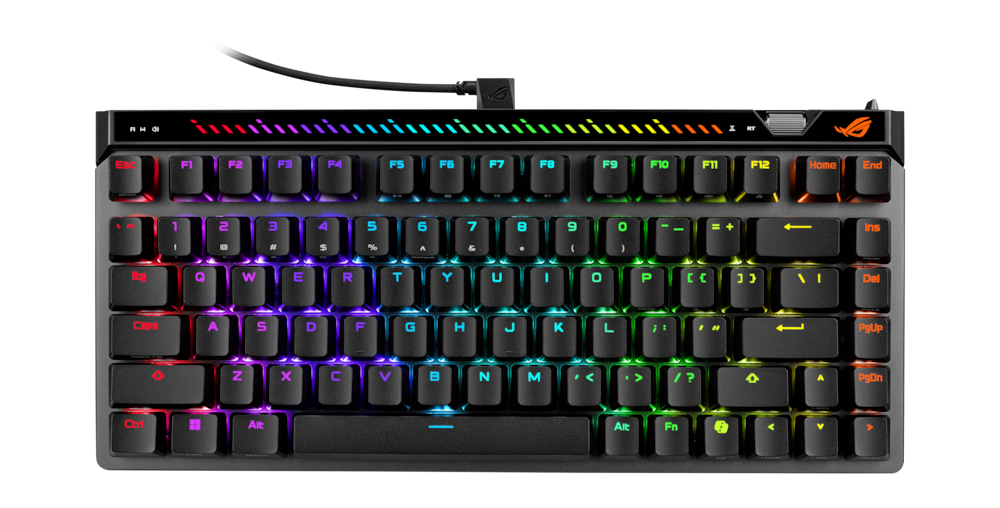
ASUS – ROG Falchion Ace 75% Wired Magnetic Hall Effect RGB Gaming Keyboard with Hot-Swappable ROG HFX V2 Switches – Black
$17599
Other options in this range
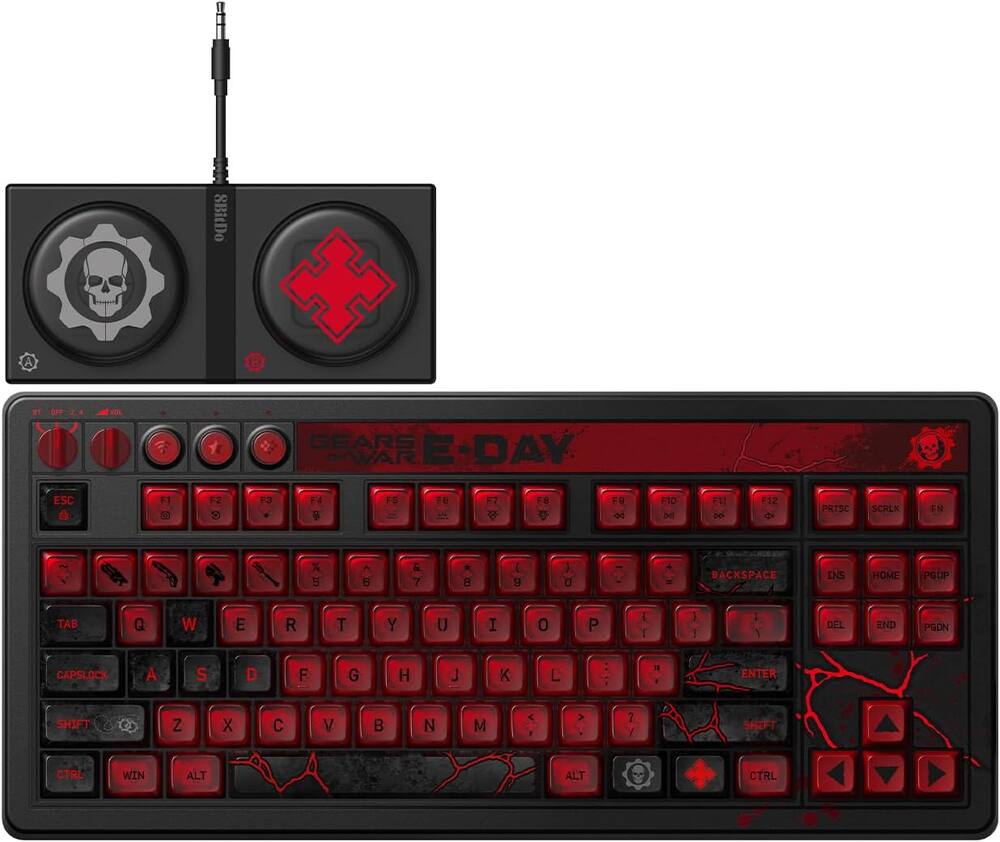 8BitDo - Retro 87 Mechanical Gaming Keyboard for Android and Windows - Gears of War E-Day Edition Original price was: $119.99.$95.99Current price is: $95.99.
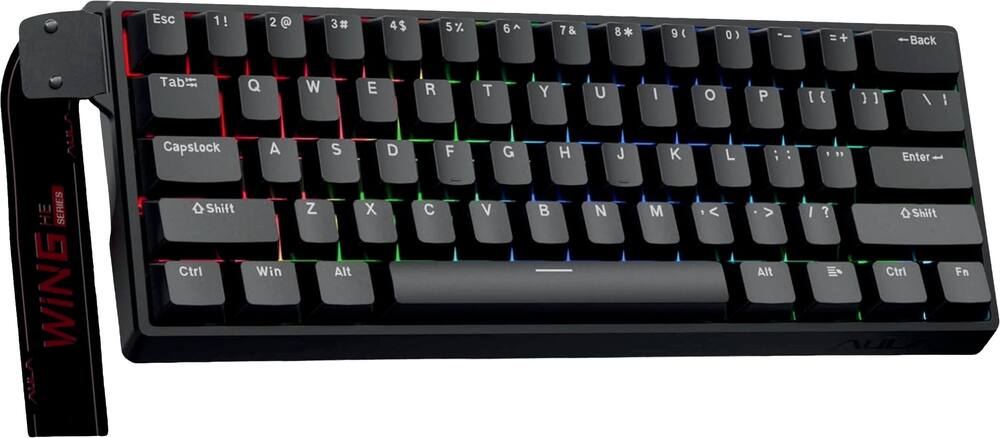 AULA - WIN60 HE 60% Gaming Wired Keyboard-Hall Effect 0.125ms-RGB-Hot Swap-Adj 8kHz Poll Rate-Blk Gray - Black Original price was: $49.99.$39.99Current price is: $39.99.
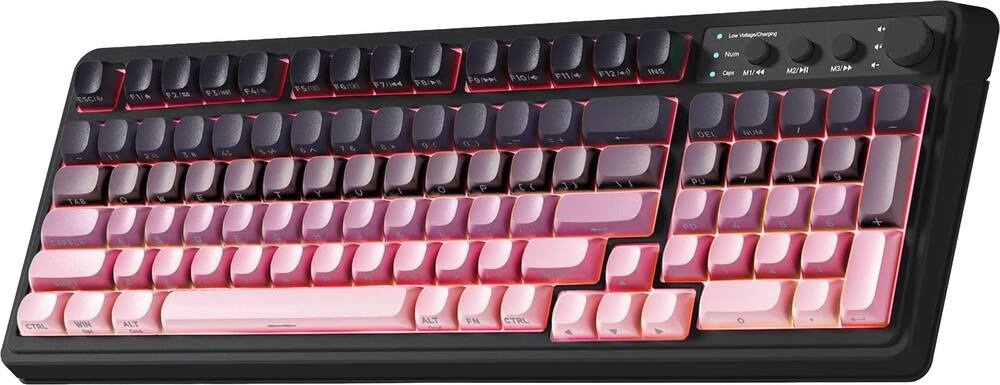 AULA - S99 Wirelesss Gaming Membrane Keyboard- Tri-Mode BT5.0/2.4GHz/USB-C Creamy-Num Pad-RGB- Media Knob-Black/Pink - Black Pink Gradient Original price was: $39.99.$31.99Current price is: $31.99.
Overview
- Hot-Swappable ROG HFX V2/V2X Magnetic Switches
Enjoy refined keystrokes with customizable 0.1–3.5mm actuation and precise 0.01mm-step fine-tuning - New ROG Hall Sensor
Delivers exceptional precision and accurate input detection, reduces electrical noise and interference, and increases magnetic flux limits for superior performance - Intuitive Control
Onboard adjustment wheel to fine-tune actuation point and Rapid Trigger sensitivity; plus interactive touch panel for media playback, tweak volume and other settings - Protective Keyboard Carry Case
Keeps the keyboard and essential accessories secure and travel-ready - Rapid Trigger Toggle
Convenient switch for the fastest typing response and key repeat - Enhanced Typing Experience
Integrated five-layer dampening absorbs pinging noises and offers a more cushioned typing feel - 8000Hz Polling Rate
Provides a 0.125 ms response time — up to 8X faster than competitor keyboards - Ergonomic Design
Three keyboard tilt angles for comfort - New ROG Double Shot PBT Keycaps
Durable keycaps provide a consistent typing feel; textured finish resists wear
Compare similar
Specifications
Capacity & configuration
- Lighting Type
- RGB
- Keyboard Type
- Gaming
- Key Switch Type
- ROG HFX V2
- Connection Type
- Wired
Dimensions & weight
- Product Name
- ROG Falchion Ace 75% Wired Magnetic Hall Effect RGB Gaming Keyboard with Hot-Swappable ROG HFX V2 Switches
- Product Height
- 1.38 inches
- Product Width
- 12.6 inches
- Product Depth
- 5.7 inches
- Product Weight
- 30.7 ounces
Features
- Color
- Black, White
- Brand
- ASUS
- Customizable Lighting
- Yes
- Numeric Keypad
- No
- Touchpad
- No
- Palm Rest
- No
- Spill Resistant
- No
- Keyboard Features
- Pre-lubed analog ROG magnetic switches with Rapid Trigger toggle and Speed Tap Mode
- Foldable
- No
- Keycap Material
- PBT
- Form Factor
- 75%
- Keyboard Technology
- Magnetic hall effect
- Dedicated Macro Keys
- No
- Adjustable Tilt Function
- Yes
- Key Switch Behavior
- Linear
- Rollover
- Full-key
- Multimedia Keys
- Yes
- Actuation Distance
- 0.1 - 3.5mm
- Actuation Force
- 32g - 49g
- Wired Connectivity
- USB-C
- Cable Length
- 6 feet
- Detachable Cable
- Yes
- Number Of USB Port(s)
- 1
- Operating System Compatibility
- Windows
- Plug and Play Operation
- Yes
- Mouse Included
- No
- UPC
- 199291251038, 199291251120
Power & warranty
- Model Number
- M705 ROG FALCHION ACE 75HE/BV2
- Warranty - Parts
- 1 year
- Warranty - Labor
- 1 year
Warranty & protection
Included manufacturer warranty
See manufacturer documentation.
Register your product with the manufacturer within 30 days of delivery.
Warranty service
Manufacturer warranty claims are handled by the manufacturer. We are happy to help you find the right contact: (888) 419-6820.
Customer reviews
Write a reviewBit pricy to me but... - This is like a whole new world - playing on a 75% keyboard. Compact utility of a laptop, but with infinitely more satisfying key presses.
The perfect keyboard - I mean bro this is the cleanest keyboard I have ever used and it comes with a traveling case which is handy for sure.
Solid Hall Effect Keyboard - Asus has been making really good hall effect keyboards for some time now. This is another entry that is worth the asking price. The V2X switches are the best HE switch I have ever used. Good keycap quality, low front height makes it very comfortable to use without a wrist rest. You can use the Gear Link web app to make all adjustments, no more Armory Crate thankfully. You can also remap the scroll wheel to volume finally. Love this board.
Keyboard Performance - Build quality very good, the software easy to use, its good for gaming, highly recommend
I've had my eye on this for a long time - It feels great to use; the keys are comfortable, and the sound isn't noisy.
I love it - GREAT AND AMAZING KEYBOARD This is all that u need for gaming and other tasks.
Great Keyboard - Good to pick-up on sale. Switches sound surprisingly solid and feel great. The best part is it uses web software instead of armoury crate.
Awesome keyboard - Love the rapid trigger and HE! Wish it was wireless
Outstanding performance and build quality - I was extremely pleased with this board in both sound and performance. It's not often that larger companies really understand how to tune stabilizers, ensure keycap quality is good, and have good software, but Asus knocked it out of the park here. The web software is great and easy to use. I have a Wooting 80HE and it sounds like total crap compared to this. The only reason I returned it is because I am waiting for them to refresh their 65% Falchion as that is my preferred layout.
Keyboard - Bought for my 11 year old son and he absolutely loves it
Best keyboard i've used - Over the past few weeks, I’ve been using the ASUS ROG Falchion Ace 75% and it is simply amazing. It's a fresh change of pace and definitely one of the best keyboards I've ever owned. If I had to nitpick, there is a slick-looking touch bar in the upper left corner. I really wish the volume control part of this setup was a bit more responsive. It can be a little finicky when you are trying to adjust your audio.
Excellent Hall Effect Keyboard. - I enjoy the 75% layout of this keyboard along with the hall effect switches. I like that Asus has switched to a web based configure instead of Armory Crate. The switches feel excellent and the stabilizers are pretty decent as well. All of your usual hall effect features are hearing including Rapid Trigger and Snap Tap.
Great adjustable gaming keyboard! - This is my first mechanical gaming keyboard. With that said I really enjoyed using it. Out of the box I used it and then found out that you can download Asus software to really customize this system. The unboxing is great as this gaming keyboard comes with a really nice zip hard case with extra keys and your wired cord. When you look at the keyboard the presentation is really nice and the keys are labeled very nicely. The keyboard feels very nice and well built. The keys when depressed feel very nice and once you have the software that is where you can really tweak this keyboard. I really liked the default lighting but if you want to set it to one color you can. Now for someone that hasn't had a programmable gaming keyboard it took a bit to figure out how to do it but if you know something about computers you won't have that hard of a time figuring it out. In games you can make adjustments to really make your character move to your liking. I really like the ability to adjust the trigger speed. It almost feels a bit illegal but I know other players have the same keyboards or other devices that are fully adjustable. I didn't think I would use this for alot of my work but I am. I really enjoy all the options on this and can't see how this could get any better but with time it will and I will most likely purchase the next version.
Makes gaming so much easier - This gaming keyboard works way better than the keyboard on my laptop or a regular keyboard for a desktop. It is wired but I have no issues with that. It connects easily to my computer and lights up the minute I connect. It comes in a very nice looking, sturdy case to protect it when Im not using it. I can store my keyboard, the wire and even my gaming mouse. Its also comes in handy for travel. The case feels well made. The kind of case that will last for years. As far as the functionality of this keyboard, I also rate it 5 stars. i like how I can hear the clicks of the keys and how smoothly the transitions are. It molds easily to my hands making it comfortable for playing vs a controller. I also like how sensitive the keys are so it makes gaming easier by not having to press so hard on the keys. A nice little bonus is the key remover that comes with the keyboard. It makes removing keys so easy. Only downside is it took a little time to learn how to use it, as some of the directions were confusing, but overall a great gaming keyboard that makes gaming fun! I love how colorful the lights are too even though you cannot adjust the color of the lights. It randomly does change colors on its own. However, I can change the brightness of the lights which is nice.
Gain the upper hand while gaming - Asus is hands down one the best leaders in online competitive gaming and PC performance builds. Rather or not this fits your needs is completely up to your current goals. Make no mistake however this set up is built strictly with competitive gaming in mind. Asus holds nothing back in the way of performance and quality as it shows right out of the box. The keyboard has a very nice weight to it and the unit itself is very well packaged as if it was some designer hand bag. So lets talk about the basics, its going to be the same as your typical RGB gaming keyboard. You can set the different colors and patterns, you can hotkey macros and your scroll wheel allows you to adjust whatever your current setting is i.e. volume, media playback, lighting intensity, etc. I don't want to get in to all the specs or specifics as that can easily be found on bestbuy info sheet. But diving right in to what makes this worth the buy in my personal opinion is the amount of customization you have with your poll position and the use of hall effect type keys. So lets talk about why hall effect makes a difference. Hall effect type keys use magnetic pickups which give a much more precise key position. This in turn allows for alot more customization as far as your entry and exist points when specific keys are pressed. So what does that mean to you? If every single time you slightly brush up against a key and it activates simply move your entry point further down the line making activate at 1/4", 1/2", 3/4" or whatever depth you want before it activates. About to get ready to do some COD or Fortnite gaming? You can position your entry point to basically not exist so that if you simply breath on the keys they activate. How does this translate in to gaming? Well when playing Fortnite with my kids i set my entry point to basically not exist which meant if i simply made the slightest contact with my desired keys they activated right away. I was getting shots off and my secondary off before my enemy even knew what hit them. This caused our win ratio to go up by a whole point and my K/D ratio drastically improved. This setting gave me such a huge advantage it honestly felt border line unfair to my other competitors but oh well that's on them. This is just one of many settings that you can set up through Asus provided software. The bottom line is simply this, your going to find similarities with this keyboard as you would with most RGB boards out there. The break through here is the hall effect keys which allow for alot more 'PRECISE' customizations which in turn will absolutely give you the upper hand. There is one and only one gripe that i personally have that i noticed when using this keyboard and that is key positioning. Most of my keyboards have a stadium style feel to their positioning meaning that from the space bar up they have a slight curvature which helps eliminate pressing of the wrong or undesired key. The Asus did not appear to have this same setup or if it did it was very slight and not noticeable. The reason why i have to call this out is due to the fact this is the only keyboard where i kept consistently hitting the wrong keys and no matter where i positioned my hands i could not stop this from happening. This ended up becoming very annoying to the point that i wanted to give this only 3 stars but the amount of customization and upper hand you get while gaming warrants this being a five star unit. Its just something i noticed and felt like it should be mentioned. Other than that, this device is a absolute must have for competitive gaming.
Quality built and best gaming keyboard! - If you are a gamer, this ASUS - ROG Falchion Ace 75% Wired Magnetic Hall Effect RGB Gaming Keyboard with Hot-Swappable ROG HFX V2 Switches is definitely the keyboard to add to your gaming setup. There are so many Pros to this keyboard and only one con that I can see. Let’s get to it. In the box you get this awesome ASUS ROG Falchion Ace 75% Wired Magnetic Keyboard, a very cool Carrying case, ctrl keycap, keycap puller tool, USB cable, Quick Start Guide, Warranty Paperwork, ROG Sticker Setup is a breeze! Plug it in using the included L-shaped USB Cable. You can customize your keyboard RBG lighting without using Armoury Crate and use Gear List, a web based software. Features are undeniably over the top. This is the best gaming keyboard I have ever had and used. This keyboard has on board controls allowing you to change your actuation point and rapid trigger without stopping or pausing your game and ruining your mojo. The keyboard has an 8k polling rate, and the switches are reactive and super accurate. The build quality of this keyboard is far superior to anything I’ve ever seen. This keyboard boasts six layers of dampening, complemented by a silicone gasket mount that produces a flowing sound. While this keyboard is designed for esports and gaming, I used it for a lot more. I use it all the time for everything. It feels good to type on it for everyday tasks on the computer. The only con is that it’s not wireless. That’s not a problem for me at all, and doesn’t affect my rating one bit. It’s an awesome keyboard!
ASUS ROG Falchion Ace75 HE: Hall Effect Done Right - The ASUS ROG Falchion Ace 75 HE is a great follow up to the previous iteration. It's a fresh new design including HFX V2 magnetic switches, a new ROG Hall sensor, a little bit more room with a 75% layout, hot swappable sockets, and an adjustment wheel that lets you tune in the actuation point without having to pull up the software. I like to see how serious ASUS is about Hall effect. - Unboxing - I love opening up ROG packaging. They always seem to have a great design and packaging. The one thing that jumped out at me was the carrying case. It's a nice touch and allows it to travel easily. The case is just bulky enough, protective, and has all the pockets you need for the extras inside. Inside the box you will find the keyboard, an angled USB-C cable that helps you route the cable away from your mouse hand, and the typical documentation/paperwork. - Design/Build - The 75HE has metal plates on the top and bottom giving it a quality look and feel. It feels solid with no flex. The feet have 2 major tilt angles (one small and one large foot.) There's a function row up top, a slick looking touch bar above it, and a small wheel in the upper right corner. There's also a well placed rapid trigger button that you can toggle without jumping into the software. It has the typical rubber underneath to hold it in place. - Specs & Features - -75% Layout -Hot Swappable ROG HFX V2 Magnetic -Actuation Range: .1mm to 3.5 mm, steps .01mm per key (you can fine tune any key to get your setup just right) -Polling rate: 8000Hz wired (.125ms response) -ROG Hall Sensor -Dampening: 6 Layers! -Connectivity is wired only, but the angled connector does help -Software: Gear Link (Web based tool) This is really easy to use and very responsive, I had no problems with it -Extras: Rapid Trigger toggle switch, Speed Tap, Per-Key RGB, Carrying case, NKRO - Performance - This keyboard aces one of my most important tests. It feels great in my hands. The keys feel smooth and responsive, but most importantly, Fast! In FPS shooters that I play, Overwatch, COD, and CS2, Rapid Trigger and Speed Tap were a lifesaver. The keys sound great too. The dampening gives you a quiet keyboard that has a quality clicking sound without any ping or reverb. The Gear link software is very responsive and being able to tune actuation points mid-game is a big improvement. A couple of features I love are being able to quickly scan through the RGB presets and adjust lighting right from my keyboard. ASUS has really set this keyboard up to make quick adjustments in-game or between games without loading up the software. -Pros/Cons- Pros - Stable HFX V2 Switches that can adjust as low as .01mm - Hot-swappable sockets which is very rare for Hall Effect keyboards - Adjustable wheel and RT toggle - Gear Link is quick and responsive, low resource - Dampening is great - Premium Travel case Suggestions/Needs Improvement - No wireless option - Touch Bar might be hard to access for some - I have seen 4mm travel on other keyboards, this one sits at 3.5mm The ROG Falchion Ace 75 ZHE is a nice improvement over the previous iteration. It's obvious they are listening to consumers. It's a premium build, it has top tier magnetic switches, and clever design and controls. If you're an FPS player that wants every feature in a premium, compact setup, this is it. It's also great for any gamer that's looking for a really fast keyboard with premium features and a small footprint. I definitely recommend it!
Feature Rich Compact Gaming Keyboard - Asus has released the ROG Falchion Ace keyboard. This LED gaming keyboard has great features, comes with it’s own case, and is compact. What you Get In the box, you get a case with everything in it. The case is well made. In the case there is a place to hold the key cap puller. It has a place to store a replacement ctl key cap. The manual, warranty card, and stickers are in a cut out in the case made for them. There is an indentation which will hold the USB-C to USB-C cable. The keyboard fits perfectly in the case as well. I’m impressed with ASUS’s inclusion of the case. It will help to protect the keyboard when I’m out with my laptop. I can put my gaming laptop and the keyboard case both in my laptop backpack. Now I don’t have to worry about the keyboard shifting around causing a key to pop off. There is a mode button on the front left of the keyboard that makes is very easy to switch modes. The mode indicators light up and that makes if very quick for me to see what mode I’m in and switching to. The trigger mode switch rotates 90 degrees and has a nice solid feel to it when changing that mode. There is also a trigger mode indicator that lights up when on. There is a touch bar on the front left half of the keyboard. I can set the mode for that. It also has an led indicator that tells me which mode the touch sensitive bar is in. On the top front right ASUS also added a scroll wheel which is for setting the sensitivity setting for the keys. The LED lights across the front top of the keyboard change to indicate the change I’m making to the sensitivity setting. This is very convenient as I don’t have to go into software to make a quick change to it. ASUS has a website you can access to make and set the settings for the keyboard. This is good in that I don’t have to install software on my system, but I do have to have internet access in order for the site to access the keyboard. From the site, I can set any setting for it as well as the LED lighting. ASUS has done really well with the ROG Falchion Ace. It’s compact, comes with a case, and has a lot of gaming features. The features are easy to access and change thanks to the engineers at ASUS. This keyboard design is well thought out. I really like what ASUS has done with it. I would recommend this to anyone who is looking for a compact, but full size key, gaming keyboard.
Perfect fit! - I have to admit I’m somewhat addicted to keyboards. After all, not all keyboards are created equal. I’ve used plenty of full sized and small keyboards. But finding just the right size has been a challenge. I think that has changed now with the ASUS - ROG Falchion Ace 75%. This Falchion 75% really seems to hit the sweet spot. It’s small enough to be portable if needed but it’s also large enough to work comfortably as an everyday keyboard as well. The built quality is very nice. And the included travel case is a well made nice extra touch. Some may prefer a wireless keyboard but myself I prefer wired. Particularly for gaming. The keys feel great with just the right amount of travel for my taste. This is an area of a gaming keyboard that is really a matter of personal preference. But I do think most gamers will find the gaming experience with this keyboard to be really good. If you are looking to use it as an everyday keyboard you will find it works equally as well and the slightly smaller size works great for most desktop setups. The one thing I found a bit quirky is the touch panel on the back (I use it for volume mostly). It works fine, but it takes a little getting used to having it on the back. And it takes a little practice to make subtle adjustments. I guess I’m just used to using dials instead. Overall this is an amazing keyboard that I think any gamer would enjoy.
Questions & answers
Ask a question
Email [email protected] or call (888) 419-6820 during business hours.
Add your review