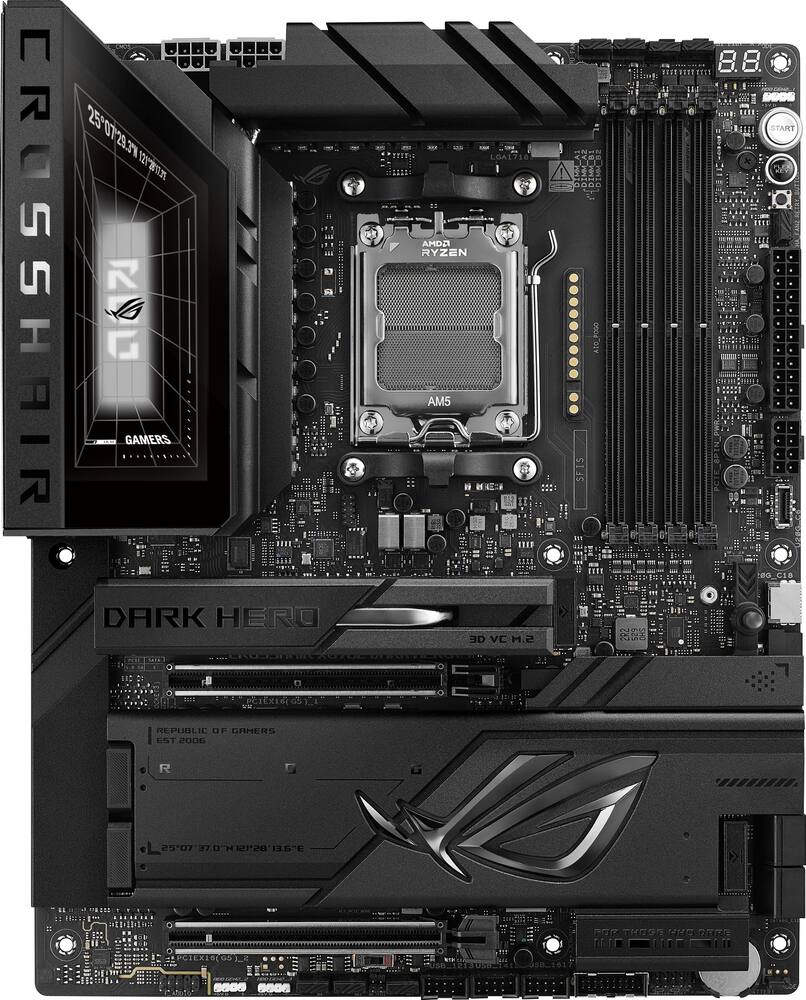
Premium Motherboard Built for a High-End Gaming PC - The ASUS ROG Crosshair X870E Dark Hero is an outstanding motherboard for anyone building a high-end AM5 gaming PC. From its premium design and solid construction to its extensive features, everything about this board feels enthusiast-grade. One of my favorite aspects is the overall ROG aesthetic. It looks incredible in a showcase build while offering the performance and connectivity expected from a flagship-class motherboard. The robust power delivery makes it an excellent choice for powerful Ryzen processors, including the Ryzen 7 9850X3D, and the advanced BIOS provides plenty of options for users who enjoy fine-tuning their systems. The connectivity, storage expansion, PCIe support, and overall build quality make this motherboard a fantastic foundation for a powerful gaming setup. It also offers the flexibility needed for future upgrades, which is important when investing in a premium platform. If you’re building a high-end AM5 system and want a motherboard that combines an excellent design, enthusiast-level features, and reliable performance, the ROG Crosshair X870E Dark Hero is an excellent choice. Overall, a beautiful, feature-rich motherboard that lives up to the ROG name. Highly recommended!
 20% off
ASUS – ROG CROSSHAIR X870E DARK HERO (Socket AM5) AMD X870E ATX DDR5 Wi-Fi 7 Motherboard – Black
SKU: 6677869
$57599
Was $719.99 Save $144.00
Other options in this range
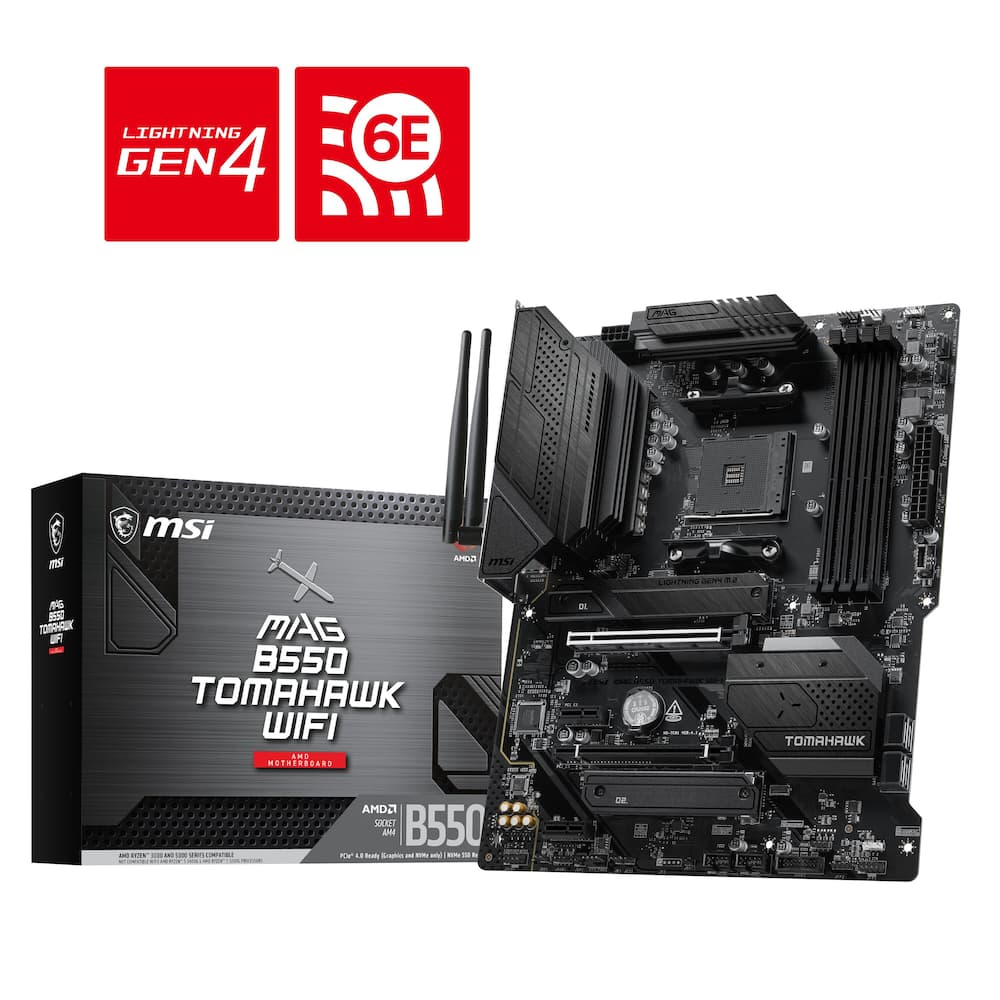 MSI - B550 TOMAHAWK WIFI (Socket AM4) AMD B550 ATX DDR4 Wi-Fi 6E Motherboard - Black Original price was: $149.99.$119.99Current price is: $119.99.
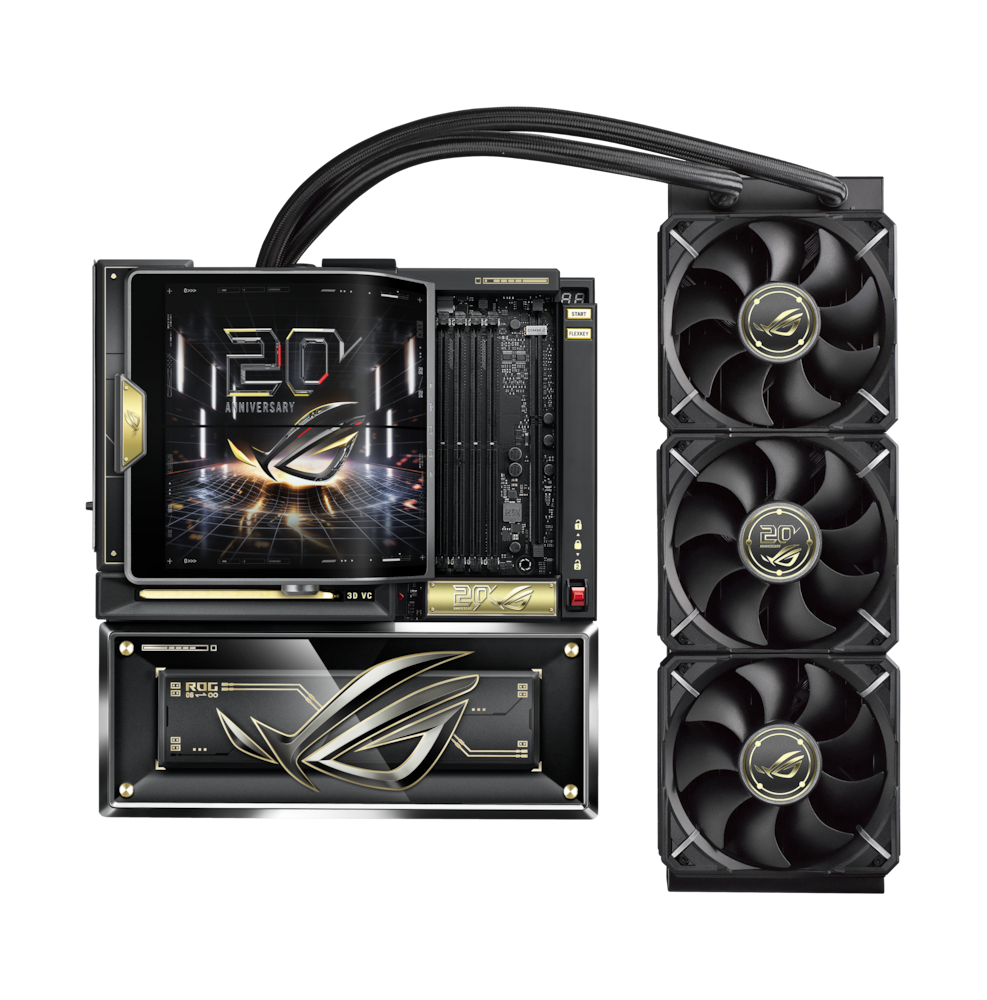 ASUS - ROG CROSSHAIR X870E (Socket AM5) AMD X870 E-ATX DDR5 Wi-Fi 7 Motherboard with Integrated ROG RYUJIN 360 Liquid Cooler - 20th Edition Original price was: $3,299.99.$2,639.99Current price is: $2,639.99.
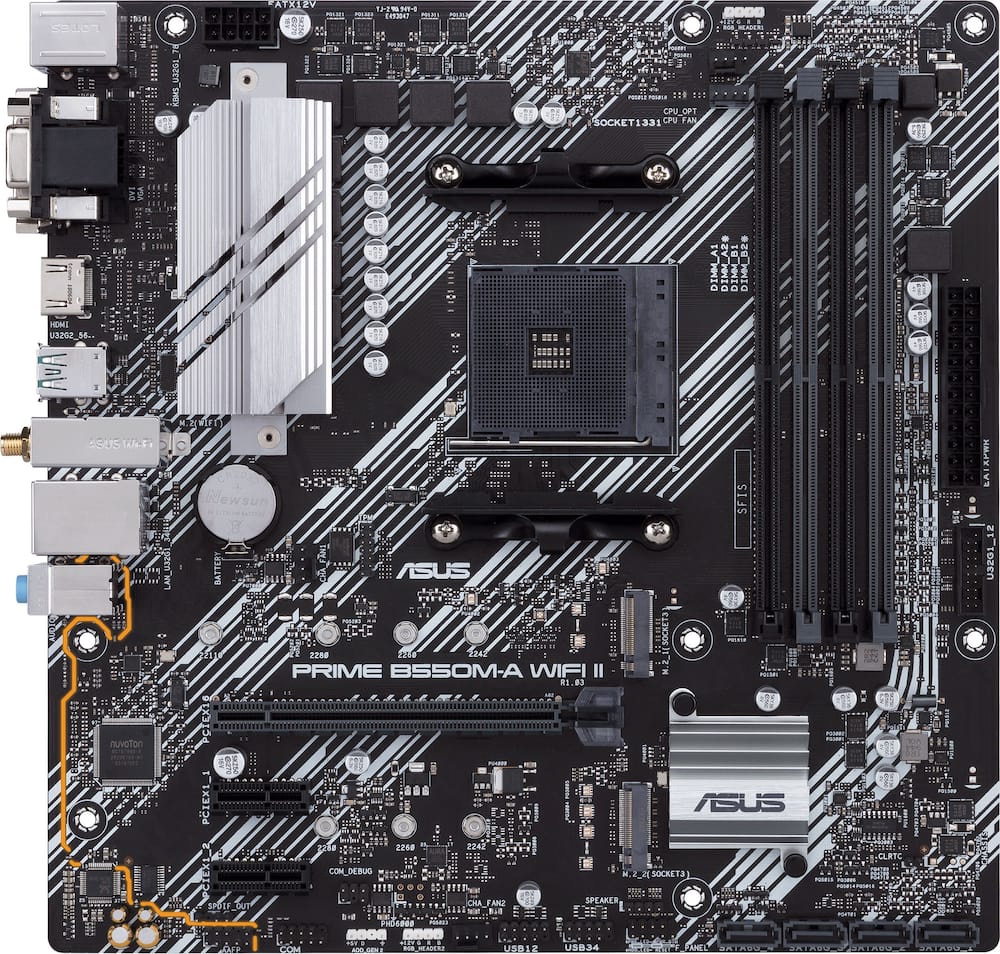 ASUS - PRIME B550M-A WIFI II (Socket AM4) AMD B550 Micro ATX DDR4 Wi-Fi 6 Motherboard - Black Original price was: $119.99.$95.99Current price is: $95.99.
Overview
- Ready for Advanced AI PC
Designed for the future of AI computing, with the power and connectivity needed for demanding AI applications - AMD AM5 Socket
Ready for AMD Ryzen 9000, 8000 and 7000 Series desktop processors - Intelligent Control
ASUS-exclusive AI Cache Boost, ASUS AI Advisor, AI Overclocking, AI Cooling II, AI Networking II, and AEMP to simplify setup and improve performance - ROG Overclocking Technologies
Dynamic OC Switcher, Core Flex, Asynchronous Clock and PBO Enhancement - Robust Power Solution
20(110A)+2(110A)+2 power stages with ProCool II power connectors, MicroFine alloy chokes and premium metallic capacitors - Optimized Thermal Design
3D VC M.2 heatsink for one PCIe 5.0 M.2 slot, Massive heatsinks integrated with the I/O cover, joined by an L-shaped heatpipe and connected to the power stages with high-conductivity thermal pads - Latest M.2 Support
Two onboard PCIe 5.0 M.2 slots and three PCIe 4.0 M.2 slots, all with substantial cooling solutions - Abundant Connectivity
Dual USB4 Type-C ports, two USB 20Gbps Type-C front-panel connectors (one with Quick Charge 4+ up to 60W and USB Wattage Watcher), nine additional USB 10Gbps ports, two PCIe 5.0 x16 SafeSlots, HDMI port - High-Performance Networking
On-board Wi-Fi 7 (802.11be) with ASUS Wi-Fi Q-Antenna, Realtek 10Gb Ethernet and Realtek 5Gb Ethernet - DIY Friendly Design
AIO Q-Connector, PCIe Slot Q-Release, new M.2 Q-Latch, M.2 Q-Release, M.2 Q-Slide, Q-Antenna, Q-Dashboard, Q-Code, Q-LED, FlexKey button, Start button, BIOS FlashBack button, Clear CMOS button and pre-mounted I/O shield - Immersive Audio
ROG SupremeFX ALC4082 codec with ESS ES9219 Quad DAC for up to 32-Bit/384 kHz playback - Unmatched Personalization
I/O cover with Polymo Lighting II, three Gen 2 ARGB headers, all configurable with ASUS-exclusive Aura Sync RGB lighting - Renowned Software
BIOS 64 MB, ASUS DriverHub, Dolby Atmos, GlideX, HWiNFO, Designed for the future of AI computing, with the power and connectivity needed for demanding AI applications
Compare similar
Specifications
Capacity & configuration
- Memory Type Supported
- DDR5
- Memory Slot Type
- 288-pin DIMM
Dimensions & weight
- Product Name
- ROG CROSSHAIR X870E DARK HERO (Socket AM5) AMD X870E ATX DDR5 Wi-Fi 7 Motherboard
- Product Length
- 305 millimeters
- Product Width
- 244 millimeters
- Product Weight
- 91.68 ounces
Features
- Brand
- ASUS
- Color
- Black
- Chipset
- AMD X870
- Chipset Compatibility
- AMD
- Form Factor
- ATX
- Processor Socket
- Socket AM5 (LGA 1718)
- Processor Compatibility
- AMD Ryzen 9 9000 Series
- Operating System Compatibility
- Windows 11 Pro
- Number of PCI-E Slots
- 2
- Number of M.2 Slots
- 5
- Number Of PCI-E x16 Slots
- 2
- SATA Connector
- 4
- Wireless Connectivity
- Wi-Fi
- Wireless Networking Standard
- Wi-Fi 7
- Wireless Standard
- BE
- USB Ports
- 2 x USB-C 4
- Number of Audio Channels
- 7.1
- Number Of Memory Slots
- 4
- Maximum Memory Supported
- 256 gigabytes
- Memory Format Supported
- UDIMM
- Memory Speeds Supported
- 8600+MT/s(OC)**/8200+MT/s(OC)***, 9600+MT/s(OC)**/9200+MT/s(OC)***, 8000+MT/s(OC)**/8000+MT/s(OC)***, ECC and Non-ECC, Un-buffered DIMM*
- RAID Support
- RAID 0
- Year of Release
- 2026
- UPC
- 199291398672
Power & warranty
- Model Number
- ROG CROSSHAIR X870E DARK HERO
- Power Connector
- 1x24 Pin
- Warranty - Parts
- 3 years
- Warranty - Labor
- 3 years
Warranty & protection
See manufacturer documentation.
Register your product with the manufacturer within 30 days of delivery.
Manufacturer warranty claims are handled by the manufacturer. We are happy to help you find the right contact: (888) 419-6820.
Customer reviews
Write a reviewAmazing - I paired this guy with a ryzen 7 9800x3d and the combination is awesome. Flawless works great
a gamer mopther board - this a great mother board ASUS Rog X870. AMD - Ryzen 9 9950X3D 16-Core - 32-Thread 4.3. fast easy to set up A Gen 5 setup. with a aSamsung - Internal SSD 990 2TB Gen 5x4 NVMe SSD card as your main. and a ASUS - Dual Radeon RX 9060 XT 16GB GDDR6 PCI makes one hell of a pc. and a 1200w power supply. you do not want to under poweryou pc. Lexar - THOR Series OC DDR5 RAM, 32GB Kit all so i like you can do 64 Ram. and you have a pc that out shines. most out there. there. and install a water cooler on you pressers too. and lots of fans to get it blowing thou your cooler. with this set up. one of the best set up i find out there for a great price for around $3500.00 you can install in most older gamer pc.
ASUS - ROG CROSSHAIR X870E DARK HERO - I have always been a msi guy but let me tell you, This Asus Dark hero board is amazing. The build quality is really top notch. This is a board that can do pretty much anything. Installation was a breeze with zero issues and performance has been insane. Job very well done asus! Probably never go msi. I would absolutely recommend this board to anyone that is considering such an investment. This board is built like a tank, it has a full metal back and it looks great all the way around. Highly recommend this one!!
Excellent enthusiast AM5 board! - The ASUS ROG Crosshair X870E Dark Hero checks a lot of boxes for what I want in a serious AM5 build. I particularly like the black styling and the way the Polymo Lighting II adds some personality without overwhelming the design. The substantial heatsinks also give it a purposeful appearance. Underneath that styling, the 20+2+2 power stage design and extensive cooling are appealing features for a demanding Ryzen system. What interests me most, though, is how much attention ASUS has given to installation, troubleshooting, and future upgrades. Those details can matter just as much as the specifications on the box. The I/O shield was already mounted, so I did not have to fight a flimsy plate into the case. The M.2 latches and heatsink releases meant I was not chasing tiny screws while I installed the OS drive and extra storage. Once a large graphics card was in, the dedicated PCIe release button made immediate sense as those cards are awkward to remove later. First power-on spent a while on memory training; Q-Code and Q-LED were what told me the board was working instead of staring at a black screen wondering if the RAM was seated wrong. If your cooler supports it, the AIO Q-Connector is also a cleaner way to handle pump and lighting wires. For configuration, I like having control over memory settings, cooling, and CPU tuning without needing to use every advanced feature immediately. My priorities for an everyday system would be a stable memory configuration and sensible fan behavior, so EXPO support and AI Cooling II are particularly relevant. There is also plenty to explore with Dynamic OC Switcher, Core Flex, and the other overclocking options. That flexibility is appealing, although the sheer number of settings could feel overwhelming to someone building their first PC. BIOS FlashBack and the Clear CMOS button are welcome additions when experimenting with those settings. ASUS lists the supported configuration and recovery features. Connectivity is where this motherboard really got my attention. Two rear USB4 ports alongside nine additional 10Gbps USB ports offer considerable flexibility for external storage, peripherals, and other desk accessories. I especially like the inclusion of both 10Gb and 5Gb Ethernet alongside Wi-Fi 7, giving the board room to support a faster home network or network storage setup. Five onboard M.2 slots also provide useful expansion options for keeping the operating system, games, and larger project files on separate drives. The dedicated 3D vapor chamber heatsink for one of the PCIe 5.0 slots shows that SSD cooling received serious attention. My main reservation is that getting the most from this board requires some planning. The second M.2 slot shares bandwidth with USB4, and configuring that slot for its full x4 connection disables the USB4 ports. The fifth M.2 slot also accepts only shorter 2230 drives and operates at PCIe 4.0 x2. Those are meaningful details when deciding where each drive should go as you plan out your build with this board. The ROG Crosshair X870E Dark Hero’s appeal comes from its combination of expansion, connectivity, tuning controls, and thoughtful installation features. It makes the strongest case for an enthusiast who will actually use those capabilities for their next high-end gaming powerhouse.
Best Of The Best AM5 X870E Currently - Coming from a prior line of Asus Strix, I was using an all white setup inside of a black case, enjoying the “panda” setup for the past year. This is a stark change from that one, as this is straight black everything, and I absolutely love it! It makes it look a lot more premium, in my opinion. Of course, this is an AM5 socket, and I’m using a Ryzen 9 7950X CPU without issues maxing this thing out. There are 10 USB ports on the rear IO, with an astounding half being USB C, which is very nice in today’s world as I have so many C peripherals, making this truly feel like a “new” board (no slow speeds here). Shockingly, not only does this have a 5G RJ45 network port, it has a 10G built in as well, and it has WiFi 7, so best of the best here too. This has 20 110A power stages for the Vcore VRM, which have big heat pipes connecting them as well as an insane backplate that works as a huge heatsink, feeling like a very premium design. As far as expansion and storage on this motherboard, it has dual PCIe 5.0x16 slots and 5 M.2 slots. The primary PCI slot will run at full x16, though with all the AM5 boards, the second slot will be forced to share bandwidth with the dual USB 4 ports on the rear IO. Not a huge deal but something to note if you intend on using both, as you’d need to run the 2nd slot at half bandwidth or disable those USBs to get full speed. Speaking of PCIe, though, they have included the super nice slot Q release slim Q latch, Q slide, basically every possible quality of life thing they make, which is super nice for toolless install. This is legitimately the top of the line X870E in my opinion, best of the best, and totally worth the money for those wanting or needing these things.
Great board - Works as expected, solid water that looks great and performs as well
Ready for today, and Tomorrow - It is challenging to review a motherboard, as its performance is hard to isolate from the other components. So this review will focus as much as possible, on what the board offers, less on how it performs (which is good). We did run Windows 11 on this to test it out So installation.. this is a BEAST of a board, it has some weight to it. Everything is solid, nothing feels cheap or flimsy. Use full size ATX format, so you will need a good case for it. And don't just use 1 or 2 screws, max it out, every mount point, you don't want this to slip, if something good happens. The power connector is tight, but convient, on the edge and out of the way. This particular board utilizes The AMD Ryzen Socket 5 system... so you have a variety of options on processors, and this one is still being produced, so you will for at least another year or so have more options... Easy install of the processor, nearly impossible to screw up. Add your your preferred heat control for the processor (doesn't come with the board, and do NOT run without one). Memory, as yes... this is going to be your most costly required piece to use this board (based on Sept, 2026 pricing). 4 DDR5 slots, which will allow you to use up to 256gb of memory. That is a LOT of memory, but also right now 64gb chips not readily available. So I ran this with just 16gb (2 8gb), and I know that I can easily get this up to 48gb in the near future. Super simple to install, easy access Storage... Multiple options for solid state memory, 7 in fact. You have support for the latest PCIe 5.0, and 4.0. That is a LOT of options for big storage. You can still go "old school". SATA connectors are there for your slower, but much larger storage options as well. USB 4... It's there, but I have no devices to actually check the performance at USB4 level. Additional USB 2.0 Headers for some of your coolers, fans, and other misc connectors.. The Audio: Very good out of the box.. To take advantage off it, have some good speakers... You won't really need to use anything breakout or special... easy to access. Network connectivity: This is my first board with 10G wired connector... and it is FIRE fast... My internet connection isn't fast enough to really use, but getting over 2g down performance, is awesome. I can can test with my router, and it does clock close to 10g transfer speed. So you are set, so long as you have the equipment that can use it. WiFi 7, this system is going to be hardwired, but did want to see if it connected, and it did. My WiFi 7 unifi system connected instantly, and I was maxing out speeds. I didn't try to get too far from my node, but there was no lag... so if you need it, it is there. If you are seeing lag with either the hardwire, or the wireless... check with your ISP, it isn't going to be this board. now... it has a built in HDMI port, which most people won't need or use, but it is great to have, so you can trouble shoot when your gaming video card isn't working. This board supported our Nvidia 5080 board... ran perfectly, once we had the drivers installed. The card felt very secure when locked in, which is good, as that card is expensive and massive. so no worries. Now I don't go crazy with custom tweaking the settings on the board level, but this boar comes with a TON of options, so you can optimize to your heart's content. It has a 64mb Bios... So this will allow for a long run-way for future updates, to support even more advanced processors... Has WIFI and network support on the BIOS level, so you can access software if your drives or your OS goes wonky. That is a GREAT addition and tool. So the board... great option... You are through going to have to spend for the key components to make the most of it: Memory, Processor, Video, Cooling, Storage. But this board gives a very strong foundation for those very expensive components.. This is the board you want to use, if your building your dream rig, today... and want to use it "tomorrow"
An Elite Motherboard for an Elite PC - THIS… IS The ASUS ROG Crosshair X870E Dark Hero, an enthusiast level motherboard packed with tons of extreme tuning and luxury features. From its sleek design, plethora of ports and high end tuning features… lets take a look at what makes the ROG Dark Hero a top of the line motherboard. Having built and tested tons of PC’s and therefore tons of motherboards, it becomes obvious when you are holding something that is truly next level… and that's what the Asus Crosshair Dark Hero is. Taking the Dark Hero out of the box for the first time, you start to understand not only why it cost so much… but why it is one of the best motherboards on the market. Starting with cosmetics, a giant all black VRM heatsink wrapping around a sleek optical lit screen immediately catches the eye. Though, it wouldn't be a Dark Hero if Asus didn’t go all in with black metallic capacitors, black heatsinks for all FIVE m.2 slots, a hefty black PCB with a giant full metal back plate and all the ROG branding and design that they could possibly fit on an atx motherboard. I also love the giant start button in a contrast sliver, which is almost demanding to be pressed to start your next level gaming pc. It isn’t all cosmetics though, as Asus has gotten really good at a toolless design over recent years and have made it to where you can do just about anything you want from removing your GPU to installing your m.2’s at a push of a button or latch thanks to their Q-Release, Q-Slide and Q-latch (asus loves their Q’s). Installing your m.2 is as easy as pressing the Q-Release, removing the heatsink and then locking in your m.2 with their Q-latch. No more tiny screws, no more headaches! Their Q-Release for the top PCIE slot is also one of my favorite features, located just south of your ram DIM’s, a press of this button allows you to easily eject your gpu and prevents that odd off angle turn that made disengaging and removing your gpu a headache for you and your fingers. This motherboard also has Asus’s AIO Q-Connector just to the right of the AM5 slot, which allows you to power select Asus AIO’s without extra cables. This motherboard also comes with a code readout display in the top right of this board to make troubleshooting significantly more streamline. Moving to the rear I/O, there is something for everyone. 2 40g USB4 ports, 3 USB-C 10g ports, 6 USB-A 10g ports, a 5g and 10g ethernet ports and wifi 7. If it is out there, it is on this I/O and truly makes it future proof. It even has an optical S/PDIF for the 3 people out there that will use that. This board also supports two USB 20g front panel connectors with one enabling QC4+ (fast charging up to 45w). Bios on Asus motherboards is one of my favorites and honestly does a good job at reaching the user where they are at in comfortability in not only customization, but tuning as well. Their new Q-Dashboard (again with the q’s) does a good job at giving you a visual representation to the settings you are changing in bios. For the majority of users who open bios and have no idea what they are looking at and what all the 3 and 4 letter acronyms mean, this will enable you to easily identify and understand exactly what is going on in your system. Advanced mode for those who dare to take complete control has a well laid out UEFI and a good search mode if you know what you are looking for. Though, I find that most people can figure out what they want to do in EZ system tuning and allow the onboard AI Tuning II to do most of the work. This motherboard also comes with Armory Crate, Asus’s software for updates, tuning and fan control on the windows side of things. While it isn’t perfect by any means, it does a good job at giving you the info you need and the utility to change a lot of settings without going into bios. Armory Crate does a good job at allowing you to tune and adjust your wifi connectivity, usb headers and fan speeds without needing to be an expert in any of those things. A nice benefit to buying this motherboard is that it comes with HWINFO and Aida64 free out of the box to make sure that your gaming PC is as good as it should be when setting it up, and all the data bits and info for tuning should you need it. To round out the X870E Dark Hero, Asus has created an exceptionally great package for enthusiast builders. Yes, several of the features on the Dark Hero can be found on several other motherboards, but the way that asus executes these features is in a class of its own. Will you gain performance in FPS? Possibly, but only in the OC headroom allowed by the gigantic coolers, top shelf parts and expanded power stages. That being said, this board is just as much, if not more for the amenities and aesthetics as it is the performance gain for most users…. and for that, it is elite! Until next time :)
The Upgrade My Gaming PC Needed - Not too long ago, I bought a pre-built gaming PC. While its specs were impressive, I still wanted to tweak certain components to make it even more powerful. The motherboard that came in the PC is good. It’s one of those “gives you what you need” components, but I wanted “the best.” So, I decided to upgrade to this Dark Hero motherboard, which is a huge step up. I’ll admit that a motherboard isn’t necessarily the first component I would recommend upgrading in a gaming PC. If you’re happy with your CPU, GPU, and storage, changing the motherboard isn’t suddenly going to give you a bunch of extra FPS. In my case, though, I wanted a better foundation for the rest of my system, and that’s where the Dark Hero really makes sense. The biggest difference I noticed compared with the original motherboard is just how much more I can do with the Dark Hero. The original motherboard gave me the basics I needed, but the Dark Hero gives me considerably more room to expand. There are multiple M.2 slots, PCIe 5.0 support, USB4, Wi-Fi 7, 10Gb Ethernet, Bluetooth, and a huge number of USB connections. I’m much less likely to run out of options as I continue upgrading the PC. I also really appreciate the attention ASUS put into making this board easier to work with. The tool-free M.2 installation is one of those features that sounds minor until you actually have to install or replace an NVMe drive. Not having to deal with tiny M.2 screws is fantastic. The PCIe Q-Release is another feature I didn’t realize I would appreciate so much until I had it. Removing a large graphics card can be awkward, and being able to release it more easily makes working inside the PC much less frustrating. The onboard diagnostic display is another nice addition. With the original motherboard, troubleshooting wasn’t nearly as convenient. Being able to see diagnostic information directly on the motherboard gives me a much better idea of what’s happening when I’m working on the system. The build quality is also noticeably different. The Dark Hero feels like a premium component. It’s substantial, the heatsinks are massive, and the all-black design looks fantastic. I really like that ASUS didn’t go overboard with the gamer aesthetic. It has some RGB, but overall it has a much more understated look that works really well in my system. The BIOS is another area where I noticed the difference. ASUS gives me an incredible number of options for configuring the system, including extensive memory and CPU tuning options. I don’t necessarily need to use every one of them, but I like knowing they’re there. As I continue upgrading the PC, having that level of control gives me a lot more flexibility than I had with the original motherboard. The storage options are particularly appealing to me. I can add multiple NVMe drives without immediately worrying about running out of slots. There are some bandwidth-sharing limitations depending on which M.2 slots I use and what other features are enabled, so anyone building a system like this should pay attention to the motherboard manual when planning their storage. Still, having this many options is a huge improvement over the original motherboard. For me, though, the point of the upgrade wasn’t simply to get more FPS. I wanted to build a system that I could keep upgrading without constantly running into limitations. The Dark Hero gives me that flexibility. I’m getting substantially more connectivity, expansion options, storage support, power delivery, and enthusiast-level controls than I had with the original motherboard. After using the Dark Hero, the original motherboard feels much more like a starting point. It did its job, and there was nothing particularly wrong with it. The Dark Hero just gives me a much better foundation for the kind of system I want to build. Overall, I’m extremely happy with the upgrade. The Dark Hero is definitely overkill for a lot of people, and I wouldn’t recommend spending this much on a motherboard just for the sake of having a flagship model. But if you’re already building a high-end AM5 system and want a motherboard that gives you plenty of room to expand and customize, I think the Dark Hero is worth considering.
Essential PC build accessory - I'm building a gaming PC and needed a motherboard. This came highly recommended and I see why! This motherboard is a universal product that supports different series of processors. For prolonged gaming sessions, the Voltage layout is rated to deliver steady power. To prevent overheating, the motherboard has special power connectors that connect flush with the PSU. This product is also equipped with slots to handle a capacity of up to 256 GB of RAM, impressive enough feature to handle the load speed needed to run games properly. WiFi is also a necessary option and this motherboard comes with WiFi 7 built in, and Ethernet ports that are appropriate for the demand. Installation is definitely depending on your level of expertise and exposure to working with computer parts. Please have the appropriate tools prepared before you attempt to install. If your more comfortable hiring a professional so as to not damage anything, that would be a smart route to take. I agree with the masses that this is a highly recommended product.
Flagship for a reason - Ok, gotta get one thing out of the way first—this motherboard is probably overkill for the vast majority of people. If you're building a midrange gaming PC or even a fairly high-end one, there are plenty of less expensive boards that will perform just as well. You're paying for premium features, convenience, and expandability here, not extra FPS. That said, if you're the type of builder who wants one of the best AM5 motherboards available and plans to take advantage of everything it offers, the ROG Crosshair X870E Dark Hero is seriously impressive… and I mean whoa. The build quality is exceptional. Everything feels solid and well thought out: oversized heatsinks, reinforced slots, clean all-black design. It looks every bit the flagship motherboard. Also, give credit to ASUS for all the little quality-of-life features that make building a PC easier. The tool-free M.2 installation, PCIe Q-Release, BIOS Flashback, onboard diagnostic display, and overall BIOS experience all help make the build process smoother, especially if you upgrade hardware regularly. These aren't flashy features, but they're the kind you'll appreciate every time you work on your system. And honestly… I’d say that’s the most telling piece and what gets this a five out of five. It’s the little things, the details… Connectivity is about as complete as you could ask for. Wi-Fi 7, USB4, multiple PCIe 5.0 and M.2 options, high-speed networking—try to find something missing. Just keep in mind that if you populate every storage slot, there are some PCIe lane-sharing limitations. A common issue but something to be aware of. The biggest drawback is the price. This is an expensive motherboard, and for many people it simply won't make financial sense. Unless you know you'll actually use the premium networking, storage options, overclocking capabilities, and other enthusiast features, there are much better values available. BUT for it it’s meant to be and what it absolutely is, have to give it the full five stars because ASUS delivered exactly what this motherboard is supposed to be: a no-compromise flagship. It isn't designed for everyone, and honestly it shouldn't be. But if you're building a top-tier AM5 system and want one of the best motherboards on the market, it's hard to find much to complain about.
The motherboard of all motherboards - You know this is a whole different level of motherboards just by picking up the box. My first impression was, what the heck is in there? Did I get duped and got a box full of rocks? LOL. But first thought when I opened it was, wow, you know something good has to be in here just by it's presentation. Being a casual gamer with serious gaming kids in the house, I left installing this to my son. He managed to get it installed without much difficulties but it does take some time. Needless to say, this motherboard is packed full of features and components to build a high end gaming system which made my son very excited. It has Wi-fi7, 10 gb ethernet and a 5 gb, bluetooth 5.4, USB 4 (40gbps), premium audio etc. All this gives me confidence that Asus x870e will be future proof for hopefully, a couple of years to come. Another great feature I appreciate about this board is the m.2 release system. It will make future upgrades or repair much easier when replacing components. No more tiny little screws to deal with. As for performance, obviously, you will have to pair it with some other high end components to get it's full benefits. But this is the foundation you will need to build a really great high end gaming computer.
Ultra-Premium Design and Monster Performance - I've been building PCs for a little over 25 years now. I have about 25 completed builds under my belt. Over the years, I've used motherboards from all the major manufacturers – even legacy brands that are no longer around like Abit, DFI, and ECS! Among all of the motherboard manufacturers I've used, ASUS has always been my favorite to work with. They also make the best looking boards in my opinion. With that said, it's been a little over six years since I've built a PC. My i9-9900KF and ASUS Maximus XI Formula motherboard badly needed an upgrade, so I figured the release of this beautiful flagship motherboard from ASUS was the perfect opportunity to see if ASUS still lives up to its name. To cut to the chase, it exceeded all of my expectations. This motherboard is a performance monster with an insane amount of expandability. For reference, I've listed all of the components below that I used for this build: CPU: AMD Ryzen 9 9950X3D AIO: ASUS ROG Strix SLC IV 360 ARGB LCD GPU: MSI GeForce RTX 4090 SUPRIM Liquid X 24G RAM: KLEVV CRAS V DDR5 64GB 6000MHz CL30 Hynix Storage: WD Black SN8100 4TB NVMe SSD PCIe 5.0x4 PSU: Corsair HX 1200i SHIFT w/ ThermalProtect PCIe 5.1 600W 12V-2x6 Cable Case: HAVN BF 360 (Non-Flow Edition) Case Fans: Noctua NF-A14x25 G2 PWM Chromax x 2 (front intake and rear exhaust) The first thing I have to mention is the aesthetics of this board. This is the most gorgeous motherboard I've ever seen. As you can see by my pictures, I went for more of a stealth build this time around. If you're a bit jaded by the overdone fish tank builds with extravagant RGB light shows like I am, this Dark Hero motherboard lets you opt for more of an understated design language with much more purposeful accent lighting. Everything on this motherboard oozes top-tier construction quality and finish. I mean, the amount of detail and design work that went into manufacturing the backplate alone tells you how much effort went into producing this motherboard. Both the primary metal M.2 heatsink and the large aluminum M.2 heatsink/shroud that covers the secondary through fifth M.2 slots feel absurdly overbuilt. They have the kind of machining, weight, and finish you'd expect from CNC-milled components coming out of a boutique hardware shop! I love that the first four M.2 slots are outfitted with thermal pads to help keep the drives cool. Just bear in mind that the CPU family installed on the motherboard will dictate the speed capabilities of the first two M.2 slots. With my Ryzen 9 9950X3D, the first two M.2 slots run at PCIe 5.0 x4, while M.2_3 and M.2_4, which are connected through the chipset, run at PCIe 4.0 x4. The fifth M.2 slot runs at PCIe 4.0 x2. One important caveat I discovered is that the M.2_2 and the rear USB4 controller (i.e. both 40 Gbps USB-C ports) share bandwidth. With the M.2_2 populated, both the slot and the USB4 controller operate at up to x2 by default. You CAN change a BIOS setting so that the M.2_2 slot runs at the full x4 link width, but doing so disables both 40 Gbps USB-C ports. This is hardly an issue for me, since the board provides more M.2 slots than I would ever need. My WD Black SN8100 4TB NVMe drive was getting roughly 14.6 GB/s read speeds and 14.1 GB/s write speeds (see CrystalDiskMark screenshot). That is extremely close to the practical ceiling of a PCIe 5.0 x4 consumer NVMe drive! Even under a sustained CrystalDiskMark load, the SN8100 peaked at just 70°C before quickly settling back into the low-to-mid 50s, which is an impressive showing thanks to the gargantuan primary M.2 heatsink. Thanks to ASUS's massive 20+2+2 power stage VRM phase layout, my CPU has been rock solid under every heavy workload I've thrown at it so far. Twenty dedicated 110-amp VCORE stages provide an enormous amount of current delivery headroom while keeping voltage regulation stable under rapidly changing CPU loads. The dynamic boosting behavior on my Ryzen 9 9950X3D has also been phenomenal. Combined with the board's huge aluminum VRM heatsinks and the embedded heatpipe, the power-delivery components stayed cool and showed no signs of thermal throttling. This has allowed my 9950X3D to sustain very aggressive boost clocks under prolonged workloads without the motherboard's VRM ever becoming a limiting factor. One of my absolute favorite features of this motherboard is the new AIO Q-connector. Where has this been all my life?! When using a compatible AIO, all you need to do is slot the cooler's Q-connector into the motherboard's Q-Connector socket. I really enjoyed not having to connect seperate PWM and ARGB headers for things like the pump power, radiator fans, and lighting. At the time of writing this review, the Asus ROG Strix SLC IV 360 ARGB AIO used in my build has yet to be released in North America (but should be soon). I'm extremely fortunate to have a co-worker in the UK who was able to source one for me and bring it to the states while they were in town recently — just in time to test the new Q-connector feature for this build. The AIO is a perfect pairing with this motherboard, and I've had fantastic cooling results with zero issues from the new mechanism. I'm excited to see all of the upcoming AIOs that will be released with this new interface. After all these years of building with motherboards from various manufacturers, and now having built with this new Crosshair X870E Dark Hero, ASUS remains the gold standard in my book when it comes to UEFI BIOS. Navigating through the various menus on this motherboard's UEFI BIOS made it clear to me that the customization, overclocking, overvoltage, undervoltage, etc., are endless. The menus are also thoughtfully laid out making navigation very intuitive. Interestingly, my exact KLEVV CRAS V 64GB DDR5-6000 CL30 kit (KD5BGUA80-60A300G) does not appear on ASUS’s current memory QVL for the Dark Hero. While KLEVV is still somewhat unfamiliar to many PC builders, it is Essencore's enthusiast memory brand and has close ties to the broader SK Group ecosystem that includes SK hynix. That was actually one of the reasons I gravitated toward this kit, since SK hynix-based DDR5 has earned an excellent reputation on modern Ryzen platforms for strong timings, stability, and overclocking headroom (and the heat spreaders perfectly matched the Dark Hero's aesthetics!). I knew I was taking a bit of a gamble, but had full faith it wouldn't be an issue for this motherboard. Despite the kit not being on the QVL, enabling EXPO I was completely painless. The board retrained the memory without issue and correctly configured the kit at DDR5-6000 with its rated 30-36-36-76 timings. Stability has also been flawless throughout my testing so far, which speaks very highly of the Dark Hero’s memory compatibility and training behavior. Overall, the X870E Crosshair Dark Hero motherboard is a 10/10 for me. It is exactly the type of ultra-premium board I've come to expect at this tier. In my opinion, it's also the best-looking board currently on the market. Some other quick noteworthy highlights of this board that I'd like to praise are the ingenious GPU release button behind the PCIEX16_1 slot, which allows you to quickly release the graphics card instead of having to continuously bludgeon your thumb on a retention tab; how incredibly simple it was to flash the BIOS using EZ Flash; the flawless integrated Bluetooth adapter when pairing devices; the blazing-fast 10GB LAN port; the minimalist ROG logo with no text during boot-up; and lastly, the fun accessories included in the box, such as the bottle opener and ROG membership card with its surprise message. The thoughtful inclusions always go a long way with me. Well done, ASUS!
Built like a tank and looks like a Ferrari - I currently run an Asus x870e Crosshair Hero and it has been near flawless with a 9800X3D for over 18 months so I decided to pick up the Asus x870e Dark Hero. I paired it with a delidded 9850X3D running a Thermal Grizzly Heat Spreader and paired it with some Corsair Vengeance 2x24GB 9200 sticks for testing. The final build will be with TeamGroup 2x24GB 8200 sticks for running at 8000. Since this skews towards the top end of Asus's product stack, you will get a good and proper Asus experienced. The box is dark and glossy with reflective logos. The packaging is top notch and the unboxing is next level with a lower shelf that pulls out of the box holding all your Asus goodies. The box is worthy for shelf display. Up top is your motherboard ready for lift off and this thing is a precision milled battle tank. Aesthetically, it is a visual upgrade in every way over the original Hero and gorgeous to see. I am a huge fan of "Asus 2.0" products. What that means is when Asus refines their current stack of already great products by releasing updated products with even more bang for the buck. The Dark Hero is built on top of the Extreme line foundation and it shows. It is large and in charge in the best way. I like the update and changes to the RGB panel vs the original on the Hero with a nifty 3D like effect. Asus has upgraded not only the VRMs but the WiFi and more on the Dark Hero vs the Hero. The BIOS memory has been upgraded from 32mb to 64mb and the classic BIOS interface is still intact but so much cleaner and smoother and higher res. I love that Asus updated their bifurcation and no longer sacrifice lanes off the main PCIe slot used for your GPU to support auxiliary storage but instead use the USB4 controller allowing your GPU to have full x16 AND install storage as much as you like. This newer version has the Asus contact power connector that also supports their line of cableless AIOs and instead the pump head is powered directly from the motherboard. I'm sure there's even more improvements versus the old Hero I'm missing because they are extensive. Oodles of QoL improvements are to be had everywhere compared to the original Hero which I must stress is still an awesome motherboard in its own right. Pack-ins you get all the goodies from cables to antennae, swag and more. Asus even opted to include the DDR ram fan kit with this one and let me tell you, it is very effective. I tested it versus even a full 140mm fan over my memory for cooling and it was just as effective lowering out of control memory temps when overclocking from ~76 down to ~48 by properly placing their 60mmx60mm fan on the custom included frame. Since this is a robust motherboard with extreme power support, you get 2x CPU power connectors and an auxiliary 8-pin pcie connector for board level power support. Connecting it up on my test bed was a snap using my Corsair 1000w SFF PSU. Boot time was fast and right into the bios we went. The Dark Hero does ship with a much older bios (0502), so I updated ASAP. One problem I found is with the hefty VRM heatsinks packed so tight around the CPU socket many normal air coolers and some AIOs will not fit because the mounting brackets are not tall or narrowly placed enough to clear the VRM covers. I tried two different air coolers (Paladin EX400, Frozn A410) and an AIO (Frostflow x 280) while testing and configuring the Dark Hero on my test bench with all three not being able to clear the rear VRMs before finally just admitting defeat and installing a spare Ek CR240 Nucleus 240mm AIO for testing which fit fine. I also tested a Lian LI Lite 360 which also fit just fine. In the end, you might want to validate that your cooling solution will fit before purchasing. Another problem I found which isn't Asus specific but does affect both my Hero boards is they flat out do not like KingBank DDR5 8400 memory sticks. No matter what I do, they go right to an "A6" error code with the dram error light lit right up. This happens almost immediately upon start up. In Asus's defense, those same sticks do not work in my Asrock boards either but are flawless on Intel both Socket 1700 and Socket 1851. I do know they work fine on some other AM5 board makers no problem but I had to switch to a different brand of sticks to get my board working. Just something to note and again not Asus's problem as they were not on their validated memory list. When in doubt, check what has made their QVL. As for general use, it was as straight forward and as easy as Asus always tends to be. I've used many motherboards over the decades of my PC Hobby and I keep coming back to Asus boards as my go to boards on my main rig. Problem free with tons of customizations. The Asus memory tweak option is severely underrated for getting your sticks up and running and tuned a bit. So many problematic sets of sticks that would have required manual tuning from the JEDEC starting point can get a massive head start with the Asus tweak option. CPU overclocking options are bountiful. Whether you want to implement AMD's OC approach (PBO), b(e)clk, classic static overclock or a mashup, Asus covers all the bases. You also get their nifty SP rating tool which I've used for years as one of my defining criteria for binning chips. I tested my 9200 DDR5 at 8000 and it booted right up. 8200 also had no problem running. I tested both with extreme runs of TM5 and the Dark Hero handled that no problem. I do plan on testing gear 4 (memclock/4) for to see if it supports 9200 properly next but I am sure it will. I've been testing and using the Dark Hero on my test bench to get it setup, validated and tuned for over a week now with a few more weeks to go before I swap it into my main rig and as expected it has been an absolute joy. Asus is known for having the best motherboard BIOS and it shows. The build quality is top notch. The packaging is display worthy and the pack ins are top tier. The sleeper hit? That nifty little RAM fan. If you're looking for a motherboard upgrade of a higher level and tier for your AM5 platform, Asus's Dark Hero is a very worthy contender. It is both visually and operationally a winner with the GOAT Asus BIOS in full effect and high end support for everything you can throw at it.
Quality You Can See and Feel! - When I say that the Asus-ROG Crosshair X870E Dark Hero (socket AM5) AMD X870E ATX DDR5 Wi-Fi 7 is a beast, I am more than serious. This thing is built like a tank. As soon as you pick up the main box, you feel the weight. Personally, I was thinking is that weight all the motherboard and it was. That’s because the heat sinks are serious business on this board. This Asus-Rog Crosshair X870E Dark Hero is next level and obviously for serious builders and gamers. I am seriously excited to have this motherboard and can definitely see and feel the quality of this board. This board has features I have not seen before, like all of the AI intelligent control features, which I am not 100% sure how I feel about them yet. I know I like the heatsink for the NVME M.2 drive, which will help keep speeds up during intense usage. Another thing I really like is the ability to run a two-CPU configuration, as well as the dual LAN capability, with one being 10 Gigabit and the other 5 Gigabit, which is inspiring me to update my Fiber internet. Speaking of which, I really appreciate that Asus includes an antenna for the Wi-Fi 7 chip on this motherboard. I also appreciate that Asus listened to its users and implemented a much better quick-release system for installing and releasing components. Additionally, I appreciate the updated BIOS and the 64 MB of memory for the BIOS. Then when speaking of connectivity, this motherboard has more than any I have used on the back panel, with a total of seven USB-C and six USB-A connections, along with HDMI and one of the two front-panel USB4 Type-C ports with 60 watts of output. Speaking of power this board has some serious power stages with Pro Cool 2 connectors and high-quality capacitors for great multi-core support. If you are ready to build a serious PC this motherboard will give you all the support you need whether you are gaming or creating content. This board is built to handle whatever you throw at it and more.
Asus Dark Hero X870E: Performance Unleashed - For most computer enthusiasts, complete and utter control over every aspect of our system is absolutely mandatory. It is not surprising that component selection, along with one’s personal aesthetic preferences, will naturally determine both performance and budget. Naturally, besides the CPU and GPU, the motherboard will perhaps garner the most attention as this will determine all features and upgrades for its complete lifecycle, solidifying the foundation for your computer. As with all electronics, motherboards cover a wide range of various budgets, but do they provide enough over cheaper options? Thus, I was certainly excited to test ROG Crosshair X870E Dark Hero board; priced accordingly, the board is extremely eye-catching with its all-black design as well as a plethora of connectivity options, including most notably 5 M2 Slots (2 of which are PCIe 5.0) and the 2 PCIe 5.0 16x slots! Starting with the contents and layout of the X870E Dark Hero, I was actually surprised that the board was enclosed in a separate box-like compartment, wedged in between a cushion type material. Interestingly, the board was not protected by an ESD bag, which for something of this cost was a bit concerning. As for the board itself, it is quite exquisite to look at; its all-black shade complements the ROG LED section over the IO perfectly. The board itself also has quite a bit of weight to it; the back armor also seemed fairly sturdy in construction. As for connectivity, the Dark Hero features plenty of USB Ports including two 20 Gbps USB-C Ports in the front, three USB-C 10 Gbps ports in the back, and the two mandatory two 40 Gbps USB-C Ports; for 60 watts USB charging, only the upright positioned USB-C header closest to the PCIe 8-Pin connection supports it (the 8-Pin is required). Moving on, there are six USB Type-A 10 Gbps ports in the back, with another 4 USB Type-A 5 Gbps split across two headers for front access. As previously mentioned, the board features 5 M2 Slots; interestingly, the last slot supports only 2230mm drives and its bandwidth is capped at PCIe 4.0 x2. As with all motherboards, I highly recommend you download both the manual and BIOS documentation since the PCI slots and M2s all share and pull from the same resources and thus will affect your decisions on storage; for example, the second 5.0 compatible slot (M2_2) will disable both USB 4.0 ports if populated. Luckily, you can configure most of the bandwidth allocation behavior in the BIOS. Lasty, the Dark Hero features 4 SATA ports; two ports are sourced from X870E chipset, the other two via an ASM1162 controller. Overall, I think the Dark Hero has most people covered connectivity wise. As for improvements, personally I would have dropped two of the 10 Gbps USB-C ports and swapped them to Type-A instead. I also think a single 10G LAN would have also sufficed; the extra space then could have been used for more USB ports. Lastly, the Dark Hero even includes a 60mm fan that can be mounted near the top of your RAM slots. Switching to my performance tests, while I could not test and fiddle with every BIOS setting, I would still like to share my observations with the X870E Dark Hero. As expected, my board shipped with version 0502. While most users will likely update the BIOS right away, I opted not to update it as I wanted to preserve an out of box experience. For RAM, I used 32 GB of GSKILL Royals (Model: F5-6000J2826G16Gx2-TR5NS). Loading the XMP profile found on my kit was quick and painless, though I did have to wait on the initial memory training (DDR5-6400 at 32-39-39-102 at 1.40v). Afterwards, I lowered the timings slightly to DDR5-6000 at 30-37-37-96 and dropped my RAM voltage to 1.35v. Naturally, this also shaved off about 5-7C degrees of the modules. In normal times, I would have pushed my RAM harder, but since RAM is irreplaceable these days, I did not want to fry them. Additionally, BIOS layout is organized well and should be fairly self-explanatory. Much like my ASUS X870 TUF board, I really wish they would have included a mouse sensitivity setting; the cursor speed is way too slow and I had to opt using the keyboard instead. Both my AsRock Taichi X870E and Nova X870E boards have a mouse sensitivity setting. For your CPU, if you would like to shift to Eco mode, or adjust the TDP/PPT values, click on advance at the top of the screen. From there, scroll down to AMD CBS. Next, click on SMU common options then click to enable Eco Mode or set your own TDP/PPT values (default on my 9900x is 120w TDP / 160w PPT. Eco mode reduces the 9900x to 65w TDP / 88w PPT). There is also an 105w TDP mode as well (142w PPT). For an idea on performance, I quickly ran Cinebench R23 on various power setting as well as the short benchmark found in CPU-Z 2.20. The results are as follows: Cinebench (Default Power) Single: 2,207 / Multi: 32,435 (12 Cores / 24 Threads) Cinebench (ECO 105w Power) Single: 2,213 / Multi: 31,435 (12 Cores / 24 Threads) Cinebench (ECO 65w Power) Single: 2,210 / Multi: 23,727 (12 Cores / 24 Threads) CPU-Z (Default Power) Single: 872.6 / Multi: 12,909.9 (12 Cores /24 Threads) CPU-Z (ECO 105w Power) Single: 870.1 / Multi: 12,520.1 (12 Cores / 24 Threads) CPU-Z (ECO 65w Power) Single: 878.2 / Multi: 10,056.2 (12 Cores / 24 Threads) Next, I wanted to test the transfer of the USB 4 ports on the back. Unfortunately, the fastest external drive I own is a Crucial X10 Pro (20 Gbps). I benched the drive with CrystalMark 9.0.3 and noted the results below: Sequential Read Q8T1: 2,095.85 MB/s / Sequential Write Q8T1: 1,724.47 MB/s Sequential Read 4K Q1T1: 26.87 MB/s / Sequential Write 4K Q1T: 78.64 MB/s Connectively, I copied a 97 GB 4K UHD ISO image from the X10 Pro to my C: drive. The transfer was fairly consistent holding anywhere between 1.27-1.35 GB/s. That is probably the single fastest transfer I’ve seen; the job finished in about a minute. Lastly, I sent a 48.8 GB music folder that houses 7,619 files and 1,673 folders from my C: drive to the X10 Pro. The transfer capped out at around 580-610 MB/s but interestingly it did not bounce around as typical of smaller aggressive transfers. Next, I would like to mention a couple closing observations after testing the Dark Hero for the last few days. My impression is the Dark Hero performs as any high-end board should; my 9900X certainly has all ample power it needs. Furthermore, I also liked there is an HDD activity light on the board itself, not forcing you to solely rely on connecting the case header. Additionally, I loved the all blacked out color scheme and the LEDs; coupled with my Be Quiet Pure Rock 3 LX CPU cooler and my GSKILL Royals, the lights were mesmerizing! As for the audio side of things, while still integrated, the ALC4082 coupled with the ESS9219 DAC sounds fairly good even just with my older Astro A40 headset attached to the rear ports. Interestingly, on my first initial install of the Realtek USB audio driver, the Realtek control panel was missing. In case this happens, check Windows 11 folder in the extracted driver contents. Inside there should be a folder called UWA that houses an additional Asus installer; running this one fixed the missing the control panel for me. Nonetheless, it is a good thing I noticed this because once restored I found an amplify setting in the console that will increase the audio output volume should you feel the audio output is too low. Lastly, as an audiophile if you are still ripping audio CDs like me, chances are you probably know that ripping with EAC on secure mode does not work with some drives when attached to Prom21 based chipsets. Luckily, the Dark Hero features two SATA ports tied to the ASM1162 controller. I tested my Pioneer BDR-209DBK drive and everything rips perfectly on those two ports. In conclusion, the Dark Hero X870E is an exceptional piece of hardware with wide range of connectivity and performance options that would make even the make the hard to please enthusiasts jealous. It has the aesthetics and all the features necessary to be a solid board for years to come. However, with that said, it certainly has some drawbacks, specifically value. Perhaps its closest competitor would be the MSI Carbon X870E and even to a lesser extent the AsRock Taichi and Nova. Also, the ROG Strix X870E is certainly worth a look as well. All of these boards have more USB Type-A ports in the back and cost significantly less, but depending on your needs, the trade-offs are going to be extensively tied to your personal usage. It is extremely glaring when, for example, you compare the Dark Hero to the Nova, both of which feature 5 M2 slots, but the Nova’s last slot at least can accommodate 2280mm drives (albeit capped to PCI 3.0 x2) but the Dark Hero is forced to 2230mm drives only. Granted, the Dark Hero has 2 PCI 5.0 16x capable slots (bandwidth / port disabling aside) and 2 M2 5.0 slots whereas the Nova does not. Additionally, the Hero has a PCIe allocation switch, better power delivery and audio. Nonetheless, I certainly do not want to criticize the Dark Hero X870E or say the Nova is a better board; it is merely eye-opening when comparing other models and how much back and forth you will go between allotted features. The question then becomes is another $300-400+ worth it? For most, probably not. My initial gut reaction is if that the Dark Hero would have been an E-ATX board, the price might be a bit easier to swallow, but at the same time not everyone wants a giant board or a large case. That said, as it stands, the Dark Hero X870E is still a quality piece of hardware and I have no doubt for those who are looking to purchase will be extremely satisfied. If price is not an issue and you are aware of its limitations, then the Dark Hero X870E comes recommended!
A Flagship Motherboard that Delivers - I've been wanting to upgrade to AMD AM5 for a while now and finally decided it was time to make the switch. I ended up going with the ASUS ROG CROSSHAIR X870E DARK HERO and paired it with an AMD Ryzen 9 9950X3D, along with my Nvidia RTX 5090 Founders Edition, 32GB of G.SKILL DDR5-6400 CL32 RAM. The Dark Hero feels exactly like what you would expect from a premium motherboard. It’s large, heavy, and packed with heatsinks, shielding, reinforced components, and all kinds of features. I also really like the overall blacked-out design. ASUS has included RGB and its Polymo Lighting II system, but the board itself has a much more understated look than some other gaming motherboards on the market. The black aesthetic works extremely well in my black build and gives the motherboard a high end appearance without making the entire system look like a giant RGB advertisement. ASUS has packed a bunch into this thing. The rear I/O is absolutely everything you need. It comes with 2x USB Type-C ports capable of up to 40Gbps, 6x USB Type-A 10Gbps ports, 3x USB Type-C 10Gbps ports, HDMI, optical S/PDIF, 2x audio jacks, Wi-Fi 7, Bluetooth, BIOS FlashBack, Clear CMOS, and the 2x Ethernet connections. One of my favorite features is that ASUS included both a 10Gb Ethernet port and a 5Gb Ethernet port. Most motherboards will give you a single 2.5Gb connection, so having both 10GB and 5GB networking is a huge step up. I don’t necessarily need the 10Gb Ethernet for my normal internet connection, but I use network storage and other high speed networking equipment, so having a 10Gb connection gives me a lot more flexibility when transferring files to my NAS. The motherboard also includes Wi-Fi 7, so you have plenty of options when it comes to networking. The USB connectivity is another area where this motherboard has been a huge upgrade for me. ASUS included multiple internal USB headers, including 2x USB 5Gbps headers, 3x USB 2.0 headers, and 2x internal USB 20Gbps Type-C connectors. This might not sound like a major feature until you build a system with a lot of accessories. On my previous motherboard, I didn’t have enough internal USB headers for everything I wanted to connect, especially with all of my fans, controllers, RGB accessories, and the AIO screen. So, I actually had to purchase a USB splitter. With the Dark Hero, you have significantly more flexibility, and I really appreciate having those extra headers available. Another feature that I absolutely love is the PCIe Q-Release mechanism. If you’ve ever had to remove a large GPU from a modern PC, you know how annoying it can be trying to reach the tiny PCIe clip, especially when you have a massive graphics card installed in a tight case. The quick release system on the Dark Hero makes installing and removing the GPU super easy. Instead of fighting with the retention clip with your finger or trying to get a screwdriver or knife into an awkward position, the Q-Release mechanism makes it much easier to release the card. It’s one of those small quality of life features that you might not think much about when looking at the specs, but once you use it, you definitely appreciate having it. ASUS also includes M.2 Q-Release and Q-Slide features, which make installing and removing NVMe drives much easier as well. Speaking of storage, the Dark Hero gives you 5x onboard M.2 slots 2x of those slots support PCIe 5.0, while the others provide PCIe 4.0 connectivity depending on the slot configuration. ASUS also provides heatsinks and thermal pads for the drives, and the board includes a 3D vapor-chamber M.2 heatsink designed to help keep high performance NVMe SSDs under control. Considering how hot some PCIe 5.0 SSDs can get, I really like that ASUS put this much thought into cooling the storage. I have plenty of room for future storage upgrades without needing to rely on PCIe expansion cards. The motherboard also gives you a lot of future-proofing with PCIe 5.0 support. There are two PCIe 5.0 x16 slots, giving you plenty of bandwidth for my 5090 FE card and expansion hardware. Cooling has also been excellent with this motherboard. I’m currently using my ASUS ROG Ryujin II AIO, and thankfully, it works with the Dark Hero without any issues. Installation was straightforward, and my CPU temperatures have been low. I was particularly interested in ASUS’s new AIO Q-Connector because it’s one of the more unique features of the Dark Hero. The connector is designed for compatible new ASUS AIO coolers and allows the cooler to connect directly to the motherboard through a specialized pin based connection next to the RAM slots, which can make the installation much easier and reduces cable clutter. Unfortunately, I haven’t been able to test this feature myself because the new ASUS AIO’s that uses the dedicated connector hasn’t been released in the United States yet. I was planning on buying one specifically so I could take advantage of this feature, but I’m going to have to wait until ASUS officially releases it here. And I will be ordering one as soon as it's available. The Dark Hero also has a lot of features that make building and troubleshooting a PC easier. ASUS includes a Q-Code diagnostic display, Q-LED indicators, onboard Start and ReTry buttons, Clear CMOS, BIOS FlashBack, a FlexKey, thermal sensor connections, and a bunch of other controls for the nerds out there. The Q-Code display is especially useful when troubleshooting a new build because it can give you a better idea of what is causing the system from posting instead of leaving you guessing. BIOS FlashBack is another feature that I think should be standard on all high end motherboards because it can make recovering from BIOS issues or updating the BIOS much easier. Memory support is also impressive. The DARK HERO supports up to 256GB of DDR5 (if you can even afford that much right now, Ha), and the board is designed to handle extremely high memory speeds when paired with compatible hardware. ASUS lists support for memory speeds up to 8600+ MT/s with Ryzen 9000 processors depending on the configuration, although I personally have no interest in pushing my RAM anywhere near that. My 32GB G.SKILL DDR5-6400 CL32 XMP kit has been completely stable at 6000MT/s, and that’s what matters most to me. I’d much rather have a slightly lower memory speed that works flawlessly than chase a higher frequency and potentially introduce instability into the system. The onboard audio is also better than what you typically find on a standard motherboard. ASUS uses its ROG SupremeFX audio implementation and supports Dolby Atmos. Pros Robust power delivery Excellent memory support 10GB and 5GB Ethernet ports 5x USB-C ports 5x M.2 slots PCIe 5.0 support Multiple internal USB headers GPU PCIe Q-Release M.2 Q-Release BIOS FlashBack Clear CMOS Q-Code diagnostic display Cons No AIO’s available currently to use the AIO Q-Connector Overall, I’m extremely happy with the ASUS ROG CROSSHAIR X870E DARK HERO. The Ryzen 9 9950X3D has been running great, temperatures have stayed low. I also love the connectivity, including 10Gb and 5Gb Ethernet, 5x USB-C ports, Wi-Fi 7, multiple USB headers, and 5x M.2 slots. It’s a premium board and definitely can be overkill for most builds, but if you're building a high end system with a 5090 and Ryzen 9 9950X3D, the Dark Hero delivers virtually everything you could ask for and has truly lived up to its flagship status.
Love the build quality - Asus has done such an amazing job with this ROG Crosshair X870E Dark Hero motherboard. First off the aesthetics could not be better i love the black everything with minimal metallic details. Second, it has a nice little display to show off the temps. Third, let me tell you about the back this is not your typical mother board where you have all the solder points exposed on the back so this would be an almost perfect motherboard for an open concept build. It paired well with my CPU and has enough empty slots for the SSD's. Only sort of downfall but then not really is the fact that it would be a bit nicer if it had more usb and usb-c connections. but if you are not like me then you will be ok with the amount it currently has. One other thing i didn't like much was the wi-fi 7 antenna that you have to use. I was surprised by how much it needed it after i plugged it in. Therefore, if you do buy this motherboard remember to utilize the wi-fi antenna provided. You have to really look through the box because many things are hidden out of view, but the packaging was great. Overall, i am very satisfied with this motherboard it was a nice upgrade to my current set up.
A striking motherboard with performance to match! - The ASUS ROG Crosshair X870E Dark Hero delivers flagship-level hardware and smart design choices that streamline building without drowning you in technical complexity. It strikes a rare balance between enthusiast capability, under the hood, with a clean yet approachable builder experience. + + + Pros: + + + • The packaging and presentation set an immediate premium tone. The motherboard itself has a dark, industrial finish that demands a showcase chassis with tempered glass. • Components, heatsinks and headers are laid out cleanly, avoiding the cramped routing common on over-engineered enthusiast boards. • The tool-less M.2 installation makes swapping and securing high speed NVME drives a breeze. Gone are the days of tiny dropped screws and specialized tools. • PCIe Slot Q-Release is another way ASUS has solved a classic headache of trying to unlatch a massive GPU inside a tight enclosure. This new release makes releasing the card effortless and eliminates the risk of scratching the PCB with a screwdriver. • The power delivery on this board is top-tier. It easily handles sustained, heavy multicore workloads like 4K/8K video editing and rendering with minimal thermal strain on the VRMs, while leaving massive headroom for overclocking and future hardware upgrades. • The four DIMM slots supporting up to 256GB of DDR5 RAM provide you with some serious future-proofing. I was starting at 64GB of RAM but knowing that there’s a pretty high expansion ceiling is reassuring. • Rear I/O Holy Grail: An incredible rear port layout: 2x USB4 (40Gbps Type-C), 3x USB 10Gbps (Type-C), 6x USB 10Gbps (Type-A), Wi-Fi 7, and dual 5G + 10G Ethernet. For anyone working directly off a high-speed NAS, the dedicated 10GbE port alone is worth a standing ovation! - - - Cons - - - • Using auxiliary Gen 5 slots (M.2_2 or M.2_3) splits bandwidth with the primary PCIe slot, dropping the main GPU down from x16 to x8 mode. While real-world graphics performance impact is negligible today, it is an important architectural trade-off for multi-drive storage builders. * * * Nice to Know * * * • Tool-Less Ecosystem Breakdown: ASUS created a dedicated tool-free M.2 workflow using Q-Release for the heatsinks, Q-Latch for standard retention, and Q-Slide to secure compact drives without moving standoffs. • Standard 2280 SSDs fit in all slots, but the board also accommodates specialized 2230/2242 (handheld/compact) and 22110 (enterprise) drive lengths. • To take advantage of the 60W USB-PD fast charging on the front panel USB-C port, you’ll want to run a dedicated 8-pin PCIe power cable directly from your power supply to the onboard auxiliary header. ; ; ; TLDR ; ; ; • The Crosshair X870E Dark Hero manages to deliver top-tier power stability and cutting-edge connectivity, while focusing on quality-of-life improvements that make building, upgrading and maintaining a high-end rig straightforward. It’s a great foundation for power users and creators who want zero compromises on speed, expansion and daily reliability.
Questions & answers
Ask a question
Email [email protected] or call (888) 419-6820 during business hours.
Add your review