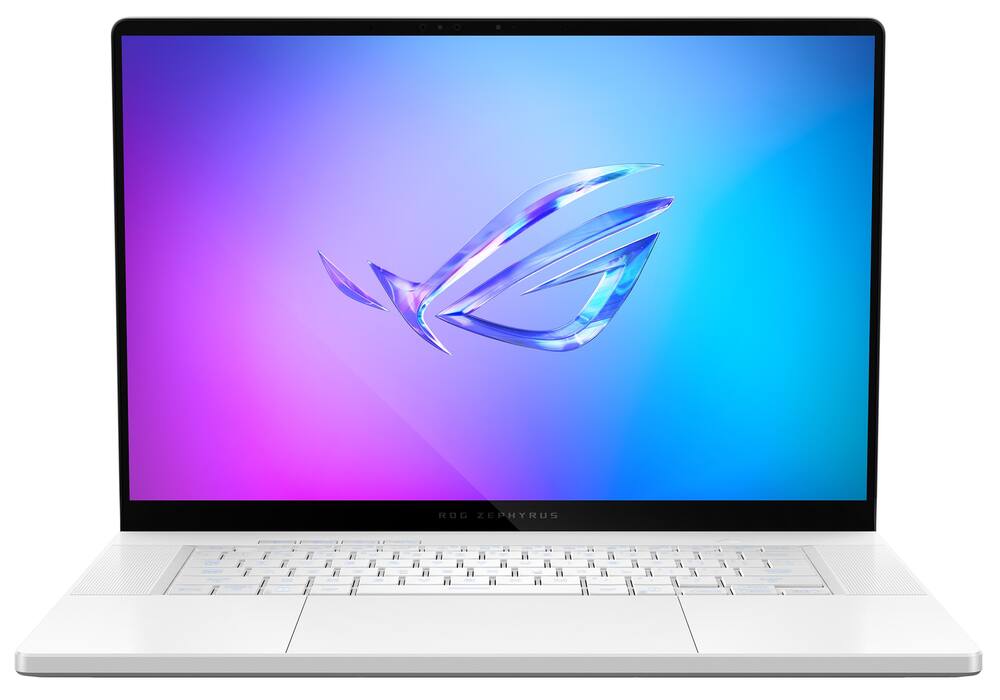
ASUS - ROG Zephyrus G16 16" OLED 2.5K 240Hz Gaming Laptop - Intel Core Ultra 9 - 32GB RAM - NVIDIA GeForce RTX 5070Ti - 2TB SSD - Platinum White
From $2,239.99
Free shipping
 20% off
SKU: 6672663
$47920
Was $599.00 Save $119.80
Other options in this range
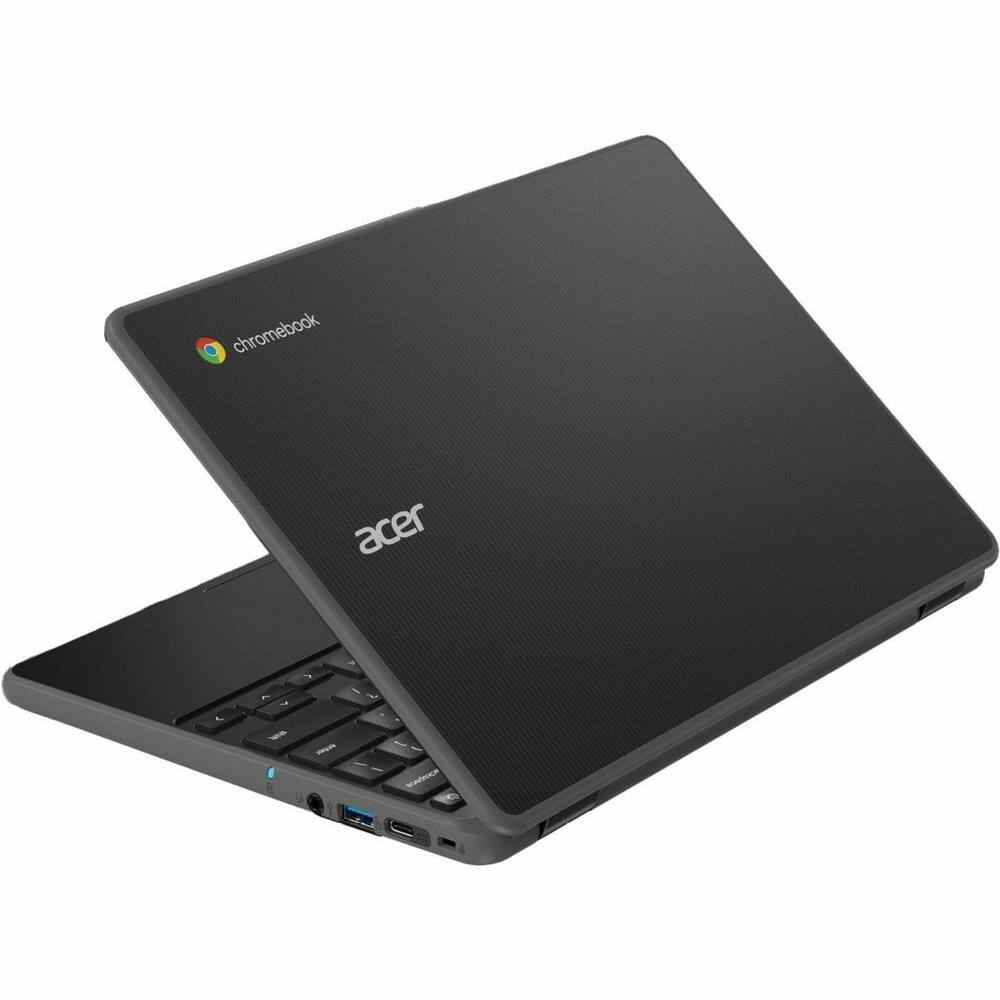 Acer - Chromebook 511 C737 11.6" TFT LCD 1366 x 768 (HD) Laptop - Intel with 8GB Memory - 64 GB eMMC - Black Original price was: $659.99.$527.99Current price is: $527.99.
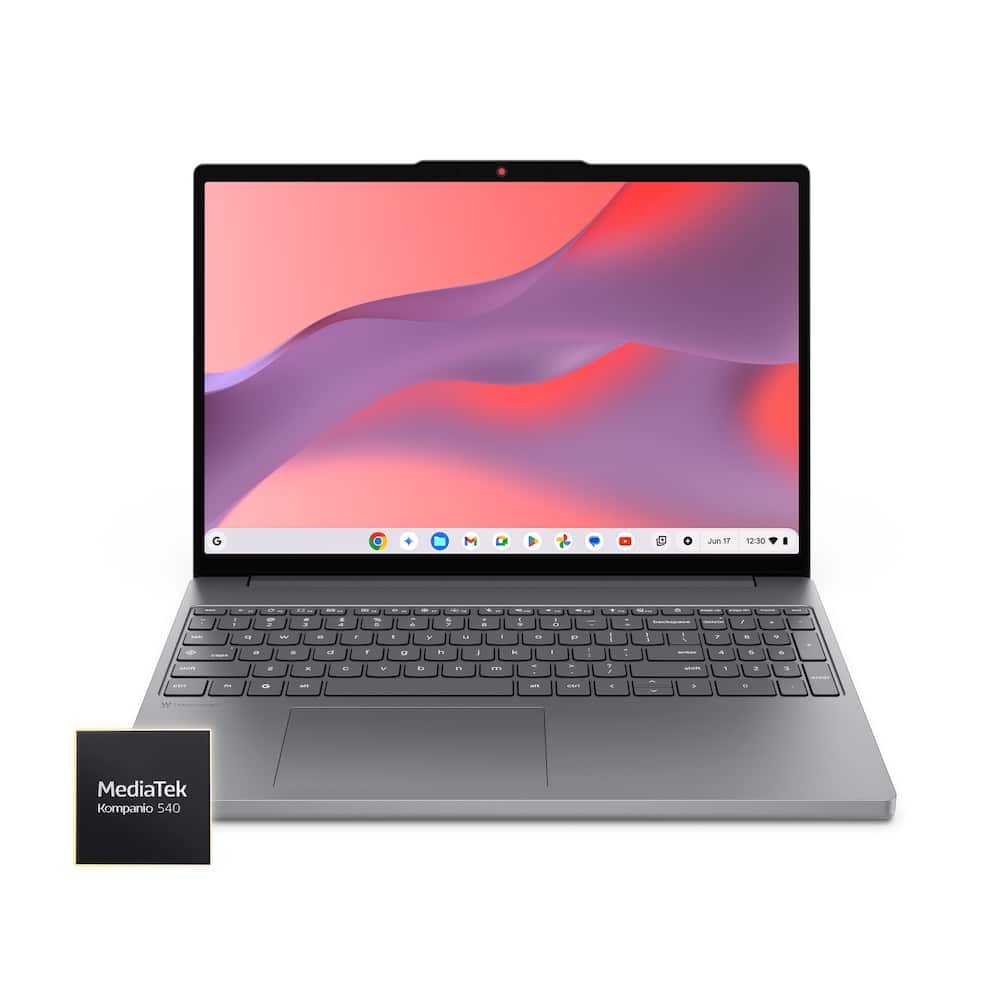 Lenovo - Chromebook M 15.3" 2K Laptop - MediaTek Kompanio 540 2026 - 4GB Memory - 64GB Storage - Luna Grey Original price was: $399.00.$319.20Current price is: $319.20.
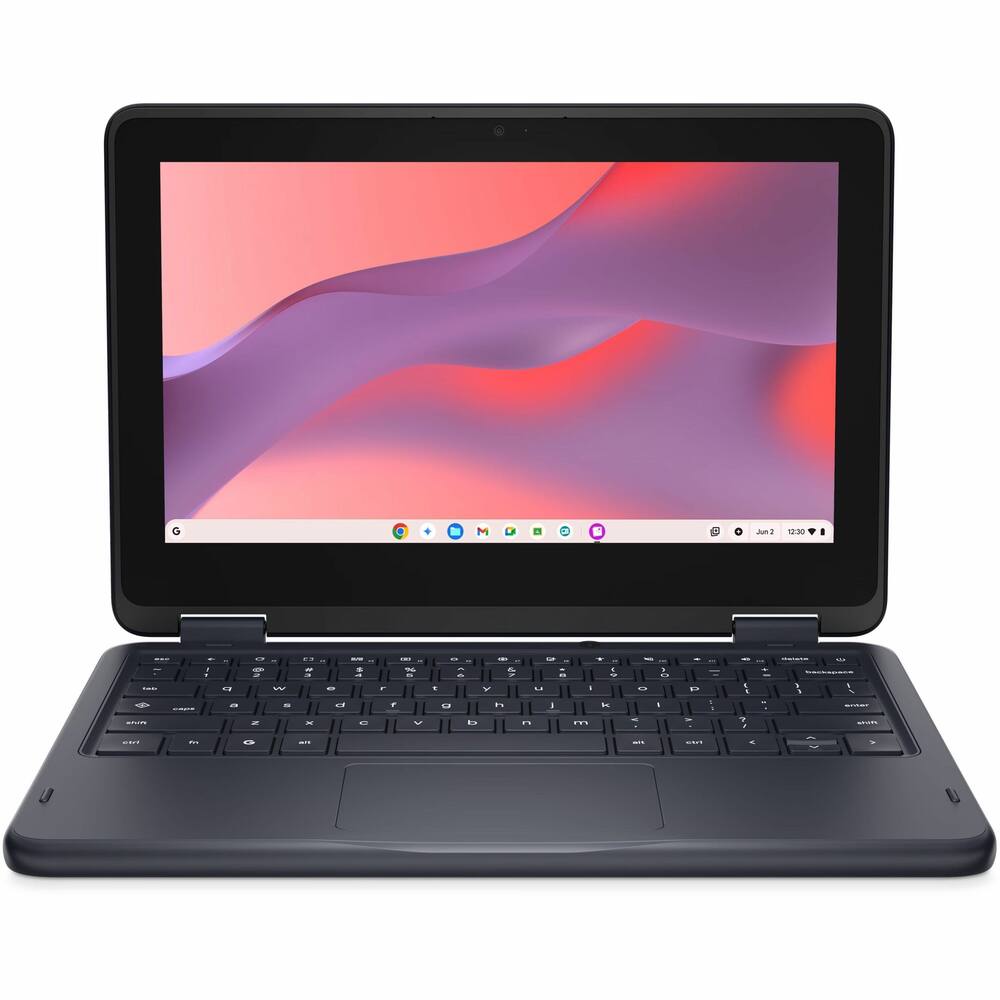 Dell - CC11260 11.6 N150 8G 64G CRM - Black Price range: $343.99 through $447.99
See manufacturer documentation.
Register your product with the manufacturer within 30 days of delivery.
Manufacturer warranty claims are handled by the manufacturer. We are happy to help you find the right contact: (888) 419-6820.
Free shipping
Free shipping
Free shipping
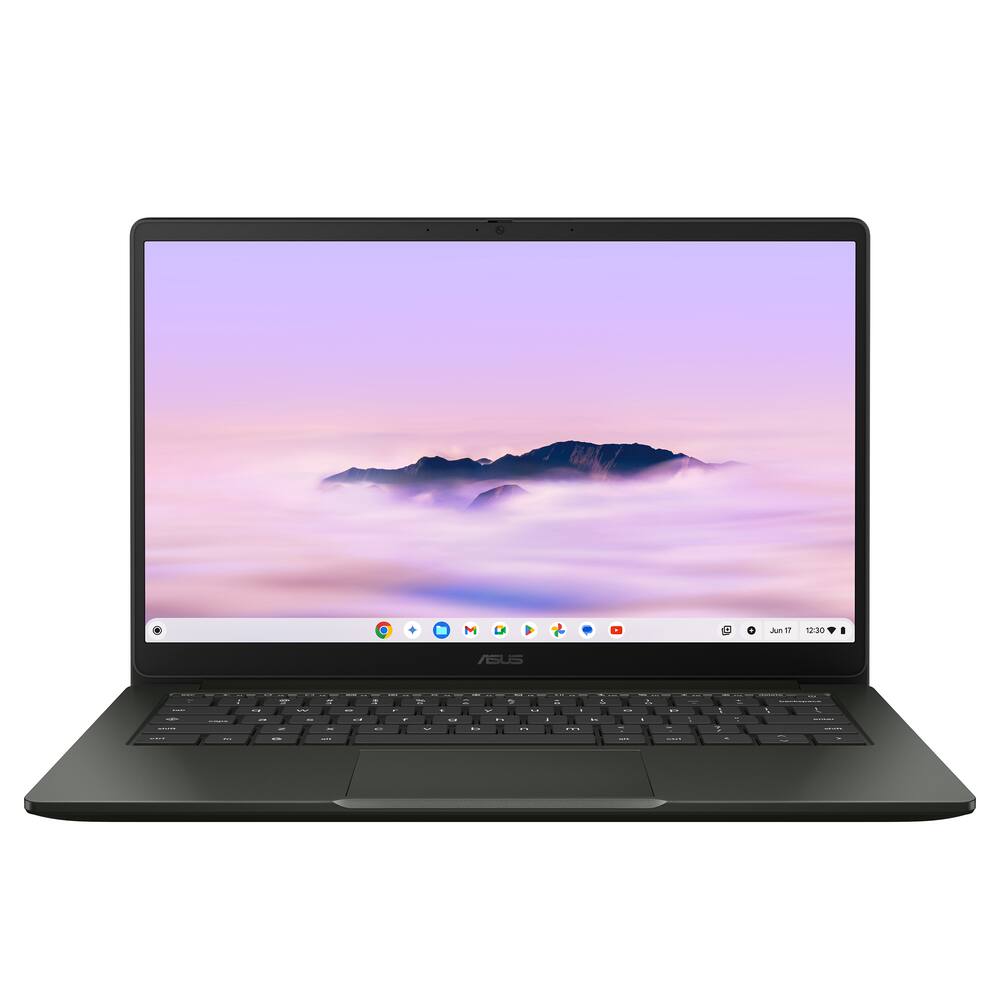
Chromebook Plus For The Win! - My kids and I have struggled to tolerate the dreary, dim-screened experiences afforded to us with most offerings on ChromeOS - So much so, that when my girls were issued their cut-rate, 11" school laptops in their Google-centric district, I quickly provided them MacBook Air devices with Chrome Browser in their stead. This was OK, but a bit overkill for their school needs, and I had to worry about $1500 devices going to and from school, and being littered with monitoring and management software from the school. One alternative was to get decent, expensive pre-owned windows laptops that were a few generations old, such as the XPS line or higher end Latitude models that were certified for Google's own ChromeOS Flex program, and install it - Replacing the stock Windows 10/11 installation. This works well, but lacks the full support for Play Store apps (none at all) and can be problematic with some of the school policy management etc. So how do parents find affordable ways to provide the full ChromeOS experience and give a good user experience, with decent displays, enough storage for real student or enthusiast needs, and enough RAM to deal with the tabs that students and enthusiasts need to be able to open? Enter Chromebook Plus. A higher-standard certification tier for laptops made for ChromeOS natively. At least 1080P IPS displays - At least 16GB RAM - At least 128GB of fast storage. These minimums give a significantly improved ChromeOS experience (and I would argue, make for a better image for ChromeOS beyond just a "value OS" stance it usually gets. With this ASUS CX14 I got a really slick looking Hunter Green color, bright/vivid display. and plenty of performance and battery life to get through a whole school and work day, all at a price I dont mind investing for school or work secondary use.
Chromebook for your basic needs - The Asus CX14 offers all your day to day basic needs all without breaking the bank. Asus has always been known to put good quality products in this industry with long lasting results. The only question left to ask yourself is if the functionality of this Chromebook is to basic for your current needs. So jumping right in to it if your thinking of buying a Chromebook im gonna assume you are already familiar with some of the difference between Chromebooks operating systems vs a windows based laptop. For Android users initial setup is very easy and the minute you being to power on the unit your phone may or may not detect the device and will begin to ask you if you would like to link your profile to your Chromebook. It does a very good job transferring over all your current files including emails, web browser history and any drafts you may have put together both on your phone, previous Chromebook or anything linked to an Android account. The web camera offers crystal clear picture quality and comes equipped with a very low profile privacy window for when the camera is not in use. The upgrade to the intel core 3 means it comes equipped with a octa-core allowing for more fluid multitasking and better stability during Google meet calls with live screen sharing. Now as far as the integrated AI system, its going to fill very familiar to what you may see on your smart phone. There is nothing really break through in this department. You will have the little AI icon on top of every email, web browser or Google document page you open. It will offer to help breakdown certain messages and help simplify its meaning to you as well as help you proof read and re-write anything your doing within your Google docs. You get all the additional AI features such as the ability for it to help with minor video editing and picture touch ups. All in all this is a basic laptop that is really designed to help give you all your basic needs without quitting on you. I own several Asus Chromebooks and one thing i can attest to is their longevity and quality. This Chromebooks keep going and will hang with your day to day task. This set up i feel is geared more towards the highschool or college student working on a budget that is looking for something with fast processing power and a good screen quality all staying within a budget friendly price range. A couple complaints i do have is number one, there are no back lit keys. I still for the love of God don't understand why manufactures still don't have them on all laptops and Chromebooks. Working at night sucks because unless your a 50 wpm (words per minute) person, who knows where every single key stroke is, your going to have to look down to find your placement and will struggle in the dark as you wont be able to see what key is where. Second thing i hate is the finish of the Chassis. I could be wrong but it looks and feels like a matte finish. The one thing about matte finishes to note is they leave finger print marks like crazy and at times can be a pain to clean and keep clean. Overall this is a sold unit for those looking for real basic needs all without sacrificing computing power.
Good for a chromebook but no touch screen - I primarily got this for my child to use as they are in school and have Chromebooks there. I will also say that some of my gripes maybe specific to Chrome OS, and not necessarily the actual computer, but mixing in all my thoughts. Starting off with the good. The computer is fairly small overall package, including the usb-c power plug that is much smaller then some of the computers I've had with a huge power brick. You also get 2 usb c and one 1 usb a port which is pretty good for laptops these days. There is also a HDMI port if you need to hook up to a TV. The build quality is not high end, but works for what it is. So overall its actually a pretty good package. On the other hand, I did have a few issues. First, when trying to get setup I just couldn't get it to sign into my wifi and stay signed it. This has continued even now, partly probably my own setup but I eventually had to just connected it to my slow IoT network. This meant turning it on and getting it setup took way too long. I also had issues with needing to get an account, as I wanted a kids account but used my own thinking I could choose later, and it made my account a child one and no way to go back when I realized it so I had to do a full factory reset to get things setup. After getting things setup, besides the issue with wifi, everything worked like Chrome OS should. And my child account works fine too. With android apps I was even able to get roblox for my kid on the device and it works OK, thought its not a touch screen so they didn't know how to use the keyboard and mouse to play. Overall its a decently built computer that runs Chrome OS if thats what you need.
Decent Chromebook option - Chromebooks have been around for awhile but I've always found them to be underpowered, laggy or just plain outdated in terms of performance. This one however, seems to buck that trend and actually make for a usable laptop. The Intel® Core™ 3-N355 processor seems to perform quite well at most basic tasks. Being a Chromebook, this laptop is more geared to light computer usage by students, elderly, and such. 8GB of RAM seems to be enough however upgrading would be nice. Unfortunately, you can't upgrade the RAM on these laptops. 128GB HD is pretty stout agin for most tasks. Being a Chromebook, this is a really lightweight. This one is super easy to travel with and possibly use as your work laptop depending on your workload. Battery life seems to be pretty good as well. Big thing for me is the backlit keyboard which is always a nice feature to have on any laptop. For an inexpensive Chromebook, this is probably one of the better ones I've come across. Decent speed, good battery life and otherwise decent specs
Great for Students and Daily Tasks - Chromebooks have a target demographic, just like most every other device on the market. If you are reading this review, chances are you are a parent or student trying to decide if this, or maybe any, Chromebook is the right choice for you or your child's needs. Or maybe you are looking for a small, inexpensive device to conquer normal, light daily tasks. So let's look at this review from the perspective of a student or user who isn't looking for a laptop with the highest specs or latest and greatest hardware. Graphic designers, gamers, video editors, and other power users will certainly be left disappointed. To be fair though, this device is not intended to capture such an audience, and that audience isn't seeking such a device. At least not for their core use case and workloads. The overall build quality is decent, and what you would expect from most Chromebooks. A plastic chassis that flexes with not much force. I wouldn't say flimsy, but certainly far from premium. I think this will withstand minor bumps or maybe a small drop, but I'd suspect dropping this from table-height or more would result in at least some cracking. It isn't what I would call lightweight, however there are far heavier devices out there. The size and weight make this Chromebook easily portable. This isn't weighing down your backpack or taking up too much space. You do give up some creature comforts with this device such as no back-lit keys, lack of a dedicated number pad, and a track pad that isn't the most sensitive. Working in dimply lit environments could prove a challenge as you have no key lighting. The screen does provide some light, but not enough to make this usable when typing is required. Key travel is quite good and the clicks are relatively quiet. Key presses are registered quickly though they do require a slight bit more force than I prefer. All-in-all I don't find finger fatigue to be a problem. The track pad is responsive when it comes to cursor movement and scrolling. However, it takes quite a bit of force when tapping in order for your selection to register. This is also quite a small track pad and I would highly recommend using an external mouse. While not the brightest I have used, the screen puts off ample light for normal indoor lighting use. Outdoor use is not bad when it is overcast, sun up, or sundown. Trying to work in direct sunlight can be a challenge. Reflectivity is actually above par unless in direct sunlight. Picture and video quality are great. I would not use this for color grading, but for watching YouTube, minor photo correction, and similar uses this screen is quite good. Battery life is stellar. I easily and consistently get through an entire day and well into the next day without charging, even with heavier use. Charging speeds are also good. This ASUS Chromebook Plus has easily handled everything I've thrown at it. Multiple Chrome tabs open, multiple browsers, video streaming, multiple apps, video calls, AI model use... Not a stutter, skip, lag, or misstep. It certainly does not have the latest, greatest high-end chip, but I have been impressed how well this has performed with the limited RAM and lower-end processor. Finally, let's talk ports, of which there are plenty. HDMI, USB-C, USB-A, and headphone jack. Not enough? Easily attach a USB-C adapter with your favorite ports and you're off. This ASUS Chromebook Plus is a great device for students in particular. I think you can easily accomplish most, if not all of your general daily tasks such as email, web browsing, documents, presentations, photo editing, video calls, online courses, etc. I would also recommend this as a second device for those with similar needs, or a first device for a grandparent or novice user.
Fast and feature rich Chromebook - I have been using Asus computer parts and laptops for over 20 years and have always been very pleased with the quality and reliability. This Chromebook is slim but not as slim as other laptops such as a MacBook air but it is much smaller and thinner than you typical gaming laptop. Out the box I was able to get it setup and logged in via connecting to my Android phone in about 10 minutes. It then did the usual system updates and once completed and rebooted I was able to start using it. One thing I have noticed is that it boots up very quickly and jumping from app to app it is very responsive. It is different from a Windows laptop so it might take a bit of getting used to if you haven't used a Chromebook before. Pros - Boots up fast and is quick - Great for watching videos or playing some games on - Great screen for this price point - Smaller footprint and lightweight for it's size - Has multiple ports including a full size HDMI out - Easy to setup with your Android phone Cons - Chrome OS which is a bit different from other OS's - Challenging to get a controller recognized to try using with games - Wouldn't load Call of Duty mobile but plays other games like Candy Crush without any issues Overall this is one of the better Chromebooks that I have used the last few years. As long as you understand it's limitations in regards to what games it will run and looking to use it for Google Docs and watching videos it is a great option.
Powerful All Day Battery - The ASUS - CX14 14" FHD Chromebook Plus Laptop with Google AI is a very light weight chrome book that meets the needs of everyday usage for emails, small workloads and even some YouTube and twitch watching. I used this mainly to drive my daily writing documents and to test out the packing slips and other work documents. It loaded very quickly and was snappy. I didn’t notice much lag in the functionality of the computer. I even had YouTube playing a video at times and did really good at playing them, no buffering or grainy videos. While I was putting it through its paces, the smaller Chromebook storage of 128gb will fill up fast if you try and store on the actual laptop, I recommend you utilize googles online storage as its pulled quick and had ample space to store larger documents. I was working in google docs and everything just worked, it’s a nice thing about google is all your accounts are at your fingertips and easily accessible. That leads me to say, if you are not a google fan, then this device might not be the best variant for you but still offers a ton of value in other aspects. The Chromebook battery life did last pretty much a full workday, so Id imagines for kids in school it would last a full school day without needing a charge. Overall, this device with its AI helping lead the way, which was a nice addition, is a very robust Chromebook at its price point. Students will have everything they need and adults will have a daily driver for everyday computing needs on the smaller task end.
Simple and powerful computing in a small laptop - After using the main operating systems for a majority of my career, I was apprehensive to give Chromebooks a test. I see them used in schools, so I know that they are capable of performing multiple tasks. I was concerned that there wouldn't be sufficient applications to make it useful, but I have learned otherwise. I'll start with the mere simplicity of setting up the laptop and how well it integrates with Google applications. I have used Gmail for years and the interface with this operating system is outstanding. I love the ability to change between email accounts and the application is far superior to third party mail applications. The display is vibrant and clear. The menu bar at the bottom of the display is very easy to use and full of information. Internet connectivity was very easy and the setup asked all the questions to get you up and running quickly. The form factor of this laptop makes it very handy for traveling. I have found that I prefer this over my other laptops for simple web browsing, email handling, and last but not least, for typing this review.
Very Capable - The ASUS CX14 is a standout laptop that puts daily functionality in a capable Chromebook, rather than a pricier, beefier traditional laptop. Depending on your needs, this Chromebook could be a suitable replacement for a traditional laptop, though. I personally use my desktop and high power laptop for gaming, editing, and other power or memory intensive tasks but the Chromebook allows me to share some of my work and game while remote without having to worry about a power supply near buy or to be frank, I can also replace this more easily than the latter. As a standalone unit using any cloud-based platform, such as Google Docs, just having the lightweight, quick-to-grab and go Chromebook adds a lot of value to my life. Out of the box, the unit is ready to go, and all you have to do is sign in and download any app you like to use. The Misty Grey finish is simple and clean but presents a premium vibe. The unit weighs just around three pounds and is light enough to be comfortable but built well enough not to feel flimsy. The screen is beautiful and exceeded my expectations. The 14-inch FHD screen delivers a sharp and vibrant display, and the thin bezels make for a bigger than perceived experience. ChromeOS is quick and intuitive. The responsiveness is faster than most traditional platforms. When combined with Gemini, I have become an AI fool. I ask Gemini everything; not to say that I have become reliant on it, just that it is nice to have the features it offers, and the integrated experience is genuinely handy for summarizing information, brainstorming, editing, or just getting a quick answer. I did not request the laptop because of it, but it is one of the best features. Then, as referenced, the battery life on this thing is incredibly good, with an advertised life of about ten hours. My time is a bit shorter than that, but I am normally the culprit there. This laptop is not a traditional unit, but the firepower under the hood makes it extremely useful for cloud-based gaming as well. I have used other Chromebooks that really could not hang with the internal processing power necessary for optimal performance. Not the case here. Obviously, there are limitations and compromises that come with this unit. But with some lower memory requirement games, this Chromebook turns from a daily functional media device into an outright gaming laptop. Overall, I have to agree with something I saw while researching and reviewing this unit. I apologize to whoever said it, but it does feel like ASUS prioritizes the experience by cutting out the waste you don’t really use anyway. My experience is solid, and this ASUS CX14 is now a staple in my life. As I said, if your world revolves around being remote, then this could be the unit for you.
Chromebook Plus should have more premium feel - This is a Chromebook Plus. The non-Plus is the entry level, using low powered processors. It usually will come with older Intel N-series or Celeron chips. Some will come with MediaTek Arm processors or older AMD CPU. The Plus models will come with Intel Core or AMD Ryzen series processors. This one Intel Core 3. It has 8 cores and 8 threads. You might be wondering what you can do with that additional power. The Plus processors can boost to higher clock speeds which will give you more performance. More cores and threads means more multitasking capabilities. You can run a virtual Linux environment inside Chrome OS if you wanted to. These processors can support larger size of RAM which helps with many open tabs. The more RAM you have, the more tabs you can have open. It comes with 128GB of storage which is plenty. I mostly will save things in the cloud anyway. It comes with Google AI trial. The hardware is plenty since requests are sent to Google servers anyway and not ran locally. None of the hardware is upgradeable. This is a slight step up from non-Plus Chromebooks. If you want to run Linux, do a little bit of development, go with the Plus. But if you just consume media, do word processing, basic tasks, regular Chromebooks will be just fine. The IO is good. Has both USB-A and USB-C ports. I plugged in a wireless mouse with a USB-A dongle. It worked just fine. In fact, I prefer it. This has no touch screen. It charges with an included USB-C power adapter. It can be charged with any USB-C cable. This comes with 45W power adapter. It’s low powered so it doesn’t take much to charge. One thing with the Plus that they should improve in the future is make it feel less “cheap”. It doesn’t have a premium feel to it. It just feels like all other Chromebook. This would be an extra advantage of picking up the Plus aside from the computer hardware.
Good, fast entry level Chromebook - The Asus CX14 Chromebook Plus with Google AI is a pretty straightforward and easy-to-use Chromebook. It is entry level but has a few perks that makes it a cut above some of the other comparable ones. Coming with Intel’s I3 processor, 8 gigs of RAM and 128 gigs of SSD storage, it is very responsive. Battery life truly lasts all day, averaging 9-10 hours of active us. In addition to a 3.5mm audio jack and 2 USB-C ports, the CX14 comes with an HDMI port and even a USB-A, which even some higher end PCs don’t come with anymore. The CX14 using Google as an operating system and has a very simple setup. It had to do an update out of the box, which took about 10 minutes, but rest of updates are to run behind the scenes, so you’re not bothered with that. Log in or set up your Google account and you’re ready to go. This is a cloud and app-based system and works best for web browsing, social media, or watching videos. The graphics are entry-level High Definition but provide a clear enough picture. It’s definitely not gaming quality so if that’s what you’re expecting, you won’t get it with this one. The build is hard plastic and makes the CX14 feel lightweight at just over 3-lbs. The touchpad is a comfortable size, but I have to say, the keyboard clicks are kind of noisy. It’s also not a backlit keyboard and with black keys, that should have been a consideration. It has Bluetooth 5 and Wi-Fi 6 so internet connectivity has been fast and stable. Overall, the Asus CX14 is great for the basics and would be good for students and casual business needs. The price is a little high, but the brand is solid and the Chromebook should have longevity.
Solid Chromebook that Looks Good - Chromebooks keep getting better and better and this one is no different. Asus always has made solid and sturdy laptops. This unit definitely fits the bill. It feels premium and is t hi in enough to carry around with ease. The screen is very good for a Chromebook. Colors are bright and screen handles light well. For performance, a crhre oil doesn’t need as much power as it’s meant to run a subset of apps that are scaled down in size from Windows machines. That’s not to say the apps are t good because they are but running web versions of apps is recommended and where a Chromebook shines. What I like most is how Gemini is implemented in the operating system. I am a Gemini user and subscribe to it on a monthly basis. It’s amazing what it can do (write letters, generate spreadsheets, make pictures the way you want them and deep dive for information that you need). The use is evident in this OS. Overall I am ver happy with this Chromebook and I would recommend it if you are in the market for a Chromebook.
Step up(ish) from our old Chromebook. - We’ve had our Samsung Galaxy Chromebook 2 360 since 2022. p Primarily our elementary-school-age child uses it, but I have used it from time to time under my profile. Now that they are heading into middle school, we're getting the new ASUS Chromebook Plus CX14 to replace it. The Samsung was a solid versitile Chromebook. The 12.4-inch screen is sharp and bright, and the foldable design came in handy more than I expected—my kid would flip it into tablet mode for watching videos, reading and playing tablet based education games and I used it the same way on the couch when I didn't want to get up and grab my own tablet. It’s light, so it was easy for a younger child to carry around. For elementary school it worked fine. Google Classroom, simple docs, YouTube, and a few browser tabs were no problem. The battery lasted through a school day without much trouble. But as our child started to try to run more demanding apps as they grew the limits showed up. With only 4 GB of memory and the older processor, it would slow down once there were more tabs open and games like Roblox. Switching between apps sometimes felt laggy. I expect that slowdown will only get more noticeable as our child gets more demanding of the tech. The ASUS is a regular 14-inch laptop instead of a convertible. Although the screen is bigger, it isn't as sharp or colorful as the Samsung screen and it’s not touch. What it does offer is a much stronger processor and twice the memory (8 GB). That should make everyday schoolwork feel smoother (i.e. more tabs, faster switching between Classroom, Docs, websites, apps, games and whatever else middle school throws at them without the occasional stutter we’ve gotten used to on the Samsung. It also has a full HDMI port which the Samsung doesn't have. Battery life should still easily cover a full school day. It’s a bit heavier and thicker, but still light enough for a middle-schooler to carry. We'll miss the Samsung’s sharp screen and the tablet-mode flexibility, especially for casual use at home. But for actual schoolwork, the extra speed and memory on the ASUS should make a real difference as the demands go up in middle school. It’s the more practical daily driver for the next few years until we feel our kid is ready for their own full laptop.
Good entry level laptop outperforming all others - The ASUS - CX14 14" FHD Chromebook Plus Laptop with Google AI - Intel Core 3 (2025) - 8GB Memory is a basic plain looking laptop with no bells and whistles that produces a solid performance for students and some professionals. The CX14 operates on the most recent version of ChromeOS. The chassis and lid are made entirely of plastic, giving it a lightweight feel of just over 3 pounds. Its plastic lightweight construction is perfect for portability to school, office or library. The plastic construction isn’t very rigid. The keyboard has a standard layout with a generously sized touchpad, plenty of spacing and large keycaps. But the keyboard deck and bottom chassis can give slightly under pressure and the display can become distorted with too much pressure on its lid. The CX14 is easy to set up and perfect as an entry-level laptop. ChromeOS boots up quickly and the system is very responsive to inputs. There is stable and fast connectivity to networks, headsets, and peripheral devices, with wireless exchange via 802.11ax (Wi-Fi 6) and Bluetooth 5. The CX14 provides fast, fluid multitasking for web browsing, streaming, and Google Workspace apps. But it does not deliver high-end performance for demanding 3D graphics or video games. The display colors appear neutral, but it is decent enough for basic productivity work. The RAM is enough to keep many tabs open simultaneously, and keep open several apps used in parallel without any noticeable reduction in efficiency. The system updates itself automatically in the background and receives security and feature updates for years without my personal intervention. I can conveniently install applications via the Google Play Store, including Android apps and productivity tools. The webcam is only 720p, making it average and functional, but not outstanding. It has plenty of ports including 2x USB-C, 1x USB-A, an HDMI port, and a 3.5mm audio jack, all located on the left side. The speakers don't produce high volume and there is some distortion at full volume levels, with little bass. I see decent battery life, between 8 to 10 hours, depending on how I use it. There is Google Gemini Advanced AI functions built for students and professionals completing research and writing documents. The ASUS - CX14 14" FHD Chromebook Plus Laptop with Google AI - Intel Core 3 (2025) - 8GB Memory is ideal for home office, study, or school and should be a first choice for any entry-level laptop.
Fast, easy, secure and for the whole family - We really like this Chromebook from Asus for many reasons. First, it arrived well packaged and right out of the box it looks very nice, it is thin and compact. The Asus CX14 has a 14-inch FHD screen that does a great job, the screen has a matte finish so there is no glare when we are watching anything on it. We really like the system since it is fast, simple and best of all secure. And this version includes Google AI since it is built-in, so it is fast. It is very easy to setup; it can be setup by itself or can be setup with a cellular and either was very easy. The laptop comes with good size memory yet there is plenty more on the cloud to use and it can be customized to fit everyone's needs. One major thing that this Chromebook has is the battery life, it does charge fast and lasts all day long. Overall, it is lightweight, thin, easy to take it everywhere, for everyday tasks it does them fast and easy. It can be connected using Wi-Fi as well as Bluetooth and all the family has been using it.
Great Chromebook option - If you are in the market for an affordable laptop for your child, the ASUS - CX14 14" FHD Chromebook Plus Laptop with Google AI is definitely an option to consider. Chromebook laptops have had a bad reputation from many folks due to their limited capacity. You have to remember that these Chromebook laptops were never intended to do what a more expensive computer/laptop has the capacity to do. These are cloud based systems that are great for those wanted to write browse the internet, and other cloud based activities. One thing that I like about the ASUS - CX14 14" FHD Chromebook Plus Laptop with Google AI is that it doesn't feel cheap like other chromebooks. The keyboard is way better and the graphics are also a little better. With the ASUS - CX14 14" FHD Chromebook Plus Laptop with Google AI, I am able to get some writing done, along with some research. It is light enough to carry around with me and the charger is not a huge brick that I have to drag around with me. If I have to do a small task, the CX14 has been my go-to laptop and has been very reliable. This is definitely a great Chromebook option.
Great Chromebook - This ASUS CX14 Chromebook Plus Laptop is a really great Chromebook. It's my 3rd ASUS Chromebook Plus and they never disappoint. Setup was as simple as always. You can enter your password or use an Android phone and scan the QR code. I answered some questions and chose a PIN and then it did a big update. The update took 10 minutes to finish, but notifies you that it's the only time that it won't happen in the background. Once in, everything loaded like on my other computers and I was off. The screen on this computer is very clear. I think that many makers have been skimping on that and giving us "just good enough" screens. This one is nice and clear and the colors are good. The speakers are good enough. I'm not looking for high end sound out of a computer like this, but if I do need to watch a video or music comes on in the videos, the sound is clear. The battery life is great. It seems like it never needs to be charged. I charged it to full before starting it and after hours of use it was still at 51%. It charges pretty quickly, too. One thing that I would point out is that the finish attacks a lot of smudges. It's not a deal breaker, but just know that it's a soft plastic finish around the touchpad and with this dark one, the smudges show. With that said, I'd recommend it to anyone looking for a reliable and quick Chromebook with a nice screen.
Top Tier Chromebook...but just a Chromebook - Asus has always been one of my favorite brands for laptop computers because of their high quality and the value for the features they provide. I’ve had a much more complicated relationship with Chromebooks because while they’re typically lightweight and offer long battery in exchange for being for productivity only and poor sound, keyboard layout, and the more unfamiliar navigation of ChromeOS over Windows. So when I got the Asus CX14 I wasn’t sure what I’d get and how I’d like it. In the box is the laptop and the charger with a quickstart guide that you don’t really need, it's all just common sense about what the keys are, where the power button and ports are, and reminding you to charge before you use it. Asus has provided a 14” wide FHD display and the standard track pad and keyboard layout with number keys along the top of the QWERTY keyboard. It runs on a 3599 mA battery which says it will run for 10 hours but I’m seeing between 8 and 9 hours depending if you use video, brighter or dimmer display…the usual. Internals don’t typically matter with a Chromebook since its not going to be playing any 4K games or doing much graphics design but in this case being a ChromeBook Plus I’ll say the Intel Core 3 N355 runs at 3.9gHz and it has 8gb of RAM and 128gb harddrive. There’s not a lot of earth shattering review notes to share as it functions like a very competent Asus chrome book. Battery is pretty good and you’ll be hard pressed to run out of battery during most standard travel or school days. Audio is serviceable without being super clear or loud, just good enough to watch Netflix in bed at night. One cool feature that I believe is pretty new to Chromebooks is the Quick Insert function on the caps lock key. When you press the Quick Insert you can add emojis, recently copied links and files, or get Gemini AI assistance. I can see this may be a highly productive feature in some instances like a report or article which you’re adding graphics into as you produce but it's not going to revolutionize anything. All in all if you like Chromebooks this is a good one to look at getting! If you’re more interested in high performance audio, graphics, or storage then you already know not to consider a Chromebook for your endeavors. The CX14 is a top tier Chromebook but I think with most consumers in the market for a laptop you aren’t looking at a Chromebook for more than something in your budget that will run long enough to complete your report/assignment/productivity thing. If Asus CX14 is in your budget then you can do a lot worse, this is a really good Chromebook!
A good example of a budget-plus Chromebook - GOOD - 8GB RAM allows more browser tabs opened at once - Three USB ports allows extra connectivity without needing a dock - Proper keyboard layout with a caps-lock button BAD - Keyboard isn't backlit - Keyboard switches are very low-profile with short throw and not comfortable for long-term typing TLDR This particular spec of the CX14 is a nice balance of adding a little extra hardware power to improve web-app capability without going overboard and driving up the price to unreasonable levels. DETAILS This particular CX14 configuration is a pretty good balance between maximizing a Chromebook's capability without going overboard. Having 4GB RAM is fine for basic use Chromebooks for students and such, but jumping to 8GB greatly helps if you work with a lot of browser tabs open. Likewise, dual-core Celerons manage fine for school use, but can get bogged down when handling more advanced web-apps. The 8-core i3 in this laptop, if anything, might be overkill, but it doesn't increase the price too much and it doesn't hog down the battery. The storage drive is 128GB, which is more than enough for the vast majority of Chromebook uses. An NVMe drive would be faster than the embedded MMC card here, but that would also be more expensive and the speed benefits wouldn't be meaningful for the purposes of this laptop. This CX14 also has more connectivity than I usually see on budget Chromebooks ( two USB type-C ports, one type-A, one HDMI ) so connecting peripherals is easy to do even when plugged into the wall charger. A small nitpick, but I would prefer one of the USB ports on the right side. The keyboard uses a normal layout with a dedicated caps-lock key ( instead of those that replace it with a system menu/search key ). The keyboard is also probably the biggest downside of this laptop. Like most laptops, the key switches aren't particularly crisp, but they also have a very short switch throw which I find off-putting. The keys are also not backlit which I think is inexcusable for laptops nowadays. But outside these small gripes, the CX14 is a very capable Chromebook for a reasonable price ( MSRP as of this writing is $600, but it's often on sale for $450 - $500 ).
Nearly perfect! - The Asus CX14 Chromebook Plus is an entry level PC. Using the Google operating system, the CX14 is best suited for surfing the web and casual video watching. The CX14 has Intel’s I3 chipset, 8 gigabytes of ram and 128 gigabytes of SSD storage. The 14” screen is in High Definition for clear viewing. Graphics are handled by Intel’s entry-level chipset and is best suited for surfing the web and basic video viewing. This is by no means a gaming platform. You have a touch pad, 2 USB-C ports with one used for charging the unit, 1 USB-A, a mini jack, and a HDMI port. The setup is very simple. Turn on the Asus and follow the prompts to sign into your google account and then allow the CX14 to complete its updates, which took about 11 minutes to finish. Once the updates have been completed, you’re ready to go. The build quality is basic, with hard plastic around the screen and keyboard. There is ample space beside the touchpad for comfortable hand placement, and the touchpad rarely interferes while typing. The operating system feels familiar and is easy to navigate. During my real-world use of the CX14, I found it very responsive and easy to use. Whether surfing the web, on social media, or watching videos, the CX14 never skipped a beat and kept up with me with ease. The battery seemed to sip power and it felt like it ran for ever. Keeping in mind that the Asus CX14 is for basic computing and best suited for web browsing, you can’t go wrong with this Chromebook, though the price seems a little high for the entry level feel!
Email [email protected] or call (888) 419-6820 during business hours.
Add your review