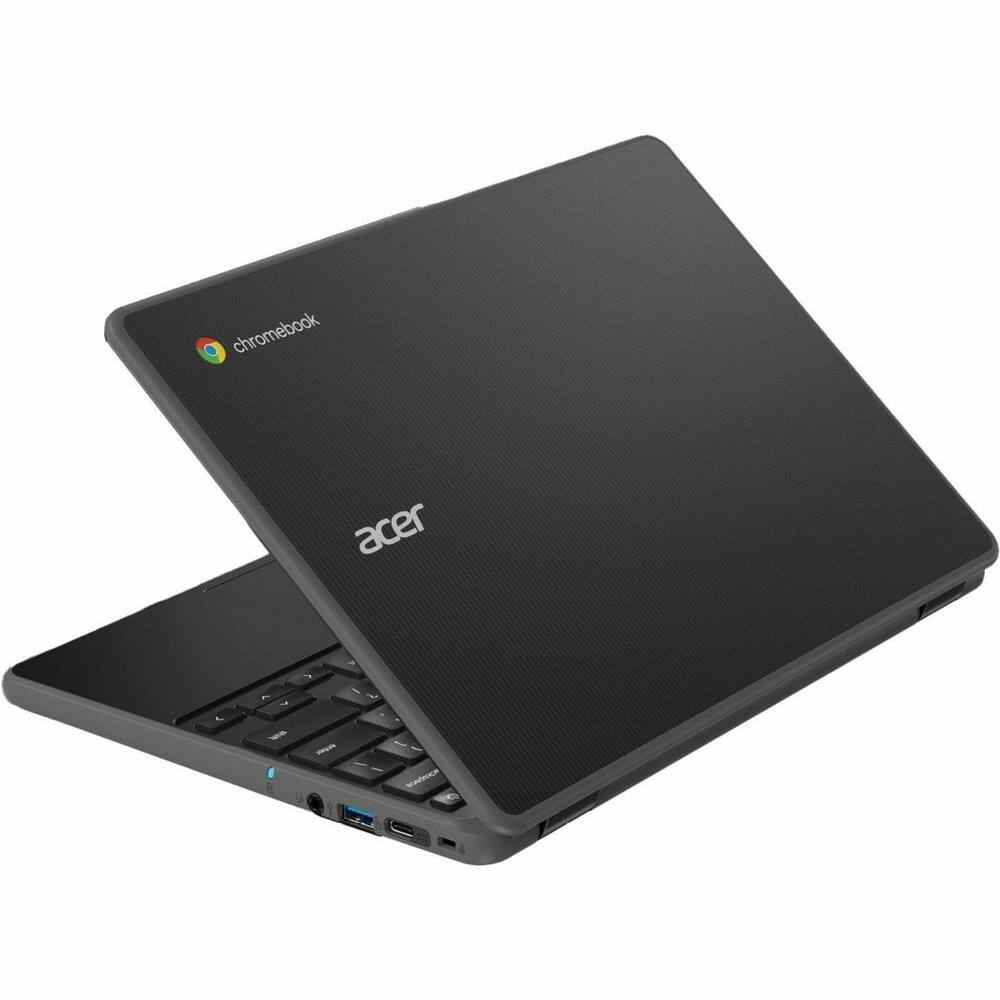
Acer - Chromebook 511 C737 11.6" TFT LCD 1366 x 768 (HD) Laptop - Intel with 8GB Memory - 64 GB eMMC - Black
From $527.99
Free shipping
 20% off
SKU: 6672665
$46320
Was $579.00 Save $115.80
Other options in this range
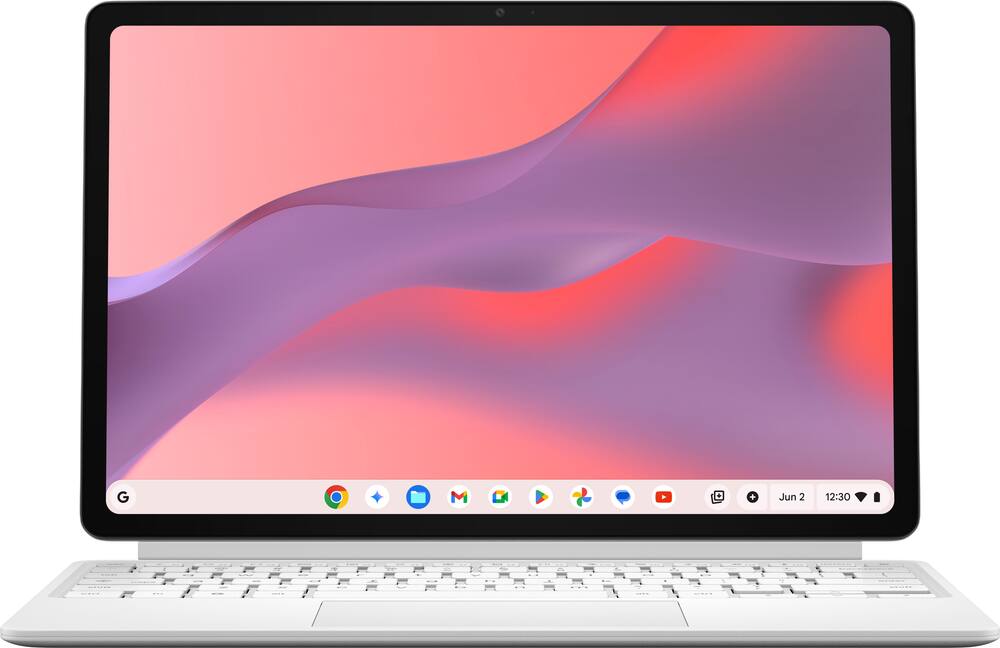
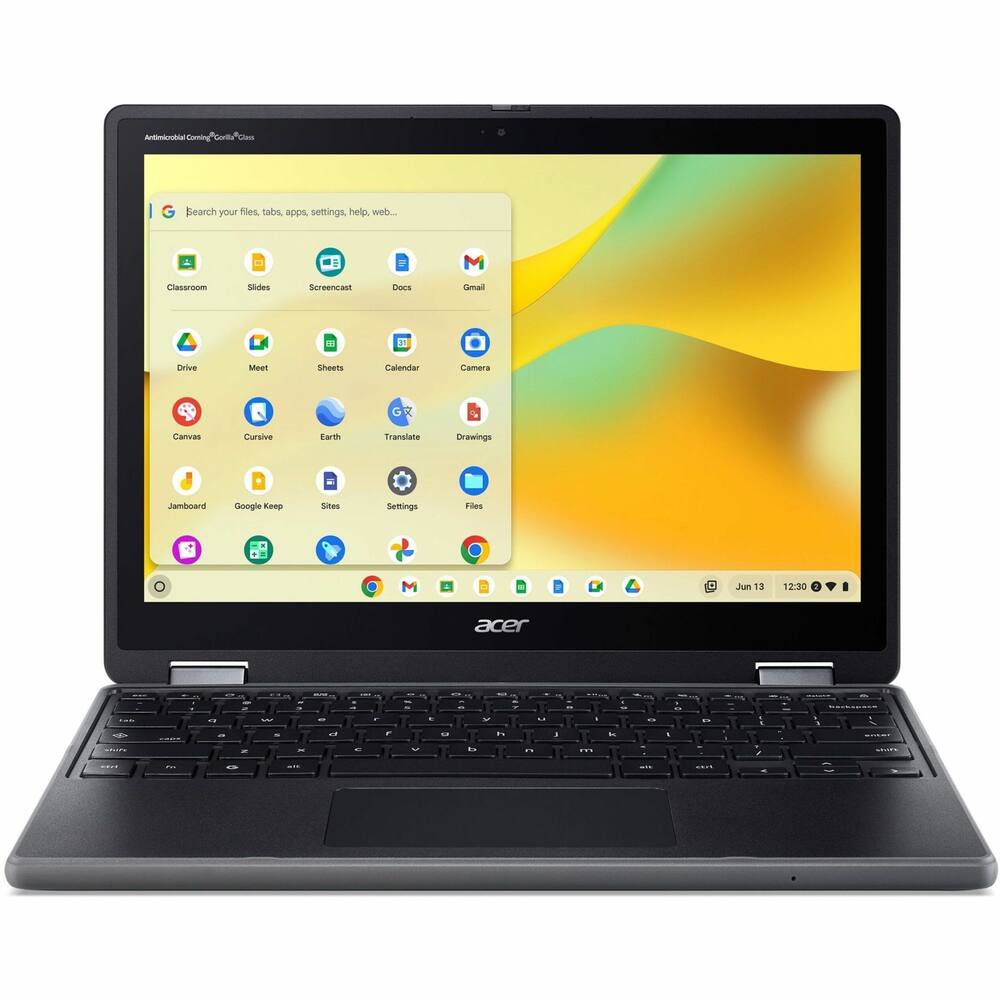 Acer - Chromebook Spin 512 R857T 2-in-1 12.2" IPS LCD 1920 x 1200 (WUXGA) Touch Screen Laptop - Intel with 8GB Memory - Black Original price was: $619.99.$495.99Current price is: $495.99.
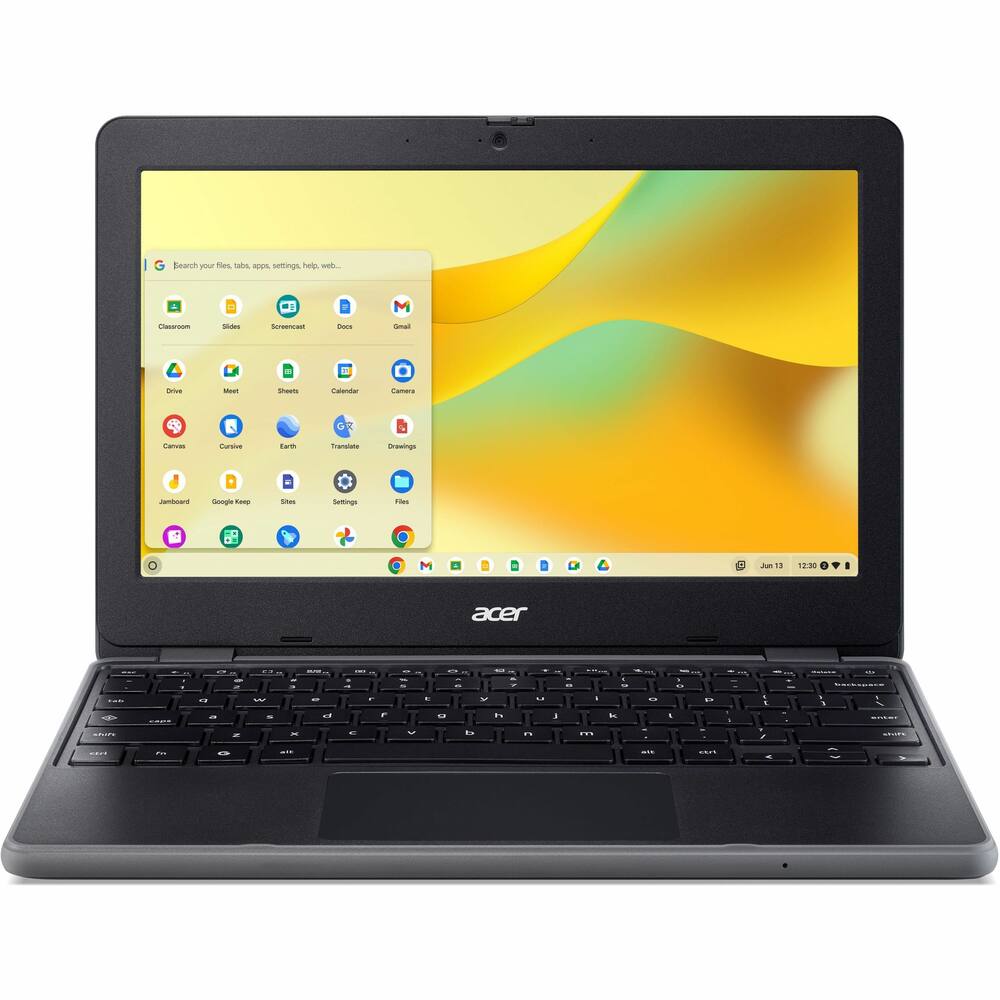 Acer - Chromebook 511 C737T 11.6" TFT LCD 1366 x 768 (HD) Touch Screen Laptop - Intel with 8GB Memory - 64 GB eMMC - Black Original price was: $549.99.$439.99Current price is: $439.99.
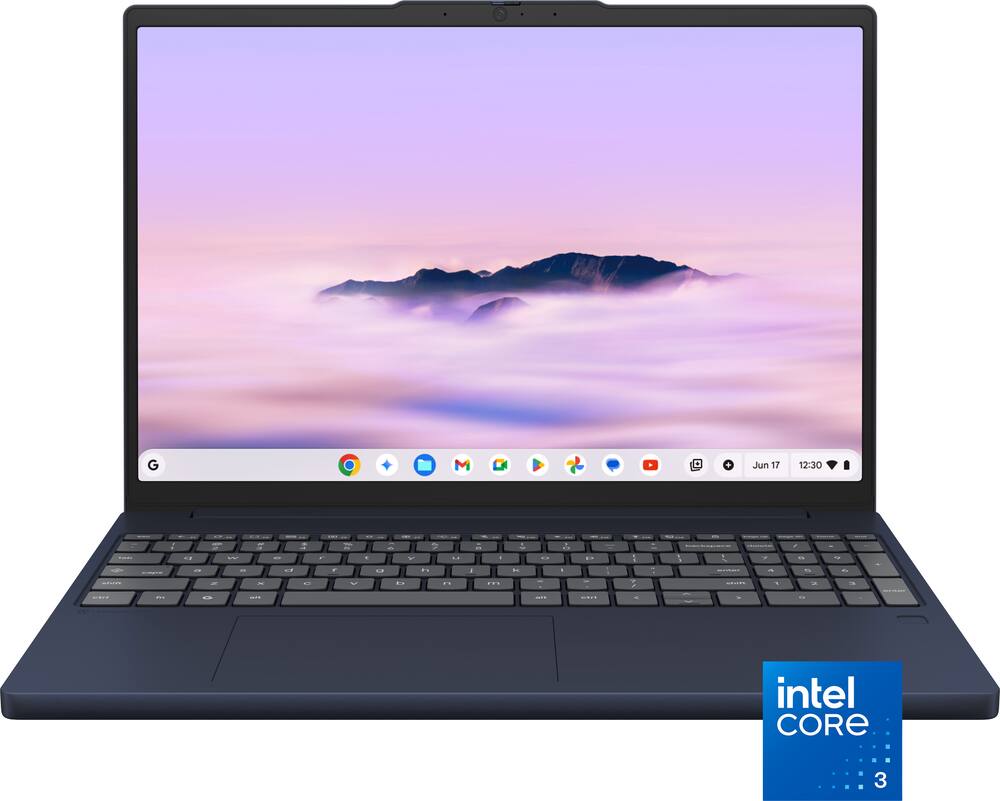 Lenovo - Chromebook Plus 15.3" 2K Touchscreen Laptop - Intel Core 3 Processor N355 2025 - 8GB Memory 128GB Storage - Cosmic Blue Original price was: $629.00.$503.20Current price is: $503.20.
See manufacturer documentation.
Register your product with the manufacturer within 30 days of delivery.
Manufacturer warranty claims are handled by the manufacturer. We are happy to help you find the right contact: (888) 419-6820.
Free shipping
Free shipping
Free shipping
Cm3206 - This unit is fantastic. Took a little getting used to being I've never used a Chromebook, but i like it a lot. Perfect for what i am using it for. Have no complaints other than the photo shows white and i got grey. When I spoke with Best Buy they stated the photos simply have not been updated yet. No worries on my part as I prefer the grey. It is not super fast but i new that going in and have had no disappointments. Would absolutely recommend this.
Works perfect - Doesnt exactly what I needed it to do. Small enough that I can take anywhere. And I love that I can use it as a tablet or a laptop.
Enjoying the chromebook - 2-in-1 detachables are hard to come by but this one packs a decent punch for a travel chromebook!
For College student - I got this Chromebook for my daughter who is going off to college. She enjoys the smaller size and works well in class when she is taking notes.
Great student tablet for school & home use - Overall, this is the perfect 2-in-1 device for your middle or high school student to use for schoolwork, light gaming and web browsing. The included accessories (keyboard cover, stylus, stand) are of above average quality and increase the overall value of ASUS' offering. The only issues I have with it are the 8GB of memory will limit overall performance, and the size of the device necessarily makes the audio performance and quality of the speakers limited. Also, I struggled at times with the kickstand/case included with the device; the stand is a bit firm and stiff which hopefully will improve over time as there were several occasions where the effort to adjust the kickstand was stronger than the magnetic hold of the case, resulting in it coming completely off. The display is sharp and bright, and relatively glare-free in normal light. The screen brightness is good enough for indoor classroom and home use, but I would not recommend using this outdoors or even in moderate sunlight. The included keyboard is "good enough" for portability purposes, but the size naturally necessitates limited key travel and depth and it feels fairly plasticky. The trackpad works well given the limited space available. Performance is ok enough for web browsing, productivity work and streaming, but it suffers a bit with moderate to heavy gaming. I was able to run Roblox and Minecraft, but it did stutter a bit. Not sure if that was due to the processor, RAM or network bandwidth.
Great versatility - After using the ASUS CM32 on a daily basis, I find it to be a particularly practical laptop for people who value mobility and versatility. What I appreciate most is its compact size and 2-in-1 functionality. I can use it as a traditional laptop when I need to work, and then quickly convert it into a tablet when I just want to browse while watching a movie with the family. The keyboard snaps in comfortably, but it can also come apart if one is not careful. So be wary of this. Portability is, for me, one of its biggest advantages. With its 12.1-inch screen, it is compact enough to carry easily in a bag. I can take it with me without feeling like I am carrying a bulky computer. Despite its small size, it still provides a genuine laptop experience when I need to work with the keyboard. The keyboard feel is wonderful and it is genuinely well made. I also really like its design. It is understated, modern, and above all functional. When I am working, I use it as a traditional laptop. When I want to watch videos or view content, I can place it in tent mode or fold the keyboard completely back to switch to tablet mode. This flexibility is very convenient and is one of the reasons I prefer this type of device over a conventional laptop. Using it in tablet mode is particularly enjoyable. The touchscreen allows me to navigate, scroll through pages, and use certain applications directly with my fingers. I find this mode especially convenient for reading, watching videos, or quickly taking notes. The stylus adds another dimension to the experience. My daughters are especially happy with the inclusion of the stylus. It fits nicely in the space and charges automatically. The stylus is one of the features I enjoy most. When I switch the laptop into tablet mode, being able to use the pen directly on the screen makes the device feel much more natural. I find the stylus responsive enough for writing short notes, highlighting information, signing documents, and making quick annotations. The pen gives me more precision than using my finger, especially when selecting small items or writing directly on the display. I also like being able to rest my hand on the screen while writing without constantly having to worry about accidentally triggering unwanted touches. For casual note-taking, the stylus works particularly well for me. I can quickly jot something down without opening a keyboard or connecting another accessory. It is also convenient when I want to mark up a document or interact with the touchscreen more precisely. The pen is not something I would use for serious professional illustration or detailed graphic design, but that is not really what I expect from a Chromebook in this category. For everyday writing, annotation, navigation, and occasional sketches, I find it adds genuine value. When it comes to battery life, I am generally satisfied. For my usual activities, such as browsing the internet, writing documents, checking email, and watching videos, the battery allows me to use it for a good part of the day without constantly having to look for a power outlet. Battery life naturally varies depending on how I use it, particularly with screen brightness, video streaming, or video calls, which consume more power. However, for a device this compact and one that is designed to be carried around regularly, I find the battery life quite adequate. When it comes to speed, I would describe the CM32 as responsive rather than powerful. For my everyday activities, it feels quick enough. ChromeOS starts up quickly, websites load without excessive waiting, and switching between common applications is generally smooth. I can comfortably browse the web, write documents, check email, stream video, and participate in video calls without feeling that the computer is constantly holding me back. The speed is adequate when performing simple tasks. ChromeOS is designed to be lightweight, so I do not need a lot of processing power for the things I normally do. Opening a browser, moving between tabs, editing a document, or checking several websites feels straightforward. For schoolwork, general office tasks, and casual browsing, I think the performance is more than adequate. In fact, CM 32 can be an awesome addition for college students specifically. However, I have also noticed that the hardware has limits. When I start opening a large number of browser tabs or running several demanding web applications simultaneously, the system can become less responsive. There can be a noticeable delay when switching between heavier tasks, and I would not consider this Chromebook suitable for demanding video editing, complex professional applications, or intensive gaming. Its performance is best matched to everyday computing rather than heavy workloads. It is a MediaTek processor and one needs to be circumspect of its limitations. For me, the key is having realistic expectations. I do not buy into the idea that the CM32 is supposed to replace a powerful workstation. Its strength is that it provides enough speed for everyday activities while giving me the convenience of a touchscreen, tablet mode, and stylus. The combination works well because I can use the device for traditional laptop tasks and then switch to a more hands-on tablet experience whenever I want. I think the stylus, the versatility of switching between laptop and tablet modes, and everyday responsiveness are three of the CM32's strongest qualities. The stylus makes the tablet mode considerably more useful, particularly for notes and annotations, while the system's speed is sufficient for browsing, documents, streaming, communication, and other routine tasks. The main limitation is that the performance drops when I push the device with too many demanding tasks at once. For the type of lightweight, portable computing the CM32 is designed for, however, I find the balance between speed, portability, and stylus functionality quite satisfying. Get this if you are a student with minimum speed task requirements.
Flexibility with Smooth Performance - Finding a lightweight 2-in-1 that handles everyday productivity tasks without feeling sluggish has been difficult, but this chromebook fits into my routine perfectly. As someone who relies heavily on the Google ecosystem, having native ChromeOS integration makes setup instant. All my Docs, Sheets, Drive files, photos, and bookmarked apps synced right up when I signed in. Now I can easily jump between my phone, desktop, and this Chromebook. Upon booting the Chromebook up the screen stood out immediately as you don’t usually find a display this sharp with such a high refresh rate at this price. The 12.1 inch display is the perfect size for portability while also not being too small to hinder productivity. Scrolling through documents and browsing feels fluid and text looks sharp whether I’m working indoors or sitting near a bright window. The design is versatile and has a premium feel to it. Having a magnetic kickstand cover and a detachable keyboard makes it easy to switch between typing out longer emails or popping the screen off to use as a tablet for casual reading. This isn’t just a cheap flimsy magnetic keyboard either as it actually feels nice to type with. At under a pound and a half for the tablet itself it feels lightweight and easy to hold without feeling cheap. Along with the asthetics the performance has been equally impressive. It has been snappy and reliable for daily use. The MediaTek processor paired with 8GB of memory definitely seems to outperform my expectations as it keeps web pages loading instantly even with multiple tabs and streaming apps open simultaneously. ChromeOS boots up in seconds and everything runs smoothly without getting uncomfortably warm. The battery life has been great as well where it comfortably lasts through a full day of mixed use without me needing to carry a charger around everywhere. Another plus here is that the charger is very lightweight for when you do need to take it with you as there is no bulky power block. Overall this Chromebook checks all the boxes as it delivers a crisp screen, outstanding battery life, and flexibility for both productivity and entertainment. If you are already tied into Google's services I would highly recommend this Chromebook. Even without being entrenched in the Google ecosystem if you simply want a lightweight 2-in-1 that handles daily computing with zero hassle I would definitely recommend it.
Chromebook has come of age! - The ASUS CM32 Chromebook is a 2 in one notebook/tablet. It is powered by a Media Tek Kompanio 540 processor and has 256 Gb storage and 12 Gb RAM. The system boots quickly and seems to stay charged well when on standby. There is a claimed 12 hour battery life. There is an included stylus that attaches, charges and stays securely attached via the magnetic back piece that also functions as a kickstand. The laptop touchscreen functions as a tablet and is quickly and easily atttached and detached via a hinged magnetic mount. There is a great audio system with dolby enhanced dual speaker system. ASUS has upgraded the durability building it to US Military Standard 810H. The keyboard attaches to the magnetic hinge via a POGO connection port. The only 2 other connections are an audio combo jack and a type C port that supports power and video mode. A trial of Google AI Pro is included. There are built in Google apps including Gemini, You Tube, Docs, Photos and GMail. Plenty of other apps are available from the Google Play Store. The display is is a bright 2.5K 12 inch panel featuring Gorilla Glass with an anti fingerprint coating and a 120 Hz refresh rate. The front and rear cameras are both 5 MP. There is an LTE option and a setting that automatically starts your phones hot spot when not able to use WiFi. Setup was quick and easy. There was none of the update after update during setup that is so common these days. I was amazed at the amount of information that was set up on this Chromebook just for logging in with my GMail credentials. My Microsoft credentials easily got me access to my software and cloud there too. My limited experience with Chromebooks in the past left me feeling like there was less performance and ability than in other systems. This system has done everything I have asked of it and with the speed I am accustomed to on other systems. The only thing I really have not yet become accustomed to is the easily detachable magnetic connection between the keyboard and the display panel. OK, and the kickstand too. These aren"t really negatives because they are handy at times. My habit is to actually use my laptop in my lap, in my recliner, in front of TV a large percentage of the time. The regular laptop hinge holds the screen at the set angle and also allows me to place the unit on its edge when not needed. This unit has the addition of the kickstand and a non ridgid hinge. Using this Chromebook on my lap is a little more of a balancing act that I am slowly becoming accustomed to. To me, this is the first Chromebook I have experienced that seems to provide utility and speed equal to the other systems that I use. Chromebook has come of age.
Good Chromebook - I've been using this chromebook for a while and it's worked very well. Overall I am extremely happy with it and there are only few things I wish it had differently. To start, the physical size and weight of it work great. The screen is large, clear and bright. The colors are crisp and easy to look at. The tablet itself is easy to hold if you are using it without the keyboard, which I find myself doing a good amount of the time. The storage and speed of it are fine. The 128GB is enough for my use case and I haven't found it to slow to do any of the productivity things I've tried on it. I haven't been editing any video or playing games at this point but I think it would do lighter gaming fine. The keyboard is laid out nicely and has a good feel to it. I have large hands and can still type on it with only minor adjustments. The fact that the keyboard just pops off to become a tablet is very nice and easy and the magnetic hold is very strong and snaps back into place with no problem. The pen is a useful feature although I haven't gotten fully used to it, I think I'll start using it for more. It does work well so far though. I can easily hook it up to an external monitor with a docking station. I was not able to test for 2 monitors as all my docking stations only support 1 external. I do with this chromebook had a second USB port. Only having one has been limiting in several situations. I have a USB drive I use for a lot of files and it would be nice to use that at the same time as begin able to charge the device without having to carry a doggle. The speakers are more than I expected out of a device this small. They are plenty loud and clear for me to use it as a TV in a good size room and still be able to hear everything without a problem. The bluetooth is also pretty strong and I had no problem syncing earbuds and speakers to the device when I needed something louder or more personal. The battery life is good. I can get more than a day of work out of this device if you turn the brightness down on the screen. You can watch several hours of video on a charge also. It is also very nice that it will charge on anything without a problem. I have used at lease 5 different PD chargers and it just charges off of each. Every other laptop I have gives me stupid warnings I'm not using the OEM charger, this one just charges which is great. The charger I got in the box was dead, which isn't a problem for me but it would be a problem for some people I'm sure. It also does not like to turn on consistently. Sometimes it will turn on with the button press, sometimes you have to hold, sometimes it takes multiple holds. It never doesn't work but it's annoying at best and disconcerting at most that it doesn't just power up the same way each time. Overall I've been very happy with this. There are some drawbacks to be aware of, mainly the single USB port, but I think it's a great Chromebook for the right user.
Outstanding product. Fast with a great display. - This is a great tablet/laptop. Excellent build quality. I have several 16” OLED laptops but wanted something smaller and lighter to use around the house. I use Chrome for my browser, and this is perfect for my use. The 12.1-inch display at 2560 x 1600 2.5K is bright and has excellent colors. The Asus comes with a detachable keyboard that has excellent key travel and feels great. A detachable kickstand attaches to the back of the tablet and holds a rechargeable pen. The Asus pretty much comes with everything you need on a tablet and laptop. The processor is the MediaTek Kompanio 540 and comes with 8GB of ram and 128GB of storage. Battery life is rated at 12-13 hours, and I have had great results after several days of usage. This is my first Chromebook, and I’ll say this is a great product. The speakers are good, not great but good but the screen is excellent. The unit is fast and loads apps extremely fast. Startup time is seconds. I will say the magnet kick stand is a little hard to use as you need to hold the bottom of it, so it doesn't come off when opening it. Other than that, this is a great little laptop/tablet. Fast, great screen and very light.
Good all around package - I’ve owned Asus chromebooks before (including a smaller 2-in-1) and have always been happy with their performance, build quality and value. This new model is easily the best of the bunch. While the screen is likely the standout, I actually want to just start my praise with the size of the whole package. It’s a little wider than my 11 inch iPad Pro and Magic Keyboard combo, but not nearly as unwieldy as the 13 inch iPad Pro/Air that I’ve played with in stores before. I know some people love that thing, but I just cannot get used to a tablet that big. At 12.1 inches, this Asus feels like it hit a sweet spot where you get a bit more screen real estate and a notably less cramped keyboard than the 11 inch iPad counterparts. And since Chromebooks are still really good at doing web and browser based work, all that extra space does indeed make a difference in productivity even if it doesn’t seem like it when you just look at the measurements. I guess the best way to describe it is that it’s closer to the feel of a 13 inch laptop in usage, but still manages to be more portable and smaller in practice. Holding both it and the 11 inch iPad Pro/Magic Keyboard in hand, I definitely think the Asus is lighter. So, this should be a really great device to travel with or take on the go and get work done. And yeah that screen is great! Very bright and sharp. Colors pop and it’s easy on the eyes. Responds to touch as you’d expect and scrolls buttery smooth. The build of the tablet itself feels sturdy and premium and looks good to my eyes. Speakers on both sides that support Dolby Atmos. You get one USB-C port and, lo and behold, a headphone jack! The keyboard, as mentioned, is nice and wide with all the keys you need. The typing experience is tactile and not mushy. Speed demons should have no problem with it. The trackpad is wide and has given me zero issues. It attaches magnetically to the side of the tablet, and then there’s a back cover that also attaches magnetically and provides the kickstand functionality (not unlike a Microsoft Surface). All seems sturdy and will help prevent scratches. The back cover has the additional function of covering the included stylus, which also attaches and charges magnetically. I’ve yet to find a way to really work the stylus into my daily computing usage, but it works well for simple notes and doodling. Very similar to the Apple Pencil in size/appearance. Battery life has been good so far and performance is fast and excellent. I had one issue where I was getting pop up message that was a little random and as if it was trying to sign me out of Gmail, but there was a ChromeOS update and it hasn’t done it since. Obviously, Chrome itself is in constant development so you can always count on having a solid web experience. Complaints? Like my previous 2-in-1 I’m still not 100% sold on the tablet experience here. When you remove the keyboard you’re launched into a different OS environment and it just isn’t quite as premium as iPadOS or Android. I know there’s continued talk of making ChromeOS and Android a more merged experience, and it’s easy to see why with things like this. If you’ve used a good Android phone or tablet, then you’ll probably find yourself wishing that the device could just replicate that when in tablet mode, and yet it’s not quite there. Maybe some day! If you’re planning to primarily use this device similar to a laptop then it’s really not an issue. And it sure beats the bulk of many other Chromebooks that are actual laptops!
Good all around consumption device - Let me preface this by saying I use all the systems, for different reasons. Windows (for certain software that only works on Windows, and for games), Linux (for certain tools native to Linux), Android (for Android apps), Chrome (for more than you might think), Mac (when performing work for certain clients). I am already familiar with Chrome and am already a fan and have been for some time. What I like about Chrome is its simplicity. It is all most people need, and actually better for a lot of people. I often am the person people come to when their computer is having issues and they need help. Because of this, if they ask what computer to buy to use the internet, check their email, consume media, I will usually suggest a Chromebook unless they have some specific need that a Chromebook can’t handle, which they likely do not. Stability Once I am able to convince someone to switch to Chrome, they usually never have to ask me for help again. They just don’t have problems anymore. Viruses, not a problem. Software updates, not a problem. While I have to use other systems for various reasons, for just day to day, using the internet, word processing, spreadsheets, watching media, listening to podcasts, consuming media like magazines or comics, etc. I usually reach for my Chromebook tablet. Form Factor This form factor, a tablet with a removable keyboard is basically what I evolved to with Chrome devices, because, unlike 2 in 1s, I really like being able to remove the keyboard when it is not needed, which is a lot of the time. The one time it is less convenient is when you actually want to use it sitting in your lap, in which case, I will usually just sit it on a pillow, or on the sleeve I carry it in. It is definitely not as convenient as a standard notebook or 2 in 1 for truly using in one’s lap, but being able to use it with the keyboard fully removed makes up for it. So now to the specifics of this particular implementation of this platform. This is probably my 6th or 7th Chrome device, many of which I still use, and my 3rd in this format, tablet with a removable keyboard. I have had a couple of 2 in 1s and a couple of notebook format devices as well. One of the major considerations in this physical configuration is the size. Prior to this, I have had two previous Chromebook tablets, a 10” and an 11”. Therefore, I already have a pretty solid idea of what I do and do not like. Each generation I have had has gotten a little larger than the last, and I am not sure that is a good thing, but I have gotten used to it, and it really depends on your use case. At 12.1”, this is large enough to actually be a full laptop replacement. This is actually my preferred size for a laptop too, 12-14” at the most. I am actually carrying this in a sleeve that I bought for a 12” laptop. The reason I prefer this size is, it provides room for a full size keyboard with no sacrifices. Any larger than this, and you have wasted space. If you need a larger screen, you can plug one in when you are stationary. It is nice to have a smaller compact size when you are traveling but be able to expand, when you are at home. My 10” was better for, but really still almost too big for, reading books; I prefer a Kindle. The larger 12.1” is better for reading things like Comics or Manga, but it is probably too big to carry in a small bag, which you can do with a smaller device. There are pros and cons for each size. There are always going to be tradeoffs. Physical Features The stylus Reasons to love I always have my stylus with me. It has a permanent location. I don’t even have to think about it. It is always charged. It has wireless charging through the tablet case. No USB chargers or charging and changing teeny tiny cells, infrequently enough that you always lose the charger in between. It sticks magnetically. It gives my fingers something to grip when holding in portrait mode for reading newspapers, magazines, or comics. The flat side keeps it from rolling. Reasons to not love it The stylus is not inside the body of the tablet, and it is always with me, even if I don’t need it. This means my case can’t really lay flat on a table, even when the stylus is removed and not being used. It also means the tablet doesn’t slide into a tablet sleeve as well, because it has this permanently affixed, non removable, bulky appendage. The Cover Reasons to love it It covers the stylus, protecting it and keeping it safe Reasons not to love Sharp edges? Yes, the back cover is made with a vinyl type material, and it is sealed around the edges. That makes the edges sharp when you are holding it or using it as a tablet. My first gen Chromebook tablet had the same issue, and I would just take it off while using the tablet in a tablet mode. My second gen device eliminated this problem with a soft cloth cover with rounded edges. The stylus protection is always present even when it is not needed. Ports This is another part of this laptop that I am a little disappointed in. My previous tablet had two USB-C ports, one on each side. This allowed me to plug in power and an external monitor at the same time. It also allowed me to plug into whichever side was more convenient. It did this in a device that was 1” smaller than this one. You can use a dongle and still do these things, but if you have two ports, you can leave the dongle at home most of the time. Other tablets, physically smaller than this one, have two ports, so this should be able to do it too. Display The display is bright and clear. It is pretty good for what it is. It still has a bezel around the edges, but no worse than any other Chromebook tablet I have had. Speakers They actually sound really good for such a small device. I was surprised. Keyboard This keyboard has good travel. The keyboard doesn’t have a backlight, which is standard for this form factor, so if you want or need a backlight, this is probably not for you. I am quite happy with it, no complaints. Wifi I have had no issues. I always seem to have a strong consistent signal Chromebook Perks This laptop comes with perks. It comes with some really nice perks, but unfortunately, despite all the advertised perks, I couldn’t get any of them to activate. I don’t know why, I would just get a message that it was not eligible. It didn’t say why it wasn’t eligible. I don’t know if it was related to my account, the fact I got the unit in exchange for a review, or what, but none of the perks this came with would activate for me. Capability I am currently on a week long road trip. While on this trip, I am going to need to do some work. Some writing, like this review. Some programming, using VS Code, but also some CAD work. Not online CAD work either, using Onshape or something like that. I need to use FreeCAD, which runs locally. So, I decided to see if I could use it on here. Many people might think that wouldn’t be possible both because it is a Chromebook, and for performance reasons. I usually use a Windows gaming laptop to run it. However, for this trip, I didn’t want to lug that monstrosity around. So I tried it. I enabled Linux, as I always do for VS Code, and gave it 10 GB of the 128 GB of storage. Next, I downloaded the aarch64 appImage for FreeCAD, moved it into the Linux environment, and ran it, and it works. I wouldn’t attempt working on any large models with it, but to remain lightweight and portable, designing simple parts while traveling for a week, this will do nicely. I don’t even need to carry an extra power supply, because this and my phone can share. It does everything I need. I can watch my streaming services on it. Listen to music and podcasts on it, do work with it, make video calls and have meetings with it, do work on it. Are there other devices or platforms that are better at some of these things, sure. But this can handle all the basics in one small portable lightweight device.
Decent Tablet - The Asus CM32 is a Touchscreen Chromebook with removable keyboard. It features a 12.1 inch touchscreen with Gorilla glass, MediaTek Kompanio 540 processor, 8GB ram, and 128GB storage. Spec wise, this is a very basic system. I don't have a lot of experience with MediaTek processors, but in my time with this particular system, it wasn't anything special. It runs about as well as any tablet/phone I've used recently. If anything, it was slightly sluggish, but nothing to really deter from the overall experience. The screen looks very nice. It is nice and bright and has a 2560x1600, or 2.5k resolution, which looks beautiful. It's probably the best feature of this system overall. The touchscreen is nice and responsive, and the Gorilla Glass feels great. The system comes with a magnetic case/keyboard preinstalled, which is a mixed bag. It's nice that it comes as part of the tablet, but it's not the best designed case. It's not as simple to open as most laptops, and the portion on the back that acts as the stand is so stiff that I almost always pulled the whole back off instead of just opening the stand. One really cool feature of the case however, is the integrated pen compartment. So the system come with a stylus pen, and the case has a neat little compartment specifically for it, and when placed inside, it magnetizes directly to the tablet and also charges wirelessly. This is actually brilliant design. Speaking of the stylus, I was pretty impressed with the comfort and performance of this little pen. It felt very natural to use. And it seems to have at least some levels of pressure sensitivity, as I observed in the included sketching app. I'm no artist or anything, so I couldn't tell you hot it compares to other professional pens but it at least feels nice to me. Overall, I'm not the biggest fan of ChromeOS, but it is easy to use and is definitely useful if you are already in the Google/Android ecosystem. Even if you're not, it's still a useful tablet and a good alternative to other higher end offerings from competitors. Ultimately, it definitely feels like more of a tablet with a keyboard case, versus a full blown laptop. And performance wise, it won't be setting any records, but it gets the job done and is easy to use. I would put this system overall in the middle of the road as far as tablets go.
A very capable Chromebook at a decent price. - ASUS CM-32 Chromebook I use several size Chromebooks, both touch and non-touch. Between them and the other machines I use often, this one reminds me a lot of my Surface Pro because many of the features are similar but for a far more purchase price! The screen is nice and bright and has a high enough resolution and size that I can’t see the pixels during normal use. The compact keyboard is pretty good, despite being not much thicker than a cover. While certainly not a replacement for a regular keyboard, I am typing this review on it and am dprha dhalhf sdfj! Just kidding, it does very well. The thing that I love the most about this machine has got to be the stylus! I have a Moto Stylus phone and of course the Surface Pro and have found that this one competes well with the Surface. I have used it for several things already, and find it to be very accurate. The sensitivity and pressure response is very useful for drawing and illustrations. Battery life is typical for a Chromebook, it can last all day, plus if settings are right. This includes setting the screen brightness (easily done with the dedicated keys) and keeping apps that hog power to a minimum. The ability to pull the magnetic keyboard, stylus and stand off means it can act as a real tablet. The stand has an area that acts as a dock for the stylus and holds it where it gets charged. The “bay” is clear so you can see the light on the stylus to verify it is charging. ASUS has had some good machines over the years, this one seems to be another example of a home run. It fits easily in a bag or just carrying it and has the guts to get real work done without breaking the bank. I can see it being useful for everything from playing games with the stylus, drawing and designing or illustrating. I will be using it in my classroom for helping students visualize science concepts. The ability to cast the screen easily makes it a great addition to my teaching tools.
A distinct Chrome tablet. - I assus for their high quality hardware in PC. Their performance Pc left the competition behind. But I never try their Chrome products until now. That is sophisticated and simple. Vibrant display and fast. the magnetic back cover should been more stronger, The keyboard without backlight is pretty useful.
An awesome Chromebook from Asus! - The Asus CM32 is a sleek Chromebook that works equally well as a tablet, or a laptop with a detachable stand and keyboard. I have been consistently impressed with the quality of this device, and the usefulness it offers as a daily companion for a wide range of tasks. Right out of the box, the set-up process is easy and straightforward. The CM32 runs ChromeOS, and this was my first time working with this operating system. I have to say, this OS makes using the CM32 a breeze, and I really appreciated how quick the set-up process was. I also noticed just how well the CM32 is made. The 12”, 2.5k display looks gorgeous, and all content is displayed smoothly thanks to a 120Hz refresh rate. The all-metal construction feels well machined, and the durable Corning Gorilla Glass display is a joy to use as a touchscreen. The main thing you’ll be looking at with the CM32 is the screen, and it is a wonderful screen for any laptop or tablet out there. That 2.5k resolution makes videos and pictures look vivid and crisp, with colors and clarity that are breathtaking. It also gets very bright for a tablet, as it’s able to reach 600 nits of brightness, which I found to be plenty bright for my use. Something to note, this device ships with not only a removable keyboard with a trackpad, but it also comes with a rechargeable stylus. I found that this stylus worked exceptionally well, allowing me to do things like take notes, and draw/paint with more creative apps. The included removable stand works well to convert this to a laptop, but keep in mind that you will likely not be able to use this in your actual lap. The way the stand is, it’s stable on a flat surface, but not very stable on your lap. This meant that if I was anywhere outside of a table, I was pretty much just using the CM32 as a tablet. And as a tablet, it is pretty incredible. I found that the host of apps provided by the ChromeOS were perfect for my needs, and I was able to easily download anything else that wasn’t on the device. With 128 gigs of storage, I have plenty of room for documents, photos, and media. Speaking of photos, I have to say that the rear facing camera is not very good. It takes rather blurry, undefined photos, and honestly, I’m a bit surprised considering how far tech device cameras have come in the last 25 or so years. There is also a considerable delay from the time you push the camera button, to when it actually takes the photo. The overall camera quality is far below that of the rest of the CM32, and I’m just not sure why Asus made this choice. Thankfully, it appears that the front facing camera is more usable, as I didn’t notice such poor performance out of this camera- meaning things like Zoom calls shouldn’t be a problem. Some other things to keep in mind, this only has 8 GB of RAM, so don’t expect to do any substantial gaming on this device. I found that it’s plenty fast for daily tasks like browsing the web with multiple tabs open, streaming content, or playing less demanding mobile games. There is a USB-C port for charging, and a 3.5mm port for headphones, no dongle needed! The detachable keyboard and trackpad work great; just remember you’ll need to have the CM32 placed on a flat surface. I really like that the stand and keyboard attach magnetically, so going from laptop to tablet is an extremely quick and easy process. As my first Chromebook, the Asus CM32 has been an amazing piece of tech that is equally adept as a laptop or tablet. While it’s not perfect, it does remarkably well as a great daily use device that won’t break the bank. I would totally recommend the CM32 to anyone who is looking for an exceptional touchscreen Chromebook!
Great display, build quality; performance just ok - I've long been a fan of Chromebooks. They offer a lightweight, web-focused experience with deep Google Account integration, streamlined setup, frequent updates and little bloatware. They're usually budget-focused devices and not often at the cutting edge of technology, but they often offer most of what you need for less than you'd pay for a Windows or Mac machine. Every now and then a manufacturer will try something a bit different in the Chromebook space. Asus has long made Chromebooks at a variety of price points, so my interest was piqued when they announced a 2-in-1 detachable model earlier this year: the CM32. With solid specs and nifty accessories I had to give it a try. The Asus CM32 model reviewed here offers 8GB of RAM and 128GB of storage and includes the magnetic stand cover, magnetic stylus and detachable keyboard. 8GB/128GB is the minimum memory configuration I'd recommend for performance. This model uses one of MediaTek's newer processors, the Kompanio 540, which falls in the middle of their mid-tier, budget-focused processor range. Beyond basic specs, I was intrigued by the screen, which advertises high-end brightness, resolution and refresh rates, and the speakers, with their prominent grills and Dolby technology. As has become (thankfully) typical with Asus, the CM32 arrived encased in sturdy cardboard, with a minimum of plastic wrap. I appreciate the efforts Asus made to use sustainable packaging that doesn't look for feel cheap; the nicely-hinged inner packaging offers a slightly premium experience, too. The tablet and all accessories were nicely packaged, and I was happy to see a compact USB-C charging brick included (although I wish the plugs folded into the brick). Everything attaches magnetically to the CM32, which is both convenient and something typically reserved for more expensive gadgets. The tablet itself has excellent build quality and a nice, solid feel in hand. The accessories are generally very good as well, especially considering the price. What I noticed right away, and what continues to be an issue, is the mismatch between the stiffness of the case's kickstand hinge and the relative weakness of the case/tablet magnets. Every time I pull out the kickstand I have to remember to hold onto the case just above the hinge, or it pulls right off the tablet. I appreciate how stiff the hinge is -- this makes using it sturdy -- but I wish the magnets were stronger to match. The keyboard, on the other hand, remains firmly attached as it should. It also stays attached to the screen when closed pretty tightly, which is good for transport; the screen wakes and sleeps when the keyboard is flipped down and up. I only wish the keyboard had indents on one edge or the other to make it easier to flip down. The stylus stays neatly attached to its charging dock on the back of the tablet with a nifty magnetic cover built into the case. As someone who doesn't use a stylus very often, the cover is a bit clunky, but I appreciate that it keeps the stylus safely covered and prevents me from losing track of it. And it stays charged this way, too. As with any Chromebook, setup is a breeze, especially compared to Windows (or even Mac). Connect to the internet, log in with your Google Account, pass through a few setup screens and you're in business. Updates are performed quickly and seamlessly, and saved settings from Chrome and/or other Chromebooks you've used are automatically applied. If you have Android devices you can pull in those settings and apps, too, and elect to connect with your Android phone for even deeper integration. As an iPhone user I don't have that same luxury, but everything stays well-synced between my Google account and various Chrome installations. The highlight of the CM32 is the 2.5k, 120-hz screen, and this was apparent from the start. The screen is seriously bright, with excellent colors, contrast and clarity. It punches way above its weight. Touch inputs, including multitouch, work well. I find myself turning the brightness down more than up, which is unusual in cheaper devices, and I haven't had to struggle to view things. Asus absolutely nailed the display here. The speakers are also very good, especially for a tablet. They're clear and consistent, audio is relatively balanced, and they can get plenty loud for most situations. Located on the short ends of the tablet means they're ideal for watching videos in landscape mode. You're not going to get earth-shattering bass or surround sound, but for casual use I think you'll be pleased. The keyboard and trackpad are generally good, too. The keys are springy and have actual key travel; the trackpad is smooth and responsive, with a satisfying physical click that's fairly easy to actuate. There's definitely some flex, and the typing experience won't match a laptop's, but for this style of machine at this price it's plenty good. I only wish the keys were backlit for better usability at night. All this takes me to the inevitable discussion of how the CM32 performs in daily use: good to very good, but not top notch. Although the screen and accessories are top-of-class, the Mediatec processor is very middle of the road, as is the 8GB of RAM. For everyday email, web browsing and light media consumption the CM32 works just fine, and even more demanding tasks like editing documents is very doable. What I've noticed the most is light stutter, hesitancy and brief pauses when opening documents, loading webpages or switching between apps. You'll notice this most if you're used to using high-spec machines and the latest devices. Things just take a beat or two to load, and the more apps and windows you have open, the more you'll notice it. I wouldn't call the CM32 slow, and I haven't experienced any hard freezes or crashes, but coming from the latest phones and laptops the hesitation is noticeable, and it stands out even compared to the Chromebook Plus I also use. I'd be lying if I said it doesn't bother me, but it's not disqualifying by any means. If you temper your expectations a hair I don't think you'll be disappointed. Just don't expect a speed demon of a device. Another thing I'd point out as just okay is battery life. While the processor sacrifices some speed for efficiency, I'm guessing the bright, beautiful high-res screen saps quite a bit of power. With light use I only need to charge every few days, but I do find myself noticing the battery drain more than I expected. Again, not disqualifying, but something to note. All told, I like the Asus CM32, but not as much as I thought I would. There are a lot of pros: the build quality, included accessories and innovative (for a Chromebook) form factor are all pluses, as is the gorgeous display. Compromises had to be made somewhere for this price, though, and that comes across with good but not great performance and battery life. If you aren't bothered by a bit of hesitation and an extra second or two when loading some apps, and you remember your charger, I think you'll be pleased with the CM32. But if you want the best performance and battery life you can get in a Chromebook I would consider some other models (particularly Chromebook Plus devices) or wait for the new "Googlebooks" coming later this year.
Great Size! - I've been looking for a new Tablet lately as my current one is going on 6 years old. I thought I'd give this Asus a try. I think Tablets in the 12" category are the perfect size. The build quality of this chromebook is very nice. Feels quite solid and premium for the price point. The keyboard case is sturdy and holds the tablet well. Typing feels good and responsive, nice soft key travel. Good size and not too cramped. The track pad works well and the gestures are nice. The magnets are strong and keeps it in place. You do have to be mindful when opening the kick stand. Its a 2 hand operation to keep the top of the back in place. A downside I've noticed is that its hard to open/unfold it from closed. There is no gap or notch to get a hold of. You need to have some fingernails to get in there. Also the keyboard keys are not backlit. I really miss that, maybe there is another option that is. I don't use a stylus often but its nice to have, and a dedicated home for it on the back is perfect. i found the stylus to be responsive and work well. I'ts great for drawing, writing (although the screen is pretty slippy) or just when you need more precise input in tablet mode.The 2.5K screen is a really beautiful screen! Very comparable to my old tablets oled screen. The colors look true and vibrant. It gets nice and bright. I've noticed a little choppiness when scrolling but otherwise it has been pretty smooth. That could also be due to the 8GB of Ram. I have also noticed stuttering in the animations if there are too many apps open in the background or too many tabs open. In this day and age, go for the highest Ram option you can afford. The speakers are mid at best. They can get loud but sound tinny and hollow. There are no options on a chromebook to adjust that. No equalizer for bass and treble or and custom sound stages. I thought Asus may have included some software but no. There are some apps you can try but are either buggy, dont work, or kill the battery life. Earbuds are a great option. I've found the battery life to be great. (minus with 3rd party apps) I use my Chromebook a couple hours a day and have to charge after 4 days. Easily can get up to 10 hours out of it. I think charging is pretty fast too. 14% to full in 1 hour 5 minutes. It's super nice they included a charger. I was surprised to see one. This tablet also charges at the same speed if you have at least a 45 watt PD charger for your phones. If you're in the market for a new Chromebook, this Asus is a good portable size and a great option.
Best Chromebook I've tried yet - I've been looking for a replacement for my Pixel Slate, not because it's broken, just a little lagging on social scrolling. I was a little apprehensive with this being a Chromebook because of the infamous bare bones setups of the past. I have confidence in Asus products from my previous experience, so I decided to try it out. The CM32 comes securely packed and includes a magnetic case with kickstand and a pocket for the included pen that charges while magnetically attached. The thick, laptop-style keyboard snaps to the bottom and turns the Chrome OS to PC mode. The screen is crisp and bright even on mid levels; I found it difficult to distinguish between this unit's 2.5k screen and the Slate's 3k resolutions. Detaching the keyboard puts you in tablet mode and significantly decreases the weight and thickness (notwithstanding prevalent bulge for the pen). Removing the kickstand further lightens the load and thickness, giving this unit the appearance of an iPad Pro. It feels comfortable in either configuration and more like a PC with the keyboard having keys with actual travel and a track pad (contrary to those compact screen covers that have keyboards for optional use). I was surprised that Google is using Mediatek core processors, but they've come a long way, partnering with Nvidia for AI ASICS. It's faster than I expected at scrolling social media's video intensive content. The general feel of the system is quick and responsive, and the Kompanio 540's power efficient CPU makes the battery life last for a good 6 to 9 hours. Speakers are loud, clear and produce a convincing surround effect. Both front and rear cameras are 5mp and produce reasonably good results indoors with average lighting. The pen works great and doesn't lag, feels fluid as if you're using an actual pen, which would be good for creativity. The only negative things I can say about this is that the keyboard is not backlit, which expected given the thickness. You also only get one Usb-C port, so maybe investing in a port replicator would be useful if you want to both charge and use the port. There's an indented power button that looks like it should be a fingerprint reader like on my Slate, but it's not. It includes a rather frugal 128Gb of memory with no microSD expansion, but par for the course with Chromebooks. Asus makes great products and this is one of them. So if you're in the market for a Chromebook, get this and have a tablet when you're not working.
Versatile but mediocre performance - This is a versatile Chromebook tablet with a detachable keyboard that has excellent hardware, but is hampered by somewhat mediocre performance. It’s the followup to the previous ASUS CM30, and is also very similar in form to the Lenovo Duet line of Chromebooks (I used to have the 2nd gen Lenovo Duet 3) and to a lesser extent Microsoft’s Surface Pro line, so it can act as both a full laptop (with the keyboard attached) and a standalone ChromeOS tablet. The hardware and build quality are generally impressive. The screen can go up to 2560x1600, and is crisp and bright with vibrant colors. I tested this using Jacob & Katie Schwarz’s 4K Costa Rica video on YouTube, and it looked great. Stereo speakers provide a good amount of volume, but mostly in the mid and high frequency range. The detachable keyboard has a very good feel, with keys that have adequate travel (despite the very low profile) and a good tactile response -- they’re not clicky, but you can still feel every keypress as they hit the bottom of their travel. The keys also don’t feel cramped at all. The magnetic keyboard attachment is strong and secure, but not to the point that it’s difficult to detach. The included USI 2.0 stylus attaches magnetically to the back of the Chromebook, where it wirelessly charges. The stylus is responsive, with no lag. It’s also pressure sensitive, which is good for artists (assuming the app that’s being used supports pressure sensitivity). The rear part of the Chromebook’s case attaches magnetically to the back of the Chromebook, and there’s a flap on top that protects the stylus. (This rear part of the case also has the integrated fold-out stand that can accommodate an almost flat position.) There’s only one USB-C port (for both charging and accessories), which is disappointing, especially if you want to charge while using some other USB accessory, so a USB-C hub might be a good idea. There is a headphone jack, though, which is a nice addition for headphone purists. (The Lenovo Duet 3 has 2 USB-C ports but no headphone jack.) Performance is where things aren’t quite so impressive. The MediaTek Kompanio 540 CPU is adequate for basic functions like browsing, streaming video, and productivity with Google Docs/Sheets (although I can still see some sluggishness in tab switching and page loading sometimes when compared to my other more powerful Chromebooks). And to its credit, it could play 4K videos on YouTube without any lag or choppiness. But the Android racing game Asphalt Legends (which I find to be a good benchmark to see how powerful a device is) is basically unplayable, even with graphics options set to Performance (vs. High Quality). I have the 8 GB RAM version of this device, so I would expect the 4 GB version to be even pokier. I realize that this Chromebook is intended to be a budget/midrange device, probably aimed at the student demographic, so I shouldn’t expect high-powered gaming ability. But considering the rising popularity of gaming tablets like the Lenovo Legion Tab, it would’ve been nice to have an option for more powerful internals. As it stands, though, this Chromebook is a very good device for general usage. The quality of the hardware, the versatility of using it as a tablet or a laptop, and the portability are all big positives to consider.
Email [email protected] or call (888) 419-6820 during business hours.
Add your review