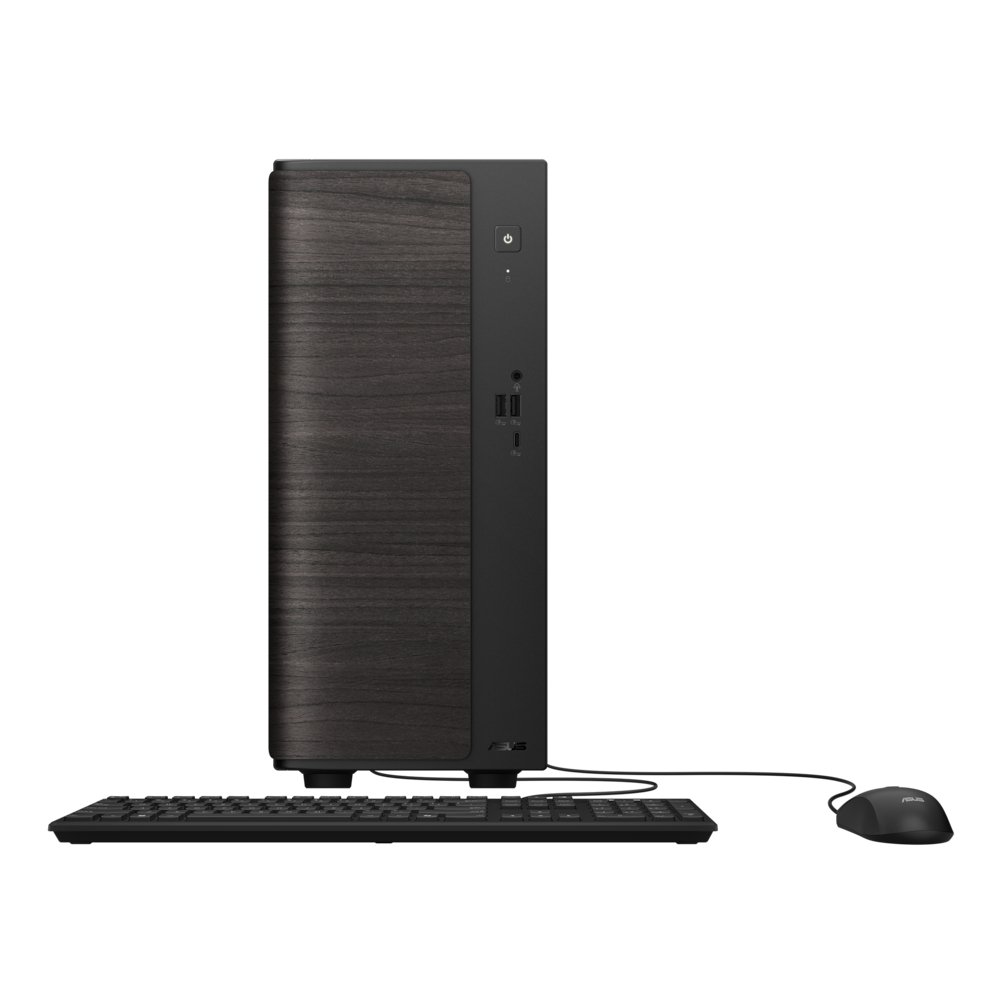
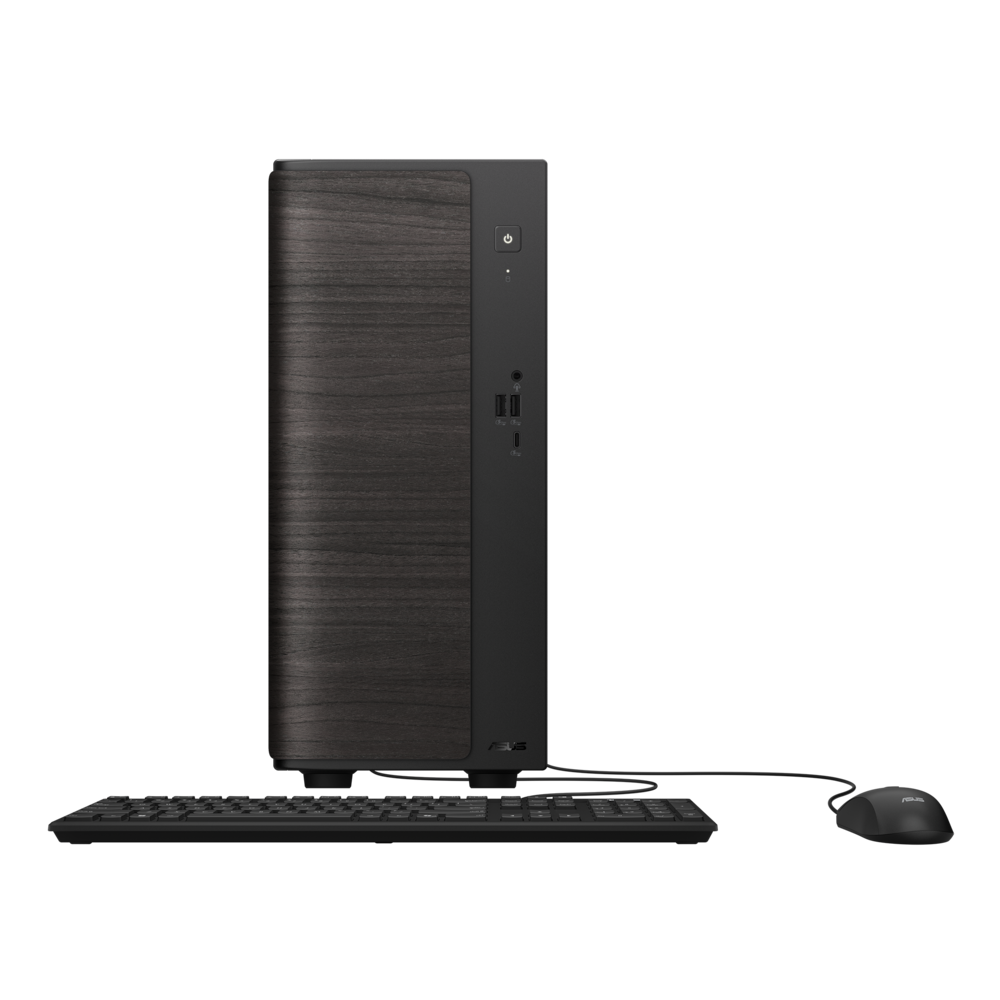
ASUS - VM501 Desktop - AMD Ryzen 7 260 (2025) - 16GB Memory - 512GB Storage - Black
$759.99
Was $949.99
Save $190.00 Free shipping
$39999
Other options in this range
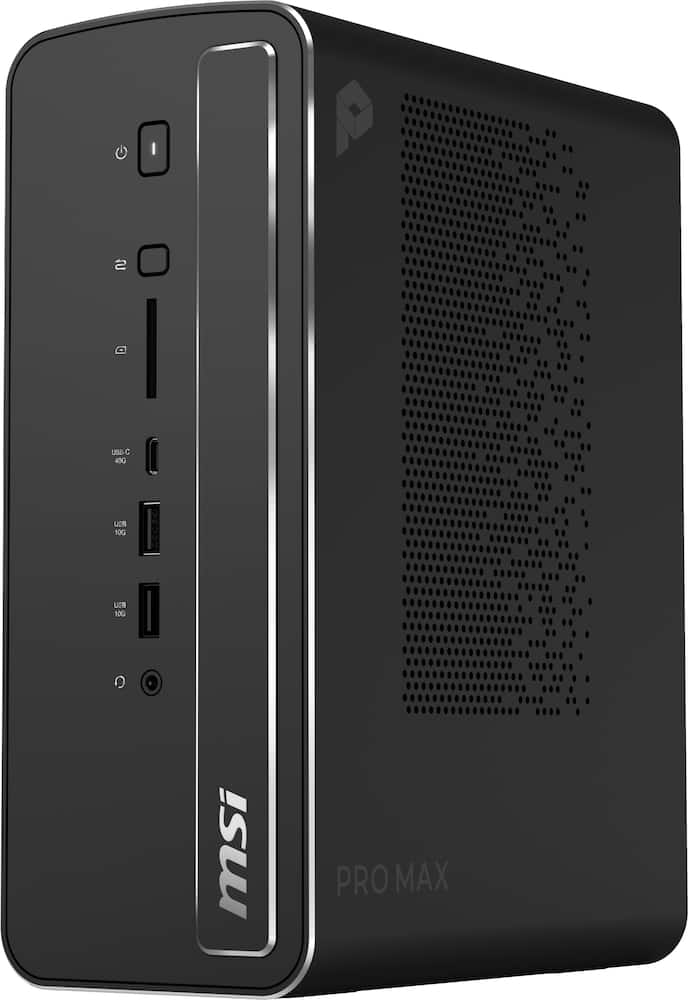 MSI - Pro MAX Edge AI+ Desktop - AMD Ryzen AI Max+ 395 - Radeon Graphics - WiFi7 Type C - 128GB Memory - 1TB Storage - Black Original price was: $5,199.99.$4,159.99Current price is: $4,159.99.
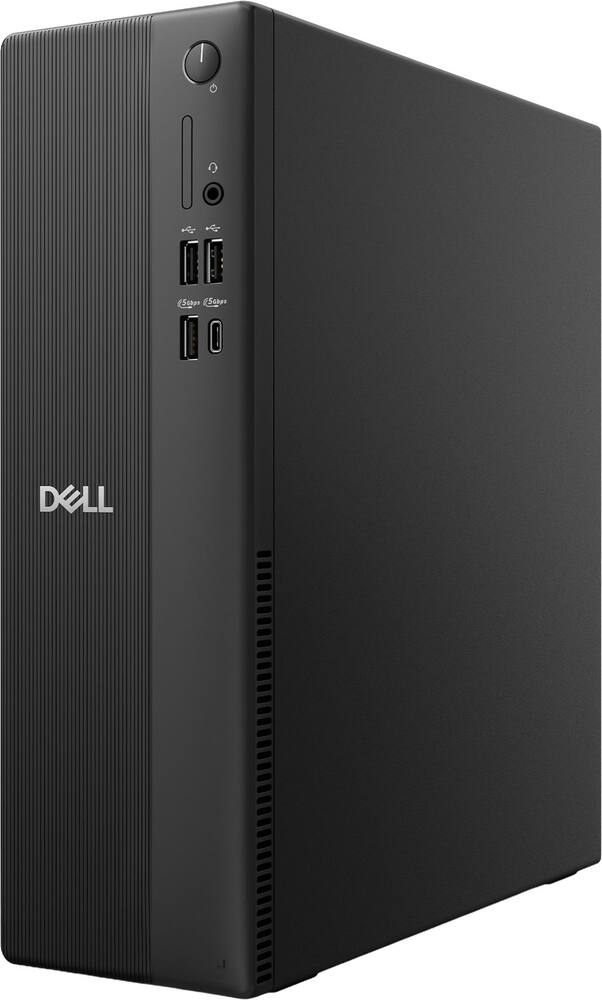 Dell - Slim DS1265 Desktop - AMD Ryzen 7 170 2025 - 8GB Memory - 512GB Storage - Black Original price was: $1,199.99.$959.99Current price is: $959.99.
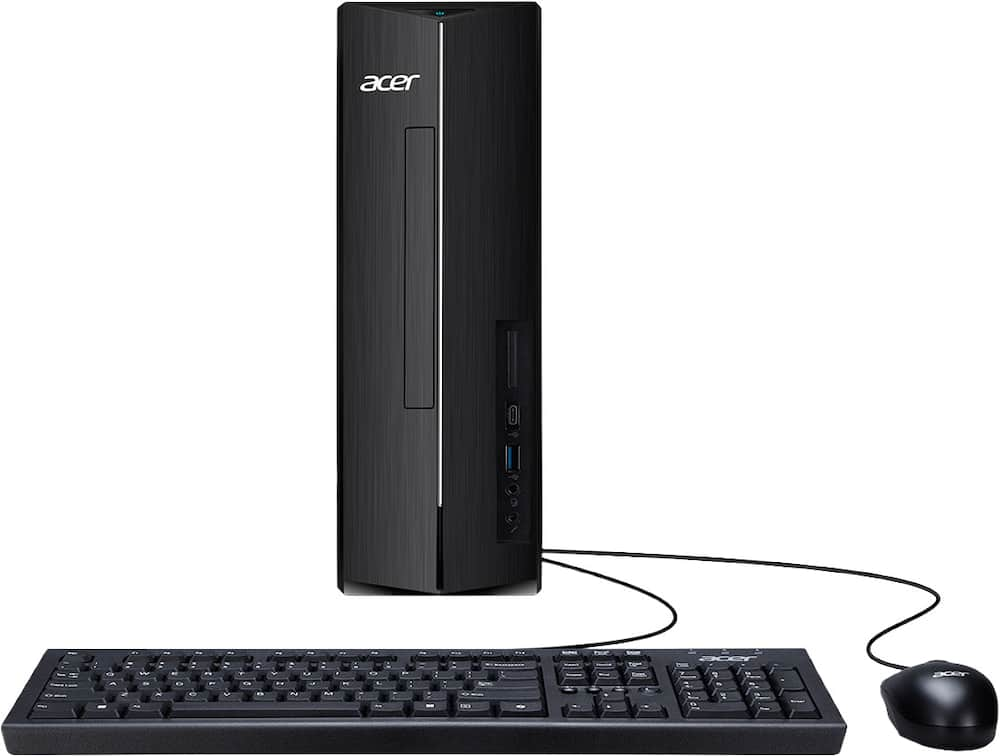 Acer - Aspire XC-1715_CZN-UB13 Desktop - AMD Ryzen 3 5000 Series 2021 - 8GB LPDDR5 - 512GB - USB Keyboard and Mouse - Black Original price was: $449.99.$359.99Current price is: $359.99.
See manufacturer documentation.
Register your product with the manufacturer within 30 days of delivery.
Manufacturer warranty claims are handled by the manufacturer. We are happy to help you find the right contact: (888) 419-6820.
Free shipping
Free shipping
Free shipping
Acer product - It is hard for me to know if I turned it off or not
Fast, and very good working computer - This computer is very fast and a good work computer!
Reliable for your day to day tasks - This computer uses a reliable processor to effortlessly handle your everyday needs.
Great Keyboard and Mouse Included with Gaming PC! - Great keyboard and mouse included with the gaming computer! Both work perfectly, are easy to use, and are a great addition to the setup. Very happy with my purchase from Best Buy!
Acer is Aces - Grest system for everyday use. AMD Ryzen doesnt disappoint. Smooth..Quiet running system. It does it all without the does it all price.
Desktop - Returned item no never used nor keyboard or mouse. Purchased another product
Good inexpensive desktop for simple home use like web browsing.
acer desktop - love the product very quick. I like how fast the computer is very littla and compact do not dislike anything about the desk top
Good value. - The price was right and I don't have any complaints about the product. My major complaint is having to switch to Windows 11, which has way too many features and aps that I don't need or want.
New Tower/Desktop computer - Alot faster than my old computer. It really works great and runs good.
Desk top computer - Takes a little while to get used to because we were using an old Windows version but is so much faster and quicker than what we had..
Perfect Desktop - I knew I wanted to use windows for my trading vs IOS with Mac, so this was the perfect choice. I especially love that it comes with the CD/DVD insert because I still use though. Reliable, would recommend.
Acer computer - So far it’s been a good computer running smooth. Everything was easy to set up and get started.
Know what to expect - Reviewing any computer in 2026 requires unprecedented context. We have almost never seen across the board technology getting more expensive deep into its lifecycle. RAM and SSD prices are up across the board, even when removing inflation, which barely makes a dent in the 4-5x price increases of memory since just last year. There are theories that software companies will be forced to focus on efficiency but In the meantime, the builds are the builds. This PC has 8 GB of RAM. That’s almost unfathomable for a 2026 PC but here we are. I’m actually surprised that 512 GB of storage is included; I would expect 256 GB to be in line with the spec of the computer. Can’t complain about a bigger hard drive. Performance is perfectly adequate as long as you know that it’s a general web browsing machine, you can stream video no problem, do basic work and homework. I have it for the kids because it will barely play any of the crazy games. It runs Minecraft basic and Roblox no problem. Light emulation works great. As long as you know that it’s not a Powerhouse but a perfectly good working terminal and compact browsing machine, you’ll be satisfied. Side notes: It doesn’t appear that this machine is upgradable and there’s a lot of wasted space inside the case. It probably could’ve been smaller but it’s small enough to fit under my kid’s desk and nice and quiet. Included and mouse are functional. Unless you wanna wait a couple of years (or more) for the chip crisis to die down, this is what we have for basic PCs.
Energy Efficient Desktop for Everyday Computing - This desktop is a little pricier because it uses a newer and relatively stronger lightweight processor. The AMD Ryzen 5 40 Processor is a muti-core processor, meaning it does a better job handling multiple tasks, such as web browsing and working within Excel spreadsheets at the same time. The purpose of this processor, and this computer for that matter, is to perform these everyday tasks using as little energy as possible. The reduced energy usage can lead to savings in the long run. The flip side is, don’t expect this computer to be a powerhouse. It is more geared for everyday computing, like browsing the internet, watching movies or videos on YouTube, and using basic office software like Word, etc. It is also important to note that this is a Windows PC. Other computers in this price range can come with another operating system known as Chrome OS. Both are relatively easy to use, but if you are accustomed to Windows, this computer will feel much more familiar. While testing this computer firsthand, I was satisfied with its capabilities. Ultimately, this computer will be replacing my mother-in-law’s old desktop that takes forever to start. The difference is night and day. She mainly uses her computer to check emails, play a few games like Solitaire and Candy Crush, and open spreadsheets from time to time. This computer handles these tasks very well. I also installed an anti-virus suite for her protection, and the computer wasn’t slowed down in any noticeable way. Again, given these expectations, this computer will be the perfect replacement for her outdated PC. On top of that, the computer’s case is small. Setting it up in place of the old PC will regain some desk space. In terms of “expanding” or “upgrading” this computer in the future, unfortunately, this is plain marketing speak. The system is pretty self-contained to begin with. There really isn’t a way to add to this system. The motherboard is like a laptop motherboard; it’s small and limited. But then again, the people buying this computer probably won't be upgrading it anyway. Finally, for fun, I installed Fortnite on this system. I play this game all the time on my expensive gaming computers. This computer has no business playing an intensive game like Fortnite. Still, I wanted to see what would happen. It’s almost comical that I was able to download this massive game and get it to run. Of course, it barely ran and the graphics were blocky, but believe it or not, I actually eliminated someone. The game was running at 30 frames per second (see picture). For this game, 30 frames is not sustainable. After my one elimination, I closed the game and laughed my way to sleep. Overall, if your expectations are in line with this computer’s capabilities, the system will be very useful to you. Especially if you’re going to be using it for basic computing tasks.
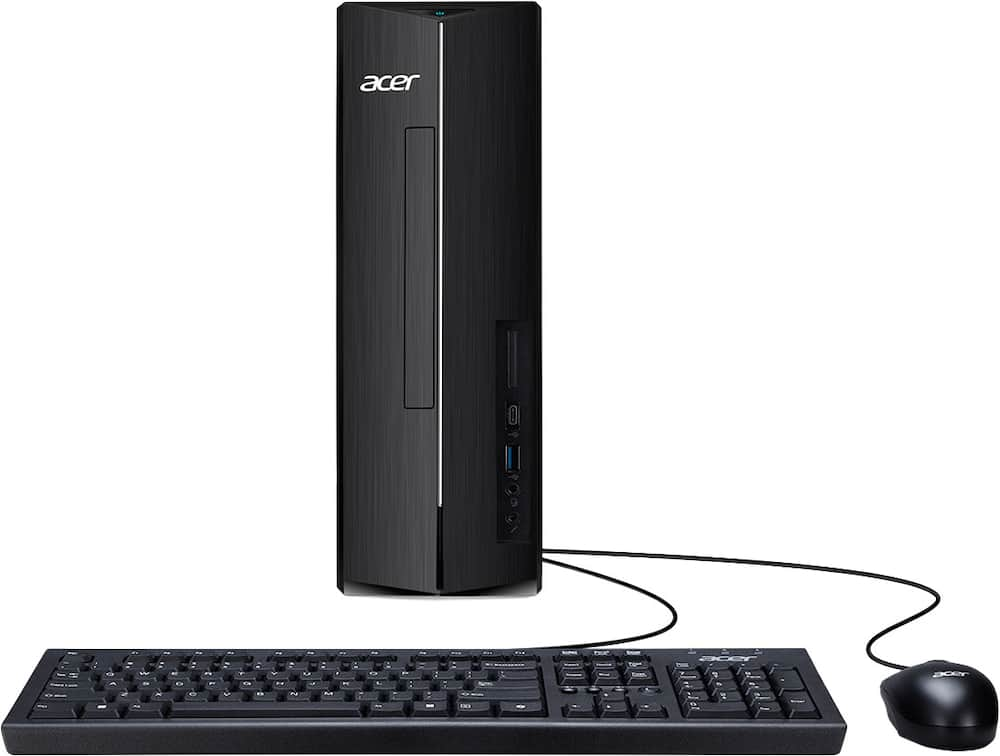
More like a PC mini - The Acer Aspire XC 1715 series desktop is less of a desktop and more of a laptop light. If you take a look at the internals of this laptop you can clearly see the case is much larger than was needed. The desktop features a AMD Ryzen 5 40 processor which is very capable for your everyday computing tasks. The graphics are handled by an integrated AMD Radeon graphics card which in my testing was able to handle the included Windows 11 home without any issues. I watched a few preseaon football games without any issues and my son put the processor through its paces with some basic gaming. The system memory is limited to 8 gigabytes of LPDDR 5 ram. The ram can not be upgraded on this motherboard, Interestingly enough Acer included a 512 gb SSD which surprised me as I would have assumed 256gb to be included. The desktop features a 1 Hdmi port and 1 display port to connect to your monitor. The computer includes 1 USB C 3.2, 2 USB A 2.0 ports and 3 USB A 3.2 ports. There is an included RJ 45 ethernet port as well as a Wifi 6E card. 1 issue I had with the Wifi is that it would lose connectivity after going to sleep. Hopefully some updates will fix this issue however it is not much on an issue because I prefer to hardwire via a ethernet cable. This desktop is not going to win any awards for being a powerhouse computing device however I feel as if it will be a great basic computer for everyday tasks. I have set it up for my kids to use in my office so that they don't have to use my work setup.
Low-end laptop system in slim desktop case - It’s been a while since I used a low-end PC and unfortunately this Acer - Aspire Desktop - AMD Ryzen 5 40 Processor 2025 Model is just that - a low-end, budget, slim desktop with just enough horsepower to simultaneously run Windows 11 and a few basic productivity apps, web browser tabs, etc. It looks pretty sleek and has decent connectivity ports both front and back: 1x USB 3.2 Gen1 5 Gbps Type C Port that supports charging (Front), 3x USB 3.2 Gen1 5 Gbps Type A Ports (1 Front and 2 Rear), 2x USB 2.0 480 Mbps Ports (Rear), 1x HDMI 1.4b Port, 1x Display Port (Rear), 2x Audio Ports (Front), 2x Audio Ports (Rear) and 1x Ethernet RJ-45 Port. It also has a built-in Bluetooth 5.3 adapter and Wi-Fi 6E. The wired keyboard and optical mouse feel and work fine and match the rest of the system in terms of quality. It is kind of funny that Acer claims there is room for more and describes the case by volume as a "sizable 8-liter chassis that provides extra space for future expansion". The irony is it’s all true volume-wise, but all components are built-in to the motherboard, and there are no expansion slots for additional memory or additional storage. Much like a laptop system board, even the CPU is soldered on to the motherboard, so that can’t be upgraded either. The case may look like there is a DVD ROM slot, but that’s just a blank. There is room for one, but there is no SATA controller or power header to plug it in to. Speaking of power, even though there is room inside the case, Acer decided to provide an external brick power supply. I’m going to try to install some flavor of Linux on it, which might need less system resources than Windows. All in all, this is a bit disappointing specifications and no upgrade options for this price, perhaps because of the industry-wide memory and SSD shortages. Acer usually makes good value products. I'm typing this review on an old Acer Ryzen 3 14” Chromebook which still works great and I prefer it over the Aspire desktop with the heart of an old laptop...
Great Desktop for Office and Entertainment - I have been using the Acer Aspire XC Desktop for a few days, and it has been a wonderful experience. Whether I am doing office work, managing everyday tasks, enjoying multimedia, or playing games, this computer feels fast, efficient, and easy to use. The AMD Ryzen 5 40 Processor with Radeon Graphics, combined with 8 gigabytes of LPDDR5 memory, delivers smooth, responsive performance when switching between applications. The 512-gigabyte PCIe solid-state drive also offers ample storage while helping programs and files load quickly. Windows 11 Home complements the hardware with a modern, intuitive, and productive interface. I also appreciate its compact, attractive design. The 8-liter chassis fits easily on a desk or floor while still allowing room for future expansion. It also offers excellent connectivity, including Wi-Fi 6E, Bluetooth 5.3, USB Type-C and Type-A ports, HDMI, DisplayPort, Ethernet, and multiple audio connections. The high-definition audio is a welcome bonus, especially for movies and other multimedia content. Acer Intelligence Space adds value by identifying compatible AI applications and helping optimize the system for productivity and gaming. Overall, the Acer Aspire XC is a versatile and dependable desktop that delivers an excellent balance of performance, storage, connectivity, and expandability. I am very pleased with it and would recommend it for both everyday productivity and entertainment.
Great for simple things - First, I was impressed with how light weight this was. This felt a lot lighter than my laptop and this was still in the box. Set up was easy as long as you know your Microsoft account, and password. I chose this as my church needed a new computer. (let's just say the pc that this replaced, uses a VGA plug for a monitor). It was rough trying to use the church pc as it would take what felt like 10 minutes just to boot up. Then it would freeze up in the middle of things. With this desktop, so far everything is working and have not had freezes with doing the same tasks as before. Those include running songs on screens, as well as verses etc. And the best part, not having to wait 10+ minutes for it to boot up. Not only the boot up, but programs would also take a bit to load up. I would have to get to church 30 minutes earlier just to get things ready and running. This desktop has allowed me to shave that time by 20 minutes. This is a cheaper pc and really only good for simple tasks. If your older and do not game and looking for a cheap PC that will run, then I would suggest this desktop. I am giving it 4 stars though as I personally would not go with this for myself. I feel I would not be able to upgrade it easily in the future with a decent GPU for gaming. But if all you do is Facebook, YouTube, Amazon, etc. and not into gaming at all then I do recommend this.
It's a laptop in a desktop chassis. - When it comes to the decision to buy a desktop computer or a laptop computer, for me it boils down to whether or not I need a built in screen. If the answer is no, I aim for a desktop. Desktops traditionally offer more opportunities to upgrade the internal parts over the life of the machine before needing to throw out the whole chassis. That is unless the manufacturer decides to ship a laptop in a desktop form factor; which is exactly what this Acer Aspire is: a laptop hiding beneath a desktop chassis. If you just need the most bare bones basic web browser and want this to connect to your existing monitor, this is a machine worth considering. It’s lightweight compact form factor make it easy to tuck away into a corner and it’s barely audible fan helps ensure it’s not a distraction to everyday tasks. Those tasks should be not much more than web browsing or email. If you were hoping to start small with this desktop and upgrade parts over time this is not the computer for you. It ships with a 1GB NIC and Wifi 6E. My intent was to add a 10GB NIC to the device, but the motherboard contains no full-size PCIe connectors. Zero. This means no support for a dedicated graphics card, or sound card, or NIC, or really anything internal. The motherboard contains a single SSD slot which is using PCIe 3.0 x 2. The single USB-C port on the front of the machine is a 3.2 Gen 1 5Gbps slot as is the USB-A port above it. There’s 4 USB-A ports on the rear, 2 are USB 2.0 and two are USB 3.2 Gen1, 5Gbps ports but you’ll lose two immediately if you connect the included keyboard and mouse. I heard the 1980’s calling me when I unwrapped the keyboard. It’s the thickest keyboard I’ve seen since Fischer Price introduced their keyboards for toddlers. It feels like Acer scraped the bottom of the bins barrel with the keyboard and the mouse included with this unit. They are not wireless. Replacing these two devices with something else would be my first recommendation. The CPU/GPU and RAM are soldered onto the motherboard and no expansion slots exist to add more RAM. This model shipped with 8GB of RAM and there is no way to upgrade. For all the lack of expansion capabilities I was surprised to see the desktop includes both HDMI and DisplayPort for connecting a monitor. If given a choice, always choose DisplayPort for Windows devices.
Email [email protected] or call (888) 419-6820 during business hours.
Add your review