Canon PISMA Megatank G3270 Wireless - Love the Megatank. This is my second one. Great for large and small jobs. Easy set up
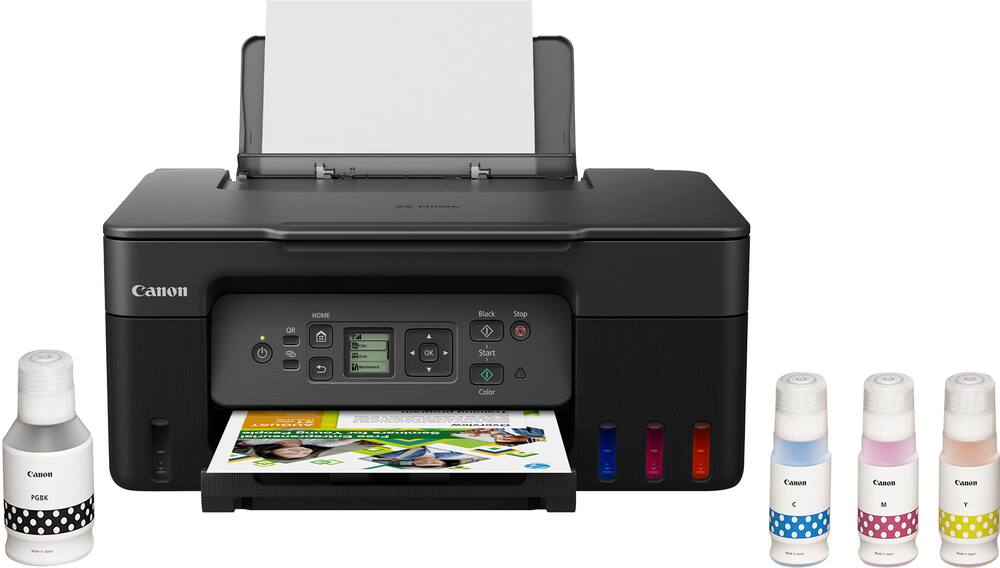
Canon – PIXMA Megatank G3270 Wireless All-In-One Supertank Inkjet Printer – Black
$19840
Other options in this range
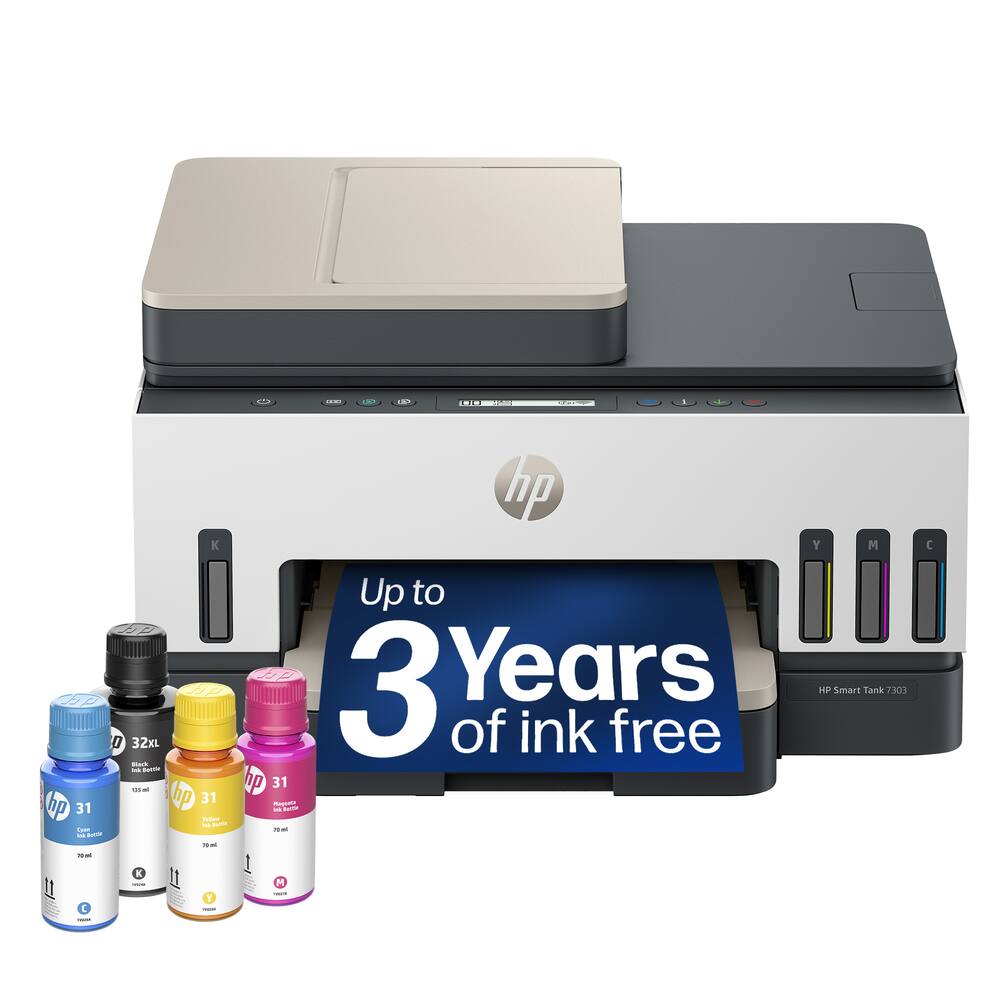 HP - Smart Tank 7303 Wireless All-in-One AI-Enabled Cartridge-Free Supertank Inkjet Printer with 3 Years of Ink Included¹ - White Original price was: $449.99.$359.99Current price is: $359.99.
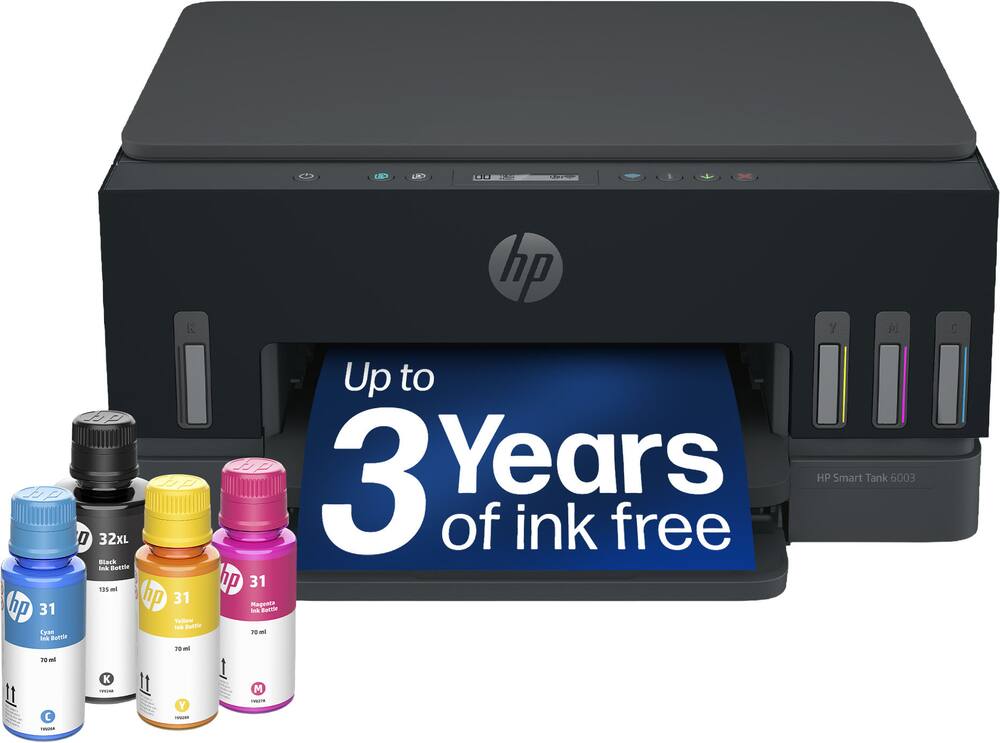 HP - Smart Tank 6003 Wireless All-in-One AI-Enabled Cartridge-Free Supertank Inkjet Printer with 3 Years of Ink Included¹ - Basalt Original price was: $369.99.$295.99Current price is: $295.99.
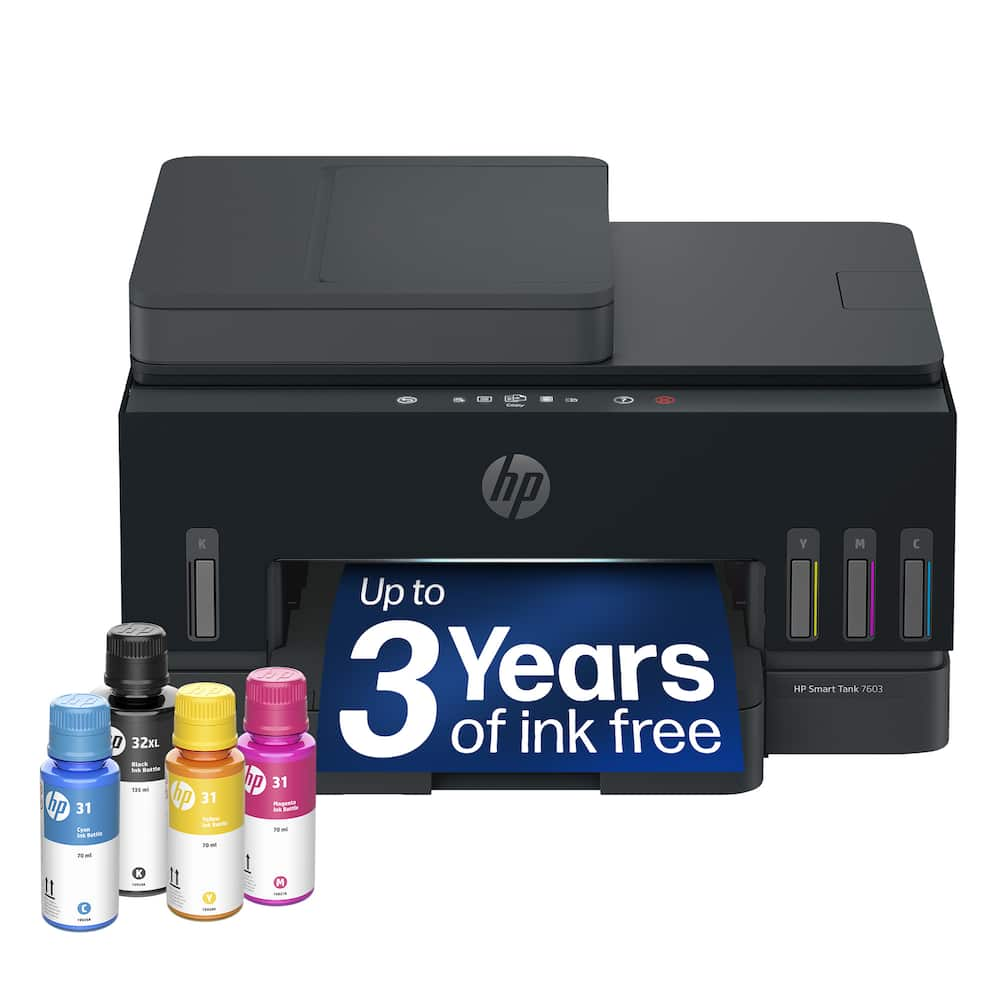 HP - Smart Tank 7603 Wireless All-in-One AI-Enabled Cartridge-Free Supertank Inkjet Printer w/ Fax and 3 Yrs of Ink Included¹ - Basalt Original price was: $469.99.$375.99Current price is: $375.99.
Overview
- Up To 4800 x 1200 Dpi (Dots Per Inch) Color Resolution
High resolution for producing incredible quality and detail in documents and photos. - Wireless Connect
Easy Wi-Fi setup in minutes. Connects to Wi-Fi without the need for a computer.¹ - Backlit 1.35″ Square LCD Screen
Get the job done with an intuitive and easy-to-use 1.35″ square LCD screen. - High Page Yield
Print up to 6,000 black / 7,700 color pages with just a single set of inks.¹ - Easy To Fill
Ink bottles have a “keyed nozzle” design to only fit and fill the correct color ink tank. - Easy Setup
Get running in just a few minutes thanks to a streamlined and easy setup process out of the box. - Mobile Device Printing
Print from your favorite mobile devices using the free Canon PRINT app², Apple AirPrint, and Mopria Print Service. - Versatile Media Support
Print on envelopes, photos, high resolution paper, and more! - 100-Sheet Rear Paper Tray
Easily load envelopes, labels, high resolution paper, and more in the rear tray. - Poster Artist
Poster Artist² is a poster creation software program designed to be used by all levels of users to create professional posters, banners, and signage. - $1,000 Ink Savings
Ink savings of $1,000 with the included ink bottle set.¹ - Integrated Ink Tanks
Conveniently view and refill ink using ink bottles. - Borderless Photo Printing
Print beautiful borderless photos up to 8.5″ x 11″ (letter size).³ - Easy User Replacement Parts – Less Down Time
Designed with basic operations directly from the front and back of the printer. - Stay Waste-Conscious
Thanks to high page yield ink bottles, keep waste and time spent refilling ink to a minimum. - Inkjet Printers Are Best For Home Or Small Business Use
They offer excellent print quality for photos and documents and accept a variety of paper types and sizes. - 11/6 IPM
Prints up to 11 images per minute in black and up to 6 images per minute in color. - 1-Year Warranty
Have peace of mind with a 1-year warranty. - Disclaimers
1 – Page yield of included ink bottles used for initial setup is lower than the replacement ink bottles, as a certain amount of ink is consumed to fill into the print head during setup (charging the print head initially). - Page yield is the estimated value based on Canon individual test method using the ISO/IEC 24712 chart and continuous printing simulation with the replacement ink bottles after initial setup. Page yield of color inks is an average yield of cyan, magenta, and yellow inks combined.
- Page yield varies significantly depending on content printed, ink levels maintained in all four reservoirs, and other factors. Up to 6,000 (black)/7,700 (color) printed page yields are approximate using ‘default printing mode’, up to 8,300 (black)/7,700 (color) printed page yields are approximate
- using ‘economy printing mode’ via Windows/Mac OS driver or printer copy setting, based off document pages printed. A full set of MegaTank GI-21 ink bottles (pigment black, cyan, magenta, yellow) is equivalent to 30 each standard capacity black (PG-260) and color (CL-261, composed of cyan, magenta
- and yellow) ink cartridges sold individually based on print yield. Ink value savings based on MSRP (USD) of stated equivalent ink cartridges as of November 2020.
- 2 – Paper types NOT supported for borderless printing are as follows: Envelope, High Resolution Paper, T-Shirt Transfer, and Photo Stickers. The maximum borderless printing size is 8.5” x 11”.
- 3 – Warranty program is subject to certain conditions and restrictions. See warranty card for details.
Compare similar
Specifications
Capacity & configuration
- Printer Type
- Printer
- Tray Capacity
- 100
- Scanner Type
- Flatbed
- Ink Bags/Bottles Required
- 1 x Black
- Ink Bags/Bottles Included
- 1 x Black
- Output Tray Capacity
- Not specified
- Compatible Media Types
- [Plain: Plain Paper, Canon High Resolution Paper; Glossy: Photo Paper Plus Glossy II, Photo Paper Glossy; Semi-Gloss: Photo Paper Plus Semi-Gloss, Photo Paper Pro Luster; Matte: Matte Photo Paper, Double-sided Matte Paper; Other (Canon): Magnetic Photo Paper, Restickable Photo Paper, Iron-On Transfers; Other (non-Canon): Cardstock, Greeting Card, U.S. #10 Envelopes, Recycled paper and Chlorine-free paper can be used]
Dimensions & weight
- Product Name
- PIXMA Megatank G3270 Wireless All-In-One Supertank Inkjet Printer
- Product Height
- 7 inches
- Product Width
- 16.4 inches
- Product Depth
- 13.3 inches
- Product Weight
- 13.2 pounds
- Maximum Document Width
- 8.5 inches
Features
- Color
- Black, White
- Brand
- Canon
- Networking
- Wireless
- ENERGY STAR Certified
- Yes
- Automatic Document Feeder
- No
- Photo Printing
- Yes
- Wide Format Printing
- No
- Wide Format Scanning
- No
- Monochromatic/Color
- Color
- Wired Connectivity
- USB-A
- Wireless Connectivity
- Wi-Fi
- EPEAT Level
- Silver
- Automatic Two-Sided Printing
- No
- Duplex Scan Function
- No
- Integrated Fax
- No
- Duty Cycle
- Up to 3,000
- Compatible Cartridges
- Canon GI-21
- Ink Subscription Service Available
- No
- Ink Cartridges Required
- None
- Ink Cartridges Included
- None
- Memory Card Slot
- No
- Maximum Document Length
- 47 inches
- Supported Paper Sizes
- 3.5” x 3.5” (Square), 4” x 6”, 5” x 5” (Square), 5” x 7”, 7” x 10”, 8” x 10”, Letter (8.5” x 11”), A4, A5, A6, B5, Legal (8.5” x 14”), U.S. #10 Envelopes, Card Size (91 mm x 55 mm), Custom size (width 2.1–8.5 in, length 3.5–47.2 in)
- Paper Feeder
- Tray loader
- ISO Color Print Speed
- 6 pages per minute
- ISO Mono Print Speed
- 11 pages per minute
- First Page Out Time
- 9 seconds
- Printer Resolution (Black)
- Up to 4800 x 1200
- Printer Resolution (Color)
- Up to 4800 x 1200
- Scanner Resolution
- Up to 600 x 1200
- Touch Screen
- No
- Works With
- Amazon Alexa
- Display Screen
- Yes
- Display Screen Size
- 1.35 inches
- Minimum System Requirements
- Windows:12 Windows® 11, Windows® 10, Windows® 8.1, Windows® 7 SP1; Windows Server 2008 R2 SP1, Server 2012 R2, Windows Server 2016, Windows Server 2019, Windows Server 2022 Mac:13 macOS v10.14.6 - 12
- UPC
- 013803351507
Power & warranty
- Model Number
- 5805C002
- Warranty - Parts
- 1 year limited
- Warranty - Labor
- 1 year limited
Warranty & protection
Included manufacturer warranty
See manufacturer documentation.
Register your product with the manufacturer within 30 days of delivery.
Warranty service
Manufacturer warranty claims are handled by the manufacturer. We are happy to help you find the right contact: (888) 419-6820.
Customer reviews
Write a reviewFantastic,Dependable,And Economical - Prints in decent quality, pretty dependable, but most of all, Economical. Canon figured out how to make a printer that doesn’t waste a ton of ink, which most competitors are yet to discover, and has a massive capacity. And the greatest feature of all: this printer can sit for months, and start right up and get to printing whenever you need it to. Every printer I’ve used prior would have mysteriously consumed an ink cartridge or developed a random glitch, but this one gets back to printing after some calibration. Which it rarely needs, unlike the HP I had used prior.
For my wife’s crafting - She loves it, uses it for crafting and all out documents we need printed/copier. She does multiple other things with it. We have a canon and Epson.
Works great - This printer fits our space, it's not too big. It's quieter and faster than our old printer.
Very high quality prints. - It save money in ink cartidges in comparation to other types.
Canon g3270 - Great printer with excellent print quality for the price and it’s affordable compared to other printers.
Everything works great, Perfect instructions. - Great printer for home and personal use. Easy to install. Online instructions made the process 'a piece of cake'
Easiest Set Up Ever!!! - Needed a home printer for printing the occasional document and form from my iPhone. This printer fit the bill and the set up was so simple for older adults who are technically challenged. I was able to start using it right away and am extremely happy with this printer.
works as I expected - print quality is good, it is easy to use, overall it is working fine.
Best printer ever! - Love this printer. Needed a new printer to print on cardstock for crafts and it’s doing a superb job! Happy with the supertanker too. Best decision I’ve made.
Nice home compact printer - Small & compact. Not too many bells & whistles. Easy setup. Print quality is fair. Fine for home use. Rather slow printing per page. Would not recommend for business use where there is a high print demand. Like the ability to get away from replacement cartridges. Small cautionary note. If you live at a higher elevation, be sure to open ink bottles slowly to allow bottles to depressurize.
Great Printer - Very good printer. The quality and speed is very impressive. I like the ink tank and not having to worry about buying an entire cartridge with just one color goes out. The scanner also does a great job with documents and photos. We use our printer for work and personal products and k have no complaints at the moment.
Canon Printer Review cml - I like the ink bottles to fill better than the cartridges. It prints well. One issue i have woth it is that this version of the printer does not have both a paper bin and bypass tray. It only has a bypass tray.
MegTank Ink Printer, Just what I needed - I just started using it and did one print job and all went fine. Just what I needed, it came with a mega tank of ink and I love it. I was tired of buying ink that cost almost more per cartridge than the printer itself. I got burned on a Brother MFC-J1215W printer that was supposed to be a supertanker but actually wasn't. I think the mega tank inks on this one will last a long time for my rate of printing. So overall I am very satisfied and would highly recommend this printer.
Printer Review - Works great! Have already printed many sheets of paper and the ink hasn’t even went down yet.
Printer - My go to printer for my sticker projects ! I love it soo much!
Clear prints - The printer has worked good. There hasn't been any problems. The prints seem to come out well. The only downside is that all it has is a rear tray, no tray the paper can lay in.
It does the stuff that I expected it to do - It prints as expected. Uses ink and paper like most do... Also scans and stuff. For a budget friendly printer that is budget friendly in the future with ink refills this is a great option. No issues or concerns. Would be nice if it printed faster, but that's life
Great, easy printer! - Great printer! It took a few tries to find the right spot where it wasn't printing slowly, but everything has worked smoothly afterwards. I've been printing something at least once a week, no problems with ink drying out.
so worth it. i'll never buy an ink cartridge again.
Questions & answers
Ask a question
Email [email protected] or call (888) 419-6820 during business hours.
Add your review