Fast and Unobtrusive, but Sacrifices Heavy-Duty Se - PERFORMANCE VS PROTECTION: I’m always hesitant to download a total security package just because many moons ago they used to tank the performance of your device. Due to daily computers becoming dramatically more powerful this is mainly a thing of the past. With that said, Webroot relies on “cloud-based threat intelligence model” which means it is lightweight and will work great on pretty much any device, even really old ones, or those with minimal performance. As this will do a lot of the work over the cloud. Unfortunately, due to this performance is mixed. In one study it showed 4 out of 10 general malware samples were detected. For phishing and web shield had a 50% success rate. Did much better with ransomware. Also, I found in my testing that “full scans” where it scans everything on your computer. Took forever. I have a laptop with almost nothing on it. And it was still running after 2 hours and 38 minutes and had only scanned 22,691 things. Oof. However, for quick scans it is much faster. USER INTERFACE: Additionally, I’ve grown to dislike most security suites because they have so many pop ups and the UI is not intuitive or user friendly. Whereas, this has a very minimal UI (Virus Protection, Scam Protection, VPN, Lastpass Password Manager, Allstate Identity Protection, Backup + Restore, Performance, Vulnerability, Parental Controls). Where you click into it. Then click Webroot logo at the top left to go back to that main base. When you click into any of those there are also minimal buttons allowing you to easily complete the process. So, if you are looking for an easy software to navigate this is it. If you are looking for a ton of control and customization. This is not it. But it goes essentially invisible otherwise. VULNERABILIITY & PERFORMANCE MODULES: Webroot includes Performance and Vulnerability modules that scan for background applications and outdated software that even Windows Update might miss. While it is difficult to quantify exactly how much system speed this restores, it successfully hardens the system without causing harm. LASTPASS: This comes with LastPass. Which just happens to be the password manager I’ve been using for years. I absolutely love it, think it is almost a must have, and it being paired with this is an excellent addition that greatly adds to the value of this software. Essentially, it holds all your passwords, notes, etc. It works on everything. Is very easy to find passwords, change passwords, and get to work on my iPhone, iPad, MacBooks, and Windows Computers. I can’t recommend this part enough. Unfortunately, if you’re like me and already have a Lastpass subscription there is no way to stack that subscription. VPN: It also comes with a solid VPN. Which is greatly appreciated. This seemed to work well for me. It has the correct setting where you can auto-connect at launch, turn on notifications for VPN connections, have an internet kill switch if your VPN goes down, and do split tunneling. SYSTEM COMPATIBILITY: It works on Windows (x86), MacOS, iPhone, and Android. However, it DOES NOT work on ARM architecture (Qualcomm Snapdragon or Nvidia Spark SoC). CONCLUSION: Overall, if you’re looking for a bit of extra protection that runs lightweight and includes great password manager then this is a OK option. If you want maximum protection that runs more heavily but will block more threats it is best to look at alternatives.
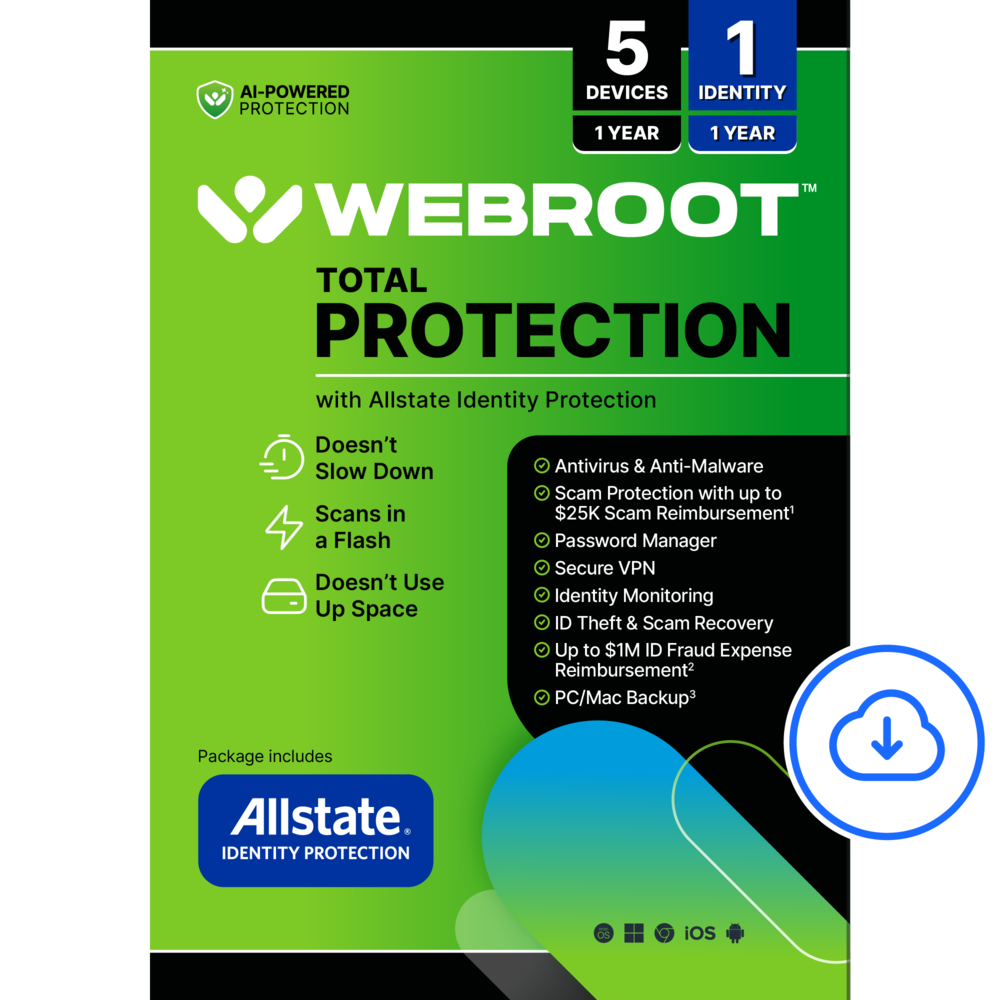
Webroot – Total Protection (5 Device) with Allstate Identity Protection (1 Identity) (1-Year Subscription) [Digital] – Android, Apple iOS, Chrome, Mac OS, Windows [Digital]
$7999
Other options in this range
 Norton - 360 Plus for Mobile (1 Device) Scam Protection + Secure VPN + Dark Web Monitoring (1 Year Subscription) - Android, Apple iOS [Digital] Original price was: $59.99.$47.99Current price is: $47.99.
 Webroot - Smart Protection (1 Device) with Allstate Identity Protection (1 Identity) (1-Year Subscription) [Digital] - Android, Apple iOS, Chrome, Mac OS, Windows [Digital] Price range: $55.99 through $63.99
 Webroot - Essentials Antivirus Protection and Internet Security (1 Device) (1-Year Subscription) [Digital] - Android, Apple iOS, Chrome, Mac OS, Windows [Digital] Price range: $23.99 through $31.99
Overview
- AI-powered antivirus protection
Webroot uses smart AI to stop cyber threats before they reach you—fast, light, and always up to date. - Scam protection
Helps detect and block scam texts, deepfakes, phishing attempts, online fraud and other AI scams. Also includes up to $25,000 in scam reimbursement.* - Identity protection and monitoring
Includes dark web and data breach monitoring, alerts and provides 24/7 U.S.-based support with identity restoration specialists. - Up to $1 million in identity theft expense reimbursement
For stolen funds and out-of-pocket costs due to identity theft including up to $150k for 401(k)/HSA accounts.** - ID check
Verify someone’s identity before completing a transaction to help protect yourself from fraud and scams. - Unlimited cloud backup***
Automatically backs up your important files and memories with unlimited cloud storage for one PC or Mac. - Secure VPN
Browse the web safely and privately with an encrypted VPN that protects your online activity on any Wi-Fi network. - Secure password manager
Create, store, and autofill strong passwords to simplify and secure your digital life. - System optimizer
A privacy protection and system maintenance tool that erases past online activity, including browsing history, cache and cookies, while reclaiming hard drive space and improving performance by deleting unnecessary files. - Parental controls
Protect your children from inappropriate content and help manage their screentime. - Supports all devices
Compatible with PC, MAC, Chromebook, Mobile Smartphones and Tablets including Windows, macOS, Apple iOS and Android - Protect up to 5 devices and 1 identity
- Note: Features may vary between devices and platforms
- *Scam Reimbursement: The program offers an added layer of financial protection by reimbursing eligible losses from qualifying sophisticated scams when both Webroot Scam Protection scan and ID check were used as part of the verification process. This benefit complements, and does not replace, existing fraud prevention measures, security controls, or insurance coverage. Terms, conditions, limitations, and eligibility requirements apply.
- **Identity theft insurance covering expense and stolen funds reimbursement is underwritten by American Bankers Insurance Company of Florida, an Assurant company. The description herein is a summary and intended for informational purposes only and does not include all terms, conditions, and exclusions of the policies described. Please refer to the actual policies for terms, conditions, and exclusions of coverage. Coverage may not be available in all jurisdictions.
- Product may be updated or modified. Certain features require additional activation.
- ***Encrypted cloud backup for one PC or Mac computer, with unlimited storage.
Compare similar
Specifications
Capacity & configuration
- Firewall Type
- None
- Digital Download Type
- Productivity software download
- Digital Delivery Type
Dimensions & weight
- Product Name
- Total Protection (5 Device) with Allstate Identity Protection (1 Identity) (1-Year Subscription) [Digital]
Features
- Number of Devices
- 5, 10
- Brand
- Webroot
- Operating System Compatibility
- Android
- Software Format
- Digital
- Subscription
- Yes
- Subscription Period
- 1 Year
- Publisher
- Webroot
- UPC
- 667208101740, 667208101757
Power & warranty
- Model Number
- WEB803800V203
Warranty & protection
See manufacturer documentation.
Register your product with the manufacturer within 30 days of delivery.
Manufacturer warranty claims are handled by the manufacturer. We are happy to help you find the right contact: (888) 419-6820.
Customer reviews
Write a reviewExcellent light-weight, heavy performance choice - OK, my honest, evaluated asessment of this Webroot Total Protection? This is very good overall Antivirus suite, with decent system health monitoring and optimaization. It comes with Identification monitoring, and back-up tools as well, but these are more, (to me), a "throw a bone" utility. But I stress, that is specifically FOR ME, and others might find it a better fir for them. One of the biggest plusses, for me, is that this is very "light-weight". By light-weight, I DO NOT mean haveing "light ability", I mean have light use of PC resource. It is primarily cloud based, handing off most of the heavy work to the cloud, and leaving your PC or laptop to operate under a much lighter strain on your PC. Legacy anti-virus suites have HUGE impact on your PC's hardware and resources. The legacy products also embed themselves quite deeply into, and onto your machine and can become quite invasive and preformance effecting. Webroot's entire philosophy is the exact opposite. That said, let's be honest. Does Webroot benchmark as well as others? Well, no, but for my use, (and for many already privacy minded folks taking reasonable porecaustions), Webroot is more than adequate. As mentioned, the ID monitoring is efficient and effeative as far as I can tell, but most of us may already have ID protection dedicated through other means, so this may not be necassary. But a nice treat if you need it. The PC optimazation? Again, is it "the best"? According to banchmark tests, probably not. BUt is it efficient and effective? Yes. End of the day, after having used Webroot for years, it is still one of my favorites.
OK ! - I had been using the free edition of Webroot and found it acceptable. Installing this edition was relatively easy and without any problems. I did find it a bit slow to install but that was not really a problem. It did find another anti-virus which was removed. Once installed, I found the problem caused no delay or unexpected issue. Programs and searches loaded quickly and without any issue. I did find that while attempting to buy an item on line, this program did block it, and flagged it with a problem. After doing some searching on line, I found that this was probably a fraudulent website that would have probably cause me problem with my credit card pirchase and I would never have gotten the product! That was a good catch and alone gave me a lot of confidence in this software. So far so good as the product has worked in the backgound and, so far so good. I found no negative effect from the program, such as slowing down or causing any issues. I am very satisfied with this sofware and would recommend it !
Good all-in-one security package for the price - I have been using competitor 360 product for a long time and have been happy with it, but I got an opportunity to try Webroot Total Protection and wanted to see how it compares. So far, I am impressed with the number of features included in one subscription, especially the support for up to 10 devices and identity protection. Installation and setup: Downloading the software was easy, and the installation was quick. My only complaint is that there is no progress bar after clicking Install, so for a while, it looks like nothing is happening. A simple progress indicator would make the process less confusing. Once installed, the main options are available through the system tray. You do not need to spend much time figuring out the basics. Device support and features: At first, I thought 10 devices would be more than enough. Then I realized I could use it on phones and tablets as well as computers, so I can see myself using up those slots pretty quickly. It supports Windows, Mac, Chromebooks, Android, and iOS, which is useful for a family with different devices. The package includes antivirus protection, a VPN, scam protection, a password manager, parental controls, system optimization, and cloud backup for one PC or Mac. The antivirus and VPN are important features for me, and both have worked reasonably well so far. I also like the scam protection tool, which can help when you receive a suspicious link or document and want to check it before opening it. The Allstate Identity Protection feature is another useful addition, especially if you do not already pay for a separate identity monitoring service. Just remember that identity protection covers one person, not all 10 device users. The cloud backup is also limited to one PC or Mac, even though the device security covers up to 10 devices. The password manager is a nice extra, but it is not a major selling point for me since many people already use password managers built into their phones, browsers, or other services. Performance and ease of use: I like that Webroot offers so many tools without making the software feel overloaded with unnecessary extras. However, there is room for improvement. The online portal can be slow, and some options do not always work as expected. The VPN can also take close to a minute to connect at times. Another issue is that some of the desktop options, such as Performance and Vulnerability, are not explained clearly enough. Short descriptions of what each feature checks and what the results mean would make the software much easier for regular users to understand. Value for money: This is where Webroot stands out. Getting protection for up to 10 devices, along with VPN, scam protection, identity monitoring, parental controls, and cloud backup, makes it a strong all-in-one package. The actual value will depend on the renewal price and whether you already pay for services such as a VPN, password manager, or identity protection. Pros: Covers up to 10 devices across different platforms Includes antivirus, VPN, and scam protection Allstate identity protection for one person Cloud backup for one PC or Mac Parental controls and system optimization included Easy download and quick installation Good feature set for a single subscription Cons: No installation progress bar Online portal can be slow, and some options need improvement VPN connection can take longer than expected Desktop security reports and tools need clearer explanations Password manager may not add much value if you already use one Identity protection covers only one person, and cloud backup covers only one computer Overall, Webroot Total Protection is a compelling alternative, particularly if you want to protect several devices without buying separate subscriptions for every computer and phone. The wide range of features is impressive, and I like having scam protection and identity monitoring included. The software experience is not perfect, especially the slow portal and VPN connection, but the overall package has good potential.
Light weight, but too basic - It’s always good to have extra protection while connected to the internet. Especially in our current age of AI finding extra exploits in things we have been using every day. At the same time, we all typically have multiple devices that do connect like a Windows/Mac PC or Android/iOS phone or tablet. So, it is nice you have one app that is able to work on most of those devices. Webroot is pretty simple and the simplicity is kind of what makes me feel it is too basic. It is basically scan and select check boxes on the surface. However, there are more settings, logs and monitoring options. You just have to click the cog on each one of the functions and then sort through it there.But, like the system analyzer just gives what it identifies and nothing else. Like it doesn’t even redirect you to possible solutions or offer to fix it. The system optimizer just finishes and shows you MB recovered, which just seems like storage optimization rather than system. Overall, it seems to protect as it removed a couple known files that trigger false positives. It has recovered a couple gigabytes of storage and nothing negative has seemed to come from it other than needing to refresh open browser tabs. A lot of the places you think it would give more details just end up linking you to their generic FAQ page where you have to dig through to find your specific question. But, it also lets you contact live support.
Does what it should without slowing you down - I've tried a lot of antivirus/antimalware solutions throughout the years. All of them had one thing I didn't like - they bogged down the performance of my machine. I haven't seen a lick of performance hit on my phone, tablet, my laptop or my desktops using this suite - it's as if it's not there. Being that I work in the IT world, I have access to a library of "nasty" virus files that are safety stowed away. I tested several of them that the build-in Windows 11 antivirus would not detect and it immediately prevent them from running - it put up the virtual wall that could not be traversed by the virus, evidencing to me that it was running (even though it didn't "feel" like it) and was doing it's job! The inclusion of a mobile variant was a nice touch. Every other mobile AV suite I've tried seemed to be good out of the box, but proved to be not so great after just a few days - again, they bogged my device down. I've been using this one for weeks on my phone and tablet and seeing no loss in performance. Thanks WebRoot for protection that doesn't cramp my style!
Decent integrated product - I recently switched from a Mac back to a PC and have been running without antivirus software (I know, but it was not a priority). I had a situation where fraud was suspected that sent me on a expedited search to protect my PC. Advice - don't wait like I did Webroot is a name that I recognized, so I decided to give them a try Getting started could not be any easier I downloaded the app on an iPad first to give it a try, and the steps were simple. Download, pay for a product key, activate then jump right in After entering my information such as name and email, I began my first scan. Luckily for me, this came up clean, so I sent on to some of the other features Data breach monitoring is really not for the faint of heart, since I searched the web (I assume dark web too?) and found all the places where my information was leaked. It gave me a starting place to make adjustments in my accounts and who I choose to do business with (a "leaky" company does not get my business) Next up was the Activity Report Pro that gave me my safety score and where I potentially made bad choices. Again, I came up clean The VPN I have not used yet, but aware of how they operate. I will activate this anytime I am doing actions where I want complete security. Think of things like banking Lastly is a password manager, which I assume is like many others offered Overall, the layout is fairly clean and the interface works smoothly I would recommend this product to others for its perceived effectiveness and simplicity
Great all in one protection - Webroot has been around for quite some time now, since I was in high school If I am not mistaken. Over 20 years ago. They were my go to for virus protection because it was one of the easiest to use programs and was "lightweight" and didn't hog up too much of the computers resources. Fast forward til today and Webroot is still a great and trustworthy protection software suite. It was quite easy to install on my MacBook. Which can sometimes make it difficult to allow access to system files needed by antivirus protection programs. Webroot streamlined and simplified the installation process for us Mac users, and I was up and running in no time. The program seems to be light weight as well, even when scanning in realtime. It doesn't use up too much of my systems resources, and my MacBook continues to run like normal while the suite is running in the background. This is pretty much an all in one program, it comes with a vpn as well. Which is the reason I opted to use this one. I feel like VPNs are becoming more important these days. It also comes with identity protection, a password manager and scam protection. Honestly it is quite an amazing value for all the services you receive with this software. My only nitpick with the program so far is that for some reason the VPN section of the software kind of hangs and takes a long time to refresh sometimes. Perhaps it'll receive an update in the near future and work a little more seamlessly. Overall, I am happy with the service and I trust Webroot with protecting my machine and information.
Lightweight and no bloated features. - Pro: -Low system impact -Parental Control -Improved UI Con: -Installation Issue -PC Back Up only works with one PC -Need separate accounts for other utilities Having used Webroot prior to 2025, this edition improves the user experience with an updated UI while keeping the silent background operations. It scans quickly and does not impact system resources. The parental control features blocked most of the sites that were tested. It offers identity protection by Allstate, but a separate account is needed. PC back up and restore seems to be unlimited, but can only be used with one system. The installation had a major issue for me and it took hours to try to troubleshoot. I followed the instructions given from their email, which downloaded and installed the Core version instead. It never even asked for an account. After making an account and trying to get the right version, it didn’t actually install when I launched the installer. Nothing happened. No progress bar, nor a loading of any kind. It did install something since it showed up on my Task Manager, but I wasn’t able to uninstall it either. I was finally able to rollback and restore Windows that solved the problem. After getting that resolved, it seems to be working fine. I will put the blame on that link given, and it should be fine if you just install the right version. Still, this incident made me hesitant about installing it on any other devices that I need to use daily. Having last used Webroot in 2024, this version had a much needed modernization of the UI. It was easy to navigate the menus and the features and settings were easy to find. The system scan was relatively quick and didn’t take much system resources. There also weren't any annoying pop ups, at least so far, to “optimize” my system or for other features I didn’t want. I have not encountered any problems with it blocking any apps I’ve used. The parental control feature, from the initial testing, seems okay. You can create different profiles based on Windows users, and for various age groups. If your user profile is an admin, parental control can easily be turned off without any password needed. By default, it blocked adult sites, online stores, and messaging sites. In the testing, it would block Google stores and the web version of Discord. Some sites did get through, so you can manually add sites as well. The ID protection is a separate module that is done through Allstate. You will need to make an account with them and provide your personal information for them to monitor it. I’ve used their services before and decided to decline to give any but the basics information. The Total Protect suite also comes with a cloud back up feature, which again is another module to install. However it can only be used with one computer, even though it’s a 5 device plan. It is unlimited storage, so this may be a feature that works for you. It does warn you that it’s only for one device before you download it. It also comes with a free VPN, but the server choices are limited. It’s also slow to load a site, and it throttles my 2 gig speed down to a mere 300 Mbps. Still I was able to watch a quick YouTube video while using it. Putting my installation issue aside, Webroot is actually nice in a lot of ways. It may not have the highest lab reviews, but it’s probably fine for the average user. Having used other big names that either constantly have popups with intrusive ads or features, or became more bloated over time, Webroot is simpler and runs quietly in the background. Its features are separate and you can choose not to install them. I’m not a power user when it comes to system security, but so far I’m fine using this.
The Best Technology Security Protection Available - As a user of Webroot technology protection for over ten years, I was delighted to be asked to use and evaluate Webroot Total Protect Individual software! I can report that it is, in my opinion, the best technology protection solution for everyday users out there! The Total Protect Individual plan includes protection for up to 5 devices and 1 individual identity. After downloading, installing and using Webroot's Total Protect software I can report it to be, in my opinion, the best technology protection software out there! Here is an overview of what Webroot Total Protect software does: Antivirus: Protection for PCs, Macs, Chromebooks, Smartphones and Tablets - Always-on protection against online threats such as viruses, phishing and ransomware - Lightning fast scans without interruption - Firewall and network monitoring to block attacks and unwanted intrusion Scam Protection: - Web threat shields to block and protect against risky websites - Text scam protection - Breach monitor - Scam Check to scan URLs, videos, mail and more - ID Check to verify recipients before submitting payments - 24 x 7 scam expert hotline - Up to $25,000 in scam reimbursement Privacy Protection: - Protects personal information in AI chats - Password manager - Eliminates online activity traces - Cleans up digital clutter - Provides VPN for up to 5 devices - Parental control Data Protection: Unlimited cloud storage for 1 PC or Mac Identity Protection: - Identity monitoring for 1 person - Dark web monitoring - Financial and credit bureau monitoring - 24 x 7 U.S. based support with identity restoration experts - Up to $1M fraud expense reimbursement Webroot ranks #1 in performance when compared with Norton, McAfee, BitDefender and even Microsoft Defender! Webroot provides always-on security for your devices and identity protection with 7x faster scans that don't interrupt you, takes up to 3x less space on your device and has a customer satisfaction rating of over 93%. Webroot is a great product that all technology users should have.
Works well, not demanding but not 100% necessary - So I like many people have several PCs in the house and stay online be it shopping, web browsing or gaming. We usually don’t get antivirus software since windows defender is free and very useful. I figured why not give it a shot with the extra security features it offers. Such as identity theft protection,vpn and the reimbursement feature to name a few. Install is easy and set up is quick and running scans is super fast, though that does leave some concerns as I would rather wait longer to get a more detailed scan. I have been having some weird startup issues and issues with games and programs, so I thought it might be virus related. Scan found nothing so I guess it’s system-based. As far as antivirus software goes it works just fine and doesn’t eat up resources like others. but doesn’t feel any different from windows defender. The extra added benefits are nice to have just in case you do get scammed or your identity is compromised. But personally we don’t browse any weird sites or click on anything that we don’t recognize so I don’t think we are the target audience. Also I don’t use a vpn and don’t think I would need one so that feature isn’t useful to me. While millions of people find webroot useful, I feel like this is more suited for those who download a lot of things online or business people. Not to say you can’t get a virus or get hacked, just imo it’s one more thing to add to my computer. The price is reasonable tho for what you get and this is for 5 devices for 1 year. So there’s value there for sure.
A complete protection suite for all platforms - Gone are the days where basic antivirus protection was all you needed. Today’s online presence needs have exploded. When looking at protection suites, I was pleased to see the growth of Webroot into a complete protection solution. The AV protection has always been strong. It stops viruses and malware in its tracks. It does so with minimal overhead. When running scans, there’s no noticeable impact on performance. The install goes smoothly and quickly. The only thing I found during the installation, is the Allstate integration isn’t as smooth as the rest of the product. Clicking on the Allstate Identity Protection takes you to the Webroot home page. From there you need to click on My Account, sign in to your Webroot Account, then select the Allstate ID Protection account. That takes you to the Allstate Identity Protection page. This new generation includes features like VPN, Scam protection, Backup and Restore, Allstate Identity protection that includes Dark Web and credit monitoring. It even provides help stopping spam calls and messages through helpful links. A robust VPN is now included. Password management by Last Pass and Carbonite file backup and restore. Overall, it’s a full featured competitor in the marketplace. With integration of features from Industry leaders at a reasonable price, this is my preferred protection.
Applause for what Webroot does, and doesn’t do. - WEBROOT Total Protect. Webroot may be the most invisible security product I’ve used. That may not seem like a worthy objective for virus protection and security software. If you’ve tried some of the competition in this software category, you understand. I work relentlessly to extract maximum performance from my computers, so it is frustrating when one of the first products you might want to install undermines that effort. Webroot gets the job done without punishing overall user performance. And this Total Protection suite adds many of the features that encompass other areas of online risk. This TOTAL PROTECTION version offers a comprehensive package. Up until a few weeks ago, I had a favorite virus protection and broad security program working on my Macs. It was not Webroot. A month of detective work uncovering the source of my difficulty getting a clean shutdown eventually led to disabling and removing that other product. That solved a few other issues, such as somewhat sluggish performance and stalled web page loading. I may be unfairly heaping blame on a failed software relationship, but having to remove security software to achieve ideal performance is discouraging. Webroot looks and acts invisible in comparison. It’s easy to forget WebRoot is monitoring activities and providing security. I suppose I’m applauding Webroot for what it doesn’t do. INSTALLATION and OPERATION: Webroot expects the purchaser has some computer competence. Once installation is complete, some overview of the collection of apps and overall app management would be helpful, but instructions are spare. An account needs to be created using a 20-character KEY which will be used again for some of the other features. The WEBROOT App aggregates all the pieces onto the HOME page, which makes it all look simple to manage. The activity behind the scenes creates Apps which appear in the Mac’s Dock and in the Application folder. Some of these apps appear to depend on enabling them in the Webroot Protection App, using the KEY. Others appear to be stand-alone, such as SecureVPN. but it also sits in the Protection App. Allstate Identity is accessed from the Protection App, but it seems to be a function managed on the web, perhaps at a separate external site. The LastPass Password Manager lives in another App (mobile) or as a browser extension, and maybe also at an external site. The Webroot Backup + Restore is a service enabled for a single computer. There are simple descriptions, and I’d guess better explanations are elsewhere. It would be helpful if they were here, in the Webroot home app with some narrative explanations. PERFORMANCE: Many of Webroot’s features are tangible. Virus scanning, a VPN service, password manager, and cloud backup are all visible and directly usable. Webroot’s first scan resulted in a file identified as either malware or a virus. I was given the choice to quarantine or delete, which was easy to accomplish. The next computer start-up initiated another scan. At no time was my computer performance impacted. Because I hadn’t turned off a Log-in at Start-up in my settings, the SecureVPN App popped onto the screen and reminded me that I should use this app for all connections. Knowing I was going to do some banking from home, I expected that would likely trigger a log-in alert at the bank. So, no VPN this time, as that creates its own issues. If I were traveling, it would be important. I chose not to enable the Password Manager because I’ve gotten too comfortable with Mac’s own tool. The Unlimited cloud backup for a single device is part of the package, so I may eventually use it as redundancy behind my Apple cloud service. Other Webroot features are less tangible as they protect against unpredictable future events and require a bit of trust. They fit into the category of insurance, such as Scam protection, Identity protection and monitoring, ID checks with identity restoration and/or some reimbursement for related costs, within limits described in the fine print. While I appreciate this will add value for some end users, I’m not likely to judge Webroot by these intangibles. But what I will use provides enough justification for the price for my household of Mac computers, tablets, and phones. SUMMARY: I want powerful, AI-assisted antivirus protection for my computing devices. Webroot’s cloud-based solution keeps the processing burden very low and unobtrusive. It solved problems I was having and improved my computer’s functions. Adding a reliable and efficient VPN service leaves me feeling I’ve received a good value. Others will certainly find usefulness in the password manager, cloud backup, parental controls, and a comprehensive suite of scam protections, ID checks, and insurance for ID theft or scams. WEBROOT will need to test favorably against the competition, but it certainly has a high score for comprehensive features and minimal burden on computer performance.
Questions & answers
Ask a question
Email [email protected] or call (888) 419-6820 during business hours.
Add your review