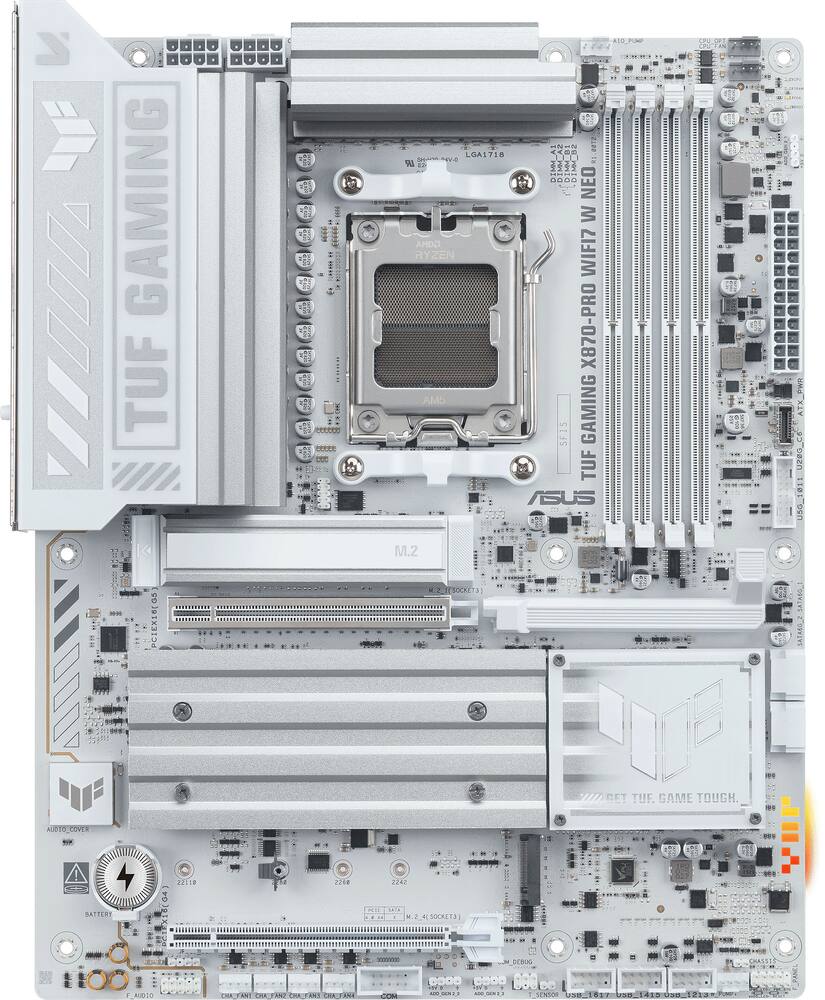
Excellent DIY Bare Bones - I built a monster rig with this thing. I was able to add everything it needs and be up and running FAST. It is a great bare-bones motherboard to start a project on. The Wi-Fi 7 is a noticeable jump from Wi-Fi 6 and using this as a media center PC replacement as well as a NAS controller, it really helps with bandwidth. Also, I really like the white colorway. It's a nice change from some of the other drab black motherboards I have worked with in the past. Gone are the days of needing a specialized service to build your computer. All you need to do now is just snap in components that are form-fitted for this motherboard. I had the whole computer together in less than an hour. I really appreciate the quality that shines through on this mainboard. No shortcuts and I really like that. If you're looking for a mainboard that will last you for years to come and is almost future-proof thanks to Wi-Fi 7, this one stands out among the crowd. The TUF moniker that ASUS is using really sums up this board well.
 20% off
ASUS – TUF GAMING X870-PRO WIFI7 W NEO (Socket AM5) AMD X870 ATX DDR5 Wi-Fi 7 Motherboard – White
SKU: 6677872
$28799
Was $359.99 Save $72.00
Other options in this range
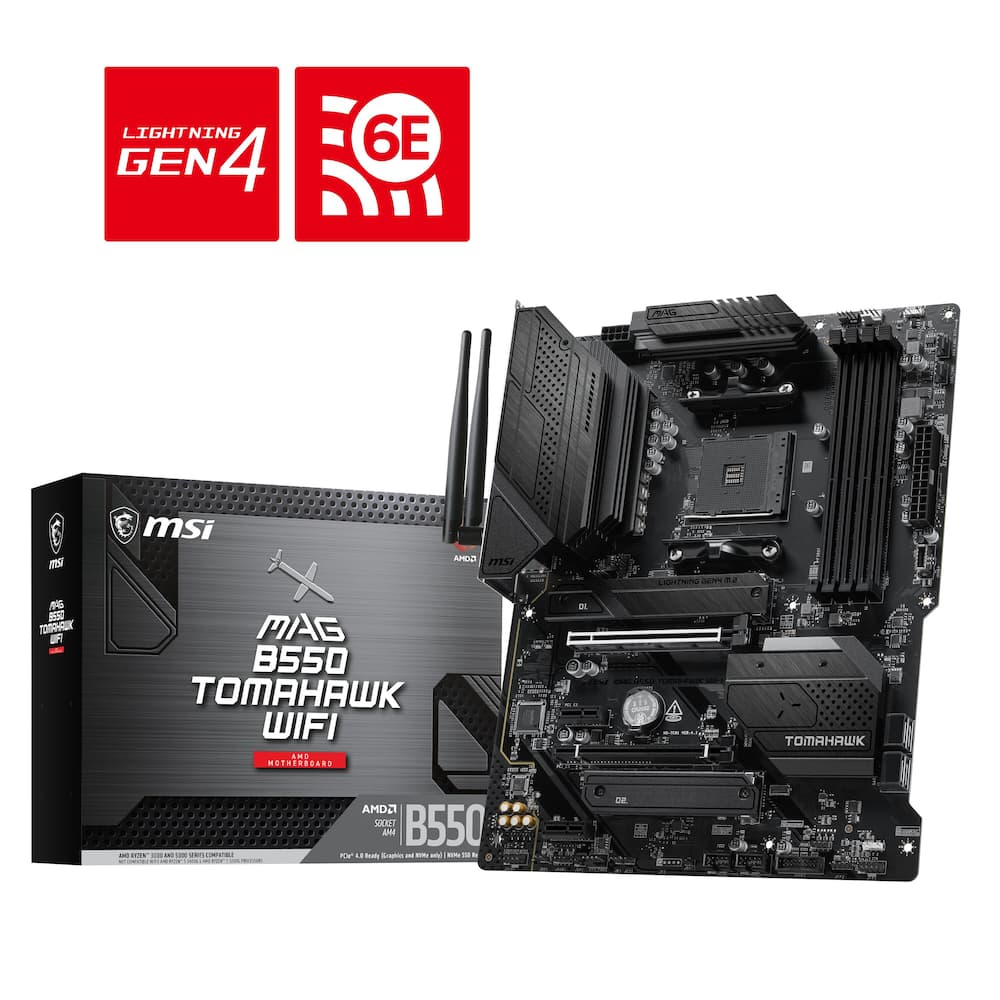 MSI - B550 TOMAHAWK WIFI (Socket AM4) AMD B550 ATX DDR4 Wi-Fi 6E Motherboard - Black Original price was: $149.99.$119.99Current price is: $119.99.
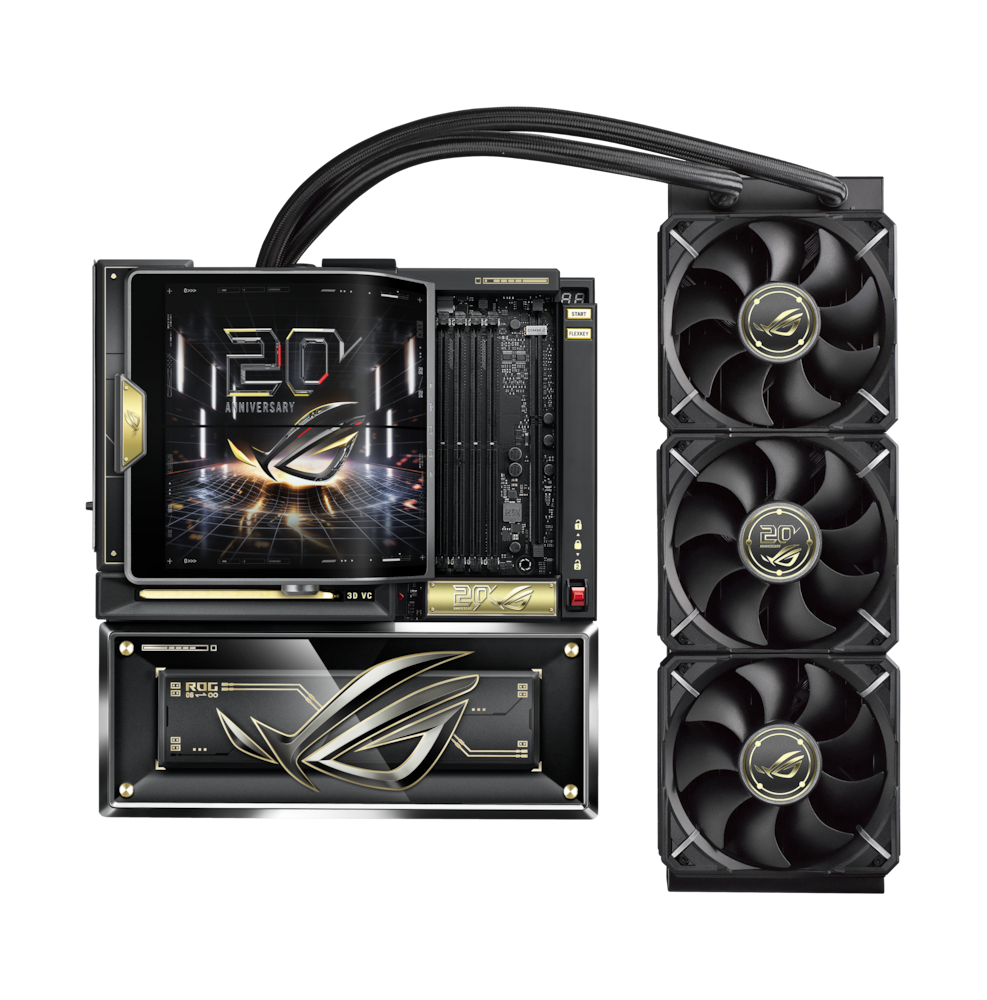 ASUS - ROG CROSSHAIR X870E (Socket AM5) AMD X870 E-ATX DDR5 Wi-Fi 7 Motherboard with Integrated ROG RYUJIN 360 Liquid Cooler - 20th Edition Original price was: $3,299.99.$2,639.99Current price is: $2,639.99.
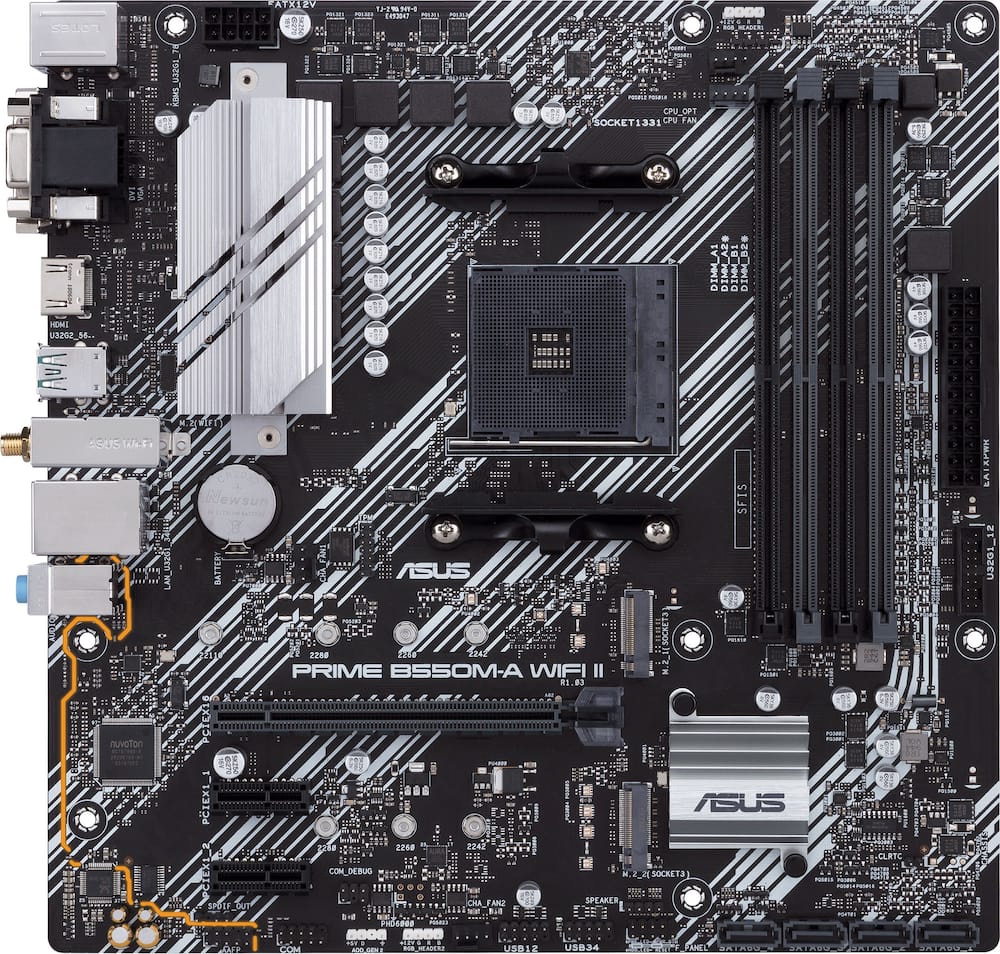 ASUS - PRIME B550M-A WIFI II (Socket AM4) AMD B550 Micro ATX DDR4 Wi-Fi 6 Motherboard - Black Original price was: $119.99.$95.99Current price is: $95.99.
Overview
- Ready for advanced AI PCs
Designed for the future of AI computing, with the power and connectivity needed for demanding AI applications - AMD AM5 Socket
Ready for AMD Ryzen 9000, 8000 and 7000 series desktop processors - Exclusive AI Technologies
AI Cache Boost, ASUS AI Advisor, AI Overclocking, AI Cooling II and AI Networking II for intelligent control - Exclusive Memory Technologies
NitroPath DRAM Technology, DIMM Fit Pro/DIMM Fit and AEMP to simplify setup and improve performance - Robust Power Solution
16(80A)+2(80A)+1(80A) SPS power stage, 8-layer PCB, 8+8 pin ProCool power connectors for stable power delivery - Asynchronous Clock
Greater CPU potential and stability for overclocking - PCIe Lane Optimization
The full bandwidth of the PCIe 5.0 x16 slot and two PCIe 5.0 M.2 slots while the USB4 (40Gbps) ports are not used - Latest M.2 Support
Two onboard PCIe 5.0 M.2 slots, and two PCIe 4.0 M.2 slots - Abundant Connectivity
USB4 (40Gbps) ports, USB 20Gbps Type-C connector with up to 30W PD Fast-charge, three USB 2.0 headers - Ultrafast Networking
Wi-Fi 7 with pre-installed Wi-Fi driver and 5Gb Ethernet - DIY Friendly Design
M.2 Q-Release, M.2 Q-Latch, PCIe Slot Q-Release, Q-Antenna, Q-Dashboard, Clear CMOS button, BIOS FlashBack button - Renowned Software
64MB BIOS and intuitive UEFI BIOS dashboard, ASUS MB Manager, ASUS DriverHub, TurboV Core, ASUS GlideX
Compare similar
Specifications
Capacity & configuration
- Memory Type Supported
- DDR5
- Memory Slot Type
- 288-pin DIMM
Dimensions & weight
- Product Name
- TUF GAMING X870-PRO WIFI7 W NEO (Socket AM5) AMD X870 ATX DDR5 Wi-Fi 7 Motherboard
- Product Length
- 305 millimeters
- Product Width
- 244 millimeters
- Product Weight
- 56.48 ounces
Features
- Brand
- ASUS
- Color
- White
- Chipset
- AMD X870
- Chipset Compatibility
- AMD
- Form Factor
- ATX
- Processor Socket
- Socket AM5 (LGA 1718)
- Processor Compatibility
- AMD Ryzen 9 9000 Series
- Operating System Compatibility
- Windows 11 Pro
- Number of PCI-E Slots
- 2
- Number of M.2 Slots
- 4
- Number Of PCI-E x16 Slots
- 2
- SATA Connector
- 2
- Wireless Connectivity
- Wi-Fi
- Wireless Networking Standard
- Wi-Fi 7
- Wireless Standard
- BE
- USB Ports
- 2 x USB-C 4
- Number of Audio Channels
- 7.1
- Number Of Memory Slots
- 4
- Maximum Memory Supported
- 256 gigabytes
- Memory Format Supported
- UDIMM
- Memory Speeds Supported
- 8600+MT/s(OC)**/8200+MT/s(OC)***, 9600+MT/s(OC)**/9000+MT/s(OC)***, 8000+MT/s(OC)**/8000+MT/s(OC)***, ECC and Non-ECC, Un-buffered DIMM*
- RAID Support
- RAID 0
- Year of Release
- 2026
- UPC
- 199291425248
Power & warranty
- Model Number
- TUF GAMING X870-PRO WIFI7 NEO
- Power Connector
- 1x24 Pin
- Warranty - Parts
- 3 years
- Warranty - Labor
- 3 years
Warranty & protection
See manufacturer documentation.
Register your product with the manufacturer within 30 days of delivery.
Manufacturer warranty claims are handled by the manufacturer. We are happy to help you find the right contact: (888) 419-6820.
Customer reviews
Write a reviewGreat board! - Love this board and goes great with my white pc build :) - no issues - I have other ASUS Mobos and never had any issues with them.
Aesthetics ✔️, ports ✔, performance ✔ it rocks! - I have been looking for an excuse to build another desktop computer for us to have here at home in order to cut down on our usage of “cloud” products. And getting this motherboard was the perfect opportunity to do just that. That said I am sick of all of these companies slapping the the acronym/initials/word AI on everything. It’s sad to say that ASUS has started to do it too. It doesn’t make the motherboard a bad motherboard, it just irks me to no end because everything is now AI when doe instance it was just called ASUS overlocking or ASUS cooling in the past. Anyway, rant over. Initial Impressions Upon unboxing the motherboard, I noticed how beautiful the board itself looks. I love the color scheme, and I love the layout. It is really good-looking, and it's going to look absolutely amazing, I thought to myself. My significant other and my adulf kids thought the same thing. for one of my son's birthday last year, I had helped him to upgrade his amd gaming pc using a competitor's x870 motherboard. While they called that one "white," it was actually more silver and I'm happy to say that this one is indeed truly white, at least to my eyes, and as I said, looks absolutely gorgeous. Installation I've been building computers for over 30 years now, so installation of the motherboard into the computer case was a breeze. It was extremely easy, just like any other board, but it looks absolutely amazing in the case. I am over the moon happy. The included latches or quick releases for the GPU and the M.2 slots are a welcome addition. Being able to easily install and even remove them is great. I cannot tell you how many times I've seen on Reddit that people completely mangle the PCI-E slot or their M.2 slot, or even their M.2 NVMe itself, by trying to force it out. I do not believe that will happen with this board. So hopefully some of those people that tend to do that will get a motherboard such as this with its reinforced PCIE slots, latches and levers to make things easier to remove, etc. And so, I was able to install my AMD 7900 XTX GPU, as well as my three M.2 NVME drives, and was able to boot into Windows within 30 minutes of opening the motherboard packaging. It does help that I had my CPU, the RAM, and all that already disassembled and set aside ready to install. But yeah, it was super easy. While I did install the 7900 XTX and the the 3 M.2 NVME drives, I will ultimately be moving most of those back to my gaming computer once I’ve purchased a couple high VRAM having GPUs to go in this machine to run some local AI Agents and local LLMs. I know it's a little crazy that I just mentioned running AI after complaining about AI previously, but there's a big difference between companies trying to shove AI down our throats and my/our needing to run AI for work purposes. I'm sure most people will understand that. Everyday Usage Because my work laptop, which is a MacBook, stopped working in that it will no longer let me log in to Mac OS anymore after an update a few months ago, I've been using personal laptops and desktops to work from home. I recently upgraded my gaming desktop to 64 GB of DDR5, so I had 32 GB of DDR5 lying around, which I threw into this motherboard. While it may not seem like a lot, it's been enough for what I am using this for right now. There are times I might need more RAM, and I'll look doing just at that when the "RAM apocalypse" is over. For everyday usage of the system, browsing the web, working from home, and playing some games, it did well…exceptionally well really. And it ran cooler than the i9 13900k I have in my gaming desktop . Of course, that thing is a beast, so most things would run cooler than it, but still, the fact that it can run cooler is wonderful compared to the sauna that is my gaming desktop. Final Thoughs So, I'm going to wrap this up. What do I think of this ASUS X870 ATX motherboard? I think it's absolutely phenomenal. I think it will serve me well for years and years to come. It's going to be right at home becoming a server here at the house…well, I should say another server because we already have multiple. I'm actually going to be looking at building another computer for my other son, and I will probably look to get another one of these ASUS X870 motherboards in order to do just that. That's how happy I am with it. And I think you will be too!
Awesome board! - Asus knocks it out of the park again! Packaging was plain and easy to understand. I’ve built tons of machines and this board feels solid, looks great, and feature rich. Little details like PCI latches, M.2 latches, wonderful GUI and incredible documentation/labelling. I installed this with 32gb ram, 8000 series and chip, 2tb nvme ssd, and an AMD graphics card. It booted first try with no tinkering or troubleshooting. If you’re new to PC building, this is a great board to learn on. Mounting holes are properly aligned with no concerns. Plenty of ram slots, heat sinks and headers. USB appears to be incredibly fast, had no way of testing, but appeared to be faster than anything I’d plug into it. Having the board auto over lock was neat to see. Using the AI it has, I was able to get an extra 12% performance depending on the cpu. Overall if you are looking for a solid board that is friendly to new and experienced callers, this board will not let you down. It lives up to the specs that it quotes best I can tell!
The best board I've put in a build in years - I've been building PCs long enough to have real opinions about motherboards, and this one earned a spot on my short list pretty quickly. I paired it with a Ryzen 9 9800X3D and from the first boot it was clear this combination was something special. Stable, fast, and with enough headroom to push things further without the board ever feeling like the limiting factor. If you're on AM5 and serious about your build, this is the kind of foundation that makes everything else easier. The BIOS is where this board really stands out. ASUS has a strong reputation here and this one lives up to it. The layout is logical, EZ Mode gives a clean overview for quick changes, and the Advanced section goes as deep as you'd want without feeling cluttered or inconsistently labeled. Dialing in PBO, adjusting curve optimizer on a per-core basis, tuning memory timings, configuring fan curves, all of it is accessible and well organized. For a chip like the 9800X3D where there's real performance to unlock through careful tuning, a BIOS this capable makes a genuine difference. I spent a solid evening in there after the initial build and came away genuinely enjoying the process rather than fighting it. Power delivery is a strong point too. The 16+2+1 phase design with 80A stages is well matched to the 9800X3D and then some. VRM temps stay low even under sustained workloads, and the board has been completely rock solid since day one. No instability during memory tuning, no issues whatsoever. Connectivity is fully covered. Four M.2 slots with two running PCIe 5.0 means current and next generation SSDs are supported without compromise. USB4 at 40Gbps is on the rear IO alongside a solid mix of USB-A and USB-C, 5Gb ethernet handles a fast wired connection without complaint, and the WiFi 7 implementation holds a fast stable signal at range. Nothing feels like an afterthought here. The white NEO aesthetic is clean and sharp without being overdone. Subtle RGB, substantial heatsinks, and a layout that made the build process straightforward from start to finish. Paired with the 9800X3D this is about as good as an AM5 gaming build gets right now.
Another solid X870 offering from ASUS - Asus has another solid motherboard update with the TUF X879-Pro Neo, featuring better ram support, plenty of connectivity, Wifi 7 and 5gig networking, and updated power delivery. Unboxing this board was straight forward with the antenna, a couple of SATA cables, spare m.2 hardware, and some gamer stickers included as accessories. It is in a beautiful white colorway, the TUF series doesn't have a lot of RGB on the board itself but offers plenty of connectivity for your accessories. Actually the only RGB on the board is a small portion of the right hand edge of the motherboard, with a total of 3 ARGB headers for whatever else you want to add. Working with this motherboard is very easy using the ASUS quick release covers for the m.2 slots, and has a easily accessible release for even the largest GPUs. This board is feature packed has been performing solid and stable, supporting AMD 7000/8000/9000 series CPUs. Updated layout for the RAM traces and BIOS compatibility allows this board to have native support for DDR5 at 8000 MT/s, and higher, depending on your CPU. I didn't have anything that crazy, but had no issues booting with my 6400 MT/s CL32 GSkill RAM. You get PCI 5.0 for your GPU and your first NVMe drive, if you are using a second it will either run at 2x or you will sacrifice speed on your USB-C 40Gbps ports. The chipset gives you an additional 16x PCI-e gen 4 slot, and a ton of connectvity with a total of 10 various USB ports on the back alone, excluding front panel connectivity. Featuring the latest and greatest Wifi7, a 5GB network port, and solid out of the box integrated audio this is a solid all around package. Overclocking support is quite good beyond just enabling XMP in the BIOS. The power delivery is a 16+2+1 design 80A power stages which allows for plenty of overclocking headroom on pretty much every chip that is supported. I am running some pretty standard overclock settings with EXPO enabled for the RAM and PBO setup with a -25 curve and +200 boost threshold with a standard AIO for cooling. If you want to get more fancy, you can dive into ASUS Asynchronous clocking which allows you to continue to increase the BCLK for the CPU cores while maintaining stability with your memory and other components. Memory support seems good, with the current state of RAM I didn't have anything super high speed to test but booted a pretty good kit of GSkill 6400 CL32 DDR5. The BIOS is a dream to navigate in my opinion but ASUS is my preferred motherboard brand so I am pretty familiar with their layout. Overall if you are looking for a motherboard for a white theme build this is a great option that will provide stable performance, higher end X870 chipset, and wide support for memory this is a great foundation to build with. You'll find this board easy to build with and isn't lacking any features your average or even above average users would want.
Great motherboard - This is a great motherboard to help you build your own gaming desktop computer. It comes with a starter guide to help you get started if you have never built a desktop computer. The motherboard includes M. 2 rubber pads, a Wi-Fi antenna, an M. 2 screw, SATA cables, and stickers to decorate your tower. The motherboard itself has several USB-A ports, 2 USB-C ports, 4 memory slots, 2 PCI-E slots, and more. This motherboard supports DDR5 memory and AMD Ryzen 7000, 8000, and 9000 series. I love the color! I think it looks great on a clear tower and even black. It adds a little pizzazz to the look. The starter guide was a great tool to help guide you on what other necessary components are needed to build your gaming laptop. It also provides step-by-step instructions on where to begin and where each part should go. There are also a lot of helpful YouTube videos available as a backup guide. There is a QR code on the starter guide that leads you to the ASUS website, where there is a very helpful video on installing your CPU. It is important that you are very careful when installing the CPU. I would keep the protective cover in case you need to repair your motherboard at some point, but that is up to you. There was a lot of helpful information and guides to help anyone who is a first time builder. This is a great motherboard to use for any first-timers. I would def recommend it to others.
Awesome update for my rig - I’ve been really happy with the ASUS TUF GAMING X870-PRO WIFI7 W NEO so far. I was looking for a good motherboard for an AMD build that would give me plenty of room to upgrade later, and this one checked a lot of the boxes I was looking for. The board feels really well made and sturdy, which is something I appreciate when putting a PC together. I also like that it supports the AM5 platform and DDR5, so I’m working with newer hardware without having to worry about the motherboard holding the rest of the build back. There are also plenty of connections and expansion options, which is nice because I tend to add things to my setup over time. The built-in Wi-Fi 7 is another feature I really like. It’s nice having fast wireless connectivity already included instead of needing to buy a separate adapter. I still prefer using Ethernet when I’m gaming and want the most reliable connection possible, but having Wi-Fi built into the board gives me another option and makes the setup cleaner. Installation was pretty straightforward for me. Everything is laid out in a way that makes sense, and I didn’t have a hard time finding the connections I needed. It’s also nice that ASUS gives you plenty of room to work with when you’re putting everything together. I really like the look of the board too. The TUF Gaming design gives it a gaming feel without going overboard with RGB or making it look like it belongs in only one type of build. Once everything was installed, it looked really good with the rest of my components. Overall, I think this is a great motherboard for someone putting together a newer AMD gaming PC. It has the features I wanted, feels solid, has plenty of connectivity, and gives me room to upgrade later. The Wi-Fi 7 and DDR5 support are nice bonuses, but what I like most is that it feels like a motherboard I can build around and keep for a while instead of something I’ll need to replace when I upgrade other parts.
Solid board for my first build - I used this motherboard for my first-ever PC build, and my experience with it has been excellent. Building a PC for the first time can feel overwhelming, so I wanted a motherboard that offered plenty of features and connection options while also looking great in the finished system. This motherboard delivered exactly what I was hoping for. One of my favorite things about this board is its wide variety of ports, internal headers, and expansion options. I was able to connect multiple case fans, install an AIO liquid cooler, and add other accessories without feeling limited by the available connections. Having plenty of places to connect and control these components made it easier to create the cooling and accessory setup I wanted for my build. It also gives me flexibility if I decide to expand or change the system later. The motherboard also allowed me to install 64GB of DDR5 RAM, giving my first build plenty of memory for my needs. Combined with the built-in Wi-Fi 7 and the generous selection of external ports, the board feels modern, versatile, and well equipped for both my current setup and possible future upgrades. The white finish was another major highlight for me. It gives the motherboard a clean, distinctive appearance and looks amazing as part of my completed build. Since this was my first PC, seeing all the components come together was especially rewarding, and the motherboard’s design made the finished result look even better than I had imagined. Overall, I am extremely happy with the ASUS TUF GAMING X870-PRO WIFI7 W NEO. It combines an attractive white design with the connections, memory support, and features I wanted. Based on my personal experience using it in my first build, I would give it five stars.
Feature Heavy Motherboard - SETUP The setup was pretty simple, but if you build computers, it is basically plug-and-play with the components. The boot-up process was successful, and the BIOS update was about as simple as you can get nowadays. It is tough to grade setup because prior building experience makes this much easier than it would be for a first-time PC builder. For someone who has built PCs before, the board is easy enough to work with. For a beginner, there are still a lot of headers, connections, slots, and BIOS settings to understand. Overall, the setup went smoothly and did not create unnecessary issues. BUILD The white design is awesome and goes perfectly with the white theme I wanted. I appreciate the detail in the heatsinks, heat shields, and logo being white to match the board. It gives the build a cleaner and more premium look. The board does not display any flex when handled, and it feels as sturdy as most premium boards. The heatsinks feel solid, the reinforced areas feel well made, and nothing about the board feels cheap. It feels like a premium board in all aspects. The design, weight, layout, and overall finish make it feel like something built for a higher-end gaming setup. BIOS The BIOS was pretty easy to use, and the AI-assisted features make it more convenient to optimize settings without having to manually adjust everything yourself. The board includes AI Cache Boost, ASUS AI Advisor, AI Overclocking, AI Cooling II, and AI Networking II. These tools make it easier to adjust performance, cooling, and network settings without needing to be an expert in every part of the BIOS. I like that ASUS gives you the option to tinker if you want, but also makes the process approachable if you want the system to help optimize itself. It made it easy to dial in settings and performance without feeling overly complicated. PERFORMANCE I experienced stable performance, but a lot of that also comes from using quality parts and properly handling the CPU, GPU, RAM, and storage during installation. If you handle those parts responsibly and install everything correctly, the board gives you a solid foundation. My system booted successfully, updated properly, and has had stable and efficient performance since day one. The board supports AMD Ryzen 9000, 8000, and 7000 series AM5 processors, DDR5 memory, PCIe 5.0, and enough modern features to make it feel ready for current and future builds. It feels fast, responsive, and reliable in normal use and gaming. CONNECTIVITY The Bluetooth connection has been stable. Even when using headphones and walking away from the PC, I did not experience signal loss. The Wi-Fi 7 is also very fast, and fortunately my Wi-Fi hub/modem supports those speeds, so I can take advantage of the newer wireless standard. This is one of those features that makes the board feel more future-ready, especially as more routers and devices move toward Wi-Fi 7. STORAGE There is plenty of room for storage expansion. The board supports multiple M.2 drives, including two PCIe 5.0 M.2 slots and two PCIe 4.0 M.2 slots, which gives you flexibility for fast storage now and future upgrades later. You do have to pay attention to bandwidth sharing depending on what slots and ports you use. According to ASUS, the PCIe 5.0 x16 graphics slot and the two PCIe 5.0 M.2 slots can run at full bandwidth when the USB4 40Gbps ports are not in use. Also, the PCIe 4.0 x16 expansion slot shares bandwidth with the M.2_4 slot. That is not a dealbreaker, but it is something you should know before installing multiple drives or expansion cards. If you are building a higher-end PC, it is worth checking the manual so you use the right slots for your setup. SOFTWARE Armoury Crate was not difficult to use. I routinely use it to update software, adjust settings, synchronize RGB devices, and tinker with AI boost options. I know some people do not like motherboard software, but for me, Armoury Crate has been useful enough. It gives you a central place to manage updates and settings without having to search around for every driver or utility separately. It is not perfect, but it does what I need it to do. NEGATIVE I have been fortunate enough not to encounter a real negative with this board. My PC boots up, updates properly, and has had very stable and efficient performance since day one. If I had to point out one thing, it would be that a board with this many features can be a little overwhelming for a first-time builder. There are a lot of options, AI tools, slots, and settings to understand. Take your time and read the manual if you are new to building PCs. OVERALL This is a great motherboard for a PC enthusiast who wants the latest tech, a clean white design, and room for future upgrades. I would recommend it to someone building a higher-end AM5 gaming PC who wants a stable board with latest technology and future upgrade flexibility. It may be more than a first-time builder needs, but for someone who wants a board that looks great, performs well, and has plenty of room to grow, this is a strong option.
Excellent board for a high end AM5 build - I installed the ASUS TUF GAMING X870-PRO WIFI7 W NEO as the foundation for my latest PC build, and after completing the build and spending time with the finished system, this motherboard has been one of the components I’m happiest with. My build uses a Ryzen 9 7900X, 64GB of Corsair Vengeance DDR5, an ASUS TUF RTX 5070 OC 12GB, Corsair 360mm liquid cooling, and multiple WD NVMe drives. I wanted a motherboard that could comfortably handle those components without boxing me in when it comes time to upgrade, and the X870-PRO has been a great fit. The first thing that stands out is the appearance. The white and silver design looks much better in person than I expected. It isn’t completely white, which I actually prefer because it blends well with both white and black components. In a case with a glass side panel, it gives the build a clean look without making everything feel overly matched. Installation was also one of the better experiences I’ve had with a motherboard. ASUS put some thought into the little things that become important once you actually start building. The M.2 Q-Latch and Q-Release features are genuinely useful when installing SSDs, and the PCIe Slot Q-Release makes dealing with a large graphics card much less frustrating. With a 360mm AIO, multiple fans, RGB and several other connections going into the system, I also appreciated having a good selection of headers available. Storage expansion is excellent. There are four M.2 slots, including two PCIe 5.0 x4 slots and two PCIe 4.0 x4 slots. I’m currently using my WD NVMe drives, but having that additional capacity means I can expand storage later without immediately having to rethink the build. The connectivity was another big reason this board made sense for me. It has Wi-Fi 7, 5Gb Ethernet and two rear USB4 40Gbps Type-C ports, along with plenty of additional USB connectivity. There’s also a front USB-C 20Gbps connection with up to 30W Power Delivery support. That’s the type of feature set I wanted because I plan on keeping this build for a while rather than replacing the motherboard every time I upgrade another component. The BIOS has a lot available without making basic setup unnecessarily difficult. ASUS includes BIOS FlashBack and Clear CMOS buttons on the rear I/O, which are two features I would rather have and never need than wish I had when troubleshooting. There is also plenty here for someone who wants to get deeper into memory tuning, cooling or overclocking later. Power delivery is another area where this board is considerably more capable than what my Ryzen 9 7900X actually requires. It uses a 16+2+1 design with 80A power stages and substantial VRM cooling. For me, that extra capacity is less about trying to push the 7900X to its limit and more about having a motherboard that shouldn’t become the limiting factor if I eventually move to a newer, higher-end AM5 processor. One thing I would tell anyone considering this board is to look at the PCIe lane configuration before filling every expansion and M.2 slot. With a board this expandable, how bandwidth is allocated can change depending on which slots and high-speed features you’re using. It isn’t something that has taken away from my experience, but it is worth planning your storage and expansion layout instead of assuming every slot can always operate at maximum bandwidth simultaneously. After completing the build, what I like most is that I really don’t have to think about the motherboard anymore. Everything I wanted is there: strong power delivery, DDR5, PCIe 5.0 graphics support, plenty of NVMe expansion, Wi-Fi 7, 5Gb Ethernet, USB4 and enough cooling and fan connectivity for a fairly elaborate build. It also leaves me considerably more upgrade room than I need today. This isn’t the motherboard I would recommend to someone putting together a basic or budget PC because they would be paying for features they may never use. For a higher-end AM5 build, though, especially one with multiple NVMe drives, a powerful GPU and plans for future upgrades, I think the X870-PRO WIFI7 W NEO makes a lot of sense. After building my system around it and using the completed PC, I’d choose this board again.
Amazing motherboard that exceeds my wants & needs - The ASUS TUF GAMING X870-PRO is a great upgrade of a motherboard designed for AMD AM5 platform that performs amazingly great. It offers great performance and also durability, made for both personal and professionals. And when it comes to my needs, it exceeds my wants as well as my needs because I edit videos and photos. Starting with the AMD X870 Chipset that provides plenty of power and supportsup to 256GB of DDR5 memory with speeds up to 9600 MT/s when overclocked. It also includes expansion slots that i do need since i do plenty of editing and having external drives is a must. I really like its connectivity including Thunderbolt 4, Wi-Fi 7, and different USB ports for reliable connectivity. This motherboard looks and feels premium, build to last for many years to come. And once I've added fans and memory with RGB it looks even better. I think that this motherboard will last me more than enough, it offers everything I want and need. It also offers a superior features and it looks great. It is also ready for advanced AI tuning technologies. Everyone compliments on my build with this amazing motherboard as a starting point.
Another solid Motherboard. - Been a Fan of Asus motherboards, most of my home boxes use it, including a few servers so I'm familar and comfortable with them. All white you can definitely make a great show case if you have a fishbowl case. My use case is a virtualization server, espeically since this can handle 256GB of DDR5 RAM. Though at current prices not goiing to happen in the near term, but stoked for later to upgrade them. Also the fact it has two USB4 ports, 40gpbs which is awesome as you can extend storage using a USB4 Direct attach storage which makes for great long term storage or media, without taking internal support. Additionally you can add 4 M.2 Drives and 2 sata drives. To get the most out of this highly recommend using a 9000 series chip. Only oddity is the ethernet port the 5gpbs is a bit odd since you don't really find 5gpbs switches, and if you do have a 10gpbs switch or with ports hopefully it supports this speed. Additionally they support wi-fi7 but I haven't tested beyond it works with a decent quick attach antenna which is awesome. This is a very DIY freindly build, and was easy to build my small virtualization server. Now the BIOS does have options for Overclocking, and flexability for that, I didn't take advantage as I didn't need it, but a nice feature to drive additional performance if you want to. Additionally the Quick Release slot for Graphics cards is really nice, as these newer large cards are very hard to get out, but they made it easy. Which is a huge win. So if you want to build a computer on the AM5 platform and you want to make a fancy one that looks different then the usual black highly recommend this.
It's WORTH it - This took me a while to get installed because this motherboard required me to get a ATX mid-tower or full-tower PC case and also a DDR5 RAM kit, I learned later that I also needed standard ATX power supply because of the CPU and GPU I settled on. But that's why I took it to Best Buy. I was so tired after work and I trust my guys at geek squad. They've been taking care of my PCS for like the last 10 years and we have a very strict open line of communication and they knew who they were dealing with the kind of cadillac computer I like. So we ended up choosing NVIDIA GeForce RTX 4090 for my GPU and Ryzen 9 9950X3D for the CPU. Now after finding a refurbished GeForce, that I did not like or want to use but dealt with and another $700 for the CPU, it all turned out to be worth it. I'm running six screens doing homework and I'm watching college football. This all got taken care of at a very opportunistic kind. Simply put this motherboard is built to last and can hold the absolute best. I bought the best for me but to let everybody know any GPU and CPU below this is worthy. But why would you want to when you can have the world's greatest PC. This motherboard is highly recommended and if you're still reading this and that purchasing it, you're doing something wrong. I highly recommend to everyone but be ready to pay.
Everything almost anyone will need for a build - The X870 line is the top dog for Ryzen processors right now. There’s an X870E board with two chipsets, but for the vast majority of people, it’s overkill unless you plan on filling all of your hard drive slots and need a 2nd card for video capture along with high end audio hardware and so on. I built my gaming PC with the following hardware: This motherboard AMD Ryzen 5 9600X Corsair 32GB DDR5 6400 1TB Sandisk Optimus Power Color RX9070GRE Reaper 12GB Liquid cooler 360 Lian Li case and PSU It’s my first PC build since i7-11700k, 32GB, and a 1650 Ti so I’m obviously upgrading with a huge jump. Building with this motherboard was as easy as any other. Layout makes sense, it looks pretty in my case, and everything worked first boot with no need to fiddle around in bios. I’ll get to tinkering later but I was blown away by the fact that my Xbox games look infinitely smoother and better on this setup! Expedition 33 was so smooth and high fidelity out of the box that it felt like a different game. Having USB 4 controller and a high end system soul is important; I always ensure I buy the best motherboard during any given generation so I can expand on the system in the future. It’s obviously a painful time to be buying computer hardware but luckily motherboards and cpus don’t seem *too* affected. 32GB of RAM for $500 and $200/TB for quality SSD is terrible but you have to pay for the good stuff I guess. I know my build is future proof and I still have room to get a better CPU, better GPU (when/if prices come back to earth), and all of the expand ability available to the market right now.
A Mature X870 Design, Refined in White - I came to the ASUS TUF Gaming X870-Pro WiFi7 W Neo with an unusually close point of comparison: I already use the black X870-Plus WiFi in another system. That board has served as a strong foundation, and the new Pro version follows much of the same formula rather than attempting to replace it with something radically different. That is not a criticism of how this board is equipped. ASUS started with an already mature X870 design and refined it with faster wired networking, updated memory support, more thoughtful PCIe lane allocation, several welcome maintenance features, and a dramatically different appearance. For someone building a new AM5 system today, those changes make this the more polished of the two boards. The white design is naturally the first thing that stands out. This is not a black motherboard with a couple of silver covers added as an afterthought. The light PCB, substantial silver and white heatsinks, matching I/O shroud, and restrained TUF graphics give it a cohesive appearance. White components often vary enough in tone to look mismatched when assembled, but this board provides a strong visual anchor around which the rest of a build can be coordinated. Appearance alone may not justify rebuilding an existing computer, but it can absolutely influence which motherboard someone chooses when starting from scratch. Underneath that finish is a thoroughly equipped AM5 platform. ASUS lists support for Ryzen 7000, 8000, and 9000-series processors, backed by a 16+2+1 arrangement of 80-amp power stages. Four DDR5 slots support up to 256GB, while NitroPath memory technology, DIMM Fit, and ASUS’s memory-profile tools provide additional flexibility for builders interested in faster memory configurations. As always, achievable memory speeds will depend heavily on the processor, memory kit, and number of modules installed. Storage remains centered on M.2 drives. There are four M.2 slots in total, including two PCIe 5.0 slots and two PCIe 4.0 slots, with heatsink coverage for three of them. Only two SATA ports are provided. That would have felt restrictive to me several years ago, but it now seems more like a compatibility consideration than a major design flaw. A new system can easily be built entirely around M.2 storage, although anyone transferring several older SATA drives should plan accordingly. One of the quieter improvements is the way the board distributes its PCIe lanes. On the earlier X870-Plus, using the second CPU-connected M.2 slot reduced the primary graphics slot from x16 to x8. The Pro shifts that tradeoff away from the graphics slot: the second PCIe 5.0 M.2 slot instead shares bandwidth with the USB4 controller. It operates at x2 while USB4 remains available or can be changed to x4 in the BIOS at the cost of disabling the USB4 ports. There is still a compromise, but I prefer having that choice without automatically reducing the primary GPU connection. Anyone planning to populate every expansion and M.2 slot should still study the lane-sharing table in the manual. Connectivity is another strong point. The wired network connection has been upgraded from 2.5Gb to 5Gb Ethernet, while Wi-Fi 7 and Bluetooth 5.4 cover wireless duties. The rear panel provides ten USB ports, including two 40Gbps USB4 Type-C connections. Internally, there is a 20Gbps front Type-C connector with up to 30-watt Power Delivery and three USB 2.0 headers. That third internal USB header is easy to overlook, but it can be genuinely useful once an AIO controller, lighting hub, and other internal accessories begin competing for connections. ASUS also continues to do a good job with the physical details that make building and maintaining a system less aggravating. The primary M.2 heatsink can be released without fighting a tiny screw, the SSDs use Q-Latches, and the primary PCIe slot has a release mechanism that is much easier to reach around a large graphics card. Diagnostic Q-LEDs help narrow down startup problems, while BIOS FlashBack and a dedicated Clear CMOS button are both accessible from the rear panel. These are not glamorous specifications, but they are often the features a builder appreciates most when something needs to be installed, changed, or troubleshot later. The honest limitation is that this is a refinement of an existing platform, not a compelling reason for most current X870 owners to tear apart a working computer. Much of its underlying capability will feel familiar to anyone who already has a well-equipped AM5 motherboard. Its case is considerably stronger for someone assembling a new system, especially a white one, or someone who can directly benefit from 5Gb Ethernet, the revised lane arrangement, and the additional serviceability features. ASUS has not reinvented X870 here. It has taken an already capable design and finished the idea more cleanly. The result may not be an essential upgrade from the X870-Plus, but between the two, this is the board I would choose for a new build.
Great motherboard for simple built. - I previously just built a PC so swapping out the Mother was straight forward. I have a nice glass tower and have an AMD Ryzen 5 - 9600 - 6 core processor to install in this ASUS - TUF GAMING X870-PRO WIFI7 W NEO (Socket AM5) AMD X870 ATX DDR5 Wi-Fi 7 Motherboard - White Out of the box the Asus TUF was nicely packed. No damage from shipper. I swapped out the CPU and then landing the board on the ATX Tower no issues. Since I had a previous Asus mother the mounts were identical. Previously on my first motherboard install I ran into a few challenges with plugging everything in because the tower I had blocked several of the pin connectors for fans and RGB lighting as the bottom. So this time no issues. After that I buttoned up the tower fired it up and had to reconfigure CPU with boot sequence. I ran with a strix video graphics card. I then let my kid play his games and then I took over and played my harder graphics game. It held up just fine. I would recommend this product if you are in the market to build a PC on your own. Note. It will cost you a a bit more depending on your build but if that is a hobby or a want this is the way to go for sure..
this is all you need for a great build - If youre planning on being a high end gaming PC this I think you should deffinetly check out ASUS TUF Gaming X870 Pro. Supports PCle 5.0, Four M.2 slots, Wifi7, 5Gb enternet, USB4 and the look that you love coming from TUF gaming, with great connectivity and easy installion I would say this motherboard is perfect for your high end build. DEVICE & FEATURES: What I have here is X870 Pro with AM5 socket that support AMD Ryzen 7000 all the way to current 9000 series. 16+2+1 power design VRM with 80A stages. ASUS also gives the VRMs large heatsinks that’s perfect for crazy temperatures to keep them under control during demanding gaming or work sessions. I just love how it has four M.2 slots, wit two of them supporting PCle 5.0 x4 and two PCle 4.0, that’s a lot of head room for multiple NVME drives, I had 3 so now I have another slot to fill up for more space and I love it. ASUS TUF also equipped this with WIFI 7 and 5Gb ethernet, it’s a modern MOBO so it requires Modern features. Theres multiple USB plug in a the rear ranging from USB4 40Gps Type C ports and USB with 10Gbps and 5Gbps ports. This comes with ASUS Q design including M.2 Q release, Q latch, PCle Slot Q release, Q antenna, BIOS Flashback and Clear CMOS button, which make installing and upgrading hardware easier. EXPERIENCE: So far I just feel like this board is deffinetly design with long gaming sessions in mind. The Board feels balance, the power delivery is more than capable for you build. My favorite thing about this board is having more access for M.2 slots which I think it’s a major advantage. Its future proof with having two PCle 5.0. the bad thing the second PCle 5.0 M.2 slot is a shared bandwidth with the rear USB4, so this really going to depends the way you configure the BIOS, so if you use the full x4 bandwith it can disable the rear USB4 ports. Honestly is not a huge issue if youre not planning on plugging tons of things at back but this issue does not effect my experience. Performance wise X870 Pro has no problem pairing with my 9800X3D CPU, also they have redesign the BIOS experience for user it was needed a refresh and thank god that ASUS made it cleaner and just easier to navigate to. Audio is also better than what youd normaly expect from a basic motherboard. What we have here is ASUS decided to use Realtek ALC1220P codec. With 120 dB stereo line-out SNR and impedance sensing for headphones. This hands down the best high end motherboard I have ever owned. CONCLUSION: ASUS TUF GAMING X870 PRO is one excellent Motherboard to consider, its high end it has the power you will need to handle demanding Ryzen CPU, plenty of M.2 storage and ports, Wifi 7, 5Gb ethernet, good onboard audio and just a solid feature that someone with high end PC build is looking for. Not much negative thing I could say about this motherboard, it supports AM5 in long term everything im looking is here plus more. I just feel like it’s a well balance motherboard to own.
Fast, Well-Built Board with a Few Things to Know - The ASUS TUF Gaming X870-PRO WIFI7 W NEO has been a great foundation for my build. It has a solid, stable design, looks excellent, and was easy to install. Performance has been super fast, and I have had no DRAM issues while experimenting with overclocking and memory tuning. The board has a strong feature set, including Wi-Fi 7, 5Gb Ethernet, PCIe 5.0 support, multiple M.2 slots, USB4, and robust power delivery. The cooling and heatsinks also feel well designed, making it a good match for a high-performance Ryzen gaming or productivity system. I especially like the clean white-and-silver appearance, which works well in a lighter-themed build. My main disappointment is the onboard audio connectivity. I wish it provided the optical fiber connection I used for my soundbar. If you rely on optical audio, be sure to verify your connection options or plan to use an adapter, sound card, HDMI audio, or USB audio solution. I also experienced occasional boot issues when I first set up the system. A BIOS update resolved the problem, and it has been reliable since then. As with many newer AM5 platforms, updating the BIOS and carefully checking memory compatibility is worthwhile before troubleshooting further. One other thing to be aware of is that some high-speed storage and connectivity features may share bandwidth, so check the manual if you plan to populate every M.2 slot while also using USB4. That is not a problem for my setup, but it could matter for a more demanding build. Overall, this is a fast, attractive, and capable motherboard with excellent connectivity and strong overclocking support. Just check the audio outputs, review the storage lane-sharing details, and update the BIOS during setup. With those considerations in mind, I am very happy with the board.
Powerhouse motherboard that's easy to build around - When ASUS puts their minds to building a high-end motherboard, there aren't that many out there who can top them. And this motherboard is a great example of that high-end, even if the name (TUF Gaming X870-Pro WIFI7 W Neo) is a bit of a mouthful. Behind the name, this is a top notch full-sized ATX board that is meant for those seeking great performance and connectivity...and a whole lot of storage. The white color of the board is a nice touch that fits well with the plethora of white case options for a light colored build. Building around the board was quite easy with the standard AM5 socket retention bracket and cooling mount (which is of course removable if you use a cooler that requires a backplate). The four memory slots are also fairly standard and the power and front panel connections are where you would expect them (including both USB-A 5Gbps and USB-C 20Gbps options). You do get a LOT of M.2 slots (with 4 total on the front of the board, including three with built-in heat sinks. Note that only two of these are PCIe 5.0, the other two are 4.0 which is fine for bulk storage and most use cases. Due to the large number of M.2 / SSD slots, you do only get 2 expansion slots - 1 PCIe 5.0 x16 and 1 PCIe 4.0 which is x4 but in an x16 slot size. This is generally fine as most people will use a GPU in one and likely nothing in the other unless you need faster networking or some other specialized card. Back panel connectivity is strong with 2x USB 4.0 / 40Gbps USB-C ports, and 8x USB-A ports ranging from USB 2.0 to 10Gbps. You get HDMI out for those using an APU vs a GPU, 5Gbps ethernet, connection points for the WiFi 7 antena and the standard audio jacks. In my testing, the motherboard not only was easy to build on, but easy to get up and running as well with the latest drivers and software. The software enables a lot of "AI" features that help with everything from basics to boost networking and such to advanced features that heavily optimize performance to your preferences. Once you're up and running the board is stable and generally just works - which is really what you want from a motherboard. So if you're looking for a board to build your next AMD centric PC around, this is a solid option from a great name in the industry. Give it a try today!
Questions & answers
Ask a question
Email [email protected] or call (888) 419-6820 during business hours.
Add your review