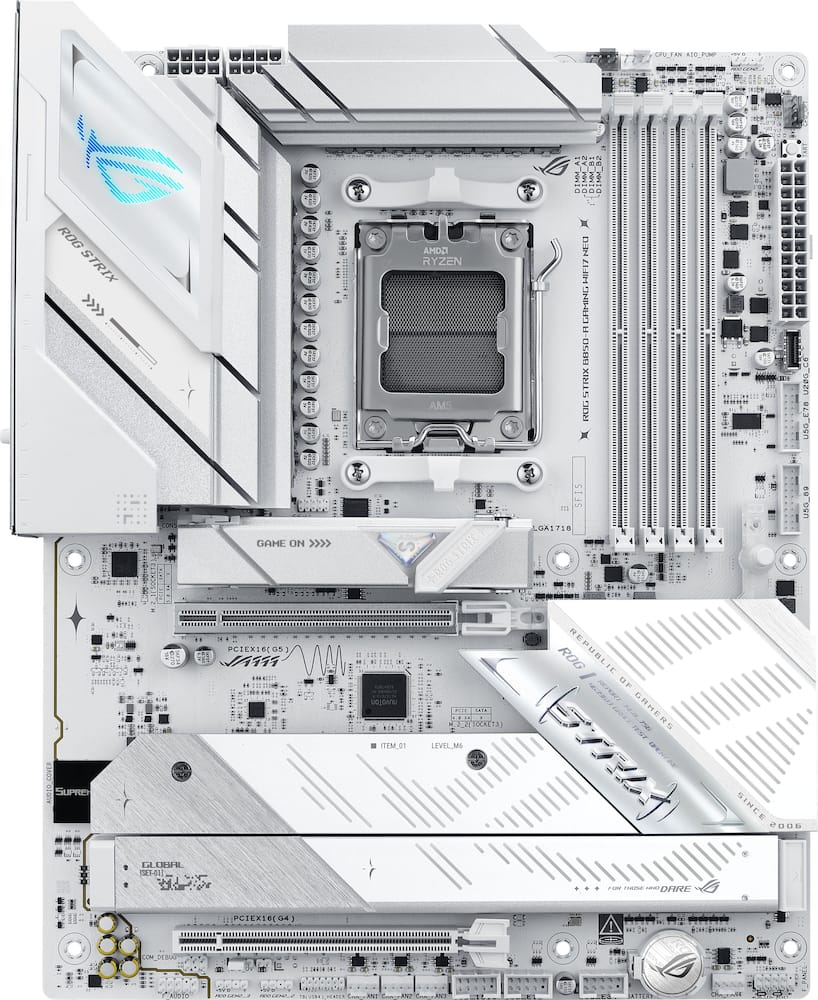
Gamers rejoicr - I have been able to spend sometime with my Asus ROG STRIX B850 motherboard. Straight of a box you can tell the motherboard is quality. Comes with Wi-Fi antennas a few white cables and I think they always find cool. Is they give you a ROG keychain. The look of it is robust yet clean and I love it it my PC. This thing has so many M.2 slots. Every time I turn around there are more. I slotted in my devices very easily. There is a lot of no tool locking mechanisms that make it super easy to build in it. Even where the GPU slots in it has a button to release it. I am also a huge fan of Asus. I enjoy using their bios as well as their armory crate software. This thing booted up first try no issues and I know I’ve had my fair issues with other motherboards. Also, it has the bios USB, the bios flash and everything you would ever need once I got into the ASUS software I was able to change my RGB settings and man is so much easier to use this software than any other software. Was also able to set my ram over clocks and initial set up things very easily. Speaking of RGB it does have RGB on it, which adds to the coolness. I’m a gamer and this thing has gamer written all over it and also it has ease of use which makes it a 10 out of 10 for me.
 20% off
ASUS – ROG STRIX B850-A GAMING WIFI7 NEO (Socket AM5) AMD B850 ATX DDR5 Wi-Fi 7 Motherboard – White
SKU: 6677871
$23999
Was $299.99 Save $60.00
Other options in this range
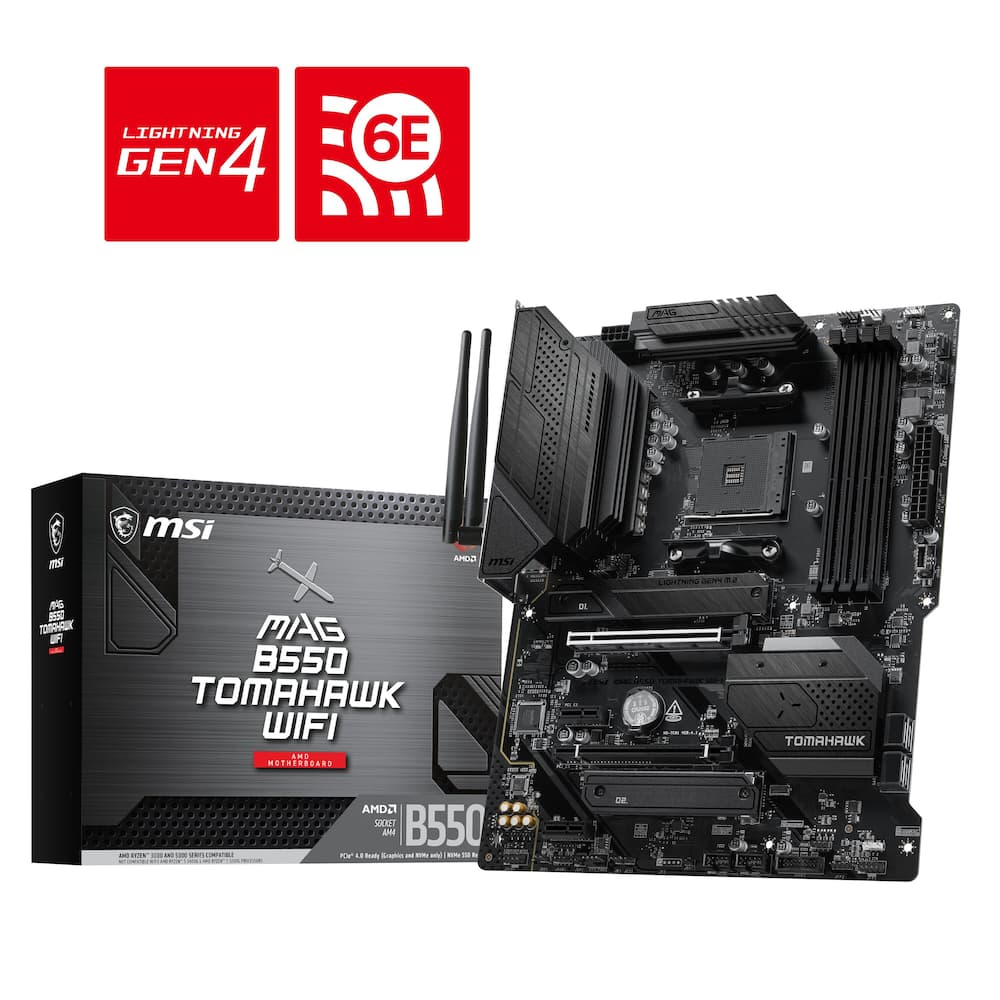 MSI - B550 TOMAHAWK WIFI (Socket AM4) AMD B550 ATX DDR4 Wi-Fi 6E Motherboard - Black Original price was: $149.99.$119.99Current price is: $119.99.
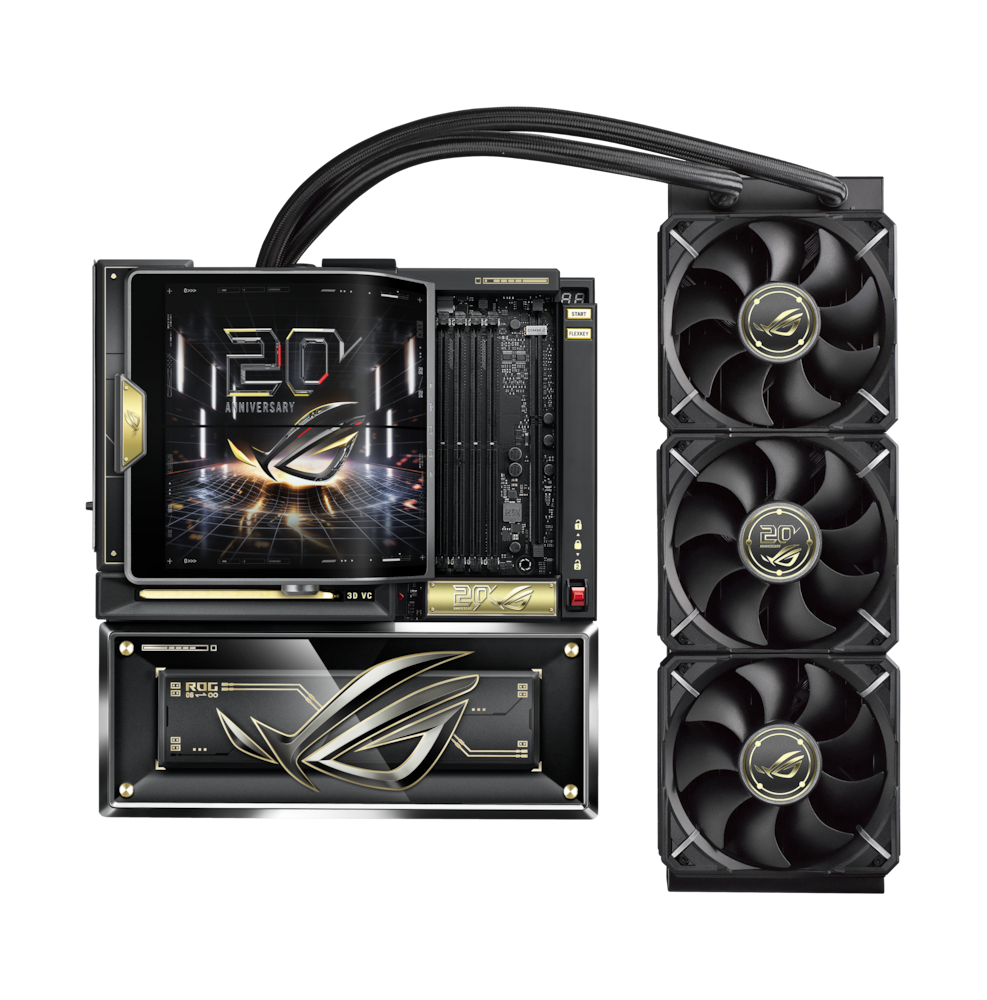 ASUS - ROG CROSSHAIR X870E (Socket AM5) AMD X870 E-ATX DDR5 Wi-Fi 7 Motherboard with Integrated ROG RYUJIN 360 Liquid Cooler - 20th Edition Original price was: $3,299.99.$2,639.99Current price is: $2,639.99.
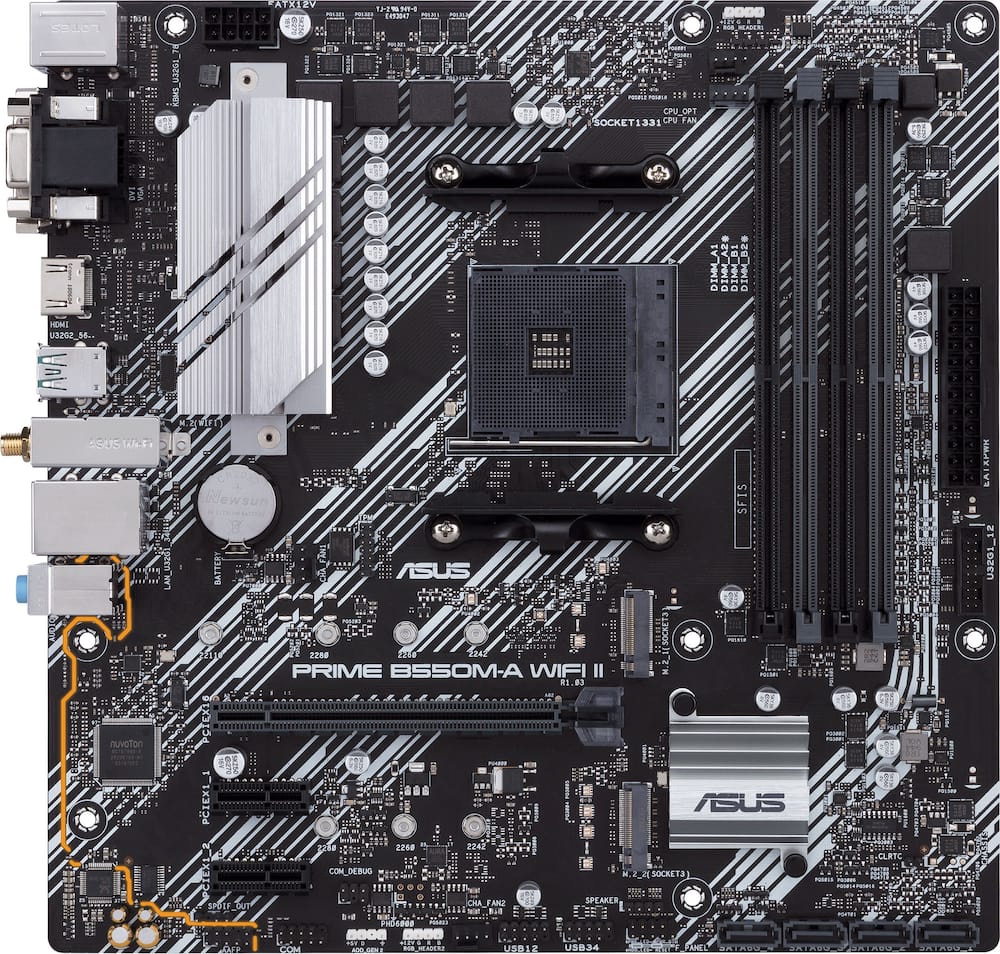 ASUS - PRIME B550M-A WIFI II (Socket AM4) AMD B550 Micro ATX DDR4 Wi-Fi 6 Motherboard - Black Original price was: $119.99.$95.99Current price is: $95.99.
Overview
- Ready for Advanced AI PCs
Designed for the future of AI computing, with the power and connectivity needed for demanding AI applications - AMD AM5 Socket
Ready for AMD Ryzen 9000, 8000 and 7000 series desktop processors - Intelligent Control
ASUS AI Advisor, AI Cache Boost, AI Networking II, AI Cooling II and AEMP to simplify setup and improve performance - Robust Power Solution
14+2+2 power solution rated for 80A per stage with an 8+8-pin ProCool power connector, high-quality alloy chokes and durable capacitors to support multi-core processors - Optimized Thermal Design
Massive heatsinks bridged to the VRMs with high-conductivity thermal pads and an integrated I/O cover - Latest M.2 Support
One PCIe 5.0 M.2 slot and three PCIe 4.0 M.2 slots - Abundant Connectivity
USB 20Gbps Type-C front-panel connector, two 5Gbps headers, three USB 2.0 headers, PCIe 5.0 x16 SafeSlot, HDMI port - High-Performance Networking
On-board Wi-Fi 7 (802.11be) with Realtek 5Gb Ethernet - DIY Friendly Design
PCIe Slot Q-Release, M.2 Q-Latch, M.2 Q-Release, M.2 Q-Slide, Q-Antenna, Q-Dashboard, Q-DIMM, Q-LED, BIOS FlashBack button, Clear CMOS button and pre-mounted I/O shield - Immersive Audio
ROG SupremeFX 7.1 Surround Sound High Definition Audio CODEC ALC4080 with Savitech SV3H712 amplifier - Unmatched Personalization
ASUS-exclusive Aura Sync RGB lighting, including three addressable Gen 2 headers - Renowned Software
ROG CPU-Z, Dolby Atmos, Armoury Crate, ASUS DriverHub, ASUS MB Manager, TurboV Core, ASUS GlideX, HWiNFO, intuitive UEFI BIOS dashboard
Compare similar
Specifications
Capacity & configuration
- Memory Type Supported
- DDR5
- Memory Slot Type
- 288-pin DIMM
Dimensions & weight
- Product Name
- ROG STRIX B850-A GAMING WIFI7 NEO (Socket AM5) AMD B850 ATX DDR5 Wi-Fi 7 Motherboard
- Product Length
- 305 millimeters
- Product Width
- 244 millimeters
- Product Weight
- 55.36 ounces
Features
- Brand
- ASUS
- Color
- White
- Chipset
- AMD B850
- Chipset Compatibility
- AMD
- Form Factor
- ATX
- Processor Socket
- Socket AM5 (LGA 1718)
- Processor Compatibility
- AMD Ryzen 9 9000 Series
- Operating System Compatibility
- Windows 11 Pro
- Number of PCI-E Slots
- 2
- Number of M.2 Slots
- 4
- Number Of PCI-E x16 Slots
- 2
- SATA Connector
- 2
- Wireless Connectivity
- Wi-Fi
- Wireless Networking Standard
- Wi-Fi 7
- Wireless Standard
- BE
- USB Ports
- 3 x USB-C 3.2
- Number of Audio Channels
- 7.1
- Number Of Memory Slots
- 4
- Maximum Memory Supported
- 256 gigabytes
- Memory Format Supported
- UDIMM
- Memory Speeds Supported
- 8400+MT/s(OC)**/8200+MT/s(OC)***, 9000+MT/s(OC)**/8600+MT/s(OC)***, 8000+MT/s(OC)**/8000+MT/s(OC)***, ECC and Non-ECC, Un-buffered DIMM*
- RAID Support
- RAID 0
- Year of Release
- 2026
- UPC
- 199291446519
Power & warranty
- Model Number
- ROG STRIX B850-A GAMING W7 NEO
- Power Connector
- 1x24 Pin
- Warranty - Parts
- 3 years
- Warranty - Labor
- 3 years
Warranty & protection
See manufacturer documentation.
Register your product with the manufacturer within 30 days of delivery.
Manufacturer warranty claims are handled by the manufacturer. We are happy to help you find the right contact: (888) 419-6820.
Customer reviews
Write a reviewEasy installation and easy to use - I love how easy it is to use this motherboard. Installation was extremely easy to add all the other computer components.
Enjoyable Build - Looks Great and Very Stable - I have been building computers for the last 16 years, and this MOBO is going in as an update to my 5th AMD build. This is my 3rd Ryzen based system, which previously had an X870 board. Unfortunately that board had some bugs, so I jumped at the chance to try out this B850 board. This board is mainly white, but a black colorway option is also available. I paired the Strix B850 Neo with a 9600X in a build I had done for one of my kids. MOBO Spec’s: Socket – AM5 support 7000, 8000, and 9000 CPU’s Memory – 4 DIMMs Dual Channel DDR5 with EXPO support – Max 256GB up to DDR5 with max speeds dependent on processor generation PCIe – (1) PCIe x16 slot @ 5.0 x16 for GPU, (1) PCIe x16 slots @ 4.0 x4 Storage - (1) M.2 @ PCIe 5.0 x4, (3) M.2 @PCIe 4.0 - slot M2.2 and M2.4 run at x4, and slot M2.3 runs at x4 or X2 if the PCIe X16 4.0 slot is also populated, (2) SATA III connectors USB Headers – (1) USB 3.2 Gen 2x2 Type-C, (2) USB 3.2 Gen 1 Type A, (3) USB 2.0 Type A Fan/LED Headers – (1) CPU Fan, (1) CPU_Opt Fan, (4) System fans, (3) aRGB Gen 2 I/O Panel – (2) USB 2.0, (5) USB 3.0 Type A, (1) USB 3.0 Type C, (2) USB 3.2 Gen 2 10 Gbps Type A, (2) USB 3.2 Gen 2 10 Gbps Type C, (1) HDMI 2.1, 3.5mm audio, Optical S/PDIF, 5Gb LAN, Clear CMOS and Bios Flashback buttons Connectivity – 5Gb LAN, WiFi 7 2.4/5/6 GHz, and Bluetooth 5.4 BIOS – Single 64MB BIOS chip - BIOS 1627 currently installed – 1683 or 1804Beta available to flash System Components Used: CPU – AMD R5 9600X AM5 6C/12T @ 3.9GHz (boost to 5.4GHz) GPU – ASUS ROG STRIX 6900XT LC TOP 16GB GDDR6 w/ 200mm Okinos Riser Cable RAM – TEAMGROUP T-Force Delta RGB 32GB (2x16GB) DDR5 6000 CL30 Storage – 1TB Crucial T700 PCIe Gen5x4 NVME; 1TB Samsung 990 EVO Plus Gen 4x4 NVME PSU – SeaSonic Focus GX ATX3 850W modular Case – Corsair 3500X aRGB with 3 Corsair RS120 aRGB fans Cooler – Razer Hanbo Chroma 240mm AIO The Strix B850-A Gaming WIFI7 NEO is an ATX form factor motherboard that sits as an entry-level to ASUS’s motherboard offerings. The X870 lineup commands a decent premium over the B850, but AMD’s B series chipsets have always offered a great value. I see this motherboard offering as being no different. Design wise the board looks great. The white accents and brushed aluminum heatsinks really look clean. All of the headers, ports, and connectors are out of white plastic. So if you are looking to match an all-white case like I was then this board looks great. There is a subtle amount of RGB on the board and only located on the rear I/O cover and the southbridge heatsink cover. Its not overly bright, and I found the LED’s to be somewhat overpowered by the glow of the ARGB case fans. The board has a solid array of modern features with the only major missing feature (that I noticed) was USB 4 support. The board supports PCIe 5.0 M.2, has a 5G LAN port, WIFI7, and 3 additional PCIe 4.0 M.2 slots. The board also supports the latest Gen 2 ARGB fan headers. It also includes many user friendly features (named Q-xxxx) like toolless M.2 slots (Q-Latch), an easy release PCIe Slot (Q-Release), and more. The only time I had to get out a tool, other than the initial install in the case, was to access the second M.2 slot under the aluminum heatsink plate. I could have used slots 3 or 4 though, and would not have needed tools as that heatsink has a toolless release latch. For the build things went smoothly. I installed my RAM and storage first, which was a breeze. The chunky M.2 heatsink for my main drive utilizes the Q-Release toolless latch, which sped things up. The heatsink has a thermal pad/patch covered with blue plastic that you need to remove prior to reinstalling the heatsink onto the drive. My other M.2. drive went in the second slot which is below the PCIe 5.0x16 slot that your graphics card will use. It has its own heatsink as well, which is held in by 2 retained screws. The install of that drive is otherwise toolless thank to the Q-latch system. If you plan to install more than 1 M.2 drive, then it would be wise to install it here because a big graphics card will limit your access to the heatsink. Like the other heatsink there is a thermal pad with blue plastic you need to remove prior to reinstall. Installing 2 RAM sticks meant I populated slots A2 and B2 per the manual. Install of those components took only a few minutes. I went on to install all of my jumpers and wires along the bottom and right side of the board. The header location for the USB’s, fans, and front panel are in the same location as every other board I have used. I connected all of those and the 24 pin power cable and my 8+4 CPU power cable. The board has support for 8+8 CPU power cables, but that’s really only needed if you intend to do a decent amount of overclocking. With that done I installed my GPU riser cable before moving to the CPU. I removed the AM5 cooler retention frame brackets and preinstalled mounting hardware for my AIO cooler. I did not have to do any to the backplate, so no access to the rear of the motherboard was needed. Since AM5 uses an LGA socket there are no fragile pins to bend, so dropping the CPU in takes just a second. I then applied my thermalpaste and mounted my AIO pump head to complete the CPU install. Its definitely worthwhile to make sure you have everything populated and ready to go before installing things like an AIO cooler or GPU as those will definitely limit access to the board. One thing I did notice is that the fittings on my pump head stick out in the airspace of the first RAM slot. I am not populating this slot, but if you plan to install 4 sticks of RAM, make sure you have clearance with your cooling solution. This is an issue I have seen with several AIO coolers and the AM5 socket/board layout. Everything booted up first try, which always feels good. Since this was a motherboard swap, I wasn’t starting from scratch like on a brand new PC build. I already had existing drives with Windows 11, and the drivers for my CPU and GPU were already installed. However, I still had to go through the BIOS on the first boot to confirm my boot sequece and whatever else I might need to adjust. Going into the BIOS the Boot Manager recognized the boot partition on my main drive. I didn’t want to adjust any settings on this first trip into the BIOS. A nice feature that benefits all installs is the board already has pre-installed WIFI drivers. You can get connected to the internet right away without needing to tether to a hardline connection. This is a welcome feature, and I am surprised it’s not the standard for all motherboards at this point. I installed the ASUS DriverHub utility once I got logged in, and I let it start updating things. I also installed Armory Crate and Aura sync for the additional controls they possess. I checked my RAM speed with CPU-Z, and I was running at DDR5 4800, but I have DDR5 6000 RAM. I new I needed to enable EXPO in the BIOS, so I rebooted and entered the BIOS to enable it. It was a simple change - the setting is on the first screen of the BIOS, and you can’t miss it. I have ran this system for several weeks now with zero stability issues. We have not experienced any faults or failures will gaming, or while running benchmarks. This seems to be a pretty stable board so far, and we are very happy about that. In my experience I am more pleased with this B850 board than I was with my entry-level X870 board. ASUS did a really nice job here. The design looks great, and it was very DIY friendly. I know the X series of boards tends to age a bit better, but the it’s a pretty significant cost job to get things like additional PCIe 5.0 lanes or USB 4. Those boards tend to overclock a little easier as well. In reality those things don’t factor in as much for mine or my kid’s usage.
All the right specs to set my kid up for success.. - Based on specs alone, this motherboard is going to be the foundation of a Christmas PC build for my son, who is a sophomore studying AeroAstro engineering. He’s been using an Asus ROG laptop that I purchased through Best Buy, but as he gets deeper into engineering and more demanding research, I wanted his next computer to be something we could build around his needs and upgrade over time. That being said, it was only right I jumped at the opportunity to review the ROG Strix B850-A Gaming WiFi7 Neo. A motherboard isn’t doing the heavy lifting of a CPU or GPU, but it determines what you can build around them. With AM5 processor support, DDR5 memory, (4) M.2 storage slots, PCIe 5.0, Wi-Fi 7 and 5Gb Ethernet, there’s considerable room here to build something powerful now and expand on it later. As far as connectivity specs go, this Motherboard is super impressive. There are 12 USB ports on the rear alone, a USB-C, plus HDMI port, optical audio, BIOS FlashBack and Clear CMOS. At first, I questioned the single HDMI port before remembering that our eventual dedicated GPU will handle his displays anyway. The board itself feels substantial, and the heatsinks and overall construction look and feel premium. My son and I haven’t completed the build yet, so I can’t comment on real-world performance or stability. But as the foundational piece for a PC intended to grow alongside his engineering studies, Asus gives us a ton to work with. They’re also a brand that has some of the best product warranties, and they haven’t let me down yet.
Board was a great! - Easy to use and install. Great upgrade compared to previous board.
B850-a - It works great no issues with 32gb ram every yhing i very fast start up and runs great
Best morherboard - This motherboard is amazing has great heat sync and great ram slots
Clean and new - got a super good bargin for this MB compared to regular.
First attempt at PC build - I've been toying with the idea of building my own PC for a while now. My intent is to build a gaming/work PC that can also handle editing videos and photos, but also do normal tasks associated with work. The work part is simple enough, but building a gamin device is kind of time intensive because I want to have something that is sort of future proof although with how fast technology changes, that is nearly impossible. I saw this motherboard and thought it would be a good base for my device. It has Wifi 7, accepts DDR5 ram (up to 4 slots 256Gb max), Dolby Atmos, 5GB ethernet and a ton of USB ports. It has USB-C, USB-A 3.2 and USB-A 2.0 ports. I wish it had a few more USB-C, but I can manage without it. In order to build your own PC, you will need the following items to start: AMD Ryzen Processor (7000, 8000 or 9000 series), DDR5 memory, Hard drive, Case, Fan, Cooling Fan, Power supply, graphics card and your operating system. Depending on your build, you can spend as little as $1k to get started and you can go up dramatically from there. The beauty of this motherboard is it's really simple to setup once you have all of the parts needed. I watched a ton of videos online and determined what I needed for the install and am currently gathering all of the equipment. I'm excited to get this thing completed and customized to my liking. Rog has a great reputation for quality products and I cant wait to get this setup.
Beautiful Motherboard - To start off with the obvious, this is a beautiful white motherboard. So if you're looking for something to match your white-out build, this will fit in nicely. On top of looking the part the Asus ROG STRIX B850 has quite a few well thought out features to make the system building process easier. Just about every port on this motherboard has a convenient quick access cover or quick release. The PCIE 5.0 NVMe port has a handy locking lever to mount the SSD and cooler tool-free. Two of the other three available NVMe slots (PCIE 4.0) also have quick release cooling and SSD mounting. The GPU slot has a well placed quick release button away from the card itself, so no more blindly poking around under the GPU! Once you take advantage of all the physical niceties during the build, Asus has your back again when it comes to squeezing the most out of your setup. The ROG STRIX B850 has a good implementation of AMD Precision Boost Overdrive (PBO) which handles the CPU overclocking for you. It's not as fun as it used to be tinkering around with everything manually but this is certainly more efficient. If you want to push further you can take advantage of this motherboards asynchronous clock support. This allows you to run different base clock speeds for the CPU and RAM so you can push each to their limits without hitting as many stability issues. Even further if your stuck with RAM that has locked voltage (because lets face it, with RAM prices right now we have to use whatever we can actually afford), this board supports AEMP or ASUS Enhanced Memory Profiles. Similar to XMP it's can be used to overclock the RAM safely and automatically but it works within the constraints of the RAM being voltage locked. All in, this a great motherboard and I'm happy to have it in my build.
Sleek and Reliable - The Asus Rog Strig B850 MOBO comes packed with all the tech for an epic PC build. I was excited to get this mobo and test out as I have a 5090 w 64GB DDR5 Ram. This is billed as having a 14/2/2 power solution that has 80A per stage! Plus, they tossed in some extra power 8+8 power protection. I have a 1200 watt power supply so I am happy seeing this type of solution. While it meets the bar for enthusiast level, you’re not going to be overclocking this mobo too much. Installing it in my very large case was a breeze and they pin headers are placed nicely so had room to connect properly. I did enjoy the ample M.2 slots with there own heat shield that were quickly installed. Now be cautious one is a PCIe5 M.2 slot but it shares lanes. I had my 3 M.2 installed and was off to the races installing windows and tweaked the bios for the ram for EXPO profile to allow the DDR-6000 to run. While I was in there I went ahead and ensure TPM was installed for gaming kernel level requirements. Testing it out well it worked flawlessly, never overheating my devices inside they stayed cooled now power spikes even when I was pushing my system on 3 4k screens. Overall if you are looking for a sleek powerful and reliable mobo, this hits a price point that packs a punch.
Runs fast - I live how fast it boots with the right cpu I use it for my daily games
Solid choice for a midrange Socket AM5 motherboard - TL;DR - the Asus ROG Strix B850-A Gaming WiFi7 Neo is a pleasure to build with. The white aesthetic looks terrific in many cases of different colors, and the networking performance is very solid. Armory Crate is still a drawback, as always, but once you get past that, you have an otherwise solid motherboard to build with. This build was as follows: Asus ROG Strix B850-A Gaming WiFi7 Neo AMD Ryzen 5 7600X3D 16GB G.Skill Flare X5 DDR5-6000 Expo AData Legend 710 PCI-E x4 SSD, 500GB Asus TUF RTX 3070Ti Corsair RMx 750 Shift PSU Lian Li SUP01 case Thermaltake AquaElite 360 AIO 3x Thermaltake 120mm fans, 1x Thermaltake 120mm reverse blade fan In the box, you'll find the standard accompaniments for every modern gaming motherboard - a pair of SATA cables, a WiFi antenna that magnetically mounts to your case or can be placed on your desk/entertainment stand/monitor stand, stickers, and basic setup instructions. The antenna, sata cables, and stickers are all white. One thing I didn't see in the box that would have been nice is an extender for front panel connectors, but when you consider most modern cases have already combined the connector, it's not as necessary as it was around 5 years ago. Installation went easy. The integrated rear I/O plate made it easy to align the motherboard in the case I built with (Lian Li SUP-01). Connectors were all front-mounted, which made connections easier to deal with. I also went with an AIO cooler that required me to remove the standard clip mounting hardware; the backplate stayed where it needed to stay during this process. I also swapped out the standard processor mounting clip with a contact frame, which was also incredibly easy (but please, if you do this, make sure you have a torque wrench - overtightening the screws for a contact frame can lead to motherboard and component failure if the screws are over-tightened). Two really nice installation features of the motherboard are the SSD heatsinks and the pushbutton release for the PCI-E x16 slot. The heatsinks make installation of multiple SSDs cakewalk, and pushbutton release for the PCI-E x16 slot makes swapping video cards or other PCI-e devices super easy. Speaking of SSD and PCI-E slots, you're given two PCI-e x16-length slots, one of which has full connectivity and PCI-E 5.0 speed, the other has x4 connectivity and PCI-E 4.0 speed. You also have 4 SSD slots, the top one being PCI-E 5.0 x4 and the other three being PCI-E 4.0 x4 connections. Keep in mind that if you're running all three PCI-E 4.0 SSD slots and a card of any sort in lower PCI-E slot, both will default of PCI-E 4.0 x2 connectivity. You also have two SATA ports for internal drives. 4 RAM slots supporting DDR5 up to 8400MT speed (depending on processor), and plenty of fan and ARGB headers to keep the system cool and run a light slow. On the back, you have an HDMI port, quick connectors for WiFi, a 5 gigabit ethernet port, and a total of 12 USB ports (including two type-C). Additionally, you'll have headers for 11 more USB ports (including an additional type-C). First boot was easy enough. Asus' BIOS is easy to configure, supports mouse control, and makes it easy to tweak RAM, processor, and fan performance. Once that was done, I installed Windows 11 fairly quickly. Networking performance was more than adequate, transferring files across my network quickly and able to saturate my internet connection by itself using both wired and wireless connection (Google Fiber 3 gigabit over a UniFi network with MLO enabled). I also installed Armory Crate and found its control of RGB and fans adequate. I also installed CatchyOS to see how the motherboard performed with Linux, and found everything worked well out of the box. The WiFi didn't perform as well under Linux as it did in Windows, but this is something I expected. The wired networking, however, performed as well under Linux as it did under Windows. OpenRGB worked perfectly with this motherboard as well for RGB control. If there were any drawbacks to this motherboard compared to others I built with, I'd say it would be the difficulty to swap out the WiFi card should I want to upgrade it or install a more compatible model in the future. Other than that, I can't find much wrong here for now. In closing, if you're looking for an easy motherboard to build with, you can't go wrong with the ROG Strix B850-A Gaming WiFi7 Neo. For the price, the features are definitely there.
All the bells and whistles - Asus keeps many great options for all sorts of builds. They nail many great technical specifications into this motherboard. Being that it is one of Asus' newest offering of 2026, this motherboard packs in a lot of nice features for future proofing your PC build. I am used to unboxing motherboards of this same caliber and them weighing more and looking half as cool as this. It's eye catching and sleek in it's all white and the light up ROG logo with RGB. Like when you think about showcasing your PC, your motherboard is front and center. I am a computer builder and mod a whole lot of different builds. So, when I say, this was an easy enough motherboard to piece together I mean that this really is a DIY friendly motherboard. It was easy enough to slide in the m.2 slot with a tool-less release mechanism. The release button for the PCI slot or graphics card makes it easy for when your card takes up a lot of room. Connecting the I/O was a breeze, there are plenty of back panel I/O with 4 USB 10Gbps - 2x of them being USBC, 5GB ethernet port, plus as a safety measure you get the BIOS flashback and clear CMOS buttons to help you in a pinch. For the price, you really do get a good amount of quality, high end features. This board is gaming oriented but if you want to have a good productivity oriented build as well with a higher end CPU like a 9000 series CPU, you will take full advantage of all the features to have a great build.
Hi end gaming PC - I’m a really big fan of asus ROG computer systems and this one is no different. Straight out of the box, I’m happy with how things were packaged because there was plenty of cushion to wear. None of the pins were up against any hard items so I was confident that everything works straight out of the box. This system has a strong delivery, which is perfect for any gamer or for me photo and video editing. I need that particular strength and a system. A big thumbs up is the Wi-Fi seven which allows you more availability to enjoy the system while not on ethernet Plenty of USB connectivity again, great build quality right out of the box no edits needed. Because it’s so strong and has different elements you may find yourself not needing everything that it offers, but I’d rather have it and not need it. I feel like you get your investments worth. Also because it comes with so much, it’s not a compact system you need a full-size desktop. Otherwise, I think the system is great and I don’t really have any complaints.
All the MOBO one could ask for - As someone who's built and had computers built for me, you'd thinkI'd value motherboards more. Normally, it's been a space where I save money. It wasn't until my recent ocmputer malfunctioned and I had to replace my motherboard with whatever was available at a local shop that I realized how impactful a motherboard cna be. My new motherboard was a horrible. Lacked M2 slots so I couldn't use all my SSDs. Wifi conection was so bad I had to buy a separate adapter. It was. a huge downgrade. Which brings me to the ASUS ROG STRIX B850. This was a game changer, and a reminder of why motherboards matter. First of all, this requires a AMD processor. Second, surface level, this the all white base is a change of pace from what I'm accustom to with my motherboards, and beautiful. It's not as visible once all of my hardware is attached, but it looks nice before it's everything is fully installed. This MOBO has 4 M2 slots! This is a huge upgrade from the previous MOBO I was "forced" in to purchasing. This gives you more than enough ability to store games (if youc an afford the SSDs in the rampocalypse era). I was more than satisfied with the m2 slots. ASUS proudly advertises the motherboards WIFI 7 connectivity....boy did it come through. Both of my previous MOBOs required an additional wifi adapter. This thing boosts top speeds with no adapter. Running games..absolutely smooth with no issues. I've had issues with previous mobos causing stutter, etc...this one? Everything ran perfectly smooth. So, a beautiful motherboard, 4 M2 slots, wifi 7 and smooth gaming once everything is connected? I didn't install it myself, so I can't speak to the ease of installation, but in terms of using it? It's a no brainer top quality motherboard I'd recommend to anyone.
Complete Hot White Out - The ASUS ROG STRIX B850-A GAMING WIFI7 NEO is one of those components that immediately makes a custom PC build look more premium. From the moment I installed it in my white case, it was clear this motherboard was made to be seen. The clean white design, ROG styling, silver accents, and large heatsinks complement a white build extremely well and give the whole system a polished, high-end look even before everything is powered on. The aesthetics alone make this motherboard stand out, but it is also loaded with features that make it feel built for a serious gaming setup. The chipset design is awesome, and there are plenty of heatsinks spread across the board to give it a strong, performance focused appearance while helping manage heat from the major components. Once paired with white fans, a white AIO cooler, and clean cable management, it really becomes the centerpiece of the build rather than just the part hidden behind everything else. I may have to even find a way to paint my gpu to complete the white out look. One small feature that I genuinely appreciate is the main M.2 boot-drive heatsink. ASUS included a very convenient pull-tab mechanism that makes securing and releasing the heatsink over the SSD easy. There is included foam protection underneath as well, so installing the M.2 drive feels more secure and less stressful than having to deal with tiny screws and awkwardly fitting heatsink covers. It is a thoughtful design choice that makes the installation process much smoother, especially for someone building or upgrading a PC at home. The board also has plenty of RGB and fan headers, which gives you a lot of flexibility when connecting case fans, RGB accessories, and an AIO liquid cooler. That is important for a build like this because it lets you keep the lighting and cooling setup organized without immediately needing extra hubs or splitters. There is plenty of room to grow the build visually and functionally, whether you want a clean all-white setup, more RGB effects, additional cooling, or a more advanced AIO configuration. Connectivity is another strength. This motherboard has plenty of ports for a modern gaming PC, allowing room for storage, graphics hardware, peripherals, networking, fans, lighting, and other upgrades. The Wi Fi 7 support is a nice future-focused addition as well, and the overall feature set makes this board feel like something that will stay relevant for a long time rather than needing to be replaced after only one upgrade cycle. In fact, this motherboard is so future-proof that it is already making me want to change and upgrade other parts of my PC just to take fuller advantage of what it offers. Right now, I am using an AMD Ryzen 5 CPU, and while my setup works fine for the moment, this motherboard clearly has more potential than I am currently using. My first major upgrade will hopefully be moving up to a Ryzen 7, or another processor more worthy of turning this into the ultimate gaming PC. The AM5 platform, DDR5 support, strong cooling design, modern connectivity, and expansion options all make that upgrade path very appealing. One thing I was especially happy about during the build was that the B850 accepted my current AMD Ryzen 5 processor without needing a major BIOS update first. That made the installation and first boot much less stressful, since the system powered on, recognized the CPU, and ran smoothly right away. Performance with the Ryzen 5 has been stable and satisfying for my current setup, but I can definitely tell this motherboard is capable of much more than I am asking from it right now. The board is not the limitation, the processor is. Until I upgrade to a stronger Ryzen 7 or another higher-end AM5 CPU, I know I am leaving a lot of this motherboard’s gaming and performance potential unused. Still, it is reassuring that the system runs so smoothly today while giving me a strong and easy path toward a much more powerful build later. Overall, the ASUS ROG STRIX B850-A looks incredible in a white PC case, offers smart installation touches like the pull-tab M.2 heatsink, provides plenty of RGB and fan connectivity, and gives you the foundation to build into something much more powerful over time. My current Ryzen 5 setup is working well, but this motherboard has me excited for the upgrades ahead because I know I am only scratching the surface of what it can do.
A Motherboard Achieving Above Its Weight Class - The Asus ROG B850-a Wifi7 Neo is an amazing motherboard that packs all the high end features you would expect into a midrange motherboard package. This motherboard is perfect for anyone doing an all white build and wants all the nice features you find in a premium board. I see no real reason to buy an X870 board over this for 99% of people. Pros- Great Looking Board GPU Quick Release Easy to navigate BIOS/Software Cons- CPU voltage seemed a little high at stock, but still safe. Overall the build quality for this motherboard is very premium. It is a nice, weighty board, not a cheap thin one (PCB layers matter). It has nice tool-less NVME drive slots so you can easily add and remove NVME drives, while including 4 total slots which is great (keep in mind though using all 4 will reduce your GPU lanes). Additionally they included a GPU release button, replacing the annoying tab that we've been dealing with for years. As far as performance goes, this board does as well as any other higher end board I have used with AM5. It has a lot of DOCP profiles for RAM, and setting those profiles worked effortlessly. It has the standard AMD overclocking menu, that with only a few minutes time had me running a -25 PBO offset dramatically lowering my temps, while allowing my 9950x3D to maintain boost clocks under load. The Wifi 7 worked without a hitch and drastically improved my wifi speeds in my room. I was previously using a Wifi5 card, and my speeds have improved dramatically. The bios and software are both very easy to navigate and use. There is of course advanced things in the BIOS that you shouldn't mess with if you're not experienced, but I'm happy they are there. There is an easy and advanced mode like you find present on most motherboards now, and its easy to switch between boot options. The desktop software is loaded with features that I'm sure a lot will find useful. I personally tend to try and avoid excess software running on the computer, but it includes the typical things like stat monitoring, RBG control, fan control, etc. The fan control alone is a handy feature to have if you're into overclocking/benchmarks or heavy load stuff like 3d rendering. Overall, this is a very good motherboard at its price point. Carrying all the fancy features you'd expect in a premium motherboard while coming in at much less. I highly recommend if you're going for an all white build.
An absolute joy to build - There are very few outright bad motherboards on the market these days. Just about anything you find will likely be good for a few years of use. As such the only way for something like the ROG Strix to stand out is to be exceptional. And it definitely is. I've built more PCs than I can count in my days, well over a hundred. Asus has always stood out as one of my favorite brands to work with, and this particular board may be my new favorite among them. The board itself is impressively provisioned - some might even say over-provisioned. With headers for a gratuitous number of USB ports, room for four NVMe drives, thunderbolt support, multiple fan headers, a dedicated AIO header, and two PCI-E x16 slots, you'll find everything you need for pretty much any showcase build you care to name. Wherever possible they've opted for toolless designs and big, chunky heat spreaders (which you should absolutely be aware of when selecting an SSD to go with it unless you enjoy prying off heat sinks.) Given current component shortages I wasn't able to go quite all out when selecting parts and ended up with a somewhat eclectic mix of high and mid-range parts, with the latter receiving a mild overclock to help them keep up. In my experience this can often be a recipe for system instability, but so far at least it's holding up extremely well. My biggest recommendation for anyone thinking about using this in a build is to plan for how much bulk the built in heatsinks are going to add. They are well enough laid out that most coolers and AIO pumps shouldn't have issues, but it does stand taller at the top than a lot of less robust designs and as such will benefit from having lots of depth to work with. In my case I went with a compact Fractal Design tower and a 240mm AIO mounted overhead and found it had just enough room to fit everything.
Built for Today and Tomorrow - [PROS] Spiffy and Convenient Design: The white aesthetic of the B850-A made my case look very modern and sleek. The covers for the M2 slots are a nice touch because they adequately cover the drives and very easy to remove. Connectivity Monster: Before its even installed inside of a case with its own supply of ports, this motherboard contains 8 USB type A and 2 USB type C. Its more than enough to support a mouse, keyboard, headset, external drive, and other peripherals/devices. Future Proof: This motherboard meets the demands of today by utilizing DDR5 and containing multiple SSD slots. However, it's made to handle the demands of the next generation by having an PCIe 5.0 M2 slot, Wi-Fi 7, and even a 20 Gbps Type C port. [CONS] I don't have any negatives, but my only nitpick is that the ASUS software can be a mixed bag. There's a lot of dependency on AI to improve performance and maintain stability. So far, my system has been working fine with the implementation, but I haven't noticed significant improvements compared to my experience out of the box without the software tuning. [CONCLUSION] The ROG STRIX B850-A has been the ultimate motherboard for me. It's missing nothing. I could easily add my prior SSDs and GPU from my other rig without any issues. Overall, I would give it a high recommendation.
Questions & answers
Ask a question
Email [email protected] or call (888) 419-6820 during business hours.
Add your review