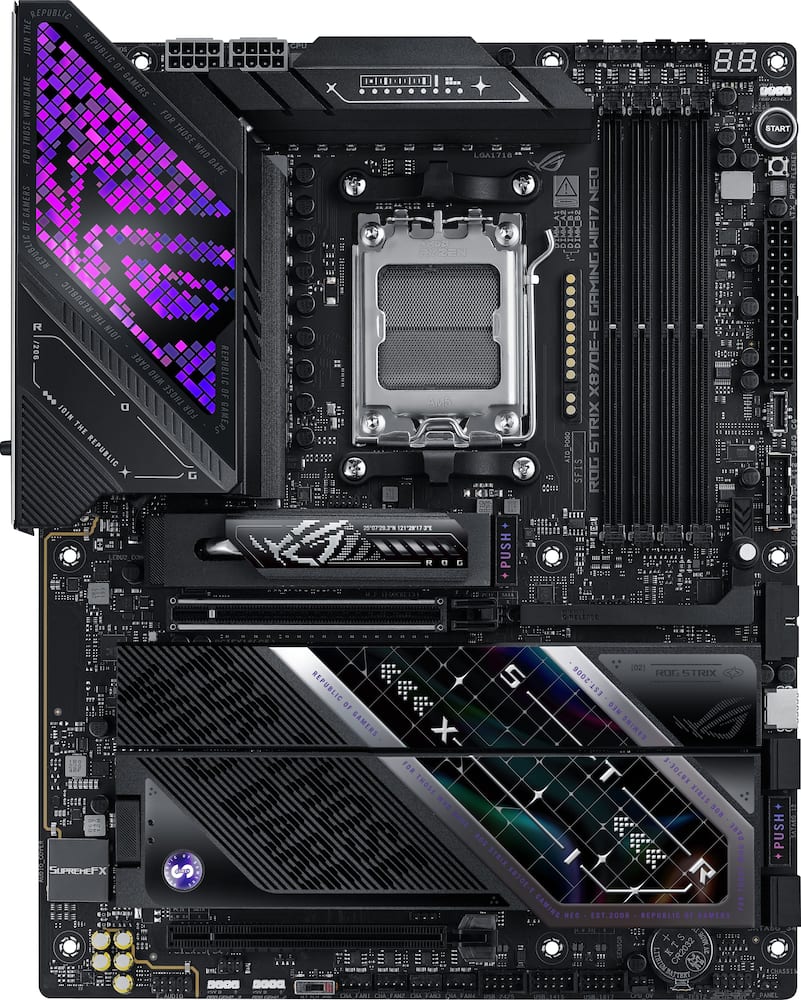
Excellent Motherboard packed with goodies - The placement of fan, RGB and other plugs are arranged very neatly together in parts of the board which is nice. All 5 slots filled with m.2 drives and there is a issue where one of the drives will not report back correctly from one of the slots, I can mount it for a limited time before it reports back with 0 bytes and won't mount. I've done everything I can think of, swapped out drives of varying sizes and manufacturers and same results, used Linux and windows for checking the drives and same errors. Turned off the usb4 ports to see if that would increase the bandwidth and that didn't work. A little investigation and others have had a similar issue with no actual fix on Asus's part(Asus mentions that it fixed it with the latest BIOS update but that was untrue). For this I do take off a star because I should not have this issue at all and being its a high-end board that is top notch for a workstation beyond gaming(video editing with all those Drive slots). The rest was a dream come true though, especially the location of all the plugs into the motherboard made installation easy. Another con is just for Linux users, there is no support from openRGB for this motherboard atm and the logo on the top left will not be lit up as shown in the picture.
 20% off
ASUS – ROG STRIX X870E-E GAMING Wi-FI 7 NEO (Socket AM5) AMD X870E ATX DDR5 Wi-Fi 7 Motherboard – Black
SKU: 6676101
$47999
Was $599.99 Save $120.00
Other options in this range
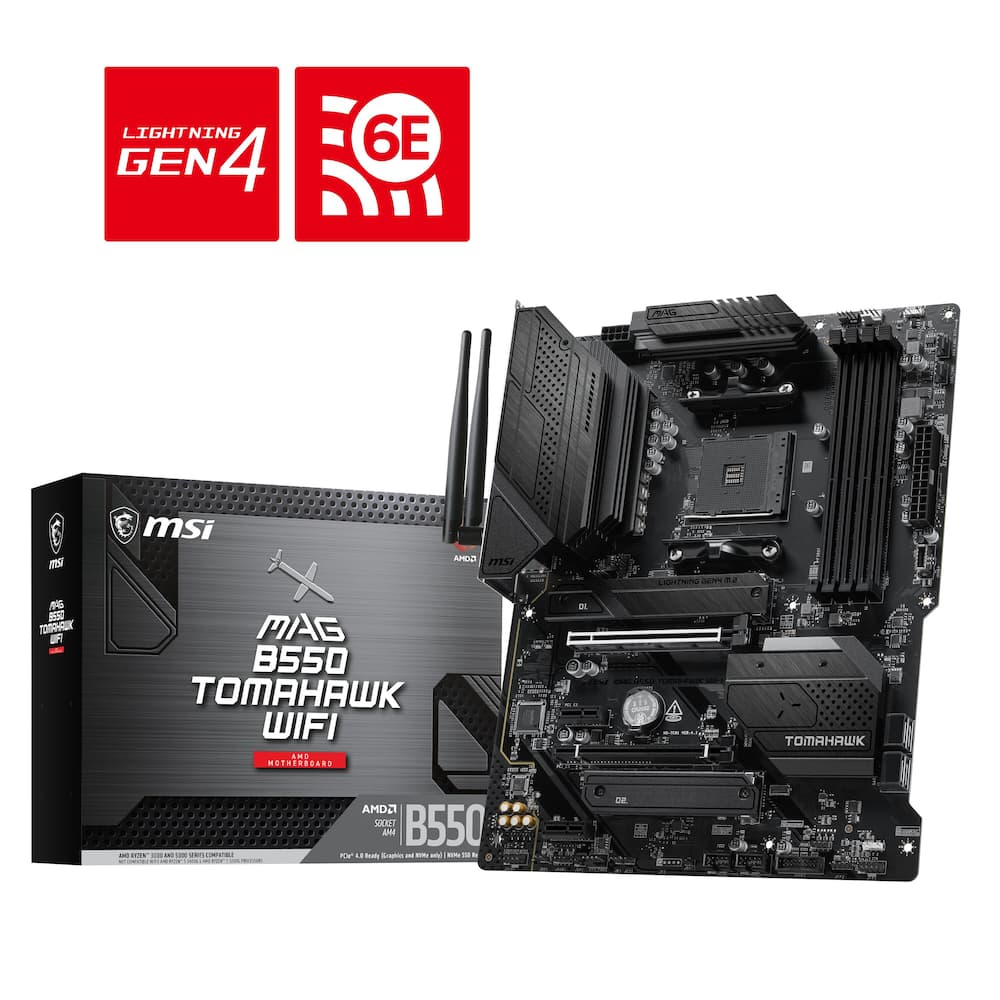 MSI - B550 TOMAHAWK WIFI (Socket AM4) AMD B550 ATX DDR4 Wi-Fi 6E Motherboard - Black Original price was: $149.99.$119.99Current price is: $119.99.
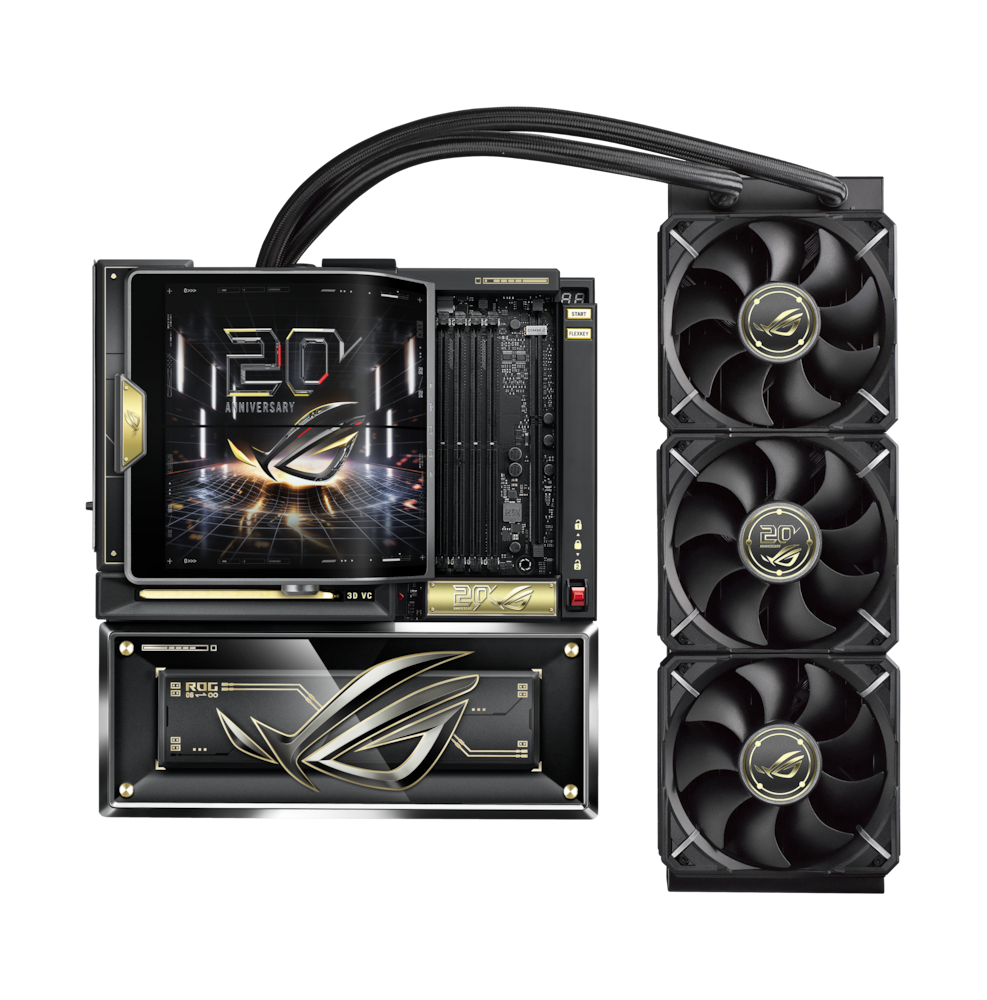 ASUS - ROG CROSSHAIR X870E (Socket AM5) AMD X870 E-ATX DDR5 Wi-Fi 7 Motherboard with Integrated ROG RYUJIN 360 Liquid Cooler - 20th Edition Original price was: $3,299.99.$2,639.99Current price is: $2,639.99.
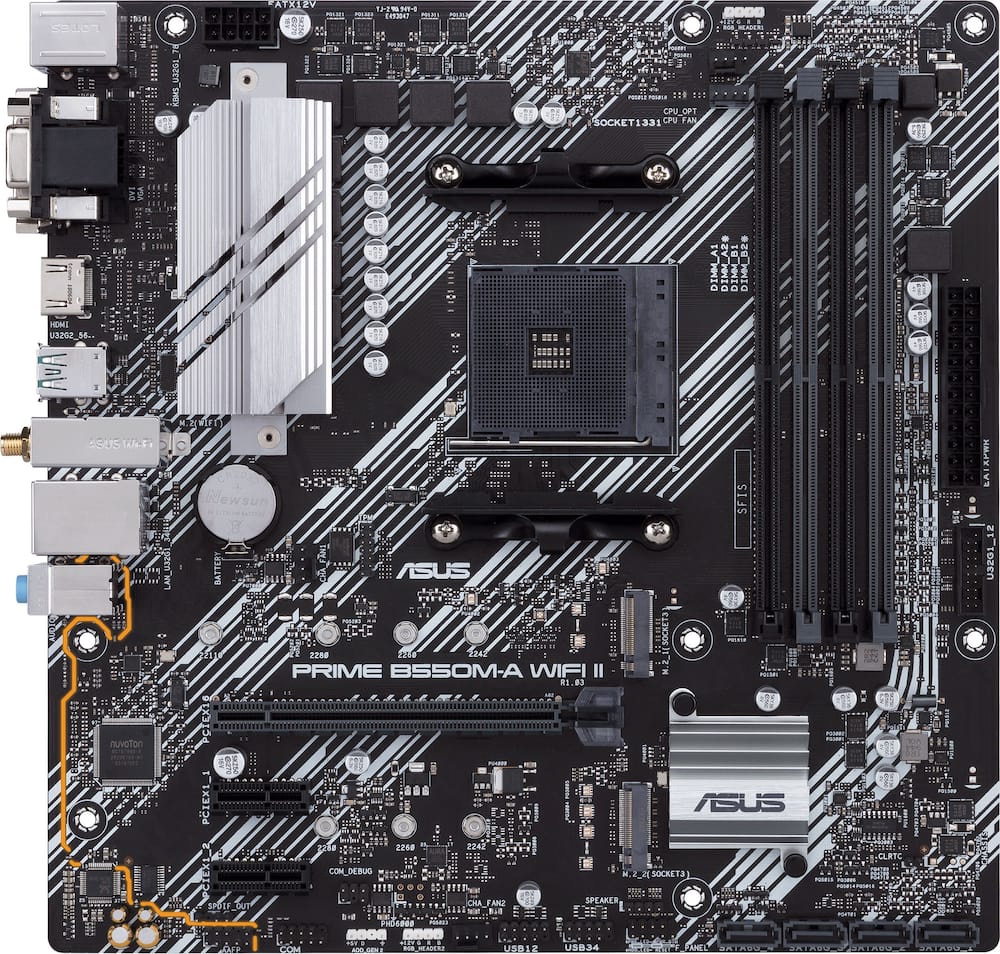 ASUS - PRIME B550M-A WIFI II (Socket AM4) AMD B550 Micro ATX DDR4 Wi-Fi 6 Motherboard - Black Original price was: $119.99.$95.99Current price is: $95.99.
Overview
- Ready for Advanced AI PCs
Designed for the future of AI computing, with the power and connectivity needed for demanding AI applications - AMD AM5 Socket
Ready for AMD Ryzen 9000, 8000 and 7000 series desktop processors - Exclusive AI Technologies
AI Cache Boost, ASUS AI Advisor, ASUS-exclusive AI Overclocking, AI Cooling II, AI Networking II - Exclusive Memory Technologies
NitroPath DRAM Technology, DIMM Fit Pro/DIMM Fit and AEMP to simplify setup and improve performance - ROG Strix Overclocking Technologies
Dynamic OC Switcher, Core Flex, Asynchronous Clock and PBO Enhancement - Robust Power Solution
18+2+2 power solution rated for up to 110A per stage with dual ProCool II power connectors, high-quality alloy chokes and durable capacitors to support multi-core processors - Optimized Thermal Design
Massive heatsinks with integrated I/O cover, high-conductivity thermal pads, and an L-shaped heatpipe, plus the M.2 Combo-Sink for M.2 drives with a direct-contact U-shaped heat pipe for better cooling - Latest M.2 Support
Two onboard PCIe 5.0 M.2 slots, and three PCIe 4.0 M.2 slots, all with substantial cooling solutions - Abundant Connectivity
Dual USB4 Type-C ports, one USB 10Gbps Type-C rear I/O port with PD 3.0 up to 30W and USB Wattage Watcher, plus ten additional USB 10Gbps ports, PCIe 5.0 x16 SafeSlots, HDMI port - High-Performance Networking
On-board Wi-Fi 7 (802.11be) with 5 Gb Ethernet - DIY Friendly Design
AIO Q-connector, PCIe Slot Q-Release, M.2 Q-Latch, M.2 Q-Release, M.2 Q-Slide, Q-Antenna, Q-Dashboard, Q-Code, Q-LED, Start button, BIOS FlashBack button, Clear CMOS button and pre-mounted I/O shield - Immersive Audio
ROG SupremeFX ALC4080 codec with Savitech SV3H712 amplifier and Dolby Atmos - Unmatched Personalization
I/O cover with Polymo Lighting, three Gen 2 ARGB headers, all configurable with ASUS-exclusive Aura Sync RGB lighting - Renowned Software
BIOS 64 MB, Pre-install WI-FI driver, ASUS DriverHub, TurboV Core, ASUS GlideX, HWiNFO, bundled 60-day AIDA64 Extreme trial subscription and intuitive UEFI BIOS dashboard
Compare similar
Specifications
Capacity & configuration
- Memory Type Supported
- DDR5
- Memory Slot Type
- 288-pin DIMM
Dimensions & weight
- Product Name
- ROG STRIX X870E-E GAMING Wi-FI 7 NEO (Socket AM5) AMD X870E ATX DDR5 Wi-Fi 7 Motherboard
- Product Length
- 305 millimeters
- Product Width
- 244 millimeters
- Product Weight
- 72.64 ounces
Features
- Brand
- ASUS
- Color
- Black
- Chipset
- AMD X870
- Chipset Compatibility
- AMD
- Form Factor
- ATX
- Processor Socket
- Socket AM5 (LGA 1718)
- Processor Compatibility
- AMD Ryzen 9 9000 Series
- Operating System Compatibility
- Windows 11 Home
- Number of PCI-E Slots
- 2
- Number of M.2 Slots
- 5
- Number Of PCI-E x16 Slots
- 1
- Number Of PCI-E x4 Slots
- 1
- SATA Connector
- 4
- Wireless Connectivity
- Wi-Fi
- Wireless Networking Standard
- Wi-Fi 7
- Wireless Standard
- BE
- USB Ports
- 2 x USB-C 4
- Number of Audio Channels
- 7.1
- Number Of Memory Slots
- 4
- Maximum Memory Supported
- 256 gigabytes
- Memory Format Supported
- UDIMM
- Memory Speeds Supported
- 8600+MT/s(OC)**/8200+MT/s(OC)***, 9600+MT/s(OC)**/9000+MT/s(OC)***, 8000+MT/s(OC)**/8000+MT/s(OC)***, ECC and Non-ECC Un-buffered DIMM*
- RAID Support
- RAID 1
- Year of Release
- 2026
- UPC
- 199291407947
Power & warranty
- Model Number
- ROG STRIX X870E-E GAMING 7 NEO
- Power Connector
- 1x24 Pin
- Warranty - Parts
- 3 years
- Warranty - Labor
- 3 years
Warranty & protection
See manufacturer documentation.
Register your product with the manufacturer within 30 days of delivery.
Manufacturer warranty claims are handled by the manufacturer. We are happy to help you find the right contact: (888) 419-6820.
Customer reviews
Write a reviewBest purchase I’ve made - This thing is almost overkill because it will be a long time before I have to upgrade my motherboard
ASUS ROG STRIX X870 is a very powerful Motherboard - Easy Install !!! The ASUS ROG STRIX X870E_E Motherboard is a very powerful Motherboard on the ROG platform. Holds upto 5 SSD M.2s. Has WI-FI 7, Runs on DDR5 Wonderful ATX Motherborad. I reccomend the ASUS ROG Cronox Case for this motherboard ARGB compatable.
Top of the line - Bought this board about 2 weeks ago and couldn’t be happier
Nice upgrade/refresh for AM5 - I used to have Intel as my main gaming rig. Switched to the 9850X3D and paired it with this mobo, runs amazing. Easy to OC and gives so much headroom. Highly recommend for and manual OC out there.
This is a nice motherboard - This board looks aweosme runs a ryzen 7950x3d very well feels sturdy and premium i love this board 10 out of 10 would buy again
I love it! - Looks great has awesome lighting and has a great mount for my heavy 4090
High Performance Requires Premium Fuel - Things that you don't necessarily think about when splurging on a high performance piece of equipment is the superior supplemental equipment that you will need to include to see the true ceiling of your shiny new purchase. Kind of like if you save up your pennies (RIP) and nickles to buy that supercharged V8 you have always wanted, but then you realize you also need to budget for premium fuel, expensive tires, higher end maintenance costs, etc. The same is true for this Asus ROG Strix X870E-E motherboard. As a baseline, this is THE MOTHERBOARD to have for gaming. It gives you all of the ceiling that you could ask for to not only be relevant, but stay on the higher end for the next decade. As an ATX board all of your standard equipment will fit. Accepting an AMD5 socket sets you up perfectly for the AMD Ryzen 7 9800X3D to give you the backbone and brain to set your sights past the moon and straight for Mars. Just like most motherboards this one includes 4 memory slots that can handle a combined 256gb of DDR5 ram. Not that I have the pockets to currently do that with current RAM prices, but if the market ever levels its nice to know that the headroom is there. Probably the two most impressive stats included with this motherboard is that it includes not one, not two, but FIVE M.2 slots for storage, and And this slots have included toolless installation that keeps you from having to worry about dropping small screws when putting things together. The second is that over a DOZEN USB ports are included, none of which are slow! There are headers to add more, however why would you ever want to?? Just as important with future proofing this motherboard is that it comes with Wifi7. My home network is still in its infant stages of transferring from Wifi6 to Wifi7, but it still blows me away that I can pull in 2gbps on my cell phone over wifi, which makes me excited to push see if a dedicated LAN connection is even necessary anymore. The last thing you want is to invest into a high end gaming rig to only have your network connection kill your experience. Speaking of experience, the aesthetics of this motherboard are amazing. If they were not the primary goal of this design, I would be surprised. I am a sucker for black colored builds, but this X870E-E just adds a look of class and elegance. There is even a pixelated LED board adjacent to the CPU that just adds that dash of flair that pairs amazingly with my CPU Cooler Screen, RGB Fans and RAM. Currently I am running: Asus X870E-E Motherboard AMD Ryzen 7 9800X3D STRIX Liquid Cooler w/Screen RTX3080 32gb CL36 DDR5 256gb M.2 SSD Boot Drive Completed a successful boot on my test bench and am currently in the process of transferring everything over to an open air wall mounted PC to show off the premium aesthetics included in this board. Are you looking for a builder friendly board with a very high ceiling and premium features paired with a classy look? This X870E-E by Asus may be just what you are looking for. That being said, be prepared to shell out some serious dough to really explore how far this motherboard can take you.
Asus motherboard - Awesome, powerful, motherboard by Asus. Great performance
Top tier motherboard for serious gamers - Excellent motherboard for high-end builds. The BIOS is easy to navigate, and it handles my new processor perfectly with great VRM cooling. It has plenty of connectivity options and ports. Highly recommended for gamers and PC builders
Outstanding board - a definite solid choice! - First thing I did out of the box was update the BIOS due to some complaints that early adopters had with this board. I think because of said update I had minimal issues - definitely none of the road bumps that many of them reported. The board is standard ATX format, giving you plenty of room for expansion - especially with NVME slots. NOTE: If you max out the NVME slots, you're going to sacrifice GPU PCI-E speeds. The board has more than enough USB slots , that's for sure. I personally can't see myself maxing out all of these ports. The graphic display over the VRMs is beautiful - when used in combination with ARGB lighting in your case you really can create a visual work of art! Memory speeds that are supported are up to 8000 MT/second - that's some serious high-speed transfers there! Have WiFi 7? You'll be able to take full advantage of it with this board - no add-ons, just attach the included WiFi antennas and you're ready to go. In the past I've been nervous about using the Armoury Crate software that ASUS gives, but it's really matured over the years. From my testing I've found that even the faint of heart can use it and not experience any real issues with it. All in all a fantastic board experience! The PC I built on it screams high-speed low-drag and with AM5 being supported for several more years it's nice to know that it has upgradability built right into it. A solid choice for sure!
A Premium Board Done Right - In short, the Asus ROG Strix x870e Max Neo feels like the X870E board I wanted when I originally chose B850 a year ago. It gives me USB4 without sacrificing PCIe 5 GPU support or compromising my SSD configuration, which was the main reason I avoided X870E boards last year. After two weeks of daily use, gaming, work, browsing, and YouTube, it has been just as stable as my previous board. I was using a B850 based PC for over a year. It had a 9800X3D, 2 × 32 GB DDR5 CL30 6000 RAM, a T710 PCIe 5 SSD, a Samsung 990 Pro PCIe 4 SSD, and a 6950 XT. I have moved the same hardware to this board. When I was researching motherboards last year, I found that: PCIe 5 lanes are dictated by the CPU. AMD enforces USB4 on X870E based motherboards. Some PCIe 5 lanes get used by the USB4 implementation, which means something else has to give up those lanes. At the time, most boards were reducing the lanes available to either the GPU or the primary M.2 slot. X870E boards were also far more expensive than B850 boards, and I did not like the compromise despite paying more. So I stuck with a B850 board, which gave me a PCIe 5 GPU and two PCIe 5 M.2 slots. This new ROG Strix Neo board does a much better job with the lane allocation. It allows me to have a PCIe 5 GPU, one PCIe 5 SSD, USB4, and two PCIe 4 SSDs without sharing any bandwidth. Do note that M2 Slots 2,3 share bandwidth with USB4 and 2nd PCI Slot. Also note that the X870E chipset is connected to the CPU over four PCIe 4 lanes. As a result, devices connected through the chipset, such as WiFi and the bottom two M.2 slots, share that uplink bandwidth when used simultaneously. This is true for virtually every consumer motherboard and is not specific to this one. Hardware wise, this is a 10/10, well, almost. At this price, I was hoping there would be one or two fan headers capable of supplying more than 1 A, but all headers are limited to 1 A. I have some spare Super Flower MegaCool fans that I was planning to use. I can connect them to separate headers and power them through SATA, so nothing is really lost, but it would have been nice to have the option at this price point. It has three ARGB headers, and it also comes with a RAM fan. I have not installed it yet because my RAM temperatures are fine. Also, considering it sits at the top of the motherboard where the AIO exhaust is, it would mostly be pulling hot air from the radiator and blowing it back onto the RAM. There are plenty of USB ports on the rear I/O, and there are more internal connectors than usual. It has two USB 3 headers and two USB C 20 Gbps headers on the board. It has Wifi7 with 320 bands. The WiFi antenna works well, but I do not like the connectors. They are neither magnetic nor screw on, so it may not be easy to use an aftermarket antenna. The SSD heatsinks are excellent and come with pre-installed thermal pads. Initially, I thought the included support pad was only there to prevent the SSD from bending, so I did not install it. Without the pad, my PCIe 5 T710 drive in the M1 slot ran at about the same temperature as it did with the lighter heatsinks on my B850 board, around 73°C. After installing the support pad, temperatures dropped by around 15 to 17°C. Over the rear I/O area there is a large VRM heatsink with some ARGB lighting. Unfortunately, the overall design has not changed much, though a redesign would have looked cooler. There is a dedicated power button on the motherboard, along with a smaller button that defaults to Reset but can be configured for other functions. There is also a debug LED that displays CPU temperature after POST. Audio It offers a better audio solution with a Savitech amplifier on top of the ALC4080, and it could drive my Sundara (37 Ω) easily at loud enough levels for me. It also supports LHDC, although I have not tested that yet. The accompanying Realtek app detects headphone impedance, and it correctly identified both of my headphones. The sound is clean with no distortion, and there are different amplification levels, which I believe are equivalent to gain settings on my dedicated headphone amps. I think the software which comes on the board has some small negatives but is overall very stable and have nice positive points too. The BIOS complains about a missing keyboard and slows down the boot process. I use a dual machine setup with a USB switch, and sometimes the switch is connected to the second machine during boot. The BIOS does not like that. There is an option to continue when this happens, but there is no option to disable the warning entirely. Easy Mode includes most of the settings people will need. Advanced Mode is a bit convoluted, as it is on most recent AMD boards I have used. Fortunately, Google usually points you to the right menu item. I skipped Armoury Crate because it is generally considered quite heavy and used ASUS MB Manager instead. I noticed that MB Manager does not have an option to start with Windows. However, fan control continues to work even when the application is not running, which suggests ASUS uses a background service to manage it. It does take a while to load, and it does not control the ARGB lighting. I enabled Dynamic Lighting in the BIOS, and Windows is able to control the lighting directly from Settings. I think it would be perfect if ASUS adds ARGB support in a future revision. The fan control is excellent. You can create the usual fan curves based on several sensors, but where it really shines is that it allows each chassis fan to be controlled by up to three sensors. It can even read GPU temperature, even though my GPU is not made by ASUS. I configured mine to monitor GPU, M.2, and CPU temperatures. The fan speed increases based on whichever of those components is currently the hottest. If you have read this far, I'll end with this: it is an expensive board at its retail price, but it is a well-engineered board that tries to give you everything it can without making the compromises that many X870E boards do.
STRIX lineup is evolving! - After just a year, I am upgrading my build again from a competitors X870 "ICE" board and I must say I love this STRIX board and the additional functionality and I/O it provides. The ROG Strix line has always been one of my favorite boards after the Crosshair Hero line and this one takes the cake. The gap between the two lines are closing and the aesthetics, upgrades, extra USBs and RGBs, and the addition of the Q connectors really enhance the overall experience. Enter the ROG Strix X870E Gaming WiFi 7 Neo in all its glory. I love the aggressive angles and touch of RGB covering the I/O shield board making it stylish while keeping it from overkill. The beautiful "pixelated" LEDs make the board captivating with the light staying on even while the PC is off. This is configurable and you can turn it off if you like. Everything needed is included in the box along with the cool stickers everyone is used to getting. Assembly is like all MoBos however the inclusion of the Q connectors here rendition makes installation easy for noobs to nerds due the toolless design. The alignment of ports, headers, and connectors on the outside edge are plentiful and well thought out. There are a plethora of heatshields for 5 M.2 slots and plates to make it look sleek and aggressive. I would have like to see CPU reinforcement for this price but I know that is what separates their top tier from the others. While this is their strategy, lesser quality competitors are including it in boards half the price so maybe this should be changed in the future lineup. Looking around the board, you see some of the 18+2+2 VRM power stages, AM5 socket, 4 DDR5 UDIMM slots supporting up to 256GB clocked up to 9600 MT/s depending on CPU and OC settings. There is one PCIe 5.0x16 for GPU, a few other PCIe, Wi-Fi 7, 2 USB-C 4.0 with PD and Display port! In the networking sector, you get MediaTek since Intel is the only driver made stable for the Marvell option I love more. So much to see, review the specs yourself, I won't do anymore listing of them. VRM and power management will make you drool if you are an over-clocker and enjoy squeezing everything out of the system. My build easily took my AM5 Ryzen 9 9950X, 128GB DDR5 Crucial memory in dual channel, with RTX 5090 without a hiccup and runs perfectly without any issues once memory was trained. Speeds for the drives are blazing fast and run well at Gen 4 or 5. Drives, RAM, and CPU all play well together. These same components ran slightly faster on this board vs my last x870 ICE board. I loved the BIOS upgrade to 64MB for futureproof larger BIOS files. They upgraded the UI so it is scalable for higher resolution displays. There were a plethora of options and I still am learning what this thing can do and what each feature is all about. The BEST part of all is this BIOS has the ability to pre-install the Wifi driver and Asus DriverHub so you don't need to keep up with downloads from support pages. You get right to the connectivity and the drivers are ready to load with the latest and greatest. I love Armory Crate and all the AI features for making things simpler for those who aren't tech heavy in Overclocking. Things I love: BIOS is 64 MB and has ability to preinstall WI-FI driver and ASUS DriverHub Love the board aesthetics with the RGB lighting ROG logo covering the I/O and cooling for VRM. Multiple USB4 with PD and Displayport Overclocks are stable and maintained without issues. Superb build quality filled with solid heatsinks and Q connectors tool-less installs. Tons of places for M.2 drives and lots of heatsinks keeping things cool. Robust BIOS and support for HiRes displays. Things to know: Top tier with respect to I/O, namely USB and M.2 slots. It's a bit pricey. Especially without the inclusion of 10GB LAN. Futureproof BIOS with larger storage for upgrades on chip. Must pay attention to bifurcation and CPU combo for limitations. No bracket for reinforcing the CPU backplate. My verdict I completely recommend this to any enthusiast or gamer who loves tweaking and reliable stable overclocks to maximize FPS and rip through basic PC tasks for productivity. This is a beast and more than capable of handling any build you have in mind. If you have all other ASUS products, this will look amazing with everything including the new AIO connector.
Top tier motherboard under 1k - The ASUS ROG Strix X870E is a powerhouse AM5 motherboard built for serious performance. With PCIe 5.0, USB4, Wi‑Fi 7, and rock‑solid VRMs, it keeps high‑end Ryzen chips running cool, fast, and stable. The layout is clean, the heatsinks are beefy, and ASUS’s quality‑of‑life features (Q‑Release, Q‑Latch, AI OC) make building and tuning effortless.If you want a board that’s fast, future‑proof, and genuinely premium without going into ultra‑flagship pricing, the X870E Strix hits the sweet spot.
Excellent AM5 motherboard - Okay, Asus you're making a strong statement with your hardware lately. This is easily one of the best looking motherboards I have seen in a while. Did someone order too many USB ports for motherboards over there at Asus? Goodness gracious there are a ton of them on this board. Which I do like. I am not complaining. This is replacing my trusty desktop with a Ryzen 3600 in it with 64Gb of DDR4 ram (rig was built a long time ago before AI made the price of building a new rig ridiculous) If you have been building with Asus boards you will ne familiar with the UEFI. A little hint, that port on the back that you might think is telling you its a Thunderbolt port is just for charging. FYI just in case you are one of those folks who don't read manuals.😉 The two USB4 which can handle DP 1.4 are a very nice touch making me upgrade some of my peripherals. The heatsinks are just huge. There are a lot of little things they did with this board that I really appreciate, like the plastic covers for the fan headers next to the ram. Having Wi-Fi 7 so I am upgrade ready when the time comes. The PCI-E slot release should be standard on all motherboards as far as I am concerned. If you are trying to upgrade and can get all the parts you need I would recommend giving this board a shot.
Need 25 USB Ports and 5 NVMe drives? Here it is - Asus’s ROG Strix X870E-E Gaming Wifi7 Neo is a mouthful of a motherboard. Stripping away the overcomplicated name, you have essentially a very versatile, very pretty, very capable X870E motherboard. But a lot goes into a X870 setup, and with the Neo, there’s more than meets the eye. First impressions and unboxing of this board are that this is a hefty beast. While I didn’t think to weigh it, it is by far the heaviest motherboard I’ve ever owned - slightly heavier than an old x299 board I have. It sports an eight layer PCB w/ 2 ounces of copper in the power planes. Its obvious this board will handle not only the CPU’s power needs, but all the massive set of expansion ports and power that the board offers. There’s large surface area headsinks covering the power delivery of this board (18 phase primary VRM w/ 110a power stages), and it boasts Asus’s NitroPath DDR5 memory path optimizations (previously only found on the highest end motherboards) - helping reduce electrical noise and boost RAM speeds. The I/O shroud adds a nice ROG Strix themed RGB flair - but also can be turned off for a nice black out look. Physically, the board is a joy to build on. All the headsinks are set in easy to remove latched connectors with push releases. The M.2 slots all have quick release mechanisms, making component installation on this board entirely tool free. M.2_1 and 2 have not only pre-install thermal pads on the business side, but also on the underside with small metal shims for head dissipation. The rest of the slots boast pre-installed thermal pads against the heatsink. Let’s ignore the AI apocalypse price of components for a second and expound on the sheer connectivity this board offers. Importantly, this is a X870e chip setup, which means it comes with dual PROM21 chips which help boost its connectivity and PCIe lanes. This is actually a very similar setup to X670e boards, but with WiFi 7 and USB4 being mandatory features. So what do those daisy chained chipset chips buy you? Well on top of the standard 24 lanes of PCIe from the CPU, you get 20 more lanes of PCIe connectivity driving a lot of board functionality. Sure these are slower PCIe gen 4 and 3, but they’re still ultra fast, and help connectivity. Let’s start to break this down. You get: * 1 * 16x PCIe 5.0 (gpu) slot * 1 * 4x PCIe 4.0 slot * 2 * 4x PCIe 5.0 NVMe slots * 3 * 4x PCIe 4.0 NVMe slots * 2 * USB4 (40Gb) type-c w/ DisplayPort out * 2 * USB3 10Gb type-c (1 port supporting 30w USB-PD, which means you can fast charge a lot of devices). * 9 * USB3 type-a 10Gb ports * 1 * 5Gb ethernet * 2 * 20Gb USB-C onboard connectors (2 ports) * 2 * 5Gb USB3 onboard connectors (4 ports) * 3 * USB 2 connectors (6 ports) On top of all these ports you also get WiFi 7, Bluetooth 5.4 (both via the Mediatek 7927 card), an HDMI port, S/PDIF Optical audio, and 3.5mm jacks for stereo line out and mic input. Those keen among you might realize when listing out PCIe gen 5 - there is an extra NVMe sporting 5.0 bandwidth where it shouldn’t. That port shares its bandwidth and PCIe lanes with the USB4 ports. If it’s not populated, the PCIe lanes are dedicated to the USB4, but their bandwidth gets halved if it is populated. The gen 5 NVMe slot can be set to another 4x, but this will disable the 2 USB4 ports on the back panel. I had no debate here in my build - I sport a single 2TB gen 5 drive, and 2 * 4TB gen 4.0 drives, so I populated M.2_4 and M.2_5 which have no sharing limitations. All in all on my setup, I was able to use both USB-C onboard connectors, and all 3 USB2 connectors - giving me a grand total of 6 USB-C ports and 17 USB-A ports (with room to add 2 more USB-A 3 ports). That is a massive set of USB expansion ports, and allows some serious professional bandwidth. So beyond connectivity, how does this baby perform? Well, replacing my old Asus TUF X670e, I wasn’t expecting my 7950x3D to increase much in the way of performance. In fact on my first boot memory overclocking I had to do a bios reset due to a bad overclock. That said, my RAM is very voltage sensitive and 1.4v tends to be a bit too much. Once I dialed in my correct settings for my SK Hynix ram, I was able to hit a steady 6000 MT/s with decent timings. Pushing the Asus X3D profile, which does some per CCD tweaks for X3D chips actually helped increase my clocks, coupled with previously stable negative offsets in curve optimizer, I was able to hit 5k MHz on the non-x3D CCD, and 4.8GHz on the X3D all core during cinebench and lay down over 36k on Cinebench R23. While this is marginally faster than my old board, it’s definitely stable. It didn't take me long to reach the same performance I was getting with my older Asus board, and I haven’t even really started tweaking yet. One interesting point I want to highlight on this board is its 64MB bios chip. This chip is double what many X870 boards include (32MB), and given the age of AM5, this is an important distinction. Those of you that were on AM4 first generation will remember the BIOS updates that would remove CPU support due to the 16MB BIOS images not being large enough to include support for the full range of chips. Having an oversized BIOS chip means more flexibility for this board moving forward. The Asus software, love it or hate it, is pretty comprehensive. Despite some rocky history, the current Armory Crate does what it says on the tin: I get complete control over fans, RGB, and some basic overclocking - all of which historically is a mixed bag on most boards. The RGB effects are even AI enhanced now (yay, just what we needed), and the WiFi Q-Antenna is actually a pretty helpful utility. It provided visibility and helped me diagnose my lack of MLO, and correct it on my WiFi 7 network. Overall, this is a pretty expensive board, but it earns its keep. If you are in need of extensive connectivity, flexible M.2, and USB4 support, this board has it all. If you’re looking for something prepared for the next generation of Ryzen, this seems like the right board with its larger BIOS chip, and more than even power delivery capability. Coupled with its high frequency memory capabilities, this might be the board to get as we await Zen 6, and hopefully component price drops. Highly recommended.
Excellent hardware with a high price - I've built PCs for years, and after handling quite a few motherboards across different price points, it's pretty easy to tell which ones are designed to hit a budget and which ones are designed simply to be the best they can be. The ROG Strix X870-E definitely falls into that second category, and one of my first experiences with a board like this. From the moment I took it out of the box, everything about it felt premium. The heatsinks are substantial without being excessive, the matte black finish looks fantastic in a clean build, and ASUS managed to add RGB in a way that enhances the board instead of making it look like a toy. Even with the lighting turned completely off, it still looks like a flagship motherboard. I will say the heatsinks for the M.2 slots will be divisive, and I can see if you’d not be interested in those parts of the motherboard at all (“For those who dare” can be seen when both shrouds are attached). That said, the actual build experience ended up being my favorite part. ASUS has clearly spent a lot of time refining all of the little things that most people don't think about until they're assembling a system. The tool-less M.2 installation is incredibly convenient, PCIe Q-Release makes removing a graphics card so much easier than the old latch style, and the BIOS continues to be one of the easiest to navigate and tune. Nothing about the process felt frustrating, which isn't something I can say about every motherboard I've used. Performance has been exactly what I'd hoped for. Memory training was painless, DDR5 EXPO worked without any headaches, and overall system stability has been excellent even after running through MemTest, etc. Power delivery is complete overkill for most people (18+2+2-phase VRM), but that's honestly part of the appeal. One area I didn't expect to appreciate as much as I do is the connectivity. Having USB4 built in is surprisingly useful, WiFi 7 is nice to have for the future, and there are enough high-speed USB ports that I haven't had to think twice about what I'm plugging in. Between the storage options, PCIe 5.0 support, and overall expandability, it feels like a motherboard I'll be able to keep through multiple CPU upgrades instead of replacing every generation. Visually, this board looks fantastic inside a case. The RGB is subtle and clean, not overwhelming, and the lighting around the I/O shroud and chipset gives the system just enough personality without becoming distracting. ASUS also did a great job hiding most of the PCB, giving the entire build a much cleaner appearance once everything is installed. The biggest downside is pretty obvious: the price. There are less expensive AM5 boards that will deliver essentially the same gaming performance if you're simply pairing them with a Ryzen 7 and an RTX or Radeon GPU. You're paying for the premium build quality, extra connectivity, better features, future proofing, and an overall nicer ownership experience rather than additional FPS. At the end of the day, though, that's exactly what this motherboard is supposed to be. It's not trying to be the best value option on the market. It's trying to be one of the nicest AM5 motherboards you can buy, and I honestly think ASUS nailed it. If you're already investing in a high-end Ryzen build and want a board that feels like it'll last through several upgrade cycles, I wouldn't hesitate to recommend it. The ROG Strix X870-E Gaming WiFi 7 is one of those components that quietly makes the entire PC building experience better. It performs exactly as you'd expect from a flagship board, looks fantastic in a completed build, and includes enough thoughtful features that you continue to appreciate them long after the system is finished. Yes, it's expensive, but it's also one of the few premium motherboards that genuinely feels worth the premium, if you require the features or simply want the best.
Most solid motherboard ever - Right off the bat you can feel the quality of this motherboard because it is monstrously heavy. I’ve installed 10+ mobos in the last year and this one outclasses them all. So what’s weight have to do with anything? It’s a reflection of the materials used to make the motherboard. Most use plastic to save on weight and cost but not this one, everything is metal everywhere minus the cool LED panel. Starting with performance everything was rock solid. Did a burn in test overnight and all components come back good. Internet speed using the onboard LAN and WiFi was spectacular (which if you’ve used a lan cable lately, most mobos scrimp heavily on that connection as they assume everyone uses WiFi.) Probably the first time I haven’t had to finagle with drivers or use an add-on card to get good speed. Overall build is rock solid, all expected connections are well thought out and in the expected locations. PCI-e has good spacing so your gpu doesn’t overlap your other connection. Just honestly a joy of a mobi to work with.
Jam-packed with all that is good - The ASUS ROG Strix X870E-E Neo is a premium motherboard that lives up to the hype. I have always been partial to ASUS motherboards because I just felt they have been the most builder-friendly especially when I was just starting out. This board carries on that legacy. First off, it just looks so pretty and clean. Build quality is premium. Everything just feels sturdy. Setup and install is unbelievably quick and easy with so many tool-free mounts and connections. Building with this was smooth which is definitely not the norm with me. There are five M.2 slots of which two support PCIe 5.0. You have USB ports for days. You can't really expect any more with connectivity with WiFi 7, Ethernet. The BIOS was excellent and easy to navigate. What is more important to me is that it is a 64MB BIOS meaning that there is more than enough room for supporting future processors which is another reason why it demands its price. Performance is butter so far and I have not had any issues. All in all, ASUS ROG Strix X870E-E Neo is not a cheap motherboard but you get what you pay for with excellent aesthetics, future-proof engineering, build quality, and convenience.
ASUS X870E‑E NEO — AM5 Flagship Motherboard - I just finished building my new gaming PC with the ASUS ROG STRIX X870E GAMING Wi‑Fi 7 NEO, and honestly, this motherboard made the whole experience smoother than I expected. The unboxing alone sets up the tone. Everything is neatly packed; the board is protected with thick foam, and you immediately notice how solid and well-built it feels. The heatsinks are heavy, the finish looks premium, and the subtle RGB accents give it that signature ASUS ROG STRIX personality without going overboard. Installing it was surprisingly easy. ASUS’s Q‑Design features really do make a difference. The Q‑Release button saved me from wrestling with the GPU latch, and the Q‑Latch made installing my M.2 SSDs a simple click instead of dealing with tiny screws. The layout is clean, the headers are clearly labeled, and there’s plenty of room for my GPU and AIO cooler. It felt like the board was designed for everyday builders, not just experts. Once I powered it on, the RGB lit up and synced perfectly with the rest of my setup. Jumping into the BIOS was another pleasant surprise. ASUS’s BIOS is packed with features, but it’s still easy to navigate. The basic mode shows everything you need; temps, fan speeds, storage and switching to advanced mode gives you full control if you want to tweak performance. I was able to set my memory profile and adjust fan curves without digging through confusing menus. Connectivity is a huge plus. Wi‑Fi 7 is insanely fast, and the 5Gb LAN gives me a reliable, wired option for gaming. The rear I/O is loaded with ports: USB‑C, high‑speed USB, HDMI, DisplayPort, and everything I need for my peripherals and monitors. And with five M.2 slots including PCIe Gen 5, I have more than enough room to expand my storage later. What really sets this board apart is how it blends performance, style, and ease of use. It feels premium, it looks great in a gaming setup, and it made building my PC genuinely enjoyable. If you want a motherboard that’s fast, future‑ready, and friendly for everyday builders, this one deserves a spot in your next build. Pros: Premium ASUS ROG STRIX Craftsmanship — heavy heatsinks, clean design, subtle RGB Easy installation = Q‑Release + Q‑Latch make building simple ASUS AIO Connection for ASUS AIO setups onboard Fast connectivity = Wi‑Fi 7 + 5Gb LAN Huge storage support = Five M.2 slots including PCIe Gen 5 Feature‑rich BIOS = Simple for beginners, powerful for enthusiasts Strong VRM performance = Stable power for high‑end Ryzen CPUs Cons: Premium price compared to basic AMD AM5 boards No 10Gb Ethernet for extreme wired setups More features than casual users need or want if you’re building a simple PC If you are looking for the best of the best with more features than you can possibly want or need, look no further than the ASUS ROG STRIX X870E‑E GAMING Wi‑Fi 7 NEO Motherboard for your next Gaming PC build!
Questions & answers
Ask a question
Email [email protected] or call (888) 419-6820 during business hours.
Add your review