Worth It - This monitor has HDMI, Display Port and USB-c inputs. The menus are easy to navigate. I have 2 PCs hooked up, one use DP and the other using HDMI and wirh just a couple clicks i can switch between them. It does HDR and 4K. I dont ever use it in the dark so I dont know too much about backlight bleed, but i can tell you this... For the p4ice this cost, it was well worth it. Now not only do i have a monutor that does good color reproduction, but one that is decent for gaming.
 20% off
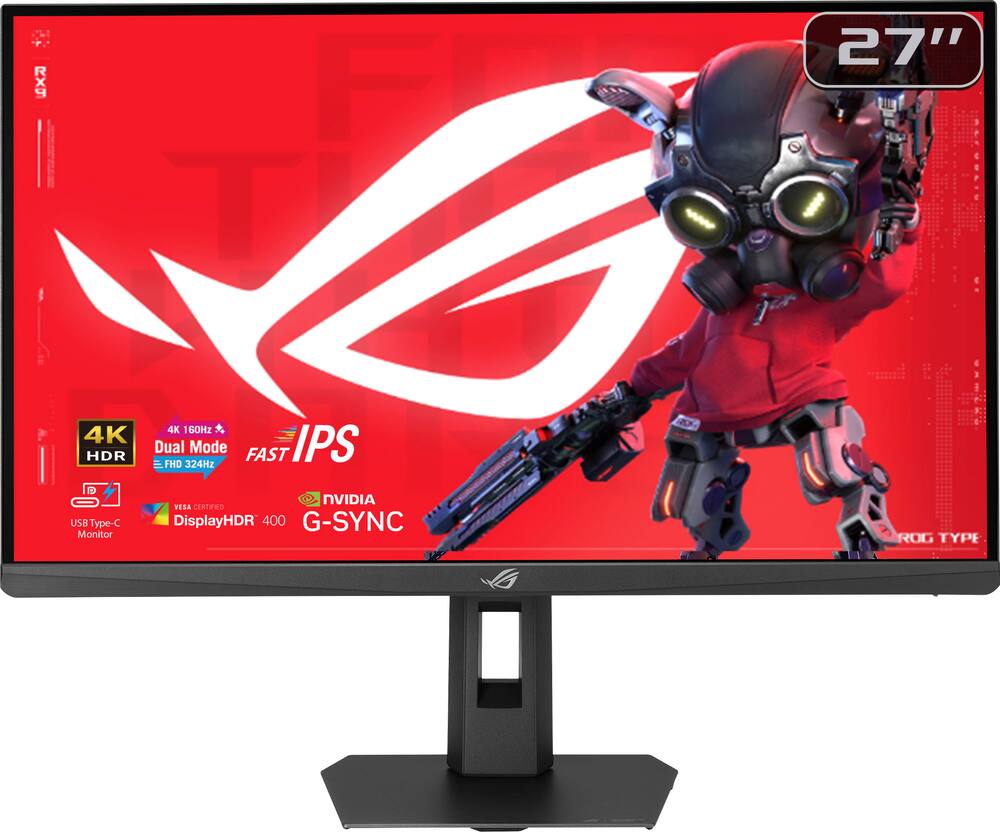
ASUS – ROG Strix 27″ Dual Mode (4K 160Hz, FHD 324Hz) IPS 1ms Gaming Monitor with FreeSync Premium and HDR (DisplayPort, HDMI) – Black
SKU: 6668646
$31999
Was $399.99 Save $80.00
Other options in this range
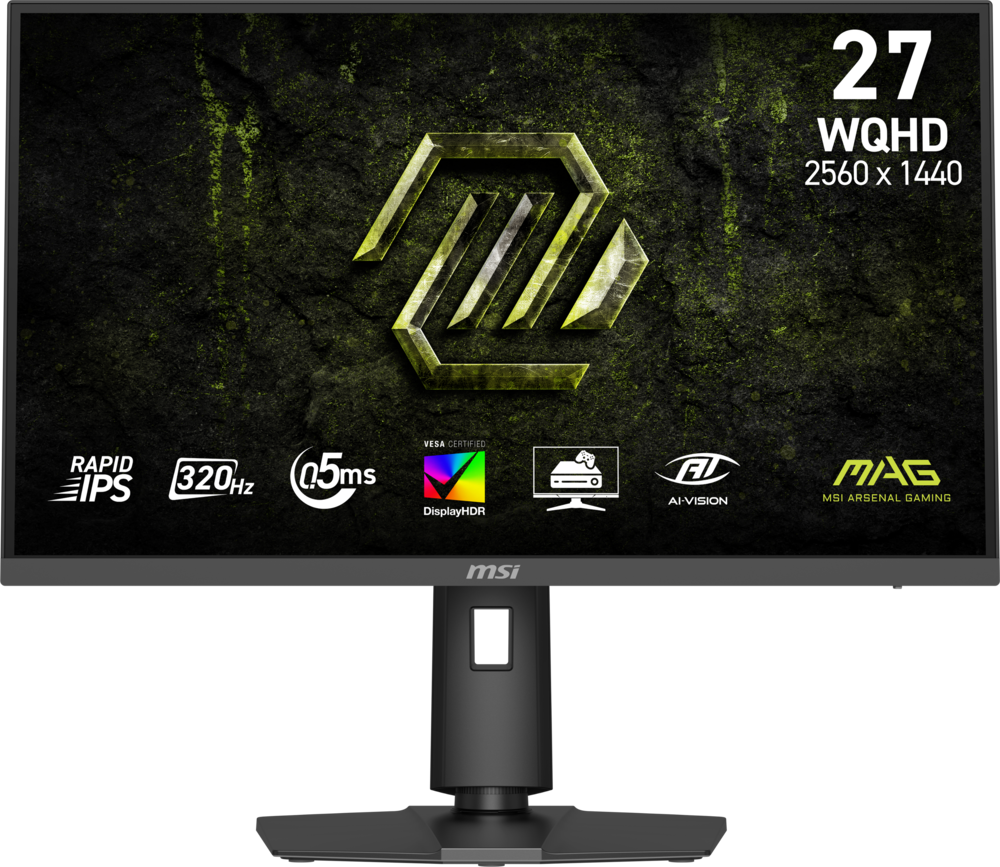 MSI - MAG 274QPF X32 27" QHD 320Hz 0.5ms G-SYNC Compatible FreeSync Premium Gaming Monitor HDR 400 (Display Port, HDMI) - Metallic Black Original price was: $279.99.$223.99Current price is: $223.99.
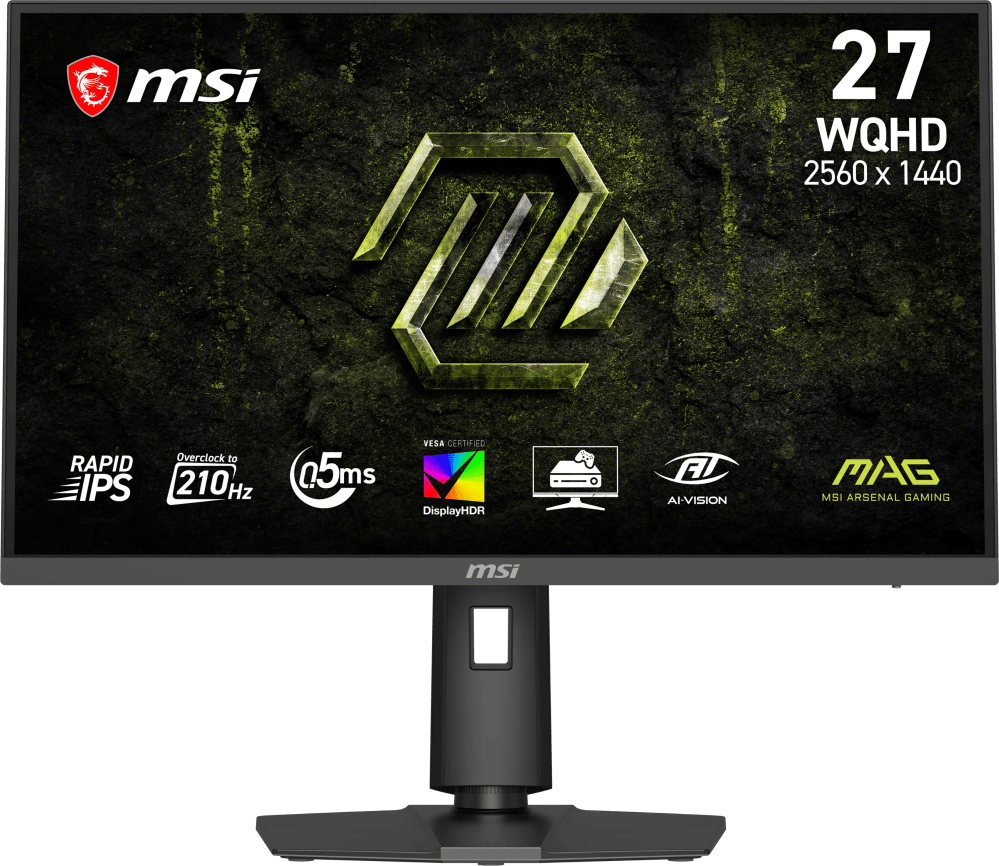 MSI - MAG 275QPF E21 27" QHD 210Hz 0.5ms G-SYNC Compatible FreeSync Premium Gaming Monitor HDR 400 (Display Port, HDMI) - Metallic Black Original price was: $189.99.$151.99Current price is: $151.99.
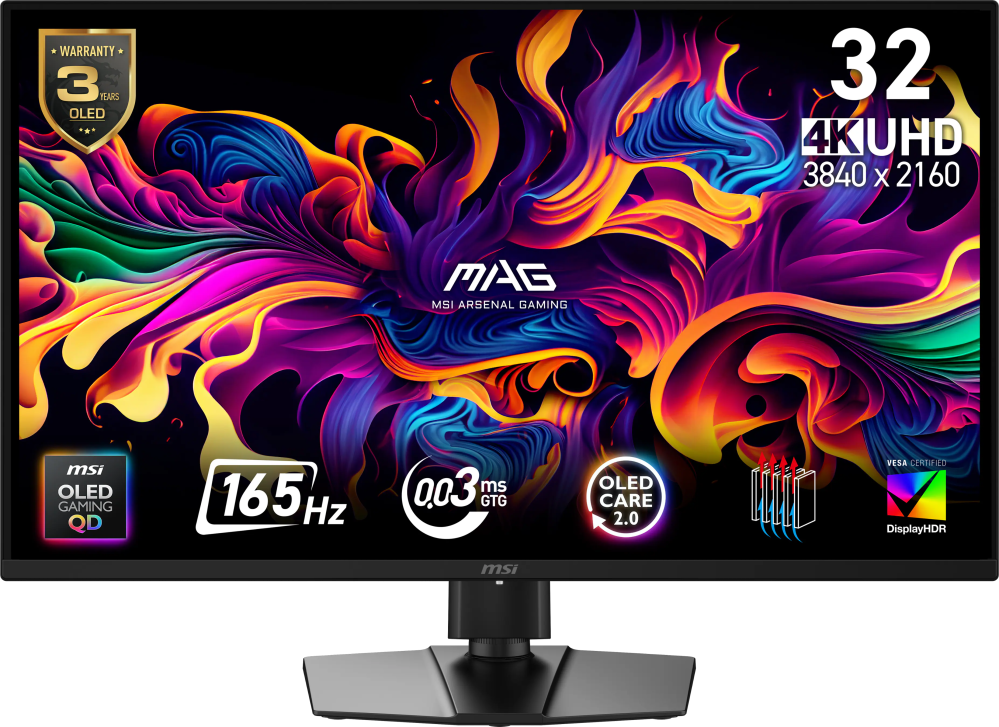 MSI - MAG 322UP QD-OLED E16 32" UHD 165Hz 0.03ms G-SYNC FreeSync Premium Pro Gaming Monitor True Black 400 (DP, HDMI, USB-C) - Metallic Black Original price was: $729.99.$583.99Current price is: $583.99.
Overview
- 27-inch 4K (3840 x 2160) Gaming Monitor
Versatile dual mode (4K at 160 Hz or FHD at 324 Hz) - ASUS Fast IPS Technology
Enables a 0.3ms response time (min.) for sharp gaming visuals with high frame rates - ASUS Smart Pixel Technology
Enhances every detail, delivering sharper, more vibrant visuals, even at lower resolutions - ASUS Extreme Low Motion Blur Sync (ELMB SYNC) Technology
Enables ELMB together with variable refresh rate, eliminating ghosting and tearing for sharp gaming visuals with high frame rates - 95% DCI-P3 Color Gamut
ASUS advanced gray-scale tracking technology ensures smoother color gradation delivered and uniformity - DisplayWidget Center
Enables easy monitor settings adjustments with a mouse - USB Type-C with DP Alt Mode
Connect your device with clutter-free set-up - What’s in the Box
DisplayPort cable, HDMI cable, USB Type-B to A cable, Power cord, Microfiber cloth, ROG sticker, ROG pouch, VESA mount kit, Quick start guide, Warranty Card - ASUS Rapid Replacement (ARR)
3 year warranty with cross shipping service included
Compare similar
Specifications
Capacity & configuration
- Display Type
- LED
- Panel Type
- IPS
- Stand Type
- Adjustable height stand
Dimensions & weight
- Product Name
- ROG Strix 27" Dual Mode (4K 160Hz, FHD 324Hz) IPS 1ms Gaming Monitor with FreeSync Premium and HDR (DisplayPort, HDMI)
- Product Height Without Stand
- 14.45 inches
- Product Width
- 24.2 inches
- Product Depth Without Stand
- 2.48 inches
- Product Weight
- 13.16 pounds
- Maximum Adjustable Height
- 19.82 inches
- Product Depth (With Stand)
- 7.43 inches
Features
- Brand
- ASUS
- Color
- Black
- Refresh Rate
- 160Hz
- Maximum Resolution
- 3840 x 2160
- Contrast Ratio
- 1000:1
- Response Time
- 1 milliseconds
- Synchronization Technology
- FreeSync Premium (AMD Adaptive Sync)
- Aspect Ratio
- 16:9
- Display Contour
- Flat
- Brightness
- 350 candela per square meter
- Screen Size
- 27 inches
- High Dynamic Range (HDR)
- Yes
- High Dynamic Range Format
- HDR 10
- Horizontal Frequency
- 178 kilohertz
- Horizontal Viewing Angle
- 178 degrees
- Touch Screen
- No
- On-Screen Display Languages
- English
- Display Surface
- Anti-glare
- Number of DisplayPort Inputs (Total)
- 1
- Number of HDMI Inputs (Total)
- 1
- Display Connector(s)
- 1 x DisplayPort 1.4
- Number of USB Ports (Total)
- 1
- USB Ports
- 1 x USB-C
- Number of USB-C Charging Ports
- 1
- Headphone Jack
- Yes
- Wall Mountable
- Yes
- VESA Wall Mount Standard
- 100mm x 100mm
- Stand Ergonomics
- Tilt
- Anti-Glare
- Yes
- Eye Relief Features
- Flicker free
- Built-In Webcam
- No
- Integrated Speaker(s)
- No
- ENERGY STAR Certified
- No
- Operating System Compatibility
- Windows
- UPC
- 199291242913
Power & warranty
- Model Number
- XG27UCSR
- Power Consumption
- 25 watts
- Power Saving/Off Mode
- 0.5 watts
- Warranty - Parts
- 3 years
- Warranty - Labor
- 3 years
Warranty & protection
Included manufacturer warranty
See manufacturer documentation.
Register your product with the manufacturer within 30 days of delivery.
Warranty service
Manufacturer warranty claims are handled by the manufacturer. We are happy to help you find the right contact: (888) 419-6820.
Customer reviews
Write a reviewMeets stunning clarity incredible performance - If you are trying to decide between high resolution or high frame rates, this monitor solves the problem completely. The FHD mode at 324Hz is unbelievably smooth, giving me a massive edge in fast-paced competitive games. When I want to kick back and play something more cinematic, the 4K mode looks incredibly sharp and crispy. Adaptive sync works flawlessly with my graphics card to eliminate screen tearing. The build quality is classic ROG—heavy-duty, sturdy, and highly adjustable
Great 4K gaming monitor! - Really great monitor-awesome color and response time-super image quality make it shine. Settings are super easy, both with the software and with the monitor buttons. Couldn't recommend it more highly. A+++
Great Versatile Everyday Use Monitor - Loved using this, have a dual monitor setup. Won't cause burn in like OLEDs. As we mostly use it for AutoCad, Revit, Adobe Suite. Therefore long hours!
Great product - Best product ever 10/10 it has great quality and is super good for gaming
Really bad - Pixels DOA, really bad black light bleed. Waited for this monitor a whole week for nothing. When I go to Best Buy they didn’t want to take it
Solid monitor for the price - Bought this as a second monitor to run alongside my ASUS ROG Strix OLED. It’s great for productivity use, and has good color. Have not really used any of the gaming features as I do all that on the OLED. I run it vertically which is solid for work and productivity usage. Would definitely purchase again.
Superb gaming monitor - I needed a high-quality 4k monitor for my Series X and future gaming PC. I currently prefer an IPS monitor over OLED due to longevity. Satisfied with my purchase and have no complaints.
55 Inch ASUS Monitor - The monitor looks very good and it decently cheap for how good it is. Works well on all consoles or pc’s. A good purchases for the price, especially if you get the warranty to guarantee the monitor for two years.
Price is good for 4k, but drawbacks - Gonna talk about a major drawback for me. It has very bad IPS glow/backlight leak at the corners. Basically if you plan to use your monitor in a dark room and if you are looking at a dark image/room on your monitor, the corners are washed out from the brightness. You literally cannot see any details on the corners (or about 25% of you screen). So let's say you turn off all your lights in your room and then you boot up a game like Phasmaphobia and you go into a part of the map where its super dark, the glow obscures all of your corners. I posted an image, but keep in mind taking the image at night makes the glow be worse than it is, but its still pretty bad. The glow is not as bright, but it covers the same amount. The only way to mitigate this a little is to turn down brightness and position yourself or your monitor so you are looking right at it without any angle. But you SHOULDN't need to do this. I compared it to my older IPS monitor and the glow is very prominent on this monitor when set to similar brightness. I owned it for 3 weeks so far, might return or exchange it at the 5 week mark since I have Best Buy Plus. But.. Best Buy doesn't exactly have a great selection of 4k or even 1080p IPS monitors so I might just return it. Not sure I want to do an exchange and the same model monitor exhibits the same issue or additional different issues. One last negative is the black colors, as some has said, is very weak. It is not true black. But dark dark gray. If those 2 negatives don't bother you, then its a good buy since the rest of the features are great for its price. Quickly on the positives.. Bought it for like $320 so its a good deal, now its like $400, probably not so great. Refresh rates is as advertised. Colors are fine, especially out of the box. Easy to install. The stand has lots of adjustments (although, not sure how to take it apart if i do return it since the stand and monitor was snapped into a socket). All the pixels are fine, no noise or coil whine. I havn't noticed much ghosting at 60fps or 120fps. Bought it mostly for productivity purpose (3d modeling) and some gaming.
Great monitor for the price - Very nice 4K monitor for the price! Would recommend you get it!
Great Gaming Monitor with Dual Mode - The design and build quality of this monitor is great. It has a sturdy plastic bezel with seemingly no flex. The bezel itself is very thin on the top and sides, with a bit more of a bezel on the bottom. It comes with a stand that was super easy to set up. Instead of having to screw in a vesa mount which many require, this one has a quick release latch that allows you to install the stand in seconds. The mount has some height, tilt, and swivel adjustability. I found the footprint of the monitor to be reasonable, but personally prefer using a monitor arm to increase my desk space. To that end, it is also drilled for vesa mount which is convenient. The connectivity on this monitor covers the essentials. It has an HDMI port, a DisplayPort, and a USB C port. For me, I have multiple devices I want to have hooked up to my monitor at the same time: my gaming PC, a work laptop, and a macbook. With this port configuration, i can have all my devices connected at the same time and use the monitor input to switch between them. I do wish there were additional USB ports on the monitor so it could be used as a KVM, but it is not a dealbreaker considering all of the other features. The software built into this monitor is easy enough to use. Probably the standout feature of the software is the dual mode ability, which allows you to swap between 4k at 160hz and FHD at 324hz. This is super convenient for switching between normal gaming, where you may want to maximize resolution, and competitive games, where every frame can make a difference. There are some cool AI features included, including a dynamic crosshair that adjusts based on the game, and a dynamic shadow boost. Speaking of the visuals, the monitor’s visuals are great. It’s an IPS panel that is really sharp, the color looks great, and it’s super responsive. The 4k resolution really allows for crisp looking images. It supports HDR400 which is super nice, and ASUS says it is extremely color accurate which I can perceive during my testing. It has variable refresh rate which allows for smooth and responsive gaming. Overall, I would recommend this monitor to anyone looking for a great gaming monitor with dual mode functionality.
Dual ASUS 4K Monitors = Pure Bliss - I am using a dual 4K monitor set up. I have this monitor (XG27UCSR aka the XG27UCS Gen 2) and I have the high end XG27UCDMG. Now of course the high end monitor with it's 4K at 160Hz is phenomenal but this XG27UCSR holds its own against the high end display when gaming, working, browsing, every aspect of my usage it has done fairly well to keep with the competition it has. Unboxing & Setup I have had a heck of a time in testing this out before posting my review. All of this is through no fault of the monitor itself it is just what happened...I have broken multiple USB C hubs, I have had my laptop crash repeatedly so I reinstalled Windows to only still have the same problem that I cannot figure out why, I have had my other laptop , a Macbook Air, completely stop working so I stopped using it and bought an IBM Thinkpad. And this was all within like 2-3 weeks. Absolutely insane. Anyway, unboxing this monitor I could tell it wasn't as high end as my other ASUS 4K monitor, but it didn't look cheap either. It looked like my previous 1080p monitors from ASUS (they were the 320Hz ones from years ago): a solid gaming monitor. Setting it up was a breeze...except for the docks that gave me issues until I replaced them both. Rating: 5/5 Gaming In 4K gaming this monitor is able to do 160 fps, and then in FHD it can do 160 fps. My 7900 XTX was able to play at 60 FPS in every game that I threw at it (granted some I had to drop it down a bit but nothing super major). The monitor looked absolutely gorgeous in both 1080p gaming and in 4K gaming. Putting it side by side with my XG27UCDMG you'd be hard pressed to tell the difference at first glance. But once you look at it for a bit you can. The other monitor everything pops more. But that said this one still looks gorgeous for gaming. And I love being able to switch down to FHD and run at a higher FPS. That's pretty cool. Rating: 5/5 Work From Home Since I work from home I spent more of my time doing that than anything else and so I was really wanting to see how well it was going to do against the other ASUS 4K with regards to my work. I have to say the XG27UCSR actually looks a bit brighter. The other one looks a bit more crisp but for brightness this monitor wins. Now that could absolutely be how I havce it set up or what I have enabled so please know that going on. But in working from home this monitor did everything I wanted it to do and then some. 4K HDR looked phenomenal. Not a single complaint from me. Rating: 5/5 Closing I was able to put this monitor through it's passes and in every aspect it blew me away. For the price I don't think you'll find a better monitor. If you can then let me know as I'd like to buy 2! Rating: 15/15
Perfect for work and play - I really like this monitor especially for gaming. I feel like it's got the best of both worlds with the super high refresh rate at 4k and a ludicrous refresh rate, if you just want to game in HD which I am fine with. The build quality is really good and I'm amazed what you can get for your dollar these days. I don't mind that it's an IPS LCD panel and not an OLED display because I wouldn't want to risk the burn in with the static images like scoreboards, or static character status that stays on the screen. If they stay on long enough, you will get burn in. And I know o l e d's have gotten better, but theyre not fool proof yet and gaming risks the most for possible burn in. The refresh rate makes gaming buttery smooth and almost uncanny. It makes my games feel responsive and perfectly immersive with no stutters to take you out of your suspension of disbelief while playing. I appreciate the vertical viewing adjustability and sturdy desk stand that keeps it rock solid on my standing desk. The monitor is perfect for work as well and double duties as such for me.
Really good - almost great - Overall – This is a really solid gaming monitor with a lot of flexibility. The dual-mode is the standout feature and works great – for me, using it as a gaming and then everyday use – saving some desktop space. Picture quality is exactly what I would expect from a premium monitor. The biggest drawback for me is the lack of HDMI ports — only having one makes it tough if you want multiple devices connected at the same time. The USB-C and DisplayPort are great, but 2 HDMI would have been nice. Packaging – The unit is packaged very well. Everything was protected, and there was no damage during shipping. While the box was bigger than it seemed to be needed, ASUS keeps things simple and organized. One note — like most monitors, it’s easier if you lay the box flat when removing and assembling. Assembly – Assembly is quick and easy. No tools required, and everything locks into place securely. The stand attaches fast and feels solid once assembled. From the box to the desk only takes a few minutes. Touch and feel – This has the typical ASUS gaming look. Build quality feels solid, and the stand is sturdy on the desk. The monitor has height, tilt, and swivel adjustments so it’s easy to get it positioned where you want it. Side bezels are thin, so I could see using them in a dual monitor setup. Setup & Functionality – Setup was straightforward, and inputs were recognized without any issues. The dual-mode feature is really the highlight here. Being able to switch was a real plus. That said, not sure if you already have multiple monitors, but if it's a great benefit, as I said earlier, if you're new and looking to save desktop space, it would be great. Motion is extremely smooth, and I noticed no lag or jitter even when flipping between sources. The panel looks good with solid brightness and good viewing angles. Colors looked good out of the box, so I didn’t really tweak them; however, there are the usual settings there if you need them. As for HDR, I'm not a big fan, but it does have support and does a decent job. Again, the biggest drawback for me is only one HDMI port. This is a great monitor, and the dual-mode feature makes it very versatile. If you are in the market and buy your first monitor or need to conserve desk space, or if you need a new high-end gaming monitor, then I’d recommend this; however, if you already have one set up, I’d hold off until you need to get a new monitor
Checks all the boxes for me and then some! Love it - I started getting into ASUS products last year when I picked up their ROG Ally which is their handheld gaming devices for gaming on the go. Personally, I’ve had a really good experience with that, so I decided to try my first gaming monitor from them too. It’s been a couple of weeks of use, and honestly my for a budget friendly gaming monitor, I believe it checks all the boxes for me. Here is a little break down my favorite features: Screen Quality 5/5 – The monitor is 4K image which is a must for gaming nowadays. The colors are nice and bright no complains. It even has the option for HDR gaming but personally I prefer to keep this feature off, but still a nice that it’s supported for other uses of the monitor. Performance and Responsiveness 5/5 – I have not noticed any glitching or delays at all. I play a lot of EAFC26 and Halo Infinite, and the monitor is smooth during 1-2 hours of gameplay daily. There is also a feature that lets you switch between 4k and FHD to get more frames per second up to 324hz, but honestly that’s overkill for me and I want to keep the 4k gameplay so I didn’t bother using this feature too much. Versatility 5/5 – this feature is probably an overkill, but I love that I can use this screen horizontally or vertically to use it as a second monitor for my work duties. My previous gaming monitor did not do this, and so I am finding I really appreciate this feature. Build Quality 5/5 – there is some good quality plastic and the monitor feels heavy which to me is a good thing. It feels like it’s built to last, and the stand is easy to put together. I had the monitor ready and plugged in in about 10 minutes. Overall, I am happy with the monitor. It has met my exact needs and then some. I didn’t think I was going to use this for work as well and just because I can use it vertically, I can use it as my second monitor for work. The only thing I wish this monitor had was speakers, so if you want built-in speakers this may not be for you, but if you’re planning on just connecting your headset then I would highly consider this. You can’t go wrong.
High end monitor - The ASUS ROG Strix 27" Dual Mode is a great monitor for competitive gaming and digital media with a lot of great and amazing features. I really like the fact that this comes with a DisplayPort, an HDMI 2.1 port, and also a USB-C port for connecting to other devices. Secondly, the ability to switch from 4K to 1080p with a push of a button is so nice. I can go from editing videos or watching a movie to playing CS2 easily. I love the brightness of this monitor too. On Starfield, I felt like I was actually looking at the Sun. Now of course it’s not blindingly bright but for a monitor it's still amazing. There are some downsides of course. The local dimming zones aren’t exactly the best but maybe with some tweaking around in the software that could improve. Ergonomically, I like that it doesn't take up a lot of space for a 27 inch monitor and the build is very sturdy. Overall, I am very impressed with the quality of this ASUS dual mode monitor. If you’re in need for a dual use monitor for a high end rig, I would highly recommend this ASUS monitor!
Balanced and practical 4K monitor - The ASUS ROG Strix XG27 is one of those monitors that makes a strong first impression not by trying to compete directly with OLED, but by leaning into what a well-tuned 4K IPS panel can do in a real-world setup. After spending time with it, the overall experience feels balanced and practical, especially for someone who splits time between productivity and gaming. It does not feel overly flashy or experimental. Instead, it comes across as a monitor that is trying to quietly do a lot of things well at a reasonable price. Rating is closer to 4.5 stars, for reference. Use case and room placement may be the biggest factor in if this is the right monitor for you. Build quality lands in a solid but unremarkable place. It feels sturdy enough on the desk, and the stand does its job without issue, but it does not quite deliver the premium feel you might expect at this price point. The matte screen finish is a definite plus and plays a big role in everyday usability, especially in brighter environments. It cuts reflections effectively without introducing any noticeable grain or haze, which helps the image stay clean and easy to work with for long periods. Where the monitor starts to separate itself a bit is in color performance. Colors come across as accurate and well-balanced right out of the box, and in a mixed lighting environment, they can actually look more natural than some OLED panels. That might sound counterintuitive, but it aligns with how IPS panels handle brightness and color consistency in real spaces. There is a clarity and neutrality to the image that makes it feel dependable whether you are editing, browsing, or gaming. It does not have the exaggerated pop that some displays push, but it feels honest, which is often more useful day to day. Sharpness in 4K is another highlight and likely the reason it makes sense to stay in that mode for most use cases. Text and UI elements look crisp, and the overall desktop experience feels refined. There is, however, a slight fringe or softness on text that becomes noticeable if you are paying close attention. It is not severe enough to disrupt normal use, but it is there, and once you see it, it is hard to completely ignore. This seems to be a minor processing or scaling quirk rather than a fundamental flaw, but it does stand out given how sharp everything else looks. The biggest drawback, and the one that shows up immediately if you have used OLED, is contrast and black levels. This is where the limitations of IPS are fully exposed. Blacks do not reach true depth and instead appear more gray, particularly in darker rooms or high contrast scenes. HDR support does little to change that, so while the image is bright and colorful, it lacks the sense of depth and richness that OLED or strong Mini LED panels can provide. This ends up being the defining tradeoff of the monitor. They’re passable here, but this is the biggest shortcoming of this monitor to me. Viewing angles are generally good and consistent with what you would expect from IPS. Colors and brightness hold up well even when viewed slightly off center, making it comfortable for shared viewing or multi-position setups. There is some minor washout at more extreme angles, but nothing that feels out of the ordinary for this type of panel. The dual mode feature is one of the more interesting aspects on paper, allowing you to switch between 4K and a high refresh 1080p mode. In practice, it works as advertised and can be useful for competitive gaming, but it does not feel like something you will use regularly unless that is a specific priority. The 1080p mode introduces a bit of softness due to scaling, and the overall experience just feels less refined compared to native 4K. It ends up being a nice option to have rather than a core part of the experience. Taking everything together, the XG27feels like a monitor that excels in everyday usability while making a few clear compromises. It delivers strong color accuracy, a clean matte presentation, and excellent 4K sharpness that make it easy to recommend for mixed use. At the same time, the weaker contrast and slight text fringing keep it from feeling truly high-end. It is a very capable all-around display that performs best in well-lit environments and productivity-focused setups, but it will not fully satisfy someone chasing the depth and visual impact of OLED.
Best Gaming Monitor Ever! - I love this Rog Strix XG27UCSR! It is the best gaming monitor I have ever owned. It is much larger than my previous one and comes with electrical outlet and HDMI cord. It was so easy to set up and get started. There is a Display wizard that maximizes the monitors potential. I had a blast using this. The DisplayWidget really makes a difference in the monitors abilities to perform far beyond "normal". It customizes the monitor settings. It has an intuitive user interface, as well as OLED protection. I scanned the QR code on packaging to get the DisplayWizard. This is my first screen that is OLED and I must tell you it really makes a huge difference in the color of the game on the screen as well as NO fuzzy words. Wow! It was such a huge upgrade. The refresh rate is amazing and it does not even slow down my game nor does it get fuzzy. The motion within my game was so smooth. I felt like I was there, in the game. I love that! The monitor itself is flat not curved. It slides up and down on the included stand as well as tilts to make it more comfortable. I am so short that I was able to adjust it to my liking. My husband is really tall and we could adjust it to his comfort and liking. He loved how it was so smooth with his fast paced games. I tend to play slower paced games that he does. I have nothing bad to say about this monitor.
Great Gaming Monitor!!! - I’m genuinely impressed with the ASUS ROG Strix 27” Dual Mode gaming monitor. The ability to switch between razor-sharp 4K at 160Hz and ultra-fast FHD at 324Hz is a game-changer, making it perfect for both cinematic single-player titles and competitive esports. In 4K mode, the IPS panel delivers crisp detail, rich color accuracy, and excellent viewing angles, while the high refresh rate keeps gameplay incredibly smooth. Switching to Full HD instantly boosts responsiveness, giving fast-paced shooters a serious edge. The 1ms response time and FreeSync Premium work beautifully together to eliminate blur, tearing, and stutter, creating fluid motion even in the most intense moments. HDR support adds extra depth to highlights and shadows, making games look more immersive and vibrant. Build quality is exactly what you’d expect from ROG—premium, sturdy, and stylish without being overdone. The stand feels solid and offers great ergonomic adjustment, which makes long gaming sessions comfortable. Connectivity is also excellent with both DisplayPort and HDMI, making it easy to hook up a PC and console at the same time. What really stands out is how versatile this monitor feels: it’s like having a high-end 4K content display and a dedicated esports monitor in one device. For gamers who want flexibility without sacrificing image quality or speed, this is an outstanding choice and absolutely worth the investment. It exceeded expectations and makes every gaming session feel truly premium.!!!
Questions & answers
Ask a question
Email [email protected] or call (888) 419-6820 during business hours.
Add your review