Fantastic color accuracy out of the box - When the color space is set to srgb in SDR the color accuracy is among the best I've seen for a consumer level display. The gamma delta E is < 2 and the color delta E is < 3. Sustained peak brightness is also very good with my colorimeter measuring 800 cd/m full screen for sustained periods of time in SDR. A++ for graphic design and photo editing.
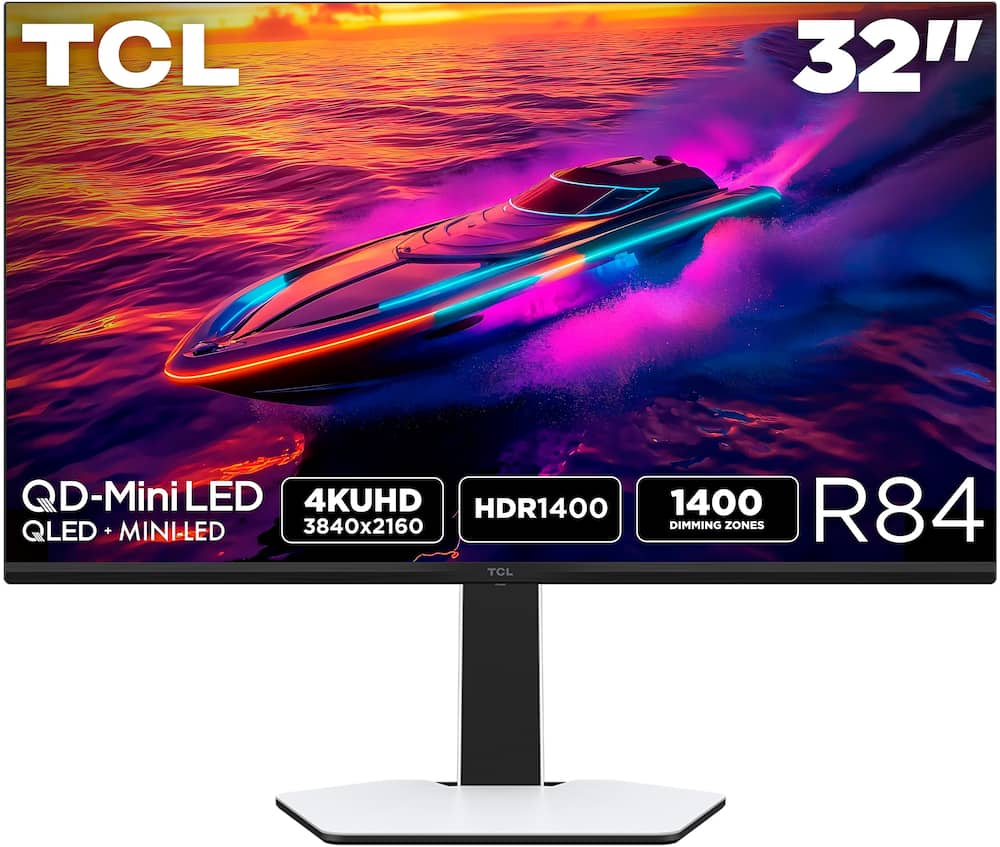
TCL – R84 32″ QD Mini LED 4K UHD 165Hz 1ms AMD FreeSync Premium Gaming Monitor with DisplayHDR 1400 (USB C, DisplayPort, HDMI) – Black and White
$55999
Other options in this range
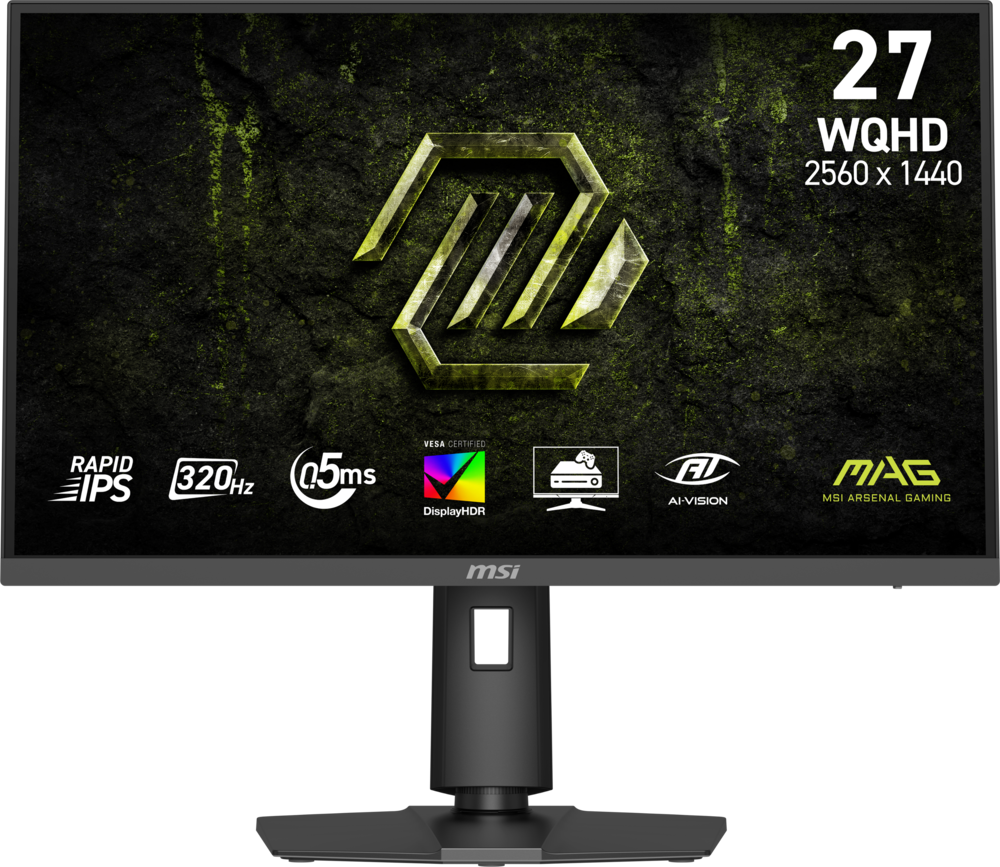 MSI - MAG 274QPF X32 27" QHD 320Hz 0.5ms G-SYNC Compatible FreeSync Premium Gaming Monitor HDR 400 (Display Port, HDMI) - Metallic Black Original price was: $279.99.$223.99Current price is: $223.99.
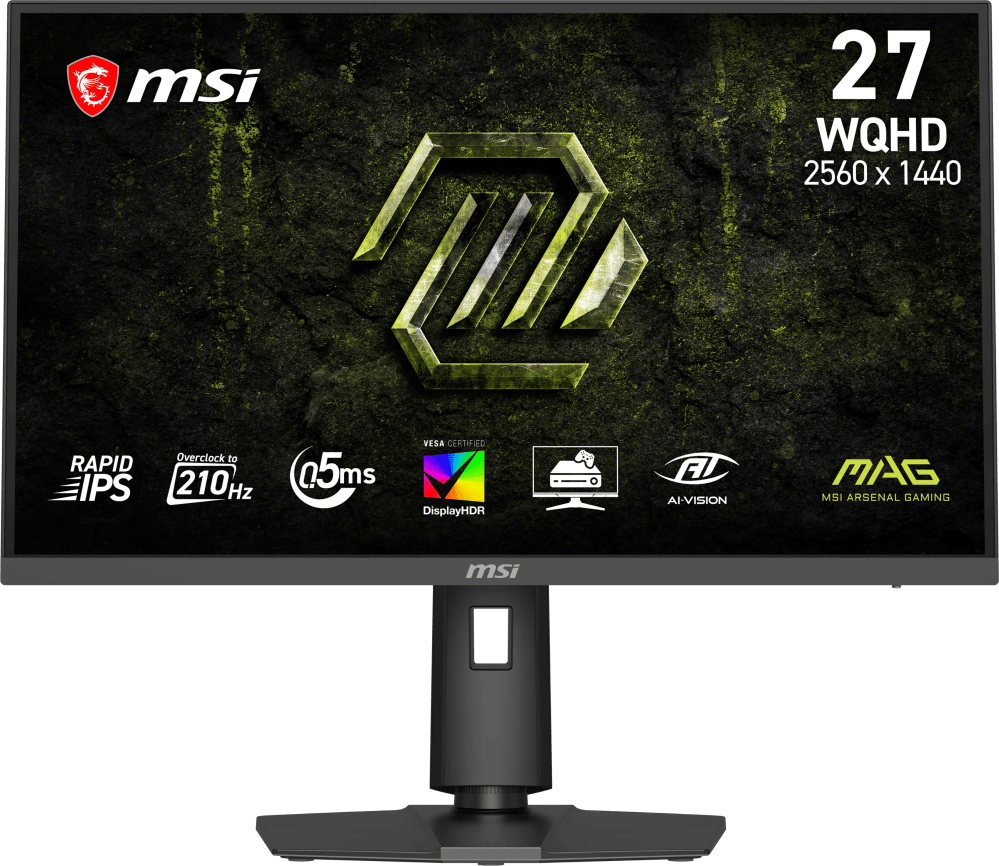 MSI - MAG 275QPF E21 27" QHD 210Hz 0.5ms G-SYNC Compatible FreeSync Premium Gaming Monitor HDR 400 (Display Port, HDMI) - Metallic Black Original price was: $189.99.$151.99Current price is: $151.99.
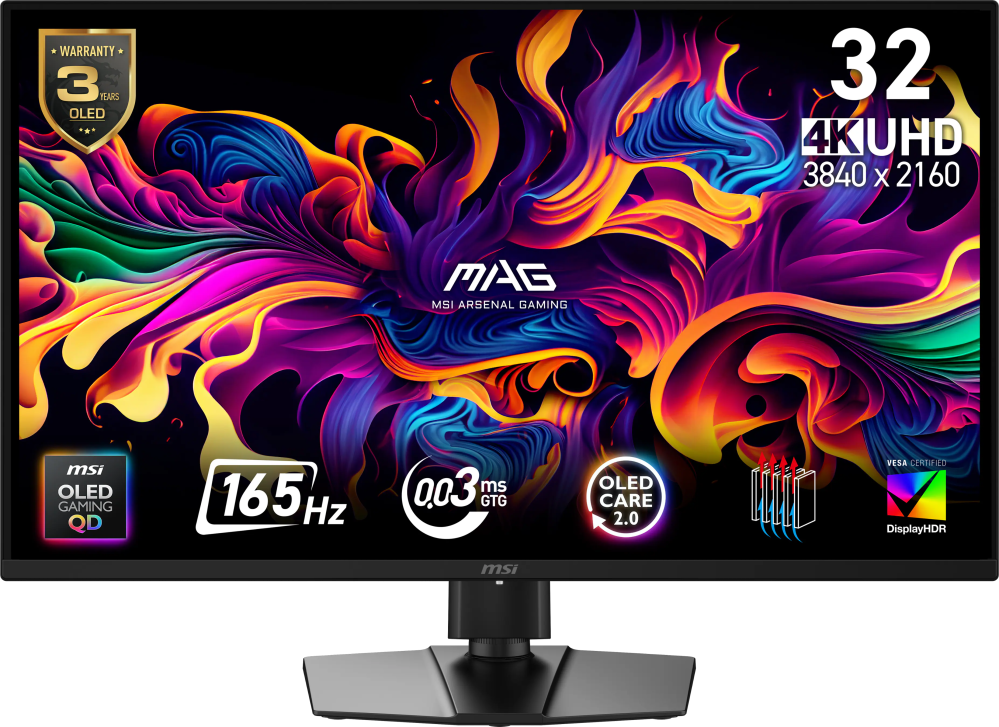 MSI - MAG 322UP QD-OLED E16 32" UHD 165Hz 0.03ms G-SYNC FreeSync Premium Pro Gaming Monitor True Black 400 (DP, HDMI, USB-C) - Metallic Black Original price was: $729.99.$583.99Current price is: $583.99.
Overview
- 32” Gaming Monitor with 4K UHD (3840×2160) Resolution
Crisp and clear visuals with lifelike detail on a large 32″ screen—perfect for gaming, streaming, or everyday use. - QD-Mini LED
TCL’s QD-Mini LED delivers brilliant brightness and pinpoint precision — perfect for deep, immersive gameplay. - TCL Halo Control System
An advanced Technology Suite that includes the Powerful Light-emitting Microchip, Super Condensed Micro Lens, Micro-OD Reduced Optical Distance, and High Contrast HVA Panel for Stunning “Halo-Free” Images. - 165Hz Native Refresh Rate
Smooth, responsive motion that keeps up with every move—perfect for fast-paced games and fluid visuals. - LD1400 Precise Dimming Series
Smart local dimming that adjusts scene by scene, for deeper blacks and sharper contrast with every frame. - HDR1400 Brightness
Ultra-bright highlights and breathtaking contrast bring every scene to life—whether the room is pitch black or full of sunlight. - 1ms (GTG)
Lightning-fast responsiveness for ultra-smooth gameplay and competitive edge. - AMD FreeSync Premium
Enjoy fluid, stutter-free gameplay, even in fast-paced scenes. - QLED
Stunning vibrancy that transforms what you see. - Crosshair Aim Guide
Four on-screen reticles to help you aim faster and more precisely—your competitive edge, built-in. - TÜV Low Blue Light Certification
Engineered for eye comfort—reduced strain during long sessions, without sacrificing image quality. - High Contrast HVA Panel
TCL’s leading HVA panel technology delivers exceptional contrast and rich detail, elevating every scene. - USB-C Power Delivery
Power up and stay connected with USB-C Power Delivery – one cable for charging and video. - 2 HDMI Inputs and 1 DisplayPort
Fast, flexible connections for your PC, console, and more—everything you need, ready to plug in. - Built-In Stereo Speakers
Enjoy easy audio with built-in speakers that deliver clear, powerful sound. - Fully Adjustable Stand
Find your perfect viewing angle with a fully adjustable stand for customized comfort and ergonomics.
Compare similar
Specifications
Capacity & configuration
- Display Type
- LED
- Panel Type
- QLED
- Stand Type
- Adjustable height stand
Dimensions & weight
- Product Name
- R84 32" QD Mini LED 4K UHD 165Hz 1ms AMD FreeSync Premium Gaming Monitor with DisplayHDR 1400 (USB C, DisplayPort, HDMI)
- Product Height Without Stand
- 16.57 inches
- Product Width
- 28.1 inches
- Product Depth Without Stand
- 3.07 inches
- Product Weight
- 20.92 pounds
- Maximum Adjustable Height
- 23.46 inches
- Product Depth (With Stand)
- 11.81 inches
Features
- Screen Size
- 32", 27"
- Brand
- TCL
- Color
- Black and White
- Refresh Rate
- 165Hz
- Maximum Resolution
- 3840 x 2160
- Native Resolution
- 3840 x 2160
- Contrast Ratio
- 3000:1
- Response Time
- 1 milliseconds
- Synchronization Technology
- FreeSync Premium (AMD Adaptive Sync)
- Aspect Ratio
- 16:9
- Display Contour
- Flat
- Brightness
- 1400 candela per square meter
- High Dynamic Range (HDR)
- Yes
- High Dynamic Range Format
- HDR 10
- Horizontal Viewing Angle
- 178 degrees
- Vertical Viewing Angle
- 178 degrees
- Touch Screen
- No
- On-Screen Display Languages
- Multilingual On–Screen–Display
- Display Surface
- Anti-glare
- Color Gamut (NTSC)
- 95 percent
- Color Gamut (Standard RGB)
- 99 percent
- Number of DisplayPort Inputs (Total)
- 1
- Number of HDMI Inputs (Total)
- 2
- Display Connector(s)
- 1 x DisplayPort 1.4
- Number of USB Ports (Total)
- 4
- USB Ports
- 2 x USB-A
- Headphone Jack
- Yes
- Wall Mountable
- Yes
- VESA Wall Mount Standard
- 100mm x 100mm
- Stand Ergonomics
- Tilt
- Built-In Webcam
- No
- Integrated Speaker(s)
- Yes
- ENERGY STAR Certified
- No
- EPEAT Registered
- No
- Operating System Compatibility
- Not Applicable
- UPC
- 846042043427, 846042044400
Power & warranty
- Model Number
- 32R84
- Warranty - Parts
- 1 year limited
- Warranty - Labor
- 1 year limited
Warranty & protection
Included manufacturer warranty
See manufacturer documentation.
Register your product with the manufacturer within 30 days of delivery.
Warranty service
Manufacturer warranty claims are handled by the manufacturer. We are happy to help you find the right contact: (888) 419-6820.
Customer reviews
Write a reviewDon’t buy into the OLED hype - Review: If you are torn between buying an OLED or a high-end Mini-LED, take it from someone who used a 3rd-Generation QD-OLED for nearly two years: skip the OLED maintenance headaches and buy this monitor. TCL manufactures their own panels, and they specifically engineered this Fast-HVA Mini-LED display to compete directly with OLED contrast while delivering a level of brightness that OLED physically cannot touch. After dialing in the settings, this monitor has proven to be a complete game-changer. Here are the 5 reasons why this TCL Mini-LED outperforms OLED for daily PC use and gaming: 1. OLED-Grade Blacks & Zero Blooming: Thanks to the high native static contrast of TCL's Fast-HVA panel combined with 1,400 physical local dimming zones, white text floats on pitch-black backgrounds with virtually zero haloing or light bleed. 2. 1,400-Nit HDR Brightness: The peak luminance and highlight pop on this display are astonishing. Whether playing HDR games or running RTX HDR on YouTube videos, specular highlights punch through with intense luminance and vibrant color volume that OLED simply cannot match. 3. Zero Burn-In Anxiety: You can leave static UI elements, game HUDs, web browser tabs, or desktop taskbars on screen for hours without a single thought about permanent image retention. 4. No Desktop Babysitting or Disruptive Maintenance: Say goodbye to forced pixel refresh routines, protective dimming (ABL), green diagnostic boot screens, or forced power-off timers. You get to use your PC naturally. 5. Uncompromised Daily Usability: You can step away from your desk without panicking about screensavers or aggressive sleep power settings. It gives you crisp white text, inky blacks, massive HDR pop, and total peace of mind. Pro-Tip for New Owners: Be sure to set the monitor's "Local Dimming" option to Standard in the OSD. Unlike "High" (which overly suppresses brightness to play defense against blooming), "Standard" unlocks the full power of the 1,400 dimming zones, giving you blazing bright highlights and razor-sharp contrast without crushing fine details. TCL nailed it with this design. You get the best of both worlds—stunning contrast, blinding HDR performance, and zero babysitting. Highly recommended!
Not quite great - I has an interesting if somewhat sheen to the screen. The refresh needs to be lowered to 120hz to properly display hdr. It has some difficulty switching between computers. Otherwise it is a decent monitor. It's brightness makes it easy to view in an already bright environment.
Great Blacks, Color, and HDR w/ One Monitor Issue - My camera really doesn't do this monitor justice. The TCL R84 (bottom in the image) has noticeably better blacks and saturation compared to my IPS monitor (top in the image)—it looks much better in person. With the lights completely turned off, I don't see any noticeable backlight glow. I do have local dimming set to high, but surprisingly, it doesn't hurt the overall image quality. Other than the deeper blacks, the main difference I've noticed is that the cursor can look a little dimmer with local dimming enabled. It's not a big deal for me though. One thing that impressed me is how well the local dimming handles blooming. With it set to high, there's very little haloing. You might notice some if you're specifically looking for it, but during normal use, it's essentially unnoticeable. I've also adjusted the colors to my liking with GameHDR enabled, and I've been really enjoying the image quality so far. Colors look great for gaming, as well as watching movies and shows. The biggest downside I've found so far is how it handles a multi monitor setup. I have four monitors, with 3 originally connected to my GPU—One being the TCL R84. Whenever my monitors turn off— whether from shutting down and starting back up, restarting, going into sleep mode, or enabling/disabling FreeSync— every monitor will come back on except for this one. I have to turn the TCL off and back on again to get it to display anything. I'm guessing this could have something to do with the monitor drawing more power while running at 165 Hz with DSC enabled. I've tried a bunch of solutions, and DSC being enabled seemed to be the main culprit, but I'm not using this monitor when the HDR is what mainly drew me to this. My workaround was to connect two of my monitors to my motherboard and use my CPU's integrated graphics, while keeping the other two—one being the TCL R84—connected to my GPU. Ever since I've done that, I haven't had the same issue. Overall, I think it's a great monitor for both gaming and productivity. The contrast, blacks, and color saturation make games and movies/shows look fantastic, while no text fringing makes it perfect for work, browsing, and typing. If you're running more than 2 monitors in your setup, you might have to tinker with your setup or settings, but if you're only using 1 or 2 monitors, I think you will have a good experience.
Bright as you want and colorful - Was stuck between Oled and this - Glad I got this with no burn in and very good quality visually but didn't notice the 1 year warrenty so I hope it last.
for me the best all around - i love that it has speakers, a build it hub so i can connect multiple devices. PIP/PBP is a cool plus. all cool all around montior.
Fantastic OLED alternative - PROS -- The HDR on this thing is impressive, it gets BRIGHT. WAY brighter than the previous OLED I had. -- It has near OLED black levels due to local dimming. -- I was worried coming from a 240hz+ Oled down to 165hz would bother me, but it's not a big deal at all. Input latency is great, and the monitor is very responsive. -- VERY easy to clean compared to my previous OLED which scratched / smudged if you looked at it the wrong way. -- Built in KVM is very handy, used for docking my Steam deck, work computer etc. -- Most importantly (for me): ZERO burn in risk. CONS -- The stand the monitor comes with is very bulky, and honestly an eyesore (this is subjective) I immediately bought a monitor arm and love how clean it looks now. -- The matte coating on the display can be aggressive to some. My eyes have adjusted to it now, but it's something I definitely noticed at first. -- The cables that come with the monitor are pretty cheap, specifically the supplied USB-C cable for the KVM kept disconnecting. When I bought a brand-new cable, it worked flawlessly. Before landing on this monitor, I actually just returned an OLED monitor (AW3225QF). Stressing about hiding taskbars, game HUDS, full screening everything, it honestly became a chore. Now, I don't stress at all and just enjoy using my computer as intended without worrying about burn in. I do love OLED and will always have one for a tv screen, but I personally think they're not great as monitors. Too much static content exposure, even with all the safeguards those monitors have, burn in is still a guarantee at some point in the panel's life. All in all; this is a fantastic monitor & I am happy with my purchase.
Great for gaming - This is my first full 4k monitor, I’ve had it since June, and all I can say is wow. The quality that you get out of this vs the price is amazing
Great monitor! - I bought this monitor after doing a significant amount of research on monitors. I decided against OLED because I would be working a lot on my monitor and did not want to risk burn-in. It turns out there are very few high refresh rate monitors with 32", 4K, KVM, and USB-C power delivery. I was worried about the typical VA panel drawbacks: 1. Viewing Angles 2. Black smearing When I got the monitor, I was perfectly fine with everything and did not notice any issues. So, I would say it is at least worth a try to see if VA panel drawbacks actually annoy you or not. The internet tends to be a bit nit-picky on these types of things so the best approach is to just try it out and judge for yourself.
Gorgeous picture quality - great for gaming / work - Nice big, usable screen. My desk is on the small side so going any bigger would have been counter productive. 3840 x 2160 resolution works great for me with scale set to 125%. Has lots of handy features. Performs great for work and really makes games come alive. Very high quality look and feel. I only wish the stand was verticle instead of leaning away from me so I could place it closer to the wall my desk is against. Very glad I purchased; worth the price.
Amazing monitor!!!! - Amazing monitor I’ve been playing on it for a month now and the 4k quality is amazing compared to my old monitor it’s night and day.
Very exceptional for a VA monitor - The color reproduction is amazing. I am able to match it pretty closely to the OLED I have next to it. The response time is phenomenal gaming on it versus my 240 HZ OLED. I can't tell much of a difference. Around the edges the color washes out a little bit because the VA panel but the local dimming I turn too high and the blacks look phenomenal. This really is about the best monitor you can find with mini LED and below 1K. Some of the new monitors are 5K and 6K which to me is Overkill so this fits the perfect specs I was looking for. The settings take some tinkering with and I'm sure I will adjust them again. I've only been using it for a month, but so far this is a great monitor for the price and the quality seems to be on par with monitors. I've spent a lot more money on.
A hard return - It’s bright for sure. It’s fast. However, it is still a VA monitor and comes with VA issues. At times I felt like the monitor had Vaseline during my time with Battlefield 6. It was nice to not worry about burn in.
TCL monitor - This monitor is great and does everything I need it to. I’m happy with the slick design and the awesome display.
Nearly perfect - Would love for this monitor to have a slight curve and a semi-gloss coating but otherwise I'm very happy with it; HDR looks incredible!
Amazing display - The display is very bright and colorful but the KVM needs some work to be able to wake a computer on from sleep
Great High Quality 4K Computer Monitor - This is a perfect versatile 4K monitor for my usage. Comfortable enough to use for work but when switching to HDR settings goes into a high quality gaming/multimedia monitor. Customizable with lots of different options to adjust picture settings and works very well with my NVidia graphics card. Very happy with this purchase.
So happy I picked this over an OLED. - So glad I chose this over OLED I’m extremely happy with the TCL R3284, and I specifically chose it over OLED for two important reasons. PROS: I have two major issues that keep me off the OLED hype train. First, I suffer from chronic migraines, and OLED panels are the worst display technology I’ve used for headaches due to their rapid high-frequency pulse modulation. Second, I play Escape from Tarkov in my downtime, and I need a monitor that can aggressively brighten dark environments and make enemies easier to spot in shadowy areas. This monitor is the brightest display I’ve ever used. On dark maps like Interchange, I crank brightness to 100 and set Dark Part Brightening to the highest level in the gaming menu. The difference is literally night and day—dark corners become readable and enemies are far easier to spot. I get the stunning image quality people love about OLED without the health concerns and without the ridiculously dim brightness that holds OLED back in dark games. For work and productivity, I simply drop brightness down to around 27 and it’s comfortable for long sessions. The joystick/menu button on the bottom is also the best monitor control I’ve ever used. - Click right: instant brightness and gamma controls - Click back: input selection - Click left: full menu with 4-axis navigation - Click forward: quick options - Double-click: power off It’s incredibly intuitive and makes switching between work and gaming fast and painless. CONS: The built-in KVM is a bit clunky. When my desktop goes to sleep, the monitor switches to the USB-C input where my work laptop is connected, and the keyboard and mouse switch with it. That means you can’t just wiggle the mouse to wake the desktop—you have to manually switch inputs first, then regain control. As a workaround, I set my desktop power button to sleep/wake instead of power off. Pressing it wakes the PC and the monitor switches back automatically. It took a little getting used to, but it’s manageable. That said, the excellent joystick/menu design makes dealing with this much easier, and it keeps the KVM issue from becoming a real deal-breaker. Hats off to TCL for that design choice.
tcl 4k - great picture clarity great refresh rate 165 hz really bright and great blacks
Excellent monitor for daily use! - I’ve been using this TCL 32” mini LED monitor for around two weeks now, mainly for gaming and some streaming, and I’m honestly really impressed with how it looks. The screen quality is the first thing that stands out. 4K on a 32-inch screen looks just right. Games look clean and detailed, and the colors are bright without looking fake. Most importantly, black colors actually look black, not gray, and I don’t really see much glow around bright areas, even in darker scenes. I mostly play sports and action games, and the refresh rate makes everything feel smooth. Movement looks fluid and I haven’t noticed any screen tearing or lag so far. Input feels quick too. I’m not a pro gamer, but it definitely feels faster and smoother than my old monitor. HDR looks really good on this. The screen gets very bright, even during the day with lights on. Explosions, sunlight, and highlights in games pop way more than I expected. Watching movies and YouTube in 4K also looks great, which I do sometimes. One thing I didn’t think I’d care about but actually use is the crosshair option. It’s helpful in shooters, especially when the in-game crosshair is hard to see. Nice little extra. I spend long hours on it, and my eyes don’t feel as tired as before. Not saying it’s magic or that you should sit forever, but it’s more comfortable for longer sessions. The USB-C connection is super convenient. I plug in my laptop with one cable and it charges while displaying the screen. HDMI and DisplayPort work fine too. Switching between PC and console is easy. The built-in speakers are okay, nothing special. They are fine for casual use, but I mostly use headphones anyway. The stand feels solid and is easy to adjust, which I like. After two weeks of daily use, I’m really happy with it. If you’re looking for a high-quality gaming monitor with great picture and smooth performance, this one’s been worth it for me.
Questions & answers
Ask a question
Email [email protected] or call (888) 419-6820 during business hours.
Add your review